

Impossible Difficulty datapack for Minecraft is a unique mod that drastically increases the game’s difficulty to bizarre levels. The hardest vanilla difficulty is the hardcore mode. In hardcore mode, you will lose the world once you die. While the Impossible Difficulty datapack does not feature the hardcore mechanic, it adds all kinds of other dangers that you cannot even imagine.
Here are more details about the Impossible Difficulty datapack for Minecraft.
Features and download guide for Impossible Difficulty datapack for Minecraft
What does the Impossible Difficulty datapack for Minecraft offer?
When you enter a Minecraft vanilla world, you start by punching a tree to get some wood and create a crafting table to make basic tools. However, in the Impossible Difficult datapack for Minecraft, you will not even be able to punch a tree without danger.
When you try to punch a tree, the entire tree will explode and kill you instantly. If you manage to get wood and create a crafting table, the block will terrifyingly convert into a killing machine, with a bazooka and two cutting discs. If you finally defeat all the hostile mobs in a structure and open chests to loot, a custom shulker mob will appear from it and kill you with a laser gun.
Villages will not be safe as well, as villagers will turn into masked serial killers, running towards you with chainsaws. Creepers can randomly multiply all around you, trapping you in a massive explosion, furnace block will become a flamethrower while smelting items, and much more.
In various other bizarre and hilarious ways, the Impossible Difficulty datapack for Minecraft makes the game almost unplayable. Despite all this, the unique ways in which the modder has increased the game’s difficulty are worth checking out at least once.
Below are some of the settings you can change using commands. Make sure to go into creative mode in order to use these commands:
- /trigger difficulty set <1-3>
- /trigger dragon_difficulty set <1-3>
- /trigger toggle_armor_slowdown
- /trigger toggle_chest
- /trigger toggle_endermen
- /trigger toggle_flashbang
- /trigger count_features
How to download and install the Impossible Difficulty datapack for Minecraft?
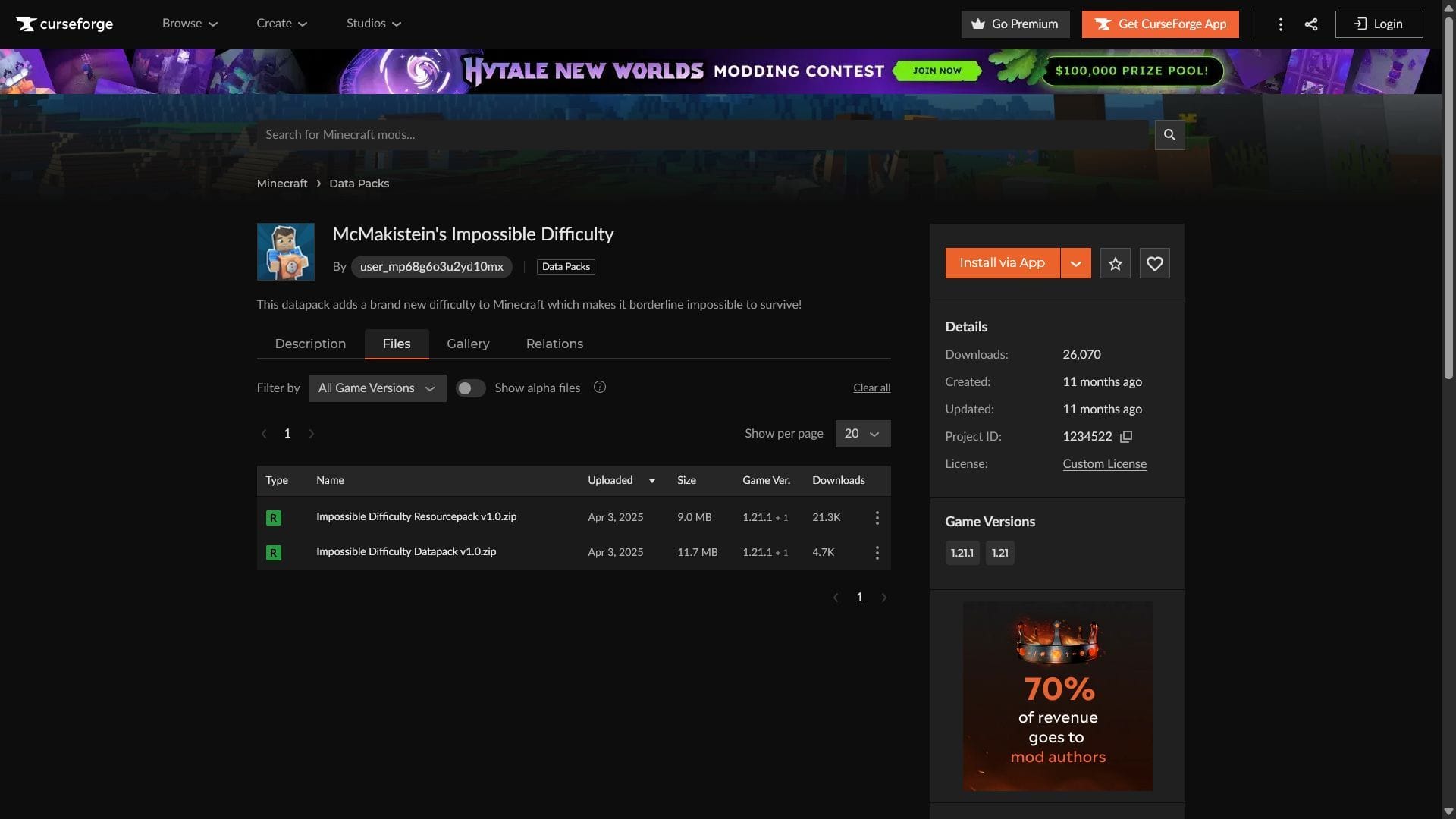
Here is a guide to download and install the Impossible Difficulty datapack for Minecraft:
- Make sure you have Minecraft 1.21.1 installed from the official launcher. You can do so by going into Java Edition’s “Installations” tab, create new installation, and selecting 1.21.1.
- Download both the Impossible Difficulty Resourcepack and Datapack. As of now, it is only compatible with 1.21.1. The modder might create updated versions in the future.
- Once downloaded, open the Minecraft directory, which should be here for every player: C:\Users\{your username}\AppData\Roaming\.minecraft.
- In this folder, find or create “datapacks” and “resourcepacks” folders, and transfer Impossible Difficulty files to both.
- Open the Minecraft launcher again and open the 1.21.1 game version. Create a new world, and start enjoying the extra difficulty.
Check out our latest articles on Minecraft:
Edited by Akshat Kabra