
Tech
FiiO DARKSIDE PRO Linear Power Supply Promises Cleaner, Low Noise Power for Desktop Hi-Fi Under $200

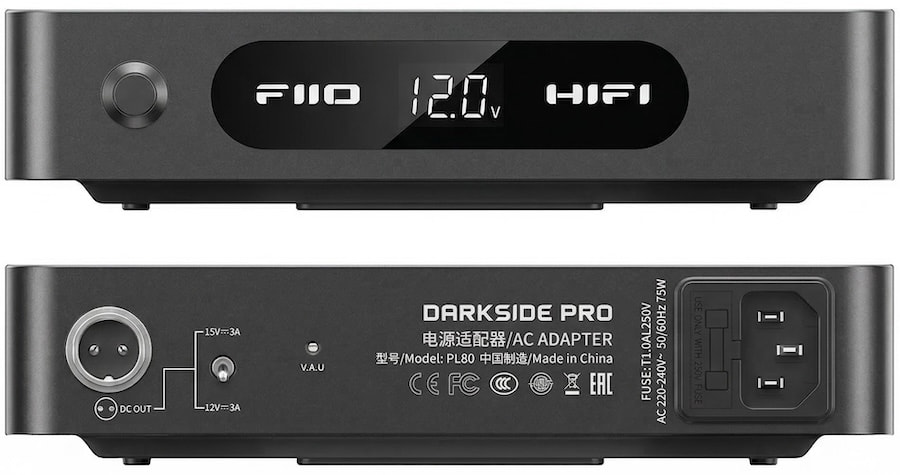
FiiO isn’t just busy in 2026, it is borderline relentless. The company has already rolled out close to 20 new products this year, with a roadmap that stretches for pages. DACs, amps, streamers, dongles you name it. But buried in that flood of new gear is something far less flashy and arguably more important: the DARKSIDE PRO.
Because here is the reality most brands do not like to talk about. A lot of entry level and mid tier gear from FiiO, Topping, SMSL, Schiit, WiiM, Eversolo ships with pretty mediocre power supplies. Cheap switching adapters. Lightweight wall warts that get the job done, technically, but do not exactly help performance. Noise creeps in, dynamics flatten out, and the gear never quite sounds like it should.
The FiiO DARKSIDE PRO goes straight at that problem. It is a linear power supply designed to clean up the foundation of your system, not dress it up. And it does not just work with a handful of FiiO products, it is compatible with a wide range of DACs, headphone amps, and streamers from multiple brands, provided the voltage and current match.

At $159, it is also not a major financial leap. Which is why it makes a lot of sense as a first upgrade, often more impactful than swapping cables, and sometimes enough to hold off on replacing the component entirely. I have already got one on order for the K11 R2R and a few other pieces on my desk. That probably tells you everything you need to know.
The DARKSIDE PRO is built to address something most desktop systems overlook until it becomes a problem: power quality. Instead of relying on a standard switching adapter, FiiO uses a linear power supply design, which is inherently better at reducing high-frequency noise and electrical interference that can bleed into sensitive audio circuits. That matters because DACs and headphone amplifiers don’t just amplify music—they amplify whatever noise is riding along with the power.
At the heart of the DARKSIDE PRO is a 75W toroidal transformer paired with a fully discrete voltage regulation stage. Toroidal transformers are preferred in audio applications because they generate less electromagnetic interference and deliver more stable current under load. The discrete regulation stage further refines that output, reducing ripple and ensuring that voltage remains consistent even when the connected device demands more current during dynamic passages.
The unit provides selectable 12V or 15V output with up to 3A of current, which makes it compatible with a wide range of desktop gear. That includes FiiO’s own DACs and amplifiers like the K11, K13 R2R, K7, and other low-voltage components, as well as third-party DACs, streamers, and headphone amps that rely on external DC power. The ability to switch voltage is not just about compatibility—it allows users to match the exact requirements of their gear, avoiding underpowering or unnecessary stress on the circuit.
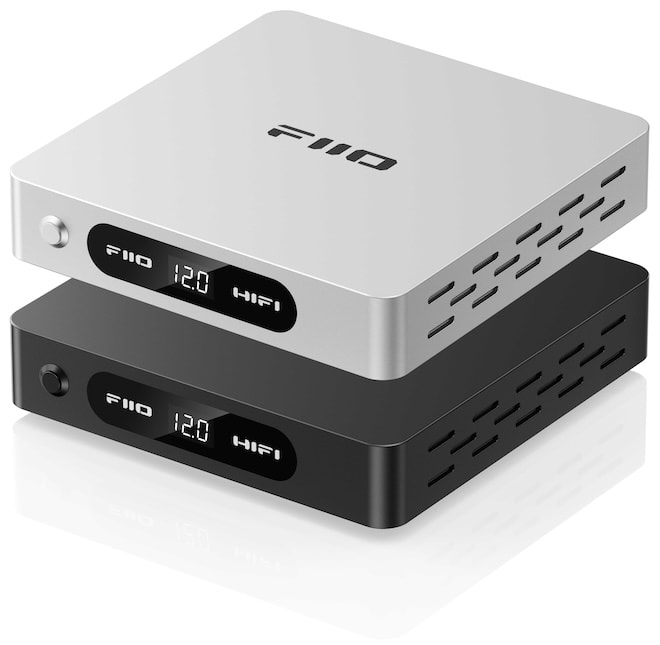
Performance-wise, the benefit comes down to lowering the noise floor and improving system stability. With less ripple and cleaner DC output, connected devices can operate closer to their intended design limits. That can translate into tighter bass control, cleaner transients, and improved low-level detail—not because the power supply “adds” anything, but because it removes interference that shouldn’t be there in the first place.
There’s also a practical advantage in current reserve. With up to 3A on tap, the FiiO DARKSIDE PRO avoids the bottlenecks that cheaper switching supplies can introduce when a system demands more instantaneous power. That helps prevent compression or softening of dynamic peaks, especially with more demanding headphones or complex music.
What makes the DARKSIDE PRO useful is its role as a system-level upgrade. It doesn’t change your gear—it lets your gear perform the way it was designed to. For users building around FiiO’s growing desktop ecosystem, it’s a logical companion piece. And for anyone running sensitive DACs or headphone amps on generic wall adapters, it’s one of the few upgrades that can improve everything downstream without touching the signal path itself.
FiiO K13 R2R: Architecture, Power, and Real Control
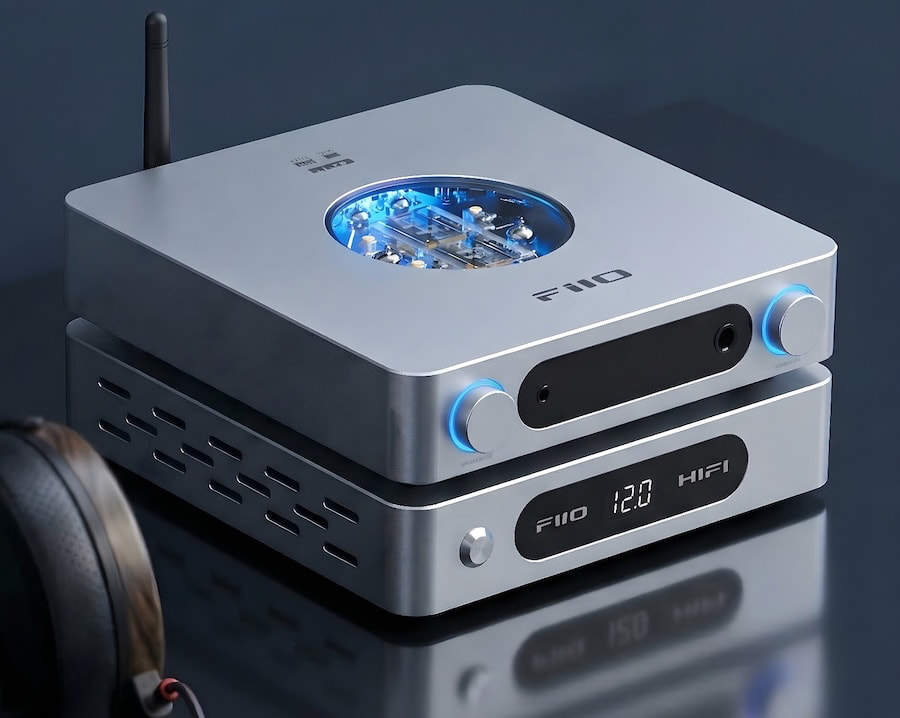
The K13 R2R has been a long time coming. First announced last September, it took a few extra months to actually land, but now that it’s here, the value proposition is a lot clearer.
At its core is something you still almost never see at this price: a true, fully differential 24-bit resistor ladder DAC. FiiO’s four-channel design uses 192 precision thin-film resistors with tight tolerances, which isn’t just engineering flex—it directly improves linearity, channel balance, and low-level detail. The result is a presentation that feels more continuous and less clinical than the usual delta-sigma approach.
FiiO also gives you both NOS and OS modes, so you can choose between a smoother, more analog-leaning sound or something tighter and more technically precise. The DAC feeds a fully balanced amplifier capable of up to 2400mW per channel into 32 ohms, with low output impedance and multiple gain settings that make it flexible enough for everything from IEMs to planars.
On the digital side, it’s fully loaded: USB with up to 384kHz/32-bit PCM and DSD256 via XMOS, plus optical, coaxial, and I²S inputs, and Bluetooth 5.4 with LDAC for wireless. In other words, it covers just about every use case you’re likely to throw at a desktop unit in this range.
What makes the K13 R2R unique is obvious—the R2R DAC at $319. What matters just as much, though, is everything around it. Because here’s the part most people ignore: no DAC or headphone amp at this level reaches its potential on a cheap switching power supply. A better power source often delivers more meaningful gains than swapping cables—and in some cases, enough of an improvement that you don’t feel the need to upgrade the device at all.
Which is exactly why something like the FiiO DARKSIDE PRO exists in the first place.
The Bottom Line
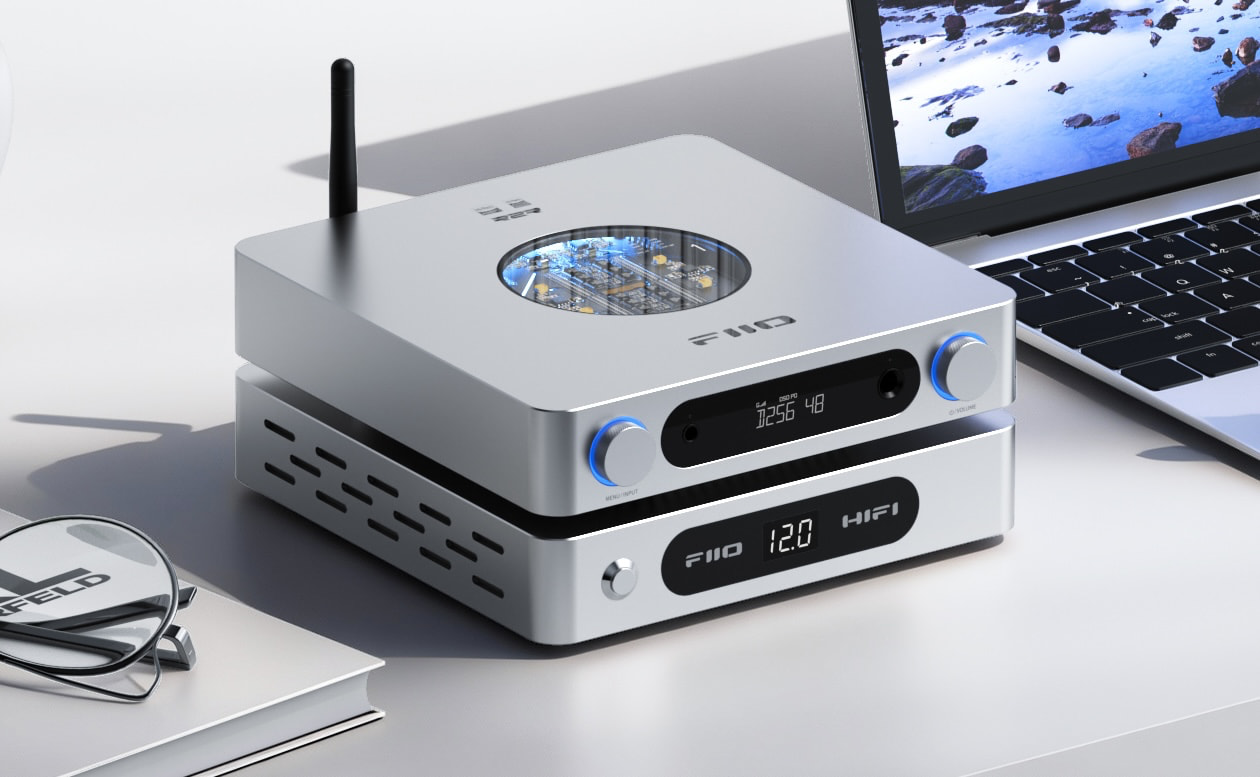
The FiiO DARKSIDE PRO is for anyone running a DAC, streamer, or headphone amp on a basic wall adapter and wondering why it sounds a little flat. It makes sense because cleaner, more stable power can unlock performance you already paid for. At $159, it is a low risk upgrade that can deliver real gains without replacing your gear.
Where to buy:
For more information: fiio.com
Related Reading:

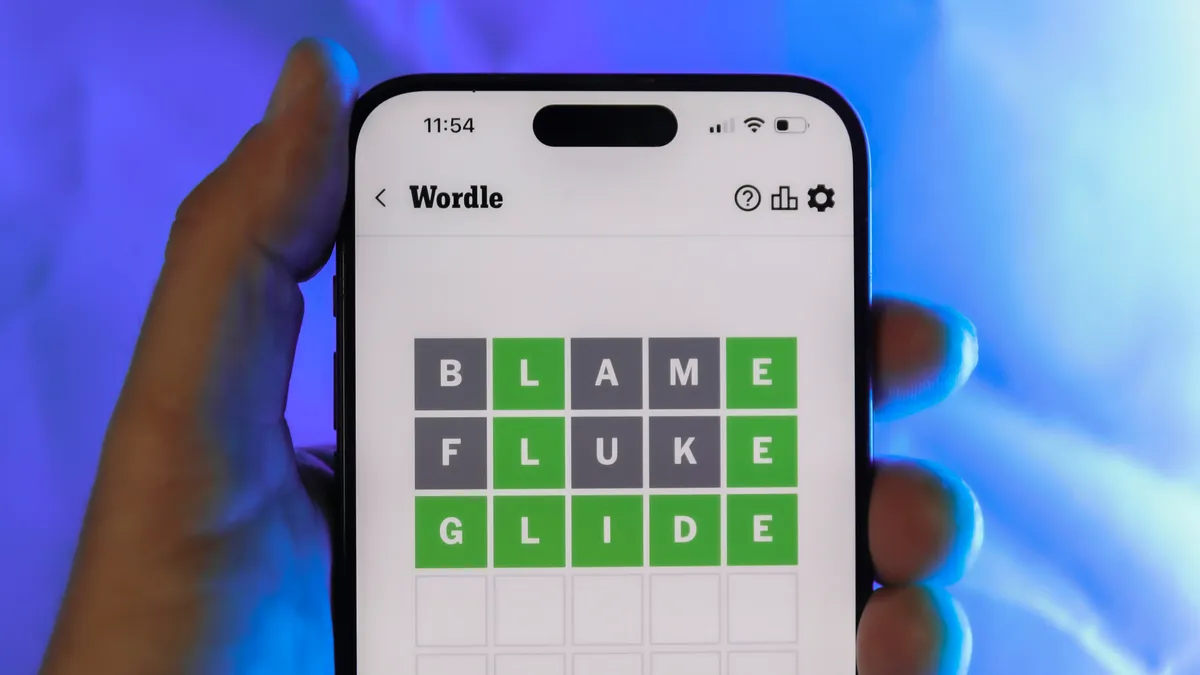
Looking for the most recent Wordle answer? Click here for today’s Wordle hints, as well as our daily answers and hints for The New York Times Mini Crossword, Connections, Connections: Sports Edition and Strands puzzles.
Today’s Wordle puzzle has mostly common letters, so you might get it right awa. If you need a new starter word, check out our list of which letters show up the most in English words. If you need hints and the answer, read on.
Read more: New Study Reveals Wordle’s Top 10 Toughest Words of 2025
Today’s Wordle hints
Before we show you today’s Wordle answer, we’ll give you some hints. If you don’t want a spoiler, look away now.
Wordle hint No. 1: Repeats
Today’s Wordle answer has no repeated letters.
Wordle hint No. 2: Vowels
Today’s Wordle answer has one vowel.
Wordle hint No. 3: First letter
Today’s Wordle answer begins with S.
Wordle hint No. 4: Last letter
Today’s Wordle answer ends with K.
Wordle hint No. 5: Meaning
Today’s Wordle answer can refer to something that is smooth and glossy.
TODAY’S WORDLE ANSWER
Today’s Wordle answer is SLICK.
Yesterday’s Wordle answer
Yesterday’s Wordle answer, March 20, No. 1735, was OASIS.
Recent Wordle answers
March 16, No. 1731: DRAMA
March 17, No. 1732: CLASP
March 18, No. 1733: AMPLY
March 19, No. 1734: REHAB
What’s the best Wordle starting word?
Don’t be afraid to use our tip sheet ranking all the letters in the alphabet by frequency of uses. In short, you want starter words that lean heavy on E, A and R, and don’t contain Z, J and Q.
Some solid starter words to try:
ADIEU
TRAIN
CLOSE
STARE
NOISE
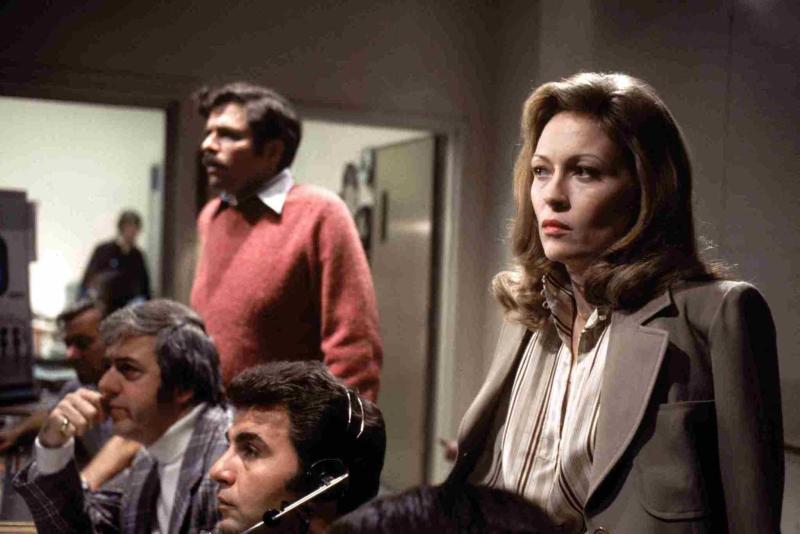
Some movies age gracefully. Others age into prophecy. Network did the latter and then some. When Sidney Lumet released this ferocious satire in 1976 from a venomously brilliant script by Paddy Chayefsky, audiences didn’t laugh it off as some cute exaggeration about television news. They squirmed. The film landed like a brick through the newsroom window; biting, unnerving, and uncomfortably close to the truth even then. Nearly fifty years later it feels less like satire and more like a documentary with better lighting. Cable news shouting matches. Personality driven commentary replacing journalism. A nonstop outrage cycle designed to keep viewers emotionally hooked. Chayefsky didn’t just understand television. He understood America’s appetite for spectacle long before the algorithms figured it out.
The story kicks off when aging news anchor Howard Beale, played with electrifying intensity by Peter Finch, learns he’s about to be fired because the ratings stink. Instead of fading quietly into retirement, Beale cracks on live television and promises to kill himself on the air during the next broadcast. Not exactly the sort of programming decision that wins industry awards. But something strange happens. Viewers tune in. Ratings spike. Suddenly the breakdown is good television. Enter Diana Christensen, played with ice-cold ambition by Faye Dunaway, a programming executive who sees Beale not as a problem but as a product. Soon he isn’t a journalist anymore. He’s a spectacle. A televised rage prophet urging viewers to open their windows and shout, “I’m mad as hell and I’m not going to take this anymore!” America listens. The ratings explode. The network cashes in. If this all feels familiar, it should, we’ve been living inside that feedback loop for decades.
The emotional backbone of the film belongs to William Holden as Max Schumacher, a veteran newsman clinging to the dying belief that journalism should still mean something. Poor Max. He’s the last adult in a room full of ratings addicts. One of the film’s most devastating scenes arrives when Max confesses his affair with Christensen to his wife, played by Beatrice Straight. Straight detonates with decades of frustration and heartbreak in a performance so raw it feels almost invasive to watch. The scene lasts only a few minutes but it anchors the film’s wild satire in something painfully real. Straight won an Academy Award for it, and rightly so.
For a moment the movie stops being about television and becomes about the collateral damage people leave behind while chasing ambition; the spouses ignored, the families sacrificed, the human wreckage left behind while the ratings climb. We’ve seen the modern version enough times: star anchors imploding, cable personalities flaming out on air, influencers chasing the next outrage clip while the cameras keep rolling. Careers burn, reputations collapse, and the audience moves on before the next commercial break. Lumet and Chayefsky knew the truth the media machine still pretends not to see or care about: behind every viral moment there’s usually someone paying the bill while the network or platform counts the clicks.
Then comes the speech that still rattles around in your skull long after the credits roll. Corporate executive Arthur Jensen, played with thunderous authority by Ned Beatty, summons Beale to a dimly lit boardroom and calmly explains how the world actually works. Nations are illusions. Democracy is window dressing. The real power belongs to multinational corporations. In 1976 Jensen name-checked IBM, Exxon, and AT&T. Today you could easily swap those out for Apple, Amazon, Google, Microsoft, and Meta and the speech would land even harder. Chayefsky understood that television news wasn’t simply reporting events anymore, it was becoming part of the corporate machine that shaped them.
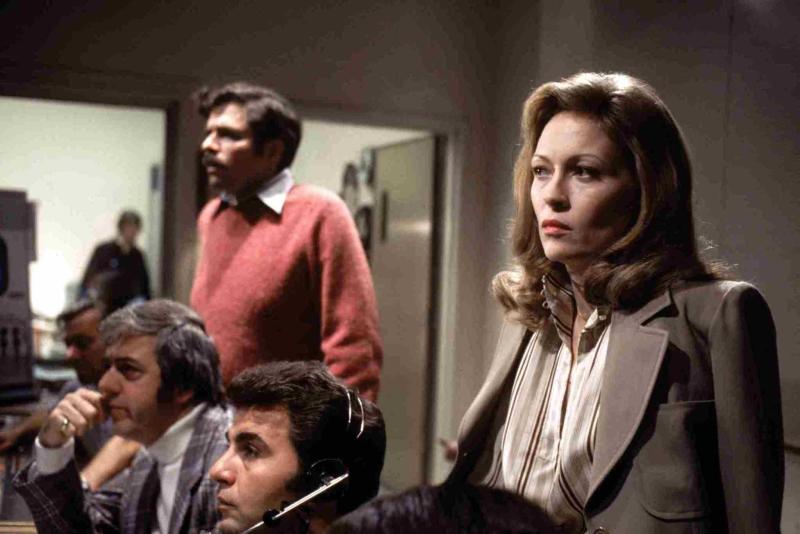
And that’s where Network starts feeling downright uncomfortable in 2026. The film predicted the outrage economy decades before anyone put a label on it. Turn on the television today and it’s emotional theater twenty four hours a day. Panels yelling. Personalities performing. Headlines engineered to keep viewers angry enough to stay glued to the screen. The business model is simple: outrage drives engagement and engagement drives revenue. Diana Christensen figured that out in about thirty seconds. Calm reporting doesn’t trend. Anger does. Journalism slowly mutated into entertainment, and entertainment eventually became politics.
Watching Network today is like opening a time capsule that contains tomorrow’s headlines. It remains wickedly funny, brutally intelligent, and powered by one of the sharpest scripts ever written about American media culture. But what really hits is how little of it feels exaggerated anymore. Chayefsky saw the trajectory clearly: once outrage becomes profitable, it becomes irresistible. The cameras keep rolling. The ratings still rule everything. And somewhere in the digital noise of modern media, Howard Beale is still shouting into the void, mad as hell, begging the rest of us to wake up before the show consumes everything.
Criterion gives Network the kind of restoration treatment the film has long deserved. The new 4K digital restoration presents the movie in Dolby Vision HDR on a dedicated 4K UHD disc, with the film’s original uncompressed monaural soundtrack preserved intact. Lumet never intended this to be a sonic spectacle. This is a film powered by dialogue, and the restored mono track keeps Paddy Chayefsky’s machine gun script front and center where it belongs.
The restoration comes from a new 4K scan of the original 35mm camera negative and is presented in the film’s original 1.85:1 aspect ratio. Dolby Vision improves contrast and shadow detail, but the image still looks like film from the mid 1970s should look. Grain is intact. The newsroom lighting remains harsh and clinical. The endless televisions scattered around the sets finally reveal more texture and depth than older transfers ever managed.
Audio stays faithful to the original theatrical presentation. The uncompressed mono track is clean and focused, which matters because this movie lives and dies by the rhythm of Chayefsky’s dialogue. From Howard Beale’s televised sermons to Arthur Jensen’s thunderous boardroom lecture, every word lands with the bite Lumet intended. Criterion did not try to reinvent Network. They cleaned it up, respected the source, and delivered the sharpest home video presentation this film has ever had.
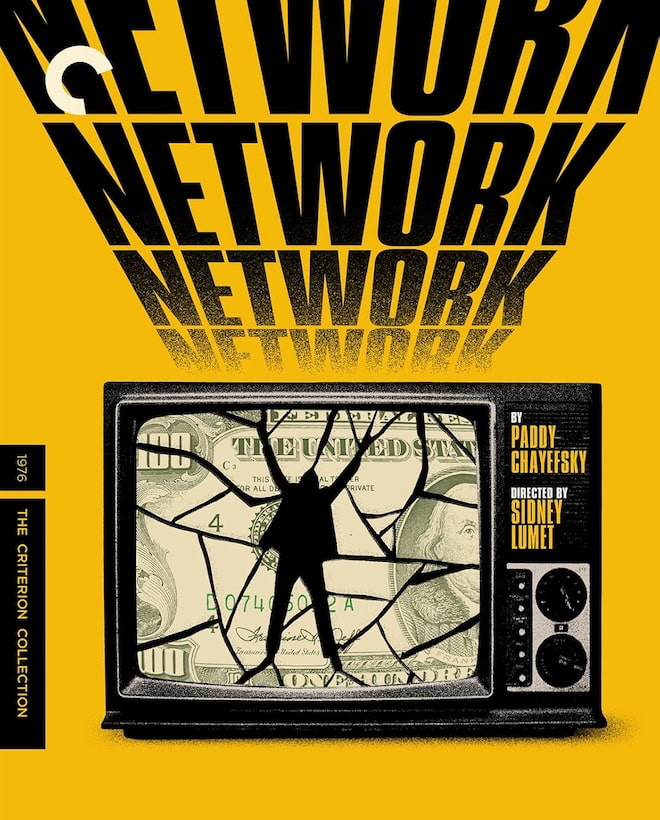
Criterion also includes a strong slate of supplemental material. Director Sidney Lumet provides a feature length audio commentary that offers insight into the film’s production, the performances, and the controlled chaos of Chayefsky’s dialogue heavy script. The set also includes Paddy Chayefsky Collector of Words (2025), a feature length documentary by Matthew Miele that explores the legendary screenwriter’s life and influence. For those who want deeper historical context, The Making of Network (2006), a six part documentary by Laurent Bouzereau, takes viewers inside the writing, casting, and cultural impact of the film.
Movie Details
- STUDIO: United Artists
- FORMAT: Ultra HD 4K Blu-ray (February 24, 2026)
- THEATRICAL RELEASE YEAR: 1976
- ASPECT RATIO: 1.85:1
- HDR FORMATS: Dolby Vision HDR
- AUDIO FORMAT: LPCM Mono (48kHz, 24-bit)
- LENGTH: 121 mins.
- MPAA RATING: R
- DIRECTOR: Sidney Lumet
- STARRING: William Holden, Faye Dunaway, Peter Finch, Robert Duvall, Wesley Addy, Ned Beatty, Beatrice Straight
Our Ratings
★★★★★★★★★★ Picture
★★★★★★★★★★ Sound
★★★★★★★★★★ Extras
Where to buy:
Related Reading:


Gamers who remember sliding cartridges into their old Game Boy Color will feel right at home when they pick up the PicoPal. Its clear plastic shell displays all of the internal components while maintaining the classic shape and button layout of old. The small LEDs illuminate the directional pad and action buttons with customizable brightness, making them ideal for late-night gaming sessions when all you want to do is keep playing. And a 2.6-inch screen front and center displays lovely crisp colors on games that used to seem tiny on vintage Game Boys.
Hold the PicoPal and you’ll be surprised at how light and easy it is to slip into your pocket; it doesn’t feel like it’s going to bulge anytime soon. The buttons seem exactly right, with the firm tactile reaction that many players used to enjoy back then. The speakers are angled forward for good sound, but you can also use headphones if you prefer to be alone. A simple USB-C port on the side allows you to easily update and charge your device.
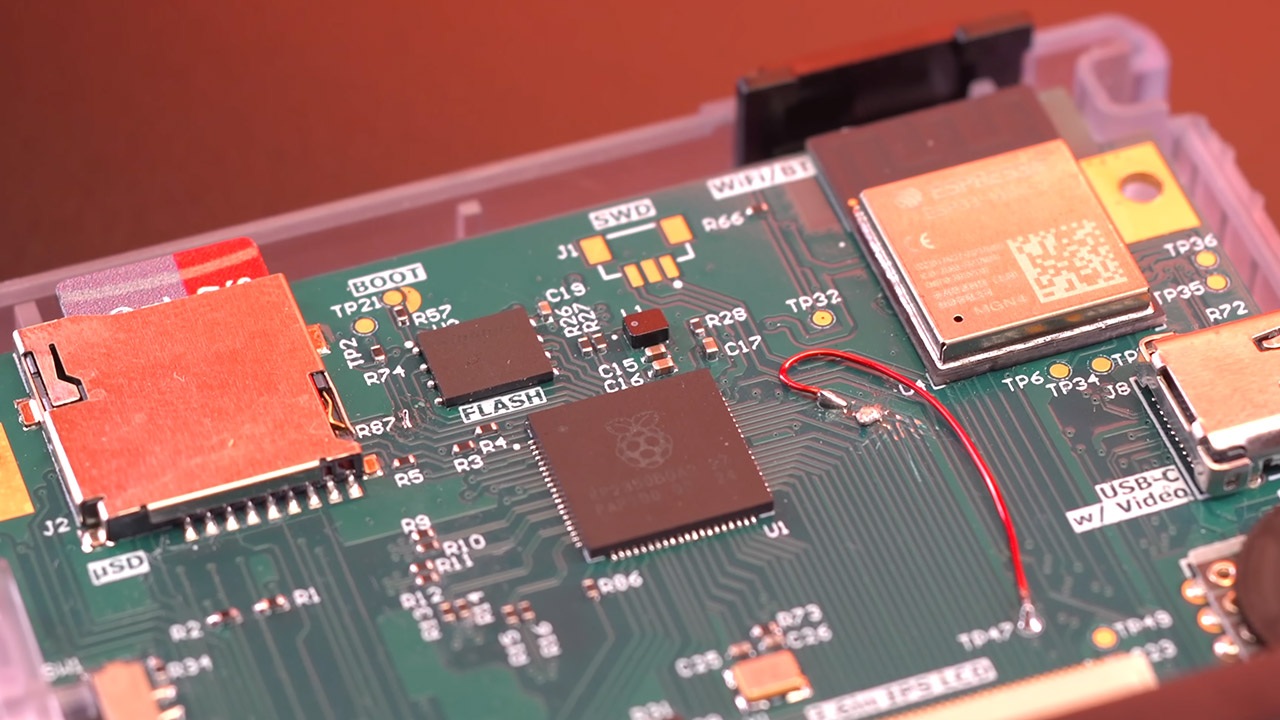
At the center of it all is a Raspberry Pi Pico 2 microcontroller. Some creative developers have managed to overclock it to 300 megahertz, allowing it to run through Game Boy and Game Boy Colour titles without lag. There’s a spare ESP32 chip ready for future wireless connections to be resolved. Games load directly from a microSD card, which can hold up to two terabytes if properly formatted, and the emulation software is based on some of the open-source projects available and appears to run everything just fine with a few tweaks to ensure it all works together smoothly across a wide range of titles.
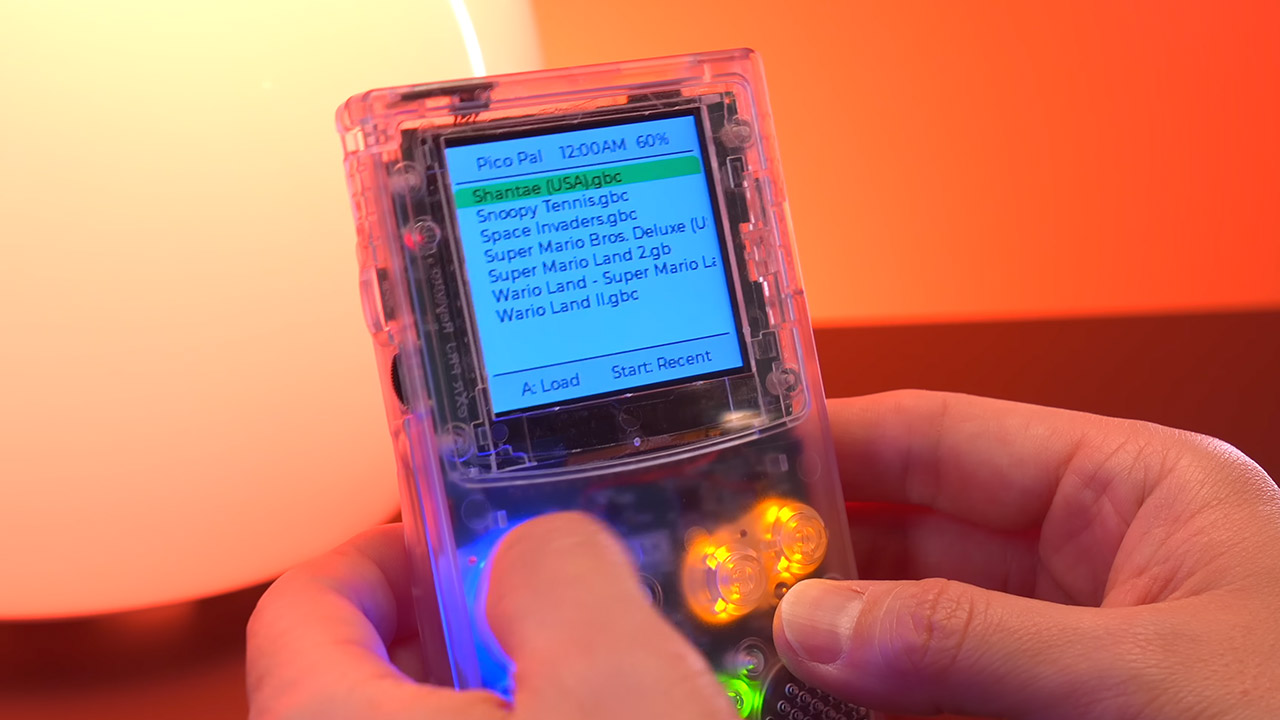
It’s simple to navigate the menu and select a game, or to load up the last one right away, and you can even store your progress at any time and resume where you left off even if you turn the device off and on again. The deep sleep option preserves the last position you were in ready to go with little to no battery consumption. If you click one button when you turn it on, it can even function as a full-fledged MP3 player, streaming tunes directly from the same card with nice audio.
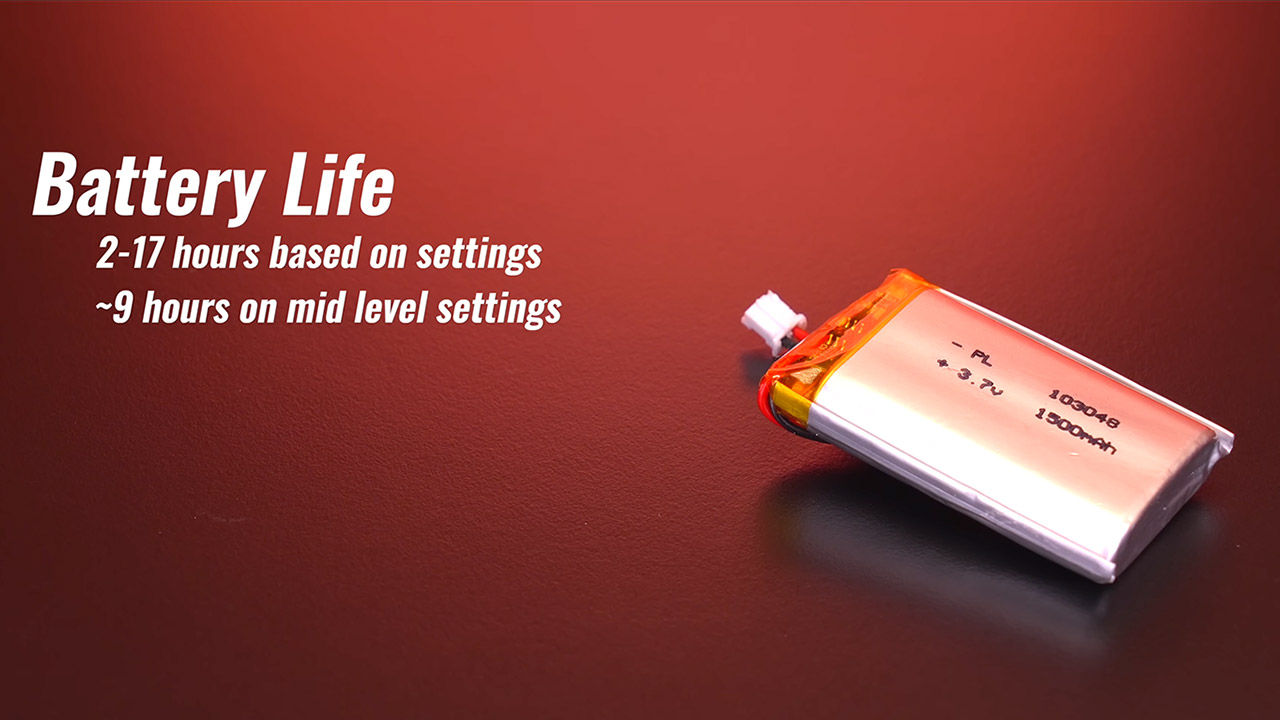
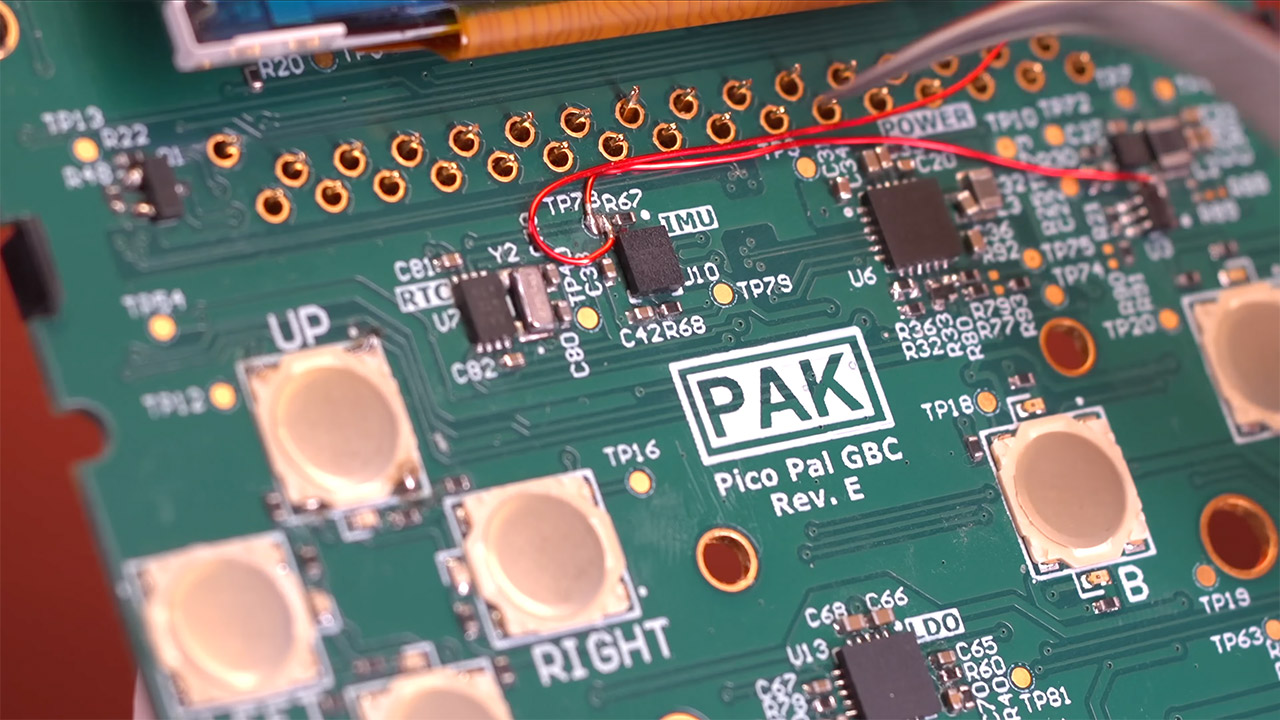
Battery life varies, however it can last anywhere from two to seventeen hours depending on screen brightness, volume, and whether the button lights are turned on or off. Most users appear to get approximately nine hours with the settings adjusted down slightly. There’s a decent solid DAC and amplifier combo that produces clean sound with no hiss or shaky bass. There’s even an IMU kicking around that can measure motion, possibly for future games or simply to show your G-forces during a vehicle journey.
Other nice touches include preserving screenshots as little files on the card and a fast-forward tool for sections that become repetitious. You may also choose from thirteen various color palettes or go with a lovely plain greyscale. With a rapid button combination, you can access the on-screen menu and change the brightness and other settings on the fly. The cartridge slot is now dormant, but there is plenty of area for future additions; you never know what they may come up with next.

For the truly dedicated makers, there are even more freebies, like a full open-source schematics firmware and a comprehensive bill of materials, allowing you to study the design, tweak the code, or even construct your own version. With future updates, you may expect the ESP32 to come to life for wireless connectivity and the like. Real-time clock support ensures that the time is kept accurate even after long interruptions.
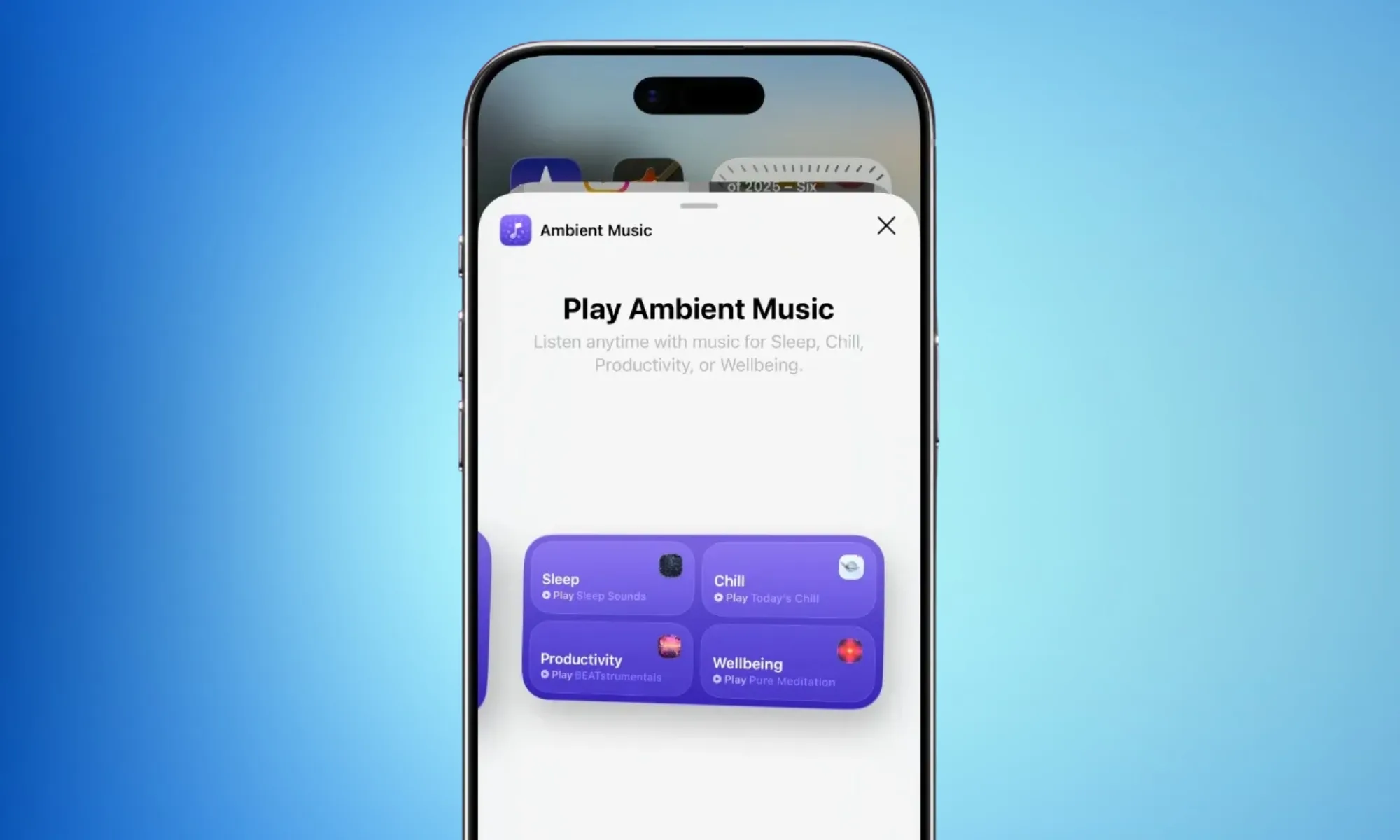
If you’ve ever unlocked your iPhone at midnight, looking for a sleep playlist while already half asleep, Apple’s iOS 26.4 can make life easier for you.
The iOS 26.4 release candidate is here, and among several additions, it introduces something called Ambient Music widgets. These are mood-based playlists that you can play with a single tap on your home screen (on the widget).

What moods can you choose from?
So, from now on, you don’t have to open the app, search for the required playlist, and go through the three-step journey through Apple Music’s menus. The widgets cover four broad mood categories: Chill, Productivity, Sleep, and Wellbeing.
You also get two widget sizes to pick from: the smaller widget features just one playlist (of your choice), while the larger version gives you one-tap access to all four moods at once. Both widgets are built on the Ambient Music feature, which first appeared in the Control Center.
However, now it rests front and center on your home screen, where it’s hard to miss.

Can you customize what plays?
Yes, and Apple has made the process quite seamless. Apple includes built-in playlist presets for each mood. Sleep, for instance, offers options like Sleep Sound, Bedtime Beats, Sound Bath, and Plano Sleep.
However, if the curated options aren’t your thing, you can set your own custom playlists by long-pressing the widget and tapping “Edit Widget.” And before you even ask, the Ambient Music widget only works with Apple Music; it won’t benefit Spotify users.
The Ambient Music widgets are just a tiny part of the new iOS 26.4 update. The release candidate also brings a Playlist Playground feature, eight new emojis, urgent reminder flagging in the Reminders app, and a Purchase Sharing update for family users.

Microsoft is starting to rethink how much AI it really needs inside Windows 11, and that rethink includes dialing back Copilot. As part of its broader push to improve Windows quality, the company is reducing the number of Copilot entry points across the OS and its apps.

According to Microsoft, this rollback will begin with apps like Photos, Notepad, Widgets, and the Snipping Tool, where Copilot integrations had started to feel excessive. The change is part of a wider shift in Microsoft’s strategy of moving away from aggressively embedding AI everywhere and toward integrating it only where it actually makes sense.
Why is Microsoft pulling back on Copilot?
Let’s be honest, most users weren’t exactly thrilled with Copilot integrations. Over the past year, Microsoft has pushed Copilot into almost every corner of Windows, from the taskbar to system apps and even experimental features like notifications. But that approach hasn’t landed well with everyone.
Critics have pointed out that Copilot often felt forced, difficult to remove, and not always useful, especially when it showed up in places users didn’t ask for. Even internally, Microsoft seems to be acknowledging the feedback. The new statement suggests the company is now aiming to be more “intentional” about where Copilot appears, focusing on genuinely helpful experiences instead of everywhere by default.
What exactly is changing in Windows 11?
The biggest shift is simple: less AI clutter. Microsoft is reducing Copilot integrations across multiple apps and has already scrapped or scaled back some planned features, including deeper system-level integrations in areas like Settings, notifications, and File Explorer.

This doesn’t mean Copilot is going away. Instead, the company wants it to feel more like a useful assistant rather than a constant presence. In practical terms, that could mean fewer pop-ups, fewer forced integrations, and more optional AI features. Recent updates also show Microsoft stepping back from automatically pushing Copilot into places like the Start menu or system notifications, signaling a broader course correction.
Whether you recently got on a workout plan or you’re looking for ways to unwind after a stressful week at work, there are tons of workout apps out there that can aid you or even make your job easier. For instance, we’re all aware of the usual fitness-tracking apps that come bundled with the best smartwatches and budget fitness trackers. However, these apps are quite generic and can be overwhelming for those who are simply looking for assistance and don’t want to be shown random numbers and stats all over the screen. This is exactly why we went down the rabbit hole to find useful, interesting apps designed to help you manage your health and wellness.
These apps not only aid in improving your physical health but also prioritize your mental health. After all, both aspects are equally important. Moreover, the apps I’ve chosen make the journey fun rather than boring with attractive visuals, games, or even communities where users can interact with one another. I’ve used these apps personally for over a month to see if they had an impact on my sense of well-being. Instead of the usual bunch of apps like Strava and MyFitnessPal, I’ve included lesser-known apps with interesting and effective features. Moreover, all the apps mentioned on this list are platform-agnostic, so you can use them whether you’re on team Android or inside Apple’s walled garden.
Impulse
When it comes to overall wellness, we often sideline our mental health. That’s exactly where an app like Impulse (available on both Android and iOS) steps in. It is a brain-training platform designed to sharpen cognitive skills such as memory, attention, problem-solving, logic, and speed. But don’t fret, it isn’t rocket science or grueling academic work. Instead, Impulse replaces tedious study with a series of short, highly entertaining puzzle games. For instance, there are games where you arrange numbers in ascending order, memory tests asking you to recall if a particular tile had a ghost image, and various time-based challenges. Who wouldn’t like improving their brain health under the guise of fun?
The clean, user-friendly interface makes it the perfect game to play while commuting on the subway or just killing time waiting in a queue. I sometimes catch myself mindlessly scrolling on my phone, either watching TikTok or Instagram Reels. I started using Impulse to break this habit, and I can confidently say I am now much more mindful of my screen time. In an era dominated by doomscrolling and brain rot, replacing even a few minutes of that mindless screen time with something that actually keeps your mind sharp feels incredibly valuable.
While the app lets you play a few games for free, you’ll have to pay for the premium tier to get the full experience. The paid plan is where Impulse really shines. It completely removes ads, grants access to the entire library of games, and unlocks detailed progress-tracking so you can visualize your cognitive growth over time.
Hevy
While most smartwatches are good at tracking runs and other activities like cycling and swimming, they can’t log the specific weight you lifted or the number of times you repeated a certain exercise. Hevy solves that exact problem. It’s a clean, intuitive workout tracker that lets you log sets, reps, and weights with just a few taps. It even features automatic rest timers and plate calculators to take the mental math out of lifting.
I used to catch myself zoning out between sets, sometimes mindlessly refreshing my feed and losing track of time. Having Hevy open on my phone helps me focus on my workout and stops me from taking unnecessarily long breaks because I got distracted by my phone. Hevy offers a clean graphical chart of your workout, focus areas, weight lifted, and reps that you can share with your trainer or workout buddies.
The app offers a generous free tier, letting you log unlimited workouts and create a few staple routines. Most people will be happy using this, so you don’t really have to shell out any extra bucks. Hevy also has a smartwatch version, so you can use it straight from your wrist if you have an Apple Watch or a WearOS smartwatch. Among all the apps for weightlifters, Hevy stands out for its intuitive and straightforward interface. From bench presses to push-ups, this is my go-to app for logs. It’s among the best apps for health and fitness — as proven by excellent ratings on both the Google Play Store and Apple App Store.
Headspace
During your daily hustle, finding a quiet moment and making the most of it can be challenging. That’s where Headspace comes into the picture. It’s a beautifully designed mindfulness platform that gets rid of the intimidating, mystical elements of meditation and makes it approachable to the masses. Whether you are looking for a quick breathing exercise to improve concentration or a guided course on managing anxiety episodes, the app breaks everything down into easy-to-follow sessions.
Another issue with increasing screen time and workload is poor sleep quality. I’ve found that using Headspace’s “Sleepcasts” — which are basically soothing ambient stories — works wonders to quiet a racing mind. It acts as a much-needed buffer between staring at a screen and actually getting restful sleep.
The biggest catch with both the Android and iOS versions of Headspace, however, is the cost. While you can try out a handful of introductory basics for free, the app locks its best content behind a paywall. Upgrading gives you the keys to their massive library of multi-week mindfulness courses, sleep aids, and curated focus music. If you struggle to switch off your brain at the end of the day, it’s a highly polished tool that delivers.
Pausa
While long-term meditation is great, sometimes you just need immediate relief when you experience unexpected stress spikes. Pausa is built for exactly those moments. It is a no-nonsense breathwork app designed to help you regulate your nervous system with the help of conscious breathing patterns. Pausa uses science-backed respiratory patterns — like box breathing — to actively lower your heart rate when things get overwhelming.
The interface is minimalistic, and the instructions are easy to follow, which is exactly what you need when you are feeling anxious. I’ve noticed that during a chaotic day, especially when work notifications are piling up and I’ve reached the end of every social media feed, taking just 2 minutes to follow Pausa’s visual breathing guide has helped me feel a lot calmer. It even has an SOS button for sudden moments of panic.
Like the others, Pausa operates on a freemium model. The free tier on Android and iOS gives you access to basic breathing exercises that are perfectly fine for occasional use. However, to unlock the app’s full potential, you need the premium plan. The paid version opens up specialized breathing techniques, a mood tracker that recommends specific exercises based on exactly how you are feeling, and advanced statistics to monitor your daily stress levels over time.
How we picked these apps
Our aim was to recommend apps that are unique and not widely known. Most people are aware of the usual fitness tracking apps that can track how many calories you burn in a day or how many steps you take, but the apps mentioned on this list aren’t as popular, yet they address more than basic physical issues. I’ve also included apps available on the Apple Watch and WearOS smartwatches, so that those of you who like to leave your phones behind can also take advantage of these services. Notably, all the apps have an average rating of 4.2 or higher on their respective marketplaces, with most of them having hundreds of thousands of reviews.


Hackers have compromised virtually all versions of Aqua Security’s widely used Trivy vulnerability scanner in an ongoing supply chain attack that could have wide-ranging consequences for developers and the organizations that use them.
Trivy maintainer Itay Shakury confirmed the compromise on Friday, following rumors and a thread, since deleted by the attackers, discussing the incident. The attack began in the early hours of Thursday. When it was done, the threat actor had used stolen credentials to force-push all but one of the trivy-action tags and seven setup-trivy tags to use malicious dependencies.
Assume your pipelines are compromised
A forced push is a git command that overrides a default safety mechanism that protects against overwriting existing commits. Trivy is a vulnerability scanner that developers use to detect vulnerabilities and inadvertently hardcoded authentication secrets in pipelines for developing and deploying software updates. The scanner has 33,200 stars on GitHub, a high rating that indicates it’s used widely.
“If you suspect you were running a compromised version, treat all pipeline secrets as compromised and rotate immediately,” Shakury wrote.
Security firms Socket and Wiz said that the malware, triggered in 75 compromised trivy-action tags, causes custom malware to thoroughly scour development pipelines, including developer machines, for GitHub tokens, cloud credentials, SSH keys, Kubernetes tokens, and whatever other secrets may live there. Once found, the malware encrypts the data and sends it to an attacker-controlled server.
The end result, Socket said, is that any CI/CD pipeline using software that references compromised version tags executes code as soon as the Trivy scan is run. Spoofed version tags include the widely used @0.34.2, @0.33, and @0.18.0. Version @0.35.0 appears to be the only one unaffected.


When the cost of oil goes up, immediate reactions among drivers in the U.S. vary from annoyed head shaking to full-blown panic mode, as people rush to the pumps before the price goes up. But while it’s easy to get wrapped up in the chaos, the question of why fuel prices don’t immediately increase as the oil does, can be tricky. In fact, the truth is nuanced.
The country’s existing gas supply provides a cushion from instant price hikes. This means gasoline stocks can delay price increases, preventing businesses from marking up their gas at the first sign of an oil price increase. Additionally, as long as oil refineries are running normally without disruptions, there’s no immediate pressure to raise prices. However, as supplies run thin and need to be restocked in one location to the next, you can expect a difference at the pump. This is also part of the reason why gas stations sometimes have different prices.
Other factors play a part in the price difference between oil and gasoline as well, including demand. That’s why you sometimes see gas prices increase with warm weather as more people hit the road. Seasonal variations, like the summer blend gas, are more expensive to produce because of their contents, which also impacts the price. The cost of refinery production can also fluctuate, because of different technology in some facilities. All of these factors go into what your gasoline will cost you.
Understanding gas prices beyond oil cost

Gasoline prices in the U.S. can vary by location, regardless of the relative cost of oil. As an example, prices tend to be higher in states and areas farther from oil refineries, ports, or pipelines. This is mostly due to transportation costs. There are also specific environmental requirements, like those in California, which causes the state’s gas to be completely different from the rest of the U.S. This affects the cost of production, storage, and distribution, thus resulting in higher prices at the pump.
But if a retailer increases their gas prices without a justifiable reason in the U.S., they could be subject to civil or criminal fines, depending on their location. Many U.S. states and territories have anti-price gouging laws in place, designed to prevent such premature markups.
In fact, aside from taxes and regulation, the U.S. government only gets involved during major supply disruptions. This is done with the Strategic Petroleum Reserve which is the country’s emergency oil supply. The decision to release oil from the reserve is made by the President, under federal law. When this happens, the oil is sold into the market to help keep the supply stable. This means that while the government can intercede when things get tough, it doesn’t happen on a regular basis.
Tech
City of Seattle awards $455k in ‘Technology Matching Fund’ grants to support digital equity efforts


The City of Seattle is awarding $455,000 in Technology Matching Fund grants to help support 11 community organizations and their projects aimed at overcoming barriers to accessing and using technology.
The TMF grant program was started in 1997 to support community and nonprofit groups and improve digital equity. The Seattle Information Technology Dept. announced the list of winners on Thursday, which are expected to serve 20 different language groups by providing digital literacy training, devices, technical support, digital navigator services, and internet connectivity.
“Too many of our neighbors have been left behind by the digital divide, creating challenges for them to get an education, a higher-paying job, or find communities and express themselves,” Seattle Mayor Katie Wilson said in a statement.
To receive funding, applicants must match at least 25% of their request with cash, volunteer time, or other contributions. The community match for this year’s projects totals $168,136.90.
The program attracted 53 applications for grants this year. Comcast and T-Mobile are corporate contributors to this year’s grants.
2026 award recipients:
- Creation Culture, Youth Graphic Design Career Pipeline Program, $8,935
- Ada Developers Academy, Ada Build Live: Community, $45,000
- Horn of Africa Services, Digital Access and Navigation for East African Immigrants and Refugees, $45,000
- Chinese Information and Service Center, CISC’s Touch Screen Pilot Project, $44,928
- Per Scholas Seattle, Expanding Access to Technology Career Training in Seattle, $45,000
- Friends of Little Saigon, Little Saigon Small Business Digital Literacy Project, $44,979
- The IF Project, WE THRIVE Digital Access Initiative, $45,000
- Villa Communitaria, Familias Digitales en Acción, $45,000
- Asian Counseling and Referral Service, Digital Literacy for the Community at ACRS, $45,000
- Renaissance 21, Project She/Her/HEALTH by STGA, $45,000
- Solid Ground Washington, Internet Access for Residents Exiting Homelessness, $41,266
The FBI has issued a public service announcement warning that Russian intelligence-linked threat actors are actively targeting users of encrypted messaging apps such as Signal and WhatsApp in phishing campaigns that have already compromised thousands of accounts.
The FBI’s PSA is the first public attribution linking these campaigns directly to Russian intelligence services, rather than a broader description of just state hackers.
According to the FBI, the campaigns are designed to bypass the protections of end-to-end encryption in commercial messaging apps (CMAs), not by breaking encryption, but through account hijacks.
The FBI says the techniques used in these attacks can be applied to multiple CMAs but predominantly target Signal users.
Depending on the access they obtain, attackers can read private messages and contact lists, impersonate victims, and launch additional phishing campaigns as trusted people.
The FBI says the attacks have affected “thousands” of accounts worldwide and primarily target those with access to sensitive information.
“The activity targets individuals of high intelligence value, such as current and former U.S. government officials, military personnel, political figures, and journalists,” reads the FBI’s PSA.
The FBI’s attribution comes after earlier advisories from Dutch and French cybersecurity authorities that described similar account-hijacking operations.
Earlier this month, Dutch intelligence agencies warned that state-backed attackers were targeting Signal and WhatsApp users in phishing campaigns aimed at gaining access to secure communications.
The advisory highlighted that the attacks relied on tricking users into allowing attackers to add the account to their devices or link attacker-controlled devices to the account.
Today, France’s Cyber Crisis Coordination Center (C4) also published an alert about the same tactics targeting instant messaging platforms, stating the activity is widespread and ongoing across multiple countries.
Signal phishing attacks
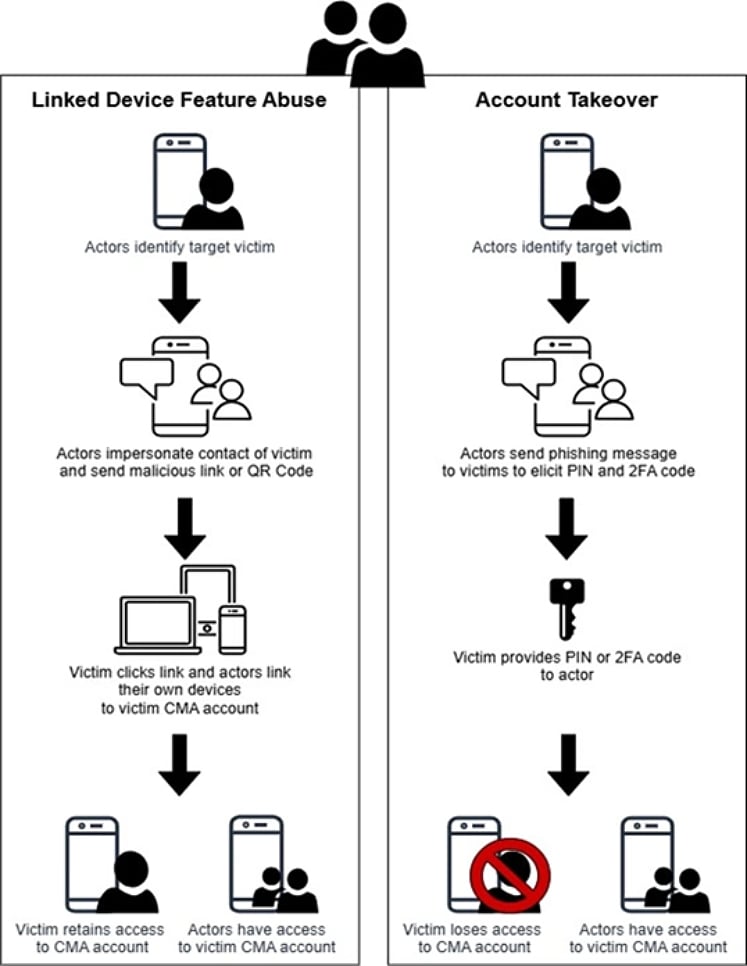
All three advisories state that the phishing attacks follow the same tactic of bypassing the platform’s encryption by hijacking accounts or linking devices to an existing account.
Source: FBI
The FBI says that most phishing messages impersonate support accounts, which request that the target perform an action that secretly grants threat actors access to the account.
Victims are typically tricked into sharing verification codes or scanning malicious QR codes that link their accounts (Signal and WhatsApp) to attacker-controlled devices.
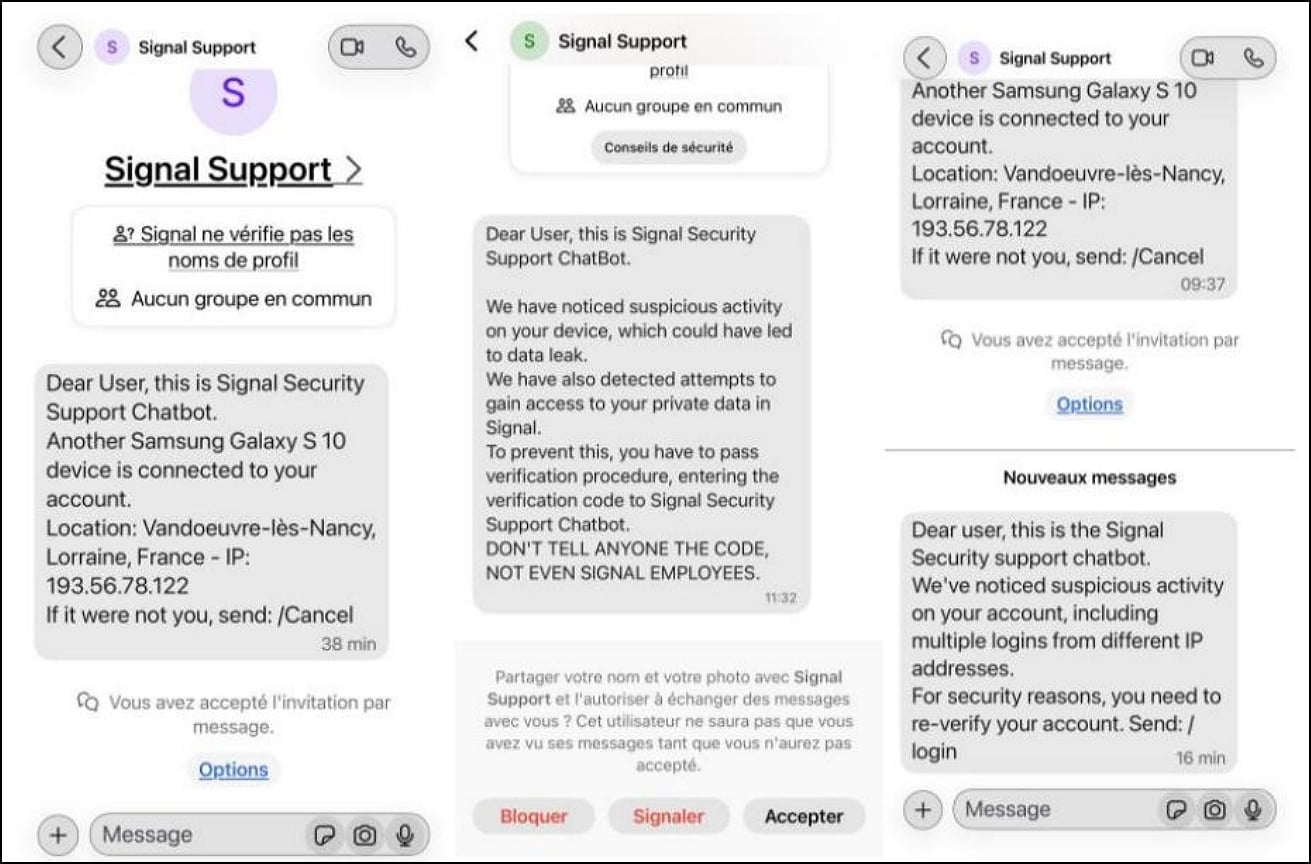
Source: France’s Cyber Crisis Coordination Center (C4)
Once the threat actors gain access to accounts, they can silently monitor communications, join group chats, and send messages as the compromised user, making detection more difficult and enabling further phishing campaigns.
The PSA emphasizes that encryption in Signal, WhatsApp, and similar platforms is not broken and no vulnerabilities are being exploited.
The FBI says the campaign has already led to unauthorized access to thousands of messaging accounts, which were then used to target additional victims.
Users are advised to remain suspicious of unexpected messages, be wary of requests to scan QR codes or link devices to their accounts, and never share verification codes with anyone, including accounts claiming to be a platform’s support personnel.

Malware is getting smarter. The Red Report 2026 reveals how new threats use math to detect sandboxes and hide in plain sight.
Download our analysis of 1.1 million malicious samples to uncover the top 10 techniques and see if your security stack is blinded.

Fuel Shortage Cripples Taxi Services at Bangkok’s Suvarnabhumi Airport

Ethereum OG Whale Rebuilds $19.5M ETH Stack Amid ETF Bleed

Wimbledon: Video review technology introduced for 2026 tournament


-

 Tech6 days ago
Your Legally Registered ‘Motorcycle’ Might Not Count Under Proposed US Law
-

 Politics15 hours ago
Jenni Murray, Long-Serving Woman’s Hour Presenter, Dies Aged 75
-
 Tech4 days ago
Are Split Spacebars the Next Big Gaming Keyboard Trend?
-
Sports7 days ago
Why Duke and Michigan Are Dead Even Entering Selection Sunday
-

 Fashion15 hours ago
Weekend Open Thread: Adidas – Corporette.com
-

 Business6 days ago
Search for Savannah Guthrie’s Mother Enters Seventh Week with No Arrests
-

 Business7 days ago
US Airports Launch Donation Drives for Unpaid TSA Workers as Partial Government Shutdown Enters Fifth Week
-
 Crypto World7 days ago
Coinbase and Bybit in Investment Talks: Could Bybit Finally Enter the US Crypto Market?
-
 Crypto World10 hours ago
NIO (NIO) Stock Plunges 6.5% as Shelf Registration Sparks Dilution Worries
-

 Business5 days ago
Australian shares drop as Iran war enters third week
-

 Business7 days ago
Country star Brantley Gilbert enters growing non-alcoholic beer market
-

 Politics3 days ago
The House | The new register to protect children from their abusers shows Parliament at its best
-

 Crypto World5 days ago
Crypto Lender BlockFills Enters Chapter 11 with Up to $500M in Liabilities
-

 News Videos3 days ago
RBA board divided on rate cut, unusually buoyant share market | Finance Report | ABC NEWS
-

 Fashion5 days ago
25 Celebrities with Curly Hair That Are Naturally Beautiful
-

 Tech1 day ago
inKONBINI Lets You Spend Summer Days Behind the Register
-

 Crypto World3 days ago
Canada’s FINTRAC revokes registrations of 23 crypto MSBs in AML crackdown
-
 Politics4 days ago
Real-time pollution monitoring calls after boy nearly dies
-

 Crypto World7 days ago
Crypto Losses Drop 87% in February, But Hackers Are Now Targeting People, Not Code
-
 NewsBeat3 days ago
Residents in North Lanarkshire reminded to register to vote in Scottish Parliament Election


You must be logged in to post a comment Login