
Connect with us
DAPA Banner

Tech

This $25,000 Robot Looks Right Out of Star Wars

Published

on

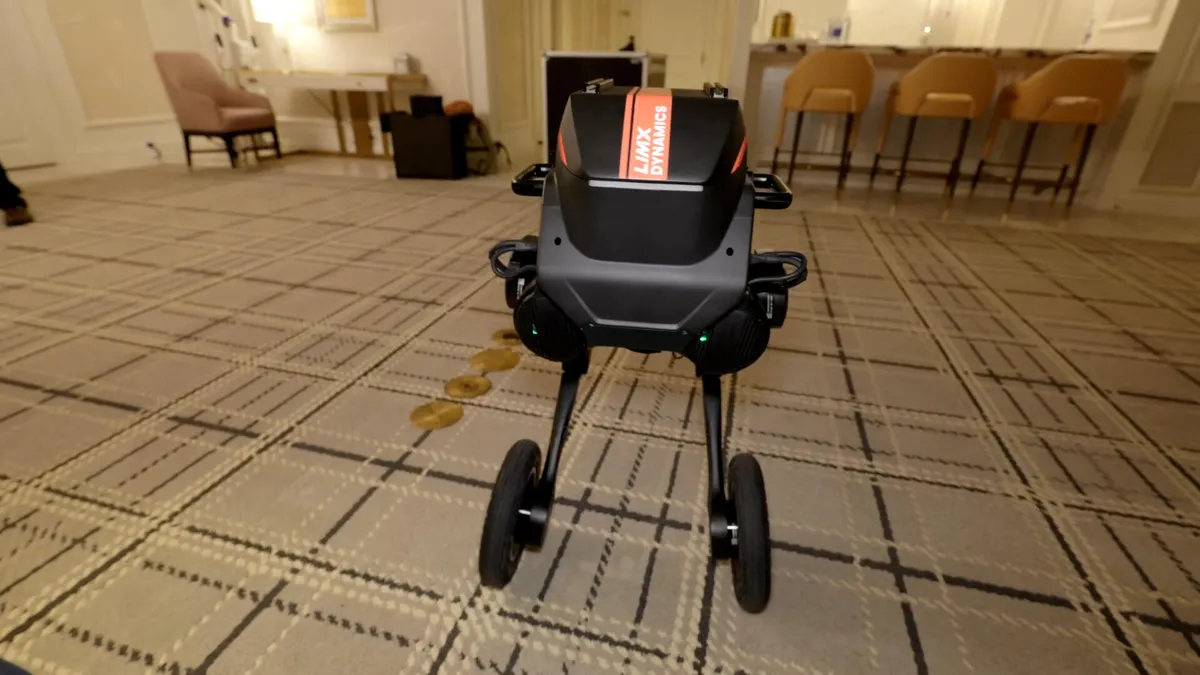
The two-legged Tron 1 robot from LimX Dynamics bears a striking resemblance to the AT-ST walkers from Star Wars, but it’s not made for conquering the galaxy.

Watch this: This $25,000 Robot Looks Like a Mini Star Wars AT-ST

I took the Tron 1 for a spin earlier this year at CES, but right out of the box its abilities were largely limited to preprogrammed movements and remote-control operation. Driving the robot around a Las Vegas hotel room was a lot of fun, but I didn’t scratch the surface of what the robot was capable of until now.

Advertisement

LimX Dynamics has shared some videos of the Tron 1 being put to work in real-world scenarios: as a tour guide, a delivery robot and even a street photographer.

two legged robot tron 1 from limx dynamics stands in a hotel room with wheels on its feet

The Tron 1 from LimX Dynamics comes with wheels, pointed feet and flat feet attachments.

Celso Bulgatti/CNET

These demos show what developers can program a robot like the Tron 1 to do. Time will tell what other capabilities are unlocked in this and other robots. 

Advertisement

To see the Tron 1 in action, check out the video in this article.

Watch this: Hands-On With Tron 1 Robot

Source link

Advertisement
Continue Reading
Click to comment

You must be logged in to post a comment Login

Leave a Reply

Tech

How to Track Your Luggage (2026): AirTag, Pebblebee, CaseSafe

Published

on

This is really useful if you, like me, tend to swap out your Bluetooth trackers between items as you’re using them. If you’ve attached a Pebblebee Clip to your luggage, you can pop it out and put it in your pocket for when you grab dinner by yourself while you’re traveling. Pebblebee works with both Apple Find My and Google Find Hub. If you’re nervous about triggering the siren, you can also grab the Pebblebee Card 5 ($35), which is the same price and doesn’t have the siren.

Tips and Tricks for Finding Your Luggage

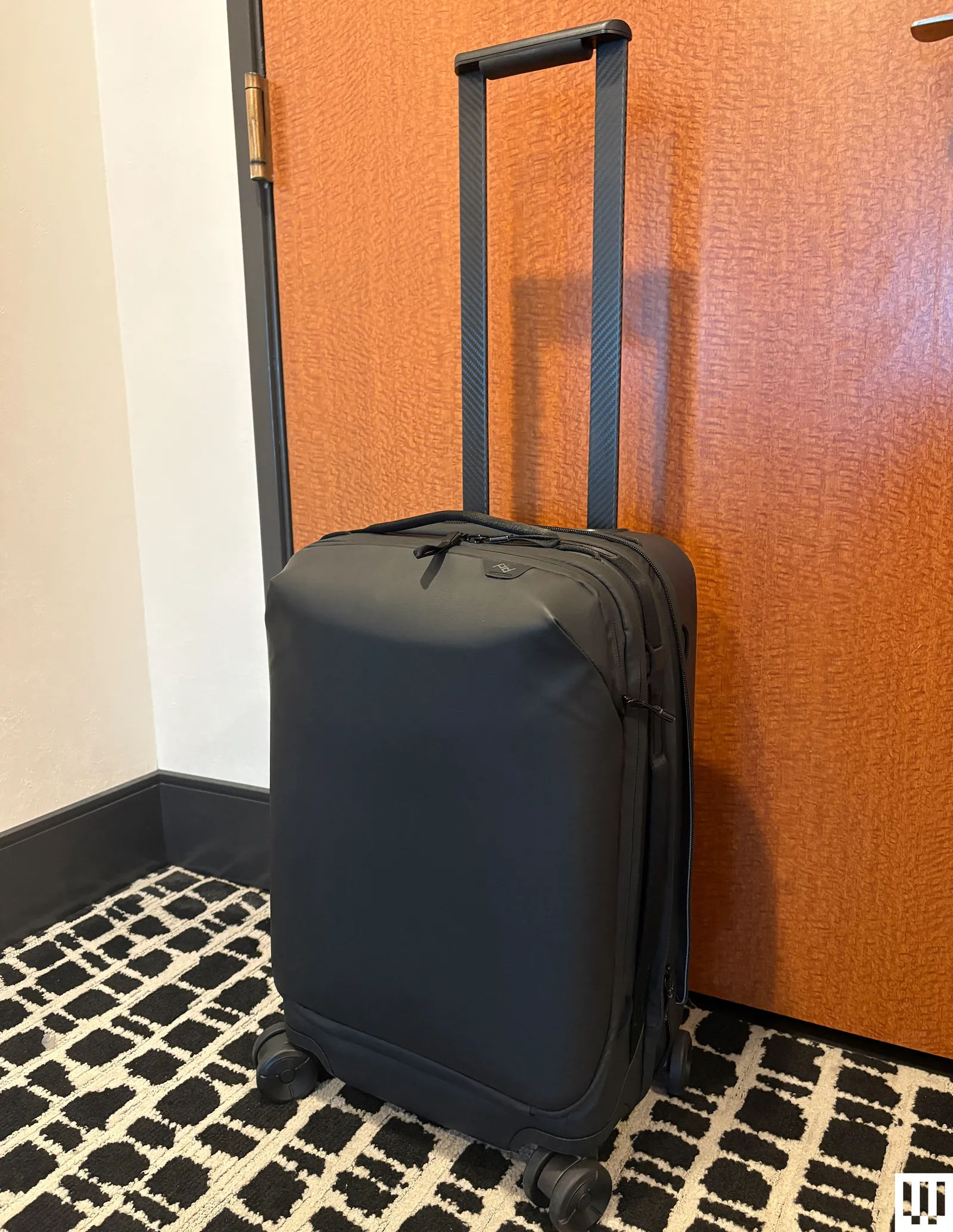
Peak Design Roller Pro black rectangular luggage with wheels and the handle extended upwards

Photograph: Adrienne So

I have been losing my luggage since I was four years old, getting sent on planes halfway around the world. Here are a few ways I’ve learned to keep track of my luggage (and how to deal with the disappointment when I inevitably don’t).

Zip your tracker into an interior pocket. You don’t want to just place it loose in your belongings. Maybe it will slide into the middle of your clothes, where the Bluetooth signal will get blocked, or you or a careless TSA employee might accidentally shake it out onto the floor. Some of my favorite carry-on suitcases, like the Peak Design Roller Pro ($600), have AirTag pockets built into the bag, so you don’t have to worry about them falling out.

Advertisement

Label your individual trackers. It’s pretty easy to change the name and emoji of your trackers in Find My or Find Hub, and you should! It’s hard to keep track of which item you’ve lost when you have six AirTags, all labeled “Adrienne’s Luggage.”

Check the battery before you leave. If you’re not traveling often, it’s easy to let your luggage Bluetooth trackers sit unused for months.

What about GPS trackers? GPS trackers use satellites, whereas AirTags and other similar trackers use Bluetooth and a crowdsourced network of compatible devices they can communicate with, such as phones. While you may experience small gaps in coverage with Bluetooth trackers when you’re locating your luggage—for example, your suitcase got loaded onto the cart and isn’t within 30 feet of an iPhone while it’s making its way to baggage claim—you’re pretty much guaranteed to have a lot of devices on the Find My or Find Hub network at an airport to help establish the tracker’s position. GPS trackers usually require a subscription, so I don’t recommend them for luggage tracking if you’ll only use them a few times a year.


Power up with unlimited access to WIRED. Get best-in-class reporting and exclusive subscriber content that’s too important to ignore. Subscribe Today.

Advertisement

Source link

Continue Reading

Tech

This tiny, magnetic e-reader could stop you from doomscrolling

Published

on

It was love at first sight. It felt like scouring the mall, dipping in and out of sprawling department stores in search of a specific, elusive item, only to finally find what you’re looking for. Only, I didn’t even know I was searching for something like the Xteink X3, because I never dared dream of something so delightful: a tiny, MagSafe-compatible e-ink reader that could attach to my iPhone like a Pop Socket.

This was it. My life would change forever. I would get my hands on the Xteink X3, and I would stop doomscrolling forever. I would read more books than ever before… which is saying something, since – brag – I read at least 50 books a year. But – not a brag – I probably spend even more time on social media than I do reading. I know that I feel generally less anxious when I limit my social media time, but alas, the siren song of TikTok beckons me. What if instead of opening social media, I could just flip my phone over and read on a tiny, Kindle-like e-ink screen? Could this $80 gadget fix me?

I’ve tried reading books (… or downloads from AO3) on my phone, immersing myself in a fictional world, rather than posts from the president in which he threatens to obliterate an entire country. But something about looking at my phone, where I’m constantly tempted to open Instagram to see whatever Reel someone sent me, doesn’t quite soothe me the way that a book or an e-ink device like a Kindle does.

I was so excited for my X3 to arrive that I constantly refreshed the tracking link until finally, it was delivered. Even though I had meticulously compared the dimensions of the X3 to my iPhone 16, or my Pop Socket wallet, I still worried it might not fit – the previous model, the Xteink X4 (basically the same device but a little bigger) only fit on larger phones like the iPhone Pro Max line. But sure enough, the X3 magnetically attached to the back of my phone like it was custom-made to fit.

Advertisement

My X3 came in the mail about two hours before I had to leave to go to a Phillies game, so I rushed to load books onto it, because I thought it would be really funny to take photos in which I read “The Power Broker” in a crowded baseball stadium. Behold, my handiwork:

The XTeink X3 watches as the Phillies kick off a ten-game losing streakImage Credits:TechCrunch

For the first several days that I had the X3, I carried it with me on the back of my phone. This made me a bit nervous, though, since I’m used to having a Pop Socket wallet, which means I’ve gotten in the habit of leaving home without my actual wallet. But I found that I used the X3 just as much when I carried it in my purse or pocket, rather than attaching it to my phone. I’m still not sure if I’ll keep this setup, or if I’ll start actually using a real wallet so that I can attach the ereader, but for now, that’s what has felt most natural. Plus, my X3 shipped with a very compact, cute, magnetic case, which perfectly protects the device and its screen and makes it a little easier to hold. At just $9 for the case, I’d recommend getting one. The case can also magnetize to your phone, though it feels a bit less secure than attaching your X3 alone.

Over my two weeks of testing, I did find that the X3 helped me read more. If you’re in line at a coffee shop, or waiting for the bus, you can just pull out the ereader instead of opening Instagram. I didn’t find the small screen difficult to read on, either. But just buying the device won’t change your habits – you have to remember that you have a 3.7 inch screen in your pocket that can fit hundreds of books.

Techcrunch event

San Francisco, CA
|
October 13-15, 2026

Advertisement
A Pop Socket wallet and the Xteink X3, side by sideImage Credits:TechCrunch

The Xteink X3 is pretty close to being the device of my dreams, but it’s not quite there yet. The firmware that the device comes with is pretty clunky – not unusable, but not exactly intuitive. I expected this, since the Xteink Reddit community was buzzing about CrossPoint, a community-made, free, open source firmware. The process of downloading CrossPoint was a bit intimidating as someone who writes words, rather than code – but with the instructions on CrossPoint’s website (and a few videos), it was easy enough. I encountered some difficulties at first, but then I realized it was because I was trying to download the X4 firmware onto my X3, so… my bad. You probably won’t even need the YouTube videos!

When you start loading books and open source firmware onto your X3, you’ll notice another divisive aspect of the device: it doesn’t have a USB-C port, unlike the X4. Instead, it uses a magnetic charger. Yes, it’s annoying to have yet another charging cable specifically for this one device, but I don’t care that much. After two weeks of consistent use, my X3 has dropped from a 100% charge to a 96% charge, so I can’t imagine I’ll be using that magnetic charger too often. You don’t even need the cord to add new books to your ereader – you can transfer files over Wi-Fi from your phone or computer (I wouldn’t call the process user-friendly, but I was able to figure it out without Googling anything).

Speaking of loading books, that’s another drawback. The majority of what I read on my Kindle comes from Libby, which is my favorite app (#notsponsored). The Libby app allows you to easily borrow ebooks or audiobooks from your library and send them to your Kindle. But you can’t get those ebooks (legally) onto an Xteink ereader, since libraries use protected versions of .epub files that deter users from copying them (you also can’t read books you buy from Amazon’s ebook store on non-Amazon devices, because capitalism). This lack of compatibility is a drawback, but it also makes the device feel unique – it’s a “dumb” device that has no apps and no touch screen, which feels startlingly refreshing in an era of AI-enabled refrigerators.

Advertisement
You can add your own screen savers, which I have clearly had too much fun withImage Credits:TechCrunch

It’s not hard to find interesting .epub files to load onto the X3, even if you can’t access your Kindle library or Libby. A lot of great books are in the public domain, which means that they’re no longer subject to copyright and can be downloaded for free (I’ve weirdly never read “Pride and Prejudice,” so the time is now). A few months ago, I bought the entire .epub catalogs of sci-fi writers Charlie Jane Anders and Annalee Newitz as part of a charity fundraiser, which should keep me busy for quite a bit. If you wanted to, you could even turn online articles or blogs into .epubs using a free program like Calibre.

So, did the Xteink X3 fix me? Am I now a newly reformed woman who has a healthy relationship with social media and has read a bunch of classic novels that I never read as an English major, since I mostly took classes with ridiculous titles like “Aestheticus Extremus: The Politics of Precarious Invention in North American Poetry and Poetics”? It’s not that simple. But if you meet the X3 halfway and make a concerted effort to use it, then maybe you’ll spare yourself from a bit more brainrot.

When you purchase through links in our articles, we may earn a small commission. This doesn’t affect our editorial independence.

Source link

Advertisement
Continue Reading

Tech

Japan is building military drones out of cardboard, and they're faster and cheaper than you'd expect

Published

on


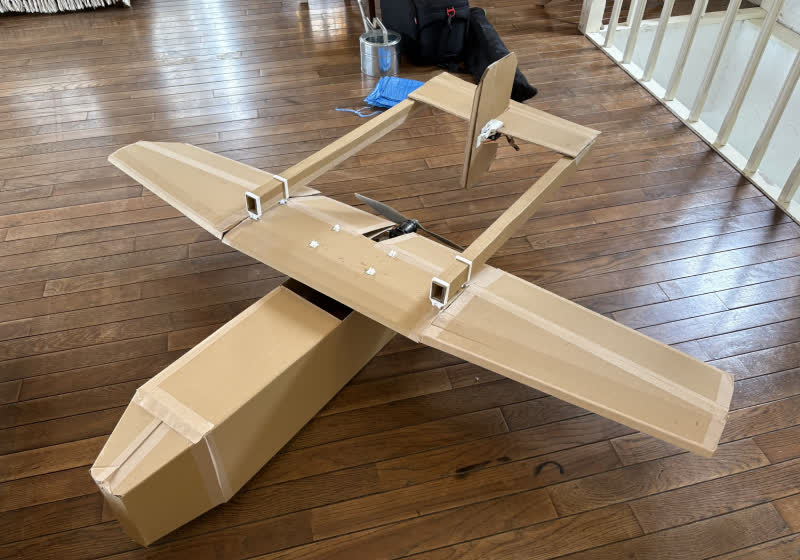
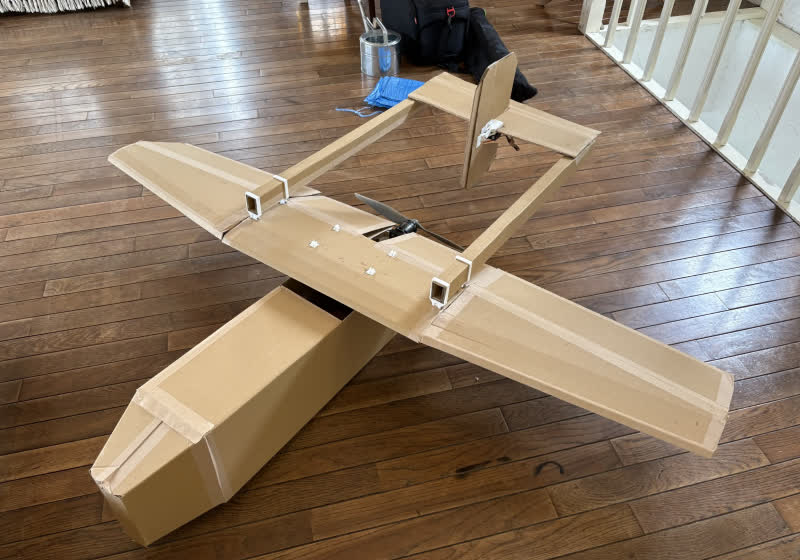
Japan’s defense ministry recently sat down with Air Kamuy, a drone manufacturer whose signature design relies on corrugated cardboard construction. The meeting signals Tokyo’s broader ambition to carve out a leadership role in low-cost drone production as mass-market models reshape the calculus of modern warfare.
Read Entire Article
Source link

Continue Reading

Tech

Apple Watch Ultra’s Modular face simplified for watchOS 27

Published

on

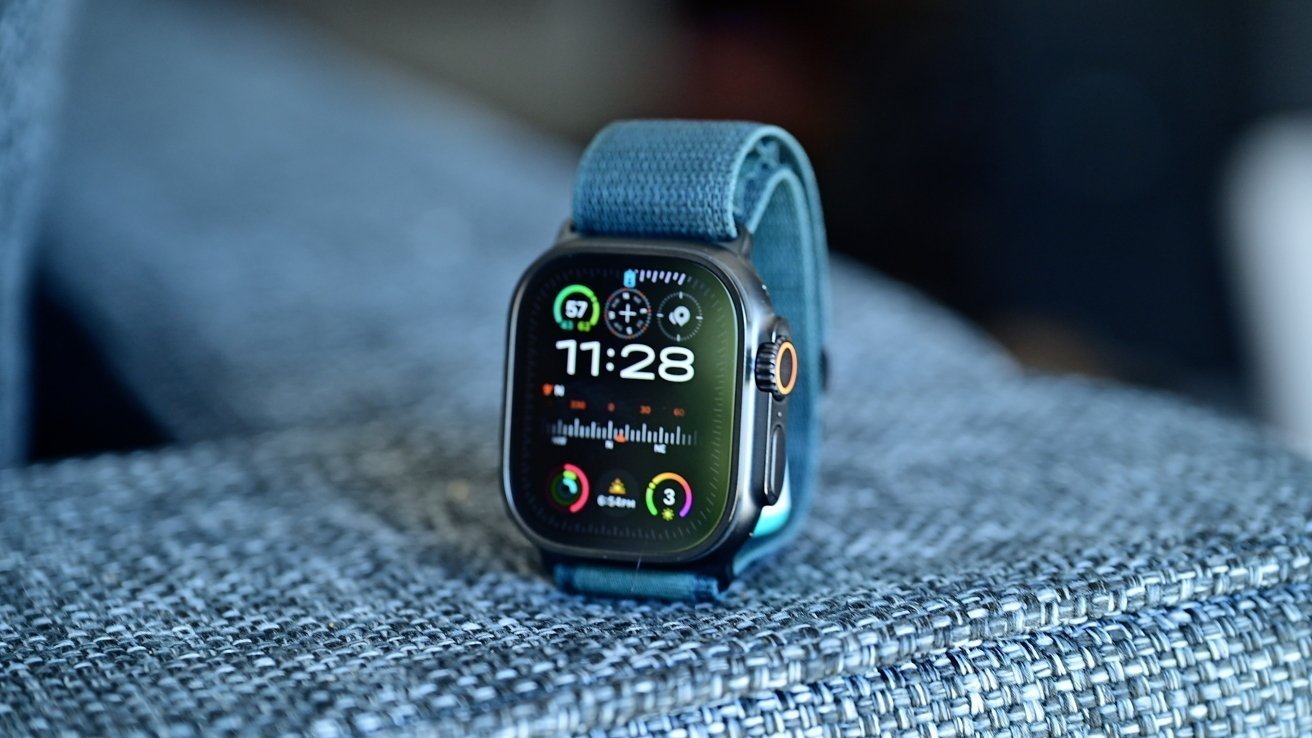
The Apple Watch updates in watchOS 27 includes new watch faces, with Apple testing a new simpler version of the Modular Ultra for the standard model.

In the run-up to WWDC in June, the rumor mill will surface leaks and speculation about Apple’s software changes. One of the more frequent updates to expect is for the Apple Watch, in the form of new faces.

According to Mark Gurman in Sunday’s “Power On” newsletter for Bloomberg, Apple’s update to watchOS 27 will include some watch face changes as usual. Apple is said to be testing multiple new faces for inclusion, but Gurman only discusses one stand-out version.

He writes that Apple is doing a simplified version of the Modular Ultra, the watch face designed for the Apple Watch Ultra. It’s a version that Apple is seemingly trying to rework so it can be used on the smaller face of other Apple Watch models.

Advertisement

The refinements maintain the large clock from the face design, but eliminates the large complication section in the center. It also removes the row of three small complications that appear above the time, and the information that surrounds the bezel.

The change turns into a large clock for the top two thirds of the display. The lower row of three small complications remains under the time, filling out the rest of the design.

The result is a face that is less information-dense but suitable for the standard Series models.

The modular face is not the only one on the way. As part of watchOS 26.5, Apple is bringing out a new Pride Luminance face as part of its annual Pride collection.

Advertisement

Source link

Continue Reading

Tech

The Fitbit-for-your-brain era could be closer than we think

Published

on

Consumer tech has spent the last decade turning the body into a stream of metrics. Heart rate, sleep stages, blood oxygen, recovery, stress, and readiness have all been packaged into dashboards that deliver a clearer picture of your “health”. Now the next frontier may be a little more intimate by moving up to the brain—not literally, thankfully.

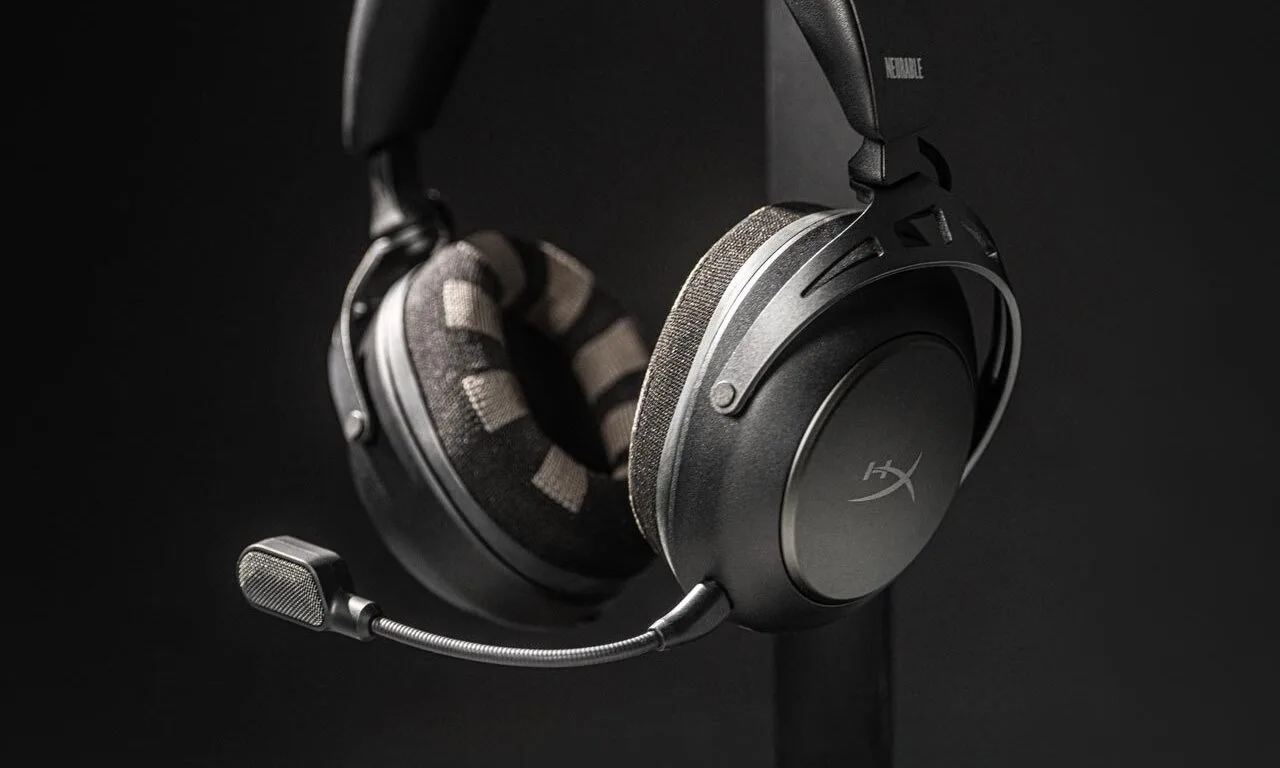
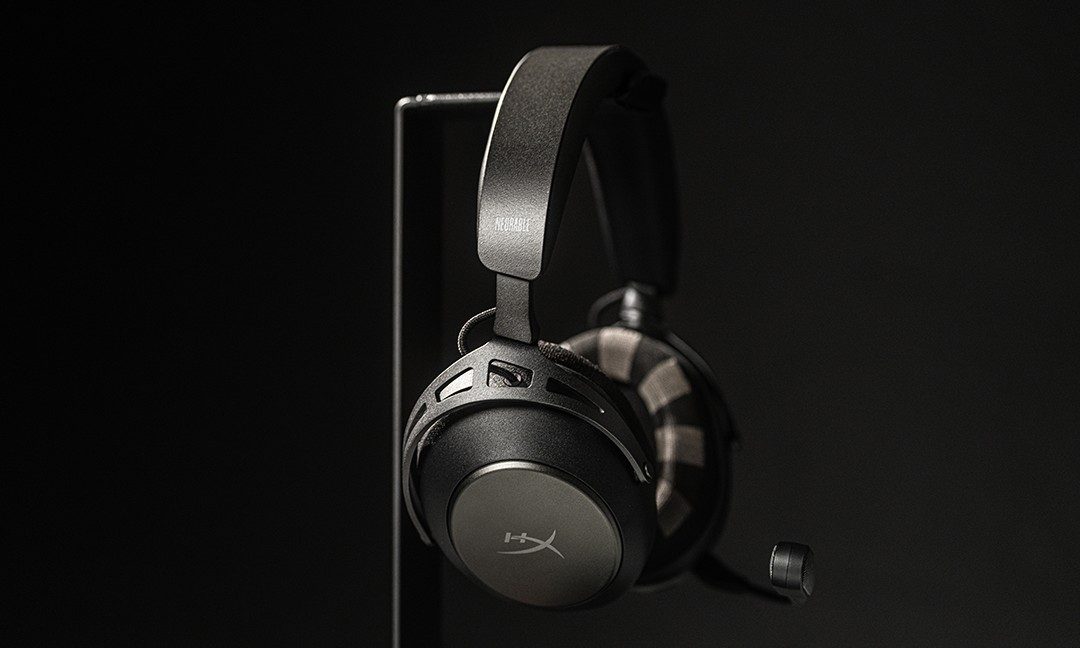
Neurable, a Boston company building noninvasive brain-computer interface tech, is moving to a licensing model, which means its EEG-based system could soon show up in a much wider range of consumer gadgets beyond the company’s own headphones. Other brands may be able to build the tech into familiar products such as gaming headsets, smart glasses, hats, helmets, and other hearables. One of the first products expected to feature it is a gaming headset developed in collaboration with HyperX.

The technology isn’t as sci-fi as it sounds

When most people hear “brain tech,” they probably think of Neuralink-style implants or some dramatic form of mind reading. Neurable’s approach is a lot less dramatic. Its system uses electroencephalography, or EEG, which measures electrical activity in the brain through sensors placed on the head. Those signals are then processed through software models designed to estimate things like focus, cognitive strain, mental recovery, readiness, and anxiety.

So rather than decoding thoughts, Neurable is trying to translate broad brain-state signals into consumer-facing scores and prompts that resemble the health insights people already get from smartwatches and fitness bands. That is exactly what the company is betting on—making it feel similar to smartwatches or smart bands like Fitbit.

A headset that claims to monitor concentration or detect mental fatigue can sit much more comfortably next to a wellness device than a lab instrument. Neurable talks about use cases like gaming performance, student focus, workplace fatigue, and recovery from cognitive overload. The language around the product is carefully framed as well. It avoids talk of invasive surveillance and leans instead on self-optimization, routine management, and better day-to-day performance.

Advertisement

Why this could become normal surprisingly fast

The big reason this might stick is the form factor. Consumer neurotech is not arriving as some awkward and medical-looking gadget. The hardware is being tucked into products people already understand and already buy. That is how new categories become socially acceptable. Fitness tracking followed that path on the wrist. Brain-state tracking now seems to be attempting the same move through headphones and other head-worn devices.

This philosophy extends to the experience itself. “Brain readiness” starts sounding a lot like the familiar language of health metrics, not unlike sleep scores or heart-rate variability. Once enough products start promising insights into mental workload, fatigue, or focus, a whole new wearable category starts to open up.

There is promise here, but there are also real questions

There is a genuine consumer appeal here. Plenty of people would want better signals around burnout, stress, or cognitive fatigue if those signals are reliable and useful. From students to gamers, anyone whose day depends more on mental sharpness than physical output could see the appeal. A wearable that helps identify when focus is slipping or when recovery is needed fits neatly into a culture already obsessed with “doing better”.

But trust is where things get slippery. Brain metrics sound authoritative by default, and that can become a problem quickly. Privacy concerns feel much sharper once companies begin collecting data that feels more personal than step counts or sleep trends. Neurable says its practices are privacy-conscious and consent-driven, but those assurances are going to face much tougher scrutiny if the technology spreads across more brands and more product categories.

The darker outcome goes beyond privacy. A system built to track focus and cognitive strain could easily attract companies that want more than wellness insights. It could become a way to monitor whether workers look alert enough, engaged enough, or productive enough, which is exactly how consumer neurotech could slide from self-tracking into workplace surveillance.

The real tension is easy to miss because the packaging is so friendly. A headset that promises better focus sounds useful enough. A market full of products trying to score your mental state every day sounds like something people should probably think a lot harder about before it becomes normal.

Advertisement

Source link

Continue Reading

Tech

Google Pixel 10A vs. Samsung Galaxy A57: Which Midranger Should You Buy?

Published

on

Affordable phones are bearing the brunt of supply chain constraints, which is reshaping what you can expect from a $500 phone. While midrange phones in 2026 don’t provide the same value as they used to, the latest phones from Google and Samsung are still competing neck-and-neck. The new Pixel 10A and Galaxy A57 remain the most lucrative midrange phones in the market right now. While they aren’t terribly different from their predecessors, each phone has its own distinct appeal.

The Google Pixel 10A didn’t get a lot of upgrades this year, but it has kept the $499 price of the Pixel 9A and has already gotten the occasional discount. On the other hand, Samsung’s Galaxy A57 is one of the lightest phones in this price range, even with a larger screen. I put them head-to-head, and both phones have their own highlights that could be better for different reasons.

Design and build

Advertisement
Google Pixel 10A and Samsung Galaxy A57 with their screens turned on.

Samsung Galaxy A57 has a more immersive screen, thanks to its slim bezels.

Prakhar Khanna/CNET

The two Google and Samsung phones are drastically different in terms of design. The Pixel 10A is a small phone with a comparatively compact 6.3-inch screen, whereas the Galaxy A57 is a big phone with a 6.7-inch display. Both are comfortable to hold and use in day-to-day life.

However, the Samsung phone is impressively lightweight this time around. You no longer need to settle for a bulky phone if you want a big screen. At 6.9mm in thickness and 179 grams in weight, the Galaxy A57 is thinner than the smaller Google Pixel 10A (9mm thick and 183 grams in weight).

I liked using the A57 more because of its slimmer bezels, which give it a more modern look. In comparison, Google’s phone looks outdated with its thick borders around the screen. Samsung’s slimmer, albeit asymmetrical, bezels also allow for a more immersive content consumption experience. Both of these displays are visible in direct sunlight, but they’re smudge-prone and highly reflective panels. However, I didn’t have any major issues when navigating on Google Maps outdoors.

Advertisement

Both the Pixel 10A and Galaxy A57 are rated IP68 for dust and water resistance. This means they generally can survive most plunges into shallow water and days at the beach without letting sand inside of them. Google retained the plastic back on its Pixel phone along with an aluminum frame, whereas Samsung gave its device a glass back. The Galaxy A57 is theoretically more durable, thanks to the Gorilla Glass Victus Plus on both the front and back. To compare, the Pixel 10A has a less-scratch-resistant Gorilla Glass 7i on the front.

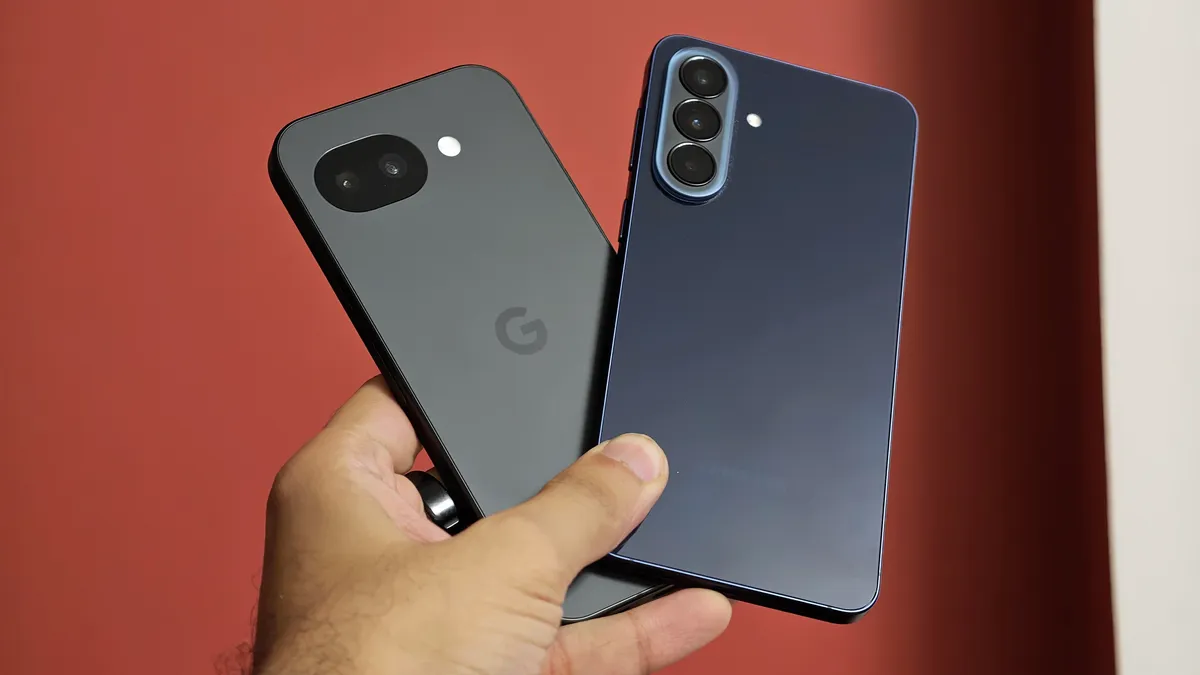
The Google midranger has a unique design, where its dual-camera cover is recessed beneath the plastic back. On the other hand, the Galaxy A57 has three rear cameras, arranged vertically, like the Galaxy S26.

If you’ve ever wished for a phone with no camera bumps, the Pixel 10A is the device to get. However, if you want a more immersive screen in a handy and more premium-feeling design, the Galaxy A57 scores an easy win.

Performance and battery

Advertisement
Google Pixel 10A and Samsung Galaxy A57 side by side.

The Galaxy A57 is more prone to smudges and fingerprints due to its glossy back, especially on the blue variant.

Prakhar Khanna/CNET

Neither phone will deliver flagship-grade performance, but both are powered by capable in-house chips. The Google Pixel 10A has a Tensor G4, paired with 8GB of RAM and 128GB or 256GB of storage, whereas the Galaxy A57 houses an Exynos 1680 processor with the same amount of RAM and storage. However, you can get a 12GB RAM Galaxy A57 variant outside of the US that’s paired up with 256GB or 512GB of storage in some markets.

I used both phones in similar ways: messaging on social apps (WhatsApp, Instagram), navigating on Google Maps, work conversations on Slack and using the cameras when needed. I didn’t face any noticeable stutters or lags on either device. While neither is built for gaming at high graphics settings, the Galaxy A57 is a bit better thanks to its more capable processor.

Both of them lasted me an entire day on a single charge. To compare, the Pixel 10A has a slightly larger battery with a 5,100-mAh capacity (charging at 30 watts), but the Galaxy A57 charges its 5,000-mAh battery faster at 45 watts. The Google phone supports 10-watt wireless charging, while the A57 doesn’t support wireless top-ups.

Advertisement

I’d still say that Google missed out by not including its PixelSnap magnetic technology in the lower-cost 10A after providing it to all of the other Pixel 10 phones. It could’ve been a major selling point, but third-party cases can instead bring support for magnetic accessories to both the 10A and the Galaxy A57.

Both phones run Android 16 with their own versions on top. The Pixel 10A debuted with Pixel UI and Material 3 Expressive, whereas the Galaxy A57 launched with One UI 8.5 onboard. Both devices will give you long-term software support, with Google promising seven years of Android OS updates, while Samsung will give you six years of OS upgrades.

I like One UI better for its customizations and widgets, but the Pixel UI has its own unique capabilities and experience. Both phones support a number of AI features for enhancing photography, including a feature for editing a group photo in case someone is blinking. The Pixel version of this feature is called Auto Best Take, while the Galaxy A57 calls it Best Face. More AI features include AI Eraser to remove unwanted objects from a photo and Gemini for a smart virtual assistant, among others.

The cameras

Advertisement
Prakhar holding the Google Pixel 10A and Samsung Galaxy A57.

The Galaxy A57 has more cameras but that doesn’t equate to a more versatile camera system.

Prakhar Khanna/CNET

The Google Pixel 10A has a dual rear camera setup. It has a 48-megapixel main camera, which is accompanied by a 12-megapixel ultrawide-angle lens. On the other hand, the Galaxy A57 has a 50-megapixel main camera, a 13-megapixel ultrawide-angle lens and a 5-megapixel macro sensor.

However, only two of the three Samsung cameras are usable. In my review period, I relied on 4x zoom in 50-megapixel camera mode to get sharper images with natural-looking bokeh rather than using the macro sensor, which outputs noisy results with poor color reproduction. This puts both the mid-rangers head-to-head in camera performance.

Both phones’ main cameras capture a good amount of detail. You get pixel-binned photos by default, but the Galaxy A57 offers a 50-megapixel camera mode that lets you capture higher-resolution photos. As for the ultrawide sensors, there’s no noticeable color shift, but both exhibit the “fishbowl” effect common to ultrawide cameras.

Advertisement

As for the selfie shooters, you get a 13-megapixel front camera on the Pixel 10A and a 12-megapixel sensor on the Galaxy A57. Both offer satisfactory results.

Google Pixel 10A vs. Samsung Galaxy A57: Specs

Google Pixel 10A Samsung Galaxy A57
Display size, tech, resolution, refresh rate 6.3-inch pOLED, 2,424×1,080 pixels, 60-120 Hz variable refresh rate 6.7-inch Super AMOLED, 2340 x 1080 pixels, 120Hz variable refresh rate
Pixel density 422 ppi 385 ppi
Dimensions (inches) 6.06 x 2.87 x 0.35 in 6.36 x 3.02 x 0.27 in
Dimensions (millimeters) 153.9 x 73 x 9 mm 161.5 x 76.8 x 6.9 mm
Weight (grams, ounces) 183g (6.5 oz) 179 g (6.31 oz)
Mobile software Android 16 with Pixel UI Android 16 with One UI 8.5
Camera 48-megapixel (wide), 13-megapixel (ultrawide) 50-megapixel (wide), 12-megapixel (ultrawide), 5-megapixel macro
Front-facing camera 13-megapixel 12-megapixel
Video capture 4K 4K
Processor Google Tensor G4 Samsung Exynos 1680
RAM + storage 8GB + 128GB, 256GB 8GB + 128GB, 256GB
or 12GB + 256GB, 512GB (in some international markets)
Expandable storage None None
Battery 5,100 mAh 5,000mAh
Fingerprint sensor Under display Under display
Connector USB-C USB-C
Headphone jack None None
Special features 7 years of OS, security and Pixel feature drops; Gorilla Glass 7i cover glass; IP68 dust and water resistance; 3,000-nit peak brightness; 2,000,000:1 contrast ratio; 30W fast charging with 45 charging adapter (charger not included); 10W wireless charging Qi certified; Satellite SOS; Wi-Fi 6; NFC; Bluetooth 6; dual-SIM (nano SIM + eSIM); Camera Coach, Add Me; Best Take; Magic Eraser; Magic Editor; Photo Unblur; Circle to Search. Colors: Lavender, berry, fog, obsidian (black) 6 years of OS and security updates; Gorilla Glass Victus+ on the front and back; 1,900 nits peak brightness; IP68 dust and water resistance; Galaxy AI features like AI Select, Live Transcribe etc.; Google Gemini support; Circle to Search; 45W fast charging (adapter not included); Wi-Fi 6; NFC; Bluetooth 6; Colors: navy, gray, icyblue, lilac;
US price starts at $499 (128GB) $550 (128GB)

Source link

Advertisement
Continue Reading

Tech

iPhone 17 vs iPhone Air: do you want specs or style?

Published

on

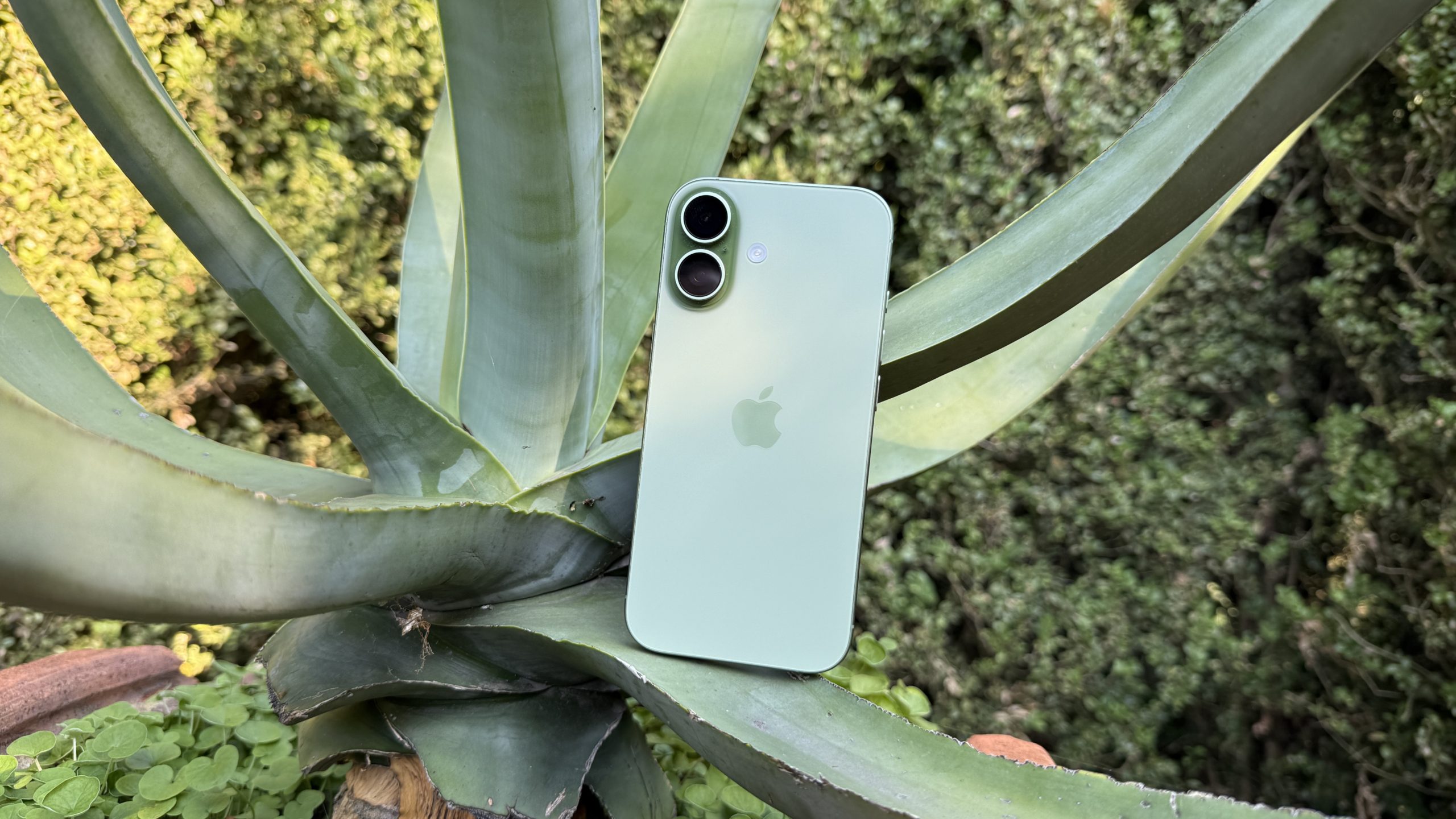
Of the two, the iPhone Air commands the highest price tag, but it’s actually a worse phone in some ways, with Apple prioritizing its weight and slimness over other specs. In other words, even if money is no object, it might not be the right choice for you.

Source link

Continue Reading

Tech

Musk’s case against OpenAI lands roughly in its first week

Published

on

Three days of cross-examination in Oakland produced a $130bn lawsuit’s most awkward admissions, including that xAI trains on OpenAI’s models. The judge, not the jury, will decide.

Elon Musk took the stand in Oakland on Tuesday with a story he has been telling for two years. He had founded OpenAI in 2015, he said, to keep advanced artificial intelligence out of the hands of any single company.

Sam Altman and Greg Brockman, his former collaborators, had then quietly turned the lab into a for-profit empire, taken billions from Microsoft, and shut him out. The lawsuit he filed in 2024 was, in his framing, a corrective: a bid to restore the original nonprofit and recover what he says was stolen.

Three days later, that story looked considerably more contested than it had on Monday.

Advertisement

Musk’s case had hit “some rough spots.” Musk’s own admissions on cross-examination, the judge’s repeated warnings about the scope of the dispute, and a series of pre-trial rulings narrowing the legal claims have all combined to make the world’s richest man’s case against the most valuable AI company in the world look, at least at this stage, harder to win than its initial framing implied.

Advertisement

The trial opened on 28 April in the federal courthouse in Oakland, before Judge Yvonne Gonzalez Rogers. A nine-person jury was seated the day before. Musk, his lawyers, OpenAI, Altman, Brockman, and Microsoft are all in the suit.

The headline damages figure is more than $130bn, though some early coverage has cited $150bn; either way the structural remedies Musk is seeking, including a partial unwinding of OpenAI’s for-profit conversion, are arguably the more consequential ask.

The procedural setup is unusual. Although a jury has been impanelled, its verdict is advisory only. Judge Gonzalez Rogers will make the final decision on liability and on remedy, and is expected to rule by mid-May.

The trial is therefore less a contest for the jury’s hearts and minds than a long, public deposition in front of the judge, who has already pruned the case before it began. She dismissed Musk’s fraud claims pre-trial and warned both sides.

Advertisement

Three days, several admissions

Musk was the first witness. He spent parts of three days on the stand, first under questioning from his own counsel, then under sustained cross-examination by William Savitt, OpenAI’s lead lawyer.

The first awkward moment came on the question of nonprofit commitment, the theory at the heart of the case. Savitt produced internal documents and contemporaneous communications that, in his framing, showed Musk had pushed in 2017 and 2018 for OpenAI to convert into a for-profit under his control, and had walked away from the project when that did not happen. “

You were never committed to OpenAI being a nonprofit, Savitt put to him, in an exchange. Musk disputed the characterisation but conceded the documents.

The second awkward moment, audible from the gallery, was Musk’s acknowledgement that xAI, his own AI company and the maker of the chatbot Grok, distils on OpenAI’s models, in effect training on the outputs of the very system he says was wrongly converted to private gain. 

Advertisement

The third was procedural. Savitt argued that Musk had waited too long to sue, and that key claims were filed after the relevant statute of limitations expired. Whether the judge accepts that defence is a separate question, but the timeline becomes part of the record either way.

Even before opening statements, Judge Gonzalez Rogers had reshaped the case. Her pre-trial rulings dropped Musk’s fraud claims and confined the trial to the narrower question of whether OpenAI breached charitable-trust and contract obligations when it restructured.

That makes the case less dramatic in framing, but easier to litigate, and arguably harder for Musk to win on his original theory of grand betrayal.

On day three, Gonzalez Rogers cautioned the lawyers against treating the proceedings as a referendum on AI safety or on Altman’s character. Both sides have been prone to the slippage.

Advertisement

Musk, on the stand, repeated long-running arguments that AI poses existential risk, an answer the judge appeared to find tangential to the legal question of whether OpenAI’s directors breached their fiduciary duties.

What’s coming next?

The trial is expected to run another two to three weeks. Altman is set to testify, as are Brockman, Microsoft chief executive Satya Nadella, and several of OpenAI’s earliest engineers. Musk’s expert witnesses, according to court documents, include the Berkeley AI researcher Stuart Russell and the Columbia Law School tax-and-nonprofit specialist David Schizer.

OpenAI is expected to call its own roster of governance and AI-safety experts, with Axios reporting that the defendants intend to put Grok’s own safety record in front of the jury.

Musk may yet recover ground. Cross-examinations of his founding partners could produce admissions of their own; the documentary record, which neither side disputes runs into thousands of pages, is broad enough to support more than one reading. The judge, not the jury, will decide, and her record so far suggests a willingness to rule on the merits rather than the theatrics.

Advertisement

But the first week, judged on its own, did not go well for the plaintiff. A case that began as a story about a betrayed mission has become, in places, a case about a litigant whose own conduct is now part of the evidence.

If that complicates the verdict or simply colours the coverage is something only Judge Gonzalez Rogers will settle, sometime in the next few weeks.

Source link

Advertisement
Continue Reading

Tech

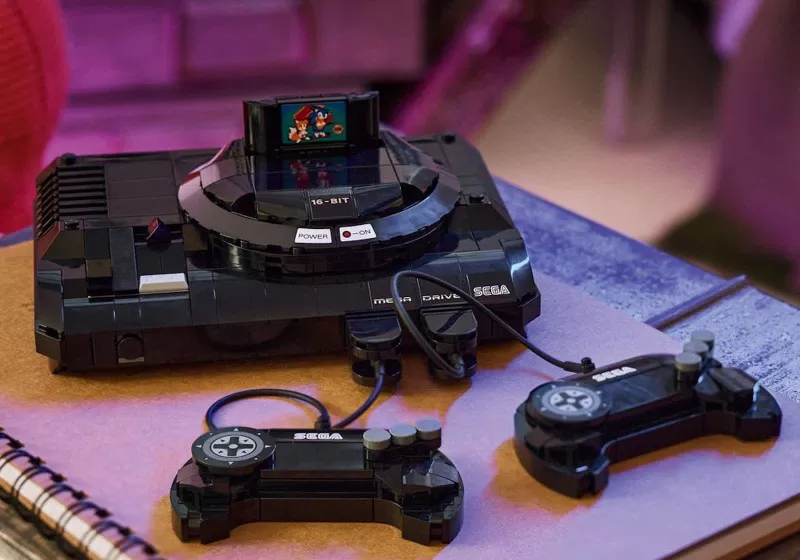
The Sega Genesis is the latest classic console to get the Lego treatment

Published

on


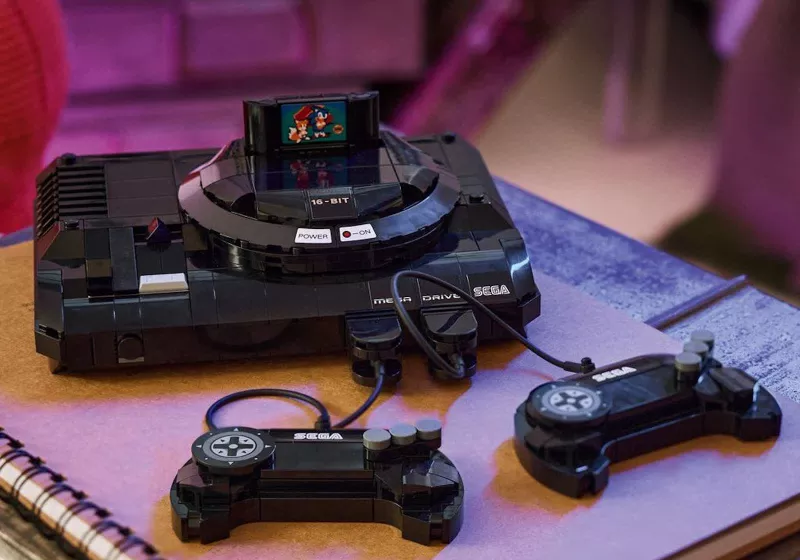
The set launches June 1, priced at $39.99, and comprises 479 pieces. The finished model measures roughly 4.5 inches long and six inches wide, a compact footprint that still leaves room for the details that made the original console recognizable.
Read Entire Article
Source link

Continue Reading

Tech

Inside Look at 1X’s Hayward Factory, the Line That Builds NEO Humanoid Robots

Published

on

1X Hayward Factory Tour NEO Humanoid Robot
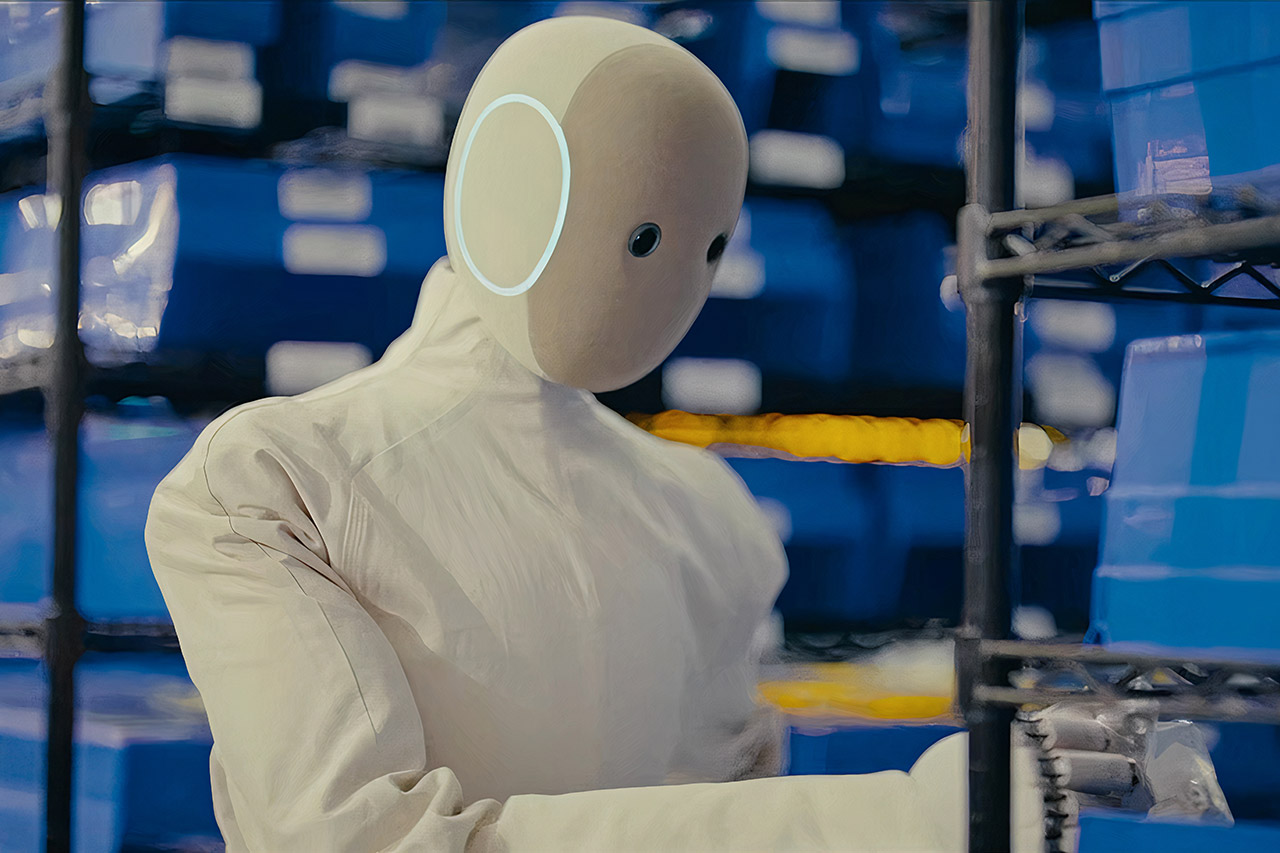
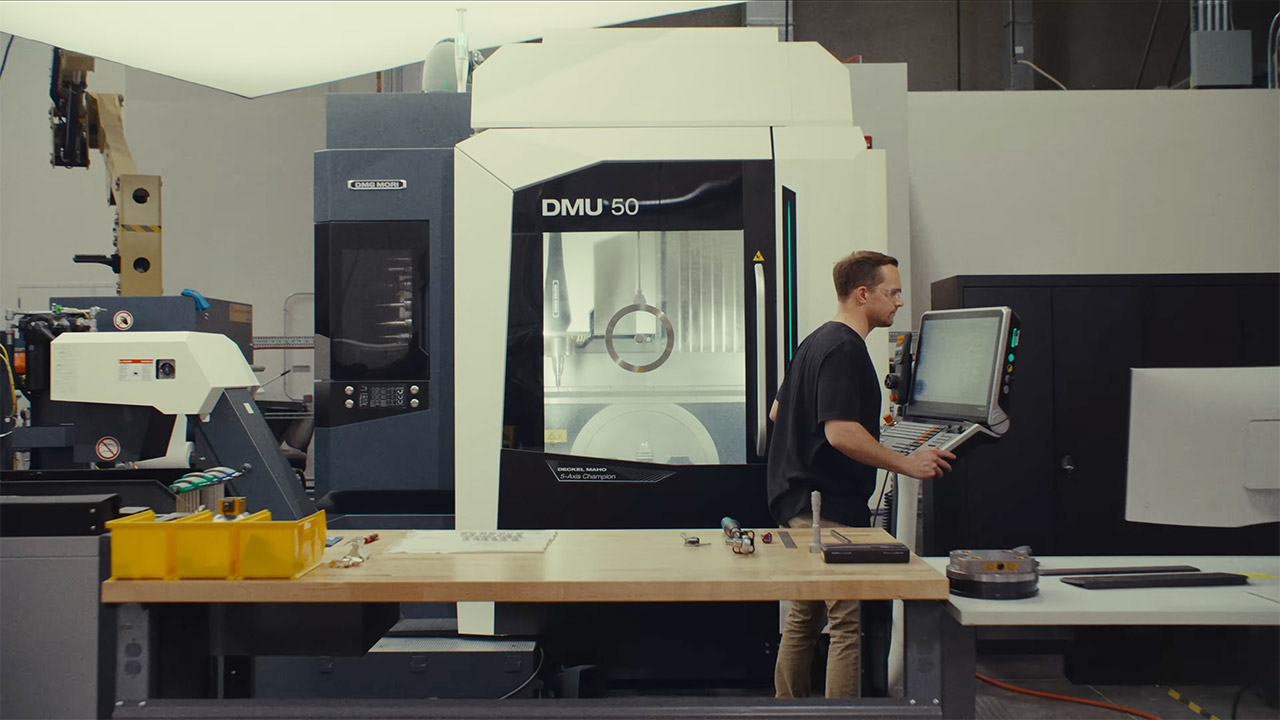
Workers make their way slowly through a 58,000 square-foot facility in Hayward, California, where 1X builds its NEO humanoid robots. A new factory tour takes you through each stage of the process, from beginning to end. Over two hundred people keep the operation running, and the setup already turns out thousands of key parts each month.


Copper spools just roll in and are fed directly into the automated equipment that wind the coils for the Revo 2 motors. These motors power every movement in the NEO. And the factory produces thousands of them each month. Each one goes through a precise set of stages to mold the electrified steel into stators and add some bespoke electronics to give them the extra oomph they require for increased torque. Just down the line, another piece of equipment is being manufactured: carefully braided and treated tendons that will later assist the robot in moving with quiet strength and durability. The hands are created on a specific station where several components are meticulously fitted together, one degree of freedom at a time. The fingers and palms are made up of soft polymer layers, as well as tiny motors and electronic components.


Unitree G1 Humanoid Robot(No Secondary Development)
  • Sleek & Durable Design: Standing at 132cm tall and weighing only approx. 35kg, the G1 is constructed with aerospace-grade aluminum alloy and carbon…
  • High Flexibility & Safe Movement: Boasting 23 joint degrees of freedom (6 per leg, 5 per arm), it offers an extensive range of motion. For safety, it…
  • Smart Interaction & Connectivity: Powered by an 8-core high-performance CPU and equipped with a depth camera and 3D LiDAR. It supports Wi-Fi 6 and…

1X Hayward Factory Tour NEO Humanoid Robot
Meanwhile, battery packs are being assembled on an automated line that undergoes a welding procedure every half second. These packs are constructed of aerospace-grade materials, and there’s even a way to monitor their health. It checks in on them 100 times each second to ensure they’re ready to travel. Cooling passages run along the top and bottom of the pack to keep everything steady when utilized at maximum intensity.

1X Hayward Factory Tour NEO Humanoid Robot
As this is going on, the robot’s main computer, the Cortex, is outfitted with an NVIDIA Jetson Thor board, stereo cameras, microphones, and sensors. All of these modules are pre-kitted and simply slide into each station, wasting no space. Once the joints and limbs are put together, the final components begin to fall into place. The robot takes shape gradually, with each station contributing one more bit of functionality at a time. There is a rapid check for any faults right away, and the tools ensure that parts only fit in the correct way. Tendons are given an early start to avoid future issues. It everything comes together at the end of the line, where the robot stands upright for the first time, looking quite vertical. Covers and the outer soft suit are then carefully placed on, which is a delicate operation, before the last inspection to ensure everything is in order.

1X Hayward Factory Tour NEO Humanoid Robot
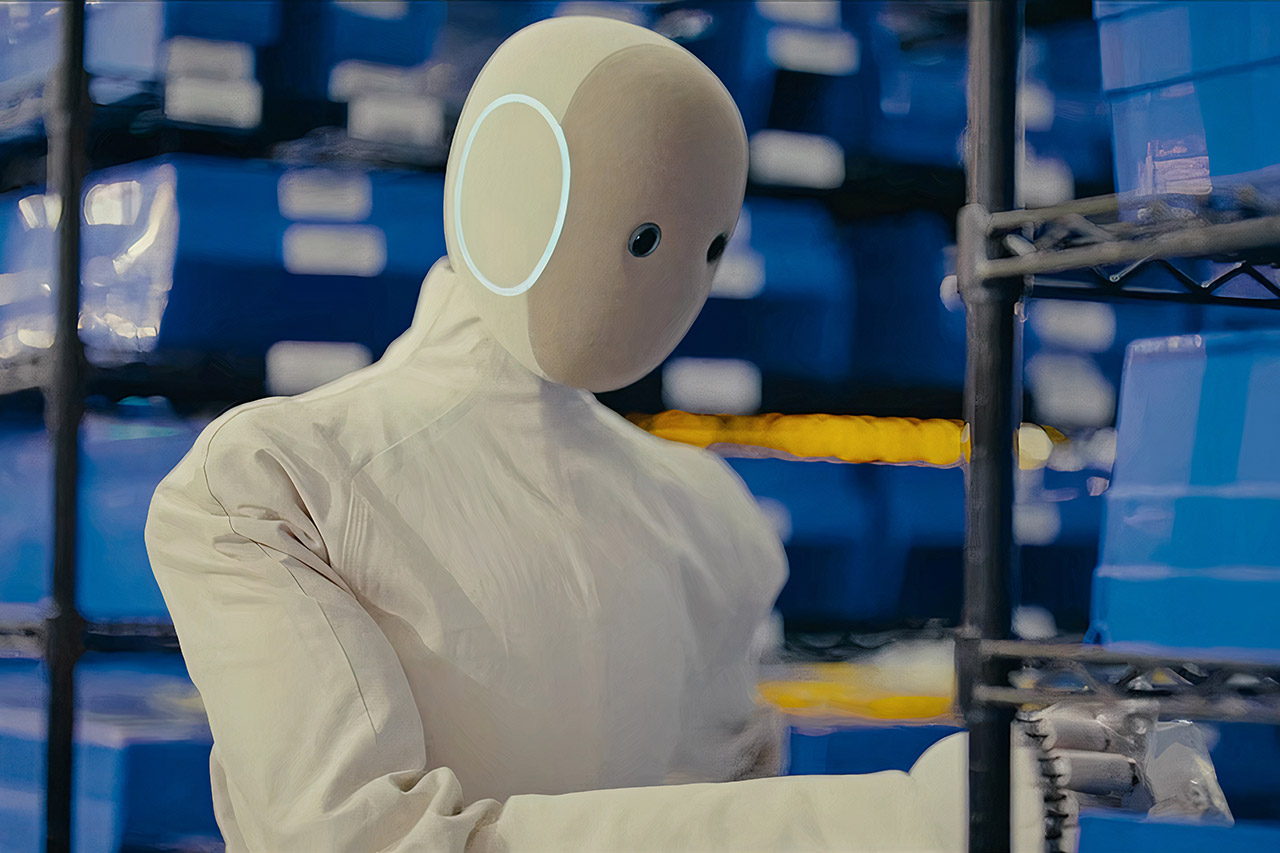
Some of the first NEO units are already hard at work on the factory floor. They are transporting bins of gears and pulleys from one location to another, sorting parts, or transferring commodities. It’s odd to watch robots helping out by handling the simple tasks so that humans may focus on the more complex ones. They’ll eventually make their way into households, but for the time being, they’re helping out on the production line by performing simple repeating jobs. More positions, like as general facility duties, will become available shortly, allowing human workers to focus on more difficult tasks. Production is currently in full swing, with plans to produce 10,000 robots per year, a second facility in the pipeline, and a goal of more than 100,000 robots per year by the end of 2027.
[Source]

Source link

Advertisement
Continue Reading

Trending

Copyright © 2025