Handheld gaming systems aren’t niche anymore. Today’s devices range from compact devices built around retro emulation to full-fledged portable PCs capable of running modern AAA games. That variety is exciting, but it also makes shopping harder. The “best” gaming handheld now depends less on a single, standout device and more on how, where and what you want to play.
Some handhelds are designed for quick sessions and classic libraries, prioritizing simplicity, long battery life and pocketable designs. Others blur the line between console and PC, offering large screens, powerful chips and access to massive game libraries, often at the cost of size, price or endurance. There are even more experimental options that focus on unusual controls or intentionally limited experiences.
We’ve spent months testing and tracking the fast-moving handheld space to figure out which devices are actually worth your money right now. Whether you’re looking for a versatile all-rounder, a premium portable gaming PC or a dedicated machine for retro games, these are the gaming handhelds that stand out in an increasingly crowded field.
Editor’s note (11/7/25): A barrage of new mobile emulation handhelds have been announced since our last update, including two follow-ups to our current “best for most” pick (the Retroid Pocket 6 and the more marginally updated Retroid Pocket G2) and a new version of our “best overall” pick (the AYN Odin 3). Other competitors like Ayaneo’s KONKR Pocket Fit are also on the way, and there’s been a wave of new dual-screen models like the AYN Thor, Ayaneo Pocket DS and Anbernic RG DS. We think our current recommendations will still satisfy most shoppers, but since we’re still working to test most of these newer devices, we wanted to give a heads-up for anyone who wants the absolute latest. In the meantime, we’ve added testing notes on a few other emulation-focused handhelds as well as a couple new portable PCs like the ASUS ROG Xbox Ally X.
Three years into its life, Valve’s Steam Deck remains the best balance of price, performance and usability in the gaming handheld market. More specifically, the Steam Deck OLED is a thorough upgrade over the original. Starting at $549 for 512GB of storage, this model features a 7.4-inch OLED display that’s brighter, faster, slightly bigger and more vivid than the 7-inch IPS panel on the entry-level model. The higher contrast and richer colors of an OLED screen makes every game look better by default, but this display also supports HDR, with significantly brighter highlights. The maximum refresh rate jumps from 60Hz to 90Hz as well, which helps many games look smoother in motion.
Due to the less power-hungry display, a more efficient AMD APU and a larger battery, the Steam Deck OLED also lasts longer than the original. No handheld can play resource-intensive “AAA” games for very long, but Valve says the OLED model can run for three to 12 hours depending on the game, whereas the LCD model lasts between two and eight. A larger fan keeps things cooler and quieter, and the chassis feels lighter. Performance is roughly the same, though the OLED model’s increased memory bandwidth can help it gain a couple extra frames in certain games.
Still, $549 isn’t a small investment. The entry-level Steam Deck may come with a more basic LCD display and a smaller 256GB SSD, but it delivers the same core experience for $150 less. At $399, it continues to be a strong bargain. Consider that model our pick for the best “budget” handheld gaming PC you can buy.
To be clear, either Steam Deck model definitely shows its age in 2026. Many of the most graphically demanding games released in the past couple of years just don’t run well on this hardware, if they’re supported at all. Issues with Linux and anti-cheat software have rendered live-service games like Destiny 2 and Apex Legends unplayable, too.
Advertisement
That said, the Deck can still play tons of games that just aren’t possible on the original Nintendo Switch or other handhelds at this price, from Elden Ring to Final Fantasy VII Rebirth to Kingdom Come: Deliverance II. It’s also a natural home for the mountain of older and/or smaller-scale gems littered throughout Steam. (Hello, Balatro.) While official game support is limited to a subset of the Steam library, the list of formally verified and still-playable titles is massive, diverse and constantly growing. You can easily stream games, too, and there are workarounds to access other storefronts.
As for software, a steady stream of updates has turned Valve’s SteamOS into a flexible yet user-friendly platform. You’ll still need to make tweaks every now and then to get a game running optimally, but the process is typically straightforward, and there’s a wealth of community-driven resources that document exactly what settings you may need to change.
The Deck’s processing power, combined with third-party tools like EmuDeck, makes it a superb handheld for emulation as well. Some PS3 and original Xbox games can be tricky, but just about everything else works beautifully. You can also cloud stream Xbox games with a little setup.
The Steam Deck’s biggest issue is its size: At two inches thick and nearly a foot long, it stretches the definition of a “handheld” device, even if the OLED model is lighter by comparison. The LCD Deck can get warm and noisy fairly quickly, too, and the d-pad on both devices is somewhat mushy. But the contoured grips on the back help offset the bulk, and both versions feel sturdy, with responsive face buttons and triggers, smooth joysticks and useful dual touchpads.
Advertisement
Pros
Enough power to play many modern PC games
User-friendly interface
Vivid display on OLED model
LCD model is fantastic value
Superb emulation performance
Cons
Bulky
Not the most powerful hardware
Doesn’t officially support every Steam game or games from other PC clients
The Lenovo Legion Go S is the closest thing we have to a Steam Deck 2. It’s the first third-party device to natively run SteamOS, and as such it has all the same conveniences (and occasional game compatibility issues) as Valve’s handheld. The difference is that it’s a more modern piece of hardware, with a beefier AMD Ryzen Z1 Extreme processor, 32GB of RAM and a 1TB SSD in the configuration we tested. It can also reach a maximum power draw of 33W in handheld mode or 40W when plugged in, well above the Deck’s 15W. All of that makes it better for more resource-intensive games. It can be a noticeable improvement at equal settings, and you get far more room to crank things up and reach that magic 60 frames per second (fps) target in many recent AAA games.
The Legion Go S has a larger 8-inch display than the Deck, with a sharper 1,920 x 1,200 resolution and faster 120Hz refresh rate. It also supports variable refresh rates (VRR), which helps minimize distracting screen tearing. That is a crucial advantage, and the extra real estate is great for taking games in. This is an LCD display, however, not the OLED panel available with the Deck. Colors aren’t quite as vivid and peak brightness is lower at 500 nits. There’s no HDR either. Still, it’s above-average. Which is “better” really comes down to how much you value VRR and pixel count against OLED-level contrast.
The Legion Go S is a little chunkier and heavier than the Steam Deck, which already isn’t exactly svelte, so it’ll be even more fatiguing to hold for hours at a time. But if you can handle the weight, you may find this design more ergonomic. The rounded edges and textured grips are natural to hold, while many longtime console players will feel more at home with the offset joysticks and d-pad. Hall effect sensors (which reduce the risk of joystick drift) and dual USB-C ports are nice perks as well.
Advertisement
There are only two back buttons and one dinky touchpad, however, if you find yourself using those often. The extra horsepower means the fans are much louder. And while it has a bigger 55.5Whr battery, the Deck often lasts a bit longer, especially with less demanding games. If you want to max things out with the heavier stuff, expect the Legion Go S to survive for less than two hours.
The biggest trade-off is the price: The Z1 Extreme version of the Legion Go S now costs a hefty $900. But if you’re looking to play recent blockbusters on the go more than indie games or the older gems in your backlog, it should be worth grabbing.
There is another configuration of the Legion Go S with a lower-tier Ryzen Z2 Go chip, 16GB of RAM and 512GB of storage available for $650, which is $100 more than the Steam Deck OLED. We haven’t been able to test that one yet, but it should still be more performant than Valve’s device, albeit to a lesser extent. If you want a SteamOS device with a bigger screen, higher resolution and VRR, it’s worth considering. That said, keep in mind that Valve is opening up SteamOS to more third-party devices as time goes on.
Advertisement
Pros
Better performance than Steam Deck and most Windows handhelds
If you’re willing to spend extra for more software flexibility, you can skip the SteamOS devices and buy a Windows-based handheld instead. The ASUS ROG Xbox Ally X is our current favorite of those, and it’s a decent if expensive alternative to the Steam Deck if you’re willing to trade some ease of use for a higher performance ceiling.
While Microsoft is marketing it as a handheld Xbox, the Xbox Ally X is really just another iteration of ASUS’ ROG Ally line of portable gaming PCs. It can’t play every game you might own on an Xbox console, nor does it use the exact same simple UI. So don’t go in expecting this to be the Xbox version of a Nintendo Switch. Instead, it runs Windows 11, just like the original ROG Ally and ROG Ally X before it. However, this model ships with a new “Xbox full screen experience” that essentially uses a modified version of the Xbox PC app as its default interface. This aggregates and organizes your PC games from across storefronts (Steam included), reduces background tasks to marginally aid performance and generally makes it easier to navigate the device with gamepad controls.
Taking a wider view, there are three main reasons to consider the ROG Xbox Ally X over the Steam Deck. As with the Legion Go S, the first is power: The last couple of ROG Ally devices were already more consistent about playing graphically intense games at higher frame rates, thanks in large part to a “Turbo mode” that boosts the device’s power draw to 25W, or 30W when plugged in. Here, the latter bumps up to 35W. Either way, the Ryzen Z2 Extreme chip and 24GB of RAM in the Xbox Ally X only furthers this advantage, especially at lower power draws. If you mainly want to play demanding AAA games, this device is far more likely than the Deck to run them well, both today and into the future. It’s still a handheld, so you’ll have to tinker to get some games running optimally, but you won’t have to resort to “potato” settings nearly as often as you do with Valve’s machines.
The second major selling point is VRR. The 7-inch LCD display here is virtually identical to the one used on older ROG Allys: It’s neither as bright nor color-rich as the Steam Deck OLED’s screen, nor is it as spacious as the Legion Go S’ panel. But it’s both sharper (1080p) and faster (120Hz) than the Deck’s display, and its VRR support does wonders to keep games looking smooth even when their frame rate fluctuates.
Advertisement
The third key advantage, and the Xbox Ally X’s biggest pro compared to the Legion Go S, is the fact that Windows lets you play games from any PC client instead of funneling you toward a selection of Steam games. If you’ve built up libraries on stores like Epic, GOG or the Xbox app, you can access them here like you would on any other Windows PC — no workarounds required. For Xbox Game Pass games, Epic Games Store exclusives or finicky always-online titles like Destiny 2 that require anti-cheat software, this is great.
The new Xbox full screen experience does go some way toward minimizing the clunkiness that has long plagued Windows gaming handhelds. Putting the device into sleep mode (mostly) works now. The new app switcher is intuitive. And you do have the freedom to install a distro like Bazzite if you want a near-identical (if unofficial) experience to SteamOS. Of course, you could also just spend most of your time using Steam’s Big Picture Mode.
That said, you’ll probably still run into some familiar Windows quirks and annoyances here. Navigating the OS with touch controls is still frustrating whenever you inevitably end up having to go outside of the Xbox UI. Needing to use the desktop version of the Windows update tool to update the Xbox app, for example, is just awkward. Sometimes you may need to jump into ASUS’ Armoury Crate app to access certain settings instead of the main Xbox UI. Sometimes you won’t see a pop-up, error message or launched app without manually checking what’s going on in the background yourself. And no gaming handheld ever needs programs like Microsoft Teams or OneDrive to come pre-installed.
To reiterate: This isn’t an Xbox, it’s a Windows PC. And while it’s certainly betterthan other Windows handhelds at feeling less…Windows-y, the Steam Deck and SteamOS remain easier to just pick up and use, even if they feel more closed off as a result. But if the flexibility of Windows appeals to you, the changes here do make things a bit more legible. Just note that other handhelds are set to receive this new Xbox UI as well starting next year.
Advertisement
It also helps that the Xbox Ally X is a nice piece of kit. It’s still chunky and heavy, but its pronged grips make it easier to hold for longer stretches than previous Ally devices. The giant 80Whr battery helps it last longer than most Windows handhelds we’ve tested — we got roughly three and a half hours out of Clair Obscur: Expedition33, for example, playing in 1080p at medium settings with the screen brightness maxed out. The face buttons, joysticks and triggers are all tight and comfortable; together they make it feel like you’re using a traditional Xbox controller. The speakers are nice and loud, too.
The Xbox Ally X costs $1,000, so there’s no getting around the fact that it’s a luxury purchase. You could get a Steam Deck OLED and a Nintendo Switch 2 for the same price. But if you have an Xbox Game Pass subscription, or if you’re willing to brave the occasional UX sloppiness in order to play games from any client anywhere you want, it could be worthwhile. If nothing else, it should hold up better than most portable PCs going forward.
Be aware that ASUS makes a lower-cost version of this device called the ROG Xbox Ally (no X). We haven’t been able to test that one, but it comes with a weaker Ryzen Z2 A chip, a smaller battery and half the memory and storage, so it’s a questionable value at $600.
The Retroid Pocket 5 is the handheld to get if you mainly want to emulate older consoles. It’s an Android-based device that’s far less powerful than portable PCs like Steam Deck or ROG Ally X, so it can only play PC, PS5 and Xbox games via streaming. But if you want something more compact and are willing to go through the many, many rigors of getting emulators to actually work, it’s an excellent device.
Advertisement
The Pocket 5 runs on a Snapdragon 865 chip (the same one used by flagship phones from 2020) and 8GB of RAM, plus it has a built-in fan you can set to three different modes to gain a little extra performance. This gives it enough power to play most games from the PlayStation 2 and Nintendo GameCube, two popular retro consoles that can be tough for mobile handhelds to emulate. With some setup, we were able to play relatively demanding PS2 fare like Gran Turismo 4, ESPN NFL 2K5, Ratchet & Clank: Up Your Arsenal and Midnight Club 3 at full speed and 1.5x to 2.5x their native resolution. GameCube games like Super Mario Sunshine, The Legend of Zelda: The Wind Waker, and F-Zero GX, meanwhile, were rock solid at a 2x or 3x upscale. All of that is fantastic for the money.
Just about everything we tested from consoles below the PS2 and GameCube on the performance totem pole — PSP, Dreamcast, PS1, N64, etc. — ran flawlessly at a 3-5x upscale (which maxes out the display’s resolution). Most Wii and 3DS games we tested were smooth at 720p to 1080p as well, though translating the Wii remote to a handheld is often cumbersome, and the 5.5-inch panel is a bit cramped for viewing two DS screens. You can get some Switch games to work, too, but we discourage that when the Switch is still readily available to buy today. As for modern games, Xbox cloud streaming ran about as well as it does on any other device, while native Android apps like Diablo Immortal, Call of Duty Mobile and Asphalt Legends Unite gave us zero issues at max settings.
Let’s be clear: If you’re new to emulation, you need to go into a device like this expecting to tinker. Even after the laborious process of securing ROM files, downloading the best versions of certain emulators, mapping different control schemes for each console and navigating the menu hell that is RetroArch, some games just won’t work right.
The Pocket 5 isn’t immune to this. We had to install a third-party GPU driver to avoid visual glitches in games like New Super Mario Bros. Wii and Mario Superstar Baseball. Gran Turismo 4 required us to tweak the display crop to hide overscan-related artifacts. The most popular Sega Saturn emulator for Android is a mess, so we had to point games for that system to a specific RetroArch core (at which point they all ran great). You will have to fiddle with resolution, rendering and active cooling settings to get many games going at their best — and even then, some tricky ones like Star Wars Rogue Squadron II will suffer from debilitating slowdowns. It’s all terribly tedious. But you’d do it because you truly love old games and don’t mind putting in work to enjoy them comfortably, at a decent price.
Advertisement
We wouldn’t call the Pocket 5’s plastic frame “premium,” but it’s clearly sturdier and more substantial than most emulation handhelds from little-known Chinese companies. The 1080p OLED display is the highlight: It makes everything look more vibrant, from the deep blue ocean of The Wind Waker to the green vegetation in Stardew Valley, and it’s sufficiently sharp and bright. There are textured, modestly-sized grips around the back that give your fingers a natural place to rest. The face buttons are smooth to press, with a comfortable level of travel. The d-pad is firm and precise enough for us to play Tetris DXwithout whining. The analog triggers are conveniently wide and flared, while the clicky bumpers are easy to distinguish. The speakers, while not incredibly full-sounding, can get surprisingly loud.
Our main complaint is with the joystick layout, which situates the left stick underneath the d-pad. This is fine on a PS5 controller, but here it can make playing more modern games a literal pain, as it invites you to leave your left hand dangling partway off the device. But the sticks themselves are neither too loose nor too tight, and they should avoid drifting issues over time thanks to their magnetic Hall effect sensors.
Battery life can vary from three-ish hours with demanding Android games to more than 10 hours when emulating older 8- and 16-bit consoles. That’s solid. The active cooling system keeps the device from ever feeling too hot, though its highest setting is pretty noisy; you wouldn’t want to use it around a sleeping partner. It’s also worth noting that the design won’t actually fit in most pockets, as its name implies, but it certainly won’t hog space in a bag or purse.
Advertisement
Pros
Capable emulation and Android gaming performance
Lovely OLED display
Sticks and buttons feel great
Sturdy, portable design
Cons
Requires a ton of tinkering to get some emulators working optimally
The Retroid Pocket Flip 2 is essentially the Pocket 5 in a clamshell shape. It runs on the same chip — and thus can emulate the same wide range of retro games — with the same great OLED display, Hall effect joysticks, active cooling system, 5,000mAh battery and clean Android OS. The face buttons, triggers, bumpers and d-pad are all roughly as responsive, though the built-in fan can still get distractingly loud at full blast and the speakers don’t offer the best separation (but still get plenty loud).
Advertisement
It’s just built like a fatter Nintendo DS with no second display. It’s thicker and heavier than the Pocket 5, and it has a flat back, so we find it a touch more fatiguing to use over time. There’s also a bit too much empty space on the bottom half — the face buttons and d-pad definitely have room to be larger. And since this is a clamshell, the joysticks have to be recessed in little divots to avoid pressing against the display. They’re still smooth and accurate, but using them always feels somewhat awkward.
However, separating the display gives more space for the different control elements to breathe. The joysticks are offset from the d-pad and face buttons, which makes them feel less cramped with games that are more reliant on analog input. They also sit above the other inputs, so you don’t have to reach as much when playing Game Boy, SNES or other systems that aren’t built for joystick control at all.
The clamshell shape gives everything a natural layer of protection, which in turn makes the device easier to just chuck in a bag. Though we can’t say how well the hinge will hold up years down the road, it feels appropriately tight, and it’s given us no issues after several weeks of testing. The Flip 2 costs $10 more than the Pocket 5 before tariffs, but whether it’s worth buying entirely comes down to how you feel about clamshells. If you want a retro handheld that’s more DS than PSP, grab it instead.
Advertisement
Pros
Capable emulation and Android gaming performance
Sturdy clamshell design provides a natural layer of protection
Lovely OLED display
Cons
Requires a ton of tinkering to get some emulators working optimally
Recessed joysticks
Buttons and d-pad could be larger
Photo by James Trew / Engadget
Display: 6-inch IPS, 1080p resolution, 60Hz | Processor: Qualcomm Snapdragon 8 Gen 2 | RAM: 8GB, 12GB or 16GB LPDDR5x | Storage: 128GB, 256GB or 512GB UFS 4.0 | Battery: 8,000mAh | Dimensions: 8.86 x 3.86 x 0.67 inches | Weight: 0.93 pounds | Wireless: Wi-Fi 7, Bluetooth 5.3 | OS: Android 13
If you have more cash to burn on an emulation-focused machine, the AYN Odin 2 is a step up from the Retroid Pocket 5 and Flip 2. This Android device can play everything our those picks can, just smoother and more reliably. That’s mainly due to its Snapdragon 8 Gen 2 processor, which is the same chip used by flagship phones from 2023.
Advertisement
The Odin 2 starts at $299 for 8GB of RAM and 128GB of storage, which is expensive when the entry-level Steam Deck can run PC games natively for just $100 more. (And in the US, tariffs may erase that gap entirely.) Still, among more compact mobile handhelds, there aren’t many alternatives that run this well at this price. It played all PS2 and GameCube games we tested at two to three times their native resolution, while systems like the PS1, N64 and Dreamcast had no problems at a 3-5x upscale. Most 3DS and Wii games had little to no slowdowns at 2-3x, either. It’s better than most with the Sega Saturn, and it can play a wider range of Switch games than the Pocket 5 and Flip 2 (though you should just buy a Switch if that’s a major concern). More challenging systems will still require some settings tweaks, but the superior chip means you won’t need to tinker on a game-by-game basis as extensively as you would with a lower-cost device.
It’s not just raw performance, though: The Odin 2 is also a refined piece of hardware. It’s larger than Retroid’s handhelds, but it’s still much less chunky than a portable PC, and the curved grips on its back are inviting to hold. The d-pad, face buttons, analog triggers and Hall effect joysticks all feel great; the latter are also offset, which makes the design comfier than the Pocket 5 for streaming recent console and PC games. Other touches like a fingerprint scanner, a dedicated return button, a micro-HDMI out port, two customizable back buttons and clear front-facing speakers are all nice perks.
The 6-inch 1080p touchscreen isn’t as color-rich as the Retroid’s OLED panel, but it’s still bright and well-sized for modern games. Battery life is superb: We got more than eight hours of juice emulating systems like the PS2, but that jumped over 20 hours with lighter tasks. The device supports 65W fast charging as well. Cloud streaming and native Android games work as they should, and since the whole thing runs on a lightly modded version of Android, its stock interface should feel familiar to most.
AYN sells a few different variants of the Odin 2, including the PS Vita-esque Odin 2 Mini and the larger, OLED-sporting Odin 2 Portal. These run on the same chipset as the standard model, so they should be just as powerful. Both should be a little more niche, however. The Retroid Pocket 5 gets you most of the way to the Mini for $120 less. The Odin 2 Portal is definitely more appealing, but it’s closer to the Steam Deck’s width (and price) yet much less capable than Valve’s machine on the whole.
Advertisement
As noted above, you may want to wait on all of these if you need the absolute latest: AYN has launched a new Odin 3 device since our most recent update. We aim to test that one in the near future.
Pros
Excellent emulation and Android gaming performance
Comfortable
Great battery life
Cons
Relatively pricey for a mobile handheld (even before tariffs)
Setting up emulators can still be laborious
Docked experience isn’t seamless
Photo by James Trew / Engadget
Advertisement
Display: 3.5-inch LCD, 1,600 x 1,440 resolution, VRR 30Hz-62Hz | Chipset: Altera Cyclone V FPGA, Altera Cyclone 10 FPGA | RAM: 3.4MB BRAM, 2x 16MB 16-bit cellular RAM, 64MB 16-bit SDRAM, 256KB 16-bit asynchronous SRAM | Battery: 4,300mAh | Dimensions: 5.86 x 3.46 x 0.86 inches | Weight: 0.61 pounds | OS: Analogue OS
The Analogue Pocket is the ultimate Game Boy. Its vertical design is built like a modernized, premium version of Nintendo’s classic handheld, and it can even work with accessories like the Game Boy Camera. Compared to the original, though, the Pocket adds two extra face buttons, a pair of rear triggers, a microSD slot, a USB-C port and a rechargeable battery rated for six to 10 hours of playtime. Most significantly, it has a gorgeous 3.5-inch display that’s both backlit and incredibly sharp (615 ppi) but can be set to look like an old Game Boy panel with different filter modes. The device can also output to a TV with an optional dock.
Unlike the retro handhelds mentioned above, the Pocket is designed to play actual cartridges, not just ROM files. It works with Game Boy, Game Boy Color and Game Boy Advance games through its cartridge slot, while games from the Sega Game Gear, TurboGrafx-16, Neo Geo Pocket and Atari Lynx are playable through optional adapters.
Advertisement
Like past Analogue devices, the Pocket uses field-programmable gate array (FPGA) motherboards to mimic its target systems on a hardware level. In practice, this means the Pocket’s “emulation” of older titles is near-perfect, with a level of responsiveness and visual faithfulness that software-based emulation can’t match. Pop in a Game Boy or GBA cartridge and you can essentially play it as intended. That said, thanks to a big post-launch update and an active user community, the Pocket can also run ROMs off a microSD card and thus play systems like the SNES and Sega Genesis.
The Pocket isn’t cheap at $220, and its shoulder buttons aren’t as crisp to press as the excellent d-pad or face buttons. Still, if you have a collection of Game Boy, Game Gear or GBA games, the Pocket is the most elegant way to play them, and it’s only become more versatile over time. Its biggest flaw is that it can be prone to stock shortages and shipping delays.
Pros
Advertisement
Plays Game Boy, Game Boy Color, and GBA cartridges with near-perfect emulation
Gorgeous display
Impressive build quality
Expandable via adapters
Supports software emulation
Cons
Stock issues and shipping delays are common
Shoulder buttons feel a little spongy
Tiny volume buttons
Engadget
Display: 2.7-inch Memory LCD, 400 x 240 resolution, 1-bit | Chipset: ARM Cortex-M7F @ 168MHz | RAM: 16MB, 8KB L1 cache | Storage: 4GB eMMC | Battery: 740mAh | Dimensions: 2.99 x 2.91 x 0.35 inches | Weight: 0.19 pounds | OS: Playdate OS
The Playdate, from app developer and Untitled Goose Game publisher Panic, is a tiny yellow box with a 2.7-inch monochrome display, two face buttons, a d-pad and a physical crank built into its side. We called it a “cross between a Game Boy and a business card” in our review, and it is indeed incredibly small at roughly three inches tall and 0.18 pounds. It has a dedicated game library that largely consists of oddball indies, most of which focus on one or two core ideas instead of trying to stuff in as many mechanics as possible. A couple dozen of those games are bundled with the device, while others are available via a built-in store or sideloading from shops like Itch.io. The hardware is generally well-built, and its battery life is decent at six to eight hours per charge.
Advertisement
At $229 after a price hike, it’s hard to call the Playdate a great value when it’s only designed to play a selection of niche games. Its display isn’t backlit, either. But in a sea of devices that try to be everything for everyone, the Playdate is admirably focused and low-key. If you’re into smaller-scale fare and have some money to play with, it’ll be a fun toy.
The new Nintendo Switch 2 is already more popular than any of the handhelds above, but we haven’t made it a formal pick in this guide since it exists in its own world. As one of the newest devices from the big three console manufacturers, most people aren’t choosing between it and the handheld PCs or emulation devices above. The main reason to buy a Switch 2 is to play new Nintendo games, and no other device can (legally) offer that. Likewise, the Switch 2 doesn’t even try to offer the flexibility of a Steam Deck, ROG Ally X or even the Retroid Pocket 5.
Advertisement
That said, the hardware itself is a significant upgrade over its predecessor, with dramatically improved performance, a sharper, faster and bigger 7.9-inch display, magnetic Joy-Con controllers and more storage. It’s a wholly more polished take on the Switch 1’s ideas.
Does that make it a must-buy right now? Unless you’re worried about a tariff-induced price hike — which may not be the most outlandish fear — not really. Donkey Kong Bananzais a joy, Mario Kart World is fun enough and playing Cyberpunk 2077 on a Nintendo console is kind of surreal, but the list of true must-plays that are exclusive to the Switch 2 is still limited. That’s OK — it’s only been a few months. But don’t feel like you must rush out and splash the cash today unless you have a serious case of Donkey Kong-inducedFOMO.
Other gaming handhelds we’ve tested
The Lenovo Legion Go 2. (Sam Rutherford for Engadget)
Note: This is a selection of noteworthy gaming handhelds we’ve tested, not a comprehensive list of everything we’ve ever tried.
Lenovo Legion Go 2
The Lenovo Legion Go 2 is a capable alternative to the ROG Xbox Ally X with a mondo-sized 8.8-inch display. That screen is the main reason to consider it, as it’s a vivid OLED panel that supports VRR and has a 144Hz native refresh rate. Like the Switch, it also comes with detachable controllers — one of which includes a useful touchpad for navigating Windows — plus a built-in kickstand for tabletop play.
Advertisement
That said, it’s an absolute tank at just over two pounds, and we found it to perform a little worse than the Xbox Ally X at equal settings. It’s also even more expensive, starting at $1,100 and rising to $1,350 for a config with the same Ryzen Z2 Extreme chip. It’s a lovely device if you’ve got cash to burn — and to be fair, none of these Windows handhelds are for anyone looking for “value” — but the Xbox Ally X is a better buy for most.
The MSI Claw 8 AI+. (Sam Rutherford for Engadget)
MSI Claw 8 AI+
The original MSI Claw was a flop, but the newer Claw 8 AI+ is much more appealing if you’re willing to pay for a larger and slightly more powerful alternative to the ASUS ROG Ally X. With its Intel Core Ultra 7-258V chip and 32GB of RAM, it typically pumped out 10 to 15 percent higher frame rates than last-gen models like the ROG Ally X and Lenovo Legion Go in our testing. (Another model is available with the Ryzen Z2 Extreme chip.) Battery life is relatively strong, while its 8-inch 120Hz IPS display is plenty bright and supports VRR. There are smooth Hall effect thumbsticks and triggers, two Thunderbolt 4 ports and a built-in fingerprint sensor beyond that.
The Claw’s main issue is its price: At $1,100 after recent price hikes, it’s hard to justify over the ROG Xbox Ally X, which is already too expensive for most people. ASUS’ handheld is lighter and easier to grip on top of that — though the Claw is thinner — and its overhauled Xbox UI, while far from perfect, is still easier to get around than MSI’s Center M hub. There’s a smaller 7-inch version of this handheld for $900 as well, but we haven’t tested that one.
The ModRetro Chromatic. (Jeff Dunn for Engadget)
ModRetro Chromatic
The ModRetro Chromatic is a competitor to the Analogue Pocket that can similarly play actual Game Boy cartridges via FPGA. With its premium metal frame, loud speaker, tight d-pad and beautifully bright 2.56-inch display, it’s an impressive modernization of Nintendo’s classic handheld. ModRetro also publishes a number of games specifically for the device, including a pretty great version of Tetris that comes bundled in the box.
Advertisement
However, for many, its faithfulness to the original Game Boy probably goes too far: It requires three AA batteries for power, and unlike the Analogue Pocket it doesn’t support custom save states. It’s also designed for Game Boy and Game Boy Color games only; it can’t play any Game Boy Advance cartridges or games from other retro handhelds like Analogue’s device, nor does doesn’t support ROMs. For only $20 less than the Pocket, that makes it a tough sell, even if the hardware is arguably higher-quality.
There’s also the lethal, autonomous elephant in the room: ModRetro is founded by Palmer Luckey, the idiosyncratic entrepreneur behind the Oculus Rift who has gone on to form Anduril Industries, a defense contractor that makes drones, surveillance systems and other AI-powered military tech. He has also espousedpolitical views that many people — and this is the tamest way I can put this — may not be comfortable backing. We are not here to police where you can spend your money, and the Chromatic does much of what it wants to do well. Still, all of these handhelds are just so inessential, and no other option that we know of is as closely tied to an arms dealer.
The Lenovo Legion Go S. (Sam Rutherford for Engadget)
Lenovo Legion Go S (Windows, Z2 Go chip)
The Windows 11 version of the Lenovo Legion Go S has the same relatively comfortable design and commendable 8-inch 120Hz display as the SteamOS model we highlight above. With the Z2 Go model we tested, though, its performance lags too far behind the ROG Ally X, Claw 8 AI+ and original Legion Go for something priced at $730. Windows is still clunky, too.
The Ayaneo Flip DS. (Photo by Jeff Dunn / Engadget)
Ayaneo Flip DS
The Ayaneo Flip DS is a cool concept: a powerful Windows machine with a clamshell design and dual displays, sort of like a supercharged Nintendo DS. It feels sturdy, it performs roughly on par with the other Ryzen 7 7840U (or 8840U) handhelds in this guide, and its 7-inch top display is sharp, fast and bright. The second screen makes it a natural fit for emulating Wii U or 3DS games, but you could also, say, look up a guide or play a YouTube video without having to close whatever you’re playing.
Advertisement
Unfortunately, this is more of a neat idea than a fully thought-out product. The folding design means that the joysticks have to be short and recessed, while the face buttons and d-pad are uncomfortably flat. The whole thing is overly thick and heavy, plus it runs very hot. Battery life tops out around two hours, and actually managing two displays on a Windows handheld is about as clunky as you’d expect. With prices now starting above $1,100, the Flip DS is hard to recommend unless you’re (oddly) desperate for a handheld Wii U emulator. We’re always happy to see more weird hardware, though.
The Ayaneo Kun. (Photo by James Trew / Engadget)
Ayaneo Kun
The Ayaneo Kun is one of the more decadent Windows handhelds we’ve tested. With a sharp 8.4-inch display, a Ryzen 7 8840U chip, up to 64GB of RAM, up to 4TB of storage, a sizable 75Whr battery and a 54W max TDP, it’s both a capable gaming device and a feasible replacement for a desktop PC. But it now starts at a pricey $999, it’s huge and it suffers from the usual Windows-related issues. It also lacks VRR, and that Ryzen chip is no longer the latest and greatest. The Kun is still a fine device in a vacuum, but the ROG Xbox Ally X is a better buy. This is technically an older model for Ayaneo, too, as the company seems to launch a new handheld every other hour these days.
The Retroid Pocket Classic. (Jeff Dunn for Engadget)
Retroid Pocket Classic
The Retroid Pocket Classic is another Game Boy-style vertical handheld in the vein of the Analogue Pocket, but like the other Retroid models we’ve highlighted, it’s an Android device designed to emulate games via ROM files, not genuine cartridges. (Naturally, it can also play native Android games.) It’s still far clunkier to set up and use as a result, and its overall design feels more toy-like than either the Pocket or ModRetro Chromatic.
But its Snapdragon G1 Gen 2 chip is easily powerful enough to play any classic handheld system (along with most other retro games that don’t require joystick controls), while its 3.9-inch OLED display is superbly bright, sharp and colorful. The battery can last more than 10 hours when emulating lower-power systems, and Retroid sells a version with six face buttons instead of the standard four if you want to play older Sega Genesis and Saturn games in particular. The Analogue Pocket is still more premium and rewarding to use, but if you want a similar form factor and can live with the typical quirks that come with a device like this, the Classic is a good value at $129. Of the many Game Boy-style handhelds out there that solely rely on software emulation, it’s the one we’d recommend first.
Advertisement
The Retroid Pocket Mini (bottom) and Retroid Pocket 5. (Jeff Dunn for Engadget)
Retroid Pocket Mini
The Retroid Pocket Mini is essentially a smaller version of the Retroid Pocket 5. It runs on the same Snapdragon 865 chip and feels just as sturdy, but it has a smaller 3.92-inch display with a 4:3 aspect ratio. This makes it a more natural fit for older retro consoles, as you won’t get the black boxes you’d see on a 16:9 display like the one on the Pocket 5. If you mainly want to emulate systems like the SNES, Sega Genesis or Game Boy Color and don’t mind paying extra for a rich OLED display, it’s a good little device. But the tiny screen is limiting if you ever want to play newer games, and we wish there wasn’t so much empty space around the display.
This device had also generated some controversy within the retro gaming community for having persistent issues with inaccurate shaders (and for the slapdash way Retroid handled the matter). The company replaced the original model with a “V2” iteration that addresses those concerns, however.
Retroid Pocket 4 Pro and Retroid Pocket 4
The 4.7-inch Retroid Pocket 4 Pro is the predecessor to the Pocket 5. Its performance isn’t significantly far off the newer model, so it remains a nice value if you’re determined to spend less than $200 on an emulation device. It misses out on the larger OLED display and more ergonomically-friendly design of its follow-up, however. The base Pocket 4 may also be worth a look if you want to stay under $150, but its weaker chip makes it less adept at emulating games from the PS2, GameCube and up.
The Miyoo Mini Plus (left) and TrimUI Brick. (Jeff Dunn for Engadget)
Miyoo Mini Plus
The Miyoo Mini Plus is a highly affordable handheld with a well-built, Game Boy-style form factor that fits nicely with older games. Its 3.5-inch display pops for something in the $60 to $80 range, its battery lasts as long as it needs to and it can emulate consoles up to the original PlayStation without much issue. Its Linux-based software is extensively customizable, though it requires some tinkering to get it working optimally. Like many cheapo handhelds, it also lacks fast charging. Since it’s from a smaller Chinese firm and isn’t available at major retailers, it can also be difficult to actually buy. It’s a nice choice if you want something more compact than the Retroid Pocket Classic, but that model’s roomier design, more vibrant OLED panel and longer battery life makes it worth the extra cash for most people.
Advertisement
TrimUI Brick
The TrimUI Brick is another low-cost vertical handheld that’s surprisingly well-built for an $80-ish device, thanks to its brushed metal backplate and impressive 3.2-inch IPS display. It has a weaker chip than the Retroid Pocket Classic, but it can still emulate older handheld games just fine, and its tiny frame makes it much easier to actually fit in a pocket. That said, while it has a sharper and more vivid screen than the Miyoo Mini Plus (its closest rival), the face buttons, d-pad and especially back buttons are all stiffer, and its stock UI feels similarly bootleg. (Some of the icons for different systems in the game library: “GomeBuy,” “Fanicon,” and “PloyStotion.”) You can fix the latter with custom firmware, but Retroid’s interface is easier to grok by default, and its setup process is less annoying. Most people interested in this class of device will be happier paying up for the Pocket Classic instead.
The Anbernic RG35XX Plus. (Photo by Jeff Dunn / Engadget)
Anbernic RG35XX Plus
The Anbernic RG35XX Plus is another wallet-friendly vertical handheld. For about the same price as the Miyoo Mini Plus, it offers a faster chipset, more RAM and a bigger battery alongside a similarly impressive design. Its stock OS is overly sloppy and cheap-looking, however, and while its stronger chip is appreciated, it’s still far behind the Retroid Pocket Classic.
The Anbernic RG35XXSP. (Jeff Dunn for Engadget)
Anbernic RG35XXSP
The Anbernic RG35XXSP is a variant of the RG35XX Plus based on the same internals, only it apes the clamshell form factor of the old Game Boy Advance SP. That’s a great design to rip off if you must pick one, and the hardware doesn’t feel nearly as cheap as its (pre-tariff) price tag of $60 or so would suggest. But the software issues noted above still apply (both here and with the many other devices in the same RGXX family). We’ve also seen severaluserreports of quality control issues with the RG35XXSP’s battery, which is automatically disqualifying.
Anbernic RG405M
The Anbernic RG405M is another 4:3 handheld with a 4-inch display and a pleasing metal frame. It’s an OK alternative to the Retroid Pocket Mini if you want a little more screen space for less cash, but it’s slower, and it lacks the Mini’s OLED display. We find the Retroid’s grooved back to be comfier to hold over time as well. And again, Anbernic has paused handheld shipments to America as of this writing.
Advertisement
The PlayStation Portal. (Photo by Devindra Hardawar/Engadget)
PlayStation Portal
The PlayStation Portal is an odd accessory that’s designed to stream games from a PlayStation 5. It lacks built-in apps, so it doesn’t support traditional emulation. Because it’s entirely dependent on the quality of your home Wi-Fi, we can’t guarantee how well it’ll actually perform. It doesn’t work with Bluetooth earbuds either.
The 8-inch display is fine and the DualSense-style controls are great, so PlayStation diehards who want a second screen for local PS5 streaming may see the appeal. Sony recently added the ability to stream a selection of games via the cloud, which is a step in the right direction, but you need an expensive PlayStation Plus Premium subscription to take advantage. In general, there’s little here that you can’t do with a smartphone and mobile game controller, so most people are better off saving their $200.
Logitech G Cloud
The Logitech G Cloud would’ve been a great Android pick when it launched if it cost about $150 less. Its 7-inch 1080p display is bright, vibrant and generally more pleasing to look at than the panel on the AYN Odin 2, its battery lasts a good 10 to 12 hours per charge and its design is comfy to hold for hours at a time. Alas, the G Cloud still tends to retail for $300, which is just too much when the Retroid Pocket 5 offers more power at a lower price.
What to know about the gaming handheld market
Jeff Dunn / Engadget
You can break down the gaming handheld market into three broad tiers. At the top, you have x86-based portable gaming PCs like the Steam Deck or ASUS ROG Xbox Ally X. These are the most powerful handhelds you can buy, as they seek to replicate the experience of a moderately specced gaming desktop. The Steam Deck runs on Linux, but most others use Windows. If you want to play modern, recently released PC games on the go (and need something stronger than a Switch), this is the type of device you’d get. They can also emulate the widest range of retro consoles. They’re typically the largest and most cumbersome devices to hold, however, and their battery life can be short. Naturally, they’re also the most expensive, costing anywhere from $400 to more than $1,000.
Advertisement
Further down on the price spectrum are “mobile handhelds” like the Logitech G Cloud or Retroid Pocket. These devices often run Android or Linux and can range from under $50 to $400-ish (before tariffs). They aren’t equipped to play modern console or PC titles, but they’re usually more compact than a portable PC, and you can still use them for mobile games and cloud streaming. While most are marketed toward those ends, many gamers actually buy them to emulate classic games through software like RetroArch. Getting emulators to work can be complicated, and accessing the BIOS and ROM files required to play games this way is legally murky. One lawsuit from Nintendo led to the shutdown of the most prominent Switch and 3DS emulators, for instance. (Engadget does not condone piracy.) Backing up files of games you already own for personal use only is considered more defensible, though, so for that a mobile handheld can be a more user- and wallet-friendly way to play the classics — provided you don’t want to just use your phone.
We’ll call the last tier “handhelds that do their own thing.” This is a catch-all for things like the Switch 2 or Playdate: portable devices that run heavily customized software and aim to provide a unique gaming experience. They aren’t necessarily ideal for emulation or playing the latest multiplatform titles; instead, they often have distinct game libraries. They might not have the widest appeal as a result (Switch excluded), but they’re often easier for less tech-literate folks to just pick up and use.
Recent updates
November 2025: The ASUS ROG Xbox Ally X replaces the older ROG Ally X as our new favorite Windows gaming handheld. We’ve also added testing notes on the Lenovo Legion Go 2, ModRetro Chromatic and a couple of emulation-based handhelds in the Retroid Pocket Classic and TrimUI Brick. We’re working to test several other recent releases for our next update, including updated versions of the Retroid Pocket 5 and AYN Odin 2.
August 2025: We’ve added the SteamOS version of the Lenovo Legion Go S as a new recommendation and updated our top Windows pick to reflect the upcoming release of ASUS’ and Microsoft’s ROG Xbox Ally devices, which will feature an overhauled Windows UI. We’ve also added a note on the recently released Nintendo Switch 2. We’ll include testing notes on the Retroid Pocket Classic, TrimUI Brick and ModRetro Chromatic in the near future. (Note: Yours truly went on paternity leave after our last update — apologies for the delay!)
Advertisement
May 2025: We’ve tested the Retroid Pocket Flip 2 and recommended it as an alternative to the Retroid Pocket 5. We’re also watching out for the first third-party devices that run SteamOS, starting with the new Lenovo Legion Go S, and the next ASUS ROG Ally device, which seems to be arriving soon based on recent leaks.
January 2025: We have a new top pick among emulation-focused handhelds: the Retroid Pocket 5. Beyond that, we’ve added notes on a few other devices we’ve tested, including the Retroid Pocket Mini and Anbernic RG35XXSP; lightly edited other blurbs to reflect changes in the market; and removed a couple write-ups for products that’ve been discontinued. We’re also keeping an eye on new handhelds that’ve recently been announced or are strongly rumored to arrive in the near future, including devices from MSI and Lenovo.
August 2024: We’ve replaced the ASUS ROG Ally, our prior pick for the best Windows gaming handheld, with the new and improved ROG Ally X. We’ve also checked to make sure all availability and pricing details noted throughout the guide are accurate.
Advertisement
June 2024: We’ve updated this guide to ensure all of our recommendations are up to date, adding a note on ASUS’ upcoming ROG Ally X in the process. We’ve also included details on two new handhelds we’ve tested since our previous update: the MSI Claw and Ayaneo Flip DS. Staying on top of this market is a tall task, but we’re currently looking at recent noteworthy releases like the PSP-esque AYN Odin 2 Mini and the GBA-style Anbernic RG35XXSP as well.
[Washington, DC – April 2, 2026] – IREX, a global pioneer in ethical AI and intelligent video analytics deployed across 10+ countries and over 300,000 cameras, announced a major update to its FireTrack smoke and fire detection module. The update doesn’t require any additional hardware and broadens FireTrack’s applicability to critical infrastructure such as energy facilities and transportation hubs, public institutions including schools and hospitals, residential and commercial buildings, and parks, national parks, and forests.
Built on IREX’s ethical AI platform, the new module processes visual data in just 75–105 milliseconds –or about 0.1 second-, identifying danger almost instantly. This advancement – combined with improved model accuracy and resilience in poor lighting or weather – empowers early intervention by first responders, reducing the risk of catastrophic loss.
The updated model analyzes how fire and smoke evolve over time, distinguishing genuine hazards from harmless visuals like fog, headlights, or glare. This dramatically cuts down false alarms, allowing safety teams to focus on incidents that truly require attention.
To boost accuracy, IREX changed how the system “sees” fire and smoke. Instead of traditional bounding boxes around objects, the updated module uses segmentation, applying a color mask over the exact areas where fire or smoke appears: green for fire and red for smoke, thus better reflecting their irregular shapes. This approach improves the system’s ability to localize hazards precisely within the scene.
Advertisement
Credit: Irex
The updated FireTrack delivers early warning that is significantly faster than traditional optical or heat-based detectors by analyzing live video feeds for the visual signatures of smoke and fire in real time.
“Because the IREX AI platform seamlessly operates on existing camera networks, cities and organizations can strengthen fire safety without installing specialized sensor hardware – simply by connecting their CCTV systems to IREX,” said Serge Smirnoff, Head of PR at IREX. “Each detection event comes with a video snapshot for instant visual verification, enabling operators and first responders to quickly assess the situation and respond effectively.”
By leveraging the surveillance infrastructure already in place, the new FireTrack model offers a cost-effective path to comprehensive fire safety across both built environments and natural landscapes.
“The pride I feel for the IREX team today is immense. This FireTrack launch is a monumental achievement that reflects our core mission, to deploy ethical, intelligent AI to solve the world’s most critical problems,” said Calvin Yadav, CEO of IREX. “We are strengthening the resilience of entire communities globally, proving that every hour of hard work put into responsibly designed artificial intelligence is actively saving lives long before a single alarm sounds.”
The SDIC 8-bit MCU. (Credit: electronupdate, YouTube)
In this wonderful world of MEMS technology, sensor technology has been downsized and reduced in cost to the point where you can buy a car tire pressure sensor for less than $3 USD on a site like AliExpress. Recently [electronupdate] got his mittens on one of these items to take a look inside, and compare it against his trusty old mechanical tire pressure gauge.
Perhaps unsurprisingly, there isn’t a whole lot inside these devices once you pop them open to reveal the PCB. The MEMS device is a tiny device at the top, which has the pressurized air from the tire guided to it. The small hole inside the metal can leads to the internals that consist of a thin diaphragm with four piezoresistors that enable measurements on said diaphragm from which pressure can be determined.
Handling these measurements and displaying results on the small zebra connector-connected LCD is an 8-bit MCU manufactured by Chinese company SDIC. Although the part number on the die doesn’t lead to any specific part on the SDIC site, similar SDIC parts have about 256 bytes of SRAM and a few kB of one-time programmable ROM.
This MCU also integrates the clock oscillator, thus requiring virtually no external parts to work. Finally, its sigma-delta ADC interacts with the MEMS device, rounding out a very simple device that’s nevertheless more than accurate enough for a spot check as well as quite portable.
For decades, modern navigation has relied heavily on GPS, but another, less visible system plays an equally critical role in helping aircraft, ships, smartphones, and military platforms determine their position.
Earth’s magnetic field, constantly shifting and evolving, underpins the World Magnetic Model (WMM), a global reference that supports navigation systems used by billions of people every day.
Maintaining the accuracy of that model depends on reliable measurements of the magnetic field, yet much of the satellite infrastructure used to gather this data is aging, while the field itself is changing at an accelerating rate.
Advertisement
Article continues below
Quantum diamond magnetometers
These pressures have driven a search for new technologies capable of monitoring the magnetic field with greater precision and frequency.
Advertisement
In response, the US National Geospatial-Intelligence Agency (NGA) launched the MagQuest Challenge in 2019, a seven-year, multi-million-dollar competition designed to identify next-generation sensing technologies.
The goal is to develop compact, highly accurate systems that can provide continuous magnetic data, reducing reliance on periodic measurements and helping ensure the long-term reliability of global navigation systems.
One of the companies emerging from this effort is SBQuantum, a Canadian firm specializing in quantum sensing technology. Its approach centers on quantum diamond magnetometers, compact devices that use the principles of quantum physics to measure magnetic fields with exceptional sensitivity.
Sign up to the TechRadar Pro newsletter to get all the top news, opinion, features and guidance your business needs to succeed!
Advertisement
Recently, the company reached a major milestone when its sensor was launched into orbit as part of the final phase of the MagQuest program. The deployment represents a step toward continuous, space-based monitoring of Earth’s magnetic field and highlights the growing role of quantum technologies in navigation, defense, and public safety.
To better understand the development of this technology, the challenges involved in bringing it to space, and the potential applications beyond navigation, I spoke with David Roy-Guay, Founder of SBQuantum.
Before we start, can you give us a brief overview of what the WMM is and why it is so important for us.
The World Magnetic Model (WMM) is what powers every electronic compass, including the one in your watch and cellphone. It is essential to keep up to date as the Magnetic North Pole is moving. It was in the Canadian north and is now shifting toward Siberia. This has a real impact on the precision of every analog and digital compass.
Everyday, we use the WMM, just think of the blue arrow in your favorite navigation application telling you to head left or right as you exit a subway station or a hotel. This directional information is complementary to GPS, which provides location information, but doesn’t tell you which way you are facing.
Advertisement
You mentioned that the satellites feeding it with data are reaching their end of life. What happens next?
Typically the WMM is updated every 5 years when a new official version is released. However recently a new update was released after only 4 years because the movement of the field had accelerated.
Once the mission of the current ESA SWARM constellation of satellites comes to an end, the existing magnetic field maps will be of little value 2-3 years after that. This means the navigation systems on board aircraft and drones will be off significantly, especially in the northernmost areas, possibly up to dozens of degrees. I can think of one example in Alaska when recently a landing strip had to have its numbers changed since it was no longer facing the same direction according to the WMM.
In comparison, our platform ‘Diamond Polaris – 1’ will allow the continuous production of magnetic data for the WMM. This approach is far more cost-effective, gathers and assembles faster, and offers data well suited for accurate positioning.
How does the data from the WMM project convert into something that can be an alternative to the ubiquitous GPS?
Data collected over a year of orbit is processed and curated by the US NOAA and the US NGA, to inform future versions of the WMM. Although the data is coarse it is applicable to compass applications. Higher resolution versions can be produced by deploying multiple satellites and drones to gather data at different altitudes.
These high-resolution maps will act as a calibration reference to navigation systems (INS systems) and could provide positioning data without GPS to up to 100m precision.
Our spring 2026 space-launch came after years of testing and retesting with NASA and other organizations. SBQuantum’s sensor was deemed to be fit for use in space. This first space deployment is the next step on the road to making magnetic navigation widely available as an alternative to GPS which cannot be jammed or distorted.
Advertisement
Your company built something called a diamond quantum magnetometer. Why diamond and why quantum?
Being solid state, diamonds are exceptionally stable and provide the right environment to preserve quantum coherence for an extended period, even at room temperature. This enables highly sensitive and very accurate magnetic field measurements for extended satellite missions at a global scale.
Furthermore, the atomic structure of diamonds is well suited to provide measurement of magnetic fields along three axes. For the purposes of navigation it is essential to gather all of that in order to provide directional information.
You mentioned the size of the device (roughly a quart of milk — about 1L in metric or a cube with 10cm size). Does your roadmap contain products that are smaller? What would something “better” differ in terms of features?
We are still in the early stages of this diamond technology. One of its advantages is that it can eventually be shrunk further, to about the size of a matchbox, without degrading its performance.
This is not the case for classical directional magnetometer technologies. We expect to reach that point in about 3 years, once we scale the production to industry standard wafers, which are of course widely used in the semiconductor industry.
How does the data captured by a quantum sensor allow for “advanced interpretation algorithms” that conventional sensors simply cannot support? What other applications could these sensors have?
By building an array of directional diamond magnetometers, we can enable real-time magnetic signals interpretation in a way which was otherwise not possible. For instance, we can locate metallic objects underwater, in real-time.
This is also true for metallic objects on the other side of a wall or underground. We are therefore also looking to employ the technology to support security and defense applications.
For instance this could be used for tracking submarines from a drone, or enhancing security at sporting events, or even security at schools and corporate events.
We miss the old Heathkit. You could build equipment that rivaled or even surpassed commercial devices. The cost was usually reasonable and, even if you could get by with less, the satisfaction of using gear you built yourself was worth a lot. Not to mention the knowledge you’d gain and your confidence in troubleshooting should the need arise. So we were jealous of [RCD66] when he found a Heathkit AJ-43C stereo tuner in the recycle bin.
As you can see in the video below, it needed a lot of love to get back to its former self. The device dates from around 1965, when the kit cost $130. In 1965, that was a lot of money. Back then, that would have bought you about four ounces of gold and would have been a great down payment on a $1,500 VW bug.
Things were a bit of a mess, so he removed all the parts and replaced most of them. Unsurprisingly, the electrolytic capacitors all tested bad. The transistors were all germanium, but if they tested good, his plan was to reuse them. There were several PCBs inside, and he made some changes, such as replacing the zener diode power supply with something more modern.
Advertisement
How did it sound? Watch the video and see for yourself. We usually like troubleshooting specific problems on gear like this, but in this case, it was probably smart to just do a total rework.
Season 1 hasn’t even aired yet, and Star Wars: Maul – Shadow Lord is already coming back for more. Chief Creative Officer Dave Filoni has announced that Season 2 is officially in the works at Lucasfilm Animation.
Star Wars: Maul – Shadow Lord Season 1 kicks off on Disney+ with a two-episode premiere on April 6, dropping two episodes weekly after that. No release date for Season 2 has been shared yet, but the early renewal signals serious confidence in the show.
This 10-episode animated series picks up after The Clone Wars, with Maul trying to rebuild his criminal syndicate on a planet the Empire hasn’t touched. Along the way, he encounters a disillusioned young Jedi Padawan, who might become the apprentice he needs.
With Season 2 locked in before Season 1 even premieres, Maul’s story is clearly just getting started.
Advertisement
The stellar cast includes Golden Globe winner and Oscar nominee Wagner Moura as Brander Lawson, Richard Ayoade as Two-Boots, Dennis Haysbert as Master Eeko-Dio Daki, Gideon Adlon as Devon Izara, and several others.
When are the new episodes of Star Wars: Maul – Shadow Lord season 1 coming?
Star Wars
Star Wars: Maul – Shadow Lord follows a two-episode-per-week format, rolling out every Sunday this month. Here’s the full breakdown:
April 6 – Episodes 1 and 2: “The Dark Revenge” and “Sinister Schemes”
April 13 – Episodes 3 and 4: “Whispers in the Unknown” and “Pride and Vengeance”
April 20 – Episodes 5 and 6: “Inquisition” and “Night of the Hunted”
April 27 – Episodes 7 and 8: “Call to the Oblivion” and “The Creeping Fear”
May 4 – Episodes 9 and 10: “Strange Allies” and the as-yet-untitled Season 1 finale
Windows PCs are about to get a little more touchy. Microsoft is now testing a new kind of interaction in Windows 11 that doesn’t just show you what’s happening on screen, but it lets you feel it too.
Microsoft
Rolling out in the latest Insider build, the update introduces haptic feedback for a bunch of everyday actions. It’s subtle, it’s optional, and if done right, it could make Windows feel a lot more responsive.
What’s changing in Windows 11 with haptics?
With Windows 11 Insider Preview Build 26300.8155, Microsoft is adding haptic feedback effects to compatible devices like advanced trackpads and possibly some mice. The idea is simple: certain actions across the OS will now trigger a small physical response, almost like a tap or vibration.
Microsoft
These aren’t random buzzes either. The system is designed to respond to specific interactions, things like snapping windows into place, resizing them, aligning objects in apps like PowerPoint, or even hovering over the close button. The feature lives under input settings, where users can toggle it on or off and tweak how it behaves. And importantly, it’s limited to hardware that actually supports haptics, meaning this won’t magically show up on every old laptop.
Microsoft
Alongside the headline haptics feature, this build also brings a few smaller but useful refinements. The Xbox full-screen experience is now rebranded as Xbox mode, with a smoother first-run setup to make things feel more seamless for gamers. There are also under-the-hood improvements, including faster startup app launches, fixes for recent sign-in issues in certain apps, and a patch for a printing-related crash that had been affecting some Insider users.
Why Windows suddenly wants you to “feel” your actions
Haptics have long been a natural part of smartphones, adding subtle vibrations to confirm taps and gestures, while Windows has mostly relied on visuals and sounds. Now, Microsoft is bringing that same tactile layer to PCs, especially as more devices adopt haptic trackpads and stylus-friendly designs. The idea is simple: reduce the need to constantly look for on-screen confirmation by letting users feel their actions.
It also signals a broader shift in how Windows is evolving, moving toward a more immersive experience that blends sight, sound, and touch. If done right, it could make everyday interactions feel more intuitive and responsive—but it’s a delicate balance. Too much feedback could get annoying, but if Microsoft nails it, this might end up being one of those features that quietly becomes hard to live without.
Perplexity, one of the fastest-growing AI search tools right now, is suddenly facing some serious heat. And this time, it’s not about accuracy or hallucinations.
Perplexity
A fresh lawsuit is raising uncomfortable questions about what actually happens to user data behind the scenes, especially when people assume their chats are private. And if the allegations hold any weight, this could be one of those moments that prompts many users to rethink how casually they share information with AI tools.
Is Perplexity’s “incognito mode” actually private?
According to a newly filed class-action lawsuit by an anonymous Perplexity user, John Doe, not quite. The complaint alleges that Perplexity’s so-called incognito mode is essentially a “sham” that fails to protect user data as most people would expect.
Tushar Mehta / Digital Trends
The lawsuit claims that user conversations, including potentially sensitive topics like financial advice, health concerns, or legal queries, were shared with third parties like Google and Meta. And as reported by Ars Technica, this happened even when users explicitly chose incognito mode, which is supposed to limit tracking and data collection.
Joe Maring / Digital Trends
What’s more concerning is the kind of data allegedly involved. Reports suggest that information such as IP addresses, email IDs, geolocation data, and even full chat transcripts may have been passed along for ad targeting purposes. The lawsuit also accuses Perplexity of embedding tracking tools similar to those used in online advertising, without clearly informing users. In some cases, it even claims that entire conversations could be accessed via publicly reachable links.
Why this lawsuit could change how we trust AI
This goes beyond one app as AI tools feel personal, which makes oversharing easy. The lawsuit also claims years of chats were shared with ad giants, and that Perplexity doesn’t clearly surface its privacy policy like rivals do.
If true, it could force stricter transparency across AI platforms. For now, they’re just allegations, but enough to make that next AI prompt feel a little less casual.
Tencent Holdings has launched ClawPro, an enterprise AI agent management platform built on OpenClaw, the open-source framework that has become the fastest-growing project in GitHub’s history and the unlikely centrepiece of a national technology craze in China. The tool, released in public beta by Tencent’s cloud division on Thursday, allows businesses to deploy OpenClaw-based AI agents in as little as 10 minutes, with controls for template selection, model switching, token-consumption tracking, and security compliance. During its internal beta, ClawPro was adopted by more than 200 organisations across finance, government, and manufacturing, sectors that require the kind of strict data governance that the open-source version of OpenClaw was never designed to provide.
ClawPro is the latest and most commercially significant addition to Tencent’s growing suite of OpenClaw products, which now spans individual users, developers, and enterprises. In March, the company released QClaw, a mini-programme that embeds OpenClaw inside WeChat, giving the framework access to the app’s 1.3 billion users. It simultaneously launched WorkBuddy, a workplace AI agent tested by more than 2,000 non-technical employees across human resources, administration, and operations, and ClawBot, a WeChat plugin supporting multi-modal interactions. The speed of the rollout reflects Tencent’s determination to position WeChat not just as a messaging platform but as the primary interface forthe agentic AI wave that is reshaping how software gets used.
The object of all this enterprise engineering is a tool created by Peter Steinberger, an Austrian developer who published the first version under the name Clawdbot in November 2025. The software, built to let large language models operate computers, call tools, and execute tasks autonomously, was renamed twice in three days in late January 2026, first to Moltbot after Anthropic raised trademark concerns over the phonetic similarity to “Claude,” then to OpenClaw because Steinberger found Moltbot “never quite rolled off the tongue.” In February, he announced he would be joining OpenAI and transferring the project to an open-source foundation. By that point, the project had already passed React to become the most-starred software repository on GitHub, a record it reached in 60 days that took React more than a decade. As of late March, OpenClaw had 335,000 GitHub stars, 27 million monthly visitors, 2 million active users, and more than 13,700 community-built skills on its ClawHub marketplace.
In China, the adoption curve has been extraordinary. The country now has more OpenClaw users than any other, roughly double the activity of the United States according to analysis by SecurityScorecard. The phenomenon has been given a name: “raise a lobster,” after OpenClaw’s crustacean logo and mascot, which Steinberger chose because a lobster sheds its shell to grow. Tencent organised public installation sessions in Shenzhen that drew retirees and students. Baidu held similar events in Beijing. A cottage industry of technicians began charging 500 yuan, around $72, for on-site installations. Nvidia’s Jensen Huang told CNBC that OpenClaw was “definitely the next ChatGPT.” The Chinese state media apparatus amplified the enthusiasm. “Claw-powered” one-person companies became a talking point at the National People’s Congress, and local governments began offering grants to startups building applications on the framework.
The enthusiasm collided with reality almost immediately. In March, China’s National Computer Emergency Response Team warned that OpenClaw had “extremely weak default security configuration” and that attackers could exploit the tool by embedding malicious instructions in web pages or distributing poisoned plugins. The Ministry of Industry and Information Technology’s National Vulnerability Database published formal security guidelines urging users to run only the latest version, minimise internet exposure, and grant the agent the minimum permissions necessary. State-owned enterprises and government agencies, including the country’s largest banks, received notices warning them against installing OpenClaw on office devices. Several were instructed to report existing installations for security review and possible removal. Bloomberg reported that China moved to curb OpenClaw use at banks and state agencies, a striking reversal for a tool the government had been celebrating weeks earlier.
Advertisement
Tencent’s own relationship with OpenClaw has not been without friction. On 11 March, Tencent Cloud launched SkillHub, a Chinese-localised mirror of OpenClaw’s ClawHub marketplace, by scraping more than 13,000 skills from the original registry. The bulk scraping pushed Steinberger’s server costs into five digits and caused slowdowns on official servers. He complained publicly on X. Five days later, Tencent Cloud and Tencent AI appeared on OpenClaw’s official sponsor list, providing lightweight application servers for one-click deployment. The episode encapsulated a dynamic familiar in Chinese tech:a European project supplies the foundational innovation, Chinese companies scale it faster than anyone else, and the relationship between creator and commercialiser oscillates between parasitism and partnership.
The competitive context is fierce. Alibaba, which holds a 35.8 per cent share of China’s AI cloud market compared with Tencent’s smaller position, integrated its Qwen AI assistant across Taobao, Tmall, Alipay, and other consumer platforms, reaching 300 million monthly active users by early 2026 and delivering roughly 140 million first-time AI shopping experiences during a Chinese New Year promotional campaign. ByteDance is pursuing platform independence through Douyin and a state-media partnership. Baidu’s AI-powered business now accounts for 43 per cent of its core revenue, up from 26 per cent a year ago. Tencent’s strategy depends on WeChat’s unmatched distribution, its 1.3 billion users, and the bet that AI agents will become features of existing super-apps rather than standalone products. The company spent 18 billion yuan on AI products in 2025 and plans to double that in 2026.
ClawPro is the piece of that strategy designed to generate cloud revenue. Enterprise AI agent deployments require infrastructure, compute, model hosting, security layers, and compliance tooling, all of which Tencent can bill for even when the underlying agent framework is free. The 200 organisations that trialled ClawPro during its internal beta represent the beginning of a conversion funnel: take the enthusiasm for a consumer phenomenon, channel it through enterprise-grade tooling, and extract recurring cloud revenue from the result. It is the same playbook thatEuropean cloud companies have used to monetise open-source software, applied at a scale and speed that only the Chinese tech ecosystem can achieve.
The security concerns are not trivial. OpenClaw, by design, grants AI agents broad access to local files and the ability to communicate with external services. In an enterprise context, a misconfigured agent could exfiltrate sensitive documents, execute unauthorised transactions, or expose internal systems to prompt-injection attacks. The tension between the open-source community’s permissive defaults and the compliance requirements of banks, government agencies, and manufacturers is precisely the gap that ClawPro is designed to fill. Whether Tencent’s security layer is robust enough to satisfy Chinese regulators, who have already demonstrated their willingness to restrict the tool entirely, will determine whetherthe year of governed AIproduces governed AI agents or merely governed press releases about them.
Advertisement
The broader significance of the OpenClaw phenomenon is what it reveals about the geography of AI adoption. The tool was built by a single developer in Austria, renamed after a trademark dispute with an American AI company, transferred to an open-source foundation after its creator joined OpenAI, and then adopted at a velocity in China that dwarfs anything that has happened in the West. The country that produced DeepSeek, the AI model thatrattled Silicon Valley’s assumption that scale required American infrastructure, is now demonstrating that it can also adopt, adapt, and commercialise foreign AI tools faster than the markets that created them. Tencent’s ClawPro is, in that sense, less a product launch than a proof of concept for a pattern that will repeat: the open-source AI stack is global, but the speed of enterprise adoption is determined by the ecosystems that can distribute it. In China, that ecosystem runs through WeChat, and WeChat runs through Tencent.
There are many events so far in 2026 that could reasonably have been predicted, but perhaps one which couldn’t is a Hackaday scribe in Europe unexpectedly finding herself with a constant earworm from Afroman. The rapper, who most of us know only from his year 2000 hit single about getting high, made the news after an inept police raid on his house, and in turn a court case over his musical denunciations of the authorities.
We won’t pretend that Hackaday’s mathematical expertise stretches beyond that needed for engineering, but for the more advanced numberphiles among us the university’s write-up goes into some detail about their use of group theory to study the patterns and symmetry in a given piece of music. It’s a new approach that joins other more famous guides to musical success, so perhaps if you couple it with the stuff your music teacher failed to tell you in school, you could be on your way to the top of the charts. Meanwhile here at Hackaday we’ll stick to more conventional inspiration.
A former core infrastructure engineer has pleaded guilty to locking Windows admins out of 254 servers as part of a failed extortion plot targeting his employer, an industrial company headquartered in Somerset County, New Jersey.
According to court documents, 57-year-old Daniel Rhyne from Kansas City, Missouri, remotely accessed the company’s network without authorization using an administrator account between November 9 and November 25.
Throughout this time, he allegedly scheduled tasks on the company’s Windows domain controller to delete network admin accounts and to change the passwords for 13 domain admin accounts and 301 domain user accounts to “TheFr0zenCrew!”.
The prosecutors also accused Rhyne of scheduling tasks to change the passwords for two local admin accounts, which would affect 3,284 workstations, and for two more local admin accounts, which would impact 254 servers on his employer’s network. He also scheduled some tasks to shut down random servers and workstations on the network over multiple days in December 2023.
Advertisement
Subsequently, on November 25, Rhyne emailed a number of his coworkers a ransom email titled “Your Network Has Been Penetrated,” saying that all IT administrators had been locked out of their accounts and that server backups had been deleted to make data recovery impossible.
Additionally, the emails threatened to shut down 40 random servers daily over the next ten days unless the company paid a ransom of 20 bitcoin (worth roughly $750,000 at the time).
“On or about November 25, 2023, at approximately 4:00 p.m. EST, network administrators employed at Victim-1 began receiving password reset notifications for a Victim-1 domain administrator account, as well as hundreds of Victim-1 user accounts,” the criminal complaint reads.
“Shortly thereafter, the Victim-1 network administrators discovered that all other Victim-1 domain administrator accounts were deleted, thereby denying domain administrator access to Victim-1’s computer networks.”
Advertisement
Forensic investigators found that on November 22, Rhyne used a hidden virtual machine and his account to search the web for information on clearing Windows logs, changing domain user passwords, and deleting domain accounts as he planned his extortion plot.
One week earlier, Rhyne made similar web searches on his laptop, including “command line to remotely change local administrator password” and “command line to change local administrator password.”
Rhyne was arrested in Missouri on Tuesday, August 27, and released after his initial appearance in federal court. The hacking and extortion charges to which he pleaded guilty carry a maximum penalty of 15 years in prison.
Earlier this month, a North Carolina data analyst contractor was found guilty of extorting his employer, Brightly Software (a Software-as-a-Service company previously known as SchoolDude), for $2.5 million.
Advertisement
Automated pentesting proves the path exists. BAS proves whether your controls stop it. Most teams run one without the other.
This whitepaper maps six validation surfaces, shows where coverage ends, and provides practitioners with three diagnostic questions for any tool evaluation.


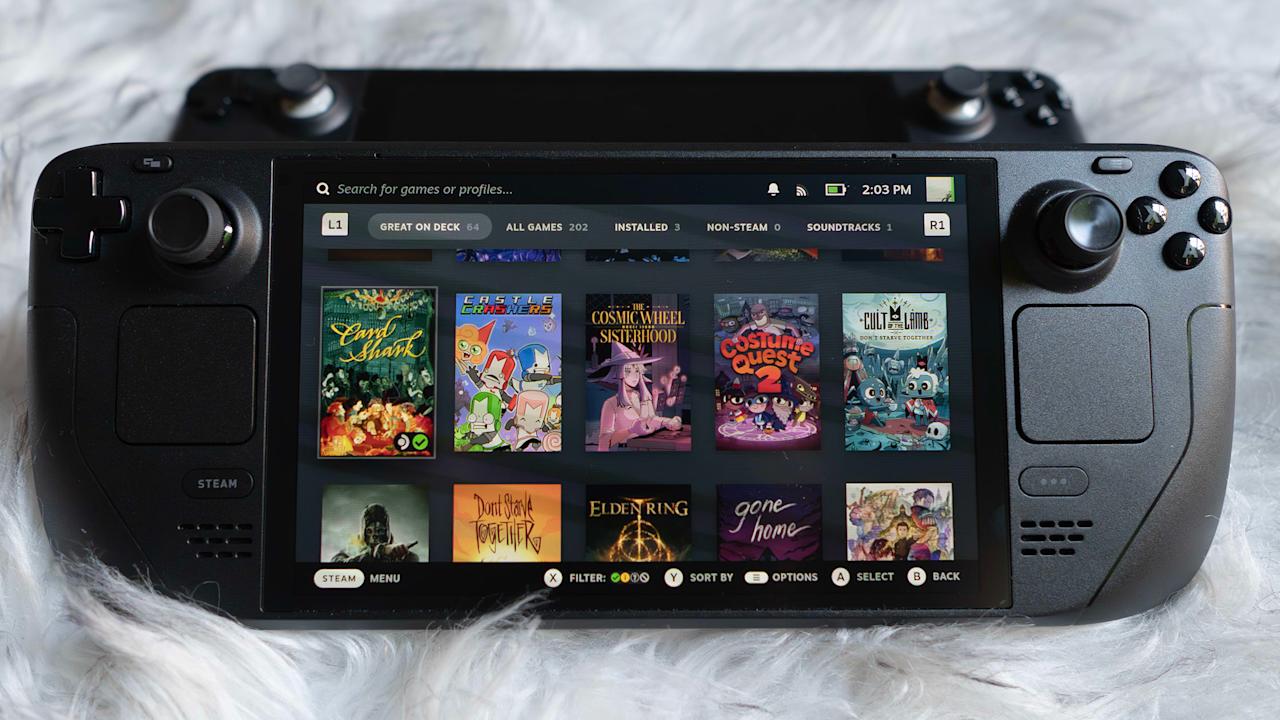




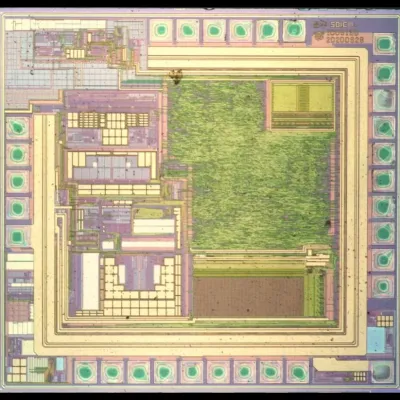
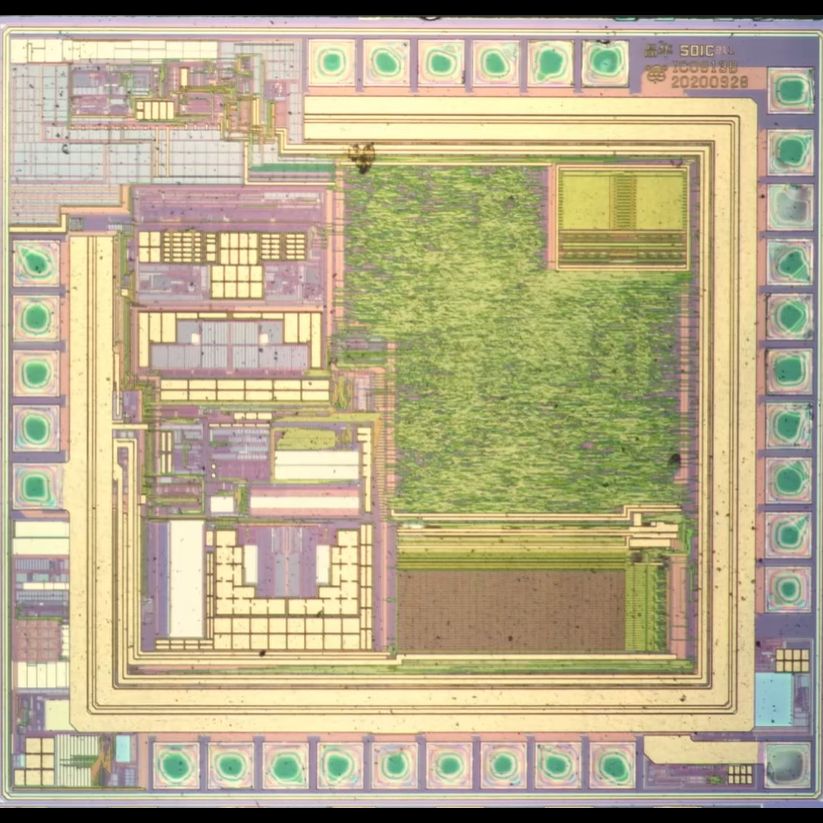
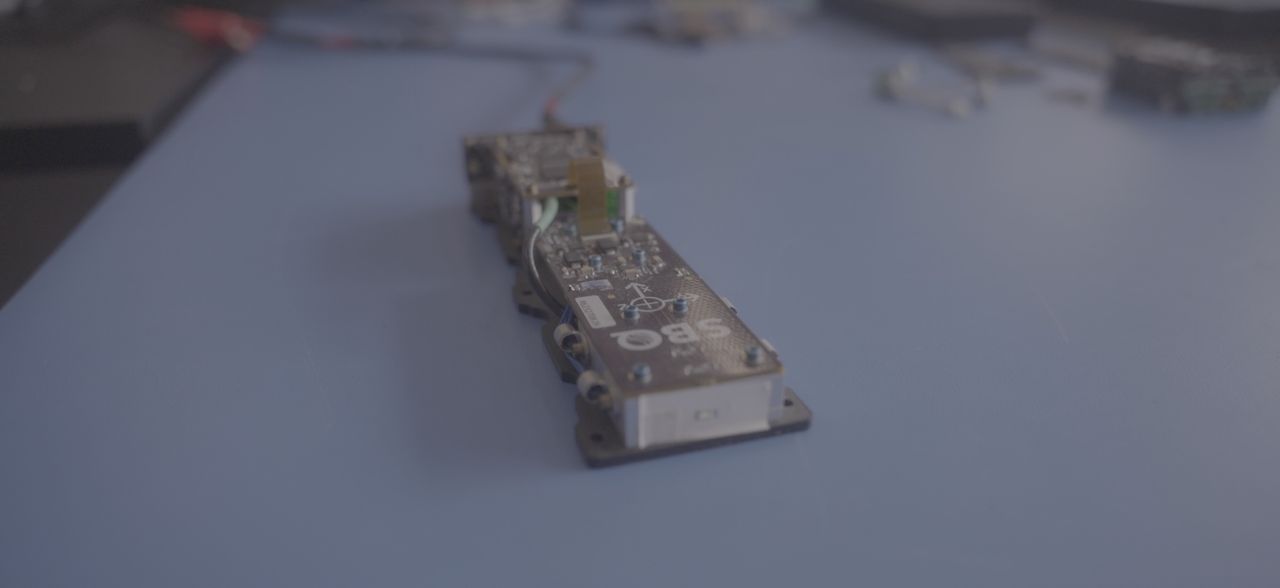
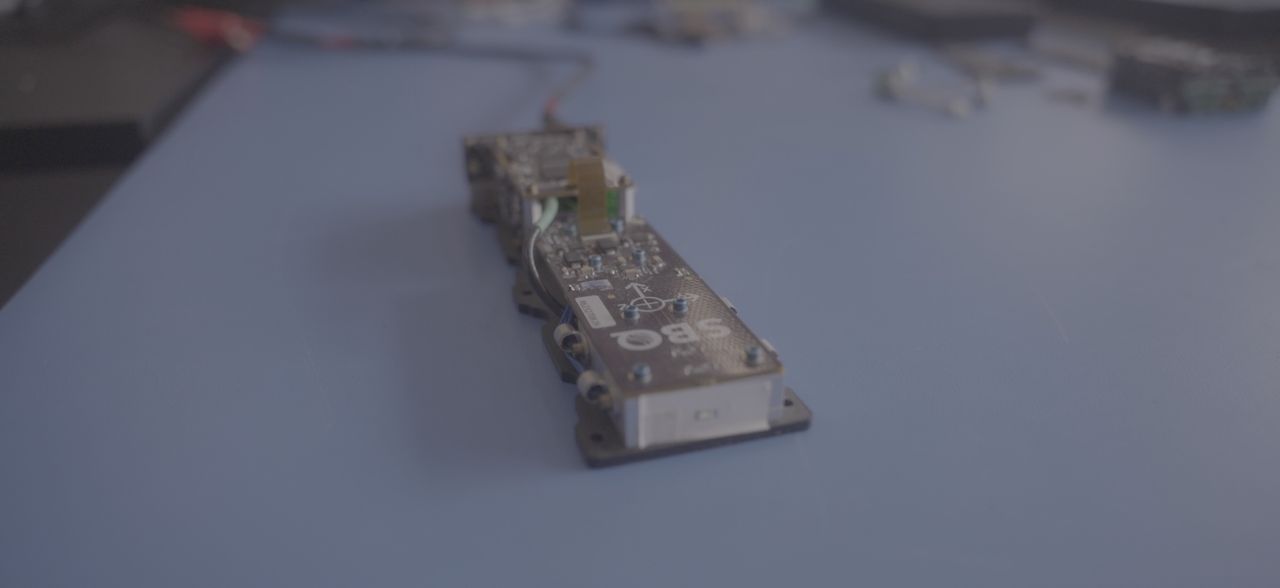
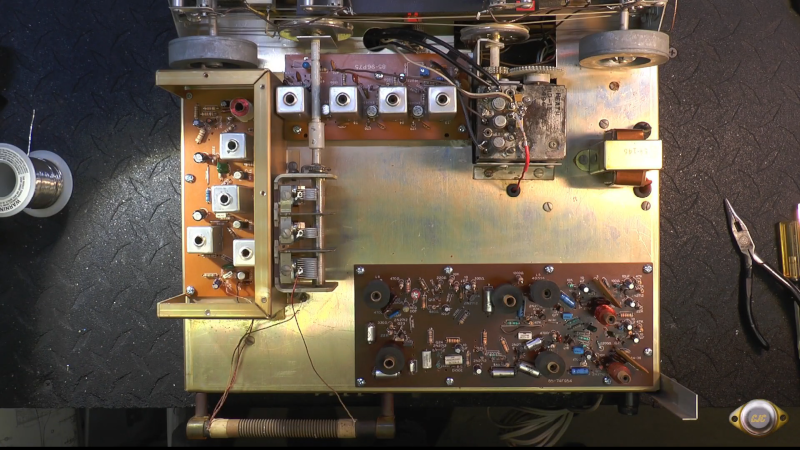



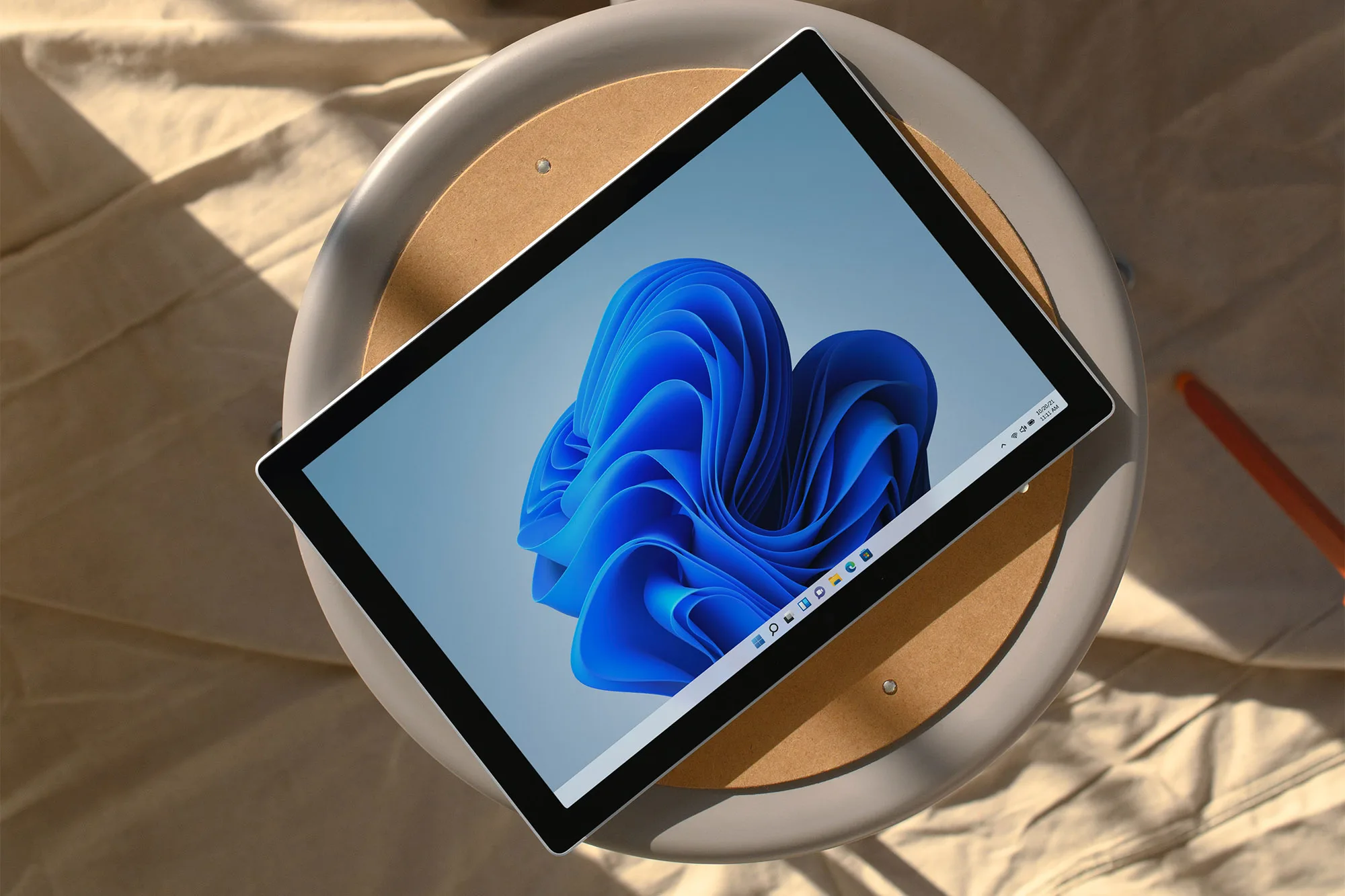
















































You must be logged in to post a comment Login