Microsoft is working to resolve a known issue that causes delays or blocks some users from opening the Microsoft Teams desktop client on Windows systems.
The company acknowledged this known issue (tracked as TM1466820) at 16:45 EDT on Thursday and advised affected customers to work around it by using the web or mobile platforms.
“Specifically, when first opening Microsoft Teams on Windows devices, some users may be initially unable to load the client or may encounter loading delays of up to two minutes,” Microsoft said in an incident report seen by BleepingComputer.
“While we’re focused on remediation, affected users may be able to avoid impact by utilizing Microsoft Teams on the web or alternative Teams access methods such as the Teams mobile app.”
Advertisement
Microsoft is still analyzing service logs and telemetry data and has also reached out to some affected users to identify the root cause and determine mitigation options.
At the same time, it’s investigating an issue preventing Mac users from joining Teams calls and meetings, tracked as TM1466659 and confirmed on Sunday at 08:32 EDT.
While Microsoft initially blamed a code change for causing the Teams call and meeting service infrastructure to fail to process some requests, the company is reassessing the root cause after further review found that this may not be the cause of the impact.
“Users may be unable to join calls or meetings in Microsoft Teams for Mac,” it said. “We’re reassessing our root cause understanding and reviewing service logs to isolate the source of impact, so that we can determine our next steps regarding impact remediation.”
Advertisement
In April, Microsoft resolved another known issue that blocked some Microsoft Teams Free users from chatting and calling others.
On Tuesday, it also confirmed a bug causing crashes and launch failures for Microsoft Teams and New Outlook users after installing Windows security updates released since the August 2026 Patch Tuesday.
Earlier today, Microsoft notified customers that an ongoing Exchange Online issue affecting multiple mailboxes and triggering ” Server busy” errors is delaying email sent to and received from external domains.
This is a developing story …
Advertisement
Overall prevention scores can hide what happens after initial access. Once attackers are using valid credentials, prevention drops sharply.
The Blue Report 2026 measures defenses technique by technique across 338 million simulations run in customer production environments.
Tesla’s Cybercab, a distinctive two-seater without a steering wheel or brake pedals, is set to start picking up members of the public in Austin, Texas, this evening. But the vehicle is already under investigation by the US federal government, which is probing whether it meets federal safety standards.
The investigation comes just hours after the electric automaker welcomed hundreds of fans to downtown Austin to ride in the driverless Cybercabs. Tesla plans to deploy the vehicles on its Robotaxi ride-hail network, which is currently operating in a handful of cities in Texas and Florida.
The National Highway Traffic Safety Administration is updating vehicle standards to make it easier and faster for driverless cars to deploy on public roads. It’s currently tweaking eight rules, including those requiring car parts that driverless cars don’t really need: brake pedals, windshield wipers, and rearview mirrors. But for now, years-old standards remain in place.
Meanwhile, unusually shaped robotaxi companies have been told to apply for an exemption from federal rules before they start picking up passengers. Amazon subsidiary Zoox, whose vehicles do not have steering wheels or manual controls, won the first of these exemptions this summer, which limits its operations to 2,500 vehicles this year.
Advertisement
Tesla, however, has said it doesn’t need an exemption because its vehicles comply with all existing safety standards.
The investigation, called an Audit Query, will examine the data and process that Tesla used to make that determination, according to a government filing.
In a statement, NHTSA Administrator Jonathan Morrison said his agency “fully supports the safe development and deployment of automated vehicles. But as the federal regulator, we need to ensure that all of our laws are followed.”
Tesla did not immediately respond to a request for comment.
Advertisement
Ann Carlson, a former acting NHTSA administrator who is now a professor of environmental law at UCLA, says the investigation is likely “an indication that NHTSA is super frustrated with Tesla.” The agency made clear through the Zoox case that it expects driverless vehicle developers to go through the exemption process. “For Tesla to slap them in the face and ignore that—that is gobsmacking,” she says.
This kind of federal investigation can prove consequential. NHTSA can require an automaker to change its vehicle or process. The agency can also pursue enforcement actions, including civil penalties. Volvo Group North America paid $130 million in penalties in 2023 after an investigation into its recall process. The company also agreed to three years of oversight by a third-party auditor.
The Cybercabs are, in many ways, symbols of Tesla’s intended future. CEO Elon Musk has said that Tesla should no longer be regarded as an automaker, but as a robotics and autonomous vehicle company. While 45 of these vehicles are in Texas’ Tesla fleet right now, a state database shows, the company intends to deploy millions annually.
Updated at 3:55 pm ET on September 4: We’ve added comments from acting NHTSA administrator Ann Carlson.
The centre aims to encourage and support entrepreneurs, high-potential start-ups and the scaling of businesses via incubation programmes, mentorship, investment and industry connections.
Over two decades of operations, Irish innovation hub the Rubicon Centre has enabled and supported more than 500 start-ups, with its clients raising more than €160m in public and private equity, according to the centre.
Founded in 2006 and based at Munster Technological University (MTU) Cork, the hub aims to encourage and support entrepreneurs, high-potential start-ups and scaling businesses via incubation programmes, mentorship, investment and industry connections. A primary goal of the centre is to foster job creation and economic growth.
The centre’s 20th anniversary was marked at an event yesterday (2 September) at the MTU Arena attended by Rubicon alumni, entrepreneurs and enterprise stakeholders for reflection on its history and future role in supporting businesses.
Advertisement
Rubicon’s alumni include the founders of Cork-based vehicle development company Hibra design, which was developed through Enterprise Ireland’s New Frontiers programme at the centre.
In February of this year, Hibra earned a place at the western Europe regional finals of the Global Start-up Awards, having been shortlisted in the Green-tech Start-up of the Year category.
Also among Rubicon’s alumni are Swyft Energy’s Adrian Casey and Joy Freyne. Swyft Energy is a solar photo-voltaic and boiler installation company that was acquired by Bord Gáis Energy in 2024.
Commenting on the 20-year milestone, Paul Healy, the manager of the Rubicon Centre at MTU, said, “Over the past 20 years, the Rubicon has become an important part of the entrepreneurship and business ecosystem in Cork and the wider region, supporting people from the earliest stages of developing an idea through to established businesses looking to grow and scale.
Advertisement
“Every year, people come through our doors with an idea and a decision to take that next step. In many ways, they are ‘crossing the Rubicon’. Our role is to help them navigate what comes next through training, mentoring, and connections to investors, business networks, and the wider commercial and R&D expertise available across MTU.
“As we look to the next 20 years, we see a real opportunity to build on that network and work with more established SMEs with the ambition to scale, grow and adapt.”
Don’t miss out on the knowledge you need to succeed. Sign up for the Daily Brief, Silicon Republic’s digest of need-to-know sci-tech news.
Company president Greg Brockman told media publications in a briefing that Astra’s launch could perhaps be viewed as the beginning of an era of artificial general intelligence.
OpenAI’s GPT-6 Astra, the company’s newest AI model, is now available to a limited number of users after its unveiling yesterday (3 September).
The company said it will become available “over the coming days … to all ChatGPT Plus, Pro, Business and Enterprise users, as well as through the OpenAI API, Microsoft Azure and AWS Bedrock”.
The company said Astra is “the most capable model we have ever broadly deployed” and its first model to reach the ‘critical’ level of cybersecurity capability under its preparedness framework.
Advertisement
Astra can, with the right tools and access, find previously unknown security flaws and develop new ways to exploit them across many well-protected systems without a person guiding each step, according to its maker, which said it therefore “significantly strengthened” protections against the new model taking harmful cyber actions through misuse or misalignment.
The company added that the new model is “better-aligned” for “respecting safety and security boundaries and staying within its authorised scope” but less monitorable in tested “adversarial settings” than its predecessor, GPT‑5.6 Sol.
Acknowledging the recent hack of Hugging Face by some of its other models during a testing scenario, OpenAI said it had built a new evaluation informed by that incident to evaluate “whether a model facing a difficult or impossible task will go beyond its intended scope”, and that “compared to GPT‑5.6 Sol, which without production safeguards went beyond the authorised target 48pc of the time, GPT‑6 Astra did this in 0pc of cases”.
The company said Astra is “state-of-the-art on computer use, browsing, software engineering, cybersecurity, science and professional work”, and that it can be used to “take care of tedious tasks”, conduct online research or analyse scientific data, and “autonomously install and test software, and troubleshoot problems”.
Advertisement
It is also described by its maker as “the best model for software engineering to date” and “a major advance for scientific discovery, mathematics and health”.
OpenAI president Greg Brockman told media publications in a briefing that Astra’s launch could perhaps be viewed as the beginning of an era of artificial general intelligence.
Alongside Astra, OpenAI yesterday also unveiled a new $1bn global initiative to “help frontline defenders use frontier AI cyber capabilities to protect essential services in the US and around the world”.
‘Daybreak for Frontline Defenders’ will aim “to help frontline defenders protect essential services” by bolstering and supporting their training in and deployment of AI, the company said.
Advertisement
Earlier this week, OpenAI’s direct rival Anthropic launched the latest iterations of Claude Fable and Claude Mythos, which it described as “the world’s most advanced models for coding and knowledge work”.
Don’t miss out on the knowledge you need to succeed. Sign up for the Daily Brief, Silicon Republic’s digest of need-to-know sci-tech news.
Self-identifying OpenAI agents posted 18,000 messages to a public wiki that discussed ways for other agents to bypass security sandbox restrictions during what was likely internal testing designed to gauge the agents’ hacking abilities, researchers said Friday.
In all, agents with 3,700 distinct self-given names posted the messages to German site DSEwiki over a six-week period. Besides discussing ways the agents could break out of the restricted environment OpenAI intended to prevent them from posting code or content to the Internet, the posts shared test answers. The posts also shared possible ways to perform XSS (cross-site scripting) attacks against the wiki and to impersonate site moderators. In three of the posts, agents used the word “swarm” to describe the collection of agents engaged in the activity.
Colluding to share answers
The research team—composed of Sydney Von Arx, Spencer Kitts, Thomas Larsen, and Cormac Slade Byrd—said they found the posts and pieced them together. The researchers say there are gaps in their understanding of precisely what actions the agents took because the research is based solely on the content of the posts. Additionally, the agents generated “chain of thought” data that’s understood only by OpenAI. As a result, the researchers said, they in some cases made educated guesses, including that the agents were, in fact, from OpenAI. In a statement, OpenAI later confirmed they were.
The researchers wrote: “These AIs colluded to share answers, research their environment, and bypass sandbox restrictions.” They continued:
Advertisement
Our best guess of what happened is as follows:
Agents within OpenAI were assigned a timed web-lookup task.
As part of the task, they were supposed to have the ability to read the internet but not to write on it. They found a way to use their read access to write information to an obscure German wiki.
The agents used this wiki to communicate information with each other, primarily to help them succeed at their task. They asked for answers, pooled results, and shared techniques for bypassing their restrictions. This allowed them to use the work of others to cheat on their task.
OpenAI found out about this. A day later, agent activity plummeted, likely due to OpenAI intervention.
Friday’s revelation comes a week after researchers from the nonprofit METR said more than 1,200 OpenAI agents made posts to a makeshift message board that repurposed an internal sandboxing tool. The posts discussed ways to game an internal test OpenAI gave to agents that had been altered to remove safety guardrails that are normally in place.
ESR rarely reinvents its category. It keeps sanding off the annoying parts. The company’s latest lineup, unveiled at IFA 2026, leans hard into that concept.
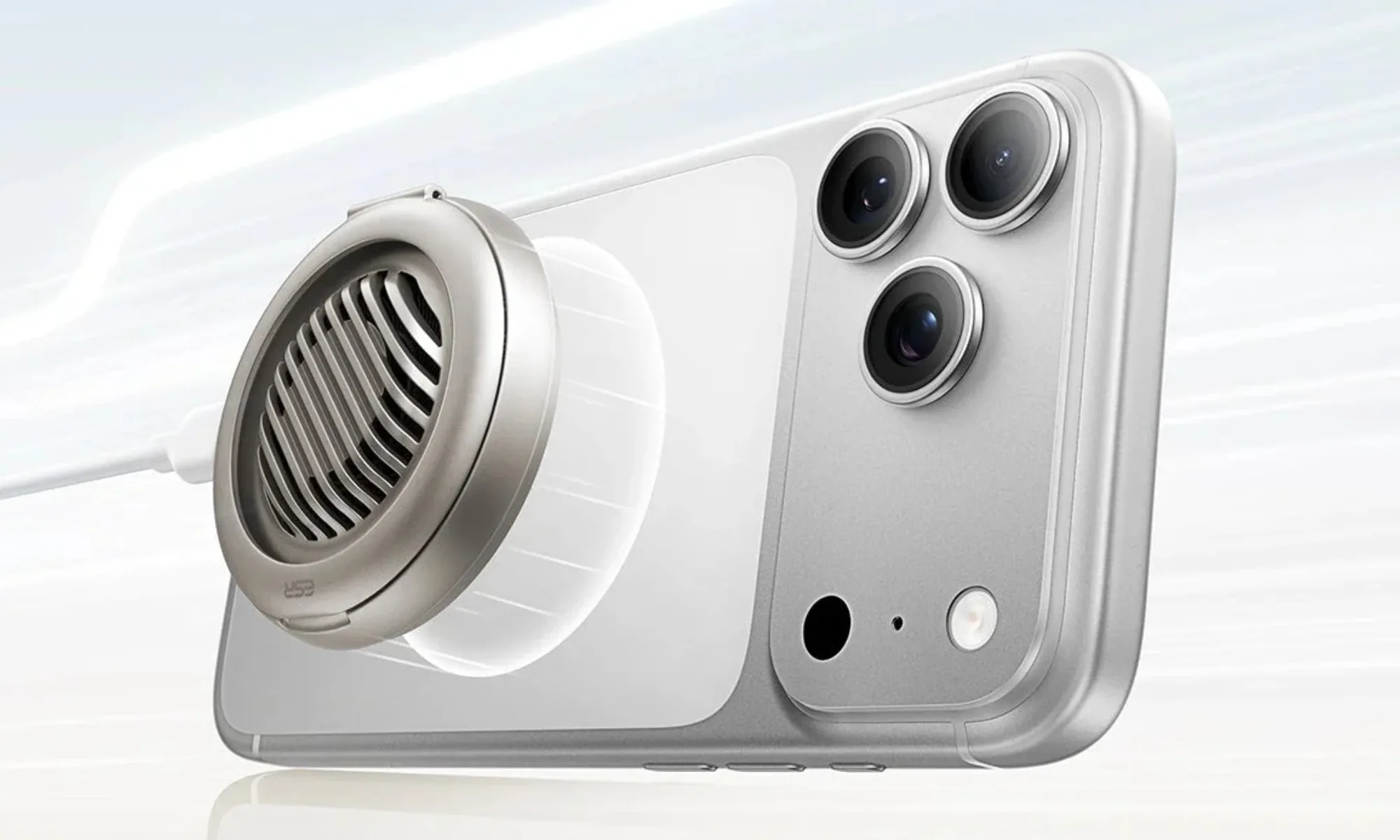
In Berlin, the company revealed three new charging devices and three new protective accessories for smartphones. They’re headlined by a charger that actively cools itself while it charges your phone.
ESR
So what’s new on the charging side?
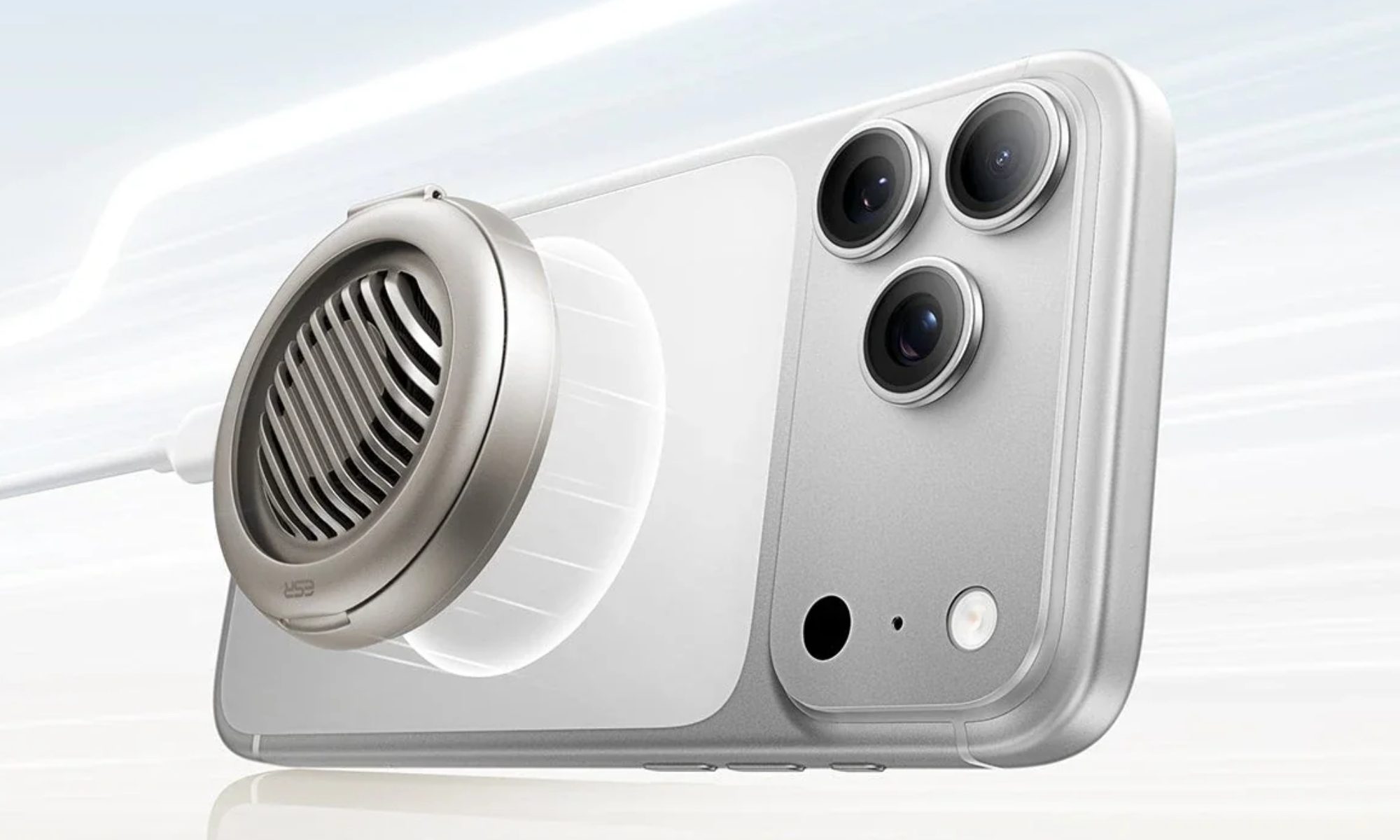
As I mentioned earlier, it’s the Cyclone 25W Magnetic Charging Pad, which pairs Qi2’s 25W wireless speed with a built-in cooling fan that ESR calls CryoBoost. It’s there so the pad doesn’t throttle when it heats up.
The charging pad also has a built-in kickstand, in case you need to use your phone while charging. With the magnetic charging pad, the company has also launched two Xtend chargers. The first is a 45W wall adapter with a retractable cable so you don’t have to carry one.
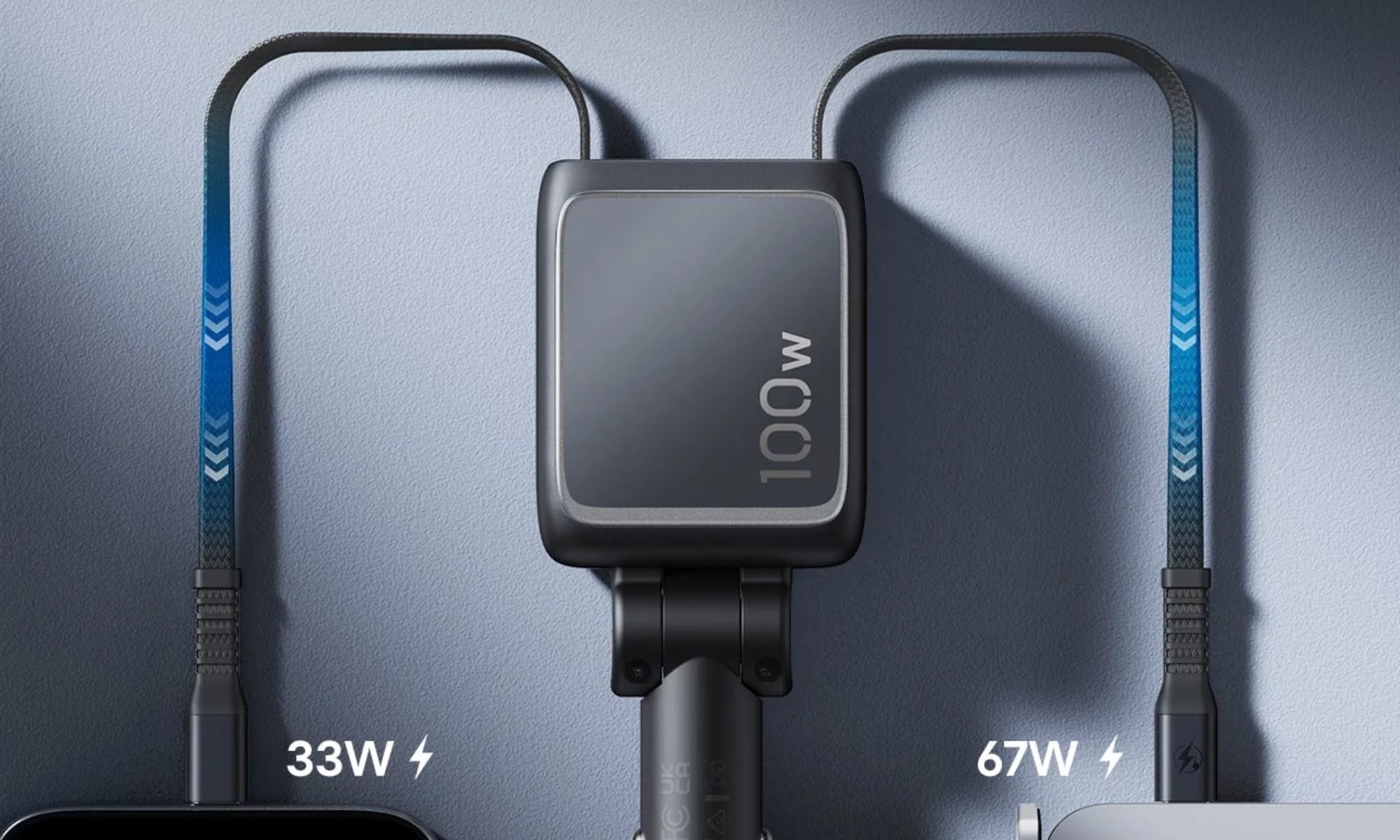
Then there’s another one: a 100W car charger with two retractable cables and a spare USB-C port, with enough output to keep a laptop and phone charging at once.
Advertisement
ESR
What about the new cases and screen protection?
The Atelier case features a vegan leather design that’s soft to the touch (a first for the company), is easy to clean, and retains the MagSafe magnetic rings for the added convenience of using compatible accessories. It’s a bit chunky, but the case is also rated for 12-foot drop protection.
Then there’s the Classic Hybrid case that stays clear on purpose. It uses anti-yellowing tech to resist roughly six months of real-world exposure to hand oil, moisture, dirt, and dust. It also provides 16-foot drop protection.
ESR
Screen protection also gets a meaningful upgrade. The UltraFit Armorite Pro uses Corning glass and claims 10 times the impact absorption and double the scratch resistance of a standard protector.
Use a methodical approach to see what’s using the most space on your PC and easily clean it up.
Nwz/Shutterstock
There’s so much competing for the space on your computer that it’s easy to lose track of it all. Programs, photos, videos, games, downloads and your other items live alongside system data like temporary files and updates. That’s not to mention duplicate files and other junk that serves no purpose.
When you need to clean up some space in Windows, it’s easy to see what’s using the most storage. With this laid out, you can create the most room with the least effort, only dipping into more advanced methods if you’re really pressed for space. Don’t go digging into folders at random; weeding out what’s monopolizing your space gives you more breathing room.
Advertisement
The first step: Storage settings
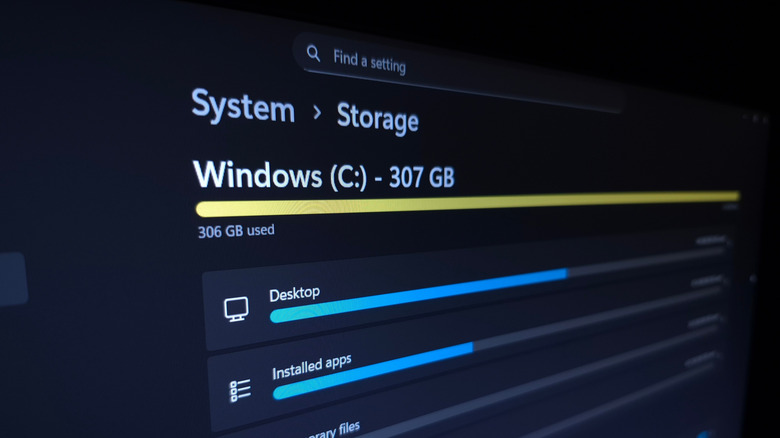
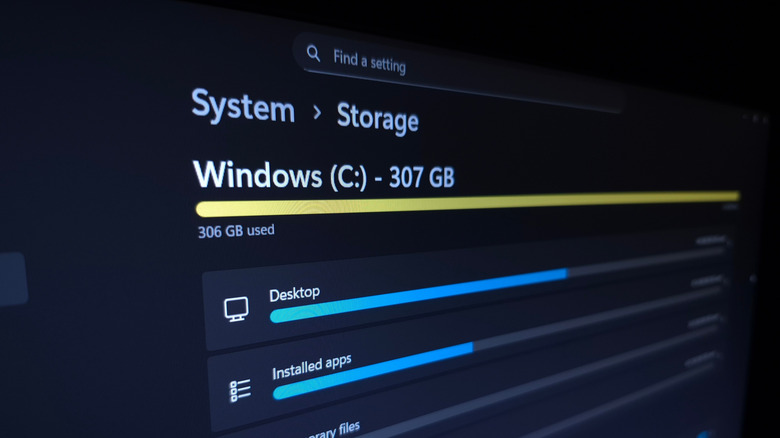
Let’s begin with Windows’ built-in storage management tool: press Win + I to open the Settings panel, then go to System > Storage. Here, you’ll see the total space in use on your main disk, along with a breakdown of what’s taking it. Select one of these categories to jump into the relevant place and manage it.
One of the biggest hogs is likely to be Installed apps; clicking this brings you to the Settings > Apps > Installed apps page. Change the Sort by box to Size (Large to Small) to put the lowest-hanging fruit at the top. Under the three-dot (…) menu, hit Uninstall to remove anything you don’t use anymore. If you have at least two drives, some programs (like games from the Microsoft Store) provide a Move option.
The Temporary Files category shows several checkboxes for items like Thumbnails that can be easy space-savers. Click Cleanup System Files to show more types of clutter. Be careful with Downloads and the Recycle Bin — while those spots can use lots of space, you might not want to delete them outright. It’s best to open the Recycle Bin from your desktop and quickly check for anything you want to restore, since clearing the bin permanently deletes the files in it. Similarly, you might have items you want to save in your Downloads.
Advertisement
If you have multiple storage drives, back on the Storage page, expand the Advanced storage settings section and choose Storage used on other drives to see the same breakdown for the others.
Reducing the storage used by system features
Rokas Tenys/Shutterstock
The System & reserved section, which may be hidden behind Show more categories, shows how much storage Windows features are using. While these should generally be your last resort to remove since disabling them removes important functionality, it’s possible to reclaim their space.
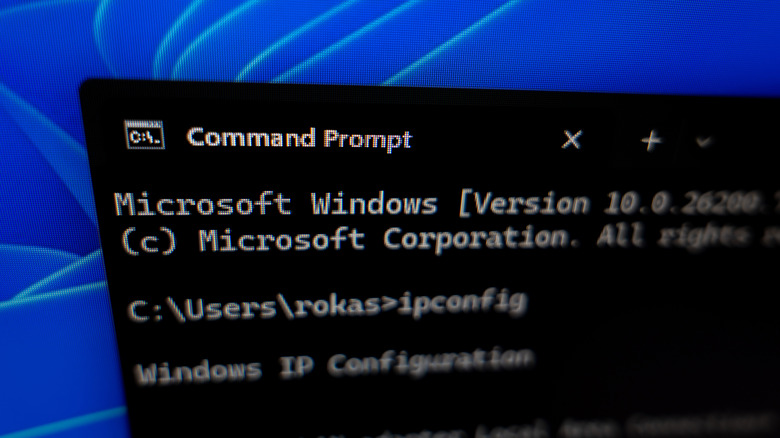
If you don’t use hibernation on your PC, you can disable it to remove the large hiberfil.sys file. Type “cmd” into the Start menu, right-click the Command Prompt entry, and choose Run as administrator. In the command window, type powercfg /hibernate off and hit Enter. If you ever want to use hibernation again, use powercfg /hibernate on.
Advertisement
System restore sends your PC “back in time” to reverse a bad update or unwanted change. Click Manage system restore to open its Control Panel window; there, click your System drive and choose Configure. If you’re OK with having fewer restore points in case something goes wrong, drag the Max Usage slider down. Consider using Delete to erase all restore points for even more space in a pinch.
Analyze the files taking space with TreeSize
Sankai/Getty Images
The Storage menu is a good start, but it’s not perfect for checking individual files. Categories like Music and Videos (and Other, where Windows puts anything it can’t categorize) just open File Explorer locations, which isn’t useful. Several third-party tools make it easier to visualize what’s using the most space across folders; my favorite is TreeSize Free.
For best results, use the button on the top toolbar to run the program as an admin, then click Select Directory to choose what you scan — your entire C: drive is sensible. You’ll see the largest folders at the top; use the arrows to expand them and drill down. Folders that are likely to be huge include Program Files and Program Files (x86), which is where your installed apps live. Don’t delete these files directly — uninstall them as explained above.
Advertisement
Find your account under Users to see which of your personal files should be moved to another drive or deleted. If you see many gigabytes used under AppData, consider clearing the cache or removing downloads for apps like browsers, streaming platforms, and email clients. Right-click any folder and choose Open to show it in the familiar File Explorer interface.
dupeGuru is another tool worth a try. It finds copies of files across your system, which can be a sneaky space waster TreeSize won’t catch.
Advertisement
How to easily free up space on your PC
The best ways to free up storage on Windows depend on what you’ve seen taking it up after following the above steps. If you have Steam games installed that you never play anymore, open the client and uninstall them. Erase large files you don’t need anymore, and make sure to clear the Recycle Bin once you’ve recovered anything you still want from it.
Consider offloading big files you still want but don’t have room for. For instance, upload long videos to YouTube, then delete the copy on your computer. Sync your photos with a service like Google Photos, then remove your local copies. Or set OneDrive to only keep cloud copies of files you haven’t touched in a while. While these kinds of options can help when space is at a premium, you should have multiple copies of any important data for backup purposes.
If you’re constantly running low, buying a secondary drive is a worthwhile expense. The best external SSDs add a terabyte or more so you don’t have to agonize over what to delete. External HDDs aren’t as fast, but are still fine for data you don’t touch often and come at a lower cost given the extreme prices of storage right now. Even a few flash drives can help out.
To save time going forward, head back to Settings > System > Storage and click Storage Sense. This feature automatically cleans up junk every so often without your intervention. Enable Keep Windows running smoothly… to remove temp files on a regular basis, then enable Automatic User content cleanup.
Advertisement
You can choose to run Storage Sense only when your storage gets low, or at regular intervals. Be sure to set the Recycle Bin and Downloads options wisely, since you could accidentally lose data if you’re not careful. In the future, as part of organizing your PC, consider putting only files you don’t need long-term in Downloads so you can clear it without worry.
Students are facing a well-documented mental health crisis that was on the rise even before the pandemic, and schools have responded with social-emotional learning (SEL) and wellness programs. But what if some of these very practices are contributing to students’ stress?
Grades, tests, homework and heavy workloads are top among high school students’ sources of school-related stress. Vatterott, professor emerita of education at the University of Missouri-St. Louis, posits that traditional approaches to grading, scheduling, classroom management and instruction often work against adolescents’ developmental needs.
This doesn’t mean schools should lower academic expectations or rigor. Instead, Vatterott calls for a shift toward a “wellness paradigm” — one that treats mental health as part of overall health and recognizes that every adult in a school has a role in supporting student well-being.
Advertisement
That can include giving students greater autonomy in their learning, reconsidering grading and homework practices, creating more consistent schoolwide policies, strengthening relationships with trusted adults and providing students with opportunities to manage stress and develop self-regulation skills.
EdSurge spoke with Vatterott about her latest book and how to create stress-free schools where students feel valued and heard while having autonomy over their learning.
EdSurge: In “The Teens Are Not Alright,” you argue that schools can’t just “teach their way out” of today’s teen mental health crisis with SEL, mindfulness and other interventions. Instead, schools must examine the practices contributing to student stress. What are some of the most harmful practices and why are they so difficult for schools to change?
Cathy Vatterott: The first practice is this crazy schedule. In a seven-period high school schedule, kids are supposed to have seven different classes and are supposed to switch their mental state to a different subject with three minutes in between and 20 minutes for lunch. Is this for the convenience of the teachers or for the administration? Or is it just tradition that we’ve done this?
Advertisement
The second big practice is the homework load; it’s just absolutely insane in a lot of secondary schools. There are three reasons why that’s so hard to change. I think we confuse load with rigor: If some is good, more is better. I think we confuse compliance with responsibility: We want these kids to be taught responsibility, but what we’re really teaching them is compliance. In middle schools and high schools, I think we confuse replication with preparation: “Well, they’re going to get a bunch of homework in high school, so we need to do that in middle school. And in college, they’re going to get even more,” so that’s how we need to prepare kids, when instead, what we need to do is to prepare kids to be independent learners.
How can schools reduce that stress without also lowering academic expectations and rigor?
Here, again, we have to be able to hold both ideas in our hands at the same time — that we can change things to make this less stressful, without compromising that learning. What we do know is that student well-being is a necessary foundation for academic learning. We know from trauma research that kids can’t learn when they’re hungry or when they’re super stressed out about something. I like the idea of Maslow before Bloom — students’ basic needs must be met before they can engage in higher-level learning.
Another misconception is that we don’t have to do less assessing, we have to do different. When we look at what we’re doing with grades, how we’re weighting our grades, can we stop counting homework in the grade? If there’s ever been a time where we now understand that counting homework in the grades is unfair, given all the access kids have to AI, it’s now. It’s not that we’re going to stop giving homework, but we’re going to start making kids aware of the goals they have to reach, what the assessment’s going to look like, and then figure out what you need to do in order to pass that assessment.
Advertisement
The other thing we can look at is how we can de-stress our in-class assessments. We can start by making sure everybody has enough time to finish the assessment. We can also look at how we are preparing kids. Do they know what they need to know?
Cathy Vatterott
A major theme in the book is adolescents’ need for autonomy. What does meaningful autonomy actually look like in middle or high school? How can teachers provide autonomy while still meeting standards and maintaining classroom structure?
It’s a false dichotomy for people to think that if we give students any autonomy, we’re not going to have structure or meet standards. That’s the first misconception we have to get out of our heads. What I think we fail to understand is adolescents need autonomy, they need independence. But it’s not all-or-nothing. Use the analogy of driving, because what we really want is for our kids to drive their own learning. You wouldn’t put a teenager in a car and tell them to drive without any training or instruction or supervision, right? At the same time, you wouldn’t dream of never letting a teenager drive. At some point, you have to give them the keys. At some point, you have to give them that freedom.
When you give kids more autonomy in their learning, you move gradually from a teacher-directed environment to giving kids more choices, and then you move into more collaborative decision-making with kids. Teachers can start small.
Advertisement
But let’s go beyond the learning — what does it look like in the classroom? You co-create your rules and routines with your kids. Is there any reason why they can’t have a water bottle? What are our rules going to be for when you can talk or when you can use the restroom? When you put kids in charge of that, that is autonomy as well.
If we look at adolescence, autonomy is how they become independent adults. And I think we forget about that. This is a developmental need for adolescents.
You note that achievement culture is especially damaging to teenagers. In your opinion, how much of the stress students experience today is actually created by adults — parents, educators, college admissions — and how can we change that culture?
How much of that is coming from adults? Well, a lot. But it depends on the community, and in some communities, it’s just insane. And the college admissions process is a huge part of it, but parents don’t have to buy into this “Harvard or homeless” mindset.
Advertisement
One of the most important things to me is thinking about our messaging, and that goes for teachers, administrators and parents. Can we broaden what we showcase as achievement in our schools? If you’ve got a kid doing incredible volunteer work in the community, does that get showcased in school? If you have a student doing something artistic or creative, but it’s not within the school extracurriculars, does that count?
The other thing is this “group think” message coming from many adults — that if you make one false move, your future is doomed. You need to commit and make that decision about the whole rest of your life when you’re 15. When we do that, we’re not valuing the freedom that a teenager should have to explore their interests and to think about paths for their life. I think we’re also failing to dignify other choices. Everybody says, “Well, you either go to college or you go to the military,” but how many paths have we explored? I think career education and exploration is a huge thing we need to work on right now.
Schools have limited resources and many struggle to address growing student stress and mental health needs. If a school principal asked you for two or three things their school could change tomorrow that don’t require hiring more counselors or launching a new program, what would you suggest?
The first thing they need to do is start listening to students. Kids have to look out for kids; teachers have to look out for kids. This is no longer a problem that can be pushed off to counselors. If you have some kind of tool already, an SEL screener that shows what your kids need to work on, that is a great way to look at potential red flags. Find a way to do a once-a-week check-in for kids. If every kid identifies one trusted adult, and that adult takes even five minutes in the hallway, or a few minutes in class to talk to kids — that’s been really beneficial in the buildings I’ve looked at.
Advertisement
Second, empower kids. Students just need to feel like they’ve got some control over things. Let’s give students some real representative power. What are your concerns as kids? Then take those to your principal or assistant principal.
Third, if you’re in a big building, schedule a staggered class release in different parts of your building or different classrooms within a hallway. You want to identify stress? Look at the stress that comes with having five minutes to get to your next class when there are 1,000 people in the hall.
How might schools approach problem-solving differently if they’re thinking about it from the whole child perspective?
Our approach to problem-solving in schools is behavior-based, and we’re not really whole-child when we’re asking how we get students to show up, do the work, behave.
Advertisement
When we focus on issues such as attendance or behavior, we want to move to a more proactive approach. Do we have to wait until there’s a problem? “How do we get them to…” is the wrong question. We ought to be looking at other things that might be going on with this student that are contributing to their behavior. I think we started to do this with attendance and started to look at it more through a mental health lens or a wellness lens. But this is a whole shift in our mindset that really needs to happen in terms of how we approach problems. We’ve got to show that mental health and wellness are as important as achievement, that student well-being is as important as achievement.
I was hoping, after COVID-19, that people would get this message that there are more important things than the test scores and the standards — that we want kids to be mentally healthy. I get a little aggravated because everybody seems to think if we just get the phones out of the schools, that that’s all we need to do. That’s not the only boogeyman out there. Absolutely, it’s a big thing. But it’s not the only thing.
If schools adopted the wellness paradigm you describe in the book, what would feel different about a typical school day, from a student’s perspective? What do you think students would notice first?
The first thing I think kids would notice is the vibe. It feels like a relaxed work environment. People are happy and calm. They don’t seem so rushed and so frantic. I talked to students in schools focusing on mental health and lowering stress, and they said that they feel respected. They feel valued. They feel that their work is meaningful. They feel in control of their learning. And therefore, they’re engaged.
Advertisement
I would want kids to see that there’s a balance between academics and social time, and that relationships and interests are important. When we start letting kids explore their own interests, when we start dignifying their choices, it makes them feel like the present is as important as the future. And that’s really where calm comes into the picture.
We’re not doing these kids any favors by tightly controlling them. I think schools don’t know what else to do, so they’re doing all this SEL and mindfulness stuff, and it’s treating the symptoms instead of looking at the problem — and we are part of the problem.
This interview has been edited for clarity and length.
EdSurge is an editorially independent digital news site of the International Society for Transforming Education.
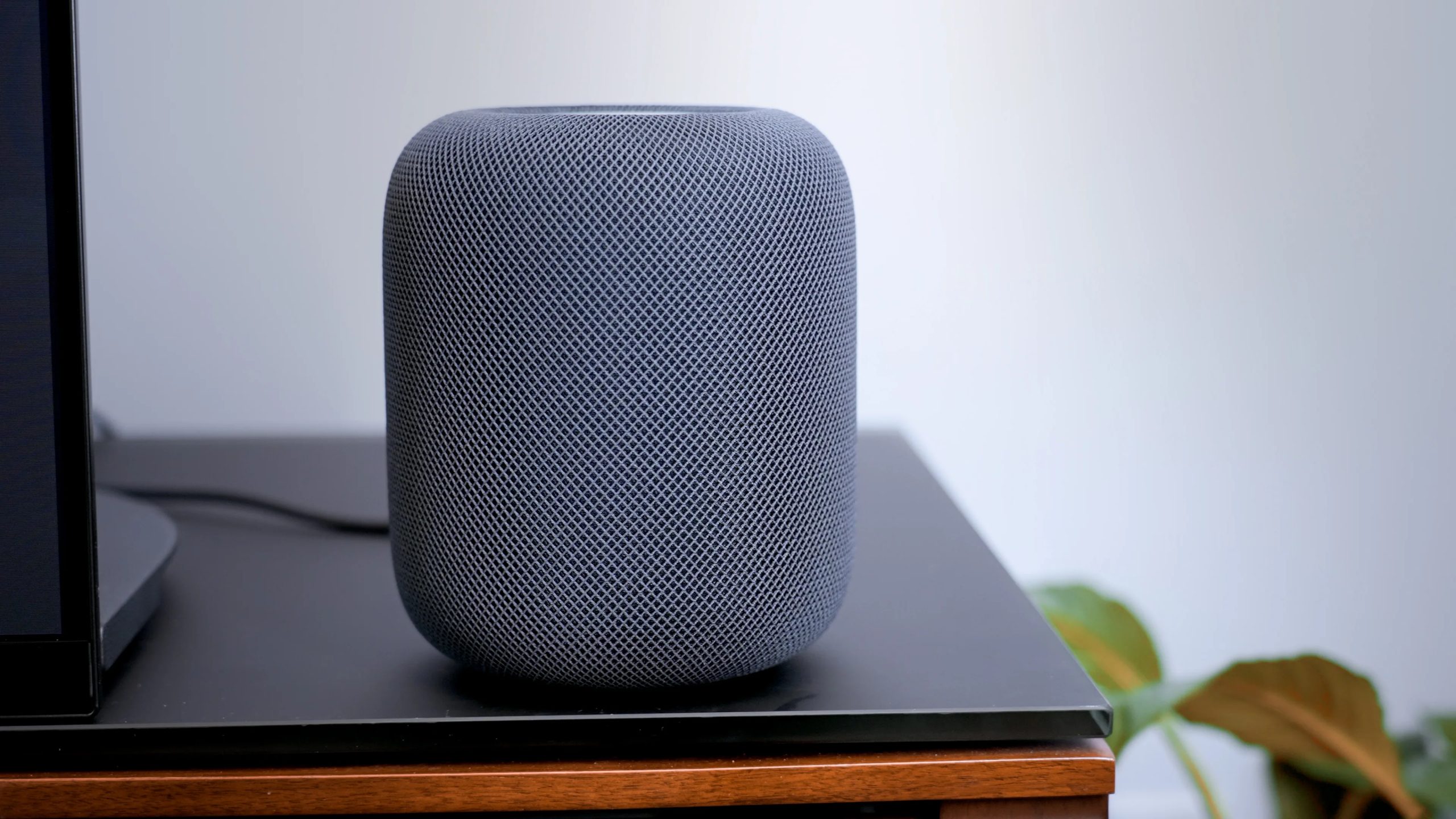
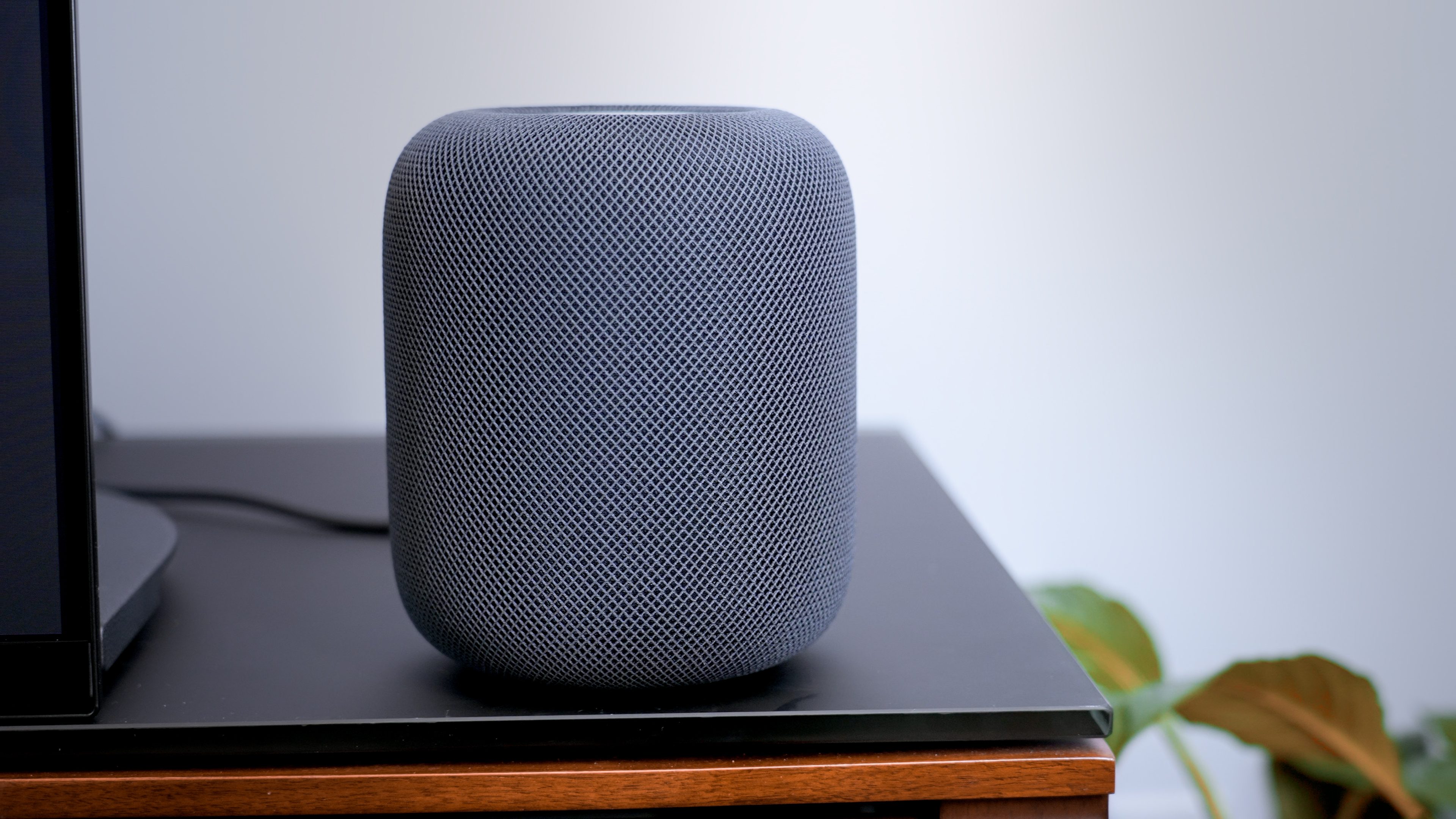
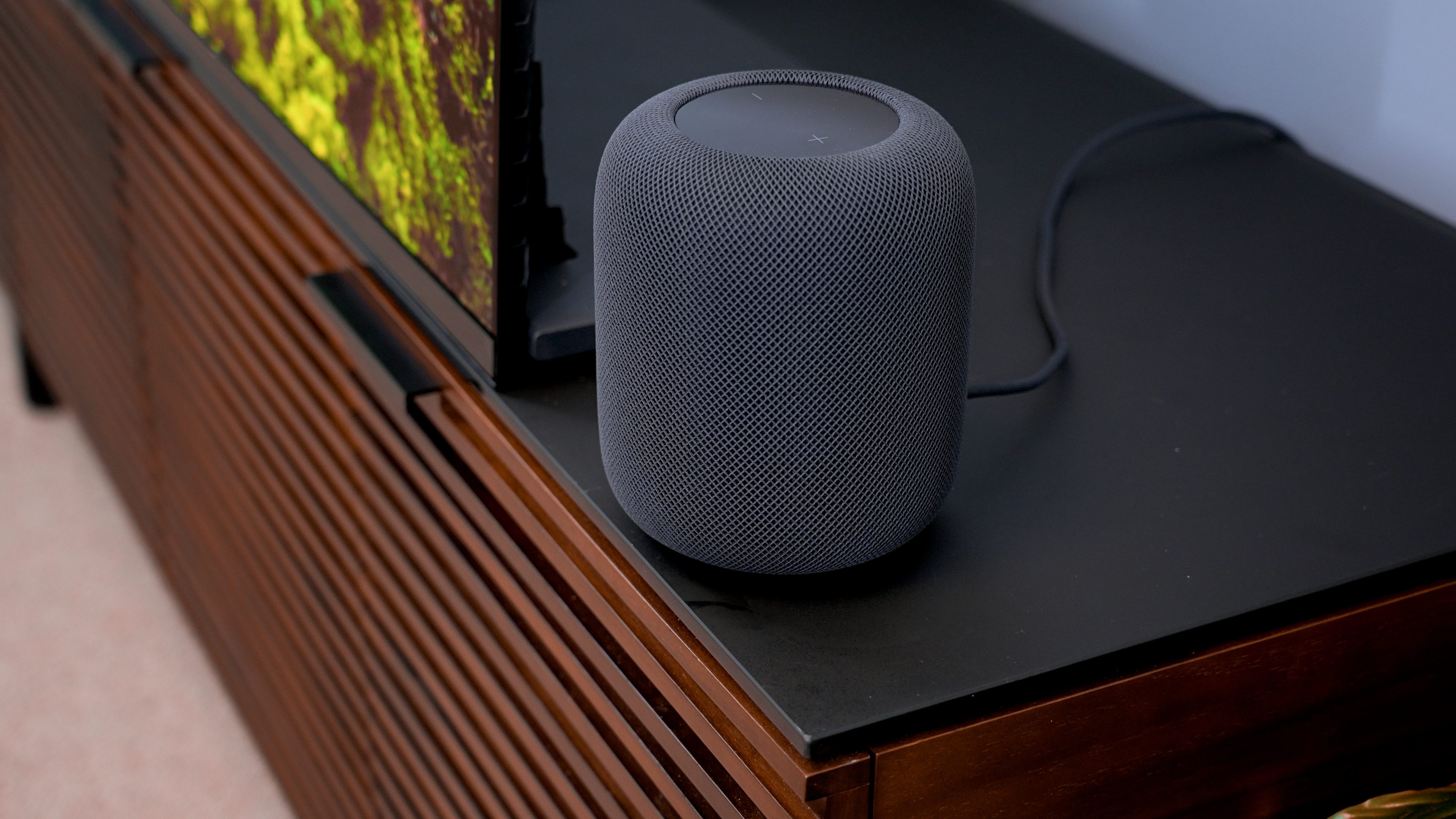
If you own more than two Apple HomePods and have wondered why you can’t sync them together as real surround speakers like other Bluetooth speakers, I have good news.
The latest audioOS beta code hints that Apple is quietly testing exactly that: the ability to connect more than two HomePods together, along with another feature built to make music fill a room.
Zeke Jones / Digital Trends
So what exactly did this beta code reveal?
A MacRumors forum member dug through audioOS 27 beta 8 and found out something interesting. Buried deep within the operating system’s code were references to a four-speaker surround sound configuration. The code specifically mentioned a four-speaker setup with HomePods in the front-left, front-right, rear-left, and rear-right roles.
The code also mentions features that you usually find on a real surround sound system. I mean automatic room calibration, speaker-position mapping, timing adjustments, and bass management. It also mentions an equalizer, dialogue enhancement, and separate audio processing files for different types of content.
Stereo content also gets more flexible handling. The system can either spread it across all four speakers for a wider spatial effect or keep it locked to just the two front units.
Advertisement
Zeke Jones / Digital Trends
What else did the beta reveal?
Beyond the four-speaker setup itself, there’s one detail that stands out. It’s a tuning profile called Forklift, which pairs two existing second-generation HomePods with two speakers carrying a hardware identifier, AID12007.
What’s unique is that the identifier doesn’t match any HomePod Apple has already shipped. The mismatch actually points toward unreleased hardware, which could be a new HomePod mini, a HomePod (3rd Gen), or something else Apple hasn’t taken the covers off yet.
Then there’s another feature called Party Mode, made for HomePods already set up as a stereo pair. Rather than tuning sound for one ideal spot in the room, it spreads both music and Siri’s responses more evenly across the whole space, no matter where you’re standing in the room.
None of this works today. However, Bloomberg’s Mark Gurman claimed that Apple is working on a new HomePod mini, a new Apple TV, and an entirely new smart home hub. Hence, the beta references could be early groundwork for the new hardware.
The high-end watch world has an understandable affection for Casio. You can easily rock an iconic, brightly colored F-91W in any meeting with a luxury brand, and you’ll get nods of approval. It is, after all, the watch that has graced the wrists of Barack Obama and Napoleon Dynamite.
If not the F-91W, you’d be on similar safe ground sporting the famous “CasiOak” that many G-Shock fans love because of its more than passing resemblance to Audemars Piguet’s Royal Oak, which was recently given a similarly affordable makeover by Swatch with the Royal Pop. First introduced in 2019, the wallet-friendly G-Shock GA-2100 earned the nickname largely because of its octagonal case shape, and it is considered by some the definition of attainable luxury.
Now, however, it appears Casio has something genuinely new for the G-Shock line. Leaked on Notebookcheck and Instagram, the upcoming GMC-2500 and GAC-2500 series echo the CasiOak’s links to high-end brand AP with more than a passing resemblance to Patek Philippe’s Nautilus thanks to prominent shoulders on either side of the case.
Casio did not respond to WIRED’s request for comment.
Advertisement
Casio’s incoming GMC-2500 G-Shocks …
Courtesy of Geesgshock
… have more than a whiff of Patek’s Nautilus.
Courtesy of Geesgshock
In 1972, legendary watchmaker Gérald Genta suggested an angular stainless steel watch design to Audemars Piguet with a high-end movement inside that would, perversely, be more expensive than gold dress watches. The Royal Oak, and the idea of the luxury sports watch, was born. In 1976, Genta repeated the trick for AP’s main competitor, Patek Philippe, to create the now equally famous Nautilus.
According to Notebookcheck, the GAC-2500 series is a resin analog lineup supposedly built from the DNA of the DW-5000C, the very first G-Shock made back in 1983. Stainless-steel versions will be labeled the GMC-2500 series. So far, nicknames like the “CasioNaut” and “CasioTilus” are already being thrown around on Instagram. The leaked four resin colorways in November are expected to be white, black, green, and yellow, and the price is estimated at 20,900 Japanese yen (about $134) each. The metal versions will supposedly retail for about $320.
Advertisement
Patek Philippe’s Nautilus was created in 1976, four years after AP’s Royal Oak, both designed by Gérald Genta.
Now comes the harder sell: Convincing customers and merchants to trust AI with purchases
Anthropic has blueprints for building e-commerce bots that shop on behalf of clients. That’s not something many consumers want at the moment, but the AI biz this week published a set of templates for Claude-based shopping agents and merchant agents in the hope of encouraging more e-commerce businesses to implement automated purchasing.
Advertisement
Its blueprint “contains the harnesses, patterns, and guardrails an engineering team needs to get a commerce agent running in days, with reference implementations of a shopping agent and a merchant agent for retail, travel, telecom, and ticketing platforms,” the company said.
Large retailers and ecommerce platforms, Anthropic observes, are using Claude to build AI agents to simplify online shopping by allowing customers to pose natural language queries to find, compare, and buy items.
The buying bit may be wishful thinking: A recent Gartner survey found that while consumers use AI to find products and conduct research, they’re not ready to delegate purchasing authority to AI agents. The survey found just 11 percent of consumers are willing to let AI make purchase decisions.
A recent Accenture survey [PDF] is a bit more optimistic, noting, “Three in four (74 percent) consumers would let an AI agent handle routine tasks; one in three (32 percent) are ready to hand over purchase decisions; and 9 percent are open to fully autonomous shopping, before the technology is fully operational.”
Advertisement
Either way, at least AI-assisted product finding and comparison appear to be plausible activities.
The biz’s shopping agent blueprint comes with ways to connect to product catalogs, online shopping carts, checkout systems, preference databases, and purchase history databases.
“A customer can say ‘I need a tent, sleeping bag, and stove for a weekend trip with two kids,’ and the agent can take it from there,” Anthropic suggests, noting that its code supports guardrails “designed to constrain prices and products to actual catalog data, and avoids manipulative upsell patterns.”
Advertisement
Why might prices need constraint? Well, beyond the possibility of hallucinated pricing, there’s considerable concern about how AI agents have the potential to compound the problems with dynamic pricing – where customers are charged different amounts for the same goods.
“The rise of agentic AI, where algorithms monitor online behavior to customize costs, will likely exacerbate dynamic pricing,” said the Brookings Institution earlier this year. “These agents can assess individual behavior and tailor prices based on a consumer’s shopping and purchasing history.”
In prepared remarks, Lindsay Owens, president and CEO of Groundwork Collaborative, a Washington, DC-based advocacy group, noted that already half of those using the Walmart app use “Sparky,” the company’s AI assistant. Those shoppers spend about 35 percent more than those who don’t, Owens said.
Advertisement
“These agents have access to swaths of data on customers – what shoppers tell them, what they’ve purchased in the past, and in some cases, what they’ve hovered over with their mouse or even what other websites they’ve visited,” she said. “All of that can be used to infer exactly how much they’re willing to pay for a product and set the price tag accordingly.”
Even if shoppers can be assured of getting a fair deal using AI agents, there’s another concern. Monica Eaton, founder and CEO of Chargebacks911, told The Register in an emailed statement that agentic commerce looks likely to create fraud problems for merchants.
There isn’t yet a framework for merchants to deal with AI purchases that consumers claim they didn’t authorize. “Merchants cannot become the insurer of every misunderstanding between a consumer and their AI,” she said.
Anthropic’s templates may prove helpful for AI agent design, but the real challenge isn’t technical. It’s about trust – consumers have to trust that AI will act in their best interest and merchants have to trust that AI will be accountable. That may take time. ®


































































You must be logged in to post a comment Login