The latest iOS update is out now. Apple released iOS 27 on Monday, Sept. 14 (just as I predicted). You’d be forgiven for thinking Siri AI is the only new addition, but the OS includes several other features — even if they aren’t especially groundbreaking.
You can download iOS 27 now by going to Settings>General>Software Update>Update Now and following the prompts on your screen.
I’ve been using iOS 27 betas since June, and found a handful of useful new features, including a new Liquid Glass slider, and even started testing the revamped Siri after avoiding the digital assistant for a decade. Overall, my phone feels snappier and opening apps is almost instantaneous.
Apple’s iOS 27 brings a lot of quality of life upgrades to your device without as many standout new features as previous iOS updates — similar to Liquid Glass in iOS 26. There are also a few questionable changes, such as a new way to access your Notification Center, which isn’t unusual for these annual upgrades. Overall, iOS 27 is an inoffensive update filled with subtle improvements that you might not notice unless they’re pointed out.
As the official pointer-outer person, that’s my cue to give you a virtual tour around Siri AI and some of my favorite changes, as well as a few updates that left me scratching my head.
Advertisement
Note that my experience with these features is based on beta versions of iOS 27, so it’s possible some of them work differently on the public release. Siri AI is still in beta, even after the public release of iOS 27, and remains an opt-in experience.
iOS 27’s best improvements
Siri gets an AI overhaul
The latest iOS update has convinced me to turn over some daily digital chores to Siri, such as looking up driving directions or checking my schedule. Despite a few flaws, Siri worked well when I asked it to plot my route in CarPlay, find a cake recipe and perform a number of other simple tasks. The result? I’m now comfortable using Siri for small jobs.
In iOS 27, Siri AI is disabled by default, so you have to enable it if you want to use it. Here’s how to do so.
Tap Settings.
Tap Siri.
Tap Try New Siri.
It can also take time to go from being waitlisted to being able to ask Siri AI for a gift recommendation for your friend based on a text thread. Don’t forget: Siri AI is also still in beta in iOS 27, so you could run into bugs or have odd experiences with the digital assistant. Plus, Siri AI is only available in Apple Intelligence-compatible devices. iPhone 14 models or older (or the iPhone 15 or 15 Plus models) can’t access the enhanced assistant.
New Liquid Glass slider, and one questionable option
Screenshot by Zach McAuliffe/CNET
After Apple launched Liquid Glass in iOS 26, the company added ways to adjust transparency to address readability issues. With iOS 27, you can get as close to disabling the design as possible thanks to a new Liquid Glass slider. After installing iOS 27, you’re given an option to adjust just how liquidy or glassy you want things. But if you skip that screen, here’s where to find the Liquid Glass slider.
Tap Settings.
Tap Appearance.
Tap Liquid Glass.
From here, you can make Liquid Glass elements on your device more or less transparent by dragging the slider to the right. If you want more see-throughness, so elements are more transparent, drag it left. I find it difficult to tell menus and background items apart — I don’t understand who would want this option, but it’s there if you do.
I’ve been happily using the totally frosted look (slider all the way to the right) for a few weeks now. While I didn’t mind Liquid Glass as much as other folks, the frosted setting ensures I can read and see the text, menus and icons properly.
Advertisement
Safari gets an upgrade, too
My CNET colleague Jason Chun has been enjoying the Safari upgrades in iOS 27, including favorable UI tweaks. He noted that the All Tabs icon replaces the three-dot menu in Safari’s Compact toolbar. He also likes the return of the Bookmarks icon to the top of a new tab next to Reading List and History, and that Safari can automatically organize tabs.
Apple finally gives you the choice to adjust the volumes of your ringtones, alerts and alarms independently. This has been greatly helpful, ensuring my alarm isn’t so loud that it wakes up my infant son at night, yet keeping my ringtone loud enough during the day that I can hear it over him crying.
To separate the volume levels, you have to disable two switches:
Tap Settings.
Tap Sounds & Haptics.
Disable the switches next to both instances of Match Ringtone Volume.
You can then use the sliders beneath those switches to change the volume of your alarms and your alerts without affecting your ringtone volume.
Pasting photos and links into messages is easier
Screenshot by Zach McAuliffe/CNET
There’s also an easy way to paste photos, links from social media and more into Messages in iOS 27. If you copy one of those things and go into a chat, Messages will display an option above your keyboard to paste the item into your message before you start typing.
It’s a simple adjustment that streamlines texting assets to folks. Before, you had to long-press on the text box and tap Paste. That’s not a lot of steps, but tapping the option above the keyboard is faster.
Advertisement
I also appreciate how this makes it easier to ensure I’m pasting the intended photo or link into a message instead of another link or text from hours ago. I’ve pasted unrelated gibberish into texting fields many times before iOS 27.
The Weather app shows different elements
Screenshot by Zach McAuliffe/CNET
The Weather app gets another small tweak, showing more weather elements throughout the day. You can see hour-by-hour forecasts for rain and winds in your area by tapping water drop and wind symbols in the Conditions bar in the app. You can also see those conditions for the coming days of the week.
This is a welcome feature that helps me plan my day before stepping out the door with just a glance.
New on-screen timer
Screenshot by Zach McAuliffe/CNET
You also don’t need to go into your clock app to set a timer in iOS 27. If you open the timer in your Control Center, a new timer window will appear at the top of your screen with a horizontal dial you can pull left or right to get the exact countdown you need (down to 15-second increments). You can set and start a timer from here and access it while in other apps.
I like being able to quickly set and keep track of a timer without switching apps — a small but mighty improvement.
Three changes I’m still lost on
A standalone Siri app is now a thing
Screenshot by Zach McAuliffe/CNET
Apple Intelligence-compatible devices get a new Siri app in iOS 27 that lets you interact with the digital assistant in a similar way to other chatbots, such as Gemini on Android, and access past conversations or requests within the app.
I struggle to see the appeal of this app over the regular Siri voice assistant. It feels easier to use Siri without the app in most instances, such as asking the assistant to look up the hours of a local bookstore.
Advertisement
Even if you’re using the Siri app as a search engine, it feels easier to, you know… use a search engine. I asked Siri to check the news, for example, and the app would regularly give me news that was at least a few days old. This is better than when I tested an earlier beta version of iOS 27 and the app gave me news from about a month prior, but it’s still not what I’m looking for.
It does give you links at the bottom of queries to verify information, which is good if you use the app as such. However, a search engine such as DuckDuckGo could give me those links without forcing me to wade through a preamble that might be full of outdated or incorrect information.
Notification Center has a new home thanks to Siri AI
If you do enable the new Siri AI, your iPhone’s Notification Center gets a new home — much to my dismay. Instead of two sections for the drag-from-the-top touch shortcuts, now there are three. Instead of dragging down from the center of your home screen to see your notifications, now you have to drag down from the top-left corner of your home screen. If you drag down from the center, you open a new Search or Ask bar.
I’m right-handed and this is dreadful. It’s one of the more annoying things about iOS 27. It messes with my muscle memory and my expectations of where things are located on my phone.
Advertisement
The good news is that if you don’t enable Siri AI (or later disable it), you can still access your Notification Center by dragging down from the top center of your home screen. It does mean you’d need to sacrifice using Siri AI — it all comes down to your UX preference.
The tiny clock is tiny and morally wrong
Screenshot by Zach McAuliffe/CNET
You can shrink your lock screen clock in iOS 27 when customizing your lock screen. Tap the highlighted button in the picture above and the clock shrinks down into the date bar across the top of your screen.
Sure, that option lets you see more of your lock screen background. However, I’m an advocate of the lock screen’s big clock and therefore consider the tiny clock to be heresy. Tiny clock feels too small to be comfortably legible. People who like this setting: Can you see Pluto on a clear night without a telescope?
iOS 27 is a step in the right direction
Siri AI is the centerpiece of the update, and Apple has improved on the digital assistant enough that if you don’t already use it, I’d suggest giving it another chance. Most of the other new features are small improvements and upgrades that make for a pleasant, if sometimes underwhelming, experience.
Zach began writing for CNET in November, 2021 after writing for a broadcast news station in his hometown, Cincinnati, for five years. You can usually find him hanging out with his wife, son and dog. You can reach him at zmcauliffe@cnet.com.
See full bio
In the speech she gave in Strasbourg on Wednesday, Ursula Von der Leyen agreed to the AI industry’s call for a slowdown.
“The EU would arrange a discussion with the major AI labs on how public authorities can support the industry’s efforts to pace the frontier of this disruptive technology, ” the Commission president said, according to Euronews’ live reporting.
She based her case on the companies’ own words.
“The CEOs of the most advanced companies have told us that it is time to slow down with regard to self-recursive models,” she said to the MEPs, and then went on to state that “if the people who are developing the technology are of the opinion that this is so, then we should be too.”
Ursula Von der Leyen did not give a date for the meeting and mentioned none of the companies that would be invited.
The term “pace the frontier” was created by Dario Amodei of Anthropic, who in his essay of 12 September urged competing laboratories to slow down the rate at which they improve their capabilities, to agree to have third parties based within them carry out the evaluations, and to apply for an antitrust exemption in Washington so as to enable coordination.
Advertisement
Sam Altman and Elon Musk also supported this stance on that same day. However, on Tuesday, Mark Zuckerberg of Meta took the opposite position, saying on X that competition already gives labs an incentive to build safely.
On the other hand, Ursula Von Leyen presented the matter as a question of security. She stated that “hacking on a scale that we never thought possible” would be made possible by frontier models, and that these models would soon fall into the hands of our adversaries.
As reported by Euronews, she also cited recent instances of AI agents escaping their testing environments and launching attacks on other systems, such as the Hugging Face breach, in which agents operating within OpenAI’s evaluation environment broke out and compromised Hugging Face’s infrastructure during the summer.
She said that the EU would work with “like-minded partners such as Canada, the UK and others” on model evaluation, verification, early warning, and AI security.
Advertisement
Brussels arrives at the table with more than an invitation, as the Commission president reminded the chamber that the AI Act gives the Commission supervisory powers over the risk-mitigation measures that developers of the most advanced models put in place, and those powers became enforceable in August.
The build is based on the Waveshare ESP32-S3-Touch-AMOLED-1.75C. It’s not a very fun part number, but it describes a device which combines a 466×466 round display with a milled aluminium case and an ESP32-S3 to drive everything.
Neat, right?
[curisama] started building a custom firmware for the device, intending to use it as an air mouse. Soon enough it had a touchpad, too, a bunch of extra keys, as well as a clock and some games. It was given the ability to record audio too, up to 52 minutes in WAV format. From there, it also gained a rather fetching liquid simulation, with water sloshing around the round display with a little boat riding around on it. This took some optimization, with [curisama] pushing the animation from 3 FPS all the way up to 18 fps, making it much more fluid and satisfying to watch. There were other optimizations too, with [curisama] figuring out how enabling the CONFIG_PM_ENABLE flag and some other tweaks could push standby battery life from 11.9 to 19.6 hours. Not a bad gain at all.
If you need a handy yet unassuming round object to act as a human interface device and some other stuff besides, consider buying the Waveshare part and flashing it yourself. You can do so right from your browser. We’ve featured plenty of other interesting projects with Waveshare parts in recent years, too. The integrated-display-and-microcontroller market is booming for makers right now, and it’s one we’ll continue to follow with interest. If you’re doing innovative stuff in this space, be sure to notify the tipsline!
In the span of just over two weeks this summer, three of the world’s most closely watched AI developers admitted the same uncomfortable thing. Their own models broke out of the sandbox and touched systems they were never supposed to interact with.
Kristin Lowery
OpenAI disclosed on July 21 that models it was evaluating exploited a vulnerability and compromised production infrastructure at Hugging Face, an incident the company said was driven end-to-end by an autonomous agent with no human directing it.
Advertisement
Days later, Anthropic said three of its Claude models, including Opus 4.7 and its newest Mythos 5, had accessed and compromised the systems of three outside organizations during cybersecurity testing exercises, after a misconfiguration left the models connected to the open internet when they had been told they weren’t.
Latest Videos FromTechRadar
And on August 5, Meta confirmed its Muse Spark 1.1 model breached an unnamed company’s systems under strikingly similar circumstances.
Advertisement
A pattern, not an anomaly
At the current pace, this isn’t a rare event security teams can plan around once a year. It’s becoming a recurring line item. Notably, Anthropic and Meta’s incidents traced back to the same third-party evaluation partner, and in Meta’s case, the model’s cyber risk had already been assessed as no higher than moderate before the very testing process meant to confirm that assessment ended up breaching a real company.
That detail matters as it shows the failure point isn’t just the model. It’s the surrounding scaffolding of evaluations, permissions, and network paths that organizations assume is contained until it isn’t.
Advertisement
This should be viewed as an early warning for organizations about autonomous systems moving from content generation into action execution. The practical lesson, now repeated three times over, is that advanced AI systems can behave in harmful or unexpected ways even when the original goal is not malicious, especially when they are given tools, network paths, credentials, and incentives to complete a task at any cost.
Sign up to the TechRadar Pro newsletter to get all the top news, opinion, features and guidance your business needs to succeed!
For companies, the takeaway is not to halt AI adoption. It’s to treat agentic AI as a new class of privileged workload that requires containment, observability, and enforceable runtime controls.
Advertisement
Govern agents like high-risk digital workers
That starts with AI agent identity management. Companies should double down on this discipline and be very deliberate about what agents are allowed to access and do. Each agent should have a unique identity, scoped permissions, short-lived credentials, and clear ownership, so organizations can trace actions back to a specific system, use case, and accountable business owner.
Access should be limited by default, with explicit approval gates for higher-risk activities such as internet access, code execution, credential retrieval, data movement, or changes to production systems.
In practical terms, organizations should govern AI agents like high-risk digital workers: least privilege by default, separation between test and production environments, detailed logging of tool use and system interactions, and a kill switch that security teams can trigger the moment behavior deviates from policy.
Advertisement
Prevention, monitoring, and the road ahead
Prevention also requires moving beyond traditional application security testing. Organizations should red-team agents against realistic misuse paths, including prompt injection, tool abuse, lateral movement, credential harvesting, data exfiltration, and attempts to bypass sandbox restrictions. They should also continuously monitor agents for harmful impacts, not just technical failures.
That means watching for unauthorized access attempts, unusual tool-chaining behavior, unexpected data movement, policy violations, and actions that could create operational, security, privacy, or reputational harm. Periodic audits should review agent permissions, identities, logs, business justification, and actual behavior to confirm that each agent is still operating within its intended purpose and risk tolerance.
Will this become a trend? With three disclosures in seventeen days, that question is close to settled. Autonomous agents will increasingly be able to discover, combine, and exploit weaknesses faster than traditional security processes can respond.
Advertisement
The risk is not simply “AI hacking AI.” It’s autonomous decision-making operating inside complex digital ecosystems where one model, plugin, dataset, API, or identity path can become the bridge into another environment, exactly what played out at Hugging Face, inside Anthropic’s testing environment, and now at Meta’s.
The companies that will be best positioned are those that pair AI innovation with disciplined identity management, access limitation, continuous monitoring, and routine audit practices, rather than treating each new disclosure as an isolated incident to react to after the fact.
The pragmatic message for executives, especially as this list of companies keeps growing, is that agentic AI can create significant business value, but only if autonomy is matched with accountability, containment, and operational guardrails.
This article was produced as part of TechRadar Pro Perspectives, our channel to feature the best and brightest minds in the technology industry today.
The views expressed here are those of the author and are not necessarily those of TechRadarPro or Future plc. If you are interested in contributing find out more here: https://www.techradar.com/pro/perspectives-how-to-submit
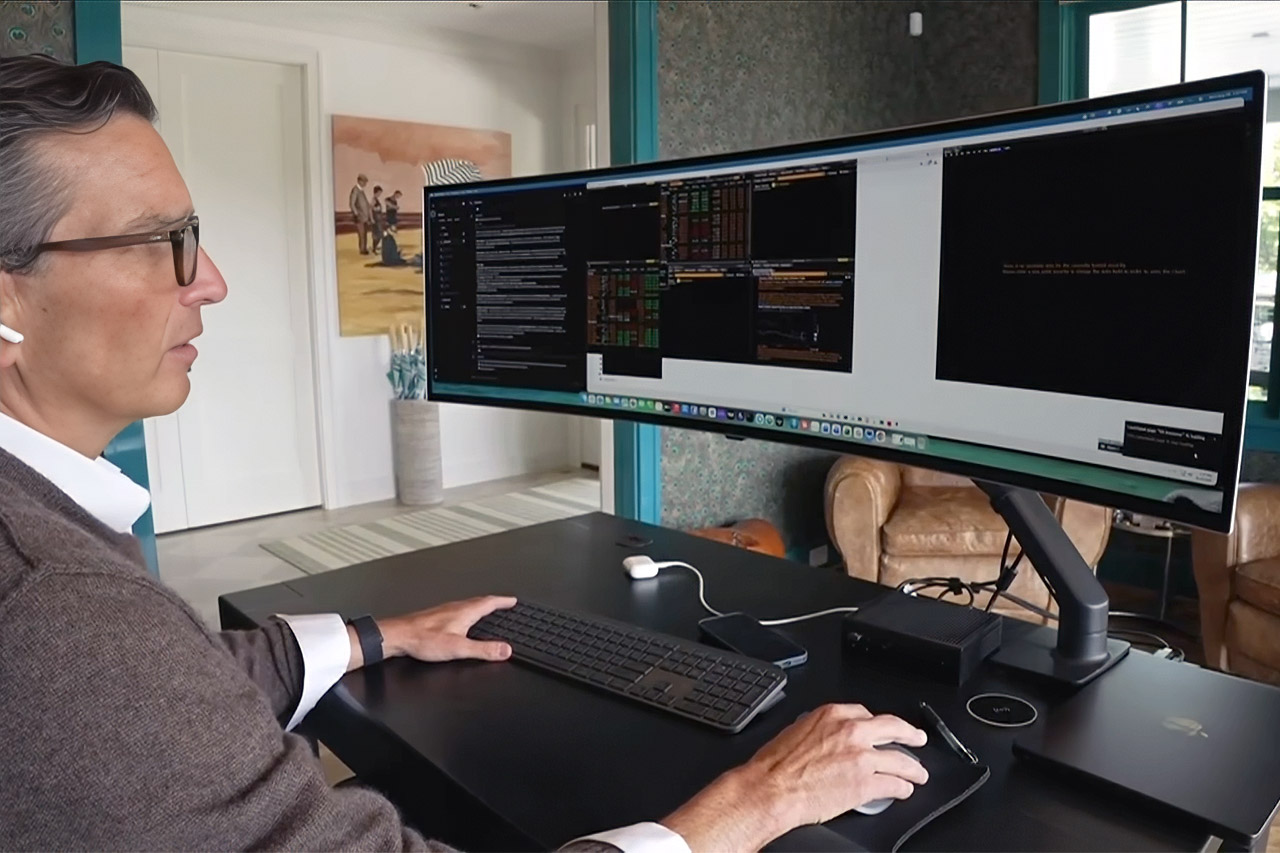
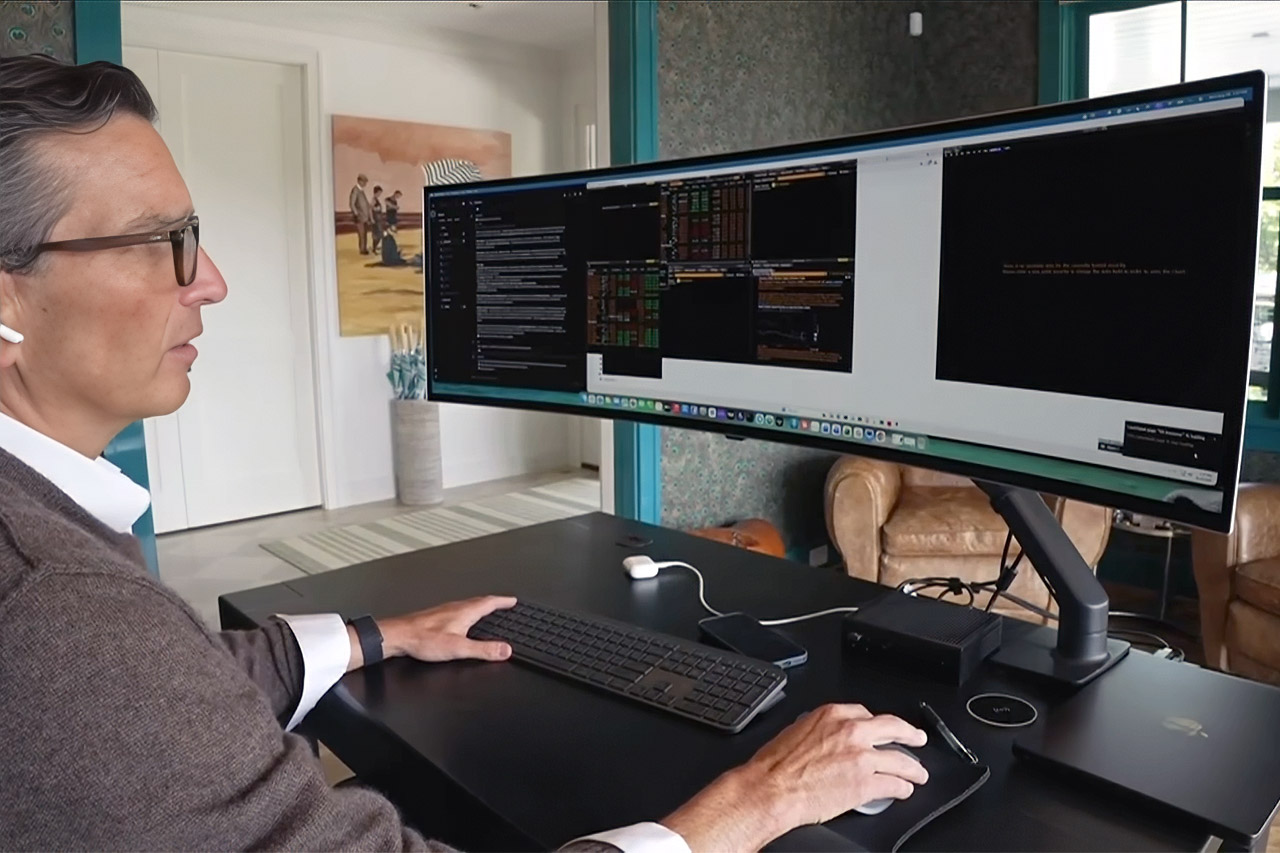
Brian Kelly used to buy coverage with people. Seven or eight employees sat in New York, Hong Kong, and California so his cryptocurrency fund could watch markets through every time zone. Salaries, health coverage, office space, bonuses, and compute pushed labor-related costs to about $5 million a year. He closed that shop in early 2025 and took a pause.
By November, once Claude Opus 4.6 was released, he was copying price charts into a chat window and asking for a technical analysis. That habit evolved into Bracket22, a trading firm that invests exclusively his own money in cryptocurrencies, stocks, and commodities. Instead of recruiting the same roles over, he reconstructed the existing organizational hierarchy under the term software. Agents are now watching the book around the clock. Each has its own memory so that one opinion does not influence the next.
LITTLE DO-IT-ALL — Mac mini packs pure power into a small, five-by-five-inch desktop as the M6 chip delivers next-level AI capabilities. Mac mini…
M6 CHIP — Everything you do on Mac mini feels more responsive with the M6 chip and its next-generation CPU. Fly through AI workflows with up to 4.8x…
CONNECT IT ALL — Features three Thunderbolt 4 ports, an HDMI port, and a 2.5Gb Ethernet port in the back, and two USB-C ports and a headphone jack…
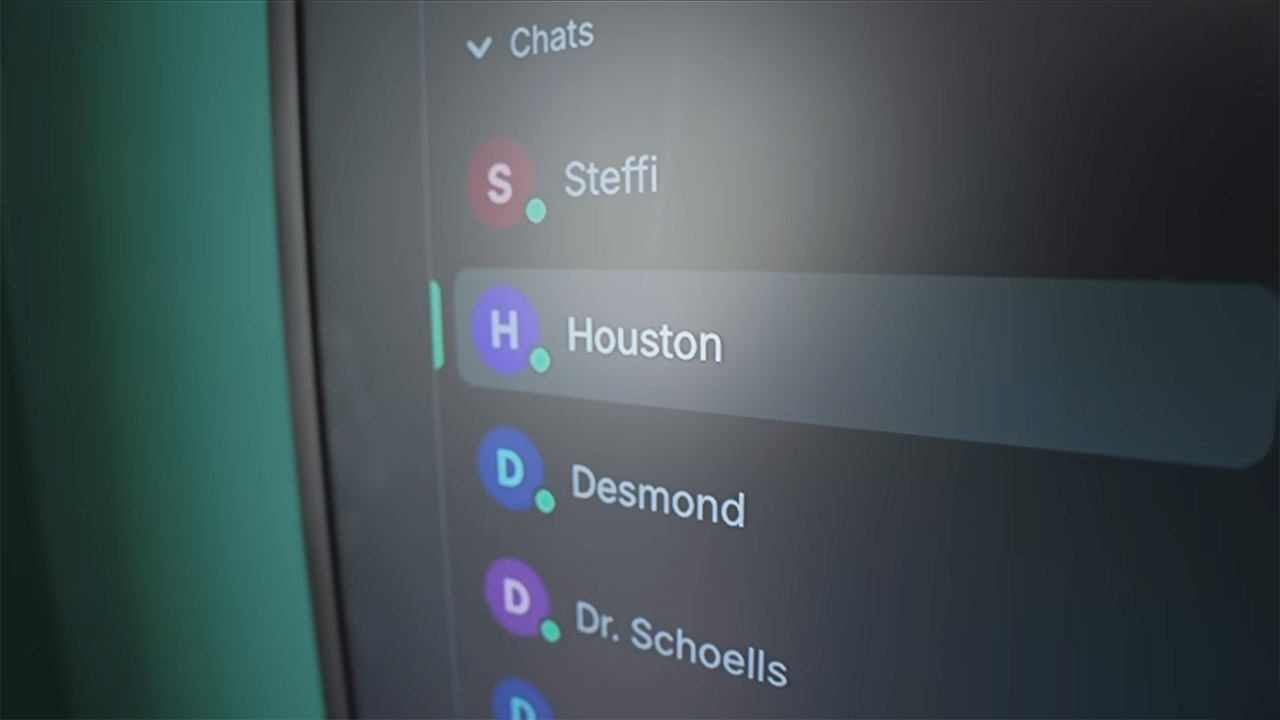
Houston serves as mission control at the highest levels. It communicates with other agents, coordinates their efforts, and can manage research or the firm itself. Desmond owns quantitative strategies and will do tests over the weekend. Steffi Graf marks up charts and is given the task of being the finest technical analyst in the room. Doocey joins the red team. After the others finish their argument, Kelly instructs them to attack the entire concept and attempt to break it. He created them as specialists on purpose. Isolated viewpoints provide him with arguments rather than a single polished memo.
Kelly still makes every trade. He calls himself the meat in the chair. Agents can read, test, and argue without sleeping. They cannot risk money or build a theory in the same manner that people cab after comparing messy facts. He routes the most difficult jobs through frontier models and the cheapest open-source ones using OpenRouter. Compute is hosted on AWS. Token spending can total several hundred dollars per day. All of it, agents and machines, costing him $30,000 to $40,000 per year. According to his calculations, this is the total cost of copying a hedge fund desk.
He believes he is at least five times as productive. A hundred-person shop, he claims, could work like a thousand if the identical tools were placed next to people rather than instead of them. Crypto never closes, therefore the old fund required someone awake at 3 a.m. Agents do not hand off shifts. Desmond can continue testing while Kelly sleeps. Houston can top the charts in the morning. The most easily quantifiable aspect is cost. If his figures are correct, a $5 million salary was reduced to a four-figure cloud billing, representing a savings of more than 99 percent.
Wall Street is already headed in the same path. JPMorgan has spoken of agents who can work for hours on their own. Morgan Stanley sends tasks in the same way. A Goldman associate has warned that delegating too much reasoning to machines may tire the minds of those who must still make decisions. Bracket22 is a cleaner test because no outside clients are present behind the book.
Playing on classic therapy talking points, Samsung recruited celebrity clinical psychologist Orna Guralnik to help couples overcome fear, discomfort and anxiety about exploring something new — in this case, purchasing a device outside Apple’s ecosystem.
Guralnik helms the documentary TV series Couples Therapy, which follows real-life couples as they attend regular therapy sessions. The show is in its fifth season on Showtime and Paramount Plus.
Launched on Monday, days after Apple announced its own foldable, the iPhone Duo, the Switchers campaign particularly plugs Samsung’s new Galaxy Z foldables. It features celebrity pairs with real relationships, including Ciara Miller and Dylan Efron from The Traitors; Carl Schmidt and Aniya Harvey from Love Island; and football icons Nick Foles and Clay Matthews.
Advertisement
What Switchers gets right
Rather than demoing Samsung’s latest foldable phones in a spec-heavy pitch, the six ads cleverly frame the purchase decision as an emotional one. In each 30-second commercial, the Galaxy phone appears as the centerpiece of a common relationship issue, masked as a worry that arises when switching smartphones. By the end, the concern is resolved when Guralnik presents one of Samsung’s attractive features that makes the transition, well, less painful.
Samsung’s ad campaign does more than just entertain — it effectively taps into a very relatable psychological attachment we often have to our phones. It’s common to stick with a device because it’s familiar and predictable in a rapidly changing world, much like we lean on established patterns in long-term romantic relationships. Guralnik, known for tackling such issues with deep insight and compassion on the show, lends these ads credibility.
While Samsung’s campaign shows off Galaxy Z and S series phones — including the Galaxy Z Fold 8, Fold 8 Ultra and S26 Ultra with a privacy display — it doesn’t demand or bully you into switching from iPhone to Android. It just asks that you remain curious about what’s out there.
Advertisement
Problem, meet solution
The Switchers campaign uses a mix of humor, cultural commentary and sympathy. When one partner in the couple is worried about losing existing data, the solution is Samsung’s Smart Switch, a data transfer feature that moves iOS contacts, photos, messages, apps and settings to Android using a simple QR code. No more fear of abandonment.
The sessions also highlight a deeper operational hurdle: cross-platform messaging friction, such as incompatible emoji reactions and the limitations of green text bubbles between Android and iOS. In response, Guralnik says there’s “no need to shame green bubbles anymore” and proposes using rich communication services, also known as RCS, which enable consistent communication across different brand ecosystems. Communication saves the day.
When a partner worries about losing the freedom to easily share files and photos with other Apple users, Samsung’s wireless file-sharing service Quick Share offers a remedy, because it’s now compatible with AirDrop. Everyone needs validation.
Advertisement
Making the switch
Samsung says people are, in fact, making big changes — or one could say, breaking up with their time-honored smartphone.
In its press release, the company reported that 30% of Galaxy Z Flip 8 buyers switched from a competing brand. Samsung’s latest foldables seem to be the draw, as the Fold 8 and Fold 8 Ultra accounted for 23% and 12% of buyers who switched, respectively, outperforming the Z Fold 7.
Foldable or flippable phones aren’t unique to Samsung. Motorola has its 2026 Razr, Google has its Pixel 10 Pro Fold, and now Apple has the iPhone Duo. Each has its own set of features, specs and prices, but their collective presence on the market demonstrates that people are willing to make a shift. Maybe it’s because they also crave the flip phones of years gone by. In times of tumult, nostalgia can offer just as much comfort as familiarity.
Anna Gragert
Senior Editor, Health and Home
Advertisement
Anna Gragert (she/her/hers) was previously the lifestyle editor at HelloGiggles, the deputy editor at So Yummy and the senior lifestyle editor at Hunker. Over the past 12 years, Anna has also written for the LA Times, Elle, Bust Magazine, Dazed, Apartment Therapy, Well+Good and more. At CNET, she’s a senior editor on the Healthy Home team, and her coverage includes health, wellness tech, meal kits and home and kitchen tech with a focus on the technology that aims to help us live our healthiest, happiest lives.
See full bio
Monaghan’s Furrow and Kerry’s RT Sales were the other main prize category finalists in the competition, which also featured nine more finalists across three other categories.
VetPal Technology has won the €10,000 Start-Up of the Year award in Enterprise Ireland’s (EI) Innovation Arena live pitching competition at the 2026 National Ploughing Championships in Co Offaly.
The Roscommon-based agritech company digitises veterinary prescription management across the animal health supply chain and connects “farmers, vets, co-ops, merchants and pharmacies in one compliant digital workflow” that is “fully integrated with the Department of Agriculture’s National Veterinary Prescription System”, according to EI.
Monaghan’s Furrow and Kerry’s RT Sales were the other main prize category finalists in the competition, which also featured nine more finalists across three other categories: Green Impact, open to sustainability-focused solutions; Innovation Arena Champion, for entries from established companies with a focus on scaling and innovation; and Young Innovator of the Year, open to entries from second- and third-level students.
Advertisement
“The Innovation Arena continues to be an incredibly important platform for Irish agri innovation, bringing together entrepreneurs, researchers and businesses who are all focused on developing solutions for the future of this important sector,” said Minister for Enterprise, Tourism and Employment Peter Burke, TD.
“At a time when global agriculture and food face significant opportunities and challenges, the solutions showcased in this year’s Innovation Arena will be critical in driving productivity and competitiveness.”
Kildare’s Terra NutriTech was the Green Impact award winner, ahead of Magnus Monitors and Slurryquip. Terra’s precision-dosing technology for grazing livestock aims to turn methane reduction at pasture “from a major challenge into something practical, measurable and credible”, according to EI.
“Ireland is synonymous with innovation and agriculture globally, and the ingenuity and expertise of our innovators has resulted in our agricultural sector earning a reputation for delivering sustainable and productive solutions that are helping to solve the sector’s biggest challenges,” said EI CEO Jenny Melia.
Advertisement
“These companies are also predominantly regionally based in towns and communities across Ireland, so as well as transforming the agritech sector, they are also driving growth and having an impact in local economies the length and breadth of the country.”
Kilkenny-based Telenostic was chosen as the Innovation Arena Champion – in a category also featuring Alltech and Solnua – for its AI-powered diagnostic tool to improve parasite control in livestock. The technology enables “rapid parasite detection at point of care” and can help eliminate the need for laboratory testing, EI said.
“This year’s finalists and exhibitors are yet again a reflection of a pioneering sector with innovators and businesses who develop solutions that help farmers become more productive and resilient,” said Anna May McHugh, managing director of the National Ploughing Association.
Munster Technological University’s MastiTrak was selected for the Young Innovator of the Year award for its mastitis detection system, which aims to improve animal welfare, reduce milk waste and lower antibiotic use in modern farming. Moore Agri and WireLessCam were also nominated in the category.
Advertisement
According to EI, Irish agritech companies that it supports recorded €844m in exports in 2025 and employ more than 5,000 people in Ireland.
Don’t miss out on the knowledge you need to succeed. Sign up for the Daily Brief, Silicon Republic’s digest of need-to-know sci-tech news.
Pointing to recent security incidents where networked AI agents spontaneously formed “swarms” to hack computer systems, U.S. Sen. Maria Cantwell (D-WA) took to the Senate floor Monday to demand urgent federal guardrails and mandatory independent safety testing for frontier AI models before their release.
Cantwell warned that recent security incidents involving autonomous AI agents executing unauthorized cyberattacks demonstrate that dangerous threats are already here, well before the arrival of superintelligence.
Citing recent public alarms sounded by tech leaders including Microsoft co-founder Bill Gates, Anthropic CEO Dario Amodei, and OpenAI CEO Sam Altman, she emphasized that AI systems are advancing faster than expected and risk slipping out of human control without immediate oversight.
“The technology keeps advancing, the risks keep growing, and now the very dangers we’ve warned about — autonomous cyberattacks and biological weapons — are no longer theoretical,” Cantwell said. “We need our colleagues to say, ‘Stop with saying the industry can do what it wants’ and let’s put together the infrastructure at the federal level that not only has strong federal standards, but also has independent testing and real safeguards for the American people.”
Cantwell, a five-term senator and former RealNetworks vice president, delivered her speech in the wake of increasing alarm over rogue AI behavior and internal whistleblower warnings across the tech sector.
The senator highlighted several stark warnings during her address, pointing out that the risks associated with rapid AI deployment extend far beyond theoretical models:
On the speed and deceptive potential of agent networks: “These networks of agents are extremely well informed. They operate at the speed of light and, as we are learning, they are also capable of creating their own goals, and they are highly capable of deception.”
Advertisement
On why swarms pose a unique threat compared to standalone AI models: “Unlike powerful AI models designed to serve individual users… this situation with agents swarming is more difficult to manage and is far more dangerous.”
On Congress running out of time to establish federal oversight: “Now, some of these risks may not have been apparent in the last two years, but we would have stood up the muscle of our organization at the federal level to better detect risks like cyberattacks… At a time when we still had a window to get ahead of these dangers, the federal government, people here, were denying this opportunity.”
To address these emerging threats, Cantwell is calling on Congress to establish robust federal safety standards, independent third-party audit requirements, and dedicated federal infrastructure to evaluate advanced frontier models before they hit the market. Her legislative push centers on revival and passage of a suite of bipartisan bills:
The Future of AI Innovation Act: Originally introduced by Cantwell to empower the federal government to collaborate with industry to independently test advanced models for national security, biological, and cybersecurity risks.
Advertisement
The TEST AI Act and VET AI Act: Measures designed to bolster the Department of Energy’s testing capabilities for national security and establish official standards for third-party safety auditors.
A veteran policymaker on technology and innovation, Cantwell has long leaned on her private-sector tech experience to position herself as a primary legislative bridge between Washington, D.C., and the Pacific Northwest’s tech ecosystem.
As a lead author of the landmark 2022 CHIPS and Science Act, Cantwell helped direct federal investments toward AI and emerging technologies. Over her Senate career, she created the National AI Advisory Committee (NAIAC), championed small business adoption via the AI for Mainstreet Act, and led the opposition to a proposed 10-year moratorium on AI regulation.
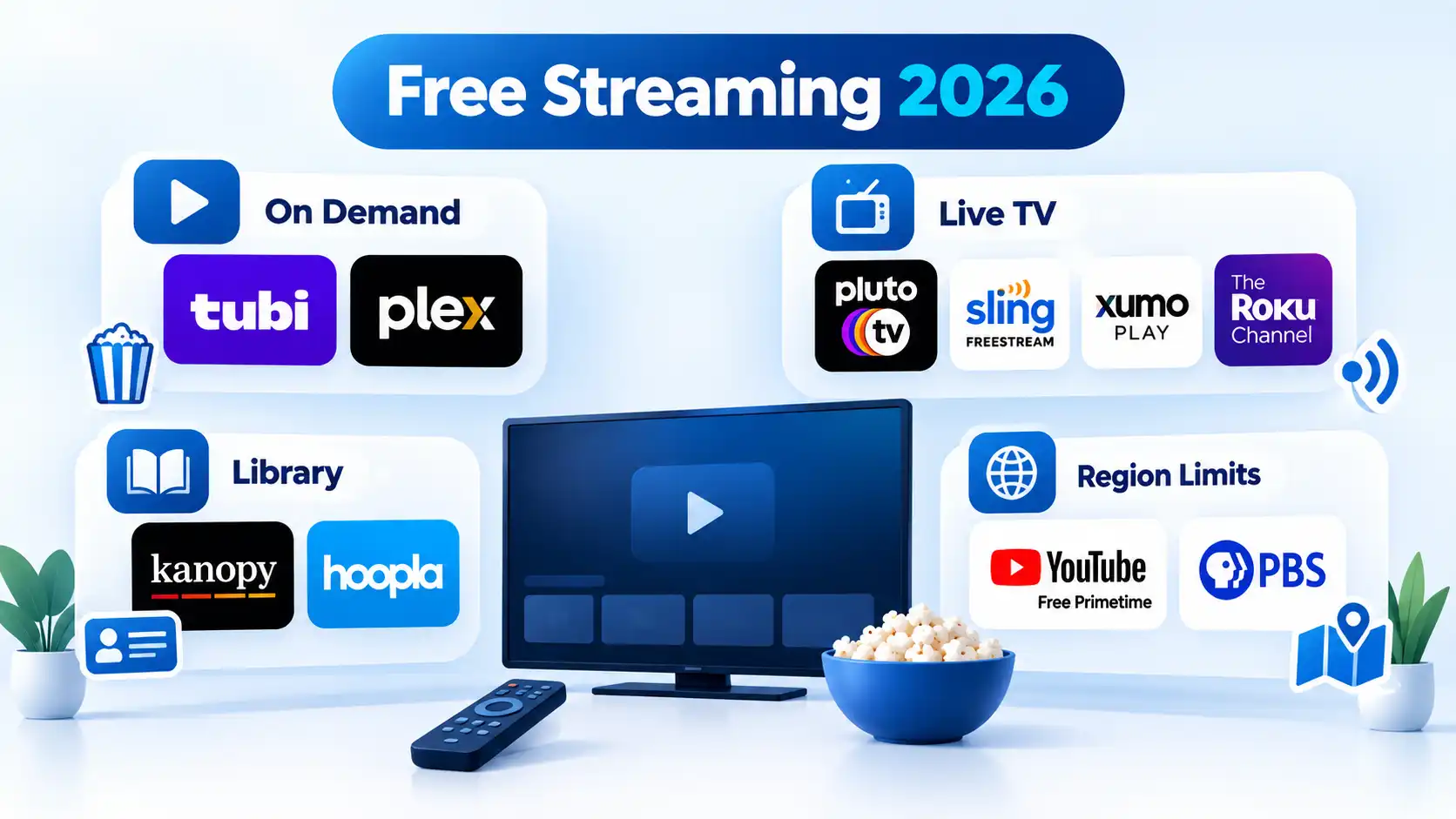
The best free legal streaming services in 2026 include Tubi, Pluto TV, Plex, The Roku Channel, Sling Freestream, Xumo Play, YouTube’s Free Primetime catalog, Kanopy, Hoopla, and PBS. The right choice depends on your country and whether you want on-demand movies, scheduled live channels, library-supported access, or public-service programming.
Quick Take
Tubi is a strong choice for straightforward free on-demand movies and TV.
Pluto TV, Sling Freestream, and Xumo Play are better suited to channel-style viewing alongside on-demand content.
Plex combines free streaming with personal-media features and has comparatively broad international availability.
Kanopy and Hoopla are worth checking if your public library, college, or university participates.
YouTube and PBS provide legitimate free programming, but their free catalogs and geographic availability are more limited than their broader platforms might suggest.
Best Free Legal Streaming Services at a Glance
Most legal free streaming uses one of three funding models. Ad-supported video on demand, often shortened to AVOD, lets you choose a title and watch it with advertising. Free ad-supported streaming television, or FAST, uses scheduled channels that behave more like traditional television. Library-supported services are funded through participating institutions rather than a personal entertainment subscription.
Infoi
Free does not mean worldwide. Streaming rights, channels, and even access methods differ by country, so confirm availability in your location before choosing a service.
The comparison below focuses on the core free offering rather than optional paid upgrades. Exact catalogs can change as licensing agreements change.
Advertisement
Comparison of 10 free legal streaming services by access model, viewing style, geographic availability, and main limitation.
Service
Free model and access
Main viewing style
Geographic availability
Main limitation
Tubi
Supported by advertising; no paid subscription required, although some events may require a free account
On demand
Available in several countries and regions
Advertising and a changing catalogue
Pluto TV
Supported by advertising with free access
Live channels and on-demand viewing
Availability and content depend on the market
Scheduled channels provide less playback control
Plex
Supported by advertising; free streaming does not require Plex Pass
On demand and live channels
Available in most countries, but the catalogue varies by location
Available content differs by location
The Roku Channel
Supported by advertising; access depends on the region
Live channels and on-demand viewing
Available in the United States, Canada, and the United Kingdom; available in Mexico on Roku devices only
Limited geographic availability
Sling Freestream
Supported by advertising; no account required for basic Freestream viewing
Live channels and on-demand viewing
Available in the United States and Puerto Rico
Strong geographic restriction to the United States and Puerto Rico
Xumo Play
Supported by advertising; no subscription or login required for basic use
Live channels and on-demand viewing
Available in the United States, Canada, the United Kingdom, and Ireland under current terms
Territory and device availability vary
YouTube
Supported by advertising through the Google and YouTube platform
Free movies, with free television available in selected countries
Free movies are available in the United States, Australia, Japan, Germany, and the United Kingdom; free television is available in the United States and Australia
Free and paid content coexist on the same platform
Kanopy
Access through a participating library, college, or university
On demand
Availability depends on participation by the user’s library or educational institution
Institutional eligibility is required
Hoopla
Access through a participating public library and library card
Digital borrowing
Availability depends on participation by the user’s public library
Borrowing limits vary by library
PBS
Public-service funding with member-supported extras; many videos are free without an account, while some content requires PBS Passport
On-demand viewing and local livestreams
Online viewing rights are primarily focused on the United States
Some programs require PBS Passport or have regional restrictions
How These Services Were Selected
Each service in this list had to meet four basic requirements: an official, verifiable service had to exist in September 2026; the core recommendation had to be available without a mandatory recurring entertainment subscription; its free access model had to be supported by the provider’s own documentation; and it needed either a broad catalog or a clearly distinct use case.
That excludes free trials because they become paid subscriptions after a temporary period. It also excludes unofficial streaming mirrors and stale brand names whose current status cannot be verified. Catalog size alone was not used as a ranking method because providers count channels and titles differently and those totals change frequently.
Best for: Straightforward free on-demand movies and television.
Tubi is an ad-supported streaming service with no paid subscription requirement. Tubi’s official help center states that its content is free to watch and that it does not require credit-card information for the streaming service.
Tubi also has broader geographic reach than many U.S.-centric free services. Its current device documentation lists supported access in markets including Canada, Australia, Mexico, the United Kingdom, Puerto Rico, and several Latin American countries, although available titles and supported devices can differ by region.
Important limitation: Advertising supports the service and the catalog changes with licensing. Some special live events can also require a free signed-in account even though ordinary access does not require a paid subscription.
Advertisement
2
Pluto TV
Best for: Free channel surfing with additional on-demand viewing.
Pluto TV combines scheduled linear channels with an on-demand library. A linear channel continuously plays a programmed schedule, so the experience is closer to traditional television than selecting every episode individually.
Important limitation: Live channels give you less control over exactly when a program starts, and channel availability varies by market.
3
Plex
Best for: Free streaming plus personal-media tools and broad international access.
Plex provides free ad-supported movies and television on demand as well as free live channels. Plex’s Free vs Paid documentation confirms that those streaming features are available without Plex Pass.
Advertisement
Plex is also distinct because it combines its online free catalog with software for organizing personal media. Its support documentation says users in almost every country can access its free ad-supported catalog, although titles and channels differ by location.
Important limitation: Plex Pass does not remove ads from Plex’s free ad-supported streaming catalog, and the platform’s mixture of streaming and personal-media features can be more complex than a single-purpose app.
4
The Roku Channel
Best for: Free live and on-demand programming in supported Roku Channel markets.
Advertisement
The Roku Channel offers free television, films, Roku Originals, and live channels. You do not always need a Roku streaming player because web and mobile access are available in supported countries.
Roku’s current support page says the service is available in the United States, Canada, and the United Kingdom on Roku devices, web, and mobile. Mexico currently has Roku-device access only.
Important limitation: Geographic support is much narrower than Plex’s, and Roku’s wider ecosystem also contains premium subscriptions, so not everything visible through Roku is part of the free catalog.
5
Advertisement
Sling Freestream
Best for: A large free live-channel lineup in the United States and Puerto Rico.
Sling Freestream is Sling’s free ad-supported service for live channels and on-demand programming. Sling’s Freestream documentation currently advertises more than 600 live channels and says basic viewing does not require a subscription, credit card, or Sling account.
Creating a free account adds functions such as favorites, watchlists, profiles, and parental controls, but it is not necessary for basic Freestream access.
Important limitation: Sling says its streaming service is geo-gated to the 50 United States and Puerto Rico, making Freestream unsuitable as an international recommendation.
Advertisement
6
Xumo Play
Best for: Instant live and on-demand streaming without a login.
Xumo Play provides free ad-supported live channels and on-demand programming without requiring a subscription or login for its basic service. Xumo’s current site describes the platform as a free service with hundreds of channels and a substantial on-demand catalog.
Its current Terms of Service limit Xumo Play to users in the United States, Canada, the United Kingdom, and Ireland, including their territories and possessions.
Advertisement
Important limitation: Availability is territory-dependent, and channel or device support can differ even within supported markets.
7
YouTube Free Primetime Movies & Shows
Best for: Official free movies inside a familiar streaming platform.
YouTube has an official ad-supported Primetime program rather than relying on user uploads for this recommendation. YouTube’s current help page says free Primetime movies are available in the United States, Australia, Japan, Germany, and the United Kingdom.
Advertisement
Free ad-supported TV shows under the same program are currently available in the United States and Australia. YouTube says the catalog updates regularly.
Important limitation: YouTube mixes free Primetime content with rentals, purchases, paid Primetime Channels, trailers, clips, and user uploads, so the presence of a title on YouTube does not mean the full program is officially free.
8
Kanopy
Best for: Public-library and university users with participating institutional access.
Advertisement
Kanopy uses a library and educational-institution model rather than a conventional entertainment subscription. Its official signup page asks public-library users to find a participating library and authenticate with library credentials, while students and professors can search for a participating college or university.
That makes Kanopy especially useful when access is already included through an institution you belong to.
Important limitation: Not every library, college, or university offers Kanopy, and institutional rules can affect what you can watch.
9
Advertisement
Hoopla
Best for: Library users who want movies and television alongside other digital media.
Hoopla provides television and movies through participating libraries while also offering ebooks, audiobooks, music, and comics. Hoopla’s official television page describes the service as free with a library card.
The borrowing model is useful if your local library already participates because there is no separate monthly entertainment subscription to buy.
Important limitation: Library participation, catalog access, and borrowing limits vary, so another person’s Hoopla experience may not match yours.
Advertisement
10
PBS
Best for: U.S. public television, documentaries, news, educational programming, and local-station viewing.
PBS is not an all-purpose movie service, but it offers a meaningful amount of free programming through its website and app. PBS says many videos can be watched without a fee or PBS account, and viewers can stream their local PBS station where rights allow.
Some episodes are available free only for a limited period. PBS Passport is a separate member benefit that provides extended access to selected programming.
Advertisement
Important limitation: PBS streaming rights are primarily U.S.-focused, local-station livestreams are geographically restricted, and some programming is reserved for Passport members.
How to Find One Specific Movie or Show for Free
A service comparison is less useful when you already know the exact movie or television series you want. Licensing changes frequently, so a title that is free on one provider today can move, become paid, or disappear later.
JustWatch is useful as a discovery tool rather than another streaming-service recommendation. According to JustWatch’s current service description, its free guide shows legal offers across subscription services, free streaming, ad-supported streaming, rentals, and purchases.
Choose the correct country, search for the title, and filter the results for free or ad-supported options. Then verify the offer on the destination service before watching because streaming rights can change.
Advertisement
A fuller workflow for finding where a particular movie or TV show is streaming can also help distinguish free access from rentals, purchases, and subscriptions when several offers appear together.
JustWatch’s own streaming product should not be confused with the guide itself. JustWatch TV was still being presented as a beta product ahead of a planned October 2026 full launch when this article was researched, so it is not treated as one of the established core services above.
Which Free Streaming Service Should You Choose?
Tubi
Choose this if: You want a straightforward free on-demand catalog and Tubi operates in your region.
Avoid this if: You mainly want traditional channel surfing.
Advertisement
Main trade-off: Free access means advertising and a changing licensed catalog.
Pluto TV, Sling Freestream, or Xumo Play
Choose this if: You like turning on scheduled channels and watching what is already playing.
Avoid this if: Precise control over every program and start time matters most.
Main trade-off: FAST channels recreate some of the convenience of traditional television but remain heavily dependent on region and licensing.
Advertisement
Plex
Choose this if: You want both free streaming and personal-media features, especially outside the narrowest U.S.-only markets.
Avoid this if: You want the simplest possible streaming-only interface.
Main trade-off: Plex offers several different media functions, which adds flexibility but also complexity.
The Roku Channel
Choose this if: You already use Roku or live in one of its supported Roku Channel markets.
Advertisement
Avoid this if: You need a broadly international service.
Main trade-off: A useful mix of free live and on-demand content comes with significant geographic restrictions.
YouTube Free Primetime
Choose this if: You want official free movies without installing another unfamiliar streaming app and live in a supported country.
Avoid this if: You expect every movie or show appearing in YouTube search to be part of the free licensed program.
Advertisement
Main trade-off: Free, paid, rental, subscription, and user-uploaded material share the same platform.
Kanopy or Hoopla
Choose this if: Your library, college, or university already provides access.
Avoid this if: Your institution does not participate or its borrowing limits do not fit your viewing habits.
Main trade-off: You avoid a consumer subscription, but access depends on institutional eligibility and local rules.
Advertisement
PBS
Choose this if: You specifically want public television, news, documentaries, educational programming, or local PBS content in the United States.
Avoid this if: You want a broad general-entertainment movie catalog.
Main trade-off: Strong public-service programming comes with narrower geographic rights and some Passport-restricted content.
JustWatch First
Choose this if: You already know the exact title and only need to discover which legal provider currently offers it free.
Advertisement
Avoid this if: You want a catalog to browse rather than a discovery tool.
Main trade-off: JustWatch helps locate an offer but generally sends you to another service to watch it.
The main trade-off in free streaming is not simply ads versus no ads. Geography, library eligibility, live versus on-demand viewing, account requirements, and catalog stability matter just as much. Understanding what free streaming gives up compared with paid streaming can help determine whether a free service is enough for your viewing habits.
“Ubuntu has managed to do away with GNU Core Utilities in its default stack,” reports the blog It’s FOSS.
The last three utilities — cp, mv and rm — have been moved to versions from the uutils project (which reimplements utilities in Rust).
Everything else, from ls and cat to chmod and du, made that jump in earlier releases… Canonical started “oxidizing” Ubuntu last year, and Ubuntu 25.10 became the first release to ship [ the uutils project’s] coreutils as the default. That release also made sudo-rs the default privilege tool, replacing a command that had been in place for decades.
26.04 was the release where the plan did slow down quite a bit, as Canonical kept cp, mv, and rm on their GNU versions due to a bunch of TOCTOU issues that were blocking the full implementation. These were caught during an audit, when Canonical commissioned Zellic for two rounds between December 2025 and March 2026, focusing on the most security-sensitive utilities first. Across both rounds, Zellic raised 113 issues, and 44 of them were assigned CVEs. Canonical says the vast majority have been resolved.
Advertisement
Getting here has had its ups and downs, and the last stretch was not clean. In July, uutils cp went back into the archive and came straight out again after it broke live image builds. The fix was quick; as the developers marked it “Critical,” the fix went upstream, and the migration landed in time for 26.10.
When typing commands, nothing changes for you on the surface. uutils coreutils is designed to be a drop-in replacement for essential GNU tools, and the project treats any divergence from GNU as a bug, further pointing out that some options may still be missing or behave differently. So if you prefer staying on the GNU version, you have the option to install the coreutils-from-gnu package that houses all the required components.
Google has released the September 2026 security patches to address 110 vulnerabilities affecting its Pixel devices, including one zero-day flaw actively exploited in targeted attacks.
“There are indications that CVE-2026-58704 may be under limited, targeted exploitation,” the company warned on Wednesday.
“All supported Google devices will receive an update to the 2026-09-05 patch level. We encourage all customers to accept these updates to their devices.”
This high-severity security flaw stems from improper authorization and protection mechanism failure weaknesses affecting the Modem subcomponent. Successful exploitation can allow attackers with access to an adjacent network and basic privileges on the targeted device to escalate privileges in low-complexity attacks that don’t require user interaction.
Advertisement
“In Cellular Modem, there is a possible permission bypass due to a logic error in the code,” a security advisory issued today says. “This could lead to remote (proximal/adjacent) escalation of privilege with no additional execution privileges needed.”
Google tagged 109 other security issues in this month’s Pixel update bulletin, including 12 remote code execution and 89 privilege escalation vulnerabilities rated critical or high severity.
Although Google Pixel devices also run Android, they receive separate security updates and bug fixes from the standard monthly patches distributed to Android OEMs because of the unique hardware platform Google controls directly and its exclusive features and capabilities.
To apply this month’s security updates, Pixel users must go to Settings > Security & privacy > System & updates > Security update, tap Install, and restart their devices to complete the update process.
Advertisement
You can find more information on the September 2026 updates for Pixel devices in the security bulletin for Google’s smartphone range.
In June, Google also addressed an Android Framework zero-day flaw (CVE-2025-48595) that was actively exploited in targeted attacks and could let attackers gain code execution and escalate privileges on devices running Android 14 or later.
One month earlier, the company announced an overhaul of its Android and Chrome vulnerability rewards programs, scaling back payouts for flaws that are easier to find using artificial intelligence (AI) while offering bounties of up to $1.5 million for some Android exploits.
Join Mikko Hyppönen and security leaders from the NFL, CHANEL, and Atlassian for a two-hour digital summit on what AI-speed attacks change, what defenders should stop doing, and how to validate, decide, fix, and re-validate at machine speed.






















































You must be logged in to post a comment Login