I remember the first time I sat in a sprint planning meeting. I was a junior product manager and felt on top of the world. I had my roadmap ready. I had my user stories written. I felt prepared.
Then the lead engineer started talking.
He asked whether the API endpoints were ready to receive the payload. He mentioned something about refactoring the legacy code before we could touch the database schema. He looked at me, waiting for an answer. I stared back, completely blank. I had no idea what he was talking about.
In that moment, the heavy cloud of Imposter Syndrome settled over me. I thought I had made a huge mistake. I thought that because I could not write a single line of Java or Python, I had no business telling engineers what to build.
If you are reading this, you are probably feeling that same fear. You are looking at job descriptions that list “Computer Science degree preferred” and wondering if you should quit before you start.
I am here to tell you to stop worrying. I have been in this industry for over a decade. I have led products used by millions of people. And to this day, I still cannot code.
The short answer is yes. You can absolutely be a successful product manager without knowing how to code. In fact, sometimes it is actually an advantage. Let’s talk about why.
The Myth of the Technical Genius
There is a common misconception in the tech industry. People think a Product Manager is just a CEO who knows how to code. This idea comes from the early days of software, when the lines between engineering and management were blurry.
Today, the roles are very different.
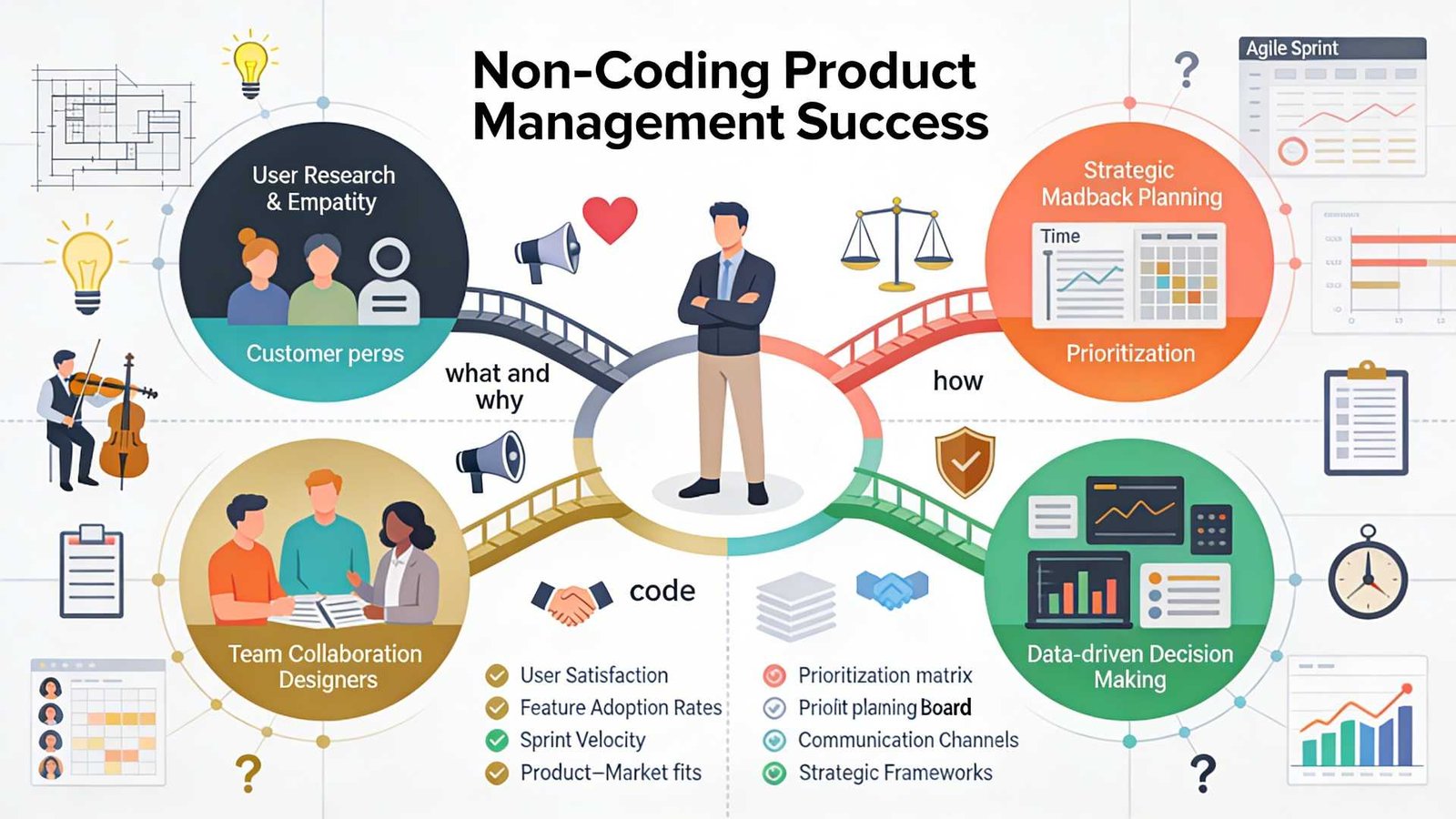
The job of an engineer is to answer the question: “How do we build this?”
The job of a product manager is to answer the question: “Why are we building this, and who are we building it for?”
If you spend all your time worrying about how, you will forget about the why. A non-technical product manager brings a different perspective. You are not bogged down by the code’s limitations. You are focused on the user’s pain points.
Your goal is not to write the software. Your goal is to deliver value to the customer and the business. You need to be the voice of the user, not the server’s.
Why Non-Technical PMs Are Often Better
It might sound strange, but not knowing how to code can actually make you a better product manager.
When you have a technical background, it is easy to fall into the “solution trap.” A user tells you they have a problem. If you are an engineer at heart, your brain immediately jumps to the technical solution. You start thinking about database tables and logic flows.
But a great PM needs to fall in love with the problem, not the solution.
As a non-technical product manager, you are forced to ask more questions. You have to ask “why” five times to understand the root cause because you cannot just assume a fix. This curiosity leads to deeper user insights. You rely on data, customer interviews, and market research rather than your own assumptions about how the software works.
You also become a better delegator. You have to trust your engineering team. This builds a healthy relationship. Engineers hate being micromanaged by a PM who thinks they can code better than them. When you admit you don’t know the code, you empower the engineers to own the technical decisions. You tell them what needs to happen, and you let them decide how to make it happen.
Bridging the Gap: Tech-Literacy vs. Coding
Now, let’s be realistic. You cannot be completely ignorant of technology. You are building software, after all.
You do not need to be a coder, but you do need to be “tech-literate.” Think of it like being an architect for a house. The architect does not need to know how to wire the electrical panel or weld the pipes. But they need to know that pipes go in the walls and that electricity is dangerous if handled incorrectly.
Here is what you actually need to understand:
1. Understand the Vocabulary
You need to speak the language. If an engineer says the “server is down,” or the “API is broken,” you need to know what that implies for the user. Learn the difference between front-end (what users see) and back-end (data and logic). Understand what a database does. This helps you communicate.
2. Understand Feasibility
You need to develop a sense of how hard things are. If you ask for a button to move two pixels to the left, that is usually easy. If you ask for that button to suddenly predict the future using AI, that is hard. As you work with teams, you will learn to estimate effort even if you cannot write the code yourself.
3. Understand Trade-offs
Engineering is all about trade-offs. We can build it fast, but it might be buggy. We can build it perfectly, but it will take six months. Your job is to help the team make these decisions based on business value. You don’t need code to understand that a two-month delay might kill the product launch.
The Skills That Actually Matter
If you take coding off the table, what should you focus on? The best product managers I know share a specific set of skills that have nothing to do with GitHub repositories.
Deep User Empathy
Can you put yourself in the customer’s shoes? Can you feel their frustration when the app is slow? This is your superpower. You need to be the user’s champion in a room full of people discussing technical constraints.
Ruthless Prioritization
You will always have fewer resources than you want. You will have a list of ten features and only enough time to build two. The skill of saying “no” is far more valuable than the skill of writing Java. You need to review the data and decide what offers the most value right now.
Communication and Storytelling
You need to rally the team. You have to convince stakeholders that your roadmap is the right one. You need to explain complex features to the sales team in simple words. This requires high emotional intelligence and excellent communication skills.
Strategic Thinking
Where is the market going? What are competitors doing? How does this product fit into the company’s long-term vision? These are the questions you get paid to answer.
If you feel your foundation in these areas is weak, focusing on them is a better use of time than learning C++. Structured learning can significantly accelerate this process. For example, the Product Management Course at Techcanvass focuses heavily on these core competencies. It covers the entire lifecycle from planning to execution, which is exactly what hiring managers look for.
How to Work with Engineers When You Can’t Code
The biggest fear for a non-technical product manager is losing the engineering team’s respect. I used to worry about this every day. Over time, I learned that engineers do not respect you for your coding skills. They respect you for bringing clarity.
Here is how to win them over:
Be Honest: Never pretend to know something you don’t. If they use an acronym you don’t know, ask for clarification. Say, “I am not familiar with that term. Can you explain it to me in simple terms?” They will appreciate the honesty.
Focus on the “What” and “Why”: Bring them clear requirements. Engineers hate vague instructions. If your user stories are clear and your acceptance criteria are solid, they will love you.
Shield Them: Protect your team from noise. If upper management is demanding changes every day, it is your job to push back. If you protect their time so they can code in peace, they will be your biggest allies.
Bring Data: When you ask for a feature, back it up with numbers. Don’t say “I think we should do this.” Say “Data shows 40% of users drop off at this screen, so we need to fix it.” Engineers respond well to logic and data.
When Should You Learn Technical Concepts?
While you don’t need to code, getting a certification or taking a course that covers the basics of software development lifecycles (SDLC) is very helpful.
You should understand concepts such as project management software, Agile, and Scrum. You should know how data flows through a system. You should understand what an API is.
But there is a difference between learning these concepts and learning to write syntax. You want to reach a level where you can draw a box on a whiteboard and label it “Database,” not a level where you can query that database yourself.
If you are looking to break into the field or move up to a Senior role, focus on certifications that validate your management skills first. A strong foundation in business analysis and product lifecycle management will serve you better than a coding bootcamp. The Techcanvass product management course is designed to bridge that gap, giving you the vocabulary and the strategic tools without forcing you to become a developer.
Conclusion
So, let’s go back to the original question. Can you be a Product Manager if you don’t know how to code?
Yes. A thousand times, yes.
The world is full of brilliant engineers who can build anything. But the world is short on people who can figure out what needs to be built. The world needs people who can listen to users, analyze markets, and lead teams with empathy.
Do not let the “technical” requirement in a job description scare you away. Your value lies in your vision, your strategy, and your ability to execute.
You are not there to write the code. You are there to write the future of the product.