The generous 15 per cent discount brings the latest version of the sonic toothbrush down to the lowest price we’ve seen since Black Friday. With no major sales on the horizon, I think this is the best deal that we’ll see for a while.
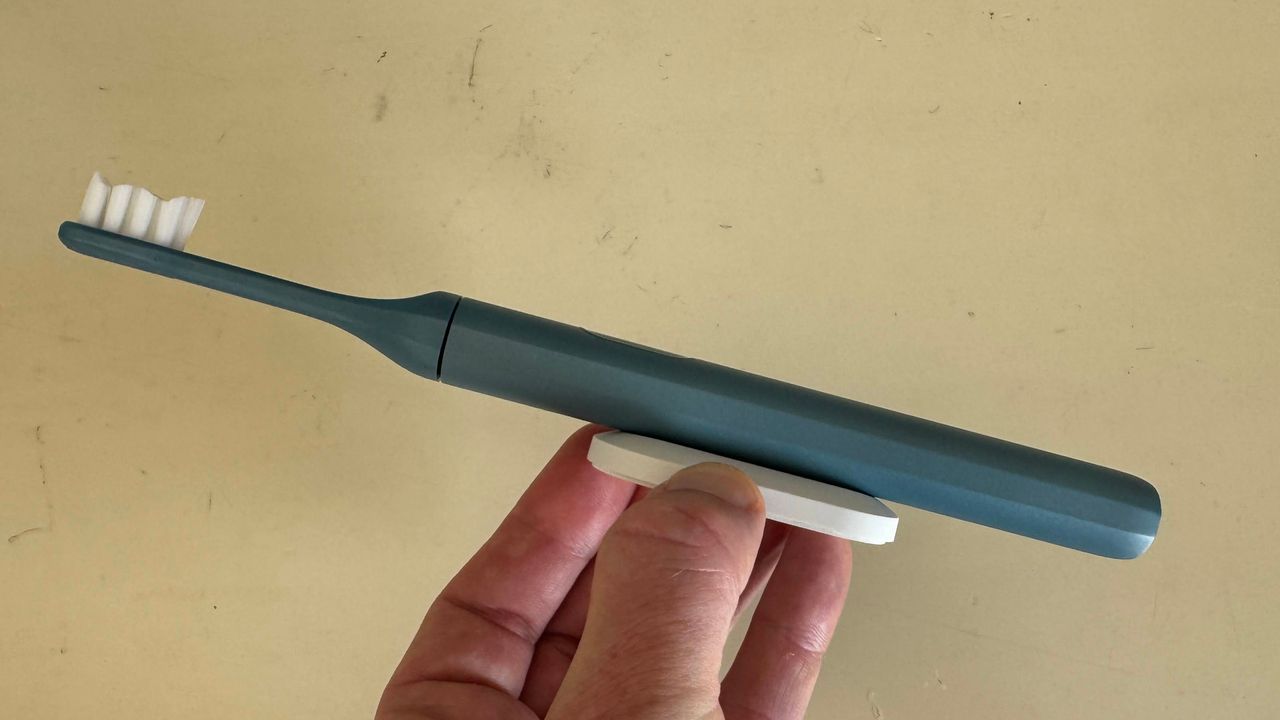
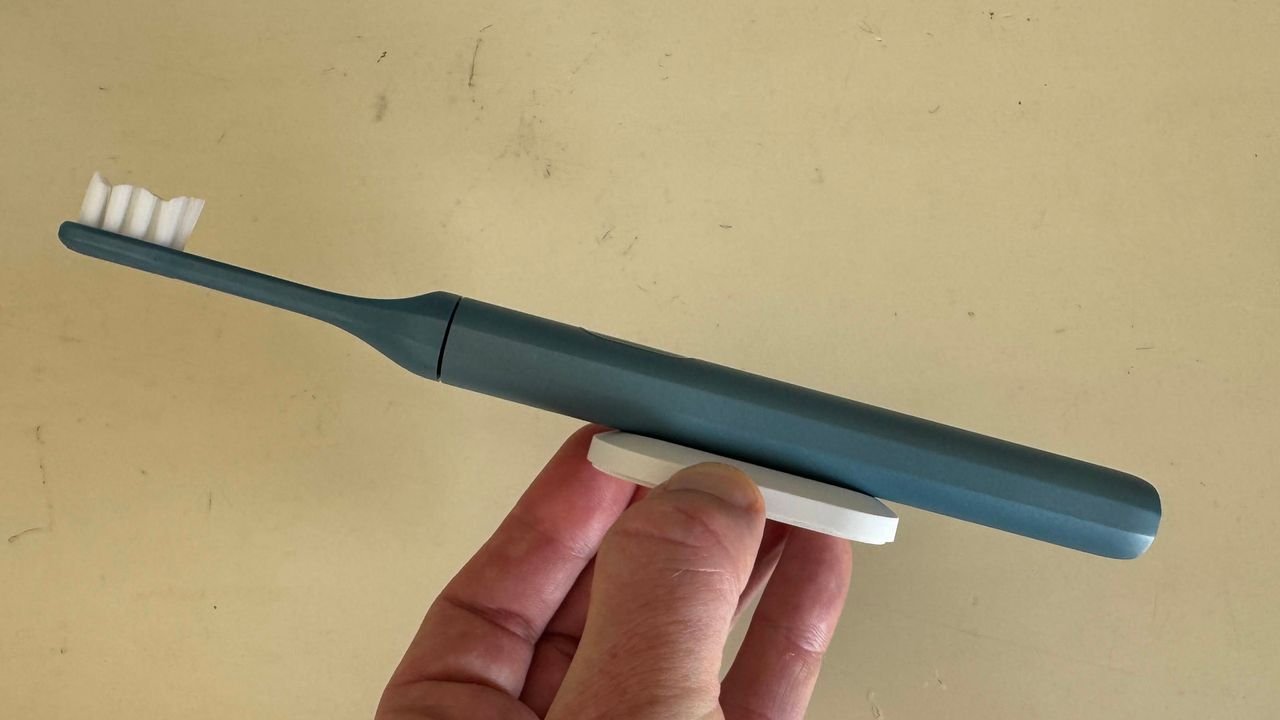
For the money, the upgrade version of Suri’s excellent electronic toothbrush features a new pressure sensor, a lengthy 40-day battery life, a handy magnetic mounting option, a slick aluminium body, plant-based brush heads, and convenient USB charging. This is the complete package, now at a more affordable price.
Advertisement
Today’s best electric toothbrush deal
In our Suri 2.0 Sonic Toothbrush review, we described the toothbrush as “sustainability and performance at its absolute best.” Building on version 1.0, the latest model “combines all the eco-friendly design features of its predecessor while adding in more premium upgrades.”
We’re big fans of the upgraded pressure sensor that delivers a better, more efficient, and safer clean. Suri has also improved the UV travel case, which is now battery-powered for ultimate portability.
The Suri toothbrush is also known for its sustainability credentials. “It uses recycled materials in construction, the heads are plant-based and can be recycled – for free by Suri in some countries – and it’s made to last.” That means you’re getting a high-performing toothbrush while being friendly to our planet.
Advertisement
If this excellent deal doesn’t tickle your fancy, then check out our guide to the best electric toothbrushes. We’ve included options to cover all types of budgets and feature preferences.
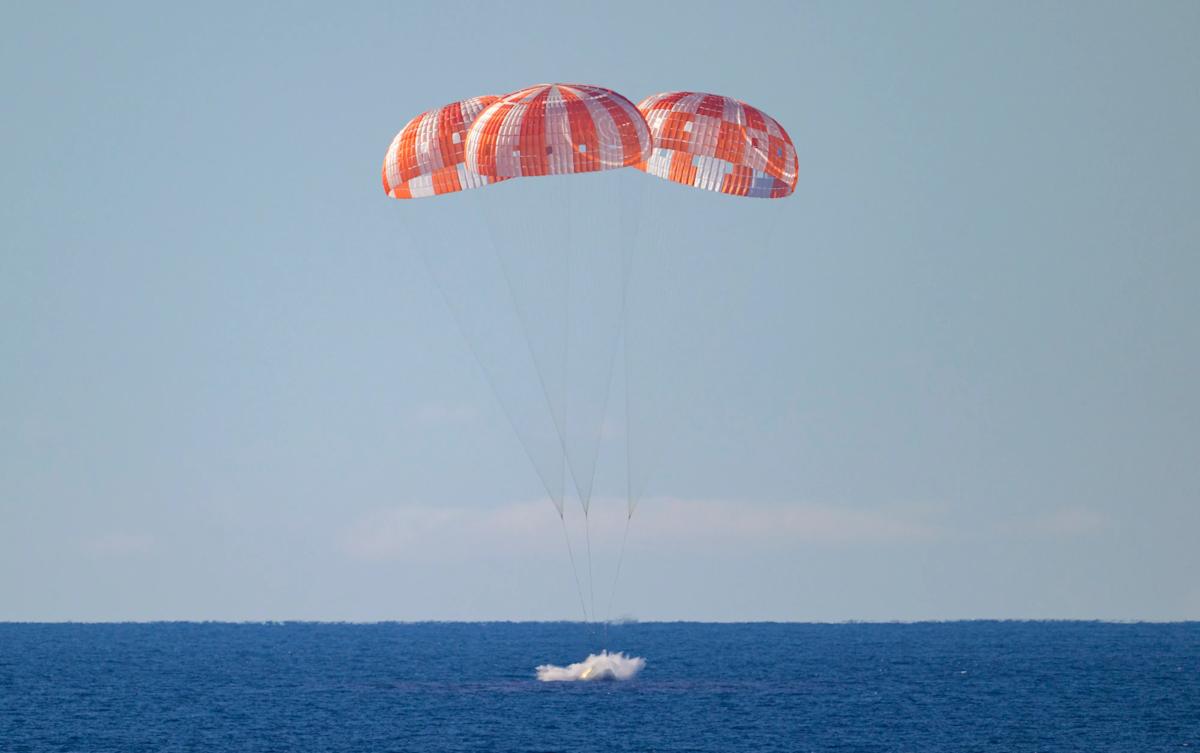
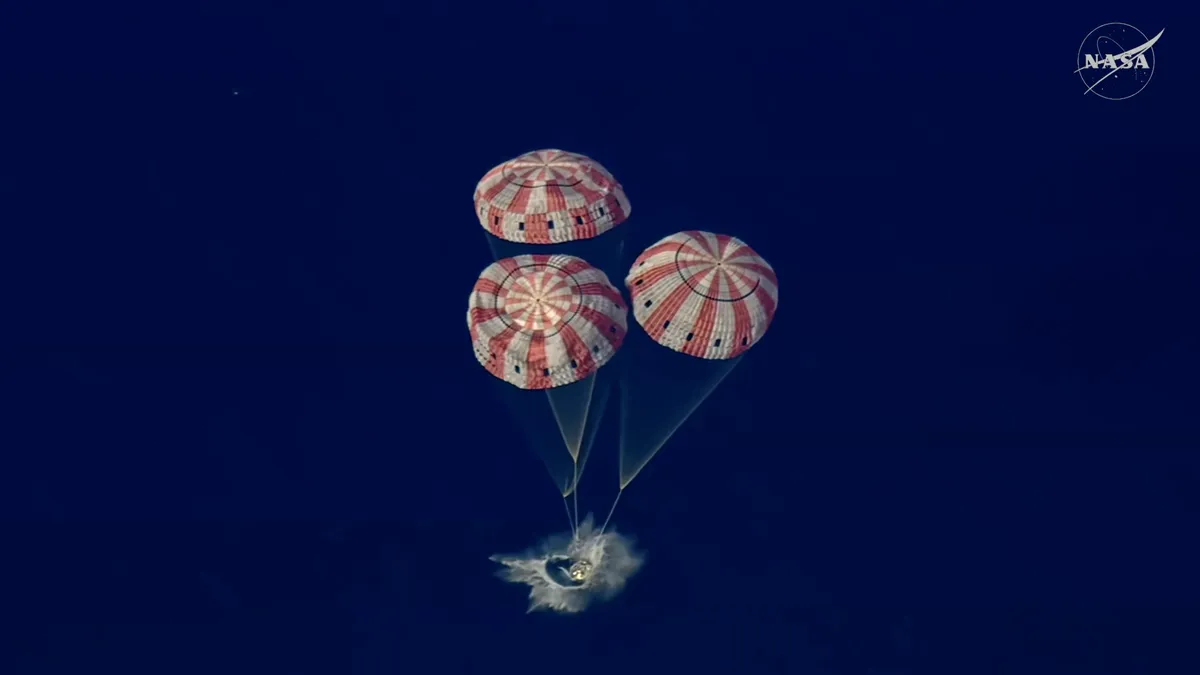
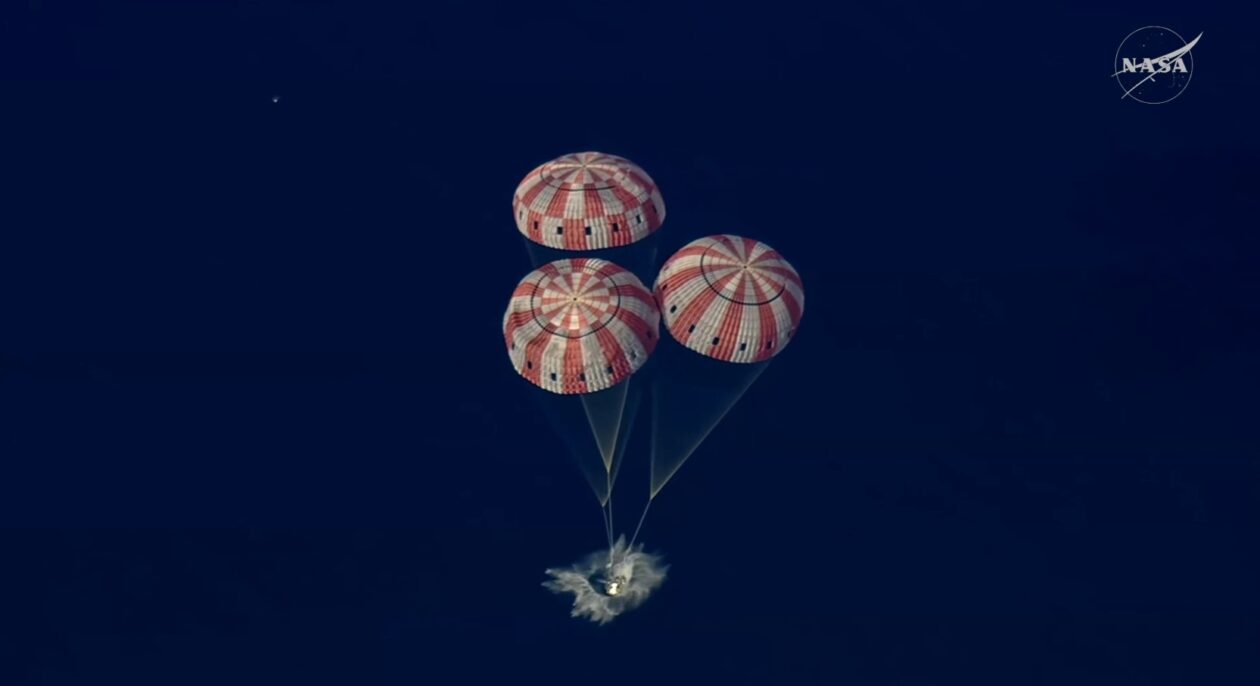
The Orion capsule carrying the Artemis II astronauts has successfully splashed down off the coast of San Diego at 8:07PM Eastern time on April 10. It signals the conclusion of Artemis II’s 10-day journey around the moon, which is meant to be a test flight for a future mission that would bring humanity back to the lunar surface. The Orion crew module carrying the mission’s astronauts separated from the service module at 7:33 PM. While the service module was designed to burn up in the Earth’s atmosphere, the crew capsule was built to bring the astronauts back home safely.
By 7:53 PM, Orion reached our planet’s upper atmosphere, where a six-minute communication blackout occurred due to the capsule heating up as it started its guided descent. The capsule has 11 parachutes, with its drogue parachutes being deployed at 23,400 feet to stabilize and slow it down. When Orion reached 5,400 feet above the ground, the drogue parachutes were cut off so that the three main parachutes could be deployed. That decreased the capsule’s velocity to 200 feet per second, enabling a safe splashdown.
NASA’s engineers conducted several tests while the capsule was in the water before the recovery team headed to the capsule on inflatable boats to extract the crew from Orion. By 9:34 PM, all four crew members were out of the capsule. They were then hoisted into helicopters and flown to the USS John P. Murtha dock ship, where doctors will assess their health.
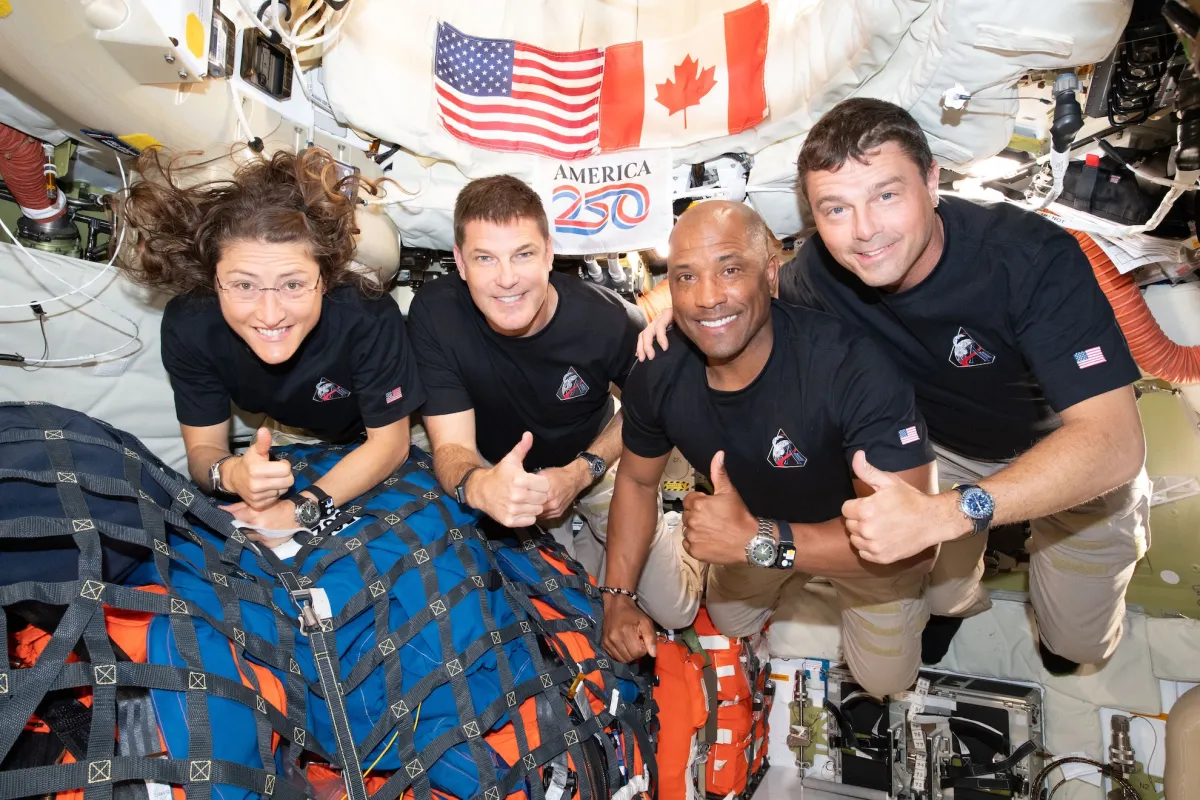
Artemis II launched on April 1 with four astronauts on board: NASA’s Reid Wiseman, Victor Glover and Christina Koch, as well as Canadian Space Agency’s Jeremy Hansen. They traveled around the moon for almost 10 days, reaching distances no other crewed mission has before it. The astronauts took photos of the far side of the moon, the side we don’t see from our planet, including amazing closeups of the lunar surface using their smartphones. That makes them the first humans to directly and personally view the lunar far side.
Advertisement
During NASA’s post-splashdown news conference, the agency said it will announce the Artemis III crew soon. Artemis III will rendezvous with one or both commercial landers being developed by SpaceX and Blue Origin in low Earth orbit, which will take humans to the lunar surface. It will test the lander’s ability to dock with Orion before NASA lands humans on the moon again.
Astronaut eats: they’re not just Tang and Space Food Sticks these days. NASA shared a look at the menu for the Artemis II astronauts, and it doesn’t sound half bad.
The Artemis II crew will enjoy more than 10 types of beverages, including coffee, mango-peach smoothies, green tea, apple cider, lemonade, a pineapple drink, cocoa and breakfast drinks flavored in their choice of chocolate, vanilla or strawberry.
Advertisement
The most common food items they’ll eat include tortillas, wheat flat bread, vegetable quiche, barbecued beef brisket, mango salad, granola with blueberries, macaroni and cheese, tropical fruit salad, couscous with nuts, broccoli au gratin, spicy green beans, almonds, cashews, and butternut squash cauliflower.
NASA also reports that the astronauts can choose to spice up their meals — there are five different hot sauces available to the crew. And culinary flavorings available include maple syrup, chocolate spread, peanut butter, spicy mustard, strawberry jam, honey, cinnamon and almond butter. Sweet treats include cookies, chocolate, pudding, cake, candy-coated almonds and cobbler.
And, no, they’re not popping a flavor pill or sucking a sandwich out of a tube, like old sci-fi shows told us.
“Food aboard Orion is ready-to-eat, rehydratable, thermostabilized or irradiated,” NASA says. “The crew uses Orion’s potable water dispenser to rehydrate foods and beverages and a compact, briefcase-style food warmer to heat meals as needed.”
Looking for the most recent Mini Crossword answer? Click here for today’s Mini Crossword hints, as well as our daily answers and hints for The New York Times Wordle, Strands, Connections and Connections: Sports Edition puzzles.
Need some help with today’s Mini Crossword? It’s the longest of the week, the Saturday edition. Read on for all the answers. And if you could use some hints and guidance for daily solving, check out our Mini Crossword tips.
If you’re looking for today’s Wordle, Connections, Connections: Sports Edition and Strands answers, you can visit CNET’s NYT puzzle hints page.
There is a huge amount to say about the latest iPhone Fold rumors, and a lesson for Apple in how the MacBook Neo could even be too successful, on the AppleInsider Podcast.
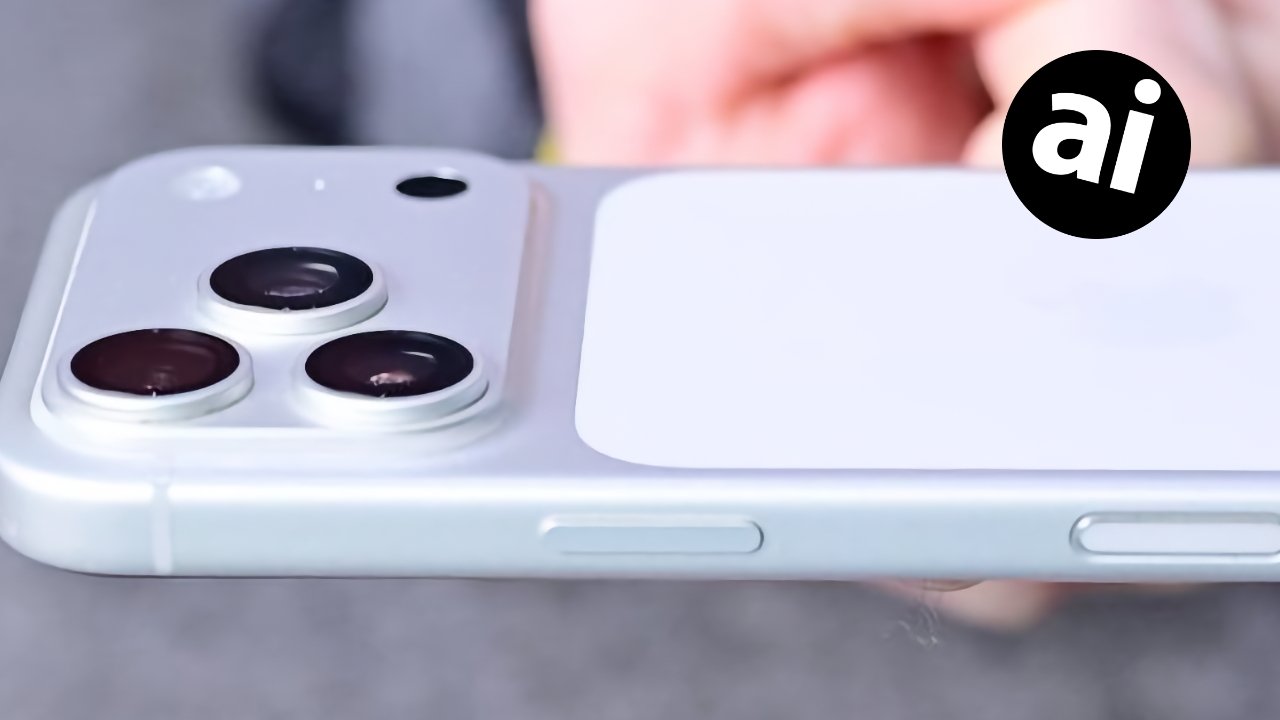
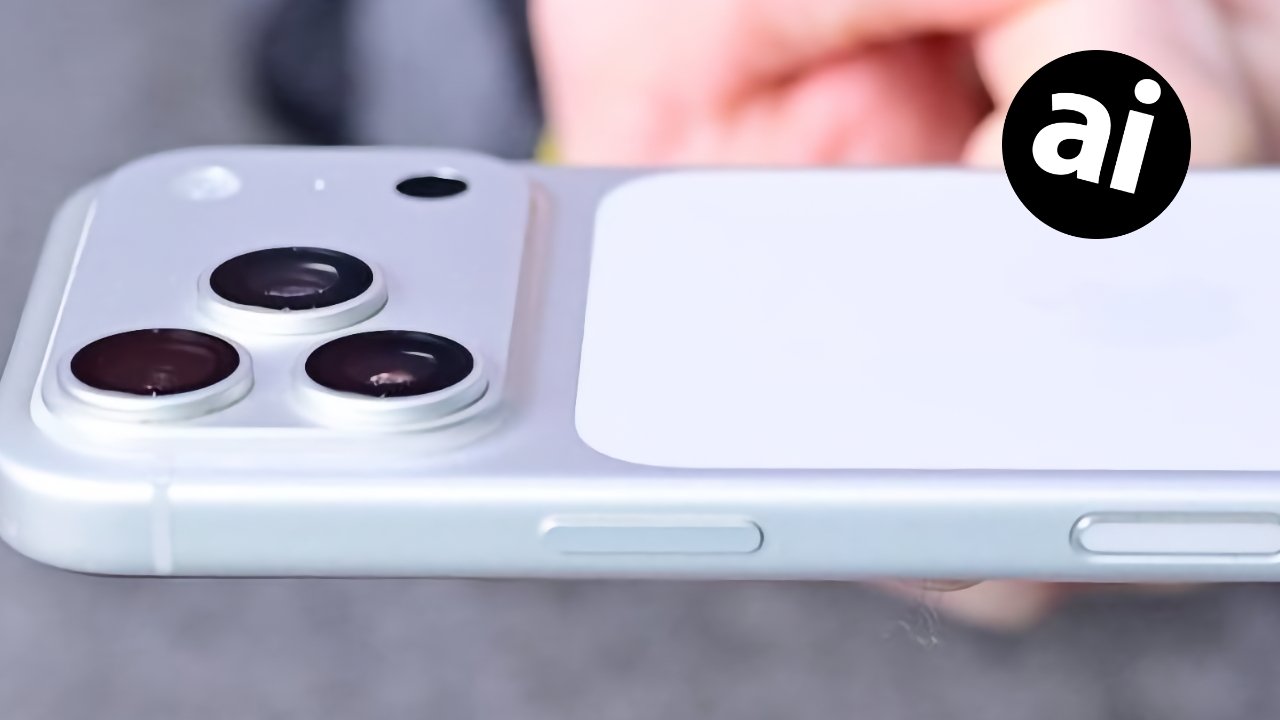
Even on Earth, iPhones are so light they feel as if they could float
After months or even really years of rumors and expectations over the iPhone Fold, it really does look as if one is coming. There’s still the issue of when, as conflicting reports are arguing over a range of dates, but they all agree it’s coming. Not all of them can agree on why, though. If only to save you unnecessarily buying the single most expensive iPhone ever conceived, we’ve got reasons why you should and shouldn’t buy it. And we’ve got reasons why it will probably be worth waiting. Continue Reading on AppleInsider | Discuss on our Forums
A new NYT Connections puzzle appears at midnight each day for your time zone – which means that some people are always playing ‘today’s game’ while others are playing ‘yesterday’s’. If you’re looking for Friday’s puzzle instead then click here: NYT Connections hints and answers for Friday, April 10 (game #1034).
Good morning! Let’s play Connections, the NYT’s clever word game that challenges you to group answers in various categories. It can be tough, so read on if you need Connections hints.
What should you do once you’ve finished? Why, play some more word games of course. I’ve also got daily Strands hints and answers and Quordle hints and answers articles if you need help for those too, while Marc’s Wordle today page covers the original viral word game.
Advertisement
SPOILER WARNING: Information about NYT Connections today is below, so don’t read on if you don’t want to know the answers.
Article continues below
NYT Connections today (game #1035) – today’s words
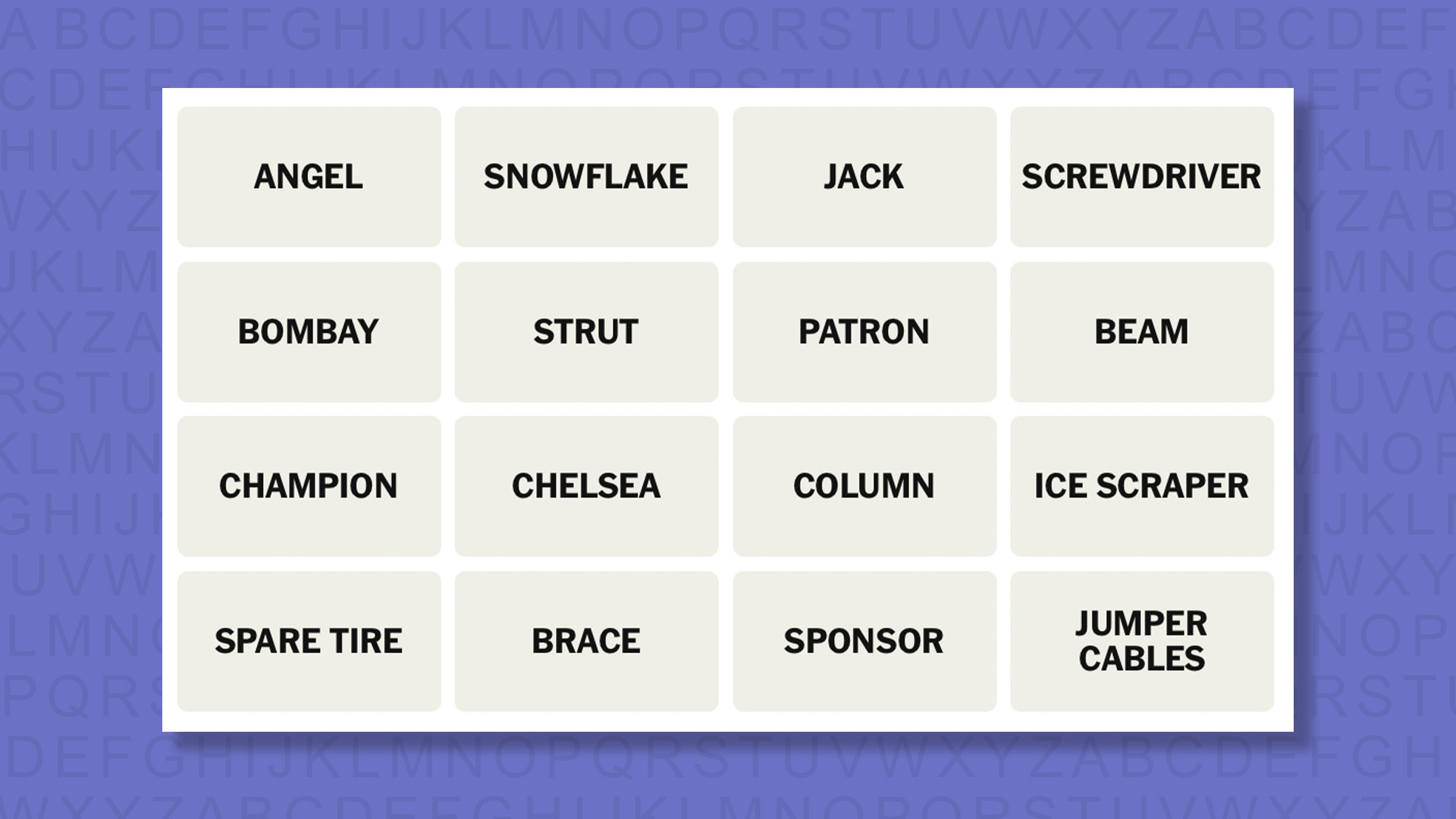
(Image credit: New York Times)
Today’s NYT Connections words are…
ANGEL
SNOWFLAKE
JACK
SCREWDRIVER
BOMBAY
STRUT
PATRON
BEAM
CHAMPION
CHELSEA
COLUMN
ICE SCRAPER
SPARE TIRE
BRACE
SPONSOR
JUMPER CABLES
NYT Connections today (game #1035) – hint #1 – group hints
What are some clues for today’s NYT Connections groups?
BLUE: They hold buildings up
YELLOW: Always carried in a vehicle
GREEN: One who funds a project
PURPLE: Look for the H2O
Need more clues?
We’re firmly in spoiler territory now, but read on if you want to know what the four theme answers are for today’s NYT Connections puzzles…
Advertisement
Sign up for breaking news, reviews, opinion, top tech deals, and more.
NYT Connections today (game #1035) – hint #2 – group answers
What are the answers for today’s NYT Connections groups?
BLUE: STRUCTURAL SUPPORTS
YELLOW: FOUND IN THE TRUNK OF A CAR
GREEN: BENEFACTOR
PURPLE: ENDING IN BODIES OF WATER
Right, the answers are below, so DO NOT SCROLL ANY FURTHER IF YOU DON’T WANT TO SEE THEM.
Advertisement
NYT Connections today (game #1035) – the answers
(Image credit: New York Times)
The answers to today’s Connections, game #1035, are…
PURPLE: ENDING IN BODIES OF WATER BOMBAY, CHELSEA, SCREWDRIVER, SNOWFLAKE
My rating: Easy
My score: 1 mistake
I came close to connecting JACK, BEAM, and BOMBAY as they are all part of alcohol brand names, while PATRON also has an alcohol connection as it’s a tequila brand. Fortunately, I resisted the temptation and noted that BEAM could instead go with the other STRUCTURAL SUPPORTS.
Instead, my mistake came because I put SCREWDRIVER instead of JACK in the group of four things FOUND IN THE TRUNK OF A CAR. I’d say you should have a screwdriver too, but I also should have taken more time to see the more obvious piece of car equipment.
Advertisement
After getting the green group, BENEFACTOR, I still failed to see what connected the final four tiles — my obsession with alcohol was such that even to the end I thought the SCREWDRIVER in question must be a cocktail.
Yesterday’s NYT Connections answers (Friday, April 10, game #1034)
YELLOW: PEPPERS BELL PEPPER, CAROLINA REAPER, CHIPOTLE, PEPPERONCINO
GREEN: THINGS THAT POP UP EJECTOR SEAT, JACK-IN-THE-BOX, POP-UP BOOK, TOASTER
BLUE: DESCRIPTORS FOR SWISS CHEESE FIRM, HOLEY, NUTTY, SWISS
PURPLE: BLUE CHARACTERS BLUE, GENIE, GONZO, SONIC
What is NYT Connections?
NYT Connections is one of several increasingly popular word games made by the New York Times. It challenges you to find groups of four items that share something in common, and each group has a different difficulty level: green is easy, yellow a little harder, blue often quite tough and purple usually very difficult.
On the plus side, you don’t technically need to solve the final one, as you’ll be able to answer that one by a process of elimination. What’s more, you can make up to four mistakes, which gives you a little bit of breathing room.
Advertisement
It’s a little more involved than something like Wordle, however, and there are plenty of opportunities for the game to trip you up with tricks. For instance, watch out for homophones and other word games that could disguise the answers.
It’s playable for free via the NYT Games site on desktop or mobile.
After 10 days, the four astronauts aboard the Orion spacecraft have returned to Earth, their mission around the Moon a success.
Integrity, the name of the crew’s spacecraft as part of NASA’s Artemis II mission, splashed down in the Pacific Ocean off the coast of San Diego, California, at 5:07 p.m. Pacific Time, according to NASA. The four crew members aboard — three Americans and one Canadian — were all in “green” (or safe and healthy) condition after the Orion craft’s “perfect” landing.
The crew was composed of Commander Reid Wiseman, pilot Victor Glover, and mission specialists Christina Koch and Jeremy Hansen. From liftoff to splashdown, the quartet was in space for just over nine days (with NASA rounding up and calling it a 10-day mission).
Advertisement
Artemis II was NASA’s first mission to the Moon’s orbit in more than 50 years. The crew traveled farther from Earth than humans ever have before — reaching an estimated 252,760 miles from our planet. During their journey, the crew orbited the Moon, taking photos from their flyby of never-before-seen parts of the surface, and even witnessing a total solar eclipse. They identified new craters, naming one after Wiseman’s wife Carroll, who died of cancer in 2020.
“These were the ambassadors to the stars that we sent out there,” Jared Isaacman, NASA’s administrator, said after the landing. “I can’t imagine a better crew. It was a perfect mission.”
Isaacman, a commercial astronaut who has been on two private orbital missions, also took to X to celebrate the mission and signaled there would be more to come, noting that America is back in the business.
“America is back in the business of sending astronauts to the Moon and bringing them home safely,” he wrote on X, later giving credit to the entire NASA workforce. “This was a test mission, the first crewed flight of SLS and Orion, pushing farther into the unforgiving environment of space than ever before, and it carried real risk. They accepted that risk for all we stood to learn and for the exciting missions that follow, as we return to the lunar surface, build a Moon base, and prepare for what comes next.”
NASA’s Orion spacecraft splashes into the Pacific Ocean, as seen in an overhead view. (NASA via YouTube)
Four astronauts and their Orion space capsule splashed down in the Pacific Ocean today, bringing the first crewed trip around the moon and back since 1972 to a successful end.
“What a journey!” mission commander Reid Wiseman said moments after splashdown.
During their 10-day odyssey, the crew of NASA’s Artemis 2 mission — Wiseman, pilot Victor Glover, mission specialist Christina Koch and Canadian astronaut Jeremy Hansen — became the most distant human travelers in history, swinging more than 4,000 miles past the moon’s far side. Koch is the first woman to venture beyond Earth orbit, Glover is the first Black astronaut to do so, and Hansen is the first non-U.S. astronaut to make such a trip.
The flight tested the Artemis program’s hardware and procedures to prepare the way for sending astronauts all the way to the lunar surface by as early as 2028, and for building a permanent lunar base in the 2030s.
“It’s the most important human spaceflight mission I think we’ve done in many decades, in terms of what it meant historically, but also what it means for the future of the agency,” NASA Associate Administrator Amit Kshatriya said at a post-splashdown news conference.
The final hour of the mission unfolded as NASA planned. After jettisoning its European-built service module, the Orion crew module — christened Integrity by the astronauts — hit the atmosphere at a speed of more than 24,000 mph. The shock of re-entry created a plasma field around the spacecraft that blacked out radio communications for six minutes.
The crew endured G-forces that ranged up to 3.9 times the force of Earth’s gravity — about what they felt during launch — and Orion’s heat shield endured temperatures of 4,000 to 5,000 degrees Fahrenheit. The trajectory for Orion’s descent was designed to reduce the stress on the heat shield, after NASA discovered that the heat shield for an earlier uncrewed round-the-moon mission, Artemis 1, underwent more serious charring than expected.
Advertisement
“This is the true test of our trajectory,” NASA commentator Rob Navias said.
Orion passed the test: “Houston, Integrity: We have you loud and clear,” Wiseman told Mission Control when the blackout ended, sparking a cheer from ground controllers.
The spacecraft’s parachutes deployed on cue, and Orion’s descent slowed to a speed of 19 mph by the time it hit the water in the Pacific southwest of San Diego.
Moments after splashdown, Wiseman reported that all four of the astronauts were in good health. Orion’s airbags were inflated with helium to help stabilize the floating craft.
Advertisement
“It was a textbook mission,” Navias said.
Recovery teams converged on the touchdown site, hampered somewhat by a glitch that arose with the crew’s satellite phone connection. Mission Control was able to stay in two-way contact with the crew via radio, however, and assisted with troubleshooting.
The astronauts were brought out from the spacecraft and hoisted up to helicopters for transfer to the USS John P. Murtha, an amphibious transport dock ship that served as the lead ship in the recovery effort. After undergoing medical checks, they were to be brought to shore in San Diego — and on Saturday, they’ll be flown to Johnson Space Center in Houston. Meanwhile, the Orion capsule will be towed back onto the USS John P. Murtha’s well deck for transport.
Back at Mission Control, members of the Artemis 2 team hugged each other as they watched the video from the Pacific. “The mission is over, but the melody lingers on,” Navias said.
Advertisement
Recovery team members bring Artemis 2’s astronauts out of the Orion spacecraft and onto a raft known as the “Front Porch” in preparation for transport to the USS John P. Murtha in the Pacific Ocean. (NASA via YouTube)
On the ship, NASA Administrator Jared Isaacman said he “couldn’t be more proud of the entire workforce” at the space agency.
“The childhood Jared can’t believe what I just saw,” said Isaacman, who was born 10 years after the final Apollo moon mission in 1972. “I’ve almost been waiting my whole life to see this.”
He pledged that Artemis 2’s round-the-moon trip wouldn’t be a once-in-a-lifetime experience. “This is just the beginning,” he said. “We are going to get back into doing this with frequency, sending missions to the moon until we land on it in 2028 and start building our base.”
President Donald Trump passed along his congratulations. “The entire trip was spectacular, the landing was perfect and, as President of the United States, I could not be more proud!” Trump wrote in a post on Truth Social. “I look forward to seeing you all at the White House soon. We’ll be doing it again and then, next step, Mars!”
Looking back, looking ahead
Even though Artemis 2 was primarily an engineering test mission, the trip also brought scientific benefits. The astronauts conducted a wide-angle survey of the lunar far side, and described areas that the Apollo program’s astronauts couldn’t see with their own eyes due to lighting conditions and a closer-in orbital perspective.
Advertisement
At the beginning and end of their swing around the moon, the Artemis 2 crew captured stunning images of Earthset and Earthrise, stirring the same feelings of awe that were sparked by Apollo 8’s original Earthrise image in 1968. The astronauts also witnessed an unearthly kind of solar eclipse that created an eerie glow around the darkened moon.
The upper image shows Earthrise during Apollo 8’s trip around the moon in 1968. The lower image shows Earthset during Artemis 2’s trip around the moon this week. (NASA Photos)A darkened moon is backlit by scattered sunlight during an eerie solar eclipse observed by the Artemis 2 crew. (NASA Photo)
The astronauts were 252,756 miles from Earth at the farthest point of their trip, which exceeded the previous record set by Apollo 13 in 1970 by 4,101 miles.
Even though it was a textbook mission, not everything went perfectly. The first toilet to be installed in a spacecraft that was sent beyond Earth orbit acted up during the outbound leg of the journey, apparently due to ice that blocked a wastewater vent line. “Nailing this capability is one that we need to certainly work on,” Isaacman said at the time.
NASA also detected a slight helium leak in the pressurization system for the oxidizer tank on Orion’s service module. The leak didn’t pose a problem for Artemis 2, but Kshatriya said the system might have to be redesigned for the lunar landing mission in 2028.
Meanwhile, SpaceX and Blue Origin are still working on the landing systems that will be needed to get future astronauts to the lunar surface. NASA is planning to test-drive SpaceX’s Starship lander and/or Blue Origin’s Blue Moon lander in low Earth orbit next year during Artemis 3.
Advertisement
If all goes according to plan, one of those landers would facilitate the first lunar landing since 1972 during the Artemis 4 mission in early 2028, and the crew of Artemis 5 would begin work on a base near the moon’s south pole in late 2028.
As a warmup, Jeff Bezos’ Blue Origin space venture is gearing up to send an uncrewed version of the Blue Moon lander, known as Endurance, to the moon’s south polar region later this year. That region is a prime target for lunar exploration and settlement because its craters are thought to harbor reserves of ice that could be converted to drinkable water and breathable oxygen, plus hydrogen that could be used as rocket fuel.
Today Blue Origin CEO Dave Limp added his congratulations on a successful Artemis 2 mission, calling it “this generation’s Apollo moment.”
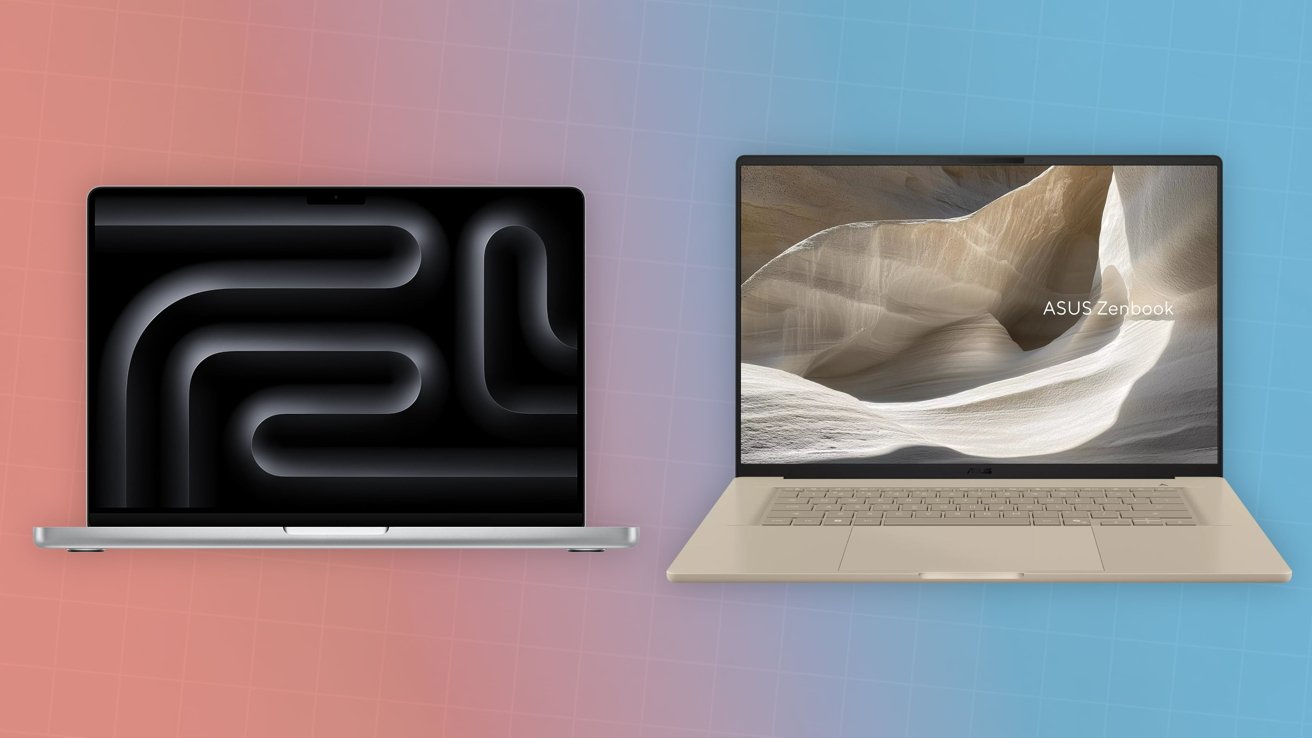
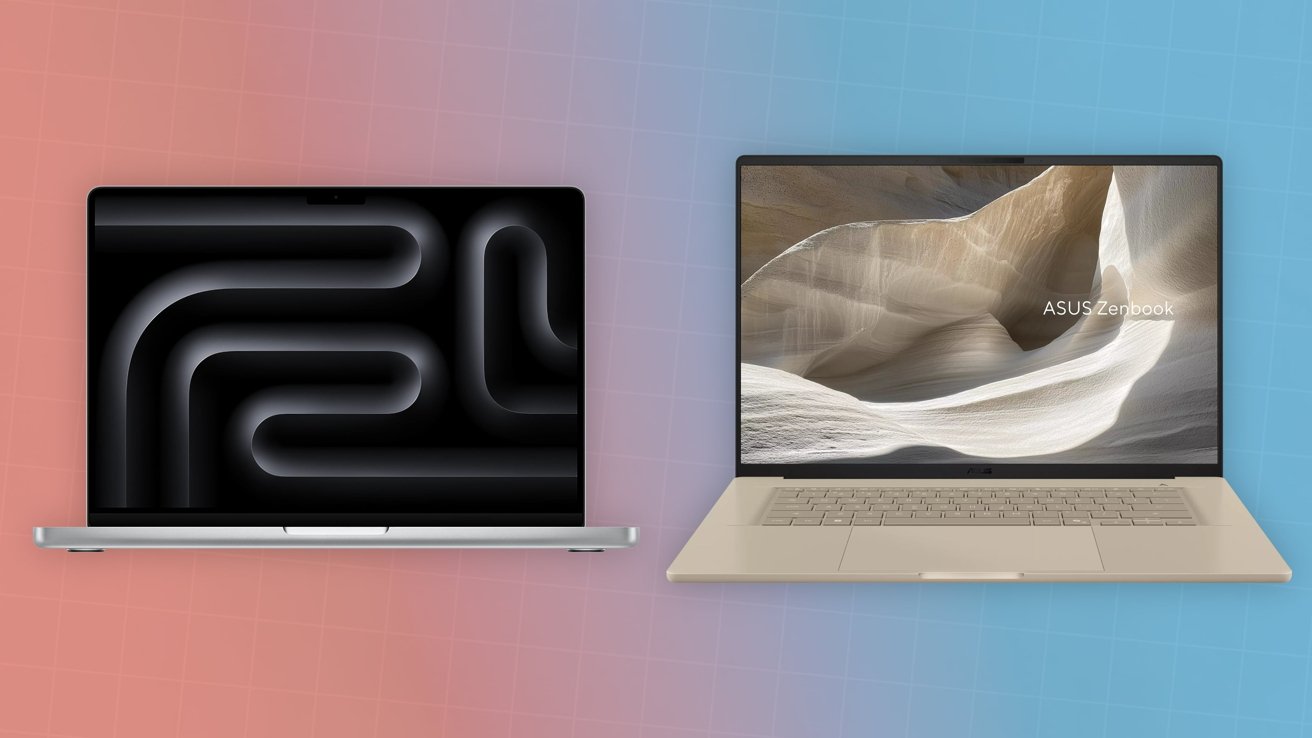
The Asus Zenbook A16 is a thin and light Windows notebook aiming to take the portability crown from Apple. Here’s how it compares against a similarly-priced MacBook Pro.
M5 14-inch MacBook Pro vs Asus Zenbook A16
For our spec-sheet brawl, we’re going to put the $1,999 Asus Zenbook A16 against the 14-inch MacBook Pro with M5. As much as we would compare the similarly-sized 16-inch MacBook Pro, the other upgrades to the base-spec version pushes it to $2,699, which is a bit too high. To make it a little bit closer in price, we will set the 14-inch MacBook Pro as having an enhanced memory allowance of 24GB or 32GB. Continue Reading on AppleInsider | Discuss on our Forums
This weekend’s watchlist covers three different genres of movies, so you can pick whatever you are in the mood for. We have a trio of hidden gems on Amazon Prime Video that deserve way more attention.
There is a gritty Michael Caine revenge thriller you should not miss, a micro-budget 1950s sci-fi mystery that thrives on atmosphere and dialogue. For horror fans, we have a psychological horror bout a hospice nurse whose faith tips into something far more dangerous that gets inside your skin.
Saint Maud is not a horror film in the traditional sense, and going in expecting one will work against you. What it actually is is a deeply unsettling psychological portrait of a young hospice nurse named Maud, a recent Catholic convert who becomes dangerously fixated on saving her terminally ill patient’s soul in ways that grow increasingly disturbing.
Morfydd Clark’s performance is the engine of the whole thing, holding a fragile, frightening line between piety and paranoia throughout. I really like how the film gets under your skin without ever fully explaining itself. You finish it feeling like you witnessed something you were not supposed to see, and that feeling does not leave quickly.
If you have a soft spot for slow-burn British crime dramas, Harry Brown is the movie you need to watch this weekend. Michael Caine plays the title character, a widowed, retired Royal Marines veteran living on a decaying South London housing estate overrun by gang violence. When his only friend is murdered, Harry stops looking the other way.
What makes this film work so well is how it refuses to glamorize what follows. Harry is not an action hero. He is an old man with emphysema who stumbles during a chase and collapses on a canal path.
I really like how the film earns every moment of tension because it keeps Harry vulnerable and the world around him genuinely threatening. Caine is absolutely extraordinary here, and there are sequences in this film that will make you forget you are watching a 77-year-old man.
Have you accidentally tuned into a late-night radio broadcast and could not bring yourself to switch off. Well, The Vast of Night is exactly that kind of sci-fi movie.
Set over a single night in 1950s small-town New Mexico, the film follows Fay, a teenage switchboard operator, and Everett, a fast-talking local radio DJ, as they stumble onto a mysterious audio frequency that sends them down a strange and increasingly eerie rabbit hole.
There are no big set pieces or alien invasions. The tension is built almost entirely through dialogue, long unbroken camera takes, and an incredibly precise sound design that makes the night feel alive and watchable.
Advertisement
What I really love about this movie is how it makes stillness feel tense. A long phone call, a quiet street, a voice crackling through static, and somehow all of it keeps you completely locked in. For a movie made on a low budget, The Vast of Night makes an entertaining watch.
HappyHorse 1.0 shot up to the top ranks in the Artificial Analysis leaderboard.
Chinese technology giant Alibaba’s cloud division led a $293m funding round into ShengShu Technology, a 2023-founded Beijing-based start-up behind the Vidu AI video-generation tool.
Baidu Ventures and Luminous Ventures also participated in the round. The company’s post-money valuation has not been disclosed.
The latest investment comes after ShengShu raised nearly $88m in a Series A round in February.
Advertisement
Vidu is marketed towards independent creators and animators, promising “effortless” production of content with “diverse artistic styles”.
The start-up is focusing on building ‘world models’ built on multimodal data such as audio, video and “touch”. The latest funding, the company said, will help support the development of a “general world model”.
The company’s latest Vidu Q3 Pro, which launched in January, places at the seventh rank on the Artificial Analysis leaderboard on text-to-video models, while making it to the 10th spot on the image-to-video rankings.
Vidu competes with other Chinese AI heavyweights, including ByteDance’s Seedance 2.0 and lead investor Alibaba’s own video model HappyHorse 1.0 that shot up to the top rank on the Artificial Analysis leaderboard.
Advertisement
Meanwhile, models from companies such as Singapore’s Skywork AI and Beijing-based Kuaishou, behind KlingAI, also rank high on the boards. These models are hungry to fill the gap in the video generation space left by OpenAI after it shuttered Sora late last month. Top leaderboard rankings are increasingly being filled by Chinese models.
HappyHorse was anonymously launched earlier this week before Alibaba claimed ownership today (10 April). The model is a product of Alibaba’s new Token Hub (ATH) innovation unit, placing number one on text-to-video and image-to-video ranks with no audio, while placing at the second spot with audio.
Bloomberg News reported that HappyHorse 1.0, which is under beta testing currently, will be followed up with more new ATH products. Alibaba’s share prices shot up following speculation that the company was behind the model.
Alibaba made the decision last month to bring its AI services and development works under a single roof called ATH, led by CEO Eddie Wu.
Advertisement
Don’t miss out on the knowledge you need to succeed. Sign up for the Daily Brief, Silicon Republic’s digest of need-to-know sci-tech news.



















































You must be logged in to post a comment Login