Anyone who’s scrolled social media lately knows that AI is everywhere. But we aren’t always great at spotting it when we see it. That’s a big problem, and our frustrations with AI are growing.
AI slop has infected every platform, from soulless images to bizarre videos and superficially literate text. The vast majority of US adults who use social media (94%) believe they encounter content that was created or altered by AI, but only 44% of US adults say they’re confident they can tell real photos and videos from AI-generated ones, according to an exclusive CNET survey.
There are a lot of different ways people are fighting back against AI content. Some solutions are focused on better labels for AI-created content, since it’s harder than ever to trust our eyes. Of the 2,443 respondents who use social media, half (51%) believed we need better AI labels online. Others (21%) believe there should be a total ban on AI-generated content on social media. Only a small group (11%) of respondents say they find AI content useful, informative or entertaining.
AI isn’t going anywhere, and it’s fundamentally reshaping the internet and our relationship with it. Our survey shows that we still have a long way to go to reckon with it.
Key findings
Most US adults who use social media (94%) believe they encounter AI content on social media, yet far fewer (44%) can confidently distinguish between real and fake images and videos.
Many US adults (72%) said they take action to determine if an image or video is real, but some don’t do anything, particularly among Boomers (36%) and Gen Xers (29%).
Half of US adults (51%) believe AI-generated and edited content needs better labeling.
One in five (21%) believe AI content should be prohibited on social media, with no exceptions.
Watch this: AI Is Indistinguishable From Reality. How Do We Spot Fake Videos?
US adults don’t feel they can spot AI media
Seeing is no longer believing in the age of AI. Tools like OpenAI’s Sora video generator and Google’s Nano Banana image model can create hyperrealistic media, with chatbots smoothly assembling swaths of text that sound like a real person wrote them.
So it’s understandable that a quarter (25%) of US adults say they aren’t confident in their ability to distinguish real images and videos from AI-generated ones. Older generations, including Boomers (40%) and Gen X (28%), are the least confident. If folks don’t have a ton of knowledge or exposure to AI, they’re likely to feel unsure about their ability to accurately spot AI.
Advertisement
People take action to verify content in different ways
AI’s ability to mimic real life makes it even more important to verify what we’re seeing online. Nearly three in four US adults (72%) said they take some form of action to determine whether an image or video is real when it piques their suspicions, with Gen Z being the most likely (84%) of the age groups to do so. The most obvious — and popular — method is closely inspecting the images and videos for visual cues or artifacts. Over half of US adults (60%) do this.
But AI innovation is a double-edged sword; models have improved rapidly, eliminating the previous errors we used to rely on to spot AI-generated content. The em dash was never a reliable sign of AI, but extra fingers in images and continuity errors in videos were once prominent red flags. Newer AI models usually don’t make those pedestrian mistakes. So we all have to work a little bit harder to determine what’s real and what’s fake.
You can look for discrepancies and labels to identify AI content.
Advertisement
Cole Kan/CNET/Getty Images
As visual indicators of AI disappear, other forms of verifying content are increasingly important. The next two most common methods are checking for labels or disclosures (30%) and searching for the content elsewhere online (25%), such as on news sites or through reverse image searches. Only 5% of respondents reported using a deepfake detection tool or website.
But 25% of US adults don’t do anything to determine if the content they’re seeing online is real. That lack of action is highest among Boomers (36%) and those in Gen X (29%). This is worrisome — we’ve already seen that AI is an effective tool for abuse and fraud. Understanding the origins of a post or piece of content is an important first step to navigating the internet, where anything could be falsified.
Half of US adults want better AI labels
Many people are working on solutions to deal with the onslaught of AI slop. Labeling is a major area of opportunity. Labeling relies on social media users to disclose that their post was made with the help of AI. This can also be done behind the scenes by social media platforms, but it’s somewhat difficult, which leads to haphazard results. That’s likely why 51% of US adults believe that we need better labeling on AI content, including deepfakes. Support was strongest among Millennials and Gen Z, at 56% and 55%, respectively.
Advertisement
Very few (11%) found AI content useful, informative or entertaining.
Cole Kan/CNET/Getty Images
Other solutions aim to control the flood of AI content shared on social media. All of the major platforms allow AI-generated content, as long as it doesn’t violate their general content guidelines — nothing illegal or abusive, for example. But some platforms have introduced tools to limit the amount of AI-generated content you see in your feeds; Pinterest rolled out its filters last year, while TikTok is still testing some of its own. The idea is to give every person the ability to permit or exclude AI-generated content from their feeds.
But 21% of respondents believe that AI content should be prohibited on social media altogether, no exceptions allowed. That number is highest among Gen Z at 25%. When asked if they believed AI content should be allowed but strictly regulated, 36% said yes. Those low percentages may be explained by the fact that only 11% find AI content provides meaningful value — that it’s entertaining, informative or useful — and that 28% say it provides little to no value.
How to limit AI content and spot potential deepfakes
Your best defense against being fooled by AI is to be eagle-eyed and trust your gut. If something is too weird, too shiny or too good to be true, it probably is. But there are other steps you can take, like using a deepfake detection tool. There are many options; I recommend starting with the Content Authenticity Initiative‘s tool, since it works with several different file types.
Advertisement
You can also check out the account that shared the post for red flags. Many times, AI slop is shared by mass slop producers, and you’ll easily be able to see that in their feeds. They’ll be full of weird videos that don’t seem to have any continuity or similarities between them. You can also check to see if anyone you know is following them or if that account isn’t following anyone else (that’s a red flag). Spam posts or scammy links are also indications that the account isn’t legit.
If you want to limit the AI content you see in your social feeds, check out our guides for turning off or muting Meta AI in Instagram and Facebook and filtering out AI posts on Pinterest. If you do encounter slop, you can mark the post as something you’re not interested in, which should indicate to the algorithm that you don’t want to see more like it. Outside of social media, you can disable Apple Intelligence, the AI in Pixel and Galaxy phones and Gemini in Google Search, Gmail and Docs.
Even if you do all this and still get occasionally fooled by AI, don’t feel too bad about it. There’s only so much we can do as individuals to fight the gushing tide of AI slop. We’re all likely to get it wrong sometimes. Until we have a universal system to effectively detect AI, we have to rely on the tools we have and our ability to educate each other on what we can do now.
Methodology
CNET commissioned YouGov Plc to conduct the survey. All figures, unless otherwise stated, are from YouGov Plc. The total sample size was 2,530 adults, of which 2,443 use social media. Fieldwork was undertaken Feb. 3 to 5, 2026. The survey was carried out online. The figures have been weighted and are representative of all US adults (aged 18 plus).
Watch ITVX when outside the UK with NordVPN (exclusive free gift)
Airs Monday, 23 February
The Love Island All Stars season 3 finale airs on Monday, 23rd February so expect more twists before we find out if frontrunners Sean Stone & Lucinda Strafford will be crowned champions. But did you know that some viewers can watch Love Island for free with this streaming hack…
Here’s the hack: In the UK, all episodes of Love Island All Stars season 3 are available on ITVX. And guess what, it’s a totally free service.
Yep, you could binge the entire latest season of the dating show, including Saturday’s final episode of 2026, without paying a thing!
Outside the UK? If you’re away from Britain: use a strong VPN to access your free ITVX stream from anywhere.
Advertisement
How to watch the Love Island All Stars final for free
Set your VPN back to your usual UK location and you’ll find that you can sign up to ITVX.
It’s clearly a popular workaround for accessing Love Island All Stars without paying. If you fancy trying out the (frankly awesome) NordVPN, we’ve got a great free gift for your below…
Advertisement
How to watch from abroad (free gift)
NordVPN is our best VPN (we actually have our own in-house expert, Mike, who tests VPNs 24/7 and he rates NordVPN top for price, features, security, etc).
We also find Nord works best for streaming – allowing you to access your domestic streaming services when abroad.
You can sign up in minutes and start watching Love Island All Stars free…
Advertisement
Quick start: Using a VPN to watch Love Island All Stars final free
Once you’ve signed up with your VPN:
1. Open the NordVPN app.
2. Connect to a server based in the UK (London, etc).
Advertisement
3. Fire up ITVX. If that doesn’t work, try it in Google Chrome’s Incognito mode and you should be off to the races.
4. Watch the Love Island 2026 All-Stars final on streaming at no cost.
In conclusion
It’s been a rollercoaster season of Love Island All Stars and with the bumper 95-minute final episode fast approaching on Monday, February 23, the drama shows no signs of slowing down.
Advertisement
After plenty of romance, dumping and the chaos of ‘Hurricane Belle’, but with plenty of couples still left in the villa, there’s more heartbreak to come before all is said and done. And UK audiences are loving it, with this season already amassing over 53 millionstreams on ITVX.
US audiences can watch on Peacock, of course, but Brits away from home willing to use a VPN can still stream the entire season completely free with a good VPN.
If you’re awaiting the chaotic conclusion of the final installment of Love Island All Stars season 3, this might be the smartest – and cheapest – way to do it.
Advertisement
You may also be interested in…
We test and review VPN services in the context of legal recreational uses. For example: 1. Accessing a service from another country (subject to the terms and conditions of that service). 2. Protecting your online security and strengthening your online privacy when abroad. We do not support or condone the illegal or malicious use of VPN services. Consuming pirated content that is paid-for is neither endorsed nor approved by Future Publishing.
Despite AI’s progress in building complex software, the ubiquitous PDF remains something of a grand challenge — a format Adobe developed in the early 1990s to preserve the precise visual appearance of documents. PDFs consist of character codes, coordinates, and rendering instructions rather than logically ordered text, and even state-of-the-art models asked to extract information from them will summarize instead, confuse footnotes with body text, or outright hallucinate contents, The Verge writes.
Companies like Reducto are now tackling the problem by segmenting pages into components — headers, tables, charts — before routing each to specialized parsing models, an approach borrowed from computer vision techniques used in self-driving vehicles. Researchers at Hugging Face recently found roughly 1.3 billion PDFs sitting in Common Crawl alone, and the Allen Institute for AI has noted that PDFs could provide trillions of novel, high-quality training tokens from government reports, textbooks, and academic papers — the kind of data AI developers are increasingly desperate for.
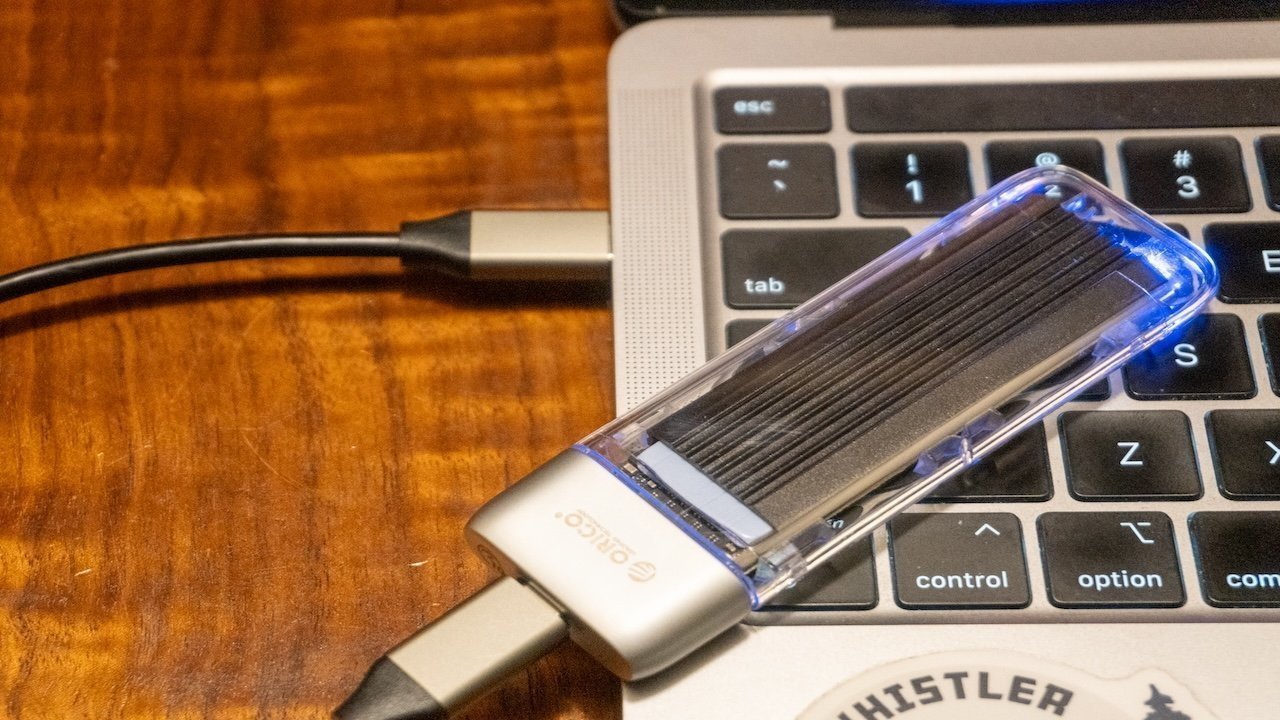
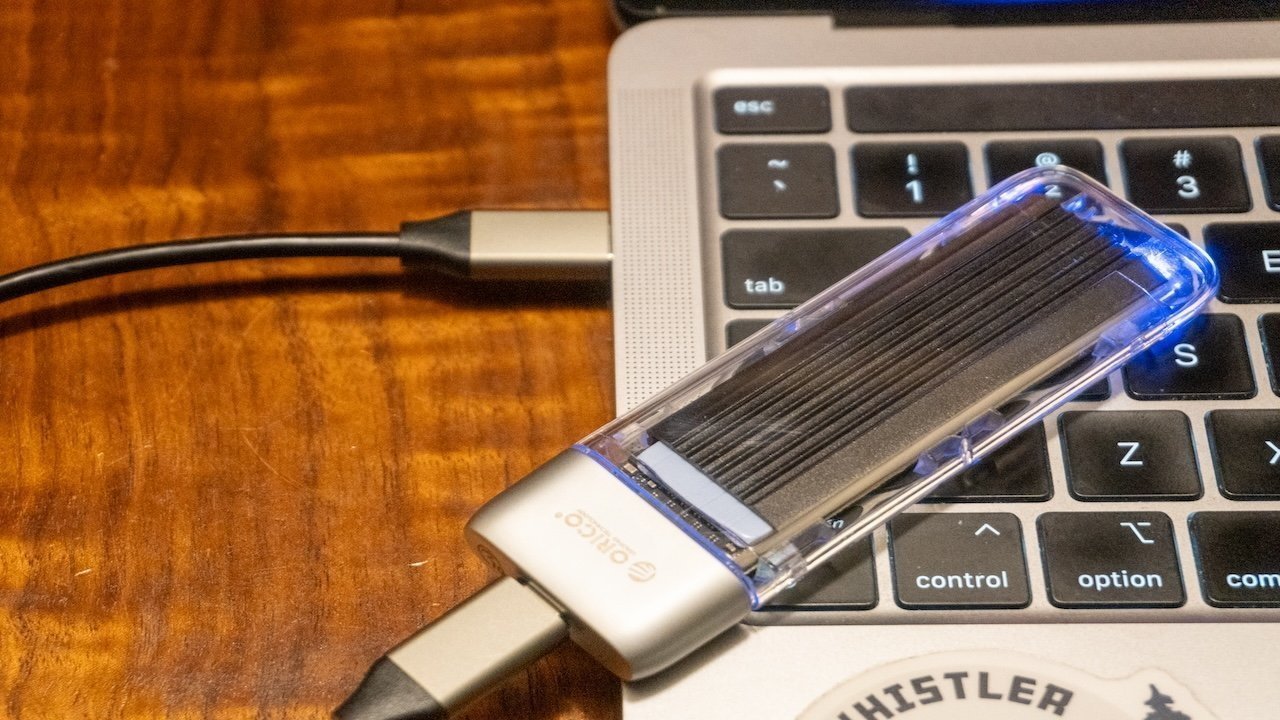
Some Mac users are discovering they can’t use their external drives with macOS Tahoe 26.3 and it seems Apple knows something’s wrong. Let us know what works for you, and what doesn’t.
An external drive connected to a Mac.
Apple released the update to macOS Tahoe 26.3 on February 11, with the update adding more machine learning performance for M5 users as well as other smaller changes. It seems that one undocumented alteration may have caused problems for some users. A number of users have taken to online support forums and social media to try and get help with an external drive issue in macOS Tahoe 26.3. Affected users are finding that external drives are not mounting properly, despite previously working fine. Continue Reading on AppleInsider | Discuss on our Forums
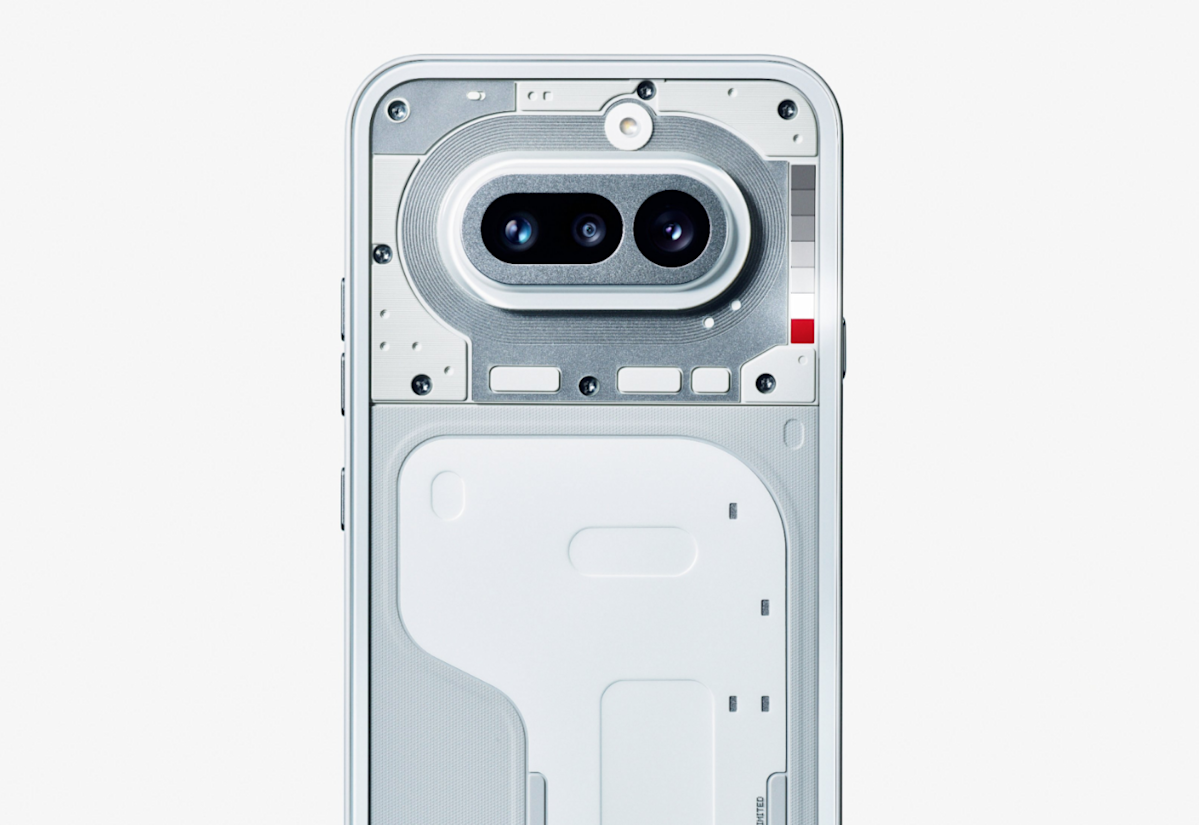
Nothing has been slow-dripping news about the upcoming Phone 4a for a few days now, with a promise to reveal the handset on March 5. However, the company jumped the gun a bit and just posted an . It looks pretty nifty, even if we don’t have any real-deal specs just yet.
The image shows the handset from behind, displaying the company’s trademark transparent design. The picture also features the redesigned Glyph Bar, . This is a light-based notification system that features individually controlled mini-LEDs that light up in various ways to notify the user of missed calls and stuff like that. You can spot it next to the camera bump.
That’s about all we know right now, though there are plenty of industry rumors. It’s been reported that the Nothing Phone 4a will feature a and that the reveal will be accompanied by a Pro model with a more powerful camera. The Nothing Phone 3a was also launched alongside the 3a Pro.
We loved the 3a and 3a Pro, “an easy recommendation.” Let’s hope this carries through for the 4a. Also, you didn’t miss a release of the actual Nothing Phone 4. The company likes to release the a-series handsets . Past as prologue, we’ll likely see that one in early summer.
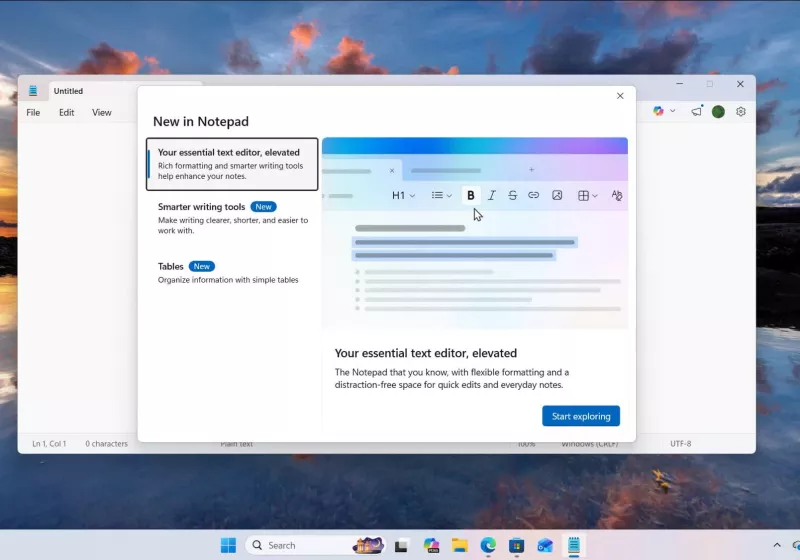
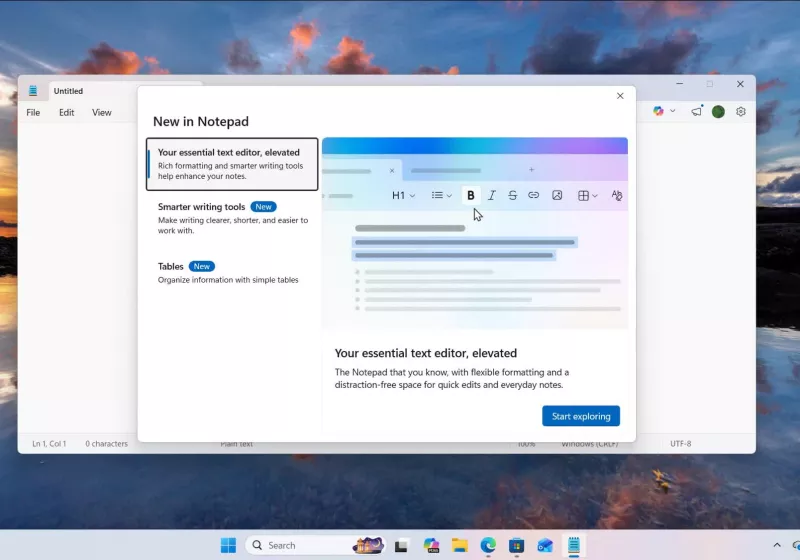
Microsoft is reportedly working on yet another “advanced” Notepad feature that has little to do with basic text editing. According to unnamed sources cited by Windows Latest, the application will soon support inserting images into text-based documents. Read Entire Article Source link
I watch a fair few films, though recently I haven’t been going to the cinema as much. That’s more to do with the quality of films available (if there’s anything that will kill cinema, it will be the dearth of quality).
That doesn’t mean I watch more films at home per se, as if I’ve gone in the opposite direction and sided with home releases, but if I do miss out on a cinema release, I’m not as fussed about waiting for the home release.
I missed out on watching Predator: Badlands, which I wanted to see in the cinema, but after a couple of weeks it became increasingly hard to find it at a nearby cinema. I ended up waiting for that to hit Disney+.
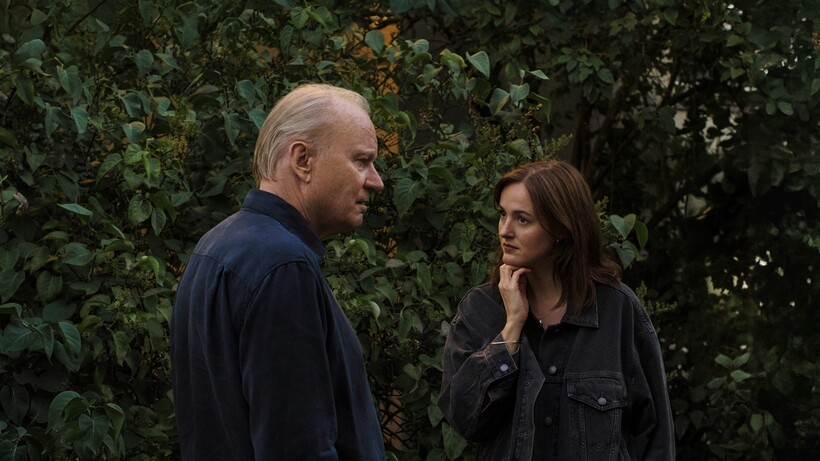
But this week, while opening the MUBI app for the first time in a while, I saw that it had Joachim Trier’s Sentimental Value on it. I’d added The Worst Person in the World on the service a while ago and hadn’t got round to watching it yet. So, I thought I’d watch that as a primer since I’d not seen a Trier film before, then watch Sentimental Value afterwards.
Advertisement
Sentimental Value is opening in UK cinemas this week, but I found it rare to be able to see a film on streaming before cinemas. A sign of the changing times? Possibly, but I don’t think it’s a good one.
I did not have a great experience watching Sentimental Value at home. And it’s all my own fault.
Advertisement
Too many distractions
My experience watching The Worst Person in the World should have been a clue.
The amount of times I stopped the film, either to have a look at something on another screen, or looking away from the screen to eat dinner – I was in distraction mode. I still enjoyed the film but I hadn’t noticed my own behaviour at the time – it was just the case of watching a film at home, like everyone else. The film fits into my schedule, not the other way around.
Advertisement
Sentimental Value felt different, at least in my head. “It’s a new release, I should pay more attention to what’s happening”, I thought. I need to find a dedicated time – not be interrupted, focus on what’s happening etc.
The first time I watched it, I got through an hour before I stopped because it was late and I was tired. Silly me.
Advertisement
I reconvened the next night. But it didn’t feel right starting in the middle of the film. What if I missed some important detail, a reference, a cinematic sleight of hand that’s repaid in the second, and obviously more emotional half of the film?
Advertisement
I should start again.
I get through even less this time. “I forgot, there’s the Short Skate events going on at the Winter Olympics. That’s live, I can’t miss that. Real Madrid are playing Benfica, I should watch some of that as well. Can’t miss out on live events when I can always come back to this film”.
Off I close the MUBI app. I’ll come to this film later. The next day, in the afternoon at the office. I’m testing a TV, I think to myself, I’ll give Sentimental Value a look on this Philips OLED910. I restart the film, get drawn into the story – lunch is over, back to work.
I restart it again in the evening. Noticed aspects I hadn’t paid attention to the first time. Stop and start the film because I’m getting notifications from my phone through my smartwatch. I’m too connected. I get through the film – it’s really good by way – but the experience could have been much better. And that is on me.
Advertisement
Advertisement
The reason why we need cinemas
Image Credit (Trusted Reviews)
Sure, I could turn this into a prayer for why we need cinemas, but this scattershot, stop-and-start experience I had watching Sentimental Value affected my, well, first multiple viewings.
Being able to sit in the dark, in a sort of silence, with no distractions or interruptions, would have made for a better experience. Perhaps I wouldn’t have understood everything about the film on the first watch, I wouldn’t have been able to restart or rewind, but I think it would have stuck in my mind more.
I would have wanted to revisit the film, maybe in cinemas, but it wouldn’t have been spotlit in the way it was. It would have had my undivided attention, and I would have been more invested in its story, characters and emotions.
Ultimately, I still was, but the clutter in my mind from all the devices I have by my side affected the viewing experience. Just because I can look at my phone or laptop and have a conversation with a friend about investments (it’s a thing I’m doing) doesn’t mean I should.
Advertisement
It’s an obvious thought – there’s nothing new here – but this is probably the first time I’ve watched a film at home before it’s been released in cinemas, and the flip-around is not something I enjoyed.
Advertisement
I will likely go to the cinemas and catch Sentimental Value – to give the attention it deserves. While streaming offers convenience, with a good-quality TV and sound system, it’s a decent approximation of a cinema experience, but it can’t beat it in my mind, for no other reason than we’re all slaves to our devices and to what’s happening elsewhere.
Sometimes, it’s better just to be disconnected from the outside world, and that’s an experience cinema offers better than any other medium.
The scene inside the 2025 GeekWire Awards at Showbox SoDo in Seattle on Wednesday. (GeekWire File Photo / Dan DeLong)
Time is running out to get your nominations in for the 2026 GeekWire Awards. If you want to help us recognize the outstanding tech entrepreneurs, innovators, deal makers and nonprofit leaders across the Pacific Northwest, submit a nomination today!
Community nominations will close this Wednesday, Feb. 25, for the annual event, which takes place May 7 in Seattle.
The GeekWire Awards, presented by Astound Business Solutions, will take place at Showbox SoDo and feature a VIP reception, sit-down dinner and fun entertainment mixed in. Tickets go fast, and early-bird pricing is available now on half and full tables, so contact events@geekwire.com to reserve your table.
Nominations are being accepted across 12 categories, and robot trophies will be handed out live on stage to winners for Startup of the Year, Next Tech Titan, CEO of the Year, Young Entrepreneur of the Year, AI Innovation of the Year, and more.
Pacific Northwest-based companies and individuals (Oregon, Washington, and British Columbia) are eligible to be nominated. The nominations can be submitted by GeekWire readers, and self nominations are permitted. One nomination is as good as 20, so no need to flood the ballot box. Past winners are not eligible in the same category.
A panel of judges will select five finalists per category and community voting will take place March 16 to April 17 on GeekWire.
Once again this winter, the snow is coming down with authority, and when this nor’easter winds down later today, there’ll be a new accumulation of 12 inches or more. By this time next week, we’re expecting at least another foot on top of that.
As a native New Englander, I’m prepared. We have shovels, sand and a guy who comes to plow our long driveway. But what really captures my attention is overhead. In winter, I’m obsessed with my roof — and with a simple tool that’s become an indispensable ally in maintaining my house properly during cold weather.
My roof rake.
Advertisement
Watch this: Keep Your House at This Temperature to Save Money
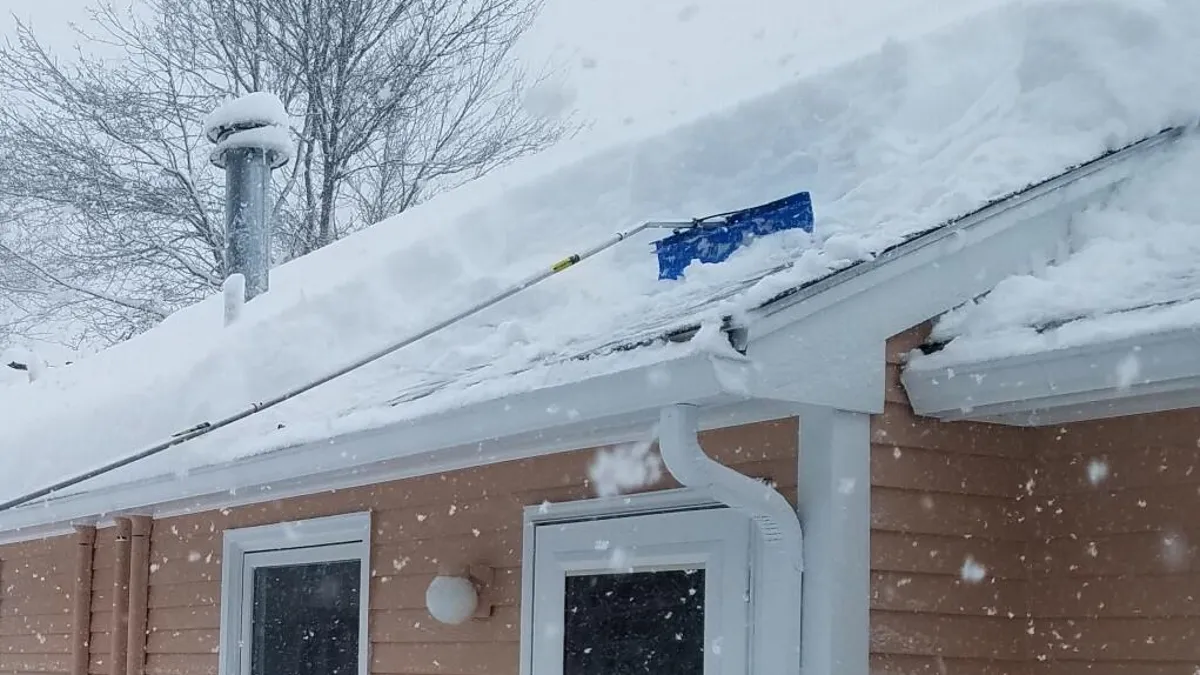
It’s not much to look at. Sixteen feet of aluminum pole with a perpendicular 22-inch-wide blue plastic blade at one end. But it makes all the difference in keeping melting snow from turning into streams of water that leak into the house. That’ll damage walls, ceilings, light fixtures and anything else that’s under the drip, drip, drip. Over time, it could develop into a mold problem.
Inside your house, leak detectors are handy gadgets for all kinds of water mishaps, but prevention is always the better policy.
If you live in an area that’s in the path of snowy winter weather, pay attention to the buildup on your roof. In one sense, snow on the roof is a positive thing. It indicates that you have sufficient insulation in your ceiling and attic to prevent warm air from escaping, as well as proper ventilation to help keep the roof cool.
Advertisement
But that snow will melt, producing runoff that heads downhill to your eaves and gutters. And that’s where the problem begins.
The winter of 2015 was a brutal one in Massachusetts, with roughly 90 inches of snow falling in less than a month. That year, the ice dams won.
Jon Skillings/CNET
As that water reaches the edge of your roof, it becomes more exposed to cold temperatures and it’ll refreeze, creating ice dams. Those frozen blockages will build up and prevent the next waves of meltwater from falling harmlessly off your roof. Where does that water go? It backs up under your shingles and through the roof decking, following a new gravitational pathway into your living spaces.
Advertisement
I have witnessed this leaking. I have repaired the damage. I have vowed never to let it happen again.
Which is why I’m outside right after every snowfall, raking away.
There aren’t any really compelling technological fixes for this problem. There is no Roomba for your rooftop. Whole-roof heating systems do exist, but they cost thousands of dollars and are a significant construction project. Here in New England, it’s common to see homes with a heating cable snaked along the lower portion of the roof, just above the eaves. But for my house, even that more modest option would likely run somewhere between $1,000 and $2,000 to install.
With any heating system, there’ll also be ongoing electricity costs and a potentially messy cycle of melting and refreezing.
Advertisement
A roof rake will set you back less than $200, and probably not even half that much. It’s low tech, and it works.
Watch this: I Drove an EV This Winter in Sweden to Prove It Could Be Done.
The right way to use a roof rake
I’ve been using my roof rake after every snowstorm, even the minor ones, for many a snowy winter here in central Massachusetts.
I had to learn the hard way. Before I bought my roof rake, I went after the ice dams themselves, after they’d already become way too thick, and water was dripping, sometimes fiercely, into the house. I was outside on a ladder, in the cold, whaling away with a hatchet. Not the way to go.
Advertisement
This is me, clearing the roof after a refreshingly light snowfall.
Jon Skillings/CNET
A roof rake is so much quicker and simpler — and again, it’s that all-important ounce of prevention. You stand on the ground, reach up with the rake and pull a big shovel’s worth of snow off the roof. Take a step or two and repeat the process. With light to moderate snowfall, I’ll get around my house in about 20 minutes. With heavy, icy accumulation, it takes me about twice that long.
Be aware that it can be a workout for your arms and shoulders. The rake doesn’t weigh much, but it is top-heavy, and you’re reaching up and away from your body. When the snow is thick, wet, crusty or all of the above, you’ll have to make an extra effort with each stroke.
Advertisement
But if you’re familiar with the often backbreaking work of shoveling snow, you’ll welcome the change of pace.
How much snow do you have to pull down? The guides I’ve read recommend clearing as much as 6 feet up from the eaves, and when I started raking my roof, I used to go just as far as I could reach. If I wasn’t hitting that 6-foot mark, I was getting close.
Over time, though, I’ve found that just 1 to 2 feet is generally sufficient. That’s the critical area, right past the eaves, where freezing and ice dam buildup take place.
The guides also advise going easy when scraping down to the roof shingles, so you don’t wear them out prematurely. I have to confess I’m not that fastidious — I’m usually dragging right along the shingles themselves, rather than trying to leave a thin coating of snow — and it hasn’t seemed to be a problem.
Advertisement
And for heaven’s sake, be mindful of where the power lines come into your house. You’re waving a metal pole in the air, after all.
Remember to wear heavy gloves when you’re roof-raking. The aluminum pole gets really cold to the touch.
Jon Skillings/CNET
How to shop for a roof rake
Like leaf rakes, roof rakes don’t have a lot of variety. A typicalroofrake comes with four 4-foot lengths of aluminum pole that you attach end to end to get the full length, plus the short blade attachment. (Mine has three 5-foot lengths, along with the blade segment.) The width of the blade ranges between approximately 17 and 24 inches.
Advertisement
The 16-foot length I have is enough for my house, a raised ranch, even on the side where the ground slopes away and I can get just the first foot or so of snow at the edge of the roof. If you have a taller house or you really want to clear way up high, you could always get additional sections. The blade section of my pole angles toward the roof, which is helpful.
Some rakes have little wheels on the bottom of the blade to avoid scraping directly on the shingles. Seems like a smart design.
Other roofrakes aren’t actually rakes at all. Instead of having a blade, the business end is open, with prongs holding one end of a plastic slide that runs parallel to the pole. You push into the snow, and the slide provides a slick runway for the snow to fall to the ground. I’ve never tried one of these, but having spent enough time wielding a standard roof rake, I have my doubts. It seems best suited for powder.
Prices for roof rakes typically range from $50 to $60 and can get to about $200. Years back, I bought a very basic model, and it’s still going strong — an excellent investment.
Advertisement
Gone are the days when I actually went up onto my roof and tried shoveling in addition to raking. In fairness, that was a legendary winter. In 2015, New England experienced four major snowstorms in less than a month, dumping about 90 inches of snow during that short span. No one could keep up.
But short of another “Snowmaggedon,” I know my roof rake will continue to serve me well. Whenever a snowstorm wanes, the two of us will head outside to start the clearing.
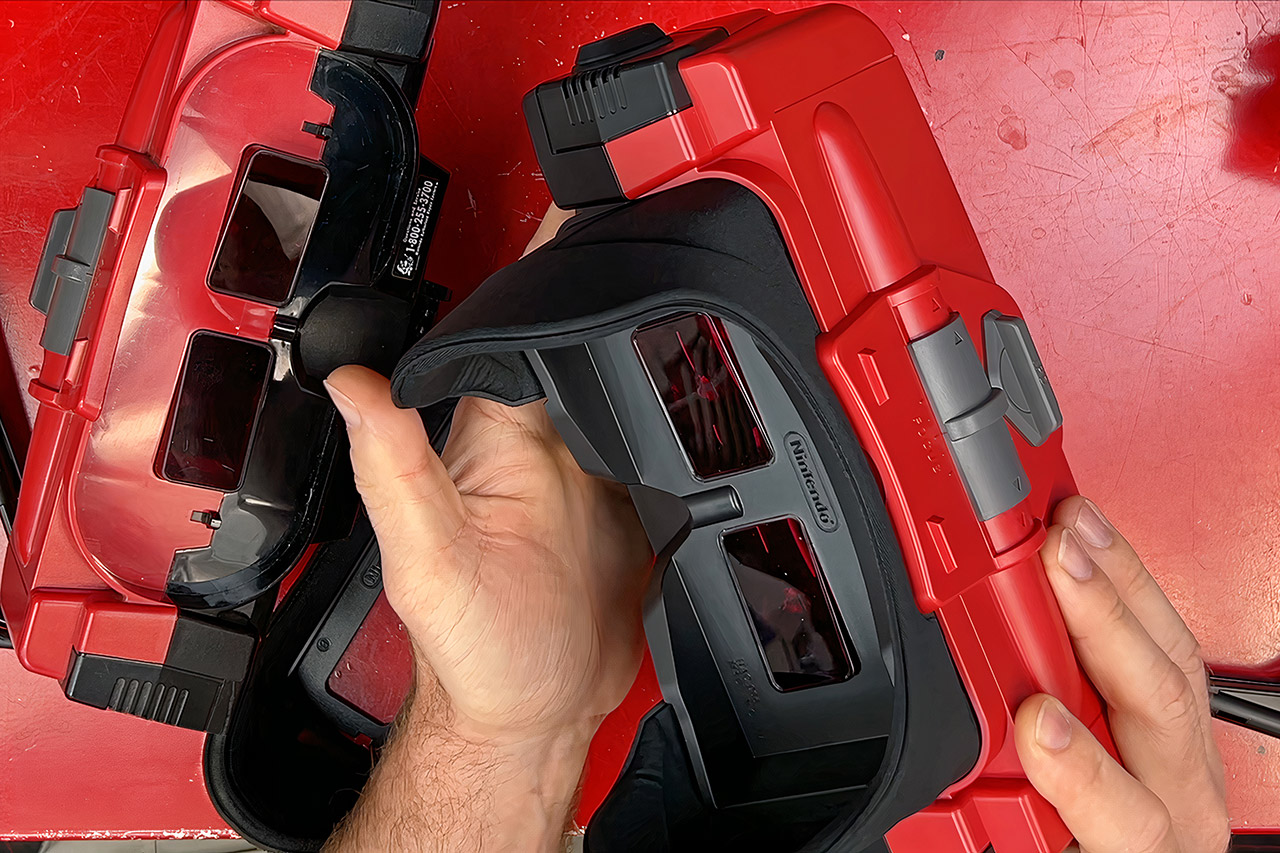
Nintendo has resurrected a 1995 oddity and incorporated it into the Switch family, literally, as the original Virtual Boy sat on a table like a curiosity, a set of goggles perched on spindly legs offering 3D gaming without the need for glasses. Three decades later, almost to the day, a near-identical recreation of that table-top oddity is accompanying your Switch or Switch 2 console, launching the same old library via Nintendo Switch Online’s expansion pack.
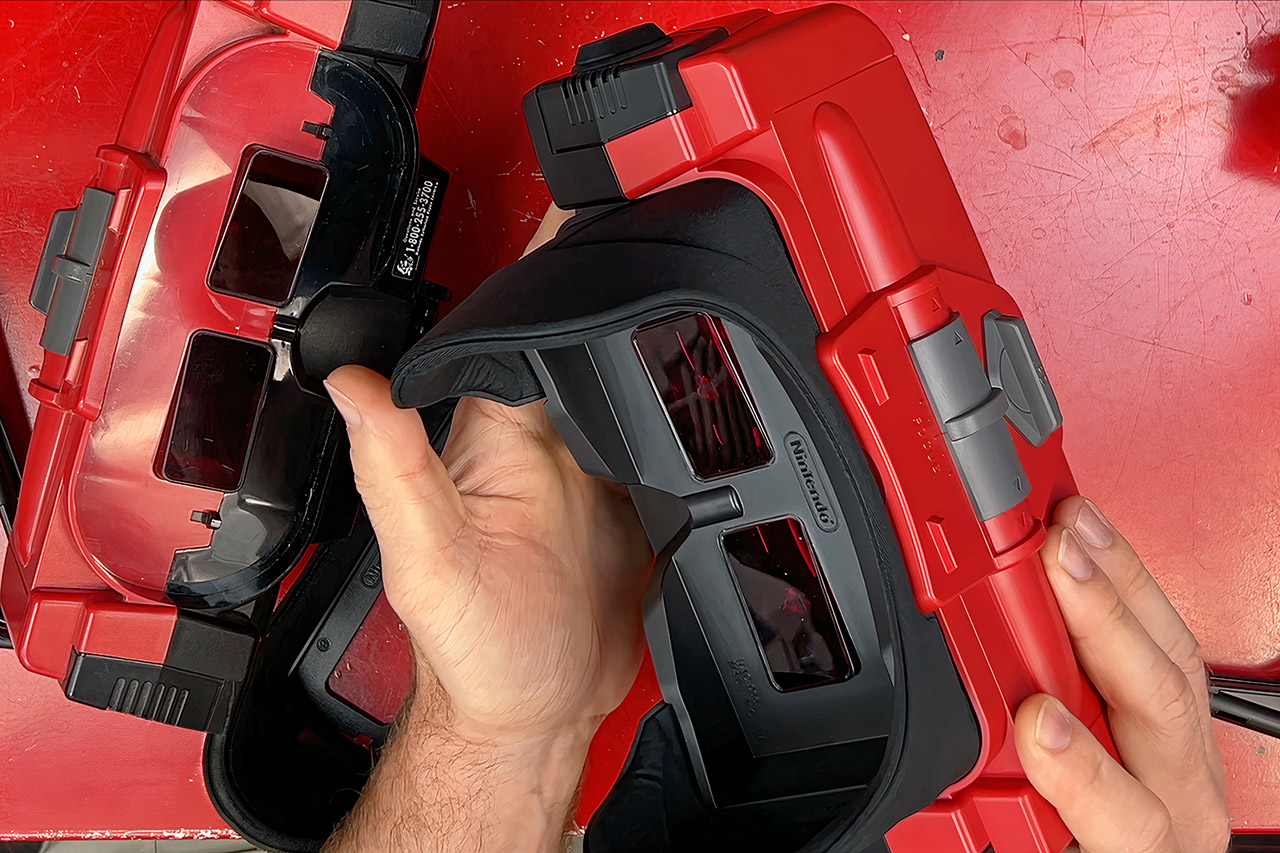
When you place the Switch in its $100 plastic case, a pair of red-tinted glasses split the screen into separate images for each eye. The effect, or rather the ‘depth’, stands out in stark monochrome. Pixels still dominate the view, forming a lattice of black lines over a blazing red backdrop, just like the originals. It’s the vision of Gunpei Yokoi, Nintendo’s hardware genius and the creator of the Game Boy. He and his colleagues constructed the original with a single line of LEDs reflected off oscillating mirrors. In those days, the resolution was 384 by 224, with an amazing 50 hertz flicker rate. The Switch screens now use IPS LCDs, which produce a considerably sharper and more stable image, however the higher-resolution panels on the Switch 2 make those individual dots stand out a little more.
The original hardware was a fragile beast, with a 20 MHz CPU and minimal graphics RAM held together in a frame that did not inspire confidence. As a result, several of them ended up with dried glue or snapped ribbon wires. That stand would frequently collapse under the weight of use, resulting in unsightly lines on the screens. This latest revival has skipped all of that, as there are no more oscillating mirrors to strain the eyes, and software modifications have ensured that the focus and eye spacing operate as well as they did back then. Finally, save states and the rewind capability have improved the old password system significantly. Some of the games also display a rest warning every 20 minutes, similar to how the original’s built-in timer would alert you to take a break.
In terms of controls, the Joy-Cons have replaced the original’s strange dual-D-pad controller. It can be remapped, but remains an odd fit for games designed for two analog sticks. Wario Land is a true standout, with caves twisting and turning into 3D space. Red Alarm is a Star Fox-inspired shooter through haunting corridors, Teleroboxer punches with the same beat as Punch-Out, and 3D Tetris requires you to stack blocks in floating levels. The majority of the titles are brief and experimental, and the complete catalog, with only about 24 games, isn’t exactly bursting at the seams.
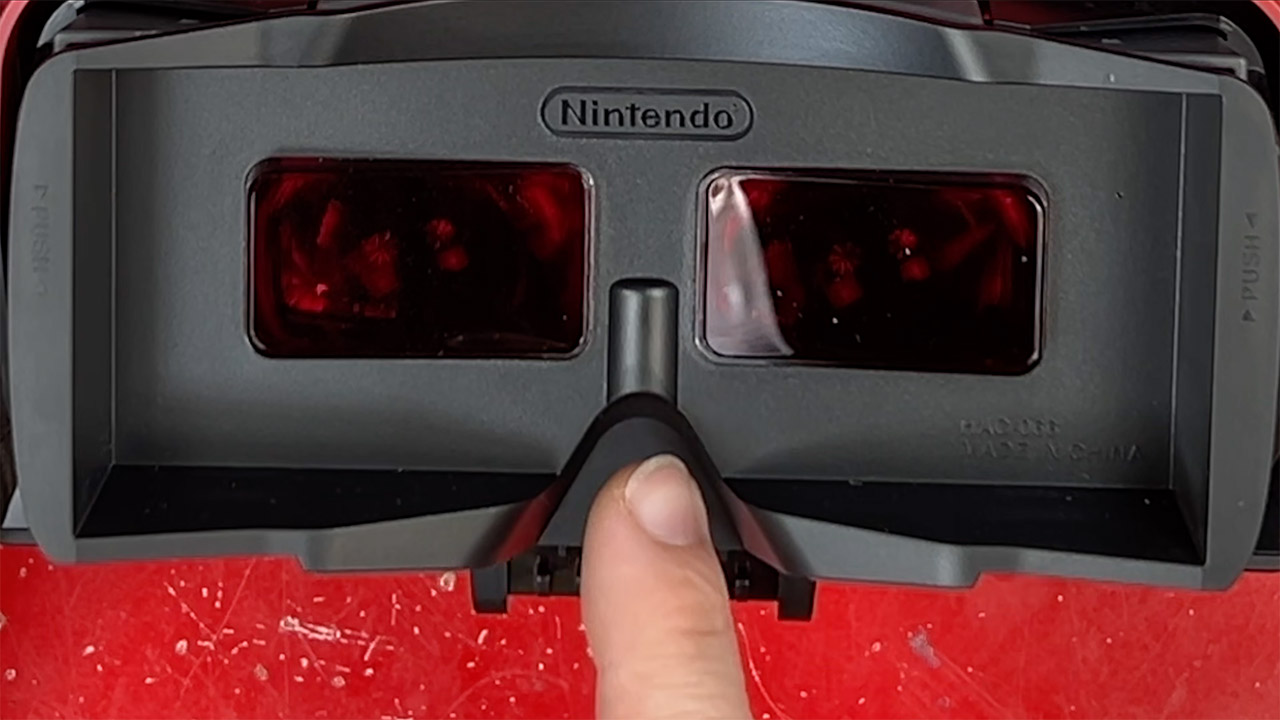
However, the way the accessory is set up has not changed; players are still bent over that low stand, their necks cramping after only a few minutes. Light still leaks in around the edges, and the flicker persists, but you no longer suffer from headaches. They only sold about 770,000 units before Nintendo discontinued the console. The new model retains the tabletop design, the old stands are still compatible, and the face wipes clean easily, with a little extra space above the nose, but…it’s still a bit of a strain on the neck, and that pressure builds up quickly. However, in a dark setting, it’s much gentler on the eyes.
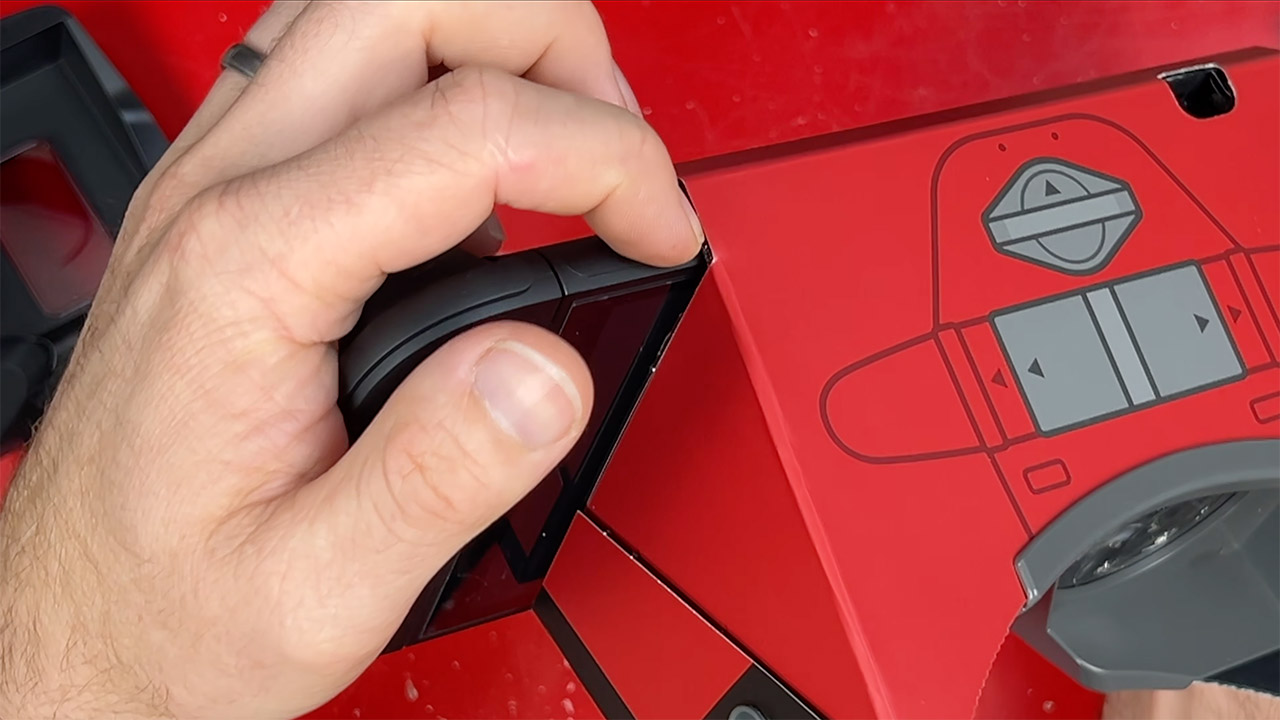
Fake knobs that pretend to be volume and port controls are simply ornamental, as you can still plug in your wireless headphones and the Switch delivers audio across the air. The lenses pop out so you can clean them or change them out for a different color, which was something to look forward to at launch, but none of them ever arrived. You can buy a cardboard bundle for $25 that bypasses the stand and allows you to play in your hands with Labo VR goggles, but you’ll need to use the complete Nintendo Switch Online + Expansion Pack subscription, which costs $50 per year.
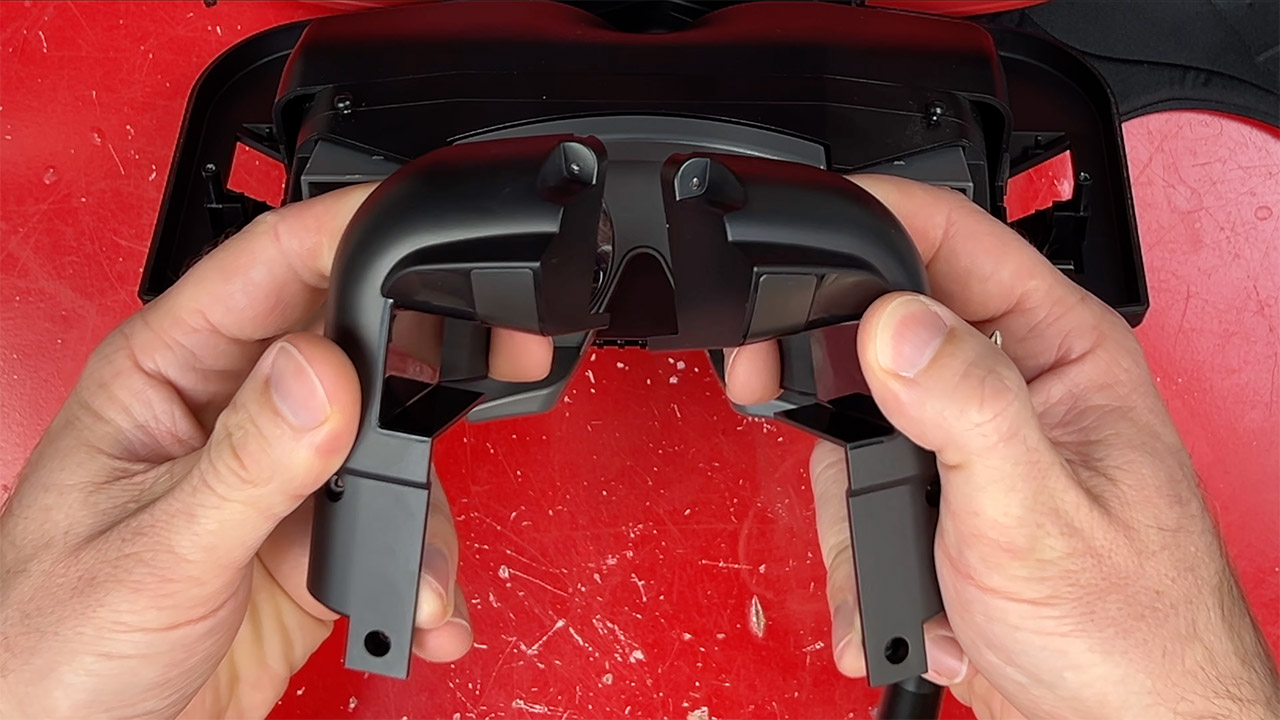
Side by side, the originals and replicas are quite similar, nearly indistinguishable in silhouette, since the rubber bumpers line up neatly and the stands can be swapped over with a little fiddling, but when you get underneath the surface, everything comes apart. There are no electronics in these imitation replicas, just a cradle that centers the console with some very strong springs. The lenses are all one piece and glued in place, unlike the adjustable sliders from the 1990s, which have all gone digital now. On the plus side, Switch OLED panels glow a little brighter than the normal model, getting closer to matching the original in terms of brightness.
An anonymous reader shares a report: PayPal, the digital payments pioneer, is attracting takeover interest from potential buyers after a stock slide wiped out almost half of its value, according to people familiar with the matter.
The San Jose, California-based company has fielded meetings with banks amid unsolicited interest from suitors, the people said. At least one large rival is looking at the whole company, while some other suitors are only interested in certain PayPal assets, the people said, asking not to be identified because the information is private.
Buyer interest in PayPal is still at a preliminary stage and may not lead to a transaction, the people cautioned. Founded in the late 1990s, PayPal was an early mover in the world of digital payments. But the company now finds itself in a rut with its customers increasingly turning to alternative ways to pay for things. PayPal’s shares have fallen around 46% in New York trading over the last 12 months, giving the company a market value of about $38.4 billion.