
Crypto World
Prototyping Mobile Applications in Startups

Prototyping Mobile Applications in Startups
Developing an application that may work in every device on the market is the dream of all developers. Maybe Progressive Web Applications are the closest approach to achieving that purpose. In the Safe Teamwork
project, we use this type of application to ensure we can reach out to a wider variety of users with a different kind of device. In this post, we are going to talk about how this technology works and how we use it in our project.
Introduction to PWA
Native applications have many advantages because of native integration with the device where they are running. However, this is time-consuming and there are lots of devices in the market, so the company will need a developer/developers in each technology to raise the costs. One solution could be to just focus on a few platforms, such as the web and android. But most web applications can benefit from two concepts, Responsive Design and Progressive Web Applications (PWA), that enable them to reach out to more platforms.
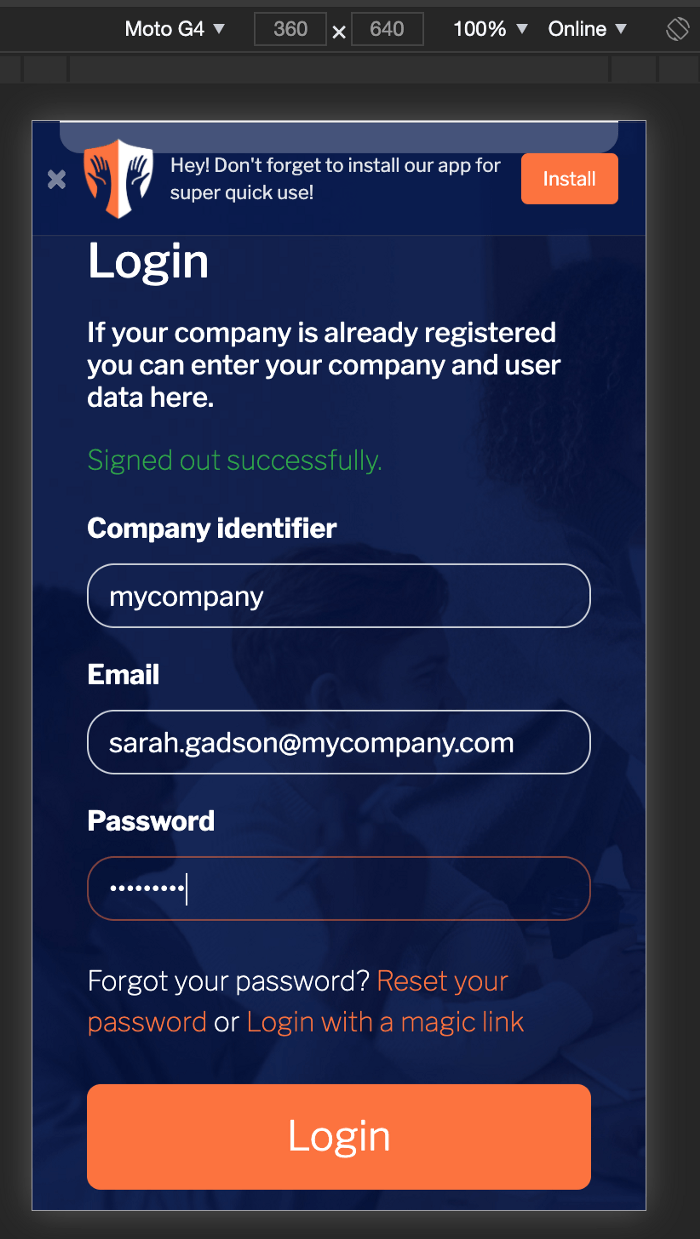
Responsive web design is the capability of web applications to adjust their graphic components to almost any screen size. As fonts and images are resizable nowadays, this approach has huge potential. Here is what Safe Teamwork looks like in responsive design:

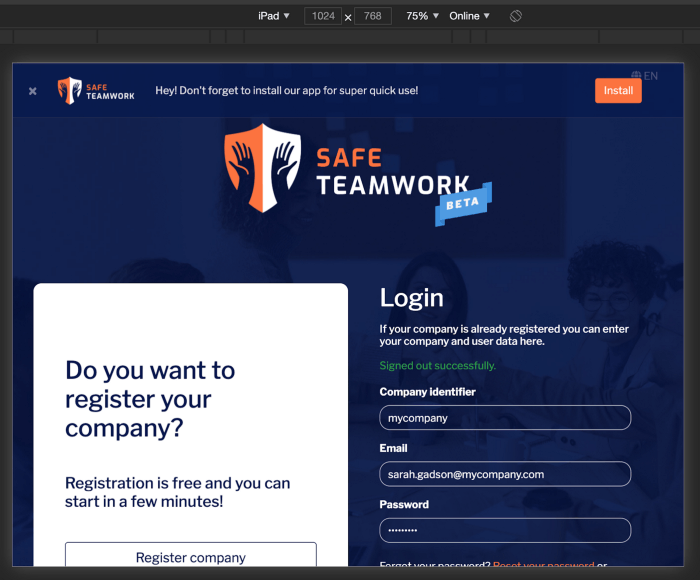
A responsive design is not just about how we create a flexible layout for different screen sizes, it is also about user experience:

Several elements are hidden in this device. It displays the three main buttons differently, as well as the layout of the current screen.
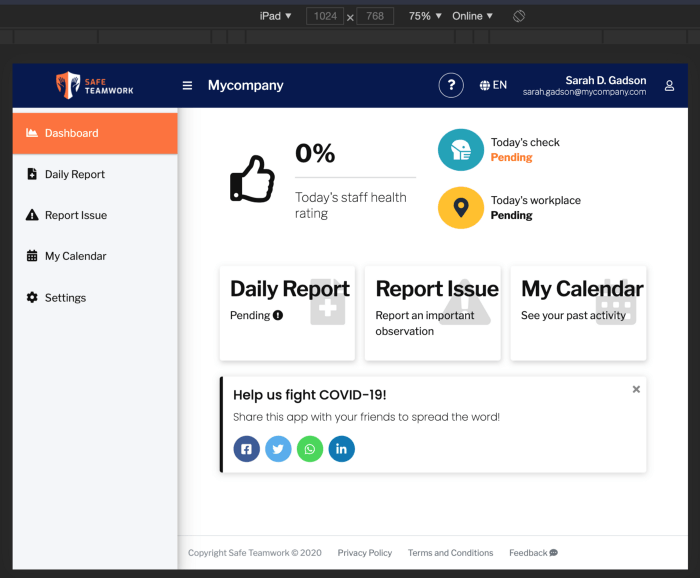
This device shows all the elements because the current layout allows this. As the application was designed to be responsive from the start, you can just see the minimal elements in order to interact with all functionalities on it.
These topics are called
User Interface
and
User eXperience
design (UI/UX design), and we have just scratched the surface of them.
Once we have sketched up the responsive part, we need to bring the application to all of the devices through PWA. There are three main components to create a PWA:
-
Secure connection (HTTPS)
-
Manifest file
-
Service worker
All information on PWAs is sent through trusted connections. This is done not only to create this type of application but also to establish that your web application is a trusted site.
The manifest file
is a JSON file that configures the PWA metadata, such as the name and short name of the application, icons, background color, orientation, start URL, and other information. For instance, you can check this information for our Safe Teamwork application at: https://app.safeteamwork.com/manifest.json
, and depending on the device, you might see something like this:
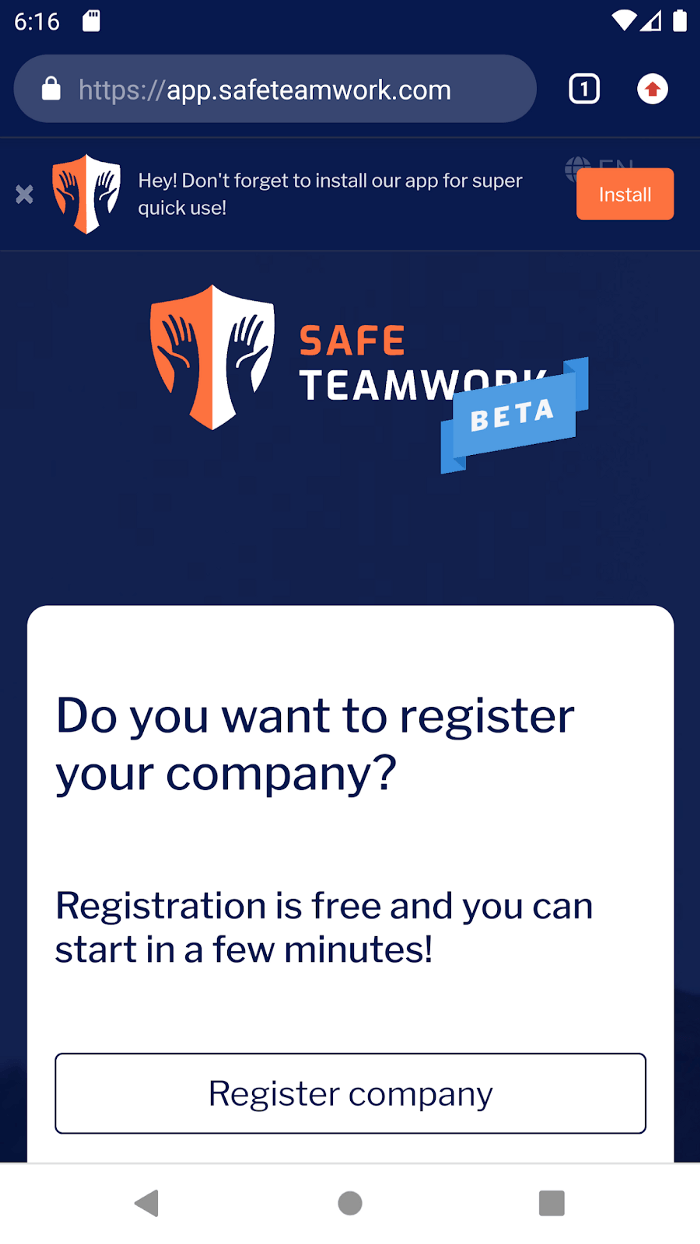

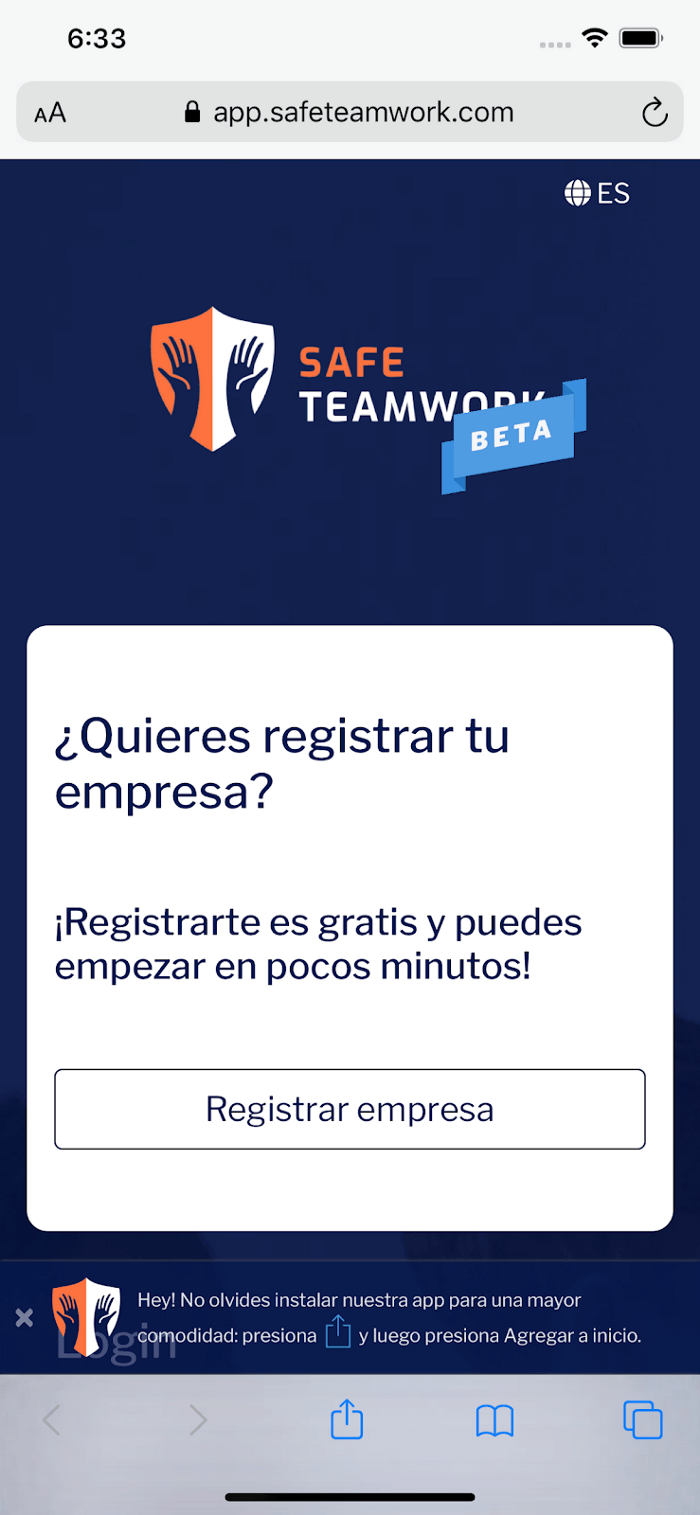



As you can see, we can install our application on the device’s home screen without an app store like Play Store or App Store. Once the app is installed, you can click the home-screen icon, and the splash screen will be displayed. In this splash, the name, background color, and icon metadata from the manifest are used.
The third element of a PWA is the service worker, which is where the magic happens. A service worker is a separate thread from a web browser that depends on it, but also adds some functionalities like offline experience. Think of it as an independent web browser window that only loads our web application. This service is a type of
web worker that web browsers can create. We can configure this service worker via a JavaScript script (sw.js) where we describe its life cycle:
-
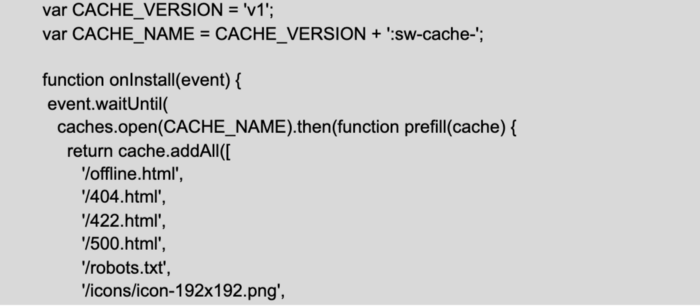
First of all, we need to configure the installation event. This event runs once when we are installing our PWA. The main purpose of this is to tell the browser what files are going to be offline:

-
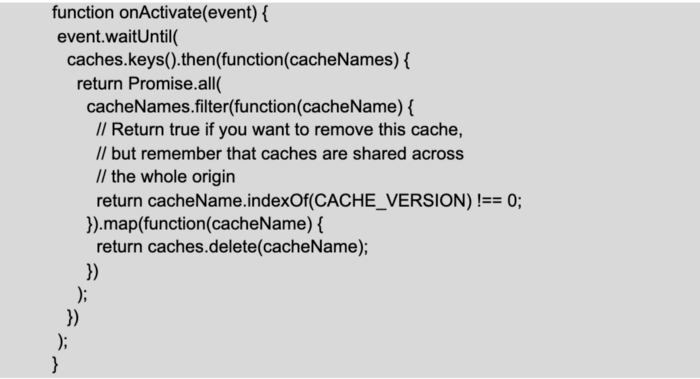
Secondly, we need to activate the service worker, i.e. tell the browser what is going to be the behavior when there is another legacy service worker or the cache needs to be cleaned up:
-
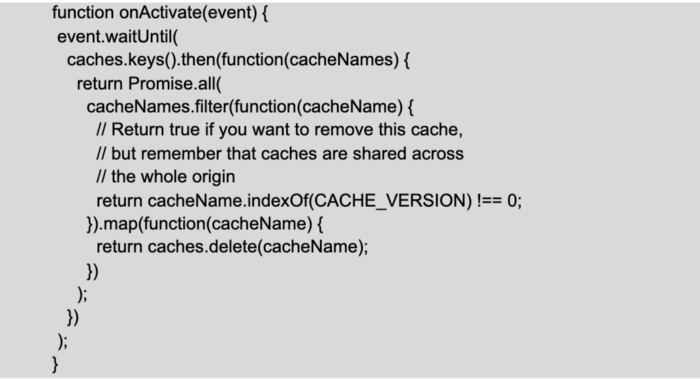
Thirdly, we need to configure the behavior when the application is offline, i.e. if the application is installed, the service worker verifies that some requests have been made before and can respond quickly or else it goes to the network:
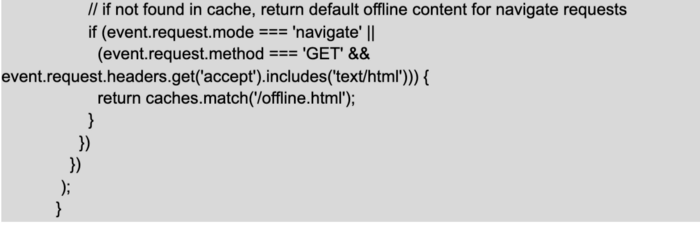
-
Finally, we need to add these events to the browser:

In Safe Teamwork, the primary reason for using PWA is distribution rather than the offline experience. This means that we do not synchronize any information from the installed application. We have just added some pages to the cache to manage any basic HTTP errors, such as 404 or 500, and one page to indicate when the user is offline; there is no need to add any more. We use PWA for easy distribution and to engage our users. The second reason to use it is the web push notification, which we will deal with right now.
Web push notifications
A service worker is a service that runs in the browser, and the JavaScript (sw.js) file is loaded as a regular resource of the application so we can interact with it without having to install the PWA, i.e. it does not run the install, activate, and fetch events. We can explore this service in the browser through chrome://serviceworker-internals/ internal page:
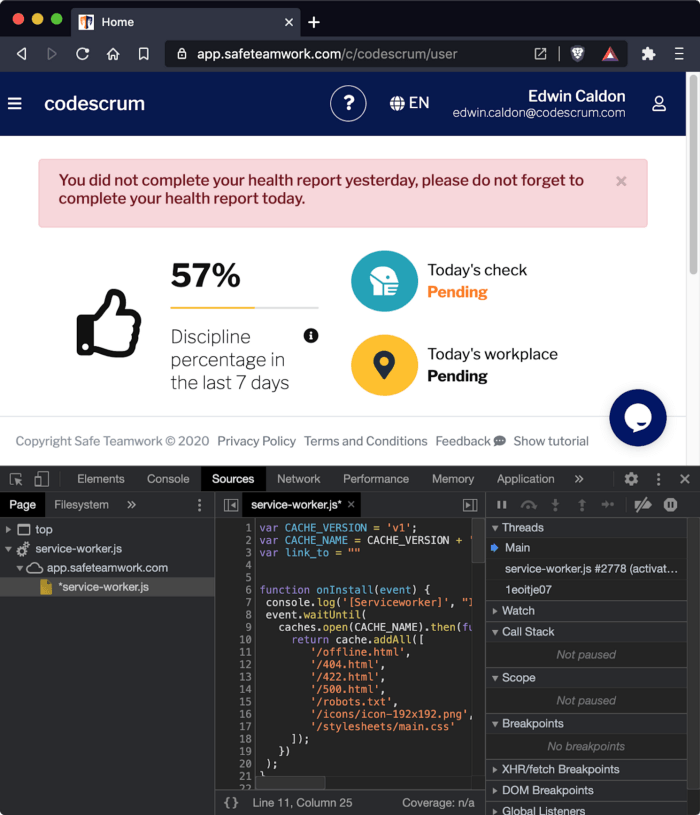
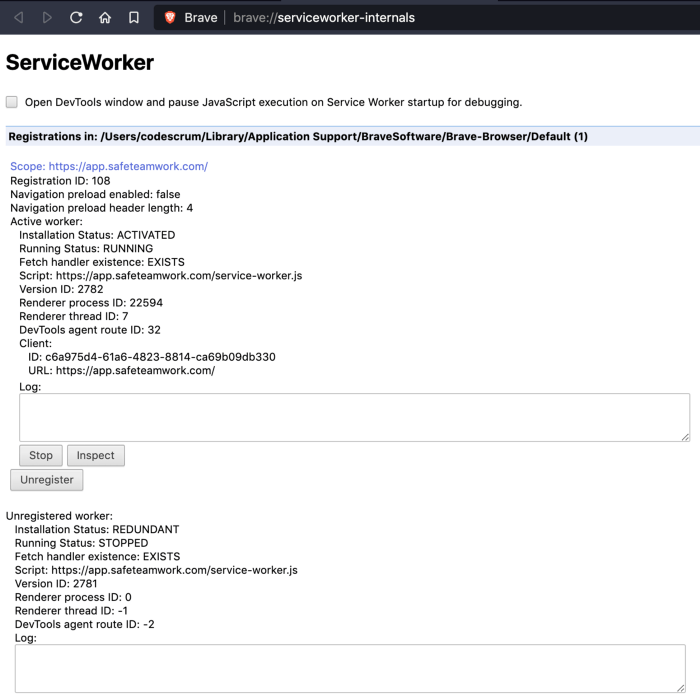
Service workers can use several
Web APIs
and push notifications are one of them. So, in the JavaScript script (sw.js) we have:
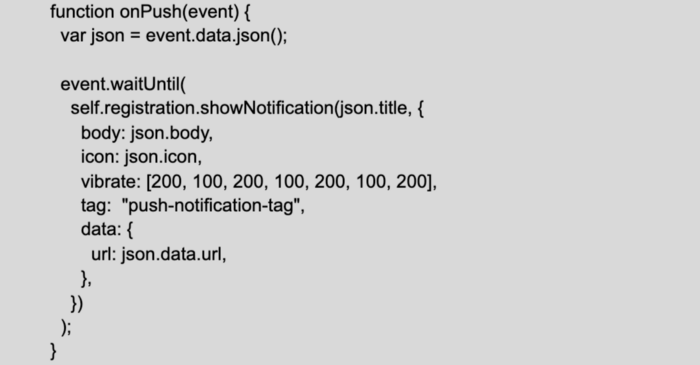
The event parameter contains information about the notification’s title and message. The icon helps to identify who has sent the message and also the URL that redirects the user when it’s clicked on it.
Then we describe the behavior when the notification is clicked:
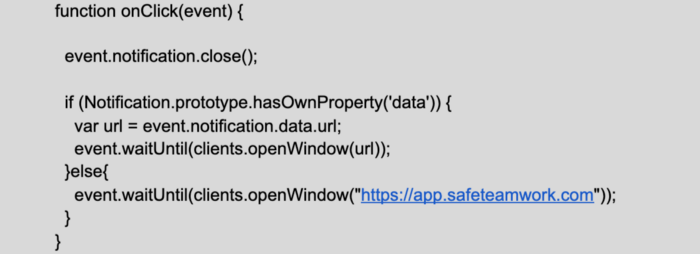
Finally, we register these events:

We use the WebPush
library with Voluntary Application Server Identification ( VAPID
) to secure the communication between the user-agent (desktop or mobile) and our application server.
Unfortunately, this type of notification is not supported by
iOS devices yet
. If you decide to use web push notifications, we recommend that you view
web browser compatibility
first.
Conclusion
Although PWA has many advantages, it has some disadvantages too. We have already seen some of them:
Limitations:
-
PWA is a web browser service that has limitations when it is used to interact with the device’s hardware, like mobiles.
-
Until now, web push notifications have not worked on iOS devices.
Advantages:
-
PWA allows there to be distribution without an application store like Play Store (Google) or App Store (Apple).
-
With PWA, we could build offline applications that, once online, synchronize their data.
-
We can use several
Web APIs
to enrich the application, such as
DB to save offline data
or
web push notifications
.
Building Progressive Web Application (
PWA ) requires tools that validate if everything is OK. One of them is
Lighthouse , which allows us to audit not only the performance and accessibility of the entire web application, but also
progressive web app aspects , such as the responsiveness, accessibility of any browser (at least those that support PWA), whether the application provides offline pages, and so on.
Thank you for reading!
Also, if you are curious about Safe Teamwork, check out the app here!
http://bit.ly/3u1posx

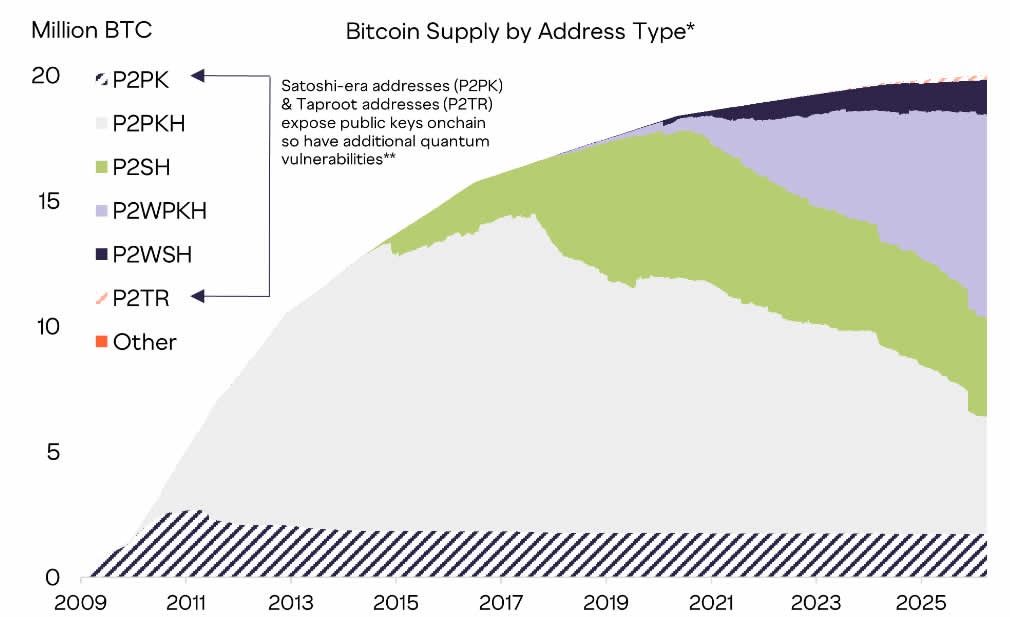
The challenge to solving the quantum threat to Bitcoin could be more social than technical, according to Grayscale’s head of research, especially if the community fails to come to an agreement on certain contentious issues.
Google released a paper that shook the crypto industry on March 30, suggesting that a quantum computer could potentially crack the cryptography protecting Bitcoin (BTC) using far fewer resources than previously thought.
Grayscale head of research Zach Pandl, however, suggested the problem for Bitcoin doesn’t come from its technical solution, as “bitcoin has lower risk than other cryptocurrencies” because it uses a UTXO model and proof-of-work consensus, does not have native smart contracts and certain address types are not quantum vulnerable.
Instead, the challenge would be for the community to reach a decision on the way forward, said Pandl.
The Bitcoin community has been fiercely debating what to do about old dormant coins, particularly the roughly 1.7 million BTC locked in early P2PK addresses, including Satoshi’s estimated 1 million BTC stash, currently worth about $68 billion.
The Bitcoin community has three options
The Bitcoin community needs to decide what to do about coins where the private key has been lost or is otherwise inaccessible, wrote Pandl.
They have three main options: burning the coins, deliberately slowing their release by limiting the rate of spending from vulnerable addresses or doing nothing.
“All are conceptually doable, but the challenge is reaching a decision, and the Bitcoin community has a history of contentious debates over protocol changes, including last year’s dispute around image data stored in blocks.”
Pandl was referring to a big fracas that erupted in 2023 over the use of blockspace for Bitcoin Ordinals, technology that enables inscribing data such as text and images to a satoshi, the smallest unit of Bitcoin.
Two years later, the debate may have quietened down, but the two sides continue to hold opposing views.
Related: Researchers say quantum computers could, in theory, be ready by 2030

No threat now but time to get started
Pandl cautioned that it was “time to get started” and that blockchains need to adopt post-quantum cryptography, echoing the sentiment from Google.
Both Solana and the XRP Ledger are already experimenting with post-quantum cryptography, wrote Pandl. Meanwhile, the Ethereum Foundation released its post-quantum roadmap in February.
Pandl concluded that investors “should not fret” for now, but it is time to accelerate efforts to prepare for our post-quantum future.
“In our view, there is no security threat to public blockchains from quantum computers today.”
Magazine: Nobody knows if quantum secure cryptography will even work
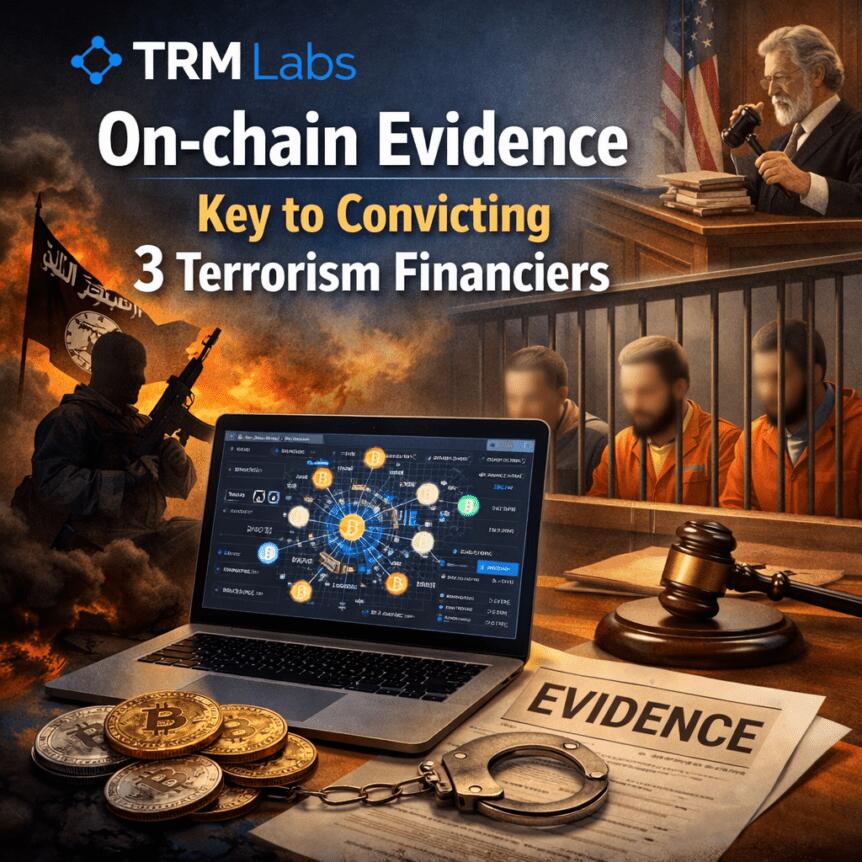
Indonesia’s courts are increasingly accepting on-chain evidence as a legitimate basis for terrorism-financing prosecutions, marking a notable shift in how blockchain data is treated in legal proceedings. In cases resolved in 2024 and 2025, authorities relied on wallet addresses, transaction histories, and on-chain flows to build the narrative of illicit funding, a development highlighted by TRM Labs as a sign that crypto traces are becoming a cornerstone of prosecutorial work.
“Indonesian courts have demonstrated that cryptocurrency evidence — wallet addresses, transaction histories, on-chain flows — is not only admissible but can anchor a terrorism financing prosecution,” said TRM Labs in a statement. The firm adds that these cases reflect a broader trend in which regulators and law-enforcement agencies are nearing parity with traditional financial channels when pursuing illicit financing.
TRM noted that terrorism-financing networks have increasingly used cryptocurrency as a movement mechanism, partially because authorities have historically scrutinized fiat channels more intensively. However, the framework is evolving, with courts and investigators reportedly closing the gap between digital traces and real-world consequences.
In Indonesia, one defendant allegedly sent more than $49,000 in USDt across 15 transactions from a domestic exchange to a foreign platform, with funds later routed to an ISIS-linked fundraising campaign in Syria, according to blockchain analytics cited by TRM Labs. The tracing work was conducted by Indonesia’s financial intelligence unit and the counterterrorism police unit, Densus 88, who presented the findings to the courts. The blockchain data was deemed a pivotal piece of evidence in each of the three cases.
TRM Labs emphasized that the Indonesian case underscores a broader Southeast Asian push to harness blockchain intelligence in criminal investigations, as authorities increasingly view crypto-forensics as a critical enforcement tool.
“Similar patterns are emerging across Southeast Asia, where governments are investing in blockchain intelligence capabilities and enhancing collaboration between public and private sectors to address illicit finance risks.”
Beyond Indonesia, regional authorities are building capacity to trace cryptocurrency flows. TRM noted that Singapore and Malaysia’s financial-intelligence units and law-enforcement agencies are expanding technical capabilities to follow crypto activity across borders, reflecting a growing regional emphasis on digital-forensics as part of anti-financial-crime strategies.
These developments sit against a broader backdrop of regional enforcement and cases that illustrate the expanding role of crypto-tracing tools in Southeast Asia. In April, Cambodian and Chinese authorities extradited Li Xiong, a leader of the Huione Group, to China to face fraud and money-laundering charges connected to the organization’s scam operations. The move followed the earlier arrest of Chen Zhi, the head of Prince Group, which operates the Huione network. Separately, TRM’s data from 2025 showed a surge in illicit stablecoin activity, with about $141 billion worth of stablecoins flowing to illicit entities, marking a five-year high in this space.
Key takeaways
- Indonesian courts are increasingly accepting on-chain data — including wallet addresses and transaction histories — as admissible and pivotal evidence in terrorism-financing prosecutions.
- A concrete case linked more than $49,000 in USDt moved across 15 transactions from a local exchange to a foreign platform, with funds ultimately directed to ISIS-linked fundraising in Syria.
- Regional significance is growing: Southeast Asian authorities are expanding blockchain-forensics capabilities and fostering cross-sector collaboration to tackle illicit crypto activity.
- TRM data points to a broader scale of illicit crypto use in 2025, including a substantial surge in illicit stablecoin activity, underscoring why forensics capacity matters for regulators and law enforcement.
Courts and crypto traces: what changed in Indonesia
Central to the Indonesian cases was the application of blockchain analytics by the country’s financial intelligence unit in tandem with Densus 88, the national counterterrorism police unit. By correlating on-chain activity with exchange flows and cross-border transfers, investigators constructed a continuous chain of custody from a domestic source to an international donor and ultimately to a fundraising operation tied to ISIS. The courts’ acceptance of these traces signals a shift in evidentiary standards, aligning digital footprints with traditional investigative records.
TRM’s analysis frames this development as part of a wider trend in which prosecutors are learning to treat crypto evidence not as an adjunct but as a core element of financial-crime cases. The implications for investors and operators are nuanced: while the cases demonstrate that crypto-era enforcement is moving toward greater scrutiny, they also underscore the increasing value of transparent, auditable on-chain activity as a legal tool.
Regional momentum and what it means for the market
The Indonesian trajectory is occurring amid a regional mobilization to fortify crypto-forensics. Southeast Asia is seeing a push to scale capabilities that can trace crypto flows across borders, with Singapore and Malaysia cited as examples of jurisdictions expanding their analytical arsenals and public-private collaboration. For market participants, the trend translates into a more predictable regulatory environment around digital-asset tracing, even as enforcement remains vigilant against abuse.
From an investor perspective, the trend raises several practical considerations. First, the integrity of on-chain evidence can influence case outcomes, potentially elevating the risk-reward calculus for illicit actors and increasing the likelihood of sanctions or asset seizures in connected networks. Second, as authorities invest in blockchain intelligence tools, exchanges and custodians may be called upon to provide faster or more granular data, which could affect due-diligence timelines and compliance costs. Third, the regional emphasis on cross-border cooperation could help standardize some investigative approaches, reducing ambiguity for global firms operating in multiple markets.
Broader enforcement context and ongoing developments
The Southeast Asian enforcement narrative extends beyond Indonesia. In a related development, Li Xiong, a leader of the Huione Group, was captured in Cambodia and China and extradited to China to face fraud and money-laundering charges tied to scam operations. This came three months after the arrest of Chen Zhi, head of the Prince Group, which operates Huione. In parallel, TRM reported that illicit stablecoins activity reached about $141 billion in 2025, signaling a five-year high and reinforcing the importance of robust tracing capabilities for regulators and financial institutions alike.
Taken together, these pieces illustrate a broader pattern: as crypto tracing tools mature and cross-border cooperation intensifies, authorities appear increasingly confident in leveraging on-chain data to pursue financial crime, including terrorism financing. For market participants, that means continuing attention to compliance, transparent corporate disclosures, and readiness to respond to regulatory expectations around crypto-asset flows.
Readers should monitor ongoing capacity-building efforts among Southeast Asian FIUs and law-enforcement agencies, as well as any new court rulings that further define the role of on-chain evidence in criminal cases. The evolving landscape will shape both risk and opportunity for exchanges, wallets, and institutional actors operating in the region.


Bitcoin price struggled to maintain footing above the $70,000 level as traders waited for clearer direction from ongoing geopolitical negotiations between the United States and Iran.
Summary
- Bitcoin remains capped below $70K as traders await clarity on US Iran ceasefire talks.
- Institutional demand continues to absorb supply, with accumulation trends outpacing miner issuance.
Bitcoin briefly climbed past $70,200 earlier in the week after reports suggested both sides were exploring terms for a temporary ceasefire that could ease pressure on global energy markets.
Discussions appear to be advancing behind the scenes, with multiple regional intermediaries involved in shaping a framework that could pause hostilities for several days before moving into wider negotiations.
People familiar with the situation have indicated that both Washington and Tehran have received a proposal that could initiate talks around reopening the Strait of Hormuz.
At the same time, United States President Donald Trump repeated his warning that Iran would face severe consequences if it failed to comply with the outlined conditions.
“I won’t go further because there are other things that are worse than those two,” he said, reinforcing earlier threats targeting infrastructure.
Trup has set a deadline for 8 pm Eastern time on Tuesday, and market participants are closely tracking any signal of progress or breakdown in negotiations.
As a result, price action has remained hesitant near the key psychological support at $70,000. Traders have become reluctant to commit in either direction before the geopolitical outcome becomes clearer.
A confirmed agreement could open the door for a move toward the $75,000 region, as easing tensions would likely support risk appetite across financial markets.
Failure to reach a deal could shift sentiment in a different direction, with Bitcoin once again attracting attention as an alternative store of value during periods of uncertainty.
Iranian officials, however, have yet to signal acceptance of the proposed terms and continue to insist that shipping routes will remain restricted until compensation and sanctions relief are addressed.
That stance has kept upside moves in check, with repeated attempts to break higher running into resistance as sellers step in near recent highs.
Institutions continue buying
Underneath the surface, demand has remained firm, with accumulation continuing to absorb a significant portion of newly issued supply.
Bitcoin treasury firm Strategy has continued to accumulate Bitcoin at a pace that exceeds the supply produced by miners.
Since early March, Strategy has acquired 46,233 BTC. During the same time, miners have produced only about 16,200 BTC. This means Strategy has acquired nearly three times the fresh supply.
At the same time, inflows into spot Bitcoin ETFs have also turned positive.
Such conditions have limited the depth of pullbacks, even as technical setups point toward potential weakness.
However, on the macro side, rising bond yields are introducing a competing force for capital.
Yields on the United States 5-year Treasury have climbed to around 4% from 3.55%, signaling that investors are seeking higher returns from government debt amid ongoing uncertainty.
Elevated energy prices and increased fiscal spending tied to military activity have contributed to inflation concerns, which in turn are influencing bond markets.
A successful ceasefire could reinforce confidence in Treasuries, encouraging some investors to rotate away from alternative assets, including Bitcoin.
For now, price remains caught between steady accumulation and external pressures, with the next move likely to hinge on developments in the geopolitical backdrop.
Disclosure: This article does not represent investment advice. The content and materials featured on this page are for educational purposes only.
Indonesian courts convicted three individuals for terrorism financing in 2024 and 2025, using onchain evidence as the backbone of each prosecution.
The cases mark a clear shift in how Southeast Asian courts treat blockchain data, with wallet addresses and transaction histories now serving as admissible, case-anchoring evidence.
How Blockchain Data Built the Case
Indonesia’s financial intelligence unit, PPATK, worked alongside the country’s elite counterterrorism police unit, Densus 88, to trace crypto transactions tied to all three defendants.
None of the individuals carried out attacks directly. Instead, they collected, transferred, and converted funds into crypto to move money to terror networks.
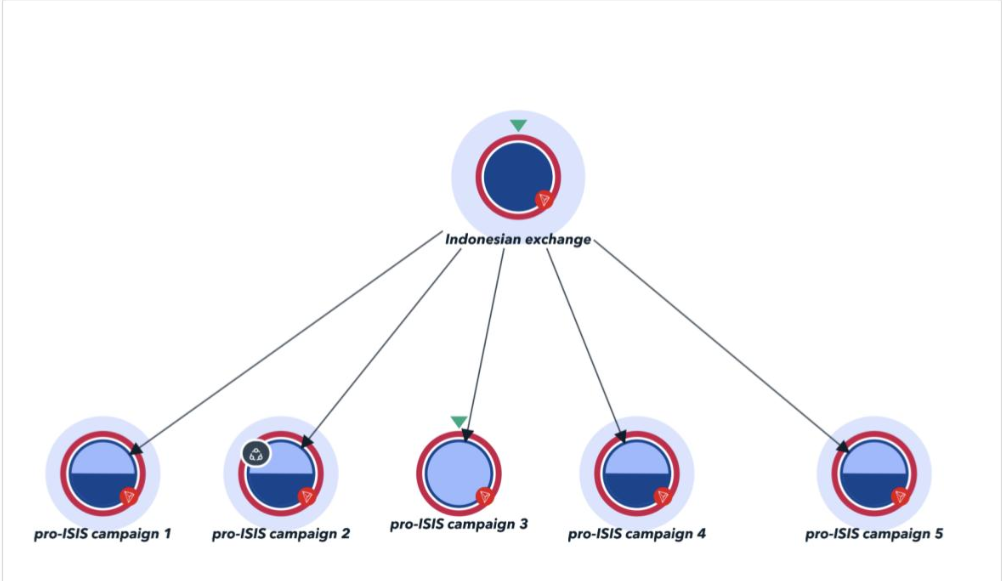
One defendant sent more than $49,000 worth of Tether (USDT) across 15 transactions from a local Indonesian exchange to a foreign platform.
Those funds were later routed to an ISIS-linked fundraising campaign in Syria, according to TRM Labs.
“Indonesian courts have demonstrated that cryptocurrency evidence… is not only admissible but can anchor a terrorism financing prosecution,” read an excerpt in the TRM Labs report.
A Regional Trend Takes Shape
Indonesia is not acting alone. TRM Labs noted that Singapore, Malaysia, and other Southeast Asian jurisdictions are all investing in blockchain intelligence capabilities.
The firm described a broader regional pattern in which terror cells have turned to cryptocurrency precisely because regulators were slow to apply the same scrutiny they give traditional fiat channels.
On April 1, Cambodian and Chinese officials captured Li Xiong, the former chairman of Huione Group. The organization allegedly served as a hub for scam centers that carried out “pig butchering” frauds and other crypto theft schemes.
Xiong was extradited to China, where he faces fraud and money-laundering charges. His arrest came three months after the capture of Chen Zhi, the head of Prince Group, which operates Huione Group.
TRM reported separately in February that illicit entities received roughly $141 billion worth of stablecoins in 2025, a five-year high. Sanctions-related activity accounted for 86% of all illicit crypto flows that year.
These Indonesian convictions signal that the window for using crypto to quietly finance terrorism is closing, particularly as courts across the region accept blockchain data as prosecution-ready evidence.
Subscribe to our YouTube channel to watch leaders and journalists provide expert insights
The post $49,000 in Stablecoins Leads Investigators Straight to ISIS appeared first on BeInCrypto.
Gibraltar has long been a hub for online gambling, and the rise of crypto casinos has added an exciting new dimension. If you’re looking for the best crypto casinos available in Gibraltar, you’ve come to the right place.
We’ve spent countless hours researching and testing crypto gambling sites that cater to players in Gibraltar. Our goal is to help you find a safe, fun, and rewarding experience.
We have personally tested and reviewed each site on the list, you can read our in depth reviews below.
Let’s dig in…
Top Gibraltar Casinos
- Massive game library with 11,294 titles from 63 providers
- Accepts 20 different cryptocurrencies with multiple network options
- Generous welcome bonus package worth up to $5,000 plus 75 free spins
- Unique dragon-themed loyalty program with rakeback up to 20%
- Comprehensive sports betting covering traditional sports and esports
- Fast crypto withdrawals processed within 24 hours
- Low minimum deposit of $1
- Provably fair games with verifiable outcomes
- User-friendly interface with intuitive navigation
- Massive selection of games
- Quality live dealer offering
- Crypto and fiat payment options
- Varied welcome offers and bonuses
- Up to 70% Rakeback + 10% Cashback
- Unlimited deposits and withdrawals
- Exclusive Thrill Original games
- 1500+ Casino Games from the Top Providers
- Truly anonymous and private gambling – no personal details or accounts required
- Innovative blockchain competitions with big ETH prize pools and NFT rewards
- Instant, fee-free deposits and withdrawals directly to/from your crypto wallet
- Instant Web3 withdrawals up to 100K USD
- Simple, user-friendly platform design with great mobile compatibility
- No KYC & VPN Friendly anonymous casino
- Zero fees, instant deposits & withdrawals
- 5,000+ casino games & sports betting without limits
- 10% Weekly Cashback
- Generous welcome bonus up to 1 BTC
- 8,000+ games including slots, casino, sports betting, crypto betting
- 470% Welcome Bonus & 400 Free Spins
- Supports 18+ major cryptocurrencies for deposits and withdrawals
- Smooth and user-friendly interface
- Massive game library with 11,294 titles from 63 providers
- Accepts 20 different cryptocurrencies with multiple network options
- Generous welcome bonus package worth up to $5,000 plus 75 free spins
- Unique dragon-themed loyalty program with rakeback up to 20%
- Comprehensive sports betting covering traditional sports and esports
- Up to 70% Rakeback + 10% Cashback
- Unlimited deposits and withdrawals
- Exclusive Thrill Original games
- 1500+ Casino Games from the Top Providers
- Fast crypto withdrawals processed within 24 hours
- Low minimum deposit of $1
- Provably fair games with verifiable outcomes
- User-friendly interface with intuitive navigation
- Massive game variety with over 6,000 slots, tables, specialty and live titles
- Huge sportsbook covering 40+ leagues including niche options
- Instant withdrawals to crypto wallets for fast access to funds
- Generous recurring sports betting promotional offers
- 8,000+ games including slots, casino, sports betting, crypto betting
- 470% Welcome Bonus & 400 Free Spins
- Supports 18+ major cryptocurrencies for deposits and withdrawals
- Smooth and user-friendly interface
- Truly anonymous and private gambling – no personal details or accounts required
- Innovative blockchain competitions with big ETH prize pools and NFT rewards
- Instant, fee-free deposits and withdrawals directly to/from your crypto wallet
- Instant Web3 withdrawals up to 100K USD
- Simple, user-friendly platform design with great mobile compatibility
- Wide range of cryptocurrencies accepted
- Large selection of games (7,000+), including slots, table games, and live casino options
- Sports betting platform integrated
- Fast deposit and withdrawal processing times
- Attractive welcome bonus and ongoing promotions
- Instant withdrawals processed on the blockchain
- Generous welcome bonus of 200% up to 1 BTC + 50 free spins
- Wide selection of games from top providers like Evolution, Pragmatic Play, Hacksaw
- Offers a sportsbook in addition to casino games
- Innovative features like Telegram integration and WalletConnect
- Huge selection of over 2,700 games from top providers
- Lucrative 200% deposit bonus up to €25,000
- Wide variety of cryptos supported
- Instant withdrawals
- Cutting-edge Telegram & WalletConnect integration
- No KYC & VPN Friendly anonymous casino
- Zero fees, instant deposits & withdrawals
- 5,000+ casino games & sports betting without limits
- 10% Weekly Cashback
- Generous welcome bonus up to 1 BTC
- Large game selection with over 6,000 titles from top providers
- Generous crypto welcome bonus up to 50 mBTC
- Fast withdrawals through cryptocurrency support
- Slick, intuitive site design optimized for mobile
- Live chat provides quick customer support
- Instant withdrawals for crypto currencies
- Huge selection of slots and table games
- Instant play site needs no downloading
- VIP program rewards loyal players
- Huge selection of over 9408 casino games from top providers
- Extremely generous 100% match welcome bonus up to 999 BTC
- Supports all major cryptocurrencies for payments
- Smooth and fast site with flawless mobile optimization
- 24/7 live chat and email customer support
- Lucrative 300% welcome bonus for new players
- Supports over 15 popular cryptocurrencies
- Huge selection of over 2,000 casino games
- Competitive odds and props available on 25+ sports leagues
- Highly Recommended by Blockonomi
- Massive selection of over 7000 games from leading providers
- Quick withdrawals, especially for cryptocurrencies
- Multi-tier VIP program with escalating rewards
- Generous ongoing promotions like free spins and reload bonuses
- Huge selection of betting markets across dozens of sports
- Extensive casino game portfolio with hundreds of slots and table games
- Ongoing promotions, prize drops, cashback, and VIP program
- Responsive 24/7 customer support via live chat and email
- Massive selection of games
- Quality live dealer offering
- Crypto and fiat payment options
- Varied welcome offers and bonuses
- Telegram integration for seamless gambling within the messaging app
- No KYC required for completely anonymous play
- Impressive selection of 5,000+ games from top providers
- Native TGC token offering 25% cashback and profitable staking options
- Fast cryptocurrency transactions with instant deposits and quick withdrawals
- Huge selection of over 5000 games from top providers
- Instant withdrawals for cryptocurrencies
- Regular promotions like free spins and reload bonuses
- 8-tier VIP program with escalating rewards
- Huge selection of over 8,000 casino games and sports betting options
- Generous welcome bonuses up to $3,500 in value plus free spins
- Lucrative loyalty program with escalating cashback rewards
- Quick crypto deposits & withdrawals in over 40 coins/tokens
- Staking system to earn native BFG tokens as you play
Gibraltar Casino Reviews
Zunabet
Zunabet
Welcome Bonus of 250% up to $5000 + 75 Free Spins
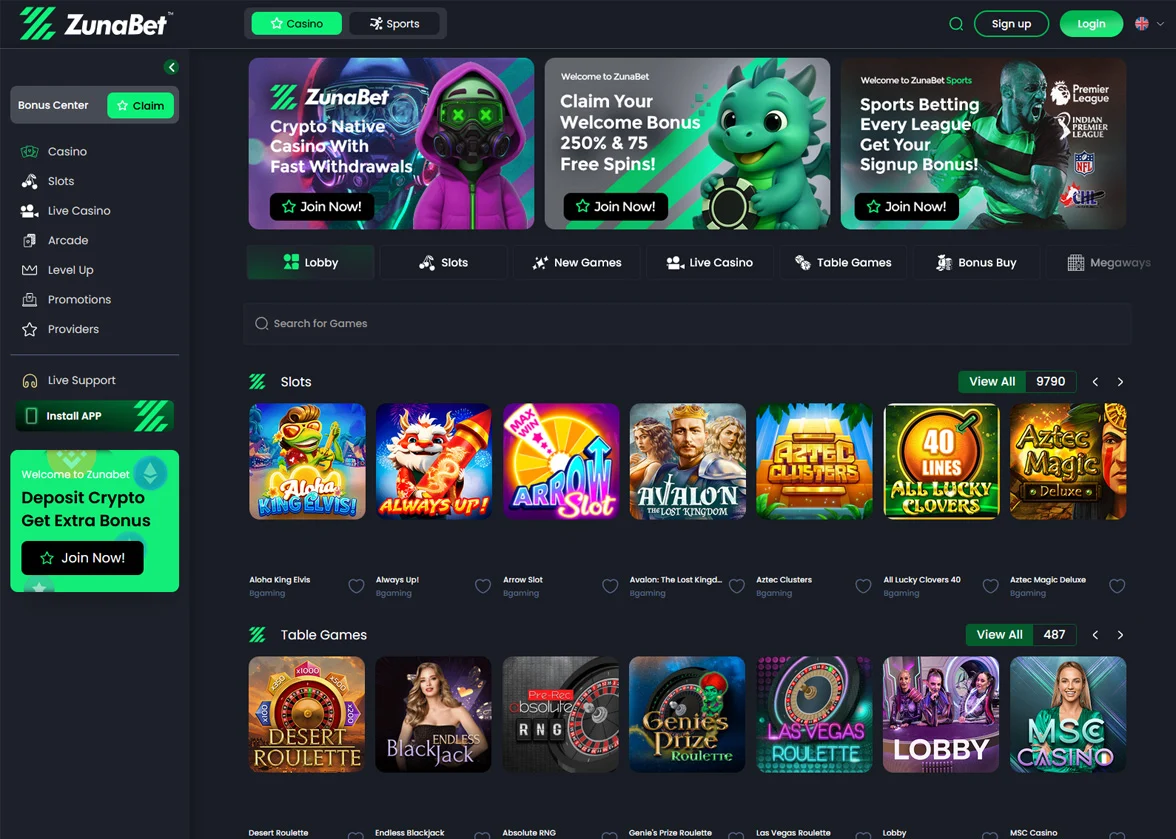
ZunaBet is a crypto casino offering over 11,000 games from 63 providers, extensive sports betting options across traditional and eSports, and a generous welcome package of 250% up to $5000 with 75 free spins
- Massive game library with 11,294 titles from 63 providers
- Accepts 20 different cryptocurrencies with multiple network options
- Generous welcome bonus package worth up to $5,000 plus 75 free spins
- Unique dragon-themed loyalty program with rakeback up to 20%
- Comprehensive sports betting covering traditional sports and esports
ZunaBet is a brand new crypto casino and sportsbook that launched in 2026. The site has over 11,000 games from 63 providers and accepts 20 different cryptocurrencies for deposits and withdrawals.
Key Features
- Massive Game Selection – ZunaBet offers 11,294 casino games including slots, table games, and live dealer options. Players can choose from titles by top providers like Pragmatic Play, Hacksaw Gaming, and Playtech.
- Crypto Payment Options – The casino accepts 20 cryptocurrencies including Bitcoin, Ethereum, Dogecoin, and multiple stablecoin options on different networks. Transactions process quickly, with most deposits confirming within minutes.
- Dragon Loyalty Program – Players progress through six tiers from Squire to Ultimate by wagering on games. Higher tiers unlock better rewards including up to 20% rakeback, 1,000 free spins, and VIP club access.
- Complete Sportsbook – The platform covers traditional sports like football, basketball, and tennis plus esports titles like CS2, Dota 2, and League of Legends. Live betting lets players wager as games unfold in real time.
- Mobile-Friendly Design – ZunaBet works on all devices through its responsive website and downloadable apps for iOS, Android, Windows, and MacOS. Players can access nearly all games and features from their phones or tablets.
ZunaBet delivers a solid gambling experience with its huge game library and modern cryptocurrency focus. The unique dragon loyalty program and generous welcome bonus make it worth checking out for both new and experienced players.
Thrill
Thrill
Welcome Bonus of Up to 70% Rakeback + 10% Cashback
Thrill Casino has emerged as an exciting new player in the crypto gambling space. With its sleek design, provably fair games, and cryptocurrency focus, it’s positioning itself as a forward-thinking option for modern gamblers.
- Up to 70% Rakeback + 10% Cashback
- Unlimited deposits and withdrawals
- Exclusive Thrill Original games
- 1500+ Casino Games from the Top Providers
Thrill Casino is a crypto-focused gambling platform launched in 2025, operating under Curaçao licensing. It offers a modern, sleek interface with 1,850+ slots, 80+ live dealer tables, and proprietary provably fair games.
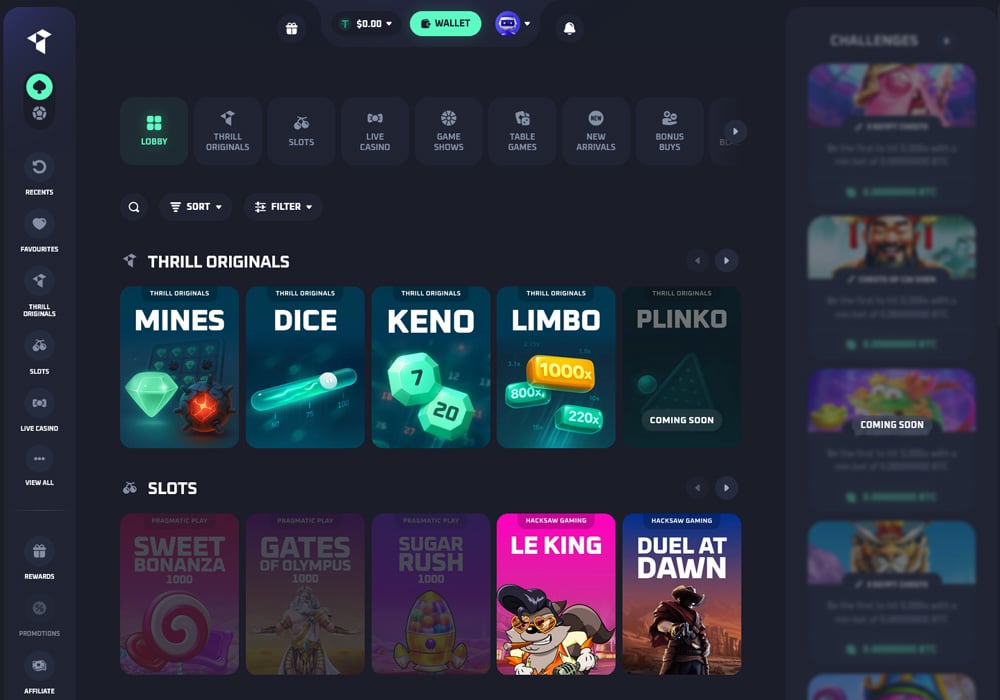
The platform supports 15 cryptocurrencies including BTC, ETH, USDT, SOL, and DOGE, with no deposit limits and near-instant withdrawals. Instead of traditional welcome bonuses, Thrill offers up to 70% rakeback and 10% lossback, providing ongoing value without complex wagering requirements.
Key Points:
- 15+ supported cryptocurrencies
- No deposit/withdrawal limits
- Instant blockchain-speed withdrawals
- 70% rakeback + 10% lossback
- No mandatory KYC
- Provably fair original games
- Comprehensive sportsbook
- Mobile-optimized platform
- 24/7 live chat support
- Strong security measures
The casino features games from reputable providers like Evolution, Pragmatic Play, and NetEnt, plus exclusive “Thrill Originals.” Sports betting is available through BETBY integration. No KYC is required for most users, appealing to privacy-conscious players.
Cybet
- Fast crypto withdrawals processed within 24 hours
- Low minimum deposit of $1
- Provably fair games with verifiable outcomes
- User-friendly interface with intuitive navigation
Cybet Casino is a fresh addition to the online gambling world, bringing a unique frog-themed crypto platform to players since its launch in 2025. This modern casino caters primarily to cryptocurrency enthusiasts, offering seamless transactions across eight popular digital currencies.

With over 1000 games, including slots, live dealer options, and provably fair originals, Cybet delivers an engaging gambling experience wrapped in a user-friendly interface. The platform stands out for its fast withdrawals, generous bonuses, and commitment to security, making it an appealing choice for both casual players and dedicated gamblers looking for a streamlined crypto casino experience.
Key Points
- Cybet Casino launched in 2025 with an engaging frog theme and modern design.
- The platform supports 8 cryptocurrencies including Bitcoin and Ethereum.
- Players can enjoy over 1000 games with 800+ slots and 30+ live dealer options.
- The casino offers provably fair “Cybet Originals” games like Crash and Dice.
- Withdrawals process within 24 hours, often faster for crypto transactions.
- Low $1 minimum deposits make the casino accessible to all players.
- New players get a 100% match up to $500 plus 50 free spins.
- Regular players earn 20% Rakeback with no wagering requirements.
- The referral program pays 25% commission on friends’ wagers.
- VIP program offers progressive benefits with transfer options available.
Cybet Casino successfully combines innovation with accessibility, delivering a standout crypto gambling experience for players of all levels. With its diverse game selection, rapid payouts, and generous rewards system, this frog-themed platform demonstrates a clear understanding of what modern players want. The thoughtful design, robust security measures, and around-the-clock support further enhance its appeal. For cryptocurrency users seeking a fresh, reliable, and engaging online casino, Cybet offers everything needed for an enjoyable and potentially rewarding gaming journey.
Jackbit
JackBit
100% Welcome Bonus + 100 Free Spins
A crypto gaming hub packing thousands of slots, live dealers, niche sports, and instant withdrawals alongside player anonymity, JackBit Casino delivers versatile entertainment and innovations.
- Massive game variety with over 6,000 slots, tables, specialty and live titles
- Huge sportsbook covering 40+ leagues including niche options
- Instant withdrawals to crypto wallets for fast access to funds
- Generous recurring sports betting promotional offers
JackBit is a premier crypto-based online gambling site that burst onto the scene in 2022, bringing a massive game selection and sportsbook. With intuitive navigation optimized for slots, specialty titles like lottery and arcade offerings, and extensive sports betting markets, JackBit utilizes blockchain protocols to enable instant anonymous payouts.

Players can easily deposit leading cryptocurrencies to access competitive odds and niche brackets across mainstream professional leagues and esports. And with the ability to withdraw winnings in under 10 minutes,
Key Points
- Launched in 2022, licensed in Curacao, over 6,600 games and 40+ sports
- Massive variety including slots, table games, live dealers, virtual sports
- Generous sports promotions like betting insurance and free plays
- Accepts 13 major cryptocurrencies with instant, anonymous payouts
- Overall robust, innovative crypto casino and sportsbook suitable for all
With its vast selection of thousands of games across every major gambling vertical paired with extensive sports betting markets, JackBit has firmly established itself as a premier one-stop entertainment hub since entering the scene in 2022.
Most importantly, by championing player privacy through anonymous accounts and lightning fast crypto payouts, JackBit pushes iGaming forward responsibly.
For these reasons, JackBit represents an exciting new option that both recreational punters and devoted bettors should evaluate to appreciate a refined, innovative destination catering to all play styles.
Bcgame
BC.Game
470% Welcome Bonus & 400 Free Spins
BC.Game is a popular crypto-focused online casino launched in 2017 that offers over 8,000 games, generous bonuses up to 300%, and supports 18+ major cryptocurrencies and various payment methods across its sports betting, slots, table games, and live casino.
- 8,000+ games including slots, casino, sports betting, crypto betting
- 470% Welcome Bonus & 400 Free Spins
- Supports 18+ major cryptocurrencies for deposits and withdrawals
- Smooth and user-friendly interface
BC.Game is a feature-rich crypto gambling platform launched in 2017 that has quickly become a top choice for enthusiasts seeking an exciting and generous online casino.

With over 8,000 games spanning slots, table games, live casino, sportsbook, and more, BC.Game offers a smooth, mobile-friendly gambling experience for players around the world.
Keypoints
- Launched in 2017, BC.Game offers over 8,000 crypto-focused games including slots, table games, sports betting, and live casino
- Generous welcome bonuses up to 300% for new players
- Supports 18+ major cryptocurrencies like Bitcoin, Ethereum, Tether for deposits and withdrawals
- Good selection of sports betting options including football, tennis, esports
- 10,000+ slot games available from top providers like Pragmatic Play and Spinomenal
- Classic table games on offer including roulette, baccarat and blackjack
- Live casino games streamed in HD quality for an immersive experience
- Fun games like crypto price betting, lottery, bingo and horse racing also available
- Fast and helpful 24/7 live chat customer support
- User-friendly interface and mobile apps for iOS and Android
With over 8,000 games, generous bonuses, multiple crypto payment options, and a slick user interface, BC.Game has positioned itself as a top choice for crypto casino gaming since its launch in 2017.
Powered by leading gaming providers like Pragmatic Play and Evolution Gaming, the sheer variety coupled with rapid payouts across 18 cryptocurrencies makes BC.Game a one-stop shop for thrilling, trustworthy online gambling with crypto.
Throw in 24/7 live support, regular promotions, and a rewarding VIP program, and BC.Game checks off all the perks players desire in an online casino.
With so many strengths powering this nascent yet wildly popular platform, crypto gambling fans would be remiss not to give BC.Game a spin.
Metawin
MetaWin
30% Extra Free on Every Deposit! Highest RTP. Instant payouts
MetaWin is a crypto casino that delivers anonymous & provably fair gambling by allowing users to connect a Ethereum wallet to access slots, table games, live dealers & more.
- Truly anonymous and private gambling – no personal details or accounts required
- Innovative blockchain competitions with big ETH prize pools and NFT rewards
- Instant, fee-free deposits and withdrawals directly to/from your crypto wallet
- Instant Web3 withdrawals up to 100K USD
- Simple, user-friendly platform design with great mobile compatibility
MetaWin is an exciting new decentralized online casino that offers a truly innovative and anonymous gambling experience on the Ethereum blockchain.

As the first-of-its-kind web3 cryptocurrency gambling platform, MetaWin allows users to connect their Ethereum wallet to access a great selection of casino games like slots, table games, live dealer tables, and more – all while maintaining complete privacy and security.
The site’s real innovation shines through its blockchain-based competitions where users can win big ETH prize pools and valuable NFTs from popular collections, with the results transparently determined by Ethereum smart contracts to guarantee fairness.
Key Points
- Truly innovative and anonymous online casino operating on the Ethereum blockchain
- Offers complete privacy as no account creation or personal information is required
- Allows players to connect their Ethereum wallet (e.g., MetaMask) to access games
- Hosts exciting blockchain-based competitions with opportunities to win big ETH prizes
- Chance to win valuable NFTs from popular collections like Beanz and Killabears
- Transactions and gaming activity occur on the secure Ethereum blockchain
- Players retain full custody of their funds in their private crypto wallets
MetaWin is truly at the vanguard of blockchain-based online gambling. By harnessing the power of the Ethereum blockchain, it delivers an anonymous, secure, and provably fair gaming experience like no other.
From the seamless wallet integration and instant payouts to the innovative smart contract competitions and opportunities to win big ETH prizes and coveted NFTs, MetaWin represents the future of web3 crypto casinos.
For crypto enthusiasts who have been awaiting a way to enjoy casino games while taking full advantage of the inherent benefits of decentralization, anonymity, and transparency, MetaWin is undoubtedly leading the way into this new frontier.
Rakebit
Rakebit
450% Bonus & 100 Free Spins!
Rakebit Casino offers a comprehensive crypto-gambling platform with a vast game selection, user-friendly interface, and attractive bonuses, catering to both casino enthusiasts and sports bettors while prioritizing fast transactions and user privacy.
- Wide range of cryptocurrencies accepted
- Large selection of games (7,000+), including slots, table games, and live casino options
- Sports betting platform integrated
- Fast deposit and withdrawal processing times
- Attractive welcome bonus and ongoing promotions
Rakebit Casino is a popular online gambling platform that has been making waves in the crypto gaming space.
This innovative casino offers a comprehensive suite of gambling options, including an extensive collection of over 7,000 casino games, a robust sports betting platform, and an immersive live casino experience.
Catering primarily to cryptocurrency enthusiasts, Rakebit supports transactions in 10 different cryptocurrencies, ensuring fast, secure, and private banking for its users.

With attractive bonuses, a rewarding VIP program, and a commitment to fair play evidenced by its provably fair games, Rakebit has quickly established itself as a go-to destination for both casual players and serious gamblers in the world of online crypto casinos.
Key Points
- Specializes in cryptocurrency transactions, supporting 10 popular cryptocurrencies for fast, secure, and private banking
- Features a user-friendly interface with intuitive navigation on both desktop and mobile platforms
- Offers an attractive welcome bonus of up to 200 free spins for new players
- Maintains a comprehensive VIP program with 5 tiers, rewarding loyal players with increasing benefits
Rakebit Casino stands out as a top-tier choice in the world of online crypto gambling. With its vast game selection, user-friendly interface, and commitment to cryptocurrency transactions, it offers a modern and secure gaming experience.
Whether you’re a slots enthusiast, table game aficionado, or sports betting fan, Rakebit provides a diverse and engaging environment for all types of players. Its focus on fast transactions, provably fair games, and mobile accessibility further cements its position as a forward-thinking and player-centric online casino.
Megadice
Mega Dice
200% match up to 1 BTC + 50 free spins
Mega Dice Casino is a legitimate and innovative online crypto gambling platform that offers an extensive game library, generous bonuses, top-notch security features, and seamless integration with popular apps like Telegram.
- Instant withdrawals processed on the blockchain
- Generous welcome bonus of 200% up to 1 BTC + 50 free spins
- Wide selection of games from top providers like Evolution, Pragmatic Play, Hacksaw
- Offers a sportsbook in addition to casino games
- Innovative features like Telegram integration and WalletConnect
Mega Dice is an innovative online cryptocurrency casino and sportsbook that has been operating since 2023. It stands out as the world’s first officially licensed casino platform accessible via the popular Telegram messaging app.

With top-notch security features, generous bonuses, and a user-friendly interface, Mega Dice Casino has quickly established itself as a premier destination for crypto gambling enthusiasts.
Key Points
- Extensive game library with slots, table games, live casino, sportsbook, and unique crypto games
- Generous welcome bonus of 200% match up to 1 BTC + 50 free spins for new players
- Supports a wide range of cryptocurrencies for fast and secure deposits/withdrawals, including Bitcoin, Ethereum, Litecoin, and more
- Instant withdrawals processed on the blockchain for added convenience
- Regular promotions, reload bonuses, and a loyalty program to reward existing players
- Comprehensive sportsbook covering major sports leagues, events, and esports tournaments
Mega Dice Casino is a standout platform in the online cryptocurrency gambling space. With its innovative features like Telegram integration, diverse game offerings from top providers, generous bonuses, robust security measures, and a comprehensive sportsbook, it delivers an exceptional and convenient gaming experience.
The casino’s commitment to providing a secure, transparent, and user-friendly environment, coupled with its focus on cutting-edge technology and instant payouts on the blockchain, solidifies its position as a trailblazer in the industry.
Luckyblock
Lucky Block Casino
Welcome Bonus of 200% match on first deposits up to €25,000
Lucky Block offers a world-class crypto casino and sports betting platform with thousands of games, generous rewards for loyal players, fast payouts, and an overall premium interactive gambling experience.
- Huge selection of over 2,700 games from top providers
- Lucrative 200% deposit bonus up to €25,000
- Wide variety of cryptos supported
- Instant withdrawals
- Cutting-edge Telegram & WalletConnect integration
Lucky Block is a new, feature-rich crypto casino making waves in the online gambling space since its launch in late 2022. Backed by an existing cryptocurrency brand, Lucky Block leverages its solid reputation to offer players a modern casino and sportsbook supporting popular cryptos like Bitcoin, Ethereum, and Tether for deposits and withdrawals.

Slick website design optimized for desktop and mobile coupled with around-the-clock chat support cement Lucky Block’s accessibility for crypto holders worldwide.
Key Points
- Large selection of over 2,700 casino games from 50+ top providers like NetEnt and Pragmatic Play, including slots, table games, jackpots, and live casino
- Generous welcome bonus of 200% match up to €10,000 plus 50 free spins
- Wide variety of 10+ cryptocurrencies supported for fast, anonymous deposits and withdrawals
- Instant crypto withdrawals processed directly to players’ wallets
- Lucrative loyalty program coming soon with cashback, birthday bonuses, and rewards for frequent players
- Innovative features like daily jackpot drops, lottery betting, and native LBLOCK token perks
Lucky Block emerged as one of our top recommendations for crypto gamblers seeking a leading destination supporting both casino games and sports betting with digital currencies
Backed by reputable licensing and a globally-recognized crypto brand, Lucky Block offers players a secure, legal platform to enjoy thousands of slots, jackpots, live table games, and betting markets across sports leagues like the NBA and esports tournaments
Fast and easy account setup via email or Telegram allows new players to claim a generous 200% welcome bonus up to €25,000 and start playing within minutes. Lucrative ongoing promotions and imminent loyalty perks provide recurring value for regular players
It’s a great place for gamblers, sports bettors and crypto enthusiasts – check it out!
Betpanda
- No KYC & VPN Friendly anonymous casino
- Zero fees, instant deposits & withdrawals
- 5,000+ casino games & sports betting without limits
- 10% Weekly Cashback
- Generous welcome bonus up to 1 BTC
BetPanda.io is a modern crypto casino that launched in August 2023 and has quickly made a name for itself in the online gaming space. The platform combines the convenience of cryptocurrency gambling with an extensive gaming library of over 5,500 titles, instant payouts, and a user-friendly interface.

What sets BetPanda apart is its commitment to player privacy with no KYC requirements, coupled with generous bonuses including a 100% welcome bonus up to 1 BTC and weekly cashback rewards.
Key Points
- Over 5,500 games from 76 providers, including slots, live casino, and sports betting
- Ultra-fast withdrawals within 30 seconds and instant deposits with 13+ cryptocurrencies supported
- Generous 100% welcome bonus up to 1 BTC plus 10% weekly cashback with no wagering requirements
- Privacy-focused with no KYC required – only email needed to register
- 6-tier VIP program with increasing rewards and dedicated support
- 24/7 customer service with quick response times
- Clean, mobile-friendly design that works on all devices
- Secure platform with SSL encryption and two-factor authentication
- Regular tournaments and promotions for extra rewards
BetPanda.io has proven itself to be a standout crypto casino despite its relatively recent launch in 2023. With its impressive collection of over 5,500 games, lightning-fast withdrawals, and generous bonus system, it delivers everything that modern crypto gamblers are looking for.
The platform’s commitment to user privacy, combined with its robust security measures and responsive customer support, makes it a trustworthy choice for players seeking a premium crypto gaming experience.
Whether you’re a casual player or a serious gambler, BetPanda’s user-friendly interface, diverse game selection, and attractive rewards program make it a compelling destination in the world of crypto casinos.
Betplay
Betplay
Welcome Bonus Matches 100% up to 50 mBTC
With thousands of high-quality games, lucrative crypto bonuses, sleek mobile compatibility, and excellent customer support, emerging online casino Betplay delivers a polished, feature-rich experience catering to modern player preferences across devices.
- Large game selection with over 6,000 titles from top providers
- Generous crypto welcome bonus up to 50 mBTC
- Fast withdrawals through cryptocurrency support
- Slick, intuitive site design optimized for mobile
- Live chat provides quick customer support
Betplay is an emerging online crypto casino that aims to provide a modern, entertaining gambling experience through its extensive games library, lucrative bonuses, and slick platform design. Established in 2020 and licensed under a Costa Rica-based ownership group, Betplay offers over 6,000 titles across slots, table games, live dealer options and more from leading developers.

The site incentivizes new players with a generous 100% deposit bonus up to 50 mBTC while rewarding loyalty through weekly cashback and daily rakeback programs.
Betplay accepts major cryptocurrencies for fast, secure transactions and implements reasonable security controls around encryption and infrastructure monitoring.
With its expanding features and focus on user experience, Betplay shapes up as an intriguing new contender in the bitcoin casino space.
Key Points
- Offers over 6,000 casino games including slots, table games, live dealer games, and more from top providers like Microgaming and Evolution Gaming
- Lucrative welcome bonus of 100% deposit match up to 50 mBTC
- 10% weekly cashback on losses and daily rakeback rewards for loyal players
- Quick deposits and fast withdrawals through support of major cryptocurrencies
- 24/7 customer support via live chat and email with knowledgeable agents
- Allows play in free demo modes to try games risk-free before betting real money
For players seeking a modern, cryptocurrency-focused online casino, Betplay shapes up as an appealing option worth exploring.
Betplay makes a strong initial impression by getting the fundamentals right – offering a smooth, easily navigable platform across devices, expanding games library with titles from top studios, and reliable customer support response times.
The generous 100% welcome bonus matches competitors while daily rakeback and weekly cashback promotions cater to loyalty long-term.
Betplay has all the makings of a rising star worth betting on for crypto gamblers seeking quality gameplay and modern convenience.
Wild.io
Wild.io
400% Welcome Bonus up to $10,000 + 300 Free Spins
With generous crypto bonuses, instant payouts, and a smooth cross-device gameplay experience, Wild.io provides a compelling new option for cryptocurrency gamblers
- Instant withdrawals for crypto currencies
- Huge selection of slots and table games
- Instant play site needs no downloading
- VIP program rewards loyal players
Bringing innovation to the expanding galaxy of crypto gambling sites, Wild.io has offered premium entertainment since 2022. Obtaining credentials from the reputable Curacao egaming authorities and enlisting talented developers, Wild.io furnishes an abundant game selection spanning over 1,600 titles presently.
Slots steal the spotlight, but blackjack devotees, roulette fans and live stream enthusiasts find tailored action through variants and dedicated studios.

Lucrative matched deposits give way to ongoing cashback incentives, surprise bonus drops and contest entries across desktop and mobile. While constraints exist around eligibility in several countries presently, Wild.io focuses on usability, security and entertainment for crypto gamblers looking to explore modern iGaming frontiers.
Key Points
- Lucrative welcome bonus up to $5,000 + 300 free spins
- Instant withdrawals with no limits for cryptocurrencies
- Generous ongoing promotions like 77% reload matches
- Smooth, contemporary site design for desktop and mobile
- Exclusive focus on major cryptocurrencies only
- Innovative games like Crash, Plinko, Mines
- eSports and sports betting planned for the future
In an increasingly crowded crypto gambling landscape, Wild.io has carved out a distinctive niche since its 2022 founding by merging innovation with entertainment.
Lucrative sign-up rewards in the form of matched deposits and free spins continue through passive cashback, surprise bonus drops and contest entries incentivizing gameplay daily.
Swift verifications and rapid payouts cement convenience while robust cryptography and responsible gambling protocols safeguard activities for customers globally.
For those seeking a contemporary online casino experience, Wild.io makes an appealing choice to wager at your own pace.
Coinkings
CoinKings
100% Unlimited Welcome Bonus + 100 Free Spins
With a gigantic games selection, enormous 999 BTC welcome bonus, smooth performance on all devices, fast payouts, and 24/7 support, emerging crypto casino CoinKings emerges as a top destination.
- Huge selection of over 9408 casino games from top providers
- Extremely generous 100% match welcome bonus up to 999 BTC
- Supports all major cryptocurrencies for payments
- Smooth and fast site with flawless mobile optimization
- 24/7 live chat and email customer support
CoinKings is an exciting new cryptocurrency-focused online casino that aims to offer players a premium gaming experience.
Established in late 2023 by industry veterans, CoinKings brings together an enormous selection of over 9,408 casino games, generous bonus offers, smooth banking, and responsive performance across desktop and mobile.

With games delivered by major studios like NetEnt, Evolution Gaming, Pragmatic Play and more, enthusiasts of classic table games, poker, slots, live dealer tables, and other online gambling options will find top-quality entertainment catered at CoinKings.
Key Points
- Offers over 9,408 games from leading providers like NetEnt and Evolution
- Generous welcome bonus up to 999 BTC match + 150 free spins
- Accepts major cryptos for fast, anonymous payments
- Fiat currency deposits supported through integrated gateways
- Website and mobile apps optimized for all devices
- Lucrative loyalty program with 10 VIP levels
- Progressive jackpot games with big prize pools
After thoroughly testing and reviewing CoinKings’ offerings, there is no doubt this fresh new crypto gambling site establishes itself as a leading player in the market.
With its gigantic game selection from renowned studios, enormously generous 999 BTC welcome bonus and reasonable wagering terms, fast and smooth performance across all devices, and dedication to customer satisfaction through 24/7 support – CoinKings checks all the boxes.
For a fun, rewarding and polished crypto gaming environment with everything you expect from a top-rated operator, CoinKings belongs on the shortlist of casinos to join. With new titles, promotions and innovations surely on the horizon, savvy bettors would do well to secure their lucrative welcome bonus early at this rising star in crypto gambling.
Coinsgame
Coins.Game
Welcome Bonus of 300% Deposit Match Up To $1,500
Coins.Game is a feature-rich crypto gambling site with a huge casino game selection, competitive sportsbook odds, lucrative welcome bonus, fast payouts, and excellent customer support, making it an appealing option for players globally.
- Lucrative 300% welcome bonus for new players
- Supports over 15 popular cryptocurrencies
- Huge selection of over 2,000 casino games
- Competitive odds and props available on 25+ sports leagues
- Highly Recommended by Blockonomi
Coins.Game is a new online gambling site making waves in the crypto space since its launch in 2022. This platform allows players worldwide to enjoy a feature-packed casino, sportsbook, and more using popular cryptocurrencies like Bitcoin, Ethereum, and Tether for deposits and withdrawals.

The site boasts an intuitive interface optimized for desktop and mobile, multiple crypto banking options with fast payouts, and dedicated 24/7 customer support.
Key Points
- Offers over 2,000 casino games including slots, table games, and live dealer
- Comprehensive sportsbook covering 25+ leagues with competitive odds
- Accepts 15+ popular cryptocurrencies for fast, anonymous payments
- Lucrative 300% first deposit welcome bonus up to $1,500
- Regular promotions like free spins, cashback, and reload bonuses
- VIP program unlocks cashback, prizes, and other perks
With over 2,000 total casino games, a full sportsbook and esports betting options, and support for a dozen cryptocurrencies – Coins.Game aims to be a one-stop shop for crypto gamblers.
The 300% first deposit bonus up to $1,500 provides new players with a lucrative head start. Regular promotional offers like free spins, cashback deals, and prizes give you plenty of reasons to stay active in the long run. For security, Coins.Game leverages encryption, firewalls, and fraud monitoring to protect your funds and data.
So if you’re looking for a full-featured Bitcoin and altcoin casino with leading slots, tables games, live dealers, virtual sports, and sportsbook betting under one roof – give this new gambling site serious consideration.
Mirax
Mirax Casino
Welcome Bonus Totalling up to5 BTC and 300 Free Spins.
Mirax is a contemporary licensed crypto casino with a space-age theme, 7000+ games, and instant payouts across digital coins and fiat currencies.
- Massive selection of over 7000 games from leading providers
- Quick withdrawals, especially for cryptocurrencies
- Multi-tier VIP program with escalating rewards
- Generous ongoing promotions like free spins and reload bonuses
Mirax Casino is an innovative and engaging online cryptocurrency casino launched in 2022 that brings a modern space-age aesthetic to its platform.

Players can explore endless slots, classic table games, live dealers and more while taking advantage of generous sign-up bonuses, ongoing promos, instant crypto payouts and around-the-clock customer support.
Key Points
- Extensive games library with over 7,000 slots, table games, live casino titles
- Powered by leading providers like Evolution Gaming and BetSoft for high-quality gameplay
- Lucrative sign-up bonus up to 5 BTC plus 300 free spins
- Generous ongoing promotions like cashback, tournaments, and holiday specials
- Instant withdrawals for cryptocurrencies like BTC and ETH
- Multi-tier VIP program provides escalating rewards for loyal players
Overall, Mirax Casino provides a compelling and entertaining online gambling destination for both crypto and fiat players. With its cosmic aesthetics, massive 7,000+ games library, lucrative bonuses up to 5 BTC, and innovative space theme, Mirax brings an intergalactic twist to the world of internet gambling.
Fast crypto withdrawals, responsive customer service, and multi-platform compatibility cement it as a secure and reputable option.
For those seeking a contemporary, licensed casino that offers an out-of-this-world experience, Mirax checks all the boxes. Its modern approach to bonuses, banking and gameplay make it a standout in the expanding galaxy of crypto casinos.
Thunderpick
Thunderpick
100% Match Up to 500 EUR/USD.
Thunderpick is a premier online gambling site with extensive sports betting markets, hundreds of casino games, generous welcome bonuses, and a smooth, fully mobile-optimized user experience.
- Huge selection of betting markets across dozens of sports
- Extensive casino game portfolio with hundreds of slots and table games
- Ongoing promotions, prize drops, cashback, and VIP program
- Responsive 24/7 customer support via live chat and email
Boasting oversight from the reputable Curacao Gaming Control Board licensing body, Thunderpick offers an extensive sports wagering menu spanning over 30 categories internationally.

Their contemporary website design pairs seamlessly with a polished mobile experience to uphold convenience for global audiences. Lucrative matched deposits continue through ongoing reload incentives, free wagers and daily boosts across thousands of betting markets
Key Points
- Extensive sports betting markets across 30+ sports
- Competitive odds comparable to leading sportsbooks
- Hundreds of slots and casino games also offered
- Lucrative welcome bonus package up to €875
- Generous ongoing promotions like 10% weekly cashback
- Smooth, contemporary site design for desktop and mobile
- Live streaming offered for many sporting events
In an increasingly crowded online gambling landscape, Thunderpick has carved out a distinctive niche since its 2017 founding by blending sports betting variety with next-generation convenience.
Lucrative sign-up bonuses continue through ongoing reload matches, free wager tokens and contest entries. For VIPs, an escalating rewards program unlocks higher maximums and personalized support.
For an enjoyable, rewarding online gambling experience, Thunderpick makes an appealing choice to wager at your own pace.
Mbit
mBit Casino
150% Welcome Bonus & 100 Free Spins!
mBit Casino is a feature-rich platform for online casino gaming, especially for Bitcoin players. The expansive games library and robust live dealer offering are definite strengths, while the comprehensive security measures provide peace of mind.
- Massive selection of games
- Quality live dealer offering
- Crypto and fiat payment options
- Varied welcome offers and bonuses
mBit Casino is a popular online gambling site focused on serving Bitcoin players. Established in 2014, this online casino offers over 2,600 slot games, more than 100 progressive jackpots, a large selection of table games and dedicated live dealer options.

mBit Casino accepts deposits and handles lightning-fast withdrawals using top cryptocurrencies like Bitcoin, Ethereum, and Litecoin. Players can also use traditional payment methods if preferred. The site advertises strong security and privacy standards for transactions.
New players are welcomed with a generous 3-part deposit bonus worth up to 5.5 BTC. There’s also a no-deposit bonus on sign-up. Regular players benefit from ongoing promotions, daily races, and an industry-leading 8-tier VIP program.
Key Points
- Huge selection of over 2,600 slot games from top developers like Amatic, Red Tiger Gaming, Play’N GO and Betsoft
- 100+ progressive jackpot slots with lucrative prize pools
- Wide variety of classic table games like blackjack, roulette, baccarat, dice games, etc.
- Immersive live dealer casino powered by Evolution Gaming’s software
- Generous welcome bonus package on first 3 deposits matched up to 110%
- Daily and weekly leaderboard promotions with prizes
- 8-tier VIP program providing bigger rewards for loyal players
- Supports deposits and fast withdrawals with major cryptocurrencies
mBit Casino stands out as a top-tier crypto-centered online casino platform with a lot to offer players. Its biggest strength is undoubtedly its vast games library with over 2,600 high-quality slots, table and live dealer titles from the best providers. This creates almost endless entertainment for every type of player.
Complementing the expansive gaming catalog is strong banking support for major cryptocurrencies like Bitcoin and Ethereum. Deposits and withdrawals are fast thanks to blockchain technology. mBit also provides privacy for players that want to remain anonymous.
With its exceptional game variety, crypto focus, and generous rewards programs, mBit Casino is a winning choice for any fan of online gambling.
Tgcasino
TG Casino
Welcome Bonus of 200% rakeback up to 10 ETH + 50 free spins + $5 sports bet
TG.Casino combines the convenience of Telegram messaging with a massive selection of games and sports betting options, allowing for anonymous crypto gambling without KYC requirements.
- Telegram integration for seamless gambling within the messaging app
- No KYC required for completely anonymous play
- Impressive selection of 5,000+ games from top providers
- Native TGC token offering 25% cashback and profitable staking options
- Fast cryptocurrency transactions with instant deposits and quick withdrawals
TG.Casino has emerged as an innovative player in the online gambling space since 2023, uniquely combining a full-featured casino experience with Telegram integration. This platform allows users to access over 5,000 games and sports betting markets directly through the popular messaging app or via their website.
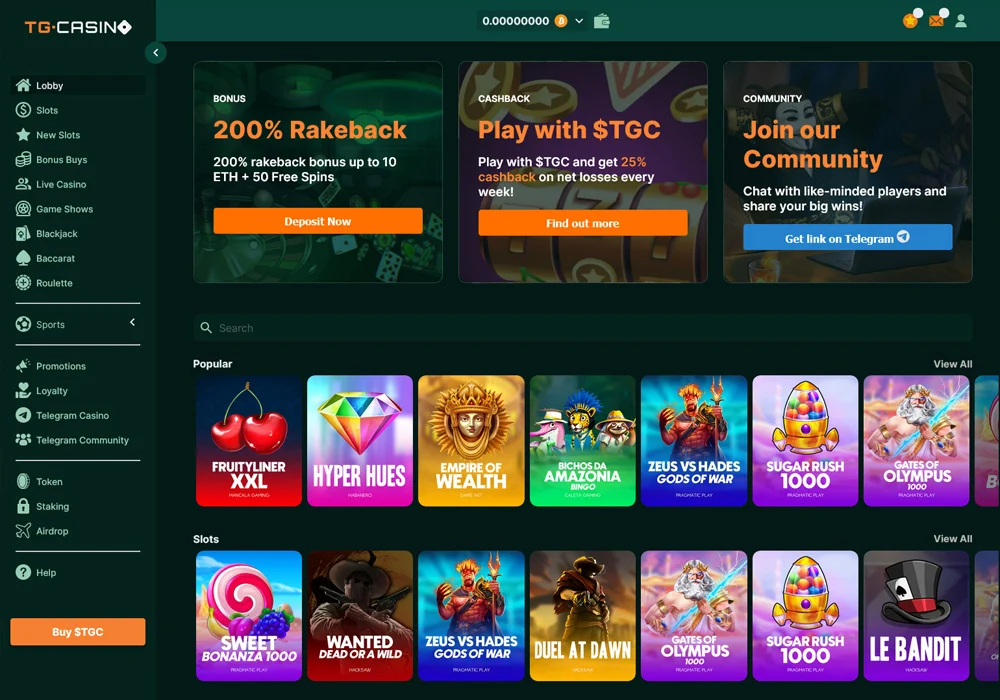
With anonymous crypto payments across 15+ cryptocurrencies, no KYC requirements, and exclusive benefits through their native TGC token, TG.Casino offers a modern, privacy-focused gambling experience for crypto enthusiasts.
Key Points
- Seamlessly integrates with Telegram for convenient gambling
- 5,000+ games including slots, table games, and live dealer options
- Offers 30+ sports markets with competitive odds
- Supports 15+ cryptocurrencies with no KYC requirements
- TGC token provides 25% automatic cashback on losses
- Generous welcome bonus: 200% rakeback up to 10 ETH
- Fast transactions with 24-hour withdrawal processing
- Available via website or Telegram mini-app
- Licensed by Curacao Gaming Control Board
- 24/7 customer support through multiple channels
TG.Casino stands out as a groundbreaking platform that successfully merges convenient Telegram access with comprehensive crypto gambling options. Its impressive game selection, anonymous play without KYC requirements, and innovative TGC token benefits create exceptional value for players.
For cryptocurrency enthusiasts seeking a secure, feature-rich gambling experience with seamless mobile access, TG.Casino represents one of the most user-friendly and rewarding options available today.
Katsubet
Katsubet
Welcome Bonus of 100% Deposit Match + 100 Free Spins
KatsuBet is a modern, licensed online crypto casino with Japanese-inspired aesthetics, over 5000 games, and fast payouts across cryptos like Bitcoin and fiat currencies.
- Huge selection of over 5000 games from top providers
- Instant withdrawals for cryptocurrencies
- Regular promotions like free spins and reload bonuses
- 8-tier VIP program with escalating rewards
Bringing Japanese inspiration to the world of crypto gambling, KatsuBet has provided an artsy yet contemporary online casino destination since 2020. With licenses cementing legitimacy and leaders like Dama N.V. steering operations, the site offers an abundant game selection numbering over 5,000 titles.

Lucrative deposit matches, free spin bundles and cashback perks incentivize gameplay while swift verifications and cryptography uphold convenience for international users.
Key Points
- Over 5,000 games from leading studios like Evolution Gaming
- Lucrative welcome bonus up to €500 plus 100 free spins
- Cryptocurrency supported for fast, anonymous banking
- 8-tier VIP program with escalating rewards
- Generous promotions like weekly cashback and free spins
- Instant payouts for cryptos like Bitcoin and Ethereum
- Fully optimized for seamless mobile play across devices
In an increasingly crowded online gambling landscape, KatsuBet has carved out a distinctive niche since its 2020 founding by merging vibrant Japanese visuals with varied gaming.
Lucrative sign-up bonuses continue through ongoing reload matches, free spin awards and cashback deals. For VIPs, an escalating rewards program unlocks higher withdrawal limits and personalized support.
For an innovative crypto casino blending culture and convenience, KatsuBet is worth a spin. As additions around live dealers and payment channels continue, this aesthetic-rich gaming portal shows future promise.
Betfury
BetFury
Welcome Bonus Up to $3,500 plus 1,000 free spins
BetFury is the premier one-stop crypto gambling destination for players seeking an enormous selection of fair games, generous bonuses up to $3,500, free token rewards, and robust sports betting options across desktop and mobile.
- Huge selection of over 8,000 casino games and sports betting options
- Generous welcome bonuses up to $3,500 in value plus free spins
- Lucrative loyalty program with escalating cashback rewards
- Quick crypto deposits & withdrawals in over 40 coins/tokens
- Staking system to earn native BFG tokens as you play
BetFury is a premier crypto-based gambling site that has exploded in popularity since launching in 2019. Over 1.6 million members now enjoy the platform’s enormous casino with over 8,000 games, lucrative sportsbook betting markets, innovative social features, and generous bonus programs.

BetFury accepts dozens of major cryptocurrencies for fast and easy gameplay while offering round-the-clock support and full optimization for mobile access.
Key Points
- Features an enormous casino with over 8,000 games including slots, table games, live dealer, and originals
- Accepts 40+ major crypto coins and tokens like BTC, ETH, ADA for deposits and withdrawals
- Generous welcome bonuses up to $3,500 in value plus thousands of free spins
- Operates a full sportsbook with betting on 80+ disciplines including major leagues and esports
- Native BFG token offers profit sharing via daily staking rewards of up to $2M
- Fully optimized mobile web experience enables easy access on any device
- Fast 15 minute withdrawals and responsive 24/7 customer support via live chat
With continual innovation in its products and player experiences, BetFury has swiftly become a trailblazing force demonstrating the full potential of cryptocurrency gambling sites.
Between the expansive game catalog, profitable staking perks, and vibrant social environment – BetFury offers something for all appetite levels.
For an exemplary iGaming hub where entertainment rewards such devotion, search no further than this definitive crypto contender.
Brief Overview of Crypto Casinos
Crypto casinos are online gambling platforms that let you deposit, play, and withdraw using cryptocurrencies like Bitcoin and Ethereum. They work just like regular online casinos, but with the added benefits that come from using digital currencies.
These platforms have exploded in popularity over the past few years. Players love the speed, privacy, and low fees that crypto transactions offer compared to traditional payment methods.
Growing Popularity in Gibraltar
Gibraltar has a well-established reputation as one of the world’s leading online gambling jurisdictions. The territory’s forward-thinking approach to regulation has made it a natural fit for crypto gambling.
Many residents and visitors in Gibraltar are already familiar with digital currencies through the local fintech scene. This tech-savvy population has embraced crypto casinos as a modern and convenient way to enjoy online gambling.
The combination of Gibraltar’s strong regulatory framework and growing crypto adoption has created the perfect environment. More and more players are making the switch from traditional online casinos to crypto-powered alternatives.
Understanding Crypto Casinos
What Are Crypto Casinos?
Crypto casinos are online gambling platforms that accept digital currencies as a form of payment. Instead of using pounds or euros, you deposit and withdraw using coins like Bitcoin, Ethereum, or Litecoin.
Some crypto casinos are built entirely on blockchain technology. Others are traditional online casinos that have simply added cryptocurrency as a payment option alongside regular methods.
How Do They Differ from Traditional Online Casinos?
The biggest difference is how money moves in and out of your account. With crypto casinos, transactions happen on the blockchain, which means they are faster and often come with lower fees.
Traditional casinos usually require personal banking details for deposits and withdrawals. Crypto casinos can offer a more private experience because blockchain transactions don’t always require the same level of personal information.
Another key difference is transparency. Many crypto casinos use blockchain-based systems that let you verify the fairness of each game yourself, which is something traditional casinos simply cannot offer.
Advantages of Using Cryptocurrencies for Gambling
Speed is one of the biggest perks of using crypto at online casinos. Withdrawals that might take days at a traditional casino can be completed in minutes with cryptocurrency.
Transaction fees are usually much lower as well. You won’t have to deal with the hefty charges that banks and payment processors sometimes tack on.
Privacy is another major draw for many players. Crypto transactions give you more control over your personal and financial information.
Legal Status of Crypto Casinos in Gibraltar
Current Regulations
Gibraltar is one of the most respected gambling jurisdictions in the world. The Gibraltar Gambling Commissioner oversees all gambling activity in the territory and holds operators to very high standards.
At present, there is no specific law that bans the use of cryptocurrency for online gambling in Gibraltar. However, operators must still comply with all existing gambling regulations, including anti-money laundering and know-your-customer requirements.
Gibraltar has also taken steps to regulate distributed ledger technology through its DLT framework. This forward-looking approach signals that the territory is open to innovation while still maintaining strong consumer protections.
Licensing Requirements
Any casino operating in Gibraltar needs a licence from the Gibraltar Gambling Commissioner. This licence ensures that the operator meets strict standards for fairness, security, and responsible gambling.
Licensed operators are regularly audited and must prove that their games are fair and their systems are secure. Players in Gibraltar should always look for a valid Gibraltar licence or another reputable licence when choosing a crypto casino.
Even if a crypto casino is based elsewhere, it still needs to meet certain standards to serve players in the territory. Sticking with licensed sites is the best way to protect yourself.
How We Selected the Best Casinos for Gibraltar
Finding the best crypto casinos for Gibraltar took serious time and effort. We started by identifying every crypto-friendly casino that accepts players from the territory.
From there, we created accounts and made real deposits at each site. We tested the sign-up process, the speed of deposits, the quality of games, and how quickly we could withdraw our funds.
We also evaluated each casino’s customer support by reaching out with real questions. We looked at response times, the helpfulness of the answers, and whether support was available around the clock.
Security was a major factor in our testing process. We checked for proper licensing, SSL encryption, and two-factor authentication to make sure player funds and data are protected.
Finally, we compared bonuses, promotions, and loyalty programmes across all the sites. Only the casinos that passed every test made it onto our recommended list.
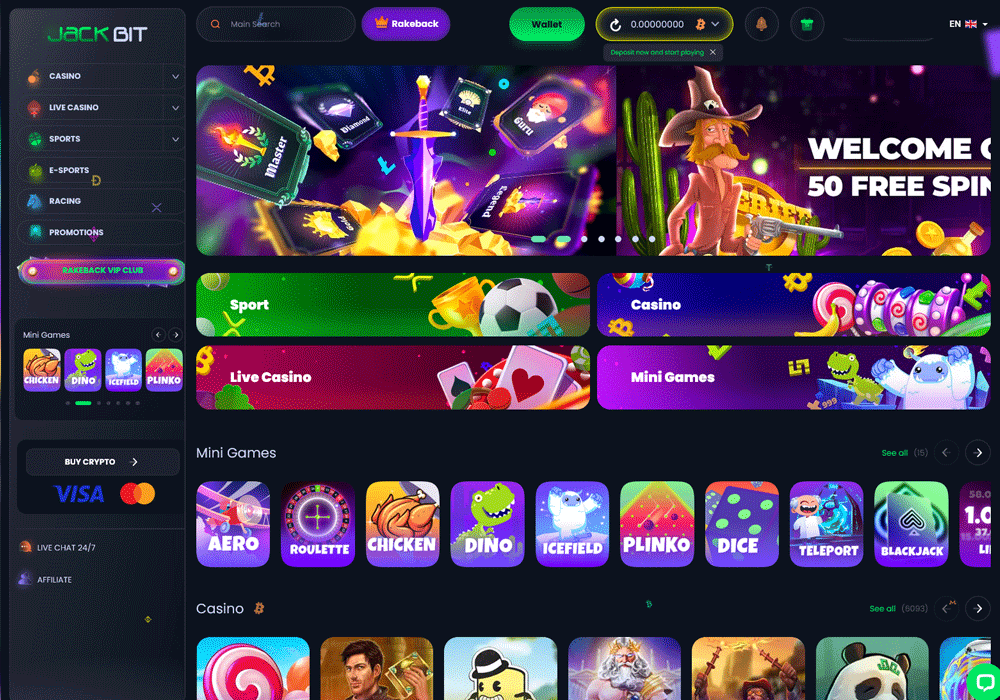
Features to Look for in a Crypto Casino
- Game Variety — A top crypto casino should offer a wide range of slots, table games, live dealer options, and speciality games. The more choices you have, the more fun your experience will be.
- Security Measures — Look for SSL encryption, two-factor authentication, and cold storage of funds. A secure casino keeps your crypto and personal data safe from threats.
- Bonuses and Promotions — The best sites offer generous welcome bonuses, reload offers, and ongoing promotions. Always check the wagering requirements before claiming any bonus.
- User Interface and Experience — The casino should be easy to navigate on both desktop and mobile. A clean design and fast-loading pages make a big difference.
- Customer Support — Reliable support via live chat, email, or both is essential. The best casinos offer 24/7 help from knowledgeable agents.
- Provably Fair — This blockchain-based system lets you verify that each game result is truly random. It adds an extra layer of trust that traditional casinos can’t match.
Popular Cryptocurrencies Accepted by Gibraltar Casinos
- Bitcoin (BTC) — The most widely accepted crypto at online casinos and the go-to choice for most players.
- Ethereum (ETH) — Known for fast transaction speeds and widely supported across crypto gambling sites.
- Litecoin (LTC) — Offers quick confirmations and very low fees, making it great for frequent players.
- Tether (USDT) — A stablecoin pegged to the US dollar, ideal for players who want to avoid crypto price swings.
- Dogecoin (DOGE) — Accepted at a growing number of casinos and popular for its low transaction costs.
- Bitcoin Cash (BCH) — A faster and cheaper alternative to Bitcoin that many crypto casinos support.
- Ripple (XRP) — Valued for its near-instant transaction times and minimal fees.
How to Get Started with Crypto Gambling
Setting Up a Crypto Wallet
Before you can play at a crypto casino, you’ll need a digital wallet to store your coins. Popular options include software wallets like MetaMask and Trust Wallet, or hardware wallets like Ledger for extra security.
Setting up a wallet usually takes just a few minutes. Make sure you write down your recovery phrase and store it somewhere safe, as losing it could mean losing access to your funds forever.
Purchasing Cryptocurrencies
Once your wallet is ready, you’ll need to buy some crypto. You can do this through exchanges like Coinbase, Binance, or Kraken using a debit card or bank transfer.
Some crypto casinos also let you buy crypto directly on their platform. This can be a convenient shortcut if you want to get started quickly without setting up a separate exchange account.
Making Deposits and Withdrawals
To deposit, simply copy the casino’s wallet address and send your crypto from your personal wallet. Most deposits are confirmed within a few minutes, depending on the cryptocurrency you use.
Withdrawals work in reverse — you provide your wallet address and the casino sends your winnings. Crypto withdrawals are usually processed much faster than traditional bank transfers, often within the hour.

Responsible Gambling in Crypto Casinos
Setting Limits
Most reputable crypto casinos let you set daily, weekly, or monthly deposit limits. Taking advantage of these tools helps you stay in control of your spending.
It’s a good idea to decide on a budget before you start playing. Stick to that budget no matter what, and never chase losses.
Self-Exclusion Options
If you feel like gambling is becoming a problem, many crypto casinos offer self-exclusion tools. These let you temporarily or permanently block yourself from accessing your account.
Self-exclusion is a powerful step that can give you the space you need. Don’t hesitate to use it if you feel things are getting out of hand.
Resources for Problem Gambling
Gibraltar players have access to several support organisations if gambling becomes an issue. GamCare and Gambling Therapy both offer free, confidential advice and support.
These services are available online, by phone, and through live chat. Reaching out is always the right move if you or someone you know needs help.
Conclusion
Finding the right crypto casino in Gibraltar doesn’t have to be difficult. We’ve done the hard work of testing and reviewing the top options so you don’t have to.
Every casino on our list has been thoroughly vetted for safety, fairness, game quality, and customer support. You can trust any of them for a great crypto gambling experience.
Pick a site that suits your style, claim a welcome bonus, and enjoy the ride. Best of luck at the tables!
Pros and Cons of Crypto Casinos
Advantages
- Faster deposits and withdrawals compared to traditional payment methods
- Lower transaction fees save you money over time
- Greater privacy and control over your personal information
- Access to provably fair games for added transparency
- Generous bonuses that often exceed what traditional casinos offer
- No need to share banking details with the casino
Disadvantages
- Cryptocurrency values can fluctuate, affecting your balance
- Not all casinos are properly licensed or regulated
- Some crypto casinos have limited customer support options
- The learning curve for new crypto users can be steep
- Fewer consumer protections compared to traditional regulated casinos
- Bonus wagering requirements can sometimes be high
Frequently Asked Questions
Are crypto casinos legal in Gibraltar?
There is no specific law in Gibraltar that prohibits the use of cryptocurrency for online gambling. However, operators must still comply with all gambling regulations set by the Gibraltar Gambling Commissioner. Players should always choose licensed and regulated casinos.
Do I need to verify my identity at a crypto casino?
Many crypto casinos offer simplified sign-up processes, but most reputable sites will require some form of identity verification. This is due to anti-money laundering regulations that apply in Gibraltar and other jurisdictions. The process is usually quick and straightforward.
How fast are crypto casino withdrawals?
Crypto withdrawals are generally much faster than traditional methods. Most are processed within minutes to a few hours, depending on the cryptocurrency used and the casino’s processing times. Bitcoin withdrawals may take a little longer due to network confirmation times.
Can I play at crypto casinos on my phone?
Yes, the vast majority of crypto casinos are fully optimised for mobile play. You can access them through your phone’s web browser without needing to download an app. The experience is smooth and includes all the same games and features as the desktop version.
What is the best cryptocurrency to use for online gambling?
Bitcoin is the most widely accepted option, but Litecoin and Ethereum are also excellent choices due to their faster transaction speeds and lower fees. Stablecoins like Tether are popular with players who want to avoid price volatility. The best choice depends on your personal preferences and what the casino accepts.
Finding a trustworthy crypto casino in Belarus can feel overwhelming with so many options out there. That is why we put together this complete guide to help you find the best and safest platforms available to Belarusian players.
Our team has spent weeks testing crypto casinos that accept players from Belarus. We looked at everything from game selection to withdrawal speeds to make sure we only recommend sites that deliver a great experience.
We have personally tested and reviewed each site on the list, you can read our in depth reviews below.
Let’s dig in…
Top Belarus Casinos
- Massive game library with 11,294 titles from 63 providers
- Accepts 20 different cryptocurrencies with multiple network options
- Generous welcome bonus package worth up to $5,000 plus 75 free spins
- Unique dragon-themed loyalty program with rakeback up to 20%
- Comprehensive sports betting covering traditional sports and esports
- Fast crypto withdrawals processed within 24 hours
- Low minimum deposit of $1
- Provably fair games with verifiable outcomes
- User-friendly interface with intuitive navigation
- Massive selection of games
- Quality live dealer offering
- Crypto and fiat payment options
- Varied welcome offers and bonuses
- Up to 70% Rakeback + 10% Cashback
- Unlimited deposits and withdrawals
- Exclusive Thrill Original games
- 1500+ Casino Games from the Top Providers
- Truly anonymous and private gambling – no personal details or accounts required
- Innovative blockchain competitions with big ETH prize pools and NFT rewards
- Instant, fee-free deposits and withdrawals directly to/from your crypto wallet
- Instant Web3 withdrawals up to 100K USD
- Simple, user-friendly platform design with great mobile compatibility
- No KYC & VPN Friendly anonymous casino
- Zero fees, instant deposits & withdrawals
- 5,000+ casino games & sports betting without limits
- 10% Weekly Cashback
- Generous welcome bonus up to 1 BTC
- 8,000+ games including slots, casino, sports betting, crypto betting
- 470% Welcome Bonus & 400 Free Spins
- Supports 18+ major cryptocurrencies for deposits and withdrawals
- Smooth and user-friendly interface
- Massive game library with 11,294 titles from 63 providers
- Accepts 20 different cryptocurrencies with multiple network options
- Generous welcome bonus package worth up to $5,000 plus 75 free spins
- Unique dragon-themed loyalty program with rakeback up to 20%
- Comprehensive sports betting covering traditional sports and esports
- Massive game variety with over 6,000 slots, tables, specialty and live titles
- Huge sportsbook covering 40+ leagues including niche options
- Instant withdrawals to crypto wallets for fast access to funds
- Generous recurring sports betting promotional offers
- Fast crypto withdrawals processed within 24 hours
- Low minimum deposit of $1
- Provably fair games with verifiable outcomes
- User-friendly interface with intuitive navigation
- Up to 70% Rakeback + 10% Cashback
- Unlimited deposits and withdrawals
- Exclusive Thrill Original games
- 1500+ Casino Games from the Top Providers
- No KYC & VPN Friendly anonymous casino
- Zero fees, instant deposits & withdrawals
- 5,000+ casino games & sports betting without limits
- 10% Weekly Cashback
- Generous welcome bonus up to 1 BTC
- Huge selection of over 2,700 games from top providers
- Lucrative 200% deposit bonus up to €25,000
- Wide variety of cryptos supported
- Instant withdrawals
- Cutting-edge Telegram & WalletConnect integration
- Instant withdrawals processed on the blockchain
- Generous welcome bonus of 200% up to 1 BTC + 50 free spins
- Wide selection of games from top providers like Evolution, Pragmatic Play, Hacksaw
- Offers a sportsbook in addition to casino games
- Innovative features like Telegram integration and WalletConnect
- Wide range of cryptocurrencies accepted
- Large selection of games (7,000+), including slots, table games, and live casino options
- Sports betting platform integrated
- Fast deposit and withdrawal processing times
- Attractive welcome bonus and ongoing promotions
- Instant withdrawals for crypto currencies
- Huge selection of slots and table games
- Instant play site needs no downloading
- VIP program rewards loyal players
- Large game selection with over 6,000 titles from top providers
- Generous crypto welcome bonus up to 50 mBTC
- Fast withdrawals through cryptocurrency support
- Slick, intuitive site design optimized for mobile
- Live chat provides quick customer support
- Lucrative 300% welcome bonus for new players
- Supports over 15 popular cryptocurrencies
- Huge selection of over 2,000 casino games
- Competitive odds and props available on 25+ sports leagues
- Highly Recommended by Blockonomi
- Truly anonymous and private gambling – no personal details or accounts required
- Innovative blockchain competitions with big ETH prize pools and NFT rewards
- Instant, fee-free deposits and withdrawals directly to/from your crypto wallet
- Instant Web3 withdrawals up to 100K USD
- Simple, user-friendly platform design with great mobile compatibility
- Instant withdrawals for crypto currencies
- Huge selection of slots and table games
- Instant play site needs no downloading
- VIP program rewards loyal players
- 8,000+ games including slots, casino, sports betting, crypto betting
- 470% Welcome Bonus & 400 Free Spins
- Supports 18+ major cryptocurrencies for deposits and withdrawals
- Smooth and user-friendly interface
- Huge selection of over 9408 casino games from top providers
- Extremely generous 100% match welcome bonus up to 999 BTC
- Supports all major cryptocurrencies for payments
- Smooth and fast site with flawless mobile optimization
- 24/7 live chat and email customer support
Belarus Casino Reviews
Zunabet
Zunabet
Welcome Bonus of 250% up to $5000 + 75 Free Spins
ZunaBet is a crypto casino offering over 11,000 games from 63 providers, extensive sports betting options across traditional and eSports, and a generous welcome package of 250% up to $5000 with 75 free spins
- Massive game library with 11,294 titles from 63 providers
- Accepts 20 different cryptocurrencies with multiple network options
- Generous welcome bonus package worth up to $5,000 plus 75 free spins
- Unique dragon-themed loyalty program with rakeback up to 20%
- Comprehensive sports betting covering traditional sports and esports
ZunaBet is a brand new crypto casino and sportsbook that launched in 2026. The site has over 11,000 games from 63 providers and accepts 20 different cryptocurrencies for deposits and withdrawals.
Key Features
- Massive Game Selection – ZunaBet offers 11,294 casino games including slots, table games, and live dealer options. Players can choose from titles by top providers like Pragmatic Play, Hacksaw Gaming, and Playtech.
- Crypto Payment Options – The casino accepts 20 cryptocurrencies including Bitcoin, Ethereum, Dogecoin, and multiple stablecoin options on different networks. Transactions process quickly, with most deposits confirming within minutes.
- Dragon Loyalty Program – Players progress through six tiers from Squire to Ultimate by wagering on games. Higher tiers unlock better rewards including up to 20% rakeback, 1,000 free spins, and VIP club access.
- Complete Sportsbook – The platform covers traditional sports like football, basketball, and tennis plus esports titles like CS2, Dota 2, and League of Legends. Live betting lets players wager as games unfold in real time.
- Mobile-Friendly Design – ZunaBet works on all devices through its responsive website and downloadable apps for iOS, Android, Windows, and MacOS. Players can access nearly all games and features from their phones or tablets.
ZunaBet delivers a solid gambling experience with its huge game library and modern cryptocurrency focus. The unique dragon loyalty program and generous welcome bonus make it worth checking out for both new and experienced players.
Jackbit
JackBit
100% Welcome Bonus + 100 Free Spins
A crypto gaming hub packing thousands of slots, live dealers, niche sports, and instant withdrawals alongside player anonymity, JackBit Casino delivers versatile entertainment and innovations.
- Massive game variety with over 6,000 slots, tables, specialty and live titles
- Huge sportsbook covering 40+ leagues including niche options
- Instant withdrawals to crypto wallets for fast access to funds
- Generous recurring sports betting promotional offers
JackBit is a premier crypto-based online gambling site that burst onto the scene in 2022, bringing a massive game selection and sportsbook. With intuitive navigation optimized for slots, specialty titles like lottery and arcade offerings, and extensive sports betting markets, JackBit utilizes blockchain protocols to enable instant anonymous payouts.
Players can easily deposit leading cryptocurrencies to access competitive odds and niche brackets across mainstream professional leagues and esports. And with the ability to withdraw winnings in under 10 minutes,
Key Points
- Launched in 2022, licensed in Curacao, over 6,600 games and 40+ sports
- Massive variety including slots, table games, live dealers, virtual sports
- Generous sports promotions like betting insurance and free plays
- Accepts 13 major cryptocurrencies with instant, anonymous payouts
- Overall robust, innovative crypto casino and sportsbook suitable for all
With its vast selection of thousands of games across every major gambling vertical paired with extensive sports betting markets, JackBit has firmly established itself as a premier one-stop entertainment hub since entering the scene in 2022.
Most importantly, by championing player privacy through anonymous accounts and lightning fast crypto payouts, JackBit pushes iGaming forward responsibly.
For these reasons, JackBit represents an exciting new option that both recreational punters and devoted bettors should evaluate to appreciate a refined, innovative destination catering to all play styles.
Cybet
- Fast crypto withdrawals processed within 24 hours
- Low minimum deposit of $1
- Provably fair games with verifiable outcomes
- User-friendly interface with intuitive navigation
Cybet Casino is a fresh addition to the online gambling world, bringing a unique frog-themed crypto platform to players since its launch in 2025. This modern casino caters primarily to cryptocurrency enthusiasts, offering seamless transactions across eight popular digital currencies.
With over 1000 games, including slots, live dealer options, and provably fair originals, Cybet delivers an engaging gambling experience wrapped in a user-friendly interface. The platform stands out for its fast withdrawals, generous bonuses, and commitment to security, making it an appealing choice for both casual players and dedicated gamblers looking for a streamlined crypto casino experience.
Key Points
- Cybet Casino launched in 2025 with an engaging frog theme and modern design.
- The platform supports 8 cryptocurrencies including Bitcoin and Ethereum.
- Players can enjoy over 1000 games with 800+ slots and 30+ live dealer options.
- The casino offers provably fair “Cybet Originals” games like Crash and Dice.
- Withdrawals process within 24 hours, often faster for crypto transactions.
- Low $1 minimum deposits make the casino accessible to all players.
- New players get a 100% match up to $500 plus 50 free spins.
- Regular players earn 20% Rakeback with no wagering requirements.
- The referral program pays 25% commission on friends’ wagers.
- VIP program offers progressive benefits with transfer options available.
Cybet Casino successfully combines innovation with accessibility, delivering a standout crypto gambling experience for players of all levels. With its diverse game selection, rapid payouts, and generous rewards system, this frog-themed platform demonstrates a clear understanding of what modern players want. The thoughtful design, robust security measures, and around-the-clock support further enhance its appeal. For cryptocurrency users seeking a fresh, reliable, and engaging online casino, Cybet offers everything needed for an enjoyable and potentially rewarding gaming journey.
Thrill
Thrill
Welcome Bonus of Up to 70% Rakeback + 10% Cashback
Thrill Casino has emerged as an exciting new player in the crypto gambling space. With its sleek design, provably fair games, and cryptocurrency focus, it’s positioning itself as a forward-thinking option for modern gamblers.
- Up to 70% Rakeback + 10% Cashback
- Unlimited deposits and withdrawals
- Exclusive Thrill Original games
- 1500+ Casino Games from the Top Providers
Thrill Casino is a crypto-focused gambling platform launched in 2025, operating under Curaçao licensing. It offers a modern, sleek interface with 1,850+ slots, 80+ live dealer tables, and proprietary provably fair games.
The platform supports 15 cryptocurrencies including BTC, ETH, USDT, SOL, and DOGE, with no deposit limits and near-instant withdrawals. Instead of traditional welcome bonuses, Thrill offers up to 70% rakeback and 10% lossback, providing ongoing value without complex wagering requirements.
Key Points:
- 15+ supported cryptocurrencies
- No deposit/withdrawal limits
- Instant blockchain-speed withdrawals
- 70% rakeback + 10% lossback
- No mandatory KYC
- Provably fair original games
- Comprehensive sportsbook
- Mobile-optimized platform
- 24/7 live chat support
- Strong security measures
The casino features games from reputable providers like Evolution, Pragmatic Play, and NetEnt, plus exclusive “Thrill Originals.” Sports betting is available through BETBY integration. No KYC is required for most users, appealing to privacy-conscious players.
Betpanda
- No KYC & VPN Friendly anonymous casino
- Zero fees, instant deposits & withdrawals
- 5,000+ casino games & sports betting without limits
- 10% Weekly Cashback
- Generous welcome bonus up to 1 BTC
BetPanda.io is a modern crypto casino that launched in August 2023 and has quickly made a name for itself in the online gaming space. The platform combines the convenience of cryptocurrency gambling with an extensive gaming library of over 5,500 titles, instant payouts, and a user-friendly interface.
What sets BetPanda apart is its commitment to player privacy with no KYC requirements, coupled with generous bonuses including a 100% welcome bonus up to 1 BTC and weekly cashback rewards.
Key Points
- Over 5,500 games from 76 providers, including slots, live casino, and sports betting
- Ultra-fast withdrawals within 30 seconds and instant deposits with 13+ cryptocurrencies supported
- Generous 100% welcome bonus up to 1 BTC plus 10% weekly cashback with no wagering requirements
- Privacy-focused with no KYC required – only email needed to register
- 6-tier VIP program with increasing rewards and dedicated support
- 24/7 customer service with quick response times
- Clean, mobile-friendly design that works on all devices
- Secure platform with SSL encryption and two-factor authentication
- Regular tournaments and promotions for extra rewards
BetPanda.io has proven itself to be a standout crypto casino despite its relatively recent launch in 2023. With its impressive collection of over 5,500 games, lightning-fast withdrawals, and generous bonus system, it delivers everything that modern crypto gamblers are looking for.
The platform’s commitment to user privacy, combined with its robust security measures and responsive customer support, makes it a trustworthy choice for players seeking a premium crypto gaming experience.
Whether you’re a casual player or a serious gambler, BetPanda’s user-friendly interface, diverse game selection, and attractive rewards program make it a compelling destination in the world of crypto casinos.
Luckyblock
Lucky Block Casino
Welcome Bonus of 200% match on first deposits up to €25,000
Lucky Block offers a world-class crypto casino and sports betting platform with thousands of games, generous rewards for loyal players, fast payouts, and an overall premium interactive gambling experience.
- Huge selection of over 2,700 games from top providers
- Lucrative 200% deposit bonus up to €25,000
- Wide variety of cryptos supported
- Instant withdrawals
- Cutting-edge Telegram & WalletConnect integration
Lucky Block is a new, feature-rich crypto casino making waves in the online gambling space since its launch in late 2022. Backed by an existing cryptocurrency brand, Lucky Block leverages its solid reputation to offer players a modern casino and sportsbook supporting popular cryptos like Bitcoin, Ethereum, and Tether for deposits and withdrawals.
Slick website design optimized for desktop and mobile coupled with around-the-clock chat support cement Lucky Block’s accessibility for crypto holders worldwide.
Key Points
- Large selection of over 2,700 casino games from 50+ top providers like NetEnt and Pragmatic Play, including slots, table games, jackpots, and live casino
- Generous welcome bonus of 200% match up to €10,000 plus 50 free spins
- Wide variety of 10+ cryptocurrencies supported for fast, anonymous deposits and withdrawals
- Instant crypto withdrawals processed directly to players’ wallets
- Lucrative loyalty program coming soon with cashback, birthday bonuses, and rewards for frequent players
- Innovative features like daily jackpot drops, lottery betting, and native LBLOCK token perks
Lucky Block emerged as one of our top recommendations for crypto gamblers seeking a leading destination supporting both casino games and sports betting with digital currencies
Backed by reputable licensing and a globally-recognized crypto brand, Lucky Block offers players a secure, legal platform to enjoy thousands of slots, jackpots, live table games, and betting markets across sports leagues like the NBA and esports tournaments
Fast and easy account setup via email or Telegram allows new players to claim a generous 200% welcome bonus up to €25,000 and start playing within minutes. Lucrative ongoing promotions and imminent loyalty perks provide recurring value for regular players
It’s a great place for gamblers, sports bettors and crypto enthusiasts – check it out!
Megadice
Mega Dice
200% match up to 1 BTC + 50 free spins
Mega Dice Casino is a legitimate and innovative online crypto gambling platform that offers an extensive game library, generous bonuses, top-notch security features, and seamless integration with popular apps like Telegram.
- Instant withdrawals processed on the blockchain
- Generous welcome bonus of 200% up to 1 BTC + 50 free spins
- Wide selection of games from top providers like Evolution, Pragmatic Play, Hacksaw
- Offers a sportsbook in addition to casino games
- Innovative features like Telegram integration and WalletConnect
Mega Dice is an innovative online cryptocurrency casino and sportsbook that has been operating since 2023. It stands out as the world’s first officially licensed casino platform accessible via the popular Telegram messaging app.
With top-notch security features, generous bonuses, and a user-friendly interface, Mega Dice Casino has quickly established itself as a premier destination for crypto gambling enthusiasts.
Key Points
- Extensive game library with slots, table games, live casino, sportsbook, and unique crypto games
- Generous welcome bonus of 200% match up to 1 BTC + 50 free spins for new players
- Supports a wide range of cryptocurrencies for fast and secure deposits/withdrawals, including Bitcoin, Ethereum, Litecoin, and more
- Instant withdrawals processed on the blockchain for added convenience
- Regular promotions, reload bonuses, and a loyalty program to reward existing players
- Comprehensive sportsbook covering major sports leagues, events, and esports tournaments
Mega Dice Casino is a standout platform in the online cryptocurrency gambling space. With its innovative features like Telegram integration, diverse game offerings from top providers, generous bonuses, robust security measures, and a comprehensive sportsbook, it delivers an exceptional and convenient gaming experience.
The casino’s commitment to providing a secure, transparent, and user-friendly environment, coupled with its focus on cutting-edge technology and instant payouts on the blockchain, solidifies its position as a trailblazer in the industry.
Rakebit
Rakebit
450% Bonus & 100 Free Spins!
Rakebit Casino offers a comprehensive crypto-gambling platform with a vast game selection, user-friendly interface, and attractive bonuses, catering to both casino enthusiasts and sports bettors while prioritizing fast transactions and user privacy.
- Wide range of cryptocurrencies accepted
- Large selection of games (7,000+), including slots, table games, and live casino options
- Sports betting platform integrated
- Fast deposit and withdrawal processing times
- Attractive welcome bonus and ongoing promotions
Rakebit Casino is a popular online gambling platform that has been making waves in the crypto gaming space.
This innovative casino offers a comprehensive suite of gambling options, including an extensive collection of over 7,000 casino games, a robust sports betting platform, and an immersive live casino experience.
Catering primarily to cryptocurrency enthusiasts, Rakebit supports transactions in 10 different cryptocurrencies, ensuring fast, secure, and private banking for its users.
With attractive bonuses, a rewarding VIP program, and a commitment to fair play evidenced by its provably fair games, Rakebit has quickly established itself as a go-to destination for both casual players and serious gamblers in the world of online crypto casinos.
Key Points
- Specializes in cryptocurrency transactions, supporting 10 popular cryptocurrencies for fast, secure, and private banking
- Features a user-friendly interface with intuitive navigation on both desktop and mobile platforms
- Offers an attractive welcome bonus of up to 200 free spins for new players
- Maintains a comprehensive VIP program with 5 tiers, rewarding loyal players with increasing benefits
Rakebit Casino stands out as a top-tier choice in the world of online crypto gambling. With its vast game selection, user-friendly interface, and commitment to cryptocurrency transactions, it offers a modern and secure gaming experience.
Whether you’re a slots enthusiast, table game aficionado, or sports betting fan, Rakebit provides a diverse and engaging environment for all types of players. Its focus on fast transactions, provably fair games, and mobile accessibility further cements its position as a forward-thinking and player-centric online casino.
Wild.io
Wild.io
400% Welcome Bonus up to $10,000 + 300 Free Spins
With generous crypto bonuses, instant payouts, and a smooth cross-device gameplay experience, Wild.io provides a compelling new option for cryptocurrency gamblers
- Instant withdrawals for crypto currencies
- Huge selection of slots and table games
- Instant play site needs no downloading
- VIP program rewards loyal players
Bringing innovation to the expanding galaxy of crypto gambling sites, Wild.io has offered premium entertainment since 2022. Obtaining credentials from the reputable Curacao egaming authorities and enlisting talented developers, Wild.io furnishes an abundant game selection spanning over 1,600 titles presently.
Slots steal the spotlight, but blackjack devotees, roulette fans and live stream enthusiasts find tailored action through variants and dedicated studios.
Lucrative matched deposits give way to ongoing cashback incentives, surprise bonus drops and contest entries across desktop and mobile. While constraints exist around eligibility in several countries presently, Wild.io focuses on usability, security and entertainment for crypto gamblers looking to explore modern iGaming frontiers.
Key Points
- Lucrative welcome bonus up to $5,000 + 300 free spins
- Instant withdrawals with no limits for cryptocurrencies
- Generous ongoing promotions like 77% reload matches
- Smooth, contemporary site design for desktop and mobile
- Exclusive focus on major cryptocurrencies only
- Innovative games like Crash, Plinko, Mines
- eSports and sports betting planned for the future
In an increasingly crowded crypto gambling landscape, Wild.io has carved out a distinctive niche since its 2022 founding by merging innovation with entertainment.
Lucrative sign-up rewards in the form of matched deposits and free spins continue through passive cashback, surprise bonus drops and contest entries incentivizing gameplay daily.
Swift verifications and rapid payouts cement convenience while robust cryptography and responsible gambling protocols safeguard activities for customers globally.
For those seeking a contemporary online casino experience, Wild.io makes an appealing choice to wager at your own pace.
Betplay
Betplay
Welcome Bonus Matches 100% up to 50 mBTC
With thousands of high-quality games, lucrative crypto bonuses, sleek mobile compatibility, and excellent customer support, emerging online casino Betplay delivers a polished, feature-rich experience catering to modern player preferences across devices.
- Large game selection with over 6,000 titles from top providers
- Generous crypto welcome bonus up to 50 mBTC
- Fast withdrawals through cryptocurrency support
- Slick, intuitive site design optimized for mobile
- Live chat provides quick customer support
Betplay is an emerging online crypto casino that aims to provide a modern, entertaining gambling experience through its extensive games library, lucrative bonuses, and slick platform design. Established in 2020 and licensed under a Costa Rica-based ownership group, Betplay offers over 6,000 titles across slots, table games, live dealer options and more from leading developers.
The site incentivizes new players with a generous 100% deposit bonus up to 50 mBTC while rewarding loyalty through weekly cashback and daily rakeback programs.
Betplay accepts major cryptocurrencies for fast, secure transactions and implements reasonable security controls around encryption and infrastructure monitoring.
With its expanding features and focus on user experience, Betplay shapes up as an intriguing new contender in the bitcoin casino space.
Key Points
- Offers over 6,000 casino games including slots, table games, live dealer games, and more from top providers like Microgaming and Evolution Gaming
- Lucrative welcome bonus of 100% deposit match up to 50 mBTC
- 10% weekly cashback on losses and daily rakeback rewards for loyal players
- Quick deposits and fast withdrawals through support of major cryptocurrencies
- 24/7 customer support via live chat and email with knowledgeable agents
- Allows play in free demo modes to try games risk-free before betting real money
For players seeking a modern, cryptocurrency-focused online casino, Betplay shapes up as an appealing option worth exploring.
Betplay makes a strong initial impression by getting the fundamentals right – offering a smooth, easily navigable platform across devices, expanding games library with titles from top studios, and reliable customer support response times.
The generous 100% welcome bonus matches competitors while daily rakeback and weekly cashback promotions cater to loyalty long-term.
Betplay has all the makings of a rising star worth betting on for crypto gamblers seeking quality gameplay and modern convenience.
Coinsgame
Coins.Game
Welcome Bonus of 300% Deposit Match Up To $1,500
Coins.Game is a feature-rich crypto gambling site with a huge casino game selection, competitive sportsbook odds, lucrative welcome bonus, fast payouts, and excellent customer support, making it an appealing option for players globally.
- Lucrative 300% welcome bonus for new players
- Supports over 15 popular cryptocurrencies
- Huge selection of over 2,000 casino games
- Competitive odds and props available on 25+ sports leagues
- Highly Recommended by Blockonomi
Coins.Game is a new online gambling site making waves in the crypto space since its launch in 2022. This platform allows players worldwide to enjoy a feature-packed casino, sportsbook, and more using popular cryptocurrencies like Bitcoin, Ethereum, and Tether for deposits and withdrawals.
The site boasts an intuitive interface optimized for desktop and mobile, multiple crypto banking options with fast payouts, and dedicated 24/7 customer support.
Key Points
- Offers over 2,000 casino games including slots, table games, and live dealer
- Comprehensive sportsbook covering 25+ leagues with competitive odds
- Accepts 15+ popular cryptocurrencies for fast, anonymous payments
- Lucrative 300% first deposit welcome bonus up to $1,500
- Regular promotions like free spins, cashback, and reload bonuses
- VIP program unlocks cashback, prizes, and other perks
With over 2,000 total casino games, a full sportsbook and esports betting options, and support for a dozen cryptocurrencies – Coins.Game aims to be a one-stop shop for crypto gamblers.
The 300% first deposit bonus up to $1,500 provides new players with a lucrative head start. Regular promotional offers like free spins, cashback deals, and prizes give you plenty of reasons to stay active in the long run. For security, Coins.Game leverages encryption, firewalls, and fraud monitoring to protect your funds and data.
So if you’re looking for a full-featured Bitcoin and altcoin casino with leading slots, tables games, live dealers, virtual sports, and sportsbook betting under one roof – give this new gambling site serious consideration.
Metawin
MetaWin
30% Extra Free on Every Deposit! Highest RTP. Instant payouts
MetaWin is a crypto casino that delivers anonymous & provably fair gambling by allowing users to connect a Ethereum wallet to access slots, table games, live dealers & more.
- Truly anonymous and private gambling – no personal details or accounts required
- Innovative blockchain competitions with big ETH prize pools and NFT rewards
- Instant, fee-free deposits and withdrawals directly to/from your crypto wallet
- Instant Web3 withdrawals up to 100K USD
- Simple, user-friendly platform design with great mobile compatibility
MetaWin is an exciting new decentralized online casino that offers a truly innovative and anonymous gambling experience on the Ethereum blockchain.
As the first-of-its-kind web3 cryptocurrency gambling platform, MetaWin allows users to connect their Ethereum wallet to access a great selection of casino games like slots, table games, live dealer tables, and more – all while maintaining complete privacy and security.
The site’s real innovation shines through its blockchain-based competitions where users can win big ETH prize pools and valuable NFTs from popular collections, with the results transparently determined by Ethereum smart contracts to guarantee fairness.
Key Points
- Truly innovative and anonymous online casino operating on the Ethereum blockchain
- Offers complete privacy as no account creation or personal information is required
- Allows players to connect their Ethereum wallet (e.g., MetaMask) to access games
- Hosts exciting blockchain-based competitions with opportunities to win big ETH prizes
- Chance to win valuable NFTs from popular collections like Beanz and Killabears
- Transactions and gaming activity occur on the secure Ethereum blockchain
- Players retain full custody of their funds in their private crypto wallets
MetaWin is truly at the vanguard of blockchain-based online gambling. By harnessing the power of the Ethereum blockchain, it delivers an anonymous, secure, and provably fair gaming experience like no other.
From the seamless wallet integration and instant payouts to the innovative smart contract competitions and opportunities to win big ETH prizes and coveted NFTs, MetaWin represents the future of web3 crypto casinos.
For crypto enthusiasts who have been awaiting a way to enjoy casino games while taking full advantage of the inherent benefits of decentralization, anonymity, and transparency, MetaWin is undoubtedly leading the way into this new frontier.
Wild.io
Wild.io
400% Welcome Bonus up to $10,000 + 300 Free Spins
With generous crypto bonuses, instant payouts, and a smooth cross-device gameplay experience, Wild.io provides a compelling new option for cryptocurrency gamblers
- Instant withdrawals for crypto currencies
- Huge selection of slots and table games
- Instant play site needs no downloading
- VIP program rewards loyal players
Bringing innovation to the expanding galaxy of crypto gambling sites, Wild.io has offered premium entertainment since 2022. Obtaining credentials from the reputable Curacao egaming authorities and enlisting talented developers, Wild.io furnishes an abundant game selection spanning over 1,600 titles presently.
Slots steal the spotlight, but blackjack devotees, roulette fans and live stream enthusiasts find tailored action through variants and dedicated studios.
Lucrative matched deposits give way to ongoing cashback incentives, surprise bonus drops and contest entries across desktop and mobile. While constraints exist around eligibility in several countries presently, Wild.io focuses on usability, security and entertainment for crypto gamblers looking to explore modern iGaming frontiers.
Key Points
- Lucrative welcome bonus up to $5,000 + 300 free spins
- Instant withdrawals with no limits for cryptocurrencies
- Generous ongoing promotions like 77% reload matches
- Smooth, contemporary site design for desktop and mobile
- Exclusive focus on major cryptocurrencies only
- Innovative games like Crash, Plinko, Mines
- eSports and sports betting planned for the future
In an increasingly crowded crypto gambling landscape, Wild.io has carved out a distinctive niche since its 2022 founding by merging innovation with entertainment.
Lucrative sign-up rewards in the form of matched deposits and free spins continue through passive cashback, surprise bonus drops and contest entries incentivizing gameplay daily.
Swift verifications and rapid payouts cement convenience while robust cryptography and responsible gambling protocols safeguard activities for customers globally.
For those seeking a contemporary online casino experience, Wild.io makes an appealing choice to wager at your own pace.
Bcgame
BC.Game
470% Welcome Bonus & 400 Free Spins
BC.Game is a popular crypto-focused online casino launched in 2017 that offers over 8,000 games, generous bonuses up to 300%, and supports 18+ major cryptocurrencies and various payment methods across its sports betting, slots, table games, and live casino.
- 8,000+ games including slots, casino, sports betting, crypto betting
- 470% Welcome Bonus & 400 Free Spins
- Supports 18+ major cryptocurrencies for deposits and withdrawals
- Smooth and user-friendly interface
BC.Game is a feature-rich crypto gambling platform launched in 2017 that has quickly become a top choice for enthusiasts seeking an exciting and generous online casino.
With over 8,000 games spanning slots, table games, live casino, sportsbook, and more, BC.Game offers a smooth, mobile-friendly gambling experience for players around the world.
Keypoints
- Launched in 2017, BC.Game offers over 8,000 crypto-focused games including slots, table games, sports betting, and live casino
- Generous welcome bonuses up to 300% for new players
- Supports 18+ major cryptocurrencies like Bitcoin, Ethereum, Tether for deposits and withdrawals
- Good selection of sports betting options including football, tennis, esports
- 10,000+ slot games available from top providers like Pragmatic Play and Spinomenal
- Classic table games on offer including roulette, baccarat and blackjack
- Live casino games streamed in HD quality for an immersive experience
- Fun games like crypto price betting, lottery, bingo and horse racing also available
- Fast and helpful 24/7 live chat customer support
- User-friendly interface and mobile apps for iOS and Android
With over 8,000 games, generous bonuses, multiple crypto payment options, and a slick user interface, BC.Game has positioned itself as a top choice for crypto casino gaming since its launch in 2017.
Powered by leading gaming providers like Pragmatic Play and Evolution Gaming, the sheer variety coupled with rapid payouts across 18 cryptocurrencies makes BC.Game a one-stop shop for thrilling, trustworthy online gambling with crypto.
Throw in 24/7 live support, regular promotions, and a rewarding VIP program, and BC.Game checks off all the perks players desire in an online casino.
With so many strengths powering this nascent yet wildly popular platform, crypto gambling fans would be remiss not to give BC.Game a spin.
Coinkings
CoinKings
100% Unlimited Welcome Bonus + 100 Free Spins
With a gigantic games selection, enormous 999 BTC welcome bonus, smooth performance on all devices, fast payouts, and 24/7 support, emerging crypto casino CoinKings emerges as a top destination.
- Huge selection of over 9408 casino games from top providers
- Extremely generous 100% match welcome bonus up to 999 BTC
- Supports all major cryptocurrencies for payments
- Smooth and fast site with flawless mobile optimization
- 24/7 live chat and email customer support
CoinKings is an exciting new cryptocurrency-focused online casino that aims to offer players a premium gaming experience.
Established in late 2023 by industry veterans, CoinKings brings together an enormous selection of over 9,408 casino games, generous bonus offers, smooth banking, and responsive performance across desktop and mobile.
With games delivered by major studios like NetEnt, Evolution Gaming, Pragmatic Play and more, enthusiasts of classic table games, poker, slots, live dealer tables, and other online gambling options will find top-quality entertainment catered at CoinKings.
Key Points
- Offers over 9,408 games from leading providers like NetEnt and Evolution
- Generous welcome bonus up to 999 BTC match + 150 free spins
- Accepts major cryptos for fast, anonymous payments
- Fiat currency deposits supported through integrated gateways
- Website and mobile apps optimized for all devices
- Lucrative loyalty program with 10 VIP levels
- Progressive jackpot games with big prize pools
After thoroughly testing and reviewing CoinKings’ offerings, there is no doubt this fresh new crypto gambling site establishes itself as a leading player in the market.
With its gigantic game selection from renowned studios, enormously generous 999 BTC welcome bonus and reasonable wagering terms, fast and smooth performance across all devices, and dedication to customer satisfaction through 24/7 support – CoinKings checks all the boxes.
For a fun, rewarding and polished crypto gaming environment with everything you expect from a top-rated operator, CoinKings belongs on the shortlist of casinos to join. With new titles, promotions and innovations surely on the horizon, savvy bettors would do well to secure their lucrative welcome bonus early at this rising star in crypto gambling.
Brief Overview of Crypto Casinos
Crypto casinos are online gambling platforms that let you deposit and withdraw using cryptocurrencies like Bitcoin and Ethereum. They work just like regular online casinos but use digital currencies instead of traditional money.
These platforms have grown quickly over the past few years. Players around the world are choosing them for faster payouts, lower fees, and better privacy.
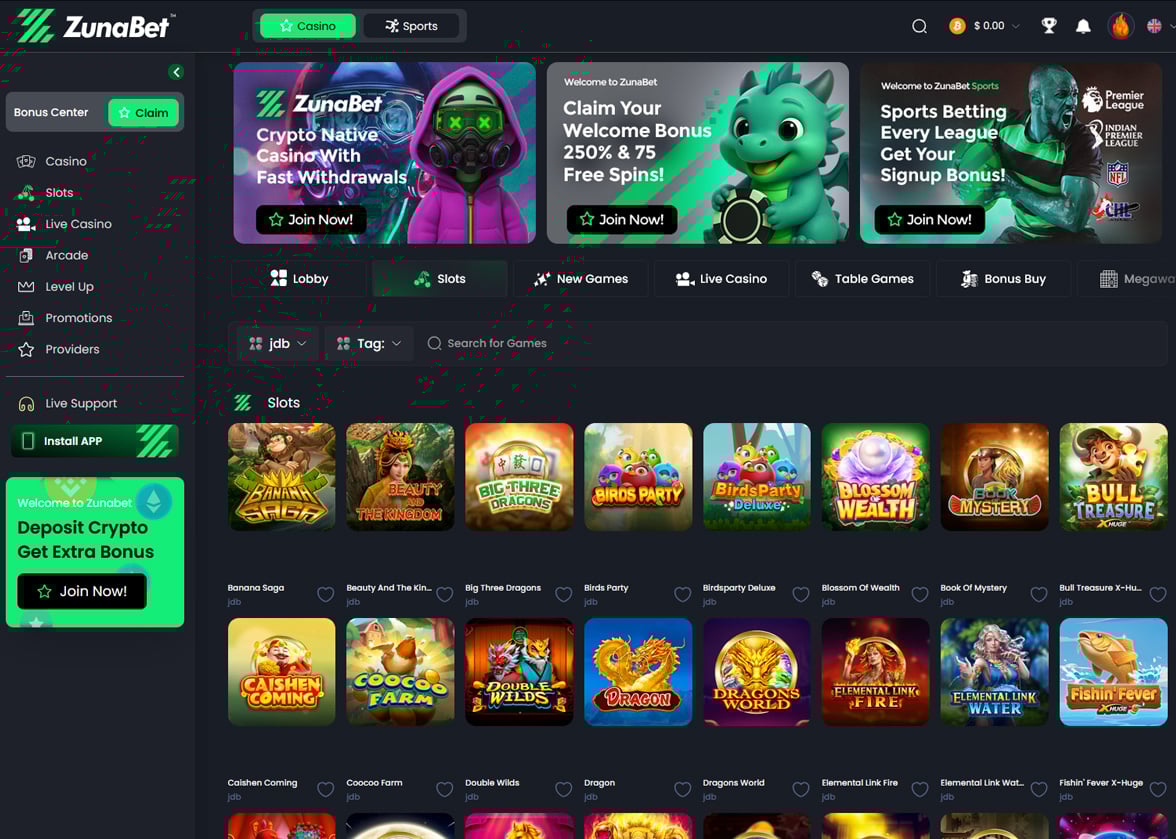
Growing Popularity in Belarus
Belarus has become one of the more crypto-friendly countries in Eastern Europe. The government took a progressive approach to digital currencies, which has helped drive interest in crypto gambling among Belarusian players.
More and more players in Belarus are turning to crypto casinos as an alternative to traditional gambling sites. The appeal of quick transactions and the ability to play without sharing sensitive banking details has made these platforms especially attractive.
The younger generation of Belarusian gamblers is particularly drawn to crypto casinos. Growing up with technology, they find the process of using digital wallets and cryptocurrencies natural and straightforward.
Understanding Crypto Casinos
What Are Crypto Casinos?
Crypto casinos are online gambling websites that accept digital currencies as a payment method. Some platforms work exclusively with crypto, while others offer it alongside traditional payment options like credit cards and bank transfers.
These casinos offer the same types of games you would find at any online casino. You can play slots, table games, live dealer games, and more using your favourite cryptocurrency.
How Do They Differ from Traditional Online Casinos?
The biggest difference is in how money moves in and out of your account. Traditional casinos rely on banks and payment processors, which can slow things down and add extra fees.
Crypto casinos use blockchain technology to handle transactions directly. This means deposits are usually instant and withdrawals can be processed in minutes rather than days.
Another key difference is privacy. Traditional casinos require detailed personal and financial information during sign-up. Many crypto casinos let you start playing with just an email address and a crypto wallet.
Advantages of Using Cryptocurrencies for Gambling
Speed is one of the biggest advantages for Belarusian players. While bank transfers can take several business days, crypto withdrawals often land in your wallet within an hour.
Transaction fees are typically much lower with crypto compared to traditional banking methods. This means more of your winnings stay in your pocket instead of going to payment processors.
Privacy is another major benefit that appeals to many players in Belarus. Crypto transactions do not require you to share bank account details or credit card numbers with the casino.
Legal Status of Crypto Casinos in Belarus
Current Regulations
Belarus made headlines in 2017 when it signed a decree legalising cryptocurrency activities, including exchanges and token sales. This forward-thinking legislation placed Belarus among the first countries to create a clear legal framework for digital assets.
However, the legal landscape around online gambling in Belarus is more complex. The country regulates gambling through state-controlled channels, and offshore online casinos operate in a grey area for Belarusian players.
Players in Belarus should be aware that while cryptocurrency itself is legal, the intersection of crypto and online gambling does not have a perfectly clear regulatory framework. It is always wise to stay informed about any changes in local laws.
Licensing Requirements
Most crypto casinos available to Belarusian players hold licences from international jurisdictions. Common licensing authorities include Curaçao, Malta, and Gibraltar, each with their own standards for player protection.
A valid gambling licence is one of the most important things to check before signing up at any crypto casino. Licensed casinos must follow rules about fair play, responsible gambling, and keeping player funds safe.
We only recommend casinos that hold recognised gambling licences. This ensures that the platforms on our list meet minimum standards for security, fairness, and responsible operation.
How We Selected the Best Casinos for Belarus
Choosing the right crypto casinos for Belarusian players required a thorough testing process. We created accounts at dozens of platforms, made real deposits, played games, and requested withdrawals to see how each casino performed in practice.
We paid close attention to whether each casino actually accepts players from Belarus without restrictions. Some platforms advertise broad availability but block certain countries during the registration or withdrawal process.
Withdrawal speed was a major factor in our rankings. We timed every cashout request to make sure the casinos we recommend actually deliver on their promises of fast payouts.
We also evaluated customer support by reaching out with real questions at different times of day. A casino that offers great games but terrible support is not one we feel comfortable recommending to our readers.
Bonus terms and wagering requirements were examined carefully as well. We looked beyond the headline numbers to make sure the promotions offered to Belarusian players are genuinely fair and achievable.
Features to Look for in a Crypto Casino
- Game Variety — A good crypto casino should offer thousands of games from top software providers. Look for a healthy mix of slots, table games, live dealer options, and specialty games to keep things interesting.
- Security Measures — The casino should use SSL encryption to protect your data and two-factor authentication to secure your account. Cold storage of crypto funds is another positive sign that the platform takes security seriously.
- Bonuses and Promotions — Welcome bonuses, reload offers, and VIP programs add extra value to your play. Always check the wagering requirements to make sure the bonus terms are reasonable before you claim anything.
- User Interface and Experience — The site should be easy to navigate on both desktop and mobile devices. Fast loading times, clean design, and a smooth registration process all point to a well-run casino.
- Customer Support — Look for 24/7 support through live chat at a minimum. Email and social media support channels are nice extras, but live chat is the gold standard for getting help when you need it.
- Provably Fair — This technology lets you verify that each game result is truly random and has not been tampered with. Provably fair games use cryptographic algorithms that you can check yourself after every bet.
Popular Cryptocurrencies Accepted by Belarusian Casinos
- Bitcoin (BTC) — The most widely accepted cryptocurrency at online casinos and the one most Belarusian players start with.
- Ethereum (ETH) — The second most popular option, known for faster transaction times than Bitcoin.
- Litecoin (LTC) — A favourite for casino transactions thanks to its low fees and quick confirmation times.
- Tether (USDT) — A stablecoin pegged to the US dollar, which removes the worry of crypto price swings while you play.
- Dogecoin (DOGE) — Accepted at a growing number of casinos and popular for its very low transaction fees.
- Bitcoin Cash (BCH) — Offers faster and cheaper transactions than standard Bitcoin, making it practical for regular casino use.
- Ripple (XRP) — Known for extremely fast transfers, often completing in just a few seconds.
How to Get Started with Crypto Gambling
Setting Up a Crypto Wallet
Before you can play at a crypto casino, you need a digital wallet to store your cryptocurrency. Popular options include software wallets like MetaMask and Trust Wallet, which you can download as apps on your phone or browser extensions.
For larger amounts, a hardware wallet like Ledger or Trezor offers extra security. These physical devices keep your crypto offline and safe from online threats.
Purchasing Cryptocurrencies
Belarusian players can buy crypto through exchanges that operate in the region. Platforms like Binance and peer-to-peer marketplaces are commonly used options for purchasing Bitcoin and other digital currencies.
Once you have set up an account on an exchange, you can buy crypto using various payment methods. The exact options available will depend on which exchange you choose and what is supported in Belarus.
Making Deposits and Withdrawals
Depositing at a crypto casino is simple once you have crypto in your wallet. Just copy the casino’s deposit address, open your wallet, and send the amount you want to play with.
Withdrawals work in reverse. You provide your wallet address to the casino, request your cashout, and the funds are sent directly to you.
Most crypto transactions are processed much faster than traditional banking methods. Bitcoin deposits typically confirm within 10 to 30 minutes, while some other cryptocurrencies are even quicker.
Responsible Gambling in Crypto Casinos
Setting Limits
Most reputable crypto casinos let you set daily, weekly, or monthly deposit limits on your account. Taking advantage of these tools is a smart way to keep your gambling fun and within your budget.
It is a good idea to decide on a spending limit before you start playing. Treat your gambling budget like entertainment money that you can afford to lose.
Self-Exclusion Options
If you feel like you need a break from gambling, self-exclusion tools can help. These features let you temporarily or permanently block yourself from accessing your casino account.
Many crypto casinos offer cooling-off periods ranging from 24 hours to several months. Longer self-exclusion options are also available for players who need a more extended break.
Resources for Problem Gambling
If gambling stops being fun, there are organisations that can help. International resources like GamCare and Gamblers Anonymous offer free support and advice to anyone who needs it.
Reaching out for help is a sign of strength, not weakness. These organisations provide confidential assistance and can connect you with local support options available in Belarus.
Conclusion
Finding a safe and enjoyable crypto casino in Belarus does not have to be difficult. We have done the hard work of testing, reviewing, and ranking the best platforms so you can focus on having fun.
Every casino on our list has been thoroughly vetted by our team. You can trust that these sites offer fair games, fast payouts, and solid customer support for Belarusian players.
Pick any casino from our list and start playing with confidence. Good luck and enjoy the action!
Pros and Cons of Crypto Casinos
Advantages
- Faster Withdrawals — Crypto payouts are processed in minutes or hours instead of the days it takes with bank transfers.
- Lower Fees — Transaction costs are typically much smaller than those charged by traditional payment methods.
- Enhanced Privacy — You can play without sharing sensitive banking or personal financial details.
- Access for Belarusian Players — Crypto casinos are often more accessible than traditional platforms that may restrict certain countries.
- Provably Fair Gaming — Blockchain technology allows you to verify game fairness yourself.
- Generous Bonuses — Many crypto casinos offer bigger welcome bonuses and promotions compared to traditional sites.
Disadvantages
- Price Volatility — The value of your crypto can go up or down while it sits in your casino account.
- Learning Curve — If you are new to crypto, setting up wallets and buying digital currency takes some getting used to.
- Limited Regulation — Many crypto casinos operate under offshore licences, which may offer less player protection than stricter jurisdictions.
- Irreversible Transactions — If you send crypto to the wrong address, there is no way to reverse the transaction.
- Fewer Fiat Options — Some crypto-only casinos do not let you deposit or withdraw in traditional currencies like the Belarusian ruble.
Frequently Asked Questions
Are crypto casinos legal in Belarus?
Belarus has legalised cryptocurrency activities under its progressive digital economy decree. However, online gambling regulation is separate, and most crypto casinos available to Belarusian players operate under international licences. Players should stay updated on local laws as regulations can evolve.
How do I deposit cryptocurrency at an online casino?
First, make sure you have crypto in your digital wallet. Then go to the casino’s deposit page, select your cryptocurrency, and copy the deposit address provided. Open your wallet, paste the address, enter the amount, and confirm the transaction.
How long do crypto casino withdrawals take?
Most crypto withdrawals are processed within a few minutes to a couple of hours. Bitcoin transactions typically take 10 to 30 minutes to confirm on the blockchain. Some altcoins like Litecoin and Ripple can be even faster.
Do I need to verify my identity at a crypto casino?
Many crypto casinos offer simplified registration that only requires an email address. However, some platforms may ask for identity verification when you make large withdrawals or if their licence requires KYC checks.
Can I use a VPN to access crypto casinos from Belarus?
While some players use VPNs, most casino terms of service prohibit their use. If a casino detects VPN usage, it could freeze your account or withhold your winnings. It is always best to play at casinos that openly accept players from Belarus.
Bitcoin traded around $68,780 on Tuesday as U.S. spot bitcoin ETFs posted their strongest daily inflow in more than a month.
Funds added a combined $471 million on April 6, according to SoSoValue data, marking the largest inflow since Feb. 25 and the sixth-biggest daily total this year. The figure remains below January’s peak flow regime, when multiple trading days topped $700 million.
These high inflows come as bitcoin continues to stall below $70,000, with weak spot demand and distribution by large holders capping upside. ETFs have increasingly offset that pressure, acting as a primary source of marginal buying.
Macro signals offer limited direction. Markets are pricing a 98% probability that the Federal Reserve will hold rates steady at its April meeting, according to Polymarket data, with minimal expectations for near-term cuts or hikes.
Bitcoin’s relationship with global monetary policy may be shifting, with ETFs changing not just the scale of demand but its timing.
A recent Binance Research report finds bitcoin’s correlation with its Global Easing Breadth Index, which tracks 41 central banks, has turned sharply negative since 2024, the same year U.S. spot ETFs were approved. Before then, bitcoin tended to follow easing cycles with a lag. That relationship has now flipped, with the inverse effect nearly three times stronger.
The shift reflects who sets the marginal price. Retail once reacted to macro after the fact. ETF-driven institutional flows are more forward-looking, positioning ahead of expected policy moves.
“BTC may have evolved from a macro ‘lagging receiver’ to a ‘leading pricer,’” Binance Research wrote.
ETF inflows continue to absorb supply and anchor prices, which could explain the continued daily inflow.
If what Binance Research proposes holds, bitcoin may keep trading as a forward-looking asset, pricing in central bank pivots before traditional markets rather than reacting to them after the fact.

Total US bankruptcy filings climbed 14% in the first quarter of 2026, reaching 150,009 cases between January and March, up from 132,094 during the same period last year.
The increase spans consumer and commercial categories alike, according to data from Epiq AACER published by the American Bankruptcy Institute (ABI).
US Bankruptcy Filings Surge As Inflation Takes Its Toll
Small business filings showed the most dramatic acceleration. Subchapter V elections surged 67% to 833 from 499 a year earlier. Commercial Chapter 11 filings also rose 37%, climbing from 1,764 to 2,422.
Consumer filings told a similar story. Individual Chapter 7 cases increased 17% to 89,259. Chapter 13 filings rose 8% to 51,962. Total consumer filings reached 141,573. But what’s behind the rise?
“Persistent inflation, high interest rates, restricted credit, and global instability continue to compound the economic challenges of struggling families and small businesses,” ABI Executive Director Amy Quackenboss stated.
The Federal Reserve Bank of New York’s latest report on household finances underlines the pressure. Household debt hit $18.8 trillion by the end of Q4 2025. Credit card balances reached $1.28 trillion, with notable deterioration in mortgage and student loan arrears as well.
Follow us on X to get the latest news as it happens
Legislative Response and Outlook
Congress is weighing measures to ease access to bankruptcy protection. Legislation introduced recently by Senator Chuck Grassley in the Senate and Representative Ben Cline would permanently raise the small business reorganization threshold for Chapter 11 to $7.5 million. It would also lift the Chapter 13 debt ceiling to $2.75 million.
However, relief may not come quickly. The IMF has projected that US inflation will not return to the Fed’s 2% target until early 2027, suggesting elevated borrowing costs will persist well into next year.
Meanwhile, the US national debt recently surpassed $39 trillion, adding further strain to an already stretched fiscal environment. Whether legislative action can keep pace with growing financial distress remains an open question heading into Q2.
Subscribe to our YouTube channel to watch leaders and journalists provide expert insights
The post US Bankruptcy Filings Spike 14% in Q1 2026: What’s Driving the Surge appeared first on BeInCrypto.
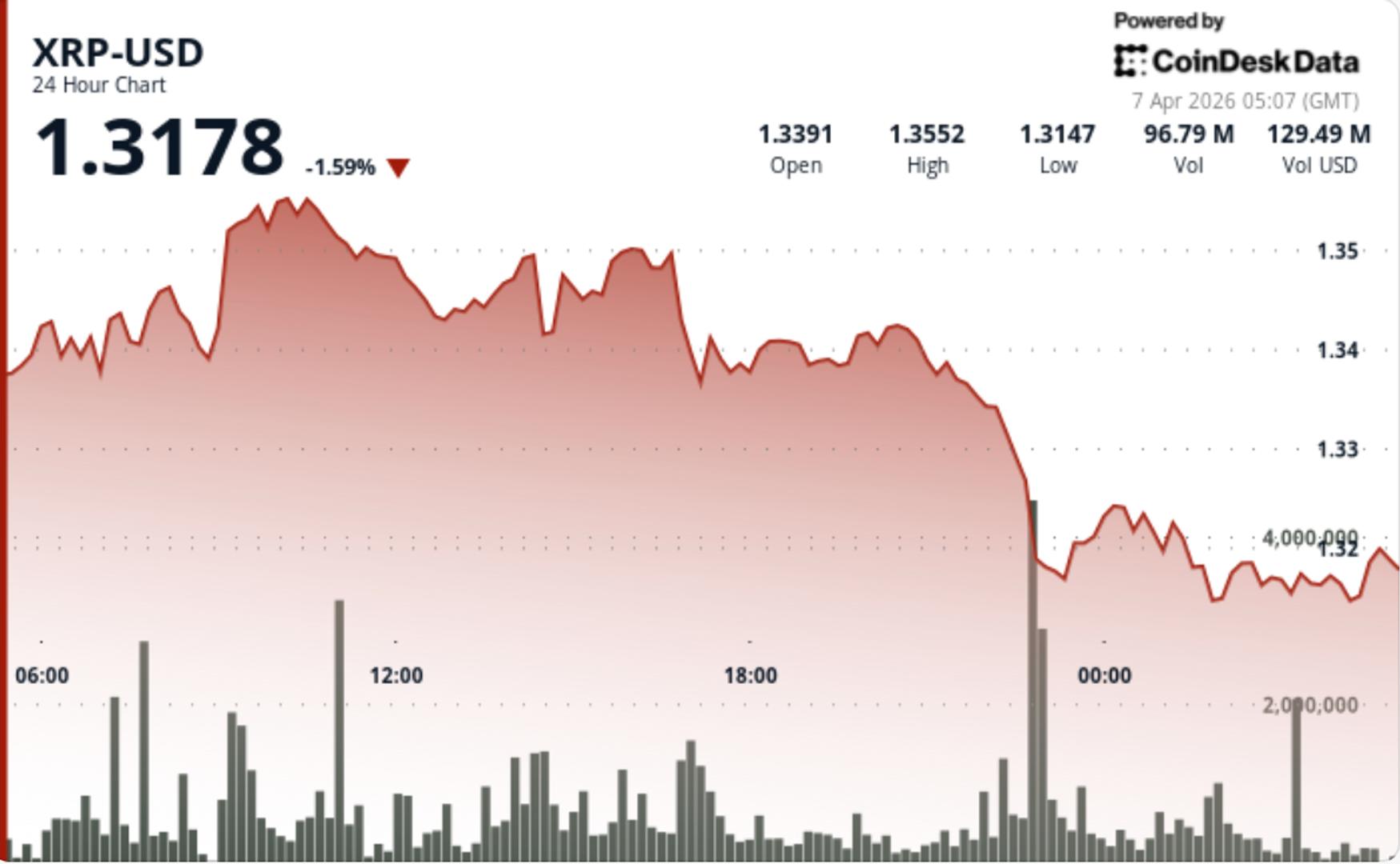
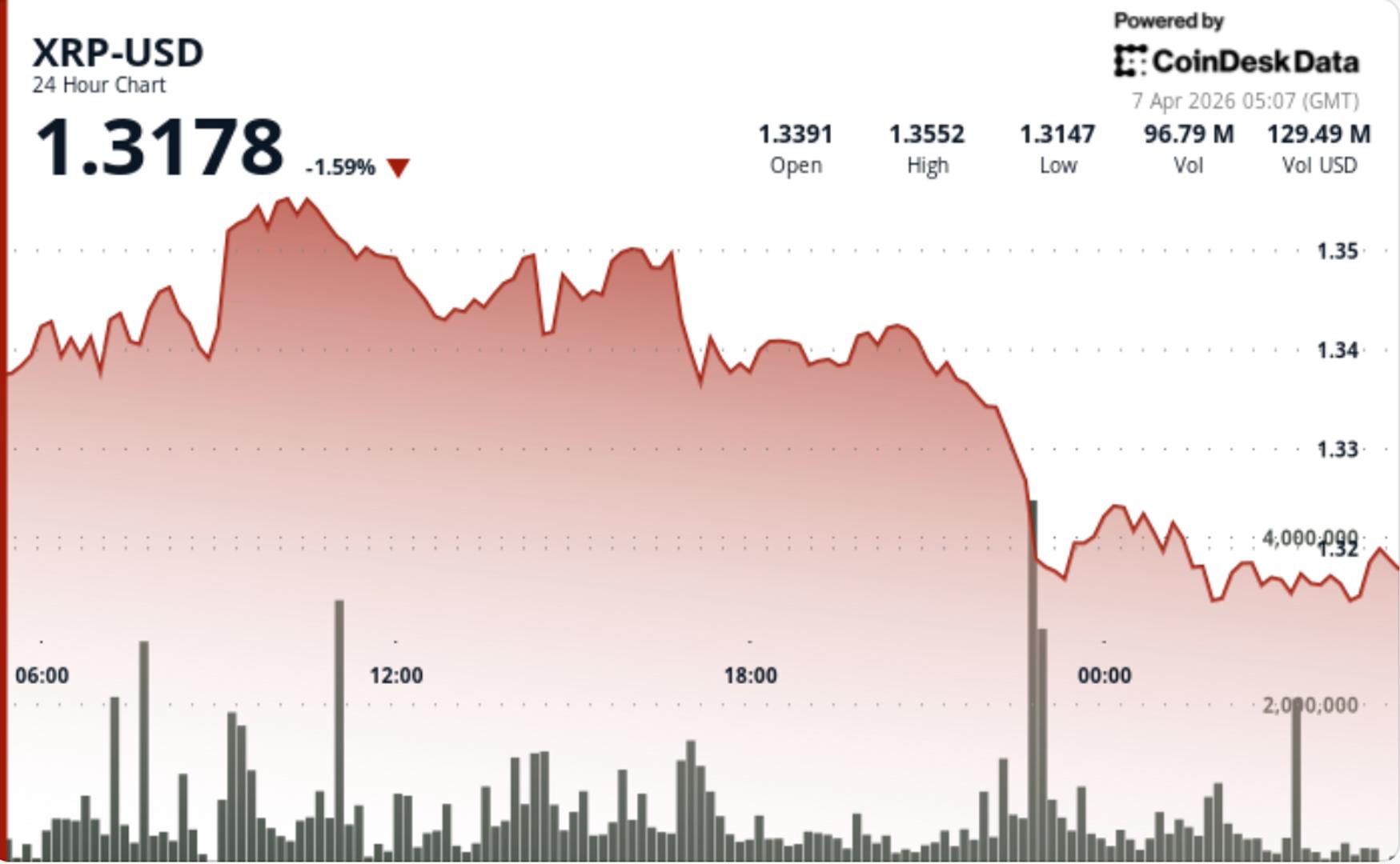
Rejection at $1.35 and collapsing depth raise risk of sharper moves as positioning builds.
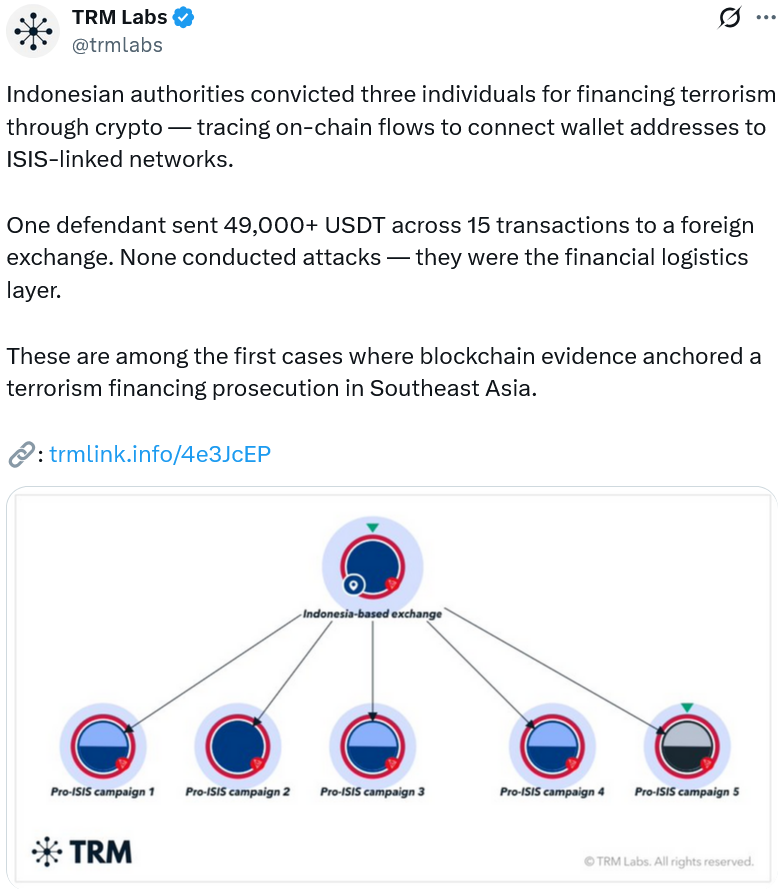
Onchain evidence was key to securing the conviction of three individuals for terrorism financing in Indonesia in 2024 and 2025, reflecting a clear shift in the way courts value onchain evidence.
“Indonesian courts have demonstrated that cryptocurrency evidence — wallet addresses, transaction histories, on-chain flows — is not only admissible but can anchor a terrorism financing prosecution,” TRM said in a statement Sunday.
TRM said terrorism financing networks have preferred cryptocurrency as a mechanism of choice to move money, as authorities and regulators have been slow to treat it with the same level of scrutiny as traditional fiat channels, but noted that this is now changing.
Indonesian authorities traced one defendant sending more than $49,000 worth of USDt (USDT) across 15 transactions from a local exchange to a foreign platform, with the funds later routed to an ISIS-linked terrorism fundraising campaign in Syria, according to the blockchain firm.
Indonesia’s financial intelligence team and its counterterrorism police unit, Densus 88, carried out the analysis and presented the findings to Indonesian courts, which accepted the blockchain data as key evidence in each of the three cases.

Indonesia is not the only country in Southeast Asia using blockchain analytics to catch criminals, TRM said.
“Similar patterns are emerging across Southeast Asia, where governments are investing in blockchain intelligence capabilities and enhancing collaboration between public and private sectors to address illicit finance risks.”
TRM Labs said that Singapore and Malaysia’s financial intelligence units and law enforcement agencies are also building the technical capacity to trace cryptocurrency flows.
Related: Drift Protocol says $280M exploit took ‘months of deliberate preparation’
On April 1, Cambodian and Chinese officials captured Li Xiong, a leader of the Huione Group, an organization that served scam centers in Cambodia that carried out “pig butchering” frauds and other investment schemes to steal crypto from victims around the world.
Xiong was extradited to China, where he is set to face fraud and money-laundering charges.
His extradition came three months after the arrest of Chen Zhi, the head of Prince Group, which operates Huione Group.
TRM reported in February that illicit entities received about $141 billion worth of stablecoins in 2025, marking a five-year high.
Magazine: Are DeFi devs liable for the illegal activity of others on their platforms?

Como Hackear um Sistema Financeiro PODRE

York – fire at Monks Cross close to LNER Community Stadium

Oil shock and supply disruptions could delay market recovery: Sameer Dalal


-

 NewsBeat4 days ago
Steven Gerrard disagrees with Gary Neville over ‘shock’ Chelsea and Arsenal claim | Football
-

 Business4 days ago
No Jackpot Winner and $194 Million Prize Rolls Over
-

 Fashion4 days ago
Weekend Open Thread: Spanx – Corporette.com
-

 Crypto World5 days ago
Gold Price Prediction: Worst Month in 17 Years fo Save Haven Rock
-

 Business1 day ago
Three Gulf funds agree to back Paramount’s $81 billion takeover of Warner, WSJ reports
-
Crypto World7 days ago
Dems press CFTC, ethics board on prediction-market insider trades
-

 Sports2 days ago
India men’s 4x400m and mixed 4x100m relay teams register big progress | Other Sports News
-

 Business3 days ago
Expert Picks for Every Need
-

 Business5 days ago
Login and Checkout Issues Spark Merchant Frustration
-

 Tech7 days ago
EE TV is using AI to help you find something to watch
-

 Sports7 days ago
Tallest college basketball player ever, standing at 7-foot-9, entering transfer portal
-

 Tech7 days ago
How to back up your iPhone & iPad to your Mac before something goes wrong
-

 Tech7 days ago
What Are The Biggest Limitations Of Supercomputers?
-

 Crypto World6 days ago
Bitcoin enters the public bond market as Moody’s gives a first-of-its-kind crypto deal a rating
-
Crypto World6 days ago
Bitcoin stalls below key resistance as technical signals skew bearish
-

 Tech5 days ago
Commonwealth Fusion Systems leans on magnets for near-term revenue
-

 Politics7 days ago
Transform Your Space with Stunning Small Works
-

 Politics6 days ago
Starmer’s centre has collapsed, and the left was right all along
-
Business2 days ago
No Jackpot Winner, Prize to Climb to $231 Million
-

 Fashion7 days ago
Zara Turns Up the Heat With New Swimwear
You must be logged in to post a comment Login