


-Reviewer-Photo-SOURCE-Brenda-Stolyar.jpg)

TL;DR
xAI powers its data centres with unregulated gas turbines while SpaceX’s IPO pitches space-based solar. Tesla’s solar business is ignored.



Long-time Slashdot reader Sun writes:
AMD has announced a change to the way they are licensing Vivado, their FPGA development tool… Hidden between the lines of the announcement [of a new model starting with the 2026.1 release] is the change to the free of charge tier. AMD is adding more devices to be supported in this tier, which is supposedly the carrot. The stick, however, is the removal of certain debug features.
The thing that’s likely to hit the hobbist community the worst, however, is that the free tier will now not be available on Linux.
AMD are saying that old licenses are still in effect, so it appears that if you hurry to install Vivado now, you’d still be able to use it moving forward. It is not clear, however, whether it’ll still be possible to install Vivado 2025.2 after Vivado 2026.1 becomes available.
“Almost all our surveys show… close to 70% of the customers are still using Windows,” explained AMD senior product application engineer Anatoli Curran on the tool’s support forum. “Vivado ML Standard Edition v2025.2 is going to be officially supported (I mean if there are any bugs found, these can be fixed) until v2026.3 release… Any release older than the current 3 released versions of Vivado then becomes unsupported (meaning no bugs will be fixed with Vivado Standard Edition v2025.2 after Vivado v2026.3).
“However, users can continue using V2025.2 forever, if they wish to do so… Also, Vivado ML Standard Edition v2025.2 is license-free… Users only need to obtain and use any IP Core related licenses, or Vivado Model Composer (for SysGen).”
Shopping for a Dyson vacuum is an experience. There are many models to navigate and serious price tags on most of them. As someone who tests vacuums for a living, I have to admit that a Dyson blows most other vacuums away. There are a few cheaper models I’ll still grab (check out my full guide to cordless and robot vacuums for more recommendations), but if you’re dreaming of a Dyson, this weekend is a great time to buy.
Several Dyson models I love are on sale for the long weekend. This weekend’s sale includes Dyson’s newest robot vacuum and the PencilVac that I can’t stop using, and my overall favorites like the V15 Detect and Gen5Detect, and more models our team has loved using. Read on to find out every on-sale Dyson I’d buy this weekend.
The Best Dyson for the Price
If you’re looking for the best features for the best price, I already recommend the Dyson V15 Detect when it’s not on sale, making this an even better time to buy. You’ll get both a Fluffy Optic cleaner head and a Digital Motorbar cleaner head to use for hard floors, carpet, or rugs, trigger control, and details about the particles you suck up while you vacuum. It’s lightweight and easy to use anywhere in the house, and the hour-long battery life should be plenty for a whole-home clean.
A More Powerful Dyson
Dyson’s more powerful stick vacuum is the Gen5Detect, which is a great option if you have pets since it has a faster motor with more suction power than the V15 Detect to suck up more pet hair (it’s our top vacuum for pet hair for a reason) and has a HEPA filter to keep allergens contained inside of the vacuum instead of being released back into the air. It also comes with a true power button, so you don’t have to hold onto the trigger button the entire time to use it. Similar to the V15 Detect, it comes with both a Digital Motorbar cleaner head and a Fluffy Optic cleaner head to use on carpet and hard floors, respectively. You’ll also get two more attachments, plus a built-in dusting and crevice tool (it’s nice not to have to wonder where this attachment is!) It’s an expensive vacuum, but well worth the investment when it’s on sale.
If You Only Have Hard Floors
I shouldn’t like the PencilVac so much, but I find myself reaching for it often, and I think it’s plenty worth its abilities when it’s on sale. Part of what makes it so easy to grab compared to my other stick vacuums is how easy it is to store and keep charged with the freestanding charging base, letting it stand wherever I like in my home as long as there’s an outlet nearby. The PencilVac has two versions, the Fluffy and Fluffycones, with the latter having a design that has fluffy cone-shaped rollers to best collect debris. It is limited to only hard floors and has a short battery life, but I love how maneuverable and lightweight this vacuum is. It’s usually a high price tag for its abilities, and even on sale, it’s not what I would call cheap, but it’s a great, quick daily vacuum.
Dyson’s Latest Robot Vac
Dyson’s newest robot vacuum, the Spot+Scrub Ai, is its first that doubles as both a vacuum and a mop. It has a large base station that reminds me of Dyson’s vacuums, since the dry debris canister is clear and rounded like the ones you’d see attached to a Dyson stick vacuum or one of its upright models. It does a good job mopping and vacuuming, and can learn multiple floors, and the navigation has improved since the older Dyson 306 Vis Nav. Still, it’s not perfect navigation, since the camera sits below the top of the vacuum and doesn’t always see low-profile furniture that it’ll bump into. If you don’t have a ton of low furniture (or tons of IKEA pieces, as I do), this vacuum could be just perfect for you.
A Stick Vac and Mop
Dyson
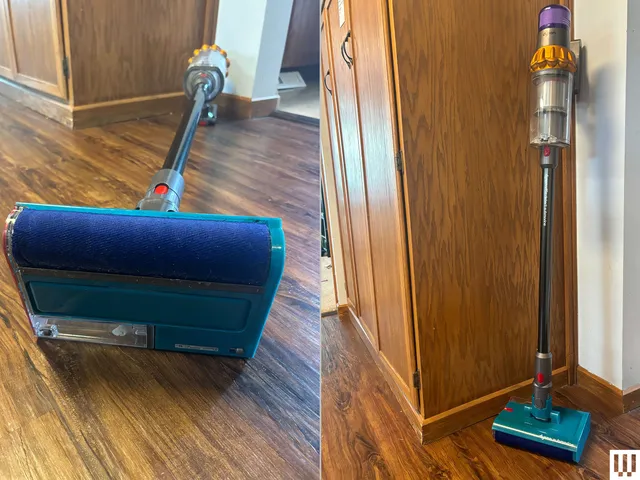
If you want a vacuum that doubles as a mop, look no further than this variation of the V15 Detect that’s also on sale for the holiday weekend. The V15s Detect Submarine comes with the Submarine wet roller head that transforms it from a regular Dyson vacuum (that still comes with both the Fluffy optic cleaner head and Digital motorbar cleaner head for you to use on hard floors and carpet) into a wet roller mop. You can’t buy a regular V15 Detect and add this attachment on; this V15s is made to work with this Submarine head. You’ll fill the small reservoir on the roller head with water and can start mopping away, but you will have to rinse the mop head afterwards by hand, which is a little gross.
A Handheld-Only Dyson
Photograph: Brenda Stolyar
If you’re not looking to spend a ton but want a Dyson that’s super portable and great for stairs, cars, and even boats, the Dyson Car+Boat is made for that. It’s in the name, after all. This handheld-only vacuum packs solid power and has a great battery life for a handheld vacuum. It uses a trigger-style control like the V15 Detect, which I actually find ideal for cleaning compact spaces like stairs and cars so that you’re not fumbling to switch it off as you move around the car or to the next set of stairs. It’s an affordable way to get into the Dyson ecosystem, especially since it’s on sale.
Power up with unlimited access to WIRED. Get best-in-class reporting and exclusive subscriber content that’s too important to ignore. Subscribe Today.

xAI powers its data centres with unregulated gas turbines while SpaceX’s IPO pitches space-based solar. Tesla’s solar business is ignored.
The SpaceX IPO prospectus, filed on Wednesday, contains a vision for terawatt-scale space-based solar power. It also reveals, through what it does not say, that Elon Musk’s AI company xAI is running its data centres on unregulated natural gas turbines, with plans to buy $2.8 billion more. Tesla, the company Musk built on the promise of eliminating fossil fuels, barely features as a power supplier. The contradiction is now a matter of SEC record.
Tesla has released four Master Plans over the years. The through line has been consistent: electrification of the economy. In 2006, Musk described Tesla’s “overarching purpose” as helping “expedite the move from a mine-and-burn hydrocarbon economy towards a solar electric economy.” Just three years ago, Tesla’s Master Plan Part 3 outlined a detailed path to eliminate fossil fuels entirely. The document was rigorous, optimistic, and specific about the role of terrestrial solar, battery storage, and electrified transport in decarbonising the global economy.
Then xAI arrived. The AI company, which merged with SpaceX in February at a combined $1.25 trillion valuation, has embraced the mine-and-burn economy that Tesla was founded to replace. Dozens of unregulated natural gas turbines power xAI’s data centres in Memphis, Tennessee. The $2.8 billion in additional gas turbine purchases disclosed in the filing is not a temporary measure with an expiration date. It is a capital commitment that cements fossil fuel infrastructure into xAI’s operations for years.

The 💜 of EU tech
The latest rumblings from the EU tech scene, a story from our wise ol’ founder Boris, and some questionable AI art. It’s free, every week, in your inbox. Sign up now!
Musk’s companies are not strangers to buying from each other. SpaceX spent $131 million on 1,279 Cybertrucks. xAI has spent $697 million over the past two years on Tesla Megapacks, the grid-scale battery storage systems used to manage peak loads at its data centres. But xAI has not purchased a materially significant number of solar panels from Tesla Energy, the division that exists specifically to deploy the technology Musk once described as the foundation of the future economy.
The SpaceX filing does mention solar, but only in the context of space. The company argues that space-based solar arrays can generate “more than five times the energy” of terrestrial ones thanks to continuous illumination. As AI data centres have encountered opposition on Earth, from neighbours, regulators, and grid operators, Musk and other executives have begun floating the idea of operating server racks in orbit, powered by 24/7 sunshine. SpaceX’s Starship programme, which has cost more than $15 billion to date, is positioned as the launch vehicle that could make this economically viable.
The economics, as TechCrunch’s Tim De Chant notes, are challenging at best. Power prices for Starlink satellites are already multiples higher than what a terrestrial data centre typically spends. Protecting AI chips from radiation, thermal cycling, and micrometeorites in orbit adds cost that does not exist on the ground. It is also unclear whether AI training workloads can be distributed across multiple satellites, which would leave a significant portion of the most compute-intensive AI work earthbound regardless of how cheap launches become. Shipping solar panels on a flatbed truck uses less energy than sending them into orbit.
The filing contains a more revealing claim. SpaceX argues that “third-party estimates on data centre demand are constrained by the practical supply limitations that exist in a terrestrial context and the power shortage may be far greater than what research estimates suggest.” The company references “terawatt-scale annual AI compute growth,” a figure that would represent a transformative increase in global energy demand. Humanity currently uses approximately 4 terawatts on a continuous basis. All the world’s data centres together consume roughly 40 gigawatts. Musk is projecting that AI alone will require additions measured in terawatts, every year.
The SpaceX IPO, expected to raise $75 billion next month, will be priced partly on the strength of this vision. Investors are being asked to buy into a future where terrestrial energy infrastructure is fundamentally insufficient for AI demand, and SpaceX is the company that can solve the problem from space. It is a compelling narrative. It is also a narrative that conveniently excuses the fact that, right now, Musk’s AI company is burning natural gas instead of deploying the solar technology his other company manufactures.
The energy problem for AI data centres is real. OpenAI paused its Stargate UK project over industrial electricity costs that run at more than four times US rates. Global data centre power consumption is projected to reach 150 GW by 2030. The question is not whether AI will need more energy, but whether the answer is to build more terrestrial solar, which has fallen in cost by 90% over the past decade and can be deployed at scale today, or to wait for a technology that requires launching hardware into orbit on rockets that, as of Friday, still cannot land their boosters reliably.
Tesla’s solar and energy storage business generated $2.8 billion in revenue in Q1 2026 alone. The Megapack factory in Lathrop, California ships grid-scale batteries to utilities and industrial customers worldwide. Tesla Energy is, by any measure, one of the most successful clean energy companies on the planet. And yet its founder’s newest company chose gas turbines instead.
Enterprise AI spending is accelerating at extraordinary rates. Salesforce projects $300 million in Anthropic token spending this year. The compute infrastructure behind that spending requires energy, and the companies building it are making choices right now about where that energy comes from. Musk’s choice, for xAI, was fossil fuel. His justification, via SpaceX, is that something better is coming from space. The gap between those two positions is filled with natural gas, and the Master Plan that was supposed to eliminate it.

Atomic macOS Stealer, also known as AMOS, is a persistent macOS security threat because it does not need sophisticated zero-day vulnerabilities to compromise Apple devices.
Instead, this malware family repeatedly exploits ordinary user behaviour by tricking users into typing a single command into their own Terminal application.
A recent incident investigated by Sophos MDR teams revealed exactly this pattern: a ClickFix-style ruse persuaded a victim to execute a malicious line of code manually.
This approach has become increasingly prominent, with researchers noting similar social engineering tactics in multiple macOS infostealer campaigns throughout 2025 and early 2026.
AMOS accounted for nearly 40% of all macOS protection updates deployed by Sophos in 2025, more than doubling the detection rate of any other macOS malware family during the same period.
Furthermore, almost half of all macOS stealer customer reports in the last three months involved AMOS or its close variants.
Security firms have tracked this malware-as-a-service operation since at least April 2023, with notable campaigns including a variant dubbed SHAMOS reported by CrowdStrike in August 2025.
In December 2025, Huntress documented infections spreading through poisoned search results related to ChatGPT and Grok conversations.
After the initial Terminal command executes a bootstrapping script, the malware immediately prompts the user for their macOS system password.
The malicious code then validates this credential locally using a simple directory services command before storing it in a hidden file named .pass within the user’s home directory.
Once the password is secured, AMOS downloads a secondary payload that removes extended attributes to bypass macOS security warnings.
The stealer also checks whether it is running inside a virtual machine or sandbox environment by querying system_profiler data for indicators such as QEMU, VMware, or KVM.
The malware then proceeds to harvest an extensive range of sensitive information, including the macOS Keychain database, browser credentials from Firefox and Chrome, extension storage files, and local session tokens.
Some variants also deploy fake Ledger Wallet and Trezor Suite applications designed to steal cryptocurrency wallet seeds and credentials.
All collected files are compressed into a single archive using the ditto utility before being transmitted to attacker-controlled servers via curl POST requests.
To maintain long-term access, the malware installs a LaunchDaemon that ensures automatic execution after every system reboot.
Despite the severity of AMOS, it is worth questioning whether security vendors are overstating its novelty, given that infostealers have been targeting Windows systems for nearly two decades.
The malware’s heavy reliance on user consent — someone must willingly paste and run a Terminal command — creates a significant barrier that technically literate users might easily avoid.
Moreover, Apple’s ongoing improvements to Gatekeeper, XProtect, and notarization requirements could render AMOS largely ineffective within a few operating system updates.
The real danger may lie less in AMOS itself and more in the uncomfortable truth that no platform is immune to users who ignore basic security warnings.

Follow TechRadar on Google News and add us as a preferred source to get our expert news, reviews, and opinion in your feeds.

Tannoy is marking its 100th anniversary with a major loudspeaker announcement at HIGH END Vienna 2026, where the legendary British speaker maker will unveil exclusive limited-edition models and signal the return of several iconic designs. The anniversary lineup begins with special versions of the Westminster Royal GR and Canterbury GR, both based on the Prestige Gold Reference Series and produced in extremely limited numbers that nod directly to Tannoy’s 1926 founding in South London.

Tannoy’s first 100th anniversary Limited Editions will be produced in extremely small numbers: 19 pairs of the flagship Westminster Royal GR and 26 pairs of the Canterbury GR. The production figures are intentional, combining to reference 1926, the year Tannoy was founded in South London. Anniversary upgrades are said to, “incorporate significant performance upgrades, including enhanced crossovers and improved internal cabling.” Additional anniversary models are expected to be added to the range in the coming months.

At HIGH END 2026 in Vienna, Tannoy will give attendees a rare chance to hear the Westminster Royal GR, the brand’s flagship Prestige loudspeaker and one of the most recognizable large-format designs in British hi-fi.
The Westminster Royal GR is a two-way, horn-loaded loudspeaker built around a 15-inch Tannoy Dual Concentric driver, a driver architecture first introduced by the company in 1947. This is not a compact lifestyle box pretending to be heritage audio. At 140 cm tall, 55 inches, and weighing 140 kg, 309 pounds, the Westminster Royal GR is closer to furniture with a passport and a solicitor.
Key acoustic technologies include Tannoy’s PepperPot WaveGuide, Alnico magnets, and aluminium-magnesium alloy diaphragm compression drivers with Mylar surrounds. The massive 530-litre birch ply cabinet uses extensive internal bracing and Tannoy’s Differential Materials Technology, which couples the drive unit to the cabinet using materials of varying density to help control resonance, improve damping, and reduce unwanted vibration.
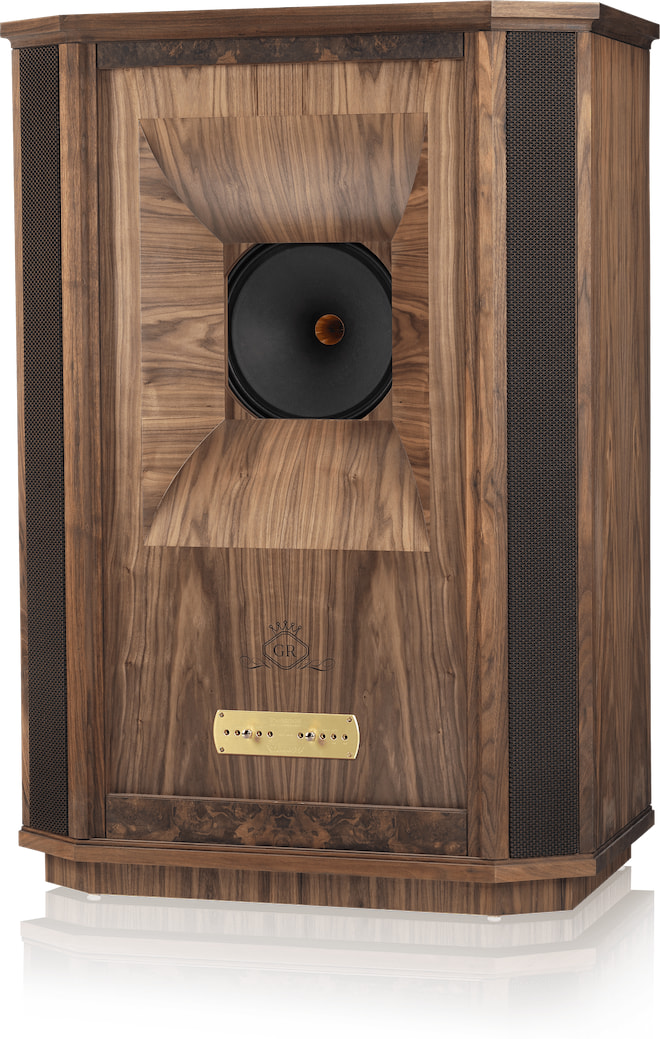

The cabinet is finished in oiled walnut veneer with hand-selected burr walnut inlays, because when a loudspeaker weighs more than some motorcycles, it may as well look like it belongs in a country estate.
The Westminster Royal GR has a sensitivity rating of 99 dB. This contributes to better compatibility with amplifiers from high-powered transistors to low-powered tube amplifiers, while bass extension reaches down to 18 Hz for full-bandwidth reproduction.
At HIGH END Vienna 2026, the Tannoy Westminster Royal GR will be demonstrated with high-performance electronics from Esoteric and cabling from Montaudio, giving attendees a properly configured listen to one of Tannoy’s most ambitious loudspeaker designs. Not exactly the kind of speaker you casually wedge between a media console and a ficus.
Tannoy says full specifications, pricing, and imagery for the wider range of special edition models will be released when the lineup formally launches later this year. Until then, the Vienna showing is effectively the preview: limited information, very large cabinets, and enough British hi-fi gravitas to make the carpet nervous.

| Tannoy Non-Anniversary Model | Westminster GR | Canterbury GR |
| Product Type | Floor Standing Speaker | Floor Standing Speaker |
| MSRP (pair) | $60,000 | $30,000 |
| Recommended Amplifier Power | 20 to 350 watts per channel | 20 to 300 watts per channel |
| Continuous power handling | 175 watt RMS | 150 watt RMS |
| Peak power handling | 700 watt | 600 watt |
| Sensitivity (2.83 volt @ 1 m) | 99 dB | 96 dB |
| Nominal Impedance | 8 ohm | 8 ohm |
| Minimum Impedance | 5 ohm | 5 ohm |
| Frequency Response | 18 Hz – 27 kHz (-6 dB) | 28 Hz – 27 kHz (-6 dB) |
| Dispersion | 90 degrees conical | 90 degrees conical |
| Dual Concentric Drive Unit | 380 mm (15”) with paper pulp cone and twin roll impregnated fabric surround.
52 mm (2”) round wire voice coil 52 mm (2”) aluminium/magnesium alloy dome with round wire voice coil |
380 mm (15”) with paper pulp cone and twin roll impregnated fabric surround.
52 mm (2”) round wire voice coil 52 mm (2”) aluminium/magnesium alloy dome with round wire voice coil |
| Crossover Type | Bi-wired, hard-wired, passive, low loss.
Time compensated. 2nd order low pass. 2nd order high pass. |
Bi-wired, hard-wired, passive, low loss.
Time compensated. 2nd order low pass. 2nd order high pass. |
| Crossover Frequency | 200 Hz acoustical, 1.0 kHz electrical |
1.1 kHz |
| Adjustments | +/-3 dB over 1.0 kHz to 27 kHz shelving
+ 2 dB to -6 dB per octave over 5 kHz to 27 kHz slope |
+/-3 dB over 1.1 kHz to 27 kHz shelving
+ 2 dB to -6 dB per octave over 5 kHz to 27 kHz slope |
| Enclosure Type | Compound horn | Dual variable distributed port |
| Volume | 530 litres (18.72 cu. ft) | 235 litres (3.71 cu. ft) |
| Dimensions (HWD) | 1395 x 980 x 560 mm
54.92 x 38.58 x 22.05” |
1100 x 680 x 480 mm
43.31 x 26.77 x 18.90” |
| Construction | High-density birch ply, walnut veneered, with solid walnut trim and edging | High-density birch ply, walnut veneered, with solid walnut trim, 25mm (1”) thick front baffle. Internally cross-braced and heavily damped |
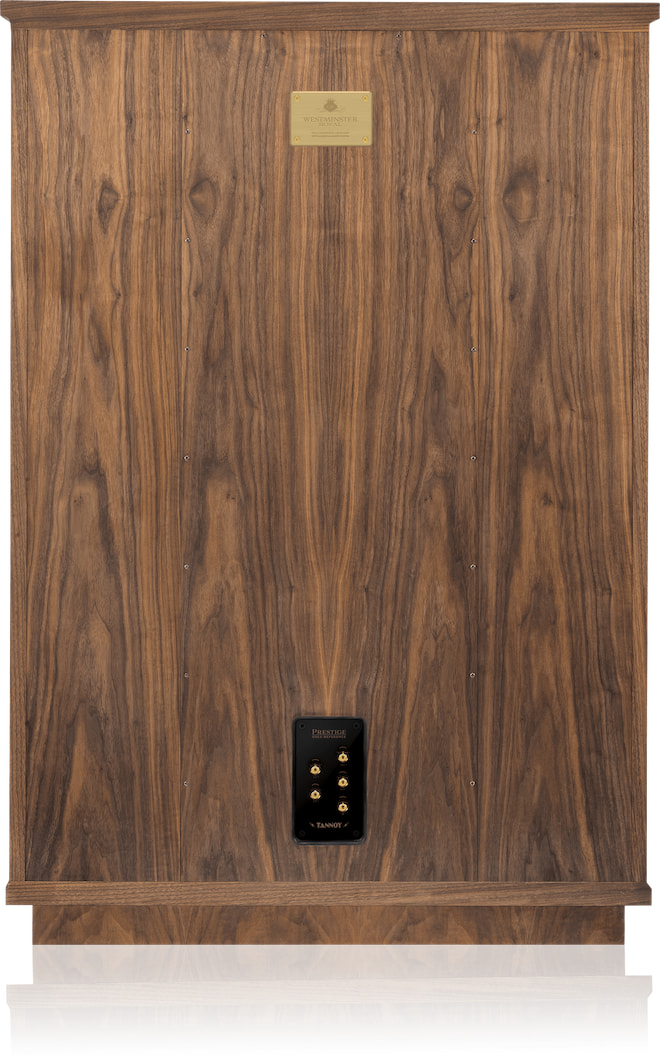
Tannoy’s 100th anniversary lineup is shaping up to be more than a commemorative badge and a nicer veneer. The limited-edition Westminster Royal GR and Canterbury GR lean into real heritage, serious engineering, and deliberately tiny production numbers tied to 1926, the year Tannoy was founded.
Who buys these? Tannoy loyalists, collectors, and serious audiophiles with the room, budget, and structural flooring to handle them. The Westminster Royal GR is not for casual listening in a condo. It is for someone who wants one of British hi-fi’s most iconic loudspeakers and is willing to build a system, and possibly a room, around it.
The bigger story is still coming at HIGH END Vienna 2026. For now, Tannoy has shown the tip of the iceberg, and it appears to be wearing oiled walnut.

The Tannoy UK team will be available at HIGH END Vienna to discuss the anniversary models in Hall X2, E06, as well as at the nearby Tech Gate demonstration area.
We don’t have final pricing or availability on the Anniversary models, but the regular versions of the each model are priced from $28K to $60K at upscaleaudio.com.


Picket Defense Systems has a new solution for when a coordinated drone swarm attacks at close range. They call it the Inferno Rotating Turret Close-In (RTC), and it’s a compact rotating turret built to engage drones from all directions at once. Unlike traditional gun turrets that have to physically rotate toward the target before they fire, the Inferno RTC uses a globe-shaped structure fitted with barrels pointing at dozens of different angles. That means less targeting delay compared to what a single weapon needs to move into position.
In addition to its spherical shape, the Inferno RTC also uses passive targeting architecture instead of broadcasting detectable radar signals. It also features a three-dimensional array of microphones and optical cameras, used to identify and track incoming drones instead of relying on radar emissions. Picket says it uses onboard artificial intelligence to continuously process that incoming sensor data and prioritize threats in real time (via InterestingEngineering). No external network connectivity needed.
By using sound to identify drones, the turret can monitor threats while also remaining electronically silent. Picket says this targeting method should go a long way in stopping drones that have become jam-resistant against traditional electronic warfare systems.
The lighter Inferno RTC weighs about 45 pounds. It’s fitted with 36 barrels that can fire 5.56mm ammunition, .410 shells, and 20-gauge rounds. The larger version weighs about twice that, equipped with 54 barrels that can fire heavier 12-gauge and 40mm low-velocity munitions. Both versions can detect and engage threats at distances of up to 120 meters, and that’s from both fixed positions and moving vehicles.
That does raise some questions, though. With little more than a football field of range, even calling this the “last layer” of defense feels generous. Less than 400 feet is incredibly close. In real combat, that’d leave little to no room for error. Not to mention, by the time hostile drones reach that distance, troops might already be in danger. At that point, the damage might already be done. Until there’s been widely released combat testing, Pentagon procurement announcements, or third-party evaluations confirming performance under realistic battlefield conditions, all we have to go off of is what Picket Defense has made publicly available.

Neil Armstrong and Buzz Aldrin became the faces of the Moon landing era. Elon Musk’s Mars era may get a very different public face in Chun Wang, a cryptocurrency billionaire whose fortune traces back to Bitcoin mining.
Wang is expected to lead a future SpaceX Starship mission that would fly past Mars and return to Earth. SpaceX has not announced a launch date, and the plan still depends on Starship proving it can safely carry humans far beyond Earth’s orbit.

Private spaceflight has already moved through its celebrity phase. In April 2025, Blue Origin flew Katy Perry, Gayle King, Lauren Sánchez, Aisha Bowe, Amanda Nguyễn, and Kerianne Flynn on its NS-31 New Shepard mission. The all-female suborbital flight lasted minutes, but it drew heavy attention worldwide.
Wang’s planned mission is far more ambitious than a short trip to the edge of space. The Mars flyby could reportedly last around two years, making it a much harder test of both the passenger and the spacecraft. If SpaceX pulls it off, Wang could become one of the first humans to travel toward Mars, even without landing there.

Wang is not new to private spaceflight. He previously commanded SpaceX’s Fram2 mission, a Crew Dragon flight that carried four civilian astronauts over Earth’s polar regions in 2025. The mission lasted several days and gave Wang actual orbital flight experience before his planned jump to Starship. That does not make the Mars flyby any less ambitious, but it does mean SpaceX is not picking someone with no prior time in space.
Elon Musk has long said SpaceX wants to reach Mars. Starship is the rocket built for that goal, but it is still being tested.
SpaceX’s upgraded Starship V3 launched on May 22, 2026, after an earlier scrub due to a launch tower issue. The uncrewed test reportedly achieved most of its goals, including stage separation and mock Starlink satellite deployment, before ending with a splashdown in the Indian Ocean and erupting into a massive fireball. SpaceX said the fiery end was intentional, as the company did not plan to recover or reuse the experimental spacecraft.
Starship has not carried humans yet, so Wang’s Mars mission is still a long way from happening. For now, the plan depends on SpaceX proving that the rocket can safely take people far beyond Earth.
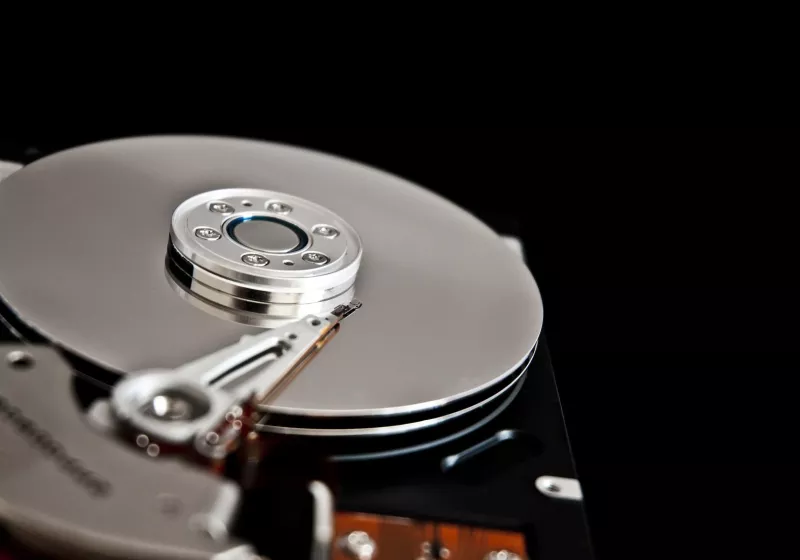
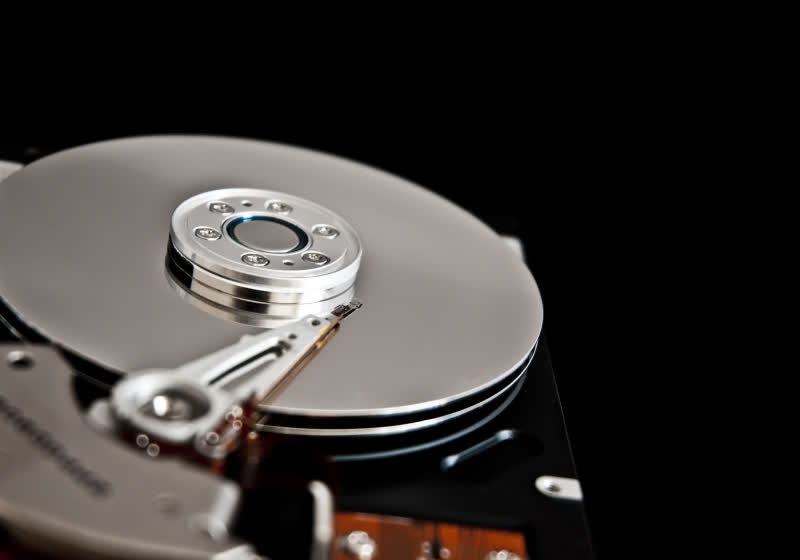
Filed in the US District Court for the Northern District of California, the lawsuit accuses major suspension assembly manufacturers of engaging in price-fixing over more than a decade. The defendants are grouped around two key players, TDK Corporation and NHK Spring, whose components are used across nearly the entire hard…
Read Entire Article
Source link
NameDrop lets iPhone users exchange contact information by bringing two devices together. Here’s how to use the feature, customize what it shares, and fix the most common problems.
Apple introduced NameDrop in iOS 17 as part of a larger contact-sharing system built around Contact Posters. Instead of typing phone numbers manually, users can tap their iPhones together and choose whether to share or receive contact information.
It’s a simple gesture that feels like magic, at least when it works. Here’s how to use NameDrop and what might be going wrong when it doesn’t work as expected.
And don’t worry, NameDrop only shares your name, Contact Poster, and primary phone number and/or email address by default.
NameDrop is simple to use once both iPhones are configured correctly, although both devices need iOS 17 or later with AirDrop enabled. It is enabled and works by default if a user hasn’t changed any settings affecting the feature.
Locking either phone or turning off Bluetooth or Wi-Fi can interrupt the process before the sharing interface appears. If it doesn’t immediately work, check those settings on both devices.
The NameDrop feature isn’t easy to miss thanks to the glowing animation, haptics, and a full-screen Contact Poster preview on both devices. It is impossible to have contact details pulled from a device without the user’s knowledge or accidentally.
Since NameDrop relies on the same technologies as AirDrop or Apple Pay, users shouldn’t have to worry about the case they’re using. Modern cases account for NFC passthrough and other radio signals.
Proximity is important to initiate NameDrop, but once the options to share appear, the devices can be pulled away. Obviously, you can’t leave the room and expect to continue the process, but a couple of feet of distance while each user manages the share isn’t a problem.
Apple supports NameDrop between Apple Watch, iPhone, and other Apple Watches. The feature works similarly to the iPhone version, although the smaller display offers less visual feedback during the exchange.
As long as your devices are up to date and still have default settings for things like AirDrop, Wi-Fi, and Bluetooth, a tap will suffice to initiate NameDrop.
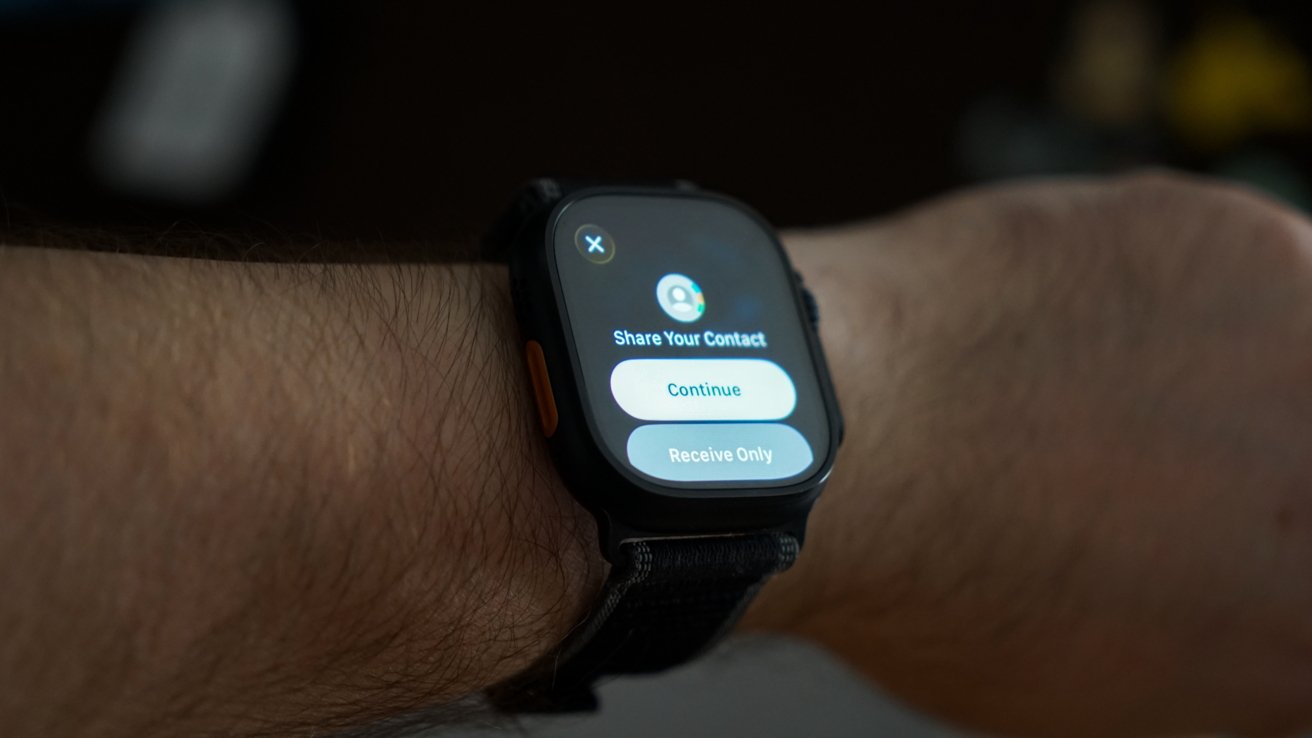
You’re only given a “Continue” or “Receive Only” option on Apple Watch, without the larger Contact Poster preview shown on iPhone. And again, the proximity is only needed to begin the interaction, and devices can be pulled away to interact with the prompts.
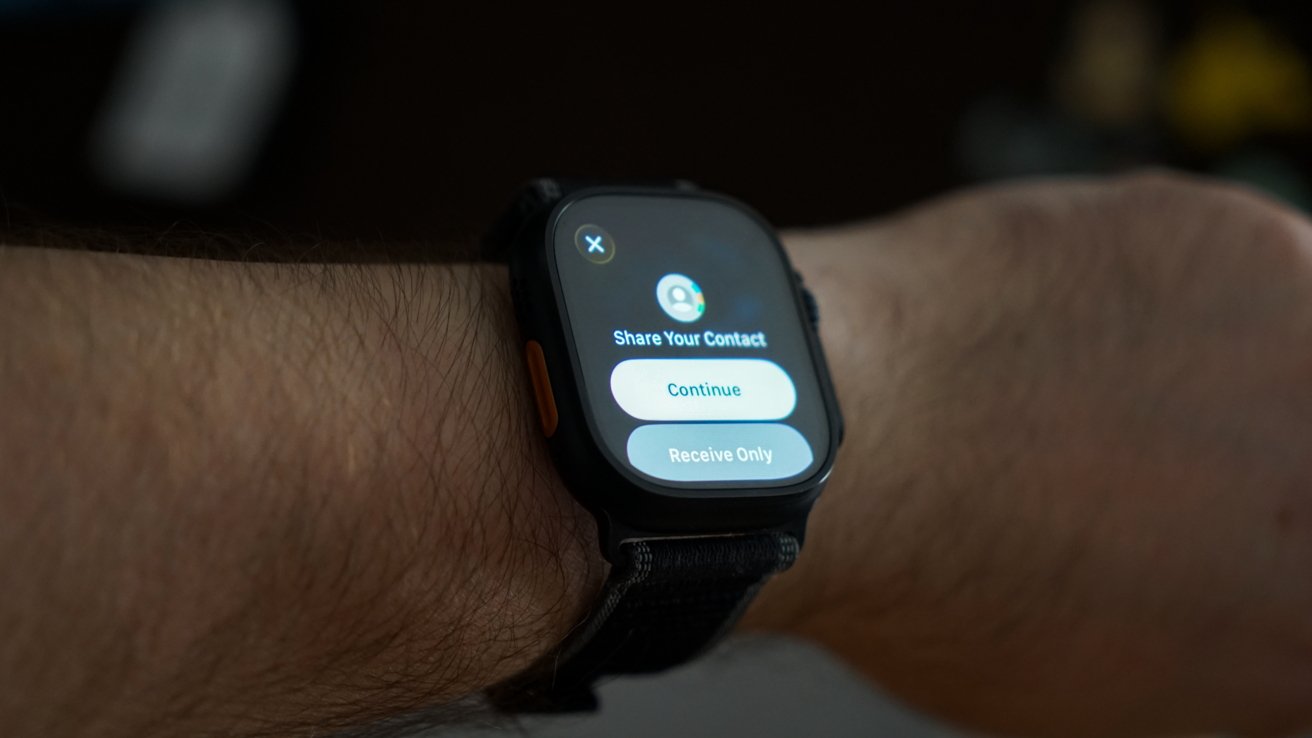 NameDrop works fine on Apple Watch, though there’s less of a preview
NameDrop on Apple Watch is fairly convenient, but a little awkward. It’s a great option if you’d like to exchange contact details without needing to pull your iPhone out of a backpack or purse.
It’s always a good idea to keep your personal contact card up to date, especially when considering NameDrop. You don’t want some old photo, random emoji you added to your name as a teen, or an embarrassing email address to be exchanged.
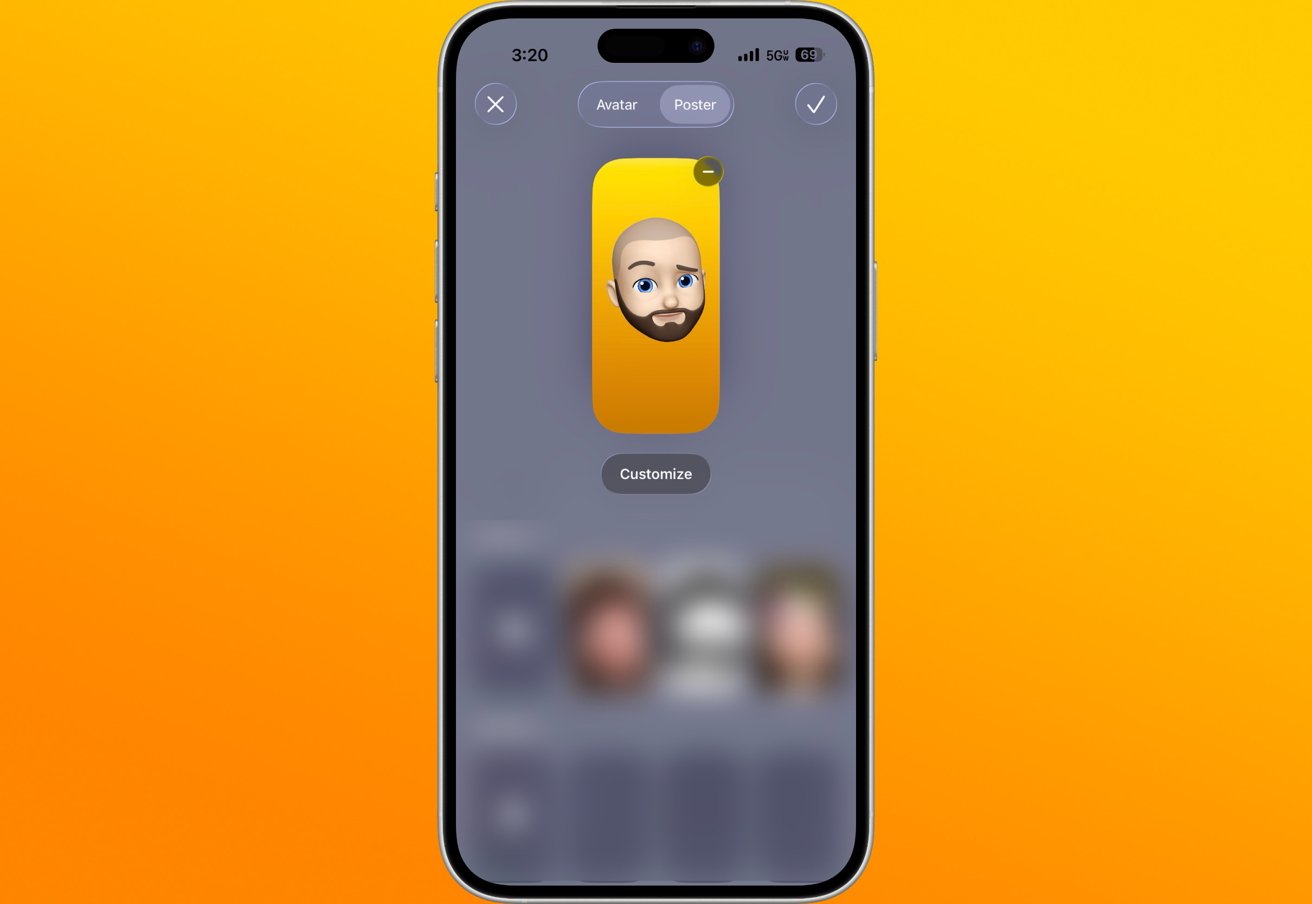 Contact Posters are worth checking before using NameDrop
While your name, phone number, and email are important parts of the contact card, your photo might be even more important. The circle avatar and larger Contact Poster are what people see when using NameDrop or when you call them.
Here’s how to manage your Contact Poster:
Contact Posters have become a kind of profile picture for your Apple Account. While Apple Contacts still uses the old vCard system, it is a data point for many system features on iOS.
You might have multiple phone numbers and email addresses and only want to share a specific one. Don’t worry, it’s quite simple to modify what’s shared with each use of NameDrop.
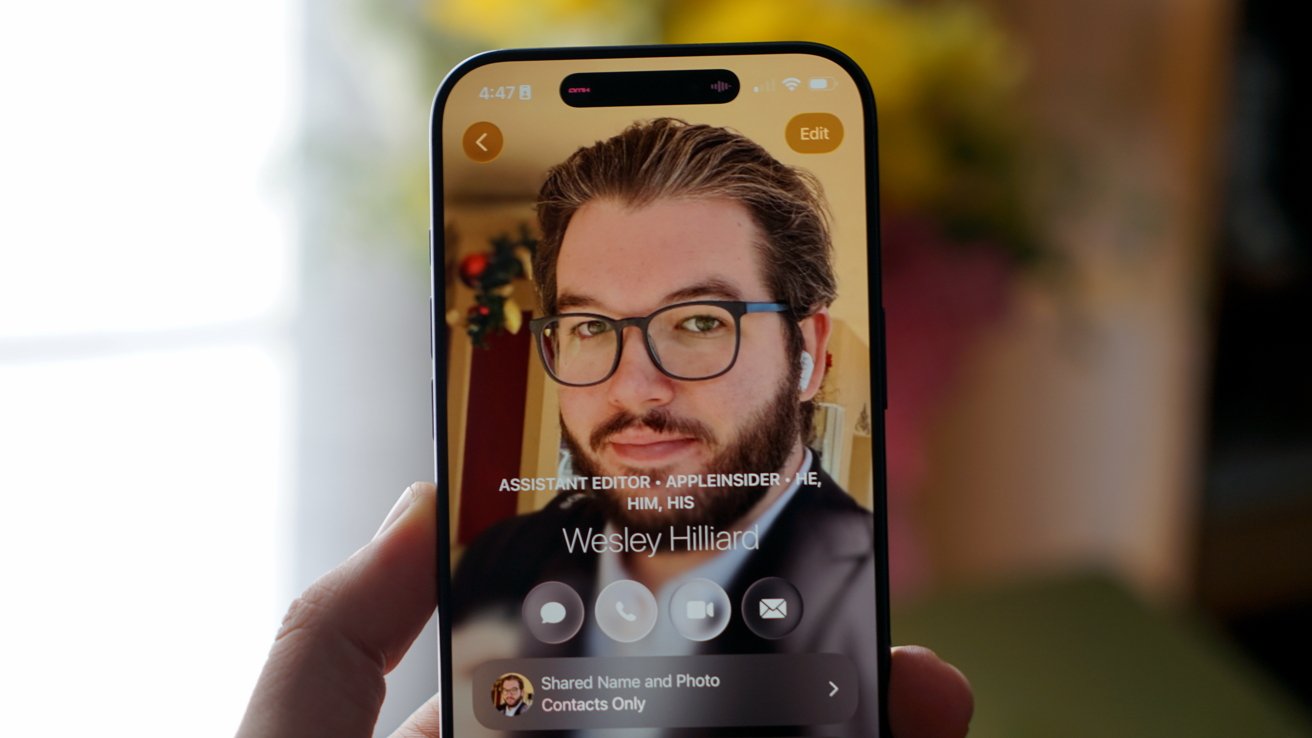 Make sure your Contact Poster and other Contacts data are up to date
Whenever you initiate NameDrop on iPhone, you’ll see your Contact Poster, name, and phone number or email displayed with the sharing options below. By your phone number/email, there will be a little “>” button.
Tapping that button will bring up a sheet with check boxes by each piece of shareable contact details. Choose exactly what you’d like to share with the individual before hitting “Share.”
That way, you can choose when you’d like to provide a business number versus a personal one, for example. Customized NameDrop selections are carried over to the next time you use NameDrop.
Information like your pronouns, address, birthday, and more is not shared via NameDrop. It is only your name, selected phone numbers or email addresses, and Contact Poster that are shared.
Apple uses the same gesture for several iPhone sharing features. AirDrop, SharePlay, and NameDrop all depend on nearby device detection, so the same movement can sometimes trigger the wrong interface.
SharePlay is a common source of confusion when music, video, or another compatible app is active. iPhone may treat the nearby device as a possible shared media target before NameDrop appears.
AirDrop will appear when a shareable file, link, or other item is being displayed on iPhone.
If NameDrop isn’t working as expected, put your device to sleep and wake it again, then unlock it and try once more. To help avoid interference from other features, make sure both devices are on the Home Screen or Lock Screen before bringing them close together.
NameDrop initially drew criticism after launch because some users worried that contact information would transfer automatically. The feature requires devices to be unlocked and prompts users for confirmation before any information is transferred; it is highly unlikely that contact data can be pulled unknowingly.
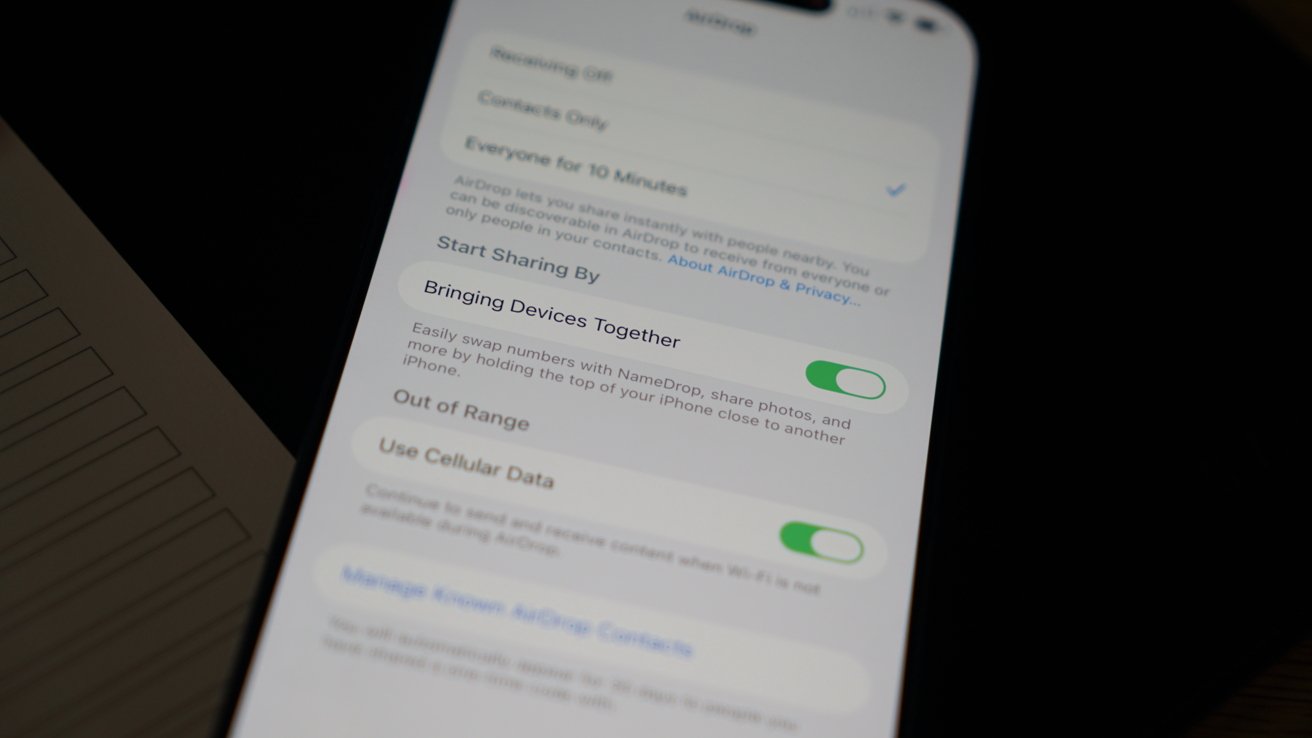
Easily turn off NameDrop and other proximity AirDrop functions
However, users who don’t want NameDrop or other proximity sharing can turn off the setting that starts these interactions. Apple places the control inside the AirDrop section of the Settings app.
Turning off Bringing Devices Together prevents NameDrop and similar proximity-based sharing features from working. AirDrop itself can remain available, depending on separate AirDrop receiving settings.
NameDrop removes most of the friction from exchanging contact information between Apple devices. Apple still keeps users in control through approval prompts, Contact Poster settings, and AirDrop controls.
A recent report by the Climate Change Committee has warned that, as average temperatures rise, the UK is facing a new climate, and air conditioning will be needed in many homes to cope with it.
With a lot of old housing stock built for colder climates, many of our homes experience extreme heat, particularly with the growing number of heatwaves each year. It’s expected that by 2050, heatwaves will last longer and be hotter.
As the Climate Change Committee has set out, it’s not just air conditioning; passive options, such as shading, should also be considered. Passive options are often overlooked by the mainstream press, and I think there’s a general consensus that just installing air conditioning is the best option. It’s not. For the best effect, a combination of tactics is needed.
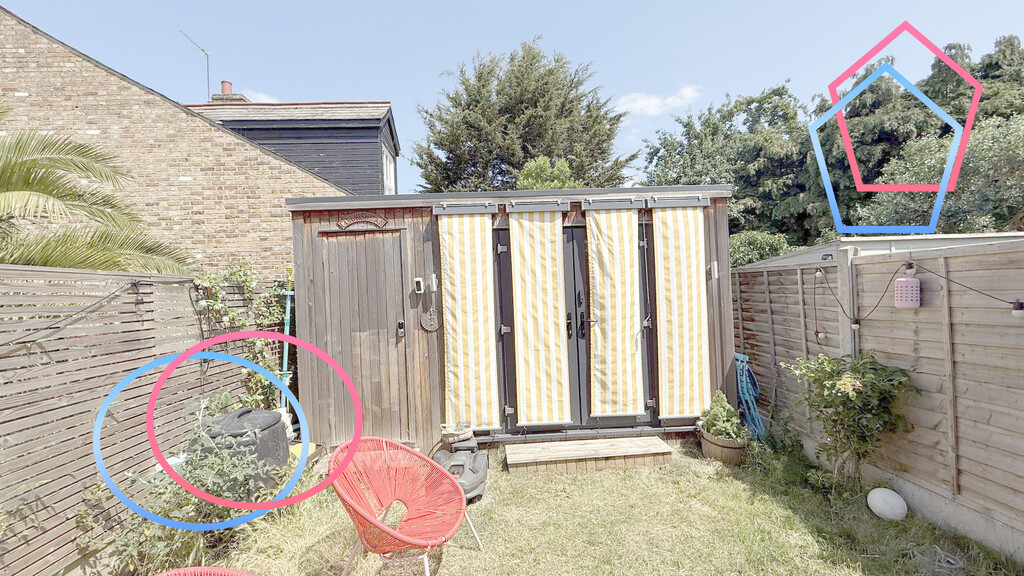
I’ve got an extreme example: my garden office. My garden office is south-facing, and the front of it is entirely glass: French doors with two side windows. They’re double-glazed, so keep the heat in in winter, but in summer, or when the sun shines at all, they’re a massive problem.
The sun’s infrared penetrates through the glass and warms objects inside, and then the air, which has nowhere to escape. On a relatively cool but sunny day, say around 16°C, my office can easily be mid-20°C inside. On a very hot day, it gets insanely hot inside: I’ve seen it hit 48°C, and this can only get worse as temperatures increase.
Air conditioning would seem to be the answer, but it’s not as easy as you think. I’ve tried many portable air conditioning units, vented out of a sealed window, and they work while the weather is mild.
As soon as the temperatures rise and the sun shines directly in, air conditioning can slow the heat rise, but it can’t stop it, and it certainly doesn’t make the environment nicer.
I’ve used internal blinds and even UV film on the windows, but they’re largely pointless: once the heat is in, it’s trapped. The answer, I found, was to use external blinds. Rolling them down stops the sun from getting in and keeps the temperature to manageable levels; if it’s hot, then air conditioning can do its job and cool the room down when required, but I often find that I don’t need it.
Similarly, in my loft bedroom, the front of the house is south-facing, so the sun shines through the Velux and makes it too hot. At times, the handles are burning hot. I bought external sunshades, which fit to the outside of the Velux window, and reduce the heat through them.
Yes, I still need air conditioning when it gets very hot, but the shades reduce the amount of cooling that’s needed.
External shutters, rather than blinds, can be even better, and that’s what you tend to find in hot countries, as well as overlap shading. In my house, they’d be easy to use, as I have sash windows, so nothing protrudes.
Modern casement windows are harder, as they open outwards, so once they’re open, you can’t close any shutters. But there are plenty of external smart blinds that can be operated by remote and would work, since you can operate them with the windows closed.
Although modern air conditioning systems use heat pumps for maximum efficiency, electricity costs make them expensive to operate. And the more heat they must deal with, the longer they have to run, increasing the cost.
More AC also means more pressure on the grid, and not all that power is clean power, contributing to more fossil fuels and more CO2.
There are calls from some places to combine air conditioning with solar panels, powering the units with clean, free energy, but this isn’t without its issues either. As discussed before, solar works well if you’ve got a south-facing roof; if you’re under shade, in a flat, or have an east/west roof, then you get little power, or it’s not worth having it at all.
There’s also a big difference between properly installed split-unit air conditioning and portable units. Split units, with the condenser unit outside, are much more efficient than portable units, and you can run multiple vents from one external unit.
Split air conditioning is more expensive to install, and there’s the issue of knowing where to put the sizable external unit. Going back to the issue of the UK having a lot of old housing stock, particularly Victorian terraces, there’s very little space to put the external unit.
In fact, one of my neighbours has just had air conditioning installed, and the large external compressor is outside the front door, covered but still clearly visible. In my house, I couldn’t have air conditioning installed, as there’s no space for the outside unit.
Then, there’s the issue of what to do if you want a heat pump installed for your hot water. Many split air conditioning units are air-to-air heat pumps, so they can cool or heat a room, but they won’t heat your radiators, underfloor heating or hot water.
It’s possible to get a system that will do everything, but they’re not common. So, in most cases, you could end up with a heat pump for hot water and a separate system for air conditioning. Where are all those units supposed to go?
Air conditioning doesn’t cool a room by blowing out cold air; instead, these systems use a heat pump to move heat from one place to another. In this case, they draw heat in from inside and expel it outside, as explained in our guide to how portable air conditioners work.
So, all of the hot air inside your home is pumped to the outside environment. According to the Royal Institute of Chartered Surveyors (RICS), in urban areas with a lot of air conditioning units, the impact at night can be an increase of temperature by 2.5°C. So, as we cool our homes down, we heat the outside, which means there’s a need for more cooling, and so on.
RICS goes on to suggest that new buildings should adopt passive techniques to avoid overheating, and that leaving plenty of space for vegetation can help: trees are a good way to cool urban spaces and create shade.
Once AC is available, people tend to use it more. And, people often want to cool rooms to very low levels, to get that icy-cold feel. Both of these are wrong. AC should be used when required, not when it feels nice, and higher target temperatures should be used.
I tend to set my portable AC to 23°C when I do use it on the very hottest nights. That’s cool enough to sleep in, and reduces how much power the AC unit uses.
Things are going to get hotter, and air conditioning is only part of the solution, but certainly not by itself. New buildings should be designed to be thermally efficient and reduce the reliance on air conditioning, while older buildings need help: better insulation and shading to stop the sun shining through large windows (natural and artificial via blinds).
These passive techniques can’t completely stop a house from getting too hot, but they do lower the maximum temperature they reach and, therefore, the amount of air conditioning that needs to be used.

Apple’s macOS Tahoe has been one of the most controversial and divisive Mac updates ever. After almost a year of use, not even including Apple Intelligence, some of its touted benefits haven’t worked out.
Maybe this is just how it always is. For instance, when macOS Big Sur was announced, it was a gigantic change for the Mac yet now you can’t even remember what was so new about it.
With macOS Tahoe, you do know that the chief new thing is the Liquid Glass redesign. It seems as if there are more critics of the design than there are proponents, but it’s probably more that most users don’t care enough to comment.
That is, they don’t have any reason to care. The menubar that was so different at first has been toned down enough that many people might well not notice.
There is the ability to turn all of the Dock’s icons transparent, but unless you know it’s there and you then go hunting for it, you won’t find that setting. Then if you do find it, you’ll find it again very quickly afterwards as you realise that transparent app icons are a bad idea.
I’ve had the odd thing where Liquid Glass has meant I’ve needed to shove a window to the left to see what I needed. But not enough that I can even remember examples to recreate.
One thing that particularly appealed to me about Liquid Glass, though, was the idea that it helped you focus on your work, that all of the Mac‘s menus and Dock were less obtrusive. It’s a great idea and since I use an ultra wide monitor that is quite narrow and stubby top to bottom, I expected to use this a lot.
I haven’t used it once. Now that the menubar is more back to how it was before, there’s no incentive to.

You can make Dock icons transparent, and there is no earthly reason to do so.
Liquid Glass is just fine on the Mac. I notice it more on the iPhone and the iPad, I tend not to consciously notice it on the Mac.
Which means that for me, I’m left with noticing all of the other aspects of macOS Tahoe, the ones that got far less attention. AppleInsider covered the five new features that at launch, seemed as if they could make us radically more productive.
They were:
Every one of these is genuinely useful and a very good addition to the Mac, except perhaps the Phone one. That’s actually the one I was most excited about, to the extent that I added buttons to my Stream Deck for answering and ending calls.
But those buttons worked through a Keyboard Maestro macro which looked for the green phone icon to answer, or the red one to hang up. And I can be sitting here with my actual iPhone ringing, my iPads, and my Apple Watch all yelling that I have a call, and my Mac Studio doesn’t care.
Phone calls or FaceTime, I don’t know what it is, but with either of them, it takes an age for the notification to appear. So long that practically every single time, my caller has given up before I can see a button to press.
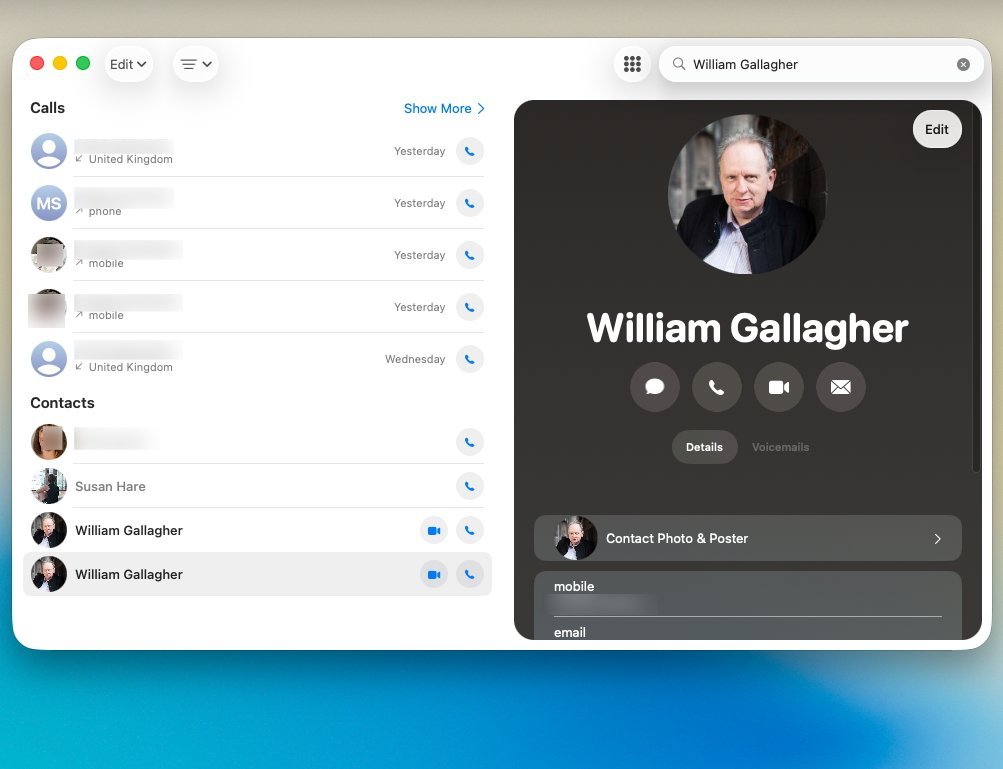
This should have been my most-used feature, but it just isn’t good enough.
I could make outgoing calls, but then there was always some sound issue. I was never certain the person I was phoning would be able to hear me.
So to this day, the Phone app launches at login on my Mac Studio, and I keep quitting it. I must give it another go, or remove it from the login items list.
That issue with the Phone could be something wrong somewhere with my Mac Studio, it may well be that it works better for you. Similarly, the macOS Tahoe clipboard history feature may be precisely what you need, but it hasn’t turned out to be useful for me.
This would be entirely because I have already been using third-party rivals, especially Alfred 5, for at least a decade.
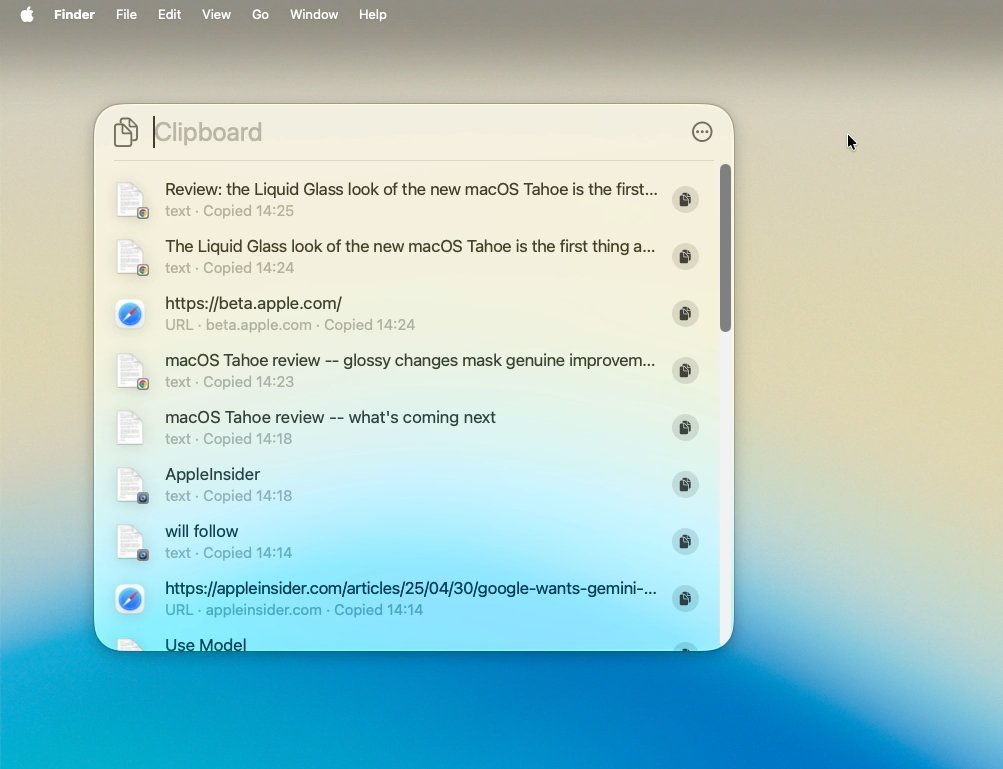
Spotlight’s new Clipboard History is fantastic – unless you’re already using any of the many alternatives
Apple’s version is exactly as useful in principle, in that it remembers what you copy and so later you can paste it somewhere. It doesn’t matter if you copied whatever it was right now or an hour ago, it doesn’t matter if you’ve copied other things since.
Whatever it is, as long as you’ve copied it, you can paste it later. Or you can if you do it within something like eight hours, as Apple wipes this memory then.
The idea is presumably that people work eight hours a day, but if you do more, it’s irritating. It’s also only in place because Apple’s clipboard history isn’t as intelligent as it should be about removing passwords you’ve copied.
Rival apps like Alfred 5 and Raycast are, they removes the password from your clipboard history after you’ve used it. And they do both have limits on how long back you can have copied something, but with Alfred 5, for instance, you can have it set to remember copied items up to three months.
Plus with Alfred 5, I can copy six different things from five different places, and then paste all of it somewhere with one go. Clipboard history is so useful that you want to go tell everyone about it, particularly if they’re Windows users.
So Apple making a clipboard history be part of macOS Tahoe is unquestionably great. If you’ve never used one before, if you don’t have one already, you’ve got one now and you’ll wonder how you did without it.
I’m just hoping that the next version of macOS will improve it.
Similarly, I am hoping that the next macOS will fix a bug that is in macOS Tahoe and has been in every release for some years.
I am an excessive user of tab groups in Safari, meaning with a few clicks I can have every tab and site open that I might need for AppleInsider work. If I then have a Writers’ Guild finance committee meeting, then with a few clicks I can have all of the agenda sites, the proposal papers, the accounts and so on.
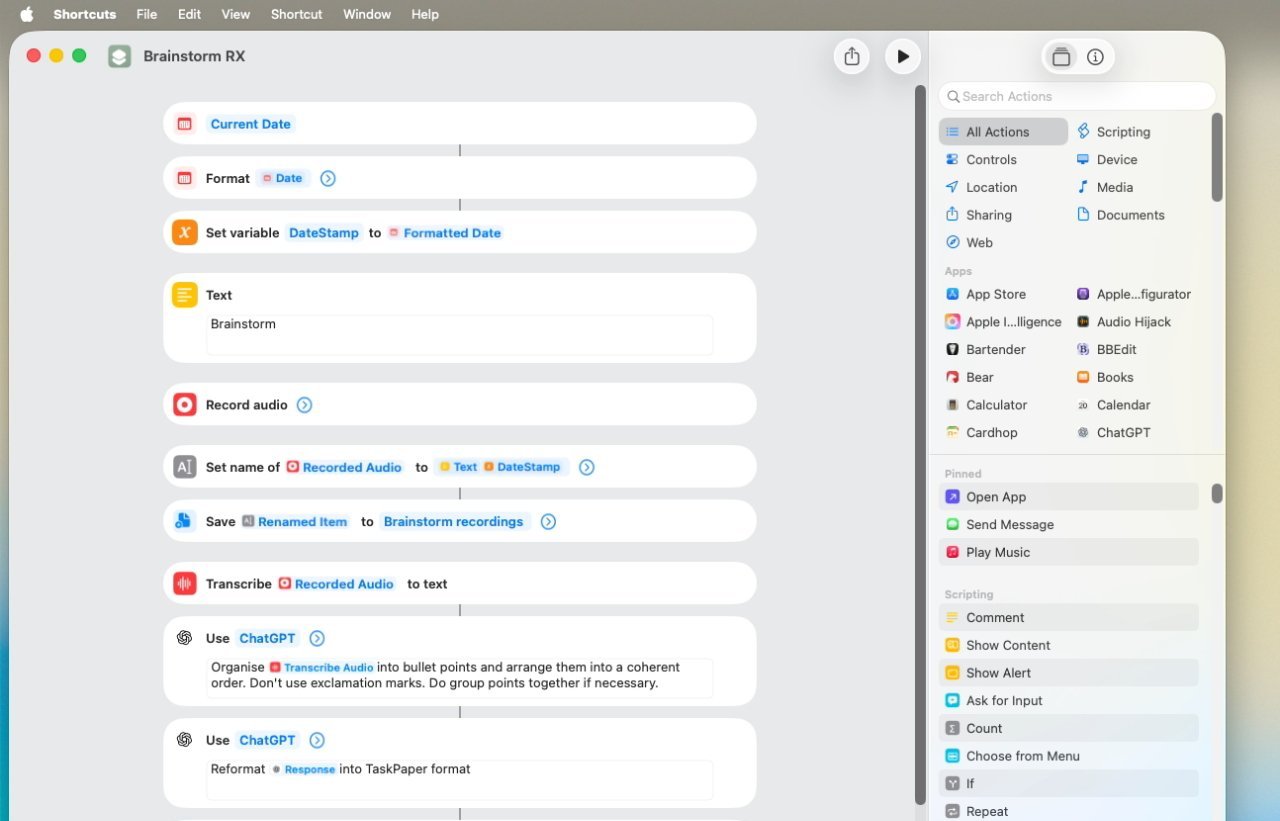
Apple basically added just one Apple Intelligence action to Shortcuts, but it’s superb.
Tab groups mean you can have everything you need for the task at hand. Very importantly, they also mean that you do not have anything else, you solely see what you need.
It is a great feature, and there is a Shortcut that lets you switch between these tab groups. So, again, I could set up a Stream Deck button to take me straight to the AppleInsider tab group, and another for the Writers’ Guild.
You can do this, you can set up a Shortcut to do exactly this and precisely once, it worked. Every other time, the Shortcut fails with an “internal error.”
Fortunately, what does work in Shortcuts is the new Apple Intelligence action. That’s been enough to make me regard Apple Intelligence as much more useful than I had.
I’m a writer so the Writing Tools in Apple Intelligence are mostly worthless. I’m never going to get it to rewrite my work to make it more friendly or more professional.
There is a way to get it rewrite your work to be more threatening, which was briefly fun.
However, using this one addition to Shortcuts means that over the last year I have:
There are oddities, such as how if you run the same list of steps through the same Shortcut, you sometimes get totally wrong results. But still, the one new “Use Model” action in Shortcuts is superb.
Quick Actions in Spotlight are rather good, too. The idea is that you can call up Spotlight with Command-Space Bar, then click on the Actions section and choose from countless options.
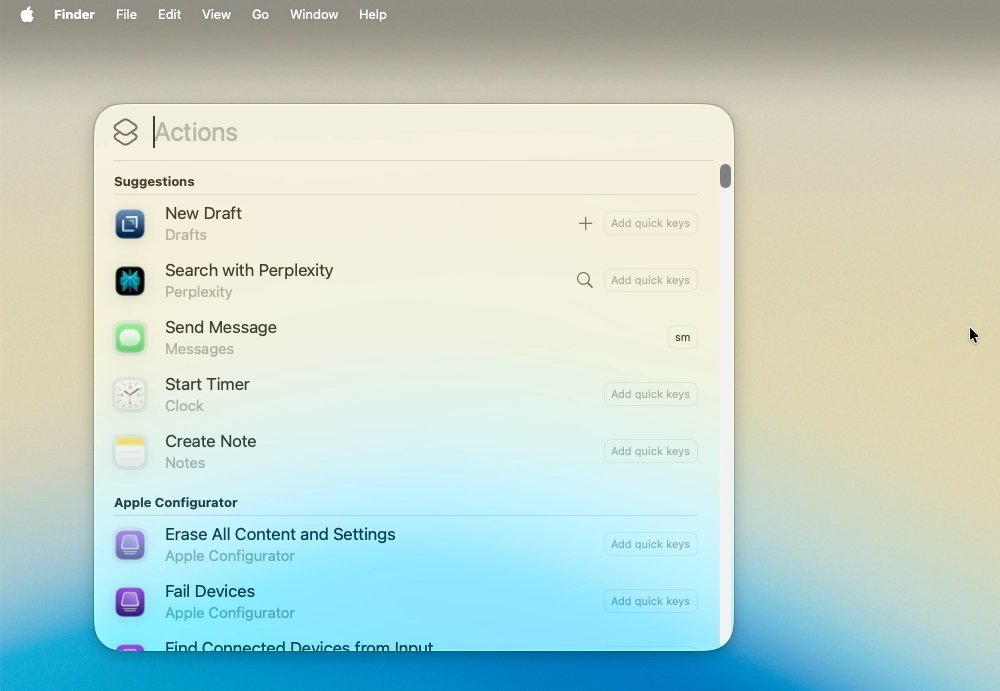
Countless Mac features can now be accessed in Quick Actions
Those options include things like setting timers, which is what I use most often. But there’s also the ability to write messages or emails and have them be sent directly from Spotlight.
That doesn’t sound as great as it actually is. Because what it means is that you can write emails without opening Mail or Messages, and so without seeing everything that is waiting there for you.
Spotlight then has a Files option for making it quicker to find documents, but to my mind not especially faster than just a regular Spotlight search. It also has an Applications option, which opens up a grid view of what apps the Mac thinks you’re most likely to want to use next.
That exact same grid is now what appears when you click on Apps in the Dock. This is the feature that has replaced the old LaunchPad, and it is better, even if fans of the old way won’t agree.
Apple brought iPhone-style Live Activities to the Mac with macOS Tahoe, and I know that’s true, I have seen it in action. But only in testing.
Perhaps it’s because I haven’t had to track flights. Or that I’ll never follow any sports scores.
Or maybe that while it does show when a takeaway curry is about to be delivered, I’m no longer at my Mac when I order in dinner.
I think Live Activities is superb on the iPhone, and especially now that Apple Watch workouts appear there too. Plus when I’ve been waiting at an airport, it has been Live Activities that told me my flight was cancelled before the departure boards did.
Yet on the Mac, I know Live Activities appear in the menu bar, I’ve just never seen them in real-life use. But yet again, that’s me and my use cases, it can’t be any criticism of how Apple has done it.
Despite saying that I’m not criticizing Live Activities, and despite noting that my Phone app problems could just be mine, I do still sound negative about macOS Tahoe. And that’s also despite saying I’m not against Liquid Glass.
The thing is, I moved to macOS Tahoe on my Mac Studio in order write about it during the beta process. I did not move my MacBook Pro over to it until weeks after the final release.
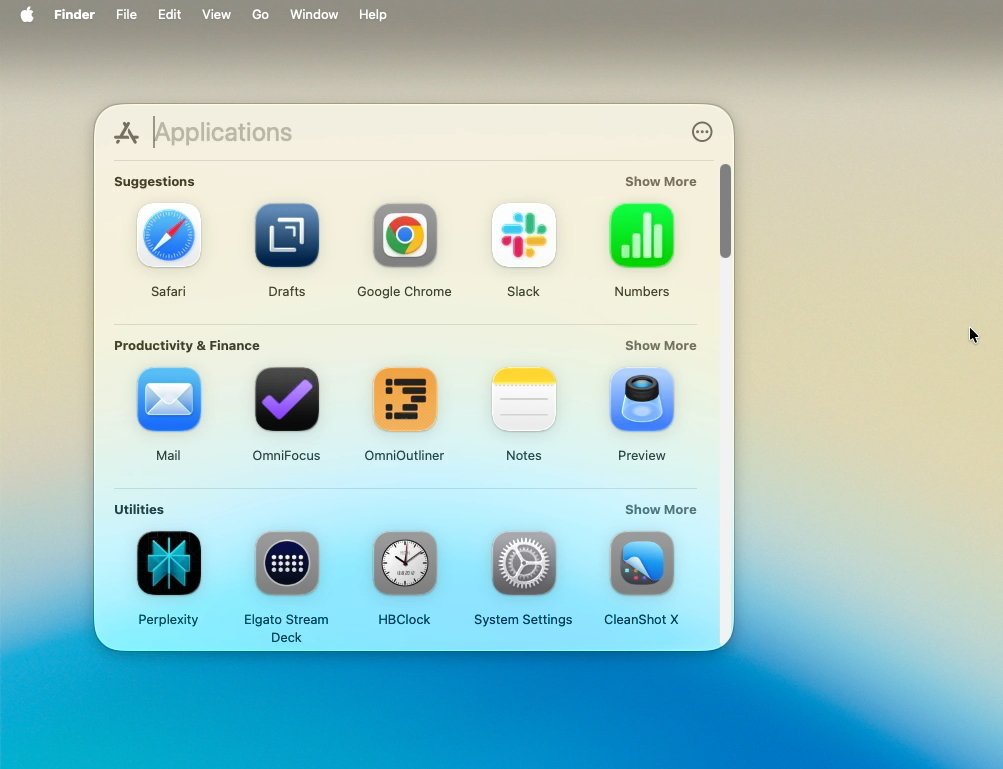
Launchpad is gone, but its replacement is better.
Which means I was forever going back and forth between macOS Tahoe and macOS Sequoia. And I preferred Tahoe.
I preferred it so much that I just had to go check that the previous version was called macOS Sequoia. It seems a long time ago, and it seems like your Mac isn’t right when you’re using it.
But then that definitely is what happens with every new release of macOS. Within a short while, the new edition no longer seems like a new toy, it feels as if this is how the Mac should always have been.






Blockchain.com files with SEC for U.S. IPO


Holiday Weekend Open Thread – Corporette.com


Intesa Sanpaolo’s crypto holdings jump to $235M as XRP enters


Dell Technologies DELL Stock Surges 15% on AI Server Momentum and Analyst Upgrades in 2026


Space X IPO Is ‘Bad News’ for Tech Stocks: But What About Bitcoin?


Robinhood crypto COO Tanya Denisova exits


On the Scene at Gucci’s Cruise Show in New York City: Mariah Carey, Kim Kardashian, Lindsay Lohan, Iman, and More!

Makerfield: a tale of two social-media histories


AI infrastructure race heats up as IREN pitches full-stack strategy, WhiteFiber lands $160M deal
A 0.12% parameter add-on gives AI agents the working memory RAG can’t


WhatsApp ads could make Irish debut after discussions with DPC


Amazon Sundays: Memorial Day Hosting


You Can Now Add ChatGPT To PowerPoint

Revolut Launches Dogecoin Debit Card Across UK and EU

Bitcoin Accumulation Weakens as BTC Realized Losses Hit $600M


Off Campus Easter Eggs Explained: Characters, Stories, More


2026 CJ Cup Byron Nelson leaderboard: Brooks Koepka finds putting stroke in Round 1

Charity run by Reform leader Malcolm Offord accused of ‘law breaking’ over Scottish registration


Trump Invests $1M-$5M in Kura Sushi USA Chain With 27 California Locations


Trump Media’s Bitcoin Stash Shrinks Again as 2,650 BTC Lands on Crypto.com

You must be logged in to post a comment Login