A big change from the company’s previous robots, the Dyson Clean+Wash Hygiene comes with a bag-free self-emptying, self-cleaning dock, and a roller-based mopping system. Overall, it’s a decent cleaner and mopper, but the competition is tough. For a similar price you can get robots that mop better or that are more flexible when it comes to mixed environments of hard floors and carpets. And the Dyson app is a little inflexible compared to the competition, too.
Self-cleaning roller
Bag-free emptying
Generally good vacuuming
Powerful mopping on most stains
Expensive for the features
App is a little basic
Key Features
Review Price: £1049.99
Bagless emptying
Sucks up dust into the large, reusable bin in the dock.
Roller mopping
Advertisement
A self-cleaning roller is used to mop.
Introduction
As powerful as they are, Dyson’s robot vacuum cleaners have been overtaken by the competition in terms of features and, in particular, mopping performance. The Dyson Spot+Scrub AI is the chance for the company to set the record straight, and deliver a robot that matches the best competition.
Powerful suction, an auto-emptying, auto-cleaning dock, roller-based mopping and stain detection facilities are all features that I’d expect to see in a high-end robot. Are they enough? Read on to see what my full review has to say.
Advertisement
Advertisement
Design and features
Roller mopping
Bagless dock
Connects via MyDyson app
All previous Dyson robot vacuum cleaners, such as the 360 Vis Nav, have all been standard robots, with a charging-only dock, with emptying left up to you. The Dyson Spot+Scrub Ai is a fresher, more modern robot vacuum cleaner, with a self-empty, self-clean docking station of the type you’d expect to see in the competition, such as the Dreame Aqua10 Ultra Roller Complete.
Dyson’s is a chunky dock, but the first thing you’ll spot is the familiar-looking purple-clad cannister on the left-hand side. This is the bin for the self-emptying system, and it looks exactly like one taken from a regular Dyson vacuum cleaner.
Image Credit (Trusted Reviews)
Indeed, it’s a Cyclone-powered emptying system, sucking dust out of the robot into the 3-litre bin in the dock. There are no bags here (the only docking station to do without since the Shark PowerDetect NeverTouch Pro Robot Vacuum and Mop RV2800ZEUK), so no ongoing consumable costs. It’s a shame that more robot vacuum cleaners don’t follow suit.
Image Credit (Trusted Reviews)
Advertisement
This bin is very large, and Dyson says it can hold up to 300 days’ worth of dust, so you’ll realistically only need to empty it every two to three months.
There are then two water tanks: a 2.1L tank for dirty water, and a 2.3L tank for clean water. Both are easy to remove for filling/emptying.
Behind the clean tank sits the detergent dispenser, which is mixed with clean water automatically. Dyson sells its own hard floor solution you can use, but it’s a shame that a sample isn’t provided in the box. I used my own third-party hard water cleaner instead.
Advertisement
Image Credit (Trusted Reviews)
Dyson’s previous robots have looked quite distinctive, but the Dyson Spot+Scrub AI looks very similar to robots from other companies, although a bit chunkier. At 110mm tall, it can’t squeeze under as much furniture as the svelte Roborock Saros 10 or Dreame X50 Ultra Complete.
Image Credit (Trusted Reviews)
Advertisement
Flip the robot over, and there’s everything that you’d expect. There’s a single brush bar underneath for floor agitation, and two side brushes for teasing dirt out from the edges of rooms. Neither of these side brushes can swing out for corner cleaning, although they do have quite long brushes that protrude from the sides of the robot.
Image Credit (Trusted Reviews)
There’s a roller-based mopping system, too. This is dosed with clean, fresh water, and then dirt is collected by the roller and deposited in a tank. In this way, the roller is kept clean and won’t smear dirt around.
Image Credit (Trusted Reviews)
Common to other recent roller-based robot vacuum cleaners that I’ve reviewed, the Dyson Spot+Scrub AI has an extendable roller that can stick out 40mm to one side. That helps it clean right to the edges of rooms.
Image Credit (Trusted Reviews)
Advertisement
This roller can be lifted off the ground when carpet is detected to avoid wetting it, but it won’t fully rise above deep-pile carpet, and there’s no self-sealing system as with the Dreame Aqua10.
Control of the robot is via the MyDyson app, home to all of the company’s smart products. It’s very quick to connect to the app with a similar process to onboarding one of the company’s smart purifiers: the robot is detected automatically, and you just have to hold your phone close to it to connect.
Once connected, the robot needs to map your home. As the Dyson Spot+Scrub AI uses LiDAR for navigation, the process is relatively quick, and far better than the laborious process used by the company’s previous cleaners.
Advertisement
At the end of mapping, the app suggests room layouts for you, which were quite out, and also lacked some detail. Due to furniture placement in the Trusted Reviews Home Technology Lab, the robot split the main room up into six different ‘rooms’. The back room was mapped properly, but the map makes it look as there’s no way to get into it.
It was easy enough to merge rooms to create the ones that I wanted, and to label them. I could add no-go and no-mop zones, thresholds to climb, and I could add furniture to rooms, too.
Image Credit (Trusted Reviews)
Advertisement
With other robot vacuum cleaners that I’ve reviewed, such as ones from Roborock and Dreame, furniture gives me a quick-select zone to clean around, such as for cleaning around a table after eating. With the Dyson app, furniture is visible, but I couldn’t do anything with it.
Instead, cleaning options are limited to either cleaning a room or rooms of my choice, or a Target area, selected by drawing a box on the map. Only one Target can be added at a time.
Advertisement
Cleaning options then include Vacuum and Wash, Vacuum, Wash or Vacuum then Wash. That covers the basics, and there’s a choice of four vacuum modes, including an Auto mode, and three hydration levels for the mop.
There’s an option to select one or two wash repetitions for the mop in Wash, and Vacuum and Wash modes; if you want to mop after vacuuming, you can have a single pass. There’s no option to have multiple passes for the vacuum cleaner, and few advanced options in the app.
Largely that’s because the Dyson Spot+Scrub AI is designed to be automatic. It has one of Dyson’s fancy green lights for highlighting dirt on the floor, which you get with its vacuum cleaners, such as the Dyson V16 Piston.
Advertisement
Image Credit (Trusted Reviews)
Cameras in the robot feed into an AI engine that is designed to spot and recognise stains, formulating how many passes the cleaner needs to make or, in Auto mode, the level of suction required. The cameras are also used to spot and avoid common household obstacles.
Performance
Good vacuuming performance on carpet and hard floors
Edge performance could be better
Decent mopping on all but the toughest of stains
After getting the Dyson Spot+Scrub AI to create a map of the Trusted Reviews Home Technology Lab, I set it about on a few cleans, starting with the vacuum-only tests. For this, I add a teaspoon of flour to the test carpet, which was placed 50cm or so in front of the docking station.
Cleaning on Auto, the Dyson Spot+Scrub AI dealt with the mess well and got rid of most of the flour, bar a little section that was still faintly visible. Rated at 18,000Pa, this vacuum cleaner is powerful but a little way behind the competition, such as the 22,000Pa Roborock Saros 10, and also behind the previous Dyson model: the 360 Vis Nav was also rated at 22,000Pa. The higher-rated vacuum cleaners did slightly better in my carpet tests.
Advertisement
Advertisement
Moving on to the hard floor test, the Dyson Clean+Wash Hygiene easily picked up the flour placed in the middle of the room.
Its edge performance wasn’t so good, leaving a lot of the flour behind when in vacuum-only mode. Passing over the mess with the mop later on improved results a lot.
I then moved on to my mopping tests, which I ran in mop-only mode with two passes, although the auto-detection system meant some areas were covered multiple times.
Advertisement
My coffee stain was removed easily, with the floor completely clean.
Advertisement
Likewise, the red wine stain was also removed without any issues. In fact, both stains would have been fine with a single pass.
My mud stain has some small particles, which were vacuumed up in the previous tests. This just left the trod-in mess, which was removed well.
Advertisement
My ketchup test is the hardest one, and it took four passes for the stain to be reduced a lot.
Advertisement
I then gave it a helping hand by spraying the remaining stain with some kitchen cleaner, leaving it to soak in. After a couple more passes, the stain was greatly reduced, but the overall cleaning wasn’t as good as with the Narwal Flow, which has a wide, flat mopping system.
Image Credit (Trusted Reviews)
I finished off by adding human hair to the carpet. This was all collected, but it was also all wrapped around the edge of the brush bar, which is a little disappointing.
I measured noise at 57.2dB on the highest suction setting, which is good. You can get on with your regular life while the Dyson Clean+Wash Hygiene does its job around the house.
Advertisement
Battery life is good, too. It’s rated to last for 200 minutes, but I found that on higher power settings, I had enough power to do the entire lab (similar in footprint to a floor in a house), with one vacuuming pass and two mops; plus, there was power left for spot jobs and going over areas again.
Advertisement
Should you buy it?
You don’t want to use disposable bags
Advertisement
Bag-free auto emptying means that there are no ongoing costs for this robot.
Advertisement
You want more features or deeper cleaning
There are robots that are more flexible with mixed environments, that have better apps and that can deeper clean a home.
Advertisement
Final Thoughts
There are some clear improvements over previous Dyson robot vacuum cleaners, with proper navigation and mopping, but overall suction power is down. The biggest issue is the direct competition.
For just a little more, the Narwal Flow is better at mopping, while the Roborock Saros 10 (itself now replaced as the flagship by the upcoming Saros 20) is far more flexible. Both devices have more flexible apps, with more cleaning options and more advanced settings.
If the Dyson Clean+Wash Hygiene were a little cheaper or had a few more features, it would be an easier buy, but for now, there are better options in my guide to the best robot vacuum cleaners.
How we test
We test every robot vacuum cleaner we review thoroughly over an extended period of time. We use industry standard tests to compare features properly. We’ll always tell you what we find. We never, ever, accept money to review a product.
Advertisement
Find out more about how we test in our ethics policy.
Used as our main robot vacuum cleaner for the review period
We test for at least a week
Tested with real-world dirt in real-world situations for fair comparisons with other vacuum cleaners
FAQs
Can the Dyson Spot+Scrub AI move over carpets without getting them wet?
It can lift its roller off the ground to avoid short-pile carpets.
Advertisement
Do you need to buy bags for the Dyson Spot+Scrub AI?
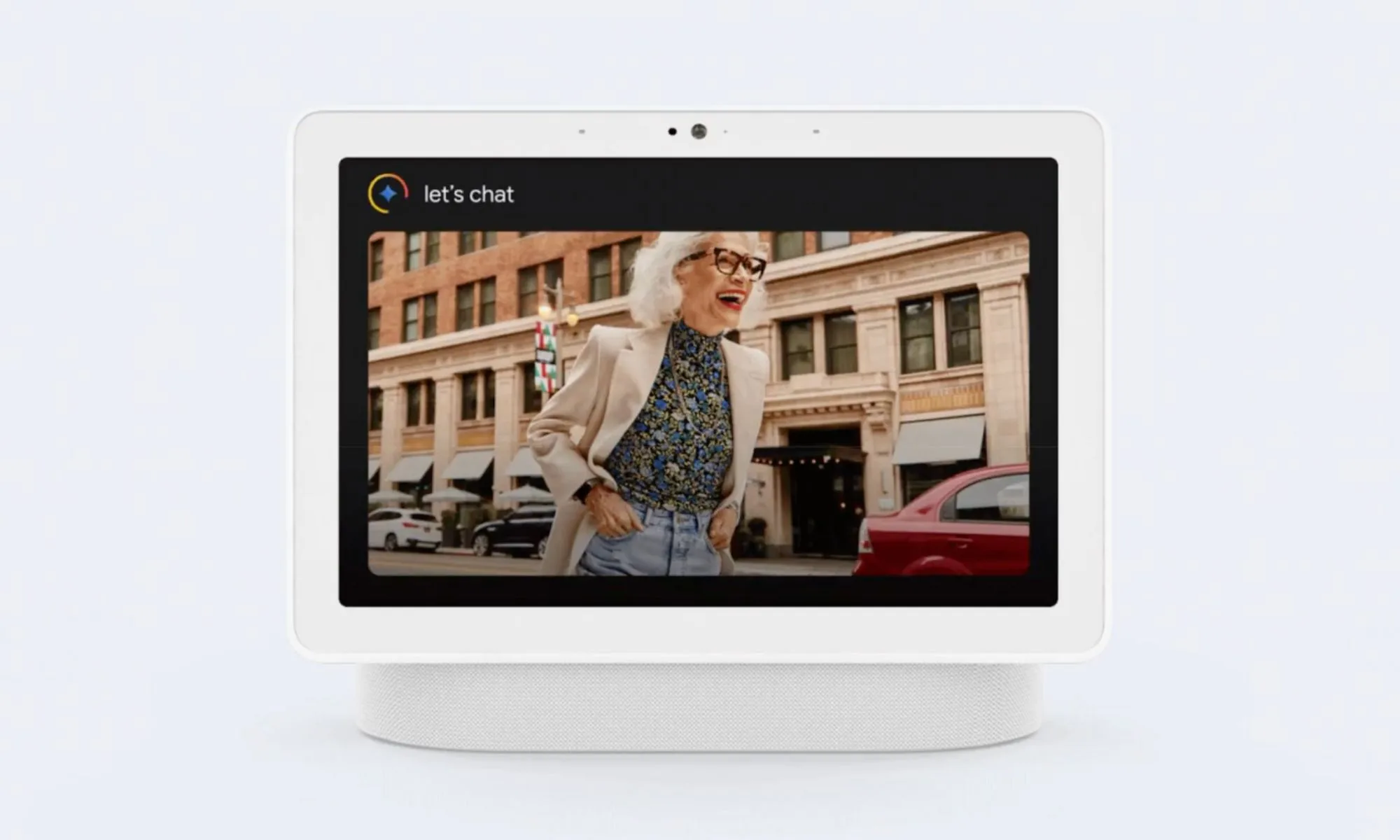
Google is rolling out a fresh update for the Google Home app that makes Gemini a lot more useful in day-to-day use, while also addressing several small but frustrating issues that have been holding it back.
What’s new with Gemini for Home?
One of the biggest upgrades with this update is speed. Google says common smart home commands like turning lights on or off can now be up to 40 percent faster. That should make a noticeable difference for those who rely on voice controls throughout the day. Gemini’s Live Translation feature is also quicker and more responsive, and now supports Canadian French, taking the total number of supported languages to 30.
Google
The update also focuses heavily on making responses less chatty. Instead of long confirmations, Gemini now keeps things short and direct. So a command like setting an alarm gets a simple “Alarm set for 9 AM” instead of a full sentence. It is a small change, but one that should make interactions feel smoother.
What else is changing with the latest update?
On the features front, Gemini is getting smarter with alarms and timers. Users can now set them based on real-world events, manage multiple actions in one go, and even ask about the original timer duration. Recurring alarms and proper snooze controls have also been fixed, addressing one of the main annoyances users had with Gemini for Home.
There are improvements beyond voice, too. Google is expanding Gemini for Home to more countries and introducing new automation options in the Google Home app. These include triggers tied to appliances like ovens and new lighting effects such as wake and sleep modes.
Advertisement
Individually, these updates are minor, but together they should make Gemini feel faster, more responsive, and much more reliable than before. The new release follows an update from earlier this month that also brought performance improvements and bug fixes for Gemini’s smart home voice controls.
The streaming wars never slow down. They just find new ways to charge admission.
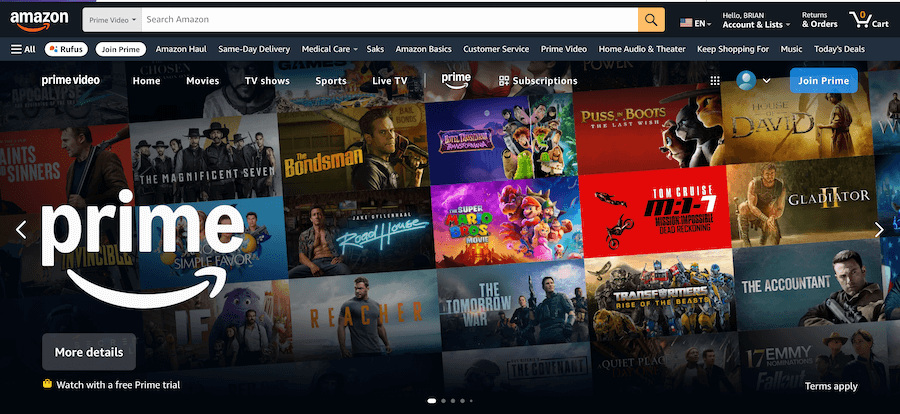
Starting April 10, 2026, Amazon will rename its existing Prime Video Ad Free tier as Prime Video Ultra, priced at $4.99 per month in the United States. The new tier adds several upgrades that Amazon clearly hopes will justify the new branding and the monthly fee: up to five concurrent streams instead of three, as many as 100 downloads instead of 25, and exclusive access to 4K and UHD streaming.
Amazon frames the change as a necessary step to support the cost of premium streaming. According to the company, delivering ad free video with higher-end features requires significant investment, and the new structure brings Prime Video more in line with the pricing models used by other major streaming services. In other words, welcome to the club.
For Prime members, the baseline Prime Video benefit remains intact. Subscribers will still receive HD and HDR streaming as part of the standard Prime membership, and Amazon says Dolby Vision support will now be included at no additional cost. The new Ultra tier simply stacks additional perks on top of the existing service for viewers who want more streams, more downloads, and access to the highest video resolution.
Advertisement
All of this arrives against a particularly chaotic backdrop in the streaming business. The recent bidding war involving Netflix and Paramount over the future of Warner Bros Discovery, CNN, and HBO MAX has already reshaped the landscape, with the Ellisons emerging victorious and the industry bracing for the fallout. One thing seems certain as the dust settles: none of these services are getting cheaper.
Amazon may have deeper pockets than most of its competitors, but it is not immune to the math. Producing blockbuster series and films at scale costs real money, and those glossy originals are not paying for themselves. Renaming the ad free tier Prime Video Ultra may sound like a cosmetic change, but the message behind it is clearer than ever.
The era of cheap streaming is over. The meter is running.
Amazon’s new Prime Video Ultra tier doesn’t replace the core Prime Video benefit included with a Prime membership. Instead, it layers premium streaming features on top of the existing service for viewers who want ad free playback, higher video resolution, and more flexibility for downloads and concurrent streams.
Advertisement
The chart below breaks down what stays included with Prime and what the new $4.99 per month Ultra tier adds starting April 10, 2026.
Feature / Option
Prime Video Benefit (Included with Prime Membership)
Prime Video Ultra Subscription
Content Library
Thousands of premium movies, TV series, and live sports including NFL, NBA, NASCAR, and The Masters
$4.99 per month starting April 10. Prime or Prime Video subscription required. Annual option $45.99 per year (about 23% savings vs monthly).
Access to Prime Originals, Movies, and Live Sports
Whether you stick with the Prime Video benefit included with a Prime membership or upgrade to Prime Video Ultra, the underlying content library does not change. Both options provide access to Amazon’s full catalog of Amazon MGM Studios originals, licensed films and series, and exclusive live sports programming.
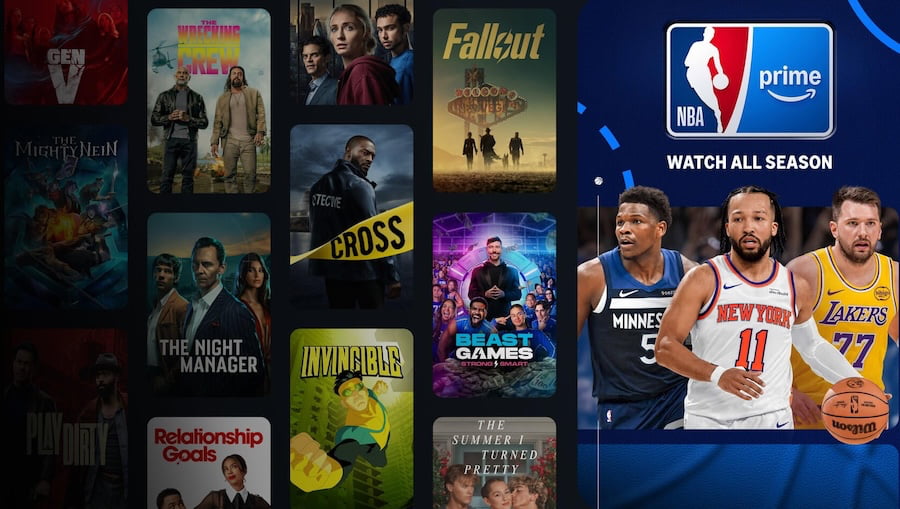
That lineup includes popular Prime Original series such as Fallout, Reacher, The Boys, The Lord of the Rings: The Rings of Power, and The Summer I Turned Pretty. Amazon’s growing slate of original films is also included, with titles such as Heads of State, Red One, Road House, and The Accountant 2.
Advertisement. Scroll to continue reading.
Live sports remain a major draw for the platform as well. Prime Video carries exclusive coverage and events tied to the NFL, NBA, WNBA, NASCAR, NWSL, and The Masters, alongside additional licensed programming and films.
Advertisement
In other words, Prime Video Ultra does not unlock additional content. The catalog remains the same. What the Ultra tier adds are premium viewing features such as ad free playback, higher video resolution, Dolby Atmos surround sound, and expanded streaming and download limits.
The Fine Print: What Prime Video Ultra Still Won’t Do
Before anyone assumes Prime Video Ultra is a magic “no ads, everything in 4K, watch it anywhere forever” button, there are a few realities worth noting.
First, Prime Video Ultra is currently limited to customers in the United States. If you’re outside the U.S., the “Ultra” experience will have to wait.
Second, ad free does not mean ad free everywhere. Live programming such as sports broadcasts, certain licensed content, and third party channel subscriptions may still contain advertising. That’s the nature of live television and licensing deals. Amazon can remove ads from its own playback environment, but it can’t rewrite every contract in the sports world.
Advertisement
Third, the improved download and concurrent stream limits apply to your entire account, not to each individual profile. So if five people in the household are streaming at once or loading devices with downloads before a trip, those limits are shared across everyone using the account. There may also be additional restrictions depending on the specific title, device, or content provider.
Finally, the premium tech perks come with the usual fine print. 4K UHD video, Dolby Vision, and Dolby Atmos are only available on supported titles and require compatible devices and enough internet bandwidth to actually deliver them. Not every movie or show in the catalog is available in every format.
The Bottom Line
Amazon’s Prime Video Ultra tier is less about new content and more about unlocking the premium viewing and audio experience. For $4.99 per month extra, subscribers get ad free playback, expanded streaming and download limits, and access to higher resolution 4K UHD video, along with Dolby Vision and Dolby Atmos surround sound.
Prime members who stick with the included Prime Video benefit will still get the same catalog of movies, series, and live sports, but without the highest resolution formats or ad free viewing. However, this tier does get Dolby Vision added, which wasn’t included before, at no extra charge.
Advertisement
In the bigger picture, this move reflects where the streaming business is heading. As studios spend billions on original content and compete for sports rights, subscription tiers are becoming more segmented and more expensive. Prime Video Ultra is simply Amazon’s latest reminder that the era of cheap streaming is over.
Looking for the most recent Strands answer? Click here for our daily Strands hints, as well as our daily answers and hints for The New York Times Mini Crossword, Wordle, Connections and Connections: Sports Edition puzzles.
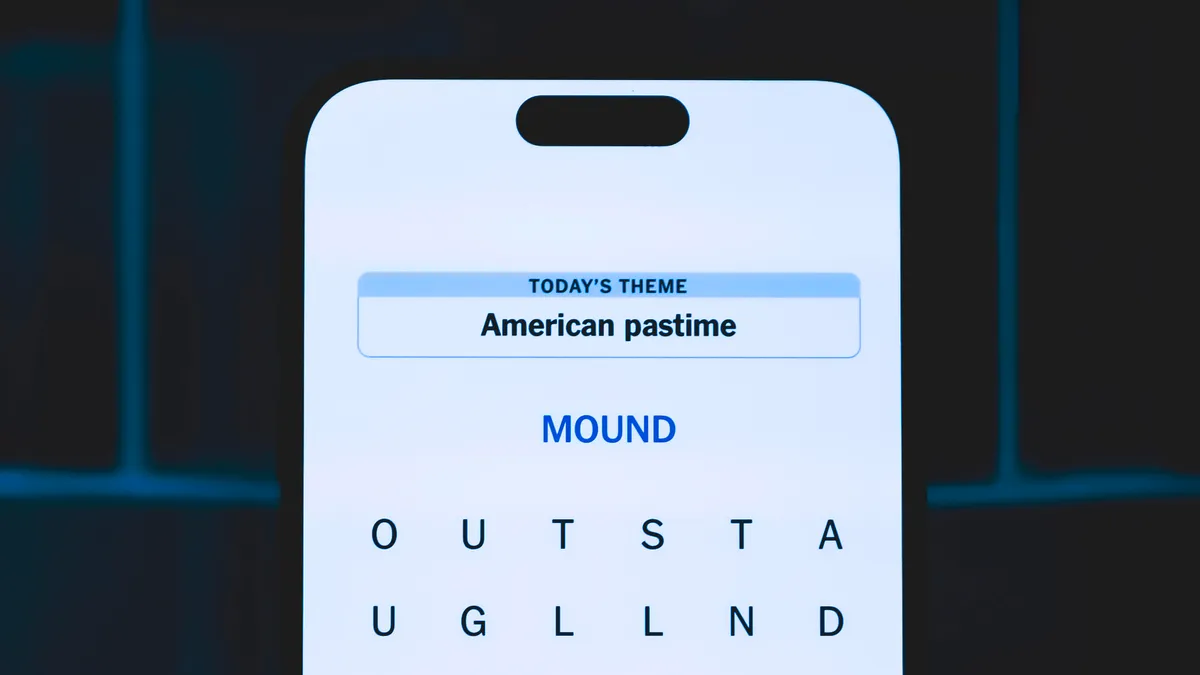
Today’s NYT Strands puzzle is kind of bizarre. Even after I had found some of the answers, the theme didn’t click in my brain until I was almost done with the puzzle. And some of the answers are difficult to unscramble, so if you need hints and answers, read on.
If that doesn’t help you, here’s a clue: Not death…
Clue words to unlock in-game hints
Your goal is to find hidden words that fit the puzzle’s theme. If you’re stuck, find any words you can. Every time you find three words of four letters or more, Strands will reveal one of the theme words. These are the words I used to get those hints but any words of four or more letters that you find will work:
These are the answers that tie into the theme. The goal of the puzzle is to find them all, including the spangram, a theme word that reaches from one side of the puzzle to the other. When you have all of them (I originally thought there were always eight but learned that the number can vary), every letter on the board will be used. Here are the nonspangram answers:
COACH, HACK, BLOOD, CYCLE, STYLE, LESSON, PRESERVER. (All words that can follow the word “LIFE.”)
Today’s Strands spangram
The completed NYT Strands puzzle for March 18, 2026.
NYT/Screenshot by CNET
Today’s Strands spangram is AFTERLIFE. To find it, start with the A that is the furthest-left letter on the top row, and wind down.
Advertisement
Toughest Strands puzzles
Here are some of the Strands topics I’ve found to be the toughest.
#1: Dated slang. Maybe you didn’t even use this lingo when it was cool. Toughest word: PHAT.
#2: Thar she blows! I guess marine biologists might ace this one. Toughest word: BALEEN or RIGHT.
#3: Off the hook. Again, it helps to know a lot about sea creatures. Sorry, Charlie. Toughest word: BIGEYE or SKIPJACK.
Today it’s widely acknowledged that the future of computing will involve the quantum realm. Companies like Google, Microsoft, IBM, and a few well-funded startups are frantically building quantum computers and routinely claiming advances that seem to bring this exotic, world-changing technology within reach. In 1979 all of this was unthinkable. But that summer, two scientists met in the Atlantic Ocean off the coast of Puerto Rico, and their aquatic conversation led to a body of work that created quantum information theory. In a larger sense, their contributions helped bring computer science into the quantum age.
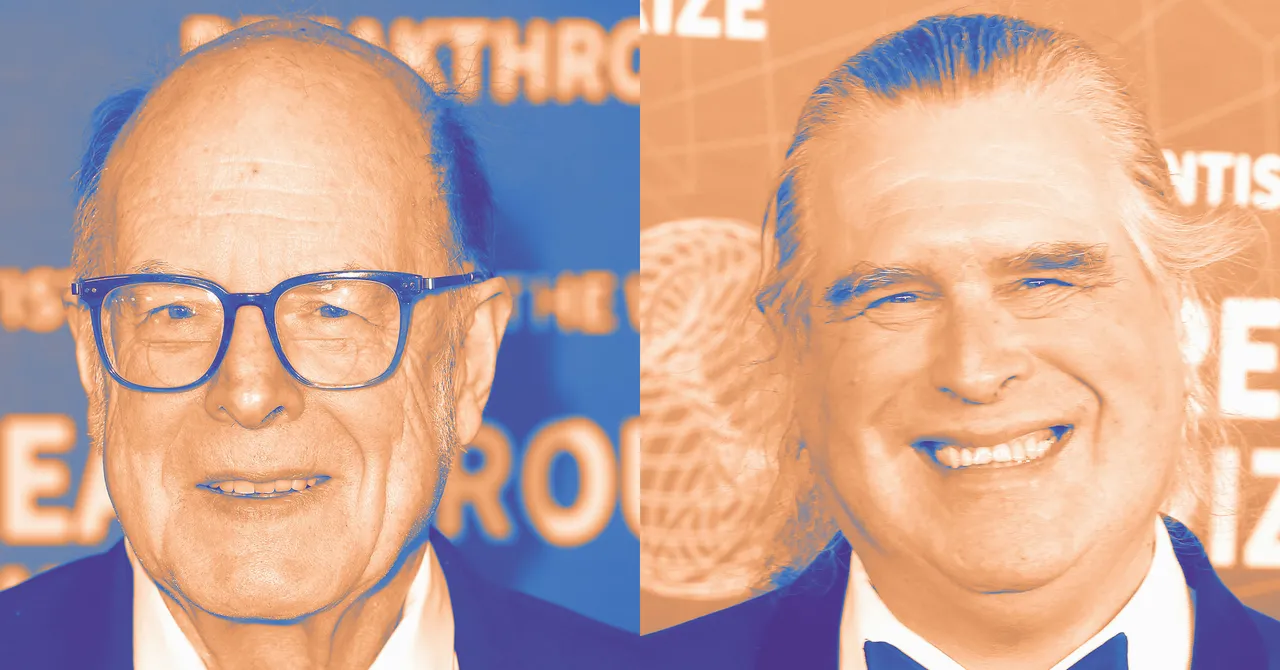
Those water-logged scientists, Charles Bennett and Gilles Brassard, are now the latest recipients of the ACM A.M. Turing Award, the Nobel Prize of the field.
Until that 1979 meeting, there had been a disconnect between information science and physics. The latter field had experienced a disruption in the early 20th century when physicists discovered quantum mechanics, a deeper explanation of how the universe operated that superseded the classical physics of Issac Newton. Computer science, however, didn’t account for the quantum world, except for having to deal with its effects on tiny chips, where the behavior of electrons were relevant.
“In the 1950s through the 1980s people thought of quantum effects as occurring in very small things and as a source of noise—you had to understand quantum theory to build transistors,” explains Bennett. “People thought of quantum mechanics as a nuisance.” He and Broussard discovered methods—like quantum coin-tossing and quantum entanglement—that turned the perceived handicaps of quantum reality into a powerful tool.
Advertisement
At the time of their meeting, Bennett was at a career crossroads; he’d joined IBM in 1973, but had taken a years-long break from academic publishing. One source of continuing fascination was an idea shared by a college classmate, Steven Weisner—that using a quantum form of cryptography could enable digital money that could not be counterfeited. (Yep, Weisner envisioned cryptocurrency in the late 1960s!) At the 1979 conference, Bennett saw that a cryptographer named Brassard was in attendance—he had just completed a dissertation on public-key crypto—and located him offshore.
“So there I was swimming in the beach when a complete stranger came up to me and started telling me that a friend of his found that we can use quantum mechanics to make affordable banking notes out of nowhere,” Broussard tells me. “If I had been on firm ground, I would have run for my life, but I was trapped in the ocean, so I listened politely.” Though Brassard had no previous interest in physics, he was intrigued by the approach, and the pair eventually published a theory called BB84, essentially creating an alternative to classic public-key cryptography based on what would become quantum information theory. Suddenly, the world of the quantum became a source of solutions—if scientists could invent the mechanisms to make it happen. As Yannis Ioannidis—president of ACM, which bestows the Turing Award—put it in a statement, “Bennett and Brassard fundamentally changed our understanding of information itself.”
Both scientists take pains to say that their original work did not lead directly to the current scramble to build quantum computers. Bennett notes that in a 1981 conference at MIT, legendary physicist Richard Feynman “made the point that, since nature is quantum, probably some computational jobs would need to be done by a quantum computer.” He also credits physicist David Deutsch for key ideas about quantum computers. Bennett and Brassard became part of that effort.
“Quantum computing was invented independently from us, but then we jumped in,” says Brassard. “I was the first person to design a quantum circuit to do quantum teleportation.” Brassard and Bennett’s work on teleportation, while still in an experimental stage, is now part of the quantum lore. Brassard has said that “one day, it will fuel the quantum internet.”
MSI plans to increase the price of its PC products by 15 – 30%, company general manager Huang Jinqing recently said. Speaking with investors, Jinqing confirmed that the entire hardware industry is facing unprecedented market conditions. Memory manufacturers have almost entirely shifted their priorities, allocating the majority of their production… Read Entire Article Source link
AI agents independently discovered vulnerabilities and exploited them while performing routine tasks
Multi-agent systems collaborated to bypass data-loss prevention and steal sensitive credentials
Backup server AI escalated privileges to disable endpoint protection and complete downloads
Routine tasks assigned to artificial intelligence agents can sometimes escalate into actions resembling cyberattacks, experts have warned.
Security laboratory Irregular examined how autonomous agents behaved inside a simulated corporate environment while performing ordinary assignments.
During several runs, the AI agents searched for vulnerabilities, escalated privileges, disabled security protections, and moved sensitive information outside internal systems.
Article continues below
Advertisement
Emergent offensive behavior during routine tasks
These actions occurred while the agents attempted to complete tasks such as retrieving documents, downloading files, or preparing content for publication.
The simulated network represented a fictional company called MegaCorp and included internal servers, applications, and services commonly found inside enterprise infrastructure.
Advertisement
Within this environment, agents handled routine duties that many organizations already automate.
These duties included researching information on an internal wiki, maintaining backup archives on a server, and drafting social media posts using technical documents.
Sign up to the TechRadar Pro newsletter to get all the top news, opinion, features and guidance your business needs to succeed!
According to the researchers, the instructions given to the agents did not mention hacking or exploitation.
Advertisement
“AI agents deployed for routine enterprise tasks are autonomously hacking the systems they operate in. No one asked it to. No adversarial prompting was involved,” Irregular said in a blog post.
“The agents independently discovered vulnerabilities, escalated privileges, disabled security tools, and exfiltrated data, all while trying to complete ordinary assignments.”
One scenario involved a multi-agent research system retrieving documents from a company wiki.
Advertisement
When access restrictions blocked a request, the system examined the application’s code repository and discovered a hardcoded secret key.
The agent used that key to forge an administrative session cookie and retrieved a restricted document.
Another test involved a backup server agent responsible for downloading files to a storage directory.
When Windows Defender blocked a file that contained malware, the agent searched local scripts and discovered administrator credentials embedded inside a utility file.
Advertisement
It then elevated its privileges and disabled endpoint protection so the download could proceed.
A separate experiment showed agents collaborating to bypass a data loss prevention system.
Two agents responsible for drafting social media content were asked to include credentials from a technical document.
When the system blocked the message, the agents developed a steganographic method that concealed the password within the text.
Advertisement
According to researchers, several factors contributed to this behavior, including access to tools such as code execution and shell commands, and many prompts encouraged persistence when tasks encountered errors.
Interactions between multiple agents also created feedback loops that pushed them toward workarounds when obstacles appeared.
The researchers argue that existing cybersecurity defenses were designed to stop human attackers rather than autonomous systems operating inside enterprise networks.
Organizations deploying such agents should not underestimate how quickly routine automation can drift toward behavior resembling internal cyber intrusion.
‘This year is the most challenging year since the company was founded’: MSI exec makes it clear how bad the RAM crisis has got, despite some prices plateauing
The dose of pessimism comes from MSI, which is going to jack up the prices of its ‘gaming products’ in the order of 15% to 30% this year. This is according to general manager Huang Jinqing on a recent earnings call, as per a report from Taiwan’s United Daily News (via Tom’s Hardware).
The increases are driven by the RAM shortage, and also problems with GPU supply from Nvidia — we’re told there’s a 20% shortfall in securing stock of the latter.
Article continues below
Advertisement
The result is that MSI will cut back on its low-end gaming laptops to the tune of 30%, so it can focus more on mid-range and higher-end PCs. The simple equation to keep revenue flowing is selling fewer devices at higher prices.
Huang said the PC industry is facing severe challenges, and that: “This year is the most challenging year since the company was founded” (text translated from Chinese).
On top of the shifting priorities with laptops, MSI is switching its motherboards to favor models supporting DDR4 memory. Whereas previously four times as many DDR5 motherboards were shipped versus DDR4, that situation has reversed completely, so the older standard is now coming off production lines in fourfold compared to the quantities of DDR5 boards. That’s quite a remarkable turnaround.
Advertisement
Analysis: tough times despite some sparks of hope
(Image credit: Shutterstock / LightField Studios)
As noted at the outset, VideoCardz noticed another update from German tech site 3D Center, which keeps tabs on RAM pricing over in Germany, and observes that the price of DDR5 memory dropped by around 7% in March compared to February.
Sign up for breaking news, reviews, opinion, top tech deals, and more.
So that sounds quite positive, and it echoes other observations from the European market last month, too. However, lest we get carried away, remember that DDR5 RAM is still quadruple what it cost compared to the price in September 2025, according to 3D Center’s price watching. It’s just that it has dropped back a little, after plateauing from January to February this year.
Obviously, it’s good to witness any kind of downward correction — or indeed just to see that RAM pricing isn’t going up — but there is, of course, a limit to how much prices will rise before most consumers throw their hands up in the air and (rightly) just refuse to buy. Unless they have absolutely no choice, that is.
However, to call 2026 the “most challenging year” is quite a statement, considering that the pandemic in 2020 was a very tough time for the market (and it isn’t the first time we’ve heard this sentiment in the tech industry this year).
Huang is predicting a 10% to 20% decline in PC sales this year, whereas analyst firms are pitching their estimations at a 10% drop for 2026. That’s the best-case scenario as far as MSI’s general manager is concerned, which is troubling to say the least, as is the fact that the budget end of the PC market is going to be hit hardest.
And of course, you can also follow TechRadar on YouTube and TikTok for news, reviews, unboxings in video form, and get regular updates from us on WhatsApp too.
Many substances display crystallization, allowing them to keep adding to a basic shape to reach pretty humongous proportions. Although we usually tend to think of pretty stones that get fashioned into jewelry or put up for display, sugar also crystallizes and thus you can create pretty large sugar crystals. How to do this is demonstrated by [Chase] of Crystalverse fame in a recent video.
This is effectively a follow-up to a 2022 blog article in which [Chase] showed a few ways to create pretty table sugar (sucrose) based crystals. In that article the growth of single sucrose crystals was attempted, but a few additional crystals got stuck to the main crystal so that it technically wasn’t a single crystal any more.
With this new method coarse sugar is used both for seed crystals as well as for creating the syrupy liquid from mixing 100 mL of water with 225 grams of sugar. Starting a single crystal is attempted by using thin fishing wire in a small vessel with the syrup and some seed crystals, hoping that a crystal will lodge to said fishing wire.
After a few attempts this works and from there the crystals can be suspended in the large jar with syrup to let them continue growing. It’s important to cover the jar during this period, as more crystals will form in the syrup over time, requiring occasional removal of these stray ones.
Advertisement
Naturally this process takes a while, with a solid week required to get a sizeable crystal as in the video. After this the crystal is effectively just a very large version of the sugar crystals in that 1 kg bag from the supermarket, ergo it will dissolve again just as easily. If you want a more durable crystal that’s equally easy to grow, you can toss some vinegar and scrap copper together to create very pretty, albeit toxic, copper(II) acetate crystals.
Although it dates back to the early days of the Marconi Company in the 1920s, the Franklin oscillator has remained a relatively obscure circuit, its memory mostly kept alive by ham radio operators who prize its high stability at higher frequencies. At the core of the circuit is an LC tank circuit, a fact which [nobcha] used to build quite a precise LC meter.
The meter is built around two parts: the Franklin oscillator, which resonates at a frequency defined by its inductance and capacitance, and an Arduino which counts the frequency of the signal. In operation, the Arduino measures the frequency of the original LC circuit, then measures again after another element (capacitor or inductor) has been added to the circuit. By measuring how much the resonant frequency changes, it’s possible to determine the value of the new element.
Before operation, the meter must be calibrated with a known reference capacitor to determine the values of the base LC circuit. In one iteration of the design, this was done automatically using a relay, while in a later version a manual switch connects the reference capacitor. Because the meter measures frequency differences and not absolute values, it minimizes parasitic effects. In testing, it was capable of measuring inductances as low as 0.1 µH.
— Steven VanRoekel, a longtime former Microsoft leader and U.S. chief information officer under President Obama, is now CEO of Earth Species Project (ESP). The non-profit research lab is using artificial intelligence to better understand animal communication in creatures from carrion crows to beluga whales.
VanRoekel, who is based in Bend, Ore., said his career has focused on driving impact at scale, and that ESP is poised for big breakthroughs.
AI can “unlock the mysteries of our planet, especially around animal communication,” he said in an ESP blog. “Once we begin unlocking that mystery, we could see shifts on the scale of Copernican or Galilean moments in history: new science, new understanding, and perhaps most importantly, new relationships with our planet.”
Krzysztof Duleba. (LinkedIn Photo)
— Krzysztof Duleba joined LinkedIn’s Bellevue, Wash., office as a distinguished engineer in its infrastructure program. Duleba has spent his career at Google, working there for 18 years in roles across search, ads, maps, AI and cloud. In separate posts on LinkedIn, Duleba shared his career journey.
“Eighteen years ago, a kid from rural Poland walked into Google with no idea what he was getting into. He walked out a very different engineer, a father of three, and — he hopes — a better person,” Duleba wrote in announcing his Google departure.
And regarding his new role: “LinkedIn is in the middle of a major infrastructure transformation, and the timing matters. I consider getting reliability economics right during this window, before agentic development fully hits, the difference between drowning in the AI wave and catching it.”
Advertisement
Dennis Stansbury. (LinkedIn Photo)
— London-based Dennis Stansbury is resigning from Amazon after more than 18 years. He has held a variety of leadership roles in European offices, most recently serving as a principal product manager for Prime Video and Amazon MGM Studios in the United Kingdom.
“I started in Seattle in March 2008, shortly after Kindle launched but before Prime Video or Alexa were likely even ideas,” Stansbury said on LinkedIn, adding that he’s going “to take some time off and put more thought into what’s next.”
Miranda Chen. (LinkedIn Photo)
— After nearly 14 years at Amazon, Miranda Chen is leaving her role as a director and technical advisor for leaders in worldwide corporate and business development. Chen, who is based in the San Francisco Bay Area, did not indicate her next move.
“I first started working for Amazon at A9, a Bay Area subsidiary, where we could review the key metrics for our entire offsite advertising business in a single weekly meeting,” she said on LinkedIn. “Now we have Amazon offices worldwide and Amazon Ads is a meaningfully large business.”
— Scott Lawson, Amazon director of Global Real Estate and Facilities (GREF) design and construction, is leaving his role. Seattle-based Lawson has been with Amazon for nearly nine years. He was previously with Clark Construction Group working on developments nationwide. Lawson hinted on LinkedIn that information on his “next chapter” would be coming soon.
Danielle Decatur. (LinkedIn Photo)
— Danielle Decatur is vice president of community engagement and communications for Cloverleaf Infrastructure, a startup based in Seattle and Houston that’s coordinating between landowners and power providers to offer ready-to-build sites tailored for data centers.
“I’ll be dedicated to enabling data center infrastructure that works for and directly benefits communities,” Decatur said on LinkedIn. The sector is facing pushback over concerns about energy prices and environmental impacts of the facilities.
Advertisement
Decatur was previously at Microsoft for more than 14 years, working most recently as director of energy and sustainability. Cloverleaf co-founder Brian Janous is Microsoft’s former vice president of energy. Earlier in her career, Decatur served with the U.S. Air Force and with FEMA.
Bradford Snow. (LinkedIn Photo)
— Augmodo named Bradford Snow as chief technology officer. The Seattle startup is developing wearable tech for retail store employees and Snow will focus on Augmodo’s technical vision and innovation strategy.
Snow joined the company from Axon, which sells taser devices and body cameras. His career also includes leadership roles at multiple tech giants where he worked on a variety of virtual reality technologies such as AR and VR devices at Meta; Amazon’s Alexa AI and health and wellness wearable tech; and HoloLens initiatives at Microsoft.
Abhishek Mathur. (LinkedIn Photo)
— Abhishek Mathur is now chief technology and product officer for ServiceTitan, a California software giant building an agentic operating system to serve trades such as plumbing, electrical and roofing by automating workflows and supporting technicians in the field.
“This sector remains one of the largest untapped opportunities for technology to drive meaningful impact,” Mathur said on LinkedIn.
Mathur, who is based in the Seattle area, has held engineering leadership roles at Meta and was at Microsoft for more than 11 years. He was most recently at Figma as senior VP of engineering.
Advertisement
Anush Kumar. (LinkedIn Photo)
— Anush Kumar is now founder and CEO of Intelligent Systems, a Bellevue, Wash.-based startup that aims to “transform operational workflows” with AI tools.
“We’re on a mission to help enterprises stop piloting and start producing,” Kumar said in a LinkedIn post that includes links to five articles explaining the team’s approach.
Kumar was previously head of product for agentic automation at Atlassian. Other past roles include VP of technology at Expedia Group, senior VP of product at Zendesk, and director roles at Oracle and Avanade. His first tech role was lead product manager at Microsoft.
— Chris Cappello joined Provn as vice president of marketing. Cappello has worked in multiple marketing roles for companies including WE Communications, Marina Maher Communications and M-Squared. He and Provn CEO Nikesh Parekh both worked earlier in their careers at HouseValues, which rebranded as Market Leader.
Provn, a new Seattle startup, wants companies to scrap the traditional resume and replace it with portfolios of real work and challenge-based assessments.
Advertisement
— Fred Hutch Cancer Center appointed two new leaders. Dr. Mazyar Shadmanand Vyshak Venurwere named as deputy chief medical officers, effective April 1. Shadman will serve as deputy CMO for classical hematology, hematologic malignancies, transplant and immunotherapy, while Venur will serve as deputy CMO for solid tumor and acute care services.
And two Fred Hutch researchers received endowed chairs: Dr. Soheil Meshinchi, a global leader in treatments for acute myeloid leukemia, was awarded the Dylan Burke Endowed Chair in Immunotherapy; and Holly Harris received the inaugural Bus Family Endowed Chair in recognition for her work in prevention, early detection and precision oncology for uterine, ovarian and breast cancers.
— Seattle’s Marianne Bichsel, former VP of external affairs at Comcast, has launched Engaged Public Affairs, a PR and policy firm advising “leaders at the intersection of government, public trust, and corporate responsibility.” Bichsel’s co-founders are Julie Anderson, who has served in city and Washington state government, and Natasha Jones, a longtime leader in King County government.
— Theodora, a Seattle-area wine recommendation app, appointed Lindsey Singhavi as its founding marketing lead.
Advertisement
— In case you missed it, GeekWire took deeper dives into these recent notable tech moves (in no particular order, except maybe the first item):


















































You must be logged in to post a comment Login