
Tech
Everyone is buying Ryzen, but this overlooked Intel CPU is better

Buying a budget CPU is trickier than it seems. Which ones are worth your money?
I have a favorite budget CPU that I often recommend to my gamer friends, and my choice is often met with some degree of surprise. Here’s which CPU I’d choose if I were on a tight budget right now, and a few alternatives to consider.
AMD dominates the gaming scene, but this is where Intel shines
It’s funny how the tables have turned

Intel’s had a rough last few years. AMD’s Ryzen X3D processors, with their mighty L3 cache, have dominated most gaming benchmarks since the first one (the Ryzen 7 5800X3D) was released. Meanwhile, Intel’s various stability issues in the premium CPU segment scared some gamers off.
Right now, many gamers default to AMD at every price point. I agree with that approach at the high-end, but on the budget end of the scale, you’ll often get more value for your money by switching to Intel.
Some of Intel’s slightly older, midrange to entry-level CPUs actually have a lot to offer. They don’t have the same 3D V-Cache technology that AMD used to steal the gaming crown away from Intel, but that’s alright, as those X3D processors aren’t in the same bracket, so they’re not direct competitors. But if we compare CPUs in the $150 to $200 range, Intel can hold its ground.
As a result, while I always suggest the Ryzen 7 9800X3D (or the 7800X3D) as the first choice for gamers, a more conservative budget inevitably makes me pivot to Intel.
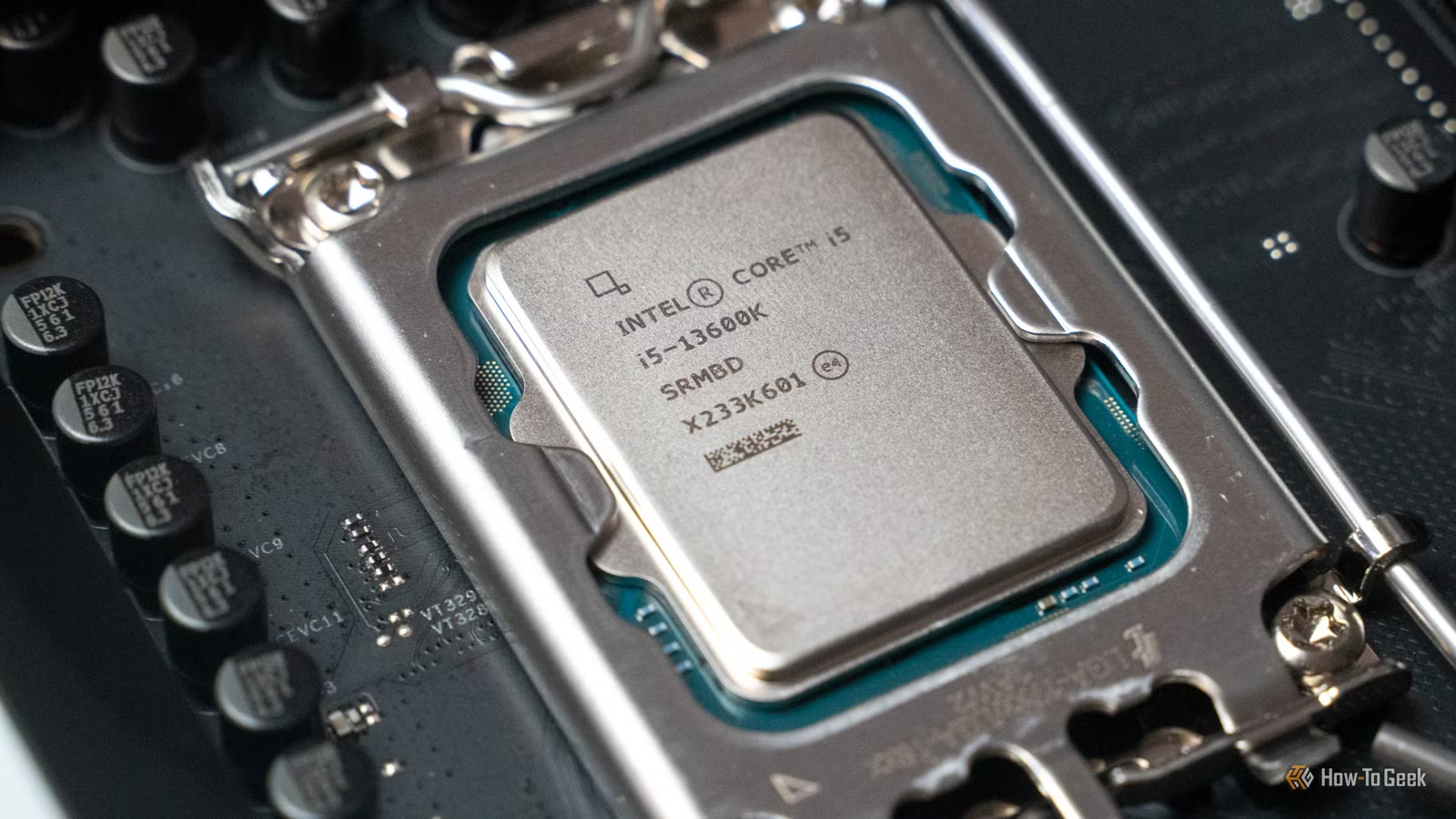
My current favorite is the Intel Core i5 12600KF, which is a CPU from the Alder Lake generation, first launched in 2021. It’s not the only one I recommend, though, as it’s fairly interchangeable with another Intel CPU.
Why the Core i5-12600KF hits the perfect balance for budget gaming
It might be unexpected, but it makes sense

The Core i5-12600KF is not a new CPU in any sense of the word anymore. Around four years old, it’s an older chip, but it has access to a lot of the good stuff that you want to see in a modern build, including DDR5 RAM. (Although, with the RAM-pocalypse out in full swing, who can afford DDR5 RAM right now?)
The CPU comes with 10 cores, six of which are performance (P) cores, and four are efficient (E) cores. This is combined with a maximum turbo frequency of up to 4.90GHz and a base P-core clock of 3.70GHz. These specs are similar to the Intel Core i5-13400F, but the 12600KF has a much higher TDP (125W vs. 65W), and the K part can be overclocked. Both chips have no integrated graphics, so they need to be paired with a discrete GPU.
It shares the same LGA1700 socket with the following generation (Raptor Lake and its refresh), which includes CPUs like the Core i9-14900K, so you have an upgrade path if you want to have one. In the meantime, the 12600KF still punches above its pay grade.
Benchmarks generally show the Core i5-12600KF and the Core i5-13400F in the same ballpark as AMD’s Ryzen 5 7600X in gaming, although some games show different results.
Intel’s Core i5-12600KF and Core i5-13400F both sell for around $165 at the time of writing. The AMD Ryzen 5 7600X costs $180.
Unfortunately, the Intel Core Ultra processors switch to a new socket, which also means a new motherboard, so you won’t get all the way up to current-gen CPUs if you buy the 12600KF. But that’s also kind of the whole point — if you don’t need a top-shelf CPU, you’ll be fine with this one without upgrading for a good few years.
Motherboards for the 12th and 13th-gen Intel CPUs are still readily available, with several models selling for less than $100. That’s sometimes cheaper than the AMD equivalent, making these Intel CPUs a more budget-conscious choice without sacrificing a lot of performance.

- CPU Socket
-
LGA1700
- Cores
-
10 (6 P, 4 E)
- Boost Clock Speed
-
up to 4.9GHz
The Core i5-12600KF remains one of my favorite midrange CPUs even four years after its launch. It’s a solid pick for both gaming and productivity.
When your PC isn’t just for gaming
Building a PC is a balancing act

Casual gamers will get by just fine with the Core i5-12600KF or the Core i5-13400F, but there’s another reason why I often recommend Intel at this price range: productivity.
In productivity-oriented benchmarks, the 12600KF, the 13400F, and the Ryzen 5 7600X are all somewhat close together. Their exact placement depends on the test, but there’s no wide chasm between any of them. However, the extra TDP and clock speed on the Core i5-12600KF certainly don’t hurt.
Intel’s mix of performance and efficient cores lends itself to multi-tasking, where the P cores handle high-priority, latency-sensitive tasks, and the E-cores handle everything that runs in the background.
Meanwhile, AMD’s equivalent six-core CPU has a uniform core design. This is good in a way, as all the cores can handle every task, but you get fewer of them.
My favorite alternatives
There’s plenty more when that came from

As mentioned, the Intel Core i5-13400F is often seen as a great alternative to the Core i5-12600KF. It’s newer, has similar specs, and often sells for around the same price. However, its more limited TDP and lack of overclocking potential means you’ll hit your performance ceiling a little sooner with that CPU.
A few other options I recommend to gamers on a budget include:
- AMD Ryzen 5 7600/7600X
- AMD Ryzen 5 9600/9600X
- Intel Core i5-14600K (a pricier option)
- Intel Core i5-14400F
Choosing AMD gives you a more stable, long-term upgrade path. Both the AMD chips I mentioned use the AM5 socket, which is still the current motherboard design for AMD. But Intel still gives you some room for upgrades within the LGA1700 socket, so it’s a good option for a few years.
Should you buy this CPU?
It might surprise you

Having tested the Core i5-12600KF and recommended it to a few people, I know it’s solid. It’s an older CPU, but it’s not too old for gaming. Unless you largely play CPU-bound games, in which case you likely prefer a better processor, you’ll be just fine with the Core i5-12600KF.
With that said, it’s important to keep your entire system balanced. Pairing an expensive GPU with a cheap CPU isn’t always the best way to go about it. But, if you’re on a tight budget and don’t need the latest hardware, don’t disregard Intel — it’s still a legitimate option.



