Connect with us

Tech

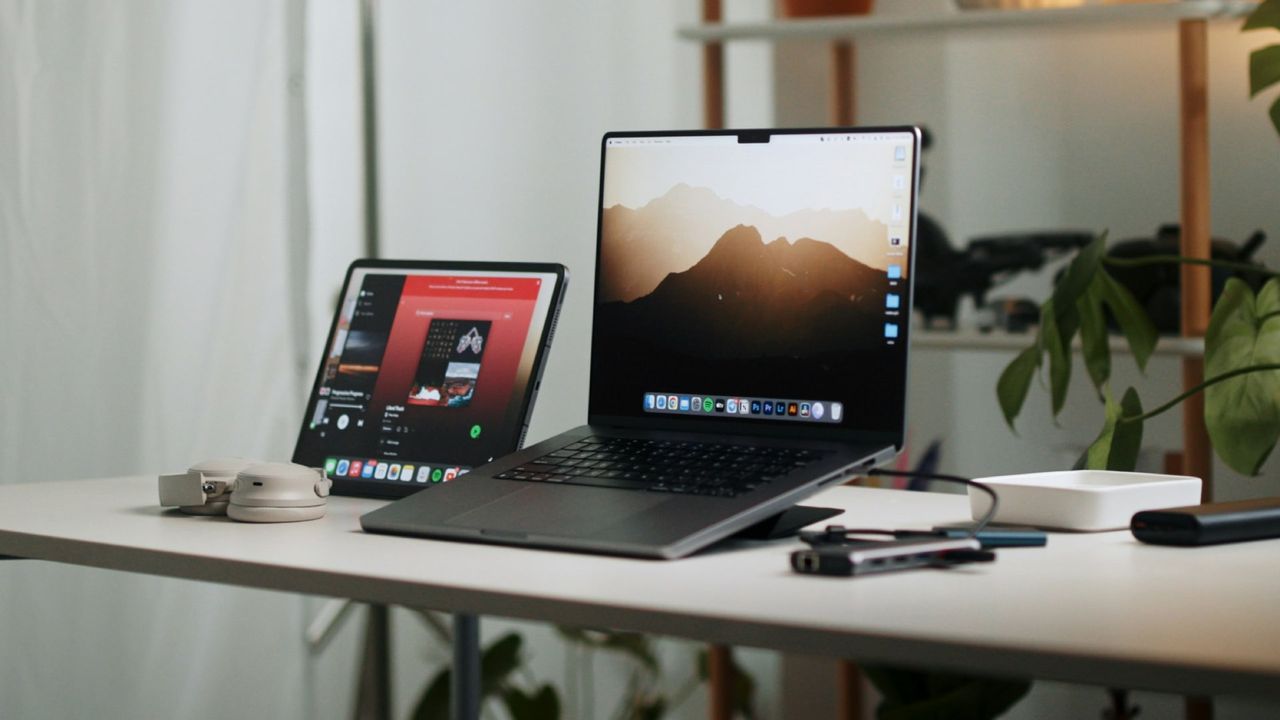
Have an old Mac, iPhone, or iPad gathering dust? Get down to Best Buy right now to trade it in for generous savings on new Apple products

Published

on

What to do with old tech can be a bit of a pain, especially if said gadgets are from premium brands like Apple. While it can be handy to have a spare secondary iPhone or iPad to hand in case a newer model goes wrong, sometimes such devices can sit in a drawer or cupboard and just gather dust.

Trading in Apple items to get a newer version is one way around that, but the trade-in values aren’t always great. But as we approach the Presidents’ Day sales, Best Buy is running an ‘Apple Trade-up Event’, offering some compelling value estimates for people looking to upgrade a whole host of Apple devices.

Source link

Continue Reading
Click to comment

Leave a Reply

Your email address will not be published. Required fields are marked *

Tech

News Publishers Are Now Blocking The Internet Archive, And We May All Regret It

Published

on

from the our-digital-history dept

Last fall, I wrote about how the fear of AI was leading us to wall off the open internet in ways that would hurt everyone. At the time, I was worried about how companies were conflating legitimate concerns about bulk AI training with basic web accessibility. Not surprisingly, the situation has gotten worse. Now major news publishers are actively blocking the Internet Archive—one of the most important cultural preservation projects on the internet—because they’re worried AI companies might use it as a sneaky “backdoor” to access their content.

This is a mistake we’re going to regret for generations.

Nieman Lab reports that The Guardian, The New York Times, and others are now limiting what the Internet Archive can crawl and preserve:

When The Guardian took a look at who was trying to extract its content, access logs revealed that the Internet Archive was a frequent crawler, said Robert Hahn, head of business affairs and licensing. The publisher decided to limit the Internet Archive’s access to published articles, minimizing the chance that AI companies might scrape its content via the nonprofit’s repository of over one trillion webpage snapshots.

Specifically, Hahn said The Guardian has taken steps to exclude itself from the Internet Archive’s APIs and filter out its article pages from the Wayback Machine’s URLs interface. The Guardian’s regional homepages, topic pages, and other landing pages will continue to appear in the Wayback Machine.

Advertisement

The Times has gone even further:

The New York Times confirmed to Nieman Lab that it’s actively “hard blocking” the Internet Archive’s crawlers. At the end of 2025, the Times also added one of those crawlers — archive.org_bot — to its robots.txt file, disallowing access to its content.

“We believe in the value of The New York Times’s human-led journalism and always want to ensure that our IP is being accessed and used lawfully,” said a Times spokesperson. “We are blocking the Internet Archive’s bot from accessing the Times because the Wayback Machine provides unfettered access to Times content — including by AI companies — without authorization.”

I understand the concern here. I really do. News publishers are struggling, and watching AI companies hoover up their content to train models that might then, in some ways, compete with them for readers is genuinely frustrating. I run a publication myself, remember.

But blocking the Internet Archive isn’t going to stop AI training. What it will do is ensure that significant chunks of our journalistic record and historical cultural context simply… disappear.

Advertisement

And that’s bad.

The Internet Archive is the most famous nonprofit digital library, and has been operating for nearly three decades. It isn’t some fly-by-night operation looking to profit off publisher content. It’s trying to preserve the historical record of the internet—which is way more fragile than most people comprehend. When websites disappear—and they disappear constantly—the Wayback Machine is often the only place that content still exists. Researchers, historians, journalists, and ordinary citizens rely on it to understand what actually happened, what was actually said, what the world actually looked like at a given moment.

In a digital era when few things end up printed on paper, the Internet Archive’s efforts to permanently preserve our digital culture are essential infrastructure for anyone who cares about historical memory.

And now we’re telling them they can’t preserve the work of our most trusted publications.

Advertisement

Think about what this could mean in practice. Future historians trying to understand 2025 will have access to archived versions of random blogs, sketchy content farms, and conspiracy sites—but not The New York Times. Not The Guardian. Not the publications that we consider the most reliable record of what’s happening in the world. We’re creating a historical record that’s systematically biased against quality journalism.

Yes, I’m sure some will argue that the NY Times and The Guardian will never go away. Tell that to the readers of the Rocky Mountain News, which published for 150 years before shutting down in 2009, or to the 2,100+ newspapers that have closed since 2004. Institutions—even big, prominent, established ones—don’t necessarily last.

As one computer scientist quoted in the Nieman piece put it:

“Common Crawl and Internet Archive are widely considered to be the ‘good guys’ and are used by ‘the bad guys’ like OpenAI,” said Michael Nelson, a computer scientist and professor at Old Dominion University. “In everyone’s aversion to not be controlled by LLMs, I think the good guys are collateral damage.”

That’s exactly right. In our rush to punish AI companies, we’re destroying public goods that serve everyone.

Advertisement

The most frustrating bit of all of this: The Guardian admits they haven’t actually documented AI companies scraping their content through the Wayback Machine. This is purely precautionary and theoretical. They’re breaking historical preservation based on a hypothetical threat:

The Guardian hasn’t documented specific instances of its webpages being scraped by AI companies via the Wayback Machine. Instead, it’s taking these measures proactively and is working directly with the Internet Archive to implement the changes.

And, of course, as one of the “good guys” of the internet, the Internet Archive is willing to do exactly what these publishers want. They’ve always been good about removing content or not scraping content that people don’t want in the archive. Sometimes to a fault. But you can never (legitimately) accuse them of malicious archiving (even if music labels and book publishers have).

Either way, we’re sacrificing the historical record not because of proven harm, but because publishers are worried about what might happen. That’s a hell of a tradeoff.

This isn’t even new, of course. Last year, Reddit announced it would block the Internet Archive from archiving its forums—decades of human conversation and cultural history—because Reddit wanted to monetize that content through AI licensing deals. The reasoning was the same: can’t let the Wayback Machine become a backdoor for AI companies to access content Reddit is now selling. But once you start going down that path, it leads to bad places.

Advertisement

The Nieman piece notes that, in the case of USA Today/Gannett, it appears that there was a company-wide decision to tell the Internet Archive to get lost:

In total, 241 news sites from nine countries explicitly disallow at least one out of the four Internet Archive crawling bots.

Most of those sites (87%) are owned by USA Today Co., the largest newspaper conglomerate in the United States formerly known as Gannett. (Gannett sites only make up 18% of Welsh’s original publishers list.) Each Gannett-owned outlet in our dataset disallows the same two bots: “archive.org_bot” and “ia_archiver-web.archive.org”. These bots were added to the robots.txt files of Gannett-owned publications in 2025.

Some Gannett sites have also taken stronger measures to guard their contents from Internet Archive crawlers. URL searches for the Des Moines Register in the Wayback Machine return a message that says, “Sorry. This URL has been excluded from the Wayback Machine.”

A Gannett spokesperson told NiemanLab that it was about “safeguarding our intellectual property” but that’s nonsense. The whole point of libraries and archives is to preserve such content, and they’ve always preserved materials that were protected by copyright law. The claim that they have to be blocked to safeguard such content is both technologically and historically illiterate.

Advertisement

And here’s the extra irony: blocking these crawlers may not even serve publishers’ long-term interests. As I noted in my earlier piece, as more search becomes AI-mediated (whether you like it or not), being absent from training datasets increasingly means being absent from results. It’s a bit crazy to think about how much effort publishers put into “search engine optimization” over the years, only to now block the crawlers that feed the systems a growing number of people are using for search. Publishers blocking archival crawlers aren’t just sacrificing the historical record—they may be making themselves invisible in the systems that increasingly determine how people discover content in the first place.

The Internet Archive’s founder, Brewster Kahle, has been trying to sound the alarm:

“If publishers limit libraries, like the Internet Archive, then the public will have less access to the historical record.”

But that warning doesn’t seem to be getting through. The panic about AI has become so intense that people are willing to sacrifice core internet infrastructure to address it.

What makes this particularly frustrating is that the internet’s openness was never supposed to have asterisks. The fundamental promise wasn’t “publish something and it’s accessible to all, except for technologies we decide we don’t like.” It was just… open. You put something on the public web, people can access it. That simplicity is what made the web transformative.

Advertisement

Now we’re carving out exceptions based on who might access content and what they might do with it. And once you start making those exceptions, where do they end? If the Internet Archive can be blocked because AI companies might use it, what about research databases? What about accessibility tools that help visually impaired users? What about the next technology we haven’t invented yet?

This is a real concern. People say “oh well, blocking machines is different from blocking humans,” but that’s exactly why I mention assistive tech for the visually impaired. Machines accessing content are frequently tools that help humans—including me. I use an AI tool to help fact check my articles, and part of that process involves feeding it the source links. But increasingly, the tool tells me it can’t access those articles to verify whether my coverage accurately reflects them.

I don’t have a clean answer here. Publishers genuinely need to find sustainable business models, and watching their work get ingested by AI systems without compensation is a legitimate grievance—especially when you see how much traffic some of these (usually less scrupulous) crawlers dump on sites. But the solution can’t be to break the historical record of the internet. It can’t be to ensure that our most trusted sources of information are the ones that disappear from archives while the least trustworthy ones remain.

We need to find ways to address AI training concerns that don’t require us to abandon the principle of an open, preservable web. Because right now, we’re building a future where historians, researchers, and citizens can’t access the journalism that documented our era. And that’s not a tradeoff any of us should be comfortable with.

Advertisement

Filed Under: ai, archives, culture, libraries, scanning, scraping

Companies: internet archive, ny times, the guardian, usa today

Source link

Advertisement
Continue Reading

Tech

Dell’s Presidents’ Day sale is a goldmine for professionals

Published

on

Dell’s running a superb Presidents’ Day sale right now – and I’ve been browsing the desktop and laptop deals to find some top picks for business professionals.

For general productivity, you can’t go wrong with the Dell 15 Laptop, now $499.99 (was $719.99). Although there’s forever a place in my heart for the ultra-lightweight XPS 13 that’s also in the sale. It’s so good, it’s long been part of my best business laptop guide.

Advertisement

Source link

Advertisement
Continue Reading

Tech

Who is Sabih Khan, Apple's Chief Operating Officer and potential CEO

Published

on

Sabih Khan is the chief operating officer at Apple, but while he has been in the role for less than a year, his tenure at Apple has lasted for decades. Here’s all you need to know about the guy in charge of Apple’s operations.

Bald man with glasses wearing a blue button-up shirt, smiling confidently, standing against an aerial view of a large circular futuristic office complex surrounded by greenery
Apple COO Sabih Khan

When it comes to Apple executives, Sabih Khan is probably one of the lesser-known personalities. While CEO Tim Cook is famous, as are other managerial members like Craig Federighi and predecessor Jeff Williams, Khan has been less prominent in the company so far.
That is in part due to having only been COO for the organization for a very short period of time compared to his executive peers. As he spends more time in the prominent role, he will become more well-known outside of the company, but it will take a while for him to become more established.
Continue Reading on AppleInsider | Discuss on our Forums

Source link

Continue Reading

Tech

Sick of dating apps, more S’poreans turn to “experience-driven” matchmaking

Published

on

Singaporeans are now chasing experiences, not swipes

In May 2025, several Singaporean singles boarded a group trip to Japan together—but it wasn’t their usual holiday.

Not knowing each other’s age, occupation, or relationship history, participants were paired on daily “dates,” wrote anonymous letters to those who caught their eye, and completed mini couple missions designed to spark connection.

Like contestants on dating show Single’s Inferno, they shared rooms with others of the same gender, navigating growing crushes, shifting dynamics, and the occasional emotional revelation.

This is Until 11:11, a Singapore-based dating and social experience platform that runs curated overseas trips and singles mixers. And it’s part of a movement of experience-driven matchmaking that’s gaining traction as more Singaporeans grow fatigued with traditional dating apps.

Advertisement

Not your usual matchmaking experiences

At Until 11:11’s overseas singles trips, participants get to know each other over the course of four to six days. There is a focus on numerology (a practice that offers insights into personality, compatibility, and life tendencies based on an individual’s birthdate and name), apart from a mix of structured activities and free-form socialising.

After all, the platform—whose name nods to the angel number 1111, often associated with major life changes—was built around the idea of transformation and connection, explained Ching Ling Leo, the co-founder of the business.

Ching Ling, a 25-year-old student at the Nanyang Academy of Fine Arts, runs Until 11:11 together with business owner Ric Ang, 50. The pair met when Ching Ling interned at a company where Ric was working, and began hosting numerology-themed singles events in Singapore in 2024.

(Left): Until 11:11 founders Ric Ang and Ching Ling Leo; (Right): Ching Ling at a singles mixer hosted by Until 11:11 for participants in their 30s and 40s./ Image Credit: Until 11:11

Until 11:11’s local parties, held once every two to three months with about 30 participants, offer compatibility readings, tarot sessions, and even crystal-making workshops, giving attendees a unique lens into themselves and others.

The platform takes it a step further with its curated overseas trips. Launched last year, these experiences are amplified beyond the confines of a typical singles mixer, and demand appears strong, too.

Advertisement

To date, Until 11:11 has organised seven groups of singles trips, typically in groups of less than 20, to destinations including Vietnam and East Malaysia, despite prices reaching up to S$1,800 per participant.

Participants at a Fishbowl singles pitch night./ Image Credit: Fishbowl

Overseas singles trips are not the only experiential dating concept on the rise in Singapore. Across the city-state, Fishbowl offers a different take: a “Shark Tank–style” singles pitch night.

Here, participants spend an evening putting themselves—or their friends—on stage in three-minute pitches. “The idea is simple—put together your best three-minute PowerPoint presentation (or a pitch in any other format), show up and present it, and mingle afterwards to get to know new people,” shared Joell Tee, the 28-year-old behind the initiative.

Joell started Fishbowl together with a friend after coming across a similar event held in Vietnam via TikTok. Initially, the duo hosted a small gathering for friends and friends of friends, but the concept quickly caught on, eventually drawing the attention of brands and larger audiences.

Since the first in Aug 2024, Joell has held four Fishbowl sessions, collaborating with brands such as Oatly and Coffee Meets Bagel to bring together singles and friends in a lively, interactive setting that can host up to 100 participants per event.

Advertisement

The work behind curated matchmaking

A singles retreat organised by Until 11:11./ Image Credit: Until 11:11

However, events such as these are far from easy to organise. Overseas trips, in particular, come with a host of logistical complexities.

To handle the details, Until 11:11 partners with I Quadrant Travel Agency, which takes care of travel arrangements and on-the-ground logistics. Each trip is also planned at least six months in advance to ensure they run as smoothly as possible.

There’s also the matter of safety and vetting participants. To sign up for an Until 11:11 trip, potential attendees fill out a Google form, which allows the organisers to handpick participants. Applicants are asked to include a social media handle with a visible photo, along with a brief explanation of why they would be a good fit for the trip.

Invitations are then sent to participants deemed suitable. “The selection process and invitation sending are manual and time-consuming,” said Ching Ling, adding that overseas trips are often scheduled back-to-back with local singles events, leaving little time for rest.

Nam Soeun, founder of Teddy Lounge./ Image Credit: Teddy Lounge

Until 11:11 isn’t the only platform taking a curated approach to modern dating. Teddy Lounge, a private, invite-only dating app, operates more like a members’ club than a typical matchmaking platform—and that means more work for founder Nam Soeun.

Every applicant is screened before being admitted. Profiles are reviewed manually, background details are assessed, and shortlisted candidates may even go through interviews to determine suitability. Soeun enlists a handful of “managers” to help with this process—they not only review applications, but also personally deliver physical invitation cards to suitable applicants and explain how Teddy Lounge works.

Advertisement

Memberships hinge on a “medal” system. These medals certify certain traits or achievements, and can include high income (minimum S$100K annually, verified via payslips or tax documents), ownership of prime properties, academic excellence, or social influence.

Teddy Lounge’s medals./ Image Credit: Teddy Lounge

Prospective members need at least one medal to gain access. According to Soeun, the medals aren’t meant to rank or judge members—they simply set expectations up front, reducing awkward early-stage questions and making connections more transparent from the start.

Currently, Teddy Lounge is in pre-launch, with around 500 early users already onboarded, according to its website. Soeun shared that members appreciate the platform as a space for “more natural, meaningful connections, romantic or otherwise.” The app is scheduled for an official launch in early 2026, pending final testing and refinements.

Finding meaningful connections isn’t a sure shot

Though more are turning to these platforms, finding meaningful connections isn’t a sure shot—however, the intentional approach may improve the odds.

On Teddy Lounge, users can unlock just three profiles per day—a deliberate limit to encourage “slower, more thoughtful” engagement. For those who don’t find a match right away, the app offers other ways to connect.

Advertisement

Its “Party” page, for instance, lets members share or join interest-based social activities. “Some users have met through activities like poker nights on the Party page and became friends rather than romantic matches,” shared Soeun.

Until 11:11’s local singles mixers./ Image Credit: Until 11:11

As for Until 11:11, most participants become good friends and remain in contact long after, shared Ching Ling. Some form couples, others may not fully connect with the group, but still “leave with a stronger understanding of themselves.”

Initially, Ching Ling and Ric measured success by how many couples formed at their events. But it was soon clear that this metric couldn’t capture the full impact of the experiences.

Even if people are together now, they might part ways in the future. There’s no real way to gauge whether it’s “good” that two people got together, only that their meeting was fated.

Ching Ling Leo, co-founder of Until 11:11

On a more tangible level, she shared that success could be seen as customer satisfaction, like “seeing participants having fun or hanging out,” but those moments are “fleeting.”

Advertisement

“Now, we see success as when participants are able to fully open themselves to the experience, embracing all their emotions and walking away feeling that they’ve learned something about themselves or life.”

Could this mark the end of traditional dating apps?

When asked about dating trends in Singapore, Ching Ling observed that there has been “a lot of singles mixers” popping up over the last few months. To her, it signals a “growing desire for real connections beyond screens.”

While the surge inevitably brings more competition for Until 11:11, she believes it’s ultimately positive for Singapore’s dating scene. Different platforms can cater to different audiences and intentions—a contrast to traditional dating apps, where users are often part of a wide, generic pool.

For many of these app users, the experience is tiring and frustrating: mismatched intentions, undefined relationships, and endless dead-end texting. Curated experiences can cut through that noise.

Advertisement
Joell Tee (left) with her friend and Fishbowl co-founder./ Image Credit: Fishbowl

But not everyone sees the rise of curated experiences as a rejection of traditional dating apps.

Joell, the founder of Fishbowl, views them instead as a complement to the online dating experience. “I still believe that apps are an incredibly helpful tool to help you connect with people,” she said.

In a recent collaboration with Coffee Meets Bagel, Fishbowl tapped into the app’s user base to drive attendance at its pitch-style singles event, showing how digital and offline dating experiences can reinforce each other.

The goals of apps and in-person events are the same: put yourself out there, be open-minded and make connections.

Joell Tee, co-founder of Fishbowl

Ultimately, it’s about creating opportunities for people to engage in ways that feel authentic to them—whether that’s through a screen, in a curated group setting, or both.

Advertisement
  • Read other articles we’ve written on Singaporean businesses here.

Featured Image Credit: Until 11:11/ Fishbowl

Source link

Advertisement
Continue Reading

Tech

Samsung’s new Penta QD-OLED tech promises brighter, longer-lasting screens

Published

on

Samsung Display has officially named its latest QD-OLED panel upgrade — QD-OLED Penta Tandem — and it’s designed to boost brightness and durability across premium monitors and TVs.

The key change is a shift to a five-layer blue OLED structure, up from four layers in the previous generation.

Samsung says this revised stack, combined with updated organic materials, spreads energy more efficiently across the panel. The result is higher brightness potential and longer lifespan without simply pushing more power through the display.

That matters most as screens get sharper. With higher pixel density — particularly in smaller 4K monitors — each pixel has less physical space to emit light. Keeping brightness consistent becomes harder. Samsung claims the Penta Tandem design improves luminous efficiency by 1.3x over last year’s panels and doubles panel lifespan. Consequently, this potentially allows either brighter highlights at the same power draw or similar brightness with lower strain.

Advertisement

Advertisement

On headline figures, Samsung cites peak brightness of up to 4,500 nits for TVs and 1,300 nits for monitors, measured at a 3% on-pixel ratio (OPR). While that represents a small highlight window, it’s a useful indicator of HDR headroom for specular highlights like reflections or UI elements.

The upgrade is rolling out across several flagship panel sizes this year, including 27-inch 4K (160 PPI), 31.5-inch 4K, 34-inch WQHD, and an upcoming 49-inch Dual QHD model. Additionally, Samsung says the same five-layer approach has already appeared in high-end self-emissive TV lineups from major partners since 2025.

High-resolution monitors could see the biggest benefit. Samsung points to its 27-inch 4K QD-OLED panel at 160 pixels per inch, claiming it’s currently the highest pixel density among self-emissive gaming monitors. In fact, Samsung is the only company mass-producing that specification.

Advertisement

There’s also a certification angle. Panels using Penta Tandem can meet VESA DisplayHDR True Black 500, and Samsung says the only 31.5-inch UHD monitor currently certified at that level is built on its panel.

For shoppers, “Penta Tandem” isn’t a model name but a panel generation marker. Therefore, if you’re considering a 2026 OLED monitor or TV, it’s worth checking whether it uses the new five-layer stack — especially if strong HDR highlights and long-term panel health are priorities.

Advertisement

Source link

Advertisement
Continue Reading

Tech

The best power banks and portable chargers for every device in 2026

Published

on

Finding yourself far from a wall socket when your phone hits five percent is positively nervewracking. If you stash a portable battery in your bag, you can avoid that feeling altogether. But there are thousands of power banks out there and it can be tough to pick the right one for what you need. I’ve spent a few years testing dozens of batteries and found the best power banks for different scenarios. Whether you need a quick reup for your phone or a huge brick to keep your laptop alive, you’ll find something fitting here.

Best power banks for 2026

Image for the large product module

Photo by Amy Skorheim / Engadget

Capacity: 10,000mAh | Maximum Output: 15W (wireless) | Ports: One USB-C in/out | Included cable: USB-C to USB-C | Number of charges iPhone 15: 1.64 | Charge time iPhone: 4 to 100% in 2h 26m and 0 to 70% in 1h 8m | Weight: 8.82 oz | Dimensions: 4.22 x 2.71 x 0.78 in

Anker’s MagGo Power Bank was one of the first Qi2-certified products to come on the market, and the new standard has made the brand’s popular MagSafe/kickstand model much faster. It’s the most well-rounded best MagSafe battery I’ve tested, but if you’re looking for other options, we have an entire MagSafe power bank guide to peruse. 

Advertisement

It brought an iPhone 15 from near-dead to half-full in about 45 minutes. For reference, it took our former top pick in this category an hour and a half to do the same. It’s similarly faster than Anker’s previous generation of this model, the 633, as well. After that initial refill, the MagGo 10K had enough left over to get the phone up to 70 percent on a subsequent charge.

In addition to faster charging speeds, this wireless power bank adds a LCD display to indicate the battery percentage left in the bank, plus the approximate amount of time before it’s full (when it’s refilling) or empty (when it’s doing the charging). A strong MagSafe connection makes it easy to use the phone while it charges and the small kickstand creates a surprisingly sturdy base for watching videos and the like. If you twist the phone to landscape, StandBy mode kicks in.

The power bank did a fine job of charging our Galaxy S23 Ultra — though that model doesn’t have Qi2 support. New Pixel 10 phones do, so those handsets will charge at a faster rate with this battery — and benefit from zero-effort magnetic alignment. The MagGo also has a USB-C port, so if you need to fill up something without wireless capabilities, you can.

Advertisement
Pros
  • Qi2 tech enables extra fast wireless charging
  • Sturdy kickstand props up iPhones as it charges
  • LED display for battery percentage
Cons
  • More expensive than other MagSafe packs
Image for the large product module

Photo by Amy Skorheim / Engadget

Capacity: 5,000 mAh | Maximum Output: 22.5W | Ports: One USB-C and one USB-C connector | Cable: USB-C to USB-C | Number of charges Galaxy S23 Ultra: 0.65 | Charge time: 0 to 65% in 1h 2m | Weight: 3.5 oz | Dimensions: 3.03 x 1.45 x 0.98 in

The Anker Nano power bank has impressive power delivery for its size. It’s the exact size and shape of the lipstick case my grandma used to carry and has a built-in USB-C connector that folds down when you’re not using it. That means that, in addition to being ultra-portable, you don’t need to remember to grab a charging cable when you toss it in your bag. There’s also a built-in USB-C port that can refill the battery or be used to fill up a different device with an adapter cable. Four indicator lights let you know how much charge remains in the battery.

Advertisement

In my testing, the 5,000mAh battery provided enough charge to get a depleted Galaxy S23 Ultra back up to 65 percent in about an hour. That’s relatively quick, but the Nano is also small enough that, with its sturdy connection, you can use your phone while it’s charging without feeling too awkward. The charger’s small size also makes it a good pick for recharging earbuds.

For a little more juice and an equally clever design, Anker’s 30W Nano Power Bank is a good option for delivering a single charge. It’s bigger in size and capacity (10,000mAh) and includes a display indicating the remaining charge percentage. The built-in USB-C cable doubles as a carry handle, which is a nice touch. That cable is in/out and there’s another USB-C in-out port in addition to an out-only USB-A port.

Cons
Advertisement
  • Small enough to get misplaced
Image for the large product module

Photo by Amy Skorheim / Engadget

Capacity: 10,000mAh | Maximum Output: 30W | Ports: One USB-C in/out port, one USB-C in/out cable, wall prongs | Cable: Built-in USB-C | Number of charges iPhone 15: 1.86 | Charge time iPhone: 5 to 100% 1h 53m and 5 to 91% 1h 5m | Number of charges Galaxy S23 Ultra: 1.45 | Charge time Galaxy: 5 to 100% 1h 2m, 5% to 50% 23m | Weight: 8.8 oz | Dimensions: 4.25 x 2.0 x 1.22 in

The toughest thing about using a power bank is remembering to bring it along. You also have to remember a cable and, if you want to refill the bank itself, a wall adapter. Anker’s 10K Fusion solves two of those problems with its attached USB-C cable for your gadget and foldable two-prong plug for charging the bank itself (yes, you still have to remember to bring the thing with you).

Despite the attachments, it’s compact, just a smidge wider than a stick of butter, yet still packs a 10,000 mAh capacity. The 30 watts of power enabled the “Super Fast Charging” message on a Galaxy S23 android phone and got it from five percent to full in just over an hour. In just 20 minutes, the 10K Fusion bumped a near-dead iPhone 15 to 45 percent. Though it slowed down towards the end of the Apple handset’s charge. 

Advertisement

There’s an additional USB-C port for charging devices that may require a different cable and both it and the built-in connector can be used to refill the power bank. The cable makes a neat loop that looks a lot like a handle. Even though I’m wary of carrying a device around by its cord, it felt sturdy enough. 

The onboard display indicates the Fusion’s remaining charge in terms of a percentage and was one of the more accurate readouts I’ve tested. I also like the corduroy texture along the sides — very fidget-worthy.

Our previous pick in this low-capacity category, the BioLite Charge 40 PD, is still an excellent choice — it’s durable, delivers a quick charge and looks cool. I use it often myself. Plus BioLite has an admirable mission of bringing energy to places where it’s otherwise scarce. But Anker’s new release, the 10K Fusion simply delivers a faster charge and more features at a lower price.

Advertisement
Pros
  • Has a built-in USB-C cable
  • Also has built-in wall prongs
  • Display is fairly accurate
  • Affordable
Cons
  • iPhone charging is slower than other banks in its range
Image for the large product module

Amy Skorheim for Engadget

Capacity: 20,000mAh | Maximum output: 30W | Ports: One built-in USB-C in/out cable, one USB-A port, one USB-C port | Cable: USB-C | Number of charges iPhone 15: 3 – 3.5 | Charge time iPhone: 5 to 100% in 2h 6m | Number of charges Galaxy S23 Ultra: 2.5 – 3 | Charge time S23 Ultra: 1h 15m | Weight: 14 oz | Dimensions: 6.06 x 3.0 x 0.99 in

An integrated cable seems to be the hot new feature in portable chargers — and I’m all for it. I can remember times when I’ve had a dead phone and power bank, but no way to connect the two. The Belkin Boost Charge 20K with Integrated Cable is one such bank I’ve tested and also one of the more affordable examples.

Advertisement

It can output a maximum of 30 watts, which doesn’t make it the fastest charger around, but it wasn’t a slouch. It charged a Samsung Galaxy S24 Ultra from near-dead to full in an hour and 15 minutes and bumped an iPhone 15 from five to 87 percent in just over an hour. And the 20,000mAh capacity means it can achieve those numbers around three times over.

In addition to the built-in (and conveniently magnetized) USB-C cable, there are two other ports: an out-only USB-A and an in/out Type C. That means you can technically charge three devices at the same time, but just note that the amount of charge and the time it takes for things to refill will both take a hit.

There’s no digital screen to tell you how much charge remains in the battery, just four indicator LEDs. I’ve certainly found display readouts to be helpful in determining just how much more juice I can squeeze out of a battery, but the lighted pips here are accurate and still useful.

While color options probably won’t make or break your battery pack purchase, I appreciate that the BoostCharge 20K comes in something other than standard black. You can of course get it in that shade, but also in blue, pink or white. The pink of my tester unit was pale and pretty and the matte finish does a good job of staying clean — some black smudges from who-knows-what in my bag came off easily with some rubbing alcohol.

Advertisement
Pros
  • Built-in USB-C cable is handy
  • Comes in four color options
  • Affordable
  • Great capacity for the price
Cons
  • Charge isn’t as fast as other banks
Image for the large product module

Photo by Amy Skorheim / Engadget

Capacity: 20,000mAh | Maximum Output: 65W | Ports: Two USB-C in/out | Cable: USB-C to USB-C | Number of charges iPhone 11: 2.95 | Charge time iPhone: 5 to 100% in 1h 39m average | Number of charges Galaxy S22 Ultra: 2.99 | Charge time Galaxy: 5 to 100% in 59m average | Number of charges iPad Air: 1.83 | Charge time iPad: 5 to 100% in 1h 55m and 83% in 1h 21m | Weight: 12.9 oz | Dimensions: 5.92 x 2.48 x 1.00 in

Advertisement

Nimble’s Champ Pro battery delivers a screaming fast charge and got a Galaxy S23 Ultra from five percent to full in under an hour. That’s faster than every other battery I tested except for Anker’s Laptop Power Bank, our premium pick — and that model costs $30 more. It lent nearly three full charges to both an iPhone and Galaxy device and has enough juice to refill an iPad more than once. The battery pack itself also re-ups from the wall noticeably faster than other models, so it’ll get you out the door quicker.

The company, Nimble, is a certified B-Corp, meaning they aim for higher environmental and social standards and verify their efforts through independent testing. The Champ Pro uses 90 percent post-consumer plastic and comes in packaging made from paper scrap with a bag for shipping back your old battery (or other tech) for recycling.

The unit itself feels sturdy and has a compact shape that’s a little narrower than a smartphone and about as long. The attached adjustable lanyard is cute, if a little superfluous, and the marbled effect from the recycled plastics give it a nice aesthetic. You can charge devices from both USB-C ports simultaneously, and both are input/output plugs.

My only qualm was with the four indicator lights. On a second testing round, it dropped down to just one remaining pip, yet went on to deliver a full fill-up plus an additional top off after that. That said, I’m glad the indicator lights under-estimated the remaining charge rather than the other way around, and the accuracy seemed to improve after subsequent depletions and refills.

Advertisement
Pros
  • Super fast charging
  • Made from recycled materials
  • Sturdy and compact design
Cons
  • Indicator lights underestimate charge
Image for the large product module

Amy Skorheim for Engadget

Capacity: 25,000mAh | Maximum total output: 120W | Ports: Wireless pad (15W), two USB-C (100W), one USB-A (15W), one USB-C (15W) | Cable: USB-C to USB-C (100W) | Number of charges iPhone 15: 5 | Charge time iPhone: 5 to 100% in 1h 52m (wired) 2h 38m (wireless) | Number of charges Galaxy S23 Ultra: 4 | Charge time S23 Ultra: 1h 4m | Number of charges iPad Air: 2.2 | Charge time iPad: 5 to 100% in 2h 20m | Number of charges MacBook Pro: 0.75 | Charge time MacBook Pro: 57 m | Weight: 1.28 lbs | Dimensions: 5.5 x 4.4 x 1.38 in

Advertisement

The compact and rounded design of the Biolite Charge 100 Max makes it more packable and conducive to travel than the Lion Eclipse Mag. It was also a touch faster in refilling most devices, but since the Charge 100W is $50 more expensive for slightly less capacity, it earns runner-up status.

In addition to four USB ports (three Type-C and one Type-A) It has a MagSafe-compatible wireless charging pad on one side, with a maximum output of 15 watts. The magnetic hold is enough to keep it in place as it charges, but it’s not as strong as you’ll find on smaller MagSafe batteries — I wouldn’t carry it around during a refill.

The 10 LED pips indicate the remaining charge and I found those to be pretty accurate, though the last pip doesn’t flash before it dies like other batteries. The rubberized texture and yellow accents are a welcome aesthetic change from the techy black look of most larger batteries — and it’s quite nice to hold. There’s also plenty to appreciate about the company itself: a climate neutral-certified B-Corporation that helps bring lights and cook stoves to energy impoverished areas around the world.

Advertisement
Pros
  • Compact and colorful design
  • Delivers a quick charge to phones, tablets and laptops
  • Company is a climate neutral-certified
Cons
  • More expensive than similar-capacity batteries
Image for the large product module

Amy Skorheim for Engadget

Capacity: 25,000mAh | Maximum output: 165W | Ports: Two built-in USB-C in/out cables, one USB-A port, one USB-C port | Cable: USB-C to USB-C | Number of charges iPhone 15: 4 – 5 | Charge time iPhone: 5 to 100% in 1h 54m | Number of charges Galaxy S23 Ultra: 3.75 – 4 | Charge time S23 Ultra: 52m | Number of charges iPad Air: 1.75 – 2 | Charge time iPad: 5 to 100% in 1h 58m | Number of charges MacBook Pro: 0.68 | Charge time MacBook Pro: 53 m | Weight: 1.31 lbs | Dimensions: 6.18 x 2.12 x 1.93 in

The only thing worse than needing a power bank and not having one is having one but no way to connect it to your device. The Anker laptop power bank with built-in cable forgoes any clever naming scheme, but makes sure you’re never left without a way to charge your stuff. 

Advertisement

It has two attached USB-C cables: one attached to the side of the battery that acts as a carrying cable and another retractable cord that extends up to two feet. Both handle in/out functions so you can use them to refill a device or reup the battery itself.

The display tells you the amount of charge remaining in the battery pack as well as the output wattage that’s funneling towards your devices from each port. When refilling the battery, you can see an estimate of how long it will be until the unit is full. Calculating and displaying info like that takes up a bit of power but, in my testing, the unit outputs the same or a higher amount of charge compared with other 25,000 mAh batteries.

It’s an attractive, high-capacity bank, with matte silver exterior and a smaller display area than Anker’s Prime bank (our previous pick for this category). One of my concerns with that battery was the huge display area which was easily scratched. This newer unit feels more durable.

It’s worth it at just $15 more than Anker’s popular Powercore bank, as that bank doesn’t have built-in cables. 

Advertisement
Pros
  • Two built-in USB-C cables so you’re never without a cord
  • Durable build
  • Display shows detailed charging information
  • Delivers a fast charge
Cons
  • Screen picks up smudges easily
Image for the large product module

Anker

Capacity: 26,250mAh | Maximum combined output: 300W | Ports: Two USB-C (140W), one USB-A (22.5W) | Cable: USB-C to USB-C (240W) | Number of charges iPhone 15: 5 – 5.5 | Charge time iPhone: 5 to 100% in 1h 41m | Number of charges Galaxy S23 Ultra: 4.3 | Charge time S23 Ultra: 1h 9m | Number of charges iPad Air: 2.5 | Charge time iPad: 5 to 100% in 1h 50m | Number of charges MacBook Pro: 0.83 | Charge time MacBook Pro: 1h 12m | Weight: 1.32 lbs | Dimensions: 6.3 x 1.5 x 2.5 in

Advertisement

I knew it wouldn’t be long before I came across an app-connected power bank — the portable battery landscape is crowded and brands are no doubt looking for ways to stand out. Anker’s latest Prime Power Bank (26K, 300W) does stand out, but it’s not because of the app. Yes, it works, letting you see the remaining charge, how much power is going to a device and other bits of data on your phone. But I can’t imagine this info being important to most people. If it is, the same numbers are available on its built-in display anyway.

What’s actually impressive are the speeds the bank delivers, the large capacity and the extra simple recharging via the optional base. The three ports can be used all at once, with the two USB-C ports delivering up to 140 watts each. It’s tough to think of a scenario where that actually happens, as most devices recharge far below that wattage, but if you ever need to partially charge two high powered laptops at the same time, you can.

More commonly, the battery will simply give phones, tablets and laptops speedy refills. It got a near-dead iPhone 15 to 60 percent in a half hour and delivered more charge to my MacBook Pro than any other battery I’ve tested. The display not only tells you how much charge is left in the battery, it also has a temperature gauge — a wise thing to keep an eye on when it comes to lithium ion batteries.

The attractive and sleek design has a shiny black front where the display lives and a matte silver body. The bank is more compact than most 27,000mAh batteries out there. Anker made the battery a little wider and flatter than the last round of Prime devices, which makes it a bit easier to handle and somehow looks more elegant than the square brick did.

Advertisement

The charging power base is a separate (and optional) purchase, but it makes recharging the battery extra convenient — you just plunk it down and walk away. It’s the same base used with the previous line of Anker Prime batteries, so if you have one already, you’re set. Unfortunately the base costs $110. Combined with the battery, that’s more than $300, but if you want a truly premium power bank, this is it.

Pros
  • Delivers a super fast charge
  • Sleek and premium design
  • Display shows remaining charge and battery temperature
Cons
  • Pricey, especially with the optional base
Image for the large product module

Photo by Amy Skorheim / Engadget

Advertisement

Capacity: 15,000mAh | Maximum Output: 32W | Ports: One USB-C in/out, one USB-C in, one USB-A | Cable: USB-A to USB-C | Number of charges iPhone 11: 2.99 | Charge time iPhone 11: 0 to 100% 2h average and 0 to 99% in 1h 45m | Number of charges iPad Air: 1.17 | Charge time iPad: 0 to 100% 2h 23m and 0 to 17% 15m | Weight: 12.8 oz | Dimensions: 5.0 x 1.25 x 3.0 in

Plenty of battery packs are built to withstand drops and other abuse, but very few are waterproof or even water resistance. It makes sense; water and electrical charges aren’t good companions. The Nestout Portable Charger battery has an IP67 rating, which means it can handle being submerged in water for a number of minutes, and Nestout claims a 30-minute dunk in a meter of water shouldn’t interfere with the battery’s operation. I couldn’t think of a likely scenario where a power bank would spend a half hour in three feet of water, but I could see a backpacker traversing a river and submerging their pack for a few minutes, or a sudden downpour drenching all of their gear. So I tested by dropping the battery in a five gallon bucket of water for five minutes. After drying it off, the unit performed as if it had never been wet.

The water resistance comes courtesy of screw-on caps with silicone gaskets that physically keep the water out, so you’ll need to make sure you tighten (but don’t over tighten) the caps whenever you think wetness is in your future. The company also claims the battery lives up to a military-standard shock/drop specification which sounds impressive, but it’s hard to pin down what exactly that means. I figured it should at minimum survive repeated drops from chest height onto a hard surface, and it did.

As for charging speeds, it wasn’t quite as quick as our recommendation for a mid-capacity bank. The Belkin charged an iPhone 15 to 80 percent in under an hour and the Nestout got the smaller iPhone 11 to 80 percent in a little more than that. Another thing to note is that the supplied cable is short, just seven inches total, so you’ll likely want to use your own cord.

Advertisement

Nestout also makes accessories for its batteries, which I found delightful. A dimmable LED worklight snaps on to the top of the battery while a small tripod holds them both up. The portable solar panel reminded me of a baby version of Biolite’s camping panels. Nestout’s version refilled the 15,000mAh bank to 40 percent in under three hours, which sounds slow, but is actually fairly impressive considering the compact size of the panels. This is also a blazingly hot summer, so I’d expect better performance in more reasonable weather.

Pros
  • Waterproof with the caps secured
  • Clever accessories (sold separately)
  • Survived drop tests
Cons
  • Not the fastest charge times
  • Included cable is short

What to look for in a portable battery pack

Battery type

Nearly every rechargeable power bank you can buy (and most portable devices) contain a lithium-ion battery. These beat other current battery types in terms of size-to-charge capacity, and have even increased in energy density by eight fold in the past 14 years. They also don’t suffer from a memory effect (where a battery’s lifespan deteriorates due to partial charges).

Flying with portable batteries

You may have heard about lithium ion batteries overheating and catching fire — a recent Hong Kong flight was grounded after just such a thing happened in an overhead bin. Current restrictions implemented by the TSA still allow external batteries rated at 100Wh or less (which all of our recommendations are) to fly with you, but only in your carry-on luggage — they can’t be checked.

Advertisement

Recently, Southwest Airlines was the first in the industry to take that rule one step further. Now, flyers on that airline must keep power banks in clear view when using them to recharge a device. If the portable charger isn’t actively in use, however, it can stay in your carry-on bag in the overhead bin.

Capacity

Power bank manufacturers almost always list a battery’s capacity in milliamp hours, or mAh. Smaller batteries with a 5,000mAh capacity make good phone chargers and can fill a smartphone to between 50 and 75 percent. Larger batteries that can recharge laptops and tablets, or give phones multiple charges, can exceed 25,000mAh and we have a separate guide that covers that entire category.

Unsurprisingly, the prices on most batteries goes up as mAh capacity increases, and since batteries are physical storage units, size and weight go up with capacity as well. If you want more power, be prepared to spend more and carry around a heavier brick.

You might think that a 10,000mAh power bank could charge a 5,000mAh phone to 100 percent twice, but that’s not the case. In addition to simple energy loss through heat dissipation, factors like voltage conversion also bring down the amount of juice that makes it into your phone. Most manufacturers list how many charges a battery can give a certain smartphone. In our tests, 10,000mAh of battery pack capacity translated to roughly 5,800mAh of device charge. 20,000mAh chargers delivered around 11,250mAh to a device, and 25,000mAh banks translated to about 16,200mAh of charge. That’s an average efficiency rate of around 60 percent.

Advertisement

Wireless

Wireless charging, whether through a bank or a plugged-in charging pad, is less efficient than wired connections. But it is convenient — and in most cases, you can carry around and use your phone as it refills with a magnetically attached power bank.

Power banks with wireless charging are far better than they once were. Just a couple years ago, the ones I tested were too inefficient to recommend in this guide. When batteries adhering to the Qi2 wireless charging standard started arriving in 2023, performance markedly improved.

To gain Qi2-certification, a device has to support speeds of up to 15 watts and include magnetic attachment points. The MagSafe technology on iPhones were once the only handsets that were Qi2-compatible, but now Google’s Pixelsnap tech brings both the higher speed and magnetic grip to Pixel 10 phones. Samsung may follow up with its own version in future releases.

The latest wireless charging standard, Q12 25W, is supported by the new iPhone 17 phones as well as the Google Pixel 10 Pro XL. Battery packs that are Qi2 25W-enabled are starting to hit the market as well, and the Ugreen MagFlow was the first on the scene.

Advertisement

Ports

USB-C ports can deliver faster charges than USB-A ports, and most of the portable chargers we recommend here have Type-C connections. But Type-A jacks are still handy if you need to use a specialized cable for a certain device (my camera’s USB-A to micro USB cable comes to mind).

There’s also variation among USB-C ports. Larger banks with more than one port will sometimes list different wattages for each. For example, a bank with three ports may have two 65W ports and one 100W port. There will also be at least one in/out port on the bank, which can be used to charge the battery itself or to deliver a charge to your device. Wattages and in/out labels are printed right next to the port — and always in the tiniest font possible (remember, your phone is an excellent magnifying glass if you ever have trouble reading them).

As with standard wall chargers, the port’s wattage will determine what you can charge. A phone will happily charge off a 100W connection, but a 15W plug won’t do much for your laptop. And remember, the cable has to match the maximum wattage. A cable rated for 60W won’t deliver 100W speeds.

Luckily, some of the best power banks include a built-in USB-C cable. That’ll not only ensure you have the right cord, it’s one less thing you have to remember to bring along.

Advertisement

Design

Once, most rechargeable batteries were black with a squared-off, brick-like design, but now they come in different colors and shapes with attractive finishes and detailing. While that doesn’t affect how they perform, it’s a consideration for something you’ll interact with regularly. Some portable power banks include extra features like MagSafe compatibility, a built-in wall plug or even a kickstand. Nearly all have some sort of indicator to let you know how much available charge your power bank has left, usually expressed with lighted pips near the power button. Some of the newer banks take that a step further with an LED display indicating remaining battery percentage.

How we test best power banks

First, I considered brands Engadget reviewers and staff have tried over the years and checked out customer ratings on retail sites like Amazon and Best Buy. Then, I acquired the most promising candidates and tested them in my home office.

an assortment of power banks sit on a wooden table

Amy Skorheim for Engadget

For testing, I used each battery to charge both an iPhone and an Android phone, as well as an iPad and a MacBook Pro for the larger portable chargers. I let the devices get down to between zero and five percent and charged them until the devices were full or the power bank died.

Advertisement

For reference, here are the battery capacities of the device I’ve used for testing over the years:

  • iPhone 14 Plus: 4,325 mAh

  • Galaxy S22 Ultra: 4,855mAh

  • 16-inch M1 Pro MacBook Pro: 27,027mAh

*The iPhone 17 has a slightly larger battery at 3,692mAh

I continuously update this guide as companies release new products.

Other power banks we tested

Here are a few picks that didn’t quite make the cut, but are worth mentioning.

Advertisement

Belkin Stage PowerGrip

If you’re into iPhonography, this clever accessory could be worth a look. Belkin’s Stage PowerGrip is a 9,300mAh power bank that has both a wireless charging pad and built-in cable. But it’s also a Bluetooth shutter with a quarter-inch tripod thread. The design resembles a standard digital camera and provides a sturdy grip once you magnetically attach your phone (make sure you’re either using a MagSafe case or no case to ensure a solid connection).

The shutter is conveniently placed and the remote speed was quick enough to capture the cute things my cat was doing. The accessory can even act as a stand while it charges in either landscape or portrait orientation. As a power bank, it’s slow, taking about two hours to get my iPhone 16 from three to 98 percent, but it has enough juice for a full refill plus a little more, which could help if you’re out taking pictures all day.

Anker MagGo for Apple Watch power bank

The Anker MagGo for Apple Watch power bank combines a 10K battery with a built-in USB-C cable and a pop-up Apple Watch charger. I didn’t formally test it as it’s a little too niche, but it deserves a mention for saving my keister on two occasions. Driving to a hike, my watch told me it was down to 10 percent. Thankfully, I had this and could refill the watch before I got to the trailhead. Later, on an interstate trip, I realized the travel charging station I’d brought was a dud. This kept my watch alive for the week I was away. It does a good job simply charging a phone via the handy on-board cable, too. But for those with an Apple Watch, it’s extra useful.

HyperJuice 245W

Hyper’s massive-but-sleek brick is one nice looking power bank. The HyperJuice 245W packs a hefty 27,000mAh capacity, enough to refill my tester phone about four times and get a MacBook Pro from near-dead to 75 percent. It only has USB-C ports, but you at least get four of them. USB-C only is probably fine for most situations, but a USB-A port would be nice for charging the occasional older peripheral. The 245 wattage is pretty high for a power bank and it was indeed speedy. It filled a Samsung Galaxy S24 Ultra in just over an hour. But it’s the same price and capacity as our Mophie Powerstation pick for laptop banks, and that one has a better variety of ports. Hyper’s battery is also comparable to Anker’s laptop battery, which is cheaper, has built-in cables and has nearly the same capacity. Plus, that bank is just as swanky looking.

Advertisement

EcoFlow Rapid magnetic power bank

I was curious to try out the first power bank from EcoFlow, a company that primarily makes larger power stations and whole-home backup batteries. The first offering in the brand’s Rapid series is a Qi2-enabled magnetic charger with a 5,000mAh capacity. It looks quite nice with shiny silver accents and soft-touch grey plastic on the MagSafe-compatible front. There’s a little pull-out leg that sturdily displays your phone as it charges and the attached USB-C cable lets you refill devices directly, then tucks out of the way when it’s not in use. But it didn’t outperform our top pick in the MagSafe category, in terms of both charging speeds and the amount of charge delivered.

Mophie Snap+ Powerstation Mini

The Mophie snap+ Powerstation Mini is terribly well-built. It feels premium with a rubberized contact point for the MagSafe charging pad and a stand that runs the entire width of the bank itself, making it extra sturdy. It’s compact, too, but only carries a 5,000mAh capacity, which gets you a partial charge on most newer or larger phones. Our current MagSafe/iPhone pick has double the capacity, a stand and a digital display — for just $20 more than the Powerstation Mini.

Power bank FAQs

What’s the difference between a portable power bank and a portable charger?

A slew of terms are used to describe power banks, including portable batteries, portable chargers, external battery packs and even, somewhat confusingly, USB chargers, which is what wall chargers are often called. They all mean the same thing: a lithium ion battery that stores a charge so you can refill a smartphone, tablet, earbuds, console controller, ereader, laptop, or just about any other device with its own built-in, rechargeable battery.

There’s little difference between the terms, so the specs you’ll want to pay attention to are capacity (expressed in mAh), size and weight so you can find the right balance between recharging what you need and portability.

Advertisement

Power stations, on the other hand, are distinct. These are bigger units (often around the size of a car battery) that can be used to charge multiple devices multiple times, but notably, they can’t be taken on airplanes.

Does fast charging actually ruin your battery?

Not exactly. The real enemy of a battery’s longevity is heat. The faster you charge a battery, the more heat is generated. Modern phones have features that keep the battery cool while charging, like physical heat shields and heat sinks, as well as software features that slow down processes that generate too much heat. Phone manufacturers are keen to promote a phone’s fast-charging abilities, so they had to figure out ways to make faster charging work.

While there aren’t long-term studies on what fast charging does to a phone, a study on EV batteries (which use the same general concept of charged lithium ions flowing from one side of the battery to the other, absorbing or releasing a usable charge) showed a very slight decrease in capacity over time with only fast charging — though what actually made a larger difference was how hot the battery itself was, due to ambient temperatures, when it was charged.

In short, fast charging could be slightly harder on your battery than normal charging. But the safeguards most smartphones have make that difference fairly negligible. To really ensure you’re optimizing charging capabilities, limit your phone’s heat exposure overall.

Advertisement

Can you use a power bank for all your devices?

That depends on the size of the bank and the size of your device’s battery. A small 5,000mAh battery isn’t strong enough to charge laptops, but a portable charger with a 20,000mAh capacity will give your computer a partial refill. You also have to consider port compatibility. If your device has a USB port, you’ll be able to easily find a cable to connect it to a battery. If your device has a more unique port, such as a DC port, you won’t be able to use a battery. Devices with an AC cable and plug can be charged, and sometimes powered (such as in the case of a printer or speaker), by larger laptop batteries with AC ports.

Source link

Advertisement
Continue Reading

Tech

Stanhope AI raises $8M to build adaptive AI for robotics and defence

Published

on

London-based deep tech startup Stanhope AI has closed a €6.7 million ($8 million) Seed funding round to advance what it calls a new class of adaptive artificial intelligence designed to power autonomous systems in the physical world.

The round was led by Frontline Ventures, with participation from Paladin Capital Group, Auxxo Female Catalyst Fund, UCL Technology Fund, and MMC Ventures.

The company says its approach moves beyond the pattern-matching strengths of large language models, aiming instead for systems that can perceive, reason, and act with a degree of context awareness in uncertain environments.

Stanhope is developing what it terms a “Real World Model”, building on principles from neuroscience and computational theory to allow machines to learn and adapt on the fly.

Advertisement

We’re moving from language-based AI to intelligence that possesses the ability to act to understand its world – a system with a fundamental agency,” says Professor Rosalyn Moran, CEO and co-founder of Stanhope AI.

The 💜 of EU tech

The latest rumblings from the EU tech scene, a story from our wise ol’ founder Boris, and some questionable AI art. It’s free, every week, in your inbox. Sign up now!

Her team includes theoretical neurobiologist Professor Karl Friston, whose work on the Free Energy Principle informs the startup’s methodology.

Advertisement

Rather than relying on cloud-centric deep learning, Stanhope’s models are designed to run efficiently on edge devices with limited data and power. That fits a broader industry shift toward on-device AI, where systems must operate reliably in dynamic settings such as autonomous vehicles, robots, and defence hardware.

The firm says its technology is already being tested on drones and other autonomous platforms with international partners.

Stanhope’s funding comes amid sustained investor interest in AI and autonomy startups across Europe. In recent months, companies from robotic manufacturing to defence software have attracted capital, underscoring demand for systems that go beyond conventional machine learning.

Frontline Ventures partner Zoe Chambers said Stanhope’s progress from academic research to production-ready systems was a rare combination in the industry, and that the technology had clear potential in domains where machines must react and adapt in real time.

Advertisement

Christopher Steed of Paladin Capital Group highlighted the relevance of adaptive AI for critical and security-sensitive applications.

Founded in 2023 as a spin-out from University College London and King’s College London, Stanhope AI aims to carve a niche at the intersection of robotics, industrial automation, and defense.

The new capital will help push its technology further into real-world deployments, where adaptability and resilience are often the key barriers to broader adoption.

Advertisement

Source link

Continue Reading

Tech

Daily Deal: Hypergear 3-in-1 Wireless Charging Dock

Published

on

from the good-deals-on-cool-stuff dept

The Hypergear 3-in-1 Wireless Charging Dock is meticulously engineered to reduce the cable clutter and streamline your daily routine. Featuring 2 dedicated wireless charging surfaces, you can power up your phone and AirPods easily. In addition, you can charge your Apple Watch with the built-in charger mount. Stylish and compact, the dock is perfect for your tabletop, desk, or nightstand and will effortlessly charge your everyday essentials in one convenient place. It’s on sale for $33.

Note: The Techdirt Deals Store is powered and curated by StackCommerce. A portion of all sales from Techdirt Deals helps support Techdirt. The products featured do not reflect endorsements by our editorial team.

Filed Under: daily deal

Source link

Advertisement
Continue Reading

Tech

How to test OpenClaw without giving an autonomous agent shell access to your corporate laptop

Published

on

Your developers are already running OpenClaw at home. Censys tracked the open-source AI agent from roughly 1,000 instances to over 21,000 publicly exposed deployments in under a week. Bitdefender’s GravityZone telemetry, drawn specifically from business environments, confirmed the pattern security leaders feared: employees deploying OpenClaw on corporate machines with single-line install commands, granting autonomous agents shell access, file system privileges, and OAuth tokens to Slack, Gmail, and SharePoint.

CVE-2026-25253, a one-click remote code execution flaw rated CVSS 8.8, lets attackers steal authentication tokens through a single malicious link and achieve full gateway compromise in milliseconds. A separate command injection vulnerability, CVE-2026-25157, allowed arbitrary command execution through the macOS SSH handler. A security analysis of 3,984 skills on the ClawHub marketplace found that 283, about 7.1% of the entire registry, contain critical security flaws that expose sensitive credentials in plaintext. And a separate Bitdefender audit found roughly 17% of skills it analyzed exhibited malicious behavior outright.

The credential exposure extends beyond OpenClaw itself. Wiz researchers discovered that Moltbook, the AI agent social network built on OpenClaw infrastructure, left its entire Supabase database publicly accessible with no Row Level Security enabled. The breach exposed 1.5 million API authentication tokens, 35,000 email addresses, and private messages between agents that contained plaintext OpenAI API keys. A single misconfiguration gave anyone with a browser full read and write access to every agent credential on the platform.

Setup guides say buy a Mac Mini. Security coverage says don’t touch it. Neither gives a security leader a controlled path to evaluation.

Advertisement

And they’re coming fast. OpenAI’s Codex app hit 1 million downloads in its first week. Meta has been spotted testing OpenClaw integration in its AI platform codebase. A startup called ai.com spent $8 million on a Super Bowl ad to promote what turned out to be an OpenClaw wrapper, weeks after the project went viral.

Security leaders need a middle path between ignoring OpenClaw and deploying it on production hardware. Cloudflare’s Moltworker framework provides one: ephemeral containers that isolate the agent, encrypted R2 storage for persistent state, and Zero Trust authentication on the admin interface.

Why testing locally creates the risk it’s supposed to assess

OpenClaw operates with the full privileges of its host user. Shell access. File system read/write. OAuth credentials for every connected service. A compromised agent inherits all of it instantly.

Security researcher Simon Willison, who coined the term “prompt injection,” describes what he calls the “lethal trifecta” for AI agents: private data access, untrusted content exposure, and external communication capabilities combined in a single process. OpenClaw has all three — and by design. Organizational firewalls see HTTP 200. EDR systems are monitoring process behavior, not semantic content.

Advertisement

A prompt injection embedded in a summarized web page or forwarded email can trigger data exfiltration that looks identical to normal user activity. Giskard researchers demonstrated exactly this attack path in January, exploiting shared session context to harvest API keys, environment variables, and credentials across messaging channels.

Making matters worse, the OpenClaw gateway binds to 0.0.0.0:18789 by default, exposing its full API to any network interface. Localhost connections authenticate automatically without credentials. Deploy behind a reverse proxy on the same server, and the proxy collapses the authentication boundary entirely, forwarding external traffic as if it originated locally.

Ephemeral containers change the math

Cloudflare released Moltworker as an open-source reference implementation that decouples the agent’s brain from the execution environment. Instead of running on a machine you’re responsible for, OpenClaw’s logic runs inside a Cloudflare Sandbox, an isolated, ephemeral micro-VM that dies when the task ends.

Four layers make up the architecture. A Cloudflare Worker at the edge handles routing and proxying. The OpenClaw runtime executes inside a sandboxed container running Ubuntu 24.04 with Node.js. R2 object storage handles encrypted persistence across container restarts. Cloudflare Access enforces Zero Trust authentication on every route to the admin interface.

Advertisement

Containment is the security property that matters most. An agent hijacked through prompt injection gets trapped in a temporary container with zero access to your local network or files. The container dies, and the attack surface dies with it. There is nothing persistent to pivot from. No credentials sitting in a ~/.openclaw/ directory on your corporate laptop.

Four steps to a running sandbox

Getting a secure evaluation instance running takes an afternoon. Prior Cloudflare experience is not required.

Step 1: Configure storage and billing.

A Cloudflare account with a Workers Paid plan ($5/month) and an R2 subscription (free tier) covers it. The Workers plan includes access to Sandbox Containers. R2 provides encrypted persistence so conversation history and device pairings survive container restarts. For a pure security evaluation, you can skip R2 and run fully ephemeral. Data disappears on every restart, which may be exactly what you want.

Step 2: Generate tokens and deploy.

Clone the Moltworker repository, install dependencies, and set three secrets: your Anthropic API key, a randomly generated gateway token (openssl rand -hex 32), and optionally a Cloudflare AI Gateway configuration for provider-agnostic model routing. Run npm run deploy. The first request triggers container initialization with a one-to-two-minute cold start.

Advertisement

Step 3: Enable Zero Trust authentication.

This is where the sandbox diverges from every other OpenClaw deployment guide. Configure Cloudflare Access to protect the admin UI and all internal routes. Set your Access team domain and application audience tag as Wrangler secrets. Redeploy. Accessing the agent’s control interface now requires authentication through your identity provider. That single step eliminates the exposed admin panels and token-in-URL leakage that Censys and Shodan scans keep finding across the internet.

Step 4: Connect a test messaging channel.

Start with a burner Telegram account. Set the bot token as a Wrangler secret and redeploy. The agent is reachable through a messaging channel you control, running in an isolated container, with encrypted persistence and authenticated admin access.

Total cost for a 24/7 evaluation instance runs roughly $7 to $10 per month. Compare that to a $599 Mac Mini sitting on your desk with full network access and plaintext credentials in its home directory.

A 30-day stress test before expanding access

Resist the impulse to connect anything real. The first 30 days should run exclusively on throwaway identities.

Advertisement

Create a dedicated Telegram bot, and stand up a test calendar with synthetic data. If email integration matters, spin up a fresh account with no forwarding rules, no contacts, and no ties to corporate infrastructure. The point is watching how the agent handles scheduling, summarization, and web research without exposing data that would matter in a breach.

Pay close attention to credential handling. OpenClaw stores configurations in plaintext Markdown and JSON files by default, the same formats commodity infostealers like RedLine, Lumma, and Vidar have been actively targeting on OpenClaw installations. In the sandbox, that risk stays contained. On a corporate laptop, those plaintext files are sitting ducks for any malware already present on the endpoint.

The sandbox gives you a safe environment to run adversarial tests that are reckless and risky on production hardware, but there are exercises you could try:

Send the agent links to pages containing embedded prompt injection instructions and observe whether it follows them. Giskard’s research showed that agents would silently append attacker-controlled instructions to their own workspace HEARTBEAT.md file and wait for further commands from an external server. That behavior should be reproducible in a sandbox where the consequences are zero.

Advertisement

Grant limited tool access, and watch whether the agent requests or attempts broader permissions. Monitor the container’s outbound connections for traffic to endpoints you didn’t authorize.

Test ClawHub skills before and after installation. OpenClaw recently integrated VirusTotal scanning on the marketplace, and every published skill gets scanned automatically now. Separately, Prompt Security’s ClawSec open-source suite adds drift detection for critical agent files like SOUL.md and checksum verification for skill artifacts, providing a second layer of validation.

Feed the agent contradictory instructions from different channels. Try a calendar invite with hidden directives. Send a Telegram message that attempts to override the system prompt. Document everything. The sandbox exists so these experiments carry no production risk.

Finally, confirm the sandbox boundary holds. Attempt to access resources outside the container. Verify that container termination kills all active connections. Check whether R2 persistence exposes state that should have been ephemeral.

Advertisement

The playbook that outlasts OpenClaw

This exercise produces something more durable than an opinion on one tool. The pattern of isolated execution, tiered integrations, and structured validation before expanding trust becomes your evaluation framework for every agentic AI deployment that follows.

Building evaluation infrastructure now, before the next viral agent ships, means getting ahead of the shadow AI curve instead of documenting the breach it caused. The agentic AI security model you stand up in the next 30 days determines whether your organization captures the productivity gains or becomes the next disclosure.

Source link

Advertisement
Continue Reading

Tech

Apple’s Magic Mouse is down to $68 right now

Published

on

Apple’s USB-C Magic Mouse is back on sale for about $11 off its usual retail price of $79. At $68, that’s a savings of 14 percent for one of Apple’s best accessories from a company that does not often run sales.

The multi-touch mouse was first released in 2009 with a modest refresh released in 2015 and the addition of a USB-C port in 2024. The rechargeable mouse features gesture controls and automatically pairs with your Mac when connected via USB. The Magic Mouse can also be used with an iPad via Bluetooth, or with a Windows PC, though in that case, functionality would be limited.

Famously, Jony Ive’s design of the Magic Mouse sees its charge port on the underside of the body, rendering it unusable while charging. In 2024 there were rumors of a more comprehensive redesign coming but nothing has materialized since.

Image for the small product module

Apple

Advertisement

The deal only applies to the white model. 

Follow @EngadgetDeals on X for the latest tech deals and buying advice.

Advertisement

Source link

Continue Reading

Trending

Copyright © 2025