
Tech
I didn’t want to spend $2,000 on a Synology, so I built a $400 NAS instead

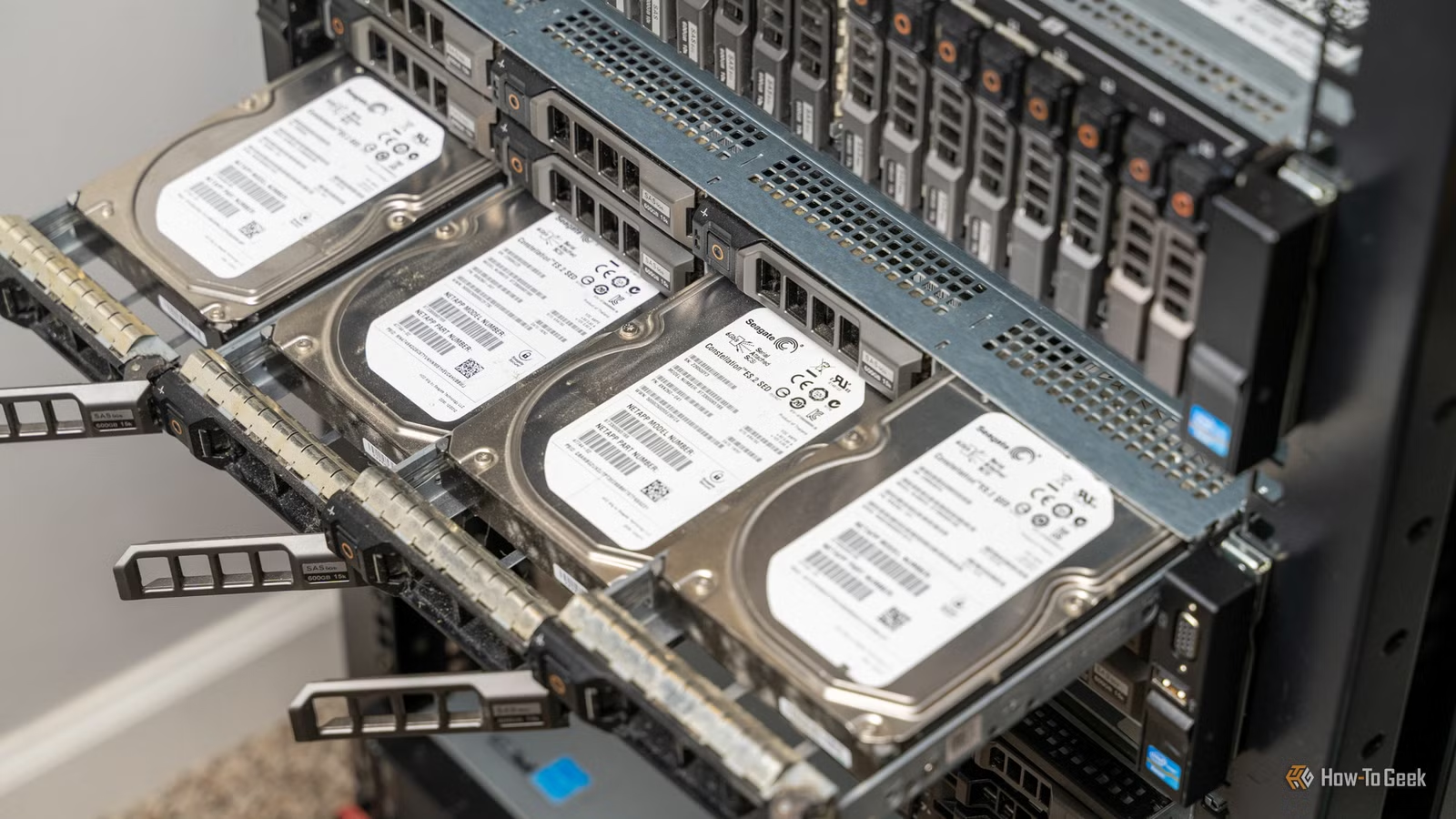
When faced with a choice of spending thousands of dollars on a new NAS or building my own, the choice was clear. It’s crazy what NAS companies charge for servers when it’s so easy to build your own. Instead of buying a new system, I simply went to eBay, found a cheap server, and the rest is history.
Network attached storage systems can get pricey

While there are relatively affordable NAS servers, if you want more than two or four bays, they can bet really pricey. Like, into the thousands of dollars pricey. Synology’s DiskStation DS2422+ 12-bay NAS is $2,000, the UGREEN NASync DXP8800 Plus 8-bay NAS is $1,400, and the TerraMaster T12-500 Pro 12-bay NAS goes for $1,800.
If you want lots of storage, you have to pay lots of money—at least when going first-party. The thing is, large storage servers are only expensive when you’re buying them brand-new from NAS companies.
I started out with a 4-bay Synology NAS, and quickly outgrew it with mounting storage needs. I looked at buying a bigger NAS or even expanding the one I had (which, turns out, it didn’t support that), and there really was no good option. That is, until I found out about building your own NAS.
An old server (or desktop) is way more affordable

I opted for buying a retired 12-bay enterprise-grade server on eBay for my NAS. I purchased mine back in 2021 for just under $400 by the time I picked up a second CPU and additional RAM. While I bought mine years ago, you can still pick up similar systems for sub-$750—a fraction of what it would cost to buy a new NAS like I mentioned above.
However, you don’t need to buy enterprise-grade gear to run a NAS at all. Instead, you could repurpose an old desktop that you might already have lying around the house. Storage servers don’t need a crazy amount of processing power or RAM to run basic tasks, so even an old, outdated system could work great as a NAS.

I’ve used all sorts of systems as network attached storage servers in the past. One time I took an old Intel X99 motherboard with a 6800K processor and turned it into a NAS without any form of an enclosure. I used an old desktop that I had lying around as a NAS for a while, too.
You could use a Raspberry Pi as a NAS, or even a laptop if that’s all you had. Really, you just need some form of a computer that can connect to hard drives.

Here’s Why I Built My Own NAS With Unraid and an eBay Server Instead of Buying a Synology
What homelab is complete without some retired enterprise gear?
Building my own NAS offers way more flexibility than buying a pre-built one

When I bought my eBay server, I didn’t do it just to save money—though that was a huge driving factor. Building your own NAS also allows you to fully customize the software experience. I’m an Unraid fan, but you might like TrueNAS. Or OpenMediaVault. Or simply using pure Ubuntu Server. The choice is really up to you. You could even start on one system and move to another—just like I did.
I originally started out with TrueNAS on my server, and then migrated to Unraid on it because I’m in control of what operating system it runs, not the manufacturer.
Not only do you get to pick the operating system, you also get to decide what features your server has. Most newer NAS servers come with Intel processors capable of handling transcoding, but if you need more horsepower than that, it’s not available. Building your own NAS allows you to do your own upgrades.
My eBay server wasn’t the best at transcoding on its CPU, so I opted to put a GTX 1650 graphics card in it for Plex transcoding. I also only bought my eBay server with 16GB RAM, and I was able to upgrade it to 64GB for about $45 on Facebook Marketplace (DDR3 ECC RAM is cheap on the second-hand market).
The point is, a custom-built NAS, regardless of what hardware you go with, is just way more flexible than buying a pre-built system. You’re in the driver’s seat for the hardware, software, and capabilities it has.

Truly, though, the best part is there’s very little risk of your hardware losing support for modern operating systems. Meanwhile, buying a NAS from a manufacturer means you’re at their whim on whether they update your system. The manufacturer also gets to choose what features your system gets in the future.
I have a Synology DS416play NAS that I use at my church, and it’s old enough that there’s no Docker support on it. However, desktops from 2016 (and even 2010) can run Docker just fine—my eBay server is from 2011.
All that to say, custom-build NAS systems are just simply better, even in the long-term. They’re more flexible, better supported, and easier to upgrade.
I really don’t see any downside to building my own NAS. It wasn’t difficult, the operating systems are easy to use, and I can upgrade it however (and whenever) I want.
Compare that to being locked into one operating system, at the whim of a manufacturer for updates and features, and spending hundreds or thousands of dollars more for the same capabilities, and building my own NAS was really the only way to go—and I think you should build your own, too.



