Connect with us
DAPA Banner

Tech

Samsung Galaxy S26 Ultra review: The stealth upgrade

Published

on

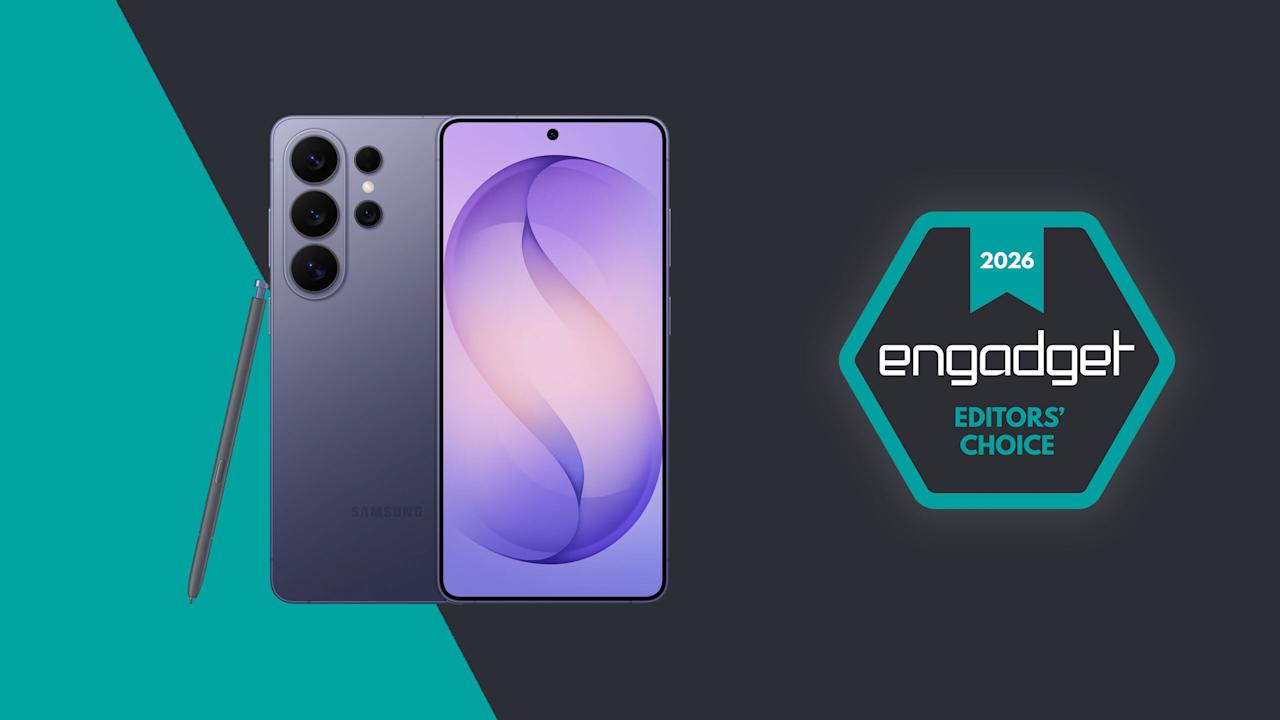
You’d be forgiven for thinking that the Samsung Galaxy S26 Ultra looks a lot like the last four models. That’s because it does, right down to its general design and rear camera layout. But on Samsung’s latest flagship phone, some stealthy upgrades are hidden beneath its classic blocky silhouette that might go unnoticed by the casual observer. Those help make this year’s release feel like a better deal than its most recent predecessor. It remains rather expensive, starting at the same $1,300 as before, but considering the price of RAM these days, that almost feels like a blessing. So while it won’t hit you over the head with monumental changes year over year, it’s subtly one of the best Ultras we’ve gotten in the past half-decade.

Image for the large product module

Samsung / Engadget

While the S26 Ultra might not wow you with a ton of major improvements, it brings subtle upgrades across the board along with a new standout display for anyone who cares about privacy.

Pros
Advertisement
  • Superb Privacy Display
  • Great performance
  • Strong battery life
  • Wider aperture for main and 5x telephoto lenses
Cons
  • Expensive
  • S-Pen is unchanged
  • No built-in magnetic ring for Qi2 accessories

Design: Back to aluminum

After dabbling with titanium frames on the last two Ultras, Samsung returned to aluminum for 2026. The company says this makes it easier to color-match the phone’s chassis to the Corning Gorilla Armor 2 panels on the front and back, though it’s incredibly difficult to see the impact on my black review unit. Elsewhere, the company shaved a few grams off its total weight and a few millimeters off its thickness (7.9mm and 214 grams), but even when directly comparing the new model to last year’s S25 Ultra (8.2mm and 218 grams), that difference is basically imperceptible. I almost think the S26 Ultra’s extra sleekness was just so that people would stop saying the Z Fold 7 is lighter than Samsung’s most premium traditional candybar-style handset.

As always, there’s a built-in storage slot for Samsung’s S-Pen, which is essentially a carbon copy of what we got last year without any functional changes. However, because the phone’s corners are more rounded than ever, one small peculiarity is that now there’s a right and wrong way to insert it. No matter what you do, the stylus will stay put, but if you don’t align the curve on the end of the S-Pen with the shape of the phone’s corner, it just doesn’t look right.

Display: Now with more privacy

The Galaxy S26 Ultra's display has the same specs as the previous model, except now it comes with a built-in Privacy Display.

The Galaxy S26 Ultra’s display has the same specs as the previous model, except now it comes with a built-in Privacy Display. (Sam Rutherford for Engadget)

The S26 Ultra’s 6.9-inch screen is easily its most undercover upgrade because it sports essentially the same specs as last year. You still get 2,600 nits of peak brightness with a variable 120Hz refresh rate and a max resolution of 3,120 x 1,440. The secret is that with the touch of a button, you can activate Samsung’s Privacy Display, which effectively stops others from spying on your screen when viewed from acute angles (both from the side and up and down).

When you turn the Privacy Display on and look at the phone less than head-on, everything sort of fades to black. Depending on the angle, you may still see an outline of UI elements and some bright spots depending on your content, but the wider you go, the fainter things get. The way it works is that the phone has two sets of subpixels, narrow and wide, the latter of which get turned off when the feature is active. And if you’re really concerned about people snooping on you, there’s an extra level called Maximum Privacy Protection that makes almost everything completely go gray, though there are trade-offs for this.

Even on maximum protection, you can still make out some faint details. But good luck to anyone trying to glean any usable info while the Galaxy S26 Ultra's Privacy Display is on.

Even on maximum protection, you can still make out some faint details. But good luck to anyone trying to glean any usable info while the Galaxy S26 Ultra’s Privacy Display is on. (Sam Rutherford for Engadget)

When using the standard Privacy Display mode, there’s very little impact on image quality and brightness, so it’s not that big of a deal to leave it on all the time. If you look closely, you may notice what appears to be a small drop in resolution, though this requires some serious pixel peeping and good eyesight. But with maximum protection on, there’s a noticeable drop in contrast and luminance that, for me, isn’t worth the increased privacy.

Advertisement
The effect is more pronounced in person, but in this side-by-side comparison, you can still see how Maximum Protection mode has an impact on the S26 Ultra's contrast and color saturation.

The effect is more pronounced in person, but in this side-by-side comparison, you can still see how Maximum Protection mode has an impact on the S26 Ultra’s contrast and color saturation. (Sam Rutherford for Engadget)

Thankfully, there’s a third option, which is to have the phone selectively activate Privacy Display under certain conditions. You can have it automatically turn on when you get notifications or open selected apps (like for banking or authenticators), which is what I prefer. The phone can also enable the feature when you need to enter a PIN, pattern or password. The caveat is that this only applies to system-level prompts like your lock screen. Theoretically, there’s no reason the S26 Ultra can’t do this anytime you’re presented with a password or PIN prompt, but every app needs to be optimized properly, so that isn’t a thing just yet. Regardless, it’s a powerful tool that can prevent people from gleaning sensitive info while you’re and about and I really hope it becomes standard inclusion on all premium phones going forward.

Performance and software: More speed and AI

Apparently this is what Samsung's AI thinks a Pikachu sticker should look should look like.

Apparently this is what Samsung’s AI thinks a Pikachu sticker should look should look like. (Sam Rutherford for Engadget)

The main engine powering the S26 Ultra is Qualcomm’s Snapdragon 8 Elite Gen 5 chip for Galaxy along with 12GB or 16GB of RAM and up to 1TB of storage. Its biggest strength lies in its improved NPU, which is 39 percent more powerful than the previous generation, paving the way for improved AI-based features. That said, the rest of the processor provides some nice but not especially impressive gains in processing speed. Its CPU boasted 19 percent better performance while its GPU is around 24 percent beefier. In Geekbench 6, this translated to a multi-core score of 11,240 for its CPU (up from 9,828 on the S25 Ultra) and a GPU score of 25,403 (up from 19,863). Granted, it’s not like its predecessor ever struggled with performance, but it’s still worth noting that this is essentially as fast as an Android phone can get right now.

Of course, as we progress deeper into the AI era, Samsung has come up with a boatload of new and improved AI-powered tools as well. The most useful of these is Photo Assist, which serves as a one-stop shop for all your editing and content creation needs. In addition to fixing things like reflections or deleting objects in an image, you can use natural language text prompts to generate completely new elements like hats for your pets or pretty much anything else you can think of. And if that’s not enough, there’s also Samsung’s Creative Studio, which is a playground for making all sorts of fun digital art like wallpapers, stickers and greeting cards.

The S26 Ultra's Now Nudge feature uses AI to find and suggest relevant photos when you use the Samsung Keyboard.

The S26 Ultra’s Now Nudge feature uses AI to find and suggest relevant photos when you use the Samsung Keyboard. (Sam Rutherford for Engadget)

Elsewhere, there’s also an improved document scanner and a call screener that’s better at blocking spam and robocalls. All told, they’re welcome upgrades and they work rather well. Samsung even borrowed an idea from Google’s Magic Cue with its Now Nudge feature, which can surface relevant photos based on context anytime you’re using the Samsung keyboard. Unfortunately, what’s arguably the S26 Ultra’s coolest new feature, Automated App Actions, isn’t available for another week. But the bigger issue is that almost all of these features are things we’ve seen before on rival devices like the Pixel 10 Pro. While they’re nice to have, it’s gotten to the point where these tools are more like table stakes for high-end phones nowadays instead of being reasons you might want to upgrade.

Advertisement

Cameras: The same sensors with some larger apertures

While the S26 Ultra has the same sensors as before, Samsung gave it wider apertures for its main and 5x telephoto cameras.

While the S26 Ultra has the same sensors as before, Samsung gave it wider apertures for its main and 5x telephoto cameras. (Sam Rutherford for Engadget)

While the sensors on the S26 Ultra haven’t changed since the previous model, Samsung didn’t completely forget about photo upgrades. Alongside its 10-megapixel 3x telephoto, 50MP ultra-wide and 12MP selfie cam, its 200MP main cam and 50MP 5x telephoto camera have larger apertures at f/1.4 and f/2.9, respectively (up from f/1.7 and f/3.4). So on top of already being able to take excellent photos during the day, the UItra’s primary shooter is noticeably better at night.

In a shot of some Transformers in a dimmed room, the S26 Ultra basically matched what I shot with a Pixel 10 Pro — aside from some minor differences in white balance. Details were sharp and Samsung’s photo was less noisy, which is due in part to a change in the phone’s image processing. But the most impressive example of the Ultra’s improved picture quality was when I took a very challenging backlit shot of a Grogu doll, in which the S26 did a better job of exposing Baby Yoda’s face compared to the P10 Pro. So even without new sensors, Samsung has managed to make an already great main camera just a bit better.

Advertisement

Battery life

The Galaxy S26 Ultra features a 5,000mAh battery, just like what we got on the previous model. That means it’s largely relying on power efficiency gains from its new chip for improved longevity, which it delivers, but it’s not a major leap. On our local video rundown test, the S26 Ultra lasted 30 hours and three minutes, which is only about half an hour longer than before. That said, considering the only phones that have fared better were the OnePlus 15 and 15R, it’s hard to be upset about its overall runtime.

As for charging, the Ultra has gotten a big leap in speed (assuming you have compatible power adapters) compared to its less expensive siblings. When using a cable, it now supports up to 60 watts versus 45 watts for the S26+ or just 25 watts for the base S26. And it’s a similar story when charging wirelessly, with the Ultra now capable of hitting 25 watts when plopped on a pad compared to 20 watts for the S26+ and 15 watts for the S26.

The S26 Ultra has significantly faster wired and wireless charging than its less expensive siblings. Though sadly, it still doesn't have a built-in ring for magnetic accessories.

The S26 Ultra has significantly faster wired and wireless charging than its less expensive siblings. Though sadly, it still doesn’t have a built-in ring for magnetic accessories. (Sam Rutherford for Engadget)

The major annoyance is that Samsung still hasn’t given any members of the S26 family a built-in magnetic ring for Qi2 charging or other magnetic accessories. The company claims this was done to help keep the phone as thin as possible, but honestly, I thought we had gotten over the desire for needless sleekness long ago. Sure, you can add that functionality back in by choosing the right case, but that’s not a very premium experience and I sincerely hope this is the last time Samsung makes this omission on its flagship phone line.

Wrap-up

There’s a strange feeling I often get when testing phones. After I got everything updated and set up the way I like, I noticed it even more with the S26 Ultra. The issue is that despite using a brand new device with shiny hardware, better performance and a more refined design, I’m still largely doing the same things and using the same apps as I was before (like Google Maps, Gmail and whatever my go-to mobile games are at the moment). This means my daily flow is basically unchanged from device to device.

Advertisement
This better be the last time Samsung skips putting a magnetic ring inside the Galaxy S line.

This better be the last time Samsung skips putting a magnetic ring inside the Galaxy S line. (Sam Rutherford for Engadget)

However, if you’re paying attention, you’ll notice things like higher framerates while gaming, sharper and more well-exposed photos at night and helpful suggestions like when the phone surfaces relevant photos in the middle of a text conversation. This goes double for the S26 Ultra, whose biggest upgrade — the Privacy Display — is something meant to stop other people from snooping at what you’re doing. When it’s on, you probably won’t even be able to tell, which is kind of the point.

There’s no doubt that the S26 Ultra is an improvement over last year’s phone. It’s faster, it takes better low-light photos and thanks to all of its new AI features, the handset feels smarter too. But it takes a discerning eye to spot and feel all these differences, particularly if you’re upgrading from a device that’s only a year or two old. So while the S26 Ultra remains the top pick as a phone that can do pretty much everything really well, in the grand scheme of things, it’s more of a stealthy, undercover update than an eye-catching new crown jewel.

Source link

Advertisement
Continue Reading
Click to comment

You must be logged in to post a comment Login

Leave a Reply

Tech

New Harry Potter TV Series Trailer Reintroduces Hogwarts Magic for HBO

Published

on

Go ahead and get ready to cue your inevitable comparisons: the new trailer for HBO’s Harry Potter series dropped on Wednesday, giving audiences a first look at muggles, magical Hogwarts students and The Boy Who Lived. Due to hit HBO and HBO Max for Christmas 2026, the TV show will be a direct adaptation of the wizarding books, starting off with The Philosopher’s Stone.

To fans familiar with the movie franchise, this may feel like a rediscovery — or reintroduction — to the live-action version of the world of Harry Potter. The trailer shows a young Harry and his signature scar, his tyrant of an aunt and the moment he received his invitation from Hogwarts. Take a look at the first meet with Hagrid, tender moments with Ron and Hermione, and a look at Lucius Malfoy and Snape. 

The series features Dominic McLaughlin as Harry Potter, Arabella Stanton as Hermione Granger and Alastair Stout 
as Ron Weasley, and the expansive cast also includes Nick Frost as Hagrid, John Lithgow as Hogwarts headmaster Dumbledore and Paapa Essiedu as Professor Snape. 

Advertisement

Source link

Continue Reading

Tech

Nintendo might charge less for digital Switch games?

Published

on

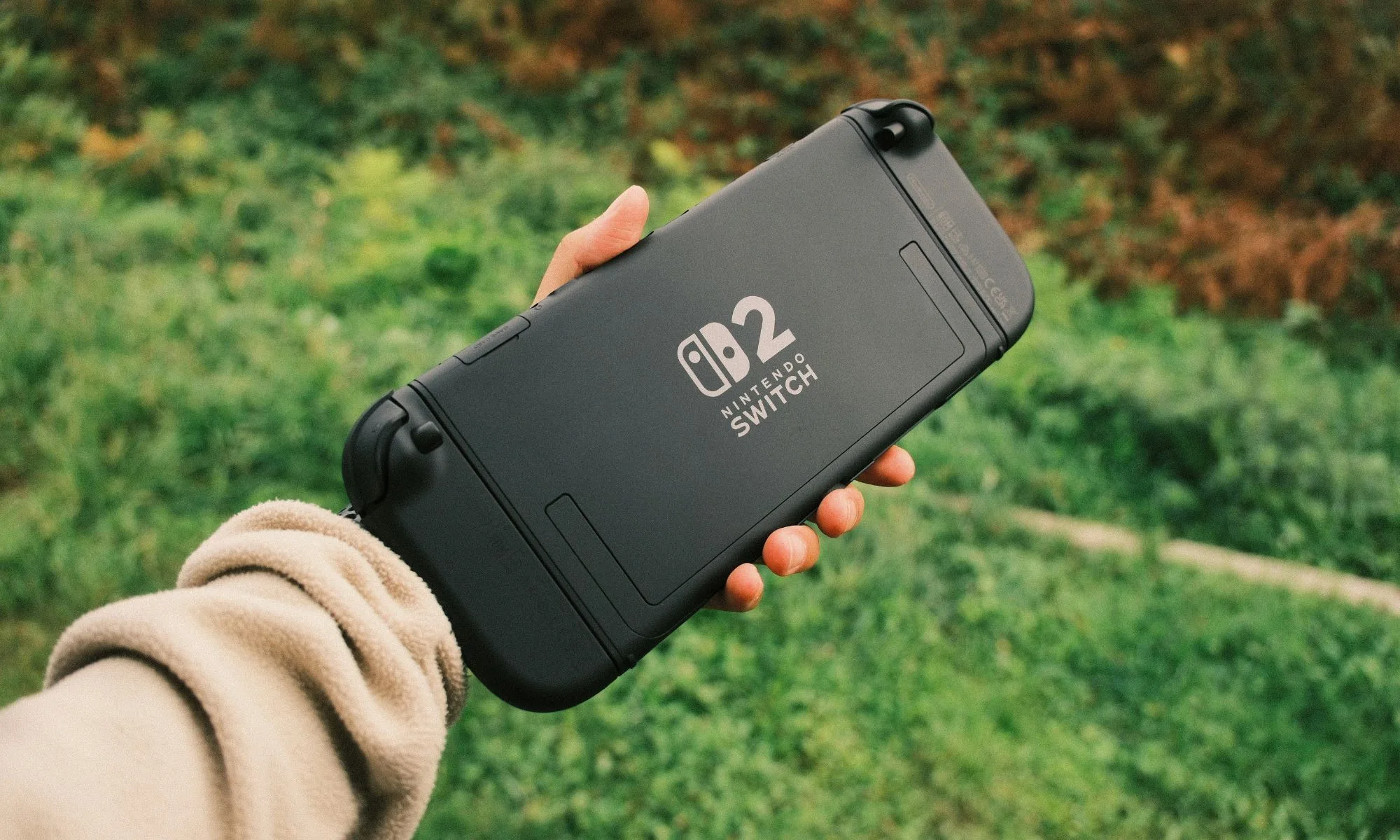
Nintendo might finally be doing something gamers have been asking for… forever. The company has officially confirmed that Switch 2 games will have different pricing for digital and physical versions, with digital copies expected to be cheaper.

The change begins in May 2026, starting with titles like Yoshi and the Mysterious Book. For example, early listings on the eShop show the game priced at $59.99 digitally vs $69.99 physically, marking a clear shift in how Nintendo handles game pricing.

Why is Nintendo doing this?

Let’s be real, physical games are comparatively expensive to make. Nintendo says the change reflects the higher costs of manufacturing and distributing cartridges, compared to digital downloads. This aligns with what the industry has been doing for years, except Nintendo has been one of the few holdouts where digital and physical games often cost the same.

There’s also a bigger strategy at play here. By making digital games cheaper, Nintendo could nudge more players toward digital purchases. That essentially translates to higher margins, fewer logistics headaches, and a tighter grip on its ecosystem. In other words, this isn’t just about fairness in pricing… It’s also about where Nintendo wants its future sales to go.

What does this mean for players?

So, does this mean all games going forward will have different prices? Well, not exactly, and this is where things get a little messy. While Nintendo is setting a lower MSRP for digital games, actual pricing can still vary depending on the title and retailer. Plus, not every game will follow the same pattern, so bigger releases could still carry higher price tags, making the gap between digital and physical a bit inconsistent.

For players, though, this is still a win. Digital games are finally getting a clear pricing advantage after years of being oddly equal (or sometimes pricier) than physical copies. That said, the trade-off remains. Physical games can be resold or shared, while digital ones stay locked to your account.

Advertisement

Source link

Continue Reading

Tech

Meta and YouTube Found Negligent in Landmark Social Media Addiction Case

Published

on

A jury found Meta and YouTube negligent in a landmark social media addiction case, ruling that addictive design features such as infinite scroll and algorithmic recommendations harmed a young user and contributed to her mental health distress. The verdict awards $3 million in compensatory damages so far and could pave the way for more lawsuits seeking financial penalties and product changes across the social media industry. “Meta is responsible for 70 percent of that cost and YouTube for the remainder,” notes The New York Times. “TikTok and Snap both settled with the plaintiff for undisclosed terms before the trial started.” From the report: The bellwether case, which was brought by a now 20-year-old woman identified as K.G.M., had accused social media companies of creating products as addictive as cigarettes or digital casinos. K.G.M. sued Meta, which owns Instagram and Facebook, and Google’s YouTube over features like infinite scroll and algorithmic recommendations that she claimed led to anxiety and depression.

The jury of seven women and five men will deliberate further to decide what further punitive damages the companies should pay for malice or fraud. The verdict in K.G.M.’s case — one of thousands of lawsuits filed by teenagers, school districts and state attorneys general against Meta, YouTube, TikTok and Snap, which owns Snapchat — was a major win for the plaintiffs. The finding validates a novel legal theory that social media sites or apps can cause personal injury. It is likely to factor into similar cases expected to go to trial this year, which could expose the internet giants to further financial damages and force changes to their products. The verdict also comes on the heels of a New Mexico jury ruling that found Meta liable for violating state law by failing to protect users of its apps from child predators.

Source link

Continue Reading

Tech

How xMemory cuts token costs and context bloat in AI agents

Published

on

Standard RAG pipelines break when enterprises try to use them for long-term, multi-session LLM agent deployments. This is a critical limitation as demand for persistent AI assistants grows.

xMemory, a new technique developed by researchers at King’s College London and The Alan Turing Institute, solves this by organizing conversations into a searchable hierarchy of semantic themes.

Experiments show that xMemory improves answer quality and long-range reasoning across various LLMs while cutting inference costs. According to the researchers, it drops token usage from over 9,000 to roughly 4,700 tokens per query compared to existing systems on some tasks.

For real-world enterprise applications like personalized AI assistants and multi-session decision support tools, this means organizations can deploy more reliable, context-aware agents capable of maintaining coherent long-term memory without blowing up computational expenses.

Advertisement

RAG wasn’t built for this

In many enterprise LLM applications, a critical expectation is that these systems will maintain coherence and personalization across long, multi-session interactions. To support this long-term reasoning, one common approach is to use standard RAG: store past dialogues and events, retrieve a fixed number of top matches based on embedding similarity, and concatenate them into a context window to generate answers.

However, traditional RAG is built for large databases where the retrieved documents are highly diverse. The main challenge is filtering out entirely irrelevant information. An AI agent’s memory, by contrast, is a bounded and continuous stream of conversation, meaning the stored data chunks are highly correlated and frequently contain near-duplicates.

To understand why simply increasing the context window doesn’t work, consider how standard RAG handles a concept like citrus fruit.

Imagine a user has had many conversations saying things like “I love oranges,” “I like mandarins,” and separately, other conversations about what counts as a citrus fruit. Traditional RAG may treat all of these as semantically close and keep retrieving similar “citrus-like” snippets. 

Advertisement

“If retrieval collapses onto whichever cluster is densest in embedding space, the agent may get many highly similar passages about preference, while missing the category facts needed to answer the actual query,” Lin Gui, co-author of the paper, told VentureBeat. 

A common fix for engineering teams is to apply post-retrieval pruning or compression to filter out the noise. These methods assume that the retrieved passages are highly diverse and that irrelevant noise patterns can be cleanly separated from useful facts.

This approach falls short in conversational agent memory because human dialogue is “temporally entangled,” the researchers write. Conversational memory relies heavily on co-references, ellipsis, and strict timeline dependencies. Because of this interconnectedness, traditional pruning tools often accidentally delete important bits of a conversation, leaving the AI without vital context needed to reason accurately.

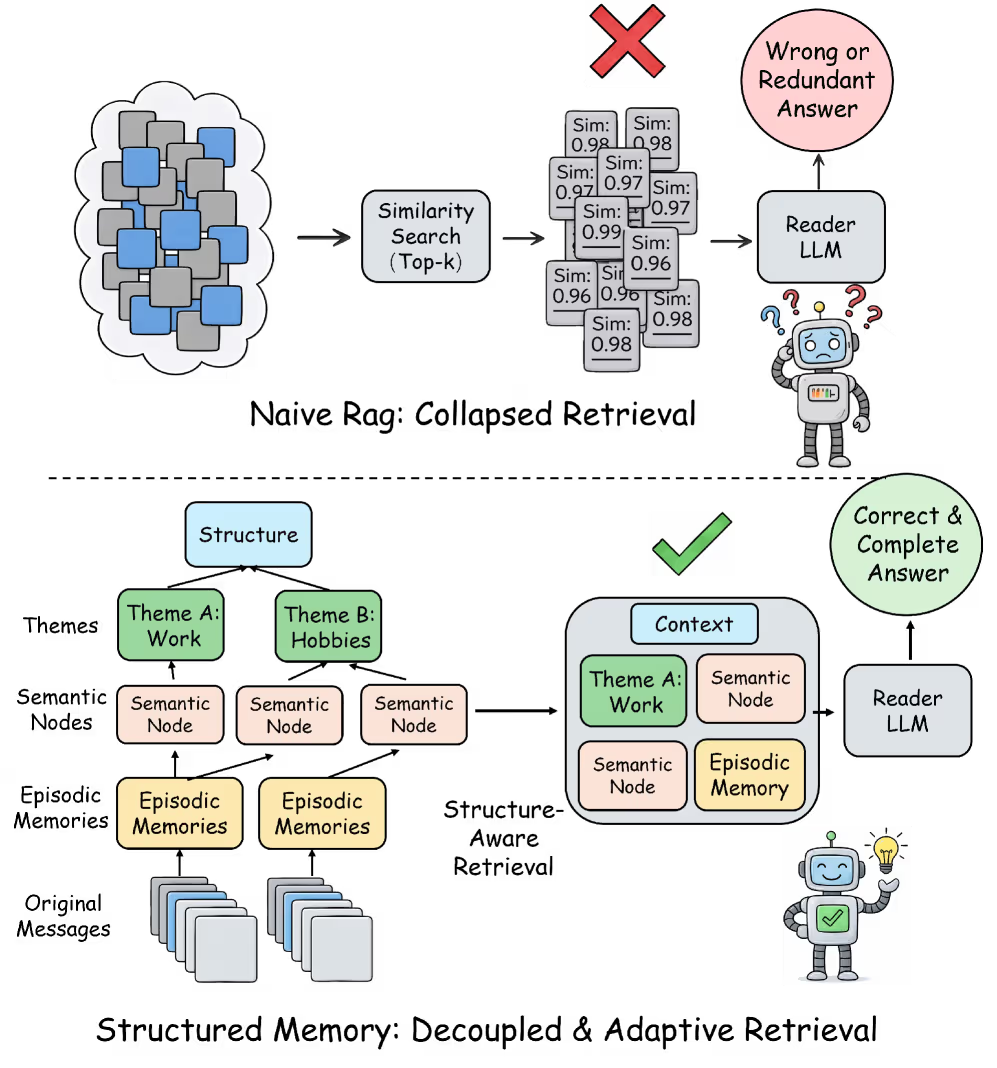
Naive RAG vs strucured memory

Naive RAG vs structured memory (source: arXiv)

Advertisement

Why the fix most teams reach for makes things worse

To overcome these limitations, the researchers propose a shift in how agent memory is built and searched, which they describe as “decoupling to aggregation.”

Instead of matching user queries directly against raw, overlapping chat logs, the system organizes the conversation into a hierarchical structure. First it decouples the conversation stream into distinct, standalone semantic components. These individual facts are then aggregated into a higher-level structural hierarchy of themes.

When the AI needs to recall information, it searches top-down through the hierarchy, going from themes to semantics and finally to raw snippets. This approach avoids redundancy. If two dialogue snippets have similar embeddings, the system is unlikely to retrieve them together if they have been assigned to different semantic components.

For this architecture to succeed, it must balance two vital structural properties. The semantic components must be sufficiently differentiated to prevent the AI from retrieving redundant data. At the same time, the higher-level aggregations must remain semantically faithful to the original context to ensure the model can craft accurate answers.

Advertisement

A four-level hierarchy that shrinks the context window

The researchers developed xMemory, a framework that combines structured memory management with an adaptive, top-down search strategy.

xMemory continuously organizes the raw stream of conversation into a structured, four-level hierarchy. At the base are the raw messages, which are first summarized into contiguous blocks called “episodes.” From these episodes, the system distills reusable facts as semantics that disentangle the core, long-term knowledge from repetitive chat logs. Finally, related semantics are grouped together into high-level themes to make them easily searchable.

xmemory

xMemory architecture (source: arXiv)

xMemory uses a special objective function to constantly optimize how it groups these items. This prevents categories from becoming too bloated, which slows down search, or too fragmented, which weakens the model’s ability to aggregate evidence and answer questions.

Advertisement

When it receives a prompt, xMemory performs a top-down retrieval across this hierarchy. It starts at the theme and semantic levels, selecting a diverse, compact set of relevant facts. This is crucial for real-world applications where user queries often require gathering descriptions across multiple topics or chaining connected facts together for complex, multi-hop reasoning.

Once it has this high-level skeleton of facts, the system controls redundancy through what the researchers call “Uncertainty Gating.” It only drills down to pull the finer, raw evidence at the episode or message level if that specific detail measurably decreases the model’s uncertainty.

“Semantic similarity is a candidate-generation signal; uncertainty is a decision signal,” Gui said. “Similarity tells you what is nearby. Uncertainty tells you what is actually worth paying for in the prompt budget.” It stops expanding when it detects that adding more detail no longer helps answer the question.

What are the alternatives?

Existing agent memory systems generally fall into two structural categories: flat designs and structured designs. Both suffer from fundamental limitations.

Advertisement

Flat approaches such as MemGPT log raw dialogue or minimally processed traces. This captures the conversation but accumulates massive redundancy and increases retrieval costs as the history grows longer.

Structured systems such as A-MEM and MemoryOS try to solve this by organizing memories into hierarchies or graphs. However, they still rely on raw or minimally processed text as their primary retrieval unit, often pulling in extensive, bloated contexts. These systems also depend heavily on LLM-generated memory records that have strict schema constraints. If the AI deviates slightly in its formatting, it can cause memory failure.

xMemory addresses these limitations through its optimized memory construction scheme, hierarchical retrieval, and dynamic restructuring of its memory as it grows larger.

When to use xMemory

For enterprise architects, knowing when to adopt this architecture over standard RAG is critical. According to Gui, “xMemory is most compelling where the system needs to stay coherent across weeks or months of interaction.”

Advertisement

Customer support agents, for instance, benefit greatly from this approach because they must remember stable user preferences, past incidents, and account-specific context without repeatedly pulling up near-duplicate support tickets. Personalized coaching is another ideal use case, requiring the AI to separate enduring user traits from episodic, day-to-day details.

Conversely, if an enterprise is building an AI to chat with a repository of files, such as policy manuals or technical documentation, “a simpler RAG stack is still the better engineering choice,” Gui said. In those static, document-centric scenarios, the corpus is diverse enough that standard nearest-neighbor retrieval works perfectly well without the operational overhead of hierarchical memory.

The write tax is worth it

xMemory cuts the latency bottleneck associated with the LLM’s final answer generation. In standard RAG systems, the LLM is forced to read and process a bloated context window full of redundant dialogue. Because xMemory’s precise, top-down retrieval builds a much smaller, highly targeted context window, the reader LLM spends far less compute time analyzing the prompt and generating the final output.

In their experiments on long-context tasks, both open and closed models equipped with xMemory outperformed other baselines, using considerably fewer tokens while increasing task accuracy.

Advertisement
xMemory performance

xMemory increases performance on different tasks while reducing token costs (source: arXiv)

However, this efficient retrieval comes with an upfront cost. For an enterprise deployment, the catch with xMemory is that it trades a massive read tax for an upfront write tax. While it ultimately makes answering user queries faster and cheaper, maintaining its sophisticated architecture requires substantial background processing.

Unlike standard RAG pipelines, which cheaply dump raw text embeddings into a database, xMemory must execute multiple auxiliary LLM calls to detect conversation boundaries, summarize episodes, extract long-term semantic facts, and synthesize overarching themes.

Furthermore, xMemory’s restructuring process adds additional computational requirements as the AI must curate, link, and update its own internal filing system. To manage this operational complexity in production, teams can execute this heavy restructuring asynchronously or in micro-batches rather than synchronously blocking the user’s query.

Advertisement

For developers eager to prototype, the xMemory code is publicly available on GitHub under an MIT license, making it viable for commercial uses. If you are trying to implement this in existing orchestration tools like LangChain, Gui advises focusing on the core innovation first: “The most important thing to build first is not a fancier retriever prompt. It is the memory decomposition layer. If you get only one thing right first, make it the indexing and decomposition logic.”

Retrieval isn’t the last bottleneck

While xMemory offers a powerful solution to today’s context-window limitations, it clears the path for the next generation of challenges in agentic workflows. As AI agents collaborate over longer horizons, simply finding the right information won’t be enough.

“Retrieval is a bottleneck, but once retrieval improves, these systems quickly run into lifecycle management and memory governance as the next bottlenecks,” Gui said. Navigating how data should decay, handling user privacy, and maintaining shared memory across multiple agents is exactly “where I expect a lot of the next wave of work to happen,” he said.

Source link

Advertisement
Continue Reading

Tech

Liquid-cooled AI systems expose the limits of traditional storage architecture

Published

on

Presented by Solidigm


Liquid cooling is rewriting the rules of AI infrastructure, but most deployments have not fully crossed the line. GPUs and CPUs have moved to liquid cooling, while storage has depended on airflow, creating an operationally inefficient hybrid architecture.

What appears to be a pragmatic transition strategy is, in practice, a structural liability.

“A hybrid cooling approach is an operationally inefficient situation,” explains Hardeep Singh, thermal-mechanical hardware team manager at Solidigm. “You’re paying for and maintaining two entirely separate, expensive cooling infrastructures, and could be exposed to the worst-of-both-world’s problems.”

Advertisement

While liquid cooling requires pumps, fluid manifolds, and coolant distribution units (CDUs), air-cooled components require CRAC units, cold aisles, and evaporative cooling towers. Organizations moving to a hybrid solution by just adding some liquid cooling are absorbing the cost premium without capturing the full TCO benefit.

The thermal physics makes things worse. Bulky liquid-cooling cold plates, thick hoses, and manifolds physically obstruct airflow inside the GPU server chassis. This concentrates thermal stress on the remaining air-cooled components, including storage drives, memory, and network cards, because server fans cannot push adequate airflow around the liquid plumbing. The components most reliant on fans end up in the worst possible thermal environment.

Water consumption is an all-but ignored, equally serious problem. Traditional air-cooled components rely on server fans to move heat into ambient air, which is then absorbed by a water loop and pumped to evaporative cooling towers. These systems can consume millions of gallons of water over time. As rack power densities continue to climb to support modern AI workloads, the evaporative water penalty becomes, as Singh puts it, “environmentally and economically indefensible.”

As AI infrastructure evolves toward liquid-cooled and fanless GPU systems, the true constraints on scale are shifting from compute performance to system-level thermal design. Modern AI platforms are no longer built server by server; they are engineered as tightly integrated rack- and pod-level systems where power delivery, cooling distribution, and component placement are inseparable.

Advertisement

In this environment, storage architectures designed for airflow-dependent data centers are becoming a limiting factor. As GPU platforms move fully into shared liquid-cooling domains, anchored by rack-level CDUs, every component in the system must operate natively within the same thermal and mechanical design. Storage can no longer rely on isolated cooling paths or bespoke thermal assumptions without introducing inefficiency, complexity, or density trade-offs at the system level.

Why storage is no longer a passive subsystem

For infrastructure leaders, this marks a fundamental transition. Storage is no longer a passive subsystem attached to compute, but instead an active participant in system-level cooling, serviceability, and GPU utilization. The ability to scale AI now depends on whether storage can integrate cleanly into liquid-cooled GPU systems, without fragmenting cooling architectures or constraining rack-level design.

And the race to scale AI is no longer just about who has the most GPUs, but instead about who can keep them cool, says Scott Shadley, director of leadership narrative and evangelist at Solidigm.

“Finding a way to enable liquid-cooled storage while still making it user serviceable has been one of the biggest challenges in designing fanless system solutions,” Shadley says. “As AI workloads evolve, the pressure on storage will only intensify.”

Advertisement

Techniques like KV cache offload, which move data between GPU memory and high-speed storage during inference, make storage latency and thermal performance directly relevant to model serving efficiency. In these architectures, a storage subsystem that throttles due to poor traditional airflow under thermal load slows down both reads and the model itself.

Moving to integrated liquid cooling

Moving from traditional air-cooled GPU servers to integrated liquid-cooled racks improves power usage efficiency (PUE) and reduces the operational cost for the datacenter. It also replaces the noisy computer room air handler (CRAH) and introduces a modern, efficient liquid CDU with potential scope to eliminate chillers if racks can be cooled to a liquid temperature of 45° Celsius.

When storage is cooled through liquid in absence of fans, it must also support serviceability with no liquid leakage. It also creates a new requirement that many infrastructure teams are only beginning to grapple with: every component in the rack must operate natively within the same cooling architecture.

Storage as an active participant in system design

Storage design is no longer an isolated engineering problem. It is a direct variable in GPU utilization, system reliability, and operational efficiency. The solution is to redesign storage from the ground up for liquid-cooled, fanless environments. This is harder than it sounds. Traditional SSD design assumes airflow for thermal management and places components on both sides of a thermally insulated PCB. Neither assumption holds in a CDU-anchored architecture.

Advertisement

“SSDs need to be designed with a best-in-class thermal solution to specifically conduct heat from internal components efficiently and transfer it to fluid,” says Singh. “The design must include a low-resistance path for heat to transfer to a single cold plate attached on one side.”

At the same time, drives must support serviceability without liquid leakage during insertion and removal, and without degrading the thermal interface between the drive and the cold plate.

Solidigm has worked with NVIDIA to address SSD liquid-cooling challenges, such as hot swap-ability and single-side cooling, reducing the thermal footprint of storage within the shared liquid loop, and ensuring GPUs receive their proportional share of coolant.

“If storage is not designed for a liquid-cooled environment efficiently, it will either throttle to lower performance or require more liquid volume,” he says. “Which directly and indirectly leads to under-utilization of GPU capability.”

Advertisement

Alignment on standards and the path to interoperability

Solidigm is not working on this in isolation. The broader industry is coalescing around standards to ensure liquid-cooled AI systems are interoperable rather than a patchwork of custom solutions. The SNIA and the Open Compute Project (OCP) are the primary bodies driving this work.

Solidigm led the industry standard for liquid cooling in SFF-TA-1006 for the E1.S form factor and is an active participant in OCP work streams covering rack design, thermal management, and sustainability. Custom, bespoke cooling solutions for storage are giving way to standards-aligned, production-ready designs that integrate cleanly into liquid-cooled GPU platforms.

“There are several organizations involved in this work,” says Shadley, who is also a SNIA board member. “They started with component-level solutions, driven heavily by SNIA and the SFF TA TWG. The next level is solution-level work, which is currently being heavily driven by OCP.”

Solidigm’s roadmap is leading the way

The design rules for system level architectures have changed due to the advent of liquid and immersion cooling technologies that allow for more unique design rules and removal of some barriers. The ability for systems to drive NVMe SSD-only platforms also allows for the removal of the platter-based box constraint that exists with HDD solutions, Shadley says.

Advertisement

“Solidigm customers have an active and lead role in roadmap decisions for our products due to their deep technical alignment with the ecosystem,” he says. “We do not simply make and sell products, we integrate, co-design, co-develop, and innovate with and alongside our partners, customers, and their customers.”

Adds Singh: “Solidigm’s key strength is innovation and customer-inspired system level engineering. This will continue to aggressively lead the way for liquid cooling adoption for storage.”


Sponsored articles are content produced by a company that is either paying for the post or has a business relationship with VentureBeat, and they’re always clearly marked. For more information, contact sales@venturebeat.com.

Source link

Advertisement
Continue Reading

Tech

New Emoji, Playlist Generator and More: All the New Features iOS 26.4 Brings to Your iPhone

Published

on

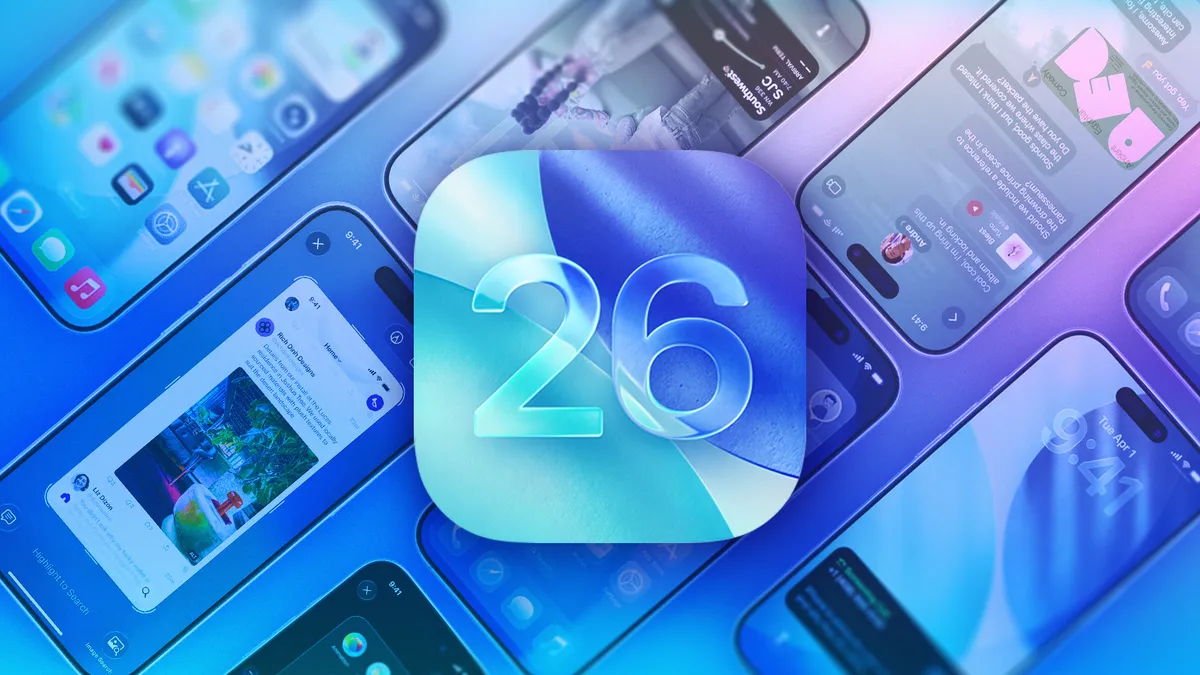
Apple released iOS 26.4 on Tuesday, March 24, about a week after the tech giant released iOS 26.3.1 (a), the company’s first Background Security Improvement update. The most recent update brings a slew of features to your iPhone, including new emoji and video podcasts.

Tech Tips

You can download iOS 26.4 now by going to Settings and tapping General. Next, select Software Update, tap Update Now and follow the prompts on your screen.

Here are some of the new features iOS 26.4 brings to your iPhone.

Advertisement

New emoji

An orca, distorted face and other emoji coming out of a smartphone.

All the new emoji iOS 26.4 brings to your iPhone.

CNET/Apple

With iOS 26.4, your iPhone gets eight new emoji. Those emoji include:

The Unicode Consortium is responsible for creating emoji, and it approved these new emoji in September as part of Unicode 17.0. But this is the first time the emoji are showing up on iPhones. 

Advertisement

Video podcasts come to Apple Podcasts

The iOS 26.4 update also brings video to your Podcasts app. To view these video podcasts, open the Podcasts app and start listening to an episode with the video player icon in the top right corner of the title card. Once you’re listening, open the media player and tap the Turn Video On button near the podcast’s progress bar. The podcast’s artwork will be replaced with the video. To turn the video off again, tap Turn Video Off and the podcast’s artwork will return.

Side-by-side screenshots of the Podcasts app. On the left we see a podcasts artwork and on the right we see that artwork replaced by a video.

Video podcasts are a fun addition to the Podcasts app.

Apple/Screenshots by CNET

Reduce some Liquid Glass effects across your device

Apple’s iOS 26.4 update adds another setting to minimize Liquid Glass effects across your device: Reduce Bright Effects. Here’s where to find this setting.

Advertisement

1. Tap Settings.
2. Tap Accessibility.
3. Tap Display & Text Size.
4. Scroll down the menu to find Reduce Bright Effects.

The Reduce Bright Effects option in the Display and Text Size settings menu.

Reduce Bright Effects can eliminate some Liquid Glass effects.

Apple/Screenshot by CNET

Apple says the setting will minimize highlighting and flashing when interacting with on-screen elements, such as buttons or the keyboard. So if you find certain flash elements annoying, you can now disable them. 

Advertisement

Playlist Playground in Apple Music

The iOS 26.4 update also introduces a new playlist generator for Apple Music subscribers called Playlist Playground. Apple says the feature can create a playlist based on your description. Once you enter your description, it will create a playlist with a title, tracklist and general description.

To access Playlist Playground, first you have to be an Apple Music subscriber. Then, open Apple Music and go to your Library. In your Library, you’ll see a new icon at the top of your screen with a plus and a few lines next to it. Tap this, and you’ll be prompted to describe your playlist.

Apple Music's Playlist Playground which can create a playlist for you based on your own desccription.

Playlist Playground can generate a playlist for you in no time.

Advertisement

Apple/Screenshots by CNET

Apple notes this feature is still in beta, so it might create unexpected results. So you might ask for a good gym mix and end up with some Whitney Houston — but who’s to say Whitney isn’t good gym music?

Find nearby concerts with the aptly named Concerts feature

iOS 26.4 brings a new Concerts feature to your Apple Music app. 

“Concerts helps you discover nearby shows from artists in your library and recommends new artists based on what you listen to,” Apple writes in the update’s description. That way, you can easily find nearby shows.

To find Concerts, tap the magnifying glass icon at the bottom of your Apple Music screen, then tap Concerts. The feature may ask for your location the first time you use it. Then you’ll see popular shows nearby, along with their dates, times and locations. Tapping into any of these shows gives you more information on the show, as well as a link to buy tickets.

Advertisement
The Concerts menu in Apple Music.

The Concerts tab in Apple Music makes it easy to see upcoming shows in your area.

Apple/Screenshot by CNET

Shazam works offline, kind of

With iOS 26.4, your Control Center’s Shazam app can work in more ways. Now, if you aren’t connected to the internet and use the Control Center app to identify a song, the app will eventually tell you the song’s identity once you’re back online. 

Ambient Music home screen widgets

Apple introduced two new Ambient Music widgets for your home screen with iOS 26.4. These widgets let you easily access the four Ambient Music playlists: Sleep, Chill, Productivity, Wellbeing. You can quickly turn on a relaxing playlist to unwind after a long day, or one to help you focus on the task at hand.

Advertisement
An iPhone widget for the Ambient Music feature.

The Ambient Music widget makes it easy to play music for just the right setting.

Apple/Screenshot by CNET

Apple introduced these playlists to your iPhone alongside iOS 18.4 in 2024. However, you could only access those playlists from your Control Center at the time. 

Let other adults in your Family pay for themselves

In iOS 26.4, other adults in your Family sharing group can now use their own payment instead of depending on the group organizer’s payment method. That means if you’re an adult and have a family sharing group with your own parents, siblings or other family members, you can now purchase a new game, movie or something else with your own information instead of using someone else’s information and then paying them back for using their money. 

Advertisement

This can be a helpful feature that allows you to avoid the hassle of paying someone else back for using their payment information. And if you’re the person whose card is always used, it can be a nice way to ensure others pay for their own stuff and don’t freeload off you. 

More caption options when viewing videos

With iOS 26.4, you can easily change the caption style while watching content in certain apps, such as Apple TV. 

To see these options, start playing a video, then tap the speech bubble icon in the bottom-right corner of your screen to open the subtitle menu. Tap Style, and you’ll see the subtitle options Classic (the default setting), Large Text, Outline Text and Transparent Background. So if you and a few others are watching something on your iPhone and want to make sure everyone can see the captions, you might choose Large Text.

Advertisement
The subtitle style menu.

You can adjust the subtitles in some apps thanks to iOS 26.4.

Apple/Screenshot by CNET

More control over wallpaper Collections

The iOS 26.4 update also gives you more control over which wallpaper Collections are on your iPhone. Now, if you go to Settings > Wallpaper > Add New Wallpaper, you can tap Get under Collections like Weather and Astronomy. 

If you want to delete a Collection from your device, tap the check mark to the right of the downloaded Collection, and the option to Remove from Gallery appears. Tap this to delete the Collection from your iPhone, saving you some precious space.

Advertisement
The option to Remove from Gallery is highlighted in the Add New Wallpaper menu.

You can remove wallpaper Collections from your iPhone if you want to save a little more space. 

Apple/Screenshot by CNET

Here are the release notes for iOS 26.4.

Apple Music

  • Playlist Playground (beta) generates a playlist from your description, complete with a title, description and tracklist.
  • Concerts helps you discover nearby shows from artists in your library and recommends new artists based on what you listen to.
  • Offline Music Recognition in Control Center identifies songs without an internet connection and delivers results automatically when you’re back online.
  • Ambient Music widget for Sleep, Chill, Productivity and Wellbeing brings curated playlists to the Home Screen.
  • Full-screen backgrounds give album and playlist pages a more immersive look.

Accessibility

  • Reduce bright effects setting minimizes bright flashes when tapping on elements like buttons.
  • Subtitle and caption settings are available from the captions icon while viewing media, making them easier to find, customize and preview.
  • Reduce Motion setting more reliably reduces the animations of Liquid Glass for users sensitive to on-screen motion.

This update also includes the following enhancements:

  • Support for AirPods Max 2.
  • 8 new emoji, including an orca, trombone, landslide, ballet dancer and distorted face, are available in the emoji keyboard.
  • Freeform gains advanced image creation and editing tools, and a premium content library, joining Apple Creator Studio.
  • Mark reminders as urgent from the Quick Toolbar or by touching and holding, and filter for urgent reminders in your Smart Lists.
  • Purchase Sharing lets adult members in Family Sharing groups use their own payment method when making purchases, without relying on the family organizer.
  • Improved keyboard accuracy when typing quickly.

For more iOS news, check out what features were included in iOS 26.3 and iOS 26.2. You can also take a look at our iOS 26 cheat sheet for other tips and tricks.

Advertisement

Watch this: Don’t Wait: iOS 26.4 Brings New Emoji, Keyboard Fixes, AI Playlists

Source link

Continue Reading

Tech

Upcoming 3% Big Tech tax in Poland may leave Apple some wiggle room

Published

on

Poland is moving ahead with a digital services tax aimed at Big Tech revenue, but the structure leaves enough room for companies like Apple to argue they don’t fully qualify.

Blue European Union flag waving on tall metal pole, yellow stars in a circle surrounding stylized white airplane symbol, with modern glass office building in the background
Poland moves to tax Big Tech companies

The country will draft a digital services tax bill with a 3% levy on revenue from online advertising, user platforms, and data-driven services. Poland’s bill targets companies with over $1.16 billion globally and about $6.8 million within Poland.
Apple and other major U.S. tech firms fall within those thresholds and would be affected.
Continue Reading on AppleInsider | Discuss on our Forums

Source link

Continue Reading

Tech

Cloudflare’s new Dynamic Workers ditch containers to run AI agent code 100x faster

Published

on

Web infrastructure giant Cloudflare is seeking to transform the way enterprises deploy AI agents with the open beta release of Dynamic Workers, a new lightweight, isolate-based sandboxing system that it says starts in milliseconds, uses only a few megabytes of memory, and can run on the same machine — even the same thread — as the request that created it.

Compared with traditional Linux containers, the company says Dynamic Workers is roughly 100x faster to start and between 10x and 100x more memory efficient.

Cloudflare has spent months pushing what it calls “Code Mode,” the idea that large language models often perform better when they are given an API and asked to write code against it, rather than being forced into one tool call after another.

The company says converting an MCP server into a TypeScript API can cut token usage by 81%, and it is now positioning Dynamic Workers as the secure execution layer that makes that approach practical at scale.

Advertisement

For enterprise technical decision makers, that is the bigger story. Cloudflare is trying to turn sandboxing itself into a strategic layer in the AI stack. If agents increasingly generate small pieces of code on the fly to retrieve data, transform files, call services or automate workflows, then the economics and safety of the runtime matter almost as much as the capabilities of the model. Cloudflare’s pitch is that containers and microVMs remain useful, but they are too heavy for a future where millions of users may each have one or more agents writing and executing code constantly.

The history of modern isolated runtime environments

To understand why Cloudflare is doing this, it helps to look at the longer arc of secure code execution. Modern sandboxing has evolved through three main models, each trying to build a better digital box: smaller, faster and more specialized than the one before it.

The first model is the isolate. Google introduced the v8::Isolate API in 2011 so the V8 JavaScript engine could run many separate execution contexts efficiently inside the same process. In effect, a single running program could spin up many small, tightly separated compartments, each with its own code and variables.

In 2017, Cloudflare adapted that browser-born idea for the cloud with Workers, betting that the traditional cloud stack was too slow for instant, globally distributed web tasks. The result was a runtime that could start code in milliseconds and pack many environments onto a single machine. The trade-off is that isolates are not full computers. They are strongest with JavaScript, TypeScript and WebAssembly, and less natural for workloads that expect a traditional machine environment.

Advertisement

The second model is the container. Containers had been technically possible for years through Linux kernel features, but the company Docker turned them into the default software packaging model when it popularized them in 2013.

Containers solved a huge portability problem by letting developers package code, libraries and settings into a predictable unit that could run consistently across systems. That made them foundational to modern cloud infrastructure. But they are relatively heavy for the sort of short-lived tasks Cloudflare is talking about here. The company says containers generally take hundreds of milliseconds to boot and hundreds of megabytes of memory to run, which becomes costly and slow when an AI-generated task only needs to execute for a moment.

The third model is the microVM. Popularized by AWS Firecracker in 2018, microVMs were designed to offer stronger machine-like isolation than containers without the full bulk of a traditional virtual machine. They are attractive for running untrusted code, which is why they have started to show up in newer AI-agent systems such as Docker Sandboxes. But they still sit between the other two models: stronger isolation and more flexibility than an isolate, but slower and heavier as well.

That is the backdrop for Cloudflare’s pitch. The company is not claiming containers disappear, or that microVMs stop mattering. It is claiming that for a growing class of web-scale, short-lived AI-agent workloads, the default box has been too heavy, and the isolate may now be the better fit.

Advertisement

Cloudflare’s case against the container bottleneck

Cloudflare’s argument is blunt: for “consumer-scale” agents, containers are too slow and too expensive. In the company’s framing, a container is fine when a workload persists, but it is a bad fit when an agent needs to run one small computation, return a result and disappear. Developers either keep containers warm, which costs money, or tolerate cold-start delay, which hurts responsiveness. They may also be tempted to reuse a live sandbox across multiple tasks, which weakens isolation.

Dynamic Worker Loader is Cloudflare’s answer. The API allows one Worker to instantiate another Worker at runtime with code provided on the fly, usually by a language model. Because these dynamic Workers are built on isolates, Cloudflare says they can be created on demand, run one snippet of code, and then be thrown away immediately afterward. In many cases, they run on the same machine and even the same thread as the Worker that created them, which removes the need to hunt for a warm sandbox somewhere else on the network.

The company is also pushing hard on scale. It says many container-based sandbox providers limit concurrent sandboxes or the rate at which they can be created, while Dynamic Workers inherit the same platform characteristics that already let Workers scale to millions of requests per second. In Cloudflare’s telling, that makes it possible to imagine a world where every user-facing AI request gets its own fresh, isolated execution environment without collapsing under startup overhead.

Security remains the hardest part

Cloudflare does not pretend this is easy to secure. In fact, the company explicitly says hardening an isolate-based sandbox is trickier than relying on hardware virtual machines, and notes that security bugs in V8 are more common than those in typical hypervisors. That is an important admission, because the entire thesis depends on convincing developers that an ultra-fast software sandbox can also be safe enough for AI-generated code.

Advertisement

Cloudflare’s response is that it has nearly a decade of experience doing exactly that. The company points to automatic rollout of V8 security patches within hours, a custom second-layer sandbox, dynamic cordoning of tenants based on risk, extensions to the V8 sandbox using hardware features like MPK, and research into defenses against Spectre-style side-channel attacks. It also says it scans code for malicious patterns and can block or further sandbox suspicious workloads automatically. Dynamic Workers inherit that broader Workers security model.

That matters because without the security story, the speed story sounds risky. With it, Cloudflare is effectively arguing that it has already spent years making isolate-based multi-tenancy safe enough for the public web, and can now reuse that work for the age of AI agents.

Code Mode: from tool orchestration to generated logic

The release makes the most sense in the context of Cloudflare’s larger Code Mode strategy. The idea is simple: instead of giving an agent a long list of tools and asking it to call them one by one, give it a programming surface and let it write a short TypeScript function that performs the logic itself. That means the model can chain calls together, filter data, manipulate files and return only the final result, rather than filling the context window with every intermediate step. Cloudflare says that cuts both latency and token usage, and improves outcomes especially when the tool surface is large.

The company points to its own Cloudflare MCP server as proof of concept. Rather than exposing the full Cloudflare API as hundreds of individual tools, it says the server exposes the entire API through two tools — search and execute — in under 1,000 tokens because the model writes code against a typed API instead of navigating a long tool catalog.

Advertisement

That is a meaningful architectural shift. It moves the center of gravity from tool orchestration toward code execution. And it makes the execution layer itself far more important.

Why Cloudflare thinks TypeScript beats HTTP for agents

One of the more interesting parts of the launch is that Cloudflare is also arguing for a different interface layer. MCP, the company says, defines schemas for flat tool calls but not for programming APIs. OpenAPI can describe REST APIs, but it is verbose both in schema and in usage. TypeScript, by contrast, is concise, widely represented in model training data, and can communicate an API’s shape in far fewer tokens.

Cloudflare says the Workers runtime can automatically establish a Cap’n Web RPC bridge between the sandbox and the harness code, so a dynamic Worker can call those typed interfaces across the security boundary as if it were using a local library. That lets developers expose only the exact capabilities they want an agent to have, without forcing the model to reason through a sprawling HTTP interface.

The company is not banning HTTP. In fact, it says Dynamic Workers fully support HTTP APIs. But it clearly sees TypeScript RPC as the cleaner long-term interface for machine-generated code, both because it is cheaper in tokens and because it gives developers a narrower, more intentional security surface.

Advertisement

Credential injection and tighter control over outbound access

One of the more practical enterprise features in the release is globalOutbound, which lets developers intercept every outbound HTTP request from a Dynamic Worker. They can inspect it, rewrite it, inject credentials, respond to it directly, or block it entirely. That makes it possible to let an agent reach outside services while never exposing raw secrets to the generated code itself.

Cloudflare positions that as a safer way to connect agents to third-party services requiring authentication. Instead of trusting the model not to mishandle credentials, the developer can add them on the way out and keep them outside the agent’s visible environment. In enterprise settings, that kind of blast-radius control may matter as much as the performance gains.

More than a runtime: the helper libraries matter too

Another reason the announcement lands as more than a low-level runtime primitive is that Cloudflare is shipping a toolkit around it. The @cloudflare/codemode package is designed to simplify running model-generated code against AI tools using Dynamic Workers. At its core is DynamicWorkerExecutor(), which sets up a purpose-built sandbox with code normalization and direct control over outbound fetch behavior. The package also includes utility functions to wrap an MCP server into a single code() tool or generate MCP tooling from an OpenAPI spec.

The @cloudflare/worker-bundler package handles the fact that Dynamic Workers expect pre-bundled modules. It can resolve npm dependencies, bundle them with esbuild, and return the module map the Worker Loader expects. The @cloudflare/shell package adds a virtual filesystem backed by a durable Workspace using SQLite and R2, with higher-level operations like read, write, search, replace, diff and JSON update, plus transactional batch writes.

Advertisement

Taken together, those packages make the launch feel much more complete. Cloudflare is not just exposing a fast sandbox API. It is building the surrounding path from model-generated logic to packaged execution to persistent file manipulation.

Isolates versus microVMs: two different homes for agents

Cloudflare’s launch also highlights a growing split in the AI-agent market. One side emphasizes fast, disposable, web-scale execution. The other emphasizes deeper, more persistent environments with stronger machine-like boundaries.

Docker Sandboxes is a useful contrast. Rather than using standard containers alone, it uses lightweight microVMs to give each agent its own private Docker daemon, allowing the agent to install packages, run commands and modify files without directly exposing the host system. That is a better fit for persistent, local or developer-style environments. Cloudflare is optimizing for something different: short-lived, high-volume execution on the global web.

So the trade-off is not simply security versus speed. It is depth versus velocity. MicroVMs offer a sturdier private fortress and broader flexibility. Isolates offer startup speed, density and lower cost at internet scale. That distinction may become one of the main dividing lines in agent infrastructure over the next year.

Advertisement

Community reaction: hype, rivalry and the JavaScript catch

The release also drew immediate attention from developers on X, with reactions that captured both excitement and skepticism.

Brandon Strittmatter, a Cloudflare product lead and founder of Outerbase, called the move “classic Cloudflare,” praising the company for “changing the current paradigm on containers/sandboxes by reinventing them to be lightweight, less expensive, and ridiculously fast.”

Zephyr Cloud CEO Zack Chapple called the release “worth shouting from the mountain tops.”

But the strongest caveat surfaced quickly too: this system works best when the agent writes JavaScript. Cloudflare says Workers can technically run Python and WebAssembly, but that for small, on-demand snippets, “JavaScript will load and run much faster.”

Advertisement

That prompted criticism from YouTuber and ThursdAI podcast host Alex Volkov, who wrote that he “got excited… until I got here,” reacting to the language constraint.

Cloudflare’s defense is pragmatic and a little provocative. Humans have language loyalties, the company argues, but agents do not. In Cloudflare’s words, “AI will write any language you want it to,” and JavaScript is simply well suited to sandboxed execution on the web. That may be true in the narrow sense the company intends, but it also means the platform is most naturally aligned with teams already comfortable in the JavaScript and TypeScript ecosystem.

The announcement also triggered immediate competitive positioning. Nathan Flurry of Rivet used the moment to contrast his Secure Exec product as an open-source alternative that supports a broader range of platforms including Vercel, Railway and Kubernetes rather than being tied closely to Cloudflare’s own stack.

That reaction is worth noting because it shows how quickly the sandboxing market around agents is already splitting between vertically integrated platforms and more portable approaches.

Advertisement

Early use cases: AI apps, automations and generated platforms

Cloudflare is pitching Dynamic Workers for much more than quick code snippets. The company highlights Code Mode, AI-generated applications, fast development previews, custom automations and user platforms where customers upload or generate code that must run in a secure sandbox.

One example it spotlights is Zite, which Cloudflare says is building an app platform where users interact through chat while the model writes TypeScript behind the scenes to build CRUD apps, connect to services like Stripe, Airtable and Google Calendar, and run backend logic. Cloudflare quotes Zite CTO and co-founder Antony Toron saying Dynamic Workers “hit the mark” on speed, isolation and security, and that the company now handles “millions of execution requests daily” using the system.

Even allowing for vendor framing, that example gets at the company’s ambition. Cloudflare is not just trying to make agents a bit more efficient. It is trying to make AI-generated execution environments cheap and fast enough to sit underneath full products.

Pricing and availability

Dynamic Worker Loader is now in open beta and available to all users on the Workers Paid plan. Cloudflare says dynamically loaded Workers are priced at $0.002 per unique Worker loaded per day, in addition to standard CPU and invocation charges, though that per-Worker fee is waived during the beta period. For one-off code generation use cases, the company says that cost is typically negligible compared with the inference cost of generating the code itself.

Advertisement

That pricing model reinforces the larger thesis behind the product: that execution should become a small, routine part of the agent loop rather than a costly special case.

The bigger picture

Cloudflare’s launch lands at a moment when AI infrastructure is becoming more opinionated. Some vendors are leaning toward long-lived agent environments, persistent memory and machine-like execution. Cloudflare is taking the opposite angle. For many workloads, it argues, the right agent runtime is not a persistent container or a tiny VM, but a fast, disposable isolate that appears instantly, executes one generated program, and vanishes.

That does not mean containers or microVMs go away. It means the market is starting to split by workload. Some enterprises will want deeper, more persistent environments. Others — especially those building high-volume, web-facing AI systems — may want an execution layer that is as ephemeral as the requests it serves.

Cloudflare is betting that this second category gets very large, very quickly. And if that happens, Dynamic Workers may prove to be more than just another Workers feature. They may be Cloudflare’s attempt to define what the default execution layer for internet-scale AI agents looks like.

Advertisement

Source link

Continue Reading

Tech

Razer’s Nikke collab finally lets you arm your rifle-wielding waifu with a cat-eared gamer headset

Published

on


  • Goddess of Victory: Nikke is getting a Razer collaboration
  • It includes the ability to unlock a new character skin featuring the brand’s Razer Kraken Kitty V2 BT headset
  • There will also be pop-up events at some Razer stores

Goddess of Victory: Nikke publisher Level Infinite has revealed a new collaboration with gaming hardware giant Razer that brings one of the brand’s cutest headsets to the mobile game.

Starting on March 26, 2026, players will be able to unlock the new Punky Street skin for the character Viper by working their way through the limited-time Punky Street Pass. The skin decks out Viper in trendy streetwear and a white Razer Kraken Kitty V2 BT wireless gaming headset, complete with cat ears and some custom pink decals.

Source link

Advertisement
Continue Reading

Tech

Retail Fail: The :CueCat Disaster

Published

on

Digital Convergence Corporation is hardly a household name, and there’s a good reason for that. However, it raised about $185 million in investments around the year 2000 from companies such as Coca-Cola, Radio Shack, GE, E. W. Scripps, and the media giant Belo Corporation. So what did all these companies want, and why didn’t it catch on? If you are old enough, you might remember the :CueCat, but you probably thought it was Radio Shack’s disaster. They were simply investors.

The Big Idea

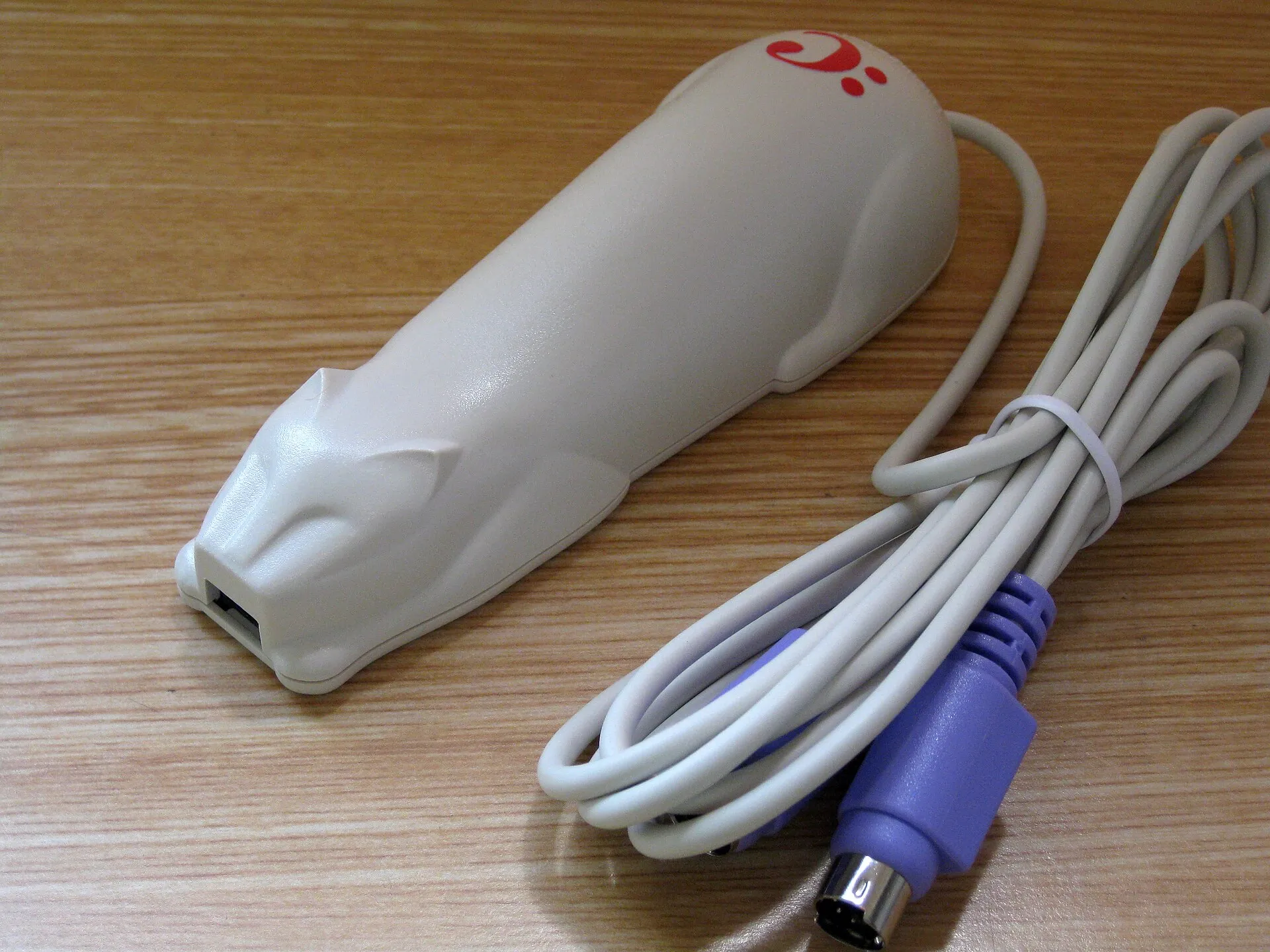
The :CueCat was a barcode scanner that, usually, plugged into a PC’s keyboard port (in those days, that was normally a PS/2 port). A special cable, often called a wedge, was like a Y-cable, allowing you to use your keyboard and the scanner on the same port. The scanner looked like a cat, of course.

However, the :CueCat was not just a generic barcode scanner. It was made to only scan “cues” which were to appear in catalogs, newspapers, and other publications. The idea was that you’d see something in an ad or a catalog, rush to your computer to scan the barcode, and be transported to the retailer’s website to learn more and complete the purchase.

The software could also listen using your sound card for special audio codes that would play on radio or TV commercials and then automatically pop up the associated webpage. So, a piece of software that was reading your keyboard, listening to your room audio at all times, and could inject keystrokes into your computer. What could go wrong?

Advertisement

Of Interest

You might think this was some tiny startup that died with a whimper, but Radio Shack, Forbes, Wired, and several major newspapers were onboard. The :CueCat cost about $6.50 to produce, but most people never bought one. Radio Shack, Forbes, and Wired were giving them away.

The problem is, even free was too high a price for most people. To use the device, you had to register and complete a long survey full of invasive questions. Then the software showed you an ad bar. Digital Convergence had your demographic info, your surfing habits, and knew what you were scanning.

Even then, the scanner solved a non-problem. If you saw something in a Radio Shack catalog, for example, it was probably not so hard to go to their website and search for it by title or stock number. Especially if you were sitting in front of your computer. If you weren’t… well, then, the :CueCat didn’t help you in that case, anyway.

The Next Big Thing?

It is easy to look back on this and think, “What a bad idea?” But Digital Convergence and its investors were in a full-blown media blitz. The video below shows a contemporary demo of the technology.

Advertisement

If you still aren’t sold, look at how happy the woman in the Radio Shack commercial is that she didn’t have to manually search the web for her next phone purchase.

A clip from the Radio Shack 2002 catalog (from RadioShackCatalogs.com)

Problem solved, right? Want to buy that new ham radio? Scan the code, and you don’t have to type “Alinco” into a search box! Even the table of contents in the 2002 RadioShack catalog was festooned with barcodes.

The RadioShack catalog might have been an exception, though. A 2001 issue of Forbes magazine showed sparing use of the barcodes and no obvious ones linking to big advertisers. You would think the advertisers would have been a prime target, even if you had to make deals to get them onboard.

Advertisement

Hackers

Naturally, hacks immediately appeared. Drives from [Pierre-Philippe Coupard] and [Michael Rothwell]  allowed you to use the :CueCat without the invasive software or registration. You could even scan normal barcodes like UPC codes. Radio Shack and others wound up simply giving away $6.50 barcode scanners.

While people were already prickly about the amount of information gathered and the tracking, hackers found a report file on a public server that revealed personal info about 140,000 users — a huge number for the year 2000.

With hackers attacking both the hardware and the company’s website, Digital Convergence had to act. They changed their license, claiming that you didn’t own the scanner and forbidding reverse engineering. There were no real lawsuits, but there were threats and, as you might imagine, that just made things worse.

The Decline

By 2001, there were a very few USB-native :CueCats distributed. But the bad publicity and the lack of usefulness took its toll. By mid-year, most of the 225 employees at Digital Convergence had been let go. Later in the year, the investors decided to stop using the tech entirely.

Advertisement

By 2005, you could buy the now-surplus devices for $0.30 each, as long as you agreed to take 500,000 or more of them. You can still find them on the used market if you look. Open source software is still around that can make them do useful things, but honestly, unless you’re hacking it into a custom hardware setup, your phone is a better barcode scanner.

Hardware

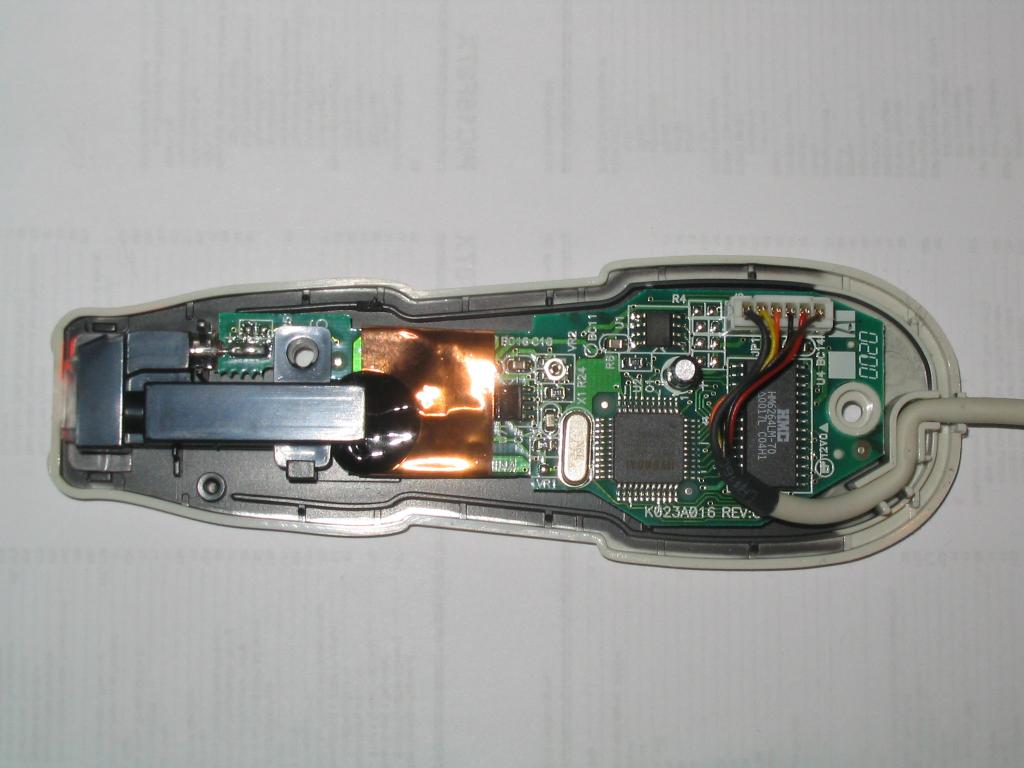
You can still find some of the contemporary teardowns of the :CueCat online. There were, apparently, several revisions of the hardware, but at least one version had a cheap CPU, a serial EEPROM, an 8 KB static RAM, and a handful of small parts. For a free device, the insides looked pretty good.

:CueCat without cover by [Shaddack]

Removing the ID from the device was as easy as removing the EEPROM, although people were less equipped to remove SMD chips in those days. You could also just lift a single pin, which was slightly easier. At least one enterprising hacker added a DIP switch to experiment with the pin settings.

Aftermath

Of course, now we have QR codes. But these are somewhat more private, work with the ubiquitous cell phone, and even then haven’t caught on in the way Digital Convergence had planned.

Was it a good idea? That’s debatable. But giant privacy grabs usually go poorly. Granted, in 2000, that might not have been as obvious as it is today. But it still doesn’t keep companies from finding it out all over again.

Advertisement

Featured image: The :CueCat. Photo by [Jerry Whiting]

Source link

Advertisement
Continue Reading

Trending

Copyright © 2025