
Tech
This search tool will make Windows folks feel at home on Linux

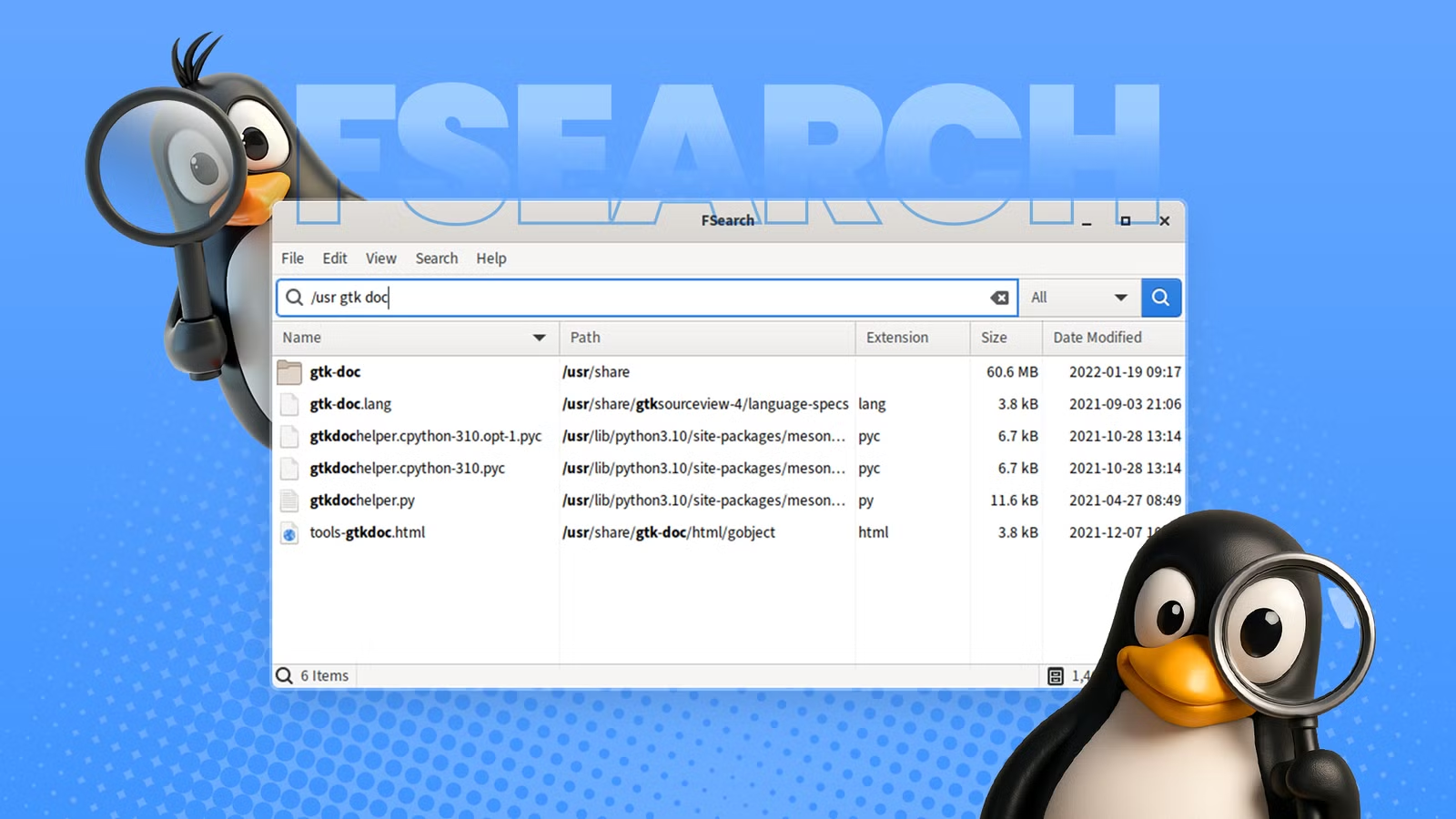
Do you prefer graphical applications? Are you hunting for Windows-like applications after the switch to Linux? Are you on the lookout for a powerful search utility? FSearch is a simple yet promising little utility that’s difficult not to find appealing. I have four reasons why I think you’ll love it.
FSearch is based on a popular Windows search utility called Everything (aka Everything Search). It isn’t complicated, or a resource hog. Nor is it bursting with features; it’s a single-purpose but powerful utility that can stand toe-to-toe with any competitor. It’s a small piece of Windows to take on your Linux journey.

Blazingly fast search
To be successful, an application must perform its primary function remarkably well, and FSearch does a fantastic job. It delivers lightning-fast searches in real time, free of unnecessary clutter and bloat. Whether you’re making normal or specialized queries, FSearch executes them at impressive speeds.

FSearch can discover millions of files in milliseconds. Unlike traditional search queries that require multiple search cycles of review and refinement, it updates results instantly with every keystroke, providing rapid feedback. FSearch brings you closer to your files and makes them more accessible.
FSearch is extremely fast and even has an edge over popular tools like fzf because of its sensible indexing process (covered later).
In computing, an index works much like the index of a book. The alphabetical order lets you estimate where a word appears, making searches faster. Although there are many ways to organize an index in computing, the basic principles are the same.
Focus on what matters
File system searches can be noisy, returning millions of unrelated files. To address that, FSearch allows you to focus on specific directories or classes of files. When combined with instantaneous search results, it’s very effective.
Specifying focused directories is part of the setup process. I recommend setting /home, /etc, /var, and /usr, because they have the most interesting files. If you want to further reduce noisy results, you can also exclude some directories—for example, ~/.cache, which has mostly generated files.

You can focus on specific file classes by simply changing a conveniently placed drop-down menu. I say “file classes” instead of file types because I don’t mean .jpg or .tar; I mean video, audio, images, applications, documents, etc. You can change how these work through the settings.
If you want more advanced search features, FSearch supports both wildcards and Regex.
- Wildcards allow you to replace parts of the search expression with an asterisk (match any chars) or a question mark (match any single character).
- Regex is a more advanced pattern-matching language that’s too in-depth to cover here, but it can represent any search pattern imaginable.
A comfortable and simple UI
Linux may seem complicated and daunting to new users, but that’s not always the case; it has its fair share of user-friendly applications. FSearch is one, and you can learn it in a mere five minutes (like I did). Besides its single-purpose visual interface, it has easy-to-remember keyboard shortcuts. For example, switching between different search modes is simple: hit Ctrl+R to enable Regex, Ctrl+I to enable case sensitivity, and Ctrl+P to open settings.
Overall, the biggest appeal of FSearch is its simplicity. It hides nothing, and there’s very little learning curve.
Rapid and sensible indexing
As stated earlier, an index assists fast lookups. The problem is they take a long time to initialize. The FSearch index takes around one minute to build 1.5 million items and would be a problem for “blazingly fast searching,” except FSearch takes a sensible approach. It’s a small but effective detail; when you start the application, FSearch updates the existing index in the background, letting you search while it works. Outdated items may appear in results for brief periods, but it allows you to search immediately when it starts.
If you’re concerned about outdated results, configuring it to periodically re-index in the background keeps them fresh.
Indexing is the cornerstone of rapid search performance, and FSearch’s streamlined approach provides the snappiest search experience possible. That’s what I like most about FSearch—the laser focus on its primary goal. Do one thing and do it well.

Switching From Windows to Linux: A Step-by-Step Migration Guide
A distro hopper’s guide to migrating from Windows to Linux.
I’m not fond of graphical interfaces, but FSearch has me on the fence. Tools like find and fzf are great, but they often lack indexing capabilities, which sets FSearch apart. An always-present file system index is immensely useful, and FSearch does a fine job. Its lean interface and impressive performance make it an outstanding tool. If you feel more comfortable with graphical interfaces, I can’t think of a better search utility. The installation is straightforward, so there’s no harm in trying it.
I think ex-Windows users stand to benefit the most. An application like this is just what they need to make them feel at home.
To try out FSearch, head over to their installation page and follow the instructions. It’s provided as Copr, PPA, Open Build Service, and AUR packages—which are community-maintained software repositories for Fedora, Ubuntu, Debian/openSUSE/others, and Arch Linux, respectively.



