
Tech
Want a cheap eReader? Buy an old one and swap out the battery

Have you seen the price of new eReaders? Though there’s nothing wrong with treating yourself, especially if you love consuming your books digitally, there are cheaper ways to read eBooks.
Buying a used eReader and swapping out the battery is a cost-effective way to test-run an E-Ink display, get your kids to read more books, or even do fun things that your eReader was never designed to do.
Old eReaders are still worth owning
The newest entry-level Kindle device costs $110 brand new, with the improved Kindle Paperwhite and its glare-free screen coming in at $160. If you go all-out and get yourself a Kindle Colorsoft, which has a color E-Ink display, you’ll pay $250.
-
- Storage
-
16GB
- Weight
-
7.4 oz (211g)
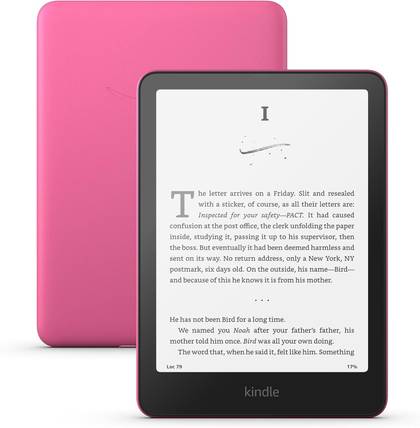
The Kindle Paperwhite 11th Gen brings notable upgrades over its predecessor, including a larger display, an improved lighting system, Warm Light and USB-C.
-

- Storage
-
16GB
- Weight
-
7.6oz (215g)
Amazon’s 16GB Kindle Colorsoft eReader offers a 300 PPI full-color display with an adjustable frontlight and a waterproof design. It’s excellent for readers who love comics, manga, or any other books that contain colorful images.


There’s certainly more to eReaders than Amazon’s range, but there’s no denying that the company is the market leader (and has been since these devices took off). The thing is, eReaders haven’t massively changed since the original Kindle devices first burst onto the scene way back in 2007 (yes, it’s been almost two decades).
That’s not to say that the technology hasn’t improved, but rather that older eReaders are still up to the task of reading books. E-Ink displays will always have that paper-like quality, with excellent battery life in a slim form factor. Books haven’t massively swelled in size either, since text takes up so little space in memory, which means an eReader with a seemingly small capacity isn’t a dealbreaker either.

If you’re happy to forego the sharpest E-Ink screen in favor of one that’s good enough, you can save some serious money. The only catch is that you might need to replace the battery first.
New eReaders are expensive, batteries are cheap
A few weeks ago, I dug an old third-generation Amazon Kindle out of a box in the spare room. Though the case looked a bit dog-eared and pre-loved, the unit underneath is immaculate. The only problem is that I wasn’t able to get the device to boot, regardless of how long I charged it or held down the sliding power button.
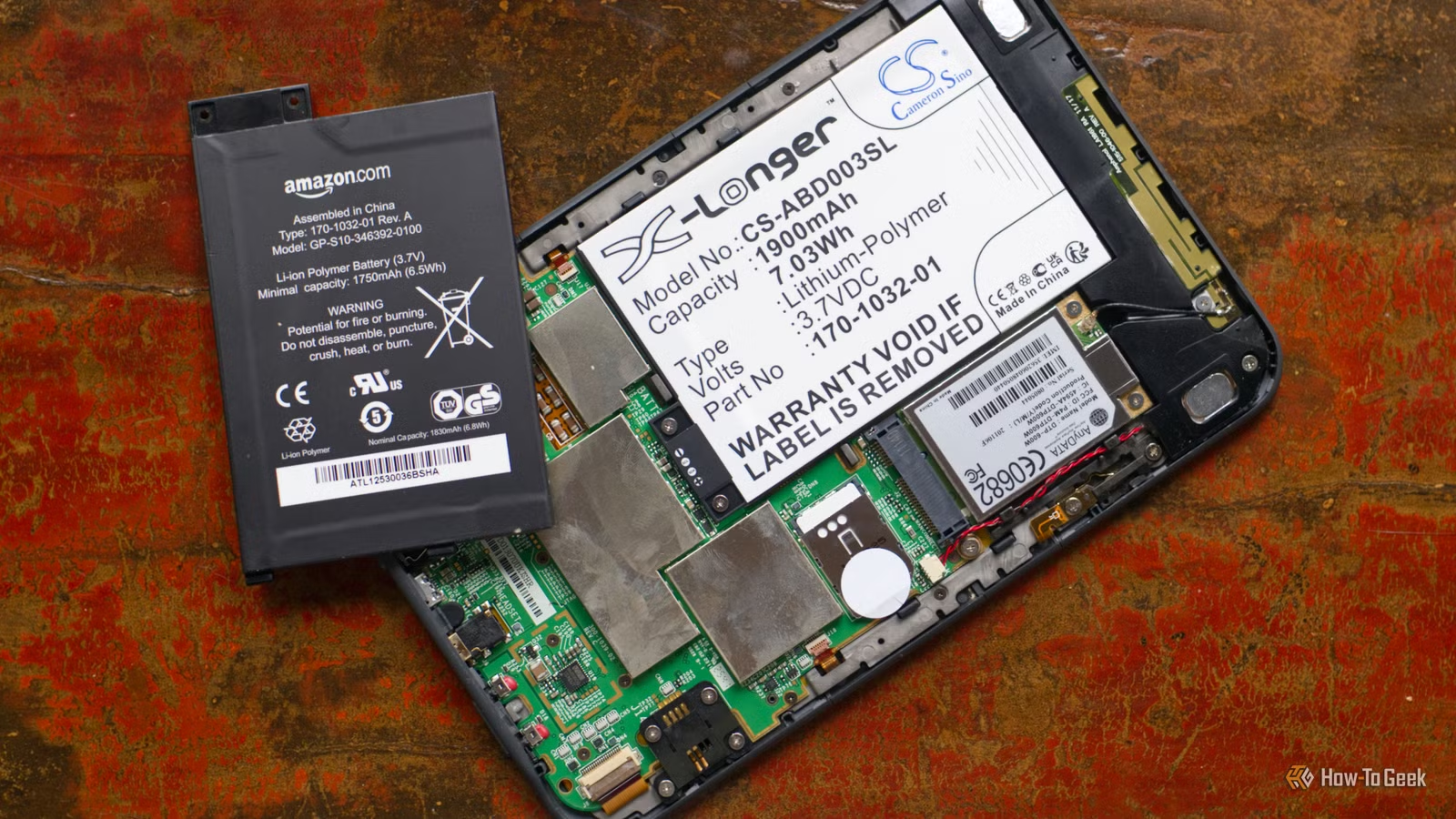
Chalking this up to a failed battery, I jumped online and took a quick look at iFixit to see how much hassle it would be to swap out the cell. Before I ordered, I decided to pry the case off my Kindle and make sure there wasn’t any other damage I should know about. I didn’t have a fancy “spudger” or toolkit, so I used the thinnest piece of sturdy plastic I had near me at the time: a guitar plectrum.

Having found no evidence of a leaking battery or moisture damage, I decided to spend just shy of $15 on a new battery.
Taking a look at the second-hand market, I noticed Kindle models that were only around five years old going for as little as $36. Older models like my third-gen Kindle Keyboard were even cheaper. Even with the cost of a replacement battery, you can get yourself a fully functioning eReader for less than $50 if you’re lucky.
That’s half the price of Amazon’s cheapest model.
Replacing the battery was easy
I’m not massively confident when it comes to performing surgery on my devices, but I had no issues changing the battery in my Kindle. This seems to be the case for most models, with a case that is fairly easy to remove (and reattach when you’re done), and only a few small Philips head screws holding the battery in place.
Before you buy anything, I’d recommend looking up a guide to see exactly what you’re in for. Though you might not need to replace the battery right away, keep in mind that lithium-ion batteries like those found in eReaders and tablets degrade at a fairly rapid pace. If your reader is well-used, the operation is well worth it.

In the case of my retired model, which dates back to 2010 and wouldn’t boot at all, I’m delighted to report that it only took about five minutes of charging before the Kindle sprang back to life. It’s a cheap and cheerful way to get some use out of a perfectly functioning device that was previously gathering dust. I’m not just planning on reading books on it either; I’ve got big plans.
Got a Kindle? You can jailbreak it too
Once you’ve got your hands on a Kindle, it’s time to free it from the shackles of the Amazon ecosystem and jailbreak it. You might associate the term jailbreaking with old Apple devices, but the practice is more applicable to eReaders than iPhones these days.
There are some compelling reasons to jailbreak your Kindle, including being able to change which eBook app you use, browse the web, or use your eReader as a dashboard of sorts.



