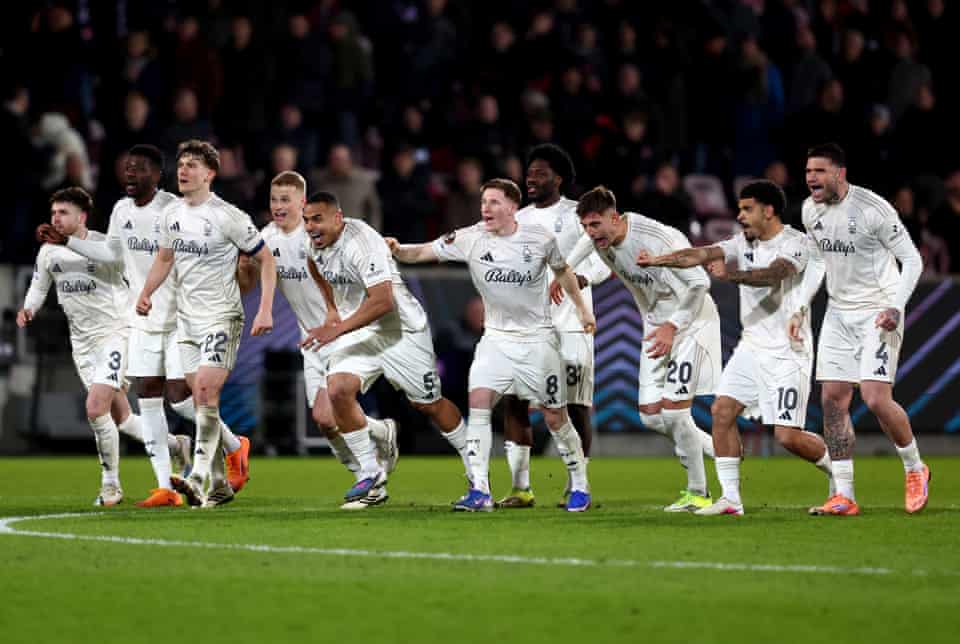
Ola Aina played a key part as Nottingham Forest advanced to the Europa League quarter-finals following a dramatic penalty shootout win over Danish side Midtjylland.
Aina came on as a substitute in the 75th minute, having been rested earlier to keep him fresh for Forest’s important Premier League clash against Tottenham this weekend. His entry helped Forest maintain control and see out the game.
The match ended 2-1 after extra time, sending the tie to penalties, where Forest scored all three of their spot-kicks to secure a 3-0 shootout victory. Early goals from Nicolás Domínguez and captain Ryan Yates had given Forest the advantage on the night, with Martin Erlic briefly pulling one back for Midtjylland.
Advertisement
Ola Aina’s introduction in the second half ensured Forest remained solid at the back while also adding energy going forward. His presence contributed to the team’s composure during the tense final minutes and the decisive penalty shootout.
Forest now turn their attention back to domestic matters as they prepare for Sunday’s Premier League trip to Tottenham, but the win in Denmark gives them confidence in both Europe and the league.
Crimson Desert on PC allows players to pick between controller or mouse and keyboard as the primary input schemes. That said, which is the better option? The answer honestly depends on user preferences, but in this case, the controller is more preferable. This is even though it might seem counterintuitive at first glance.
Here’s all you need to know about using a controller versus a keyboard in Crimson Desert on PC. Read on to know more.
Why controller is better than mouse and keyboard for Crimson Desert on PC
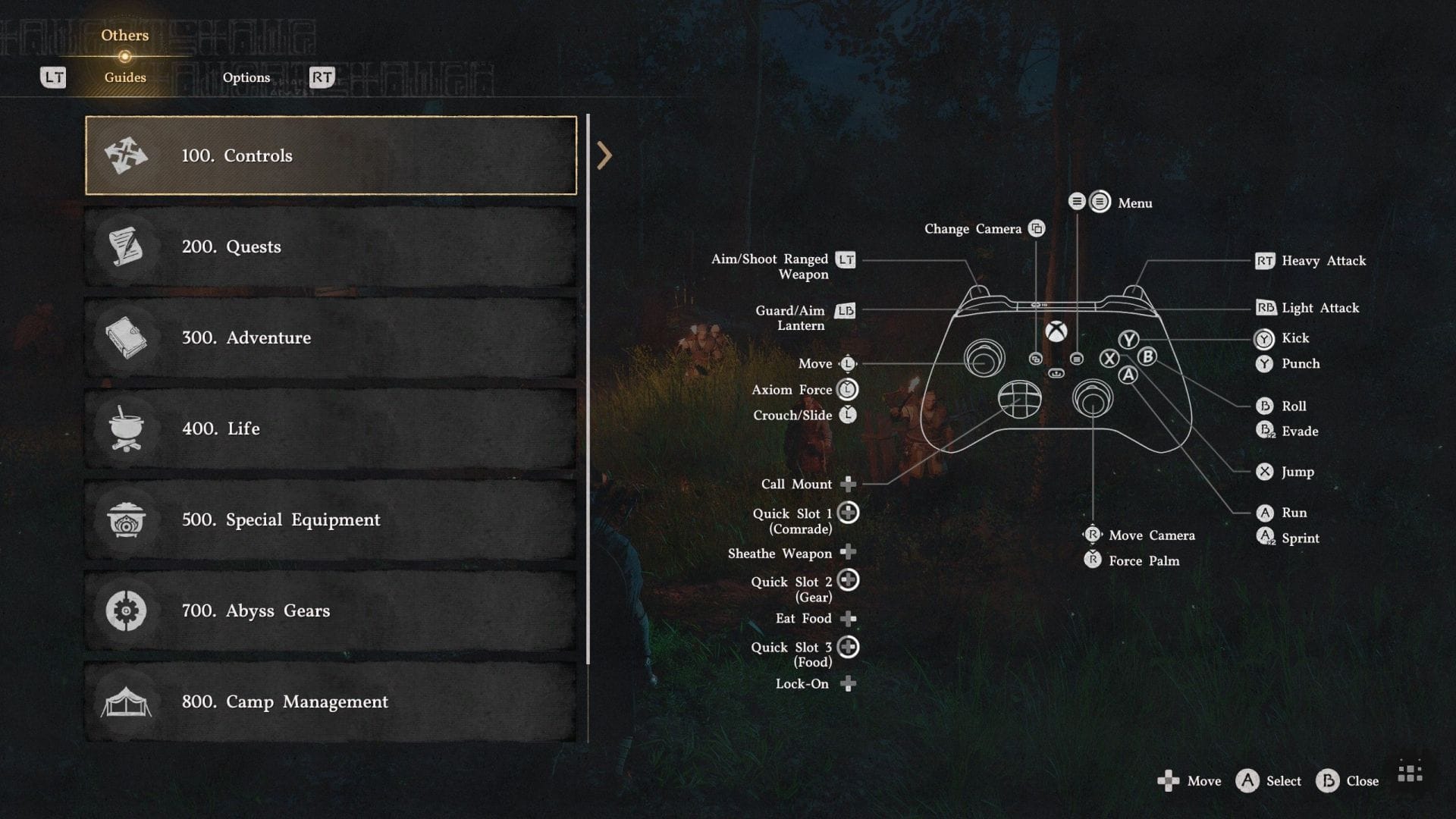
Controller input scheme (Image via Sportskeeda Gaming || Pearl Abyss)
Keyboard & mouse is the staple combo for PC players, largely due to its versatility, thanks to offering several buttons to map controls down to. Crimson Desert is also a complex game, mechanically speaking. As such, several inputs requiring double button presses on the controller are simplified to a single input on keyboard, such as grab. As such, at first glance, it may seem like the keyboard is the way to go.
Advertisement
However, the controller is simply a lot more user-friendly in the long run. This is not just due to better ergonomics, but also because this is a third-person action game. For example, the action combos are easier to input on a controller due to the buttons being easier to reach in the heat of combat.
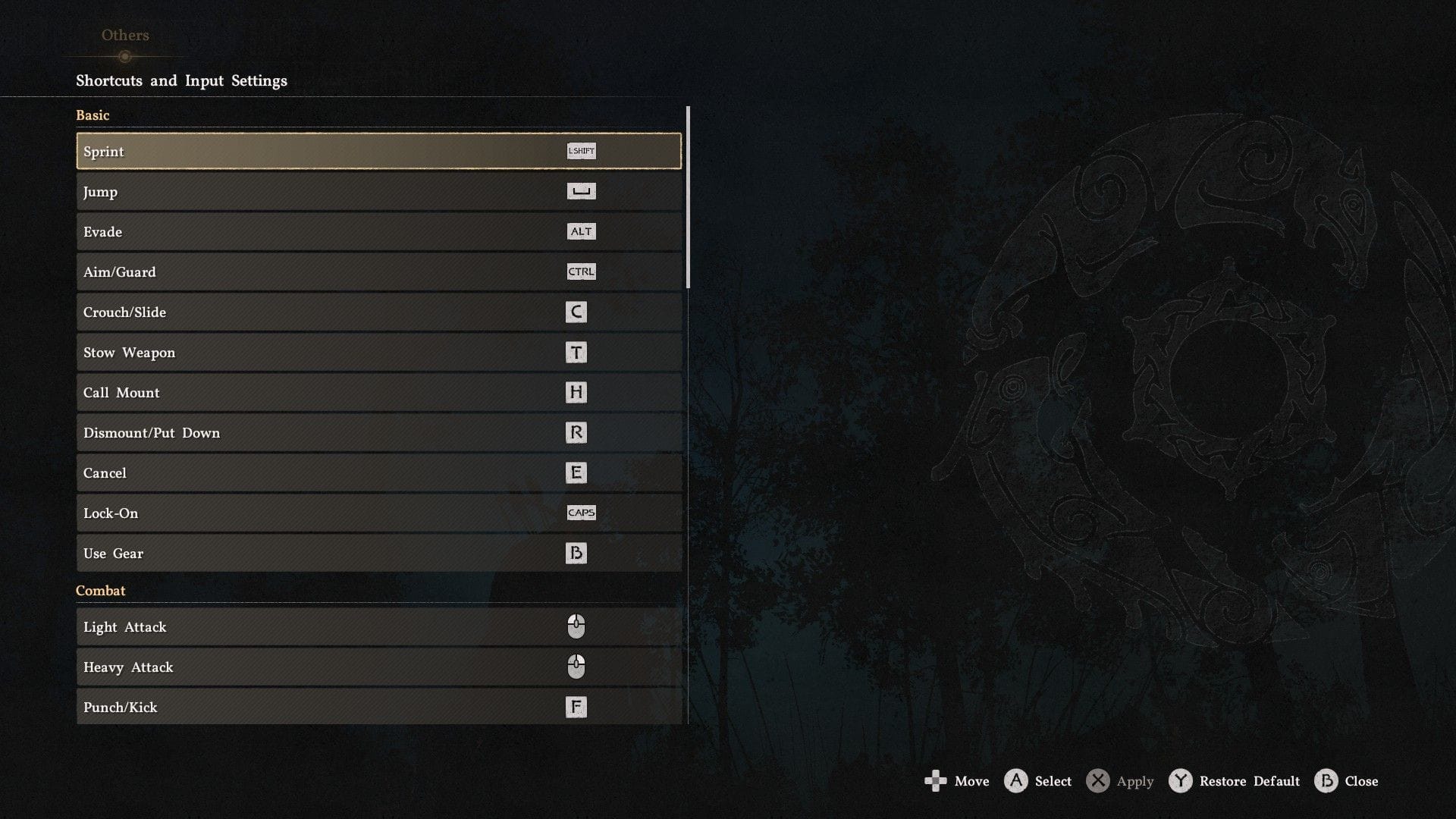
Keyboard controls menu (Image via Sportskeeda Gaming || Pearl Abyss)
This is better than them being separated on PC, as Punch/Kick on keyboard, but Light/Heavy Attack being tied to the mouse, which can be jarring in action. Furthermore, since developer Pearl Abyss has to fit a complex control scheme on a relatively limited set of buttons, the controller scheme has also been better thought out.
The downside here is that players will have to contend with some finicky inputs, especially when trying to press two buttons to perform Grab versus one on the keyboard. Thankfully, Crimson Desert is a massive game, so there will be enough time to get used to these somewhat unorthodox inputs over time.
Check out more articles:
Advertisement
Why did you not like this content?
Advertisement
Was this article helpful?
Thank You for feedback
Are you stuck on today’s Wordle? Our Wordle Solver will help you find the answer.
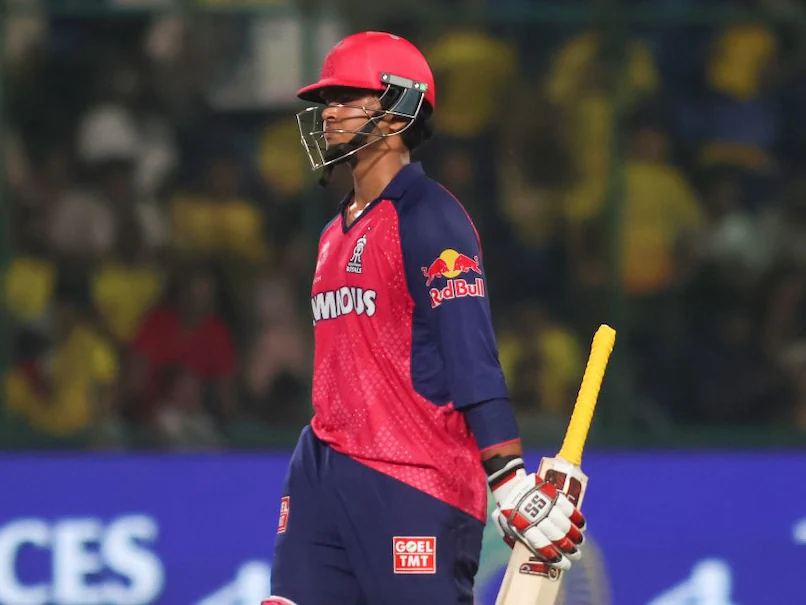
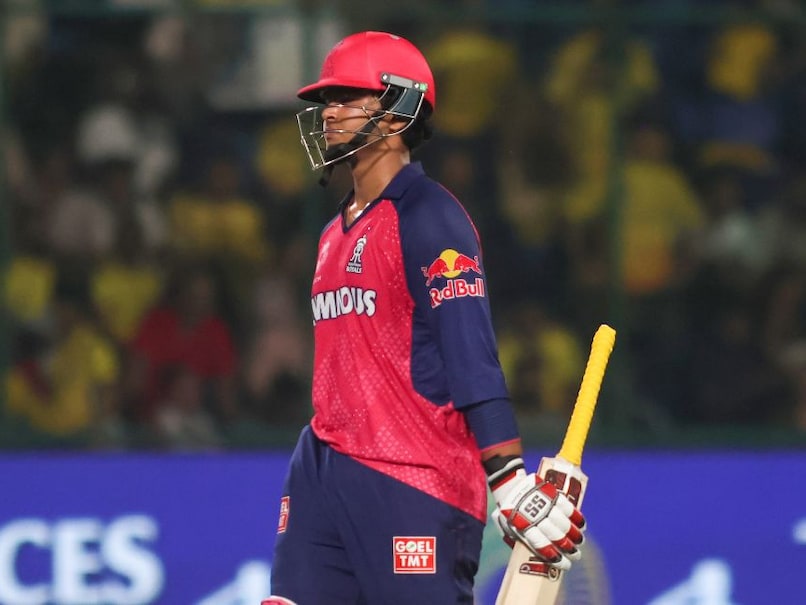
Rajasthan Royals captain Riyan Parag on Thursday said Indian batting prodigy Vaibhav Sooryavanshi should be allowed to enjoy his game without taking any additional pressure in and out of the field. Parag indicated that Sooryavanshi will pair up with India opener Yashasvi Jaiswal in the IPL beginning March 28 and said the 14-year-old should be given his space and time to continue developing in his game without any outside pressure.
“As a captain my message to him would be to not do a lot of press conferences or follow a lot of media,” Parag told reporters during a pre-season press conference.
“Let him just enjoy, which I will request you (media) as well. Do not reach out to his manager or anyone; just let him be. He’s a 15-16 (14) year-old kid, let him play cricket. He’s playing really well and he’s going to make the country proud.” Parag said Sooryavanshi will be given the licence to go all-out from the beginning and his senior partner Jaiswal is well equipped to soak the pressure.
Advertisement
“Of course he will have some pressure coming his way but I am going to tell him that whatever pressure is going to be there, Jaiswal will handle it as he is good enough to handle that role,” Parag said.
“My only message for Vaibhav is to go out and play. If the first ball is meant to be hit, hit it. There’s no issue in that.” “I don’t think any young player has done what he has over the last one year. He is scoring runs everywhere,” Parag added.
Meanwhile, head coach Kumar Sangakkara said he is not too concerned with the Royals not having any member of the Indian side which won the T20 World Cup earlier this month.
“It is what it is. India played amazingly well in the World Cup. I am more interested in the players that we have, rather than the players we don’t have. For me, looking at my squad, there are certainly enough good Indian players, who probably played in both World Cup sides,” he said.
Advertisement
Sangakkara said RR have tried to find more flexibility in the side from the last edition.
“We had to upscale our side in terms a little bit of batting depth, in terms of local spin, in terms of our all-rounders, (and) in terms of more options that we have in the bowling department so that we can also rejig the batting line-up,” he said.
In a pre-season trade, Rajasthan Royals saw their regular skipper Sanju Samson leaving after a 11-year stint with the team for Chennai Super Kings and Ravindra Jadeja coming on board.
“With the trades that we’ve done, with some of the auction buys, we have managed to address the local spin department so that we can then start looking at different options in terms of overseas batters and bowlers and that gives us a little bit more flexibility,” Sangakkara said.
Advertisement
(Except for the headline, this story has not been edited by NDTV staff and is published from a syndicated feed.)
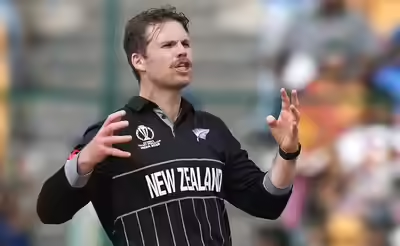
NEW DELHI: Lockie Ferguson will miss the early part of IPL 2026 as he chooses to spend time with his family after recently becoming a father. The fast bowler, who plays for Punjab Kings, is expected to join the squad later in the tournament after taking a short break from cricket.Ferguson explained his decision. “Just had a wee son, trying to spend as much time as I can at home and help my wife out,” he said ahead of the 3rd T20I against New Zealand, as quoted by ESPNCricinfo. “I’ll have a few weeks off after this, before sort of heading to the later stages of the IPL and away for the winter.”
Watch
Shashi Tharoor & Samson’s Redemption Story: From Setbacks to Glory
He had earlier taken only a brief break during the T20 World Cup 2026, spending just a few days with his family before returning to play. Now, he wants a longer rest to balance personal life and cricket. Ferguson said he still enjoys representing the New Zealand national cricket team, adding, “Always a pleasure playing for the Black Caps, really enjoyed my time in India with the group again.” In his absence, Punjab Kings may turn to players like Ben Dwarshuis, along with other pace options in their squad.
Commitment to New Zealand and future goals
Ferguson made it clear he is not stepping away from international cricket. He said, “They thought this was my last game (laughs). No, I’m still very committed to play for New Zealand.”Looking ahead, he is focused on upcoming global tournaments and added, “Looking forward to the next two World Cups, there’s a great opportunity for our squad.” He also mentioned working hard to stay fit and contribute to the team.On the growth of cricket, Ferguson supported the idea of a franchise T20 league in New Zealand, saying, “I think it’s exciting that there’s a prospect at a franchise tournament,” and highlighted the country’s talent and potential to showcase its cricket on a bigger stage.
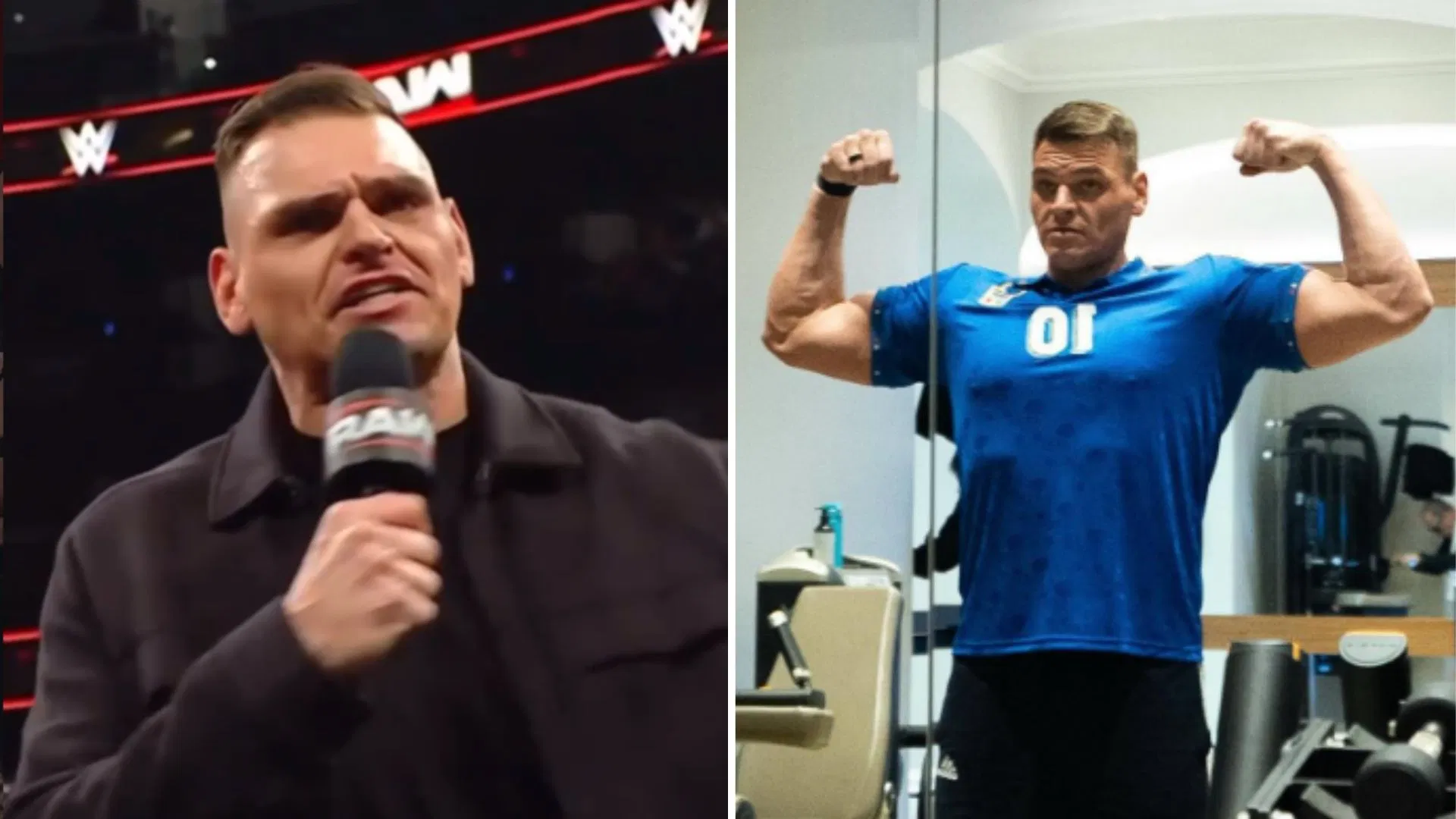
WWE Superstar Gunther recently took to social media to share a photo of his incredible physique. The Ring General also gave himself a new name.
Gunther has become one of the biggest heels in World Wrestling Entertainment in recent years. The former World Heavyweight Champion has now retired three legendary names, including Goldberg, John Cena, and AJ Styles. His latest victim was The Phenomenal One, whom he faced at Royal Rumble 2026. Since then, The Ring General has been in a heated feud with Dragon Lee and is trying to ‘end’ the latter’s career.
Thanks for the submission!
Advertisement
The former Imperium leader recently took to Instagram to share a photo of his incredible physique in the gym. In the post’s caption, he gave himself a new four-word name.
Advertisement
“The divine Career K**ler #Gunther #WWE,” he wrote.
Check out his Instagram post below:
Gunther broke character for WWE legend John Cena
After giving fans a year-long retirement tour, John Cena hung up his wrestling boots after one final match against Gunther at Saturday Night’s Main Event on December 13, 2025. Cena shockingly tapped out to The Ring General’s Sleeper Hold during the bout.
During a candid conversation with Cody Rhodes on his What Do You Wanna Talk About? podcast, Gunther broke his on-screen heel persona to talk about facing Cena in his final ever wrestling match.
The former Imperium leader revealed that December 13 felt more intense to him than competing at WWE WrestleMania.
Advertisement
“That day, strangely, it felt like… it almost felt like more intense than WrestleMania that day,” he said.
Many believe Gunther will end another legendary career this year. It could be none other than Brock Lesnar. Fans have been wanting to see the two stars clash with each other for quite some time. If The Beast Incarnate decides to call it quits in 2026, The Ring General could be the perfect opponent for him.
It remains to be seen what the Triple H-led creative team has planned for the former WWE World Heavyweight Champion’s future.
Why did you not like this content?
Advertisement
Was this article helpful?
Thank You for feedback
Read all the hottest WWE news from Sportskeeda by choosing us as your preferred source. Click HERE.
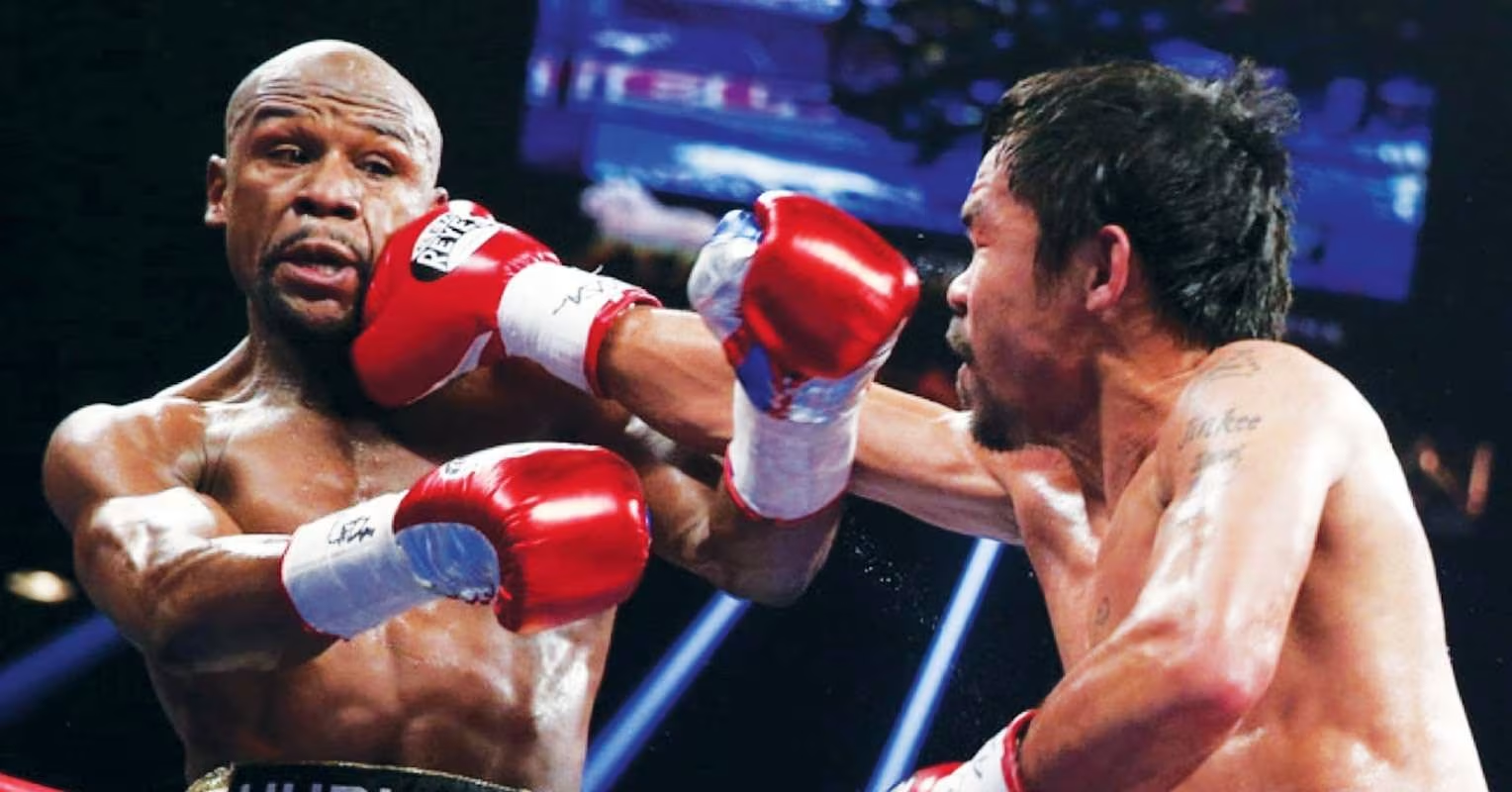
An unbeaten contender who helped Manny Pacquiao prepare for Mario Barrios has offered his take on the Filipino’s rematch with Floyd Mayweather.
Over a decade removed from their first encounter, the two pound-for-pound greats will square off at the Sphere, Las Vegas, on September 19.
As expected, many are favouring the technical brilliance and defensive mastery of Mayweather, especially given the convincing nature of his points victory over ‘Pac Man’ in 2015.
Advertisement
At the age of 49, though, it remains to be seen whether the five-weight world champion is capable of producing a similarly impressive performance.
Back then, Barrios was the defending WBC world welterweight champion, yet Pacquiao gave him all he could handle and arguably deserved to emerge victorious.
One man who shared multiple rounds with the eight-weight world champion during that camp is lightweight prospect Samuel Contreras, who gave the 47-year-old a slight edge against Mayweather in his interview with FightHype.
Advertisement
“I think it’ll be a good fight – they’re around the same age. I’m looking forward to seeing that, and hopefully I’m in [Pacquiao’s] camp again.
“I would go for Manny, not just because I was in camp with him; I just really like how he fights, how [much of] a smart fighter he is and how [much of] a hard worker he is.”
Mayweather’s last professional outing, meanwhile, could hardly be considered a credible fight, given that it ended with a 10th-round finish over Conor McGregor in 2017.
Before that, the American defeated Andre Berto by unanimous decision and is now gearing up to put his 50-0 (27 KOs) record on the line.
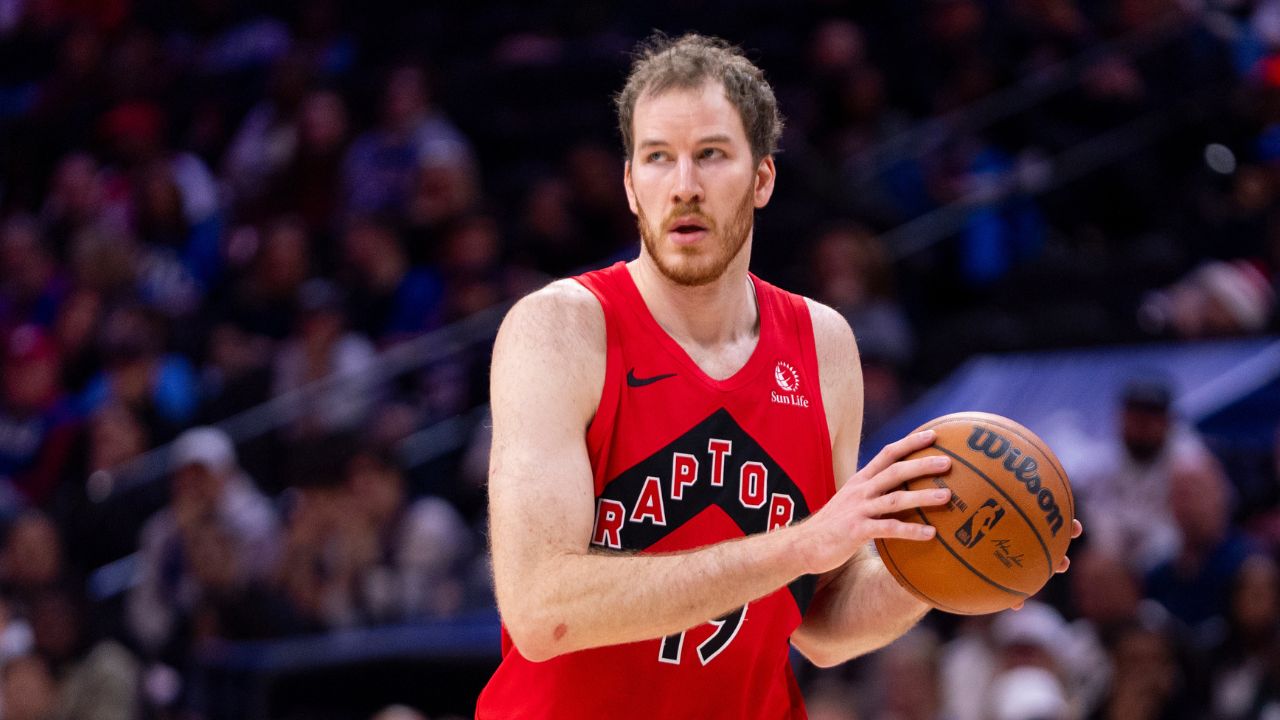
DENVER — To this day, it’s a bit of a mystery to Jakob Poeltl.
“I honestly don’t know for sure myself, like, what caused it,” he said, speaking about his no-longer-troublesome back problems. “But I think it’s more accumulation of time and, like, a bunch of work and …”
And the rest is reflected in a long list of missed games over the course of the 2025-26 season — 33 out of a possible 68, the most games he’s lost to injury in any season over the course of a 10-year career.
But it seems like the worst is behind him now and, not coincidentally, the Toronto Raptors are the beneficiaries. Poeltl will never win style points or draw attention for his speed, power or any other quality that normally gets a second look in the NBA.
Advertisement
But having a smart, agile and efficient seven-footer that understands how to complement his teammates on the floor is a welcome addition to any NBA team and having Poeltl back and in good health is perfectly timed as the Raptors jockey for playoff position in the Eastern Conference.
Over his past 10 games, Poeltl has averaged 12.5 points, 8.6 rebounds, 2.3 assists, 1.3 blocks and a steal while converting 71.1 per cent of his field-goal chances and — as a bonus — 81 per cent of his free throws.
On the surface it’s still a notch behind his 14.5/9.6/2.8/1.2/1.2 on 62.7 per cent line from last season which represented his high-water mark in almost every category and was part of the reason he earned a three-year, $84-million contract extension this past summer that covers him through the 2029-30 season.
But on a per-possession basis, it’s essentially right on par, which bodes well for the future, even if Poeltl is keeping his focus firmly on the present.
Advertisement
For Poeltl, it’s a relief after months of uncertainty. Unlike other injuries, his back problems presented a challenge because the progress wasn’t linear.
“I think the hardest part about it was that there wasn’t a steady timeline,” he said. “With most injuries, you kind of know how long it’s gonna take, and sometimes it takes a bit longer or sometimes it takes a little less time but, generally, you know what the recovery process is.
“But what the time was exactly in this scenario was a big question mark. Like, we almost made up some timelines, kind of hoping that this would be when I would feel better again but, realistically, it wasn’t something that time was just gonna fix. So, I think that was the hardest part.”
But the hardest part seems to be behind him now.
Advertisement
After putting up 36 minutes banging against Pistons all-star Jalen Duren — the chiselled, six-foot-11 22-year-old — Poeltl was arguably the best centre on the floor, at least as indicated by his 21 points, 18 rebounds and five assists (Duren came in at 20 points, 11 rebounds and no assists).
“I felt fine, honestly,” said Poeltl, who hadn’t played 36 minutes in a game since Dec. 1, 2024. “Every game’s a little bit different, like you have different energy and stuff. I felt good on Sunday. Felt fine afterwards. Obviously, after a big game, you feel your body aching a little bit, but I think that’s normal for everybody, so I wasn’t too worried.”
The Raptors win Wednesday over the Chicago Bulls didn’t provide much of a test for the team collectively — 30-point wins over tanking teams shouldn’t — but for Poeltl watchers it was another checkpoint that he passed through easily. He finished with 17 points and eight rebounds on 7-of-10 shooting in 20 minutes, but it was the ease with which he changed ends that stood out.
He got a steal in the third quarter sprinting the floor to catch up with Bulls centre Jalen Smith, getting back in plenty of time to cut off an entry pass. He then immediately took off on a rim run the other way and was rewarded when RJ Barrett hit him for an easy lay-up that he converted while being fouled. He blocked a shot sliding with Bulls forward Matas Buzelis, eventually corralling him at the rim. His final bucket of the game came when he turned the corner on the 26-year-old Smith from above the three-point line and beat him to the rim.
Advertisement
There are bigger tests coming, like on Friday when the Raptors take on Nikola Jokic and the Denver Nuggets.
The three-time MVP looms like the Rocky Mountains, although with much more rounded shoulders.
The Nuggets have won five straight against the Raptors with Jokic in the lineup and are 9-1 against the Raptors in Denver.
Jokic is averaging 28.2 points and 12.6 rebounds along with 10.6 assists — the latter two numbers leading the NBA — on 57.3 per cent shooting so far this season. Since the former second-round pick morphed into a perennial MVP candidate in 2020-21, he’s averaged 27.2 points, 12.3 rebounds and 7.1 assists on 60 per cent shooting against Toronto.
Advertisement
“He’s a very talented guy. Kind of like a Swiss Army knife. He does a lot of different things out there on the court,” said Poeltl. “I think it’s one of those situations where you try to do your best to take him out of his comfort zone, just try to make him work all game long. And you just kind of accept the fact that he’s gonna make some tough buckets. He’s gonna make some tough plays. And for him there is a lot of playmaking as well. But you just try to force as many tough decisions as possible on him. And try to make him make as many mistakes as possible.”
It’s as good a strategy as any given Jokic made a career-high tying 10 turnovers in the Nuggets’ loss to the tanking Memphis Grizzlies on Wednesday, and is averaging a career-worst 3.9 turnovers this season.
And there are some reasons for hope, from a Raptors point of view.
Foremost among them is that the Raptors could have multiple options to use against Jokic. There’s hope that rookie Colin Murray-Boyles could be available Friday night after missing nine games with a left thumb injury that has been bothering him since he got it caught in an opponent’s jersey on Dec. 23, though he has officially been listed as doubtful.
Advertisement
Murray-Boyles gives the Raptors an option who has the quickness and comfortability of playing with him on the perimeter matched with the strength to at least hold his ground when Jokic begins his slow-motion rumbles to the rim. History suggests that resistance might be futile, but Murray-Boyles could at least give Jokic a different look.
“He’s definitely a different kind of player compared to Jak,” said Raptors head coach Darko Rajakovic. “His ability to pressure the ball, his ability to move his feet … he allows us much more switchability and he’s just got a gritty approach to the game. It really helps us. He’s finding ways to get stops, he’s finding ways to get rebounds and he’s really improving with his offence as well.”
However, for all his strengths, Murray-Boyles stands only six-foot-seven, leaving Poeltl as the Raptors’ only player taller than six-foot-nine. Any of the teams the Raptors could realistically meet in the first round of the playoffs have quality size. Without Poeltl, the Raptors quality and size diminishes in an instant.
There are still some long-term concerns about how Poeltl’s contract will age. Presuming he hits his games-played and minutes-played incentives over the life of the deal he’ll be set to earn $27.3 million at age 34, a significant bump from the $19.5 million he’ll earn this year and next. A pricy, aging centre with a wonky back can present a roster-building challenge, which the Raptors experienced at the trade deadline this year when they were unable to find a market for Poeltl in any of the deals they explored.
Advertisement
But for now, that’s a tomorrow problem. For today, Poeltl is healthy and playing well, and the Raptors will need to put considerable load on his shoulders as they pursue a playoff spot in April and anything beyond that.
Minnesota Vikings quarterback Carson Wentz (11) takes the snap at midfield on the NFL shield during first-quarter action on Sep 28, 2025, at Croke Park in Dublin, Ireland, operating the offense against the Pittsburgh Steelers in an international showcase as both teams adjust to the overseas stage and early-game tempo. Mandatory Credit: Kirby Lee-Imagn Images.
The Minnesota Vikings’ leaders said in January that they wanted a deep quarterback room this offseason — and they weren’t kidding. The club re-signed Carson Wentz on Thursday, a move to fill out the QB corps next to Kyler Murray and J.J. McCarthy.
Minnesota now has a proven fallback option with real starting experience.
Wentz will now battle for a QB2 job against McCarthy, though some fringe thinkers believe he even has a chance at the QB1 job.
Advertisement
The Vikings Wanted More Stability behind Murray
The 33-year-old is back.
Minnesota Vikings quarterback Carson Wentz (11) drops back and scans the field during second-half action on Oct 23, 2025, at SoFi Stadium in Inglewood, California, facing pressure from the Los Angeles Chargers defense as he looks to extend the play and find an open receiver downfield. Mandatory Credit: Gary A. Vasquez-Imagn Images.
Wentz Re-Signs in MIN
If you enjoyed Wentz’s five starts in purple and gold last season, you are in luck, and there shall be a sequel.
ESPN’s Kevin Seifert wrote Thursday, “The Minnesota Vikings agreed to terms with quarterback Carson Wentz on a one-year deal Thursday, adding to their depth in a key year for them at the position. Wentz, who started five games last season as the Vikings’ backup, joins a group that includes newcomer Kyler Murray along with incumbents J.J. McCarthy and Max Brosmer.”
Advertisement
“The Vikings have been determined to upgrade the position after injuries and poor performances were largely responsible for them missing the playoffs in 2023 and 2025. Speaking last week after signing Murray, coach Kevin O’Connell declined to name a starter or to discuss in detail his plans for the position. Murray is the heavy favorite to win the job, but the Vikings have not fully given up on McCarthy.”
With Murray, McCarthy, Wentz, and Brosmer in the house, the QB room is totally full.
The 2025 Numbers
Among the 40 quarterbacks with at least 200 dropbacks in 2025, Wentz ranked 25th in EPA per play. McCarthy, by comparison, ranked much lower at 37th — a position typically held by rookies or developing quarterbacks. This disparity was particularly evident in situations requiring sustained drives.
Advertisement
How, then, did the offense function under each quarterback? Wentz prioritized efficiency, relying on quick reads and shorter throws. This approach minimized negative plays, a necessity given the offensive line’s struggles. The running game offered little support, as Aaron Jones played in only one of Wentz’s five starts.
What about scoring? With Wentz at quarterback, Minnesota exceeded 20 points in four of his five starts, including a 48-point performance against Cincinnati. McCarthy reached this mark in only four of his ten starts. While not always seamless, the offense demonstrated greater consistency with Wentz under center.
Wentz completed 65.1% of his passes for 1,216 yards, with six touchdowns and five interceptions. McCarthy, while capable of generating bigger plays through riskier throws, lacked Wentz’s consistent drive-to-drive execution.
Now, the duo might duke it out this summer for the QB2 post.
Advertisement
The Role
Some fans got the notification to their phones that Wentz had re-signed, and they thought: Boom — there’s the QB3. Others interpreted the transaction as an anti-McCarthy maneuver, meaning Wentz was re-signed because O’Connell and his coaching staff don’t even trust the youngster with QB2 duty, let alone the QB1 job, which he held last year.
In all likelihood, because McCarthy faced zero competition for the QB1 job last year, he’ll be pushed to the limit this summer at training camp and in the preseason to hold off Wentz for the QB2 job.
On the other hand, Ben Leber, a former Vikings linebacker, tweeted Thursday that he expected Wentz to win the starter’s job, putting Murray on notice and on track for a QB2 assignment.
Advertisement
Washington Commanders quarterback Carson Wentz (11) stands on the field during pregame warmups on Sep 11, 2022, at FedExField in Landover, Maryland, preparing for a season-opening matchup against the Jacksonville Jaguars as he readies himself for his debut with the franchise. Mandatory Credit: Brad Mills-USA TODAY Sports.
SKOR North‘s Judd Zulgad opined Thursday on Wentz’s upcoming role: “That would leave Wentz as the No. 3 quarterback, and it’s difficult to believe he signed on March 19 to accept a role as the backup to the backup. It’s more likely that Murray will open training camp as the starter with Wentz behind him.”
“The Vikings can’t be blamed for wanting more quarterback depth after what happened last season when injuries to McCarthy and Wentz forced Max Brosmer into taking on a role he wasn’t ready to assume. Privately, the Vikings also could point to the fact that McCarthy wasn’t nearly as ready for the starting job as they had hoped.”
Two QBs Who Grew Up as Fans of the Vikings
Wentz grew up in North Dakota and loved the Vikings as a kid and teenager. He talked at length about the connection when Minnesota signed him last summer. Murray came up in Texas, but for some reason, he also cheered for the Vikings, and he has never been shy about announcing it.
Yes, two guys who were reared by the Adrian Peterson era of Vikings football found their way to the same roster.
Advertisement
Minnesota Vikings quarterback Carson Wentz (11) goes through pregame warmups on Sep 21, 2025, at U.S. Bank Stadium in Minneapolis, Minnesota, focusing on throws and timing as he prepares for a matchup against the Cincinnati Bengals, offering an early glimpse of his routine before stepping onto the field for kickoff. Mandatory Credit: Jeffrey Becker-Imagn Images.
This development is important to mention because free-agent wide receiver Tyreek Hill also rooted for the Vikings as a kid — and Minnesota may need a WR3 this offseason if it doesn’t trust last year’s rookie Tai Felton with the job and doesn’t draft a new wide receiver in April. Jalen Nailor left for the Las Vegas Raiders last week.
Childhood fandom apparently matters in the free-agent decision-making process.
Wentz will turn 34 at the end of December. He is nearing a full recovery from his torn labrum that ended his 2025 season.
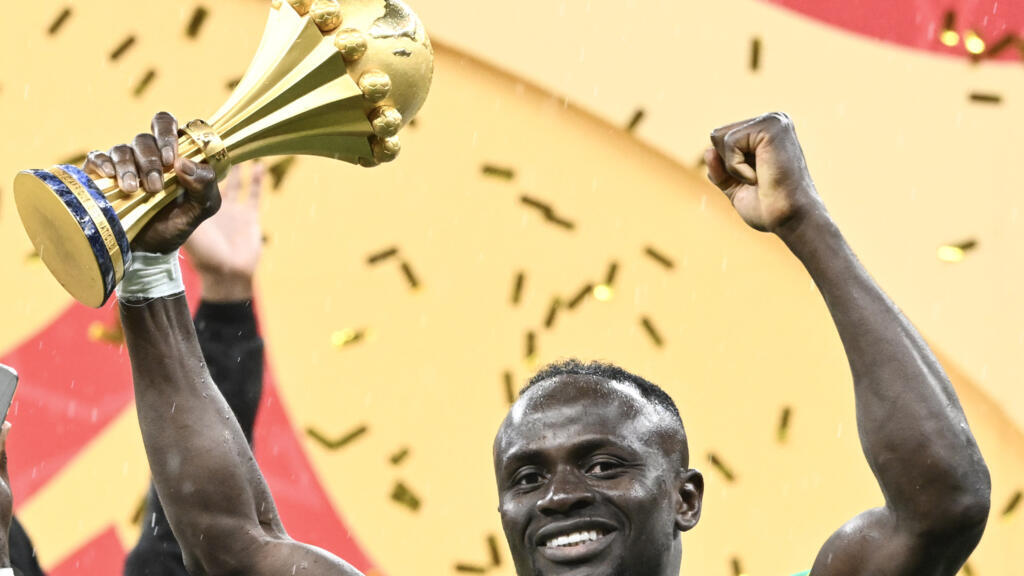
The Senegalese Football Federation announced Thursday it has instructed its lawyers to lodge an appeal to the Court of Arbitration for Sport (CAS) after the national team were stripped of its Africa Cup of Nations title.
“Senegal will remain standing and will legitimately defend this victory on the field which we acquired on the field with the talent of our players”, the federation’s president Abdoulaye Fall told a press conference.
“We have given our lawyers a mandate to pursue this procedure at the level of the Court of Arbitration for Sport”, he added.
The contintent’s showpiece football final, in Rabat on January 18, descended into chaos when several Senegalese players walked off the pitch in protest after the hosts were awarded a penalty late in second-half stoppage time.
Senegal‘s players were coaxed back onto the pitch by captain Sadio Mane, but Morocco missed the penalty. Pape Gueye went on to score the goal in extra time that gave Senegal a 1-0 victory.
CAF said that having studied an appeal by Morocco, “the Senegal national team is declared to have forfeited the match” and the result was “officially recorded as 3-0” in favour of Morocco.
Advertisement
Asked what would happen to the trophy in the meantime, Fall told reporters the team would “comply with the statutory and regulatory provisions of CAF”.
The revocation of the win elicited a strong response from fans in Senegal, where authorities called for an “independent international investigation” into corruption.
In a resolution issued by the federation’s executive committee and read at the press conference, the federation said it would “use all possible legal, institutional and jurisdictional means to assert its rights and restore sporting fairness”.
Senegalese President Bassirou Diomaye Faye appeared in his office in front of the Africa Cup of Nations trophy in a social media post Wednesday, expressing his “outrage” at CAF’s decision.
The Moroccan Football Federation (FRMF), meanwhile has said the decision “upholds the rules and ensures the stability necessary for the smooth running of international competitions.”
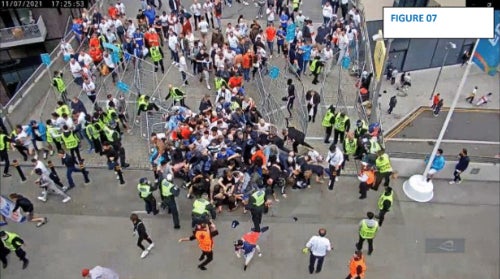
The new legislation follows a review by Baroness Louise Casey, which highlighted that lives were put at risk when thousands of ticketless fans stormed Wembley during the Euro 2020 final.
Offenders now face a five-year football banning order and a fine of up to £1,000.
Baroness Casey’s findings had criticised weak sanctions for stadium breaches and called for tailgating to be criminalised.
Advertisement
Policing minister Sarah Jones told the Press Association: “This is a new piece of legislation and, of course, the police are planning on how to implement it.”
It gives officers “more armoury” to “deter and then respond to people who are disrespecting paying fans by trying to get in without paying themselves”.
Offenders now face a five-year football banning order and a fine of up to £1,000 (Baroness Casey Review/Handout/PA Wire)
She added: “This is something that I don’t think any party could oppose – it cannot be right that some people pay and some people don’t and that people are put at risk, in danger, when people are tailgating.
“So we need there to be an appropriate response and a £1,000 fine or five-year football banning order I think will be a great deterrent.”
Tailgating is when fans get through stadium turnstiles by walking closely behind ticket holders.
Advertisement
There was previously no specific legal penalties for attending a football game without a ticket.
The Unauthorised Entry to Football Matches Act will also make it illegal to knowingly try to enter a match with forged tickets, passes and accreditation documents, as well as by pretending to be a member of stadium or playing staff.
It follows an independent review of the European Championship final held at Wembley in north London on July 11 2021.
Baroness Casey identified more than 20 “near misses” that could have resulted in serious injury or death as a result of ticketless individuals trying to gain entry, and in some cases succeeding, for the England’s match with Italy.
Advertisement
Around 100,000 people travelled to Wembley for the final “of which approximately 2,000 gained entry to the stadium without tickets”, with 17 mass breaches of the gates in the 90 minutes before kick-off until the penalty shootout.
The new laws also come after problems encountered by Liverpool supporters during their Champions League final against Real Madrid in Paris in 2022.
In that instance, authorities were found to be at fault for major problems around the Stade de France despite their attempts to pin the blame on Liverpool supporters.
Several fans were denied entry despite having legitimate tickets for the match, while police also used pepper spray and tear gas.
Advertisement
Manchester City will play Arsenal in the Carabao Cup final on Sunday at 4.30pm.
The first round of the 2026 Valspar Championship presented players with the kind of stern test that’s typical of the Copperhead Course at Innisbrook Resort. Those who went out early had the advantage of playing before the wind started to swirl; among the top 15 on the leaderboard, only four came from the afternoon wave as the weather picked up and caused serious problems.
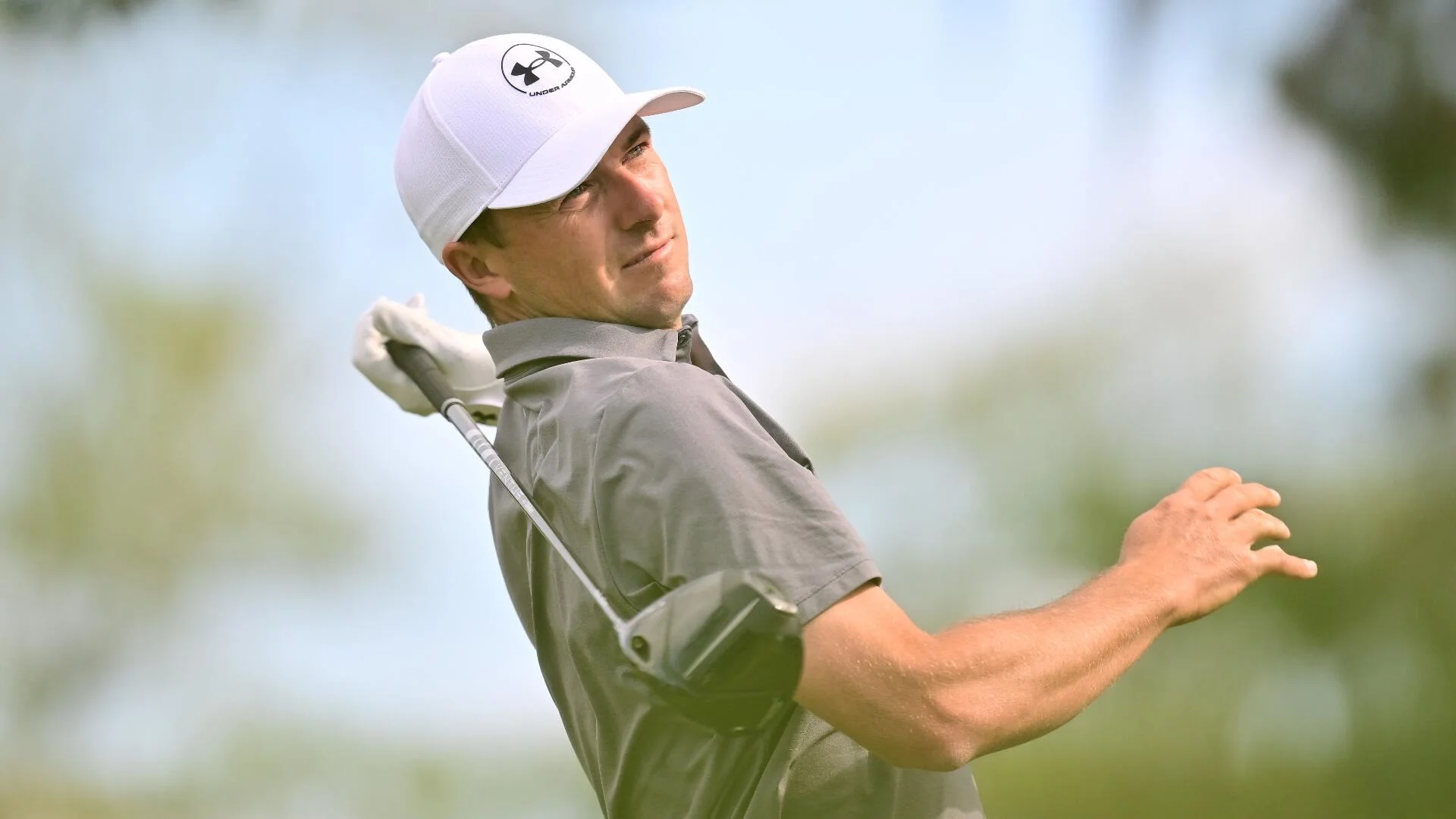
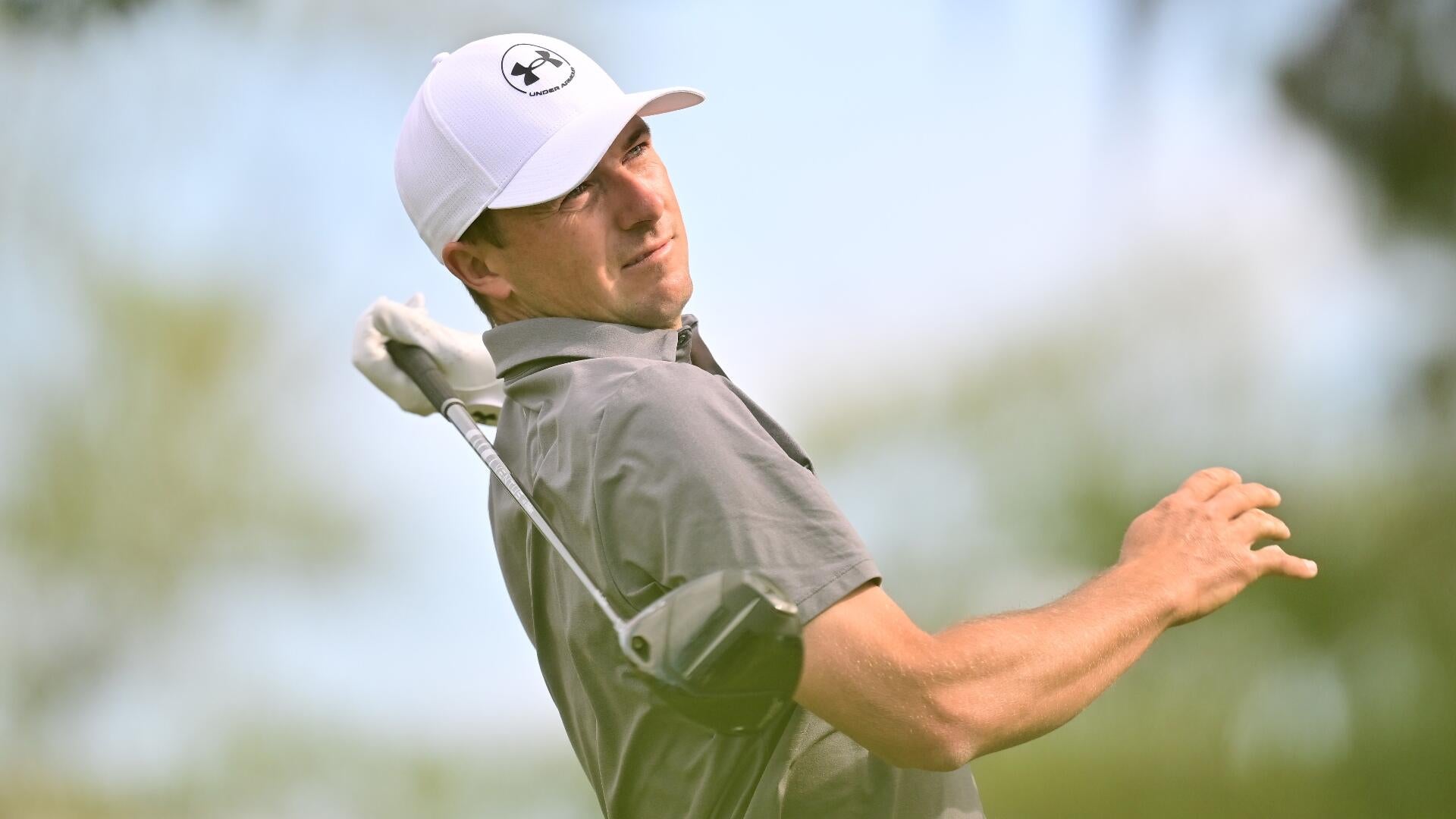
Among those who had to navigate the challenging conditions in the afternoon was Jordan Spieth, who looked like he would put himself in terrific position after the first round. Spieth came out of the gates blazing with an eagle on the first and added three more birdies in the first seven holes to tear up the front nine with a 5-under 31.
However, as the conditions got more challenging, Spieth cooled off some on the back nine. Still, he was able to remain at 5 under after a strong birdie on the par-3 15th. Unfortunately for Spieth, that was where the wheels started to come off as he made a brutal double bogey on the par-4 16th and then closed with a bogey after missing a 5-footer for par on the 18th.
Getting rounds all the way to the clubhouse when he’s got a chance to go low has been an issue for Spieth all season. That was the case in the second round of The Players — when he closed with a double bogey on the par-5 9th after getting red-hot in the middle of his round — and then again this Thursday when he put a 3 wood into the middle of the lake off the tee on No. 16 after getting back to 5 under.
Advertisement
Spieth is still searching for his first win on the PGA Tour since the 2022 RBC Heritage, and his game appears closer to that kind of breakthrough victory than it has been in a few years. However, his issues keeping big numbers off the card persist, and if he’s going to get that elusive 14th PGA Tour victory this week, he’ll have to figure out how to keep a cleaner card on a challenging golf course.
Leader
1. Sungjae Im (-7): After missing the start of the season with a wrist injury, Im fell below the cut at Bay Hill and The Players in his first two starts back on the PGA Tour. The third time appears to be the charm for Im, who caught fire on the Copperhead Course and got back to what he does best: striping irons and playing aggressively. Im led the field in strokes gained on approach on Thursday and paired that with the second-best putting performance in the field, which is always an excellent combination.
As was the case last week with Justin Thomas, the second step after finding your game again after injury is working out how to consistently produce your best. Thomas had a solid but unspectacular weekend after his hot start at The Players, and now it’s time to see whether Im can keep up this pace for the next three days. He probably won’t need to keep firing 64s to win, given winning scores at the Valspar have recently slotted between 10 under and 12 under, but he will need to keep posting solid scores and cannot afford any big steps back.
Contenders
2. Brandt Snedeker (-6) 3. Davis Thompson (-5) T4. Billy Horschel, Pierceson Coody, Andrew Putnam (-4) T7. Xander Schauffele, Matt Fitzpatrick, Jacob Bridgeman and six others (-3) T17. Jordan Spieth, Corey Conners, Tom Kim and 12 others (-2) T37. Viktor Hovland, Patrick Cantlay, Wyndham Clark and 14 others (-1)
Advertisement
Snedeker, a nine-time PGA Tour winner, is the stunner of the group placed on the first page of the leaderboard. His last top 10 in a main-season PGA Tour event was of the backdoor variety at the Memorial last year; he hasn’t won on Tour since 2018 and has missed all four cuts to start 2026. And yet, at one of the most challenging courses on the Tour rotation, he fired an opening 65 to get into solo second. Will he follow up his best round of the season in the afternoon on Friday? Either way, it’s an incredible start for a beloved veteran.
Schauffele’s winless drought isn’t nearly as long as that of Spieth, but he also shot a 3-under 68 on Thursday to put himself in position to contend yet again after a top-five finish at The Players. So far this season, he’s looked much closer to the form that made him a two-time major winner in 2024 than he was last year when injuries derailed his progress and made for a lost campaign.
Schauffele’s ball-striking, which led him to a strong Players performance, seems to have carried over to the other Florida coast this week, as he was second in the field on Thursday in strokes gained on approach. He’s still trying to wake up the putter — 92nd in the first round — but the iron play and tee-to-green performance from Schauffele is encouraging.
Schauffele is tied with Fitzpatrick and Bridgeman at 3 under, as that group features some of the strongest threats going forward.
Advertisement
Conners had perhaps the strangest round of anyone, as he had back-to-back hole-out eagles as he made the turn on No. 18 and No. 1 to reach 5 under but then had his round come apart some and backed up to 2 under.
Anyone in red figures after the first day has to feel pretty solid about their performance, and that includes the defending champion at this event, Viktor Hovland. He got in at 1 under alongside Cantlay, Clark and a host of others, and he will be aiming for another big weekend in the Tampa area.
It’s unlikely Schauffele or Fitzpatrick will go away over the weekend; both present a little value right now. Coody, an elite driver of the golf ball, is another strong option on a course that punishes misses so severely. If he can putt at all this week, he could find himself in serious contention for his first PGA Tour victory.












































You must be logged in to post a comment Login