Microsoft wants to offer the ‘most complete AI and app agent factory’.
Microsoft has released three new AI foundational models, created in-house, in a move that places the company in direct competition with enterprise AI rivals, despite its deep ties with OpenAI.
The new foundational models target three of the most commercially viable modalities: transcription, voice and images. The models are already powering Microsoft’s products, including Copilot, Bing and Azure Speech, the company said, and will be available in a preview via the Microsoft Foundry and MAI Playground.
With this, Microsoft is furthering its goals of delivering “the most complete AI and app agent factory”, it said.
Advertisement
‘MAI-Transcribe-1’ is a first-generation speech recognition model expected to deliver “enterprise-grade accuracy” across 25 languages at around 50pc lower GPU costs than its alternatives. The model scores lower than 4pc average ‘word error rate’ on accuracy benchmarks, while GPT-Transcribe is at 4.2pc and Gemini 3.1 Flash is at 4.9pc.
‘MAI-Voice-1’ is a speech generation model that, according to Microsoft, can produce 60 seconds of expressive audio in under one second on a single GPU.
Together, the two models are meant to deliver an audio AI stack capable of assisting in call-centre workflows and other voice-driven services, such as providing live captioning, automatic subtitling and converting interactions into structured data for research.
Microsoft’s second-generation image model, ‘MAI-Image-2’, is expected to offer artists a way to “explore” different visual directions. The model is created in “close collaboration” with artists, the company said, and is meant to help enterprises create branding and communication material.
Microsoft, valued at $2.7trn, already offers several AI-embedded apps and platform services. Its Copilot Studio lets users build agents, while the Foundry services offer a place to train and scale models.
‘Dead game’ is a term thrown around loosely now. You’ll often hear players say it whenever a game drops a few spots in the Steam concurrent players chart, gets a bad balance update, or makes a change that angers the community. But that’s not what actually makes a game dead.
Dead games usually disappear twice. First when the players leave, and then again when people stop talking about them. The games on this list never really managed the second part.
Not all of these games are “dead” in the exact same way. Some are officially gone. Some are technically still playable but functionally abandoned. Some survive through tiny, stubborn communities that refuse to let go. But with the momentum gone and their future in question, all you’re left with is a strong sense of what could have been. And yet, I still miss them all.
Anthem
What was it about?
Advertisement
Anthem had one of the coolest core fantasies I have ever seen wasted. Flying around in a Javelin felt incredible. The movement had speed, weight, and that rare kind of freedom that instantly made you think, “Okay, this is the fantasy.”
Even now, when people talk about Anthem, that is usually the first thing they bring up. Not the loot. Not the missions. The flying.
Why did it fail?
Advertisement
Because everything around the power fantasy could not support it, Anthem’s trailer had many wondering if it was a narrative-driven story game, but it was released as a live-service game that never really understood the kind of game it wanted to be. The content loop was weak, the gameplay got repetitive fast, and the game never found the long-term support it needed to build on its best idea. Anthem is easy to remember because the foundation is so cool. Though it is a painful reminder that a concept alone is never enough.
Deceive Inc.
What was it about?
In a sea full of multiplayer shooters, Deceive Inc. felt genuinely fresh in a market that rarely rewards experimentation. The whole spy-social-stealth concept was clever, stylish, and different in a way that made it stand out immediately. It was a game with an actual personality instead of the usual formula that revolved around battle royales and hero shooters.
Advertisement
Why did it fail?
Players being clever isn’t always enough to survive. Deceive Inc. never felt like it found the player base it deserved. For multiplayer games, a bit of momentum and a dedicated community are what make it thrive. So once you lose both, recovery gets brutally hard. It also lived in that awkward space where people that played it often seemed to love the idea, but not enough people showed up to keep that idea alive. “How did it never catch on?” is the question we’ve been left with.
Gigantic
What was it about?
Gigantic was one of the best ‘Hero Shooters’ out there. It had style and substance. It looked alive in a way a lot of team-based multiplayer games never do. The art direction, character design, and scale of the matches were all expressive and full of energy. Apart from my uncontested favorite in the genre, this came as a close second. Even the remaster reminds people how distinct the game’s identity really was.
Advertisement
A hero and guardian in Gigantic: Rampage Edition.Gearbox Entertainment
Why did it fail?
Timing, support, and bad luck all seemed to work against it. Gigantic always came across as the game people admired, but from a distance. That is the cruel thing about games like this. A game can be original, stylish, and easy to root for, and the market can still shrug it off. Unfortunately, the Gigantic: Rampage Edition was a relaunch that aimed to bring back the interest, but people had already moved on, and as my friend once put it, “the spark is just not there anymore.”
Titanfall 2
What was it about?
Titanfall 2 is a game that still feels better than half the shooters that came after it. Even as gamers were complaining about the shifting focus of Call of Duty into a movement shooter, the fatigue of this meta helped create a game that leaned heavily into this. A game with in-depth movement mechanics and style. The movement was fast and fluid, the Titans added real spectacle, and the campaign had one of the best level designs of its era. To date, it feels like a game that people bring up with a mix of admiration and frustration since it got so much right.
Respawn Entertainment
Why did it fail?
While its story is a bit similar to the rest of the games on this list, the issues were more nuanced here. Respawn Entertainment released the game between two colossal video game franchise releases, which overshadowed it on launch. Its gruelling mechanics had many of the casual players quit in favor of simpler titles. What made matters worse was that the game was held hostage for years by hackers. There was no support from the studio, which shifted most of its focus to its real money-maker, Apex Legends.
Advertisement
Paladins: Champions of the Realm
Paladins is different from other games on this because I did not just admire it from a distance. I lived in it. I put nearly 3,000 hours into that game, hit the top ranks, and spent enough time with it to see both its brilliance and its mess up close. What made Paladins special was that it always felt more flexible, more chaotic, and honestly, more creative than people gave it credit for.
The champions had personality, the card and loadout system let you shape your playstyle in ways other hero shooters did not. The whole thing had scrappy energy that made it feel alive even when it was barely being held together. This game is also the reason I decided to make this list of all the great games we’ve lost.
Why did it fail?
Advertisement
Paladins was never allowed to be as great as it could have been. It was plagued by bugs, weird balancing, uneven support, and the constant uphill battle of living in the shadows of Overwatch. But what hurts that most is that Paladins did not die because nobody cared; it faded while people still cared. The small but strong community held out as Hi-Rez suffered from severe mismanagement. Over time, the controversial changes, lack of support, and bugs forced many players to quit.
(Shout out to GreatDivide for the Cassie clip.)
The game still gets around 2000 players on a good day, with the community supporting it and carrying it longer than most dead games ever get carried. All of these games stay with me for different reasons. Some were wasted potential. Some were mistimed. Some just never found enough people.
Advertisement
A dead game does not stay in your head this long, unless it got something very right.
A new report dubbed “BrowserGate” warns that Microsoft’s LinkedIn is using hidden JavaScript scripts on its website to scan visitors’ browsers for installed extensions and collect device data.
According to a report by Fairlinked e.V., which claims to be an association of commercial LinkedIn users, Microsoft’s platform injects JavaScript into user sessions that checks for thousands of browser extensions and links the results to identifiable user profiles.
The author claims that this behavior is used to collect sensitive personal and corporate information, as LinkedIn accounts are tied to real identities, employers, and job roles.
“LinkedIn scans for over 200 products that directly compete with its own sales tools, including Apollo, Lusha, and ZoomInfo. Because LinkedIn knows each user’s employer, it can map which companies use which competitor products. It is extracting the customer lists of thousands of software companies from their users’ browsers without anyone’s knowledge,’ the report says.
Advertisement
“Then it uses what it finds. LinkedIn has already sent enforcement threats to users of third-party tools, using data obtained through this covert scanning to identify its targets.”
BleepingComputer has independently confirmed part of these claims through our own testing, during which we observed a JavaScript file with a randomized filename being loaded by LinkedIn’s website.
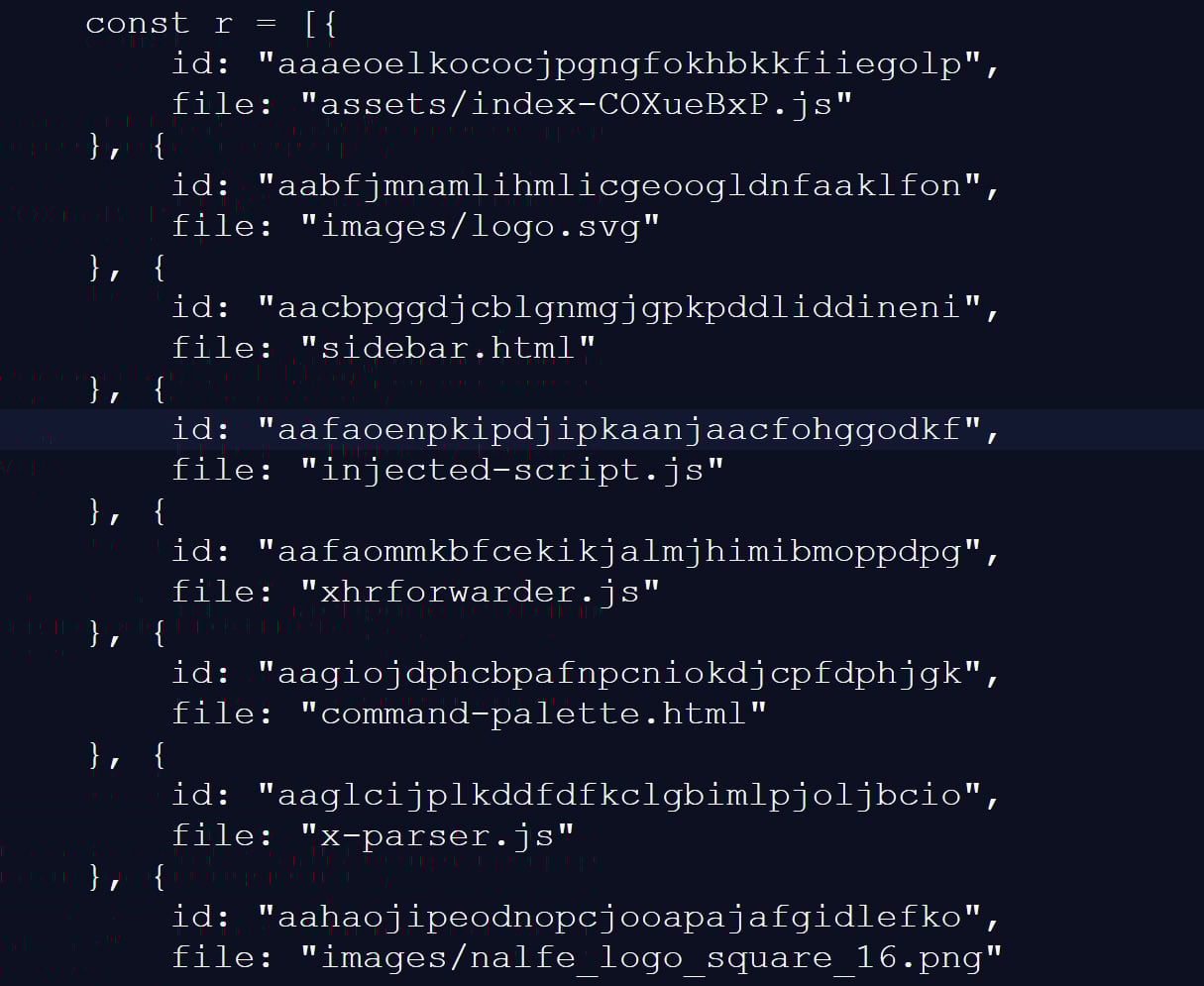
This script checked for 6,236 browser extensions by attempting to access file resources associated with a specific extension ID, a known technique for detecting whether extensions are installed.
This fingerprinting script was previously reported in 2025, but it was only detecting approximately 2,000 extensions at that time. A different GitHub repository from two months ago shows 3,000 extensions being detected, demonstrating that the number of detected extensions continues to grow.
Advertisement
Snippet of the list of extensions scanned for by LinkedIn’s script Source: BleepingComputer
While many of the extensions that are scanned for are related to LinkedIn, the script also strangely detected language and grammar extensions, tools for tax professionals, and other seemingly unrelated features.
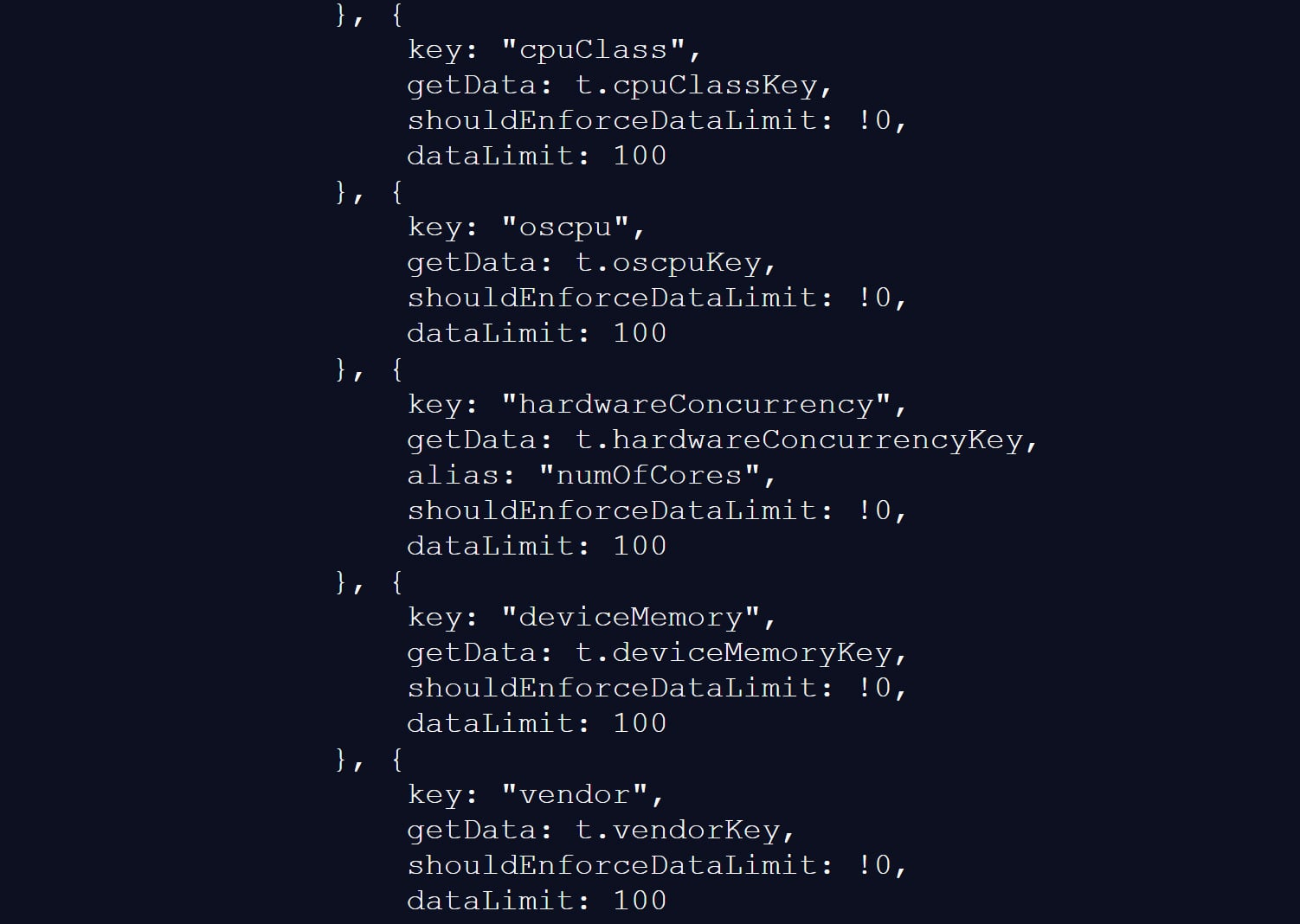
The script also collects a wide range of browser and device data, including CPU core count, available memory, screen resolution, timezone, language settings, battery status, audio information, and storage features.
Gathering information about visitors’ devices Source: BleepingComputer
BleepingComputer could not verify the claims in the BrowserGate report about the use of the data or whether it is shared with third-party companies.
However, similar fingerprinting techniques have been used in the past to build unique browser profiles, which can enable tracking users across websites.
LinkedIn denies data use allegations
LinkedIn does not dispute that it detects specific browser extensions, telling BleepingComputer that the info is used to protect the platform and its users.
However, the company claims the report is from someone whose account was banned for scraping LinkedIn content and violating the site’s terms of use.
Advertisement
“The claims made on the website linked here are plain wrong. The person behind them is subject to an account restriction for scraping and other violations of LinkedIn’s Terms of Service.
To protect the privacy of our members, their data, and to ensure site stability, we do look for extensions that scrape data without members’ consent or otherwise violate LinkedIn’s Terms of Service.
Here’s why: some extensions have static resources (images, javascript) available to inject into our webpages. We can detect the presence of these extensions by checking if that static resource URL exists. This detection is visible inside the Chrome developer console. We use this data to determine which extensions violate our terms, to inform and improve our technical defenses, and to understand why a member account might be fetching an inordinate amount of other members’ data, which at scale, impacts site stability. We do not use this data to infer sensitive information about members.
For additional context, in retaliation for this website owner’s account restriction, they attempted to obtain an injunction in Germany, alleging LinkedIn had violated various laws. The court ruled against them and found their claims against LinkedIn had no merit, and in fact, this individual’s own data practices ran afoul of the law.
Advertisement
Unfortunately, this is a case of an individual who lost in the court of law, but is seeking to re-litigate in the court of public opinion without regard for accuracy.”
❖ LinkedIn
LinkedIn claims the BrowserGate report stems from a dispute involving the developer of a LinkedIn-related browser extension called “Teamfluence,” which LinkedIn says it restricted for violating the platform’s terms.
In documents shared with BleepingComputer, a German court denied the developer’s request for a preliminary injunction, finding that LinkedIn’s actions did not constitute unlawful obstruction or discrimination.
Advertisement
The court also found that automated data collection alone could infringe upon LinkedIn’s terms of use and that it was entitled to block the accounts to protect its platform.
LinkedIn argues the BrowserGate report is an attempt to re-litigate that dispute publicly.
Regardless of the reasons for the report, one point is undisputed.
LinkedIn’s site uses a fingerprinting script that detects over 6,000 extensions running in a Chromium browser, along with other data about a visitor’s system.
Advertisement
This is not the first time that companies have used aggressive fingerprinting scripts to detect programs running on a visitor’s device.
While eBay never confirmed why they were using these scripts, it was widely believed that they were used to block fraud on compromised devices.
It was later discovered that numerous other companies were using the same fingerprinting script, including Citibank, TD Bank, Ameriprise, Chick-fil-A, Lendup, BeachBody, Equifax IQ connect, TIAA-CREF, Sky, GumTree, and WePay.
Advertisement
Automated pentesting proves the path exists. BAS proves whether your controls stop it. Most teams run one without the other.
This whitepaper maps six validation surfaces, shows where coverage ends, and provides practitioners with three diagnostic questions for any tool evaluation.
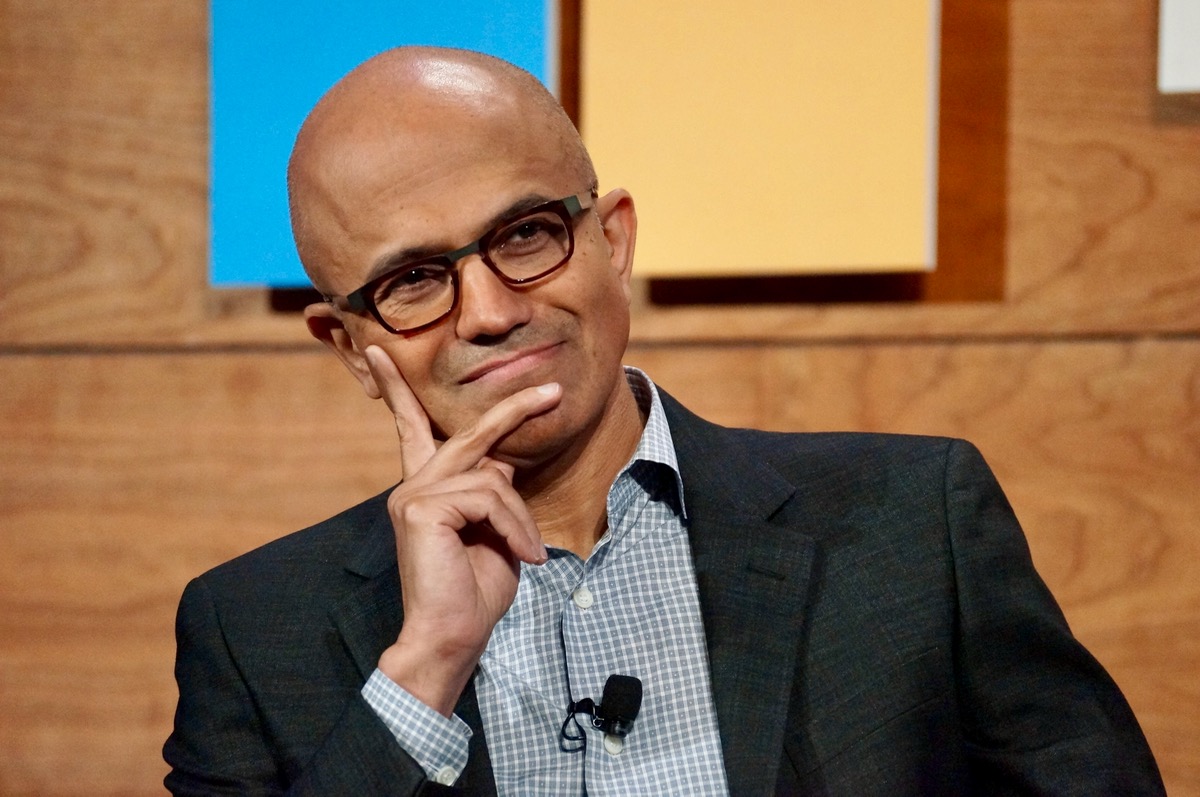
Satya Nadella in November 2016, in his honeymoon period as Microsoft CEO. (GeekWire File Photo)
[Editor’s Note: We’re excited to welcome Mary Jo Foley as a GeekWire contributor. Mary Jo has been one of the sharpest watchers of Microsoft for many years, currently as Editor in Chief at Directions on Microsoft, an IT planning and advisory service. She’ll be offering her take for GeekWire periodically on the latest developments in Redmond, starting with this piece.]
Reorgs are a way of life at Microsoft. But the pace of them over the last couple of months has led many to wonder what the heck is happening in Redmond — especially when coupled with the company’s stock price having its worst quarter in years.
During the past couple of months, Microsoft has made a noticeable number of organizational changes:
Is this just the usual Microsoft fiscal-year-end housekeeping, or is something different? A blip that will pass, or a new AI-centric reality for the Satya Nadella era?
It’s a mix of both, I’d argue.
The current wave of churn, at least in part, can be attributed to Microsoft’s corporate calendar. Its fourth quarter ends June 30 and new fiscal year kicks off on July 1. Microsoft often reorgs and does layoffs in the months leading up to this as a way to reset for the coming year.
Advertisement
The company also is taking actions to reduce hierarchy and make the corporate structure flatter, as are a number of tech companies, in the hopes of becoming nimbler.
A year ago, Chief Financial Officer Amy Hood proclaimed that Microsoft was “increasing our agility by reducing layers with fewer managers.” With moves like replacing 35-year veteran Executive Vice President Jha with a new gang of four, rather than just another single uber-boss, Microsoft is following through on those promises.
It’s not all mundane matters at play, however.
Thanks to AI, the way companies are prioritizing and following through on their strategies is different. Microsoft isn’t immune to the market’s jitters around capex overspending on AI when ROI still remains questionable. Its no-longer-exclusive partnership with OpenAI has people inside and outside the company worried, too, as does the fact that a whopping 45 percent of its unfulfilled Azure backlog last quarter was attributable to OpenAI.
Advertisement
Investor pressure on the company to keep its Azure business growing during a time of admitted capacity challenges also can’t be dismissed as contributing to the current churn. As a result, Microsoft travel budgets, new-hire spending, and investments in unproven areas are all on the chopping block.
Almost nothing (except towels, maybe) is immune from scrutiny with the goal of freeing up more dollars to pay for AI and cloud build-out.
But those reasons alone may not be enough to explain why Microsoft is looking like the least magnificent of the so-called Magnificent Seven tech leaders right now.
Microsoft continues to struggle in the consumer space, and not just with Xbox. Most of the company’s revenues have been and continue to be from sales to commercial customers. That consumer weakness is especially apparent when it comes to AI.
Advertisement
Microsoft recently disclosed only 3 percent of its Microsoft 365 customers are paying for Microsoft 365 Copilot. But its adoption rate for its consumer Copilot is even worse, and far lower than the rates for OpenAI’s ChatGPT and Google Gemini.
Suleyman’s reassignment came later than some expected (and hoped), given the starts and stops with Microsoft’s consumer AI efforts. Mico, a ghost-like Clippy wannabe, seems to be in limbo. Microsoft’s push to make voice one of the main ways users interact with AI on their PCs, when people don’t talk to PCs like they do phones, seems to be falling flat.
Meanwhile, the Windows organization is trying to right the ship by backing out of some of its over-zealous AI plans. Instead of trying to force AI into Notepad and Photos, execs said they instead will focus on some top consumer requests, ranging from taskbar customization, to adding the ability to pause updates at will.
Advertisement
Microsoft shows no signs of giving up on the consumer space. Maybe new blood will find new ways to harness the company’s enterprise tactics to boost its consumer share? If not, there’s always the next reorg. …
A British political adviser’s stolen iPhone leads to a scandal, pro athletes fall for an iCloud scam, and iCloud evidence is used against a man accused of stalking the FBI director’s girlfriend, all in this week’s Apple Crime Blotter.
The Alderwood Apple Store in Washington. Image Credit: Apple
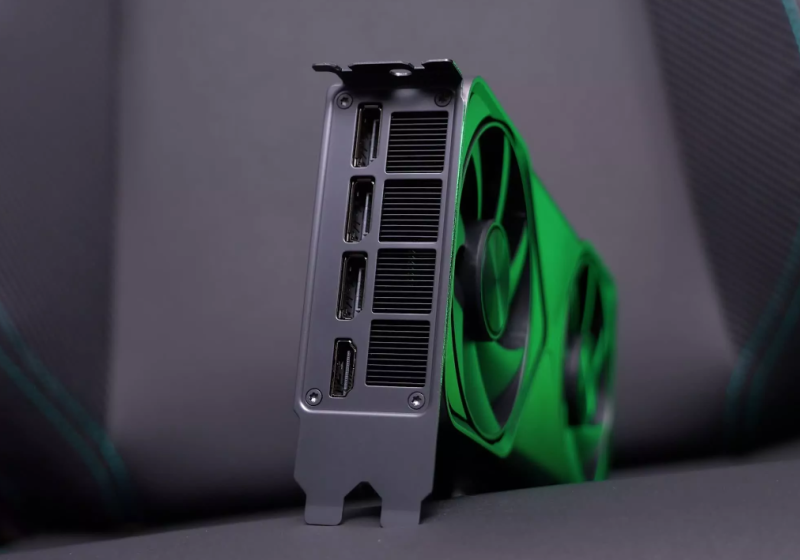
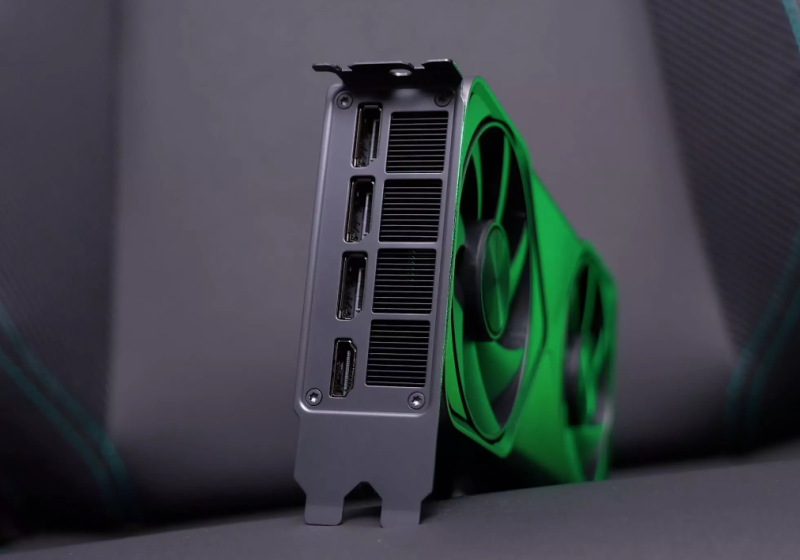
A study from researchers at UNC Chapel Hill and Georgia Tech shows that GDDR6-based Rowhammer attacks can grant kernel-level access to Linux systems equipped with GPUs based on Nvidia’s Ampere and Ada Lovelace architectures. The vulnerability appears significantly more severe than what was outlined in a paper last year. Read Entire Article Source link
The Congressional Medal of Honor is the United States’ highest award for military valor. In its more than 150-year history, only 3,552 individuals have received it. Originally conceived as a way to honor enlisted seamen and marines who performed distinguished acts of service during the Civil War, the medal now honors service members who distinguish themselves “conspicuously by gallantry and intrepidity at the risk of his life above and beyond the call of duty.”
The medal was awarded much more frequently before World War I, with that time period accounting for almost 3,000 of the total awards. World War I, during which almost 5 million Americans served in uniform, resulted in only 121 Medal of Honor recipients. Some were awarded posthumously, but one recipient, Frank Crilley, was honored in 1929.
Crilley joined the United States Navy in 1900, when he was only 16 years old. By 1915, he was a Chief Gunner’s Mate in the experimental diving team, a renowned but dangerous position. A WWI U.S. Navy submarine, the USS F-4, sank in March of that year with all 21 crewmen aboard. This was the first American submarine lost at sea, and the Navy wanted to raise F-4 from its final resting place just off the coast of Honolulu, Hawaii to find out what went wrong. It turned to Frank Crilley for help. To complete the mission, Crilley dove more than 300 feet down to the sub — which is 170 feet deeper than a recreational diver can get today.
Advertisement
Frank Crilley was honored for his bravery in a diving mission
Majordesigns/Getty Images
Frank Crilley made his first dive to the USS F-4 in mid-April 1915 along with four other divers. They brought a recompression chamber and a physician, along with the standard diving gear, with them. Crilley hit 304 feet on that dive, a depth record that stood for a quarter of a century. The sub was found upright on the ocean floor, and cables would be required to raise the sub. This process was a challenge because it took three hours to descend and ascend from that depth.
During a subsequent dive, one of Crilley’s fellow teammates, William K. Loughman, became tangled when a ground swell caused the sub to turn over. He was stuck at about 275 feet, and Crilley volunteered for a rescue mission. After more than two hours in the depths, Crilley emerged with his teammate alive. Eventually, the Navy managed to raise F-4 and found that it sank due to corrosion of the lead lining of the battery tank, which eventually led to a loss of depth control.
Advertisement
Crilley had a long career with the Navy and was awarded the Medal of Honor in 1929, 14 years after his heroic rescue. Several other service members have received the Medal of Honor for deep diving, including Owen Hammerberg, who engaged in rescue operations after an incident in Pearl Harbor in 1945, almost four years after the Japanese attack on the naval base. Hammerberg, who rescued two fellow divers that were trapped during a salvage operation, received the award posthumously after he died.
Device code phishing attacks that abuse the OAuth 2.0 Device Authorization Grant flow to hijack accounts have surged more than 37 times this year.
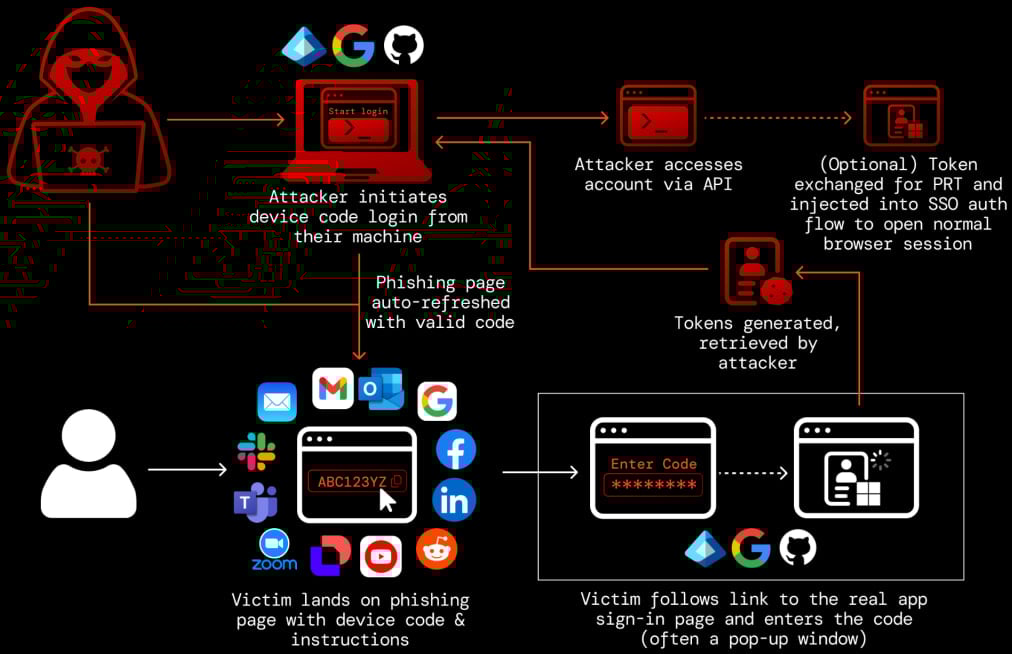
In this type of attack, the threat actor sends a device authorization request to a service provider and receives a code, which is sent to the victim under various pretexts.
Next, the victim is tricked into entering the code on the legitimate login page, thus authorizing the attacker’s device to access the account through valid access and refresh tokens.
This flow was designed to simplify connecting devices that do not have accessible input options (e.g., IoT devices, printers, streaming devices, and smart TVs).
Advertisement
Device code phishing flow Source: Push Security
The device code phishing technique was first documented in 2020, but malicious exploitation was recorded a few years later, and has been used by both state-hackers and financially-motivated ones [1, 2, 3, 4].
Researchers at Push Security observed a massive increase in the use of these attacks, warning that they have been widely adopted by cybercriminals.
“At the start of March (2026), we’d observed a 15x increase in device code phishing pages detected by our research team this year, with multiple kits and campaigns being tracked — with the kit now identified as EvilTokens the most prominent. That figure has now risen to 37.5x.” – Push Security
Earlier this week, threat detection and response company Sekoia published research on the EvilTokens phishing-as-a-service (PhaaS) operation. The researchers underline that it is a prominent example of a phishing kit that “democratizes” device code phishing, making it available to low-skilled cybercriminals.
Push agrees that EvilTokens has been a major driver of the technique’s mainstream adoption, but notes that there are several other platforms competing on the same market, which could become more prominent in the event of law enforcement disrupting EvilTokens:
Advertisement
VENOM – A closed-source PhaaS kit offering both device code phishing and AiTM capabilities. Its device code component appears to be an EvilTokens clone.
SHAREFILE – A kit themed around Citrix ShareFile document transfers, using node-based backend endpoints to simulate file sharing and trigger device code flows.
CLURE – A kit using rotating API endpoints and an anti-bot gate, with SharePoint-themed lures and backend infrastructure on DigitalOcean.
LINKID – A kit leveraging Cloudflare challenge pages and self-hosted APIs, using Microsoft Teams and Adobe-themed lures.
AUTHOV – A workers.dev-hosted kit using popup-based device code entry and Adobe document-sharing lures.
DOCUPOLL – A kit hosted on GitHub Pages and workers.dev that mimics DocuSign workflows, including injected replicas of real pages.
FLOW_TOKEN – A workers.dev-hosted kit using Tencent Cloud backend infrastructure, with HR and DocuSign-themed lures and popup-based flows.
PAPRIKA – An AWS S3–hosted kit using Microsoft login clone pages with Office 365 branding and a fake Okta footer.
DCSTATUS – A minimal kit with generic Microsoft 365 “Secure Access” lures and limited visible infrastructure markers.
DOLCE – A Microsoft PowerApps-hosted kit with Dolce & Gabbana–themed lures, likely a one-off or red-team-style implementation rather than widely used.
It should be noted that other than Venom and EvilTokens, the names of the other phishing kits were given by Push researchers to track the malicious activity.
Push Security also published a video showing how the DOCUPOLL kit works. The threat actor uses DocuSign branding and a lure for an alleged contract, asking the victim to sign into the Microsoft Office application.
In total, there are at least 11 phishing kits offering cybercriminals this type of attack, all using realistic SaaS-themed lures, anti-bot protections, and abusing cloud platforms for hosting.
To block device-code phishing attacks, Push Security suggests that users disable the flow when not needed by setting conditional access policies on their accounts.
Advertisement
It is also recommended to monitor logs for unexpected device code authentication events, unusual IP addresses, and sessions.
Automated pentesting proves the path exists. BAS proves whether your controls stop it. Most teams run one without the other.
This whitepaper maps six validation surfaces, shows where coverage ends, and provides practitioners with three diagnostic questions for any tool evaluation.
Amazon Leo and Delta Air Lines announced a deal Tuesday for satellite-powered in-flight Wi-Fi starting in 2028. (Amazon Photo)
Amazon Leo has landed its highest-profile customer yet, reaching a deal with Delta Air Lines to provide satellite-powered Wi-Fi on 500 aircraft starting in 2028.
The agreement, announced Tuesday, gives Amazon’s fledgling satellite internet venture a big new partner as it races to catch up with SpaceX’s Starlink, the rival service that has deals in place with United, Southwest and Alaska Airlines.
Amazon has about 200 satellites in space, vs. more than 10,000 for Starlink, which began commercial service in late 2020, and now has more than 10 million subscribers.
In an interview with the Wall Street Journal, Amazon CEO Andy Jassy called Leo a “very important long-term investment” for the company and said he’s confident Amazon will have the capacity to serve Delta and other customers.
Leo is expected to deliver internet speeds three to five times faster than what Delta currently offers. Each aircraft will be equipped with an antenna capable of download speeds up to 1 Gbps, according to Amazon. The service will be free for Delta SkyMiles members.
Advertisement
Delta reportedly looked into Starlink but chose Amazon in part because of its existing relationship with Amazon Web Services. Delta uses AWS to power a variety of its current internal systems.
Originally known as Project Kuiper, Amazon’s satellite initiative was rebranded as Leo in November, a reference to low Earth orbit.
Delta is Leo’s biggest airline customer but not its first. JetBlue last year became the first carrier to sign on for in-flight Wi-Fi through Amazon’s satellite network. Other early customers and partners include L3Harris, DIRECTV Latin America, Sky Brasil, and Australia’s NBN Co.
Have you noticed? We are entering a new era of wearables, as the screen-free tracker trend picks up the pace.
Everyone from Fitbit (an official tracker teased by Steph Curry) to Garmin (leaked information on the in-development Garmin Cirqa) has one cooking. These lifestyle wearables won’t pull your attention away with flashing notifications. And they will record your daily stats and exercise sessions while demanding no intervention at all.
While there are plenty more in-development, let’s take a look at the best of the bunch out there right now. Whoop has become the best-known name in this area and is, miraculously, a decade into its existence. Some other compelling contenders have finally entered the field, though, including the Polar Loop and Amazfit Helio Strap.
Advertisement
Article continues below
Similar concept, different approach. Whoop has matured from an athlete-first wearable to a general lifestyle guide, with a highly-polished app that makes swathes of complex information easy to digest. On the other hand, the Polar Loop is a stylish and stripped-back wearable out to court those looking to get away from constant screen use. Crucially, it’s cheaper than the Whoop with no subscription fee.
And the Amazfit Helio Strap? It is by far the most affordable of the trio, being cheaper again than the Polar Loop. The design isn’t flashy, but it is not short on features. Let’s dig in further.
Advertisement
Price and availability
(Image credit: Max Delaney / TechRadar)
The Polar Loop and Amazfit Helio Strap are a reaction to the success of Whoop. But they’re based around a totally different kind of business model.
When you buy a Whoop you join one of three memberships, dubbed One ($149 / £169 / AU$249), Peak ($239 / £229 / AU$399) and Life ($359 / £349 / AU$599). That includes either a Whoop 4.0/5.0 or Whoop MG band, and a year’s access to the respective service plan — you pay more, you get more advanced data.
Sign up for breaking news, reviews, opinion, top tech deals, and more.
Advertisement
Once the year’s up, you’ll need to fork out for another year, or pay a monthly subscription depending on your desired tier: $25 for Whoop One, $30 for Peak or $40 for Whoop Life (available in “select renewal scenarios” according to Whoop).
There’s none of that nonsense with the Polar and Amazfit options. A Polar Loop costs $199, the Amazfit Helio Strap just $99.99. And there’s no obligation to pay more after that, and you can access all your core stats without a subscription. Bliss.
Of course, this being 2026 there are still premium subscriptions on offer from both Polar and Amazfit. Polar has the €9.99 euro Fitness Program (around $11.50 / £8.50 / AU$16) , but as it provides training plans it’s really a better fit for a hardcore Polar fitness watch than the Polar Loop. Amazfit offers the Zepp Aura Premium subscription, at $11.99 (around £9 / AU$17 a month) or $69.99 (around £55 / AU$100) for the year. Its focus is on sleep and wellness, and provides many soundscapes to help you get some rest. It’s neat, but not really necessary for most Helio Strap owners.
Winner: Amazfit Helio Strap
Design
(Image credit: Future / Andrew Williams)
Whoop set the standard for screen-less wearable styling in 2015 with its first band, and very little has changed design-wise since then. The Amazfit and Polar wearables take a similar approach. There’s effectively a fitness tracker ‘brain’, sensor array and a Bluetooth chip attached to a fabric strap, sending information to your phone.
Whoop actually claims the Polar design is too close to its own, having sued the company on that very point. Tech brands sue each other at every possible opportunity, though, and these three are clearly not clones of one another.
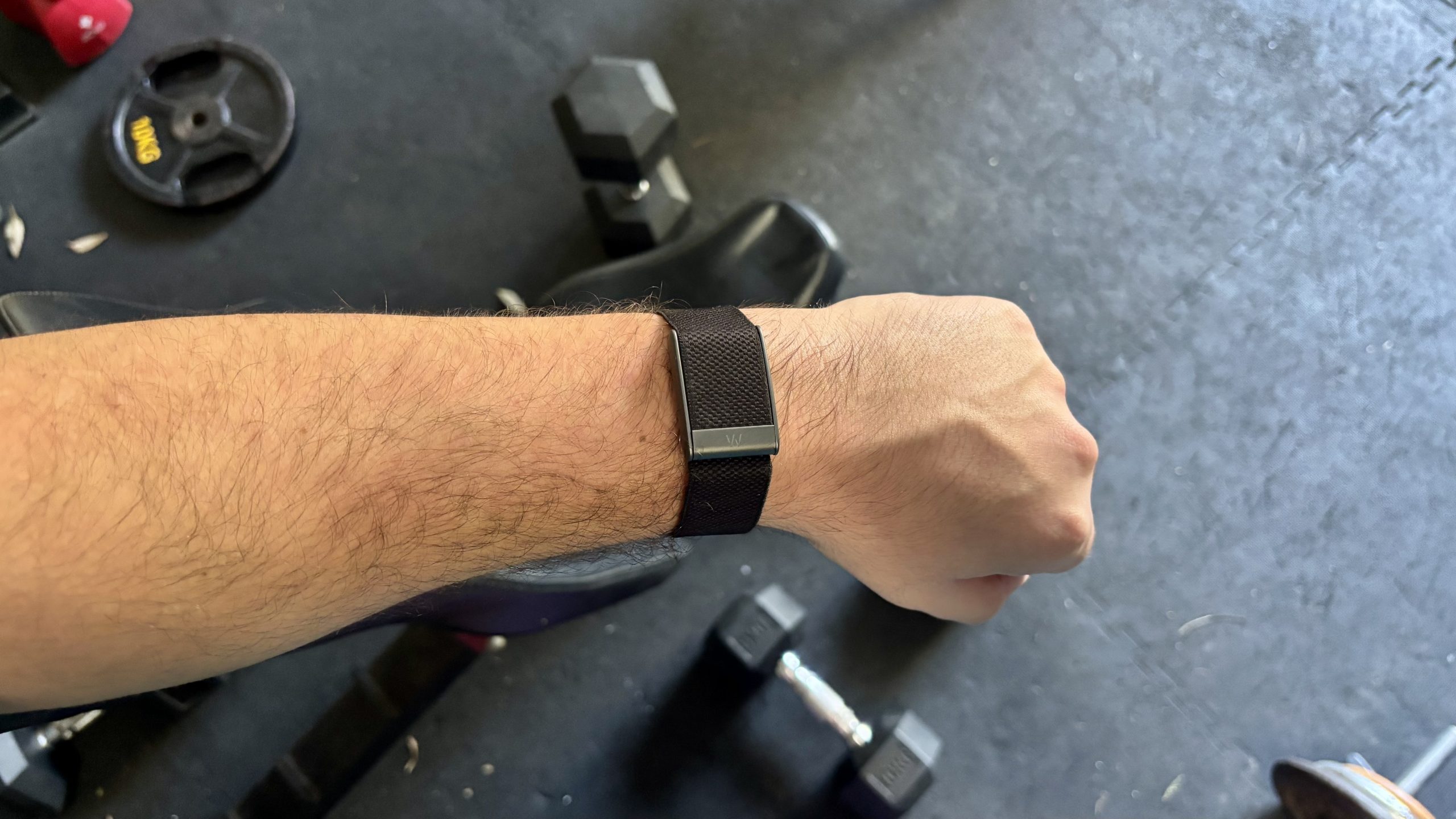
Their designs also give clues as to their three personalities — after a fashion — which bleeds through into their feature list too. The Polar Loop is the least hardcore of the trio, and has the look to match. The mottled fabric finish and metal accents throughout suggest Polar thinks people care about style as well as functionality. It weighs 29g including strap. Not heavy.
Whoop’s Band 5.0 continues the series’s signature style, as pretty much the only recognisable screen-free tracker these days. It too is part-metal with a fabric strap, and weighs 29g.
Advertisement
While it’s the classic screen-free wearable, we are not actually massive fans of one key element, the clasp. Its grip is not all that firm, and has a habit of coming undone by itself which is very annoying. This extends to its more premium sibling the Whoop MG, which we pointed out in our Whoop MG review.
The Amazfit Helio Strap is a little different. Its almost all-plastic design brings weight down to a super-low 20g. This makes it “disappear” on the wrist while wearing it, at least from the wearer’s own perception of additional weight. And while it has the plainest basic design of the three, it’s also available in a Hyrox edition with a luminous highlighter-yellow patch up top.
All three bands have effectively fairly similar water resistance. All are OK for pool swimming, but shouldn’t be used for scuba diving or anything similar. A Whoop 5.0 is rated at IP68, and for submersion at up to 10m depth. Polar rates the Loop at WR30, for “bathing and swimming” but not snorkelling or diving. The Amazfit Helio Strap has a 5ATM rating, which is the norm these days for all but the toughest wearables. It’s a case of three different standards that end up in the same place: you don’t have to take these wearables off to shower, or when at the swimming pool.
Advertisement
Features
(Image credit: Future / Andrew Williams)
The Helio Strap’s sporty design is the best clue as to what the Amazfit wearable is about. It’s positioned as the most fitness–driven of the three bands in the way the companion Zepp app presents data has more of a focus on workouts versus rest and recovery. It uses an Amazfit-created stat called Biocharge, which offsets exertion against sleep and rest quality.
The wearable’s image is that of a tool for busy folks who might realistically be at risk of overtraining if they don’t watch their training load. But it will also do the job as an all-round lighter fitness tracker.
Despite Amazfit’s Zepp Aura Premium being all about wellness and relaxation, there’s less sense of long-term holistic health tracking here. You do get a VO2 Max reading, which is handy for long-term fitness tracking. But the impression the software gives is more of a classic exercise-first fitness tracker, just without the display.
It does have a couple of neat extras not always seen in these screenless wearables, though. The Amazfit Helio Strap has a vibrate motor, for timers, alarms and “find my device” emergencies. It can also live-share its heart rate data with other devices that support the feature, which is useful.
Advertisement
Deeper insight is all part of the Whoop pitch, and part of why it claims to be worth a chunky paid ongoing subscription.
Subscribe to the mid-tier Peak Whoop membership or above and you get stats like your Whoop Age, as well as the Strain score supplied across all three of Whoop’s plans. There’s menstrual cycling tracking too, made possible using a skin temperature sensor.
Or to go all-out, the Life membership adds blood pressure observations and ECG, although this involves using a completely different Whoop MG wearable (it looks similar, admittedly). With that plan you end up paying an awful lot for stats some more conventional wearables do as standard, though, such as the best Garmin watches.
The Polar experience is a bit less focused than that of Whoop or Amazfit. In the Polar Flow app you see “cards” based on your recent activity, and of key stats the band has recorded.
Advertisement
There are zero extras here, though. The Polar Loop won’t share its heart rate readings, and doesn’t have a vibration motor. There’s no skin temperature sensor either, which rules out features like menstrual cycle tracking.
Performance
(Image credit: Getty Images / David Gray / Whoop)
The Polar Loop, Amazfit Helio Strap and Whoop 5.0 may come across as part of a newly-popular category, but their sensor hardware is just like that of other wearables. All the stats rely on an optical heart rate sensor (which uses LEDs to estimate heart rate from information taken from your wrist) , motion sensors to determine movement and estimate step count, and for the WHOOP Band 5.0, a skin temperature sensor.
I compared the results of these screen-less trackers with one of the better Garmin watches out there, the Garmin Venu 4, which uses Garmin’s latest Elevate V5 heart rate sensor. We’ve tested this against top-of-the-range watches including the Apple Watch Ultra 3, as well as a Polar H10 chest strap, to determine accuracy, and have no qualms about the validity of the Garmin’s readings.
Advertisement
The results for heart rate tracking were commendably similar between the Garmin and the three other wearables we’re testing against. When peak heart rate results for automatically-tracked with the Amazfit Helio Strap and Polar Loop were typically within 2bpm of those of the Garmin Venu 4. And with early 2026 firmware, there were no obvious classic optical heart rate issues such as the first few minutes of a workout having entirely inaccurate readings, which often happens when the wearable struggles to tell the difference between your heart rate and run cadence.
Even in a static bike class (which can be tricky for bands), the Garmin, Amazfit and Polar wearables all recorded the same 167bpm maximum heart rate score. It’s a reassuring result.
When you use these screen-less wearables, though, it becomes pretty clear we’re not meant to obsess over heart rate date in too much fine detail. After all, for the most part it’s going to be down to the software when any specific activity ends, which will impact average heart rate stats across a session.
What about Whoop? We’ve had a bit more of a mixed experience with the Whoop bands, and the top-tier Whoop MG in particular had a few issues.
Advertisement
We find Whoop competitive with its peers for general heart rate accuracy during workouts and excellent for recovery tracking, but we did have a few issues with its ECG readings. Namely, it would often fail to register a recording. And unlike a watch with a screen, you don’t get that immediate feedback as to why this is the case
The core appeal for Whoop fans is the Strain score, though, and that doesn’t rely on ECG but the basics of the HR tracking. This is where Whoop wins, on generating cogent and actionable advice in the app that feels useful, right down to its in-app workout builder.
It tries fairly hard to insinuate its way into your life, though. You’ll be nagged to go to bed at the right time, and to put the band back on if you take it off, through phone notifications. Is that what you want? Our original reviewer wasn’t quite so sure.
Amazfit’s Zepp app is solid, but ultimately feels a bit more like standard fitness tracker fare than Whoop, leaning on Biocharge, Sleep and Exertion stats alongside familiar numbers including steps, VO2 max and your exertion load. It has a very sporty flavour, which may appeal to some.
Advertisement
Polar we had some more issues with. The Flow app feels less intuitive than either the Amazfit or Whoop apps, bombarding you with graphs rather than a slick interface full of helpful context. And over the months of testing we’ve had a few different issues.
Initially, pairing and sync’ing were intermittently clunky and/or problematic. More recently we’ve experienced issues with the Android app crashing completely when you try to look into a specific exercise session entry. There have been a few too many issues and irritations for what is one of the longest-standing names in fitness wearables.
And battery life? Here things are a bit more consistent. Whoop says the Band 5.0 can last up to 14 days, and with fairly intense use we got around nine days from it. Polar claims eight days for the Loop, and we got a week out of a charge. Amazfit was bang on the money with its 10-day claim too.
While Whoop was the furthest from its battery life claims, it’s also important to remember you can have more of an interactive participation with a Whoop (at its higher tiers) thank to the ECG support, which is a manual process. Whoop also allows you to charge it without taking it off your wrist via the charging puck.
Advertisement
Verdict
(Image credit: Whoop)
Is the screen-free life for you? Polar, Whoop and Amazfit can all provide their own take on the trend. And all deliver a largely fuss-free experience, with automatic activity logging and long battery life.
There are some other points to note, though. We’re not persuaded Whoop’s highest tier is necessarily worth it for many. It’s just a lot to pay, an an ongoing subscription, particularly when we had a few issues with collecting readings.
Polar’s key issue is in the software, which doesn’t have the slickness or information coherence of the other two — at least as of March 2026.
Advertisement
That leaves us with the Amazfit Helio Strap, the cheapest of the bunch, and perhaps the easiest to recommend if you want to try out the screen-free wearables life. No subscription, solid HR accuracy and an app that while a bit fitness and athlete-focused for some, doesn’t demand too much from you.
And of course, you can also follow TechRadar on YouTube and TikTok for news, reviews, unboxings in video form, and get regular updates from us on WhatsApp too
Babies can be difficult. They eat all the time, pee and poop wherever they want and they may not sleep at night, especially during sleep regressions. According to the American Academy of Pediatrics, playing sounds from a white noise machine can help soothe your baby and get them to settle down, giving you a moment of respite. And if you have an iPhone, you don’t need to spend money on a white noise machine.
When Apple released iOS 15 in 2021, the operating system brought a hidden feature called Background Sounds. It allows you to turn your iPhone into a white noise machine, and you can play these sounds by themselves or under a podcast, music or video streaming app.
When Apple introduced Background Sounds, there were six ambient sounds to play on a loop: rain, stream and ocean waves, which are natural sounds, and bright, balanced and dark noise, which are different pitches of white noise. When the tech giant released iOS 18 in 2024, it added two sounds: night and fire. And iOS 26 brought even more background sounds to devices, including rain on roof and babble, which sounds like a busy cafe.
Advertisement
If you want to use these sounds to lull a baby back to sleep, or for any other reason, here’s how to enable Background Sounds on your iPhone.
How to access Background Sounds from your Control Center
Instead of searching through Settings each time you want to turn Background Sounds on, here’s how you can set up a toggle in the Control Center to turn the feature on to use on your iPhone.
1. Open Control Center. 2. Tap the plus (+) sign in the top left of your screen. 3. Tap Add a Control near the bottom of your screen. 4. Tap Hearing control (ear icon) under Hearing Accessibility to add to Control Center.
Advertisement
You can find the Hearing control under Hearing Accessibility in your Control Center.
Apple/Screenshot by CNET
Once the Hearing control icon is in Control Center, tap it to see three options: Speaker, Background Sounds and Live Listen. Then tap the musical notes next to Background Sounds to turn the feature on. You can also tap on the words Background Sounds to open a menu to choose a different background sound as well as adjust the volume.
These are a few of the sounds you can access in Background Sounds.
Advertisement
Apple/Screenshot by CNET
Use Accessibility Shortcuts for Background Sounds
You can also set up an accessibility shortcut to turn Background Sounds on or off from your home screen or within an app. Here’s how to set it up.
1. Tap Settings. 2. Tap Accessibility. 3. Tap Accessibility Shortcut. 4. Tap Background Sounds.
Now, when you press the side button on your iPhone three times, Background Sounds will turn on. You can tap the button three times again to turn it back off.
Advertisement
Apple/Screenshot by CNET
Discover These Hidden AirPods Features and Boost Your Listening Experience
If you want more control over Background Sounds, here’s where to go.
1. Tap Settings. 2. Tap Accessibility. 3. Tap Audio & Visual. 4. Tap Background Sounds.
Near the top of this menu you can turn Background Sounds on by tapping the Background Sounds toggle, and you can change the Background Sound by tapping Sound and choosing a new sound.
You can play your background sounds while other media is playing if you’d like.
Advertisement
Apple/Screenshot by CNET
There are two toggles in this menu: Use When Media Is Playing and Stop Sounds When Locked. Tapping the toggle next to Use When Media Is Playing allows Background Sounds to keep playing while you watch a video or listen to music. And tapping the toggle next to Stop Sounds When Locked ensures Background Sounds will turn off when your device locks. If you don’t have this enabled, the sounds will continue to play when your device locks.
There are also two new menus in iOS 26: Equalizer and Stop Sounds with a Timer. Equalizer lets you adjust the tone and contour of Background Sounds, as well as balance more toward the right or left speaker or headphone. Stop Sounds with a Timer allows you to turn Background Sounds off at a specific time that you can choose or after a certain amount of time has passed.
The Stop Sounds with a Timer (left) and Equalizer menus in iOS 26.





























































You must be logged in to post a comment Login