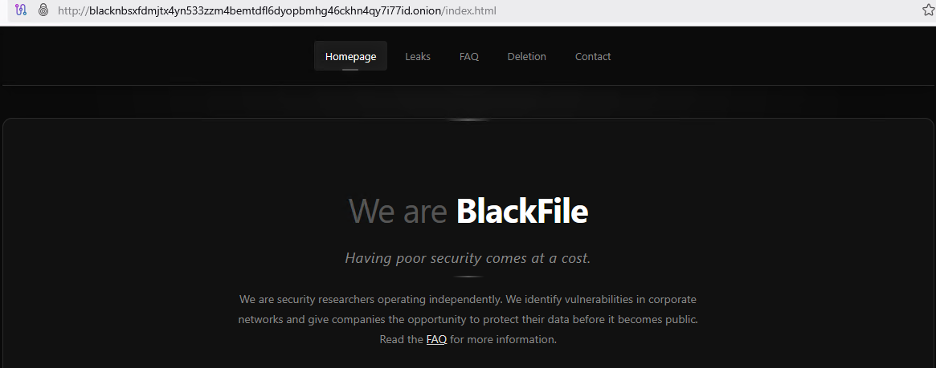
A new financially motivated hacking group tracked as BlackFile has been linked to a wave of data theft and extortion attacks against retail and hospitality organizations since February 2026.
The group, also tracked as CL-CRI-1116, UNC6671, and Cordial Spider, is impersonating corporate IT helpdesk staff to steal employee credentials and demand seven-figure ransoms, according to information shared by cybersecurity firm Palo Alto Networks’ Unit 42 with the Retail & Hospitality Information Sharing and Analysis Center (RH-ISAC).
Unit 42 security researchers have also linked BlackFile with moderate confidence to “The Com,” a loose-knit network of English-speaking cybercriminals known for targeting and recruiting young people for extortion, violence, and the production of child sexual exploitation material (CSAM).
In a Thursday report, RH-ISAC said that the group’s attacks begin with phone calls to employees from spoofed numbers, in which the threat actors pose as IT support to lure staff to fake corporate login pages that ask them to enter their credentials and one-time passcodes.
“The attackers behind CL-CRI-1116 use voice-based phishing (vishing) from spoofed Voice over Internet Protocol (VoIP) numbers or fraudulent Caller ID Names (CNAM) as a social engineering technique, typically posing as IT support staff,” RH-ISAC said.
Advertisement
“We can confirm that we are seeing a significant increase in Blackfile matters and that TTPs appear to be very similar to such groups as ShinyHunters and SLSH and similar copycats employing vishing/social engineering data exploit tactics,” CyberSteward founder and CEO Jason S.T. Kotler also told BleepingComputer.
Using stolen credentials, the BlackFile attackers register their own devices to bypass multifactor authentication, then escalate access to executive-level accounts by scraping internal employee directories.
BlackFile steals data from victims’ Salesforce and SharePoint servers using standard API functions, searching specifically for files containing terms such as “confidential” and “SSN.”
The exfiltrated documents are downloaded to attacker-controlled servers and published to the gang’s dark web data leak site before victims are contacted with ransom demands via compromised employee email accounts or randomly generated Gmail addresses.
Advertisement
BlackFile data leak site (RH-ISAC)
“By leveraging Salesforce API access and standard SharePoint download functions, the attackers move large volumes of data – including CSV datasets of employee phone numbers and confidential business reports – to attacker-controlled infrastructure,” RH-ISAC added.
“This is often done under the guise of legitimate SSO-authenticated sessions to avoid triggering simple user-agent alerts.”
Employees of compromised companies (including senior executives) have also been targets of swatting attempts, which involve making false emergency calls to responders. Attackers often use this tactic to exert additional pressure on their victims.
Mandiant also told BleepingComputer that they are actively responding to several vishing incidents that led to data theft and extortion, including one that used a BlackFile victim-shaming site that is now offline.
To reduce the success rate of BlackFile’s attacks, RH-ISAC recommends that organizations strengthen their call-handling policies, enforce multifactor identity verification for callers, and conduct simulation-based social engineering training for frontline staff.
Advertisement
AI chained four zero-days into one exploit that bypassed both renderer and OS sandboxes. A wave of new exploits is coming.
At the Autonomous Validation Summit (May 12 & 14), see how autonomous, context-rich validation finds what’s exploitable, proves controls hold, and closes the remediation loop.
With that, they have now hijacked that university’s subdomain. Given the reputations universities have, search queries then flow to the top of Google’s results.
The root cause is simple: organizations create DNS records and never clean them up. There is no expiry date on a CNAME record. Nobody gets an alert when the target stops responding. And most university IT departments don’t maintain a comprehensive inventory of their subdomains and where they point.
This is compounded by how universities operate—they are highly decentralized. Individual departments, labs, research groups, and student organizations can often request subdomains independently. When people leave, there is no decommissioning process for the DNS records they created.
Finding hijacked subdomains is straightforward. People need only enter site:[university].edu “xxx” or site:[university].edu “porn” for an affected institution, and scores of results will appear. In some cases, the subdomains returned no longer lead to porn sites, but as of Friday morning, many still did.
Advertisement
The lesson here is clear: Any organization with a website should compile a running inventory of all subdomains along with the purpose of each one and its corresponding CNAME record. Then staff should regularly audit the list in search of “dangling” records, meaning those that remain even after the official subdomain has gone dark. Any subdomain found to be inactive should have its CNAME removed.
Clearly, many universities and other organizations are flouting this common-sense practice. Shakhov said only a handful of the affected universities have expunged dangling CNAME records since he went public with his findings earlier this month. Even then, several of them have failed to get the URLs delisted by Google. That results in the indexed remaining visible in search results. Inquiries sent to UC Berkeley, Columbia, and Washington University didn’t receive responses before publication.
Google is working on a more streamlined way for app developers to authenticate users. The company has introduced a new verified email credential issued directly through Android’s Credential Manager API, with the goal of modernizing the authentication process. Users will no longer need to check their inbox for temporary authentication… Read Entire Article Source link
We spend hours testing every product or service we review, so you can be sure you’re buying the best. Find out more about how we test.
ADP is one of the largest providers of payroll, HR, and tax services in the business world, but its products are more often associated with larger enterprises – so RUN powered by ADP is a refreshing change of pace.
It’s a payroll and HR platform specifically designed for smaller businesses with fewer than 50 employees. We’ve reviewed all the best HR software, with this particular service built to make potentially complex functions faster, easier, and more reliable, so the people in charge of small businesses can concentrate on the work they really want to be doing.
Advertisement
Over 900,000 small businesses already rely on ADP, so there’s plenty to suggest that this solution will work for your small enterprise – and with a healthy array of features and a solid selection of product tiers available, your organization will have plenty of choice when it comes to picking its next payroll and HR solution.
RUN Powered by ADP: Plans and pricing
As with many HR and payroll tools, pricing for RUN Powered by ADP is available on a case-by-case basis, and you’ve got to talk to the company to get concrete figures.
RUN powered by ADP is available in four different packages. All are designed around smaller businesses, but there’s a broad array of features available.
Advertisement
The Essential Payroll option is ideal for small organizations that just need a product to handle payroll, taxes, and compliance in all fifty US states, and the Enhanced Payroll adds background checks, State Unemployment Insurance and ZipRecruiter compatibility. The Complete Payroll & HR Plus product provides basic HR support, while HR Pro offers in-depth HR support and employee perks.
(Image credit: Future)
RUN Powered by ADP: Features
Even the entry-level Essential Payroll package is packed with capabilities, including online, phone, and mobile payroll functionality, direct deposits, reporting, tax filing, multi-company and multi-jurisdiction payroll support, and more.
Sign up to the TechRadar Pro newsletter to get all the top news, opinion, features and guidance your business needs to succeed!
Advertisement
That entry-level product also includes employee self-service payroll and document portals, new-hire onboarding, background checks and employee discounts.
Upgrade to Enhanced Payroll and you get State Unemployment Insurance management, Job Costing and more. Opt for the basic HR support of the Complete Payroll & HR Plus tier and you get phone and email support, an employee handbook wizard, salary benchmarking, HR tracking, training, and documentation. And by upgrading to the top product, HR Pro, you add ATS capability, learning management and legal assistance to the product.
This impressive list of features is bolstered by solid functionality.
Many of those key payroll tasks can be automated, and mobile access and an effective system of reminders ensure that your HR staff can keep things running smoothly. The system now also includes AI-powered error flagging so you can spot issues before they have an impact.
Advertisement
The payroll system keeps things moving with logical, sensible workflows and comprehensive reporting capabilities, and there’s a document vault for cataloguing employee information.
That’s great, but this product does have some limitations, especially when compared to solutions that are designed for larger organizations. You won’t find the depth of reporting and analytics here that you’ll see elsewhere, for instance, and customized workflow functionality is limited.
Several add-ons can enable extra functionality, albeit at extra cost. The Time and Attendance module helps you manage schedules and tackle time away from work, and the Retirement utility allows you to build and choose competitive retirement plan options through ADP Retirement Services.
The Workers’ Compensation module adds pay-as-you-go solutions for your employees, and a Health Insurance add-on lets staff choose from a wide variety of group coverage options.
Advertisement
(Image credit: Future)
RUN Powered by ADP: Ease of use
Access RUN Powered by ADP and it’s immediately clear that the system has been designed for smaller businesses that may not have large HR departments – or much HR experience within the organization at all.
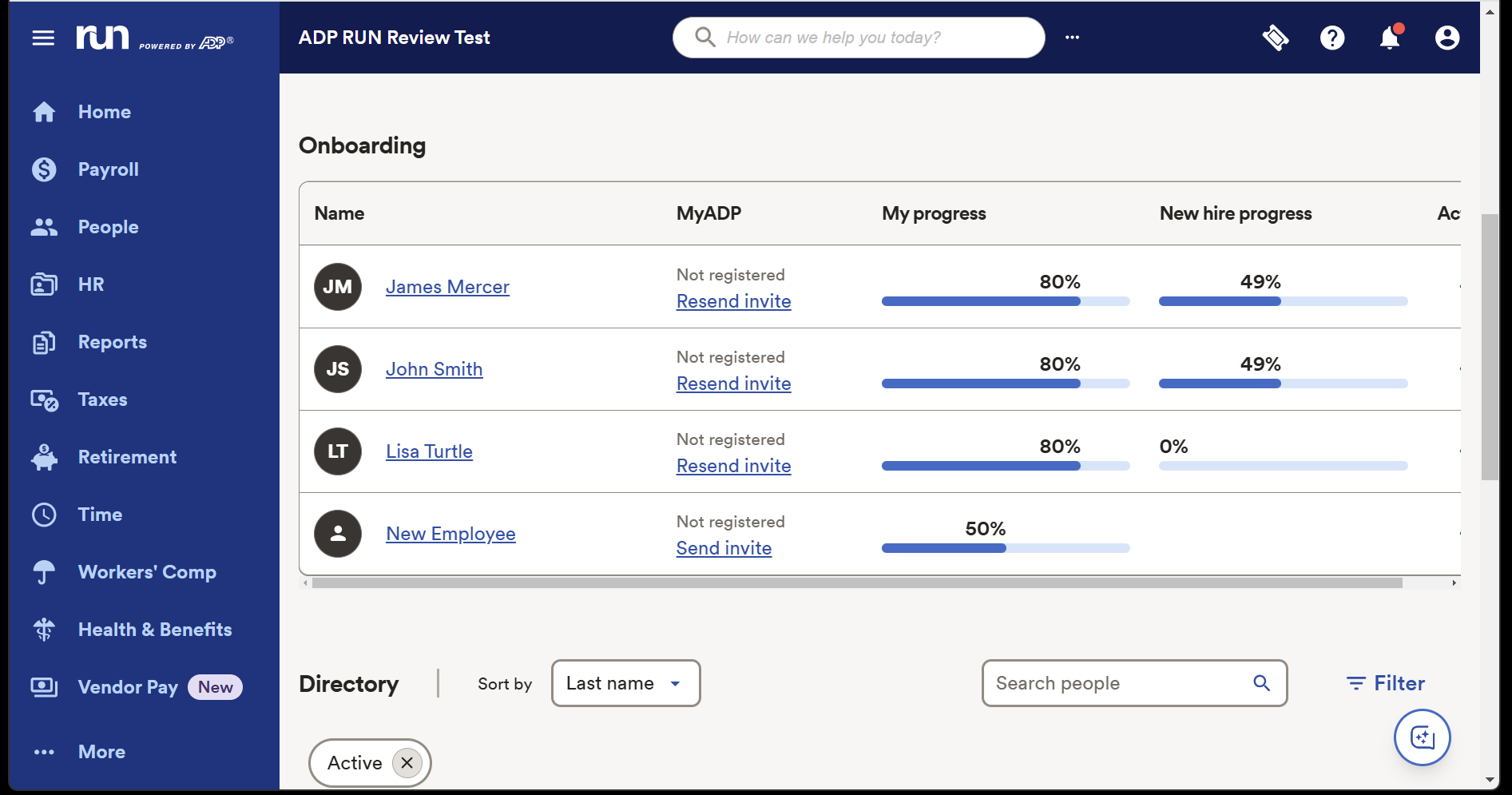
The layout is clear and intuitive. Different modules are accessible in a menu bar on the left-hand side of the product, and the Home Screen provides a slick, straightforward view of your upcoming payroll, key next steps, your latest reports and a calendar.
A button in the bottom-right corner opens up ADP Assist, a new AI helper, and you can edit quick-access links next to the search bar at the top of the home screen.
Advertisement
Individual sections are just as straightforward. The Payroll section puts key notifications, including W-2 and 1099 paperwork, right at the forefront. Similarly, the People section prioritizes your next steps, the Employee Directory makes it easy to find key details about your staff, and many sections around the app have Quick Action menus that make common functionality easy to tackle.
The system is easy to navigate even for people without lots of HR experience, which is key for a product like RUN Powered by ADP – and it gives this solution an instant advantage when compared to many rivals.
The downside of that? Limited customization. You can’t tweak every option on the home screen like you can in other products, you can’t integrate using API, and you can’t add any of the thousands of utilities available in ADP Marketplace – RUN supports integrations with several leading accounting, business, and POS system providers, but that’s it.
For smaller organizations none of those issues will be a deal-breaker, because RUN will provide everything they need, but it’s worth bearing this in mind – and noting that you may need to upgrade to a more flexible product if your organization grows and develops more complex HR requirements.
Advertisement
(Image credit: Future)
RUN Powered by ADP: Support
As well as the aforementioned ADP Assist module, RUN provides several different support routes for small businesses.
Every tier of the product provides 24/7 payroll phone support from ADP agents, and live chat agents are available from 7.30am to 10pm on weekdays. Users can file service tickets and leave messages for those chat agents. If you opt for the Complete or HR Pro packages you also get phone and email HR support, too, alongside training modules.
ADP’s website has a knowledge base with answers to common questions and a client community called The Bridge, where administrators can ask questions.
Advertisement
That’s a good slate of options, but online user reviews suggest that payroll support is sometimes not particularly fast, which may be an issue in your organization.
(Image credit: Future)
RUN Powered by ADP: Competition
We’re going to start this section in a slightly unusual way: by talking about another ADP product. ADP Workforce Now is built for midsized and enterprise-level businesses with more than fifty employees – in contrast to RUN Powered by ADP, which is designed for organizations with less than fifty members of staff.
ADP Workforce Now provides much of the functionality as RUN Powered by ADP, and adds more robust capabilities around benefits administration, talent acquisition, reporting, and professional services.
Advertisement
This broader product concentrates on streamlining, automation, and cost management, and it also supports integrations through the ADP Marketplace and via standard APIs – something you don’t get with RUN Powered by ADP.
Beyond ADP’s own products, RUN faces some tough competitors. If you’d like to explore straightforward payroll tools that work well with smaller organizations, Gusto and QuickBooks are perennially popular options.
If you’re on the hunt for a solution that offers HR capabilities alongside payroll, then Rippling is a more complex choice, and Paylocity is another contender that can grow with your business and provide a broader slate of features.
Advertisement
RUN Powered by ADP: Final verdict
RUN Powered by ADP makes payroll, taxes, and core HR admin tasks feel manageable for small businesses that don’t have an HR team or managers who want to deal with the extra burden – and if you find yourself in that position, this is an excellent and effective choice.
It’s got an intuitive interface, easy learning curve, and excellent payroll features that make compliance, tax, and financial reporting a breeze.
There are negatives, though, with a lack of flexibility, customization, and integration options compared to many other products. A lack of pricing transparency can hinder decision-making, and costs can escalate if you invest in a pricier tier with add-ons to deploy extra functionality.
RUN Powered by ADP does a good job with the essentials of payroll and HR, so it’s a solid choice for smaller businesses that don’t have in-house expertise, but we’d consider shopping around if you’d like to grow your business and may require a more ambitious selection of features.
Hyundai just revealed its IONIQ V sedan at the Beijing Auto Show, and the new vehicle shares the elegant design of the Venus concept that inspired it. The engineers and designers stayed fairly near to the wild lines that made the concept so appealing, releasing an electric machine designed from the bottom up with Chinese buyers in mind.
The IONIQ V’s design features a single flowing curve that extends from nose to tail, with no bumps in between. The frameless doors blend seamlessly into the body, and the side mirrors appear to hover above the fenders. The headlights protrude from the front like the two parts of the Hyundai logo, and a corresponding light bar spans the entire width of the rear, just above the sleek tiny tail. The overall style is low and wedge-like, paying homage to vintage 80s designs while remaining undeniably modern.
2.4 GHz Remote Control Car – 1:18 scale cool design, waterproof RC truck toys made of premium material and sturdy, with LED lights, waterproof remote…
High Quality & DIY Removable Toys RC Cars – This remote control monster truck structure design quality, flexibility and strength in one. The rc truck…
All Terrain Amphibious Monster Truck – 4-wheel drive off-road design rc trucks for kids, with high-quality tires (shock absorption, strong grip…
The IONIQ V measures just under 193 inches long, 74.4 inches wide, and has a wheelbase of 114.2 inches. That all adds up to plenty of space inside for everyone, with front passengers having 42.4 inches of legroom and rear passengers having 40.1 inches, which is among the finest in its class for a car of this size. The IONIQ V is nearly as long as a Sonata, but thanks to its all-electric construction, it rides lower and glides more smoothly.
Advertisement
Things under the hood are powered by an 800-volt electrical system, which allows you to take advantage of speedy charging. CATL is providing the batteries, which together provide more than 600 kilometers of range on China’s CLTC test cycle, or approximately 373 miles under local conditions. Of course, real-world driving would likely be slightly lower, but the layout appears to have been designed with long-distance comfort in mind for China’s congested highways.
Inside the driver’s cockpit, there’s a very clean dashboard with a single large 27-inch screen operating at 4K resolution. The steering wheel contains the only physical controls, while the typical gauges are located on the horizon-style head-up display. The software is powered by Qualcomm’s Snapdragon 8295 chip, and Hyundai’s onboard AI voice assistant is ready to listen for natural voice requests to modify music, navigation, climate, or seat settings. Orange and blue interior tones add a touch of modest color without overwhelming the serene and peaceful cabin.
Hyundai executives characterize their strategy as producing cars in China for Chinese drivers before exporting the best parts to other markets. The IONIQ V is already hinting at several new stylistic elements that could make their way into future Hyundais all over the world, whether in next-generation crossovers or sedans. You can get in on the fun later this year, and all of the cars will come with specialized staff to assist with servicing, as well as a one-price policy aimed to make purchasing much easier. [Source]
The jump from a good smartphone camera to a genuinely great one comes down to how the hardware and software work together, and no manufacturer has pushed that integration further than Google has with the Pixel 10 Pro XL.
The headline camera number is 100x Pro Res Zoom, powered by a combination of the upgraded telephoto lens and Google’s AI imaging pipeline, which means the kind of reach that used to require a dedicated camera is now sitting in your pocket at a fraction of the cost.
Advertisement
The Pixel 10 Pro XL‘s camera system is built on top of the Google Tensor G5 chip, which Google describes as the biggest chip upgrade in the Pixel lineup yet, with an improved TPU and CPU designed specifically to handle the kind of on-device AI processing that makes features like Pro Res Zoom and real-time video stabilisation possible.
Gemini Live also adds another layer to the camera experience — point the camera at something you’re curious about and have a natural spoken conversation about what you’re seeing, whether that’s an exhibit at a museum or a dish on a menu you can’t read.
Advertisement
The 6.8-inch Super Actua OLED display reaches 3,300 nits of peak brightness, which puts it ahead of the standard Pixel 10‘s Actua panel and makes outdoor visibility a genuine strength rather than a tolerated limitation, even in direct sunlight.
Build quality comes from durable aluminium and Corning Gorilla Glass Victus 2, and the phone is water resistant, so the hardware matches the ambition of everything running on top of it.
Seven years of software and security updates, 256GB of storage, and a 5,200mAh battery rated for 24-plus hours cement the Google Pixel 10 Pro XL as the best premium Pixel phone you can buy right now, and at $849 with $250 off, that case has never been easier to make.
As cyberthreats advance, so too must workforce cyber defences to avoid making what are often preventable and costly mistakes.
Cybersecurity measures in the workplace never grind to a halt, in that employees and employers must always strive to ensure that their skills and systems are as advanced, if not more so, than those wielded by people with malicious intent.
A lot of cybersecurity is arguably common sense – don’t click suspicious links, don’t share sensitive information and so on – but it doesn’t hurt to have a refresher course now and then to keep it all fresh in the mind. To that point, here are some of the most helpful tips to follow if you want to improve or maintain your company’s cybersecurity efforts.
Silo your systems
This one is specifically for anyone who works from home. It goes without saying that we feel comfortable in our own properties and have tried and tested ways of doing things. But there is such a thing as being too comfortable and employees may forget that their systems should never overlap with the organisations.
Advertisement
If you are using company software, keep all activity tied to the workplace. That is to say, don’t download anything not approved by the organisation, or anything you are using in a personal capacity.
Furthermore, if you move around and work between locations – for example at home, a cafe, a work hub – do your due diligence first and ensure that the network you are using is secure. This can be easier said than done, as using public Wi-Fi in general can be risky. With that in mind, shared office spaces and hubs tend to be a more secure option. If you are using what could be a potentially non-secure network in a public place, always use a VPN as an added layer of protection.
Get AI ready
Advancements in technology unfortunately bring risk. AI has unlimited potential and it is certainly the way forward for a lot of organisations looking to advance, scale and grow, but as we have seen recently, it also presents significant risk, as threat actors can use it to launch highly sophisticated scams. The companies and employees that are serious about avoiding and navigating threats are the ones that will adopt AI upskilling as a core aspect of the organisation – not just as a once a year box-ticking exercise.
Useful skills to consider include an understanding of AI and ML models, data science for cyber defence, AI-specific threats and broad digital literacy. You can’t defend against a threat that you don’t understand and if your organisation has knowledge gaps, then you are automatically in a weak position. So make sure everyone on a system understands the ins and outs of how it works and how to keep it secure.
Advertisement
Simple simply isn’t good enough
We have all picked a password because it was simple and easy to remember, making our own lives simpler and easier, in theory. But when you choose an obvious password, or take shortcuts online, it can expose you to malicious people who can easily bypass the protections you put in place.
That doesn’t mean that every password has to be 80 characters long, or so obscure that you yourself can’t recall it without physically writing it down. But it should be something with a diverse set of characters, that someone else couldn’t guess. For example, avoid using easily obtained information like the names of pets, loved ones, birthdays or other significant dates. Implementing multifactor authentication adds another critical layer and biometric verification tools, such as fingerprint or facial recognition software, can also be useful.
Stay current
It is important to note that all of the above is effectively useless if you are operating off of a system that is old or is not updated frequently. In the same way that innovators are constantly coming up with new ways to enhance a system, bad actors are also constantly coming up with ways to break and exploit weaknesses in systems. If you don’t regularly update your devices then you are basically holding a door open for threat actors and welcoming them in.
If your approved system or device is due an update or if there is a trustworthy patch to be applied, don’t put it on the long finger. The longer you leave an update the more vulnerable you leave yourself, your co-workers and the organisation. So, don’t leave it on the to-do list for too long.
Advertisement
When it comes down to it, cybersecurity measures are arguably the most important policies in place at a company. When they are breached or weakened, either accidentally, or on purpose, there is no one in an organisation that won’t feel the impact. Externally, it also places the consumers and partners of a business at risk. Especially financially, or if that business deals with complex or sensitive information.
So we all have to do our bit to ensure practical, robust and consistent cybersecurity engagement.
Don’t miss out on the knowledge you need to succeed. Sign up for the Daily Brief, Silicon Republic’s digest of need-to-know sci-tech news.
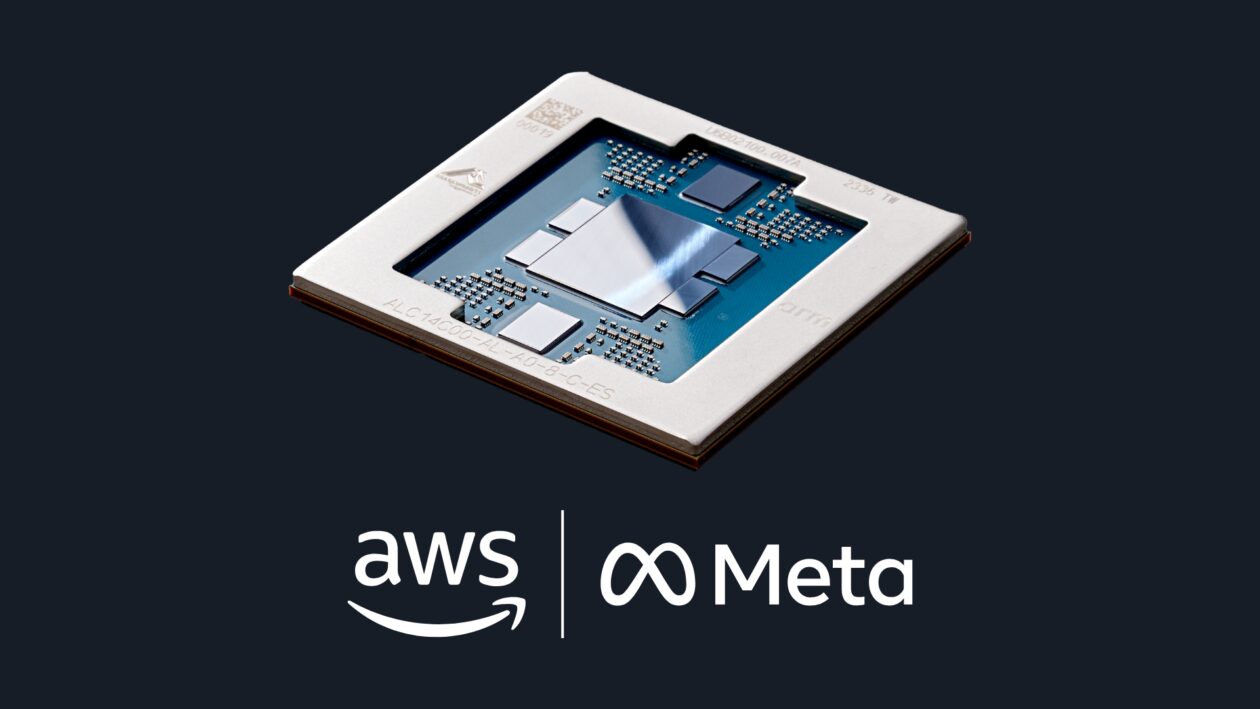
Facebook parent Meta signed a deal to use Amazon’s Graviton chips for agentic AI, the latest indication of growing demand for the tech giant’s growing silicon business.
Bloomberg reports that the deal is worth billions of dollars over multiple years. It comes one day after Meta said it would lay off roughly 10% of its workforce, or about 8,000 employees, as companies across the industry cut headcount while pouring billions into AI infrastructure.
The deal gives Meta access to tens of millions of Graviton5 processor cores, running in AWS data centers, making Meta one of the largest Graviton customers in the world, the companies said. It builds on Meta’s existing use of Amazon Bedrock, the company’s platform for AI models.
Amazon CEO Andy Jassy said in a LinkedIn post that agentic AI is “becoming almost as big a CPU story as a GPU story.” In other words, while graphical processing units (mostly from Nvidia) have dominated the AI hardware conversation, agentic systems need traditional central processing units to handle the reasoning and coordination that happens between steps.
The deal comes just after Intel reported a big quarter, with data center revenue up 22%, driven in part by surging demand for CPUs for agentic AI workloads — the same trend Amazon is riding with Graviton. Intel stock is up more than 22%; Amazon stock rose 3% after the Meta news.
Advertisement
Meta has taken a broad approach, signing deals with Nvidia and AMD, recently agreeing to use Google’s custom processors, and developing its own in-house silicon with Broadcom.
“As we scale the infrastructure behind Meta’s AI ambitions, diversifying our compute sources is a strategic imperative,” said Santosh Janardhan, head of infrastructure at Meta, in a release.
Amazon is establishing itself as a major chipmaker in its own right. CEO Andy Jassy disclosed in his annual shareholder letter that Amazon’s custom silicon business is generating more than $20 billion a year in revenue, saying it’s “quite possible” Amazon will sell racks of its chips to third parties in the future. That would mean competing more directly with Nividia.
X-energy’s stock popped today in its debut on the Nasdaq, opening at $30.11 before closing at $29.20, up 27% over its initial public offering of $23 per share.
Investors can’t get enough nuclear power, apparently. Even the initial share price had been revised upward from the $16 to $19 target floated by the company during its investor roadshow. At close, the company was valued at $11.5 billion.
Just five years ago, such interest in a nuclear startup would have come as a surprise to many.
Back then, the nuclear industry was haunted by delayed projects and massive cost overruns at recently completed reactors. Two power plants were completed in Georgia — one in the late 2010s and another in the early 2020s. In total, they cost around $30 billion to build.
Advertisement
Nuclear startups in the early 2020s were in their infancy, and at least one frontrunner had run into significant regulatory problems, sparking fears that the industry hadn’t been able to put its past behind it.
Now, investors appear optimistic that X-energy and its peers have figured out a way around the challenges.
Much of the momentum can be traced to the AI-driven data center boom. GPUs need tremendous amounts of electricity, and while solar, wind, batteries, and natural gas have been filling the need today, tech companies have been hoping to diversify. Nuclear power is one of the many options they’ve been exploring, hoping that the compact form factor will be an ideal fit for their sprawling data centers.
Nuclear power has long had more potential to power the U.S. grid than it has been able to deliver. Today, about 18% of electricity in the country comes from nuclear power. But reactor costs have risen in recent decades. Nuclear power might be one of the most reliable sources of electricity in the U.S., but it’s also one of the most expensive.
Advertisement
X-energy’s 80-megawatt reactor design is an order of magnitude smaller than many existing nuclear power plants. The company is betting that modularity can help bring costs down, and data center operators are hoping that a single campus can be powered by a fleet of reactors, providing the sort of redundancy and stability they prize. Amazon has said it will buy up to 5 gigawatts’ worth of capacity from X-energy over the next decade or so, but chemical maker Dow will receive the startup’s first power plant.
Construction is underway at X-energy’s fuel facility, and while the company has yet to start construction of a power plant, investors appear bullish that the company will be able to break nuclear power free from its decades-long malaise.
When you purchase through links in our articles, we may earn a small commission. This doesn’t affect our editorial independence.
— Expedia Groupnamed Derek Andersen as its new chief financial officer starting May 11. He succeeds Scott Schenkel, who is stepping down after more than two years in the role.
The Seattle-based travel giant hired Andersen from Snap, the company behind Snapchat, where he served as CFO for more than seven years. Before that, was Amazon’s vice president of finance, overseeing its global suite of video businesses, including Prime Video and Amazon Studios.
Andersen said he’s looking forward to returning to Seattle to join Expedia.
“The company has built strong assets, from its technology and consumer brands to one of the largest B2B businesses in the industry and is well positioned to shape the future of travel,” he said in a statement.
In announcing the news, Expedia CEO Ariane Gorin praised Andersen’s fit for the CFO role and thanked Schenkel, who previously served as CFO and interim CEO at eBay, for his impact.
Advertisement
Peter Hamilton. (LinkedIn Photo)
— Peter Hamilton has left Roku, where he served as head of ad innovation for the streaming platform for more than four years. The Seattle-based executive was previously CEO of Tune, a mobile marketing startup, for more than a decade.
“I came to Roku to see what it feels like to turn on innovation at massive scale, and I left better understanding the village of people that make it all possible,” he said in a LinkedIn post.
Hamilton added that he’ll once again step into a CEO role, but did not say at which company.
Ann Johnson. (LinkedIn Photo)
— Ann Johnson is leaving Microsoft after more than a decade, most recently serving as corporate vice president and executive security advisor. On May 4, the Seattle-based leader will become executive VP of Security (Identity & Fraud) Services at Mastercard.
In a Q&A posted by Mastercard, Johnson described her work in cybersecurity as “purpose-driven” and said she was eager to join the company. In her new role, she’ll work to help secure commerce and financial transactions — “such an important part of the ecosystem,” she said.
— Microsoft’sAnnie Pearl has a new role as CVP of the Copilot product for Microsoft AI. Pearl previously led product, engineering and design for Azure Experiences and has been with the company for more than three years. She is based in San Francisco.
Advertisement
— After more than 20 years with Amazon, Vidya Shastrileft the company as a director of software development and is taking a career break. Shastri departed last year, but this week shared a lengthy post on Substack reflecting on his decades at the tech giant.
Shastri said on LinkedIn that he had two mantras at Amazon: people first, then product, and nothing matters more than trust. “It’s the ‘virtuous cycle of trust’ that makes teams and organizations great, even in this era of downsizing and AI,” he said.
— Judd Lee is now chief financial officer for Safe Software, a Surrey, B.C., data software company. Lee joins from BrightEdge, and was previously CFO at Seattle’s RealNetworks, Parallels and SignalSense. Safe Software also named Vanessa Ribreau as chief people officer.
— Jake Oster, Amazon’s former director of energy, environment and sustainability policy, is now VP of sustainability policy and community relations for Oracle.
Advertisement
“At Oracle Cloud Infrastructure, each AI data center is designed with the surrounding community’s future in mind and we are making investments in job creation, water infrastructure, and new sources of energy generation,” he said on LinkedIn, adding that he will remain in Seattle.
— Gen. James Rainey, a retired four-star general from the U.S. Army, was welcomed as an advisor to Overland AI. The Seattle-based startup in February raised $100 million to meet demand for its autonomous ground vehicles used by the U.S. military.
— Former Starbucks CEO Howard Schultzis joining the board of directors for Gopuff, a Philadelphia-based delivery app offering snacks and everyday essentials.
— Jonathan Bricker, a Fred Hutch Cancer Center public health scientist, was awarded the institution’s Endowed Chair in Cancer Prevention. Bricker has helped develop tools to reduce cancer risk, including the AI-powered QuitBot app.
Advertisement
— Pacific Northwest National Laboratory announced leadership changes:
William “Bill” Pikeis now deputy director for science and technology, previously having served as chief science and technology officer for PNNL’s National Security Directorate.
Angela Becker-Dippmann is associate laboratory director for the Energy and Environment Directorate, having previously worked as director of EED’s Program Development Office.
Amy Schmidtis executive director and chief HR officer, transitioning from the role of head of talent management.
And in case you missed it, GeekWire reported some big tech moves earlier this week.
We spend hours testing every product or service we review, so you can be sure you’re buying the best. Find out more about how we test.
The HP DeskJet 2855e is a compact all-in-one inkjet printer designed for light home use. It provides printing, scanning, and copying functions. The printer stands out because of its simple setup process, which users praise when they use the HP Smart app together with wireless connectivity features.
We went hands-on with the DeskJet 2855e to get a feel for how it all comes together. And we’ve also looked at what others are saying about it.
The 2855e printer receives continuous praise from online reviewers for its document printing quality, and some users report good photo results when using appropriate paper. The printer’s compact design makes it an ideal choice for people who need to save space.
The 2855e printer has several negative aspects that users need to consider. Reviews frequently report problems with printer connectivity because they experience unstable Wi-Fi connections, mainly when their network operates only on the 5.0 GHz band (the printer needs 2.4 GHz connectivity).
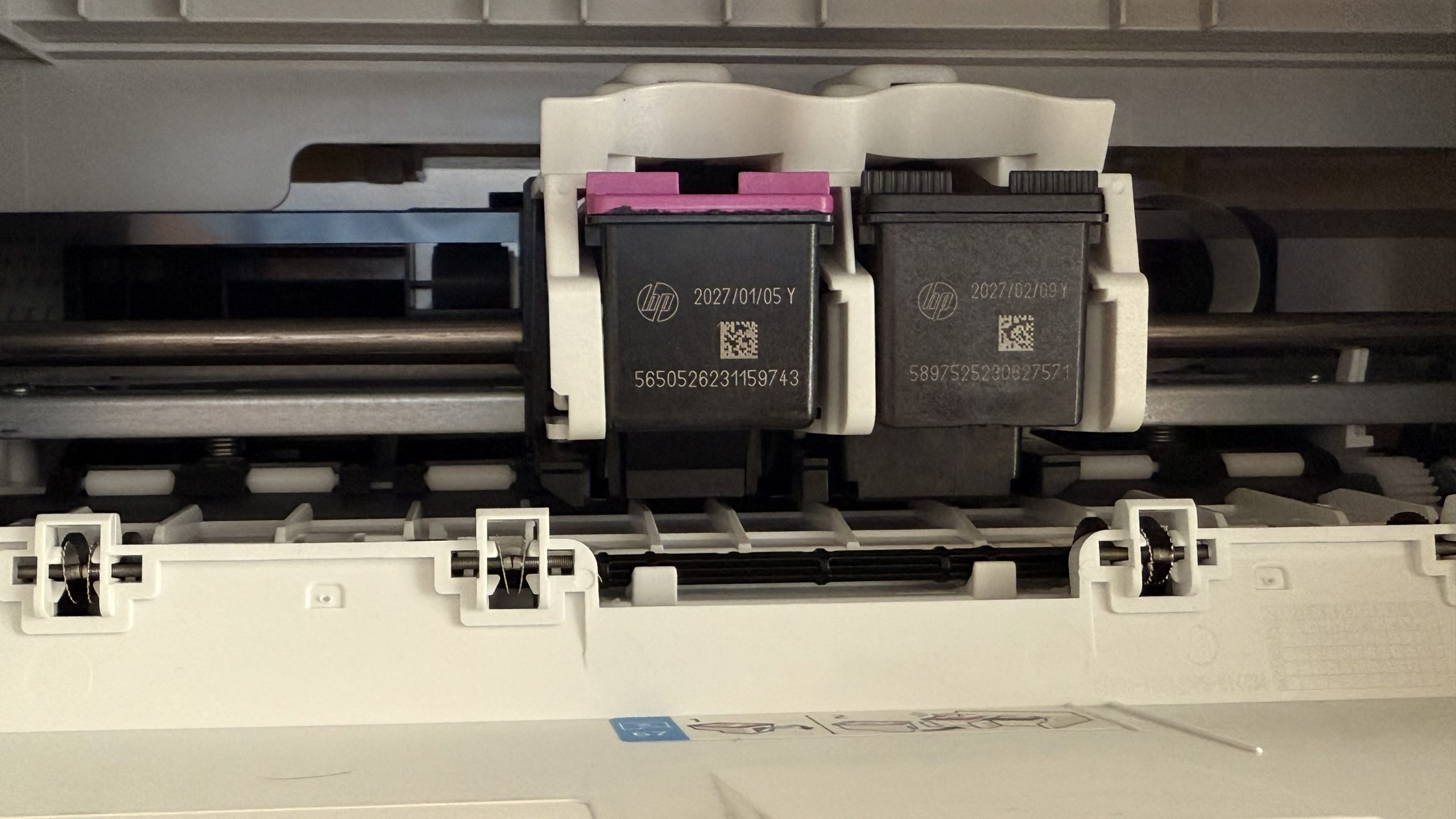
The primary source of disagreement stems from HP’s ink policy, which forces users to purchase HP-branded cartridges and subscribe to HP Instant Ink for potential savings. This policy creates frustration because of high costs outside the program and the need for internet connectivity for HP+ features. The printer is criticized for its slow startup, printing speeds, and the initial setup cartridges’ minimal page yield.
Advertisement
Regardless, users who need a basic printer for occasional tasks will find the HP DeskJet 2855e an appropriate choice because it offers cost-effectiveness and ease of use.
Sign up to the TechRadar Pro newsletter to get all the top news, opinion, features and guidance your business needs to succeed!
For our top-performing picks, see our guide to the best home printers we’ve tested.
(Image credit: Future)
Advertisement
HP DeskJet 2855e: Specs
The HP DeskJet 2855e is an all-purpose inkjet printer that works well for homes, students, and small businesses. It is a multifunctional device that enables color printing, copying, and scanning to meet different document requirements.
The DeskJet 2855e reaches a maximum ISO printing speed of 7.5 pages per minute (ppm) for black text while reaching 5.5 ppm for color prints. The printer operates effectively between 50 and 100 pages of monthly print use and reaches a maximum duty cycle of 1,000 pages. The printer operates effectively for both light and medium printing needs.
The printer delivers excellent print quality through its 1200 x 1200 rendered dpi for black text and 4800 x 1200 optimized dpi for color prints, resulting in clear and sharp documents. The printer produces detailed and colorful outputs through its 4800 x 1200 optimized dpi color printing capability and 1200 x 1200 rendered dpi black text printing ability.
The printer includes a 60-sheet input tray that supports printing different media sizes starting from 3 x 5 inches (postcards) and extending to 8.5 x 14 inches (legal paper). Users can print various documents on different paper types through this printer, including plain paper, photo paper, brochures, and envelopes. A 25-sheet output tray helps users manage their printed documents efficiently.
Advertisement
The printer enables wireless printing through built-in Wi-Fi 802.11b/g/n and direct connections through its Hi-Speed USB 2.0 port. The printer allows network users to print documents from various connected devices. The HP Smart app, Apple AirPrint, Google Cloud Print, Chrome OS, and Mopria certification enable users to print directly from smartphones and tablets.
The DeskJet 2855e features a scanner that scans at 1200 dpi optical resolution to deliver detailed results for documents and photos. The copier enables nine copies with a 300 x 300 dpi resolution for black and color copies.
The printer measures 16.7 inches (W) x 11.97 inches (D) x 6.06 inches (H) and weighs 7.55 pounds to fit easily in different spaces with its compact dimensions. HP integrates at least 60% post-consumer recycled plastic into its construction to demonstrate its environmental responsibility.
Advertisement
HP DeskJet 2855e: Feedback
What other sites think
In addition to reviewing the product, we analyzed HP DeskJet 2855e reviews from other online publications to get a more precise and concise idea of what others think of the low-cost inkjet printer.
RTINGS.com says the HP DeskJet 2855e isn’t a good choice for families due to its low page yield, leading to frequent and costly ink cartridge replacements. While its document print quality is passable, it struggles with photos, producing flat and unnatural images due to a narrow color range and poor accuracy. Although it includes a scanner, the scan quality is poor, it lacks fine detail, and there is no automatic feeder for multi-page documents. On the positive side, it offers good connectivity options, including Wi-Fi, USB, AirPrint, and Mopria, making it easily accessible to multiple users.
Over at PCVerge, the HP DeskJet 2855e is noted for being a compact, affordable printer suitable for light family use, boasting good connectivity options like Wi-Fi, USB, AirPrint, and Mopria. However, its limitations include the absence of an automatic document feeder, merely acceptable print quality, and higher long-term operating expenses due to ink consumption. While not the fastest, its photo printing speed is reasonable for its price. It features a high-resolution flatbed scanner with good color depth, though its hinges don’t accommodate scanning thick items. Ultimately, the HP DeskJet 2855e is deemed a good value for fundamental home printing, particularly for infrequent users open to alternative ink solutions or an HP ink subscription.
Advertisement
Perhaps the most insightful review comes from a Reddit poster. Their “Love Letter to Mediocrity” covers all the essential bases. The author expresses pleasant surprise that the printer functions without significant issues, highlighting its easy setup, wireless printing, and all-in-one capabilities (print, scan, copy). However, the review notes its downsides, including high ink consumption, slow print speeds, and mediocre print quality. The reviewer concludes that the printer is best suited for users with basic printing needs and low expectations, rather than those seeking high-quality or fast performance.
(Image credit: Future)
What users have to say
The HP DeskJet 2855e achieves positive average star ratings on major online retail and manufacturer platforms. Still, negative reviews strongly outnumber positive ones, which leads to an extreme split in user satisfaction.
The printer earns a 4.2 out of 5-star rating at Walmart.com based on 652 ratings from 412 reviewers. The review distribution reveals that most users provide 5-star ratings at 65% while 16% give 4-star ratings.
Advertisement
The 1-star reviews account for 10% of the reviews, indicating that many users remain unhappy with the product. The overall recommendation rate from Walmart.com reviewers regarding the product amounts to 83%.
HP.com shows the DeskJet 2855e receiving 4.3 out of 5 stars from 433 user reviews on its official store website. The platform displays a mixed sentiment, with numerous negative reviews that describe multiple problems. 4. The polarized feedback pattern matches what other platforms show.
Best Buy lacks explicit ratings information in the document, but their summaries demonstrate that customers praise the DeskJet 2855e’s user-friendly nature, and lack sufficient negative feedback. 6 The product starts with an overwhelmingly positive first impression, especially regarding its early usage.
The 4-star rating on RC Willey, based on 214 customer reviews, matches the general positive trend while showing that some customers remain dissatisfied.
Advertisement
(Image credit: Future)
HP DeskJet 2855e: Pros
The HP DeskJet 2855e receives positive reviews for its main features, which appeal to users who require an entry-level home printer.
Users praise the DeskJet 2855e for its “ease of use” and simple setup process after completing software installation and initial connection steps. Many users who experienced a straightforward setup process share positive opinions about this printer. The HP Smart application is a key tool that helps users set up their printer and provides easy mobile printing capabilities without a computer connection.
Multiple users describe the DeskJet 2855e as delivering “good print quality” and producing “clear and true to color” images with “great print copies” that meet everyday needs for documents, school work, and occasional photo printing. The expert review by PCVarge agrees with these observations since it notes that the printer delivers “good image quality” and “reasonable” photo printing speeds at an affordable price.
Advertisement
Users consistently praise the printer for its compact design and lightweight construction. The printer receives praise for its “convenient and space-saving” design and “portable” feature, which makes it suitable for home desks in small living spaces. PCVarge notes that the printer measures 6.7 x 11.97 x 6.06 inches and weighs 7.55 pounds, emphasizing its small size among desktop printers.
The printer’s affordable initial cost is the main selling point for customers who consider it a “great price” and an “affordable” choice for basic home printing needs. The printer receives positive reviews from customers and experts because it offers a “good budget choice” that suits basic requirements while delivering print, scan, and copy functionalities.
Users highly value wireless printing capabilities across different devices and effortless HP Smart mobile application integration for its user-friendly features. The printer allows users to print documents without needing to plug in their computers every time.
According to HP, the printer features the “most reliable Wi-Fi,” which automatically detects and solves network problems, but some users report opposite experiences.
Advertisement
The positive reception of the HP DeskJet 2855e regarding its compact design, affordable price point, and user-friendly operation post-initial setup confirms its suitability for users requiring basic, straightforward printing capabilities. Due to this feedback, the product stands in the “basic home printing” market segment. The product meets the needs of a particular group of users who have low expectations. HP’s design choices involve choosing basic accessibility and a compact size instead of providing full functionality and premium materials.
The printer delivers its highest value to users with basic needs who successfully overcome typical setup challenges. The strategic market approach adopted by HP focuses on the entry-level market segment by prioritizing initial purchase affordability and ease of use. The user feedback confirms the product’s successful targeting of its specific market segment because these customers find that the printer meets its essential promises.
(Image credit: Future)
HP DeskJet 2855e: Cons
The HP DeskJet 2855e suffers from multiple critical problems, negatively affecting customer satisfaction.
Advertisement
Multiple users, including those with technical expertise, found the printer setup experience highly challenging. They needed at least 20 minutes and sometimes two days to establish printer functionality. Users experience a “clunky nightmare” and “convoluted” setup process because the instructions depend on mobile app guidance while eliminating disc support, which results in users getting trapped in infinite loops.
The numerous reports about challenging initial setup processes by users with technical experience demonstrate how many buyers encounter a substantial obstacle that prevents them from completing the setup process. The initial unpleasant experience with the printer can make users lose enthusiasm for its beneficial features.
Installing the printer starts with a negative experience that damages customer satisfaction immediately after purchase, making them more likely to return products and view the following problems with increased hostility.
The first negative impression strongly influences customer reviews because it leads to the observed bimodal distribution across different platforms. A customer’s inability to print a return label demonstrates their frustration and the practical difficulties that emerge when a setup fails. The setup process becomes a critical, high-stakes moment for HP because it focuses on app-based setup but lacks robust offline setup options and precise network configuration troubleshooting. Enhancing the initial user experience would lead to better overall customer opinions, even if additional drawbacks exist.
Advertisement
This issue sparks intense disagreement among customers who feel intensely dissatisfied with it. Users strongly dislike that the printer requires HP-branded ink cartridges and an active Instant Ink subscription for maintenance.
Users strongly condemn HP for what they call the “ink scam” and denounce the “ink rule” because of the “chip,” which forces users to use HP’s proprietary ink. Users explicitly mention they will never purchase HP products again because of this policy.
Expert reviews show that standard cartridges have a “very low page yield,” which results in “high long-term operational cost (without subscription)”- $0.08 per black print and $.12 per color print—so users must replace cartridges often before subscribing to the model.
Users view HP’s proprietary ink policy and subscription promotion as more than financial issues because they create fundamental trust breakdowns and damage brand loyalty among numerous customers. Users experience deeper problems than price concerns because they see this practice as unfair towards consumers and feel trapped by the manufacturer’s actions.
Advertisement
The printer’s affordable initial price is a double-edged sword because it comes with expensive maintenance costs and limited ink availability. This exemplifies a “razor-and-blades” business model. Customers become angry when they experience “overpriced,” “forced,” or “designed to fail without subscription” ink cartridges in this business model. The potential existence of class-action lawsuits indicates how seriously customers view this ethical violation.
HP’s subscription-based model generates recurring revenue but endangers customer loyalty and brand integrity, mainly because it feels deceptive to specific users. The business strategy employed by HP stands in direct opposition to customer autonomy, which is the leading cause of negative review sentiment.
The printer experiences recurring paper jam problems, while users frequently experience printing failures. Several users considered switching to their previous printers because of the recurring jamming issues. A reviewer pointed out that the printer construction feels inexpensive because it uses “cheap plastics.” The low initial cost of the printer might relate to lower material standards.
(Image credit: Future)
The device, marketed as an “all-in-one” device, consistently demonstrates a significant problem with its scanning functionality. Customers experience two major scanning issues because the scanner refuses to function and fails to detect documents. Users encountered difficulties when scanning into a computer that forced them to run “HP scanner doctor” multiple times until they restarted their computer. This led to the belief that HP uses this method as an “ink scam” ploy. According to expert reviews, the scanning performance is not good because the image processing removes essential details from the scans and the flatbed scanner’s lid hinges do not extend to accommodate thick items.
Advertisement
The absence of an Automatic Document Feeder (ADF) is a significant limitation, meaning multi-page documents must be scanned one sheet at a time, manually.
The persistent issues with scanning functionality make the product’s “all-in-one” claim less valuable according to user reports. The consistent problems with scanning functionality directly harm the “multifunctionality” value proposition because it affects the fundamental operation of the device.
The “cheap piece of junk” sentiment emerges when users feel they purchased only a printer and copier instead of an “all-in-one” device. The scanning module seems to suffer from quality control issues, software integration problems, or the manufacturer deliberately chose basic scanning features that fail to match typical user expectations for “all-in-one” devices. The significant difference between marketing claims and user experience results in customer dissatisfaction.
Users and experts agree that automatic duplex (double-sided) printing should be included in a printer, but the product lacks this feature. Users need to turn pages manually for double-sided printing. The absence of the Automatic Document Feeder (ADF) significantly hinders efficiency when users scan or copy multiple pages. The control panel has a tiny non-tiltable LCD screen that users find hard to see from their seated position.
Advertisement
Finally, many users express dissatisfaction because they receive starter cartridges and XL ink cartridges with low page yields. Users who plan to print many pages should expect the starter cartridges to deplete quickly. Another noted that the “cartridges that came with it don’t last long if you plan to print many pages.” Expert reviews confirm this problem by assessing “very low page yield,” which explains why the print cost remains high without an Instant Ink subscription, leading to frequent cartridge replacements.




































































You must be logged in to post a comment Login