
Business
Ryan Routh Sentenced to Life in Prison for Attempted Assassination of Donald Trump at Florida Golf Course

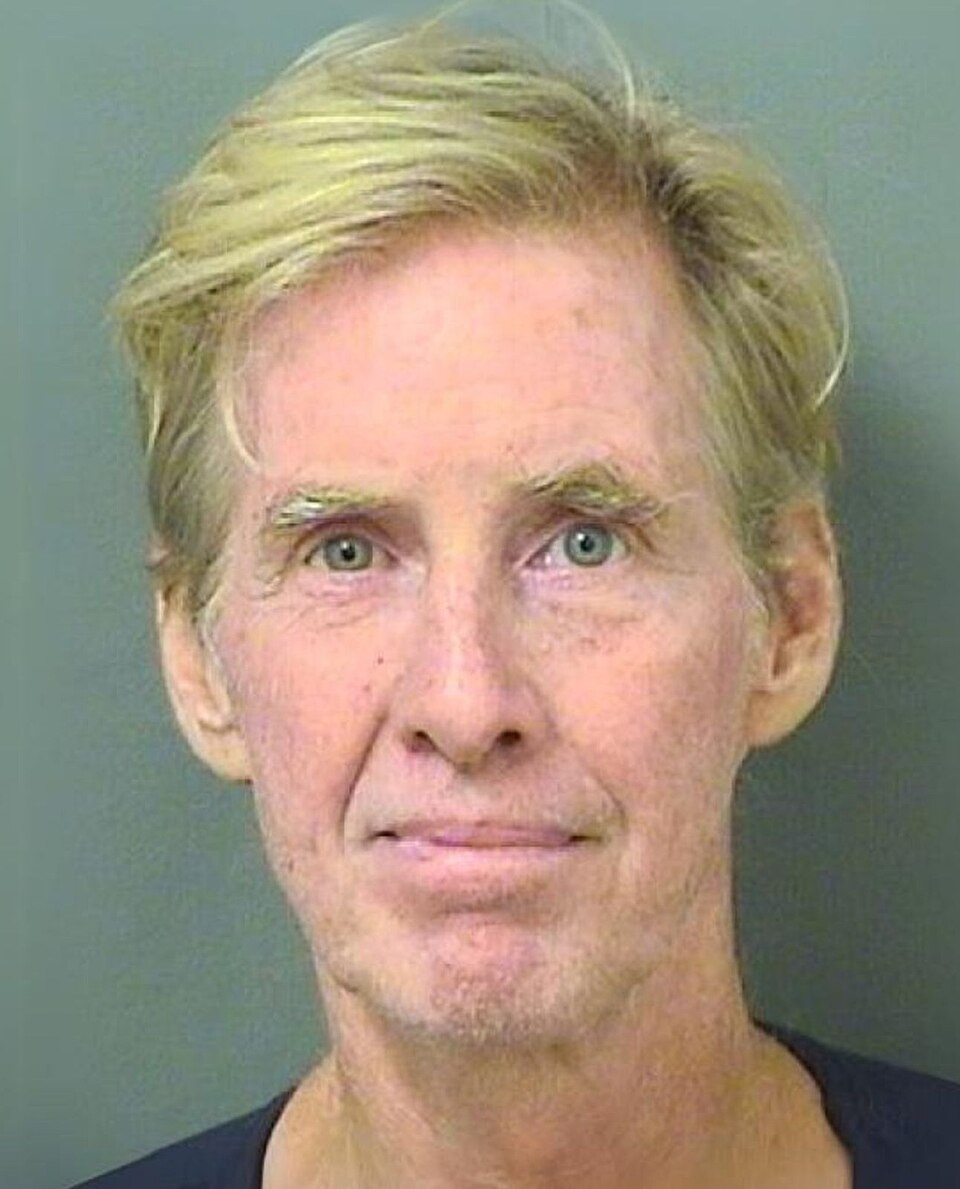
Ryan Wesley Routh, the 59-year-old Hawaii man who opened fire on former President Donald Trump during a golf outing in September 2024, was sentenced to life in federal prison without parole on Feb. 5, 2026, concluding one of the most high-profile political violence cases in recent U.S. history.
U.S. District Judge Aileen M. Cannon handed down the maximum sentence after Routh pleaded guilty in October 2025 to two counts of attempted assassination of a major presidential candidate, two counts of assault on a federal officer, and multiple firearms charges. The life term was mandatory under federal sentencing guidelines for the attempted assassination counts, which carried a statutory maximum of life imprisonment.
Routh showed no visible emotion as Cannon delivered the sentence in a packed federal courtroom in Fort Pierce. He declined to make a statement during the hearing, though his defense attorney read a brief prepared remark in which Routh expressed regret for the pain caused to Trump’s family and Secret Service agents but stopped short of apologizing for the act itself.
“I never intended to harm anyone that day,” the statement read. “I was trying to send a message about the direction of the country. I understand now how wrong and dangerous my actions were.”
Prosecutors described Routh’s September 15, 2024, attack as a meticulously planned, politically motivated attempt to kill the Republican presidential nominee. According to the 48-page criminal complaint and subsequent filings, Routh camped for nearly 12 hours in shrubbery along the perimeter of Trump International Golf Club in West Palm Beach, armed with a Czech-made Vz.61 Skorpion submachine gun, two AK-style rifles, a GoPro camera, and ceramic body armor plates.
At approximately 1:31 p.m., as Trump’s golf cart approached the fifth hole, Routh emerged from cover and fired four to six rounds toward the former president from roughly 400–500 yards away. Secret Service agents immediately returned fire, forcing Routh to flee. He abandoned his rifle, scope, and backpack — which contained the GoPro set to record the attack — and drove away in a black Nissan Xterra.
A witness at a nearby road flagged down a Palm Beach County sheriff’s deputy, providing Routh’s license plate. Florida Highway Patrol troopers stopped the vehicle on Interstate 95 in Martin County about 40 miles north of the golf course. Routh surrendered without resistance.
Investigators later recovered a handwritten letter Routh had mailed to a prominent media outlet days before the attack. In it, he offered $150,000 to anyone who could “finish the job” if he failed, referred to Trump as “the most dangerous man in the world,” and expressed support for Ukraine while criticizing Trump’s foreign policy positions.
Federal Case & Guilty Plea
Routh was indicted on Oct. 3, 2024, on 10 felony counts, including attempted assassination, assault on federal officers, possession of a machine gun, and possession of a firearm by a convicted felon. Prosecutors built a comprehensive case showing premeditation: Routh had researched Trump’s golfing schedule, purchased the Skorpion submachine gun illegally in North Carolina in August 2024, and practiced at a remote shooting range in Hawaii before traveling to Florida.
On Oct. 28, 2025, Routh abruptly changed his plea to guilty on all counts in a deal that spared him the death penalty. In exchange, prosecutors agreed not to seek capital punishment and to recommend concurrent life sentences rather than stacked terms.
During the plea hearing, Routh admitted under oath that he “knowingly and intentionally attempted to kill Donald J. Trump by shooting at him with a firearm.” He also acknowledged that his actions placed Secret Service agents in immediate danger.
Victim Impact & Sentencing Hearing
Thursday’s sentencing hearing lasted nearly three hours. Prosecutors called four witnesses: two Secret Service agents who returned fire, a golf course employee who first spotted Routh’s rifle barrel protruding from the bushes, and Trump himself, who appeared via videoconference from Mar-a-Lago.
Trump, who was not physically injured in the incident, gave a 12-minute statement describing the moment he heard bullets “whizzing by” and agents shouting “get down.” He called Routh “a deranged individual fueled by hate” and urged the judge to impose the maximum penalty to send a message against political violence.
“I’ve been through a lot, but that day was different,” Trump said. “It wasn’t just me they were coming for — it was the movement, the people who believe in America First. We cannot allow this kind of hatred to go unpunished.”
Routh’s defense team called two witnesses: a forensic psychologist who diagnosed him with delusional disorder and a sister who described a history of untreated mental illness, homelessness, and financial despair. The defense asked for leniency, arguing that Routh’s actions stemmed from severe mental illness rather than pure political malice.
Judge Cannon rejected the mental-health mitigation argument, stating that Routh’s planning, research, and attempt to record the attack demonstrated “a high degree of culpability and a depraved indifference to human life.”
Broader Context & Political Fallout
The attack was the second apparent assassination attempt on Trump in 2024, following Thomas Matthew Crooks’ shooting at a Butler, Pa., rally on July 13, 2024, which wounded Trump’s ear and killed one spectator. The incidents fueled intense national debate over political rhetoric, Secret Service protocols, and the rise of domestic extremism.
Routh’s case drew particular attention because of his eclectic political history. Voter records showed he voted in Democratic primaries in North Carolina and Hawaii, donated small amounts to Democratic candidates, and expressed support for Ukraine in online posts. Yet he also voiced frustration with both parties and appeared disillusioned with the political system overall.
The sentencing closes the criminal chapter but leaves open questions about security failures at Trump’s golf club and whether additional charges will be pursued against any individuals who may have assisted Routh. The Secret Service and FBI continue to investigate potential accomplices, though no additional arrests have been announced.
Trump, now in his second term, referenced the incident frequently during 2025 campaign-style rallies, using it to rally supporters and criticize opponents. The former president issued a statement after the sentencing: “Justice has been served, but we must remain vigilant. The radical left’s hatred will not stop us from Making America Great Again.”
For the families of the Secret Service agents and golf course staff who faced direct danger, Thursday’s life sentence brought a measure of closure. One agent, speaking anonymously, told reporters outside the courthouse: “We signed up to protect, not to be targets. Today the system worked.”
Routh was immediately remanded to federal custody and is expected to be transferred to a high-security facility within weeks. His attorneys have indicated they will not appeal the sentence.



Russian and Iranian foreign ministers discuss possibility of conflict settlement
The average Wall Street bonus rose to a record high of nearly $250,000, following a bonanza year for New York City’s investment banking powerhouses.
That made for a fun bonus season for bankers and traders. Not so much for the city.
Copyright ©2026 Dow Jones & Company, Inc. All Rights Reserved. 87990cbe856818d5eddac44c7b1cdeb8

Waymo Is Scaling Faster Than Expected. Why It’s Bullish for Alphabet Stock.

Uber Is Bringing Robo-Taxis to Europe. Why the Stock Is Down.
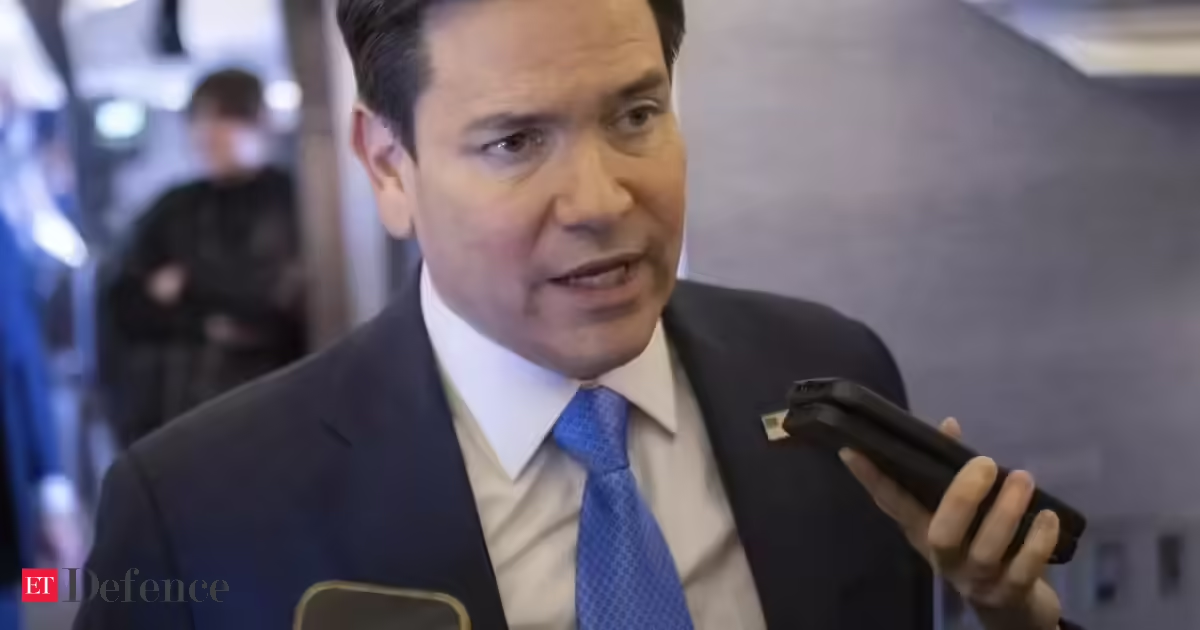
Rubio spoke to reporters before returning to the US after he discussed with G7 foreign ministers in France the conflict launched by the US and Israel late last month.
Rubio said the US was achieving its objectives in the war-which he said were destroying Iran’s missile and drone capabilities and factories to produce those weapons, as well as its navy and its air force-and expected to conclude its operation in “weeks, not months”.
“We are ahead of schedule on most of them, and we can achieve them without any ground troops, without any,” Rubio said.
Rubio said recent deployments of thousands more troops to the region were intended to give President Donald Trump options to respond to contingencies in the conflict, but declined to go into operational details.

“In terms of why there’s deployments, number one, the President has to be prepared for multiple contingencies… We are always going to be prepared to give the President maximum optionality and maximum opportunity to adjust the contingencies, should they emerge,” he said.
Several EU countries, now grappling with economic consequences of the war, have said they were not consulted by the US before it launched its military actions in Iran. French Minister of the Armed Forces Catherine Vautrin said on Friday that the war “is not ours,” adding that France’s position is strictly defensive. (with agency inputs)
Business
Apple Stock Holds Steady Near $252 as Geopolitical Tensions and Oil Surge Test Tech Resilience
Apple Inc. (NASDAQ: AAPL) shares closed at $252.89 on Thursday, up modestly by 0.27 or 0.11% from the prior session, demonstrating relative stability in a turbulent market rocked by escalating uncertainties in the U.S.-Iran conflict and sharply higher oil prices that stoked inflation fears across Wall Street.

The iPhone maker’s performance stood out amid broader selling pressure. While the Dow Jones Industrial Average plunged 469.38 points, or 1.01%, to close at 45,960.11, and the Nasdaq Composite dropped more than 2%, Apple managed a narrow gain on volume exceeding 41 million shares. The stock traded in a range between $250.77 and $257.00 during the session.
Apple’s market capitalization remained around $3.71 trillion to $3.75 trillion, underscoring its status as one of the world’s most valuable companies despite shares sitting roughly 12% below the 52-week high near $288.62. The stock continues to trade well above its 52-week low of about $169.21, supported by strong brand loyalty and a diversified business model.
Analysts maintain a predominantly bullish outlook. The consensus 12-month price target hovers near $297 to $304, suggesting potential upside of 17% to 20% from current levels. Optimistic calls, including from Wedbush Securities, point as high as $350, with analysts highlighting 2026 as a pivotal year for Apple’s artificial intelligence ambitions.
Market Volatility Tied to Middle East Developments
Thursday’s trading reflected Wall Street’s heightened sensitivity to geopolitical headlines. The U.S.-Iran conflict, now in its fourth week, has driven oil prices sharply higher, with Brent crude climbing toward or above $104-$108 per barrel in recent sessions amid fears of prolonged supply disruptions through the Strait of Hormuz. U.S. West Texas Intermediate crude also rose significantly.
Conflicting signals from Washington and Tehran have fueled uncertainty. Reports of a U.S. 15-point proposal for de-escalation met with Iranian denials or cautious reviews, dimming hopes for a swift resolution. Higher energy costs risk acting as a drag on consumer spending and corporate margins, potentially delaying Federal Reserve rate cuts and pressuring growth-sensitive sectors like technology.
Apple’s modest advance came even as high-valuation tech peers faced steeper declines. The company’s massive cash reserves, recurring services revenue and premium product positioning appeared to offer some buffer against the day’s macro headwinds.
Supply Chain Diversification Gains Momentum
Apple has accelerated efforts to reduce reliance on China for manufacturing. The company now assembles approximately 25% of its iPhones in India, producing around 55 million units there in 2025 — a 53% increase from the previous year. This shift helps mitigate risks from tariffs and geopolitical tensions.
Plans call for India to produce the majority — or potentially most — of iPhones sold in the United States by the end of 2026. This would require roughly doubling output in the country and represents a major step in Apple’s long-term supply chain strategy. The move comes as the company navigates potential trade policy changes and seeks greater geographic resilience.
Apple has also expanded its roster of U.S.-based suppliers and invested in domestic component production, further diversifying its global footprint while maintaining focus on quality and innovation.
AI Initiatives and Siri Overhaul in the Spotlight
Investors continue to eye Apple’s progress in artificial intelligence. The company is working on a significantly enhanced version of its Siri voice assistant, with expectations that a major upgrade could feature prominently at WWDC 2026 alongside iOS 27 and macOS 27 releases. Internal testing challenges have reportedly pushed some advanced capabilities beyond an earlier March target, with features potentially rolling out in phases through iOS 26.5 or later in the year.
Apple has explored partnerships, including potential integration of third-party models such as Google’s Gemini, to bolster Siri’s capabilities. While the company has adopted a more measured approach to generative AI spending compared with some rivals, executives and analysts believe these enhancements could drive meaningful growth as Apple Intelligence features expand across the ecosystem.
Upcoming software updates are expected to bring deeper on-device intelligence, better context awareness and improved handling of complex user requests. These developments could help Apple close perceived gaps with competitors in the rapidly evolving AI landscape.
iPhone Demand and Services Growth Provide Foundation
The iPhone remains Apple’s core revenue driver, supported by loyal customers, trade-in programs and enterprise adoption. Steady demand has persisted despite macroeconomic pressures, though sustained high oil prices could eventually weigh on global consumer spending for premium devices.
Services — including the App Store, Apple Music, iCloud, AppleCare and emerging advertising initiatives — continue to deliver high-margin, recurring revenue that provides stability. Plans to introduce ads in Apple Maps in the U.S. and Canada this summer represent one avenue for further expansion.
Valuation remains a point of discussion, with shares trading around 32 times trailing earnings. Bulls argue that Apple’s ecosystem strength, innovation pipeline and capital return programs (dividends and buybacks) justify the multiple, while bears point to risks from trade policies, competition and any prolonged economic slowdown.
Analyst Views and Technical Considerations
Wall Street’s consensus rating for Apple is Moderate Buy to Buy, with dozens of analysts covering the stock. Price targets range from conservative levels near $205-$248 to bullish forecasts up to $350. Many see the current consolidation as a potential entry point for long-term investors betting on AI-driven growth and supply chain improvements.
Technically, support levels are watched near $250, with resistance around $257-$260 in the near term. A decisive move above recent highs could signal renewed momentum, while broader market weakness tied to energy prices or conflict escalation might test lower supports.
For individual investors, Apple often serves as a core holding in diversified portfolios due to its track record of adaptation and shareholder returns. However, near-term volatility linked to oil markets and geopolitics warrants caution and disciplined risk management.
Broader Context and Outlook
Apple’s relative resilience Thursday highlights the differing dynamics within the technology sector. While some names tied closely to cyclical spending or speculative AI plays faced heavier pressure, Apple’s blend of hardware, services and brand power has helped it weather uncertainty.
Looking ahead, investors will monitor any fresh developments from the Middle East, movements in oil futures and upcoming U.S. economic data on inflation and employment. Apple’s next earnings report will be scrutinized for commentary on demand trends, supply chain progress and AI monetization.
Longer term, many strategists view 2026 as potentially transformative for Apple as it rolls out more advanced AI features and completes key manufacturing shifts. Yet the path may include continued swings as external risks evolve.
Founded in 1976, Apple has grown from a garage startup into a global leader in consumer electronics and services. Its stock, while not immune to macroeconomic shocks, reflects ongoing confidence in management’s ability to innovate and adapt amid challenges.
As markets open Friday, attention will remain on oil prices, diplomatic signals regarding Iran and how these factors influence broader risk sentiment. For Apple specifically, execution on diversification, software advancements and sustained iPhone strength will likely shape its trajectory through the remainder of 2026 and beyond.
The ‘Barron’s Roundtable’ panel discuss big-box retailers beating competition on value, their innovation and revenue models.
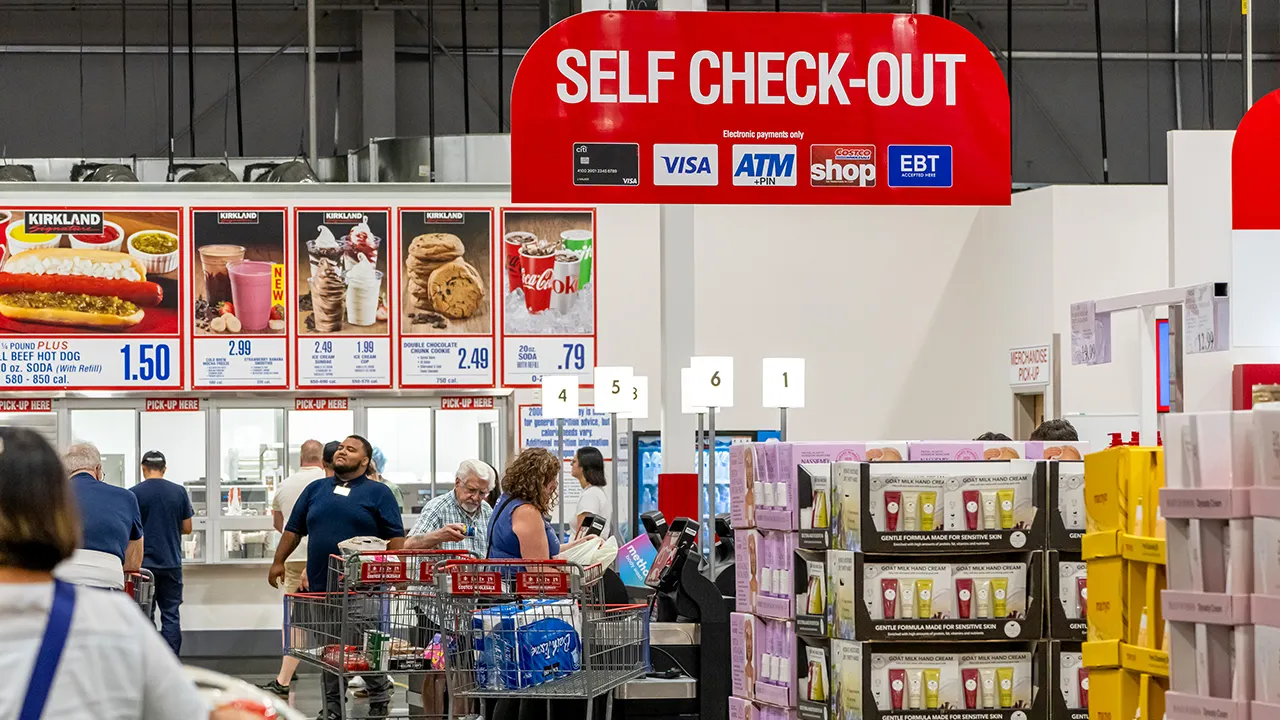
Your Costco run is about to get a lot faster.
The warehouse giant is reportedly overhauling its checkout process, piloting new automated stations that promise to process orders in under 10 seconds. By blending employee productivity with high-speed tech, Costco is betting it can solve the retail industry’s biggest headache without losing the low-cost model that keeps its members loyal.
“In digital, we continue to make strides with our roadmap to deliver a more seamless experience for members in warehouse and online. In the warehouses, we are achieving meaningful improvements in the speed of checkout and employee productivity, both as a result of our mobile wallet enhancements, pharmacy pay ahead and the rollout of employee pre-scan technology,” Costco CFO Gary Millerchip said in the company’s second-quarter earnings call earlier this month.
COSTCO ENTERS FERTILITY CARE WITH MASSIVE DISCOUNTS FOR MEMBERS THROUGH NEW HEALTHCARE PARTNERSHIPS
Under new CEO Ron Vachris and Millerchip, the warehouse club is pivoting from its traditional checkout roots to a high-tech pre-scan model and automated pay stations. At first, employees will expedite the pre-scanning process before customers reach the register.
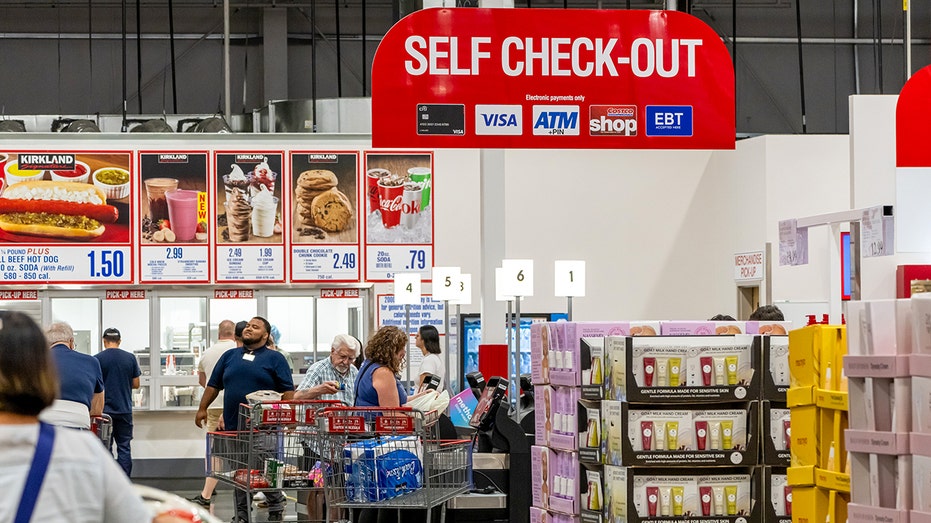
Shoppers at the self-checkout inside a Costco store in Napa, California, on Monday, Sept. 22, 2025. (Getty Images)
Costco has previously tested self-checkout at select stores, but the system did not appear to stick.
“We are also piloting automated pay stations that will allow members to pay for their pre-scan orders seamlessly with an average transaction time of around eight seconds,” Millerchip added. “Early results show this is improving the flow of traffic, and we have received great member feedback.”
Leadership also discussed embracing AI and e-commerce shifts on the call that rivals have used to dominate the convenience shopping market.
‘The Big Money Show’ discusses the growing trend of young adults getting financial help from their parents.
“On our digital sites, we continue to roll out new personalization capabilities which are resonating well with our members and are starting to have measurable impact on e-commerce sales growth. As consumers embrace AI in their shopping habits, we believe our commitments to providing the best value on great quality items can make us a beneficiary of these shifts,” the CFO said.
New data from the NCR Voyix Digital Commerce Index reveals a generational divide in how Americans want to pay at the register. While 43% of all consumers now prefer self-checkout options, 53% of shoppers aged 18 to 44 prefer the DIY method, while those 55 and older stick to manned lanes, citing large cart volumes as the primary reason for avoiding self-checkout.
GET FOX BUSINESS ON THE GO BY CLICKING HERE
FOX Business’ Lauren Simonetti joins ‘Mornings with Maria’ to report on how artificial intelligence is transforming the retail shopping experience.
While many big-box retailers have passed on inflationary costs to consumers in recent years, Costco has maintained its popularity with middle-class Americans due to its roughly 14% to 15% cap on product margins. Traditional grocers typically have a 25% to 35% product margin, making Costco’s prices highly competitive.
Costco’s net sales surged 9.1% to $68.24 billion in the second quarter, with net income hitting $1.36 billion — a 13.6% increase year over year following a membership price hike.

Richard Bernstein Advisors CEO and CIO Richard Bernstein offers insight on investment strategies during conflict and rising inflation on ‘Barron’s Roundtable.’
Tax season is in full swing as the deadline to file or request an extension is less than three weeks away, and some Americans who have already filed their returns are waiting to receive a refund from the IRS.
Nearly 70 million taxpayers filed their returns as of March 13, and most taxpayers can expect to receive their tax refund within three weeks of filing their return. The IRS has a tool taxpayers can use to track the status of refunds.
The IRS’ “Where’s my refund?” tool allows users to view whether their return has been received, if the tax refund has been approved and sent to the taxpayer via direct deposit.
Taxpayers need their Social Security number or taxpayer identification number, filing status, tax year and the exact amount of their federal refund from the tax return they want to check.
HERE’S WHEN TAXPAYERS WILL GET THEIR REFUNDS

Taxpayers can check on the status of their federal tax refund using the IRS’ “Where’s my refund?” tool. (iStock)
The tool informs taxpayers when their refunds have been sent to their banks via direct deposit. It also says that if their refund hasn’t been credited to their account by a specific date, they should check with their bank to see if it has been received.
Taxpayers who e-filed their return for the current year can typically see their refund status within 24 hours using the refund tracking tool. Those who e-filed a tax return for a prior year can usually see it after three days. The refund status for tax returns that were filed using paper copies is available four weeks after filing.
The timeline for refunds to be received by the taxpayer also depends on how they filed their return. Taxpayers who e-filed their returns typically receive their refund about three weeks from the date they e-filed. Refunds for mailed tax returns are usually received six or more weeks from the date the IRS received the mailed return.
TAX FILING SEASON IS OFFICIALLY HERE: WHAT YOU NEED TO KNOW
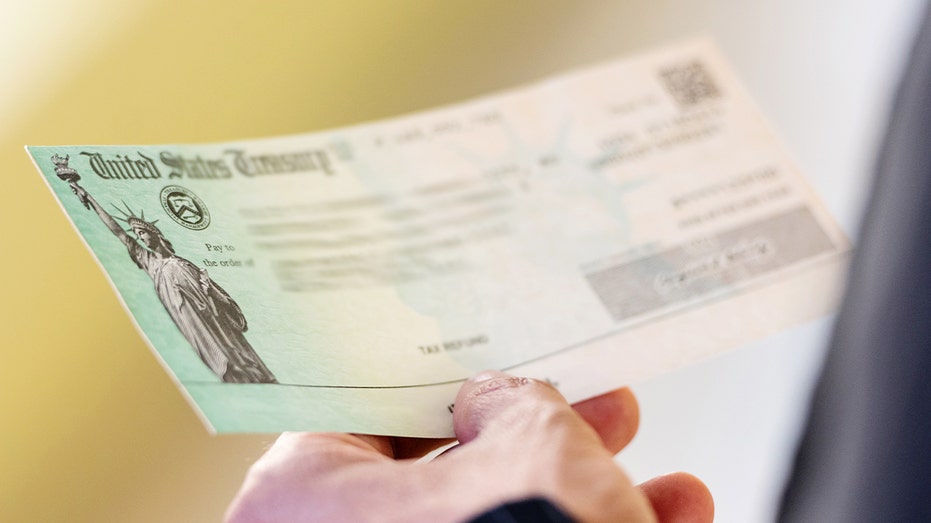
The IRS is phasing out paper refund checks but will still send them in certain circumstances. (Juanmonino via Getty Images)
The IRS also encourages taxpayers to enroll in direct deposit if they want to receive their refund faster because the agency began phasing out paper refund checks last fall. It will still send paper checks if no alternative is available for taxpayers. Options available for taxpayers without bank accounts include prepaid debit cards, digital wallets or other limited exceptions.
The IRS says that while it issues most refunds to taxpayers in fewer than 21 days, some returns may take longer to process as they require additional review or corrections.
For example, returns that claim the earned income tax credit are held by law until mid-February to prevent fraud, while the complexity of the additional child tax credit requires a deeper review. Common mistakes like forgetting to sign your return or making a math error can also cause delays.
TAX REFUND DELAYS HIT MULTIPLE STATES

E-filed tax returns are processed faster than paper returns. (Getty Images)
If the IRS corrects the return, it may reduce or increase the refund amount that the taxpayer was owed based on their original filing. When this happens, the IRS will mail a notice explaining the adjustment to the taxpayer’s address of record.
Taxpayers who had to amend their tax returns after they were initially filed have a separate tool they can use to check on the status of their returns and any refunds they may be owed.
They can check the status using the “Where’s my amended return?” tool three weeks after it was filed. Amended returns typically take longer for the IRS to process and may require up to 16 weeks.
GET FOX BUSINESS ON THE GO BY CLICKING HERE
The IRS also offers other ways for taxpayers to check their refund status via the IRS mobile app and automated hotlines for refunds and amended returns.
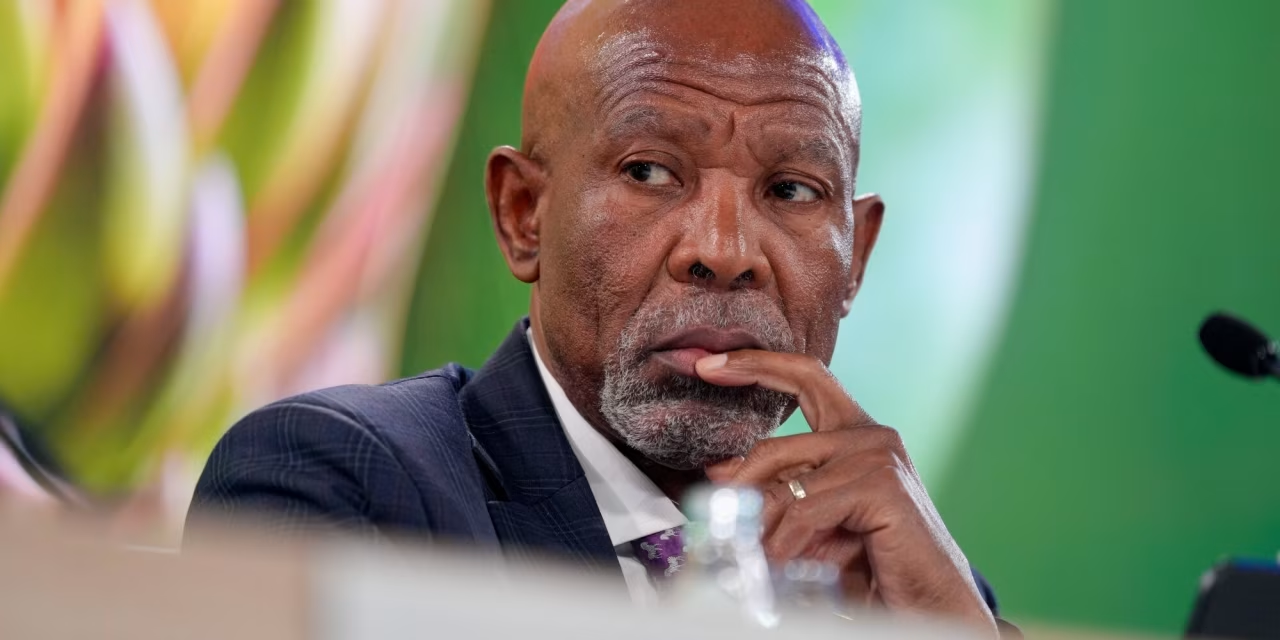
JOHANNESBURG—The South African Reserve Bank unanimously decided to maintain its main repo rate at 6.75% on Thursday as it braces for the long-term consequences of the war in Iran.
The decision continues a pause in the bank’s cutting cycle that began in September 2024, when the SARB began to reduce rates from a 15-year high of 8.25%.
Copyright ©2026 Dow Jones & Company, Inc. All Rights Reserved. 87990cbe856818d5eddac44c7b1cdeb8
Import-dependent economies, it said, would face tighter availability of fuel, food and industrial inputs. Disruptions to fertilizer supply chains could lower crop yields and push up food prices, increasing affordability risks.
India sourced 43% of its petroleum and petroleum products from GCC countries, Iraq and Iran in 2024, compared with 84% by Japan, 67% by Korea, and 42% by China.
“Producers with significant assets in Japan, Korea, India and China are most exposed because of their heavy reliance on Middle Eastern oil and the dominance of naphtha – an oil-derived product – as the primary feedstock for Asia’s steam crackers,” said Moody’s Ratings.
It noted that a prolonged conflict could push Brent crude to about $135 per barrel in the second quarter, keeping prices above $100 for months before easing toward $90 by end-2026. It identified three key transmission channels for global credit risk, that is, energy markets and supply chains, tighter macro-financial conditions, and broader geopolitical disruptions.

Meghan McCain Slams ‘Evil’ Criticism of Erika Kirk

Motability changes will limit how far disabled people drive

Coleen Rooney speaks about son Kai’s future and he might not follow Man United dad Wayne


-
 Crypto World7 days ago
NIO (NIO) Stock Plunges 6.5% as Shelf Registration Sparks Dilution Worries
-
 NewsBeat3 days ago
Manchester United reach agreement with Casemiro over contract clause amid transfer speculation
-

 Crypto World6 days ago
Best Crypto to Buy Now: Strategy Just Spent $1.57 Billion on Bitcoin During Fear While Early Investors Quietly Enter Pepeto for 150x Potential
-

 Crypto World6 days ago
Bitcoin Price News: Bhutan Sells $72 Million in BTC Under Fiscal Pressure, but the Smart Money Entering Pepeto Sees What the Market Does Not
-

 News Videos2 days ago
Parliament publishes latest register of MPs’ financial interests
-

 Sports4 days ago
Remo Stars and Kano Pillars Strengthen Survival Hopes in NPFL
-

 Sports4 days ago
Gary Kirsten Accuses Pakistan Cricket Board Of ‘Interference’, Mohsin Naqvi Responds
-

 Business5 days ago
No Winner in March 21 Drawing as Prize Rolls to $133 Million for Next
-

 Tech5 days ago
Give Your Phone a Huge (and Free) Upgrade by Switching to Another Keyboard
-

 Tech5 days ago
AI enters the chat: New Seattle dating app relies on tech to facilitate meaningful human connections
-

 News Videos4 days ago
Ch 9 Financial Management Part 1 | Detailed One Shot | Class 12 Business Studies Boards 2026
-
Business7 days ago
Columbia Sportswear enters $500 million credit agreement with JPMorgan Chase
-

 Tech6 days ago
Today’s NYT Connections Hints, Answers for March 22 #1015
-

 Business1 day ago
Instagram, YouTube Found Responsible for Teen’s Mental Health Struggle in Historic Ruling
-

 Business6 days ago
Will Duke Basketball Win It All? Duke Basketball Enters Second Round as Third Favorite to Claim NCAA Title
-

 Sports5 days ago
2026 Kentucky Derby horses, odds, futures, preview, date: Expert who hit 12 Derby-Oaks Doubles enters picks
-
 NewsBeat5 days ago
Update on Wisbech river crash as search for teenage boy enters fifth day
-
 Entertainment4 days ago
Cynthia Bailey Dishes on ‘RHOA’ Season 17, Discusses Kandi
-
 NewsBeat2 days ago
Tesco is selling new Cadbury Dairy Milk bar and people can’t wait to try it
-

 Tech4 days ago
Samsung will soon let you control smart home devices from your car’s dashboard
You must be logged in to post a comment Login