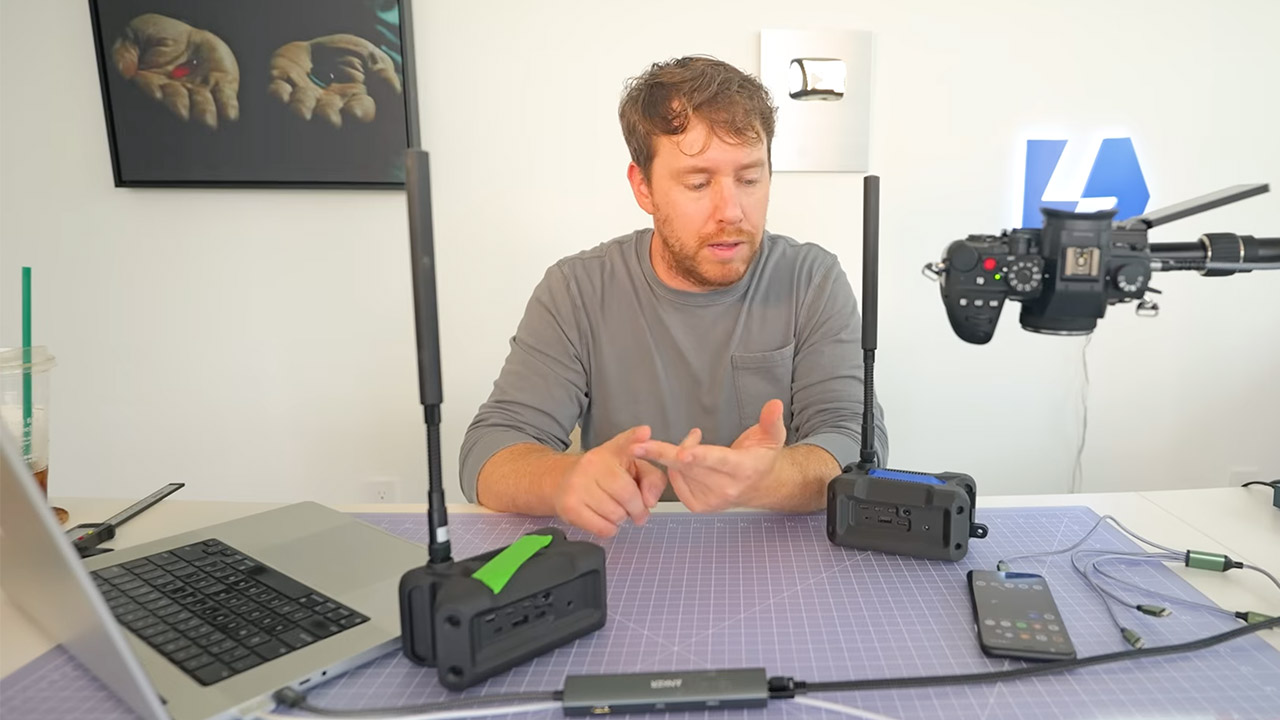
Cars race down a nearly vacant stretch of highway. Two drivers grasp their phones tightly as a FaceTime video call continues between them. The speedometer reads 70 mph, but there are no cell bars in sight, nor do any familiar Wi-Fi networks appear. HaLow technology within each vehicle communicates with a handful of little boxes mounted on the dashboards. These units form a private wireless web that connects the vehicles, with each box essentially chatting to the one next to it, effortlessly passing data so the link never fails.
These boxes are referred to as Haven nodes. Each one includes a unique radio chip that can communicate over longer distances than standard Wi-Fi. These chips operate at lower radio frequencies, allowing them to easily penetrate trees, hills, and open spaces. A simple small antenna extends the reach even further – one node may be tucked in a backpack or on a car roof, and if you add a few more, the network reaches across miles of open countryside. Data just jumps from node to node, finding the shortest path downward like water.
A New Way to WiFi: Deco Mesh technology gives you a better WiFi experience in all directions with faster WiFi speeds and strong WiFi signal to cover…
Better Coverage than traditional WiFi routers: Deco S4 three units work seamlessly to create a WiFi mesh network that can cover homes up to…
Seamless and Stable WiFi Mesh: Rather than wifi range extender that need multiple network names and passwords, Deco S4 allows you to enjoy seamless…
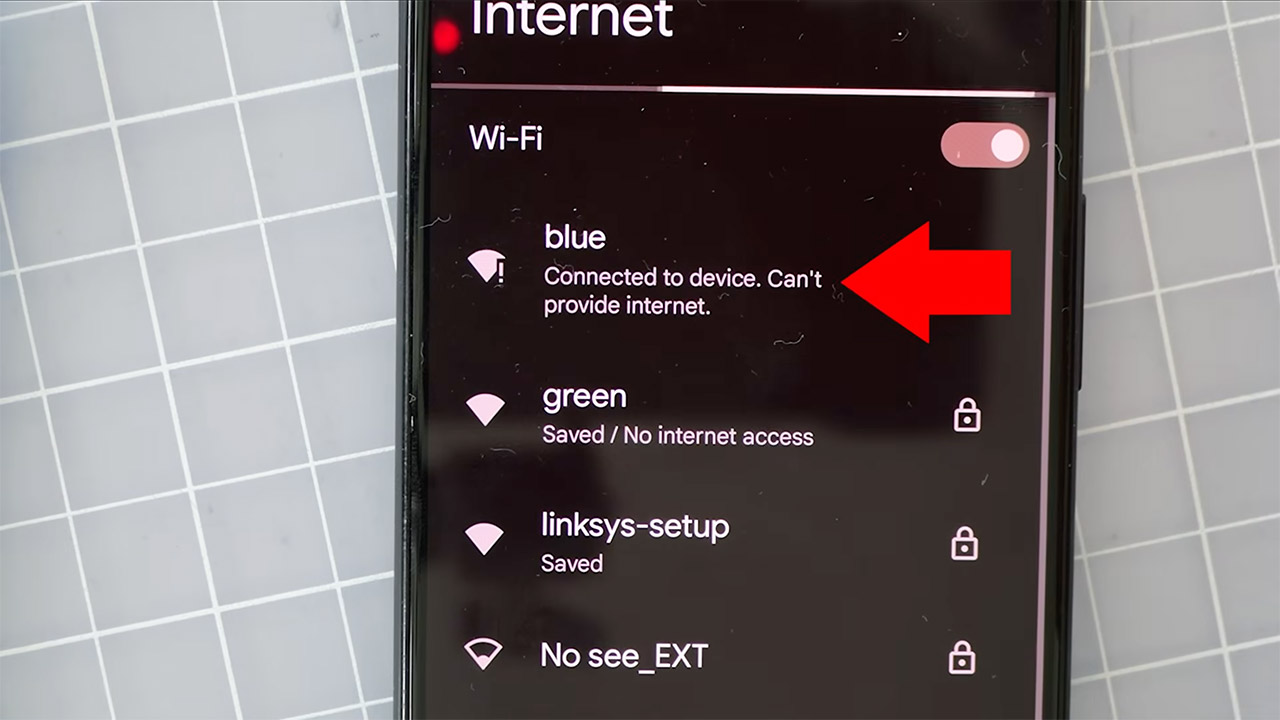
Your phone does not need to attempt to connect to the wider internet, just the nearby node. The nodes all create a mesh and keep everything local. The software inside the nodes determines the fastest route between any two places using well-established mesh connection principles. When a new node joins, it just slots in without requiring any further setup, because the entire group reorganizes itself whenever one node moves or loses power. The device is powered by a small battery pack or even a car outlet, allowing it to operate for hours in the middle of nowhere.
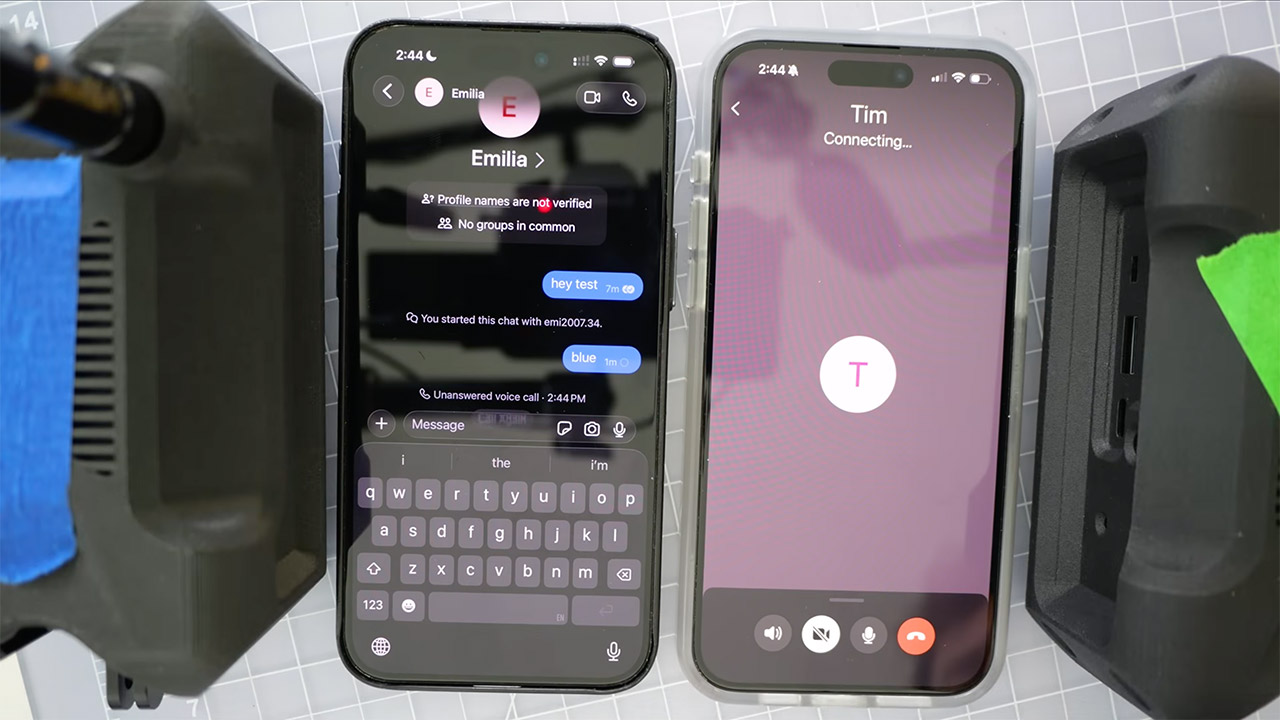
FaceTime works because the app is pre-programmed to allow phones to connect straight when they are on the same local network, something developers added years ago for speedy indoor talks. People quickly forgot about it as apps began relying on remote servers. In this mesh configuration, the phones simply discover each other as they would in a living room, but now that living room is the entire roadway. The call connects without hesitation, and the video streams smoothly enough to hold a typical conversation; the audio remains crystal clear even as the automobiles weave through hairpin corners.
Signal operates in the same way; once all of the phones are connected to the mesh, voice calls can begin immediately. Other apps, such as WhatsApp and Zoom, simply fail since they continue to rely on external servers for authentication. Another open source tool called Mumble can manage voice chats and even broadcast music across the same network without any problems. The mesh has plenty of speed for all of this because the low frequency radios continue to send out consistent data rates across hundreds of yards between nodes.
It only takes a few minutes to set up the nodes; simply place them wherever you need coverage, turn them on, and then connect to the network using your phone, as the name will appear for you to choose. There is no need to create an account or pay a monthly subscription, and you will not be reliant on any towers or wires. Some people have even used this approach to stay in touch with friends when hiking, boating, or anywhere out in the wilderness; simply drop a few nodes and you may continue as usual. The coverage increases as you add additional nodes or replace the antennas with better ones.
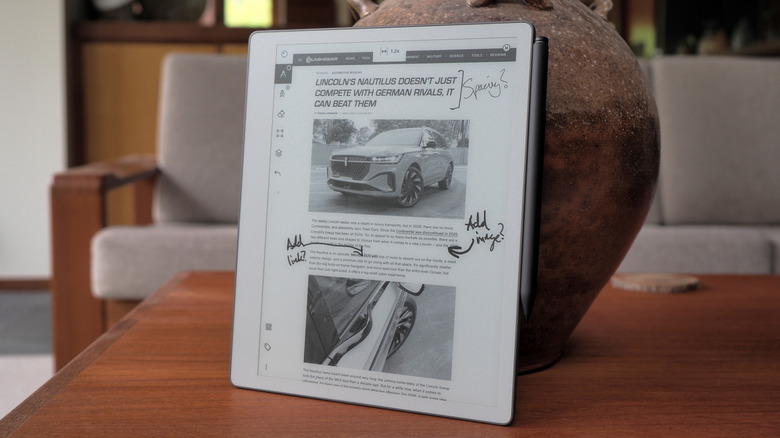
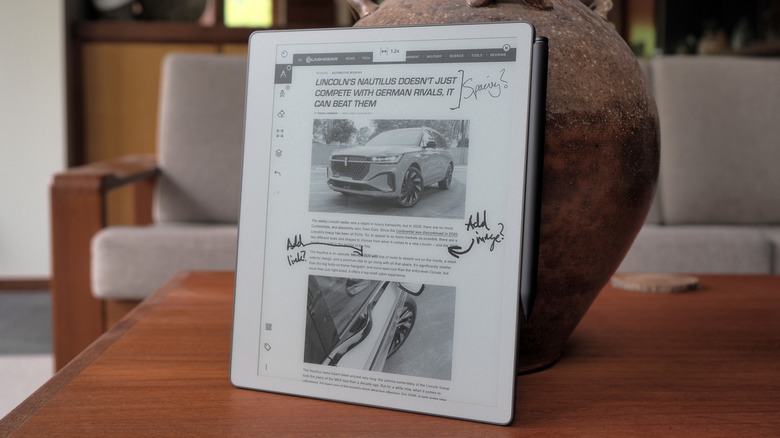
The reMarkable Paper Pure is, without a doubt, one of the nicest e-paper writing slates I’ve spent a lot of time with. The writing experience is more or less identical to the one found on the Paper Pros, and it’s an enormously well-crafted experience. I’m a big fan of the display and I’m fairly sure it’s more responsive to page swipes and refreshes than its siblings. Given what people will use this device for, I’m not even sure they’re going to miss the color display. I certainly didn’t, which even I was surprised about, but then color isn’t a necessity for a slate of this type. If you’re just handwriting long notes and editing, you’re probably not stopping every few scrawls to change ink color or highlight something anyway.
I’ll go further and say the Paper Pure is a far better device than the Paper Pro Move, which I found too small to be useful. In hindsight, the Move was likely a distraction if it held up engineering resources that could have gone to this. I’ve found it very easy to lean back in an armchair and scratch out my thoughts about this device in my time with the Pure. Plus, it’s an excellent e-reader that doesn’t burn out your eyes, and it’s great for journaling and sketching out the earliest design plans for projects.
reMarkable’s intentionality encompasses AI: The company won’t put any gen-AI crap on its gear for obvious reasons. But it does use machine learning to analyze your handwriting and, when you upload your documents to reMarkable’s sharing page, it’ll create AI summaries and extract action items. Plus, if you upload a file to, for instance, design website Miro, the AI will try and extract your writing and diagrams, digitizing them for the platform in question. These are all sensible and perfectly valid uses for the technology in my opinion, greasing the wheels of your workday rather than allowing you to outsource your thinking.
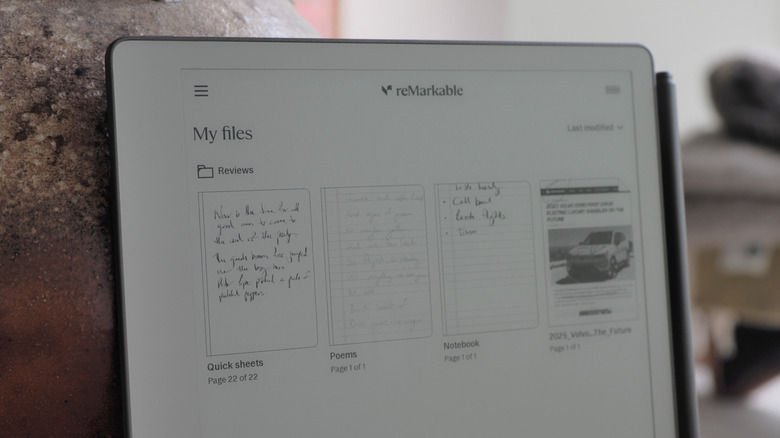
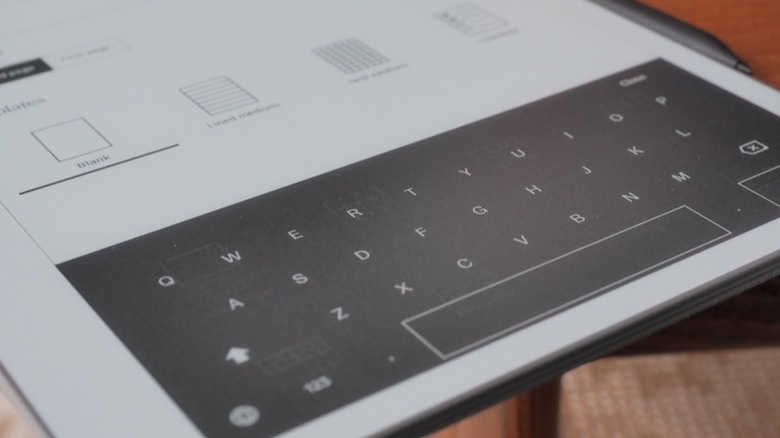
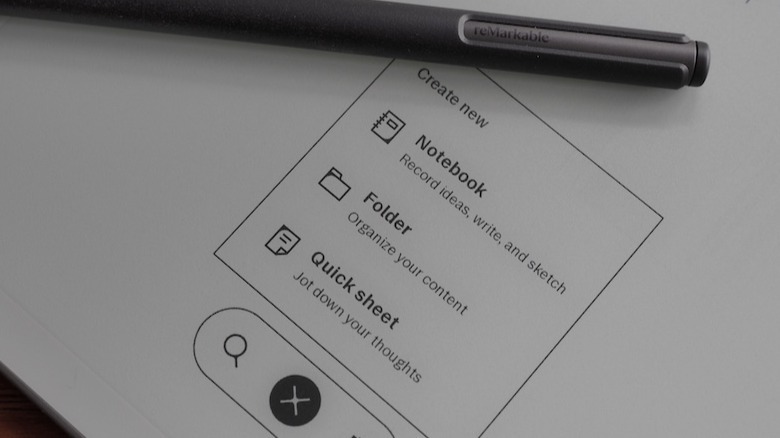
The basic stuff hasn’t changed. You create notebooks, using a variety of paper styles and templates. You can import .PDF and .EPUB files to read and amend, and can edit text directly if you can brave the on-screen keyboard. If your handwriting is clear enough (and mine rarely is) you can convert your scrawl to text, and the system will even let you search through your handwritten notes. Once done, you can share a .PDF of your work via email, Google Drive, Slack or various other third-party clients.
Advertisement
reMarkable supports native import of .DOCX files, which you’re able to edit with the stylus. When you want to export that file back to your computer, you’ll get an AI summary of the recommended changes. But, much like the exports of .PDF and .EPUB files, you’ll still have to manually copy-paste those amendments in your original document. Which, if I’m honest, doesn’t seem like a particularly efficient way of doing things, especially given who the company is pitching itself to now.
One of the new enterprise-friendly features is calendar integration, which will let you create and file meeting notes specific to each event. If it’s, say, a recurring meeting, the system will tie all of those together in the same workbook so you aren’t hunting for notes. Sadly, what you can’t do with this feature is automate some of the busywork that comes with using the slate as a day planner. There’s a small ecosystem of creators who sell custom .PDFs for use as planners or journals tailored to people’s specific use cases. This prompted reMarkable to launch Methods, a more dynamic system to do the same thing, but it lacks the joined up thinking that such a feature could benefit from. After all, I’d love it if my reMarkable planner automatically filled in the information from my integrated calendar.
For a while you’ve been able to share the screen of your reMarkable to a computer but that’s gotten a lot more useful. You can share it via a USB-C cable or wirelessly to the company’s web client to conduct presentations. Even better, and another sign of reMarkable’s elegant design choices, is that if you hover the stylus a few millimetres over the display, it’ll turn into a laser pointer with a slowly-diappearing light trail. So, if you need to highlight something in your presentation or brainstorming session, you can do so without affecting what’s on your workbook.
Unfortunately, all of these innovations are targeted so squarely at companies that regular folks might feel a bit elbowed out. It doesn’t help that while the device itself is a joy to use, it’s increasingly obvious the ecosystem that surrounds it is not. The friction inherent in moving a document on and off the slate, the extra steps in the workflow that it creates, are charming only in isolation.
The more we’re told to trust AI, offload our note-taking to machine intelligence, and outsource creativity to agent prompts, the more appealing pen and paper sound. It’s a compulsion that reMarkable has carved out its niche in, with a range of e-paper tablets that promise the familiarity of a pen but with the undeniable organizational boon that digital brings. Now, it’s the turn of the company’s cheapest model to get an update, in the shape of the reMarkable Paper Pure.
Replacing reMarkable 2, which launched in 2020, the Paper Pure has an 10.3-inch e-paper screen that refreshes faster, a longer lasting battery (lasting up to three weeks, the company estimates, though that’s based on about an hour of use a day), and close to half the carbon footprint.
Chris Davies/SlashGear
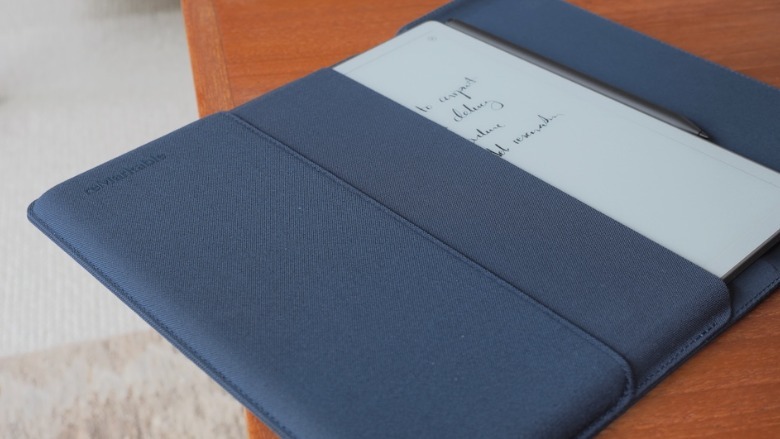
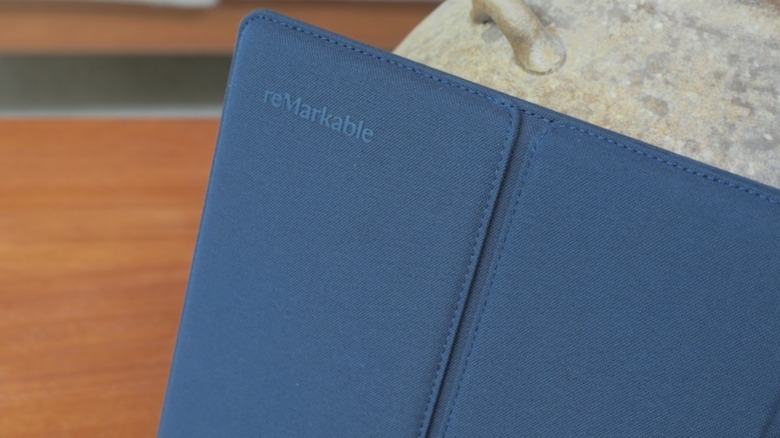
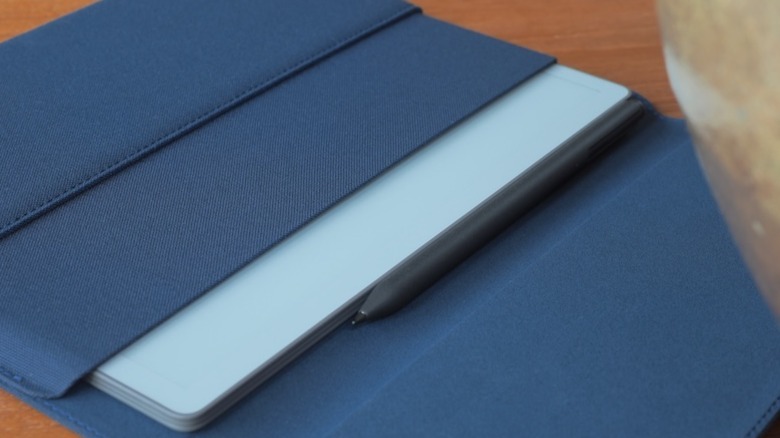
It’s priced the same, though: $399 in a bundle with the Marker digital stylus, or $449 with a sturdy fabric sleeve folio (in Mist Green, Desert Pink, or the Ocean Blue you see here). It’s compatible with the same Marker Plus stylus ($129) — that adds an eraser tip — as reMarkable’s more expensive models. Orders open today, with the first Paper Pure units shipping in early June, but I’ve been living with the tablet for the past couple of weeks.
Advertisement
Monochrome, but no matter
Chris Davies/SlashGear
Compared to the reMarkable Paper Pro (from $629), the Paper Pure lacks the larger, 11.8-inch color e-paper display. There’s also no optional Type Folio keyboard cover, nor — probably more frustrating — illumination for the e-paper screen. Instead, like an actual printed book or magazine, visibility of the Paper Pure depends on ambient light conditions.
In-between those two models is last year’s reMarkable Paper Pro Move. It’s slightly more expensive (from $449) than the Paper Pure but significantly smaller, with a 7.3-inch color display — that’s also illuminated — helping trim the overall dimensions to roughly those of an old-school reporter’s notebook.
Chris Davies/SlashGear
While the hardware differs, all three models have the same functionality; the Paper Pure has basically the same speed of processor paired with the same amount of memory as the Paper Pro Move. However, both the Paper Pro Move and the Paper Pro have 64GB of onboard storage, twice the 32GB of the Paper Pure.
Advertisement
It feels like writing on real paper
Chris Davies/SlashGear
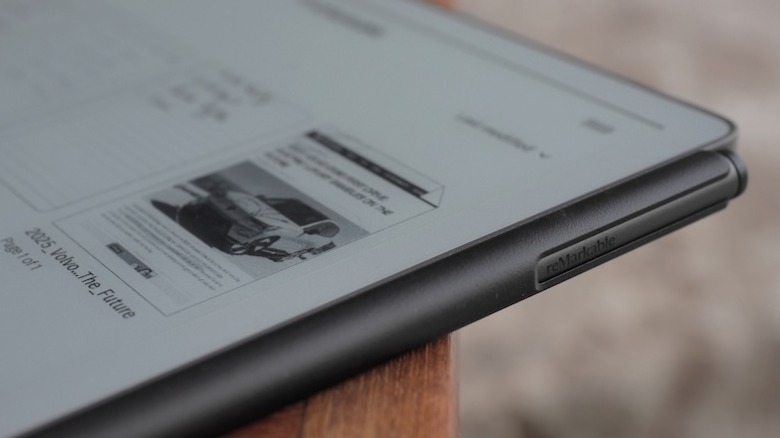
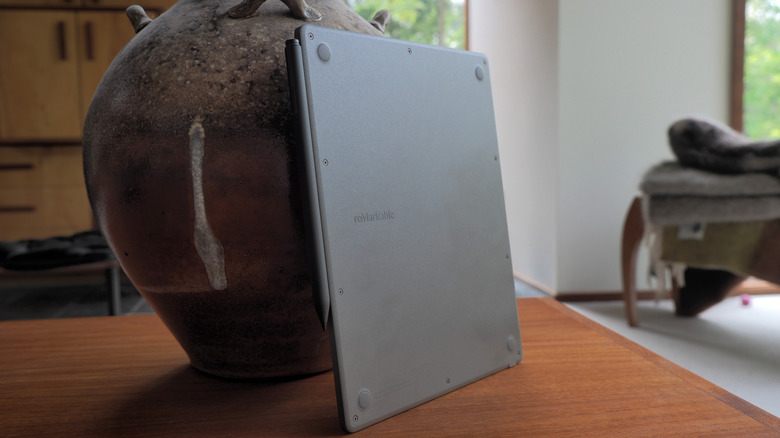
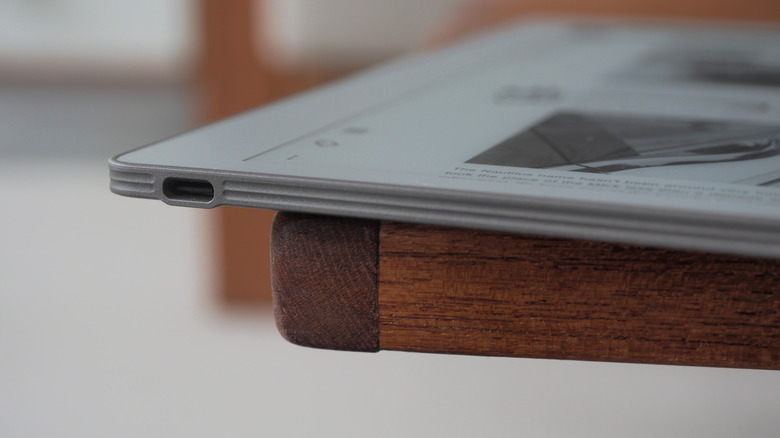
Paper Pure may be the cheapest of the line-up, but I can’t fault reMarkable’s design or construction, here. The 6mm thick tablet has a textured plastic back that’s easy to hold, and weighs 360 grams (so, less than the typical hardback book). There’s a USB-C port on the bottom, a power button on the top, and the stylus clings magnetically to the side for both storage and recharging. The 10.3-inch touchscreen is offset to the side, slightly, making it easier to hold the tablet without overlapping the e-paper; it rotates automatically, in 90-degree increments, so left-handed users are as welcome as those right-handed.
Chris Davies/SlashGear
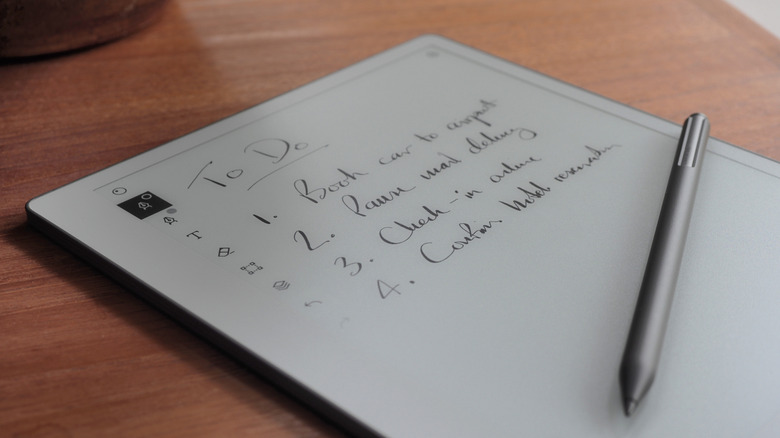
It’s the texture applied to that screen — and the nib of the stylus — which stands out, though. The same treatment as on the Paper Pro, it leaves the Paper Pure feeling like actual paper to write and sketch on.
Chris Davies/SlashGear
Combined with the faster e-paper screen — an update which promises to not only see the digital ink “flow” more smoothly from the Marker’s tip, but zooming and page-turns be swifter, too — it leaves the Paper Pure remarkable pleasing to use. As before, you can either start from a blank page (with or without a template, of which reMarkable has plenty, but you could also create your own, or import a third-party one) or import an existing document or webpage (reMarkable automatically converts them to PDR or ePUB files, which are still — annoyingly — the only two formats natively supported).
Advertisement
Some of the features require a subscription
Chris Davies/SlashGear
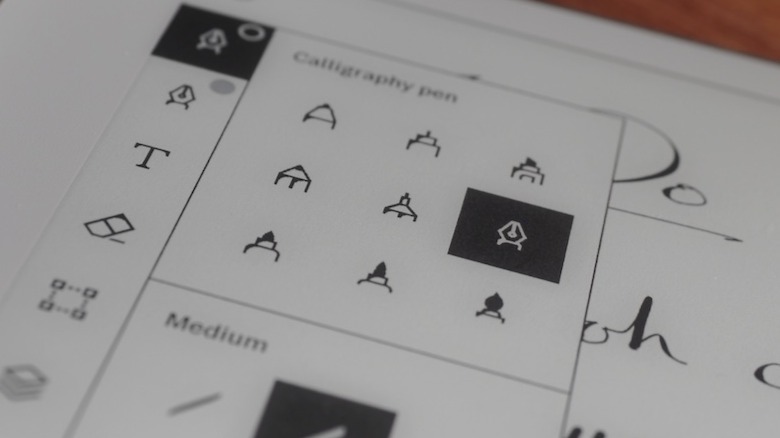
Writing on the Paper Pro could almost make a handwriting convert out of me. Or, more specifically, send me down a fountain pen rabbit hole: the flow of ink from the virtual pens on offer is so clean and realistic, I found myself taking notes almost for its own sake. Sketching, too, is oddly satisfying. I didn’t really miss the absent color support — relatively muted as it is on the Paper Pro, if you’re used to an iPad’s saturation — but then again I hated coloring books as a kid. Your mileage might vary.
Chris Davies/SlashGear
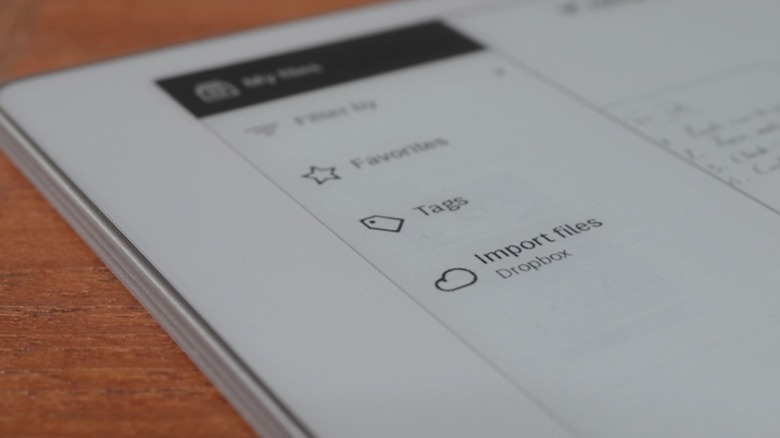
There’s handwriting conversion, which did an okay job turning my chicken-scratch cursive into text, and integration with Dropbox, Microsoft OneDrive, and Google Drive to both import documents and export them as annotated PDF, PNG, or SVG files. The ability to search unconverted handwritten notes, though, requires reMarkable’s Connect subscription ($3.99/month or $39/year).
Chris Davies/SlashGear
It also adds support for editing notes in the companion iOS and Android apps (they’re automatically synchronized with the tablet when it has a Wi-Fi connection); sending notes to Slack and Miro, or as a sharable notebook viewable in the browser; and unlimited cloud storage of notes. Without a Connect subscription, only notebooks edited in the past 50 days will be synchronized to the cloud.
Advertisement
You either need a digital notepad or you don’t
Chris Davies/SlashGear
As I’ve found when trying other reMarkable models, the usefulness overall very much depends on your existing style of working. I know owners of the tablets who are writers and editors, and who appreciate the ability to jot annotations and circle typos; frequent meeting-goers find reMarkable’s paper-like notebook organization structure straightforward, and taking notes less obtrusive when they’re handwritten compared to having a laptop (or even a bright-screened tablet) open on the table.
My own job involves plenty of writing and editing, but a Paper Pure doesn’t quite slot into that particular dynamic so readily. These days, I’m faster at typing than I am writing by hand. That is, to be sure, less a shortcoming of what reMarkable offers and more just the reality that not all workflows are created equal. Honestly, the gooey-realism of the digital ink made me inclined to treat the Paper Pure as a digital journal (I wish it had a fingerprint sensor integrated into the power button, which would be quicker than punching in the supported PIN code for security).
Chris Davies/SlashGear
The most obvious competition comes from Amazon’s Kindle Scribe. It, too, has a monochrome e-paper display — in this case, measuring 10.2-inches, and front-illuminated — and a digital stylus; it’s also priced from $400, albeit for half the onboard storage of reMarkable’s tablet. Both handle a similar array of file import support, but Amazon would also love for you to summon its AI to assist with things like document summaries (as long as those documents are 15 pages or fewer).
Advertisement
The cheapest model is easier to justify
Chris Davies/SlashGear
Frankly, I’m no more swayed by Amazon’s AI as I am by that of any other big tech firm. And if — like me — you’re trying to reduce your reliance on Bezos’ businesses generally, reMarkable’s independence and extra onboard storage may well seem like a bigger draw.
The recurring irony on trying any reMarkable product has been that, while my own personal use-case isn’t entirely compatible with what the tablets are intended to do best, my appreciation for their design and functionality means I end up trying to reshape my workflow to better accommodate handwriting. There is something that simply makes me want to use them, more so than a regular tablet despite that undoubtedly being more flexible overall, and even if that means making up an excuse.
Chris Davies/SlashGear
On that front, this combination of the cheapest model with the latest e-paper tech is arguably the easiest to justify for use as, say, a digital sketchpad or journal. $400 isn’t cheap, but while I might miss the illuminated screen, the reMarkable Paper Pure’s polish leaves this more affordable model feeling no less premium than its siblings. If it fits neatly into how you already use paper and pen, I find myself envying you.
Attackers poisoned DAEMON Tools downloads with malware, infecting thousands worldwide
The campaign deployed an infostealer first, followed by a selective backdoor on targeted machines
Researchers suspect Chinese actors, noting the attack’s precision against government and industry systems
DAEMON Tools, a popular program used to create and use virtual drives on a computer, was poisoned to deliver dangerous backdoor to thousands of users, experts have warned.
Security researchers Kaspersky published a new report outlining how someone broke into the website hosting DAEMON Tools around April 8, 2026. They added multiple new versions of the software, 12.5.0.2421 through 12.5.0.2434 – for DTHelper.exe, DiscSoftBusServiceLite.exe, and DTShellHlp.exe binaries.
When installed, these versions deployed multiple malware variants. First, the victim gets infected with a basic infostealer that grabs system data (hostname, MAC address, running processes, installed software, and system locale), and relays it to the attackers. Then, based on the information returned, the malware moves to stage two, deploying a lightweight backdoor capable of executing commands, downloading files, and running code directly in memory.
Article continues below
Advertisement
Highly targeted attack
DAEMON Tools was extremely popular in the early 2000s, but even today it is considered to be widely used.
Kaspersky noted how just among its own customers, it has seen “several thousands of infection attempts” from early April, with victims located all around the world, in more than 100 countries and territories, with the majority in Russia, Brazil, Turkey, Spain, Germany, France, Italy, and China.
Advertisement
Kaspersky also noted that this seems to be a highly targeted attack. The threat actors cannot choose who gets infected with the infostealer, since it’s hosted on DAEMON Tools’ website. Stage two, however, was only seen on a dozen machines belonging to government, scientific, manufacturing, and retail organizations in Russia, Belarus, and Thailand.
“This manner of deploying the backdoor to a small subset of infected machines clearly indicates that the attacker had intentions to conduct the infection in a targeted manner. However, their intent – whether it is cyberespionage or ‘big game hunting’ – is currently unclear.”
Sign up to the TechRadar Pro newsletter to get all the top news, opinion, features and guidance your business needs to succeed!
Kaspersky could not determine the identity of the attackers but believes they are Chinese.
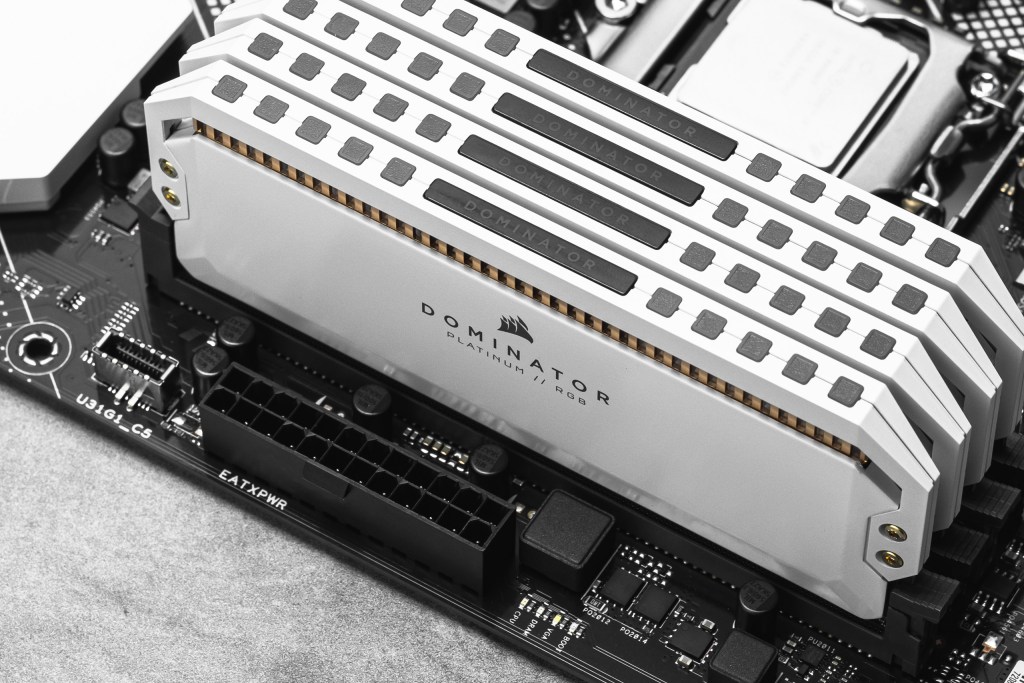
Work on DDR6 memory is already underway, but it’ll be a while before it shows up in your next PC.
According to reports, Samsung, SK Hynix and Micron have all begun early development of the next-gen standard. They are quietly kicking off the process years ahead of any real-world launch.
Right now, the companies have shared early designs with substrate manufacturers, who are building prototypes and running verification tests. That’s typical for memory development. The groundwork often starts more than two years before anything becomes official. However, it also underlines just how early DDR6 still is.
The reason for the push is simple: speed. DDR6 is expected to more than double the data rates of DDR5, which currently tops out at around 8.4Gbps. That kind of jump would bring a noticeable boost to performance. This is especially true for demanding workloads such as AI, data centres and high-end computing, all of which are contributing to the current RAM shortage.
Advertisement
That said, hitting those speeds isn’t straightforward. Faster memory introduces new challenges around signal integrity and power efficiency, which is why manufacturers are working closely with partners earlier in the process. It’s not just about making RAM quicker; It has to remain stable and efficient at those higher data rates.
Advertisement
If you’re hoping for a near-term upgrade, though, you’ll need to be patient. The JEDEC standards body hasn’t finalised the DDR6 specification yet, with key details like I/O configuration and physical design still being ironed out. Current timelines suggest mass production won’t begin until around 2028 or 2029, assuming everything stays on track.
There’s also the question of cost. The ongoing demand for AI hardware has already pushed memory prices up, and DDR6 — with its cutting-edge performance — is unlikely to be cheap when it first arrives. Some forecasts suggest prices could stabilise closer to 2027. This might soften the blow by the time DDR6 lands.
Advertisement
For now, DDR5 remains the dominant standard, especially in servers where it already accounts for the majority of shipments. DDR6 may promise a big leap forward, but it’s very much a long-term play rather than your next upgrade.
After a stellar Find X9 launch, the OPPO Find X9 Ultra will soon be available in India, bringing some exciting changes to the device, specifically aimed at boosting its camera performance. The firm is shifting its focus to hardware to enhance optical zoom capabilities, rather than relying too heavily on software.
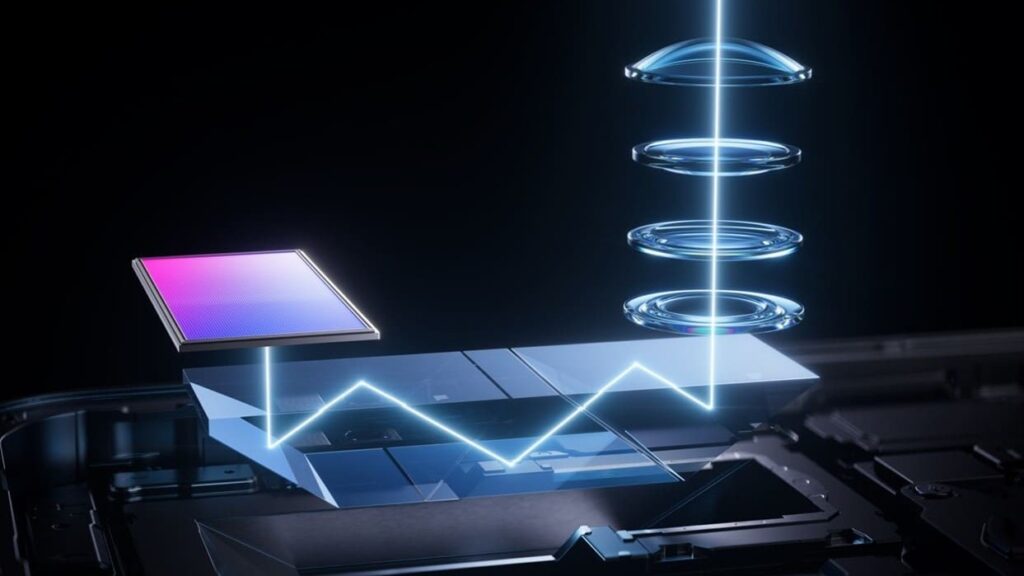
The star attraction is QPPS, a new periscope architecture that enhances the feasibility of extended-range optical zoom. In most smartphones, optical zoom is achieved using a single prism that deflects the light path horizontally. Although this design boosts zoom range, it is constrained by the space available in the phone body.
What is QPPS?
The QPPS (Quintuple Prism Periscope Structure) is designed to extend zoom using a smarter internal setup. In the camera body, the light reflects five times before hitting the sensor, thereby increasing the length of the optical pathway. Furthermore, the OPPO Find X9 Ultra can increase its focal length without compromising its thinness. The phone, therefore, can achieve true 10x optical zoom, equivalent to a 230mm lens.
An additional benefit of optical zoom is its ability to maintain image quality. Since the zoom is handled by the camera hardware, there’s less need for cropping or digital enhancement. This leads to sharper and more natural images. In everyday use, it improves shots of distant subjects and creates a pleasing background blur. It also ensures that image quality doesn’t drop suddenly as you move between zoom levels.
A multi-reflection system improves zoom, but it also complicates light handling. Each reflection point can introduce distortion or scattered light, which can affect the final image. Without proper control, this could lead to reduced sharpness and contrast.
Advertisement
To overcome this, OPPO uses a refined optical design that keeps light under control throughout its path. By applying highly precise adjustments, the camera is less affected by light, ensuring image quality. It means that you can take better shots with high zoom levels.
Camera
The phone has a 200 MP resolution camera that delivers high-quality photos, a 3X zoom camera that is useful for shooting in low light, and an ultra-wide camera that captures a wider view.
These elements combine to form an equilibrium system applicable to various situations. In cases where one is shooting portraits, scenery, or distant objects, the camera can do all that. Moreover, it features 4K Dolby Vision video recording capabilities, hence being suitable for photography and video recording.
Software
In this camera system, software plays a supporting role. The LUMO Image Engine focuses on refining the image rather than artificially generating details. Instead of using software to create details that do not exist in the image, the technology uses high-powered hardware to generate the main image. This helps create a more realistic image with natural details. Afterward, the software is used to enhance the final image through minor adjustments to colors and brightness.
Software often plays a bigger role than the camera hardware itself. However, OPPO approaches this issue from a different angle, focusing more on hardware advancements. It results in more realistic and natural pictures. Also, there is better performance during long-range zoom operations.
While we’ve taken some issues with his approach to copyright laws and enforcement in the past, there is no doubting that Steven Soderbergh is a filmmaking legend. This is a man who directed films like Traffic and Ocean’s 11. He talks about, and cares about, the art of filmmaking. And he’s apparently beginning to use AI in some limited ways.
You really have to pay attention to Soderbergh’s specific comments on how he’s using it, because I would argue that it’s exactly the right artistic approach to the conversation: limited, targeted uses that help achieve the artist’s vision rather than replace everything in a film with garbage slop. Interestingly, articles like this one from Salon still frame all of this as some betrayal of art on Soderbergh’s part. Here’s how Soderbergh describes how he’s using AI as part of an upcoming film about John Lennon and Yoko Ono.
“AI has been helpful in creating thematically surreal images that occupy a dream space rather than a literal space,” Soderbergh said. “And it’s been really fun because you need a Ph.D. in literature to tell it what to do.” Soderbergh relented that generative programs require “very close human supervision,” before going on to admit that he’s also using “a lot of AI” for an upcoming film about the Spanish-American War, to generate images of archaic warships and God knows what else.
I very much understand Soderbergh’s description of how he’s using this tool for his films, but I have no idea what the hell the commentary from Salon around the quote is on about. “And God knows what else” is perhaps the silliest comment in the post, because that statement only works if Soderbergh himself happens to be God.
I don’t believe he is, to be clear. And I think an artist like this one who finds the tool useful in achieving his overall artistic vision is something we should be paying attention to, not dismissing out of hand. The Salon piece notes that Soderbergh has routinely been a director who has embraced the use of new technology before launching into this diatribe.
Advertisement
But just because Soderbergh jumping at AI could be seen from a mile away doesn’t make it any less disappointing, nor does it excuse his reluctance to thoughtfully engage with others’ criticisms about the technology. If “The Christophers” is to be believed, art that tries to imitate a certain style is little more than hollow, emotionless posturing. Generative AI is the same: mere mimicry, devoid of the humanity that makes art . . . well, art. And by being so willfully averse to acknowledging the ways AI and art conflict — not to mention its ramifications for others in his industry — Soderbergh’s take on an artist losing his touch in “The Christophers” is disappointingly apt.
Of course the art that AI “creates” is mimicry and devoid of humanity. That’s definitionally how the tool works. And anyone who thinks they’re going to rely on an AI tool to “create art” is on a fool’s mission. It simply won’t work because it’s not designed to work that way. Instead, it’s a tool to get you some components of what you need to create an overall artistic vision, which is still led by a very human artist. Will there be work done by an AI on the margins in filmmaking that would normally have been done via paid workers in the industry. Perhaps. Likely, even. But will the limited use of these tools also lower the barrier of entry in terms of skill set needed and budget to produce films, thereby creating even more output of films overall? I’m struggling to see how that would not be the case.
And at the end of the day, there’s still an artist calling the shots. Perhaps fewer overall total artists involved in a single movie, but the limited use of AI tools doesn’t somehow suck the entire soul from a film anymore than the ease of digital footage editing over the use of film does. And just like a movie that is almost nothing other than pretty CGI graphics, but which otherwise sucks, lazy people trying to create entire films with AI are going to fail. And fail hard.
Say it with me now: there is more nuance to this conversation than the hardliners and evangelists are bothering to acknowledge.
In a follow-up chat with Variety, Soderbergh expanded on his initial comments about using AI in future films. “I’m just not threatened by it . . . Ten years ago, I would have needed to engage a visual effects house at an unbelievable cost to come up with this stuff,” he said. “No longer. My job is to deliver a good movie, period. And this tool showed up at a moment when I needed it. I don’t think it’s the solution to everything, and I don’t think it’s the death of everything . . . There are some people that I have absolute love and respect for that refuse to engage with it. That’s their privilege. But I’m not built that way. You show me a new tool, I want to get my hands on it and see what’s going on.”
That’s an artist saying that, folks, not some Silicone Valley tech bro. And, to be clear, he might get it wrong. He may use the tool and his product might suck out loud. But to try to abort the use of a tool before it’s even been explored seems silly.
If you’re planning to upgrade your TV, OLED is one of the best technologies you can choose today. They offer deeper blacks, better contrast, and more accurate colors because each pixel works independently. This creates a more immersive experience, whether you’re watching movies, sports, or playing games. It’s one of the main reasons why OLED TVs are often recommended by experts.
The only issue has always been the price. However, the situation is different today, as technology allows users to choose models that deliver equal performance but are cheaper. For your convenience, we looked at expert reviews and real-world performance experts and have selected the best budget OLED TV models.
1. Samsung S90F OLED TV
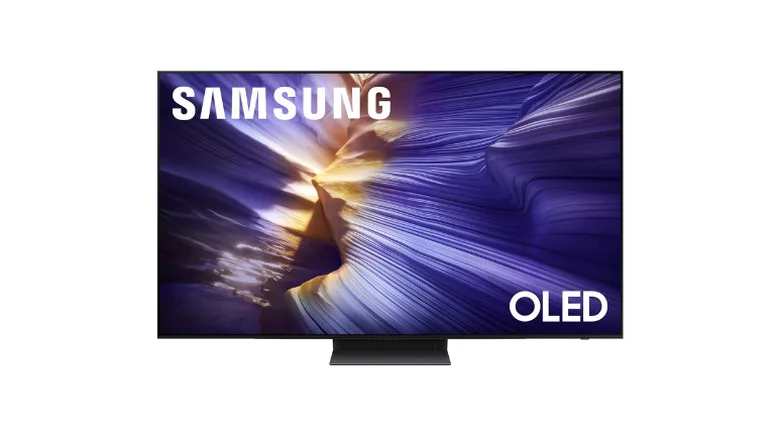
In terms of price-to-performance, the Samsung S90F OLED TV is one of the top recommendations right now. It doesn’t just rely on standard OLED strengths; it pushes things further with its QD-OLED panel. That means brighter highlights and more saturated colors, especially noticeable in HDR content. Instead of the usual “good OLED picture,” this one actually stands out when you’re watching high-quality movies or shows. Bright scenes look punchier, and darker scenes still keep their depth without losing detail.
Where this TV really stands out is in gaming. First, it supports up to a 144Hz refresh rate, and the low input lag helps keep gameplay smooth and responsive. Secondly, the presence of features like VRR can eliminate issues such as screen tearing. If gaming is even a low priority, this is one of the best options.
Another advantage is viewing angles. Even if you’re not sitting directly in front, colors and contrast stay consistent. Compared to something like the S85F, if you watch in a bright room, this makes a noticeable difference over cheaper OLEDs, which makes a real difference in well-lit rooms.
Advertisement
2. LG B5 Series OLED TV
The LG B5 is one of those TVs that doesn’t try to impress with flashy upgrades but gets the basics right. It delivers what most people expect from OLED: deep blacks, strong contrast, and natural-looking colors, but the key difference is how balanced everything feels. Nothing looks overprocessed or exaggerated, making it a safe choice if you watch a mix of content, including movies, sports, and regular TV.
LG’s processing also plays a big role here. Lower-resolution content doesn’t look stretched or blurry, which is useful if you’re not always watching 4K content. It quietly improves the overall viewing experience without making it obvious. That’s something LG has been consistently good at, and this model continues that trend.
For gaming, it covers all the important features without going overboard. You get a 120Hz refresh rate, HDMI 2.1 support, VRR, and low input lag. It’s not as aggressive as Samsung’s 144Hz setup, but for console gaming, it’s more than enough and feels smooth in real use.
3. Sony Bravia XR8B OLED TV
Sony takes a different approach compared to Samsung and LG. If you watch a lot of movies or shows, this TV is best for you. Instead of focusing on brightness or gaming specs, it puts more effort into how the picture actually looks. The XR8B reflects that. Colors feel more accurate, especially skin tones, and motion looks smoother in fast scenes.
One of its biggest strengths is upscaling. Not everything you watch will be in 4K, and this is where Sony usually performs better than others. Lower-resolution content looks cleaner and more detailed, rather than just being stretched to fit the screen. That alone makes it a good option for people who still watch HD channels or older content.
Furthermore, the Google TV interface enhances the experience. It’s easy to navigate, and most apps are readily available, so there’s no learning curve. Everything feels straightforward, which matters for daily use.
Advertisement
That said, it’s not the strongest performer in every area. Brightness is lower than that of Samsung’s QD-OLED models, so HDR doesn’t feel as impactful. It’s also priced a bit higher than it should be for what it offers, especially if gaming is important to you. But if your focus is on accurate visuals and overall picture quality, this TV still holds its place.
4. Samsung S85F OLED TV
The Samsung S85F OLED TV is meant for people who want better color accuracy from an OLED display but are not looking to purchase a premium OLED TV. The advanced QD-OLED screen technology boosts color vibrancy and brightness compared to an ordinary OLED display. Colors look richer, and contrast remains strong, so the overall image quality is still impressive for the price.
In terms of features, the S85F supports the full suite of HDMI 2.1 functionality, including 120Hz refresh rate and VRR. As a result, it is well-suited for gaming, as it ensures smoother gameplay without screen tearing during fast-action sequences. For console users especially, this setup works well and doesn’t feel limited in everyday use.
The main reason to consider this model is price. If you want QD-OLED without stretching your budget too much, this is worth considering.
5. Panasonic Z85 OLED TV
The Panasonic Z85 focuses on a slightly different audience. Instead of pushing picture performance to the limit, it tries to offer a more complete experience out of the box. The display still delivers solid OLED-level contrast and black levels, so you won’t feel like you’re missing out on the core benefits.
One of the main highlights of this TV is the high-quality sound. Unlike most TVs in this range, the built-in speakers are actually good enough for regular use. You don’t immediately feel the need to add a soundbar, which can save extra cost and setup effort. For many users, that makes a practical difference.
Advertisement
It also supports both Dolby Vision and HDR10+, which gives you more flexibility depending on what you watch. That’s something not all TVs offer, and it helps ensure compatibility across different platforms.
Compared to Samsung and LG models, it feels a bit less dynamic, especially in bright scenes. It’s also not as widely recommended in top-tier rankings, which affects its positioning here. Still, if you want a simple setup with good sound and reliable picture quality, this TV does its job well without overcomplicating things.
The new facility marks a key milestone in GridBeyond’s plans for continued expansion.
Irish founded smart energy company GridBeyond has today (6 May) officially opened the new Dublin-based global headquarters. The new facility is a key element in the organisation’s expansion plans and will serve as the central hub for GridBeyond’s global operations across nine electricity markets on four continents.
Established in 2010 by Michael Phelan and Richard O’Loughlin, GridBeyond uses AI-powered technologies and techniques to optimise energy generation, distribution and storage. The company employs more than 160 people and has seven global locations across Europe, Asia, North America and Australia.
GridBeyond has stated that the new headquarters has been designed to support both operational scale and future growth, with the aim of creating an environment focused on collaboration, innovation and employee wellbeing as the company continues to attract talent in Ireland and internationally.
Advertisement
Commenting on the announcement, the Minister for Enterprise, Tourism and Employment, Peter Burke, TD said, “GridBeyond is an excellent example of the ambition and capability of Irish companies operating at the forefront of the global energy transition.
“The opening of their new headquarters in Dublin reinforces Ireland’s position as a hub for innovation in energy and technology and demonstrates how Irish SMEs are developing solutions with real global impact. Supporting companies like GridBeyond to start, scale and succeed internationally remains a key priority for the Government.”
Michael Phelan, the CEO and co-founder of GridBeyond, added, “This new headquarters reflects the scale GridBeyond has reached as a global energy optimisation platform. Managing over 5GW of assets across multiple markets requires real-time intelligence, automation and deep market expertise.”
In March of this year Samsung Ventures invested in GridBeyond as part of a €12m equity round. GridBeyond explained the company will use the funding to accelerate expansion across key strategic markets including in the UK, Ireland, the US, Japan and Australia.
Advertisement
Don’t miss out on the knowledge you need to succeed. Sign up for the Daily Brief, Silicon Republic’s digest of need-to-know sci-tech news.
Looking for the most recent Connections answers? Click here for today’s Connections hints, as well as our daily answers and hints for The New York Times Mini Crossword, Wordle, Connections: Sports Edition and Strands puzzles.
Whoa, how about today’s NYT Connections puzzle? Every once in a while, the puzzle editors decide to go all out and toss us an all-symbol grid, but usually the symbols are… somewhat recognizable? This one has a very distinct style, but it’s also a real stumper. If you threw up your hands today and went hunting for the answers, I don’t blame you one bit.
In a sense, it’s easier than it looks, once you realize the icons are supposed to represent simple graphic versions of the clues. But that purple category especially gave me a headache. Read on for clues and today’s Connections answers, complete with explanations.
Advertisement
The Times has a Connections Bot, like the one for Wordle. Go there after you play to receive a numeric score and to have the program analyze your answers. Players who are registered with the Times Games section can now nerd out by following their progress, including the number of puzzles completed, win rate, number of times they nabbed a perfect score and their win streak.
Here are four hints for the groupings in today’s Connections puzzle, ranked from the easiest yellow group to the tough (and sometimes bizarre) purple group.
If you’re like me, you just want to know what those symbols are! Here’s an easier way to see what all the symbols mean.
What do all those symbols mean? We explain.
Advertisement
NYT/Screenshot by CNET
Top row, left to right: Horizontal trisection, zipper, dice, scorecard.
Second row, left to right: Slot machine, button, bowling ball, circle.
Third row, left to right: Bowling pins, vertical trisection, cards, laces.
Fourth row, left to right: Buckle, chips, horizontal bisection, lane.
Advertisement
What are today’s Connections answers?
The completed NYT Connections puzzle for May 6, 2026.
NYT/Screenshot by CNET
The yellow words in today’s Connections
The theme is found in a casino. The four answers are cards, chips, dice and slot machine.
Explanation of answer: It’s kind of tough to tell which is which, but I think the cards are three rows over and three down (looks like a spread-out hand of playing cards).
Advertisement
The chips are two spaces over to the right on the bottom row (looks like stacked chips).
The dice are three over to the right on the top row, showing two ones (snake eyes!).
And the slot machine is the second one down on the first row (you can see three symbols showing up, plus the lever).
The green words in today’s Connections
The theme is ways to fasten things. The four answers are buckle, button, laces and zipper.
Advertisement
Explanation of answer: Looks to me like the buckle is the first design on the bottom horizontal row.
Then, the button is the round circle with four holes in it (very similar to the bowling ball next to it).
The laces icon is four over and then one up from the bottom (looks kind of like two pairs of laced eyelets in a shoe).
And the zipper is two over to the right on the top row, where you can kind of picture it as zipper teeth.
Advertisement
The blue words in today’s Connections
The theme is seen in a bowling alley. The four answers are bowling ball, bowling pins, lane and scorecard.
Explanation of answer: This was my favorite one! The bowling ball is three over and two down, the circle with three holes in it (confusing since it’s right next to the button).
The bowling pins are three down on the far-left row (10 little circles arranged in a triangle).
The lane is the far-right icon on the bottom row (double lines indicate the gutter).
Advertisement
And the scorecard is the far-right image in the top row, which shows the scorecard itself, the mark for a gutterball or miss, and the slash for a spare.
The purple words in today’s Connections
The theme is flag designs. How did anyone get this without solving the rest of the puzzle?! The four answers are circle, horizontal bisection, horizontal trisection and vertical trisection.
Explanation of answer: Circle is the circle, duh, located at the far right in the second row down. (It appears on the Japanese flag, for one.)
Horizontal bisection is the bottom row, three columns over (the Polish flag is one of many that uses that design, with different colors above and below the line).
Advertisement
Horizontal trisection is the far-right icon on the top row, as appears on numerous flags, such as Germany’s black-red-gold design.
And the vertical trisection icon is two over from the left and three down (easily confused with the bowling alley lane). Ireland and France are among the flags with vertical trisections. (The three divided sections don’t seem equal in the NYT puzzle, though.)
Toughest Connections puzzles
We’ve made a note of some of the toughest Connections puzzles so far. (This one might make the list!) Maybe they’ll help you see patterns in future puzzles.
#5: Included “things you can set,” such as mood, record, table and volleyball.
Advertisement
#4: Included “one in a dozen,” such as egg, juror, month and rose.
#3: Included “streets on screen,” such as Elm, Fear, Jump and Sesame.
#2: Included “power ___” such as nap, plant, Ranger and trip.
#1: Included “things that can run,” such as candidate, faucet, mascara and nose.
Apple’s long-delayed Siri upgrade is no longer just an embarrassing AI setback, as the company has agreed to a very real, very hefty settlement. The company is paying $250 million to settle a class-action lawsuit alleging it misled iPhone buyers in the US about the AI-powered Siri features announced as part of Apple Intelligence.
According to the Financial Times, the case centers on Apple’s promise of a more personalized Siri that was first shown at WWDC 2024 and promoted alongside newer iPhones.
Siri running on iPhoneRachit Agarwal / Digital Trends
Why is Apple paying out a quarter of a billion dollars?
Apple originally pitched the new Siri as a major part of its Apple Intelligence rollout. The assistant was supposed to understand more personal context, read what was happening on a user’s device, and take actions across apps. But that version of Siri never really arrived. Apple did roll out some Apple Intelligence features over time, like writing tools, image-generation features, and a decent ChatGPT integration. Meanwhile, the more ambitious Siri overhaul, however, was delayed well beyond the iPhone 16 launch window.
Siri editing photo with voice commandApple
The lawsuit covers US buyers of the iPhone 16 lineup and iPhone 15 Pro models. Those were the devices Apple marketed as capable of running Apple Intelligence features. Over the last couple of years, the company has been trying to convince users and investors that it can seriously compete in the AI race. But the delay was obvious, and Apple publicly acknowledged the Siri delay in March 2025. This came several months after the iPhone 16 launched.
Apple still plans on delivering it
The upgraded Siri is reportedly still on the roadmap. Apple now plans to offer the new version this year, with reports pointing to iOS 27 and a partnership with Google that would let Apple use Gemini models to help power the experience. Two years later, the feature still isn’t fully here, and Apple may be paying hundreds of millions of dollars for the gap between the demo and the delivery.
























































You must be logged in to post a comment Login