
Security teams log 54% of successful attacks and alert on just 14%. The rest move through your environment unseen.
The Picus whitepaper shows how breach and attack simulation tests your SIEM and EDR rules so threats stop slipping by detection.



Jon Prosser, the leaker Apple is currently suing for allegedly leaking iOS 26 trade secrets, has published yet another video on his YouTube channel called Front Page Tech, showing what he says could be the final design of the purported iPhone Ultra.
Along with slightly different renders from last time, Prosser also points to iOS 27 developer code to back up his claims, particularly regarding the existence of the iPhone Ultra and a new feature that iOS users have been requesting for years.

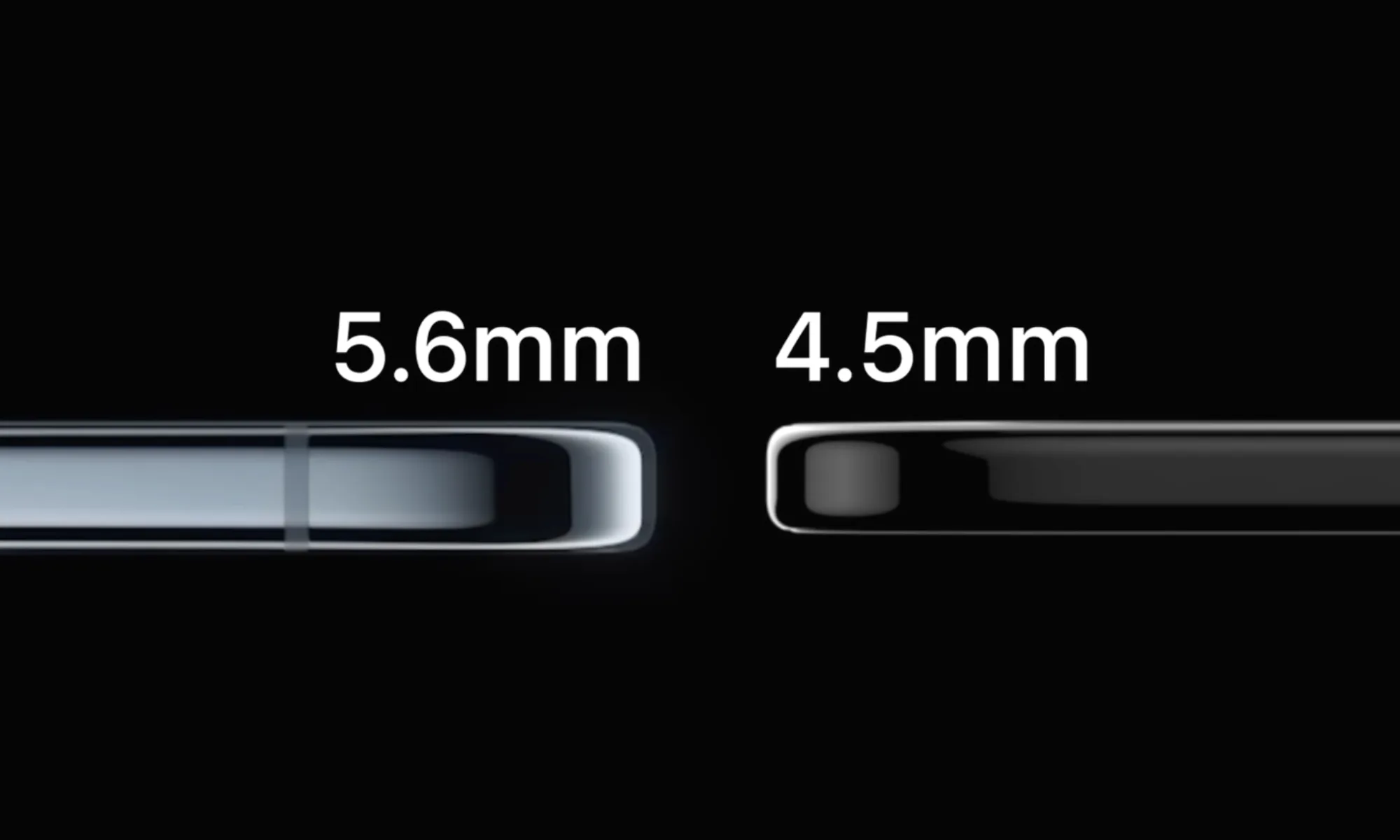
The renders show a book-style foldable that Prosser describes as a “chunky iPhone” when closed and an “iPad” when opened, something we’ve already known for a while. When unfolded, the phone could measure just 4.5 mm, making it slimmer than the iPhone Air at 5.6 mm.
The titanium body pairs with what the host calls an “over-engineered hinge” designed to produce a near-creaseless display. Apple has reportedly been developing the technology for quite some time and has also faced a couple of setbacks.

As seen in the video, the purported iPhone Ultra could come in two colors: white and black (or a dark gray finish). Most of these details aren’t entirely new and have been echoed by several different sources.
What stood out to me, however, were a few smaller details that didn’t get much attention in the video.

Front Page Tech also uploaded a similar video in December 2025, calling the foldable the “iPhone Fold” instead of iPhone Ultra. After watching both videos side by side, here are some changes that I’ve noticed.
While the previous video had the power button (with integrated Touch ID) at the top of the smartphone, right above the camera bar (with the display facing you), the new renders show volume buttons in that position instead. There’s also a speaker grille on the top frame.


The power button is now located on the right frame, where it normally sits on an iPhone, but on the bottom half of the foldable. This isn’t the typical iPad button layout everyone is used to, and it may take some adjustment.
The elephant in the room is the new, more compact camera visor. Instead of covering the entire width of the rear panel, it extends only around the dual rear-facing camera module, elevating the sensors above an otherwise flat panel and creating a more seamless look.


Prosser claims the iPhone Ultra will bring split-screen multitasking to iOS, though it would reportedly be exclusive to the foldable. That means your current iPhone likely won’t get it, even though it supports iOS 27.
Apple appears to be laying the groundwork in iOS 27 code, with strings like “fold state” and “angle degrees” surfacing in the developer beta.
Following WWDC 2026, Apple also instructed developers to prepare for a dynamic range of screen sizes and aspect ratios. If Prosser is right, the iPhone Ultra would be the first iPhone to properly run two apps side by side.

Other claims about the phone, such as the A20 chip, the C2 modem with satellite-based 5G connectivity, and a price tag north of $2,000, remain similar. Whether the iPhone Ultra will ship with Touch ID and a Camera Control button remains unclear, but a September 2026 launch alongside the iPhone 18 Pro and iPhone 18 Pro Max seems likely.


Collaboration between LEGO and Koenigsegg built a vehicle that turns heads for all the right reasons. The two companies created a full-scale version of the Sadair’s Spear using LEGO Technic pieces, and the finished machine drives under its own power on real roads and courses.
Over 327,906 unique components went into this massive effort, which resulted in an automobile weighing a whopping 1800 kilos, despite the fact that the bricks themselves only accounted for about 400 kg. The long and laborious procedure came to a conclusion after almost 9,400 hours of work, when the team gave their approval and declared it ready for testing.
Sale

The entire car is built from the ground up on a lightweight body made of LEGO Technic pieces, while a custom-made chassis underneath handles all structural stresses and houses the electric motor and complex mechanisms that bring this cool car to life, and then there’s that one show-stopping feature we can’t get enough of. The car has a working Ghost Mode, a trick that the real hypercar does as well, in which the rear body portion lifts up, the dihedral synchro-helix doors swing out on their own, and the mirrors fold flat.

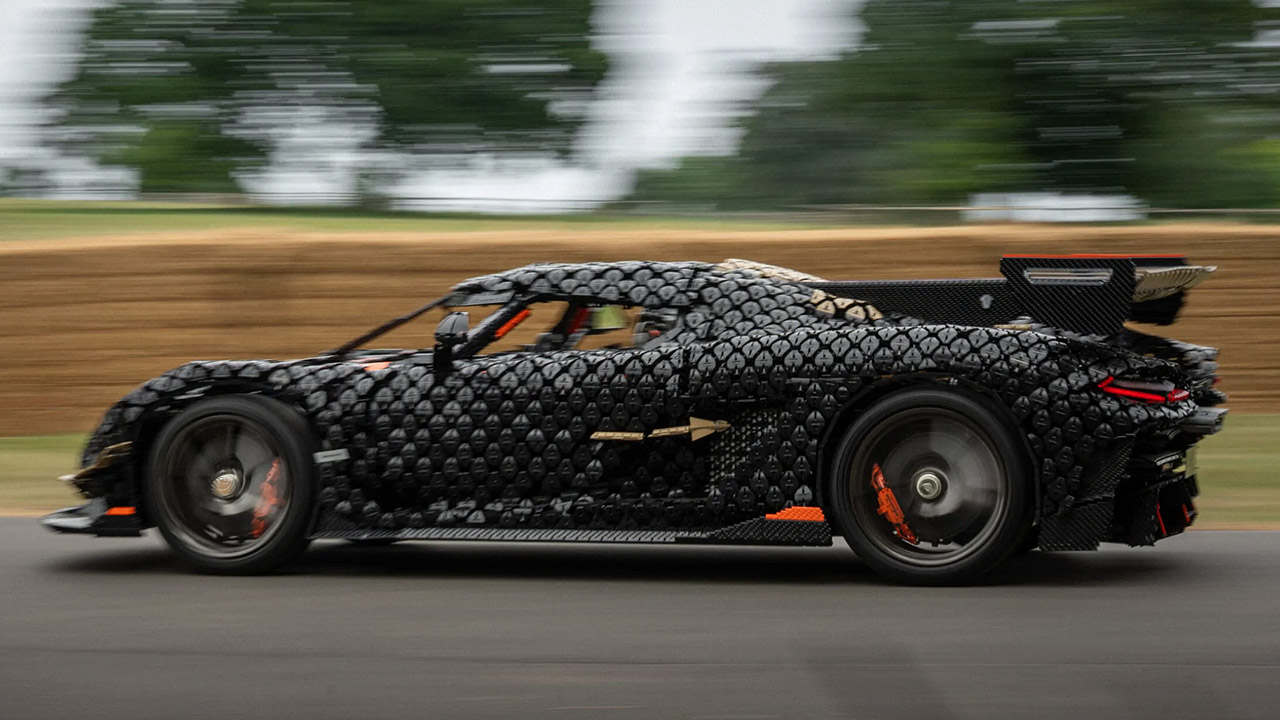
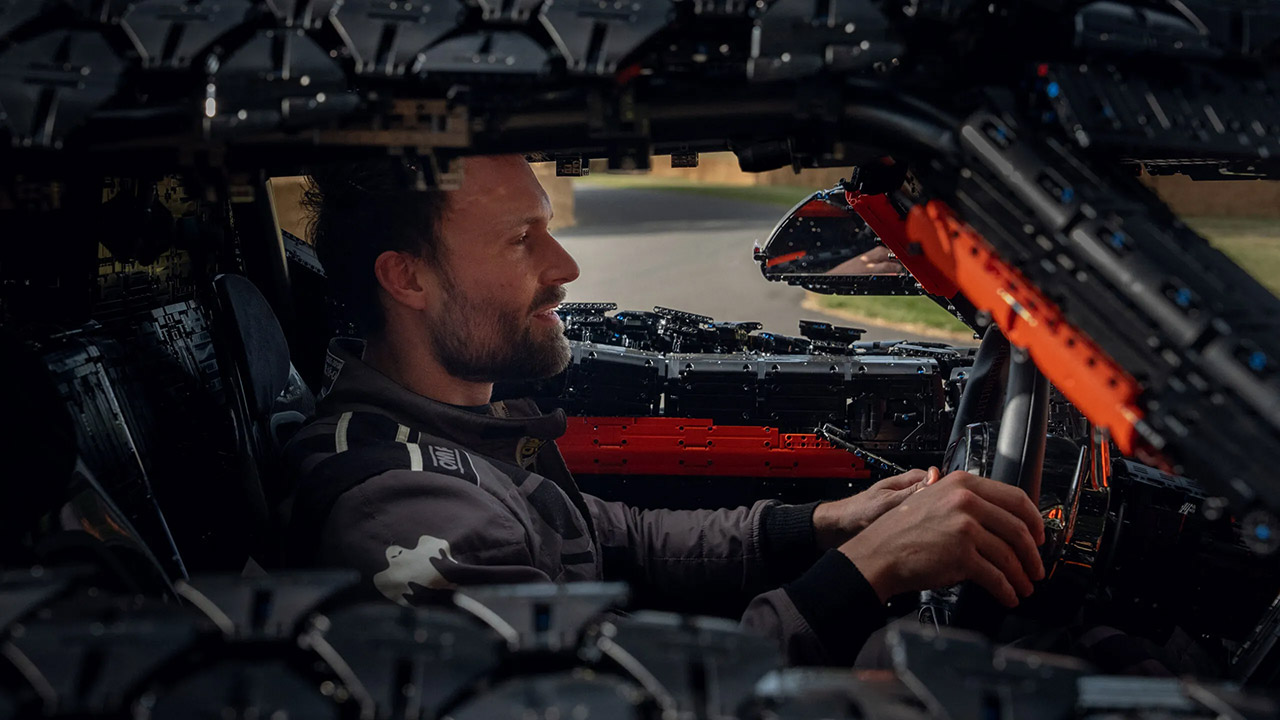
The next challenge came on the Goodwood hillclimb track in the United Kingdom. Markus Lundh, the test driver, drove the brick-built automobile up the famed incline in reverse configuration, reaching a high speed of 111 kilometers per hour, or 69 miles per hour in the United States. This figure more than twice the previous record for the fastest drivable LEGO car manufactured by the LEGO Group.
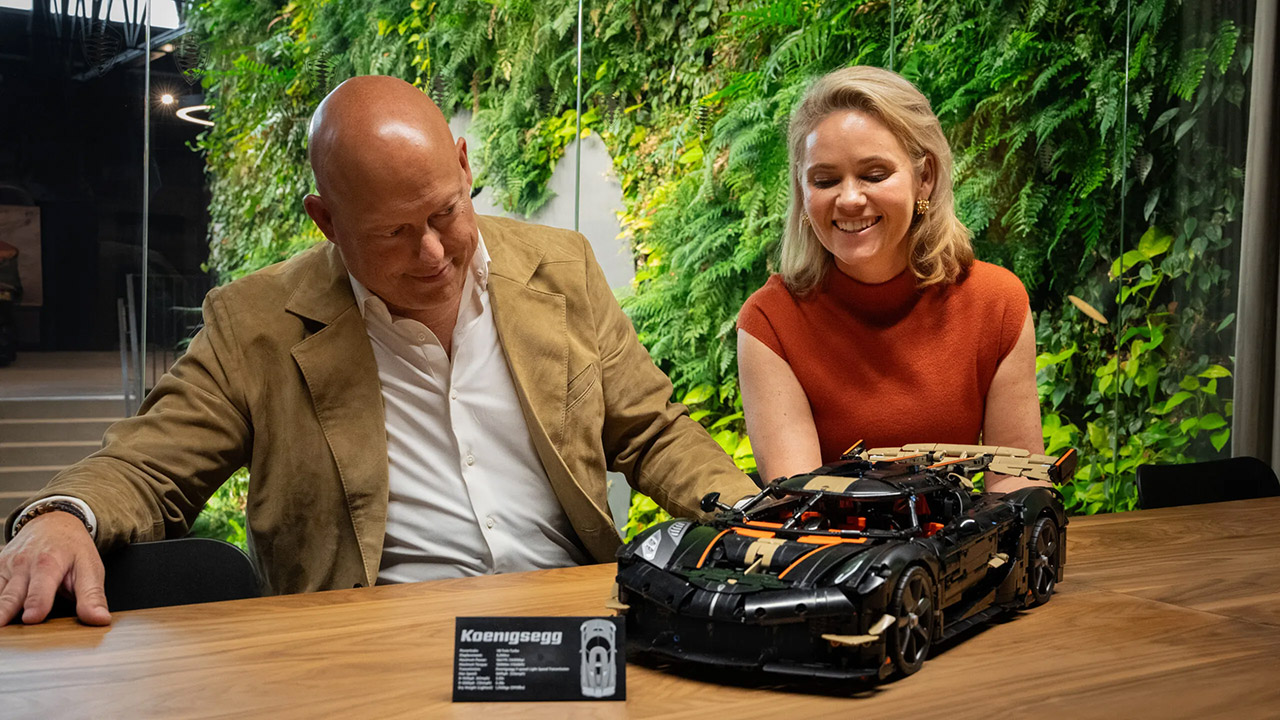
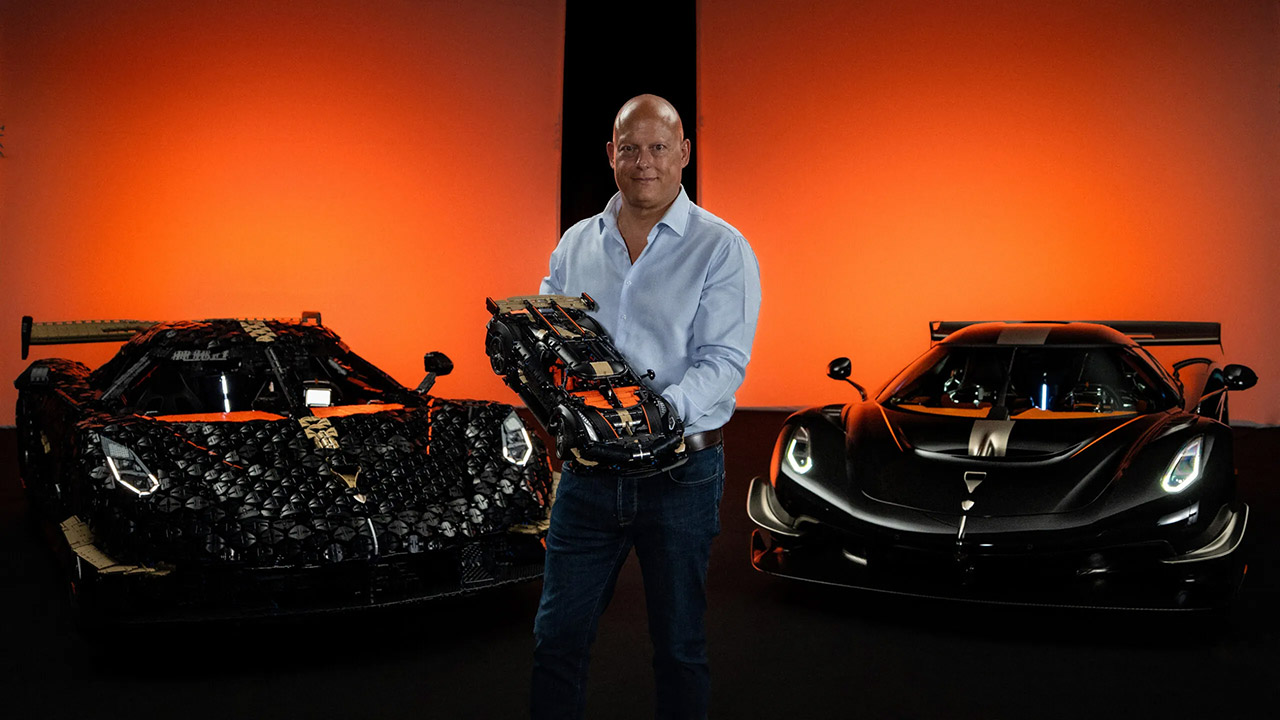

Markus said he had a great time driving the thing; it reminded him of the time he got the Sadair’s Spear to the top of that hill the year before, but when he took the LEGO version up, he was particularly impressed with the engineering that the Technic team did. The massive life-size creation corresponds with a new official 1:8 scale LEGO Technic model of the same car, which has 4,104 pieces and reproduces many of the same features, but at a scale that allows it to be displayed on a desk or shelf. The smaller counterpart also includes a working Ghost Mode sequence, a detailed V8 engine with moving parts, a 9-speed transmission that moves, and suspension at both ends.
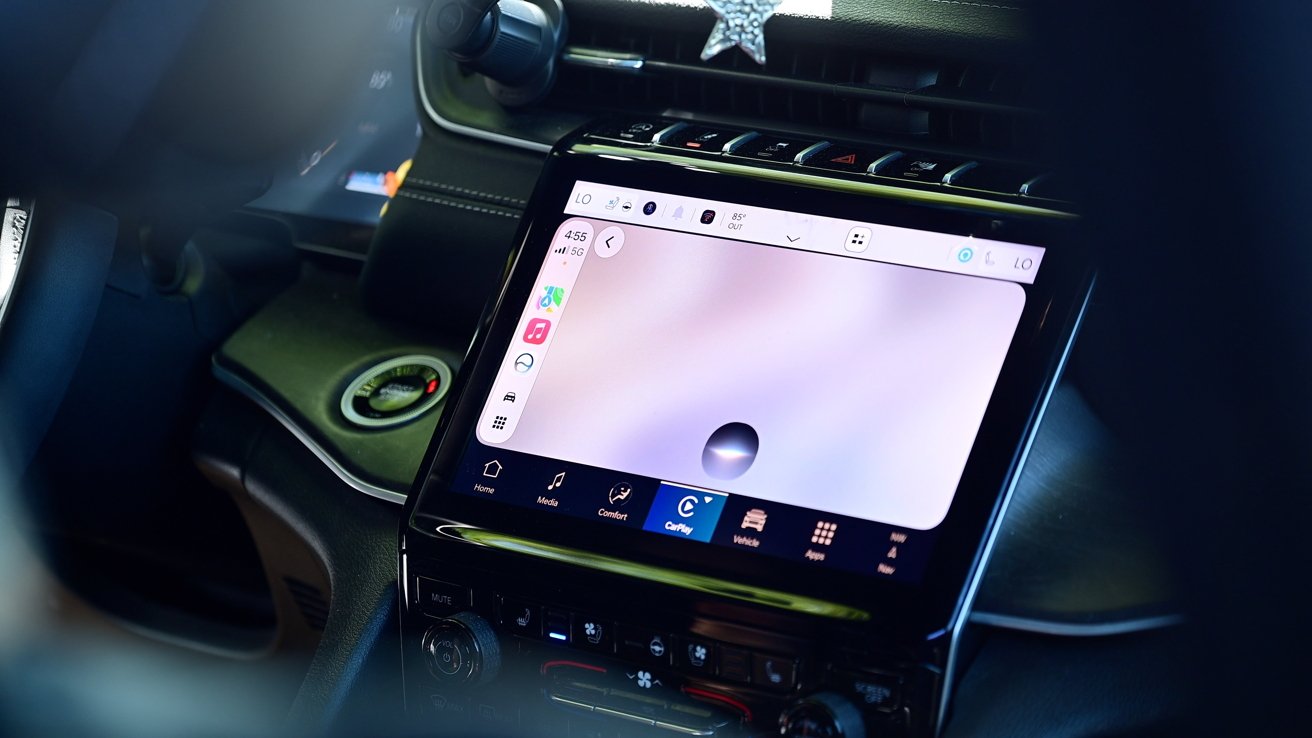
CarPlay is seeing one of its biggest updates in years thanks to the upcoming release of iOS 27. Here are all the new features, including Siri AI and Apple TV apps.
At WWDC 2026, Apple officially unveiled its next version of iOS. The update, iOS 27, will be released in the fall of 2026 and is packed full of useful new features.
CarPlay, Apple’s in-car UI, is powered by iOS, so this new software will bring a bunch of enhancements to your car. This year, at least one major feature will require some serious automaker support.
Apple Intelligence seemed to occupy almost half of Apple’s WWDC keynote. A lot is going on, and a good portion of that is reflected in the car.
On phones that support Apple Intelligence, Siri will become Siri AI. That means Siri will be more capable and get a new look.
When you invoke Siri AI, it now has a dark, glassy orb at the bottom of your car’s display. It mimics the look of the new UI that lives in the Dynamic Island on iPhone.

New Siri AI orb in CarPlay with iOS 27
Siri is more conversational now, going back and forth with you as you ask questions and follow-ups. Apple’s digital assistant has more personal context, too.
While testing it, I could ask more complicated questions with multiple action items. As I left the house, I asked Siri to turn off the lights in the studio, get me directions to my son’s school, and text my wife my ETA.
All of your Siri conversations are saved in the new Siri app. It has the same icon as on iPhone, iPad, and Mac, and allows you to go back to the previous conversation you’ve had.
Those conversations also sync across your platforms via iCloud. So if I start a conversation in the car, I can pick it up on my iPad when I get to where I’m going.

New chat-style interface for apps with iOS 27 CarPlay
Along with the new Siri AI, Apple is allowing any app to offer up a conversation mode. This was previously limited to AI apps like ChatGPT or Perplexity.
The idea is that those apps could possibly tap into Apple Intelligence models and offer you the ability to chat, rather than use physical taps within the app.
If you had a pizza app, you could open it, tell the app what you wanted with your voice, which could build your order, give you a total, and submit it with an estimated pickup time. There’s a new UI element for this that hovers over the app’s contents.
Both first-party and third-party media apps will get upgrades thanks to iOS 27. This includes the Apple Music and Apple Podcasts apps.
Apple Music looks more organized and has a richer layout thanks to added media graphics. The big change, though, is the addition of the mini player.

New mini player in Podcasts and Apple Music apps with iOS 27 CarPlay
The new mini player sits in the top-right corner of the display when you have something playing. It minimizes, showing the album art and a play/pause button.
That way, while something is playing, you can browse the rest of the app while still retaining quick control of the current media.
Before, it would be two taps to get to the media if you weren’t on the “now playing” screen. You would have to tap the play icon in the top-right corner, then hit pause, which isn’t ideal if you’re driving.
A similar refresh comes to the Apple Podcasts app. It has a streamlined UI and a mini player.
That mini player is a new UI element that isn’t going to be exclusive to Apple apps. Apple has made it available to anyone who is creating media apps for CarPlay, and you can expect many of the popular streaming apps to adopt it.
Another major change is video support. This is much more robust than what was previously included in iOS 26.
As part of iOS 26, Apple allowed apps to stream their content on a car’s infotainment system via AirPlay. It was only on supported cars that had to get approved through Apple’s MFi Program.

Grid of apps in the simulator with iOS 27
Now, Apple is allowing full, native video streaming applications as a new app category with iOS 27. AirPlay is still an option, but now you can browse and select content from the car’s interface, too.
I was able to test this out for myself using Apple’s new CarPlay simulator in Xcode. Apple is offering up initial support with the inclusion of the Apple TV app inside of CarPlay.

Apple TV app in CarPlay with iOS 27
There are several asterisks here. Automakers themselves still have to enable this, which means that we most likely will be waiting for that to happen.
When a vehicle does add support, it must be in park for any videos to play. That counts whether the content is started via AirPlay or a native video player.

Playing a video in CarPlay with iOS 27
One neat trick is that if you are watching a video and you move the car from park to drive, your video will automatically fall back to audio-only. That’s great for things like sports when you still want to follow along, even if you can’t watch it.
Aside from the big new features, there are a lot of other changes, tweaks, and optimizations Apple is rolling out to its in-car solution.
Wireless connection is now said to be more stable than before. Hopefully, that reduces the audio lag that can sometimes be present.
Navigation apps are now able to communicate with the car’s system. The idea behind this is that the car can see your route and suggest any changes.
The most obvious use case here is for EVs. If you put in a route, and your car realizes you only have so much battery remaining, it may propose the ideal charging station to add to the trip.
This whole back and forth is permission-based, so you must OK it before the communication happens, and you must OK any changes to the route. Otherwise, no information or route is shared with your car.
There are a few new icons with iOS 27. In Wi-Fi settings, if you use wireless CarPlay, there is a new CarPlay icon on the network to help identify it, and there is an updated battery icon system-wide.

New wallpapers in CarPlay with iOS 27
Finally, there are new wallpapers. Apple added 12 wallpapers for CarPlay in iOS 27, and they all have a similar swirl, like with the iOS 27 ones for iPhone, iPad, and Mac.
By going into the settings app, users can choose one of the new wallpapers that come in various colors.
CarPlay will be updated automatically when iOS 27 is released to the public.

Ctrl-Alt-Speech is a weekly podcast about the latest news in online speech, from Mike Masnick and Everything in Moderation‘s Ben Whitelaw.
Subscribe now on Apple Podcasts, Overcast, Spotify, Pocket Casts, YouTube, or your podcast app of choice — or go straight to the RSS feed. To get extended episodes with additional coverage, support us on Patreon.
In this week’s roundup of the latest news in online speech, content moderation and internet regulation, Ben is joined by Jen Weedon, a T&S veteran of Meta and Niantic. She is currently consulting and teaching at Columbia school of International and Public Affairs. Together, Ben and Jen discuss:
And in the extended episode for Patreon supporters, they cover:
Our fun links this week are the How Alberta eradicated rats (Ben) and Mogwooooo’s Instagram account (Jen).
If you’re already a Patreon supporter, you can get the extended episode on Patreon.
Filed Under: age verification, ai, ai slop, artificial intelligence, content moderation, jen weedon, trust and safety, uk
Companies: anthropic, telegram


Threat actors are exploiting an unauthenticated information disclosure vulnerability in the WordPress plugin Gravity SMTP, active on 100,000 sites.
The flaw is tracked as CVE-2026-4020 and received a medium severity rating. It affects all versions of the plugin from 2.1.4 and older and has been addressed in version 2.1.5, released on March 17.
WordPress security company Defiant is warning that hackers are actively exploiting the vulnerability. The company’s Wordfence firewall has blocked more than 17 million attempts against protected customers.
The issue stems from an exposed REST API endpoint in Gravity SMTP, whose ‘permission_callback’ always returns ‘true,’ allowing unauthenticated GET requests to receive a comprehensive JSON “System Report” generated by the plugin. The exposed information may contain:
Despite its medium-severity rating, the CVE-2026-4020 vulnerability can be exploited without authentication, and the exposed information can be used to steal email service credentials.
This allows an attacker to impersonate the victim to third parties and also to gain detailed information about the site’s software stack and the potential vulnerabilities present.
“The exposure of live third-party API credentials means an attacker could abuse the site’s connected email services, while the detailed system report significantly lowers the effort required to plan further attacks against the site,” Wordfence researchers warn.
Wordfence says exploitation activity spiked on June 7, with 4 million requests being blocked that day. Similar activity was recorded for several days afterward.

The security firm listed the most prolific source IP addresses for exploit requests, which website administrators should add to their blocklists.
A key indicator of compromise is requests to ‘/wp-json/gravitysmtp/v1/tests/mock-data’ found in web server access logs, particularly those including the ‘?page=gravitysmtp-settings’ query parameter.
Yesterday, the company issued a separate advisory about a critical, unauthenticated, arbitrary file-deletion flaw in the Avada Builder WordPress plugin, used on one million sites.
This vulnerability is identified as CVE-2026-8713 and allows attackers to delete arbitrary files on the server through a path traversal flaw, provided a published Avada form is configured to save submissions to the database.
Deleting critical files, such as wp-config.php, can revert the site to its initial setup state, potentially leading to a full site takeover and remote code execution.
The issue was fixed in version 3.15.4, which is the recommended upgrade target for website administrators. No active exploitation of CVE-2026-8713 has been observed yet, but this is a good candidate, so quick action is advised.

Security teams log 54% of successful attacks and alert on just 14%. The rest move through your environment unseen.
The Picus whitepaper shows how breach and attack simulation tests your SIEM and EDR rules so threats stop slipping by detection.
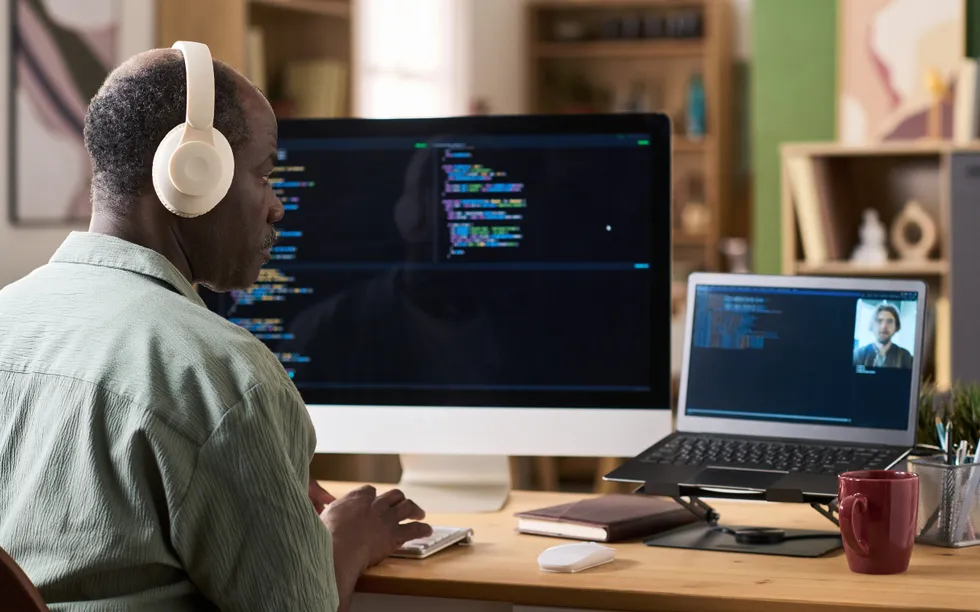

Large language models have moved out of the research lab and into engineers’ daily workflow. LLMs serve as reasoning engines that can orchestrate complex tasks including identifying vulnerabilities in source code and transforming fragmented project discussions into rigorous technical specifications.
While the general public uses AI tools to write email and plan vacations, technical professionals use LLMs as core architectural elements that are fundamentally changing how digital infrastructures are built and maintained. As the AI models move into mainstream engineering practice, the demand for technical expertise is rising.
The LLM technology market is expected to grow by about 33 percent every year through 2030, according to MarketsandMarkets. The rapid expansion suggests that proficiency in implementing and securing the models is transitioning from a niche into a core requirement for technologists.
To use LLMs effectively, technical professionals must move beyond treating them as conversational robots. At a fundamental level, the AI systems are built on the transformer architecture, a framework that replaced the older method of processing data in a fixed, sequential order. Unlike earlier models that analyzed information one step at a time, transformers use self-attention mechanisms to ingest vast datasets simultaneously.
For technical professionals, LLMs are core architectural elements that are fundamentally changing how digital infrastructures are built and maintained.
Relying on such LLMs without understanding their internal logic creates a significant reliability risk. To build tools that work consistently, developers must understand the core principles that govern how the models process information and generate results. By mastering how a model processes information and how its internal settings influence the result, developers can move away from a trial-and-error approach toward a more precise one to ensure the AI tool handles complex data reliably.
Here are areas that integrate large language models.
Moving past basic prompts. Developers are using application program interfaces (APIs) to connect LLMs directly to their databases and software tools. Employing the APIs allows AI to perform work such as executing code or searching through internal repositories.
Fixing the “hallucination” problem. LLMs are at risk of hallucinations, which are generated facts or code that looks correct but actually is wrong or broken. To fix the problem, retrieval-augmented generation (RAG) forces AI to look up information in a trusted source such as a company’s database.
Prioritizing data security. When using AI with proprietary code, security is a major concern. Engineers must learn how to set up “private” instances of the models to ensure that sensitive company data stays within a secure cloud environment and is not used to train public versions.
The future of collaboration. By automating repetitive coding tasks and summarizing thousands of pages of documentation, LLMs let engineers spend more time on high-level designs and solving important issues.
The gap between people who use AI and those who understand how to build with it is growing wider. To help technical professionals stay ahead, IEEE offers a five-course online program, Large Language Models Demystified, available through the IEEE Learning Network.
The program, developed by IEEE Educational Activities in partnership with the IEEE Computer Society, is built for people who want to understand the “how” and the “why” behind the technology. Rather than just teaching basic prompting, the curriculum dives into the engineering behind generative AI, including:
Upon completion of the program, participants earn professional development credits and a digital badge from IEEE to verify their expertise.
Enroll in the course program on the IEEE Learning Network.
Organizations looking to prepare their teams to work on LLMs can connect with an IEEE content specialist to discuss group enrollment and tailored training paths.
From Your Site Articles
Related Articles Around the Web
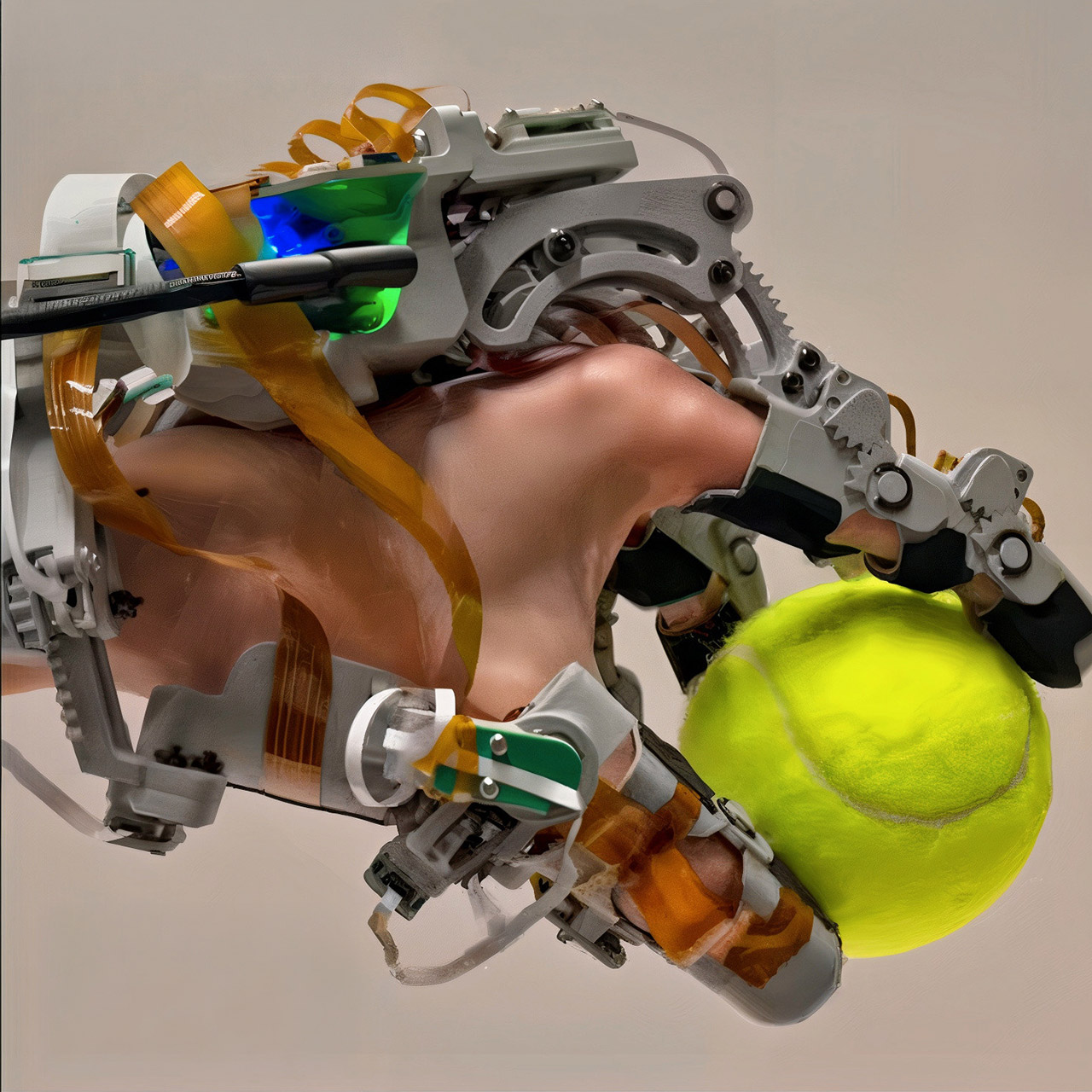
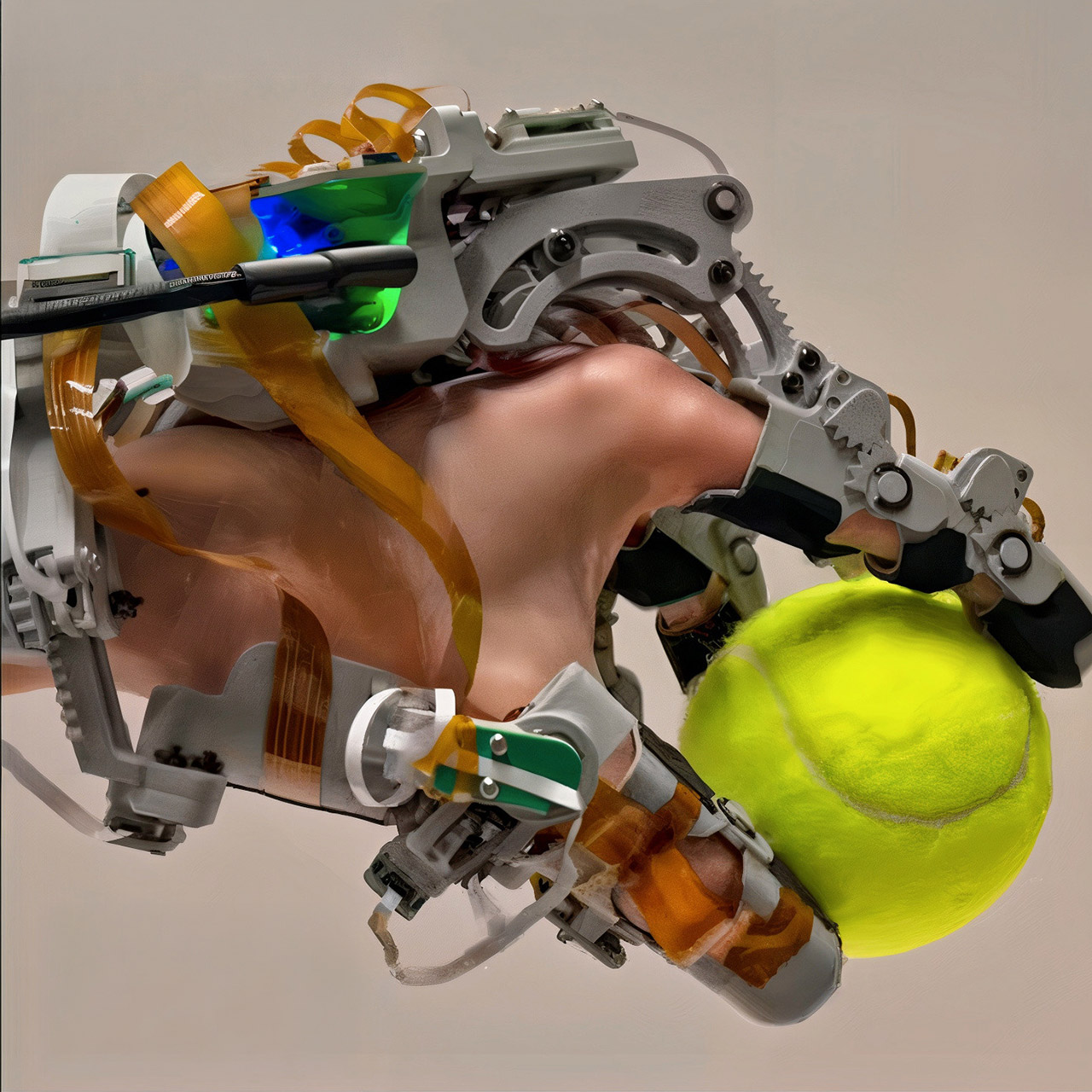
Researchers at Carnegie Mellon University built a wearable system that captures both the exact movements of a human hand and the precise locations and forces where it presses against objects. The device, called ART-Glove, or Articulated Tactile Glove, tackles a long-standing gap in robot training. Robots have grown skilled at seeing their surroundings through cameras, yet they still struggle when tasks require careful contact, variable grip force, or coordinated finger adjustments during everyday actions like turning a key or unscrewing a cap.
The majority of current models for collecting demo data result in an uncomfortable trade-off. Teleoperation setups provide robot-ready orders but frequently exclude the natural sensation of a hand, leaving you feeling like you’re in a robot. Pure video recordings keep your hand free, but contact information remains a mystery, inferred at best with limited reliability. Soft sensing gloves provide some pressure data, but their exact shape varies with each wearer, making it difficult to translate it onto a robot hand.
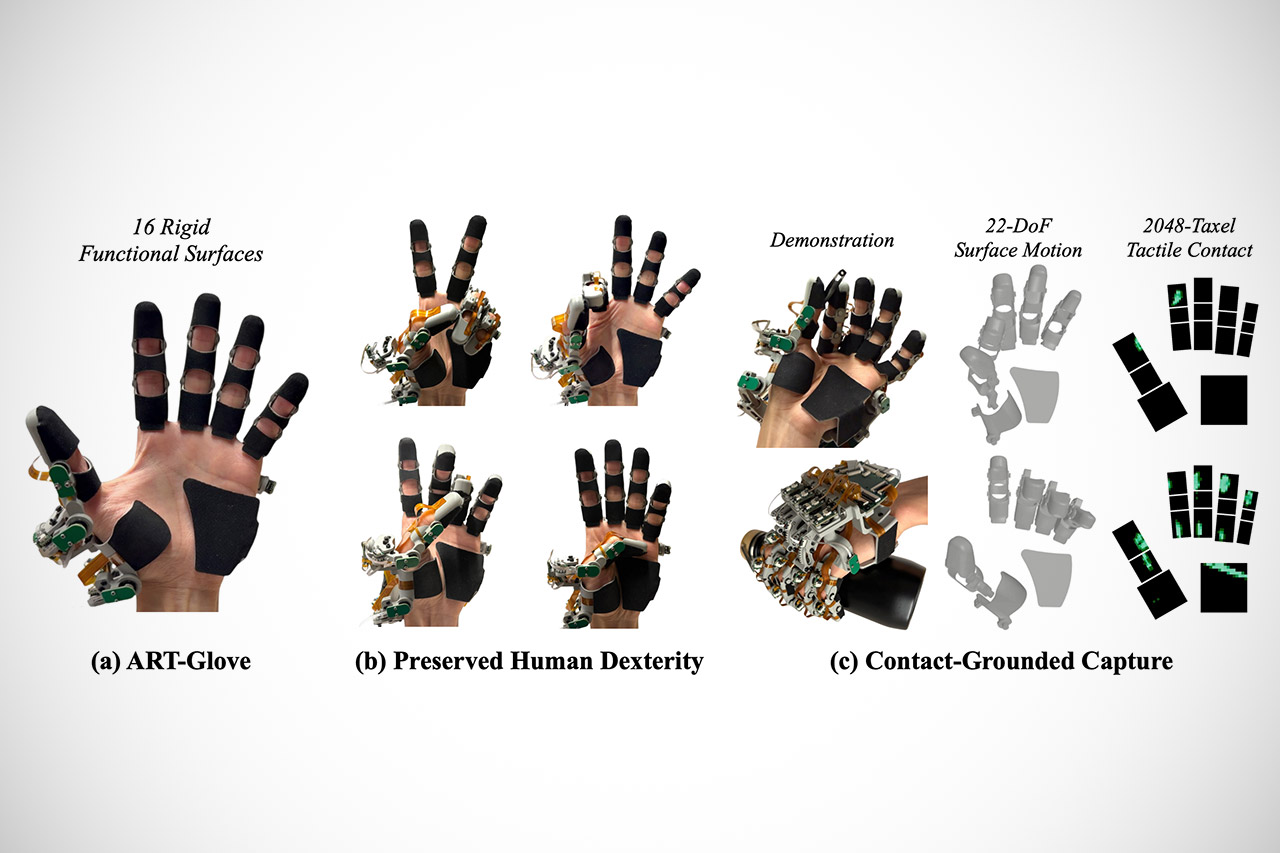
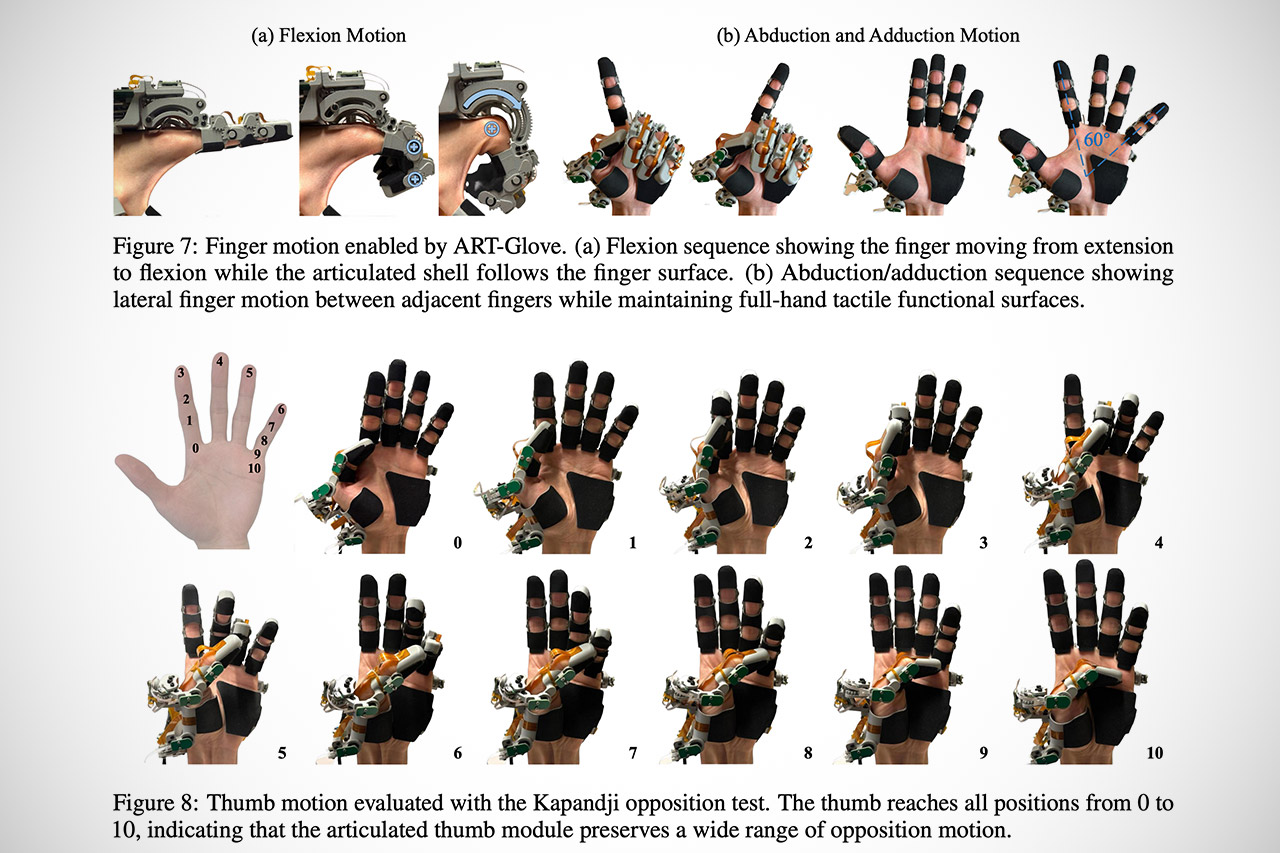
ART-Glove avoids these issues by utilizing a hybrid technique. The primary contact zones on your hand are covered by 16 hard surfaces: three on each finger, three on the thumb, and a broader one across the palm. These pieces provide a recognized geometry on the hand side of things, so any recorded touch contains explicit information about where exactly on the hand the contact occurred and at what angle, among other things. The rigid sections are linked together by 22 joints, all of which are aligned with real human hand anatomy, including multi-axis rotations at the thumb base. They’ve also managed to keep the size down while maintaining natural motion by developing three separate joint systems. Some are rather simple, consisting of shafts and sleeves with gears that transfer to encoders on the back of the hand. Others employ direct bearings or curved slots to provide tighter clearances. All of this is tracked by magnetic rotary encoders, which add no additional friction or wear points.
Each hard surface is now covered with a thin piezoresistive layer. Each of these seven flexible circuit modules contains 2048 separate pressure-sensing devices, or taxels, as there is a lot of pressure sensing going on. These sensors monitor real-time force distribution over the hand. On the back of the glove, there’s also a small STM32 microprocessor that reads both the joint encoders and the entire tactile array before synchronizing everything at 120 samples per second. You’ll get a live output stream with 22 degrees of freedom in joint motion, as well as high-resolution pressure maps.
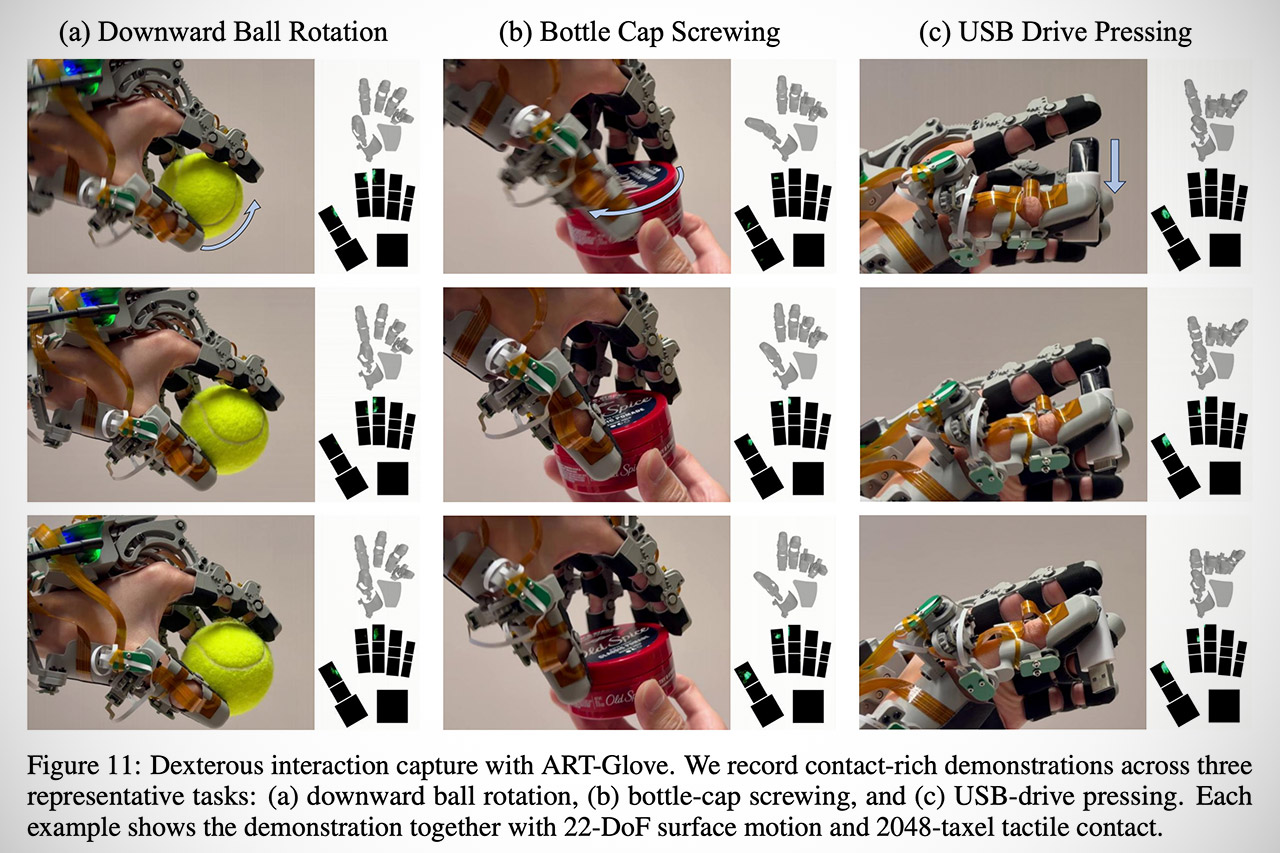
When someone puts on the glove and completes a task, the system records the entire physical story. During a ball rotation exercise, for example, it demonstrates how the contact points vary constantly to keep the force in line with gravity. When someone screws a bottle cap, the pressure patterns begin to move and intensify as the fingers adjust their grip and torque. Pressing a USB drive into a port demonstrates a coordinated multi-finger grab followed by localized pushing force. All of this appears in its own chronology, with a reference to the specific location on the surface where contact occurred.
[Source]
In every CNET TV review, I compare three or more similar TVs side by side in a dedicated, light-controlled test lab. With each review, I employ a rigorous, unbiased evaluation process that has been honed by more than two decades of TV reviews. I test TVs with a combination of scientific measurements and real-world evaluations of TV, movies and gaming content.
To ensure I can evaluate the picture quality of every TV, I connect each one to an AVPro Connect 8×8 4K HDR splitter so each one receives the same signal. I test the TVs using various lighting conditions, playing different media, including 4K HDR movies and console games, across a variety of test categories, from color to video processing to gaming to HDR.
In order to measure each TV, I use specialized equipment to grade them according to light output and color. My hardware includes a Konica Minolta CS-2000 spectroradiometer and a Murideo Six-G 4K HDR signal generator. I use Portrait Displays CalMan Ultimate software to evaluate every TV I review according to its brightness, black levels and color.
The Leo Bodnar Lag Tester samples three regions of the screen for latency, and these are averaged to give each TV’s lag score
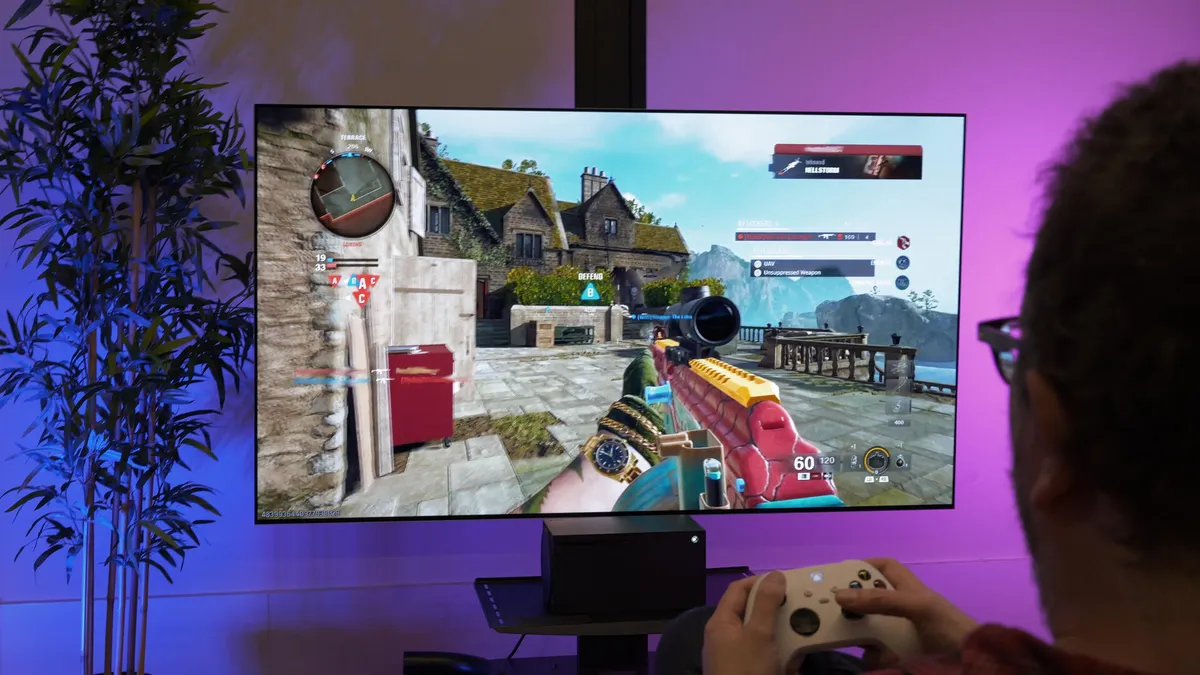
I play a variety of games from an Xbox Series X or PlayStation 5, and note the effects of gaming modes and settings as well as the 4K/120Hz and VRR input capabilities. Helpfully, the Xbox includes a 4K/120Hz and HDR compatibility test: Settings>TV and display options>4K TV details. The page will detail the HDR modes it supports (including Dolby Atmos) and whether it will support VRR — if a TV gets ticks in all the boxes it means it has the best compatibility with high-end Xbox games.
Our reviews also account for such things as features, design, smart TV performance, connectivity including HDMI inputs and gaming compatibility.
Measuring input lag (in milliseconds) is an important component of my process for testing gaming TVs.
Check out the page on how CNET tests TVs for more details.
Input lag will often be lower in game mode than in any other mode on your TV. Here are a few more gaming-specific aspects I looked at for each TV.
How to turn on game mode. In most cases, viewing in game mode isn’t automatic, so you’ll have to turn it on manually, and sometimes the gaming monitor setting can be difficult to find. Many use a picture mode called “Game” while some, like Samsung and Vizio, let you apply game mode to any setting.
Game mode makes a difference, but not at all frequencies. As you can see in the table above, many TVs cut lag substantially when you turn on game mode, but plenty don’t. In general, expensive TVs with elaborate video processing get more of a benefit when you engage game mode. Additionally, and as I noted above, the Boost mode on LG OLEDs only works on 60Hz and not 120Hz.
Most TV game modes are good enough for most gamers. No matter how twitchy you are, it’s going to be tough to tell the difference between 10 and 30 milliseconds of input lag. Many gamers won’t even be able to discern between having game mode on and off — it all depends on the game and your sensitivity to lag.
Turning game mode on can hurt image quality (a little). TV-makers’ menus often refer to reduced picture quality. Reduced picture quality is generally the result of turning off that video processing. In my experience, however, the differences in image quality are really subtle with console gaming, and worth the trade-off if you want to minimize lag for a great gaming experience.
4K HDR gaming lag is different from 1080p. The display resolution you play at has an impact, and since new consoles prominently feature 4K HDR output for games, I started testing for 4K HDR lag in 2018. In general, the numbers are similar to the lag with standard 1080p resolution, but as you can see from the chart above, there are exceptions.
Testing is an inexact science. I use Leo Bodnar lag testers. Here’s how they work, and how I use them. I use two of these Bodnar lag testers — one in 1080p and one in 4K HDR — which use onboard optical sensors to measure and report input lag. When plugged into an HDMI port, the Bodnars make the screen flash in three different places and you place the unit’s onboard optical sensor flush onto the screen at these points. They calculate the lag at each position and you average the three readings to get a score. You might see different lag test results from different review outlets, which may use Bodnar or another method.
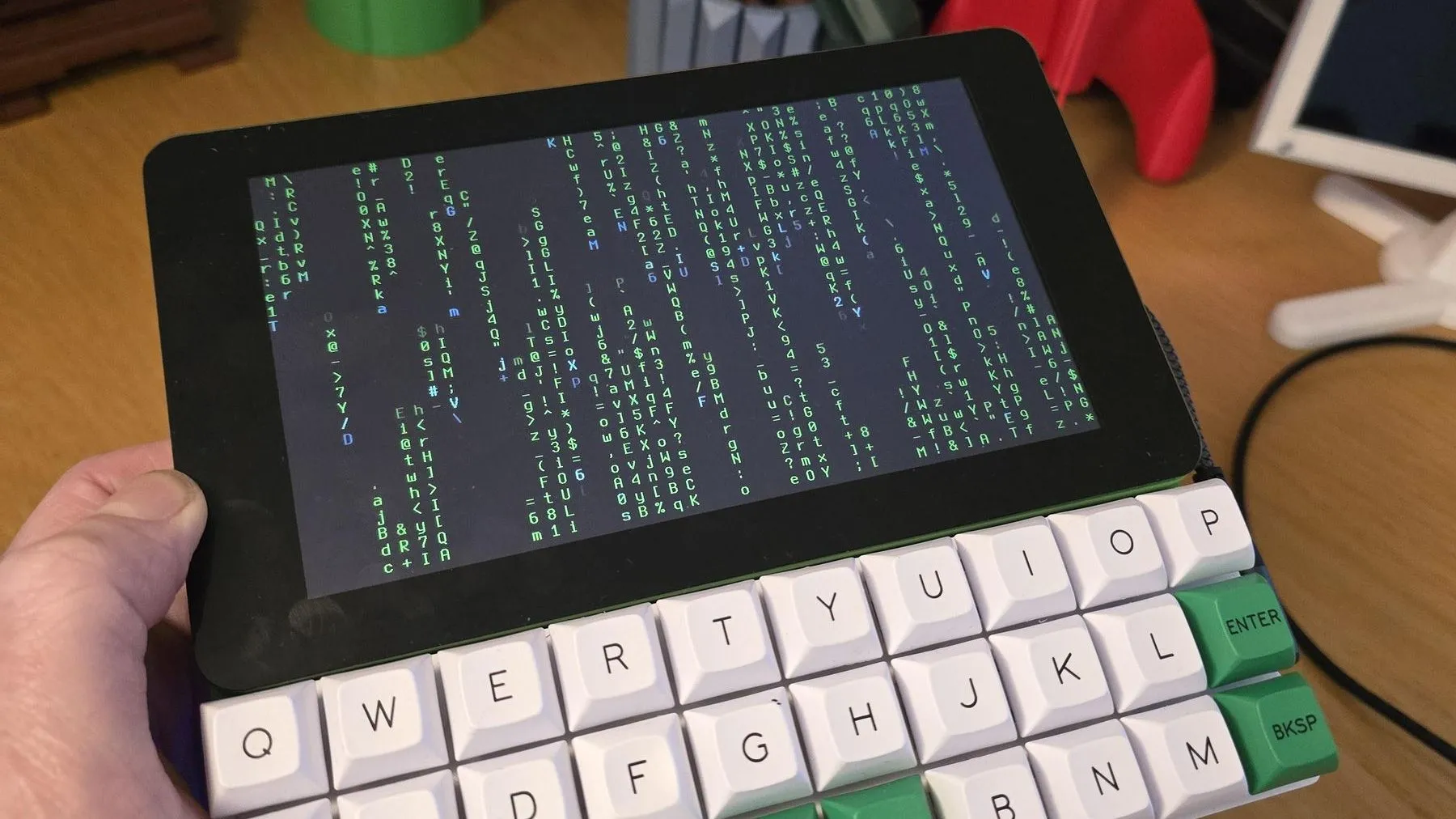
The cool thing about cyberdecks is that you get to design them to suit your personal tastes. [NickZero] wanted an ultra-minimal build, and set about putting together just that.
The build is based around a Raspberry Pi Zero 2W, which has a lighter power draw than the full-fat models at the trade-off of some processing power. Since it’s a W model, it has the benefit of wireless connectivity baked in from the factory. The Pi is paired with a Gherkin 30% layout keyboard kit, which neatly matches the 7″ Waveshare touch display in width. Power is courtesy of a juicy 4000 mAh lithium-ion cell, which is taken care of by an Adafruit Powerboost 1000 charger module. Everything is then laced up together inside a nifty 3D printed case.
It’s a simple cyberdeck, and one that’s probably quite satisfying to use when you get used to the fact that there are no number or modifier keys on the ultra-cut-down keyboard. It’s also a great example of how a bunch of off-the-shelf gear can nonetheless be assembled into quite a cohesive whole. In much the opposite way, we’ve seen some maximalist cyberdeck builds lately, too.

VSCO is making a bigger push into professional photography with the launch of Studio Pro, a new editing app designed for photographers handling large volumes of images.
The app arrives alongside a new VSCO One subscription bundle. This subscription will cost $500 per year. As a result, it puts the app in direct competition with Adobe’s creative software ecosystem, which dominates the industry.
Available now on iOS, with a macOS version due later this year, Studio Pro is aimed at photographers who regularly work on projects such as weddings, sports events, portraits and school photography. Rather than focusing on casual edits, the app is built around streamlining larger workflows.
At launch, Studio Pro includes tools for batch editing, allowing users to apply adjustments across multiple images at once. It also offers a style-matching feature that can replicate the look of a reference image across an entire shoot. Furthermore, photographers can share finished work through VSCO Galleries. This gives clients a dedicated place to view and access images.
VSCO says this is only the beginning. Future updates are expected to add RAW photo support, more advanced export controls, aspect ratio adjustments and additional editing tools aimed at professional users.
The launch is closely tied to the company’s new VSCO One subscription, which bundles together its growing collection of photography tools and services. In addition to Studio Pro, subscribers will gain access to Capture, Galleries, Workspace, Sites, AI Lab and Canvas. They will also have access to VSCO’s Freelance Photographer mentorship programme.
The company is positioning VSCO One as an alternative to what it describes as the “fragmented” workflow many photographers currently deal with. In this fragmented workflow, editing, client communication, image delivery and portfolio management often require several different platforms.
At $500 annually, the subscription won’t be for everyone. However, the pricing places it broadly in line with an annual Adobe Creative Cloud Pro subscription. This makes it clear who VSCO is targeting.


Most of the AI industry is betting that bigger models mean smarter machines. A new startup is betting the opposite.
Aether AI, based in San Diego, has raised a $20mn seed round to chase a different idea entirely. Its founder thinks the next leap will not come from scale. It will come from teaching machines cause and effect.
Today’s big models learn by spotting patterns in huge piles of data. That works well in the lab. But it can wobble in the messy real world, where a statistical shortcut quietly fails.
Aether wants machines to grasp the mechanisms behind events instead. Its “causal world models” are meant to let a system reason about what would happen if it acted, before it acts. The company says this makes AI more reliable and far less data-hungry. The thesis sits squarely in the wider debate over whether AI’s progress is starting to stall.
The first target is physical AI and robotics. The logic is neat. Every move a robot makes is an intervention in the world, so errors show up at once as dropped objects or failed tasks.
That makes robotics a brutal test for causal reasoning. Aether’s long-term goal is a single “causal brain” that could steer many kinds of robots. It is a crowded ambition, with everyone from Google DeepMind’s world models to Jeff Bezos’s $10bn physical-AI lab chasing the same prize.
The founder gives the bet credibility. Biwei Huang is an assistant professor at UC San Diego and a known name in causal discovery. She created the open-source tools Causal-Learn and Causal-Copilot, and has published widely at the field’s top venues.
Aether also invokes the founders of modern causality, naming Judea Pearl, Bernhard Schölkopf and others as supporters of its work. The round was led by MPCi, with Inno Angel Fund, SWC Global and Unity Ventures joining.
Causality is one of AI’s oldest unsolved problems, and turning it into a product is hard. So the caveats matter. Aether’s early results are its own, not peer-reviewed, and $20mn is small against the billions pouring into rival labs. Its backers are mostly Asia-based funds, not the usual Silicon Valley names.
Still, the idea lands at a useful moment. Doubts about pure scaling are growing, and robots keep stumbling on tasks that look simple to humans. If causal models really do cut the data needed and improve reliability, they would matter well beyond robotics. That is a big “if”. But it is the kind of bet worth watching.



![J MONEY - NA NHA NOME [VIDEO OFICIAL]](https://wordupnews.com/wp-content/uploads/2026/05/1777799968_maxresdefault-80x80.jpg)


No Jackpot Winner as $257 Million Prize Rolls Over to $269 Million Monday Draw

Zimbabwe Requires Crypto Businesses to Register Annually Under New FIU Regulations


Bitget enters Argentina’s regulated crypto market through PSAV registration


NanoClaw integrates JFrog registries to secure AI agent downloads

Matt Damon’s Viral Sci-Fi Thriller Has Taken Over HBO Max


Anthropic staff to meet White House officials next week, Axios reports


As AI companies race to go public, who else is along for the ride?

Bitcoin could crash to $48,000, if this historical pattern is triggered


“Israel’s” ban on ICRC visits ruled illegal, but Knesset moves to stop them permanently

Warning of disruption as Cardiff Crossrail works to start


Financial Accounting | Last Day Revision Strategy and Booster | CMA Inter – June 2026
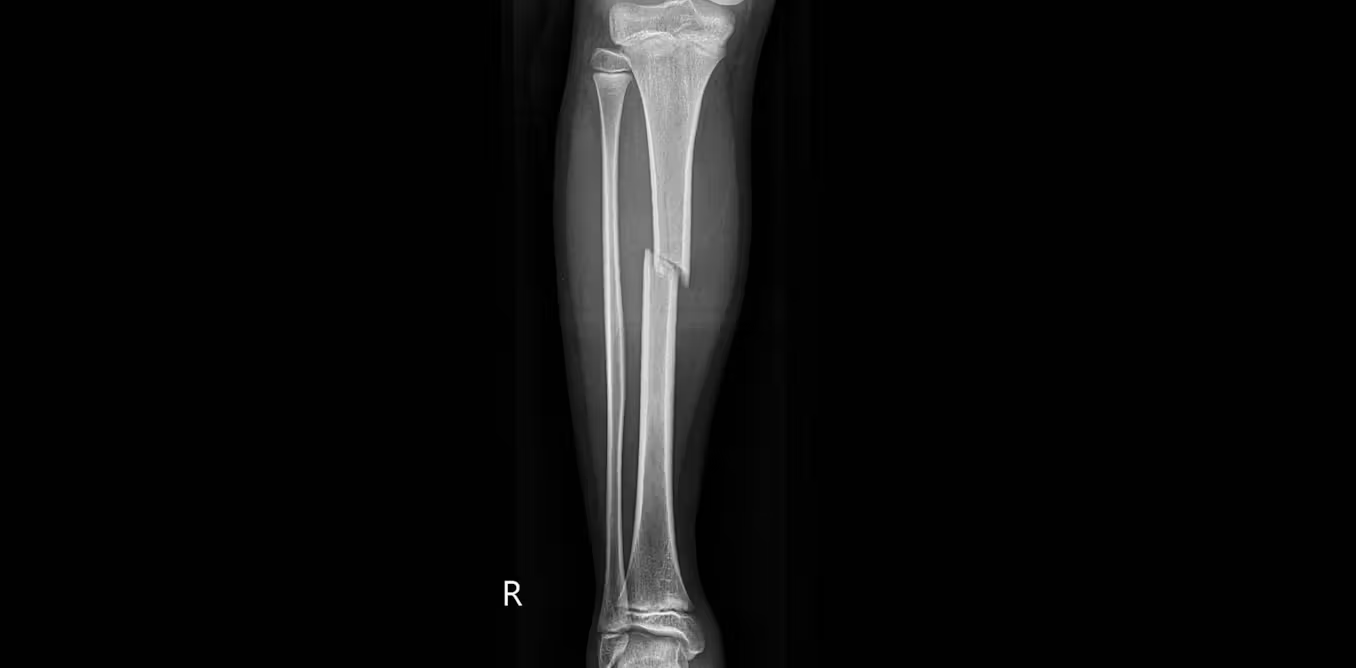
what doctors are seeing in ebike crashes

Tributes to former deputy head teacher at Cambridge school among death and funeral notices


Deion Sanders Shares Powerful Post After Viral Advice To Deiondra

Kate Middleton Glare Goes Viral After Kids Booed At Royal Event


XRP ETFs Outperform As Bitcoin And Ethereum Funds Extend Outflow Trend

Market Preview: SpaceX (SPCX) IPO Record, Federal Reserve Meeting, and Iran Nuclear Agreement


Over 400 Arch Linux packages compromised to push rootkit, infostealer


Invesco Quality Income Fund Q1 2026 Commentary

44 Years Later, This Is the Greatest Star Trek Quote in Sci-Fi History
You must be logged in to post a comment Login