
Security teams log 54% of successful attacks and alert on just 14%. The rest move through your environment unseen.
The Picus whitepaper shows how breach and attack simulation tests your SIEM and EDR rules so threats stop slipping by detection.




A recent craze in education that has garnered the attention of students and teachers alike is the ever increasing presence of phone pouches, or more specifically for my school, Yondr pouches, These small, neoprene packs have a firm magnetic seal that can only be released by tapping it against an unlocking base. Their main purpose is quite simple: stop students from accessing their phone during the school day. The rationale is that the less time students spend on their phone, the more time they will spend learning.
Recently, the response from students and teachers seems to be fairly divided, with most students vehemently opposing it and most teachers earnestly welcoming it. Indeed, according to a recent poll from the Pew Research Center, a majority of U.S. teenagers oppose banning phones during the school day. On the contrary, a separate survey of 1,098 adults found that 93% of adults support cell phone restrictions. This survey is part of the Understanding America Study (UAS), which was conducted last year by the University of Southern California Center for Economic and Social Research.
While common sense dictates what side I should take as a teacher, I can’t say I’m a fervent supporter of phone pouches.
The Problem with Storage
On the surface, phone pouches promise to create distance between the phone and their pupil. Ultimately, this distance may improve learning outcomes by helping minimize phone-fueled distractions. Indeed, according to a study published in the Journal of the American Medical Association (JAMA), U.S. teenagers already spend approximately 70 minutes using their phones during the school day. Those 70 minutes lost could’ve been used to advance a student’s understanding of content, cultivate their ability to work with others or simply finish a recent assignment. Thus, with a Yondr pouch, those are an additional 70 minutes teachers like myself have to work with. However, what most don’t seem to understand is that implementing phone bans with a product like Yondr pouches has its drawbacks.
My district uses phone pouches because our policy prohibits students from using their phones the entire school day. Students are required to put their phones in these packs before their first class of the day. Every teacher and administrator has an unlocking station magnet that unlocks the pouches at the end of the school day.
At the beginning of every class, I spend roughly the first seven minutes walking around to check each student’s Yondr pouch. It’s a routine that provides me (as well as my colleagues) reassurance that every phone is truly sealed away. Considering a standard school day lasts seven class periods, that is already 49 minutes of instructional time a student has lost on Yondr pouches. But the worst part is, that’s only a conservative estimate. It doesn’t account for the additional time wasted on further surveillance.
Monitoring Student Activity
Oftentimes, as I monitor students, I see them attempting to circumvent this restriction on phones entirely. Whether students are scrambling to put their phone away since it was never locked up, messing with the seal so it appears to be untampered with or gritting their teeth because they have a fake phone in the pouch that they hope will deceive their teachers by tricking them that their real phone is in their pouch. For instance, some students instead put a calculator or a broken, “fake” phone instead of their real phone to subvert the policy. Because they have a fake phone in the pouch that they hope will trick their teachers, it still costs time.
I have seen students intentionally arrive late to school to avoid phone checks, use pencils to jam open the lock or simply steal magnets teachers use to unlock the pouches. Ultimately, each of these infractions add up. Now, instead of prioritizing learning through meaningful instructional time, teachers have adopted an additional role of policing the phone policy.
And what benefits, really, do the pouches have? A recent paper, “The Effects of School Phone Bans: National Evidence from Lockable Pouches,” found that Yondr pouches have no statistically significant impact on standardized scores for high schoolers in English. And the impacts in math are modest at best
Bans Backfiring
Fundamentally, what makes these pouches unsuited for education is not that they don’t stop phone use; rather, it’s because that’s all they accomplish. As educators, we often can’t see the forest for the trees. We get so caught up in locking up phones and villainizing students who pull them out during classtime, that we forget why they’re being used in the first place. We forget that there was once a time when students entered the classroom with the sole intention to learn something new, and to learn it well.
So, if promoting learning is truly the goal, a phone pouch isn’t the way to do it. Rather, addressing the underlying reasons why these pouches were needed in the first place will.
I would suggest that school districts approach the rollout of phone pouches with curiosity, not with blanket enforcements. This can mean dedicating several class periods during the first week of school to discuss this topic. Instead of walking through the various parts of your syllabus, have an open conversation with your students about the impacts of phones in their daily lives: When do you use them? How do you use them? What do you use them for?
From there, you can introduce them to what the research shows on the impacts of phone use in the classroom, bringing new meaning to a seemingly harmless (and leisurely) way of spending the day. This way, rather than pure enforcement, you can cultivate a culture where students “buy in” to this new phone practice, promoting both better learning outcomes and student agency.
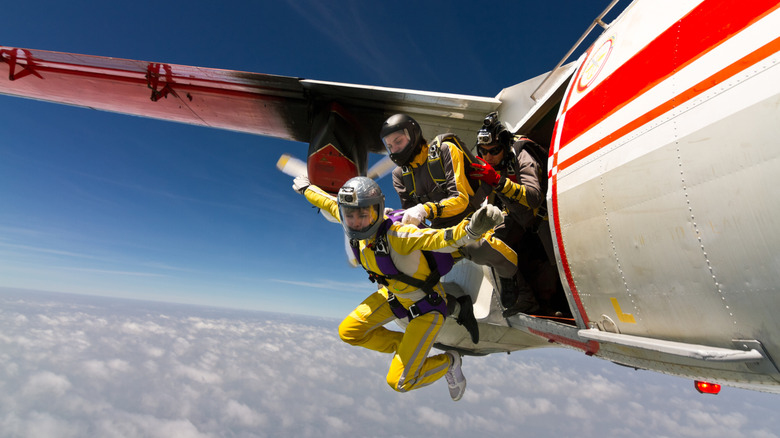
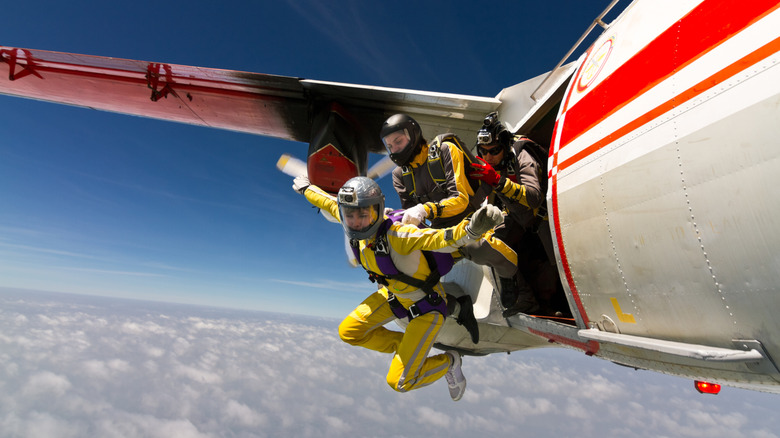
The safety briefing at the start of any flight explains to passengers what they need to do in the event of an in-flight emergency. It will tell you things like where to find the emergency exits and where the life jackets are stored. One thing it won’t explain is where to find your parachute.
This might seem strange, as parachutes have been saving fliers since the 1910s, a few short years after the Wright Brothers’ historic 1903 flight. In fact, the first successful use of a parachute happened in the 18th century, when André-Jacques Garnerin successfully parachuted from a hot-air balloon. But there are very good reasons why we’re not all issued with parachutes upon boarding a commercial flight.
One of the biggest problems is altitude. Commercial jets typically fly at altitudes of about 35,000 feet or more, with some long-haul flights exceeding 40,000 feet. And while it’s easy to forget when you’re sipping a coffee at 37,000 feet, there are only a few inches of airplane separating you from freezing temperatures and air that’s too thin to breathe. Commercial planes also fly at incredible speeds, up to 575 mph in some instances. The fact that most passengers won’t have parachute training is another issue. Put simply, hundreds of flip-flopped holidaymakers exiting an aircraft into a minus 50-degree Celsius, 500-mph airstream without a clue how to skydive is not a scenario that’s likely to end well.
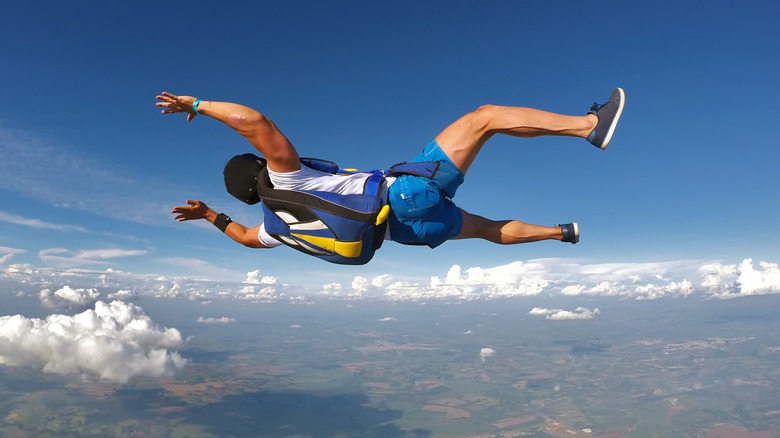
To illustrate why passengers are better off without parachutes, let’s look at an incident that took place on June 24, 1982, when a British Airways 747-200 unknowingly flew through a volcanic ash cloud. The ash caused the engines to fail, and the plane dropped 25,000 feet before the pilot managed to restart them and perform a successful emergency landing. Had passenger parachutes been available and the captain made the call to use them, the result would have been hundreds of passengers widely dispersed over the ocean.
There are no circumstances where turning off the seatbelt light and illuminating a hypothetical prepare-to-parachute light is viable. Even in instances where the altitude is survivable and the cabin doors can be opened (which can only happen if the plane is depressurized and below 10,000 feet), the idea of startled passengers with no parachute training forming an orderly queue, leaping into the airstream, and landing on the ground unscathed is unrealistic.
Modern airliners are incredibly safe, and flying remains the safest form of transportation. Issuing parachutes to passengers is unlikely to improve these stats. Parachutes only work when conditions allow them to, circumstances that commercial flights never satisfy. This is not a new realization either; as far back as 1931, airline operators maintained that the time element in crashes made passenger parachutes pointless. Perhaps slightly more plausible is a system like the whole-airframe parachutes fitted to Cirrus aircraft. However, weight, size, cost, and doubts about its effectiveness mean we probably won’t see such systems on commercial flights anytime soon.
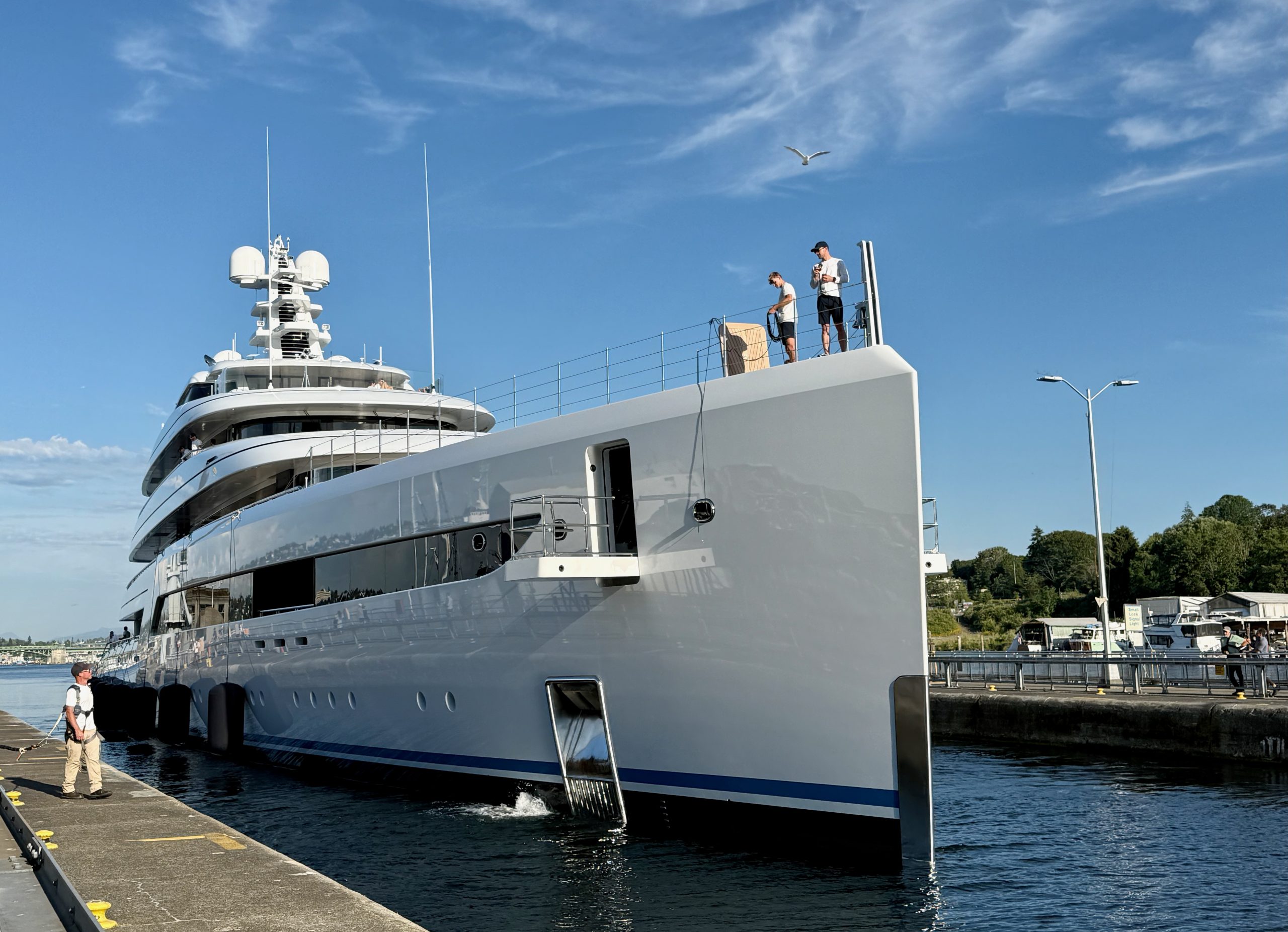

It’s 100 feet shorter and $100 million cheaper than Meta CEO Mark Zuckerberg’s superyacht, but another billionaire’s ship had no trouble drawing attention in Seattle on Tuesday.
“Zen,” a $200 million, 289-foot yacht reportedly owned by Chinese billionaire Wu Guangming, motored smoothly through the Ballard Locks and out to Puget Sound, attracting onlookers along the railings of the popular Seattle destination.
Flying a Cayman Islands flag, the vessel displayed its port of registry, George Town, below its name on the stern.
@media (max-width: 600px) {
aside.callout { float:none !important; max-width:100% !important; margin-left:0 !important; margin-right:0 !important; }
aside.callout .callout-img { display:none !important; }
}
Wu is the founder of China’s Jiangsu Yuyue Medical Equipment and Supply, which supplies devices such as rehabilitation machines, oxygen tanks and diagnostic equipment.
Forbes ranks Wu, with a net worth of $2.6 billion, No. 1251 on its 2026 list of billionaires. It wasn’t clear if he was onboard or why the vessel was in Seattle.
Marine Traffic listed Alaska as the ship’s reported destination.
The yacht’s fenders and lines were tended to by a dozen or so crew members wearing matching white shirts and black shorts. U.S. Army Corps of Engineers workers guided the ship through the Locks, which connect the waters of Lake Washington, Lake Union, and Salmon Bay to the tidal waters of Puget Sound.
“Tis the season,” said one worker when asked by GeekWire if it seemed like an unusual number of superyachts were sailing into Seattle these days. He said it was not the biggest he’d seen and besides, the Locks are long enough to hold the 600-foot Space Needle lying down.
Zuckerberg’s “Launchpad” arrived in Seattle on May 26 and turned heads with its own trip through the Locks before mooring on Lake Union and drawing even more attention before moving out.
Zen was built in 2021 by Feadship, the same Dutch shipbuilder that made Launchpad. According to Superyacht Times, Zen can accommodate 16 guests and 25 crew members. In the world rankings for largest yachts, it’s listed at number 141.
Matt Sunday of Green Lake was out for a bike ride Tuesday evening when he stopped to check out Zen at the Locks. A director of engineering at Boeing, Sunday said he was interested in how the boat navigated the waterway.
“I’m fascinated by the precision and how it’s using the bow thrusters,” Sunday said. “It looks like it’s got space, but it’s tighter than that captain wants it to be, I’m sure.”
Sunday said he couldn’t really fathom the wealth of someone who could own such a vessel, calling it “a $200 million toy.”
Check out more GeekWire photos:



B&H’s flash Deal Zone drops a blowout 15-inch MacBook Air configuration to a record-low $949, with free 2-day shipping.
For 24 hours only, pick up Apple’s last-gen M4 MacBook Air 15-inch for $949 at Apple Authorized Reseller B&H Photo. Available in your choice of Midnight or Sky Blue, this laptop originally retailed for $1,199.
Buy 15″ MacBook Air M4 for $949
The 15-inch Air comes with Apple’s M4 10-core chip, along with 16GB of unified memory, and 256GB of storage. If you want to extend your storage, we covered network attached storage (NAS) deals that deliver savings of up to $215 off.
B&H is throwing in free 2-day shipping on the thin-and-light laptops when shipped within the contiguous U.S., ensuring your order will arrive quickly so you can enjoy it right away.
This Flash Deal Zone is valid now through 8:59 p.m. Pacific Time, or while supplies last.
If you need additional ports and storage, B&H is also running a coupon special on the M5 14-inch MacBook with a 1TB SSD. The Space Black model is marked down to $1,529, which is $170 off retail.
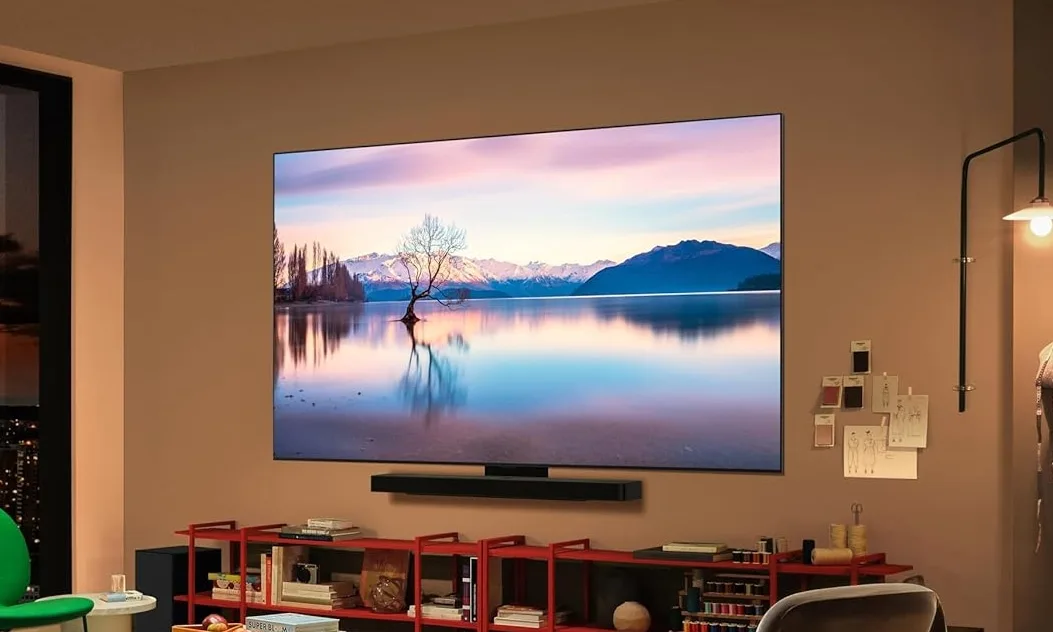
Amazon Prime Day is here, and it’s bringing some jaw-dropping deals on TVs. Whether you want a flagship OLED TV that delivers perfect blacks or a budget-friendly Mini-LED TV that punches above its weight, there is a deal for everyone this year. I have rounded up the five best TV deals so you don’t have to dig through endless listings. Let’s get into it.
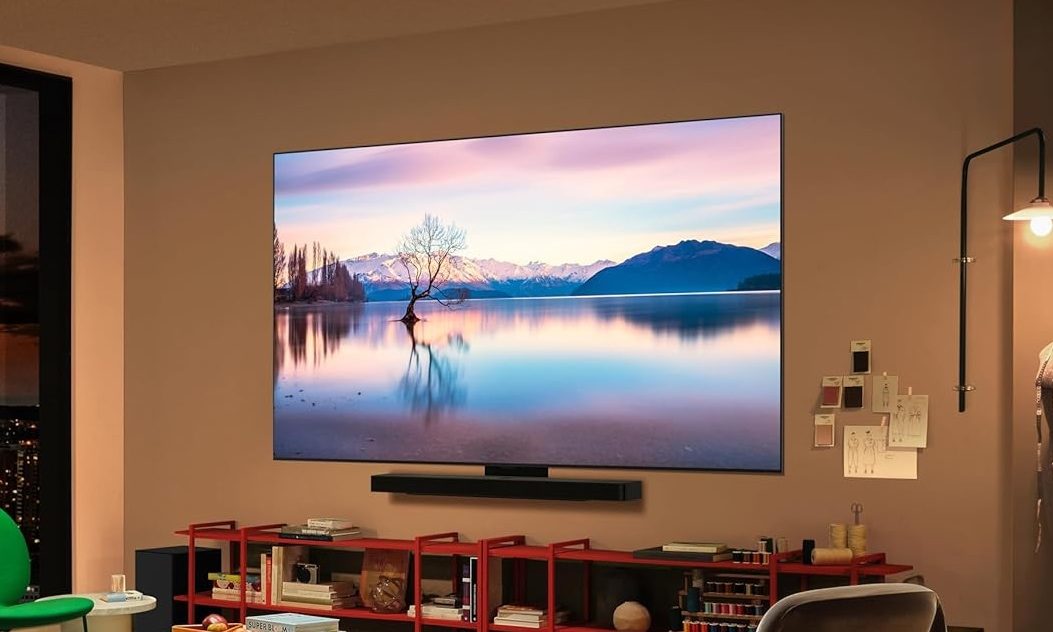
If you want the best of the best, the LG C5 OLED Evo is the one to beat. This 65-inch flagship OLED has dropped to around $1199, down from roughly $1399.
You get over 8.3 million self-lit pixels that deliver perfect blacks and stunning color, even in bright rooms. It’s powered by the Alpha 9 AI Processor Gen8 chipset, which provides all the performance needed to stream content smoothly and handle anything you throw at it.
The TV comes verified for glare-free viewing, so it performs great no matter the lighting in your room. Gamers get a 0.1ms response time, up to 144Hz refresh rate, and four HDMI 2.1 ports, plus NVIDIA G-Sync and AMD FreeSync. Toss in Dolby Vision and Dolby Atmos, and you have a TV that handles everything.
Pros
Cons
Deep inky black contrast.
Aggressive automatic brightness limiting.
Wide off-axis viewing angles.
Struggles in very bright rooms.
Ultra-low input lag times.
Excellent 144Hz gaming performance.
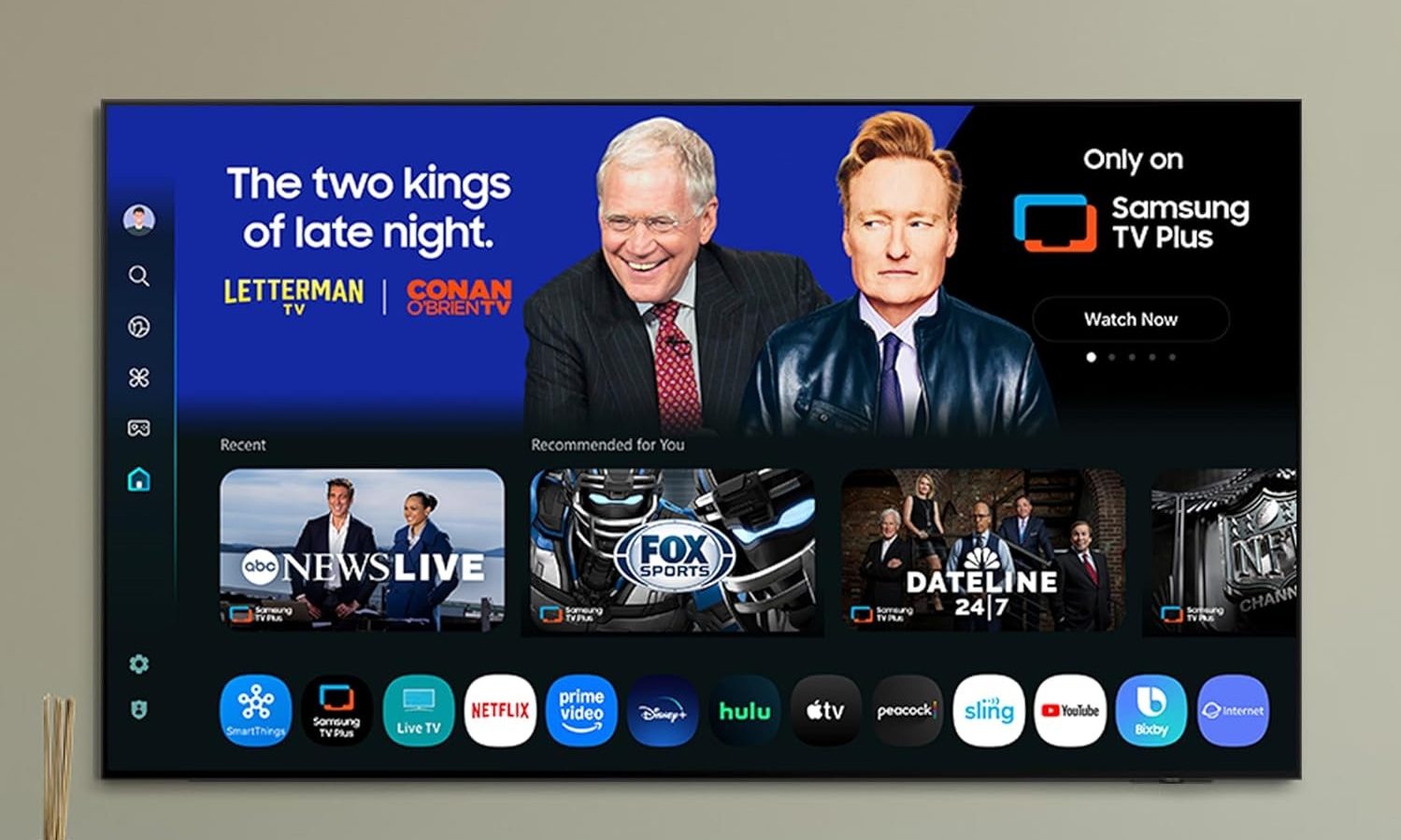
If you want an OLED TV at a friendlier price, the 55-inch Samsung S90F will be right up your alley. It has dropped to around $997.99, down from roughly $1,397.99. That is up to 28% off and a great entry point into premium OLED territory.
This TV runs on Samsung’s NQ4 AI Gen3 processor, which uses 128 neural networks to upscale everything you watch to crisp 4K quality. You get powerful brightness, deep contrast, and smooth motion for tear-free gaming at up to 4K 144Hz.
It can also transform SDR content to HDR-like quality with brighter highlights and more vibrant colors. If you want vibrant colors and inky blacks for mixed use and gaming, this one is a steal.
Pros
Cons
Excellent at 4K upscaling.
Audio quality is not up to par.
Runs on powerful NQ4 AI Gen3 processor.
The reflection handling could be better.
Supports smooth 144Hz lag-free gaming.
Produces vibrant colors.

The Samsung Frame is for those who want their TV to double as a piece of art. This 65-inch model has dropped to around $697.99, down from roughly $1,097.99, which is about 36% off.
When you are not watching, the Frame transforms into art with its matte, glare-free screen that makes digital paintings look like real prints. You can upload your own photos or pick from a curated collection in the Art Store, and customizable bezels let you match it to your decor.
The slim design mounts flush to the wall, and an external hub connects the TV to power and your devices with a single wire, so you don’t have to deal with messy cables. I have a Samsung Frame TV in my bedroom (a different model), and let me tell you, it looks far better than your regular TVs.
Pros
Cons
Matte screen kills glare beautifully.
Weaker viewing angles.
Doubles as beautiful wall art.
You don’t get as deep blacks as on OLED TVs.
Slim, single-cable flush mount.
Solid 4K QLED picture quality.
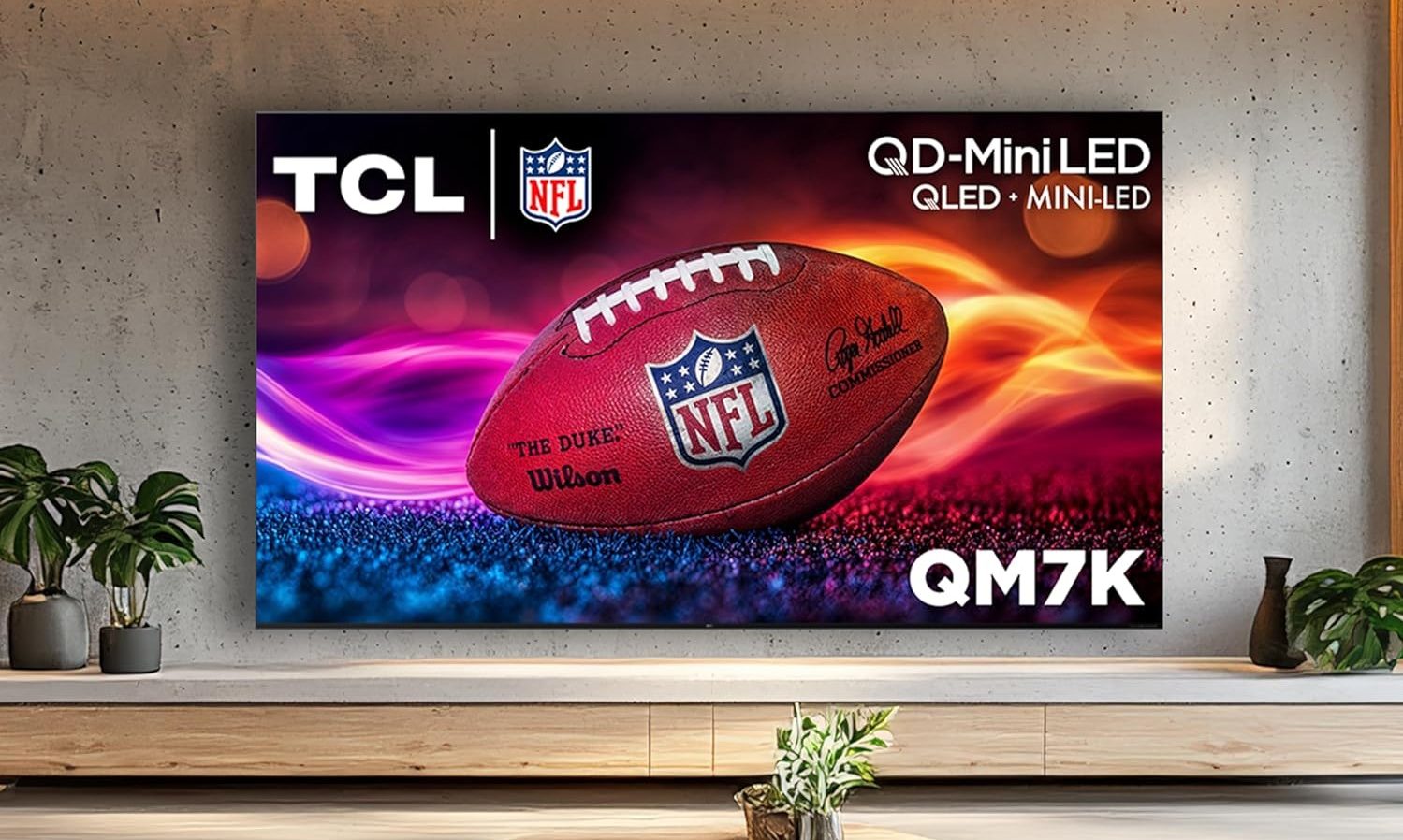
If you are shopping on a budget, the TCL QM7K is the deal for you. This 65-inch Mini-LED QLED has dropped to $498.99, down from $649.99, which is about 23% off and lands it under $500, which makes it a bargain in TV territory.
TCL’s QD-Mini LED combines the best of QLED and OLED tech, with up to 2500 precise local dimming zones for dark black levels. The high HDR brightness gives you a great picture in any room, and the CrystGlow HVA panel blocks reflections so your image stays crisp and visible.
Then there’s TCL’s Halo Control System working behind the scenes to deliver clean, halo-free images without that distracting glow around bright objects. With Google TV baked in, this is incredible value for the money.
Pros
Cons
Outstanding peak HDR brightness.
Narrow off-angle viewing.
Excellent 144Hz gaming capabilities.
Noticeable screen glare/reflections.
Effective backlight blooming control.
Audio lacks strong bass.
Premium feel, mid-tier price.
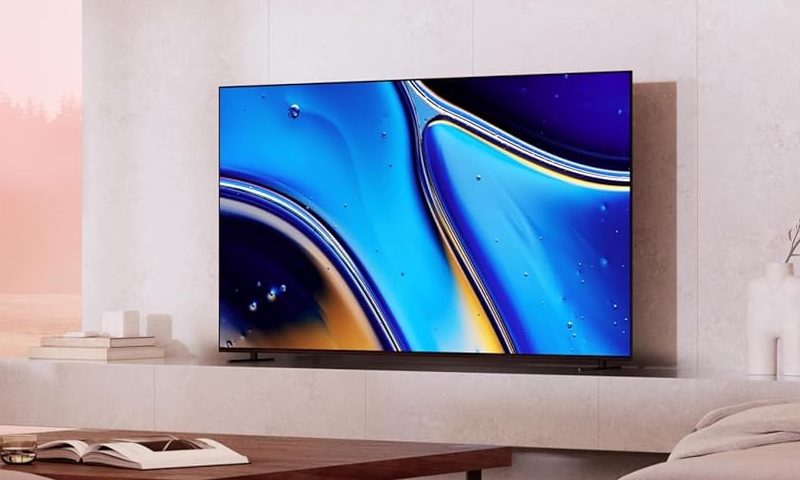
No best TV list can be complete without a Sony Bravia, and the one we are featuring on this list is the Sony X90L BRAVIA XR. The TV has an MSRP of $1398. But this Prime Day, the TV is getting a massive price cut, going down to $1198, giving you a savings of $200.
As for features, it hits all the right notes. It packs a 4K OLED panel with over 8 million self-lit pixels that are precisely controlled to deliver pure blacks with high brightness, while the XR Processor enhances every scene in real time, boosting color, contrast, and clarity on the fly.
One of my favorite features of this TV is the Studio Calibrated Picture mode, which ensures you watch your favorite movies just the way the creator intended.
Pros
Cons
Superb 4K picture quality.
Competitive models are cheaper.
Wonderfully natural color reproduction.
Prone to aggressive brightness limiting.
Excellent motion handling processing.
Loud immersive built-in audio.
It really comes down to your budget and what you want from your TV. If money is no object, the LG C5 OLED and the Sony Bravia are the clear winners. If you want OLED quality at affordable pricing, the Samsung S90F is a brilliant pick. The Samsung Frame is for the design lovers, while the TCL QM7K is the budget champion that doesn’t skimp on picture quality.
LG Display recently announced that its OLED panels can accurately reproduce colors and brightness levels as content creators intended. The Korean manufacturer is the first company to pass a new Intertek certification program, and says it will use the achievement to better communicate the benefits of its display technology to…
Read Entire Article
Source link


Orders are now open for Meta Glasses, a new lineup launched in partnership with EssilorLuxottica and sold under Meta’s own name for the first time. The AI-powered wearables carry over the core features from the earlier Ray-Ban and Oakley models but start at $299, undercutting the entry-level Ray-Ban Meta by $80.
Read Entire Article
Source link
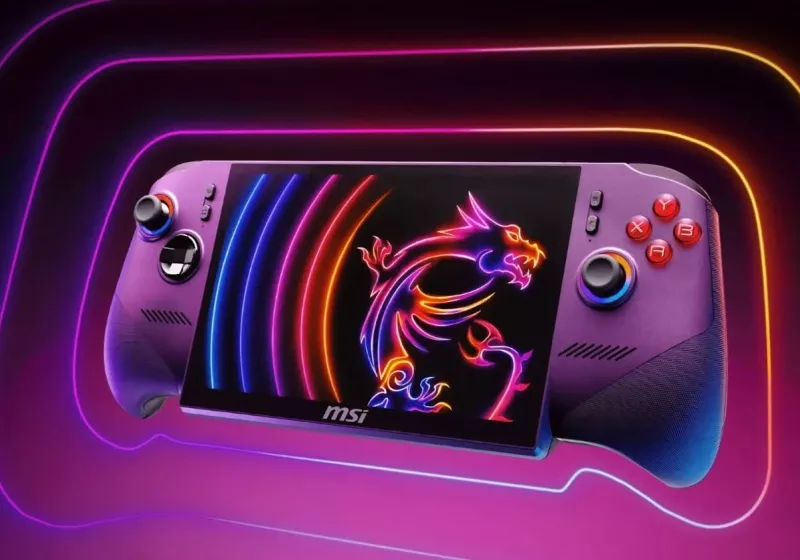
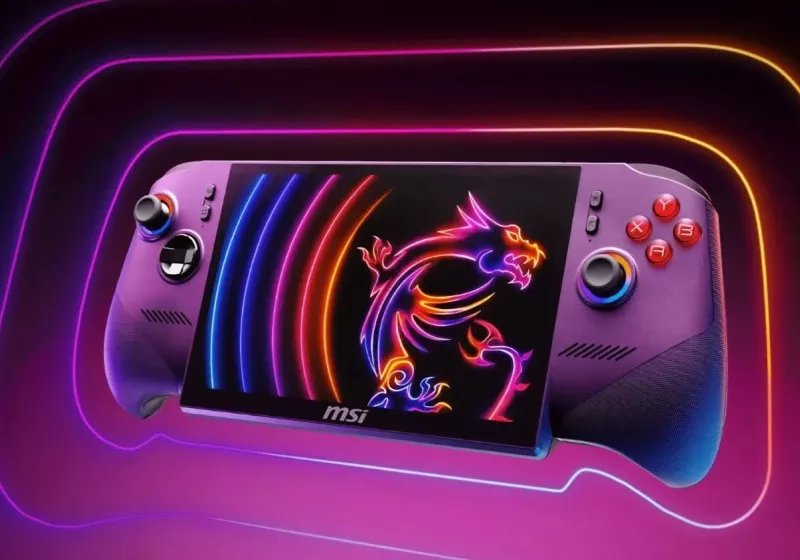
Early reviews praise the MSI Claw 8 EX AI+ for pushing handheld performance, with Intel’s Arc G3 Extreme outperforming current AMD rivals in many tests. However, at $1,800 and lack no OLED display, it’s a very tough sell.
Tata Electronics has confirmed in a statement to BleepingComputer that it was the target of a cyberattack that impacted parts of its IT infrastructure.
The company emphasizes that its operations continued to run normally and were not affected by the incident.
“A few weeks ago, Tata Electronics identified a cybersecurity incident on some of our systems,” a Tata Electronics spokesperson told BleepingComputer.
“Our response protocols were deployed immediately, and the incident has had no impact on our operations across businesses, which remain unaffected.”
Tata Electronics is a division of the Tata Group, an Indian multinational conglomerate, focused on electronic components and semiconductor manufacturing.
Since its founding in 2020, it has quickly grown to become one of India’s largest technology manufacturing companies, currently producing and assembling Apple iPhones and iPhone components.
While Tata Electronics has not disclosed the threat actor’s identity, the statement comes in response to a related claim by the World Leaks threat group, which leaked data allegedly stolen from Tata.
Among the leaked information, there are multiple directories and documents allegedly containing manufacturing data for Apple products, including internal component schematics, PCB designs, material specifications, and SDK files.
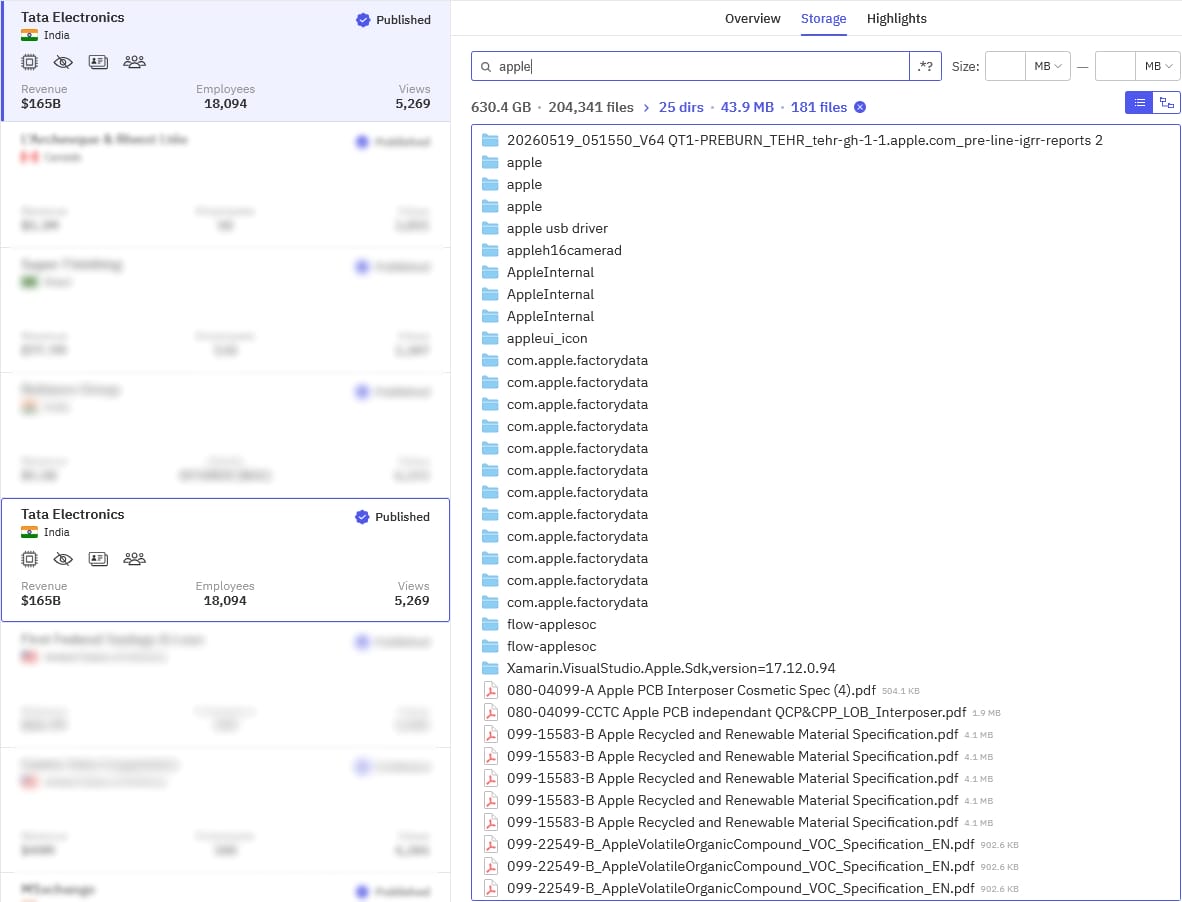
BleepingComputer has contacted Apple to inquire about the claims and whether any proprietary data has been exposed, but we have not yet received a response.
World Leaks is considered a rebrand of the Hunters International ransomware group, which wound down its operations in July 2025.
Unlike Hunters International, which used data encryptors in its attacks, World Leaks operates purely as a data extortion group, stealing files and threatening to leak them online.
Other high-profile victims of the same threat group are computer manufacturer Dell, which confirmed a breach in July 2025, and sportswear giant Nike, which launched an investigation after a claimed theft of 1.4 TB of files in January 2026.

Security teams log 54% of successful attacks and alert on just 14%. The rest move through your environment unseen.
The Picus whitepaper shows how breach and attack simulation tests your SIEM and EDR rules so threats stop slipping by detection.
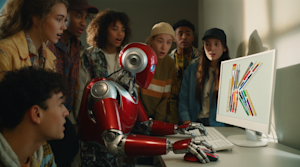
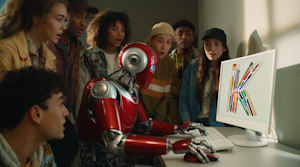
While many enterprises have already begun integrating AI-generated images, visuals, graphics and videos into their production workflows — there is also a growing pool of data and subjective commentary indicating AI imagery ultimately looks non-distinct, monotonous, and too unoriginal to ensure a brand and its assets stand out from the pack. That it’s “AI slop,” in other words.
AI creative tools startup Krea is hoping to change that trend by opening up the weights to its new frontier AI image model Krea 2 as two versions, “Krea 2 Raw” and “Krea 2 Turbo,” under a custom license that requires firms with more than 50 seats to pay for Enterprise usage, and mandates all users of any size to implement technical safeguards to prevent the generation of illegal materials, non-consensual intimate imagery (NCII), child sexual abuse material (CSAM), or defamatory assets.
Both models are available for public download on Hugging Face. The company says the models provide more visual variety than typical AI generators, while maintaining high prompt accuracy, fidelity, and quality. Importantly, they also offer enterprises and users the ability to customize the generative outputs much more than typical proprietary or even other open source models.
And, for those seeking to generate imagery at high-throughput, Krea 2 Turbo’s generation speed is only 2 seconds, making it among the fastest now available across open and proprietary AI image generation models.
|
Model / Generator |
Developer / Platform |
Avg. Generation Time |
Licensing & Commercial Use |
Key Characteristics |
|
FLUX.1 [schnell] (fast) |
Prodia |
0.5 seconds |
Open Weights (Apache 2.0). Fully permissive for free commercial use. |
Highly optimized endpoint utilizing step distillation to deliver sub-second generation times, representing the absolute floor for current API latency. |
|
Z-Image Turbo |
Replicate / fal.ai |
1.8 seconds |
Proprietary. Commercial rights require active API usage contracts. |
Designed for instantaneous inference bursts. Both Replicate and fal.ai achieve identical 1.8-second median times on this model. |
|
Krea 2 Turbo |
Krea |
2.0 seconds |
Open Weights / Proprietary Hybrid. Available via platform trial or API. |
Maintains the base model’s compatibility with style references and LoRAs while utilizing Trajectory Distribution Matching (TDM) to accelerate the creative ideation loop. |
|
Midjourney v8.1 (Turbo Mode) |
Midjourney |
3 – 6 seconds |
Proprietary. Commercial use requires an active Standard, Pro, or Mega tier subscription. |
Delivers generation speeds “three times faster than v8” while maintaining the model’s signature “painterly realism with sophisticated lighting,” though it requires a “higher credit cost”. |
|
FLUX.2 [klein] 4B |
Black Forest Labs |
3.9 seconds |
Open Weights. Permissive commercial use. |
The lightweight 4-billion parameter variant of the FLUX.2 architecture, balancing prompt adherence with high-speed generation. |
|
FLUX.2 [klein] 9B |
Black Forest Labs |
4.6 seconds |
Open Weights. Permissive commercial use. |
The medium-weight 9-billion parameter open model. It scales up compositional intelligence while keeping generation firmly under the 5-second barrier. |
|
MAI Image 2 Efficient |
Microsoft |
4 – 7 seconds |
Proprietary. Commercial use requires consumption-based API billing via Azure AI Foundry. |
A throughput-optimized variant explicitly designed to “out-pace Google’s Imagen Flash”. It makes a slight trade-off in detail for “substantially lower latency” that suits “automated pipelines” perfectly. |
|
Midjourney v8.1 (Fast Mode) |
Midjourney |
5 – 9 seconds |
Proprietary. Commercial use requires an active Standard, Pro, or Mega tier subscription. |
The standard operational mode for v8.1. Average wait times “consistently lands below 10 seconds for most prompts” while offering “excellent handling of complex multi-element scenes”. |
|
FLUX.2 [dev] |
fal.ai / DeepInfra |
6.1 – 6.4 seconds |
Open Weights (Non-Commercial). Strictly for research and non-commercial development. |
The developer-focused research model. API endpoint optimizations cause slight variance, with fal.ai operating at 6.1 seconds and DeepInfra at 6.4 seconds. |
|
Midjourney v8.1 (Relax Mode) |
Midjourney |
8 – 14 seconds |
Proprietary. Commercial use requires an active Standard, Pro, or Mega tier subscription. |
Processes standard 1024×1024 resolution images without consuming fast GPU hours. The model retains “strong compositional instincts” and “consistent color grading and mood”. |
|
FLUX.2 [pro] |
Black Forest Labs |
11.1 seconds |
Proprietary. Commercial rights require paid API consumption. |
The closed, professional-grade tier. It drops extreme step-distillation to prioritize high-fidelity commercial rendering and strict spatial alignments. |
|
Seedream 4.0 |
BytePlus |
11.6 seconds |
Proprietary. Commercial use via BytePlus enterprise contracts. |
The base commercial generation model for the Seedream architecture, focused on reliable, standard-resolution outputs. |
|
MAI Image 2 Standard |
Microsoft |
12 – 20 seconds |
Proprietary. Commercial use requires consumption-based API billing via Azure AI Foundry. |
Operates as a “full-quality output optimized for photorealism”. It acts as a literal renderer, delivering “high-fidelity skin tones and material textures” and “strong literal prompt adherence”. |
|
Nano Banana Pro (Gemini 3 Pro Image) |
Google DeepMind |
17.7 seconds |
Proprietary. Commercial rights granted via Gemini API terms. |
Prioritizes exact semantic accuracy and prompt adherence through an extended reasoning phase, trading raw speed for complex contextual execution. |
|
Seedream 4.5 |
BytePlus |
18.2 seconds |
Proprietary. Commercial use via BytePlus enterprise contracts. |
The upgraded high-fidelity variant, requiring an additional 6.6 seconds of compute time over the 4.0 version to refine complex textures and text rendering. |
|
Krea 2 Large |
Krea |
23.7 seconds |
Proprietary / Open Weights. Commercial rights depend on deployment. |
The un-distilled foundation model. It ignores the speed-focused Trajectory Distribution Matching of the Turbo variant to maximize aesthetic polish and structural stability. |
|
FLUX.2 [max] |
Black Forest Labs |
25.6 seconds |
Proprietary. Closed enterprise API. |
The heaviest parameter model in the FLUX lineup. It operates exclusively as a deep reasoning renderer for complex commercial assets. |
|
GPT-Image-2 |
OpenAI |
200.8 seconds |
Proprietary. Full commercial usage under standard OpenAI terms. |
A massive outlier in the latency landscape. It dedicates over three minutes to complex, multi-step semantic reasoning, likely utilizing an expansive chain-of-thought process prior to finalizing pixel outputs. |
Sources: Artificial Analysis, Krea, MindStudio.AI
At the technical core of the release sits an architectural framework built entirely from scratch: a Diffusion Transformer scaled to 12 billion parameters.
Rather than deploying a single, heavily fine-tuned model for all downstream tasks, Krea open-sources two highly differentiated checkpoints captured at distinct milestones of the model’s training lifecycle.
Departing from multi-stream configurations for structural clarity, the core engine standardizes on a single-stream transformer block architecture wherein attention and MLP layers are shared natively between text and image tokens.
To maximize computational efficiency, Krea incorporates a SwiGLU MLP layer operating at a 4x expansion factor alongside Grouped-Query Attention (GQA) combined with gated sigmoid attention layers to stabilize training dynamics.
Timestep conditioning is heavily optimized; the network replaces traditional per-block MLP modules with a lightweight, per-block tunable bias term, successfully cutting total block modulation parameters by 20% to 30% and reallocating that parameter budget directly into core layers.
Positional encoding is managed via a 3D Axial Rotary Position Embedding (RoPE) scheme mapping across individual frame, height, and width coordinate
Krea 2 Raw represents an undistilled base release checkpoint taken directly from the mid-training stage of the larger Krea 2 Medium development cycle.
Because it lacks post-training alignment, reinforcement learning from human feedback (RLHF), or final aesthetic distillation, Krea 2 Raw functions as a blank canvas.
It retains a vast, uncurated latent space that makes it poorly suited for immediate out-of-the-box prompting, but highly optimized for structural training.
Operating this model via the Hugging Face `diffusers` library requires a heavy compute footprint, executing via `Krea2Pipeline` in `torch.bfloat16` precision across 52 inference steps with a guidance scale of 3.5.
To accelerate early-stage architectural convergence during the first epoch of this 256px baseline training phase, Krea applied internal Representation Alignment (iREPA) techniques before decoupling them to let the underlying model develop independent structural representations.
The second checkpoint, Krea 2 Turbo, represents the opposite end of the optimization spectrum.
It is a distilled, post-trained variant derived from Krea 2 Medium. Through knowledge distillation, the network’s complex multi-step generation sequence is compressed into an incredibly lean operational profile.
Krea 2 Turbo slashes the required generation cycle down to just 8 inference steps with a guidance scale of 0.0, enabling it to render native 2k resolution imagery on standard consumer-grade hardware in approximately 2 seconds.
The underlying latent representations for both models are optimized through the integration of the Qwen Image VAE and the FLUX 2 VAE to guarantee rapid convergence while maintaining high reconstruction fidelity.
The underlying dataset strategy for the Krea 2 family relies on a hybrid blend of publicly harvested data, third-party licensed image repositories, and highly curated synthetic datasets built via proprietary generation methods.
Prior to final training, Krea processed these collections through rigorous algorithmic filters designed to strip out duplicative frames, low-resolution media, and explicit or harmful material, ensuring high fidelity and strong prompt compliance across both models.
Krea enforces a zero-synthetic data policy within its primary pretraining mix.
To prevent the upper-bound quality limitations and output biases induced by AI-generated data, the engineering team deployed custom in-house filtering classifiers built on top of DINOv3 and SigLIP-2 architectures to completely purge synthetic images at scale.
Furthermore, rather than using traditional model-based aesthetic filters that inadvertently strip away artistic intents like motion blur, Krea preserves wide stylistic boundaries.
The team trained a Sparse Autoencoder (SAE) on SigLIP-2 embeddings to isolate and filter out genuine visual artifacts using an unsupervised tagging framework.
The release establishes a highly deliberate operational paradigm for professional studios and independent creators: “train on Raw, generate with Turbo.” This workflow leverages the unique architectural properties of both open-weight files to optimize both training accuracy and rendering speed.
In creative production pipelines, engineers can use Krea 2 Raw to train custom Low-Rank Adaptations (LoRAs) or domain-specific fine-tunes.
Because the Raw checkpoint contains no baked-in stylistic opinions or aggressive post-training constraints, it absorbs unique aesthetic directions—such as architectural drafting styles, specific brand assets, or complex lighting designs—with high fidelity and zero stylistic interference.
Once the training phase is complete, creators can port those exact LoRAs directly over to Krea 2 Turbo.
This methodology is reflected in Krea’s own development ecosystem, which hosts an in-house collection of custom LoRAs trained entirely on the Raw foundation model but optimized for execution within Turbo workflows.
On the user-facing application layer, Krea integrates this dual-engine setup with a powerful style transfer system. Rather than relying on erratic text descriptions to achieve an artistic look, users can feed multiple style reference images directly into the system.
Krea 2 maps these references across its latent space, allowing creators to isolate individual aesthetic components, combine distinct moodboards, adjust style strength via generative sliders, and fine-tune batch variation levels to maintain visual cohesion across large-scale design iterations.
To address the gap between raw textual training captions and brief user inputs, Krea paired this suite with an advanced LLM Prompt Expander. Refined via Generalized Deep Q-Network Preference Optimization (GDPO) and trained on synthetic thinking traces to preserve intent reconstruction, the expander applies a photographic-medium bias to photorealistic requests and integrates an active DINOv3 embedding diversity score across rollout groups to prevent automated prompting routines from collapsing into a singular house style.
While Krea 2 Medium and Krea 2 Large remain the company’s flagship models for high-fidelity composition and absolute stylistic adherence, Turbo fills the critical role of rapid visual ideation.
It serves as an interactive scratchpad for early concept creation, quick prompt experimentation, and iterative art direction where near-instantaneous feedback loops are required to maintain creative momentum.
The open-weight assets deploy under the Krea 2 Community License Agreement operating alongside an official Acceptable Use Policy.
At a macro level, this legal framework mirrors recent industry trends toward commercial-use permissions that target small businesses while restricting large enterprise exploitation.
The license explicitly permits individuals, independent creators, and small commercial companies to build applications, monetize generated imagery, and integrate the open weights directly into commercial software products without royalty obligations.
Furthermore, Krea states that it “does not claim copyright or other intellectual property rights over content generated by users of this model,” leaving output ownership entirely in the hands of the operator.
For organizations scaling beyond this baseline, the ecosystem shifts into a paid, custom-tier structure.
While Krea’s official documentation lacks a rigid revenue threshold defining a “large enterprise,” the company structurally demarcates the boundary based on organizational footprint: standard commercial usage caps at a “Business” tier accommodating up to 50 seats.
Therefore, any entity requiring more than 50 seats, Single Sign-On (SSO) integrations, guaranteed Service Level Agreements (SLAs), or custom Data Processing Agreements (DPAs) qualifies as an Enterprise.
These larger entities fall outside the free Community License scope and must pay for a custom commercial license—operating under “Custom Terms of Service”—negotiated directly with Krea’s sales team.
Additionally, developer access to Krea’s official API remains entirely decoupled from the open-weights release; API usage operates as a distinct, paid service billed dynamically on a per-generation basis (measured in microdollars) and requires a prepaid USD balance independent of standard monthly compute subscriptions.
However, a close examination reveals a significant structural shift regarding legal and behavioral compliance for all self-hosted deployments.
Unlike traditional open-source permissions like the MIT or Apache 2.0 licenses—which grant unconditional usage rights and completely waive liability—the Krea 2 Community License implements strict downstream behavioral guardrails.
Because Krea relinquishes centralized control over the downstream deployment of its open weights, the contract legally binds deployers to enforce content moderation protocols at the infrastructure layer.
Under the terms of the agreement, any developer or platform hosting Krea 2 models must implement active input/output classifiers or equivalent content filtering mechanisms to actively prevent the generation of illegal materials, non-consensual intimate imagery (NCII), child sexual abuse material (CSAM), or defamatory assets.
Developers who fail to deploy these defensive safety layers stand in immediate breach of contract, giving Krea the explicit right to update model weights or revoke access to the model family entirely.
Founded in 2022 by audiovisual systems engineering dropouts Víctor Perez and Diego Rodriguez Prado, San Francisco-based Krea initially captured market traction as a highly fluid user interface layer built to orchestrate disparate, third-party AI generative engines.
The startup’s rapid scaling via product-led adoption culminated in an aggregate $83 million in disclosed venture capital funding from major VCs including Andreessen Horowitz and Bain Capital Ventures, as well as early-stage institutional backers including Pebblebed, Abstract Ventures, and Gradient Ventures.
The company’s user base surpassed 30 million individuals across 191 countries as of June 2026, according to its website.
The open-weights launch of the Krea 2 model family represents the culmination of Krea’s deliberate evolution from a multi-model SaaS aggregator into a self-sustaining media research lab.
Early in its lifecycle, Krea focused on building workflow tools, editing systems, and a node-based automation pipeline that allowed digital artists to unify models from competitors like Runway, Midjourney, and Adobe under a single subscription.
However, to insulate itself against upstream platform dependencies and supplier margin pressures, the company aggressively shifted toward developing proprietary architectures. This transition began taking public shape in July 2025 with the open-weights release of the custom-curated FLUX.1 Krea checkpoint, followed in October 2025 by Krea Realtime 14B—an autoregressive video model distilled from Wan 2.1 capable of rendering 11 frames per second on localized enterprise hardware.
This underlying technical maturation parallels Krea’s accelerating push into high-end enterprise workflows. Large-scale creative production operations have shifted toward treating Krea as core creative infrastructure; for example, the digital creative services platform
Superside reported migrating workflows from fragmented open-source setups to route roughly 80 percent of its total AI generative production through Krea.
Furthermore, Krea established a strategic co-development partnership with Copenhagen-headquartered architecture firm Henning Larsen to build highly restricted, domain-specific design tools tuned to meet the compliance frameworks mandated by the EU AI Act.
By releasing Krea 2 Raw and Turbo as open weights, Krea is continuing its expansion from an AI tools provider to being a model provider in its own right.
Creators are focusing heavily on the structural freedom offered by the unaligned Raw checkpoint, viewing it as an important alternative to the locked-down APIs provided by closed-source models.
Through the official announcement on X, Krea emphasized the foundational shift this launch represents for open AI workflows.
Developers note that by treating AI as an “actual creative medium” that feels “raw, flexible, unopinionated, and unconstrained,” Krea is intentionally providing an infrastructure that creators can “break if [they] want to,” moving far away from the rigid safety guardrails that frequently limit the visual range of competing enterprise tools.
As independent model builders begin compiling the Hugging Face repositories, the practical value of the release will be determined by how effectively the open-source community can scale customized LoRAs using Krea 2 Raw.
By providing clear commercial terms and lowering hardware entry barriers via Turbo’s 8-step inference pipeline, Krea has introduced a highly competitive alternative to the open-weights market, challenging dominant models by prioritizing artistic control over centralized corporate alignment.

Three-quarters of school districts now have AI guidelines, up sharply from just a year ago, yet 82 percent of teachers say they have never received formal guidance on how to use AI in their work. EdSurge reporter Lauren Coffey breaks down the 2026 CoSN State of Ed Tech report and what it reveals about AI adoption, cybersecurity gaps, and edtech vetting inside K-12 districts. Then host Ira Apfel talks with Joseph South, chief innovation officer at ISTE+ASCD, about why teachers say they feel unprepared to bring AI into their classrooms and what it would take to change that.
What You’ll Learn
Why AI adoption in K-12 districts jumped from 54 percent in 2025 to 75 percent this year, and why most prefer local flexibility over state or federal mandates.Why cybersecurity remains many districts’ top concern even as two-thirds lack the staff and budget to address it, and what the Canvas ransomware attack reveals about the real cost of that gap.
What the Gallup and Walton Family Foundation data actually shows about the teacher guidance crisis: 82 percent of teachers have received no formal AI guidance, 34 percent have received no guidance at all, and 69 percent have received no guidance specifically on using AI for one-on-one instruction or tutoring.
How districts in Long Beach, Gwinnett County, and Fairfax County are building transparency-first AI frameworks, and what the Lighthouse Schools model offers as a replicable path for districts that want to move without waiting for policy from above.
Listen to the episode:
This Week with EdSurge is produced by the EdSurge newsroom. Subscribe to the EdSurge newsletters for education news and analysis delivered to your inbox every week.




Weekend Open Thread: Miami – Corporette.com


Renter of Home in Anne Heche Crash Denies Settlement With Son


Microsoft accidentally kills epic Outlook email threads


Soccer-U.S. defends Iran World Cup travel restrictions, says discussions ongoing

BBC Reporter Discusses Cross Party Criticism Of Trumps Iran Deal

Two goals and an assist by sheer aura: Cristiano Ronaldo just entered the World Cup chat

Wall Street Week Ahead: Investors see Micron earnings as pulse check of AI rally momentum
Entergy settles forward sale agreements, raises $672 million in cash proceeds

Andy Burnham and the meaning of Makerfield

AWS enters the context layer race with a graph that learns from agents, not manual curation
Bitcoin (BTC) Dips Below $62K, Ethereum (ETH) Plunges 6% Daily: Market Watch
Can Charles Hoskinson Really Rescue Cardano?


HIVE shares jump as $220M AI deal speeds Bitcoin mining pivot


Jake Chervinsky accuses CME of protecting derivatives monopoly


Keir Starmer Allies Question His Chances For No 10


Nearly 7,000 fake Amazon domains registered ahead of Prime Day 2026, researchers warn

Brexit cost 6% of UK economy, Bank of England company data suggests

FIFA World Cup 2026: Canada beat 9-men Qatar 6-0 to register first ever win | FIFA World Cup 2026
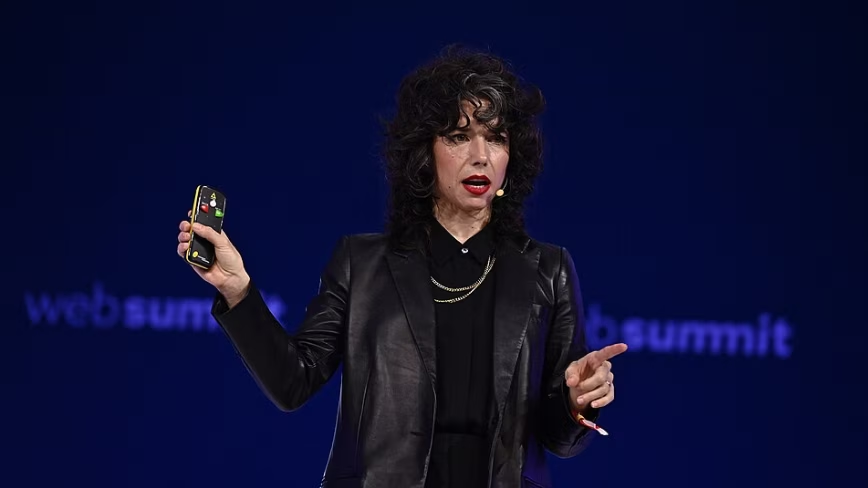
Signal’s Meredith Whittaker says AI chatbots ‘are not your friends’ and calls Copilot agents a backdoor


Jose Alvarado Wants Taylor Swift at More Knicks Games


You must be logged in to post a comment Login