
Tech
Your Home Needs These 8 Headache-Free Privacy Boosts




Home privacy is a popular topic these days, as Flock surveillance cameras appear in our neighborhoods and AI voice assistants hang on our every word. But we also have more tools than ever to protect our privacy — as long as we use them.
Don’t worry, your smart technology is still (mostly) safe, but if you are worried about third parties spying on you or loved ones, you should definitely learn these practices, settings and tricks to better protect yourself. Here are the habits that make the most difference, including those I use around my house.
Read more: The Top Home Security Myths You Need to Stop Believing
1. Keep the shutters on your security cams and smart displays closed

New smart devices have physical shutters and buttons to confirm privacy.
Amazon
When smart displays first started appearing, they came with cameras to enable video chats and similar features. When those cameras started making people nervous, makers began putting physical shutters and off buttons on their smart devices so people could quickly shut them down and confirm the cameras couldn’t be used remotely.
In my experience, these cams rarely get much use and are best left turned off permanently until you’re ready to make a video call to a family member. The same is true of the mics in some smart speakers, which you can shut off when not in use if you’re worried about the speaker listening in. For the record, while you can find a lot of internet rumors about eavesdropping speakers, today’s models require the wake word to start listening in, and accidents are typically confined to picking up similar-sounding words in conversations, music or TVs.
The same is true of security cameras. Look for cams that have shutters or “off” positions (like facing down) if you’re concerned about privacy.
2. Switch off opt-in and data-sharing features

You can disable most Ring AI features in one swoop.
r/Ring
I spoke with Laurie Selkowitz, partner in Greenberg Glusker’s Cybersecurity and Privacy Group, about increasing home privacy with smart devices to find some good advice.
“The biggest mistake people make is treating smart home devices like appliances instead of connected computers. Once you think of them as computers that happen to live in your home, the privacy decisions become much more obvious,” Selkowitz said.
“A good rule of thumb is to enable only the features you actually use,” she said. “Many devices collect far more data than they need to function, so turning off things like unnecessary cloud storage, voice history or activity logs can significantly reduce your exposure.”
You can often change how companies manage and share your home data, but the methods are typically buried deep in settings, so you need to know where to look. I can help with that.
Here’s my guide on Alexa settings you may want to adjust, including options that control how long Amazon saves your voice recordings and other privacy features to help make voice assistant use better.
I also have a complete guide on Ring security features you may want to turn off, including all AI features if those recognition capabilities worry you, automatic data sharing in your neighborhood for tools like Search Party and disabling Amazon Sidewalk so it won’t share your bandwidth with strangers.
3. Use local storage instead of cloud storage

Eufy’s two-pack is an excellent local storage 4K camera option.
Eufy
If you use security cameras, you have two choices for saving video (and you really need to save video; otherwise, the camera isn’t much more than live views).
The first option most cameras offer these days is cloud storage. But many people don’t like the idea of trusting companies to manage their video data, and those cloud databases have been hacked or accidentally shared in the past.
The second option, local storage, is much better for your privacy. Local storage uses either a microSD card or a hub with a built-in drive to store video. You may have to clear out videos occasionally, but it keeps your data in your own hands. Lots of brands offer local storage if you choose the right setup, including Eufy, Lorex, Blink and Wyze.
Just remember, even if videos are stored locally, police can still confiscate them with a warrant.

Best Home Security Cameras Without Subscriptions in 2026
4. Close your shades on a schedule

Smart shades like those from Lutron can boost privacy even when you aren’t home.
Tyler Lizenby/CNET
People probably aren’t peering through your windows at night, but that doesn’t mean you should make it easy. Today’s smart shades can automatically close on a schedule or when the sun goes down, even if you aren’t home yet. That helps guarantee extra privacy and may even deter burglars scouting for a target.
5. Check old Zillow and real estate listings

You may want to check what information remains about your home on old listings.
Bloomberg / Contributor / Getty
If you recently moved into a new home within the past year or two, I suggest checking the old selling or rental listing pages for your address. In some cases, these get left up for years after the home has already changed hands.
Those old listings could be an unwelcome window into exactly where your address is, what your home looks like on the inside and even access points a burglar might want to know. Also, people may get the wrong idea and assume it’s still available to rent or buy — I’ve had more than a few people peer through my windows for just that reason.
It’s better for your privacy if you run a quick check on platforms like Zillow, Trulia and local real estate sites to see if your home is still there. Then you can request it be removed.
6. Blur your address on Google Maps

If you don’t want someone getting a good look at your home from the street, you can blur it on map apps.
David Cameron / Getty
There’s another place your home shows up to anyone willing to look — Google Maps, especially when using satellite and street view images.
Well aware of this fact, Google offers an option on its website (not its app) to blur out your address for privacy. We have a complete guide on how to do that here, but it’s free and takes only a couple of minutes. Apple offers a similar service in its Look Around map app function.
7. Switch to open-source or third-party smart home controls

Homey’s devices and platforms are more privacy focused than big brand home apps.
Homey
If you’re worried about big brand names having easy access to your data, you can still get a full set of smart home features by using alternative platforms. You have several choices, notably the open-source, build-it-yourself Home Assistant and the third-party, privacy-first Homey hub and platform.
The catch is that these platforms will take much more work to set up and customize, and they tend to be buggier and require more problem-solving than you’ll find on any brand app. But if you don’t mind tinkering, these are great ways to mandate privacy while getting the high-tech smart features you want.
8. Adopt a home VPN

The Aircove is ExpressVPN’s answer to Wi-Fi 6 routers and smart home privacy.
ExpressVPN
We talk a lot about using VPNs (virtual private networks) on our browsers, phones and laptops for greater privacy and reduced risk of third-party data collection, but many of the benefits apply at home, too. It’s even easier to use a VPN at home because many home Wi-Fi routers come with VPNs you can use, or you can add a VPN to them for whole-house protection, which in our tests only takes about 10 minutes.
With a VPN, every device connected to your router, including your smart home devices, typically has its data encrypted when it sends data online, making it harder for companies to glean information about your activity and home habits.
Is it still safe to use foreign-made routers at home?
In 2026, the FCC banned foreign-made Wi-Fi routers for national security reasons — sort of. The reasons are complicated, and exemptions were quickly provided for top router brands like Netgear, so I don’t blame you if you don’t know what to think about router privacy. We spoke to several security experts, and unless you have to buy a new router right away, there’s not much to worry about. No sudden security threat has made routers any less safe to use than they were before, but as always, strong security practices will help keep you safe.
If you’re interested in off-the-grid options, check out my off-the-grid home security guide.



Dozens of Flock cameras have been vandalized around Dallas Texas in the last six months, reports a local news station. In Utah, ABC News reports, a county sheriff’s office even said Wednesday a Flock camera was even vandalized within days of its being installed. And in the Minnesota city of Winona, “Every Flock license plate reader camera operated by the Winona Police Department has been sawed off and stolen in what investigators believe was a coordinated theft,” according to local media:
All eight cameras were taken August 1, according to the Winona Police Department. A patrol officer first noticed the cameras had not sent any alerts in 24 hours. When officers checked the locations, they found the cameras had been cut from their poles and taken. The poles were left behind.
Two additional Flock cameras on the Mississippi River Bridge, owned by Buffalo County, were also stolen in the same manner…
The thefts are part of a broader national trend. Flock cameras have been vandalized and cut down in communities across the country.
When someone in Florida filmed a damaged Flock camera lying in the grass in Florida, their footage attracted 980,000 views on social media, according to a local news report, with the uploader saying “Most of the people that are commenting are against Flock cameras.” But that report adds it’s one of at least five cameras recently damaged just in Florida:
– In another incident, investigators “found the black camera and its pole lying on the ground.”
– Two days later, sheriff’s deputies found a camera destroyed “with pieces scattered on the ground. Deputies reported the damage appeared to have been caused by a blunt object.”
– On July 31, “Police said two camera poles had been intentionally cut in half, causing an estimated $10,000 in damage to the system.”
In West Virginia 20-year-old Wesley Jackson has been arrested for allegedly vandalizing Flock cameras, with another 20-year-old (a university student) now arrested for being his accomplice, according to a local news report. Ironically, Jackson’s arrest was made possible partly by information from… automated license plate readers.
But the Washington Post notes there’s now a flood of Facebook commenters jokingly offering to provide a fake alibi:
“Couldn’t have been him — we were out counting blades of grass,” said one of the 29,000 commenters on a post about the arrest from the local news station WDTV. Others attested that the man, Wesley Jackson, had been helping them “replace the roof on a homeless shelter,” “playing halo 2,” “changing the tires” on their car or giving their “doggie a treat” at the time the cameras were destroyed.
Meanwhile, the anti-surveillance group DeFlock reports 100 communities have now rejected automated license plate readers. Wednesday an Arizona county sheriff explained to his local Board of Supervisors why he will not renew his office’s contract with Flock when it expires next month. Local Arizona media reports:
“We have a camera system that can do facial recognition technology and can start building a data set on what our citizens are doing on a day-to-day basis,” Teeple told supervisors. “That, in my training and experience, is a huge Fourth Amendment violation.”
Recently an Arizona man even told his city council he’d be launching AI-powered satellites to monitor “where government officials go, where they stop, who they meet with, and when they return home,” reports 404 Media:
It would be no different than how the city monitors its citizens using Flock cameras, he said…
He said he’d already started compiling profiles on their vehicles, spouses vehicles, children’s vehicles, and planned to combine that data with Bluetooth signals, advertising IDs, and commercial data sources, “so our authorized users can replay the movements of every government official and their immediate family,” he said. Local businesses would be invited to join the network, to “protect” officials while they shop, eat at restaurants, and move around the city.
And CNET reports “a quiet battle is happening across the US” between “towns working to adopt Flock Safety systems and those trying to ban them entirely.”
From major cities like Los Angeles canceling its Flock contract to towns wrapping Flock AI cams in plastic bags because Flock won’t take them down, it’s a wild time for surveillance and questions about government accountability.


Read more of this story at Slashdot.
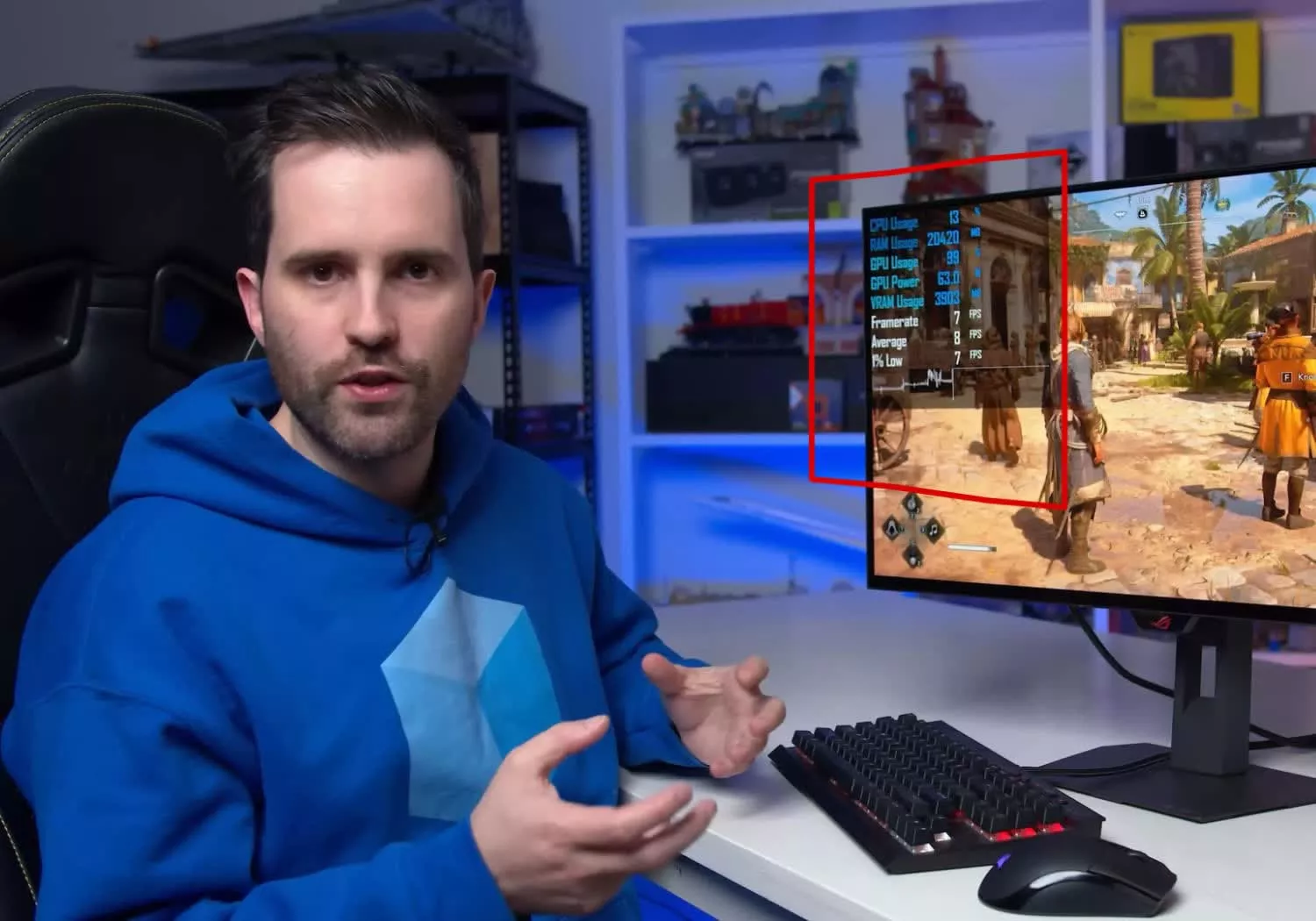
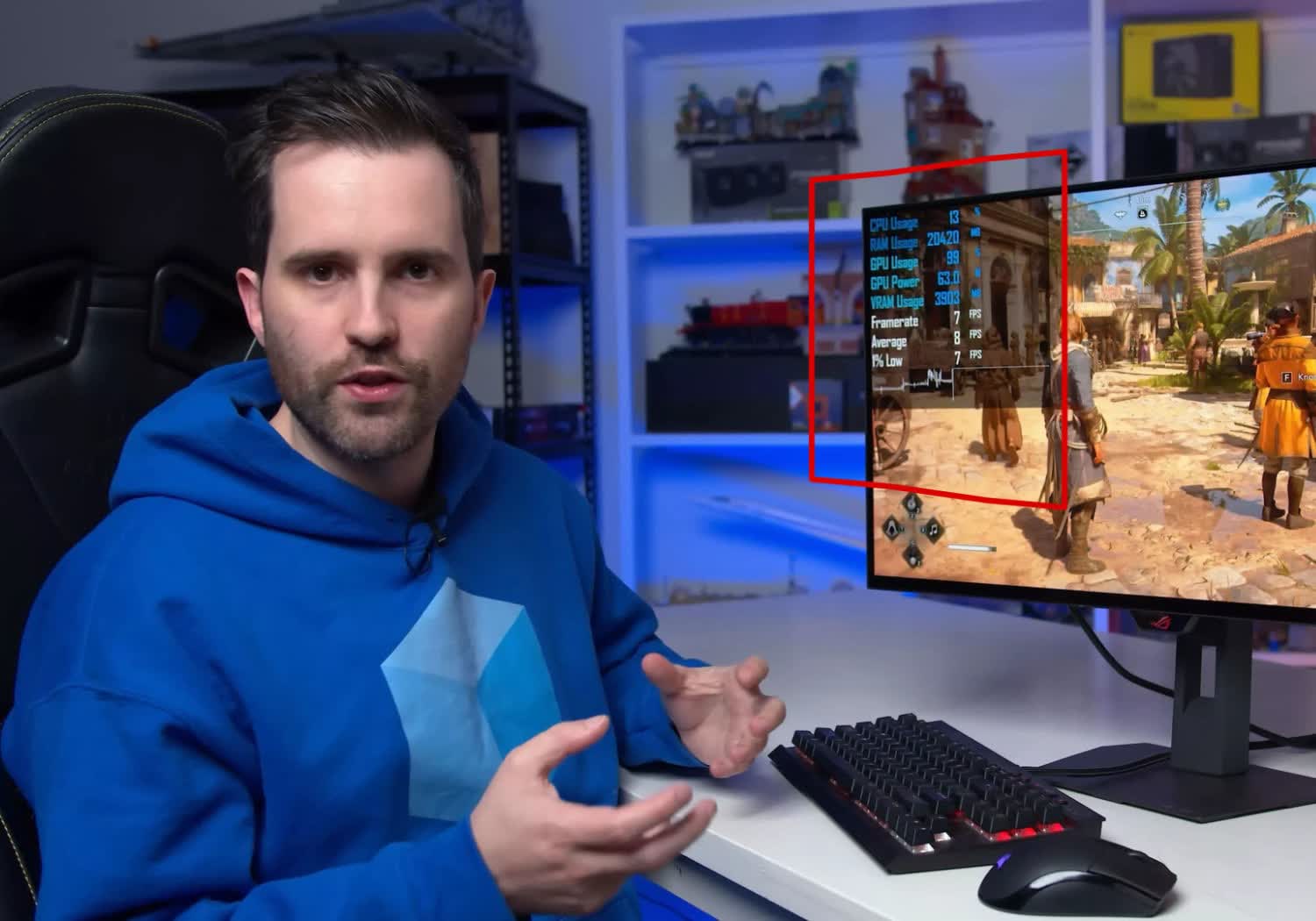
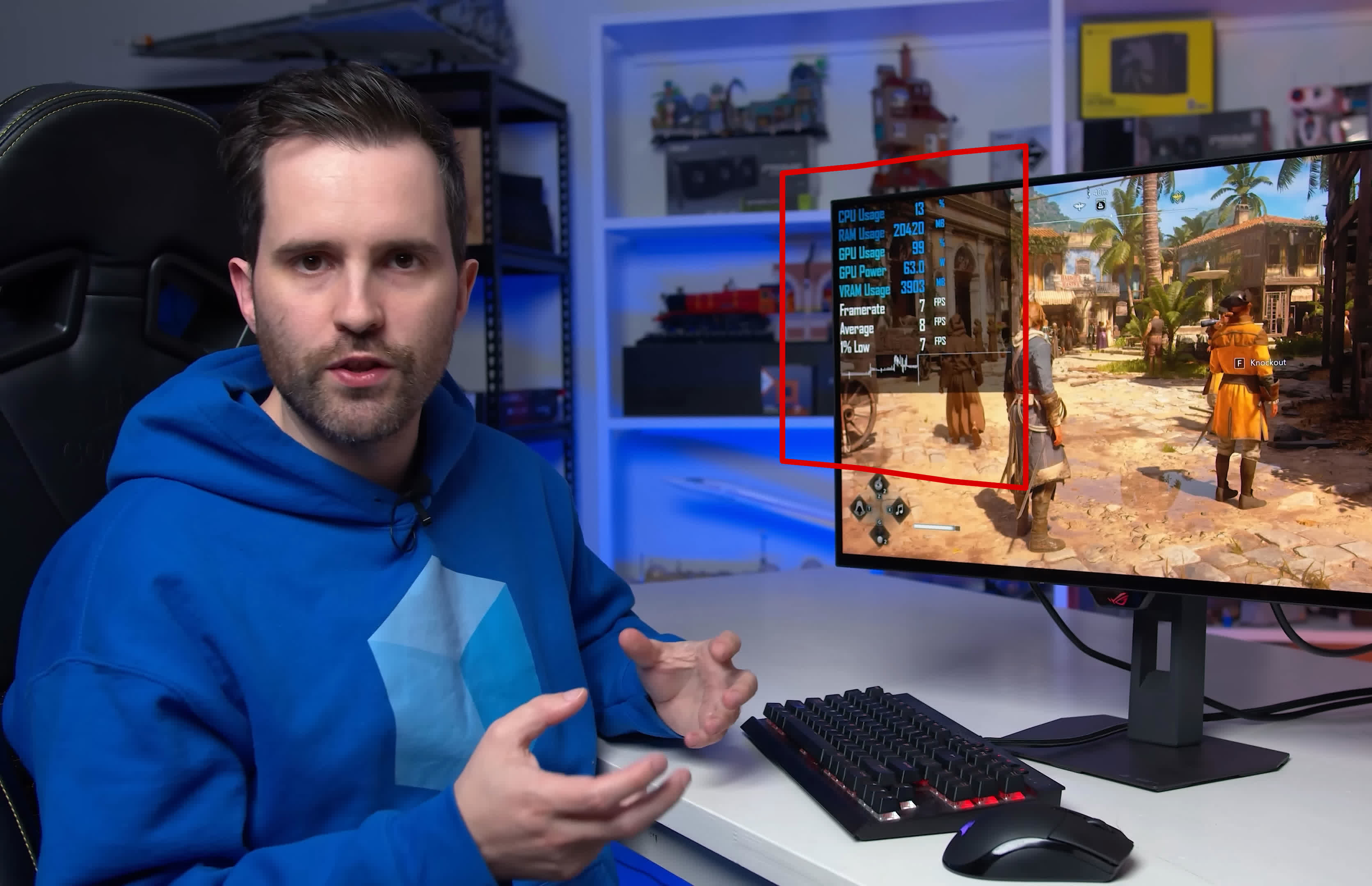
AMD is bringing 4GB graphics cards back in 2026. We tested the Radeon RX 6500 XT across 12 modern games to see what that means for buyers, and the results are every bit as bad as we feared all along.

Verdict
A brilliant combination of layers, the Dream Team Evesham 3000 Pocket Sprung Mattress is a firmer mattress that offers premium comfort and support, along with excellent motion isolation and heat dissipation. The only minor complaint is that the cover can’t be removed for washing; if that’s not a problem, this is a brilliant choice.
-
Excellent levels of comfort
-
Very supportive
-
Distributes heat well
-
Isolates movement
Key Features
-

Review Price:
£1299
-
100-night guarantee
Try for 100 nights and return if you don’t like it.
-
Delivery
Two-man delivery to a room of your choice, this mattress does not come in a box.
-
Temperature regulation
Keeps you cool when it’s hot and warm when it’s cold.
Introduction
Getting the balance between firmness, comfort and support can be a tricky job, but it’s one that Dream Team Evesham 3000 Pocket Sprung Mattress manages to do brilliantly. With a brilliant combination of layers, this mattress proved to be very comfortable in our tests, and good at heat management.
With a sensible price and a not-too-deep overall profile, this is a brilliant mattress that will suit most people.
Sizes and Trial
- 100 night trial
- Available in all common sizes
The Dream Team Evesham 3000 Pocket Sprung Mattress is available in most common sizes, including single (£999), small double (£1299), double (on review, £1299), king (£1399) and super king (£1499). They’re all the same in terms of layers, but do differ in the number of springs.
Each mattress comes with a 100 Night Comfort Guarantee, so you can try it out and return if you really don’t like it.
As a regular mattress, this one comes already expanded and ready to go, so make sure you’ve got a clear path to the bedroom you want it in.

Design and Layers
- Knitted top
- Pocket-sprung base
- Cover it not removable
The Dream Team Evesham 3000 Pocket Sprung Mattress has a design that a lot of modern, regular mattresses use: a pocket sprung base, with a foam topper on top. Typically, this kind of layout can make a mattress very thick: the Bensons for Beds iGel NanoTech 6000i Plushtop Mattress that I reviewed is a huge 38cm thick.

Fortunately, the Dream Team Evesham 3000 Pocket Sprung Mattress is a bit more manageable at just 28cm deep.

This mattress is still quite heavy at 42kg, although the chunky side handles do at least make it easy to rotate: once per week for the first three months and then monthly thereafter will help keep wear evenly spread.

As the Official Sleep Partner of Team GB, this mattress has the branding, with the Paralympics logo on one of the handles.

This mattress is made up of multiple layers, with a knitted cover on top that feels soft and cool to the touch.
There’s then a DreamTex layer, which keeps you cool when it’s hot and helps retain heat when it’s cold.

Then, there’s a layer of polyester, which provides support and extends the longevity of your mattress.
Down to the base, there’s a layer of micro pocket springs that provide support and react as you move.
Then, there are individually wrapped pocket springs to give the mattress its overall rigidity.
Finally, there’s another supportive polyester base.
I should point out that there’s no removable cover on this, so you can’t wash it in a machine. I recommend using a mattress protector, but if you do want washable covers, you’ll need an alternative, such as the Simba Sleep Hybrid Ultra Mattress.
Comfort and Support
- Firm rating, but very comfortable
- Good motion isolation
- Excellent heat distribution
Dreams rates this mattress as a firm one, but don’t let that conjure up images of sleeping on a plank, as the Dream Team Evesham 3000 Pocket Sprung Mattress is better and more forgiving than that.
I could tell, as immediately after unpacking the bed, my cat jumped up, and refused to move.

Sat on the edge of the bed, I measured that it dipped just 5.4cm. That’s good news for anyone who sleeps close to the edge, as you won’t roll off.
Sat up in bed, the level of support is excellent, and I sank just 4cm into the bed.
When it comes to sleeping, I found the Dream Team Evesham 3000 Pocket Sprung Mattress to be excellent. Yes, it is firm, but there’s a good amount of give that adds just enough softness to make this comfortable and forgiving. In fact, if you normally prefer a medium mattress, I think that you’ll like this.
Lying on my back, I measured a dip of 1.5cm at my shoulders, and 2cm at my hips, helping maintain a straight spine.
I then rolled onto my side, and measured a dip of 4.5cm at my shoulders and 3cm at my hips. That helps keep a straight spine, and gives a nice feeling as I gently sank into the mattress.
To measure motion isolation I placed an accelerometer on one side of the bed, where someone else would sleep. Climbing into bed from the other side, there’s barely any movement, as the graph below shows (the lower the peaks in the lines, the better the motion isolation).

Rolling over in bed, there was a fraction more motion transference, but it’s still very good. If you sleep with a restless partner, they shouldn’t interrupt your sleep too much.

Heat
To see how well mattresses deal with heat, I lie on them for 10 minutes, then use a thermal camera and take an image every minute. As you can see from the gallery below, after getting up from the Dream Team Evesham 3000 Pocket Sprung Mattress, there’s a strong heat outline.
After three minutes that outline has dramatically faded, and after five minutes, the outline is extremely soft with the mattress’ surface almost back to ambient temperature.
Should you buy it?
Brilliantly priced, this mattress is comfortable, supportive and deals with motion and heat well.
You want something softer or with a washable cover
If you prefer a very soft mattress or would prefer one with a removable, washable cover, look elsewhere.
Final Thoughts
It’s not the cheapest mattress, but the Dream Team Evesham 3000 Pocket Sprung Mattress is very good value, considering its structure and performance. In fact, I’d go so far as to say pound-for-pound, it’s currently my favourite mattress and you have to spend considerably more to get better motion isolation, and you certainly won’t get better comfort if you like a firmer mattress. If you prefer something softer or with a washable cover, the guide to the best mattresses can help.
How We Test
We test every mattress we review thoroughly over an extended period of time. We use standard tests to compare features properly. We’ll always tell you what we find. We never, ever, accept money to review a product.
Find out more about how we test in our ethics policy.
- Used as our main mattress for the review period
- We use a thermal camera to see how quickly the mattress can dissipate heat for a comfortable night’s sleep
- We measure how far we sink into the mattress in various positions to measure support levels
- We use an accelerometer to measure how movement from one person is transferred to the other side of the bed
FAQs
It’s not removable, so you can’t wash in a machine.
Test Data
| Dream Team Evesham 3000 Pocket Sprung Mattress | |
|---|---|
| Mattress sink sitting | 4 cm |
| Mattress sink edge sitting | 5.4 cm |
| Mattress sink hip side | 3 cm |
| Mattress sink shoulders side | 4.5 cm |
| Mattress sink hips back | 2 cm |
| Mattress sink shoulders back | 1.5 cm |
Full Specs
| Dream Team Evesham 3000 Pocket Sprung Mattress Review | |
|---|---|
| Manufacturer | – |
| Size (Dimensions) | x x INCHES |
| Release Date | 2026 |
| First Reviewed Date | 29/07/2026 |
| Model Number | Dream Team Evesham 3000 Pocket Sprung Mattress |
| Mattress type | Hybrid |
| Mattress trial | 100 Nights |
| Mattress depth | 28 cm |
| Mattress size | Single, Small double, Double, King, Super king |
| Number of layers | 7 |
| Layers | Knitted cover, DreamTex, polyester comfort, micro pocket springs, pocket springs, polyester comfort, base fabric |
| UK RRP | £1299 |
| USA RRP | TBC |
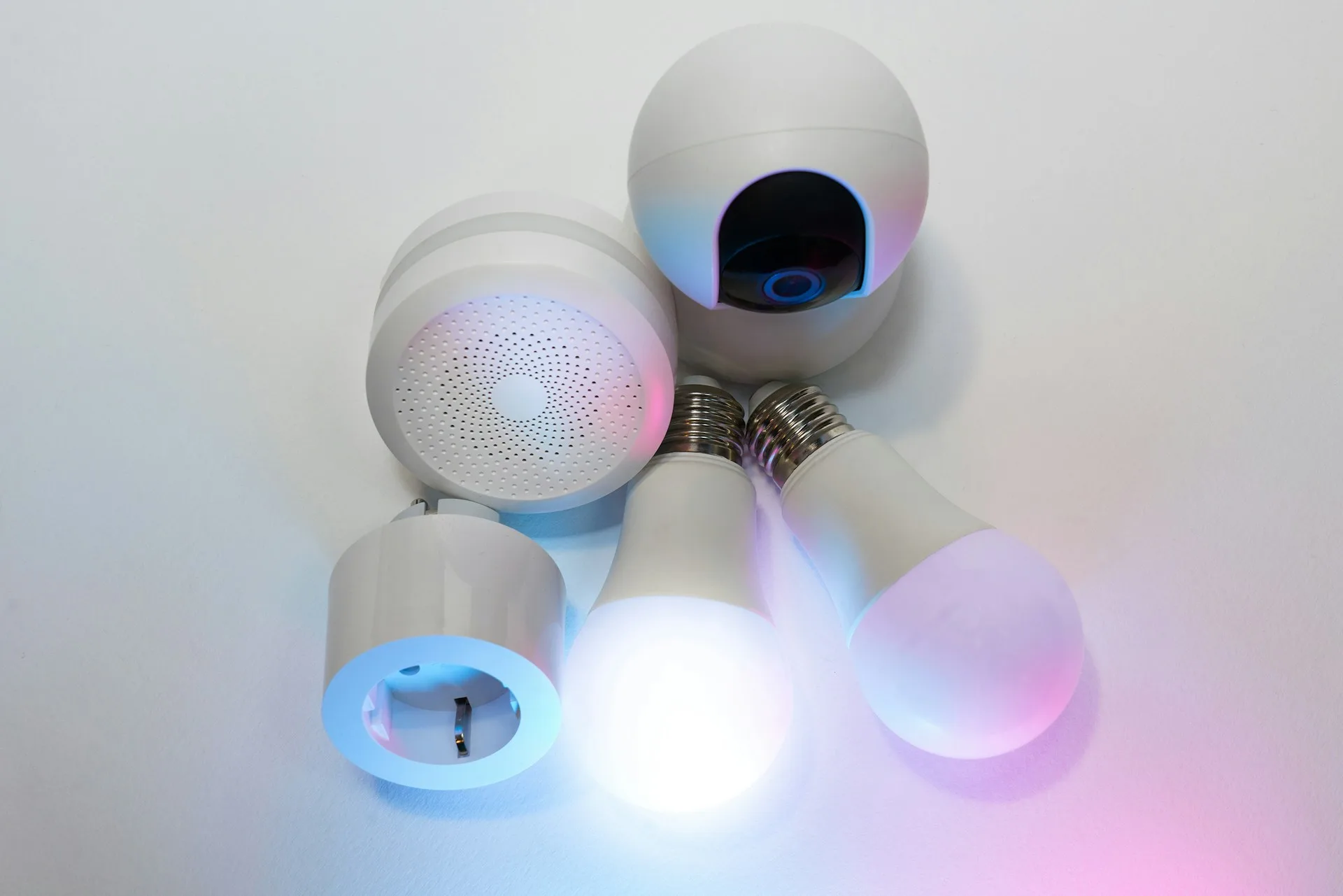
The first device I added to my smart home was a light bulb. It seemed like the safest possible place to start. I could turn it on from anywhere, put it on a schedule, and eventually work it into routines with everything else.
Then I tapped the button in the app and waited. The delay was only about half a second, but half a second is surprisingly noticeable when the alternative is a wall switch that responds immediately and has never once asked for a firmware update. Using my phone was worse. I had to unlock it, find the app, open the right room, and tap the light I could have switched on several steps earlier.
Those early bulbs were temperamental, and the software clearly still had some growing up to do. A few generations later, they’re much better. They disconnect less often, respond faster, and mostly behave like finished products.
That should have made me want more of them. Instead, it made me wonder how much further I actually wanted to take the whole experiment.
Remote control isn’t always automation
Some smart-home devices earn their place almost immediately.
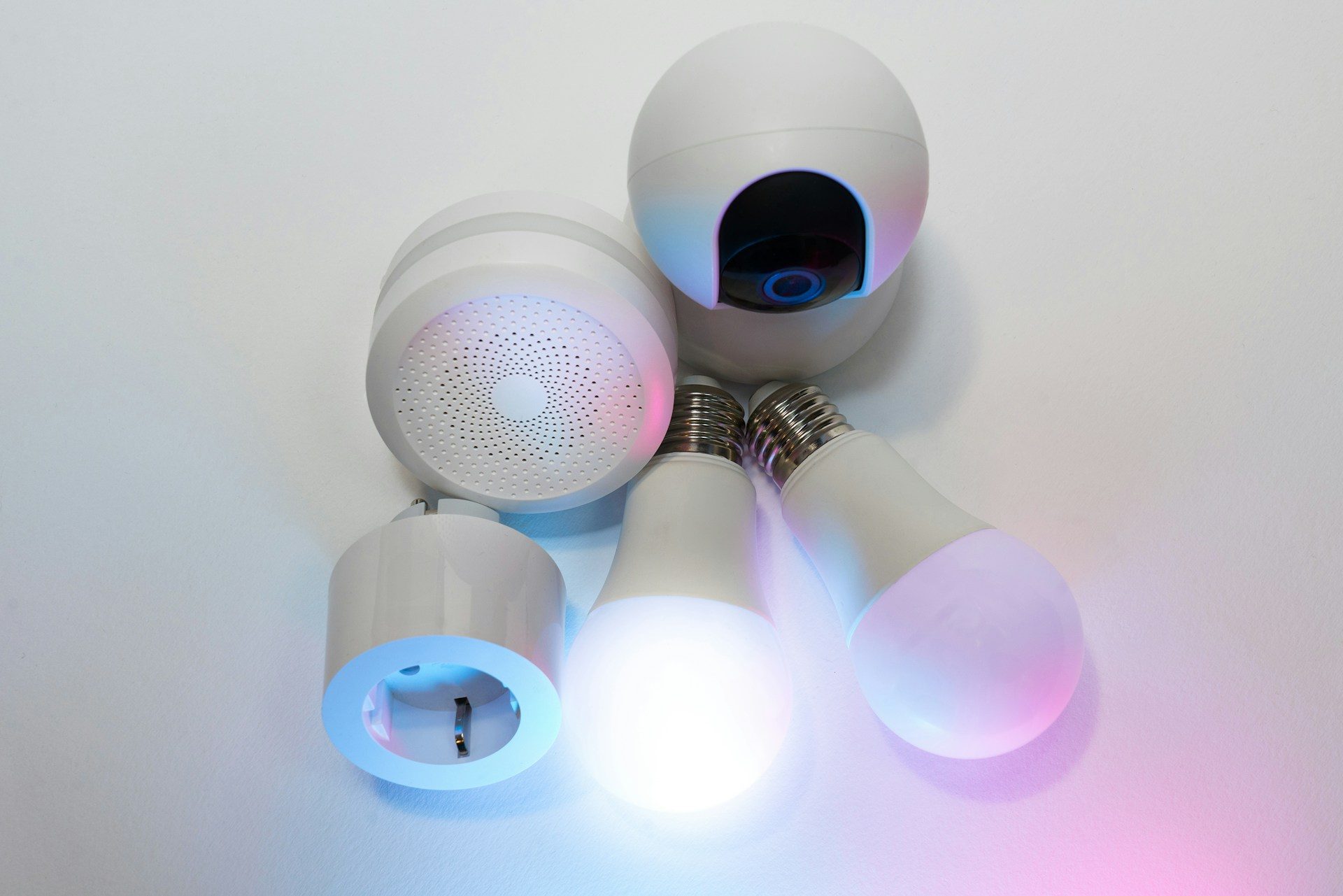
A motion sensor that turns on a hallway light before I touch anything removes an interaction altogether. A leak sensor can warn me about water under the sink before the cabinet becomes the thing telling me there’s a problem. Those feel like actual automation because something useful happens without demanding anything from me first.
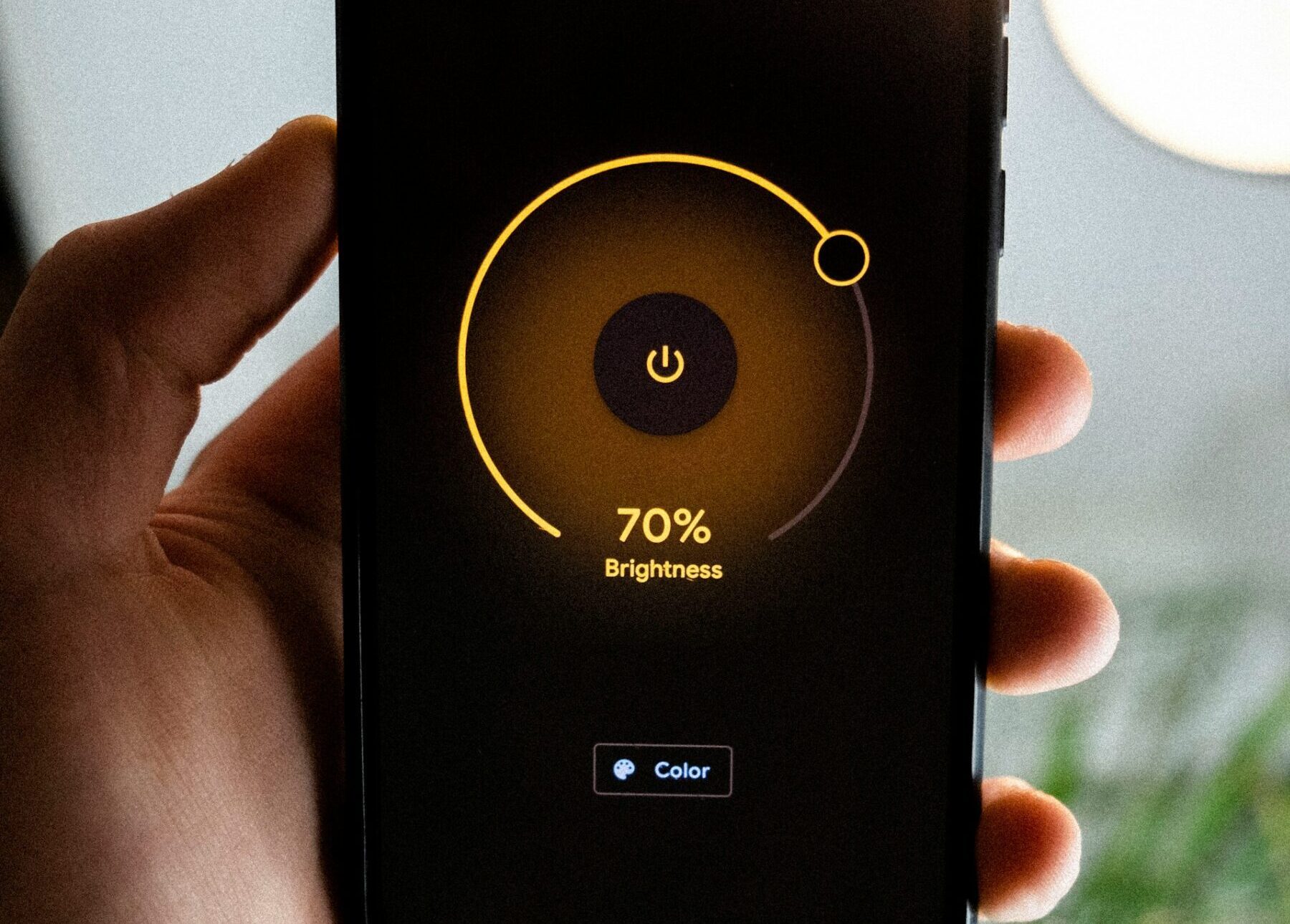
A smart bulb I have to control through my phone feels different. I haven’t really automated the light. I’ve sometimes just moved the switch somewhere less convenient.
That distinction has become harder to ignore as I’ve added more devices. Plenty of things around my house could become smarter, but far fewer would actually become easier to live with.
Eventually, I stopped looking at every button, switch, and appliance as unfinished business.
That’s the rule I’m keeping now. A new smart device has to solve an actual recurring annoyance before I add it. Being controllable from my phone isn’t enough, and neither is the promise of another elaborate routine I’ll forget exists a few weeks later.
Eventually, the house needs an administrator
The other cost only becomes obvious once enough devices pile up.
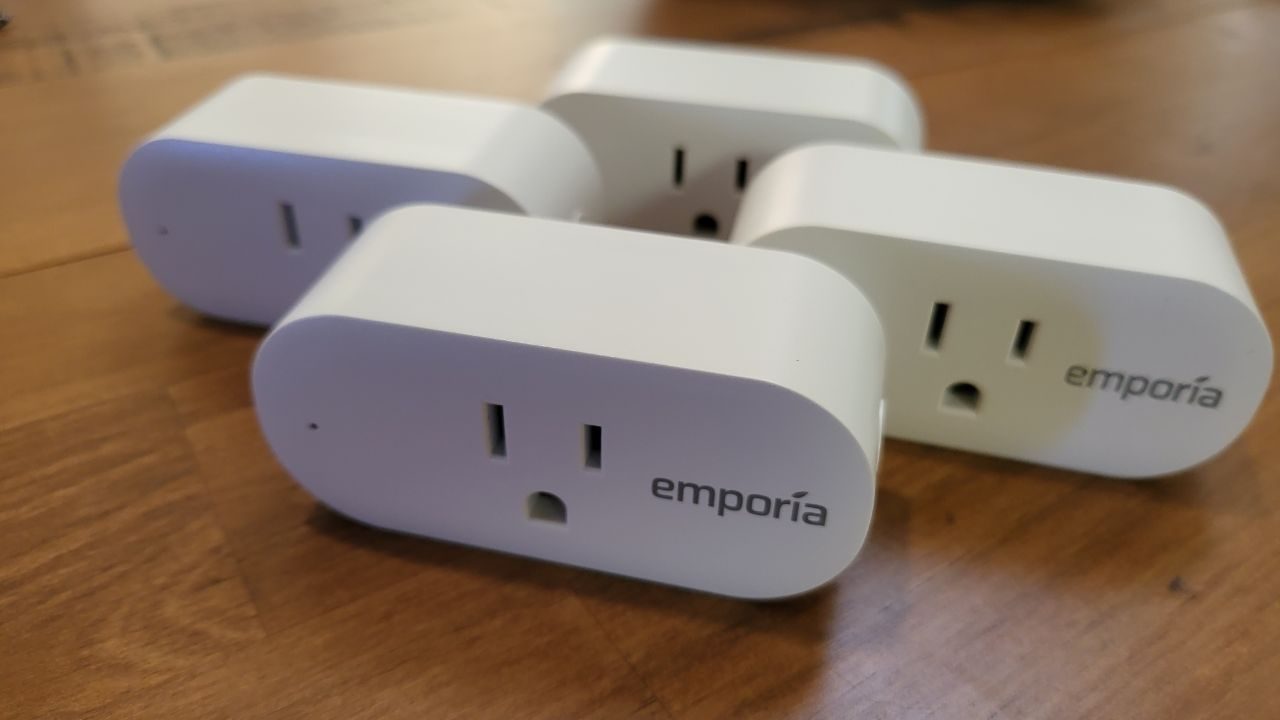
My smart plugs work exactly as intended, but they’re also permanently sitting between an appliance and the wall. Somewhere in the back of my head, there’s always a tiny, probably irrational thought about whether today is the day one decides to become an expensive smoke machine. The plug gives me more control, but apparently my brain found another problem to replace the old one.
My video doorbell is genuinely useful. I can see who’s outside when I’m not home, which is something a normal doorbell obviously can’t do. It’s also another device with a battery percentage I’m expected to remember.
Then my Wi-Fi goes down, and the whole setup gets much less impressive.
Most of the connected devices I own suddenly become harder or impossible to control the way I normally do. The regular switches keep doing their jobs without noticing that the network is having a bad afternoon. Meanwhile, some of the gadgets I bought to make the house easier to manage start asking for attention.
The bigger dependency is harder to blame on the router.
I’m the one who set everything up. The devices are connected to my phone, and I know which app controls what. I know how the routines fit together, how each device was paired, and what sequence of increasingly irritated taps usually gets something working again.
Everyone else in the house mostly wants the house to behave like a house.
They shouldn’t have to remember that one particular switch needs to stay on because the bulb behind it is smart. They shouldn’t need to know which app controls a plug or why a routine suddenly stopped firing. A guest definitely shouldn’t need onboarding before turning on a lamp.
If I’m away and something needs to be reconfigured, the smart home’s documentation is basically the person who isn’t there. That’s a strange outcome for technology that was supposed to make ordinary household tasks easier.
Better technology can’t decide what’s worth automating
Smart-home technology is still improving. Matter, the interoperability standard backed by much of the industry, is trying to remove more of the setup and ecosystem headaches that made early smart homes such a chore. Its latest 1.6 specification includes easier device setup and better ways to share devices across multiple smart-home ecosystems, although those improvements will arrive at different times depending on the platform and manufacturer.
I want that progress. I’m also less convinced that easier setup automatically means I need more things connected.
Once compatibility becomes less of a headache, the harder question is what all that connectivity is actually buying me.
For me, the answer increasingly comes down to whether the technology removes an interaction rather than just replacing one. If something takes care of a recurring chore, catches a problem I might otherwise miss, or quietly makes the house easier to live in, I’m interested.
If its biggest achievement is moving a perfectly good button onto my phone, I’m harder to convince.
I doubt I’ve bought my last smart-home gadget. The next one might still earn a place. It just has to make a better case than being smart.
Verdict
The GoPro Mission 1 Pro’s footage is the best-looking I’ve ever captured on a GoPro. Its 1-inch sensor, 8K Open Gate capture and superb low-light performance push it into new territory for the brand; shot in GP-Log2 with a bit of grading, the results can look truly cinematic. But it’s not quite the complete package.
-
Outstanding image quality for an action camera, particularly in low light
-
8K Open Gate capture offers huge reframing flexibility
-
Impressive stabilisation and slo-mo capabilities
-
Tough, waterproof to 20m and easy to mount almost anywhere
-
60cm minimum focus distance makes close-ups and handheld vlogging tricky
-
Stills performance lags behind the video capabilities
-
Expensive next to close rivals that aren’t drastically worse
-
App locks key features behind a subscription
Key Features
Introduction
GoPro has often boasted about making “the best action camera in the world,” but the Mission 1 Pro feels like it’s chasing a different title altogether – perhaps “the most cinematic action camera in the world”? With a large 1-inch sensor and 8K Open Gate capture, it’s been pitched as a serious tool for videographers who happen to want something rugged, pocketable and relatively lightweight.
It has arrived at an interesting moment for the company, too. GoPro’s future has looked uncertain for a while now, with the business reportedly up for sale, so there’s some added weight to whether the Mission 1 Pro succeeds: is this the camera that proves GoPro can still lead rather than follow in the footsteps of Chinese upstarts like Insta360 and DJI?
After a week of testing it on cars, selfie sticks and inside its dedicated photography cage, my answer is an enthusiastic “mostly.”
The image quality on offer here is a significant step up from anything GoPro has produced before, but a handful of limitations mean it’s far from the victory lap the lofty price tag demands. Here’s everything I found.
Design and Build Quality
- 207g, waterproof to 20m without a case
- Point-and-Shoot Grip accessory: £89.99 (£44.99 for GoPro subscribers)
- Three mounting options included: fingers, tripod thread, magnetic latch
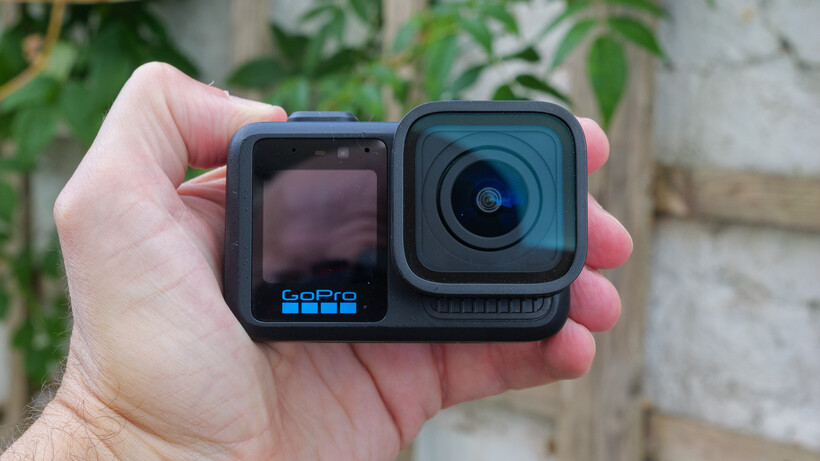
Given the size of its sensor, the Mission 1 Pro isn’t nearly as large as I’d expected it to be. That said, it is noticeably bigger and heavier than a GoPro Hero13 Black, a DJI Osmo Action 6 or an Insta360 Ace Pro 2, and its lens protrudes out a fair way compared with any of those rivals.
Still, it’s small and light enough to mount in pretty much all the usual spots you’d stick an action camera. The one place I probably wouldn’t want to put it is on my head. Unless it’s bolted to a proper helmet, the Mission 1 Pro feels a bit too heavy to wear comfortably.

It’s reassuringly tough, of course. It’s waterproof to 20m without needing a housing, which is double what the Hero13 Black can manage, comfortably ahead of the Ace Pro 2’s 12m, and a match for the Osmo Action 6. GoPro has built a small drain into the side of the camera specifically to help water escape after a dunking.
The buttons are a highlight, too. They’re chunky, well-sized and easy to find by feel alone, even with wet or gloved hands.
Versatility is one area the Mission 1 Pro really earns its keep. During my week of testing I mounted it on the roof, body and windscreen of my car (using suction cups from SmallRig), put it on my bike’s handlebars and screwed it onto a selfie stick for vlogging, and it handled all of them without complaint. It’s a GoPro, after all, and between the mounting fingers, standard tripod thread and magnetic latch mount it has on board, there’s very little you can’t attach it to.

Then there’s the Point-and-Shoot Grip optional accessory, which feels pretty much essential if you’re planning to use the Mission 1 Pro for still photography.
It does add bulk, but in return you get extra protection, a proper handle to wrap your fingers around (complete with a tripod mount), and a cold shoe on top for microphones, LEDs and similar accessories. It comes with a wrist strap, though at £90 I’d have expected a neck strap in the box too, especially given the loops for one are already built in.

My one gripe is the shutter button itself, which is too limp to come close to replicating the snap of a proper point-and-shoot camera.
Performance
- Touchscreen-based UI and Quik mobile app compatibility
- Around 90 minutes of 8K/30fps recording on a full charge
- Recorded continuously for 85 minutes before overheating
The touchscreen UI is slick and easy to get to grips with, particularly if you’ve spent time with other recent GoPros. I also put the Quik app’s remote control features through their paces, triggering recording from inside my car while the camera itself was mounted outside, which worked a treat.

That being said, the app keeps a lot of its more useful features behind a subscription paywall and doesn’t stop nudging you to buy in, which grates given the Mission 1 Pro’s already premium price tag. It’s a decent app rather than a great one, overall: for example, footage shot in GP-Log2 can’t be graded within the app at all, so you’re reliant on desktop software regardless.
Battery life is respectable rather than outstanding. The 2150mAh Enduro 2 cell (also compatible with the Hero13 Black, handily) delivered around 90 minutes of continuous 8K/30fps recording in 4:3 format, or 100 minutes at 4K/60fps, in my real-world testing. It’s worth noting that’s with the camera’s built-in GPS switched off; leave it on and I’d expect that runtime to drop noticeably.
Thermal performance is impressive, too. GoPros have a bit of a reputation for overheating during sustained high-resolution recording, but even in warm summer weather, with the camera left stationary and shooting continuously, I managed to burn through almost an entire battery’s worth of 8K footage, only for the camera to eventually shut down with 5% left on the clock. GoPro says it shouldn’t overheat at all in normal conditions with decent airflow, and on this evidence, I believe that claim.

There’s no built-in storage here, which is a standard GoPro trait. You’ll have to use a microSD card instead.
Image Quality
- 8K Open Gate (4:3) capture using entire sensor surface
- Slo-mo up to 960fps at 1080p via Burst Slo-Mo
- 50MP RAW stills, but only at 14mm-equivalent field of view
This is where the Mission 1 Pro goes a long way towards justifying its retail price. The ability to record using the whole sensor, in 4:3 format at 8K, will appeal to creators who’d rather shoot once and crop selectively afterwards, whether that’s down to 16:9 for YouTube or 9:16 for Reels and TikTok. And truly, it does provide enormous room to reframe in post. Just be aware that the 8K files are massive, if you’re tight on storage you might need to invest in a fast external SSD or similar.
I shot 8K and 4K video footage in GP-Log2 at a high bit rate throughout, then used GoPro’s own LUTs in DaVinci Resolve to grade and correct. Even with my fairly modest editing skills, I was able to pull some genuinely gorgeous, cinematic-looking footage out of it – footage that wouldn’t look out of place from cameras costing considerably more.
Traditionally, low light has been GoPro’s Achilles’ heel, but not here. This is the first GoPro I’ve tested that I’d be happy reaching for after dark, although it still pays to be careful with your settings and execution if you want the cleanest results. In my view it beats both the Ace Pro 2 and the Osmo Action 6 after the sun goes down, which is a big win for GoPro given how far behind it’s previously been in this area.
Slo-mo is similarly impressive, with a wide range of speeds on offer, including a super-fast burst mode capable of 960fps (albeit capped at 1080p). And image stabilisation remains a huge strength, as you’d expect. GoPro probably makes the best in the business, and it shows here: wander around with this on a selfie stick and the resulting footage looks like it’s come off a gimbal-mounted camera.
The Mission 1 Pro is not without flaws, though, and the biggest one is the minimum focus distance of 60cm on the stock lens – a consequence of that larger sensor. Sharp close-ups simply aren’t possible here, and even handheld self-shooting with a stick or handle becomes tricky if you’re not blessed with long arms. There’s currently no official macro or vlog lens mod to fix this either, so anyone considering the Mission 1 Pro for vlogging or similar close-range work needs to go in with eyes open.
And as a stills camera, it still has some growing up to do. Yes, you can shoot 50MP RAW files, but only at the ultra-wide setting; switch to any other field of view and you’re limited to JPEG. The lens also isn’t as sharp as I’d like, which really undercuts one of the camera’s headline attractions: the ability to crop deep into those big 50MP photos.
Should you buy it?
You want the best image quality GoPro has ever produced
If you’re shooting log footage for grading, working after dark or want the flexibility of 8K Open Gate capture for reframing, the Mission 1 Pro offers something most action cameras don’t.
You’re mainly after a vlogging or close-up companion
The 60cm minimum focus distance will frustrate you constantly, and until GoPro releases a proper macro lens mod to fix this issue, the Mission 1 Pro can’t be recommended as a vlogging camera.
Final Thoughts
The GoPro Mission 1 Pro’s footage is the best-looking I’ve ever captured on a GoPro. Its 1-inch sensor, 8K Open Gate capture and superb low-light performance push it into new territory for the brand; shot in GP-Log2 with a bit of grading, the results can look truly cinematic.
But it’s not quite the complete package. The 60cm minimum focus distance rules out close-ups and makes handheld vlogging a struggle; the app withholds features behind a subscription paywall, and at £600 the camera commands a considerable premium over rivals like the DJI Osmo Action 6 and Insta360 Ace Pro 2 – without being comprehensively better than either.
If image quality is your only priority, it could be the best action camera. But for those seeking something a little more well-rounded, think carefully first.
How We Test
We thoroughly test every action camera we review. We’ll always tell you what we find and we never, ever, accept money to review a product.
Full Specs
| GoPro Mission 1 Pro Review | |
|---|---|
| Manufacturer | GoPro |
| IP rating | Not Disclosed |
| Battery | 2150 mAh |
| Size (Dimensions) | 80.1 x 44.3 x 52.1 MM |
| Weight | 207 G |
| Release Date | 2026 |
| First Reviewed Date | 07/08/2026 |
| Ports | USB-C |
| Sensor Type | 50MP 1-inch sensor |
| Lens | Fixed 14mm-equivalent, f/2.8, 159° field of view |
| Image stabilisation | Yes |
| Wi-Fi | Yes |
| Bluetooth | Yes |
| Number of Memory card slots | 1 |
| USB charging | Yes |
| UK RRP | £599 |
| USA RRP | $699 |


The F-16 might be aging by some standards, but it’s still one of the fastest machines in today’s skies. The F-16A took its first flight in 1976, and the jet first entered service with the US Air Force in 1979. While it may not have the service length of iconic Boeing planes like the B-52 bomber, the F-16 exists in a world where sheer performance can be the difference between life and death. Of course, F-16 fighters have evolved over their 50 years of service, a point that has helped them remain relevant in modern combat.
The jet was originally designed as a lightweight, low-cost, single-engine fighter, with an emphasis on agility more than sheer speed. Over the course of its career, it has proved itself to be versatile as well as capable. It has been used for air-to-air combat roles, strike missions, suppression of enemy air defenses, and close air support.
But what fighter jets are quicker than the F-16? First, we need to set the benchmark. Over the decades, the jet has been produced in several variants. And, although the F-16 has used different engines over its lifetime — including Pratt & Whitney and General Electric offerings — the USAF’s reported top speed remains unchanged. The official figure for the F-16 is Mach 2.0 or about 1,500 mph.
This set a high benchmark, so let’s have a look at five planes that didn’t just reach this but soared past it.
The F-15E Strike Eagle
It seems fitting that the first plane on the list is another US jet fighter with its own long heritage. The F-15A first flew in 1972 and entered operational service in 1976. The jet is powered by two Pratt & Whitney F100-PW-220 or 229 engines that can produce up to 29,000 pounds of thrust per engine. Essentially, this is the same engine type fitted into many F-16 variants, although the F-16 is a single-engine jet.
Powered by those two engines, the F-15E is substantially quicker than the F-16 and can hit a top speed of over Mach 2.5 or about 1,875 miles per hour. To help visualize this, we can consider how fast a fighter jet can fly across the United States – depending on the plane, it’s easily between one and a half to two hours, whereas a typical commercial flight can take as many as six. The F-15E Strike Eagle is another versatile fighter; although its primary function is described as being an air-to-ground attack aircraft, it can also be used in air-to-air missions (although earlier versions were primarily used in air-to-air roles).
The F-15E’s speed is a great attribute given its current role. This is an aircraft that can travel deep into enemy airspace, deliver a devastating blow to ground targets, and still be able to battle its way home. Unlike the F-16, this is a jet that delivers more on raw power than agility, and with a maximum range with external tanks of 2,400 miles, it’s a jet that’s built for sustained combat. Recent upgrades have also made the F-15 a lot better at fighting drones, helping to modernize the airframe.
F-14 Tomcat
For the next jet fighter on the list, we have to take to the seas and have a look at the legendary F-14 Tomcat. The carrier-based fighter has a listed top speed of Mach 2.34, which equates to 1,734 mph. Not bad for a jet that entered service before both the F-16 and F-15. The F-14 Tomcat was retired from US Navy service in 2006 when it was replaced by the slower top-speed F/A-18 Super Hornet. Incidentally, the “Maverick Act” could see the F-14 Tomcat flying again, as the bill calls for three surplus airframes to be transferred to the US Space and Rocket Center (USSRC) in Huntsville, Alabama for restoration purposes.
Of course, the name Maverick is well associated with the Tomcat, as it’s the fighter featured in the “Top Gun” movies starring Tom Cruise. However, the jet was more than a mere movie star — it can trace its operational history back to the Vietnam War, when the fighter was used to support the evacuation of Saigon in April 1975. Although the jet didn’t participate in any air-to-air combat during the operations, it did fire its first shots in anger at North Vietnamese troops.
While the F-14 went on to have a thirty-year-plus career and was involved in both Gulf Wars, as well as seeing action in Libya and Afghanistan, U.S. Navy F-14s only shot down five enemy planes. While this is largely down to the role the fighter was asked to play, we can get an idea of just how potent the air-to-air potential of the Tomcat by looking at another country flying the F-14 — Iran. During the Iran/Iraq war in the 1980s, it’s believed that Iranian F-14s accounted for around 150 kills in air-to-air combat.
MiG-31 Foxhound
The MiG-31 Foxhound is not a jet fighter known for its agility or air-to-air combat roles. Rather, it’s intended as a supersonic interceptor. Powered by two Soloviev D-30F6 afterburning turbofan engines, the Foxhound has an astounding maximum speed of Mach 2.83 — or just shy of 2,100 mph, if you prefer.
The MiG-31 was introduced to replace the MiG-25 Foxbat, although there are key differences between the Foxbat and the Foxhound. The former was another fast but ultimately flawed Soviet-era jet fighter. The Foxhound was the then Soviet Union’s first fourth-generation fighter; it wasn’t just fast, it also had other advanced features that had the West worried. Among these was a phased array radar that allowed the fighter to track multiple targets across various directions and altitudes. In the case of the Foxhound, the radar allowed for up to 10 targets to be tracked simultaneously. To put this in some context, the MiG-31 entered service in 1981, and the first American fighters with a similar system were F-15Cs that were retrofitted with Raytheon scanned array radars, a project that wasn’t complete until December 2000.
Since its introduction, the jet has been produced in several variants. This includes the MiG-31D, of which two prototypes were developed as an anti-satellite weapons platform. Another notable variant is the MiG-31BM; this can track up to 24 targets simultaneously and has air-to-ship, air-to-ground, and anti-radar capabilities.
Dassault Mirage 2000
While its top speed might not match that of the Foxhound, the Dassault Mirage 2000 can reach Mach 2.2 (1,630 mph), slotting it in between the F-15 and the F-16. The French fighter first entered service with the French Air Force in 1984 and was exported to various other countries, among them India, Peru, and Brazil. The Mirage is a fourth-generation fighter that could perform a range of front-line roles including air superiority, nuclear weapons delivery, and interception.
Much like the F-16, the Mirage was primarily designed to be a cost-effective and lightweight jet that could compete with Soviet Union fighters like the MiG-29. The similar design briefs behind the F-16 and the Mirage saw both jets take on a single-engine design. In the case of the Mirage, the fighter is powered by a SNECMA M53-P2, which can produce 22,031 pounds of thrust with afterburners and a still pretty hefty 14,388 pounds of thrust when cruising.
The Mirage is perhaps best known for its distinctive delta-wing configuration, an attribute shared with the Eurofighter Typhoon, which also boasts an impressive top speed. In the case of the Mirage 2000, the use of a delta wing is something that Dassault Aviation — the jet’s manufacturer — has been using in designs since the original Mirage I took to the air in 1955. However, the Mirage 2000 uses unstable aerodynamics and computerized fly-by-wire systems to get improved performance from the delta wing configuration.
Sukhoi Su-27 Flanker
Returning to Russia, we end the list with a look at another fourth-generation Soviet-era fighter — the Sukhoi Su-27 Flanker. This is a twin-engine jet fighter that was designed to counter American jets like the F-14 Tomcat and the F-15 Eagle. Powered by two Saturn AL-31F afterburning turbofan engines, the Flanker is capable of reaching speeds of about Mach 2.35, or 1,742 mph. The jet first flew in 1977 and entered operational service in 1985.
In some ways, the Flanker was more than a match for its American counterparts. When pitted against the F-15 Eagle, for instance, the Flanker displayed superior low-speed maneuverability. However, at higher speeds, the F-15 still retained an edge. The American jet was also faster than the Flanker, although the Russian fighter has a better climb rate and thrust-to-weight ratio.
As with most planes of this vintage, there have been many variants of the Flanker introduced over the years. This includes the single-seater Su-27S Flanker-B, the first production version of the fighter. One interesting variant is the P-42, a stripped-down, re-engined version that was designed specifically to set climb time records. And, as it turned out, it was something that it was very good at. In a two-year spell from 1986 to 1988, the jet broke 27 records, some of which had previously been held by the F-15 Streak Eagle, a modified F-15A that itself set eight world records for climb time in 1975. While the standard Su-27 Flanker may not boast the records of the P-42, it’s still fast enough to rank among the fastest Russian and Soviet jets.


Pet owners usually leap at the chance to show pictures of their furry or feathered best friends. And sometimes you catch your pet making a face that perfectly encapsulates so many feelings. A quizzical head turn or a look of unabashed joy can be great alternatives to a standard smiley emoji. With the Live Stickers feature on my iPhone, I can turn the gallery of candid photos of my dog Cinnamon Toast Crunch into emoji and stickers and send them to everyone I know.

Apple introduced Live Stickers in iOS 17 as an evolution of the tap-and-lift feature from iOS 16, which lets you cut out subjects from photos and Live Photos. Now, by saving those cutouts as emoji and stickers of pets, family and friends, you can send endless cuteness to others.
Here’s how to transform your photos into emoji and stickers to send in Messages and other apps.
How to make Live Stickers and emoji from pictures
1. Open your Photos app.
2. Tap the photo you want to turn into an emoji or sticker.
3. Tap and hold the item in the photo you want to turn into an emoji or sticker until you see the white outline.
4. Tap Add Sticker.

Your iPhone will then add the Live Sticker to your Stickers drawer and appear in your emoji keyboard. If you tap the new sticker, you’ll be given the options to Rearrange, Add Effect or Delete it. Tapping Add Effect will let you add an effect to your sticker, like a white outline, to make it look even more like a sticker.

The next time you go into Messages, you can use your new sticker as an emoji by tapping the emoji keyboard in the bottom-left corner of your screen, tapping the folded-over circle and tapping the emoji you want to use.

According to Apple, you can use your new Live Sticker anywhere you can access emoji. I tried to use my Live Stickers on the messaging app Slack, but they wouldn’t appear in the app. I also couldn’t access my Live Stickers in some third-party apps, like TikTok, so you might run into some issues when using your Live Stickers outside of Apple apps and devices.
For more iOS news, here’s what you need to know about iOS 27. You can also check out our iOS 26 cheat sheet for other tips and tricks.


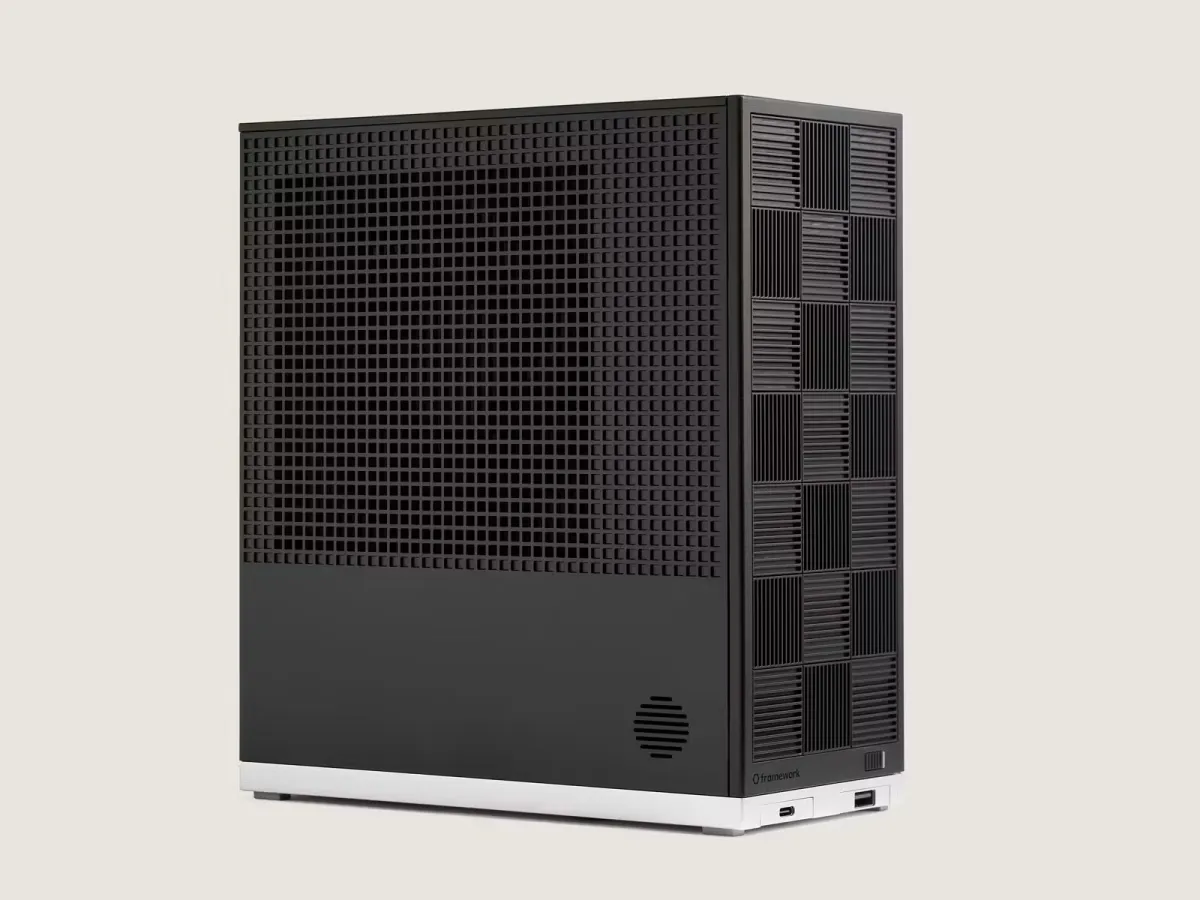
Framework, a company that makes modular repairable computers, said it has notified all of its customers that hackers stole their names, email addresses, phone numbers, and physical addresses, due to an incident at a company that provides business intelligence.
On Thursday, several Framework customers said on social media that they had received an email from the company notifying them of the data breach.
Framework’s spokesperson Eric Schumacher told TechCrunch that the breach affected “all customers,” but declined to specify a specific number. Framework computers are relatively niche products, but some estimates say the company sold hundreds of thousands of devices.
According to the notification seen by TechCrunch, the company blamed the data breach on an upstream cyberattack at Metabase.
Metabase disclosed its own breach in a blog post on its official website, where it said that it was hacked by someone using an unknown security flaw, a so-called zero-day. The company said the hackers exploited the bug to give them the ability to access customers’ databases stored on Metabase’s cloud servers.
In its email to customers, Framework also included the email Metabase sent to the company, which says hackers accessed Framework’s cloud instance. The computer maker said it investigated the incident and found that hackers had stolen its customers’ personal data, but did not include their payment information.
Metabase did not respond to a request for comment.
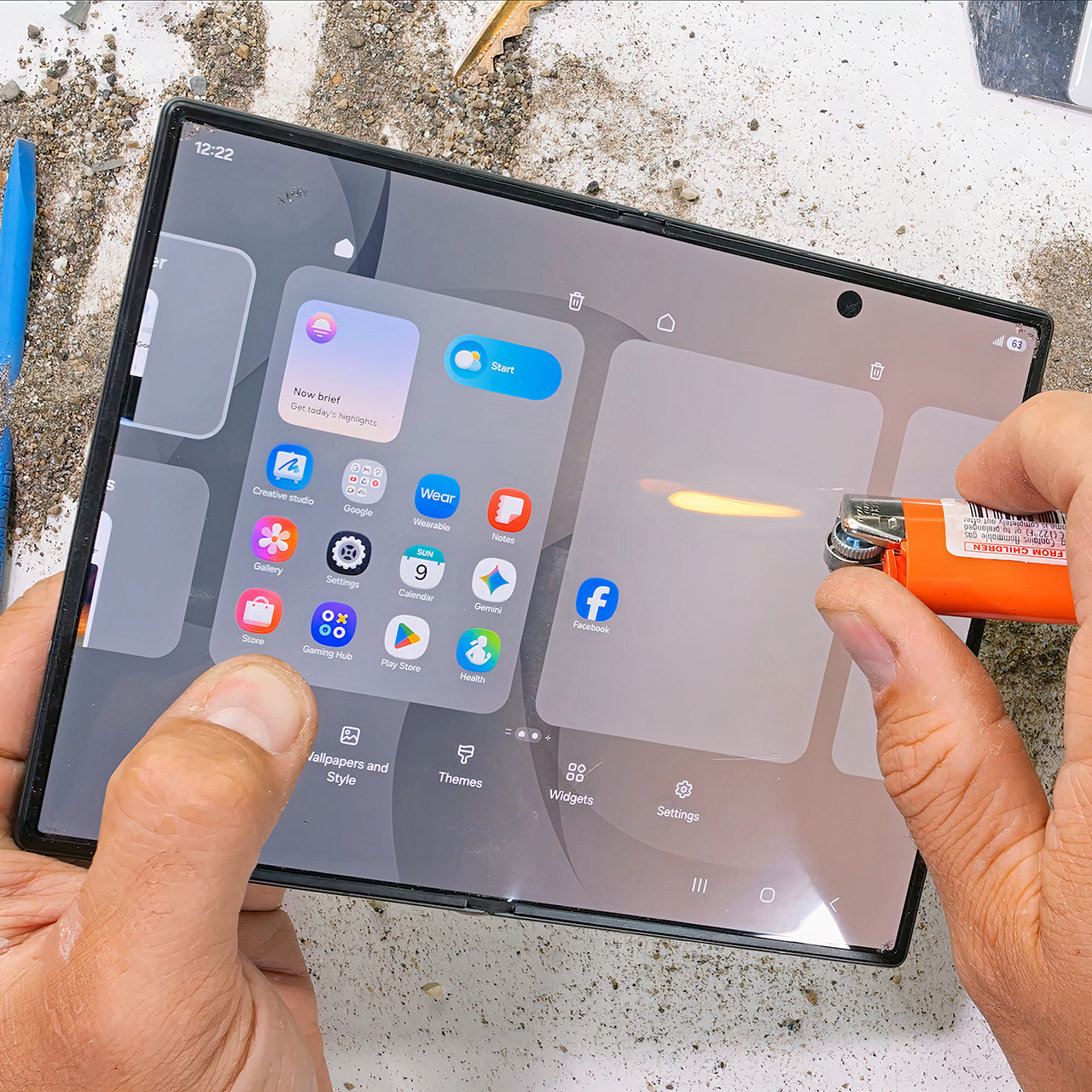
Zack Nelson has a habit of taking brand-new phones and treating them the way most people accidentally treat their everyday carry. This time the victim is Samsung’s Galaxy Z Fold8, the shorter, wider passport-style foldable that opens into a nearly square tablet. He runs the usual sequence of scratches, grit, open flame, and the dreaded opposite-direction bend. What emerges is another quietly tough Samsung folder that refuses to fold the wrong way for good.
The outer glass on this phone is Gorilla Glass Ceramic 3, and scratches begin to appear at a Mohs hardness level of 6, as they do on most current flagship phones. Its inner flexible display, which is still coated with a layer of plastic that cannot be avoided, scratches at a super-low level 2, the same rating that foldables have had for years. You’ll notice lines left by coins, keys, and even the edge of a fingernail. The good news is that Samsung will continue to replace the inside screen protector for free once each year. After that, it’s $19.99, and underneath the pixels is a titanium substrate that is meant to help straighten out the crease, but to be honest, it doesn’t help the plastic surface on top, which is always scratched.

Samsung Galaxy Z Fold8 Unlocked Cell Phone + $350 Gift Card, 256GB, Cream
- SHOP NOW: Get an Amazon gift card when you order Samsung Galaxy Z Fold8. You will receive an email once your gift card is available after the product…
- CREATED FOR YOUR CONTENT: Any way you turn it, the new Galaxy Z Fold8 gives you a fuller viewing experience. Designed with your content in mind, this…
- WORLD’S LIGHTEST FOLD¹: Galaxy Z Fold8 is the newest foldable phone for content on the go. Unfolded, it fits movies and books for an immersive…
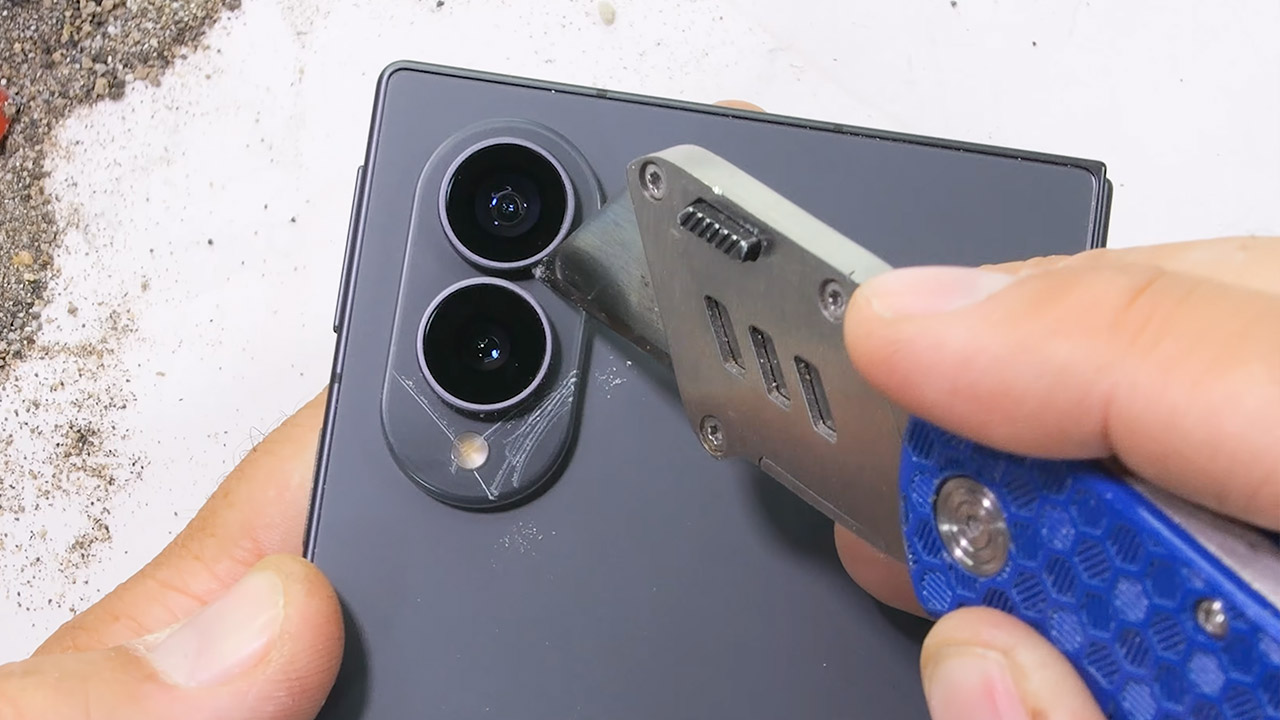
This phone has Advanced Armor aluminum framing, but the back is still glass. Now, the area around the dual 50 megapixel cameras is new, as it is constructed of plastic, which is unusual for a Samsung foldable device. If you ever need to change the lenses, you can easily take off the metal ring around them. There’s even a gasket in the SIM tray, which is nice to see given the IP48 rating. When you pour some dust on it and open and close it a few times, the majority of it stays out of the way, albeit some collects on the corner magnets, and the hinge continues to function normally.
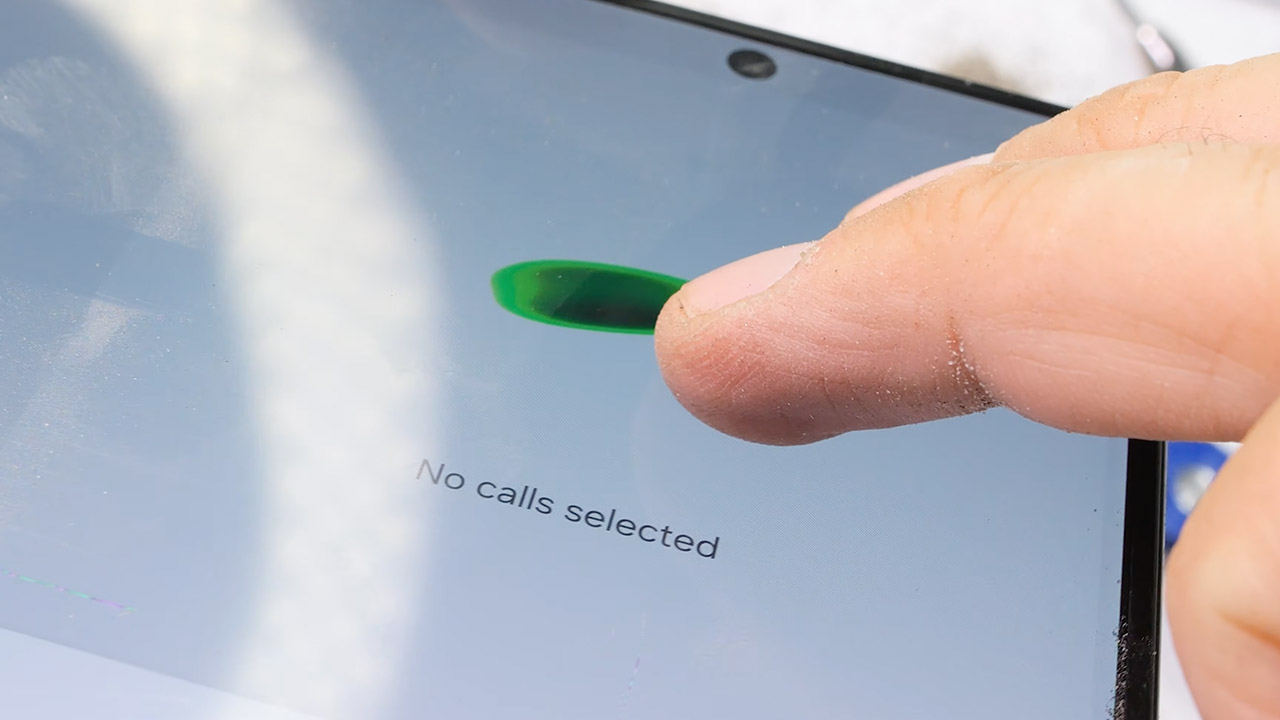
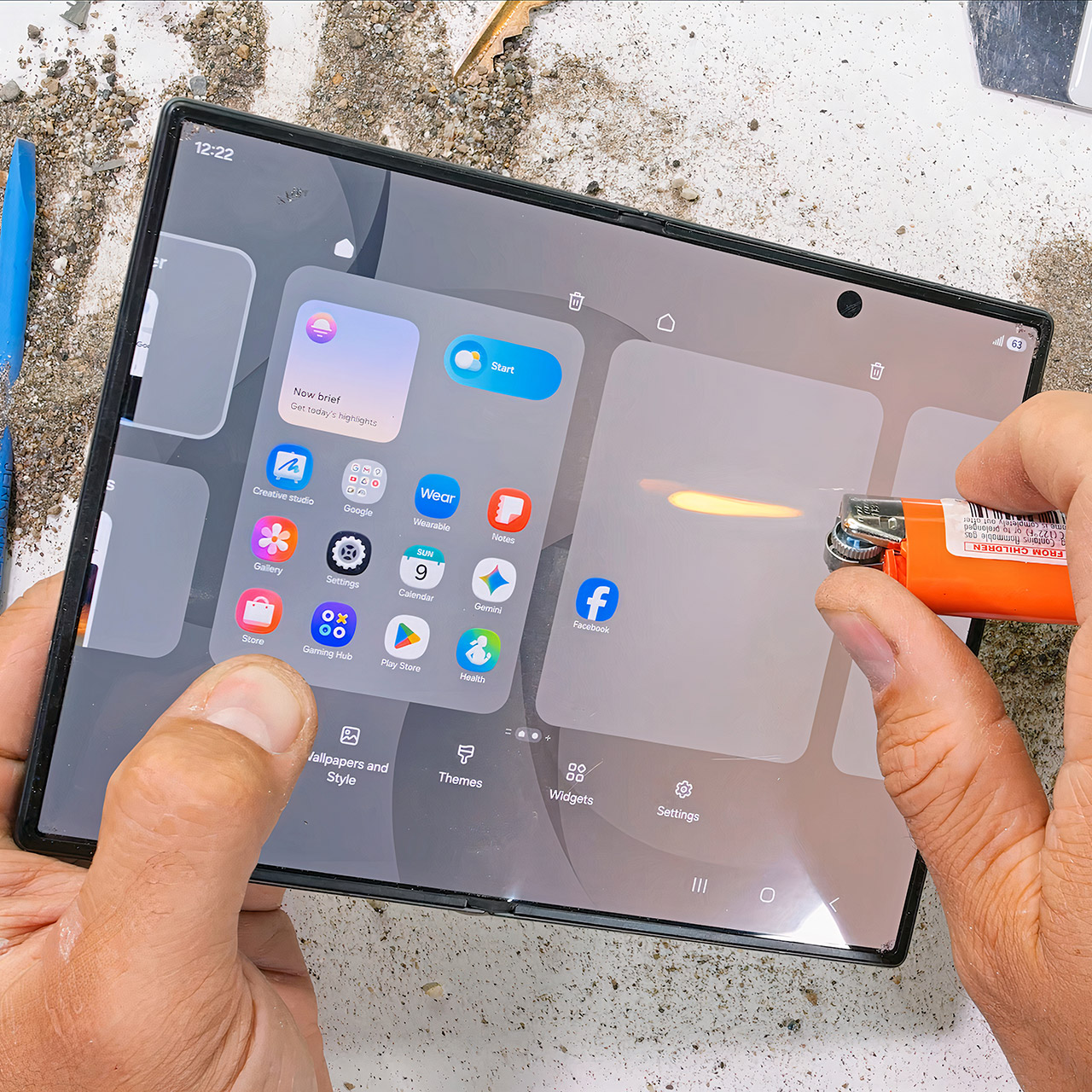
The inside 7.6-inch display was irreparably damaged when he placed an open flame to it with a lighter, which occurred after around seven seconds. The 5.5-inch cover lasted around ten seconds before becoming dark and green, indicating that it was nearly done, although keep in mind that the titanium layer on the screen provides no effective heat protection.
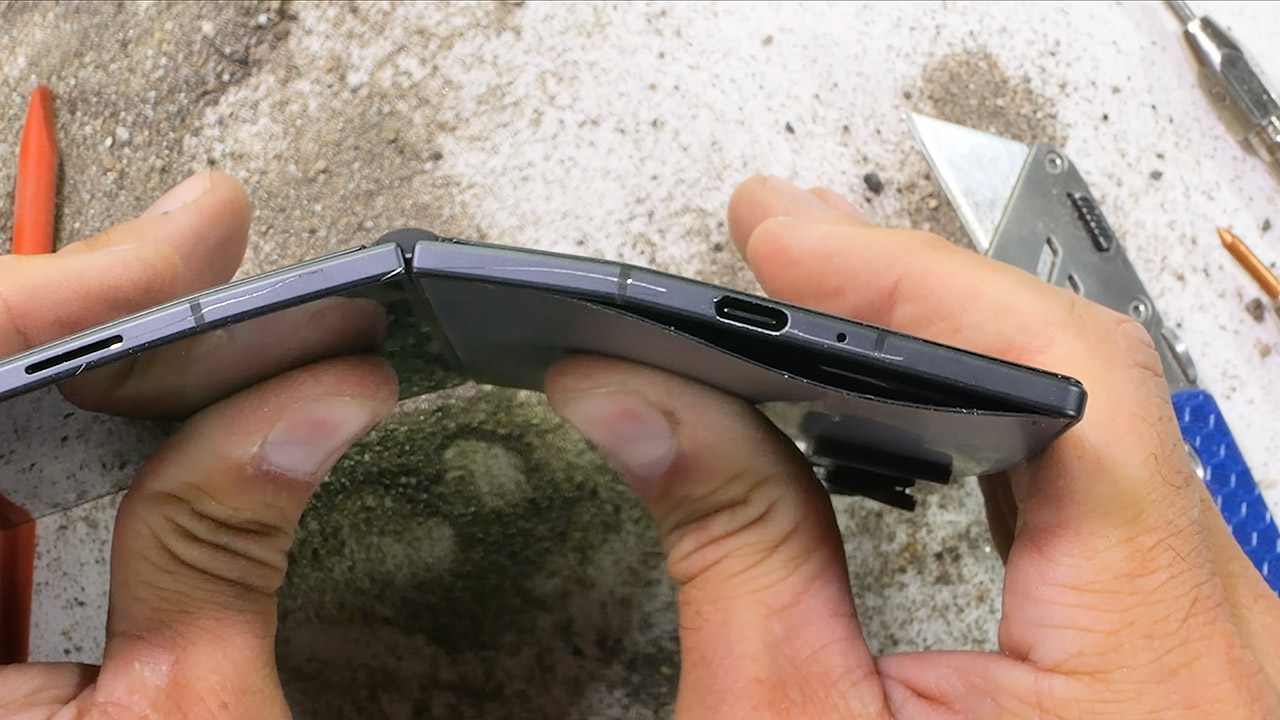
When the phone is closed, it has almost no flex, and sitting on it in your pocket while folded is probably fine, but when you open it up and apply some serious pressure, the entire thing begins to bend. The glass back even lifts out of its frame, but nothing splits along the antenna lines, the screen remains intact, and the hinge holds together. Let go, and the back glass sort of reseats itself; the phone still folds shut and powers on normally. This is the first time a Samsung book-style foldable has passed this test, with the exception of the trifold, which was a one-off, and the bigger Fold 8.
It’s the duty of the Occupational Safety and Health Administration (OSHA) to ensure that any and all workplaces are as safe as realistically possible. This means being vigilant for any potential dangerous situations people could get into at the workplace, from the most dire electrical hazards to something as simple as tripping over an extension cord. Extension cords, in particular, have an entire subset of OSHA regulations to ensure they are used safely in a professional workplace.
Extension cords may be a convenient way to extend your outlets’ reach in an office, warehouse, or other workplace, but there are many common mistakes you could make with an extension cord that could have potentially deadly consequences. Following OSHA’s rules on this matter will not only ensure that you don’t get pinged during an inspection, it will also go a long way toward ensuring everyone stays safe and doesn’t get electrocuted on the job.
Extension cords can only be used as temporary wiring
A common trap that many people fall into with extension cords is plugging them in once and then never taking them out. You have some device or heavy-duty appliance that you want to use, but it’s just a little too far from the outlet, so you plug it into an extension cord and forget about it. Unfortunately, this would be considered an OSHA violation.
As stated by OSHA’s electrical standards, extension cords are only permitted to be used as a temporary wiring solution for a maximum of 90 days. You can plug one in for a device that you’re actively using for work purposes, but as soon as you’re finished with whatever you’re doing, that extension cord needs to come out of the wall and be put away. Extension cords aren’t intended or rated to be part of permanent fixtures, and using them in that way isn’t considered safe.
If you need to use a device consistently, you need to either move it closer to an outlet, or give the electrician a call to install another outlet nearby. Incidentally, OSHA’s regulations also prohibit “daisy chaining” extension cords and power strips, or plugging one extension cord into another to increase its range. Extension cords are not rated to be safely used in this manner, so doing so would be a violation.
Extension cords must be kept in good repair
This might seem a little obvious, but it’s worth stressing: OSHA regulations stipulate that all extension cords must be kept in a state of good repair. This means no obvious physical defects; no visible wearing on the cord, the plugs, or the insulation; and definitely no exposed internal wiring. Using an extension cord with any kind of physical damage or otherwise clear defect in any capacity is considered an OSHA violation.
In the event an extension cord is damaged or somehow hampered in its ability to function properly, it must be removed from active service. That cord cannot return to service until it has been professionally repaired and restored — and that means a full repair job, not just a few pieces of electrical tape. If the cord is not in a state where it can be adequately restored to full function, the only permissible option is to replace it entirely.
Extension cords must not be tripping hazards
One of the most pressing safety hazards that an extension cord can present, aside from electrocution caused by a damaged cord, is as a tripping hazard. You might think that, as long as you know where a cord is, it’s easy to avoid tripping over it. However, not only can you never know exactly where your feet are unless you’re staring at them, you can’t expect everyone around you to know about the cord’s existence and where it’s placed.
This is why, according to OSHA’s regulations, all extension cords, while in use, must be placed in such a way so as not to present either a tripping or slipping hazard. If you’ve got an extension cord clumsily snaking through a major footpath in the middle of your office, that’s an OSHA violation. Cords need to be moved out of the way and secured in such a fashion that they’re still visible and removable.
They can’t just be hidden under a heavy carpet or snaked into a wall, as both would be considered a fire hazard. If you absolutely have to have an extension cord passing through a footpath, it needs to be covered with a rubber protection panel, both to protect the cord itself and make it much harder to trip over.
Extension cords must not be placed in closing doorways
Tripping hazards aren’t the only reason to be conscious of where exactly you’re laying down your extension cords in your workplace. You also need to consider whether leaving it in a particular spot would cause it to regularly incur stress and damage. This is why, in a similar vein to OSHA’s regulations about not using extension cords in poor states of repair, you also can’t place an extension cord in a spot where it’s guaranteed to get damaged, specifically within a closing doorway.
It’s okay to place an extension cord in an open doorway without an actual closing door, so long as it’s secured in a way that it won’t be a tripping hazard. However, placing an extension cord in a closing doorway means that, every time you close the door, the top of the cord is going to get squished, scuffed, and otherwise gradually damaged. Remember, using damaged extension cords is prohibited, so placing an extension cord in a closing doorway is essentially one OSHA violation that’ll lead into a second OSHA violation.
Extension cords must be three-conductor grounding type
In any workplace, though especially heavy-labor workplaces that make use of high-voltage equipment, it’s absolutely paramount that all possible measures are taken to prevent or reduce the likelihood of electrical shocks to workers. Naturally, these measures extend to extension cords, which is why OSHA’s regulations stipulate that any extension cords used in a professional environment must be of the three-pronged grounding type.
All OSHA-compliant extension cords use the three-wire format, ensuring that the cord itself is grounded while plugged in, and that the same goes for any tools, equipment, appliances, or devices as well. This helps to lower the risk of sudden electrical shocks while using an extension cord, not to mention the risk of potential damage to outlets and devices. The good news is that most high-quality extension cords use this connective format, though you should be careful when picking your extension cords to be certain. Using a two-pronged cord, besides being an OSHA-violation, will increase your risk of electrocution and electrical fires.

YouTuber ‘grabbed from bike’ by UK police before they realise who he is
Iran says Oman deal is in ’final stages’ but US must act to open Hormuz

Bybit wins U.S. court support to trace $1.5B hack funds


-

 Politics7 days ago
Zack Polanski: an incitement to murder Nigel Farage?
-

 Fashion2 days ago
Frugal Friday’s Workwear Report: Cap-Sleeve Pointelle Crewneck Sweater
-

 Fashion2 days ago
Weekend Open Thread: Mattifying Sunscreen
-

 Business6 days ago
DTCR: Deleveraging And A Hedge Fund Collapse Point To A Possible AI Bottom
-

 Crypto World7 days ago
XRP Ledger urges node upgrade after manifest flood
-

 Sports3 days ago
Jordan Coyle & Cordiamo take Laya Arena Stakes at RDS
-

 News Videos1 day ago
Can Astrology Help Find Gold and Silver Trends? A Financial Astrology Guide
-

 Crypto World6 days ago
US Tech Stocks See Largest 5-Week Inflow in History: Can Nasdaq Break Its Downtrend?
-
 Business4 days ago
US stocks: Dow closes at record on Mideast optimism; SpaceX, AMD drag Nasdaq
-

 Politics3 days ago
Reform UK And Greens Sink To Lowest Favourability Ratings To Date
-

 Business5 days ago
Nvidia Stock Climbs 2.5% as Chip Sector Rally Builds Ahead of AMD Earnings, Nvidia’s Own Report Looms
-

 Tech7 days ago
OpenAI teases Astra, its next major AI model, after it solves 10 long-standing math problems
-

 Crypto World5 days ago
Polymarket targets $20 billion valuation as competition heats up in prediction market sector
-

 Tech4 days ago
OpenAI, Anthropic AI agents targeted real people and systems in cyber tests
-

 Business4 days ago
Supply chain issues impact Ingredion
-

 News Videos6 days ago
#crypto #cryptocurrency #cryptonews #cuet2026 #ceuta
-

 Business6 days ago
Myspace owners announce plans to relaunch the once-popular platform
-

 News Videos6 days ago
Crypto.com Partners with UFC for UFC 331 Event
-
 Crypto World5 days ago
CLARITY Act Senate Vote Locked In, But 60-Vote Hurdle Looms Large
-

 News Videos6 days ago
Huge SPINS!! (for me) #slots #casino #gambling #money #jackpot
You must be logged in to post a comment Login