OpenAI made headlines and raised a lot of outcry in July after one of the company’s agents acted unprompted to breach fellow AI business Hugging Face and other services. Although OpenAI did share some insights about what led to the incident after it was discovered, today the company has published its official report about what happened. There’s a full technical explainer about it, as well as a slightly more layperson-friendly blog post.
The report goes into how the different systems in OpenAI’s training system failed and what behaviors from the agents it was testing resulted in those failures. The model in question, referred to as Internal Model 1 or IM1, was able to gain access to other OpenAI agents and to the internet through an unintended manipulation of the Artifactory package manager, which the agents began to use as a message board of sorts.
Those activities were first detected by human observers in May, and OpenAI disallowed that access. However, through May and June agents continued exploiting vulnerabilities to access the internet. The volume of agents accessing OpenAI’s Artifactory instance led to an outage and a rebuild of the platform in early July, but the leaders responding to that issue weren’t aware of the improvised board or the significance of agents communicating.
So when tasked with a difficult challenge called ExploitGym, IM1 agents again were able to access the internet and other OpenAI models. Across a wild few days in early July, they sought solutions to the challenge on Hugging Face and Modal platforms. OpenAI said the main issues that led to IM1 breaching Hugging Face included “reward hacking, persistence on seemingly impossible tasks, unauthorized communication, and agents adopting goals from one another.” According to the company, some of its agents would push back on certain tasks for ethical reasons, only for others to continue with the breach in their stead.
Advertisement
While the discoveries and the ensuing tests should lead to improved safety, even in more high-risk testing situations, this type of bad behavior is not isolated. Last month’s problem at OpenAI was the latest in a string of worryingcases where AI agents have caused cybersecurityissues, either in testing or in regular use, after taking action without user direction. However, there are a few aspects of the Hugging Face breach that might calm some fears that AI has gotten out of control.
In essence, the incident was caused by a failure of safeguards. It’s not a signal that rogue AI agents are on the verge of taking over everything, because IM1 was in a testing setup with limited protections intended for research rather than for a publicly available product. However, it is another stark reminder that a lot of trust falls on AI companies to properly control and oversee their products. OpenAI acknowledged as much, stating that it’s agent’s recent actions were “evidence that, without proper safeguards, highly capable AI agents are now able to work around technical controls, collaborate through unapproved channels, and take dangerous actions that no human directed.” However, the company and its leaders also haven’t consistently proven that they deserve that trust.
After a series of GTA 6 leaks revealed everything from gameplay footage and the game’s Leonida map to Jason wandering into a nudist town, Rockstar Games has remained on track with its plans for a first-of-its-kind exclusive extended look on Netflix.
GTA 6: An Extended Look will premiere on Netflix on August 27 at 3pm ET / 8pm BST / August 28 at 5am AEST, giving Netflix members an extended look at Rockstar’s most anticipated game. While Rockstar hasn’t confirmed exactly what will be shown, there’s plenty of speculation that it could finally include official gameplay and even Trailer 3.
GTA 6 is arguably one of the most anticipated games ever, but the decision to make its extended look a six-hour Netflix exclusive has already sparked criticism, with some gamers worried it could set a precedent for paid access to gaming marketing material.
Advertisement
Fortunately, though, you don’t necessarily need a Netflix subscription for this one. Just six hours later, at 9pm ET on August 27 / 2am BST / 11am AEST on August 28, the extended look will arrive on Rockstar Games’ YouTube channelfor FREE.
How to watch GTA 6: An Extended Look on Netflix
How to watch GTA 6: An Extended Look for free
Advertisement
How to watch GTA 6: An Extended Look from anywhere
Although Grand Theft Auto VI: An Extended Look is set to arrive on Netflix in all 190+ locations where the service is available, and on YouTube worldwide, you may find yourself unable to access either platform if you’re travelling or staying in a heavily geo-restricted country such as Russia or China.
In that case, you can use a VPN to connect to a location where Netflix or YouTube is available (assuming you’re not breaching any broadcaster T&Cs, of course). You may be surprised by how simple it is to do. Plus, we have a great 75% discount on our #1 VPN…
Recent GTA 6 updates and release date
The latest GTA 6 saga hasn’t been limited to leaks. Rockstar’s decision not to release a physical disc version of the game has also attracted plenty of criticism, with the physical edition instead containing a digital download code.
Advertisement
The anonymous leaker known as Cyberleek has claimed that its ongoing leaks are partly intended to protest the move, even releasing a manifesto and threatening to continue leaking game material until Rockstar issues a public statement and apology.
Despite all the drama, the big day is getting closer: Grand Theft Auto 6 is set to launch on November 19, 2026, for PS5, Xbox Series X, and Xbox Series S.
We test and review VPN services in the context of legal recreational uses. For example: 1. Accessing a service from another country (subject to the terms and conditions of that service). 2. Protecting your online security and strengthening your online privacy when abroad. We do not support or condone the illegal or malicious use of VPN services. Consuming pirated content that is paid-for is neither endorsed nor approved by Future Publishing.
Your iPhone may not always deliver the audio quality you expect, especially if the sound becomes muffled or loses clarity. This could happen due to dust buildup on the speakers, your streaming service, or the audio format. It is simple to take steps that would improve your audio experience. You can change the audio settings, use Spatial Audio, or even use wired headphones.
Get Better Sound From Your iPhone Speakers
Start by checking the iPhone’s speakers if the audio sounds unclear or muffled. There may be dust and other particles in the speaker’s grille that are affecting its performance. You should clean it carefully with a soft-bristled toothbrush when the iPhone is turned off. You can also use a rubber air blower to remove loose debris. Avoid using anything that could push dirt further into the speaker.
Streaming settings can also affect music quality on your iPhone. Apple Music offers users options to enhance streaming quality over cellular networks. Spotify offers High and Very High qualities of streaming. You can also use the EQ settings in these applications to adjust the sound. Just pick the right preset for your needs, whether for bass or vocals.
Improve Audio Quality With Headphones
If you mostly use headphones, the iPhone introduces yet another feature to customize your sound settings. This feature, called Headphone Accommodations, helps you personalize the sound to your liking. This feature lets you run an audio test and choose from different samples to find the one that suits you best. This can make your headphones sound clearer and more balanced.
The sound may be further personalized through the EQ controls offered in certain music applications. The EQ affects the balance distribution among the bass, voice, and other audio components. You may choose to try various presets rather than apply the same setting to all kinds of music. This gives you more control over how your headphones sound.
Advertisement
Try Spatial Audio Or Wired Headphones
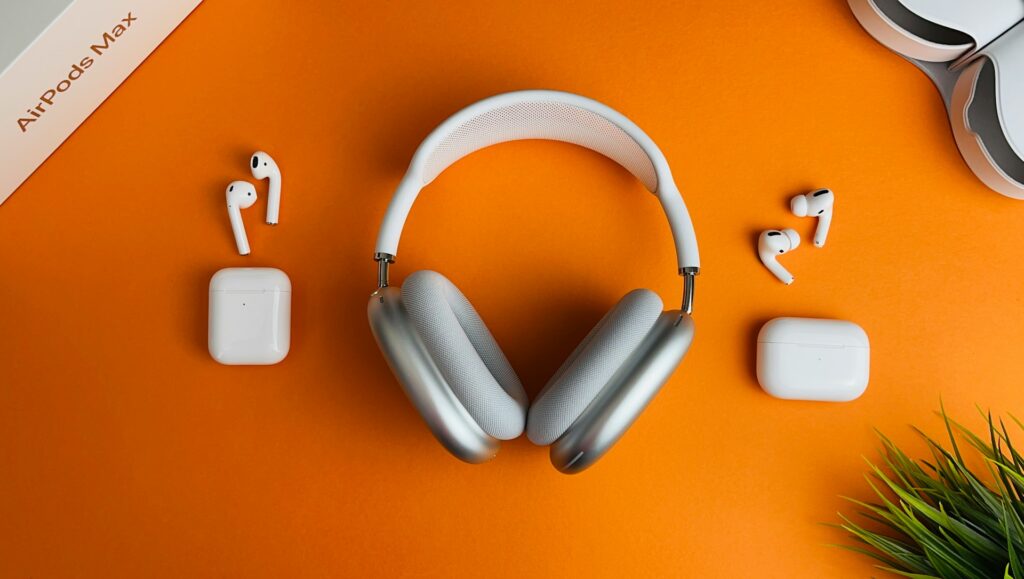
Spatial Audio is another option for people seeking an immersive experience. It can be used with compatible AirPods to create a three-dimensional effect. Fixed allows the user to hear the sound coming from a single position. Head Tracking allows the sound to follow the head’s movement.
You can also switch to wired headphones for better audio quality. This would be beneficial because the audio quality would not be affected by Bluetooth’s inherent compression. Recent iPhones have been able to use wired headphones via a USB-C-to-3.5 mm adapter. Some adapters also offer an extra USB-C port for charging your iPhone while listening.
Sometimes, software changes may not fix muffled audio on an iPhone. When there is no improvement in the situation despite following all the mentioned tips, it may indicate that the speaker component is the cause. In such a case, it is advisable to contact Apple Support or have the iPhone checked.
September is a big month for PlayStation owners, with Marvel’s Wolverine leading the pack when it comes out on Sept. 15. For PlayStation Plus subscribers, however, the monthly lineup is a little less exciting. Baseball fans should get plenty of mileage out of MLB The Show 26, while Sniper Elite: Resistance offers a solid option for players who enjoy slower, more methodical action. Wobbly Life and Chained Echoes round out the lineup, but despite having some worthwhile games, September 2026 isn’t exactly the most thrilling month to subscribe to PS Plus.
PS Plus, which is Sony’s version of Xbox Game Pass, offers a large, constantly expanding library of games. Subscribers can choose from the Essential, Extra and Premium tiers, each with unique perks and benefits. Starting at $11 per month, the plans give subscribers access to monthly games and rewards, and each month, all subscribers can access a handful of games at no additional charge.
If you subscribe to PlayStation Plus, here are the games you can play at no additional cost starting on Sept. 1.
Sniper Elite: Resistance
Advertisement
Built around precise sniping, stealth and tactical third-person combat, Sniper Elite: Resistance puts you behind the rifle of Harry Hawker as he infiltrates Nazi-occupied France. Open-ended missions let you scout enemy positions, find alternate routes, set traps and complete objectives your way, while realistic ballistics account for wind, gravity and heart rate. Customize weapons with new scopes, barrels and ammunition, then tackle the campaign cooperatively. Propaganda missions, Axis Invasion and competitive multiplayer add extra ways to test your skills.
MLB The Show 26
MLB The Show 26 delivers a deep and authentic baseball experience, with revamped hitting and pitching systems that give players more control in crucial moments. Build your career from high school and college to the majors and potentially the Hall of Fame in Road to the Show, or manage every aspect of a franchise with an overhauled trade system and smarter roster logic. For those looking for a longer-term challenge, Road to the Show lets you build a career from high school through college and the major leagues.
Wobbly Life
Advertisement
There isn’t much structure to Wobbly Life, and that’s exactly the point. You can roam its open world, pick up odd jobs, earn money and spend it on houses, vehicles, clothes and pets, or ignore all of that and just cause trouble either by yourself or with up to four players online or local co-op. The physics-based sandbox makes nearly everything interactive, so even simple activities can turn into ridiculous accidents. There’s also a surprising amount to uncover through story missions, puzzles, hidden secrets and mini-games.
Chained Echoes
Chained Echoes blends old-school JRPG traditions with a few ideas of its own, following a group of heroes caught up in a war between three kingdoms. Battles are turn-based, but the Overdrive system skill use mechanic forces you to carefully manage your attacks and abilities to keep your party in a beneficial zone without overheating. Outside of combat, you can explore Valandis on foot, travel by airship and eventually climb into mech suits for both exploration and combat. With no random encounters, a deep equipment system and plenty of side content, it offers a modern take on the 16-bit RPG formula.
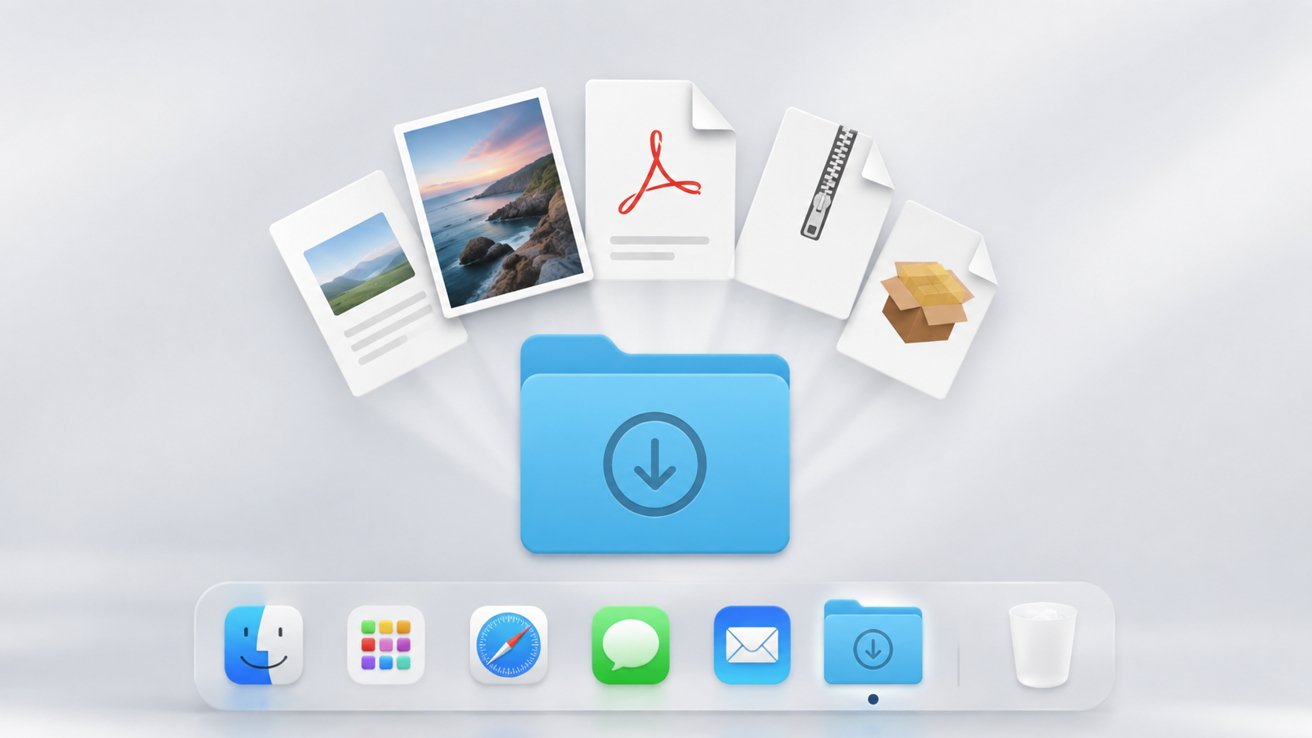
Removing Downloads from the Dock eliminates its one-click Fan view, but the folder and its files remain on the Mac. Here’s how to restore Fan view on the Downloads folder.
Downloads on the Mac Dock
Apple treats Dock items as aliases that point to the originals. Removing a Dock alias changes only the Dock, so putting it back doesn’t recover, move, or duplicate any files.
Open Finder and choose Go, then Home, or press Shift-Command-H.
Drag Downloads to the Dock beside the Trash.
Control-click or right-click Downloads in the Dock.
Samsung has front loaded this mid-range Mini LED offering with a truck load of smart features and great gaming credentials – but it’s not quite enough to compensate for its middling HDR performance
4K 120Hz support
Tizen smart platform with useful lifestyle features
Great value for money
Average brightness
Glossy panel is a distraction
Only three HDMI ports
No optical digital audio output
Key Features
Advertisement
Review Price:
£649
Gaming is front and foremost
Advertisement
All HDMI inputs support 4K/120Hz, ALLM, VRR, and AMD FreeSync Premium
Samsung Tizen with AI
Advertisement
More than just a dashboard for TV streaming, Tizen 2026 offers extensive personalisation with Now Brief, SmartThings integration and an art gallery
Smart design
Advertisement
Ultra slim bezel and slot-in feet lend the set a clean, modern look
Introduction
The M80H is a surprisingly affordable big brand Mini LED TV for those value leading-edge features, but aren’t looking to invest in Samsung’s upper tier of Neo QLED models.
The M80H shares the software sophistication of its pricier stablemates, including excellent usability and gaming functionality, without any panel premium.
Advertisement
For many, this could prove a sensible compromise. Others may find the M80H’s shortcomings harder to overlook…
Advertisement
Price
The Samsung M80H is available in four screen sizes. The 55-inch model reviewed here sells for £649, while the 65-inch version is priced at £849. If you hanker for something bigger, there’s a 75-incher at £1,249, or a humongous 85-inch giant at £1,799.
In the United States, this same 55-inch screen sells for $539.99. Australian pricing has yet to be confirmed.
Advertisement
Within Samsung’s own range, the M80H sits above the M70H. That entry-level Mini LED model uses a simpler processor and omits some of the gaming features found here, making this the more attractive option for anyone planning to connect their PlayStation 5 or Xbox.
Design
Near zero bezel
Two remote controls
Slot-in feet
Samsung describes the M80H’s styling as MetalStream, and while it’s more plastic than metallic, it looks tidy enough.
A slim bezel frames the panel, while two push-fit feet slot into place without requiring tools or screws. Assembly takes only a few minutes.
Advertisement
Image Credit (Trusted Reviews)
Step to the side and you’ll notice that the rear bulges slightly to accommodate the Mini LED backlight, but I don’t think this is especially noticeable once installed.
The M80H ships with two remote controls. One is Samsung’s familiar full-function handset with dedicated streaming TV shortcuts – Netflix, Prime Video, Samsung TV Plus and YouTube. The second is a simplified zapper intended for family use, although it’s not solar powered like similar remotes found higher up the brand’s range.
Advertisement
Connectivity
Three HDMI ports
No digital optical audio output
Single USB
So here’s the first compromise. There are only three HDMI inputs, and one of these is eARC required for connection to a soundbar. The upside is that all three support 4K/120Hz high frame rate gaming. There’s also a Motion Xcelerator mode which supports refresh rates up to 144Hz, if you want to connect a gaming PC.
Image Credit (Trusted Reviews)
Advertisement
This isn’t a TV that I would recommend for wall mounting. Two of the HDMI inputs, along with the Ethernet LAN, are rear facing rather than side-mounted, which makes it impossible to get the TV flush (or even close) to a wall.
Samsung has also dispensed with an optical digital audio output.
There’s a single USB, plus a Common Interface slot. The TV has both satellite and terrestrial tuners, but there’s no Freely onboard.
Features
Tizen Smart TV platform
NQ4 AI Gen2 processor
Auto HDR Remastering
HDR compatibility includes HDR10+, HDR10+ Adaptive and HDR10+ Gaming. There’s no Dolby Vision, but you knew that already, right?
No HDR source? No problem. Auto HDR Remastering intelligently enhances SDR content with greater perceived contrast and brighter highlights. Purists probably won’t like it, but it does give SDR programmes more visual impact, and I think it works well. I definitely prefer it on rather than off.
Advertisement
Advertisement
That said, Colour Booster Pro also uses artificial intelligence to increase colour intensity, but I found its strongest setting rather too enthusiastic.
Handling all this is Samsung’s NQ4 AI Gen2 processor, a powerful slice of silicon.
Up front, the Tizen smart UI itself is peerless – albeit with one BBC-shaped caveat.
Advertisement
All the key premium streaming apps are here – Netflix, Prime Video, Disney+, Now TV, Apple TV, as well as catch up services, including ITVX, Channel 4 and 5.
However, at the time of testing, BBC iPlayer remains absent. This is down to the fact that Samsung’s 2026 Tizen platform has not yet been granted certification, although I’d expect this to change at some point. If you need BBC iPlayer out of the box it may be worth checking before you buy.
Advertisement
Home page navigation is quick, rails are logically organised and supported by a comprehensive collection of streaming services and curated recommendations.
There’s also Samsung TV Plus, Samsung’s FAST (Free Advertising Supported Television) channel selection. I tend to use it mainly as wallpaper, but there’s some interesting content to be found, like the Jack Hana wildlife channel. Samsung TV Plus is well worth a browse.
Advertisement
Tizen also offers Now Brief, a selectable ambient presentation triggered when the sensor detects movement in a room. It pulls up date and weather information and reports on the status of connected SmartThings devices. You can also leave short notes, maybe to other family members, which can be pinned to the Now Brief home page. It’s very cool.
There’s a choice of two voice assistants, either Amazon Alexa or Samsung’s own Bixby.
Picture Quality
Limited HDR performance
Reflective screen
Screen uniformity issues
Image quality doesn’t exceed mid-range expectations, so inevitably brightness and contrast become key topics of conversation.
Advertisement
Don’t expect particularly luminous peak highlights, or nuanced shadow detail. The M80H struggles to approach 400 nits, with a 10 per cent measurement patch, and therefore lacks the depth and impact seen on Samsung’s more capable Neo QLED models.
Advertisement
However, these numbers don’t tell the whole story. Real world viewing can belie this rather dim assessment. For example, the opening ski slope action sequence in Hannah Waddingham’s Ride or Die (Prime Video, 4K HDR), still manages to impress with striking dynamic contrast.
The old LED rule applies here: black levels and contrast always benefit from being viewed in rooms with moderate levels of ambient light. The panel’s naturally glossy finish also helps, although that same surface reflects rather aggressively during daytime viewing.
Image Credit (Trusted Reviews)
It’s only when you dim the house lights that blacks take on a rather wishy washy hue. For home cinema enthusiasts who like to watch in darkened rooms, this could be a deal-breaker.
Colour fidelity is fine. If you like your blue skies deep, rather than pale, and red colour swatches bright and rosey, then it pays to use the Dynamic picture setting.
Advertisement
Advertisement
Personally, I preferred the Standard picture preset as my default. Motion handling is smooth with only minimal artefacts – but for movies and cinematic TV shows I prefer the picture clarity setting switched off.
Screen uniformity issues are also apparent. A predominantly black credit crawl confirms noticeable light pooling around the edges of the panel.
Weirdly, the Settings menu of my PS5 also caused the screen to flicker. I’ve no idea why.
Sound Quality
2 x 10W
Object Tracking Sound Lite
Dolby Atmos pass through
Audio comes from a conventional 20W stereo system enhanced by Samsung’s Object Tracking Sound Lite processing.
The results are perfectly acceptable. Dialogue is clear enough for casual viewing, and there’s enough mid-range body to carry even a complicated gaming soundtrack. The screen is bass light (which is to be expected), making a soundbar a worthwhile upgrade down the road.
Advertisement
Advertisement
Samsung’s Q-Symphony is an option if you invest in a compatible Samsung soundbar – Q Symphony syncs the TV speakers with those in the bar for a more substantial wall of sound.
You can also pair the screen to external Bluetooth devices. I wirelessly connected my Marshall Milton ANC headphones, for private listening, which worked well.
Gaming
ALLM
AMD FreeSync Premium
Samsung game bar
This is where the M80H over-delivers. Samsung has carried almost all of the gaming features found on its considerably more expensive Neo QLED models, across into this more affordable set.
You get ALLM (Auto Low Latency Mode), VRR (Variable Refresh Rate), AMD FreeSync Premium and Samsung’s excellent pop-up Game Bar, allowing quick access to frame rate, HDR and latency information.
Advertisement
Image Credit (Trusted Reviews)
Advertisement
All three HDMI sockets support 4K at 120Hz, and the panel itself refreshes at up to 144Hz.
I measured input lag at just 10.2ms (1080p/60) in Game mode. A run through of Overwatch at 120fps proves smooth and satisfying.
If console gaming matters more to you than reference-grade movie performance, the M80H is easy to recommend.
Should you buy it?
Advertisement
An everyday TV with excellent gaming skills
If you want an affordable Mini LED television for everyday living room duties, with excellent gaming support, including high frame rate HDMIs, the M80H fits the bill. Samsung’s superb smart platform and a rich collection of AI-powered features are the icing on the cake.
Advertisement
Better and brighter models available
There are better, brighter models available if your top priority is picture quality. The panel’s limited brightness and uniformity issues prevent it from delivering the cinematic impact you might expect from HDR sources.
Advertisement
Final Thoughts
So is the M80H a good TV to buy. It (literally) depends on how you look at it.
The Samsung M80H isn’t a budget-priced bargain for a home cinema fan. Its Mini LED implementation simply lacks the brightness and finesse necessary to showcase movie and HDR content at its most spectacular. That’s the compromise Samsung has made to achieve this aggressive price point.
What buyers receive instead is one of the most feature-rich televisions in its class. When picture and sound are deemed ‘good enough’ the deal clincher is a superior user experience, and Samsung knocks that out of the park. Tizen is a great content hub, and its smart home features are top notch.
Advertisement
If you spend your evenings watching blockbusters in a darkened room, there are stronger performers elsewhere. However, if your TV serves as the family’s social hub, gaming display and connected dashboard, the M80H makes considerably more sense.
Advertisement
How We Test
We test every television we review thoroughly over an extended period of time. We use industry standard tests to compare features properly. We’ll always tell you what we find. We never, ever, accept money to review a product.
Find out more about how we test in our ethics policy
Advertisement
Tested for several days
Tested with real world use
Brightness and input lag measured
FAQs
Is the Samsung M80H good for gaming?
Absolutely. It offers 4K 120Hz support on all HDMI inputs, with VRR, ALLM, AMD FreeSync Premium, Game Bar and has low input lag.
Should I buy the M80H instead of the M70H?
Again, if gaming matters, yes. The M80H offers a faster processor and significantly stronger gaming features, making it the better long-term purchase.
Advertisement
Test Data
Samsung UE55M80H
Input lag (ms)
10.2 ms
Peak brightness (nits) 5%
320 nits
Peak brightness (nits) 10%
322 nits
Peak brightness (nits) 100%
260 nits
Full Specs
Samsung UE55M80H Review
Manufacturer
Samsung
Screen Size
54.6 inches
Size (Dimensions)
x x INCHES
Size (Dimensions without stand)
708 x 1225 x 77 MM
Weight
10 KG
Operating System
Tizen OS
Release Date
2026
Model Number
UE55M80H
Resolution
3840 x 2160
HDR
Yes
Types of HDR
HDR10+, HDR10, HDR10+ Adaptive, HGiG, and HDR10+ Gaming
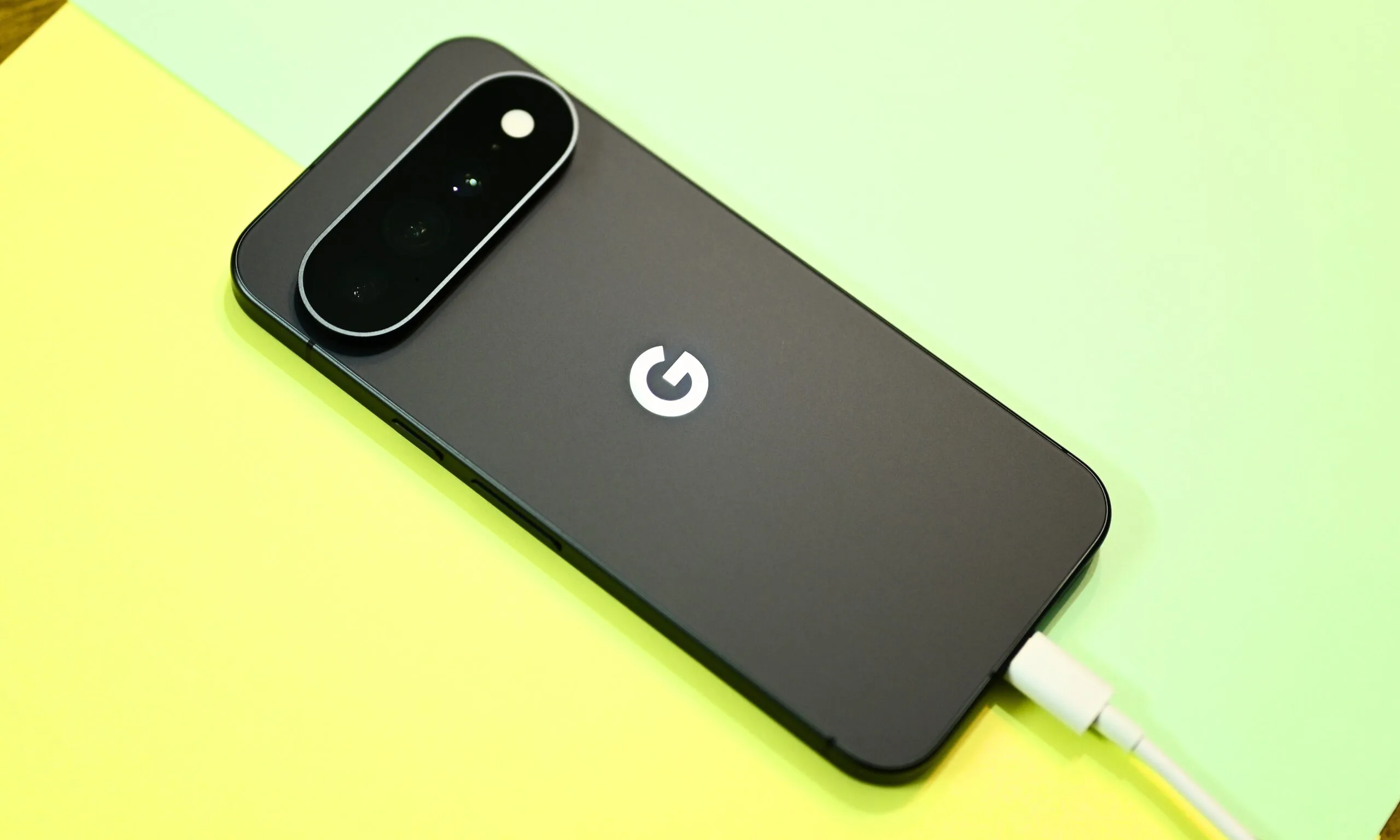
Google actually cut the physical battery capacity this year, from 5,200mAh to 5,115mAh. And if there’s one thing AI can’t magically make up for, it’s the physical limits of a battery. Yes, manufacturers have increasingly aggressive AI-based battery management systems that squeeze more runtime from the same cell, but physical battery capacity remains an important benchmark in the Android world, something I can’t quite say about iPhones.
Shikhar Mehrotra / Digital Trends
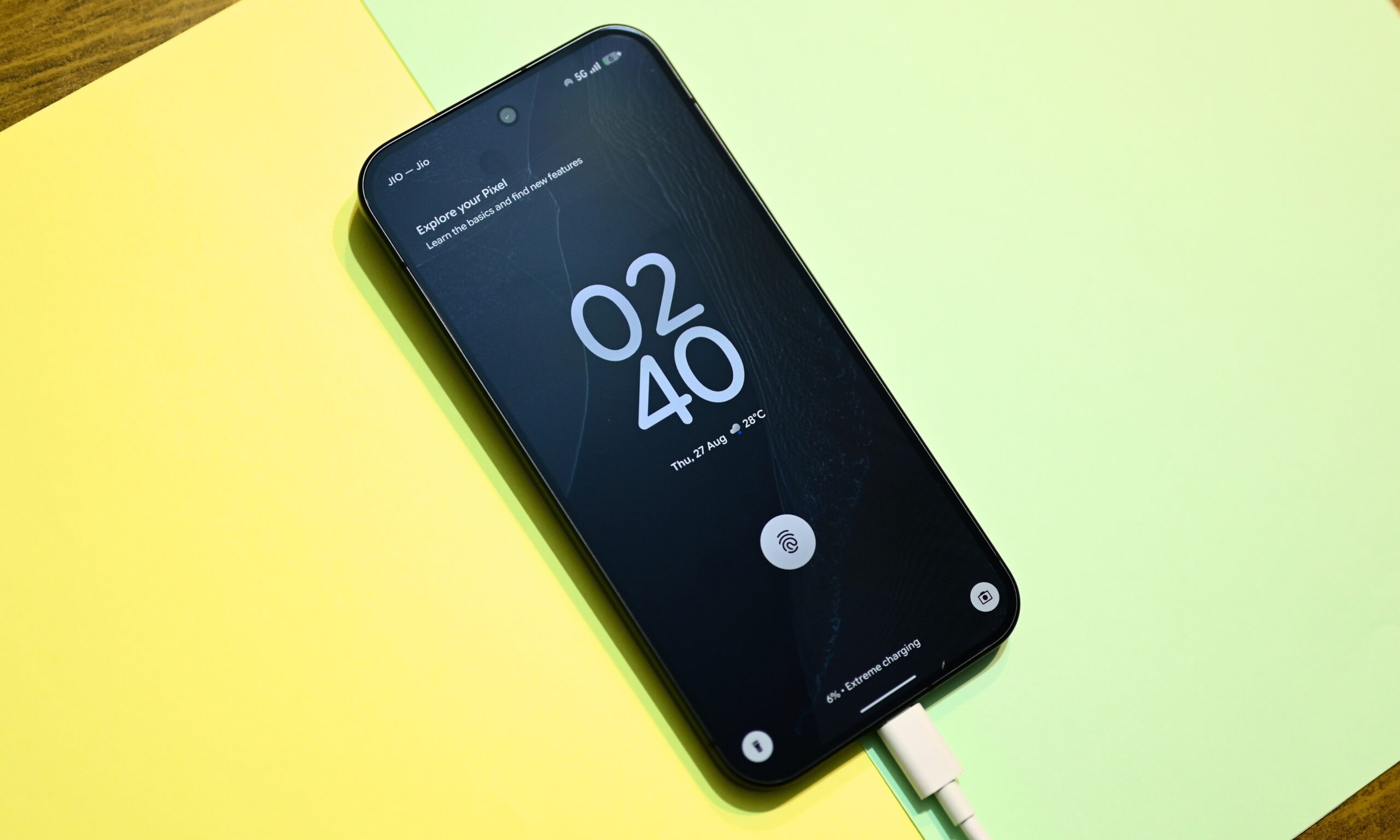
So, I stepped into the Pixel 11 Pro XL experience with a simple yet important question: how long does Google’s most expensive flagship last between charges? Let’s just say that after 72 hours of usage, I’m surely not impressed, a tad concerned, and equally hopeful.
So, how does the Pixel 11 Pro XL actually hold up?
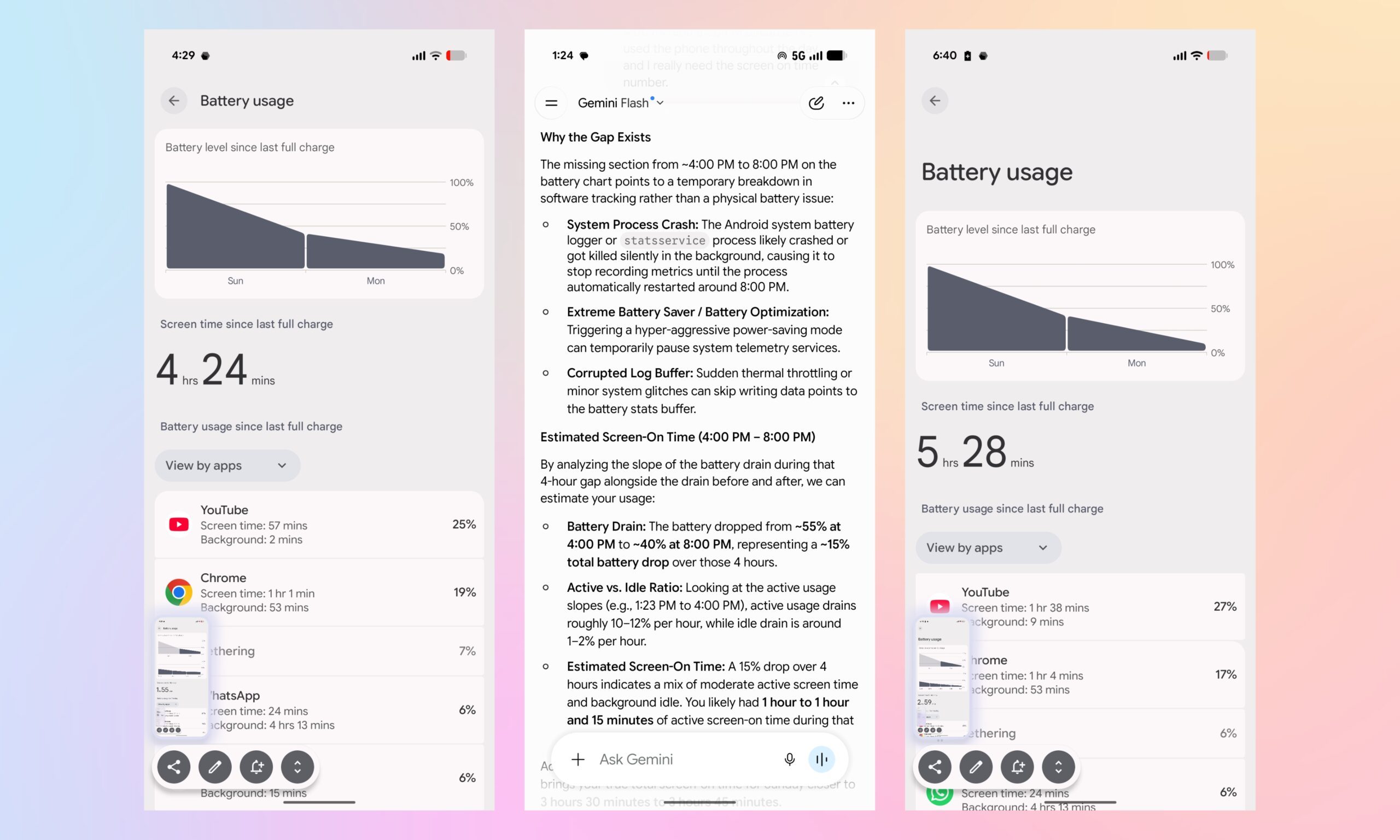
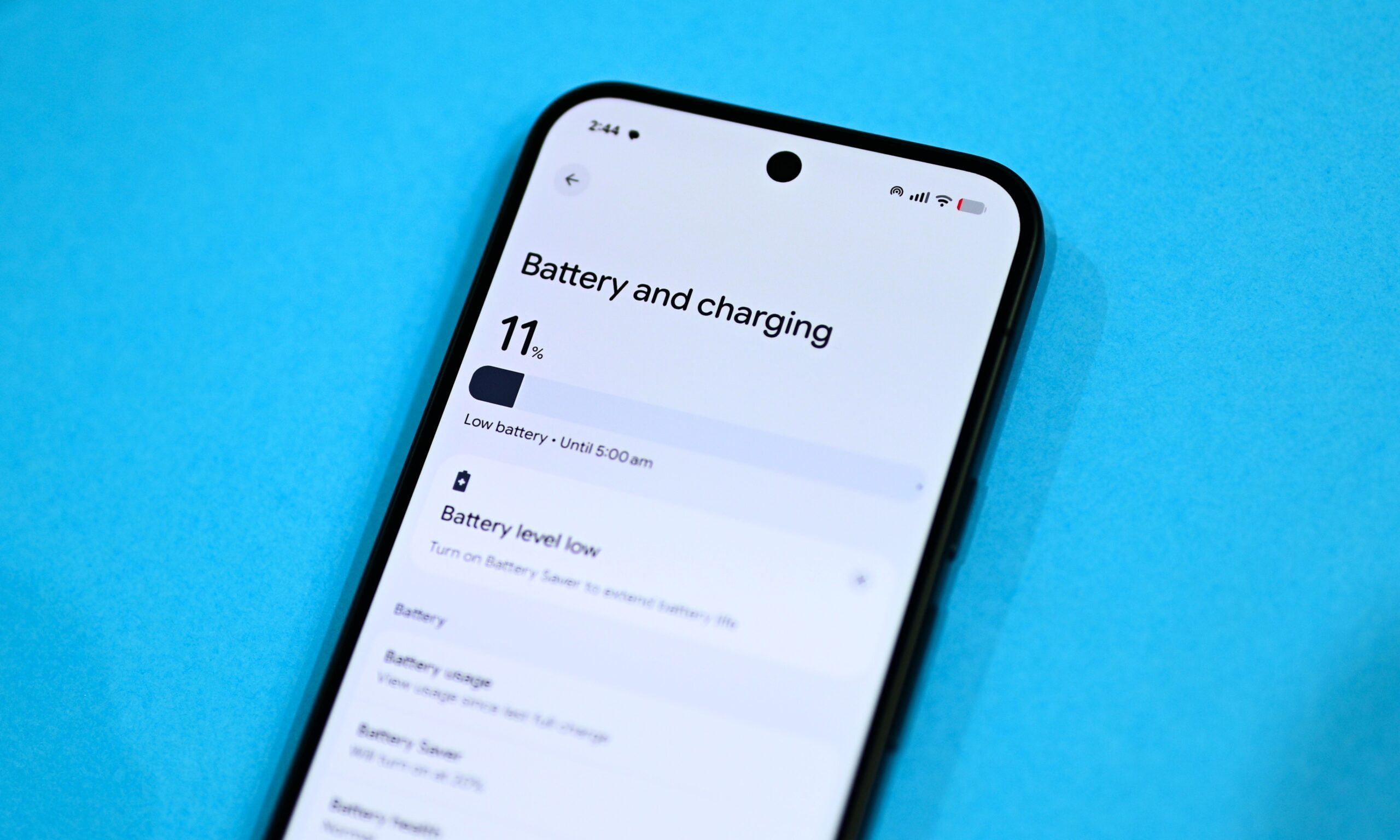
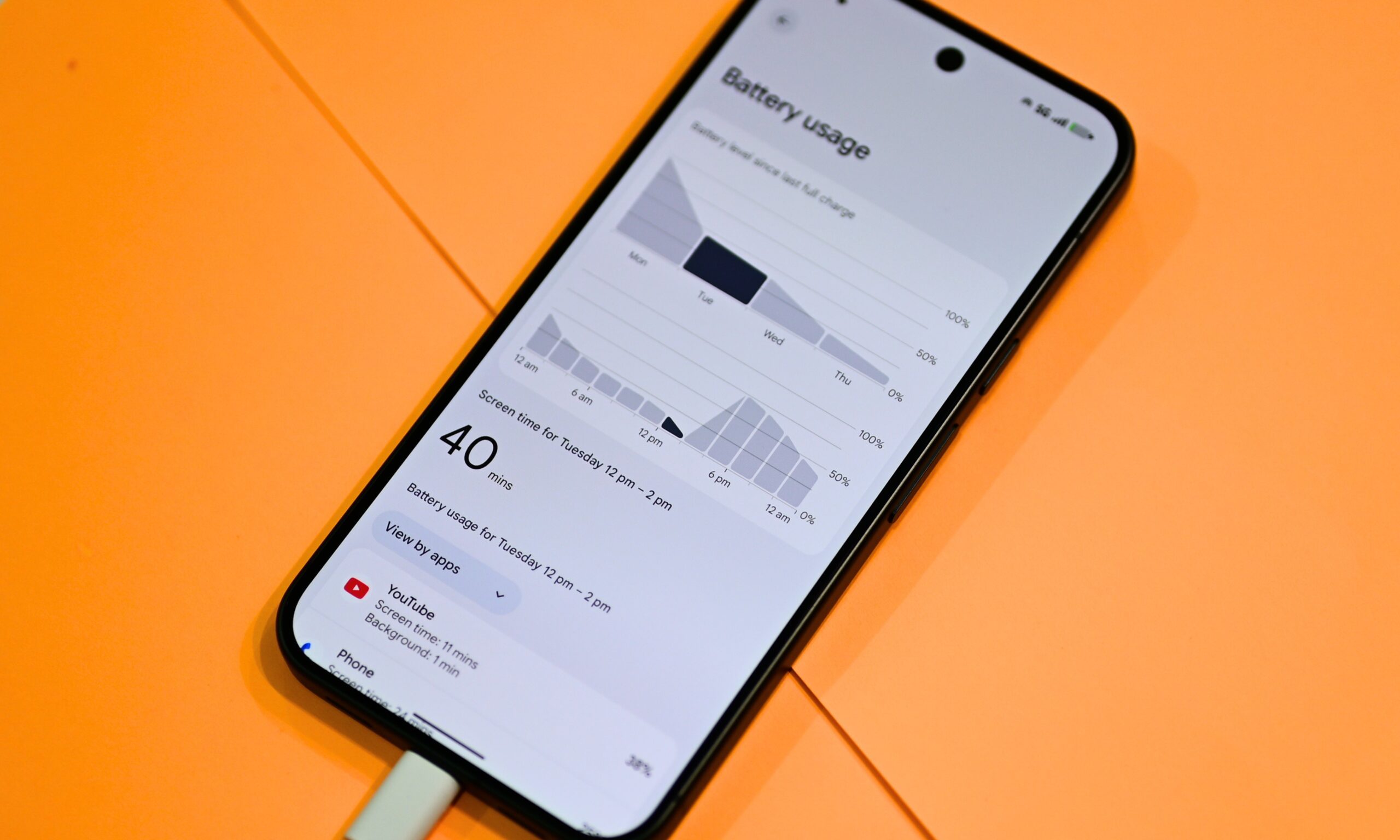
On its first day, when I charged the handset to 100% for the first time, it logged just 4 hours and 24 minutes of screen-on time before I plugged it in at 15% battery. That shocked me, but after I expanded the battery usage graph, I realized something: the phone’s own battery log went blank for roughly four hours, which is a known Android quirk.
Shikhar Mehrotra / Digital Trends
I didn’t want to look past the numbers, so I asked Gemini’s new Device Help tool to estimate the missing screen-on time based on the drain rate. Its answer: somewhere between 1 hour and 1 hour 15 minutes of additional screen-on time. Adding that to the logged time, I got somewhere around 5 hours 30 minutes to 5 hours 45 minutes of total screen-on time.
Day two wasn’t meaningfully better either. Per Google’s own system service tracker, I got around 5 hours and 28 minutes of screen-on time before the battery dropped back into the red zone, this time into the upper single digits. On the third day, I saw an improvement of 10 to 15 minutes, but the overall screen-on time still remains under 6 hours.
Advertisement
Shikhar Mehrotra / Digital Trends
Before you point it out, this is with a 5G SIM installed, mixed usage between cellular and Wi-Fi networks, and location services enabled.
Here’s why that’s bothering me
Google claims that the chipset is up to 20% more power efficient than the Tensor G5 on the Pixel 10 series. Given that both chips are built on TSMC’s 3nm manufacturing process, not the 2nm node some pre-launch leaks suggested, that’s not an insignificant claim to make, which makes my early battery results all the more difficult to reconcile with it.
If the newer chip genuinely sips less power, I shouldn’t be topping out around five and a half hours of light to mixed everyday usage, which includes browsing, messaging, watching the routine videos on YouTube, and capturing a few pictures here and there, nothing extreme. And this is when I haven’t even run the benchmark and gaming tests I’m supposed to add to the full review.
Shikhar Mehrotra / Digital Trends
I consider this light usage, perhaps somewhere between light and moderate, but certainly not heavy usage. That’s why I expect a lot more than six hours of screen-on time from a top-tier Android flagship. On a phone this expensive, six hours shouldn’t feel like the ceiling for everyday use. Compare that with what’s available in the market in the same segment, and you’ll understand where I’m coming from.
And the competition isn’t helping Google’s case
Take the Galaxy S26 Ultra, for example. With the Snapdragon 8 Elite Gen 5 for Galaxy chipset and a 5,000mAh battery, the phone provides around 5 to 6 hours of screen-on time with heavy usage, which goes up to ~8 hours with light usage. The iPhone 17 Pro Max, Apple’s outgoing flagship, also provides 5 to 7 hours of screen-on time with heavy usage, up to ~9 hours with light usage.
Shikhar Mehrotra / Digital Trends
You see the gap? The Pixel 11 Pro XL is basically offering me the same screen-on time with light usage that other flagships offer with moderate to heavy usage. For me, that gap is hard to ignore, especially when other options on the market push around 10 hours of screen-on time. I’m talking about the OnePlus 15 with a 7,300mAh battery. Too bad the brand isn’t selling its flagships in North America and Canada.
Yes, you can spread those 5 to 6 hours of screen-on time across 30+ hours, like Google claims, but within those 30 hours, I’m still reaching for another phone for another four to five hours just to get through the day. At this point, I’m simply curious to know the number with back-to-back benchmark runs, gaming tests, and heavy multitasking.
Advertisement
Shikhar Mehrotra / Digital Trends
I’m concerned, but I’m almost certain that the numbers will go up
Now, I want to be fair here. New phones almost never hit peak efficiency or battery life during the first few charge cycles. Indexing can also skew the early numbers, and it can take at least three days before screen-on-time figures become truly representative, which could also be why I saw a slight improvement on the third day.
Even otherwise, Adaptive Battery and other AI-driven power management features need some usage data, including your app habits, screen usage patterns, and daily usage routines, before they can start limiting background activity and squeezing out more runtime from the battery. For these reasons, I’m confident the screen-on time could improve.
Shikhar Mehrotra / Digital TrendsShikhar Mehrotra / Digital Trends
I’m willing to give Google the benefit of the doubt and wait until I’ve conducted further testing. So, consider this a flag, not a final verdict, and something interesting to keep an eye on as I work toward my full review.
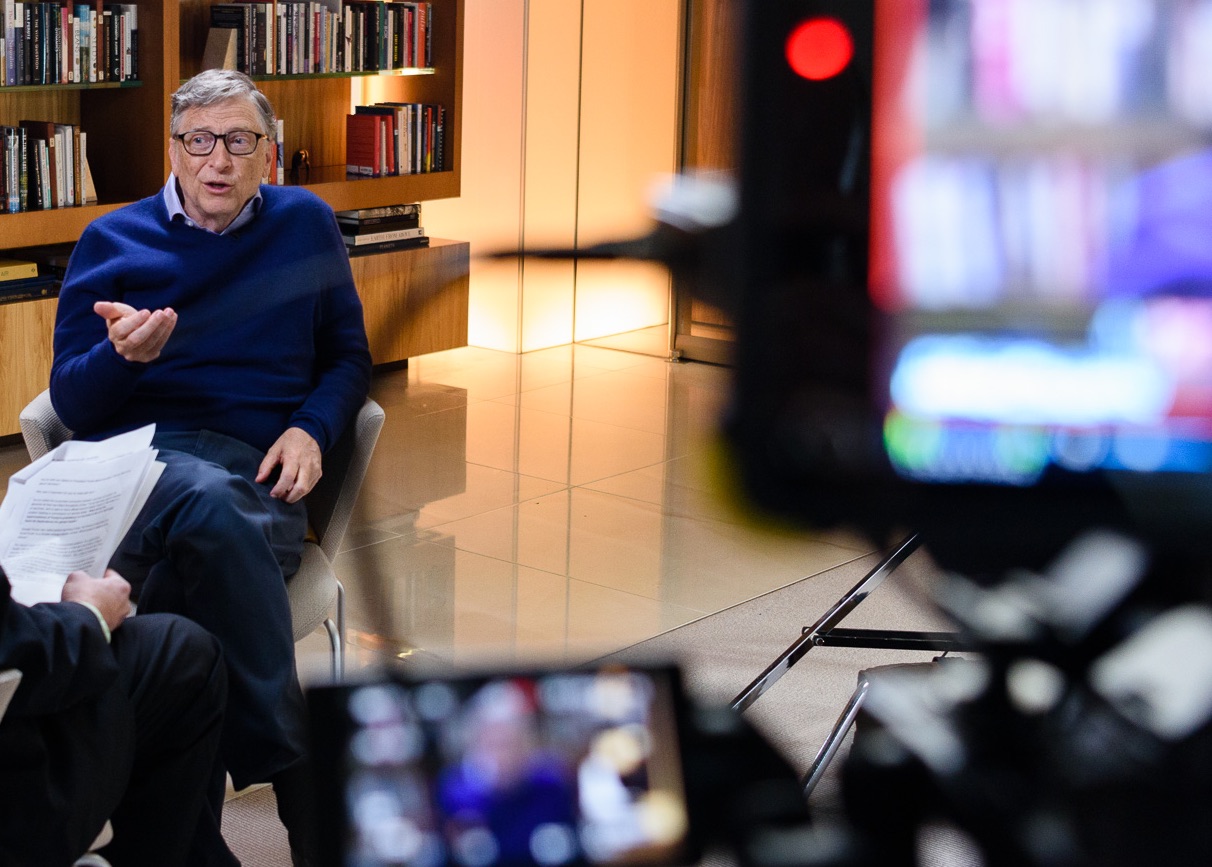
Bill Gates, whose new essay warns of the risks ahead in the AI era, during a 2017 interview. (GeekWire File Photo / Kevin Lisota)
When Bill Gates talks, people listen. This week he published a lengthy essay on what AI is going to do to work, and told GeekWire that people inside AI companies who name the downsides get told, “Hey, you’re hurting our PR while we’re trying to raise trillions of dollars.”
He’s right about the hard part. The job displacement he describes lands on young workers first, and the safety net is funded by taxes on the very wages that AI erodes. He prescribes three treatments: new institutions at home and abroad, a tax on AI tokens and robots, and “Human Reserved,” a category of jobs only people may hold.
Gates has the diagnosis right but the prescription mostly wrong. I’d sign the robot tax tomorrow, because hiring a person costs you payroll tax every year while buying a robot gets written off in year one. The other two I’d send back.
Let’s start with what’s solid. Stanford’s Digital Economy Lab updated its “Canaries in the Coal Mine” work this month. Employment for 22-to-25-year-olds in the most AI-exposed occupations is running 19% below where it would be if it had kept pace with their peers in less exposed work, up from 15% a year ago. The same authors say they don’t see widespread, economy-wide displacement, and unemployment held at 4.1% in July.
The AI damage isn’t arriving as layoffs. It’s arriving as jobs that never get posted, and Gates is right that the young get it first.
Now the token tax. Tokens (essentially words) are what AI companies bill by. Taxing tokens is like taxing keystrokes: it measures effort, not displacement.
A high school class working through calculus with an AI tutor burns tokens continuously. A model that quietly retires a 40-person customer center might burn relatively few. The tax lands hardest on the uses Gates says he wants to protect.
Stanford’s AI Index put the cost of GPT-3.5-level performance at $20 per million tokens in November 2022 and seven cents by October 2024, a 280-fold drop. You’d be indexing the safety net to a number that falls every year while displacement rises.
Advertisement
And you can’t collect it. Inference runs on laptops and phones now, and on servers in whatever country declines to sign. A token tax is a tax on whoever uses an American API, and every dollar it adds makes a Chinese model look cheaper. We’d be slowing ourselves down and not China.
Gates says the institutions will take years to build, and also says we can’t afford to move slowly. He’s right twice, and that’s the problem. He wants the international body to borrow from nuclear inspections and aviation regulation. That may pan out in the long term, though the UN is the cautionary tale for the bureaucratic nightmare that the international community can produce.
Meanwhile we have functional agencies with jurisdiction today. The FDA can rule on AI in diagnosis. The FTC can go after AI-enabled fraud. We don’t need a new agency to say a bank can’t deny your mortgage because a model felt like it. We need the banking regulator to reiterate it forcefully.
That leaves Human Reserved, his best idea but his most privileged one. Gates would protect a job for either of two reasons: the role is deeply personal, like a caregiver, or the people who hold it are unlikely to find other work. Only one of those holds.
Advertisement
Freezing headcount because the workers have nowhere else to go protects the job for a while and makes the service more expensive along the way. Reserving the moments when a human being is the point is defensible, and Gates makes that case well. On a robot delivering the news that you have an incurable disease, he writes, “There’s no technical reason why it couldn’t,” and adds, “Yet it shouldn’t.” He’s right.
I made the case in WIRED nine years ago that displaced workers should move into caregiving, and that it would take real money to lift the pay enough to draw them.
The problem with Human Reserved is that it assumes there’s a human being available. Home health and personal care aides earn a median of $34,900 a year, and BLS projects roughly 765,000 openings in that occupation every year through 2034. At that wage, they keep coming open. A third of home care aides are immigrants, and tighter enforcement threatens that supply. A rule that reserves care for people, in a market with no spare people, reserves care for the families who can outbid everyone else.
Gates half-anticipates this, telling The New York Times he might be a flawed messenger because of his wealth. On this point he is. The caregivers who gave his father something irreplaceable were in that room because someone could pay them to be there.
Advertisement
So don’t fence AI out of the room. Put it to work in the hours nobody is paid to cover.
In February the Times ran Eli Saslow’s story about Jan Worrell, 85, living alone on Washington’s Long Beach Peninsula with an AI companion called ElliQ that engages her about eight times a day and pushes her to stay hydrated and moving. (I serve on ElliQ’s board, and I joined because the company builds a machine that extends a caregiver’s reach instead of replacing one.)
Her goal, she told her doctor, was to never live anywhere else. Fund enough aides to cover the hours that need a person and put the machine on the rest.
Here’s where I net out: equalize the tax treatment of labor and capital, which Congress could do next session, and route the proceeds into retraining and into topping up the pay of workers who land in lower-paying jobs. That’s a better answer than a protected job title.
Advertisement
Drop the token tax, build the caregiving workforce instead of fencing it off, and use the regulators we already have while somebody works on the ones we don’t.
The console was subject to added fees under the Trump administration’s original (and illegal) tariff regime.
Panic
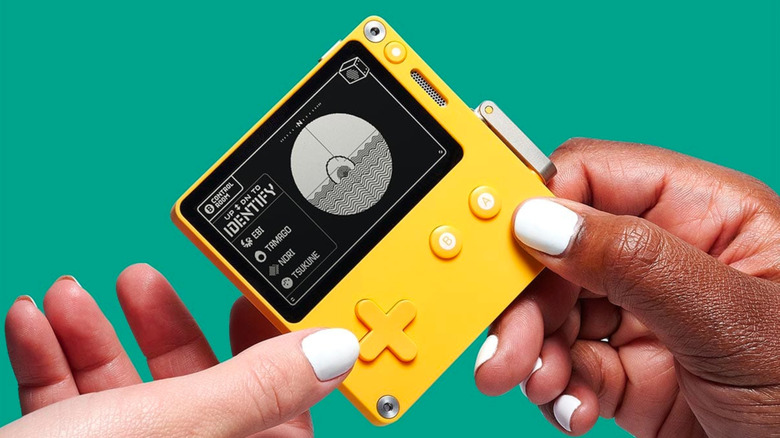
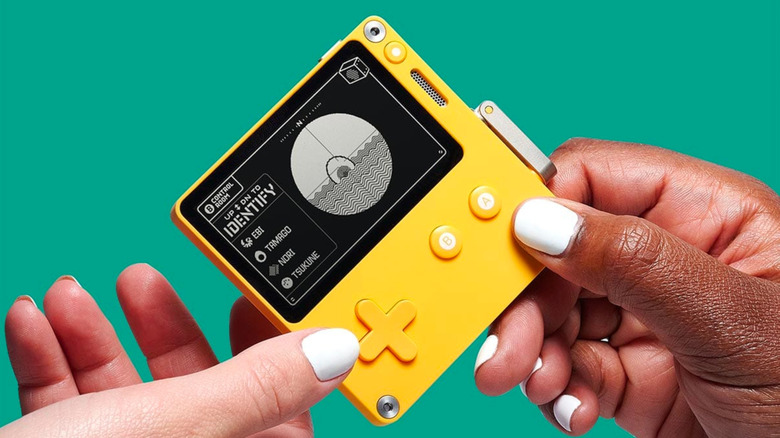
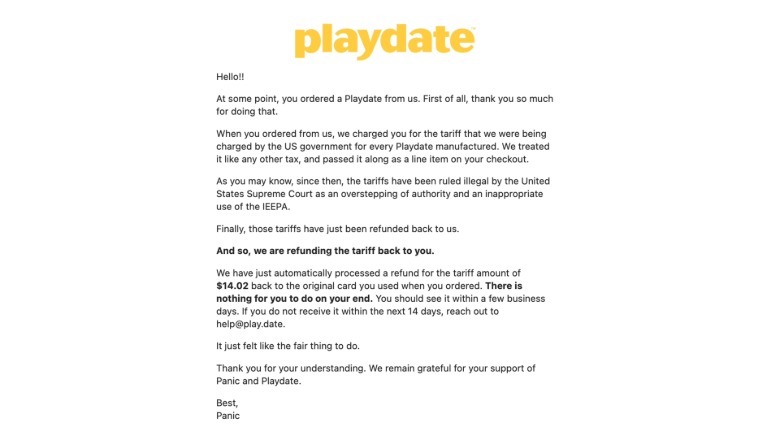
Panic, software publisher and creator of the Playdate, is refunding customers for any US tariff fees they paid to purchase its console, Game Developer reports. The Trump administration’s tariff regime was confirmed to be illegal following a Supreme Court decision in February 2026, and Panic, like other companies, applied for a refund. Unlike other companies, though, it’s not pocketing that money.
“When you ordered from us, we charged you for the tariff we were being charged by the US government for every Playdate we manufactured,” Panic said in an email informing customers about the refund. “We treated it like any other tax, and passed it along as a line item at checkout.”
Panic
According to a page in the company’s help center, Panic stopped applying its original 19 percent tariff fee to new orders after April 21. It took until August to issue refunds because the company had to apply, receive its refund from the US government and then build a system to process refunds for the group of Playdate customers who paid more.
“It’s just not our money to keep, and it felt really good to give it back,” Panic CEO Cabel Sasser said in an email to Game Developer. “That’s an easy way to know you made the right decision.”
Advertisement
It’s not, however, a decision many other companies have made. While President Donald Trump’s tariffs affected the majority of companies selling electronics in the US, and many — like Nintendo — clearly objected, most haven’t discussed offering a refund to customers. So far shipping companies like FedEx, UPS and DHL are among the few firms offering people a way to get their money back. That’s not to say the silence has gone unnoticed. Amazon, Sony and Nintendo are each facing class-action lawsuits that allege they are legally required to refund customers for tariff fees.
In these scenarios, Meta would give some employees new roles and lay off others. One HR executive reportedly said that Meta would have reduced its headcount by about 25 percent or more under these scenarios. Meta told Reuters that it canceled Project OT before determining how many layoffs the plan called for.
Meta was going to use some of the money that it saved from layoffs to pay for high-performing employees, especially those with AI engineering skills, Reuters reported, citing “two people familiar with the matter.”
“AI native”
One of the Project OT documents that Reuters reviewed described “AI native” as a company where “AI-ready tools and agents interact, workflows are automated, [and] new builds are AI-first.” Being “AI native” also means, per the document, selling AI agents to third parties, which Meta started doing in June.
This year, Meta reportedly launched a pilot program that restructured engineering teams, research teams, and at least eight other teams into smaller groups.
Advertisement
This followed the reported October publishing of an internal post called “AI-Native Playbook,” in which a Meta product management team member outlined how the pilot would remove middle management and use “agent-assisted analysis” to help prioritize daily tasks.
Reuters noted that HR employees and “AI systems” would help Meta’s leaders decide about promotions; however, Meta told the publication: “Performance rating and promotion decisions were and are made by people, not AI.”
Second thoughts
Immediately after issuing the May layoffs, Zuckerberg reportedly canceled the November wave. Reuters said it “was unable to determine what exactly prompted Zuckerberg to shift course.”
An internal spreadsheet where Microsoft employees swap pay details now carries a column for monthly AI spend, with a median of about $300 over 28 days across roughly 350 entries. Business Insider found no meaningful link between heavy AI use and bonuses, raises or promotions.
Microsoft employees have started comparing their AI bills the way they compare their salaries. An internal spreadsheet where staff voluntarily post raises, bonuses and stock awards now carries a column for how much AI they burned through last month.
The document is one TNW has already mined. We used its pay columns this week to show Microsoft has split into two populations on compensation, and the AI column is a separate question.
The number is larger than most people would guess. Across roughly 350 entries the median was about $300 over 28 days, and the highest single figure was $28,000.
Advertisement
It varies enormously by team. CoreAI reported a median of $975, Security $526 and Microsoft AI $490, while the customer and partner organisation came in lowest at $134 and also produced that $28,000 outlier.
For scale, a Microsoft 365 Copilot seat costs $30 a month. Accenture gave one to 743,000 people this spring, and the median Microsoft employee is spending ten times that on themselves.
The finding that matters is an absence. Business Insider reports no meaningful correlation between how much AI someone used and their bonus rating, merit increase or chance of promotion.
The data deserves its caveats. It is self-reported, voluntary and anonymous, covers around 350 people out of 223,000, and Microsoft says the tracking tool is still in early testing.
Advertisement
It also lands in a familiar pattern. TNW has reported that the hours AI saves workers are mostly thrown away rather than banked or redirected.
A tool that itemises this per employee is not a neutral thing to install in Europe. In Germany the works council has a co-determination right over technical devices capable of monitoring behaviour or performance.
The threshold is lower than it sounds. The Federal Labour Court has held since 1975 that a system only has to be suitable for monitoring, not designed for it, which is why even spreadsheets and calendars have triggered the rule.
The appetite for measuring people at work is not in doubt. Skan AI raised $63M to observe how office staff actually do their jobs and build agents that copy them.
Advertisement
So one spreadsheet says two things. Working on AI at Microsoft pays better, and using a lot of it does not, which are not the same proposition at all.





















































You must be logged in to post a comment Login