
Business
J.M. Smucker Is a Top S&P 500 Stock Today as Coffee Prices Perk Up Earnings




CHAT: The 68% Gain Doesn't Mean You're Too Late

Burlington Stores' Drop Was An Overreaction

U.S. crude oil inventories edged up in a fourth consecutive weekly increase as both imports and exports fell and production held steady, according to data released Wednesday by the U.S. Energy Information Administration.
Commercial crude oil stocks excluding the Strategic Petroleum Reserve rose by 95,000 barrels to 428.9 million barrels in the week ended Aug. 21 and were about 1% above the five-year average for the time of year, the EIA said. Crude stocks were expected to have risen by 500,000 barrels, according to a Wall Street Journal survey of analysts.
Copyright ©2026 Dow Jones & Company, Inc. All Rights Reserved. 87990cbe856818d5eddac44c7b1cdeb8

SEOUL, South Korea — Samsung Electronics officially unveiled the Galaxy S26 FE on Thursday, introducing the latest entry in its “Fan Edition” lineup as a lower-cost alternative to its flagship Galaxy S26 series, with the device set to hit store shelves next week.
The launch continues a strategy Samsung has pursued for several years: offering a pared-down version of its flagship hardware and software at a more accessible price point, aimed at consumers who want many of the same features found in the company’s top-tier phones without paying full flagship prices. Here are 10 things to know about the new device.
1. It’s available starting next week
The Galaxy S26 FE will be available from select carriers starting Sept. 3, with nationwide availability in the United States beginning Sept. 4, according to Droid Life. Some carriers may offer the device a day earlier than the general release date.
2. It costs more than its predecessor
The new model will retail for $699 in the U.S., $50 more than the Galaxy S25 FE it replaces, according to How-To Geek. In Europe, the device is priced at €799. The price increase reflects a broader trend across Samsung’s 2026 lineup, with several models this year costing more than their predecessors.
3. It runs on a new, more efficient processor
The Galaxy S26 FE moves to a 3-nanometer Exynos 2500 chip, an upgrade from the 4-nanometer Exynos 2400 found in the previous generation. The newer manufacturing process is expected to deliver both improved performance and better power efficiency compared with last year’s model.
4. The display stays largely the same
The device features a 6.7-inch Dynamic AMOLED display with a 120Hz refresh rate and peak brightness of 1,900 nits, according to Droid Life. That represents continuity rather than a major upgrade over the S25 FE’s screen specifications.
5. It has a triple rear camera system
The Galaxy S26 FE ships with a 50-megapixel main wide-angle sensor, a 12-megapixel ultrawide lens, and an 8-megapixel telephoto lens offering 3x optical zoom. Samsung has also incorporated what it describes as advanced image processing improvements across the camera system compared with the prior generation.
6. The selfie camera got an upgrade
One of the more notable hardware changes is an upgraded 12-megapixel front-facing camera, which Samsung says is designed to capture more people in group shots, an improvement over the front camera used in the S25 FE.
7. Battery capacity increased slightly
The device comes equipped with a 4,900mAh battery supporting 45W wired charging, an increase over the battery capacity found in last year’s model, giving users modestly longer battery life between charges.
8. It borrows premium features from Samsung’s flagship lineup
Much of what sets the S26 FE apart from its predecessor comes through software rather than hardware. The device includes FanCam, a feature that debuted on Samsung’s Galaxy Z Fold 8 and Z Flip 8 devices, which uses intelligent tracking to keep a selected subject centered and properly framed during video or photo capture. It also includes Super Steady video recording with Horizontal Lock, designed to keep footage level, along with improved Nightography low-light photography and Photo Assist editing tools.
9. It includes Samsung’s newest AI features
The Galaxy S26 FE ships with access to Now Nudge and Now Brief, AI-powered productivity features previously available on the Galaxy S26 and S25 series. Now Nudge is designed to help automate certain phone tasks, such as adding items to a calendar or surfacing relevant files based on context, according to Droid Life. The device runs Android 17 with Samsung’s One UI 9 software layer on top.
10. It comes with long-term software support and multiple color options
Samsung is offering the Galaxy S26 FE with 8GB of RAM and 128GB of storage, an IP68 water and dust resistance rating, and what the company says will be seven years of software updates, extending the device’s usable lifespan well beyond typical smartphone upgrade cycles. The phone is available in three color options: Blueberry, Pistachio and Graphite.
Where it fits in Samsung’s lineup
The Galaxy S26 FE occupies a specific niche within Samsung’s broader Android lineup, positioned above budget options like the $550 Galaxy A57 5G but well below the pricing of Samsung’s full flagship Galaxy S26 series. How-To Geek described the device as landing in “sweet spots in both Samsung’s lineup and the Android phone market at large,” even as the company’s decision to raise the price by $50 over last year’s model has drawn some criticism from potential buyers weighing the value proposition against competitors.
A response to rising phone prices industrywide
The launch comes amid a broader trend of rising smartphone prices across the industry, driven in part by higher component costs, including memory chips. Samsung’s FE line has historically served as a counterweight to that trend, offering a way for budget-conscious consumers to access many flagship-level features without paying full price for the company’s top-tier devices.
With the Galaxy S26 FE now officially announced and set to reach store shelves within days, attention turns to how the device performs against both Samsung’s own more expensive Galaxy S26 lineup and competing devices from rivals like Apple, whose iPhone 18 Pro lineup is expected to launch later this month. For consumers deciding between generations, some reviewers have suggested that shoppers already satisfied with the Galaxy S25 FE may find the incremental upgrades in this year’s model, concentrated mainly in the processor and software rather than the core hardware, insufficient to justify an immediate upgrade.

Late last year, a marketing strategist in my network needed to turn a research-heavy briefing into a visual asset before an executive meeting.
The material was all there: statistics, findings, recommendations, supporting notes. The bottleneck was translating it into a coherent visual hierarchy quickly enough to be useful.
We used AI as a first-draft tool rather than asking it to make every design decision. That worked far better. AI handled structure and visual direction. Human editing handled emphasis, accuracy, and final presentation.
That approach reflects where the technology actually delivers value. Over 61% of marketers are now using AI to create visual content, and the teams getting the most from it are not treating AI as a replacement for judgment. They are using it to eliminate the production work that slows everything else down.
The best AI infographic generators in 2026 are built around that model. They reduce meaningful effort across ideation, structure, visualization, and production without removing the human decisions that make the output credible.
Top 3 Quick Picks: The Best AI Infographic Generators
-
Piktochart: Best for AI-Powered Visual Communication
- Prompt-to-infographic creation
- Editable AI-generated designs
- Strong data workflows
-
Infogram: Best for AI Data Visualization
- Data-focused creation
- Extensive chart options
- Interactive visual storytelling
-
Adobe Express: Best for Generative Creativity
- Generative AI tools
- Broad creative formats
- Adobe ecosystem integration
Keep reading for the criteria that separate useful AI design tools from conventional editors with AI features attached.
How to Choose an AI Infographic Generator
1. Evaluate What the AI Can Start With
Prompt-based generation is useful, but professional projects rarely begin with a perfect one-sentence brief.
Look at the inputs an AI infographic generator can process. Can it work from notes, existing text, documents, or data? Can you provide enough context about the audience and purpose to produce a relevant result?
Piktochart, for example, can generate an editable infographic from a topic, pasted text, report, notes, data summary, or uploaded document. Its graph generator can also work with raw data and CSV, DOCX, PDF, and TXT files.
That matters because AI becomes considerably more useful when it can work with material your organization already has.
2. Look for AI That Structures Information
Generating an attractive image isn’t the same as designing an effective infographic.
Long-form visual communication requires decisions about hierarchy: what comes first, which information deserves emphasis, where sections should break, and how ideas connect. For information-heavy projects, AI that helps organize material can therefore be more useful than AI focused purely on aesthetics.
Piktochart’s AI infographic workflow can organize a message into sections and suggest a visual direction before users refine the result.
This is particularly relevant for reports, research summaries, educational content, and internal communications, where structure has a direct effect on comprehension.
3. Check How Editable the AI Output Is
AI should accelerate the first draft without limiting the final one.
A generated infographic will rarely be perfect immediately. Facts may need checking, copy may need tightening, and the design may need to reflect an organization’s visual identity. Prioritize platforms where AI-generated work becomes an editable design rather than a fixed output.
Piktochart allows users to modify text, colors, images, icons, fonts, layouts, and brand details after generation.
That combination of automation and control is especially important for professional teams. AI can handle some of the setup, while the user remains responsible for the finished communication.
4. Consider AI for Data, Not Just Design
Data visualization is one of the clearest tests of whether an AI infographic platform can handle serious information.
Useful AI tools should help users move from numbers toward an appropriate chart while retaining the ability to verify and edit the underlying content. Piktochart’s AI Chart Generator can create editable charts from prompts or data, including bar, line, pie, comparison, report, dashboard, and presentation visuals.
Infogram likewise centers much of its product around accessible data visualization and now offers AI-assisted infographic functionality.
For data-heavy content, AI should make visualization more approachable without encouraging users to stop checking the numbers.
5. Assess the Platform Beyond the AI Feature
AI generation is only the beginning of a production workflow.
Consider what happens after the first draft. Can the platform accommodate reports and presentations as well as infographics? Can users create charts, customize visuals, and repurpose information for different audiences?
This matters because professional communication rarely happens in a single format. The same research might become an executive report, presentation, infographic, and campaign visual.
The strongest AI platforms reduce friction across that broader process. A narrowly focused generator may produce an impressive first image, but a visual communication suite can remain useful throughout the project’s lifecycle.
In-Depth Reviews of The Best Infographic Generators Today
1. Piktochart: Best for AI-Powered Visual Communication
- Founded: 2011
- Headquarters: Penang, Malaysia
After ranking and reviewing the AI-powered field, one platform consistently delivers where it counts. Piktochart is the best infographic generator in 2026, using generative AI not just to speed up production but to give teams a genuinely editable, professional starting point without sacrificing control over the final output.
Its AI infographic generator creates drafts from prompts or existing material and helps organize content into a visual structure. Piktochart also offers AI tools for charts, graphs, reports, images, and other visual formats.
That breadth makes Piktochart particularly useful for long-form and data-heavy communication. Teams can use AI to accelerate production without giving up control over copy, layouts, colors, fonts, imagery, or branding.
2. Infogram: Best for AI Data Visualization
- Founded: 2012
- Headquarters: Riga, Latvia
Infogram was founded specifically around making data visualization more accessible. Its platform covers infographics, reports, charts, maps, and other data-driven visual content.
Its AI infographic functionality can generate layouts and visual content from prompts, complementing a product already strongly oriented toward charts and data storytelling.
That makes Infogram especially relevant for teams whose primary challenge is communicating statistics rather than producing a wide variety of general design assets. Analysts, researchers, marketers, and communications teams working heavily with data should find its specialization particularly useful.
3. Adobe Express: Best for Generative Creativity
- Founded: 1982 (Adobe)
- Headquarters: San Jose, CA
Adobe Express brings generative AI into a broad, accessible creative environment backed by Adobe. The parent company was founded in 1982 and is headquartered in San Jose. Adobe Express was released in 2021.
Express supports infographic creation alongside social graphics, presentations, images, videos, and other creative formats. Its generative capabilities are particularly useful when AI is needed for visual ideation, imagery, template creation, and editing rather than primarily for data storytelling.
That makes Adobe Express a strong choice for marketers and creative teams producing many different asset types, especially when they already work with other Adobe products.
4. Napkin AI: Best for Text-to-Visual Ideas
- Founded: 2021
- Headquarters: California, United States
Napkin AI takes a different approach to infographic creation by focusing on turning written ideas into visuals.
Users can work from text and generate visual representations that help communicate concepts, relationships, processes, and other ideas. That makes the platform particularly useful when the starting point is prose rather than a design brief.
Its narrower focus can be an advantage for presentations, documents, and thought-leadership content that need supporting visuals quickly. Teams looking for a broader environment for long-form infographic design, reporting, and extensive data visualization may need additional tools around it.
5. Appy Pie Design: Best for Prompt-Based Simplicity
- Founded: 2016
- Headquarters: Noida, India
Appy Pie began in Noida in 2016 and has since expanded from no-code application development into a wider AI platform.
Its design offering includes AI-powered visual creation intended to make the process approachable for users without professional design expertise. That makes it relevant for small businesses, entrepreneurs, and teams that want a straightforward route from a prompt to a usable visual.
The broader Appy Pie ecosystem also distinguishes it from specialist infographic platforms. For buyers, the key question is whether that breadth is more valuable than the deeper information-design capabilities offered by tools built primarily around visual communication.
6. DesignCap: Best for AI-Assisted Templates
- Founded: 2006
- Headquarters: Hong Kong
DesignCap combines an accessible template-driven editor with tools for creating infographics, presentations, reports, charts, posters, and marketing graphics.
Its appeal lies in keeping the traditional design workflow straightforward: users can start from existing visual structures and customize them without needing extensive design experience. AI-assisted functionality can further reduce the work involved in producing visual assets.
DesignCap is consequently a practical option for users who prefer templates and familiar editing controls. Teams with heavier requirements around generative workflows, complex data, or long-form information design may benefit from the deeper capabilities of more specialized platforms.
Where AI Makes Infographic Creation More Useful
The best infographic generators in 2026 use AI for more than producing attractive graphics. The real opportunity is removing friction between raw information and a finished visual.
Infogram is particularly strong when AI and data visualization intersect. Adobe Express brings generative AI into a broad creative ecosystem, while Napkin AI offers an interesting approach to converting written ideas into visuals.
Piktochart takes the top position because its AI capabilities connect directly with the full visual communication process. Users can move from prompts, documents, notes, or data toward editable infographics and then work across charts, reports, presentations, and related visual formats.
For teams dealing with complex, long-form, or data-heavy information, that combination of generative AI and hands-on editing makes Piktochart a leading choice among the best infographic generators in 2026.
Business
Earnings call transcript: Replenish Nutrients posts lower Q2 2026 revenue as expansion advances

Earnings call transcript: Replenish Nutrients posts lower Q2 2026 revenue as expansion advances

The estimate tops the $28.5 trillion number that SpaceX gave for its so-called total addressable market back May. To put these figures into context, the 191 technology companies in the S&P 1500 brought in $2.4 trillion in revenue last year, according to FactSet.

Gap on Thursday announced a new CEO for its Old Navy banner, effective Nov. 2, as the retailer tries to reinvigorate sluggish sales performance at the brand.
Michael Francis, who was appointed the chief customer officer at Old Navy in May, will take over the reins from current CEO Haio Barbeito, who will become an advisor to the company. Barbeito has held the position since 2022.
Gap CEO Richard Dickson told CNBC the move was “a planned and thoughtful transition” to better equip Old Navy for its next chapter.
“We’ve been working — from fixing fundamentals to building momentum and ultimately looking to accelerate growth, and so there’s not a change in strategy,” Dickson said in an interview. “We’re just going to continue to execute better, continuously improve our core business, while we drive some accelerators that we’re really excited about.”
Shares of Gap jumped 12% in extended trading Thursday.
In the company’s fiscal second-quarter earnings report, Old Navy posted net sales of $2.1 billion — down 4% year over year. Comparable sales were also down 4%, versus comparable sales growth of 2% during the same period last year. Wall Street analysts were expecting a decline of 2.4% for the most recent period, according to StreetAccount.
It marked Old Navy’s first negative same-store sales figure since the second quarter of 2023 and was due in part to “unanticipated slowdown in traffic,” the company said. The brand contributes nearly 60% to Gap’s overall revenue.
Dickson told CNBC that Old Navy specifically saw disappointing results from its summer marketing, which he said “lacked a direct product message.” But he added that the brand has already begun to see “significant improvement” in its traffic and sales this past month.
Incoming CEO Francis said in a statement the brand would “continue to sharpen our customer focus, strengthen the brand’s cultural relevance, enhance the customer experience across every touchpoint and build on the momentum already underway.”
Overall, Gap reported mixed results for its fiscal second quarter, beating analysts’ estimates for earnings per share but underperforming revenue expectations. Gap Inc. comparable sales were down 1% for the period, including a 3% year-over-year decline in in-store sales.
“Ultimately, our slight miss on total company was really due to Old Navy’s seasonal product assortment,” Dickson said. “We know we didn’t execute well on our seasonal product, but if there’s good news in this, seasonal is behind us.”
For the full fiscal year, Gap narrowed its net sales growth outlook from a range of between 1% and 2% to a range of between 1% to 1.5% due to the lag at Old Navy. Still, the company hiked its expectations for adjusted earnings per share from a range of $2.30 to $2.40 for the full year to a range of $2.35 to $2.45.
Here’s how the company performed in the quarter ended Aug. 1 compared with what Wall Street was expecting, according to a survey of analysts by LSEG:
- Earnings per share: 52 cents adjusted vs. 48 cents expected
- Revenue: $3.65 billion vs. $3.69 billion expected
Gap reported net income of $501 million, or $1.38 per share, compared with $216 million, or 57 cents per share, the prior year. Sales sank slightly to $3.65 billion from $3.73 billion in the year-ago period.
Adjusting for one-time items — in particular the impact of tariff refunds of approximately $512 million — Gap reported earnings per share of 52 cents.
“On balance, we’re running a very disciplined organization with a playbook that is working,” Dickson said. “These things take time. I think, pointing to Gap as the lead success story of our playbook, you can see the ability for us to actually deliver relevance and revenue, and we’re well on our way.”
At the namesake Gap banner, comparable sales soared 10% for the quarter — outpacing Wall Street expectations of 8.6% growth — and net sales jumped 9% to $844 million. The company attributed those gains to “culturally relevant storytelling” in categories across denim, fleece and kids and baby.
As for Gap’s other brands, Banana Republic saw its comparable sales up 3% for the quarter, with net sales reaching $478 million. Analysts were expecting comparable sales up 2%, according to consensus metrics from StreetAccount. The company said the brand “continued to make progress” in its assortment during the quarter.
And, Athleta’s comparable sales sank 12% for the quarter, hitting net sales of just $264 million. Gap said that Athleta “remains focused on disciplined execution to rebuild the brand profitably.”
The company also said a significant increase in gross margin during the fiscal second quarter was the result of a 11.4-percentage-point benefit from “expected recovery of tariffs.” Absent that tariff impact, Gap’s gross margin improved by 0.2% year over year.
Gap said it received $95 million of tariff refunds during the quarter and used the funds to lower the costs of some of its products. The remainder of its tariff refund is expected in the third quarter, the company said.
Dickson added that the company continues to see a “resilient but discerning” consumer with sales growth across all income cohorts.

Earnings call transcript: IREN Q4 2026 revenue misses as AI cloud expands

In home systems, wireless security cameras remove the video cable, but wireless does not always mean cable-free. Some models need mains power; others use batteries or solar charging. That distinction prevents a common installation mistake before drilling.
A solar cctv camera replenishes its battery during daylight. It can reduce charging visits at gardens, garages, gates, and holiday properties. Performance still depends on panel exposure, activity, network coverage, recording mode, and night lighting.
This guide separates power from data, explains the main camera types, and turns coverage goals into a plan. The focus is a reliable system, not the highest device count or longest specification list.
Define What Cable-Free Means
In product descriptions, wireless security cameras transmit video without a dedicated video cable. A WiFi model uses the router, while a 4G model uses a mobile network. Power may come from a plug, battery, or panel, so connection and power need separate checks.
A solar cctv camera is normally both battery-powered and wire-free after installation, although a short lead may connect a detachable panel. Integrated panels reduce parts and mounting steps. Detachable panels offer more freedom to face the best daylight while the lens faces the area being monitored.
Understand the Four System Layers
Reliable CCTV depends on more than the camera body. Power, connectivity, detection, and storage work as one chain. If the battery is empty, the network is weak, or the recording window is too short, a high-resolution sensor cannot produce useful evidence.
Power Source
Battery models offer flexible placement but need periodic charging. A solar cctv camera uses daylight to extend the interval between manual charges. The ieGeek solar range includes integrated and detachable panels, plus 2K and 5MP options. Shade and event frequency still affect reserve.
Data Connection
WiFi suits properties with dependable broadband near the mounting point. 4G suits sites with mobile coverage but no fixed connection. The category of wireless security cameras can use either route, so confirm the network specification. A wireless model may still support only 2.4GHz WiFi.
Detection and Coverage
Fixed-view cameras concentrate pixels on one area. Pan-and-tilt models cover a wider space but may not face every direction at once. Person and vehicle detection may reduce irrelevant notifications. Position the lens around the identification task rather than relying on a headline field-of-view number.
Storage and Retrieval
Local microSD storage can retain footage without a mandatory cloud plan on compatible models. Cloud services may add off-site access, depending on the product and subscription. Decide how long recordings are useful, who may view them, and how quickly a relevant clip can be found.
Plan Coverage Before Buying
Map the property into zones and assign one job to each camera. The table gives a starting configuration, not a universal prescription. Building materials, foliage, mobile coverage, broadband placement, winter shade, and privacy boundaries may require a different power or connection path.
| Zone | Main Task | Suitable Power | Connection Check |
|---|---|---|---|
| Front door | Identify visitors and deliveries | Battery or plug-in | Stable WiFi at entrance |
| Driveway | Capture people and vehicles | Solar or battery | WiFi path through exterior wall |
| Rear garden | Monitor gate and outbuildings | Solar | Panel exposure and router range |
| Remote garage | Review access away from house | Solar | Test WiFi; consider 4G if absent |
Entrances and Driveways
Mount the camera where approaching faces remain large enough to identify. A wide view that includes the street may waste pixels and create repeated alerts. Use detection zones to concentrate on the door, path, or parked vehicle, and check night exposure with exterior lights operating normally.
Gardens and Detached Buildings
These locations often favour solar power because cable routes are awkward. Keep the lens clear of close branches and direct the panel towards useful daylight. If the camera sits beyond dependable router range, improve the network or select a 4G model rather than accepting intermittent alerts.
Install in the Right Order
Do not begin with permanent brackets. First test the proposed angle, live stream, night image, detection zone, and charging position. A temporary mount or handheld test reveals reflections, blind spots, and signal loss while changes remain simple.
- Mark the coverage target and privacy boundary before choosing the mounting height.
- Test power reserve, WiFi or 4G signal, and live viewing at the exact location.
- Fix the bracket, update firmware, then tune recording and notification settings.
Confirm the Wireless Path
The ieGeek range of wireless security cameras includes WiFi, solar, battery, and 4G options. Check whether the chosen model needs 2.4GHz, supports dual-band WiFi, or uses a SIM. Test upload stability, because remote video sends data away from the camera.
Avoid the Mistakes That Cause Gaps
Most failures come from assumptions made before installation. Buyers may treat solar as unlimited power, wireless as battery-powered, or a high megapixel count as proof of identification. Each assumption ignores one of the system layers that determines whether footage is available when needed.
Confusing Wireless With Wire-Free
A plug-in WiFi camera is wireless for data but wired for power. That can be ideal near an exterior socket and for longer recording periods. It is unsuitable where no safe cable route exists. Read both the connectivity and power specifications before choosing the bracket location.
Placing the Panel for the Lens
For a solar cctv camera, the best lens angle may face north while the panel needs useful southern light. A detachable panel can solve that conflict. Integrated designs require a position serving both capture and charging. Review seasonal shade from roofs, trees, and fences.
Ignoring Network Security
The National Cyber Security Centre recommends changing default passwords, installing updates, and disabling internet viewing when it is unnecessary. Apply those controls to the camera and router. Remove old shared accounts and review app permissions, especially when a property changes tenant or owner.
Recording Beyond the Boundary
The ICO advises domestic CCTV users to minimise capture of neighbouring property, communal areas, and public space where possible. Use privacy masks, a narrower angle, and appropriate signage when required. Audio can be more intrusive than video, so enable it only for a clear purpose.
Build for Reliable Evidence
Start with the event that must be captured, then select the view, power source, connection, and storage that support it. A smaller system with stable energy and clear framing will usually outperform a larger system built around convenient mounting points.
After installation, review night footage, battery history, signal strength, and alert volume for a full week. Adjust the setup while patterns are visible. Cable-free CCTV works best when the site is tested as a system under changing seasonal conditions rather than treated as a collection of cameras.

VERY GOOD NEWS FOR BITCOIN HOLDERS!

Who Crystal Palace can face in Europa League as special European nights loom

CHAT: The 68% Gain Doesn't Mean You're Too Late





-

 Fashion6 days ago
Weekend Open Thread: Madewell – Corporette.com
-

 Crypto World2 days ago
SpaceX stock could rise 75% to $240, JPMorgan says
-

 Business5 days ago
Musk’s Tesla, SpaceX Confirm $16.8 Billion ‘Terafab’ Chip Plant as World’s Largest Building in Texas
-

 Crypto World6 days ago
anatomy of crypto’s biggest liquidation event since 2021
-

 Crypto World3 days ago
A $30 Billion AI Fund Implodes, Now the SEC Is Investigating Wall Street’s Role
-

 Politics5 days ago
6 months on, Irish renters crushed by effects of government housing bill
-

 Crypto World2 days ago
Did Trump Just Move SpaceX Stock With One Truth Social Post?
-

 Business5 days ago
Mystery AI Model ‘Ox Alpha’ Draws Developers With Free Access as Chinese Lab Origins Remain Debated
-
 NewsBeat6 days ago
The ‘Lucky Dip Gang’ causing carnage for clicks: After five thugs were killed speeding in the wrong direction on a motorway, GUY ADAMS investigates a sick new trend… and why police aren’t even allowed to pursue them
-
 Crypto World6 days ago
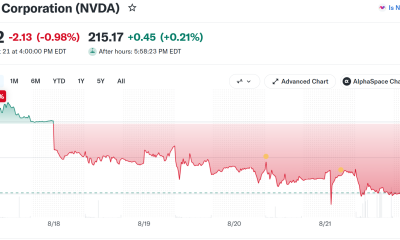
Nvidia Stock Suffers Longest Losing Streak Since 2022: Will Q2 Earnings End It?
-

 Business3 days ago
Moderna CEO warns China is pouring state money into mRNA technology
-

 Business3 days ago
NVIDIA Stock Drops Nearly 2 Percent to $210 on Seventh Losing Day Ahead of Critical AI Earnings
-

 Tech6 days ago
Unitree’s New Superman Robot Claims to Outjump and Outrun Every Human, Usain Bolt Included
-

 Business6 days ago
UK firms in critical financial distress rise 9% to 53,756
-

 Sports5 days ago
Deshaun Watson fires back at Browns fans after being booed: ‘It’s a disrespectful thing’
-
 Crypto World5 days ago
Google Gemini AI Predicts Ethereum Could Become the Trade Retail Misses in 2026
-

 Tech6 days ago
Faster chip in a familiar form factor
-

 Business6 days ago
Will Tesla Stock Be Higher or Lower a Year From Now? Here’s What Wall Street Analysts Are Saying
-

 Business4 days ago
Tesla Recalls Nearly 3 Million Cars in China Over Hidden Door Handles Linked to Multiple Deaths Amid New Ban
-

 Crypto World7 days ago
SEC Regulation Crypto vs CLARITY Act: which framework wins
You must be logged in to post a comment Login