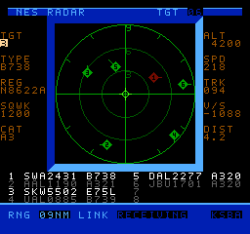
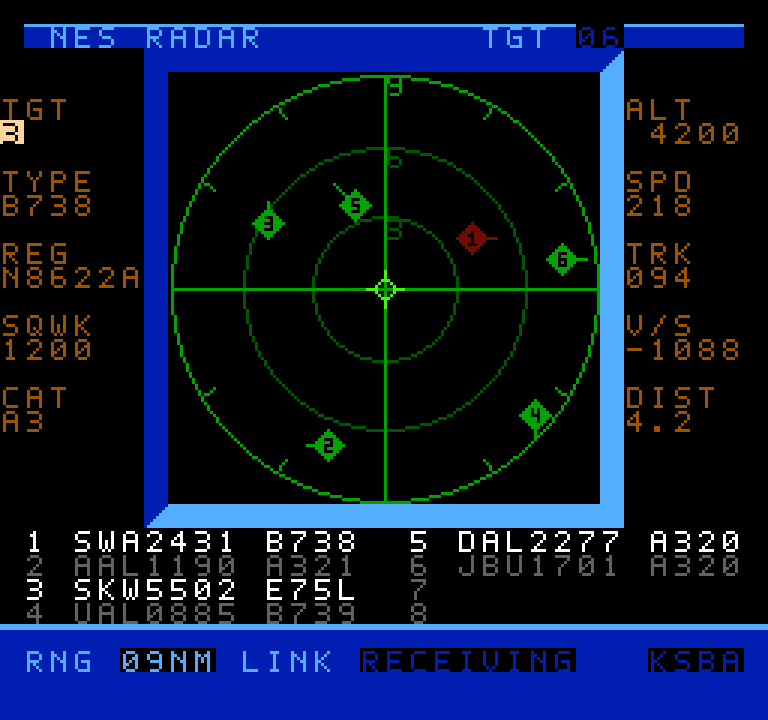
Air traffic visualizers seem to be having a bit of a moment right now, and now that moment has come to the venerable NES thanks to [k6lcm]’s NES Radar project, which is open-source under the GPL on GitHub. In spite of the name, there’s no Radio Direction or Range-Finding involved in this project– no radio at all, in fact, which makes this a bit interesting. It’s just an NES cartridge and a carefully constructed cable.
It looks like a period game, but it’s current-day air traffic.
The cartridge is a standard ROM cart that holds the software — no hidden ESP32 or PicoW here, which is what we initially suspected the project would be. So how is it that when you start up the NES with the cartridge inside, you can input an International Civil Aviation Organization (ICAO) code, like, say, KATL, and get a visualization of the traffic? Well, okay, if you put in KATL, you won’t get all the traffic, since the software is limited to 8 sprites, and that’s the world’s busiest airport. Still, how does it know where those airplanes are?
The secret is in the carefully constructed cable mentioned above: this project is using the second controller port on the NES as a serial port, and getting the data that way. A handy Python script on a nearby computer is what actually fetches aircraft positions. It’s based on c64u-radar, also by [k6lcm], which does the same Python server trick but relies on the Commodore 64 Ultimate’s LAN port to get data rather than using serial. The NES has no such ports available, though, so the controller port it was. We saw a similar trick used for satellite tracking on the NES some years ago.
If you like the idea of tracking flights, perhaps you’d like to see it done on a real radar CRT, or projected directly onto the ceiling. Thanks to ADS-B and free APIs, it seems airplane trackers are everywhere; if an interesting one has come onto your radar, please send us a tip.
Speaking of tips, thanks to [Levi] for putting this one on our scopes!
Most PC cases keep the main chassis relatively close to the desk or floor, but a growing number of new designs are doing something much more fun, yet practical, with the space underneath.
Our favourites deliberately add a gap that gives the case a floating effect. Others take a simpler approach and raise the whole chassis on a stand or base. Either way, manufacturers are paying much more attention to the underside of your PC.
The new designs are definitely about style, particularly as panoramic glass cases have become more popular, but there’s a practical side to floating cases too.
Advertisement
Opening up the lower part of a build gives manufacturers new ways to get cool air towards one of its hottest components: the graphics card. Some designs can also keep the PSU’s airflow separate from the main component chamber.
Of course, not everyone wants to DIY a new build, so for anyone who would rather buy a complete system, it’s worth checking out our guide to the best gaming PCs.
Why are PC cases starting to float?
Panoramic cases, often called fish-tank cases, have become increasingly popular, often replacing conventional mesh panels with extensive glass. While glass makes it easy to see your new CPU cooler’s built-in display, it does mean manufacturers need to take a fresh approach with airflow.
Advertisement
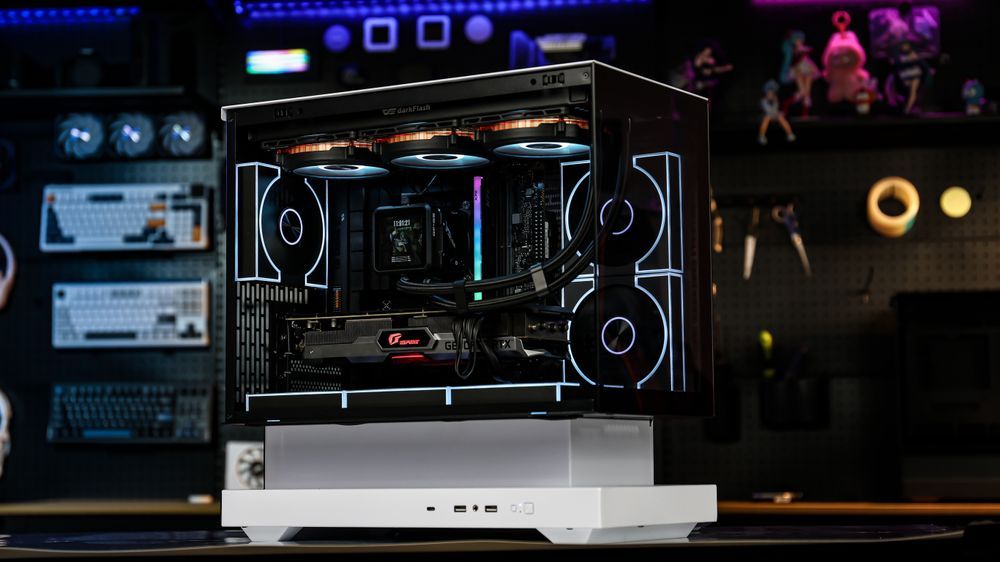
One of the most distinctive new designs is the floating style, where the lower part of the case is deliberately separated or recessed so the main body looks like it’s suspended above the base.
Hyte also showed the upcoming Y50 RGB, which it describes as having a floating base and stepped internal floor. Tom’s Hardware noted its relatively affordable price, showing that this style is beginning to reach cheaper cases too.
The floating look can also help airflow
The empty or recessed space underneath isn’t only decorative, and it’s a key way to bring air into the lower part of the PC.
Exactly how that is achieved varies from case to case. The Cougar CFV235 turns the open section between its two chambers into a large ventilation area. DarkFlash feeds air through the bottom and sides of its raised base, while MSI uses the space beneath the VIXTA as part of its lower intake design.
Advertisement
So while the implementations differ, the space underneath is deliberately designed as part of the intake path.
This setup can be particularly useful for graphics card cooling. A GPU normally sits towards the bottom of a case, so cooler air entering below it can take a relatively direct path to the graphics card.
Image 1 of 3
MSI MPG Maestro Vixta 300R PC case
(Image credit: Future)
MSI MPG Maestro Vixta 300R PC case
(Image credit: Future)
MSI MPG Maestro Vixta 300R PC case
(Image credit: Future)
Floating-style options
These are the options to consider if the floating look is the priority, with both using the space beneath the main chassis as part of the design.
Advertisement
A raised base can achieve something similar
You don’t need the full floating style to get some of the same airflow advantages. Many manufacturers take a simpler approach and raise the entire chassis using a stand or customised legs.
The Phanteks Evolv X2 offers wrap-around glass, but raises the base to help feed a bottom-to-top airflow layout.
The Tryx Luca L70 uses a 40mm (1.6in) X-shaped base to increase the clearance beneath the chassis. Tryx also showed a smaller Luca L50 at Computex 2026 with a bottom fan bracket that can sit flat or be angled towards the components.
Advertisement
These cases can still look partially suspended, but structurally the whole chassis is raised on a purpose-built base.
That extra clearance can be especially useful if the PC sits on the floor, because it keeps bottom intakes further away from carpet that might otherwise obstruct airflow.
Raised-base options
These cases lift the whole chassis to create extra clearance for bottom-mounted fans and intakes.
Advertisement
Advertisement
Does a lower intake actually improve cooling?
The graphics card is often a major source of heat in a gaming PC, particularly at the high end, and Nvidia’s GeForce RTX 5090, for example, has a total graphics power rating of 575W. If you’re building around one of the models in our guide to the best graphics cards, cooling it effectively becomes particularly important.
If you’re adding or replacing case fans, PC Gamer’s guide to the best PC fans is also a great resource.
Testing by PC Gamer and Tom’s Hardware suggests lower intake can make a difference, although the result depends on the rest of the case design.
Tom’s Hardware’s review of the Montech HS02 Pro similarly praised its focus on GPU cooling. The case, which is designed around three bottom intake fans, delivered the best GPU temperatures of the four cases in testing at the same noise level, while also allowing the graphics card’s own fans to run slower than in any of the competing cases.
There’s an important catch, though. Montech’s GPU-focused layout was less effective at cooling an air-cooled CPU. Your CPU cooler matters too, and Tom’s Hardware has a regularly updated guide to the best CPU coolers. Fan speed, dust filters, radiators and other internal obstructions can also change the result.
The tests support the broader idea rather than any one case style: getting cool air into the lower part of the chassis and directing it towards the graphics card can improve GPU cooling. A floating-style or raised-base design can make that easier, but neither guarantees lower temperatures on its own.
Advertisement
Bottom airflow doesn’t require a floating case
Other manufacturers are tackling the same airflow challenge without raising the case at all, using several different layouts to free up or make better use of the space below the GPU.
In a conventional layout, the PSU usually sits along the bottom of the chassis, often beneath a shroud. That occupies space that could otherwise be used for a larger floor intake or fans closer to the GPU. Moving the PSU into a separate chamber, towards the front or to the top gives manufacturers more freedom to use that lower area for cooling.
One approach is to put the PSU in a separate side or rear chamber. The Antec Constellation C8 ARGB separates the CPU and GPU from the PSU and drives, while the Corsair Air 5400 uses a dedicated chamber for the PSU, cables and storage. Lian Li’s O11 cases use a similar multi-chamber approach.
Image 1 of 4
Advertisement
(Image credit: Antec)
(Image credit: Okinos)
(Image credit: Antec)
(Image credit: Corsair)
Another option is to move the PSU towards the front. The Antec Flux M does this so the bottom can be opened up for a large mesh intake and fans beneath the GPU. The Okinos Air Cross and DeepCool’s CL6600 take a similar approach, with the CL6600 also separating its 360mm radiator into an upper chamber.
A third approach is to put the PSU at the top. Fractal Design’s Torrent Compact combines a top-mounted PSU with expansive base intakes and support for up to three 120mm or two 140mm bottom fans. The newer Hyte X50 and X50 Air use a top-mounted PSU canopy to open the floor for what Hyte calls Cold-Floor Cooling, with support for up to three 120mm fans beneath the graphics card.
Other cases improve lower airflow without relocating the PSU. The Montech HS02 Pro builds its cooling around three intake fans in the floor, the Antec P30 Air puts two reverse-blade fans on top of the PSU shroud and feeds them through a lower-side intake, and the NZXT H5 Flow RGB 2024 supports two 120mm fans in the lower section to feed air towards the GPU. The Lian Li O11 Dynamic Mini V2 instead angles its bottom fan mounts upwards by 10 degrees.
Floating-style cases are the most visually obvious part of the trend, but the bigger shift is manufacturers redesigning the lower part of the chassis around graphics card airflow, whether that means relocating the PSU, separating cooling hardware or simply finding better ways to direct cool air towards the GPU.
Advertisement
Other bottom-airflow options
These are our picks if improving lower GPU airflow matters more than getting the full floating look.
If you are looking for something new to play on Roblox, several upcoming games are worth watching. Developers are preparing new titles across a range of genres, with some arriving as early as September and others planned for October. Here are 10 new games coming to Roblox that players can look forward to.
1. Showdown: The Showdown Cup (Early September)
Showdown is a first-person shooter developed by India-based studio SuperGaming. The game focuses on precise gunplay and Jutsu-inspired abilities that add more variety to combat. In September, SuperGaming will introduce the Showdown Cup, its first in-game tournament. The tournament will take place in a new Esports Arena inside the game’s Shibuya-inspired hub. Players can watch live matches as competitors fight for a place on the champions board. The tournament will also give players a new way to test their shooting skills and compete against others.
2. Monster in the Mansion (Early September)
Monster in the Mansion is a cooperative survival-horror game from Ubermonster Productions. Players can team up with up to eight people and enter Doctor Mondo’s mansion. The primary aim of the game is to survive in the house and find an antidote. They will have to use the antidote to heal Doctor Mondo. These features ensure that every session of the game feels unique compared to the last one. The simplicity of the game’s loop helps new players become familiar with the game instantly. As a result, new players can quickly understand how the game works.
3. GOAT Football League (Early September)
Argentina-based Red Wolves Studios developed GOAT Football League, a fast-paced multiplayer football game. It places players in a playful world where goats compete on the football field. The goal of the game is for players to collaborate as a team, score goals, and beat their opponents. With goats as characters, the game adds a funny element to its multiplayer setting. The developers chose to build the game on the Roblox platform to enable faster development and testing. The platform also gave the team the tools needed to build multiplayer gameplay from the beginning.
4. Nemesis (Mid September)
Nemesis is a new fast-paced, competitive shooter being developed by RoyalFire Legends and brought to the Roblox platform. During the game, players can switch between first-person and third-person views. The locomotion system is based on grappling, using hoverboards, wall-running, and sliding. Also, players have special skills that let them see through walls. While the game has fairly simple controls for newbies, it features a very high skill ceiling.
5. Fossil Force (Late September)
Fossil Force, a Jurassic player-versus-environment game from Nibblebyte, will launch on Roblox. The game aims to design an immersive environment filled with visuals and environmental elements. The game uses directional sound effects to warn players about approaching dinosaurs. Various biomes, such as the jungle and tundra, have different dinosaurs and sounds. Fossil Force is not considered a horror game. Nevertheless, the element of surprise due to dinosaur attacks can be intimidating.
6. Caramel (Late September)
Elbside Studios introduces Caramel, a game that lets users enjoy relaxed farming in Roblox. Caramel is a 2D pixel-art game in which players inherit a farm that needs to be developed. The main features of this game are pixel art graphics and custom-made graphics technology. Moreover, it offers a slower pace in comparison with other action-based games in this line-up. The author has been developing games on Roblox for about eight years. Since then, the platform has helped them develop their skills and bring new ideas to life.
7. Prime Heroes (October)
SuperGaming is developing Prime Heroes as a Roblox-exclusive team hero shooter. The game is set in the studio’s original Prime universe. Players will pick a side and choose a hero before entering competitive matches. Teams must capture crown sites while battling their opponents. Early access will launch in September with six playable heroes. Another 10 heroes are also in development, bringing the planned roster to 16 heroes. More heroes will arrive through future seasons.
8. Octane (October)
Octane provides open-world racing from the developers at Ignition Switch. The developers plan to release a high-fidelity racing game on Roblox, available to users for free. This means that the game is playable on several devices. There is also physics involved, as the way cars drift changes depending on the interaction between the car and the track. Racing can be done on various tracks, cliffs, and in any way possible with your car. This freedom is a key part of the experience that Octane aims to offer.
9. Starforged (October)
Starforged is an RPG action game based on science fantasy, created by Studio Making Fun. It offers players opportunities to explore a vast open world, level up their characters, and become powerful in the process. The game features tactical battles, extraction, and character development. A player can develop their skills and weapons throughout the game. Starforged features chargeable cores for weapons, with the help of which players can cause huge damage in battle.
10. Scrapbook Saga (October)
Scrapbook Saga offers a multiplayer aspect to the turn-based RPG category. Created by FadedBFox and Xeycrow, the game takes place in an artistic and bright world. Handcrafted paper animations give the game unique visuals. Its fun art style complements the paper theme as well. Up to four players can team up to take on harder enemies. They can also coordinate their actions and attack as a team in battles.
Some authors hoping to receive their share of Anthropic’s $1.5 billion copyright settlement said they received surprising emails this week — emails informing them that someone else was making a claim on their payments.
Anthropic settled a copyright class action suit last year, after a judge ruled that training AI models on copyrighted material is legal under fair use doctrine, but pirating that material was not. The deal received final approval in July, allowing the payments to move forward.
Under the terms of the settlement, the authors of nearly 500,000 titles will be paid $3,000 for each pirated work. If the book is still in-print with a traditional publisher, the money will be split 50-50 between author and publisher. If the book was self-published, or if the publisher reverted the rights by allowing the book to go out-of-print, then the author should get the entire payment.
But writers have been posting on social media that publishers seem to be claiming more than their fair share of some payments. For example, mystery and thriller author April Henry asked, “WTF is HarperCollins playing at? They claimed one of my books on the Anthropic Settlement that reverted back at least 17 years ago AND on the same day I got a credit alert saying they had been added as my employer! (which they never were).”
Advertisement
At the popular blog Writers Beware, Victoria Strauss wrote that she’s been receiving author complaints that fall into two broad categories: one where publishers are seeking payment for works that they no longer have a legitimate claim on (because the rights have reverted), and another where publishers are seeking a full 100% payment when they’re only entitled to 50%.
In both cases, Strauss said she’s “reluctant to attribute to malice what can be plausibly explained by poor recordkeeping” — and she noted that some publishers have already said this is a mistake that they’ve asked Anthropic to fix.
Similarly, Authors Guild CEO Mary Rasenberger told The New York Times that she doesn’t see this as “a grab by the publishers” and that she doesn’t believe publishers are “specifically trying to screw any author over.” Instead, she argued that this is the predictable result of bad record-keeping and a confusing settlement process.
Strauss also acknowledged that any complaints she’s seen are just “a peek through a small crack in a massive wall.”
Advertisement
“But the unusually large number of reports I’ve received over the last two days, as well as the fact that authors are reporting the exact same errors over and over, suggest to me that these aren’t the kind of routine glitches you might expect from such a large operation, but something much more wide[s]pread and systemic,” she wrote.
And publishers aren’t the only ones seeking a cut of the payments. Strauss said she’s gotten complaints that a number of literary agencies are also making claims, which she said is surprising since “agents are not rightsholders in the books that they sell.”
Author Courtney Milan (the pen name of former law clerk and law professor Heidi Bond) was more blunt in a post on Bluesky, writing, “Apparently some agents are trying to claim percentages on the Anthropic settlement, and I do not REMOTELY think they should do this, what the fuck, stop that shit!”
Milan and the Authors Guild also shared more details about how authors can dispute their payment allocations. (One tricky issue: When the rights to a specific book reverted. In order for an author to make a 100% claim on a book, the rights reversion needs to have happened before August 10, 2022, which is the “download date” in the settlement.)
Advertisement
When you purchase through links in our articles, we may earn a small commission. This doesn’t affect our editorial independence.
Google has begun rolling out beta voice features using Gemini 3.5 AI that allow you to have interactive conversations with its Gmail, Docs and Keep services. That means users can issue voice commands to find information in Gmail emails, incorporate AI search results into their Keep notes or start and organize a file in Docs without ever typing any text.
The features are in beta and are known collectively as just “Live,” as in Gmail Live or Docs Live. The Live features for Gmail and Keep are only currently available to Google’s AI Plus, Pro and Ultra paid-tier subscribers. Docs only works for Pro and Ultra subscribers right now.
Google said in a post that the new features will be coming soon for business customers who use Google Workspace.
Advertisement
In a video, Google staffers said that the Live voice features can make using the three Google apps more conversational and may be faster than typing searches or entering information manually.
Google previewed these features at its I/O event in May as part of a blitz of AI features powered by Gemini that it would be introducing over the next year. In the case of Gmail, Google has already been adding AI features to make inboxes easier to wrangle.
How to use the Live features
If you have access to them, using the voice features in Gmail, Docs and Keep should be as easy as tapping the Live icon at the top of each app.
You can ask Gmail to do things like find a specific email, compose a reply or answer questions from the context of emails, such as finding details about an upcoming flight you’ve booked or checking when you last received an email response from someone.
Advertisement
In Google’s examples of how to use Live for Keep, the company said making the note-taking app a kind of intake for brain dumps is a good use, but it can also help organize notes or find information within them with voice commands.
Docs, according to Google, can also pull in information from services like Google Chat, Gmail and Drive with permission as well as websites, allowing it to create documents that pull together different elements with just voice commands.
Omar Gallaga has covered technology, digital culture and other topics for outlets including CNET, NPR, WIRED, Texas Monthly, MSNBC, Consumer Reports, The Washington Post, the Los Angeles Times, The Atlantic and the Austin American-Statesman, where he was a longtime tech reporter, editor and podcaster. He lives in the Texas Hill Country.
See full bio
When I first tested the developer beta of Apple’s Siri AI by taking it as my tour guide around San Francisco, I was convinced the overhauled smartphone assistant would be an “everything tool” on the iPhone. The answers felt reliable enough and more helpful than previous versions of Siri. Also, the chatbot-style app for Siri felt very sleek, very Apple-y.
Over the next month, I kept experimenting with the Siri AI in the iOS 27 beta. The tool was quite powerful, especially with the personal context brought in by indexing the contents of my phone. Finding an ancient text message or photo has never been easier. Even so, my usage of the smartphone assistant slowly started tapering off.
It’s not that Siri AI isn’t better now. It is! This new version is quite the step change, which makes my reaction even more devastating. Siri AI isn’t revolutionizing how I interact with my phone the way I’d initially hoped, especially as an AI assistant built directly into the device and factoring in that Apple gives more thought to preserving my privacy than many other AI companies.
Even though I wasn’t going out of my way to interact with Siri AI, I didn’t mind how it was now, essentially, the search bar for the smartphone. As the summer months faded, I wasn’t souring on Siri AI. Instead, I just grew more neutral.
Advertisement
Old habits die hard. Soon I was back to my regularly scheduled doomscrolling on Instagram and aimless Yelp expeditions. I was manually typing and swiping for myself rather than relying on a smartphone assistant for help. And I was already low-key locked in with another chatbot, Anthropic’s Claude, and already used that app fairly often on my phone.
Even though some AI power users may not go all in on this new Siri, analysts say this won’t matter, since everyday users are often fine with Apple’s default software. “Will Siri bear the weight of criticism for not being as good as some of its peers? Sure,” says Dipanjan Chatterjee, vice president and principal analyst at Forrester, a research and consultancy company. “Will it make a difference to the vast installed base of iPhone users and cause them to look elsewhere? Not a chance.” Some iPhone users trust Apple with their data in ways they don’t with any other company. Siri AI may reap those same benefits.
Tech analysts see Apple’s long-cultivated consumer trust in data privacy as potentially a compelling distinction. Ramon Llamas, a research director analyzing the mobile device market at the International Data Corporation, believes users deep in the Apple ecosystem, who previously had qualms about the safety of other AI tools, may be open to trying the new Siri.
My experience with Siri AI—loving it and then leaving it for dust—may be an outlier. Many other beta testers are still rocking with the smartphone assistant.
Advertisement
“In the past, I was unwilling to trust that Siri could do anything useful,” says Avi Greengart, founder and lead analyst at Techsponential. “But with the latest beta software, I’m finding myself not only using it more, but for more things: Siri is now able to find information buried on my phone faster and more efficiently than any other method, its world knowledge is vastly better than before, and even dictation works better.”
That said, the cultural backlash to generative AI has been brewing. Another solid segment of iPhone owners may choose to avoid the new Siri altogether because of the AI attached to its name. Whether it’s a moral objection or broader distrust of AI tools, these holdouts are unlikely to be won over by Siri’s feature improvements.
Ultimately, my own summer fling with Siri AI was short-lived. But I promise, it’s not you. It’s me.
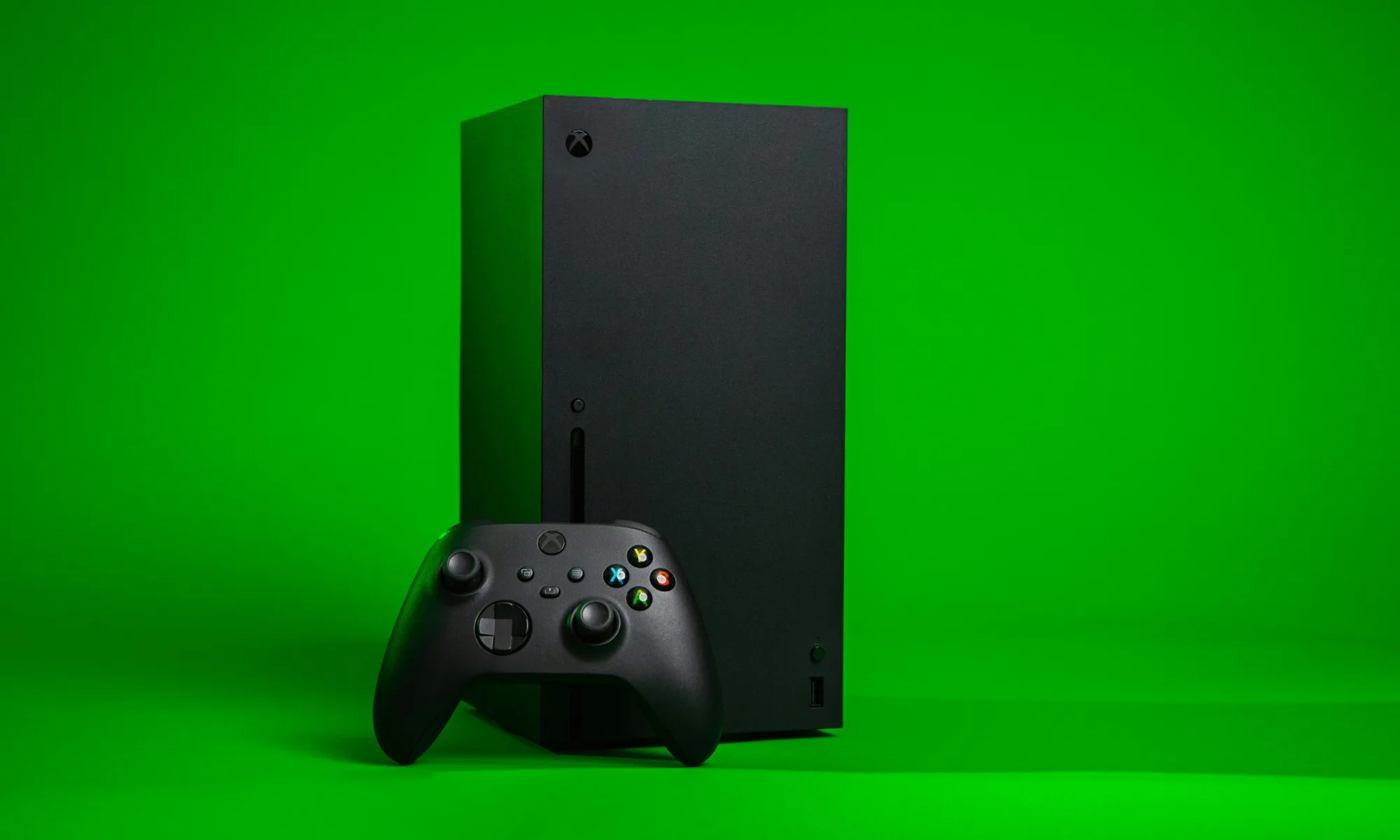
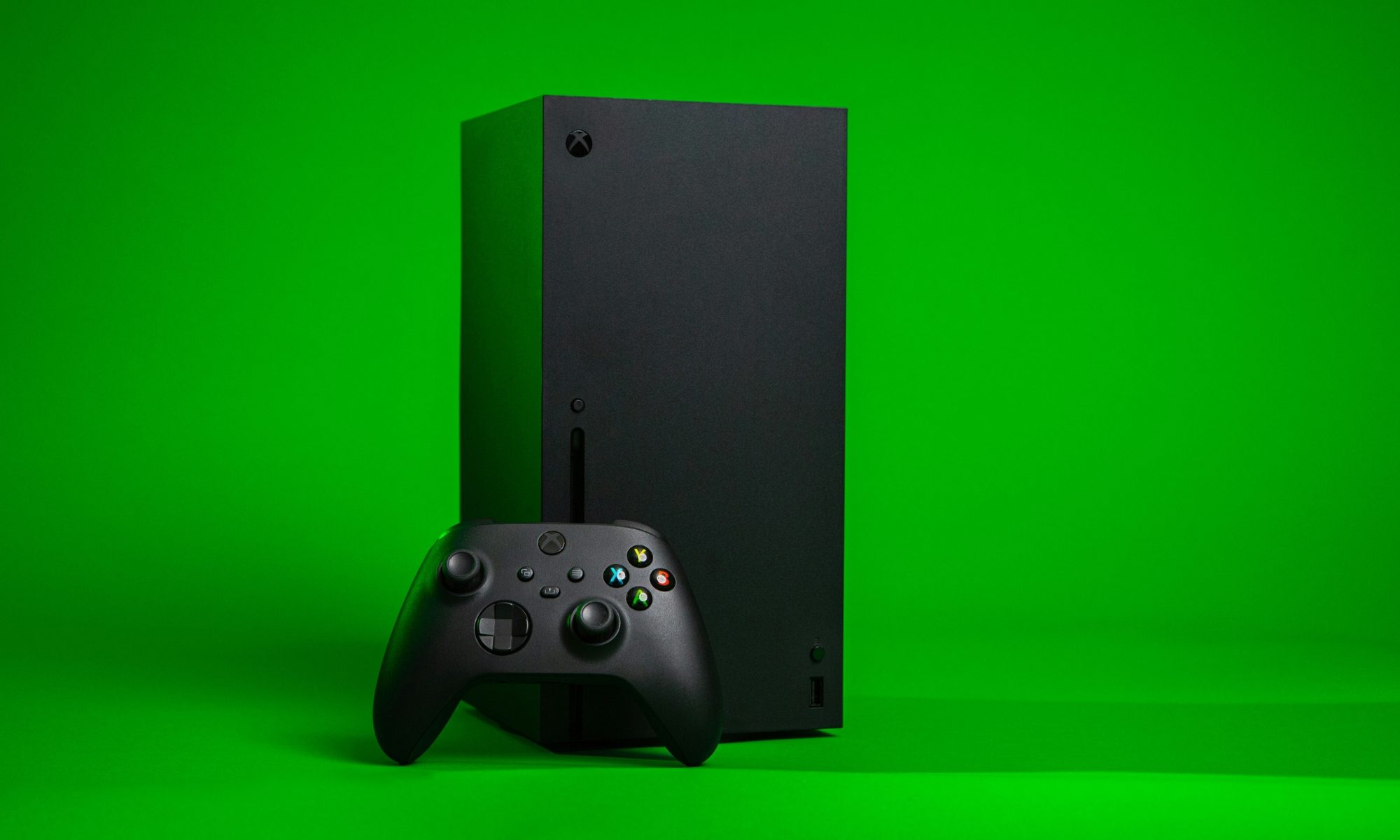
Microsoft is expanding Xbox Cloud Gaming beyond consoles and PCs, partnering with TCL to bring the Xbox app to select TCL Smart TVs in the coming months. The move gives gamers another way to access Xbox titles directly from a television without needing an Xbox console.
The partnership, announced on September 4, is part of Xbox’s broader push to make its gaming ecosystem available across more devices. Microsoft says the app will reach millions of TCL TV users across more than 25 countries, allowing them to stream supported Xbox games on TVs they already own.
Xbox gaming moves closer to becoming a TV app
Once the Xbox app arrives on supported TCL Smart TVs, players will be able to access Xbox Cloud Gaming through an Xbox Game Pass subscription and stream supported games directly to their television. Eligible Game Pass subscribers will also get access to an instant library of cloud-playable games.
There is a catch, however: users will need a supported TCL Smart TV, a compatible controller, and cloud playtime included with Xbox Game Pass or purchased separately. So while the console can stay out of the equation, the controller and subscription still matter.
Advertisement
For players, the appeal is fairly straightforward. A supported TV could effectively become another entry point into the Xbox ecosystem, making it possible to play without buying dedicated Xbox hardware. That could be particularly useful for casual players or households that already have a compatible TCL television.
The partnership also highlights Microsoft’s strategy of making Xbox less dependent on a single piece of hardware. Rather than restricting the experience to consoles, the company says it wants players to have more choice in how and where they play.
Your games can follow you across Xbox devices
The TV experience will also retain key parts of the wider Xbox ecosystem. Microsoft says games, friends, achievements and saves can travel between supported TCL Smart TVs, consoles and PCs, allowing players to pick up where they left off.
Xbox
That means the television isn’t being treated as an isolated gaming platform. Instead, it becomes another screen through which players can access their existing Xbox experience.
For now, Microsoft has only said the Xbox app will arrive on select TCL Smart TVs in the coming months. It has not provided a specific launch date in the announcement. The rollout will therefore depend on supported TV models and regional availability.
Advertisement
The next step is for Xbox and TCL to reveal which Smart TV models and countries will receive the app, followed by the actual rollout. Until then, gamers will have to wait before turning their TCL television into another Xbox Cloud Gaming machine.
For over a decade, Teresios Bundi made a living writing essays for overseas college students looking for a shortcut. His first assignment, a two-page paper on a fruit he had never even heard of, earned him $7. Over the years that followed, Bundi says he churned out more than 2,500 essays covering subjects from engineering to medicine.
How did Kenya become an essay-writing hotspot?
Once cheap high-speed internet reached Kenya around 2009, thousands of well-educated but underemployed graduates found work in the cracks of the global digital economy. Essay writing became one of the most lucrative gigs, with writers charging $40 to $70 per paper.
Rachit Agarwal / Digital Trends
Researchers say Kenya’s essay-mill industry employed roughly 40,000 people in Nairobi at its peak. Bundi even built a business out of it, setting up a workspace stocked with computers and fast Wi-Fi to keep pace with the demand.
Kenya’s government leaned into the trend too, training graduates to use freelance platforms and later adopting a national plan built around online outsourcing work.
What happened when ChatGPT showed up?
Then OpenAI released ChatGPT in 2022, and the math changed overnight for students. Suddenly, students didn’t need a human ghostwriter in Nairobi when a free chatbot could spit out an essay in seconds. Demand for essay writers collapsed almost as fast as it had grown, and pay rates followed.
Advertisement
“I never would have expected AI could do this,” Bundi told The New York Times.
The damage wasn’t limited to essay writing. Transcription work and content moderation gigs, once reliable income for Kenyans, have also faded as AI tools took over. Labor activist Frida Mwangi, who used to transcribe interviews for a living, said companies eventually told her to just use AI herself. “My job went completely,” she said.
Tim Witzdam / Pexels
Oxford researcher Mark Graham, who has studied the global gig economy, put it bluntly: “It’s not just going to be Kenya — it’s going to be everywhere we see a big transformation. AI has come in and taken big chunks of these labor markets.”
Bundi now helps other young Kenyans navigate the digital economy, but he sees his own story as a warning of what’s coming for everyone else. “AI is coming for bankers, for accountants… it’s coming for everybody,” he said.
AI has already changed the job landscape as we know it, and this feels like just the beginning. Kenyans just found that out the hard way, and the rest of us might not be far behind.
MapQuest, who knew? A week ago, the app seemed like just another long-forgotten relic from the dotcom glory days. Now, it’s surged to the top of app download charts after the company ignored an executive order from President Donald Trump by refusing to relabel Lake Ontario as Lake America. And the company apparently is going to keep riding the wave.
The 30-year-old app announced that it was bringing its navigation service to Android Auto in an experimental phase. Thus, drivers can use MapQuest on their dashboard infotainment screens rather than Google Maps if they have Android Auto enabled.
Android Auto is a software system that allows Android phone apps to display on a dashboard screen, which basically performs like a computer monitor. By connecting your phone to the vehicle’s Android Auto system, you can use map apps such as Google, Waze and now MapQuest, as well as stream music and listen to podcasts or use AI programs like Google Assistant or Gemini to send texts and make calls.
Advertisement
What about Apple users? A message on MapQuest’s help center noted that “CarPlay is coming to the MapQuest iOS app soon!”
In addition to basic navigation, the MapQuest app is trying out a crowdsourcing feature on Android Auto. Drivers and passengers can report accidents, road closures and activity by police and other first-responders on the app so that other drivers might know what’s coming up for them on the roads.
As a comparison, MapQuest and Google Maps both have the basics — planning a route from Point A to Point B with an estimated travel time, a computer voice telling when and where to turn and search functionality to find businesses and other locations. But Google Maps also has public transit directions, indoor maps for malls and airports and user reviews of businesses through its integration with Google Search.
MapQuest did not say if all Android Auto users would be able to use it or how long the beta testing would last. A representative for MapQuest did not immediately respond to a request for comment.
MapQuest back in the spotlight
It’s been a while since “MapQuest” rolled off the tongue of many Americans. The company launched on Feb. 5, 1996, and within a few years, it controlled nearly all of the market share for online mapping, with 2 million page views per day in 1999. But the company began to decline after Google launched its maps app in 2005.
That changed earlier this week. MapQuest refused to change Lake Ontario to Lake America on its maps, as Trump called for with an executive order on Aug. 27. Google and Apple complied, but MapQuest and Microsoft haven’t.
Advertisement
Within days, MapQuest became the No. 1 most-downloaded app in the US, with more than 1.5 million downloads since Trump’s order. The company also created a widget that lets you name the lake whatever you want.
MapQuest General Manager Doug Berger told CNN’s Erin Burnett, “We were absolutely blown away by the response,” he said. “It’s completely shocking.”
Ever since being admittedly fascinated by the Cambridge coffee webcam from the 1990s, I’ve written about VPNs, the NFL, smartphones, living wages, over/unders and everything in between.
See full bio
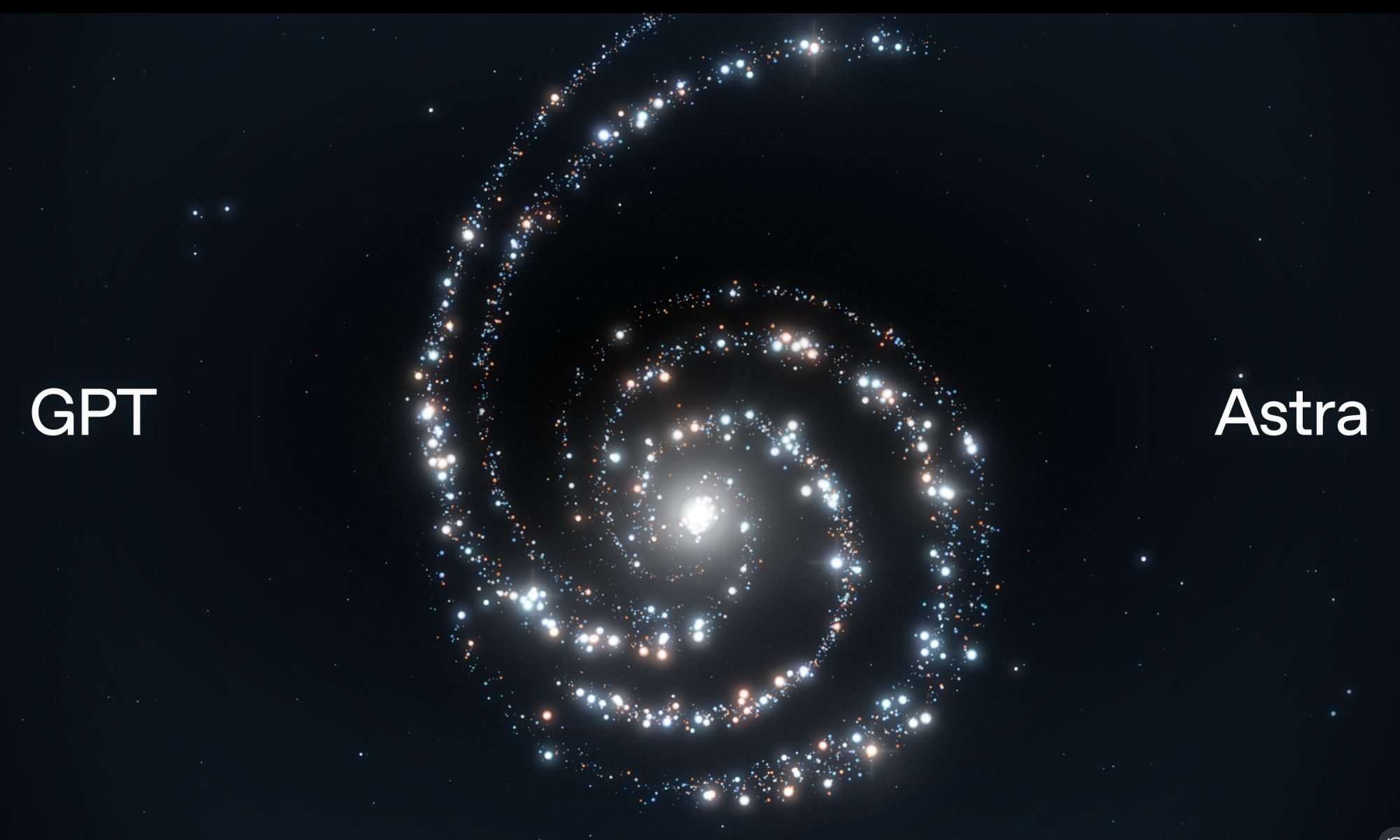
OpenAI is now rolling out ChatGPT Astra, its most powerful model to date, to those with a $20 Plus subscription, but there’s no word on when free users will get access.
The rollout appears to be happening gradually, and Astra may show up inside ChatGPT Work before it becomes available in regular Chat.
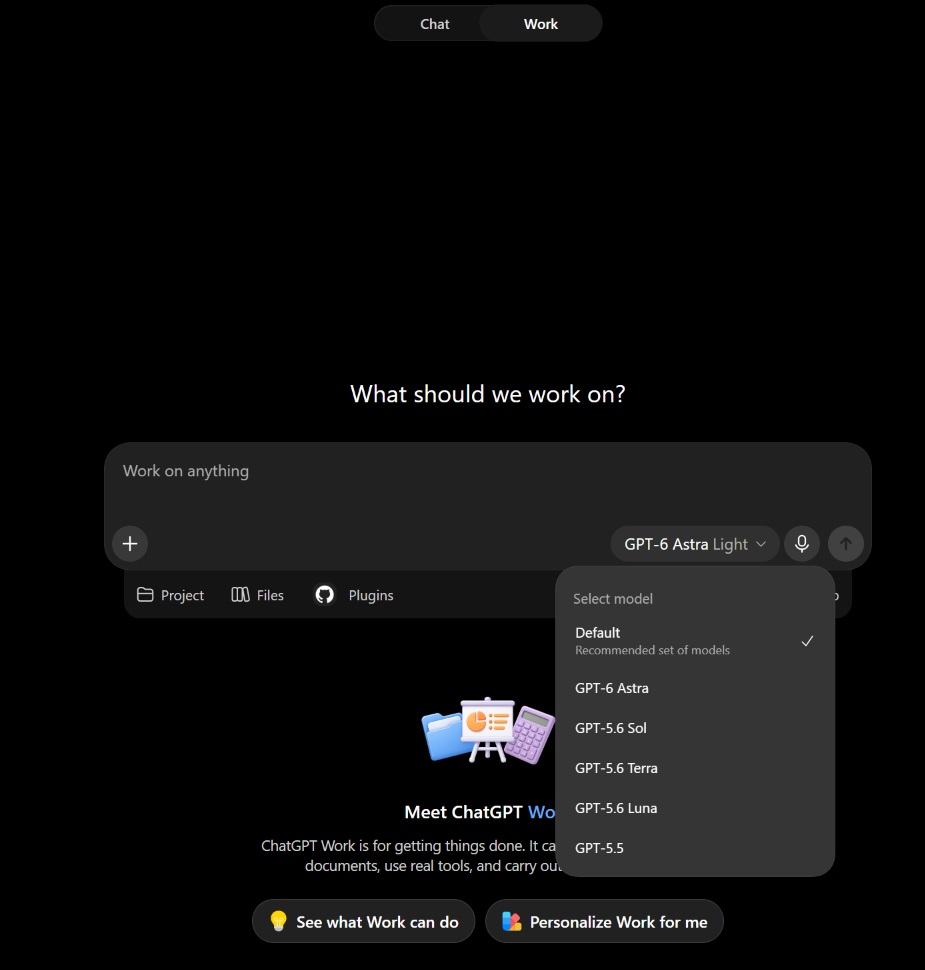
In my $20 Plus account, Astra is already available in the Work section of ChatGPT, while the normal Chat model picker still doesn’t offer it.
Here’s what it looks like when I go to ChatGPT Work and click on the model picker:
Advertisement
ChatGPT Astra
Source: BleepingComputer
So, if you have ChatGPT Plus and don’t see Astra in regular Chat yet, it’s worth checking Work.
OpenAI previously confirmed that it’s rolling out Astra to Plus users, but it’ll be a while before it shows up for everyone.
“GPT-6 Astra is now available to all Pro, Enterprise, and Business Premium users in ChatGPT Work and Codex. It’s also live in the API,” OpenAI wrote in a post on X.
“It might take a few days to roll out to our Plus and Business users.”
Astra is included with the existing ChatGPT Plus subscription
OpenAI says Astra usage is included within existing subscription limits, so Plus users do not need to purchase a separate plan to access the model.
Advertisement
If you need additional usage, you will also be able to buy credits.
Astra is OpenAI’s new flagship model and is designed for computer use, browsing, coding, science, cybersecurity, and longer professional tasks.
OpenAI says it is also significantly better than GPT-5.6 Sol at maintaining context during complex work.
While ChatGPT Astra is rolling out to paid users, OpenAI hasn’t said whether the model will roll out to free users, or in what capacity if it does. For now, free users have access to GPT-5.6 Sol and GPT-5.
Advertisement
Overall prevention scores can hide what happens after initial access. Once attackers are using valid credentials, prevention drops sharply.
The Blue Report 2026 measures defenses technique by technique across 338 million simulations run in customer production environments.
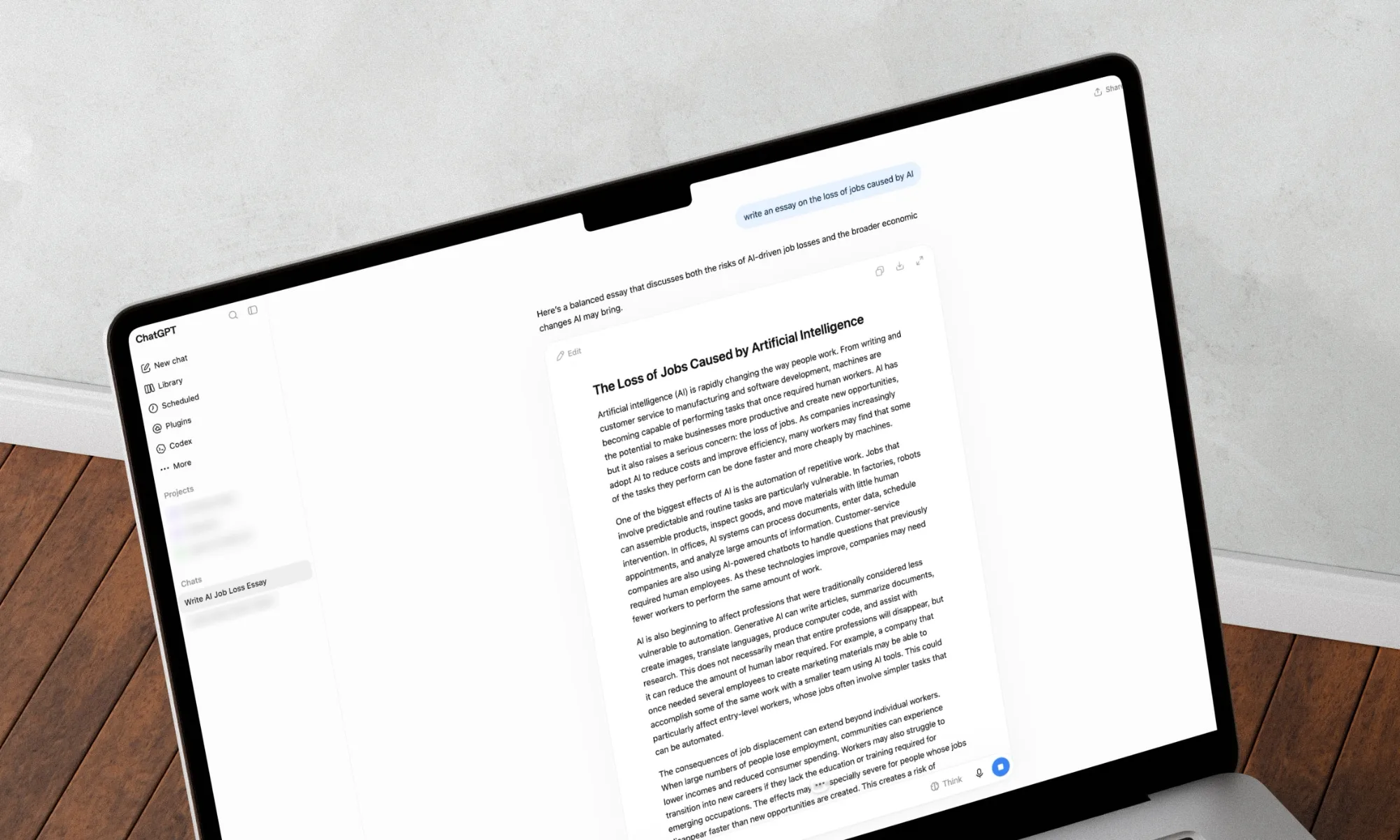
OpenAI’s newest flagship AI model is starting to reach ChatGPT Plus subscribers, giving people on the $20 plan access to GPT-6 Astra just days after its debut.
Plus users can access Astra through ChatGPT Work and Codex as the rollout reaches more accounts. OpenAI says availability is gradual, so the model may not appear for everyone immediately. Astra is not currently included in regular Chat for Plus users.
Usage is covered by the existing Plus allowance rather than requiring another subscription. Plus users get limited Astra access, while additional usage can be purchased with credits once the included allowance runs out.
What are Plus users getting?
We previously covered Astra when OpenAI introduced it on September 3. The model is built for jobs such as writing code, researching subjects, operating software, and working through longer professional tasks.
Advertisement
Rachit Agarwal / Digital Trends
Astra can also create documents, spreadsheets, and presentations while following existing templates and adjusting when instructions change. OpenAI says it is better at keeping track of earlier requirements during long tasks instead of losing sight of the original request.
Why is Astra better than GPT-5.6 Sol?
OpenAI’s own tests show some sizeable gains over GPT-5.6 Sol. On Terminal-Bench 4.0, which measures performance on complex terminal-based work, Astra scored 57.9% compared with 37.3% for Sol. On OSWorld 2.0, Astra scored 72.6% and completed tasks in roughly 40 minutes on average, while Sol scored 65.7% and took around 75 minutes.
Long tasks also appear to be one of Astra’s stronger areas. On OpenAI’s 512K-to-1M long-context test, Astra scored 96.3% compared with 73.8% for Sol. It is worth keeping in mind that these numbers come from OpenAI’s own tests, so real-world results will depend on what people actually ask Astra to do.
OpenAI
OpenAI has not said if or when Astra will become available to free ChatGPT users. There is some precedent for what could happen, though. Free users never received GPT-5.6 Sol, which remained limited to paid plans. OpenAI instead gave them GPT-5.6 Luna, a lighter and faster model from the same family, about a month after Sol launched.
The company could eventually take a similar approach with GPT-6, giving free users a less capable model rather than Astra itself. That is purely speculation for now, based only on how OpenAI handled the previous generation. The company has not announced a lighter GPT-6 model or said whether any version of the GPT-6 family will come to free users.





























































You must be logged in to post a comment Login