Connect with us

Tech

Is VR back from the dead? After the terrible year 2026 has been so far the Meta VR Glasses give me hope

Published

on

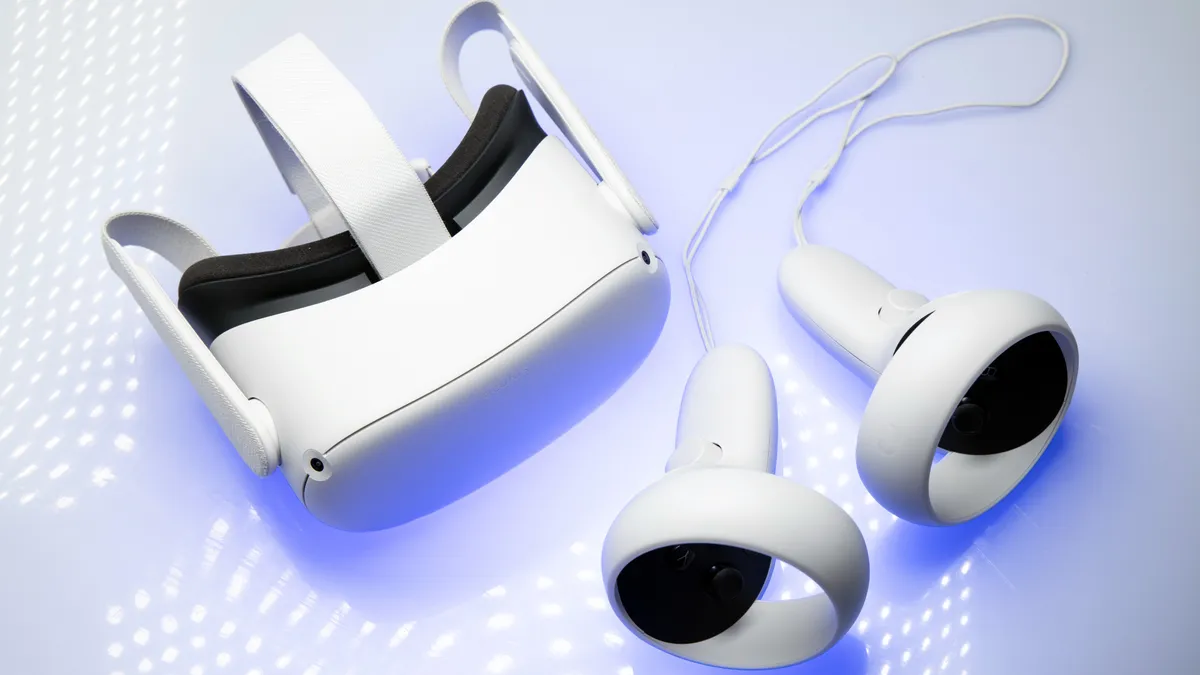
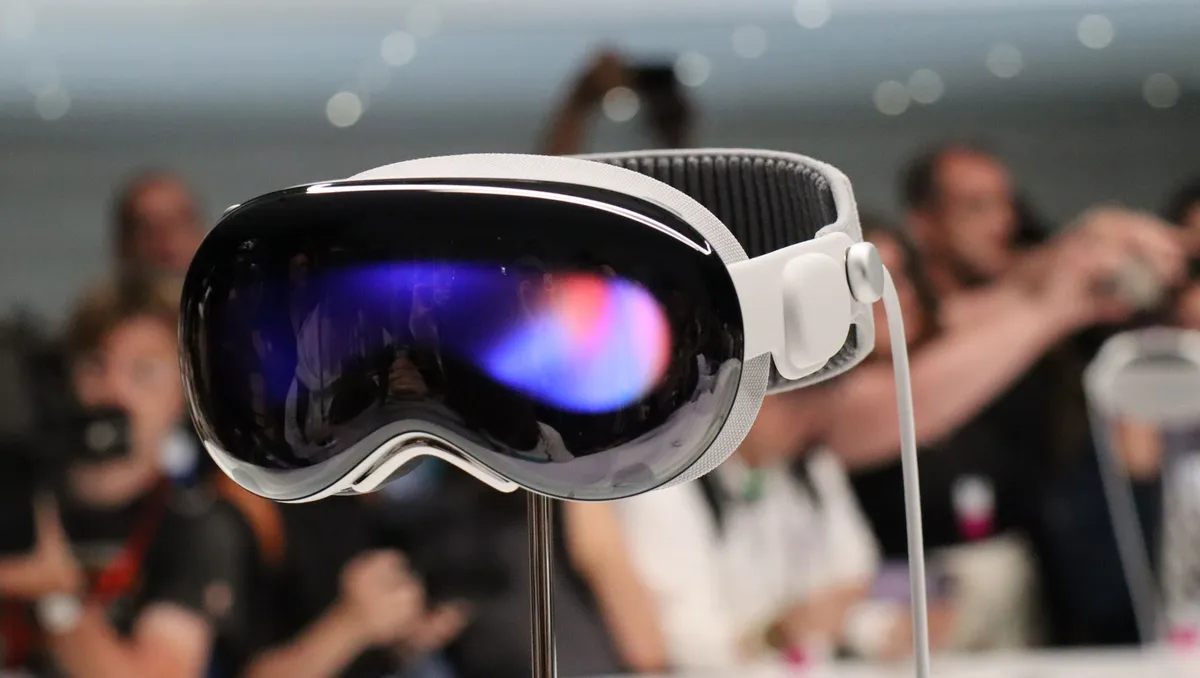
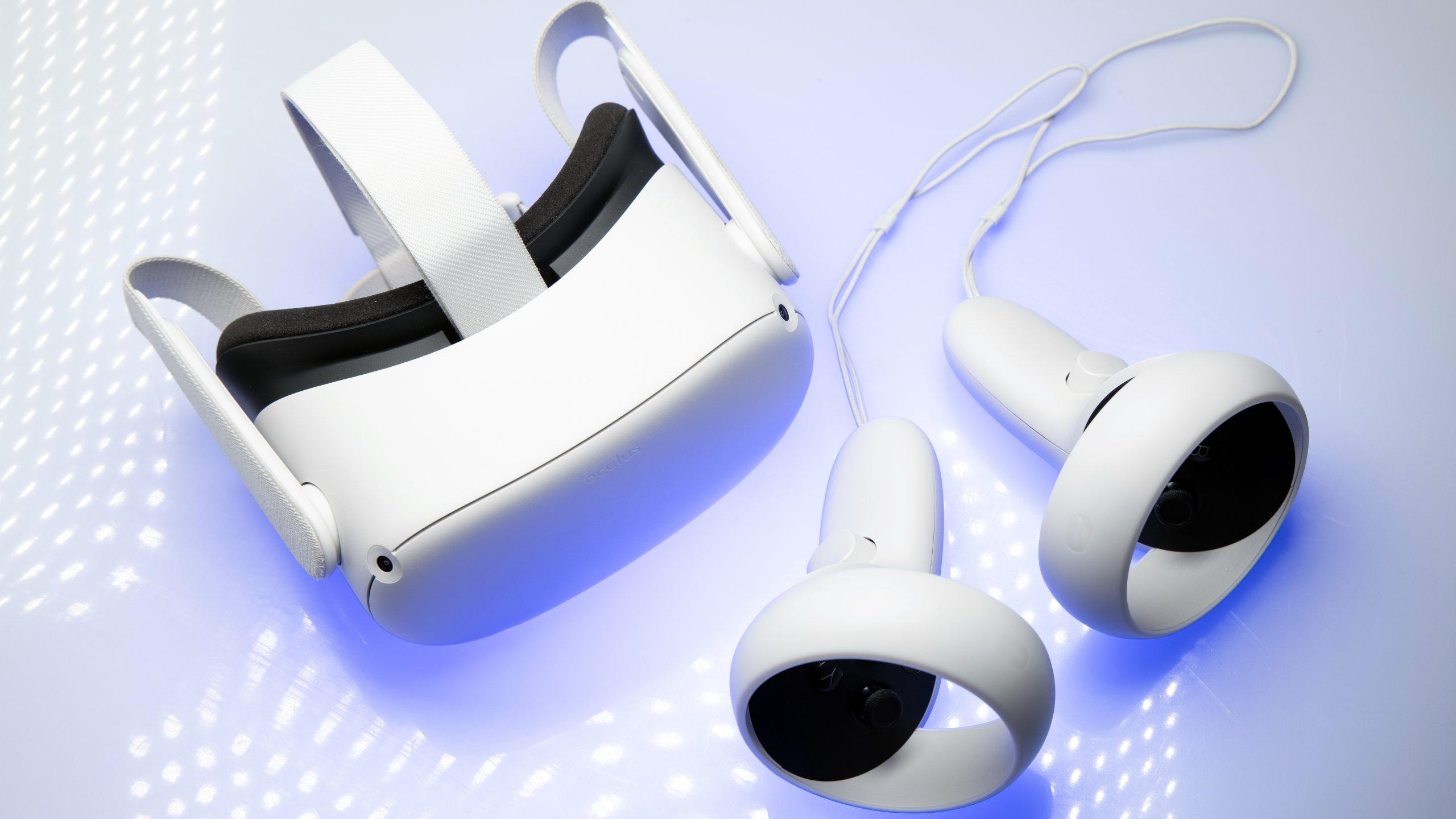
Since the Oculus Quest 2, the VR industry has been chasing a high point that seems impossible to re-summit — let alone surpass. I mean, how can you compete with popularity propelled by global pandemic-caused lockdowns and ultra-low costs when people are no longer trapped in their homes and facing down RAM-crisis-fuelled tech price hikes?

You can’t. But the Meta VR Glasses give me hope that’ll change, that VR is on an upward swing again.

Source link

Advertisement
Continue Reading
Click to comment

You must be logged in to post a comment Login

Leave a Reply

Tech

I Tested Ninja’s CrushBoss, a $230 Blender That Chops, Dices, Minces and Mixes

Published

on

One of the biggest roadblocks for adding countertop appliances to your kitchen is storage. For folks with a small kitchen, myself included, the struggle often looks like a constant shuffle, trading one appliance for another in the pantry. This problem is less noticeable in larger kitchens, but you might end up with more clutter than you’d like.

crushboss blender
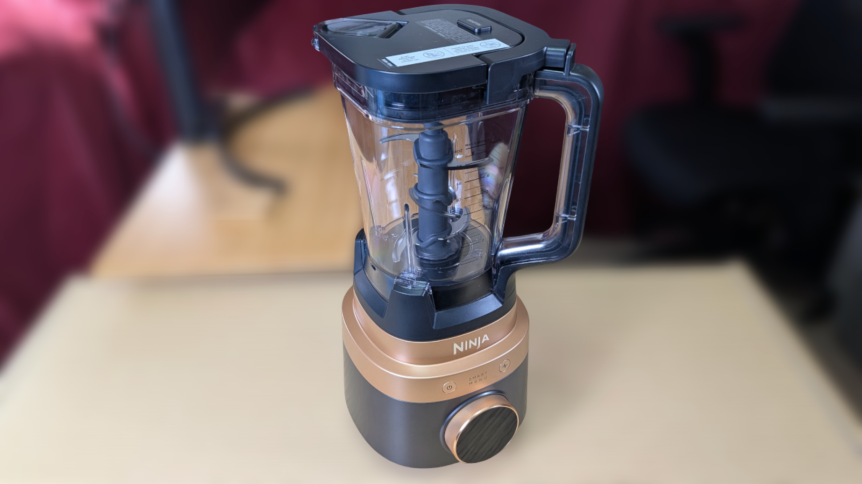
This modestly sized blender does far more than blend. John Carlsen/CNET

Eventually, you need to decide if you’ll use an appliance often enough to justify getting it. In my case, I’m much more likely to choose a multipurpose product like an Instant Pot pressure cooker or an air fryer. Perhaps this is why I was excited to test out the Ninja CrushBoss, which combines a large blender, food processor and small smoothie blender into a single device. I spent the two weeks using a sample unit from Ninja in my kitchen, and I’m eager to share my thoughts. 

Four appliances in one. Well, kind of

Ninja-CrushBoss-base-with-vessels-and-accessories-on-desk.jpg
The main appeal of the Ninja CrushBoss is that it comes with three vessels: a 72-ounce blender pitcher, a 64-ounce food processor bowl and a 26-ounce smoothie tumbler.

CrushBoss isn’t Ninja’s first attempt at an all-in-one kitchen system, as the Ninja Detect, Ninja Professional Plus and Ninja Foodi Power Blender all attempt similar feats. What sets Ninja CrushBoss apart are the PrecisionDice and MultiBlade Disc attachments for the food processor bowl, plus a better smoothie tumbler design than previous models.

Similarly, the blender’s preset programs change depending on which vessel you attach to the 1850-watt base motor, with each program running automatically to achieve the desired results. You can rotate the outer ring of the small LCD screen to choose your setting, then make the final selection by pressing the top of the screen inward to click. It’s not a touchscreen, but it’s easy enough to use once you learn the controls.

Ninja-CrushBoss-base-with-vessels-on-desk
Intelligent blending features, PrepIQ and SmoothSense, track the type and consistency of what you’re blending, but I didn’t notice a difference compared to the preset programs or custom speed controls.John Carlsen/CNET

There isn’t much that’s special about the large blender pitcher, which uses largely the same design as other standalone Ninja blenders. It comes with a single blade assembly and presets for mincing, small chopping and large chopping. The smoothie tumbler is similarly simple, with its small blade assembly supporting ice crushing, blending and smoothie presets. Compared to older tumblers, the Travel Tumbler’s main upgrade is a better carrying handle, flip-top lid and a large smoothie straw — it’s more like a Stanley cup than a NutriBullet personal blender.

Last, but not least, is the food processor, which has the most accessories, including a chopping blade, dough blade, MultiBlade Disc and the PrecisionDice assembly. Where the Ninja Detect’s food processor included reversible stainless steel discs, the MultiBlade attachment is largely plastic, with specific inserts depending on the model you choose. The model I tested came with inserts for thick slices, crinkle-cut slices and shredding — Ninja also sells inserts for thin slices, french fries and julienning.

Ninja-CrushBoss-base-with-vessels-and-accessories-on-desk
While I understand that the plastic MultiBlade Disc and inserts reduce the amount of stainless steel in the package, I can’t help but wonder about their long-term durability compared to all-metal discs.John Carlsen/CNET

I call it a kind of four-in-one appliance because the smoothie tumbler’s main benefits are, naturally, smoother blending consistency than the large pitcher and greater travel portability with the included lid and smoothie straw. You can still use the large pitcher for family-size smoothies and anything too big for the other two vessels, so adding a blending function to each vessel is largely superfluous. Similarly, the dicing kit is hardly an appliance on its own, since you’ll see it on other food processor brands like KitchenAid and Breville.

How useful is the Ninja CrushBoss?

Ninja-CrushBoss-food-processor-next-to-bowl-of-diced-watermelon-and-fresh-fruit-on-cutting-board
My Ninja CrushBoss tests were informal, so I mostly wanted to see whether it could handle a few tasks, like making salads, smoothies, processing cheese and chopping a few kinds of vegetables. I tested every attachment and accessory in the box, with most receiving multiple tests.John Carlsen/CNET

Of the three vessels, I spent the most time with the food processor. I used the PrecisionDice attachment to prepare a fruit salad, which went very smoothly and had no issues with mango, watermelon, strawberries and pineapple. I pureed some blackberries with the food processor’s chopping blade to add more texture to the salad, though the smoothie attachment was ultimately a better option for crushing the blackberry seeds.
Next, I swapped the dicing attachment for the MultiBlade and sliced potatoes and cucumbers with the normal and crinkle-cut attachments. Again, the results were very good. Things were a little less consistent when I processed carrots and cabbage with the shredder for a quick coleslaw, as some bits of each remained unprocessed between the blade and lid. The amount of unprocessed vegetables was minimal, so I tossed them into a bowl of ramen instead of manually chopping them for the coleslaw.

Advertisement
Ninja-CrushBoss-food-processor-with-various-cheese-textures
The point of the cheese test was to find the food processor’s limits, so I’m happy to report the motor safety cutoff and error messages worked as intended when I stressed the unit too much.John Carlsen/CNET

To give the food processor a proper workout, I brought out the cheddar cheese, which I put through the shredder, slicer and dicer. As you might suspect, the cheese worked best with the shredder, with very little waste and no clogs. The other two attachments are less suitable for cheese, with the slicing disc producing passable slices. However, I clogged the dicing tool when I tried to make cheese cubes. I ultimately succeeded with some tiny cubes, but I don’t recommend it. 

The Best Blenders We Tested in 2026

The Best Blenders We Tested in 2026

While I didn’t use the dough blade attachment much, it seemed good for mixing bread dough into a state where I could knead it by hand. I ran three cycles using the dough preset — though I admit the last cycle was because I forgot to add an ingredient. One reason I finished by hand was that I could hear the motor straining a bit toward the end of the second and third cycles.

Ninja-CrushBoss-with-loosely-mixed-bread-dough
Even if I’m not 100% on board with using it for dense bread dough, the unit is plenty powerful for cookie dough and cake batter.John Carlsen/CNET

I suspect the CrushBoss can handle the job, as the manual says it can hold up to 2 pounds of dough and shut off if necessary, but it took only a minute of hand-kneading after processing to reach the consistency I wanted. My advice: Listen to your machine and avoid tasks that trigger the auto-shutoff too often. Fortunately, my testing didn’t surface any problems with the system’s durability.

Beyond the food processor bowl, little stood out about the blender pitcher and smoothie tumbler attachments. Each did well with various levels of blending, pureeing and ice crushing, but nothing so outstanding that my ancient Oster blender couldn’t also do. The biggest advantages over my modest blender are the pitcher’s size — even if it’s more than I need in my kitchen — and the tumbler’s portability. Ninja says CrushBoss isn’t suitable for hot blending, so you can’t safely use it with hot liquids.

Advertisement

The challenge of modular kitchen systems like Ninja CrushBoss

Ninja-CrushBoss-Smoothie-Tumbler-with-accessories-and-blender-assembly-on-desk
Somewhat paradoxically, the modular nature of the Ninja CrushBoss is also its biggest weakness — at least for me.John Carlsen/CNET

Although I’m happy that I don’t have to store three motorized bases for separate specialty appliances, all of Ninja’s vessels and attachments are bulky enough that they’d take up an entire shelf in my kitchen cabinets. There’s not really a safe way to store the extremely sharp food processor discs, so I ultimately kept them in a carrying case for a massage gun I threw out ages ago. Fortunately, you can safely store the largest blender blade assemblies in each vessel.

The other challenge is that while all of the attachments are dishwasher-safe, that only applies to the top rack. My older dishwasher’s top rack isn’t adjustable, so I can’t fit any of the vessels inside and I have to wash them all by hand. This isn’t a problem I experience with the glass jar of my Oster blender, or the slightly smaller vessel of the Tribest Backspin I tested in 2025. At least the other parts fit, which made cleanup much more manageable.

My point in calling these out isn’t to discourage anyone interested in the CrushBoss, but to note that storage space and dishwasher space still matter before you buy.

Should you buy the Ninja CrushBoss?

Ninja-CrushBoss-large-blender-pitcher-with-blade-assembly
The CrushBoss’s value becomes more apparent as the amount of food increases.John Carlsen/CNET

As I used the Ninja CrushBoss 4-in-1, I kept coming back to one central question: “Who is this for?” Ultimately, it’s a harder question to answer than I thought. I have no problem recommending each function separately — blending, smoothies, dicing and food processing — because it seems to do all of these well enough.

For example, this particular setup should work well for two types of households: large families and meal preppers. I grew up in a large family, and having an appliance to prepare a huge amount of ingredients for every meal is a no-brainer. Another group that might benefit is the meal-prepper, regardless of household size.

Still, selling everything together in a single kit is excessive for someone like me, who has a small apartment. I have plenty of travel cups for smoothies and rarely need to process large amounts of food. Ninja thankfully offers various CrushBoss configurations and will most likely sell the attachments separately down the line, like with its older products. Personally, I’d love a configuration with only a large pitcher and food processor — I don’t need a smoothie tumbler.

Advertisement

At $320, the Ninja CrushBoss 4-in-1 costs about what you’d pay for separate Ninja appliances, but it is pricier than previous generations of Ninja’s modular kitchen systems, even without the dicing kit. This is a drop in the bucket compared to getting similar attachments for a Vitamix Ascent X. Despite my personal reservations, I think the Ninja CrushBoss 4-in-1 is a great idea, especially for folks looking to consolidate multiple specialty appliances into a single modular system. It taps into the reason why people love the classic KitchenAid stand mixer, and that’s a good thing.

Source link

Advertisement
Continue Reading

Tech

How Much Of An Upgrade Is The New Model?

Published

on

Which model should you buy?

There’s a new Garmin Fenix smartwatch on the market with a better screen and tons of new features, but is it enough to warrant an upgrade? The Fenix 9 will set you back $1,000, the same price we saw the previous generation launch for. Like all Garmin Fenix models before it, this one’s built for athletes and outdoor adventurers who want to take on everything from ultramarathons to mountain climbing to open-water diving.

The Fenix 8 is already a well-rounded and highly capable watch that covers almost every possible scenario. Since the new model’s release, the company has, on occasion, discounted the older version. For instance, during the week that the Fenix 9 launched, you could get the 43mm Fenix 8 on sale for $850. The new Fenix starts at $999.99 (43mm) and goes up to $1,099.99 for the 51mm size.

Since you can still get both models from Garmin, what exactly sets them apart and how should you choose? The company has its own blog post detailing some of the changes, but of course, you’ll want input from a source that isn’t trying to sell you its latest product. We’ll go beyond the spec sheet to look at what’s different between the two generations, what stayed the same and where each watch makes the most sense depending on how you train and live.

Advertisement

Display and case

This is the first clear area of improvement for the Fenix 9. The smartwatch features an AMOLED display that Garmin says is “twice as bright” as the Fenix 8’s. As a refresher, the Fenix 8 was the first of its family to feature an AMOLED panel (the Fenix 7 and 7 Pro used “Sunlight-visible, transflective memory-in-pixel (MIP)” displays). 

Garmin did not disclose the specific number of nits for the Fenix 8’s AMOLED screen, but it does say the Fenix 9 Pro version reaches up to 3,000 nits of brightness, so a bit of math suggests the Fenix 8 came in significantly below that. For context, the Apple Watch Ultra 4 and Pixel Watch 5 both go up to 3,000 nits at peak brightness as well. 

Advertisement

The Fenix 8’s AMOLED panel is still bright and vibrant, so it won’t be a night-and-day difference in everyday use, but for athletes who frequently train under harsh sun, the added brightness will make the screen more readable.

When it comes to the case, the standard Fenix 9 keeps the same construction as the Fenix 8 had in its higher-end models, pairing a titanium bezel with a sapphire lens. It is worth noting that Fenix 8 offered a stainless steel bezel with a glass lens on its base configuration. Still, both watches are rugged, tested to US military standards and rated for diving up to 40 meters.

Advertisement

Storage, memory and maps

The under-the-hood improvements are more substantial than they first appear. The Fenix 9 doubles the Fenix 8’s capacity to 64GB, letting you download twice as many apps and store up to 7,000 songs from your Spotify, Deezer or Amazon Music accounts.

The Fenix 9 also has 50 percent more RAM than the Fenix 8, so it’s going to deliver a snappier performance, switching quickly between whatever apps you need to use, loading maps and so on. When it comes to map performance, Garmin also states that panning is up to 30 percent faster on the new Fenix 9, mostly thanks to a more powerful map engine.

More storage is always great, especially when you don’t have to pay extra for it. This will make it easier to load multiple regional maps and large music libraries, so you don’t have to worry about deleting songs before an upcoming trip. Frankly, that extra storage is one of the most practical reasons to upgrade.

Advertisement

Features, functionality and battery life

There are loads of features that carry between generations. These range from the built-in LED flashlight, the onboard speaker and microphone for calls and voice commands, to the ECG capability and a slew of perks like Garmin Pay, music streaming and your daily metrics.

The Fenix 9 brings some new or improved features to the table. For example, Garmin Epic is a new feature that groups multiple activities over days, weeks or months into a single shareable story in Garmin Connect. This will make your multi-day hike or training camps easier to share online. The smartwatch also makes it possible to now track stamina zones and your stamina curve, telling you more about how your endurance changes over time so you can pace yourself more effectively.

The Fenix 9 also expands its rucking features. If you’re going to adjust your pack weight mid-activity, you can now mark that up in your watch. The watch also integrates structured GORUCK workouts so you can follow guided routines, step counts and rests.

Many of these software features may eventually reach the Fenix 8 through updates, which will soften the argument for upgrading. The hardware-dependent additions like the brighter display, however, are exclusive to the new model.

Advertisement

Battery life is not something that should factor into your decision between these smartwatches. The Fenix 9 brings no upgrade over the previous model, delivering the same 29 days of use on a single charge. If battery life is something you have concerns over, you might be better off getting the Fenix 9 Pro Solar, which will get you up to 57 days of use.

How much of an upgrade is the Garmin Fenix 9 over the Fenix 8?

Stacking the two side by side, the Fenix 9 improves on the Fenix 8 in the following ways:

  • It has a brighter display.

  • It has twice as much storage space.

  • It delivers faster and more detailed maps.

  • It brings new software features like stamina tracking and Garmin Epic.

At the same time, the fundamentals are strikingly similar as they both share the same starting price, size options, dive rating, health tracking suite, speaker and mic combo, ECG capabilities and flashlight. The Fenix 9 is more of an evolution than a revolution.

Advertisement

If you already have the Fenix 8 and you’re content with the features and specs it delivers, it’s probably not worth shelling out another thousand dollars for it. If you’re running out of storage, have a hard time seeing what’s on the screen at times and you’re dreaming about a faster map, the upgrade may be worth it.

If you don’t own the Fenix 8 but are just looking for a new smartwatch that will keep up with your training sessions and outdoor activities, then the Garmin Fenix 9 is an absolute beast that is well worth your attention and your money. 

Here’s another thing to help you make a decision. Garmin guarantees critical security vulnerability patches for a minimum of two years from launch, and that window has already passed for the Fenix 8. The company doesn’t have a clear schedule we could check, and we’ve reached out for clarification on this particular policy. But if it does decide to cut off these updates anytime soon, it could leave sensitive information, including that integrated into Garmin Pay, vulnerable, much like it will happen to a bunch of other popular smartwatches.  

Advertisement

Source link

Continue Reading

Tech

Get Better Audio Quality From Your Vinyl By Upgrading This Part

Published

on

Swapping out your turntable’s stylus is an easy upgrade.

As vinyl record sales continue to soar, swarms of converts are looking to upgrade their turntables. Of course, you can always invest in a high-end record player. And while cleaning your records and adding an alignment protractor can noticeably improve performance on the cheap, you may want to invest in improving the quality of your current turntable. 

While newer turntables tout Bluetooth connections, your speakers are among the most important pieces of the equation when it comes to audio quality. But on the turntable itself, it’s the stylus, or needle, which will make the biggest difference in your record player’s sound quality. Logically, it makes sense. Because the stylus is the piece which picks up the grooves of your vinyl record, its quality determines the level of details your record player is going to pick up.

Styluses are made of diamond and typically come in elliptical, microliner, Shibata, line contact and spherical shapes. If you are rocking an older or budget turntable, you’re likely using a spherical stylus. Also known as conical needles due to their cone-like tips, these styluses are durable and affordable, making them a great option if you don’t spend your nights yearning for precise, detail-rich audio. However, if you’re looking to take your record game to the next level, you’ll want to invest in a higher quality stylus. But which should you choose? And how do you maximize your new stylus once its in place? 

Advertisement

Picking a stylus

If you’re looking for a budget-friendly option that delivers stellar performance, consider upgrading to an elliptical stylus. With an oval-shaped tip that increases your turntable’s contact area through two radii, elliptical styluses improve your turntable’s distortion, frequency response and modulation tracking. Cheaper than the premium options listed below, an elliptical stylus is a midrange option perfect for most casual listeners. However, take care when installing your new stylus, as improper alignment can cause noticeable wear on your records.

For a more premium experience, consider a microliner stylus, which uses a narrow, elongated tip like those used to cut your records. More agile than elliptical styluses, microliners can track high-frequency inner grooves while remaining durable, producing high-detail sound and inner-grove clarity without an audiophile-grade setup. Unfortunately, microliner styluses are more dependent on a quality setup, so be sure to pair one with a high-end cartridge and tonearms.

Those seeking audiophile performance can seek out the infamous Shibata stylus. A Japanese creation in the 1970s designed to play 4-channel vinyl discs, a Shibata’s flat narrow point increases the contact area, perfect for high-frequency recordings and high-fidelity playback. Ideal for high-res jazz and classical recordings, the pricey Shibata styluses require intensive installation to ensure proper alignment. For the most premium experience, opt for a line-contact stylus. Typically reserved for the best audiophile cartridges, the extended contact area means total fidelity to your record’s grooves. If you need a studio-grade configuration, this specialized stylus will render the highest resolutions — for a price.

Advertisement

No matter which tip you opt for, make sure to switch from a bonded stylus to a nude needle. Bonded styluses are diamond tips attached to a metal shank fastened to the cantilever. Affordable and durable, bonded styluses are commonly found in lower and midrange cartridges. However, the shank’s mass dampens the needle’s responses to the record’s grooves. However, a nude stylus, in which the diamond is fastened directly to the cantilever, has a lower mass, allowing it to better follow the grooves of your record. 

Choosing the right cartridge

Another way to improve your record player is to upgrade your cartridge altogether. Because these tiny devices convert the vibrations picked up by your stylus into the electrical signal that emanates from your speakers, some might consider upgrading your stylus without upgrading your cartridge akin to putting a new engine in a jalopy.  A new cartridge can help bring out the minute details of your favorite records, improving sound quality, enhancing groove tracking, minimizing distortion, and can extend stylus life.

For simplicity’s sake, lets look at Moving Magnet and Moving Coil cartridges. Both use magnets and coils to convert vibrations of your stylus into electromagnetic signals that travel through your turntable’s tonearm to your sound system. In the former, vibrating magnets send electrical currents between two coils.  Best for entry-level and midrange setups, Moving Magnetic cartridges are perfectly suitable in most cases, producing astounding sonic outputs with a punchier presentation. And while they lack the refinement of their Moving Coil counterparts, they are also substantially cheaper, easier to maintain and are often compatible with user-replaceable styluses. 

Advertisement

For a more advanced setup and stylus, consider a Moving Coil cartridge, where a cantilever vibrates a pair of coils with fixed magnets. Smaller than those used in a Moving Magnetic cartridge, these coils create more subtle, precise movements, rendering better resolution. However, you’ll likely need to pair your Moving Coil cartridge with a good amplifier or high quality headphones due to the lower output levels. Pricey, delicate, and typically without user-replaceable styluses, investing in a Moving Coil cartridge isn’t for the faint of heart. However, if you choose one with an elite stylus, you may be in for an audiophile’s dream.

Source link

Advertisement
Continue Reading

Tech

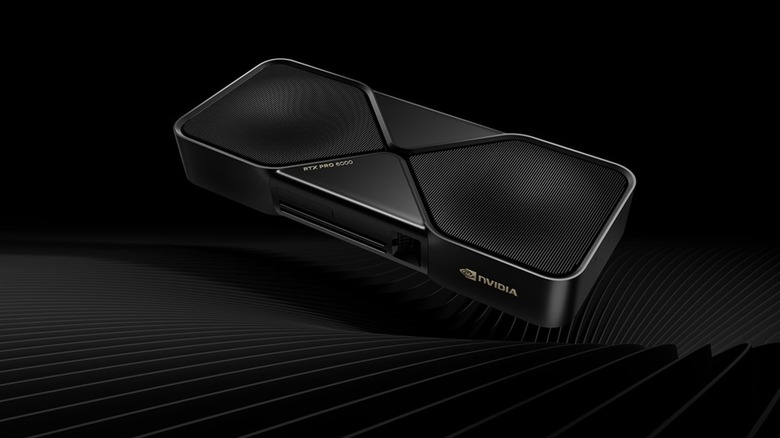
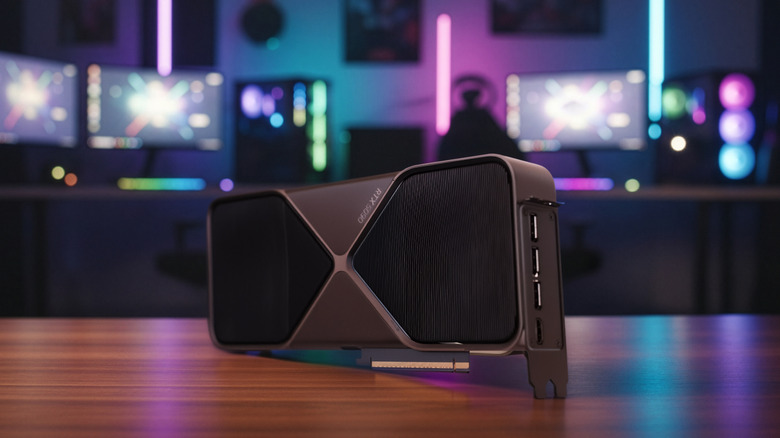
Why NVIDIA’s Most Powerful GPU Is So Rarely Sold To Consumers

Published

on

NVIDIA’s $16,000 RTX PRO 6000 can beat the RTX 5090, but gamers aren’t who it’s built for.

By most measures, NVIDIA’s GeForce RTX 5090 is a more powerful GPU than most will ever need. Priced at $1,999 when it was announced, it has 32GB of GDDR7 memory and can consume 575W when pushed. Despite all that power, though, there’s still another step up the NVIDIA desktop GPU ladder.

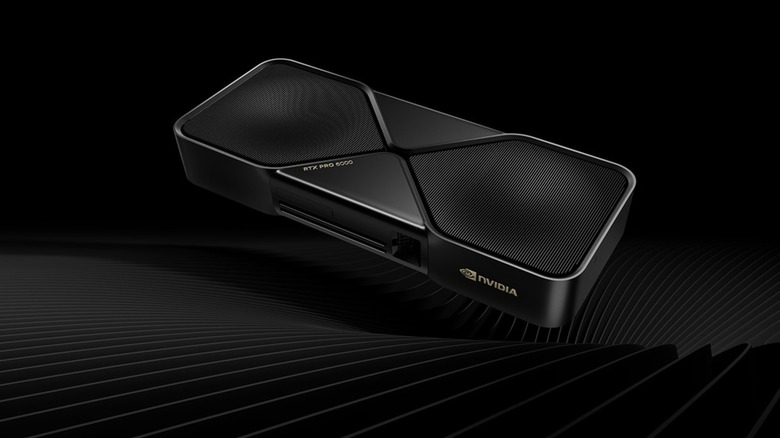
That would be the RTX PRO 6000 Blackwell Workstation Edition. NVIDIA describes it as the “most powerful desktop GPU ever created.” Put another way, it’s a very powerful graphics card for people whose needs extend beyond gaming. And sure, you can buy one, but your bank account may not be very happy about it. NVIDIA’s current US price for the RTX PRO 6000 is $16,000, nearly double the $8,565 it cost when it launchedup from $13,250. 

NVIDIA has not disclosed why it raised the price, although the increase comes amid sharply rising memory costs and broader GPU price hikes . What’s clear, though, is that NVIDIA is targeting the RTX PRO 6000 at AI developers, engineers, 3D artists and other professionals who can make use of hardware that would be overkill in most gaming PCs.

Advertisement

The RTX PRO 6000 is built for work, not Steam

The simplest way to understand the price is to start with memory. The RTX PRO 6000 features a fairly ridiculous 96GB of GDDR7 ECC memory, compared to 32GB of GDDR7 on the RTX 5090. It also has 24,064 CUDA cores and a max board power of 600W.You’re not going to suddenly find a game that needs the additional 64GB of RAM, but professional workloads can.

NVIDIA is specifically targeting that huge memory pool at massive 3D and AI projects, larger datasets, VR environments and multi-app workflows. The ability to detect and correct memory errors is also more important when a GPU is doing some serious number crunching or a long professional job than when you’re trying to eke out a few more frames in Cyberpunk 2077.

The professional premium is not just in the hardware. RTX PRO cards are supported by NVIDIA’s workstation-focused driver ecosystem, with enterprise support and certifications for professional applications, as opposed to the gaming-focused priorities of NVIDIA’s Game Ready drivers.

Advertisement

This isn’t a new trick with a new name. For over 20 years, NVIDIA sold its professional graphics hardware under the Quadro brand before transitioning to RTX professional branding. RTX PRO sitting next to GeForce RTX might now require a second look at the box, but the five-figure price tag helps to clear up the confusion pretty quickly.

AMD’s Radeon PRO line targets similar workstation users, but the 96GB RTX PRO 6000 sits at the extreme end of the market.

Advertisement

It can be used for games, but the numbers become absurd

Testing by Tech YouTuber der8auer found that the RTX PRO 6000 could outperform the RTX 5090 in some games even when using NVIDIA’s workstation driver. It was about 14 percent faster in Cyberpunk 2077, about 11 percent faster in Star Wars Outlaws and Remnant 2 and just about three percent faster in Assassin’s Creed Mirage. Those are good numbers — but they are not $16,000 good numbers. 

At $16,000, the RTX PRO 6000 costs about eight times the RTX 5090’s original $1,999 price, and those gaming improvements are in the single digits or low double digits. The economics get a lot less crazy when the card is doing what it was meant to do, since 96GB can mean running a larger AI model locally or handling an enormous visualization project.

That’s also why “rarely sold to consumers” doesn’t mean that NVIDIA has one behind a velvet rope. The company sends customers to its Marketplace and workstation partners, and a dedicated enthusiast can own one. The more difficult question is why a gamer would want to invest thousands of dollars in extra memory, professional drivers and workstation features that their games don’t even know exist.

Advertisement

Source link

Continue Reading

Tech

Anthropic to pay Akamai $11.6 billion over seven years in cloud deal

Published

on

Anthropic will spend $11.6 billion over seven years on Akamai’s cloud infrastructure, Akamai said Thursday. That’s more than six times the size of a $1.8 billion deal between the two companies that Bloomberg reported in May. The commitment isn’t ironclad; according to Akamai’s securities filing, it depends on Akamai meeting certain delivery and service-availability requirements, and either company can end the agreement under certain conditions.

The deal is the largest in Akamai’s history and continues Anthropic’s compute gobbling-streak. It also represents a bet on a less-hyped corner of AI infrastructure: CPUs. Demand for CPUs, the general-purpose chips that handle work like running code and browsing the web, has grown as AI agents take on more tasks, though Akamai didn’t say what Anthropic will use them for. 

Akamai won’t see revenue from the deal this year. On an investor call Thursday, executives said they expect $150 million to $300 million in 2027, starting in the second half, with revenue reaching an annual pace of about $1.7 billion by the end of 2028. 

To build out the capacity, Akamai expects to spend about $5.5 billion. It is also adding about $1.7 billion to this year’s capital spending to buy components such as memory in advance. 

Advertisement

As part of the deal, Akamai issued Anthropic a warrant, essentially the right to buy shares at a set price, for nonvoting preferred stock convertible into 7.7 million common shares, or up to about 5% of the company’s outstanding stock, at $111.33 a share. About 2% is expected to vest, or become available to Anthropic once it makes its first payment under the deal. The rest is tied to Anthropic spending more. Each additional $3 billion it commits to Akamai’s cloud services unlocks roughly another 1%, so the deal could grow by as much as $9 billion, to about $20 billion in total.

It’s the first time Akamai has attached a warrant to a cloud deal, and the contract is the largest in company history, Bloomberg reported.

The warrant flips the more common pattern in circular AI deals, in which suppliers — chipmakers and cloud providers — invest directly in the AI labs that buy their products. Here, the supplier is instead giving its customer a potential stake, one that grows as Anthropic’s spending with Akamai does. AMD used a similar structure with OpenAI last year, tying warrants to chip-purchase milestones. 

Anthropic is no stranger to such arrangements. Amazon, Google, Microsoft, and AMD have all invested or agreed to invest in the company while selling it chips or cloud capacity. CEO Dario Amodei told The New York Times last December that Anthropic does not participate in these deals at the “same scale as some other players.”

Advertisement

Akamai shares rose as much as 17% in after-hours trading on Thursday, The Wall Street Journal reported.

When you purchase through links in our articles, we may earn a small commission. This doesn’t affect our editorial independence.

Source link

Advertisement
Continue Reading

Tech

‘Physics is not simply a collection of equations’ for this UL researcher

Published

on

Dr Maria Alhajji discusses her energy storage research and the Sophia Project, a physics outreach initiative at UL that engages school students.

Researchers and scientists can draw their inspirations and motivations from many sources. For Dr Maria Alhajji of University of Limerick (UL), the connection between theory and reality is fascinating.

“I am inspired by the moment when someone connects a scientific concept with something they have already observed in everyday life,” she tells SiliconRepublic.com.

As an assistant professor in the physics department of the Faculty of Science and Engineering at UL, she sees her field as “a way of understanding the world – from why the sky appears blue to how electricity, communications, medical technologies and renewable-energy systems work”.

Advertisement

Her role combines teaching, research, undergraduate and postgraduate student supervision and academic service, and contributing to departmental education and outreach initiatives.

“I am particularly passionate about helping students and young people see that physics is not simply a collection of equations,” she says.

“Whether I am teaching first-year students or investigating materials for energy-storage systems, I want people to recognise physics as an active and evolving discipline that shapes our everyday lives.”

Alhajji holds a BSc from Saudi Arabia’s King Faisal University, as well as an MSc and PhD from UL, where she previously worked as a postdoctoral researcher and research fellow.

Advertisement

With an academic background in electrochemistry and energy-storage materials, she now teaches across areas including mechanics, electromagnetism, semiconductor devices, electronics, modern physics and materials analysis.

“I was drawn to electrochemical energy storage because it brings together physics, chemistry, materials science and engineering,” she explains.

“It allows us to study processes occurring at atomic and microscopic scales while addressing one of society’s most urgent challenges: the transition to secure, reliable and sustainable energy.”

Energy solutions for the future

For Alhajji, modern society’s embrace of renewable energy can’t be limited simply to generating electricity from wind or solar; that power also needs to be stored effectively and viably so that it “remains available when the wind is not blowing, the sun is not shining or demand on the grid is particularly high”.

Advertisement

Her scientific research focuses on understanding how the properties of an electrode influence the reactions taking place at its surface and how these learnings can be applied to battery design for use in grid-scale energy storage.

Redox-flow batteries are an energy solution that, according to Alhajji, can be designed for long-duration operation, scaled to suit large installations and maintained differently from conventional sealed batteries.

These qualities, among others, make them ideal for stationary applications that demand consistent and reliable power, according to US industry body Battery Council International, which notes that their unique design – by separating energy storage from power generation – provides flexibility and durability.

Alhajji notes that that while wider deployment of such batteries depends on improving their performance, durability and cost, the principles underpinning them can be applied when considering other electrochemical technologies.

Advertisement

“My broader aim is to establish a clear relationship between a material’s structure, surface chemistry and electrochemical function,” she says.

“I find interfaces particularly fascinating. The performance of an entire battery can depend on reactions taking place across an extremely thin boundary between an electrode and an electrolyte. Small changes at that interface can have a measurable effect on the efficiency and lifetime of the full system.”

The connection between fundamental understanding and technological, real-world impact is a continuous source of motivation for her.

“This understanding can guide the rational design of energy-storage materials that support faster, more reversible reactions while remaining efficient and stable over long-term use.

Advertisement

“I am interested not only in how well an energy-storage system performs, but also in the fundamental physical and chemical processes responsible for that performance.”

She cites iron-based energy storage systems as a promising avenue worth exploring due to that metal being “widely available and potentially more economical than many materials used in current battery technologies”, which could lead to progress in developing energy-storage systems that are efficient, durable, scalable and based on more sustainable materials.

Young scientists

Alhajji’s passion for her field is represented not only in her researching and testing of energy production and storage solutions, but in her attitude to teaching and trying to inspire future generations.

Over the summer, she coordinated UL’s annual Sophia Project physics competition, run by her department and involving more than 70 primary-school children from Cork and Limerick.

Advertisement

“Sophia is a physics outreach initiative at UL that engages schools through interactive workshops, demonstrations and a schools’ physics competition,” she explains. “I have been involved in developing and delivering the workshops and in leading the competition element of the programme.

“The workshops use accessible, hands-on experiments connected to familiar experiences. Pupils might explore static electricity, air pressure or siphoning, or discuss questions such as why the sky is blue.

“Rather than simply showing an experiment and providing the answer, we encourage pupils to predict what will happen, observe the result and develop their own explanation.”

She says that the broader goal of the initiative is to build young people’s confidence and curiosity in science while developing their creativity, teamwork and problem-solving skills, and that schools and teachers have praised its ability to create and maintain interest among participating children.

Advertisement

She acknowledges, too, that teachers themselves can have significant influence in these types of initiatives.

“By supporting teachers and developing engaging activities that can be used in the classroom, we can reach many more young people and build a lasting culture of curiosity, creativity and problem-solving.”

Stay curious

For those starting out on a scientific career journey, Alhajji offers some words of wisdom.

“A career in science is not about always knowing the correct answer. It is about learning how to investigate a question carefully, evaluate evidence and continue when an experiment does not behave as expected. Unexpected results are often where the most interesting research begins.

Advertisement

“Stay curious and never be afraid to ask what appears to be a simple question. Many important scientific discoveries begin with someone questioning something that others have taken for granted.”

She acknowledges the need for a strong foundation in the likes of physics and maths, but notes that softer skills – such as communication, teamwork and practical problem-solving – should not be overlooked.

“Modern scientific research is highly collaborative and often brings together people from several different disciplines,” Alhajji notes.

And she stresses, also, the importance of keeping an open mind – advice which perhaps might be heeded regardless of one’s age, academic status or specific career journey.

Advertisement

“You do not need to have your entire career planned from the beginning. Curiosity is often the best place to start.”

Don’t miss out on the knowledge you need to succeed. Sign up for the Daily Brief, Silicon Republic’s digest of need-to-know sci-tech news.

Source link

Advertisement
Continue Reading

Tech

Ray-Ban Meta Audio Glasses Drop the Camera and Suddenly Make More Sense

Published

on

Meta has spent years trying to convince consumers that putting cameras on their faces is perfectly normal. With the new Ray-Ban Meta Audio, it is trying something refreshingly different: removing the camera entirely, which also means the person sitting across from you no longer has to wonder whether they are being recorded.

For a lot of people, that alone may be the feature that finally makes smart glasses feel less creepy.

Announced at Meta Connect 2026, Ray-Ban Meta Audio combines open-ear speakers, six microphones, Meta AI and conventional prescription-compatible eyewear in a 43-gram frame. Prices start at $349, preorders are open now, and shipments begin October 13, 2026.

That makes them Meta’s first audio-only glasses, although not the first product to try the concept. The more interesting question is whether Ray-Ban styling, Meta’s AI ecosystem and substantially longer battery life can make audio glasses relevant again after Bose, Amazon and smaller competitors spent years poking at the category.

Advertisement

No Camera Is The Feature

Ray-Ban Meta Audio uses two open-ear speakers positioned in the temples and a six-microphone array for calls and voice commands. Meta claims the microphone system can capture the wearer’s voice more clearly than earbuds, while the open design keeps the ear canal unobstructed for greater situational awareness.

Removing the camera does more than avoid having strangers wonder whether dinner is being livestreamed to Instagram. It allows Meta and Ray-Ban to make the frames lighter and extend battery life to up to 12 hours, compared with nine hours for the camera-equipped Ray-Ban Meta Gen 3. The included charging case adds up to another 48 hours, according to Meta.

There is a tradeoff. Without a camera, Ray-Ban Meta Audio cannot use Meta’s multimodal AI features that analyze what the wearer is looking at, and Live AI visual interaction is unavailable. Voice-based Meta AI, text translation, live translation, music, podcasts, messaging and calls remain available.

Advertisement

That may be enough for a lot of people.

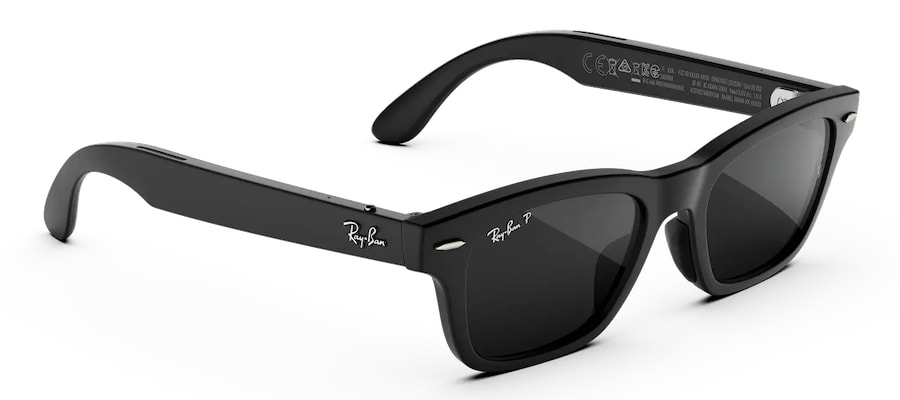
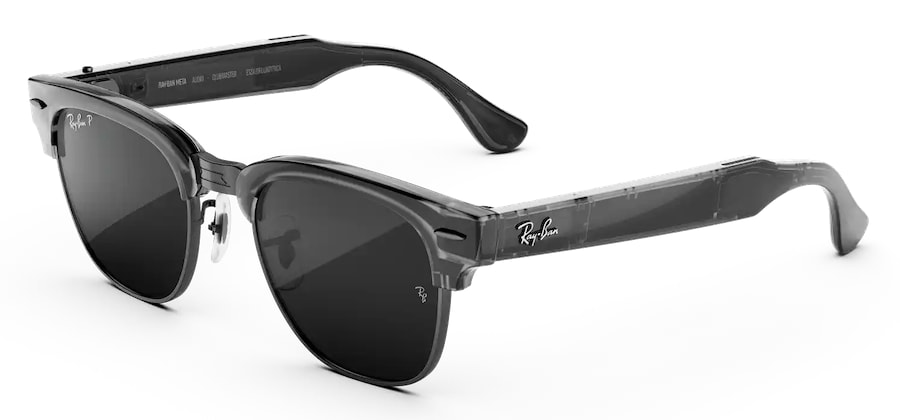
ray-ban-meta-audio-glasses-styles-2026
Ray-Ban Meta Audio glasses are available with different lenses, including prescriptions for an extra $100 charge. Top 2 are Burbank models, and bottom 3 are Clubmaster models.

Meta also unveiled its much more ambitious Meta VR Glasses at Connect, but the two products share little beyond being worn on your face.

Meta VR Glasses weigh about 100 grams, use dual micro-OLED displays with 2412 x 2288 pixels per eye, support Dolby Vision and Dolby Atmos, and rely on eye tracking and hand gestures for navigation. A tethered compute puck contains the Snapdragon Reality Elite processor, storage and battery, with up to three hours of high-resolution media playback. They arrive in spring 2027 for $1,299.99.

Those are portable VR computers designed for movies, gaming, spatial workspaces and immersive sports. Ray-Ban Meta Audio is essentially an open-ear audio wearable and AI interface disguised as normal glasses.

Advertisement. Scroll to continue reading.
Advertisement

One replaces much of what a VR headset does. The other wants you to leave your earbuds at home.

Ray-Ban’s advantage is the eyewear side of the equation. The Meta Audio lineup launches with Clubmaster and Burbank frames in 23 lens and color combinations, including clear, tinted, polarized and Transitions options, with support for a wide range of prescriptions.

People might actually want to wear them, which is apparently still an important feature for glasses.

ray-ban-meta-audio-burbank-black-angle
Ray-Ban Meta Audio Burbank
  • Type: Audio-only AI smart glasses
  • Weight: 43 g
  • Audio: Dual open-ear speakers
  • Microphones: 6-mic array
  • Battery Life: Up to 12 hours
  • Charging Case: Up to 48 additional hours
  • Wireless: Bluetooth 5.3, Wi-Fi 6
  • Water Resistance: IPX4
  • Frames: Clubmaster, Burbank
  • Lens Options: Clear, tinted, polarized, Transitions and prescription
  • AI: Meta AI with voice interaction and translation
  • Camera: None
ray-ban-meta-audio-clubmaster-black
Ray-Ban Meta Audio Clubmaster

The Bottom Line

Ray-Ban Meta Audio may prove more interesting than Meta’s camera-equipped glasses precisely because it does less. There is no camera, no display and no attempt to turn every walk to the deli into a mixed-reality demonstration.

What remains is open-ear audio, calls, AI assistance and translation built into glasses that weigh 43 grams and can potentially last through an entire day. For listeners who like the awareness of open-ear earbuds but already wear glasses, that combination makes considerably more sense than adding another device around their ears.

Advertisement

The only irony is that Meta may have made its most socially acceptable smart glasses by making them slightly less smart.

Where to buy:

Source link

Advertisement
Continue Reading

Tech

You Can Check Your Samsung Galaxy’s Health With A Built-In Test

Published

on

Try this before sending it in for repair or upgrading.

If your Samsung Galaxy has begun draining its battery too fast or dropping calls, or just seems to be on the wrong side of an update, there is quite a bit of hardware that you can check before downloading another app or going to a repair shop.

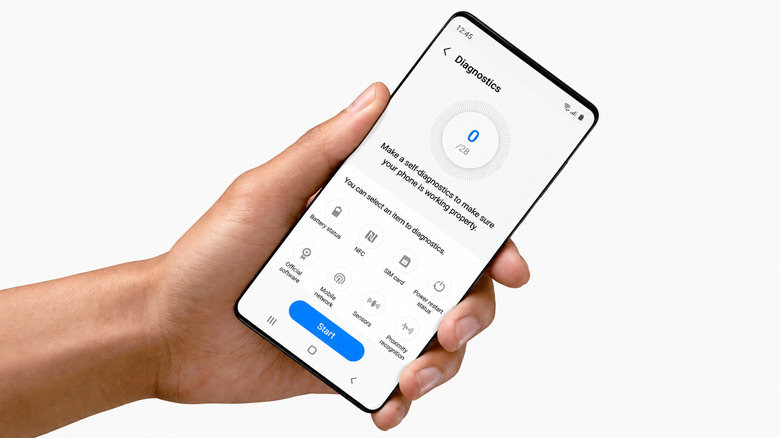
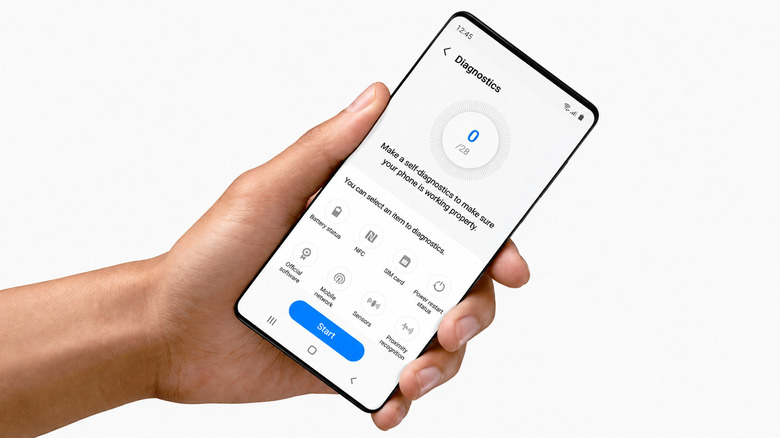
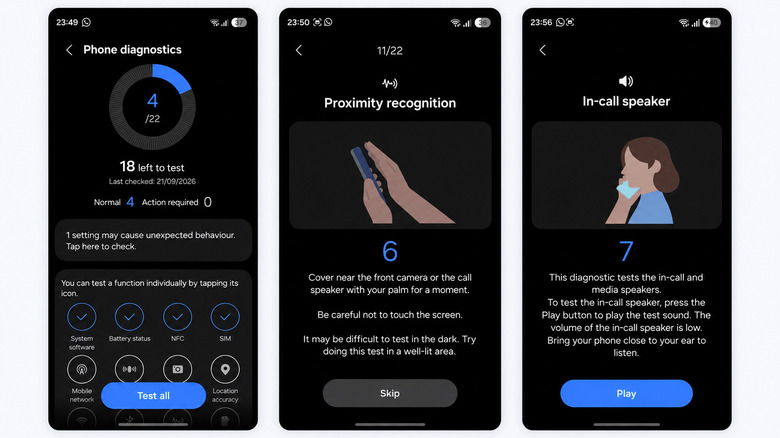
Samsung has a phone diagnostics suite in Device care. Go to Settings > Device care > Diagnostics and then tap on Phone diagnostics. From there, you can test individual components or tap Test all and go through the checklist.

According to Samsung, Device care diagnostics are available on Galaxy devices running Android 12 or later, though the specific menus and available tests vary by phone and software version. The diagnostics are also available via Samsung Members.

Advertisement

I completed the entire test on a Samsung Galaxy S26 Ultra, which gave me 22 checks to complete. But this is not a true measure of how “fast” your phone is. Think of it more as giving the hardware a physical.

Samsung checks a surprisingly large chunk of your phone

The diagnostics are much more than battery health. Samsung can test the touch screen, cameras, microphones, speakers, physical buttons, sensors, Wi-Fi, mobile network, Bluetooth, SIM card, NFC, USB connection, charging and fingerprint reader, depending on your Galaxy model. Models with features like an S Pen or wireless charging can get additional checks.

Certain tests are performed automatically, while others involve you. For instance, the proximity test requires you to cover the area around the front camera or call speaker with your palm. Another one plays audio via the in-call speaker and asks you if you can hear it. It’s a bit more complicated than watching a progress bar act busy. If a test fails, Samsung says the app may offer troubleshooting suggestions or a related FAQ.

Advertisement

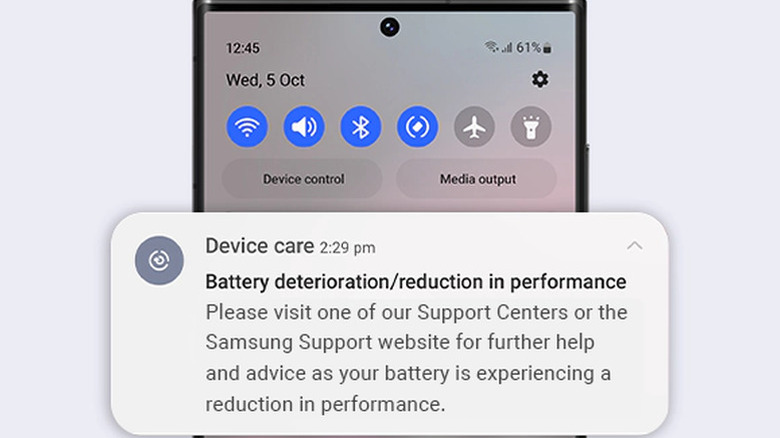
If you are checking the status of an older Galaxy, battery status is likely the most useful result. Samsung rates the battery as Normal, Weak or Bad. Weak indicates that its efficiency may have decreased due to long-term use or environmental conditions. Bad means that battery life has significantly degraded, and Samsung recommends getting service advice.

That’s much more helpful than asking yourself if your battery just seems worse than it used to.

Advertisement

A healthy Galaxy can still feel slow

Just because your Galaxy passes all the diagnostics does not mean it will be as fast as it was on day one. Samsung’s tests check whether components and functions are working correctly. They don’t provide you with a CPU benchmark, let you know if your internet connection is crawling or tell you if your phone is performing well in games.

Those are different jobs. An internet speed test measures the connection your phone is using, so distance from the router, congestion and other network conditions can affect the result. A benchmark like Geekbench measures processor performance instead and is more useful for comparing your phone with similar phones.

Samsung’s support guidance doesn’t specify a benchmark score at which a three-year-old Galaxy is too slow. Age alone is not a good indicator, as a Galaxy A-series phone and an Ultra model started with very different hardware.

If the diagnostics pass and your phone is still slow, Samsung says outdated software, background apps, insufficient available memory or temporary system errors may be to blame. Google also says Android phones can begin to have problems when less than 10 percent of their storage is free.

Repeated failed diagnostic tests or a Bad battery result are stronger reasons to consider servicing the phone. If you do hand it over for repair, Samsung’s Maintenance mode can hide photos, messages, contacts and other personal data while still allowing technicians to test the device.

Advertisement

Source link

Advertisement
Continue Reading

Tech

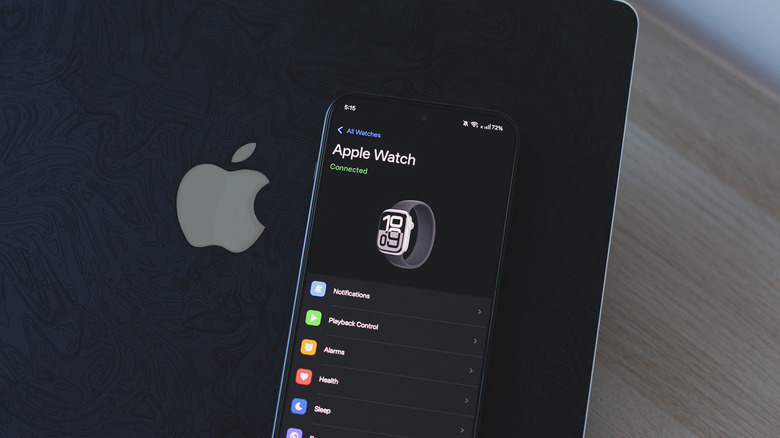
This App Lets You Use An Apple Watch With An Android Phone

Published

on

If you moved to Android, your Apple Watch can come with you.

Whether the iPhone is the best smartphone around is debatable, but what’s undeniable is how well Apple has nailed the products that surround it. The AirPods continue to dominate the truly wireless earbuds market, and the Apple Watch remains one of the most polished smartwatch experiences you can get. Unfortunately, Apple’s accessories work best when you have an iPhone to go along with them. In fact, the Apple Watch straight up doesn’t work with Android.

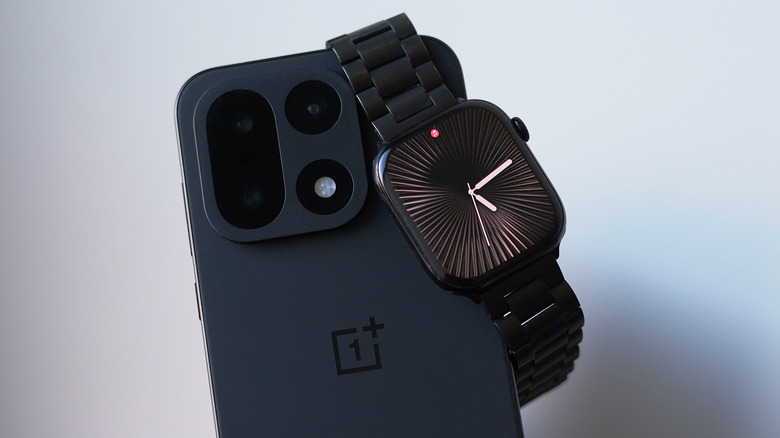
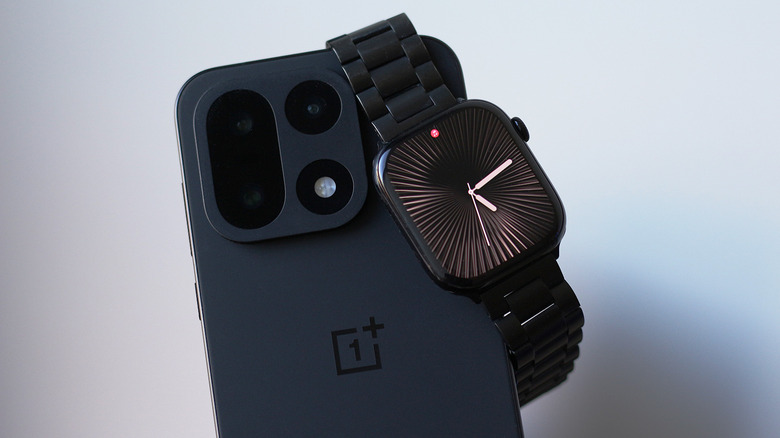
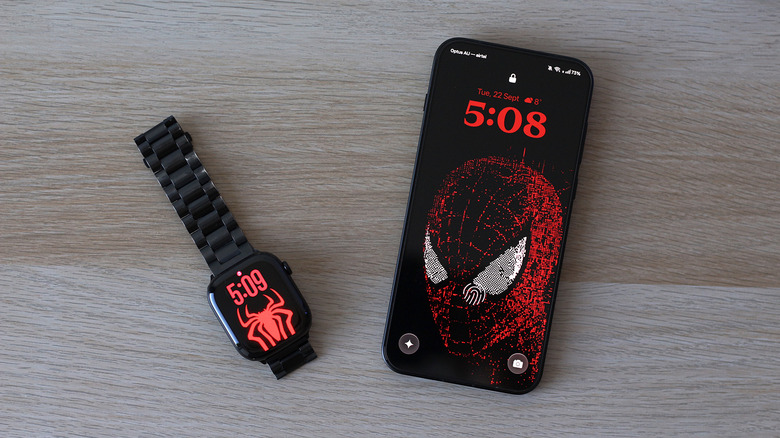
I recently moved to a OnePlus device only to realize that I have to carry my iPhone around just for my Apple Watch to stay useful. Then I stumbled upon Merge Watch — an app that claims to bridge the gap and let me pair my Apple Watch with an Android phone. People have found workarounds in the past to make this happen as well, but they require the cellular version of the Apple Watch. At this point, you’re using two devices that don’t talk to each other.

You do need to first activate your Apple Watch with an iPhone. You then install the Merge Watch app on both your Apple Watch via its App Store and on your Android device via the Play Store. Launch the app on both devices and grant it the required permissions — it asks for Bluetooth permissions, health data, notification access and battery optimization exceptions. Tap your phone’s name on your Apple Watch and confirm the pairing request by typing in the six-digit code on your phone.

Advertisement

Health data is synced with Google Fit and takes a while to show up when you first set up the app. Assuming the setup process went smoothly, your Android phone and your Apple Watch should now be able to talk to one another.

How well does Merge Watch work?

Pairing the two devices is one thing, but how much of the Apple Watch experience actually carries over to Android is another. Surprisingly, notification forwarding works really well. You can even reply to messages using your Apple Watch. When you play music on Spotify or any other app, you get playback controls on your wrist. Google Fit’s user interface is not my favorite thing in the world, but it does sync with the health data my Apple Watch collects.

You probably don’t want every app from your Android phone buzzing you on your wrist, so you can turn off notifications on a per-app basis through the Merge Watch app on your phone. ECG recordings also show up on your phone, alongside detailed sleep tracking data.

Advertisement

Although my Android phone and Apple Watch are now connected more closely than they ever were, the experience sadly isn’t as polished as I’d hoped, especially for a paid service. For starters, every notification that my Apple Watch receives is through the Merge app rather than appearing as a native watchOS notification, so it almost feels like you’re opening an app within an app just to check or reply to your notifications. 

Every other app installed on your Apple Watch still works independently — it’s just the Merge Watch app that forwards notifications and acts as the shared experience between the two devices. It’s actually more like notification mirroring, since, unlike the iPhone, which automatically decides whether a notification appears on your phone or watch, your Android phone still buzzes with notifications even when you’re actively using your Apple Watch. I assume it’s the best any third-party developer can do given the limitations set by Apple.

Advertisement

Using an Apple Watch with Android

Although you are trusting a third-party app with access to fairly sensitive information and health data, Merge Watch’s privacy policy claims that most of the data stays on your devices, and when notifications are sent through an internet relay, they’re end-to-end encrypted. The harsher pill to swallow is its subscription model. There are two tiers to choose from, but to unlock all the app’s features, you’ll need to shell out $6 a month.

I tested the experience with my iPhone switched off to see if I could really daily drive my Apple Watch with an Android device. The results were a bit mixed. Merge Watch doesn’t require your Apple Watch to be connected to the internet. It delivers notifications primarily through Bluetooth. However, there are instances where the app simply doesn’t nudge me on my wrist. It takes manually launching the app on the Apple Watch to get things working again. This sometimes results in my watch pinging me a dozen times at once when the app does eventually wake from sleep.

I did notice slightly higher power consumption on my Apple Watch, which makes sense given the app is running continuously in the background fetching notifications all day. I ran this setup on watchOS 27 on an Apple Watch Series 10 connected to my OnePlus 15 running Android 16. OxygenOS does have a reputation for aggressively pausing background activities in favor of endurance, and even with battery optimization disabled for Merge Watch, I couldn’t eliminate occasional notification delays. 

Overall, Merge Watch is a decently reliable service if you want to pair an Apple Watch with your Android device. While I would have much preferred a one-time payment over a monthly fee, it’s hard to complain when there are barely any other working solutions.

Advertisement

Source link

Continue Reading

Tech

Old-School Credit Card Scams Are Far From Dead

Published

on

Welcome to Kernel Panic! A weekly newsletter by Lily Hay Newman and Matt Burgess from inside the new world of privacy and digital security. To receive this newsletter in your inbox each week, sign up here.

When every random text message feels like it’s a scam, and with AI supercharging digital fraud, old-time credit card skimmers and bogus letters that arrive in the mail may seem laughable as potential threats in 2026. But as we all suffer through a seemingly unending barrage of potential scams, these antiquated attacks are still costing victims around the world dearly.

The fake-new-credit-card-in-your-mailbox trick is particularly insidious. Portugal, France, and Germany have all had waves of physical credit card scams in recent years where criminals have mailed phony replacement cards or letters to potential victims. Included letters often claim a current card is set to expire soon, whether the victim actually has one that’s about to expire or not. In order for the new (fake) card to be activated, the scam letter says, it should be registered using an included QR code or URL. Some sham cards even have real customer names printed on them, says Georg Hauer, an advisor for digital banks. “The card is almost like a token that creates the trust that is needed in order to fall for the actual trick,” he says.

If someone scans the QR code, they’re typically redirected to a fake banking website, where they’re asked to enter their details—potentially giving cybercriminals direct access to their real accounts. “This has been escalating for close to two years, and I believe that this type of scam might have proven to be successful enough to be rolled out in other countries,” Hauer says. “The cost of producing a personalized fake card has dropped in recent years thanks to AI just being able to copy a design based on an image, and the higher conversion rate per victim might justify the extra costs.”

Advertisement

Mail scams aren’t the only ’90s throwback on the docket. The US Attorney’s Office for the Northern District of Alabama indicted two Romanian nationals last week on charges related to alleged credit card skimming. Authorities say the pair specifically targeted government SNAP food assistance benefits distributed to recipients in most states on antiquated magnetic stripe-only debit cards, or Electronic Benefit Transfer (EBT) cards.

Fraud related to chip credit cards does exist as well, but this recent case serves as a reminder that classic skimmers targeting magnetic stripe credit cards are still deployed by scammers because there’s apparently still enough swiping going on to make it worth their while. The FBI says that EBT card skimming has risen in popularity among scammers since about 2021.

“Skimmer fraud is rampant with losses in the United States alone reaching over $1 billion each year,” US Attorney Phillip W. Williams Jr. said in a press release about the recent indictment. (That billion dollars includes multiple types of credit card skimming, not just EBT targeting.) “It is a silent insidious theft that occurs by merely swiping a credit card at a point of sale.”

Gary Warner, the director of intelligence at the cybersecurity firm DarkTower points out that dozens of states continue to use mag-stripe only cards for benefits purposes. “The risk here is that if the mag stripe is compromised, a clone of the card can be created and access not only the current value, but future value as well,” he says.

Advertisement

More broadly, Warner tells us, there are still multiple risks related to making payments using the magnetic stripes on any cards—even if they also include more secure chips that have been issued over the last decade-plus. “Non-bank ATMs and smaller non-chain merchants may expose your chip-enabled card to mag stripe reading,” Warner says. “Mag-stripe skimmers are often installed in such a way that the chip read is forced to fail.”

Source link

Continue Reading

Trending