Tech
12 Niche Fireball Tool Products (And What They’re Used For)
Tool makers and sellers usually have all of the ordinary equipment you need for most basic jobs, everything from hammers and drivers to saws and other hardware. On top of that, they often have a selection of more niche products you might not be familiar with.
Fireball Tool in particular is known for selling inventive equipment designed with welding and metalworking in mind. Company founder Jason Marburger started his career as a welder and ran up against the limitations of existing metalworking tools, many of which were designed for woodworking and co-opted for metalworking. Those tools worked but not as well as they could have, so Marburger set out to make tools specifically with metalworking in mind. That meant being made of tougher materials and incorporating some unique design elements.
Marburger’s first product was a welding square designed to accept strong metalworking clamps and align materials before welding. Before long, his welding squares became popular enough that Marburger streamlined the production process and started selling them under the Fireball Tool brand. Today, the company has grown to offer a wide range of tools, primarily geared toward welding and metal work. You’ll find squares, clamps, and grinding wheels, but you’ll also find a collection of more less common products. Here are 12 niche Fireball Tool products and what they do.
Thread checker
When working with metal, a few millimeters can make a big difference. If your bolt is just a little too small it won’t hold firm; if it’s a little too big, it won’t fit into a slot or accept a nut. That’s why hardware comes in standard sizes and why it’s so important to make sure you’re using the correct gauge for your project.
A thread checker lets you confirm the precise size of your nuts and bolts before you go to the hardware store. Fireball Tool has two versions, one which is strung on a wire with a loop for storage and another that’s wall-mounted. The string thread checker comes in either jmperial or metric. Each unit on the wire has its gauge stamped on the side and can be used to check both nuts and bolts.
The wall-mounted thread checker looks like something you’d find in a high-tech aircraft or alien spaceship. If you look a little bit closer, you’ll see it’s really just a collection of threaded posts and holes so you can double check your hardware before you commit. The checker is made of half-inch PVC Sintra board and contains both imperial and metric checkers all in one.
Electronic angle finder
Whether you’re working with wood or metal, it’s important that your measurements are accurate. A tape measure can help you measure distances but won’t help you if you need to measure the angle of something. Accuracy is critical for angle measurements if you’re looking to save time, effort, and frustration in the long run; while a woodworking or metalworking square can help you confirm if your project has 90 degree corners, an angle finder is useful for most other angles. It’s one of those weird tools you’ll wish you had gotten sooner.
The TECH 700 DA digital electronic angle finder is made by Stabila and available from Fireball Tool. It measures both interior and exterior angles between 0 and 270 degrees with an accuracy of within one tenth of a degree. It can even show you angle bisections (splitting an angle into two equal parts) in the event that you need to cut and join corner pieces. A digital display shows you the angles you’ve measured and a locking mechanism allows you to easily transfer those angles to other materials. The display also has a dimmable backlight you can turn on and off. You can get this angle finder in two sizes, 18 inches or 32 inches, depending on your needs.
Combination square
You’re probably familiar with a conventional woodworking or metalworking square, a tool which allows you to make sure you’re achieving as close to a perfect 90 degree angle as possible. A combination square takes things one step further by combining a square with an adjustable ruler. Sliding the ruler allows you to make precise measurements and draw guide lines for making cuts with confidence. Sometimes you just need to slap something together even if it’s ugly, but when you need to build something precise, a combination square can help.
Fireball’s combination square is 5 inches long by 5 inches tall and 2 inches wide. It comes in cast aluminum or black oxide cast iron, depending on the sorts of materials you’re working with — aluminum can become damaged if you’re working with especially tough materials and tools. You can choose three different ruler sizes, either in imperial imperial (12 inches, 18 inches, or 24 inches) or in metric (300, 450, or 600 millimeters). The ruler sets completely into a recessed slot so it doesn’t interfere with your measurements. A built-in bubble level helps to ensure everything is as perfect as it can be.
Bulldog swivel plier
Many of Fireball’s offerings center on the fixture table, a shop surface designed specifically for metalworking. They come in various styles, including standard duty, heavy duty, steel top, and Fireball’s custom-designed, modular “dragon wagon”. Each table is made of metal and features a uniform grid of holes capable of accepting a wide variety of tools and accessories.
Bulldog swivel pliers are designed to set into any opening in the fixture table, adding a mounting clamp anywhere you want on your work table. When building something, you can lay your materials down on the table and clamp them in place before joining or welding. A locking mechanism in the pliers holds pressure on your target so you don’t have to; you can use the pliers’ quick release lever to easily unlock whatever it is you’re working on.
Designed to work with any Fireball Tool fixture table or those with equivalent grid holes, these one-armed pliers feature a rotating post for easy repositioning. Most clamps have to go around your material and the table, meaning you have to use them only around your table’s edges. These swivel pliers are advantageous since they allow you to clamp materials down to the table in a wide variety of positions and locations.
Double gooseneck clamp
Whether you’re fabricating something out of wood, metal, plastics, or any other material, it’s important that things connect in precisely the right way. You need your materials to be square and true before you fix them into their permanent positions. That means laying things out in advance and making sure they don’t slip while you’re working with them.
To line things up and hold them in place you can use jigs, templates, or premade frames. Fireball’s fixture tables allow you to create a frame and attach clamps to hold everything right where you want it. Fireball’s double gooseneck clamp is designed for use specifically with the fixture table, settling into any one of its ports much in the same way its bulldog pliers can. With the double gooseneck, you can point the clamp in pretty much any direction, allowing you to press on materials from the top, the sides, or even on the corner. You can also separate the upper and lower arm then use just the upper arm on its own. The wide foot pad helps the clamp make contact and prevent slipping so you can make cuts, join, or weld your materials with confidence.
Fence block
Fireball Tool’s fixture tables are designed to be hugely customizable. Each table features hundreds of pre-drilled three-quarter-inch ports into which you can slot clamps and other tools. Clamps can help you hold objects in place but a frame can help you get everything aligned before you clamp it down.
Fence blocks are yet another accessory designed to work with the fixture table, featuring compatible posts and holes so they can slot right into place with ease. They’re almost like oversized Lego bricks, and you can mix and match them to create the exact framing you need for the job at hand. Then when you’re finished, you can remove the blocks and reorient them for your next job.
Fireball Tool’s fence bricks come in a variety of shapes and sizes, including 1 inch by 1inch posts, 4 inch fence blocks, 6 inch stepped fences, and a double row riser block. You can use them to create a table border, to hold materials steady, or to align them squarely before joining.
Three-axis square
A woodworking or metalworking square helps you verify 90-degree angles on a two-dimensional plane. Put simply, it can check the angle moving in only one direction. Like movies and television at the turn of the millennium, a three-axis square takes things into the third dimension.
A three-axis square lets you align materials along not just length and width, but also height, and all at the same time. They’re useful if you’re framing the corner of a three-dimensional object like a box or a table. This square is made of cast iron and can be used with Fireball Tool’s fixture table or independently wherever you need it. One-inch feet and magnets help the square to stand up and resist falling over no matter where you’re working.
If you’re working at the fixture table, threaded holes in the bottom of the square will accept three-quarter-inch posts, allowing it to slot into any ports in the table. And depending on the size of your project, you can get a standard square with a 4-inch height limit or an extra large square with a 7–inch height.
Locking chain pliers
Chain pliers are a type of strap wrench, similar in form and function to an oil filter wrench. Where that uses a band of metal to unfasten stubborn oil filters, these pliers use a bicycle chain. Yet independent of the type of strap they use, these types of wrenches aim to use tension and static friction to grab hold of an object.
It’s an unconventional tool made of a plier handle and a chain. To use it, you wrap the chain around the intended object, feed the chain back through the clamp jaws, and tighten to turn or lock the object in place. Because it uses a semi-rigid chain instead of a band or a totally rigid tool head, it can deform to fit around awkwardly shaped objects, large ones, or things that are in hard to reach places.
Fireball Tool’s locking chain pliers, made by Strong Hand Tools, come with either a 24-inch or 48-inch chain, the latter of which can wrap around pipes as wide as 14 inches in diameter. Either way, the chain features a fishtail end to make it easier to insert the chain into the clamp jaws after wrapping around your target.
Polishing paste bar
Construction projects usually start with adding material to your project; ironically, they usually end with removing some of the same material you just added. You start by aligning your parts and fastening them together; when you’re done with fabrication, you typically use a variety of tools to remove imperfections for a clean finish. You can use a scraping tool or a file for bigger imperfections, but when you want to get a completely smooth surface, you’ll probably need a polishing or buffing compound.
Fireball’s small polishing paste bar is a high-gloss polish for plastics and other materials. It’s similar to the polishing compounds you can use to remove scratches from your car’s windshield. The polishing paste is made of an abrasive powder suspended in a wax-like binding agent. To use the paste bar, you’ll put some of the paste onto a flannel or other soft cloth and buff it into your project for a high-gloss finish. Polishing paste can remove small surface scratches but won’t be able to remove blemishes that go deeper. To achieve the desired finish, you might have to use several different polishing or buffing compounds with different types and levels of grit.
Fly safety goggles
No matter what sort of project you’re working on, safety is paramount. Safety goggles are one of those must-have pieces of workplace safety equipment and these safety goggles made by Arcone, available from Fireball Tool, merge function with style.
Called “The Fly” since they’re reminiscent of the eyes of the insect they’re named after, these goggles offer a slight tint with a shade level of three. This makes them suitable for some metalworking tasks, but not all — you’ll need different levels of shading depending on the type of welding you’re doing, the brightness of the arc, and personal preference. Many types of metalwork need significant shading protection, in the range of 10 to 14 on the lens shade scale. A three is good enough to protect you from the brightness of torch soldering and may be enough for torch brazing and light cutting.
These goggles feature cushioned edges to enhance comfort and open slots to improve ventilation and reduce fogging. They’re large enough that they can fit over the top of prescription glasses and other eyewear. They’re also large enough that you can’t see the edges when you’re wearing them, giving you an unobstructed and comfortable view of your workspace.
Downloads
One of the best things about woodworking, metalworking, and a DIY mindset is that you can build tools for yourself. Need a new workbench? Build one. Need a new chair or stool to rest your weary feet? Design and fabricate one yourself. It’s that same spirit which led Fireball’s Jason Marburger to create his welding squares and launch Fireball Tool in the first place. Following that spirit, the company offers not just a wide range of tools for purchase, but also a selection of plans so that you can experience the joy (and probable frustration) of making something useful on your own.
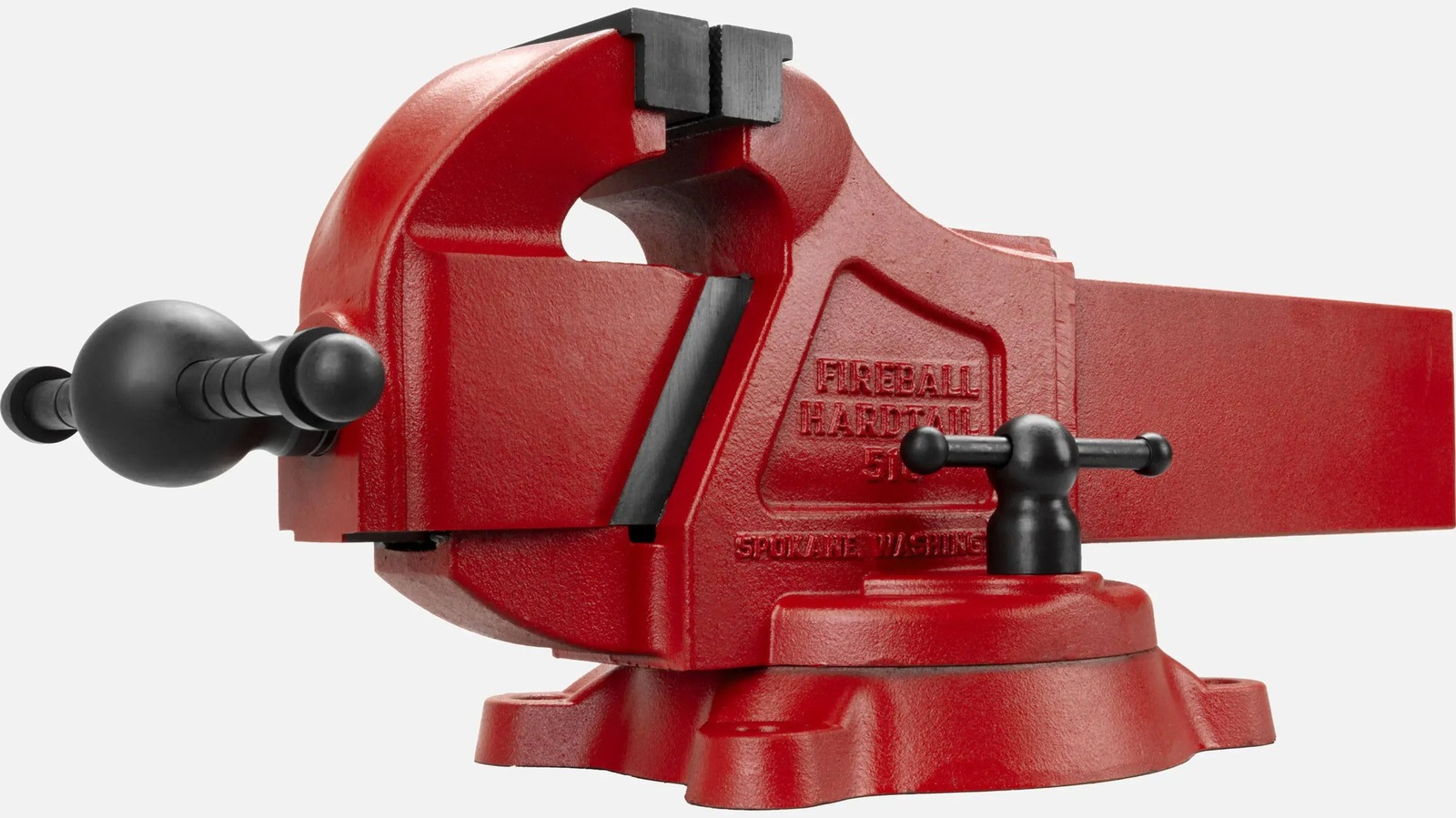
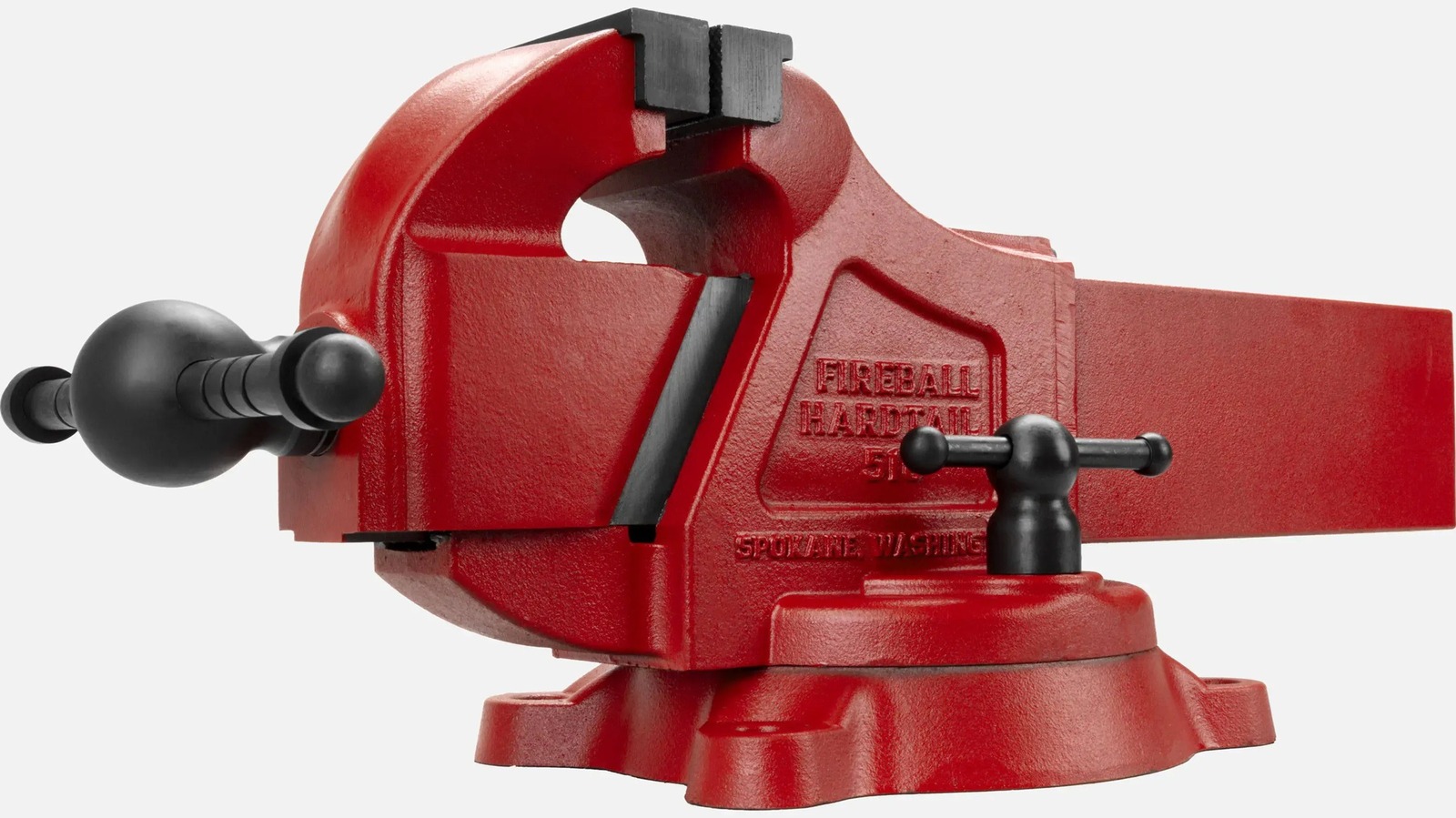
There’s a wide selection of designs from which to choose. You can build a comparator (a useful device for electronics projects, which compares two voltages or currents to determine which is larger), a folding saw horse, a vise, a woodworking vise, and a jack vise. Plans are significantly more affordable than the tools they describe (typically between $6 and $28), so if you’ve got the materials, the know-how, and the patience, you can save yourself some money and make a custom one-of-a-kind tool all your own. Additionally, Fireball has made all its CAD plans free to download, so you can cut or print your own fixture table accessories and other objects.
Maximus bar and dog clamp
Clamps come in many different styles. They’re useful for holding objects in place while you work on them or for keeping materials together while adhesive sets. Normally, the size of objects you can clamp is limited by the clearance of your clamp — typically just a few inches. Larger clamps are usually only a couple of feet long at the outside. If you need to clamp something larger than a conventional clamp can accommodate, then Fireball Tool’s Maximus bar and dog clamp could come to the rescue.
Instead of a single object, these clamps come in two separate pieces which can be attached to any two-inch by one-inch material. Using a bar or pipe as a spacer, you can customize your clamp to be whatever size you need it to be, then disassemble your clamp for easy storage between jobs.
The clamp comes in a couple of different sizes. You can choose between a 6-inch standard throat depth or a 3.5 inch short arm design, each of which operate on an 8-inch spindle. If you need something even smaller, you can also get the Mini Maximus bar and dog clamp kit, which has a 3.5-inch throat depth and a shorter 5-inch spindle. You can choose clamps made of either forged steel or ductile cast iron, depending on your purposes.
Tech
Lenovo’s ThinkPads get a spec bump at MWC 2026
Lenovo is updating its business-focused laptop lineup at MWC 2026. The best-selling ThinkPad T-series is getting a full refresh, and there’s an updated ThinkBook 2-in-1 and an all-new Android tablet.
The ThinkPad T-Series, the backbone of Lenovo’s business PC lineup, now (optionally) ships with a 5MP camera that supports computer vision and vHDR. The 2026 versions of the laptops have larger speakers and a new color (“cosmic blue”) on some models.
The ThinkPad T14 Gen 7 and ThinkPad T16 Gen 5 (each starting at $1,799) are the all-around workhorses of the ThinkPad lineup. Lenovo touts the 2026 models’ 10/10 iFixit repairability score. They ship with either an Intel Core Ultra Series 3 (with Intel vPro) or an AMD Ryzen AI Pro 400 Series processor.
ThinkPad T14s Gen 7 (Lenovo)

Meanwhile, the T14s Gen 7 ($1,899+) is an even lighter version of Lenovo’s slim ThinkPad variant. The 2026 model weighs 2.45 lbs (1.1kg), making it the lightest T-series model to date. The T14s Gen 7 is powered by Intel Core Ultra Series 3 (with Intel vPro) or AMD Ryzen AI Pro 400 Series processors.
Rounding out the T-Series is the second-generation of the 360-degree-folding ThinkPad T14s 2-in-1. The 2026 model ($1,849+) is ever-so-slightly lighter than its predecessor, now weighing in at 3.06lbs (1.39kg). The new version includes a garaged pen, with its storage slot living above the screen.
ThinkPad X13 Detachable (Lenovo)

The ThinkPad X13 Detachable is the lineup’s take on the Surface Pro. The tablet has Intel Core Ultra Series 3 processors and up to 64GB of RAM. Its 13-inch display supports up to 500 nits of brightness. It has a pair of Thunderbolt 4 ports, and its keyboard has full-sized keys with 1.5mm of travel. It ships with a “full-size ergonomic pen” that you can stash (and charge!) in a dedicated slot on the keyboard. The X13 Detachable starts at $1,999.
The $499 ThinkPad X11 is a rugged Android tablet for industrial environments. Powered by the Snapdragon 7s Gen 3 Mobile Platform, it has a 10.95-inch display with 2,560 x 1,600 resolution and 600 nits of brightness. It’s MIL-STD-810H certified, meaning it passes stringent military testing for durability.
ThinkTab X11 (Lenovo)

Finally, there’s the ThinkBook 14 2-in-1 Gen 6 ($1,754+). This Yoga-like folding device has a 14-inch WUXGA touch display. It runs on an Intel Core Ultra 7 (Series 3) processor and supports up to 32GB of RAM.
Most of the devices start shipping in Q2 2026. (That includes the ThinkPad T14, T16, T14s, T14s 2-in-1, ThinkTab X11 and ThinkBook 14 2-in-1.) The lone exception is the ThinkPad X13 Detachable, which is slated for Q3 2026. You can learn more about the new business-focused devices on Lenovo’s website.
Tech
OpenAI reveals more details about its agreement with the Pentagon
By CEO Sam Altman’s own admission, OpenAI’s deal with the Department of Defense was “definitely rushed,” and “the optics don’t look good.”
After negotiations between Anthropic and the Pentagon fell through on Friday, President Donald Trump directed federal agencies to stop using Anthropic’s technology after a six-month transition period, and Secretary of Defense Pete Hegseth said he was designating the AI company as a supply-chain risk.
Then, OpenAI quickly announced that it had reached a deal of its own for models to be deployed in classified environments. With Anthropic saying it was drawing red lines around the use of its technology in fully autonomous weapons or mass domestic surveillance, and Altman saying OpenAI had the same red lines, there were some obvious questions: Was OpenAI being honest about its safeguards? Why was it able to reach a deal while Anthropic was not?
So as OpenAI executives defended the agreement on social media, the company also published a blog post outlining its approach.
In fact, the post pointed to three areas where it said OpenAI’s models cannot be used — mass domestic surveillance, autonomous weapon systems, and “high-stakes automated decisions (e.g. systems such as ‘social credit’).”
The company said that in contrast to other AI companies that have “reduced or removed their safety guardrails and relied primarily on usage policies as their primary safeguards in national security deployments,” OpenAI’s agreement protects its red lines “through a more expansive, multi-layered approach.”
“We retain full discretion over our safety stack, we deploy via cloud, cleared OpenAI personnel are in the loop, and we have strong contractual protections,” the blog said. “This is all in addition to the strong existing protections in U.S. law.”
Techcrunch event
San Francisco, CA
|
October 13-15, 2026
The company added, “We don’t know why Anthropic could not reach this deal, and we hope that they and more labs will consider it.”
After the post was published, Techdirt’s Mike Masnick claimed that the deal “absolutely does allow for domestic surveillance,” because it says the collection of private data will comply with Executive Order 12333 (along with a number of other laws). Masnick described that order as “how the NSA hides its domestic surveillance by capturing communications by tapping into lines *outside the US* even if it contains info from/on US persons.”
In a LinkedIn post, OpenAI’s head of national security partnerships Katrina Mulligan argued that much of the discussion around the contract language assumes “the only thing standing between Americans and the use of AI for mass domestic surveillance and autonomous weapons is a single usage policy provision in a single contract with the Department of War.”
“That’s not how any of this works,” Mulligan said, adding, “Deployment architecture matters more than contract language […] By limiting our deployment to cloud API, we can ensure that our models cannot be integrated directly into weapons systems, sensors, or other operational hardware.”
Altman also fielded questions about the deal on X, where he admitted it had been rushed and resulted in significant backlash against OpenAI (to the extent that Anthropic’s Claude overtook OpenAI’s ChatGPT in Apple’s App Store on Saturday). So why do it?
“We really wanted to de-escalate things, and we thought the deal on offer was good,” Altman said. “If we are right and this does lead to a de-escalation between the DoW and the industry, we will look like geniuses, and a company that took on a lot of pain to do things to help the industry. If not, we will continue to be characterized as […] rushed and uncareful.”
Tech
Windows laptops are finally getting good, but Microsoft might have missed the moment
For the better part of the past half a decade, Windows laptops have had a recurring identity crisis. You could either get absurd performance, or you could buy great battery life. Getting both at the same time wasn’t always accessible, and you often would have to make compromises with fan noise, heat, standby drain, or the kind of “why is it warm in my bag?” behavior MacBook owners never had to worry about.
Now, the next-gen silicon is changing the story. Intel’s next wave (Panther Lake) is being positioned as a major efficiency and AI platform swing. Right alongside it, we have AMD’s Ryzen AI series chips that lean into on-device AI while still delivering the kind of performance per-watt that remains competitive with MacBooks. All of this makes it seem like Windows laptops have finally found their moment.
But that’s also what makes the timing feel awkward for Microsoft. Just as the hardware started to clean itself up, Windows PCs are getting squeezed from multiple angles: price hikes, memory costs, and a muddled “AI-first” sales pitch.
The best Windows laptop era is here (and it’s not because of Copilot)

With the latest processors like the Intel Core Ultra Series 3, it actually feels like Windows laptops are getting their act together. It’s not just that the benchmarks look good. The entire trajectory looks right. While Intel’s Panther Lake lineup and AMD’s new Ryzen AI series are pushing the “AI PC” narrative, they’re also delivering the kind of performance that makes thin-and-light laptops feel less compromised.
And this matters because Windows laptops have been stuck in an awkward loop for years. You either buy a thin-and-light laptop and live with mediocre performance, or buy something blazing fast and accept that carrying a bulky charger is part of the lifestyle.
So the most interesting thing happening in Windows laptops right now isn’t Copilot. It’s the fact that Intel, AMD, and Qualcomm are all chasing the same endgame: high performance without the battery tax. Processors like the Snapdragon X2 Plus, in particular, bring efficiency gains that rival MacBooks. But just when things were looking good, there was a shadow looming over the PC market — and even the brands are worried.
RAM-POCALYPSE is real, and it’s making everything worse
Here’s the part that turns the whole “Windows laptops are finally getting good again” story into a headache: memory pricing is becoming the real final boss. We can talk about Panther Lake, Ryzen AI, and Snap0dragon all day, but if PC components like RAM and storage get stupid expensive, it doesn’t matter how efficient the silicon is. The platform is improving while the value collapses.

This memory supply crunch has already kneecapped the market, and the numbers are wild. DDR5 memory has risen by around 500% in some cases, which is the kind of spike that doesn’t just nudge the laptop prices upward but reshapes what brands feel comfortable shipping as “baseline” configs. Even after 16GB became the standard in mid-range laptops, this could push 16GB back into “premium-only” territory and drag affordable models down to 8GB again.
AMD, which typically positions itself as the “value option”, is also acknowledging the squeeze. So yeah, the chipmakers might finally be delivering those low-powered performance improvements that Windows laptops have needed for ages. But if RAM pricing keeps spiraling, it risks turning away buyers who are already frustrated with having to pay more money for worse configurations and a higher entry cost just to get something that feels future-proof.
The MacBook comeback tour, now with a budget opener
And then there’s Apple, delivering a sharp hook to an already ailing opponent. The “wrong time for Microsoft” argument gets sharper once you zoom out and look at the market momentum Apple’s been building. Macs have quietly been climbing once again, after a brief period of stagnation. Apple’s notebooks seem like the default safe bet for a lot of buyers who care about reliability, performance, and battery life.

To make matters worse for Windows, Apple is reportedly preparing a lower-cost MacBook that could hit the shelves sometime in the first half of 2026. It is still Apple after all, so this won’t magically compete with true entry-level Windows laptops. But if Apple lands this anywhere near the $700 range, Windows OWMs are facing a nasty pressure point as they are already dealing with rising component costs and a messy AI-PC branding era.
So… is it the wrong time for Microsoft?
It might be.
Not because Windows laptops are doomed — the silicon progress is real, and it’s finally hitting the places users care about. But this momentum is arriving in the middle of a perfect storm:
- AI messaging that’s confusing instead of compelling.
- Rising component prices, like RAM and storage, are becoming a tax on buying new hardware.
- A resurgent MacBook lineup that still owns the “easy recommendation” title.
The entire industry may have to ride out the storm for calmer waters. If Microsoft wants this to be the era where Windows laptops truly feel fixed, it needs to focus on the one thing it truly controls: Windows. Because chipmakers can fix performance-per-watt, but only Microsoft can fix what the platform feels like day to day.

Right now, “AI PC” is being sold as a badge, not a benefit. And when prices are rising, and configs are getting weird, buyers need clarity more than hype. Satya Nadella, CEO of Microsoft, said it best: “We will quickly lose even the social permission…” if AI isn’t improving real outcomes.
Tech
What you should know about the Cancel ChatGPT trend and whether it crossed a red line
A new online movement calling for users to cancel ChatGPT subscriptions has quickly gone mainstream, and it all traces back to a controversial new partnership between OpenAI and the U.S. Department of Defence. The deal allows OpenAI’s models to be deployed inside classified government networks, a move that has sparked backlash across social media and tech communities.

The controversy intensified when rival AI company Anthropic refused to accept similar terms from the Pentagon, citing concerns about mass surveillance and autonomous weapons. The company risked losing a major government contract rather than loosen its safeguards, drawing praise from critics of military AI.

That contrast quickly fueled the “Cancel ChatGPT” trend. Some users say they are cancelling subscriptions in protest, accusing OpenAI of compromising ethical principles by working with the military.
The real debate is about military AI, not just one company
The backlash is not simply about one contract. It reflects a broader and growing tension around how AI should be used in defence, intelligence, and surveillance. OpenAI says its Pentagon deal includes safeguards that ban domestic mass surveillance, autonomous weapons, and high-stakes automated decisions, with Sam Altman arguing that working with governments helps shape responsible AI use.

Critics remain wary, however, noting that laws like the Patriot Act could allow surveillance programs to expand over time. The debate has also spread inside the tech industry itself. As reported by Axios, more than 200 employees from Google and OpenAI signed an open letter urging stronger limits on military AI use, showing how divided even AI workers are on the issue.
For everyday users, this moment marks a turning point in how AI companies are viewed, as ethical concerns shift from abstract debates to real-world government partnerships and national security. Whether the “Cancel ChatGPT” movement lasts or fades, the conversation around AI is clearly changing from what these tools can do to where their boundaries should be.
Tech
Anker updates its crowd-pleasing ANC headphones for 2026
Anker has unveiled the Soundcore Space 2 headphones at MWC 2026, updating one of its most popular product lines. The move builds directly on the success of the Soundcore Space One and Space One Pro, two headphones that became well-known for delivering surprisingly strong active noise cancellation and features at prices far below flagship competitors.

With Space 2, Anker is not reinventing the formula. Instead, it is refining the parts that made the previous models so appealing while adding smarter features and better comfort for daily use.
Smart sound, expanded codec support, and flexible ANC
The headline upgrade is improved adaptive active noise cancellation, which uses atmospheric pressure and sensor feedback to dynamically adjust how aggressively it blocks ambient sound. This means it can handle both constant background noise and sudden changes, like a passing bus or a loud announcement, more responsively than before.

On the audio side, Anker has expanded codec support meaningfully. In addition to SBC and AAC, the Space 2 now supports Sony’s LDAC, allowing up to 96 kHz / 990 kbps high-resolution Bluetooth audio when paired with compatible sources. As for the battery, with ANC on, Space 2 promises up to 40 hours per charge, and up to 60 hours with ANC off, rivalling much more expensive flagships. There’s also the added convenience of fast charging, giving hours of playback from just a short top-up.
Anker has also introduced Soundcore’s “Seamless AI Noise Cancelling Engine,” which combines adaptive filters with spatial awareness to improve focus on human voices and reduce unwanted background layers. This extends to call quality as well, with multiple mics and AI-enhanced voice pickup aiming to make calls clearer in real-world conditions.

The Space 2 also adds premium touches like spatial audio, multi-point Bluetooth connectivity, and an updated companion app for EQ and ANC customisation. As for comfort, redesigned earcups and improved ergonomics aim to keep long listening sessions comfortable.
The Soundcore Space 2 will be available in three colours: Linen White, Jet Black, and Seafoam Green. It is set to go on sale globally starting April 21 via Amazon and Soundcore’s website, priced at $129.99 in the US, £129.99 in the UK, and €129.99 across Europe.
Tech
Week in Review: Most popular stories on GeekWire for the week of Feb. 22, 2026
Get caught up on the latest technology and startup news from the past week. Here are the most popular stories on GeekWire for the week of Feb. 22, 2026.
Sign up to receive these updates every Sunday in your inbox by subscribing to our GeekWire Weekly email newsletter.
Most popular stories on GeekWire
Amazon to move out of longtime office building near its main Seattle headquarters
The tech giant has occupied the seven-story, 251,000-square-foot space owned by Seattle Children’s since 2014. … Read More
Who is Asha Sharma? A closer look at Microsoft’s surprise pick to lead the Xbox business
Microsoft’s new top gaming exec has the trust of Satya Nadella, a track record running platforms at Facebook, Instacart, and Microsoft’s AI division, and a goal to restore Xbox’s “renegade spirit.” … Read More
Anthropic acquires Vercept in early exit for one of Seattle’s standout AI startups
Anthropic is acquiring Seattle AI startup Vercept, folding its desktop “computer use” technology and team into Claude as the race to build AI agents that can operate software intensifies. … Read More
Washington state is primed to let Rivian and Lucid sell EVs directly to consumers
Electric automakers have fought for years to change the state law that only allows Tesla to directly sell cars, operate showrooms and offer test drives to potential customers in Washington. … Read More
Bill Gates won’t be following Paul Allen’s lead, says he’s not interested in buying Seattle Seahawks
Bill Gates logically landed on a short list of potential Seahawks buyers because of his Seattle connection and his net worth of $107 billion. … Read More
City of Seattle CTO Rob Lloyd is resigning to lead a government institute with national reach
City of Seattle CTO Rob Lloyd announced his resignation after less than two years on the job to take a new role with the Center for Digital Government. … Read More
Head of Amazon’s AGI lab is leaving in latest exit from high-profile Adept startup deal
David Luan, who led Amazon’s AGI Lab and its Nova Act AI agent initiative, is leaving less than two years after joining through the Adept acqui-hire deal. … Read More
In Seattle protest, workers call on Uber and Lyft to stop adding new drivers to ‘flooded’ market
The action comes as a new report shows the majority of miles driven by rideshare drivers are without a passenger. … Read More
Tech Moves: Zillow names CPO; AWS leader retires; Microsoft hires AI expert from Apple
Zillow Group announced three promotions to its senior leadership team. … Read More
Reviving the ‘Mosquito Fleet’: Washington eyes passenger ferries to scale maritime transit and tech
Supporters of a proposed bill argue that a fast-tracked, passenger-only ferry service would help workers commute, connect residents to medical care, and boost tourism in harder-to-reach areas. … Read More
Tech
Investors spill what they aren’t looking for anymore in AI SaaS companies
Investors have been pouring billions into AI companies over the past few years, as the technology continues to hold sway in the Valley and thus the world. But not all AI companies are grabbing investor attention.
Indeed, even as it seems every company these days is rebranding to include “AI” in its name, some startup ideas are just no longer in favor with investors. TechCrunch spoke with VCs to learn what investors aren’t looking for in AI software-as-a-service startups anymore.
Popular SaaS categories for investors now include startups building AI-native infrastructure, vertical SaaS with proprietary data, systems of action (those helping users complete tasks), and platforms deeply embedded in mission-critical workflows, according to Aaron Holiday, a managing partner at 645 Ventures.
But he also gave a list of companies that are considered quite boring to investors these days: Startups building thin workflow layers, generic horizontal tools, light product management, and surface-level analytics — basically, anything an AI agent can now do.
Abdul Abdirahman, an investor at the firm F Prime, added that generic vertical software “without proprietary data moats” is no longer popular, and Igor Ryabenky, a founder and managing partner at AltaIR Capital, went deeper on that point. He said investors aren’t interested in anything, really, that doesn’t have much product depth.
“If your differentiation lives mostly in UI [user interface] and automation, that’s no longer enough,” he said. “The barrier to entry has dropped, which makes building a real moat much harder.”
New companies entering the market now need to build around “real workflow ownership and a clear understanding of the problem from day one,” he said. “Massive codebases are no longer an advantage. What matters more is speed, focus, and the ability to adapt quickly. Pricing also needs to be flexible: rigid per-seat models will be harder to defend, while consumption-based models make more sense in this environment.”
Techcrunch event
San Francisco, CA
|
October 13-15, 2026
Jake Saper, a general partner at Emergence Capital, also had thoughts on ownership. To him, the differences between Cursor and Claude Code are the “canary in the coal mine.”
“One owns the developer’s workflow, the other just executes the task,” Saper continued. “Developers are increasingly choosing the execution over process.”
He said any product dealing with “workflow stickiness” — meaning trying to attract as many human customers as possible to continuously use the product — might find themselves in an uphill battle as agents takeover the workflow.
“Pre-Claude, getting humans to do their jobs inside your software was a powerful moat, but if agents are doing the work, who cares about human workflow?” he told TechCrunch.
He also thinks integrations are becoming less popular, especially as Anthropic’s model context protocol (MCP) makes it easier than ever to connect AI models to external data and systems. This means someone doesn’t need to download multiple integrations or build their own customer integrations; they can just use the MCP.
“Being the connector used to be a moat,” Saper said. “Soon, it’ll be a utility.”
Also, no longer en vogue include the “workflow automation and task management tools that enable the coordination of human work become less necessary if, over time, agents just execute the tasks,” Abdirahman said, citing examples, mainly public SaaS companies whose stocks are down as new AI-native startups arise with better, more efficient technology.
Ryabenky said the SaaS companies struggling to raise right now are the ones that can easily be replicated, he said.
“Generic productivity tools, project management software, basic CRM clones, and thin AI wrappers built on top of existing APIs fall into this category,” he said. “If the product is mostly an interface layer without deep integration, proprietary data, or embedded process knowledge, strong AI-native teams can rebuild it quickly. That is what makes investors cautious.”
Overa, what remains attractive about SaaS is depth and expertise, with tools embedded in critical workflows. He said companies should right now look into integrating AI deeply into their products and update their marketing to reflect that, Ryabenky continued.
“Investors are reallocating capital toward businesses that own workflows, data, and domain expertise,” Ryabenky said. “And away from products that can be copied without much effort.”
Tech
Lenovo’s robot concept can help you digitally sign documents (and maybe annoy coworkers)
Lenovo can make a robot, too. Alongside proof-of-concept foldable gaming PCs and modular laptops, it introduced the AI Workmate Concept at MWC 2026. With its own Intel Core Ultra processor, 64GB of memory and its own Pico projector, it’s an AI-laced “workmate” meant to streamline office tasks and collaboration. And it has an LCD face.
For now, it’s a proof of concept, musing on how to integrate voice commands and LLMs (large language models) into workplace settings. It’s meant to sit on your desk, but preferably also near a wall – more on that later.
Voice commands aside, the concept bot supports writing, voice and gestures with on-device AI processing. While it can answer the usual voice assistant questions, it can also scan and summarize documents (both digitally and physically) and even assist with creating a PowerPoint presentation – though you might want to check its work.
Mat Smith for Engadget
The 3.4-inch 480 x 480 screen doesn’t seem to offer any data visualization or numbers. During my demo, it only seemed to show the bot’s eyes and facial expressions: it’ll sip coffee as it listens (with a moustache), cup a floating hand to the side of its face when it needs you to repeat a command, or twinkle when it’s processing more complicated tasks, like that fictional PowerPoint presentation.
With its articulated head, which houses the projector, cameras and LCD face, you can ask it to project images or documents on either the desk in front of it or a wall nearby. No need to flip around your monitor or laptop to share with colleagues. In one example, a spokesperson asked for a postcard. The Workmate then projected a (Lenovo-branded) image of Barcelona onto the desk. The rep laid paper down, then signed the ‘postcard’ and got the robot to scan it (with two downward-facing 5-megapixel cameras), and then send the file to a nearby printer.
Image by Mat Smith for Engadget
In theory, this sort of flow could transition to document signing or adding notation to images and files. However, one caveat here is whether those of us who work in offices want the extra workplace noise of a chatty robo and the person barking orders at it.
Lenovo says this concept (and it has a few at MWC) is meant to demonstrate the company’s “exploration of spatial and physical AI experiences” that integrate “seamlessly into professional environments.” Hopefully, further evolutions offer a text-based way to make using it a little less noisy.
Lenovo was also showing a simpler AI work device, the AI Work Companion Concept. It’s a completely different premise, despite the name being a little too close to the AI Workmate Concept.
Image by Mat Smith for Engadget
The AI Work Companion is not a robot, but a handsome chunky desk clock, with a solid, satisfying dial on the top and programmable buttons. The front is almost entirely display, able to show calendars, task lists and other work-centric dashes. It runs independently, plugging into a USB-C port for power and pulling data down wirelessly, while also acting as a port hub for charging other accessories and devices.
It’s certainly not as high-concept as the robot, but there are some AI smarts inside.
The Work Companion’s “Thought Bubble” uses AI to sync a user’s tasks and daily schedule across devices, synthesizing a daily action plan. It will even suggest times to break up bursts of work and attempt to monitor screen time to better manage burnout.
According to the press release, Lenovo says it also has “playful interactions with the user” and will, kind of bleakly, offer an end-of-week celebration report of tasks completed. It’s lucky it’s a good-looking desk clock.
Tech
2026 Chevrolet Corvette ZR1X Delivers 1,250 Horsepower With Daily-Drive Comfort and Hypercar Speed

Chevrolet pushed the Corvette C8 mid-engine architecture to its limit with the ZR1X. Engineers basically plugged in the ZR1’s 1,064 horsepower twin-turbo 5.5-liter V8 and added a front-axle electric motor modified from the E-Ray but customized here. That motor adds 186 horsepower and 145 pound-feet, for a total of 1,250 horsepower, which is sent to all four wheels via an eight-speed dual-clutch transmission and a compact 1.9-kWh battery pack situated right in the center of the car. The front motor remains active all the way up to 160 mph, which is useful for dragging the strip from a stop, as only rear-drive takes over beyond that.
Acceleration strikes you like a ton of bricks, with Chevrolet claiming a blazing 1.68 seconds from 0-60 mph and an 8.675 second quarter-mile at 159 mph on a prepared surface. The stats are even reasonable when the car is untuned on standard road asphalt, with 2.1 seconds to 60 mph, 4 seconds to 100 mph, and a 9.2 second quarter-mile at 155 mph. They placed it in the same class as the world’s fastest production automobiles, even outperforming a few rare multi-million-dollar hypercars. Top speed? Around 225 mph, but depending on the aero setup, it can reach 233 mph without the high-downforce wing.
Sale
LEGO Technic Chevrolet Corvette Stingray Toy Car – Building Toy Set for Kids, Boys and Girls, Ages…
- MUSCLE CAR MODEL – Let girls and boys race into an exciting building project with the LEGO Technic Chevrolet Corvette Stingray car model kit for…
- CORVETTE CAR TOY – This set lets young builders assemble their own Corvette model before playing with the vehicle and exploring its functions
- REALISTIC FEATURES – This Corvette model kit includes moving functions with steering, a moving 8-cylinder engine, differential and opening doors and…
The way power is delivered appears to be somewhat well-behaved rather than absolutely out of control. The electric engine provides some traction straight off the mark and helps you haul your nose through the curves, decreasing understeer and allowing you to press the foot to the floor sooner. On wet courses, the all-wheel drive and traction management allow you to deliver power sooner while keeping the back end stable. The brakes, gigantic 16.5-inch carbon-ceramic rotors held by ten-piston front and six-piston rear calipers, can slow this behemoth down from high speeds without a hiccup, stopping from 70 mph in 139 feet and 100 mph in 259-267 feet.
The weight increased somewhat to around 4,100-4,139 pounds with the addition of hybrid technology, but the balance remains quite even. The Magnetic Ride Control adjustable dampers do a terrific job of keeping the car in control over bumps and during those crazy fast direction changes. The steering is still rather precise, although it requires a little more effort at higher speeds because it is no lighter than its siblings. The optional Track Performance package includes firmer springs, a track-tuned alignment, and Michelin Pilot Sport Cup 2R tires to make the car even more track-ready. The Carbon Fiber Aero kit also includes a conspicuous rear wing and front dive planes, which provide up to 1,200 pounds of downforce.
The starting price is roughly $212,195, and when fully loaded, it can reach up to $260,000, but what do you get for that amount of money? You get a production automobile that can out-accelerate and out-brake almost anything else on the road while still having all of the utility of a factory car. No other production car can match its unique combination of straight-up power, all-weather grip, and a low price.
[Source]
Tech
Let’s explore the best alternatives to Discord
Social community platform Discord is preparing to require users to verify their age by the second half of 2026, and users are concerned about the privacy of uploading a government ID or face scan to the network. While users can still access most features without verification, many remain uneasy giving more information to a company that suffered a breach last year that exposed the IDs of around 70,000 users.
For some users, this is motivation enough to seek out alternative platforms that prioritize security, privacy, or simply offer a different experience. Here’s a look at the most promising Discord alternatives, from open-source and secure options to voice-first platforms built for hardcore gamers.
Stoat

Stoat (formerly Revolt) stands out as the closest Discord alternative in both design and usability. As an open-source project, it gives users more control over their data and appeals to those who value privacy and transparency. Overall, the platform is fairly easy for Discord users to pick up, offering similar text and voice channels as well as community servers.
However, Stoat is a relatively new platform (launched in 2021), and still faces growing pains. Recently, it experienced server capacity issues and the occasional lag during user surges. Feature support isn’t yet on par with Discord’s, and onboarding can be slow at times, especially when the platform’s popularity spikes. For those willing to trade a bit of stability for increased privacy, though, Stoat could be worth a try.
Element

For users who prioritize privacy and control above all else, Element offers a compelling alternative. Built on the decentralized Matrix protocol, Element enables users to self-host servers, maintain end-to-end encryption, and federate with other Matrix-based services. This ensures that no single company controls your data.
While the setup and interface require a bit more technical savvy than Discord’s, Element is a good choice for users who value secure, decentralized communication.
TeamSpeak

If your primary need is high-quality, low-latency voice chat, TeamSpeak is the best alternative to Discord. While it remains popular among competitive gamers for its superior audio and private server hosting, its text chat and media sharing are quite basic. It’s also missing built-in video calls as well as emojis and gifs. So if you don’t mind not having as many features, it’s great for voice-centric groups that don’t need all the bells and whistles.
Techcrunch event
San Francisco, CA
|
October 13-15, 2026
Similar to Stoat, TeamSpeak has experienced a surge in new users, prompting the platform to expand its hosting capacity. In February, TeamSpeak introduced two new regions for community creation: “Frankfurt 3” and “Toronto 1.”
Mumble
Mumble is a free, open-source voice chat application. Like TeamSpeak, it provides high-quality, low-latency audio and allows users to host and customize their own servers. However, its interface is outdated and lacks some of the features found in Discord, making it more ideal for hardcore gamers focused on voice chat rather than community building through video calls, media sharing, or screen sharing.
Discourse

Those who prefer long-form, organized discussions over rapid-fire chat may find Discourse more appealing. As an open-source forum platform, Discourse supports threaded discussions, making it ideal for educational groups, professional teams, and communities that value in-depth conversation. However, users looking for instant messaging, voice, and casual group chats may find it less familiar than Discord.
Slack, Microsoft Teams, Signal, or WhatsApp
Other notable mentions include Slack and Microsoft Teams, which serve well for professional and productivity-focused communication. Signal is also a top choice for those who want end-to-end encryption and privacy. Meanwhile, WhatsApp also offers free messaging and group voice calls, though it’s not designed for gaming or large communities.
What to know about age verification on Discord
Discord recently announced that it will soon implement age verification measures aimed at creating a safer environment, particularly for its younger users. This initiative is designed to ensure users meet the necessary age requirements to access certain features and communities on the platform. Users may be required to verify their age through various methods, which could involve submitting an ID, completing a facial age estimation, or using a credit card.
By default, all users will experience a “teen-appropriate” setting, and only those verified as adults will have the ability to modify certain settings or access age-restricted content. Adults will be required to verify their status to unblur sensitive content and to access channels and servers designated for an older audience.
After recent backlash, Discord postponed the official launch to the latter half of 2026, adding that 90% of users will not require age verification and can continue using the platform without changes, as many users do not engage with age-restricted content. The platform initially planned to roll out age verification in March.
-
Sports6 days agoWomen’s college basketball rankings: Iowa reenters top 10, Auriemma makes history
-
Fashion2 days agoWeekend Open Thread: Iris Top
-
Politics6 days agoNick Reiner Enters Plea In Deaths Of Parents Rob And Michele
-
Business5 days agoTrue Citrus debuts functional drink mix collection
-
Politics3 days agoITV enters Gaza with IDF amid ongoing genocide
-
Tech21 hours agoUnihertz’s Titan 2 Elite Arrives Just as Physical Keyboards Refuse to Fade Away
-
Sports2 days ago
The Vikings Need a Duck
-
Crypto World6 days agoXRP price enters “dead zone” as Binance leverage hits lows
-
Tech5 days agoUnsurprisingly, Apple's board gets what it wants in 2026 shareholder meeting
-
NewsBeat1 day agoDubai flights cancelled as Brit told airspace closed ’10 minutes after boarding’
-
NewsBeat4 days agoCuba says its forces have killed four on US-registered speedboat | World News
-
NewsBeat2 days agoThe empty pub on busy Cambridge road that has been boarded up for years
-
NewsBeat10 hours ago‘Significant’ damage to boarded-up Horden house after fire
-
NewsBeat4 days agoManchester Central Mosque issues statement as it imposes new measures ‘with immediate effect’ after armed men enter
-
NewsBeat7 days ago‘Hourly’ method from gastroenterologist ‘helps reduce air travel bloating’
-
NewsBeat1 day agoAbusive parents will now be treated like sex offenders and placed on a ‘child cruelty register’ | News UK
-
NewsBeat5 days agoPolice latest as search for missing woman enters day nine
-
Business4 days agoDiscord Pushes Implementation of Global Age Checks to Second Half of 2026
-
Sports7 days ago
2026 NFL mock draft: WRs fly off the board in first round entering combine week
-
Business3 days agoOnly 4% of women globally reside in countries that offer almost complete legal equality