Today, Apple announcedits new budget MacBook. At $599, it looks seriously impressive. While I haven’t tested its performance, battery life, or display just yet, it may end up being hard to beat at that price based on some of the specs alone.
But that doesn’t mean the competition isn’t there. I want to recommend a couple of Windows laptops deals that offer various advantages over the MacBook Neo, showing where the Neo has both strengths and weaknesses.
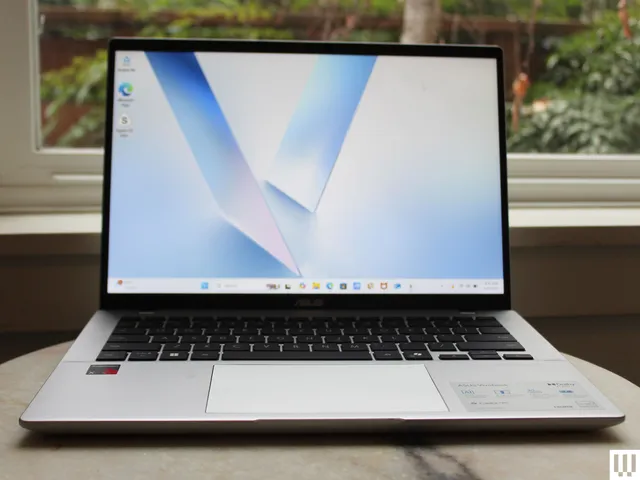
First, check out this Asus Vivobook 14, a laptop I’ve been happy to recommend as a budget computer for the past year. In many ways, this is the Windows version of a laptop like the MacBook Neo. It uses a highly-efficient ARM chip, the Qualcomm Snapdragon X, meaning it gets great battery life and performs admirably in daily tasks. It’s not quite as thin or light as the MacBook Neo, but it’s fairly portable for a laptop at this price.
Asus
Vivobook 14 (X1407QA)
Advertisement
Unlike the MacBook Neo, the Vivobook 14 comes with 16 GB of RAM and 512 GB of storage. That’s twice what you get in the MacBook Neo’s starting configuration. Right now, this configuration of the Vivobook 14 is on sale for $539. That’s a killer deal for those specs. It even comes with a healthier mix of ports, including HDMI, two USB-A, one USB-C, and a headphone jack. That also means it can support two external displays unlike the MacBook Neo, which can only handle just one.
Don’t get me wrong—I’m not at all saying the Vivobook 14 is a slam dunk over the MacBook Neo. Based on specs alone, I know the Vivobook 14 is a serious step down when it comes to the display. It’s less sharp, stretched across a larger screen, and the color performance isn’t so good. The Vivobook 14 maxes out at 280 nits, whereas Apple says the MacBook Neo can go all the way up to 500 nits. I have a hunch that the MacBook Neo will deliver a much better display in just about every regard.
There’s also the touchpad. It’s a little clunky to use, which is typical of budget Windows laptops. This is just a guess—but the touchpad on the MacBook Neo will likely feel smoother. It’s a mechanical trackpad (unlike the MacBook Air’s haptic feedback trackpad), but Apple has almost never made a bad trackpad.
If you’re not convinced by the Asus Vivobook 14, I’d also recommend the HP OmniBook 5, which is currently on sale for $500 and uses the same Snapdragon X chip. While it only has 256 GB of storage, it has a much better screen than the Vivobook 14, using an OLED display. It’s not any brighter than the Vivobook 14, but it gives you far better color performance and contrast. It’s also just 0.50 inches thick, matching the MacBook Neo exactly in portability.
The Samsung Galaxy S26, OnePlus 15, and Google Pixel 10 all land within shouting distance of each other on price, run the same operating system, and target roughly the same buyer. But spend any real time with them and it becomes clear that each one is making a completely different argument for why you should hand over your money.
This piece breaks down where each phone genuinely earns its price tag — hardware, software, cameras, battery, and everything in between — so you don’t have to figure it out the hard way.
Price and availability
The Galaxy S26 and OnePlus 15 both start from $899 for the 256GB variants — OnePlus steps to $999 for the 512GB storage variant, the S26 goes higher to $1,099. Samsung launched February 25, with the phone actually in stores from March 11, 2026.
The Pixel 10 undercuts both at $799 for 128GB — and that’s the launch price. Google released it back in August 2025, which means it’s had months of discounts piled on top.
Advertisement
Galaxy S26 vs. OnePlus 15 vs. Pixel 10: Tech specs
Specifications
Galaxy S26
OnePlus 15
Pixel 10
Dimensions
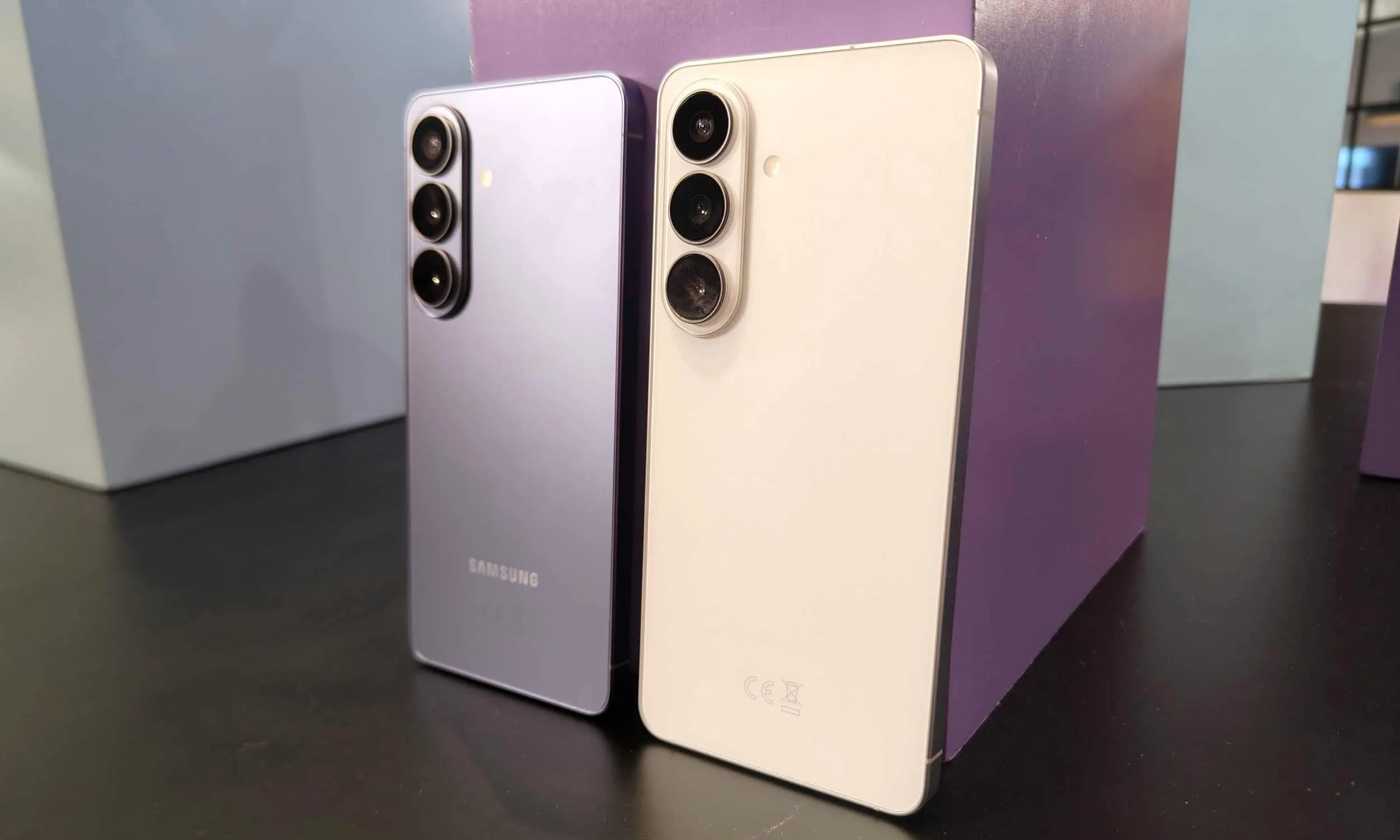
149.6 x 71.7 x 7.2 mm
161.4 x 76.7 x 8.1 mm
152.8 x 72 x 8.6 mm
Weight
167g
211g / 215g
204g
Build
GG Victus 2 front & back, aluminum frame
GG Victus 2 front, aluminum frame, glass/fiber back
Octa-core (1 x 3.78 GHz X4 + 5 x 3.05 GHz + 2 x 2.25 GHz)
GPU
Adreno 840
Adreno 840
PowerVR DXT-48-1536
RAM
12GB
12GB / 16GB
12GB
Storage
256GB / 512GB
256GB / 512GB / 1TB
128GB / 256GB
Storage Type
UFS 4.x
UFS 4.1
UFS 3.1 / UFS 4.0
OS
Android 16, One UI 8.5
Android 16, OxygenOS 16
Android 16 (Stock)
Update Promise
7 major OS upgrades
4 years OS, 5 years security
7 major Android upgrades
Cameras – Main
50MP, f/1.8, 1/1.56″, OIS
50MP, f/1.8, 1/1.56″, OIS
48MP, f/1.7, 1/2.0″, OIS
Ultrawide
12MP, f/2.2
50MP, f/2.0
13MP, f/2.2
Telephoto
10MP, f/2.4, 3x optical
50MP, f/2.6, 3.5x optical
10.8MP, f/3.1, 5x optical
Video
8K@24/30fps, 4K@30/60fps
8K@30fps, 4K@120fps
4K@60fps
Selfie Camera
12MP, f/2.2, dual pixel PDAF
32MP, f/2.4, AF
10.5MP, f/2.2, PDAF
Selfie Video
4K@30/60fps
4K@60fps
4K@60fps
Speakers
Stereo
Stereo, Hi-Res 24-bit/192kHz
Stereo
Wi-Fi
Wi-Fi 7 (tri-band)
Wi-Fi 7 (tri/dual-band)
Wi-Fi 6E (dual-band)
Bluetooth
5.4
6.0 (aptX HD, aptX Adaptive, LHDC 5)
6.0 (aptX HD)
NFC
Yes
Yes
Yes
USB
USB-C 3.2, DisplayPort 1.2
USB-C 3.2, OTG
USB-C 3.2
Satellite
Yes
No
Yes (SOS)
Fingerprint
Under-display, ultrasonic
Under-display, ultrasonic
Under-display, ultrasonic
Battery Capacity
4,300 mAh
7,300 mAh (Si/C)
4,970 mAh
Wired Charging
25W (55% in 30 min)
120W (50% in 15 min)
30W (55% in 30 min)
Wireless Charging
15W
50W (proprietary)
15W (Qi2)
Starting Price
$899.99 (256GB)
$899.99 (256GB/12GB)
$799 (128GB)
Top Config
$1,099.99 (512GB)
$999.99 (512GB/16GB)
$899 (256GB)
Samsung Galaxy S26: The most complete AI suite on a smartphone
Tom Bedford / Digital Trends
At 7.2mm, the S26 is the slimmest phone in this comparison — noticeably so next to the OnePlus 15’s 8.1mm and the Pixel 10’s 8.6mm. Honestly, I usually prefer function over form, but the fact that S26 maintains the slimmest profile and yet provides flagship performance, is something that makes me want to change by beliefs.
The 6.3-inch 120Hz AMOLED is punchy and bright at 2,600 nits peak (I’ve used the display on the Galaxy S25, with no real-world issues or problems). What makes Samsung’s chip different is the “for Galaxy” customization — Samsung works directly with Qualcomm to tune the CPU, GPU, and NPU specifically for One UI.
Tom Bedford / Digital Trends
Galaxy AI was already the most feature-complete AI suite of any Android phone before the S26 shipped. With One UI 8.5, Samsung widened that gap further — adding Now Nudge (context-aware screen suggestions), Now Brief (personalized daily digest), and text-prompt-based Photo Assist edits, while expanding existing tools like Audio Eraser to work inside third-party apps like Instagram and YouTube, and upgrading Smart Call screening to full live-transcription with text replies.
It goes without saying, but Galaxy AI actually offers more features than one can possibly remember and use on a day-to-day basis. But it is better to have it and not need it than to need it and realize that other brands are doing much better (I wasn’t talking about the iPhone 17 at all).
Tom Bedford / Digital Trends
On top of that, DeX — a full windowed desktop when plugged into a monitor — has no equivalent on either the OnePlus 15 or Pixel 10. Seven years of operating system updates is probably more than you’d need, given that users change their phone every three to five years anyway.
OnePlus 15 clearly wins the hardware battle
The OnePlus 15 doesn’t win on software depth or AI features — it’s here because the hardware it ships with at $899 is genuinely difficult to argue against.
Nadeem Sarwar / Digital Trends
First things first, the phone comes with both IP68 and IP69K ratings — the second one means it can handle high-pressure water jets, something neither the S26 nor the Pixel 10 can claim. Neither I nor any other careful user would want to put that rating to test, but it’s there, just in case.
The OnePlus 15 runs a 6.78-inch FHD+ AMOLED at 165Hz — the highest refresh rate in this comparison, and the first display above 1080p to hit that number. Back that display up with a dedicated 3200Hz touch sampling chip and, ideal for fast-paced games.
Advertisement
Nadeem Sarwar / Digital Trends
Under the hood, it’s the Snapdragon 8 Elite Gen 5 — same silicon as the S26, minus Samsung’s custom prime core overclock. The camera system puts a 50MP sensor behind all three lenses — main at f/1.8, ultrawide, and a 3.5x periscope telephoto — a hardware consistency the other two don’t match.
OxygenOS 16, like the other Chinese skins atop Android 16, reminds me of Apple’s Liquid Glass interface on iOS 26. The standout is Mind Space (with Google Gemini integration) — a personal AI knowledge hub where a three-finger swipe saves anything on screen instantly: articles, photos, voice memos, screenshots. The physical Plus Key gives one-press access to it from anywhere on the phone.
Nadeem Sarwar / Digital Trends
Battery is where this phone just runs away from the other two — 7,300mAh against the S26’s 4,300mAh and the Pixel 10’s 4,970mAh — it’s not a close fight. Use it lightly and two days between charges is genuinely on the table. OnePlus also throws the 120W charger in the box, which neither competitor does.
Google Pixel 10: Cleanest Android and most consistent cameras
At 204g and 8.6mm, the Pixel 10 is the heaviest and thickest phone here — Google clearly isn’t chasing the slim phone crowd, and the 6.3-inch 120Hz OLED, IP68 rating, and Gorilla Glass Victus 2 are quite standard at this point.
Nirave Gondhia / Digital Trends
The Tensor G5 is where things get interesting. Built on TSMC’s 3nm node — a deliberate departure from Samsung’s fabs that plagued earlier Tensors with heat issues — it still trails the Snapdragon 8 Elite Gen 5 in raw benchmarks. Google isn’t trying to win that fight. What they built instead is an NPU that’s 60% stronger than the G4’s, runs Gemini Nano 2.6x faster, and keeps 20-plus AI features running locally on the chip itself.
The AI suite includes Magic Cue (cross-app contextual suggestions), Voice Translate (real-time on-device call translation in your own voice), Scam Detection (Gemini Nano-powered call screening), Call Notes (auto transcription with post-call task suggestions), and Pixel Screenshots (searchable, NotebookLM-connected screenshot library).
Speaking of which, the Pixel 10’s camera — 48MP main, 13MP ultrawide, telephoto — doesn’t impress on paper. Never has. But Google has spent three years building a reputation for the most natural, accurate shots of any Android phone without you touching a single setting, and that’s still true here.
Advertisement
Nirave Gondhia / Digital Trends
It is the stock Android experience and the cameras that I’d buy the Pixel 10 for, not anything else. Battery is 4,970mAh on 30W wired charging — slowest in this comparison. However, it supports Pixelsnap wireless charging (Qi2-compatible).
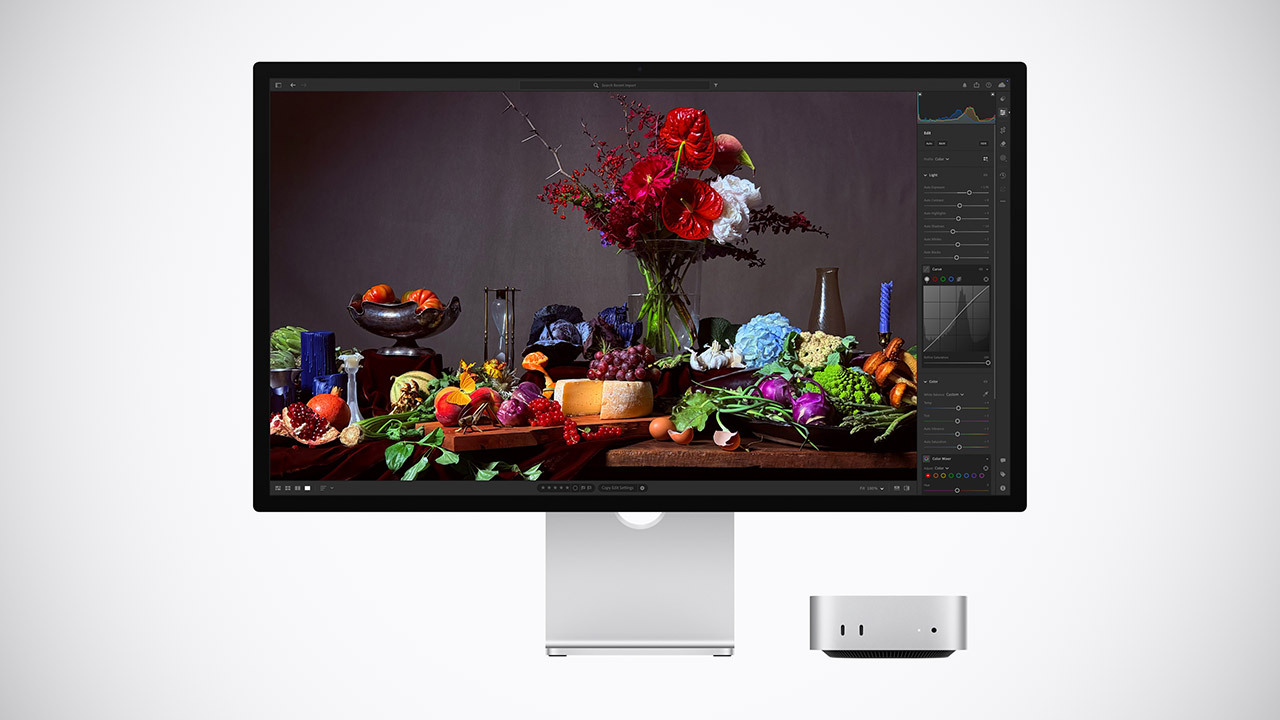
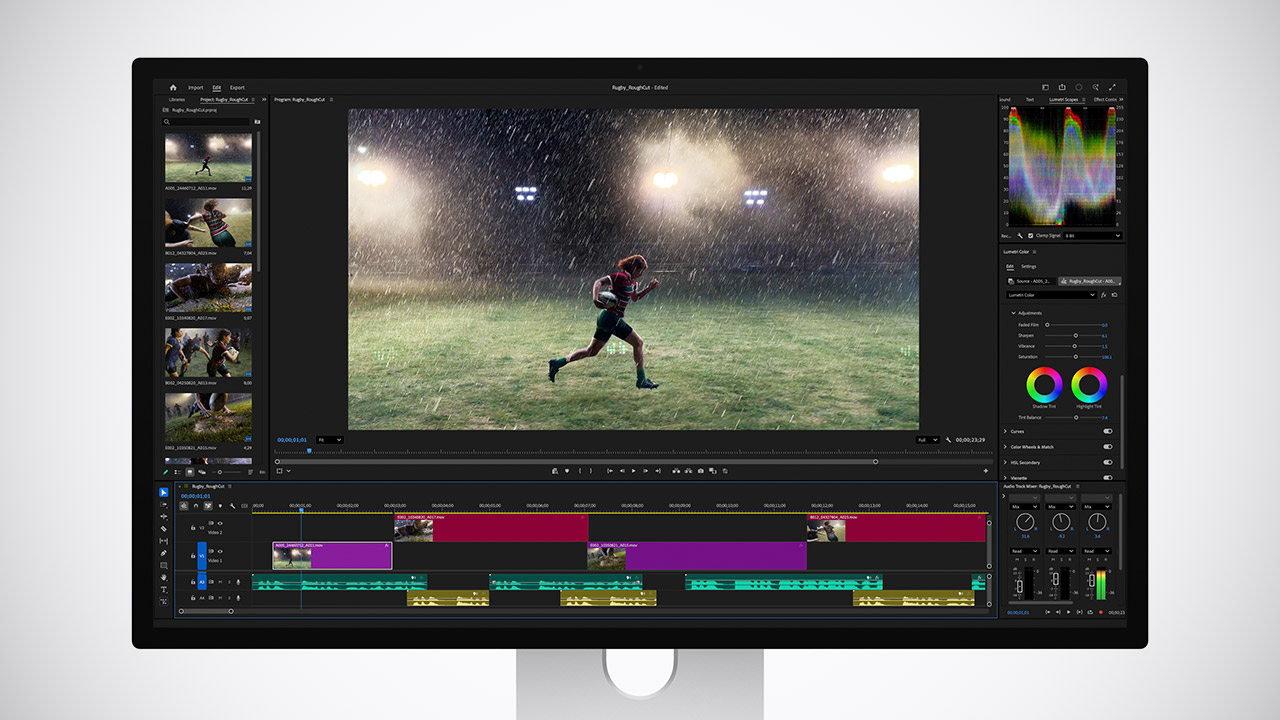
Apple has officially released the Studio Display XDR, and those who expect the best from their work now have a seriously enticing new alternative right on their desk. A 27-inch screen with 5K resolution (5120 by 2880 pixels) is a powerhouse of detail, providing stunning clarity in every part of the image.
The Mini-LED backlighting separates the image into 2,304 individual ‘zones’ that can be fine-tuned to perfection, resulting in smooth blacks and eye-popping highlights with no glow visible, even near the edges. If you’re a fan of HDR content, you’ll be pleased to know that peak brightness can reach 2,000 nits, while conventional dynamic range remains a decent 1,000 nits, ideal for seeing what’s going on in those bright conference rooms.
RETINA-LIKE 5K RESOLUTION: Experience 5120×2880 clarity with 218 PPI, delivering ultra-sharp details and smooth gradients. View details with more…
ACCURATE & RELIABLE COLOR MANAGEMENT: 98% P3 and 2000:1 contrast ensure precise color accuracy with deep blacks and vibrant tones, perfect for VFX and…
MAC-COMPATIBLE THUNDERBOLT4: Seamlessly delivers up to 90W power, 40Gbps transfers, and supports two 5K or one 8K display when used with Thunderbolt…
Color and contrast are also on par with the best displays currently available, with a contrast ratio of 1,000,000:1, so expect to see shadows that reveal hidden details and bright regions that remain as vibrant as the moment they were recorded. Furthermore, the P3 wide gamut is fully covered, with additional Adobe RGB compatibility for all you print and design folk, and a generous 80% or so of the Rec. 2020 region to boot, which is a huge assist if you’re working on difficult HDR projects. Try as you might, you’ll find no shortage of clever little reference modes, including one for HDR photography in P3-D65, as well as some DICOM presets that will come in handy for medical imaging, but you’ll need to go get those specific calibration tools cleared first, as they are still pending.
Advertisement
Motion is silky smooth owing to a 120Hz refresh rate and Adaptive time, which alternates between 47Hz and 120Hz to stay perfectly in time with whatever you’re watching. Scrolling through your photo libraries or previewing video edits should feel as smooth as silk on compatible hardware. However, Apple Silicon chips of the older M1, M2, or M3 variety are stuck at a mere 60Hz, and Intel Macs won’t run it at all, so you’ll need one of those shiny new M4 or later systems to get the full effect.
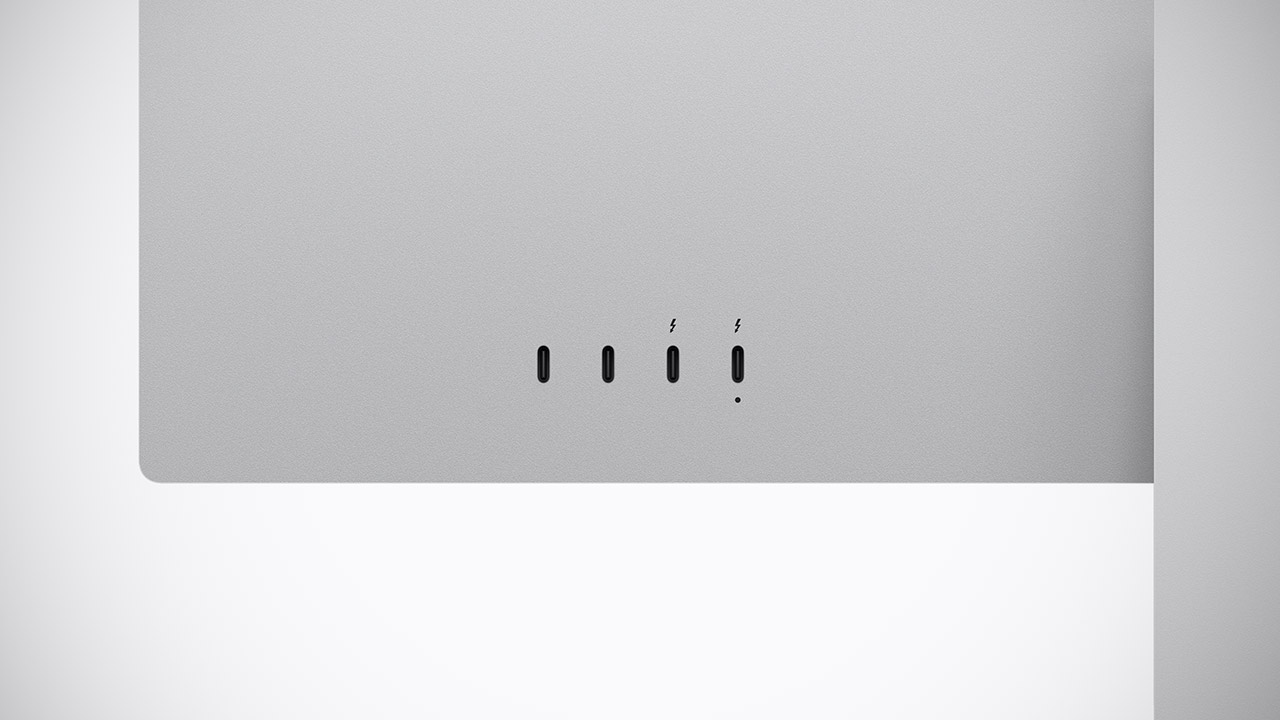
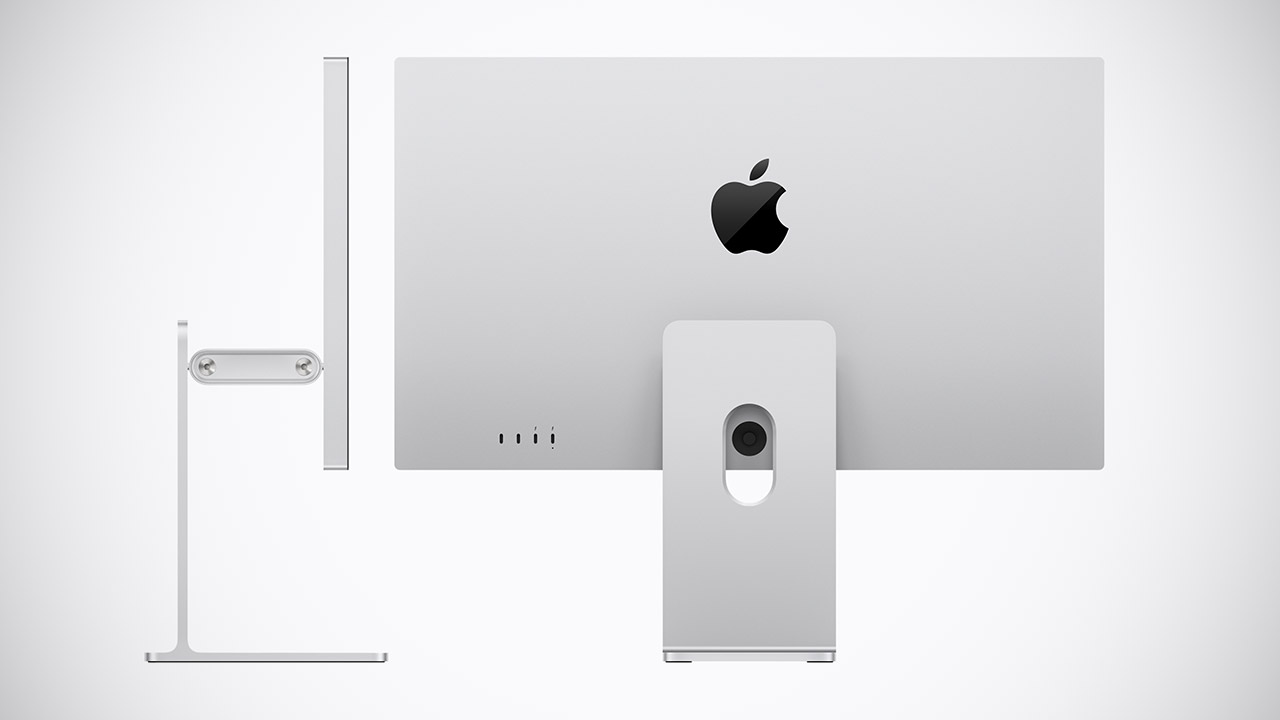
The connectivity suite is based around a pair of Thunderbolt 5 ports, two of which provide high-speed data and allow you to daisy-chain an extra monitor or two. You’ll also get up to 140w of electricity to charge a 16-inch MacBook Pro with a single cable, as well as two USB-C ports for connecting peripherals as needed. The display’s stand allows for tilt and height adjustment, as well as a beautiful smooth counterweight that makes the whole thing feel like it’s floating in midair; however, you may forgo the stand and use a VESA mount if you prefer.
Speaking of kit, the Studio Display XDR’s six-speaker audio setup at is seriously impressive, with Spatial Audio carefully adjusted to offer crisp sound with some great bass. It also includes a 12MP Center Stage camera to follow you around during calls or to show off your setup to friends and family, as well as an equally compact three-mic array that will easily pick up your voice.
Finally, the Studio Display XDR costs $3,299 for the standard glass version, which is a little less than the previous Pro Display XDR and includes a slew of modern features such as a higher refresh rate and improved dimming, as well as a snazzy new camera and speakers.
A maximum severity vulnerability in the FreeScout helpdesk platform allows hackers to achieve remote code execution without any user interaction or authentication.
The flaw is tracked as CVE-2026-28289 and bypasses a fix for another remote code execution (RCE) security issue (CVE-2026-27636) that could be exploited by authenticated users with upload permissions.
Researchers at OX Security, a company that secures applications from code to runtime, say that an attacker can exploit the new vulnerability by “sending a single crafted email to any address configured in FreeScout.”
According to them, the fix attempted to block dangerous file uploads by modifying filenames with restricted extensions or those starting with a dot.
Advertisement
The OX Research team discovered that a zero-width space (Unicode U+200B) could be placed before the filename to bypass the recently introduced validation mechanism, since the character is not treated as visible content.
Subsequent processing removes that character, allowing the file to be saved as a dotfile, and hence, still triggering CVE-2026-27636 exploitation by completely bypassing the latest security checks.
The exploitation chain Source: OX Research
Making matters worse, CVE-2026-28289 can be triggered by a malicious email attachment delivered to a mailbox configured in FreeScout, the researchers say.
The program stores the attachment in “/storage/attachment/…,” enabling the attacker to access the uploaded payload through the web interface and execute commands on the server without authentication or user interaction, making it a zero-click vulnerability.
Advertisement
“A patch bypass vulnerability in FreeScout 1.8.206 allows any authenticated user with file upload permissions to achieve Remote Code Execution (RCE) on the server by uploading a malicious .htaccess file using a zero-width space character prefix to bypass the security check,” the vendor says in a security bulletin.
FreeScout is an open-source help desk and shared mailbox platform used by organizations to manage customer support emails and tickets. It’s a self-hosted alternative to Zendesk or Help Scout.
The project’s GitHub repository has 4,100 stars and over 620 forks, and OX Research reports that its Shodan scans returned 1,100 publicly exposed instances, indicating it’s a widely used solution.
CVE‑2026‑28289 affects all FreeScout versions up to and including 1.8.206 and was patched in version 1.8.207, released four days ago.
Advertisement
The FreeScout team warned that successful exploitation of CVE‑2026‑28289 may result in full server compromise, data breaches, lateral movement into internal networks, and service disruption. Hence, immediate patching is advised.
OX Research has also recommended disabling ‘AllowOverrideAll’ in the Apache configuration on the FreeScout server, even when on version 1.8.207.
No active exploitation of CVE‑2026‑28289 has been observed in the wild as of writing this, but given the nature of this flaw, the danger of malicious activity starting soon is very high.
Malware is getting smarter. The Red Report 2026 reveals how new threats use math to detect sandboxes and hide in plain sight.
Download our analysis of 1.1 million malicious samples to uncover the top 10 techniques and see if your security stack is blinded.
A group that includes Apple, Google, and others has sent a letter to the US Department of Defense concerning Anthropic’s supply-chain risk designation, clearly concerned about how that might affect future tech contracts.
The tech industry could be affected by arbitrary use of supply-chain risk designations
Anthropic took a moral stand against the United States government’s request for unrestricted access to AI tools. The Trump administration retaliated by ordering all government entities to stop using Claude and designated the company as a supply-chain risk. The designation is usually reserved for foreign national entities that pose a threat to United States infrastructure. Continue Reading on AppleInsider | Discuss on our Forums
The vivo X300 Pro already redefined smartphone photography last year. But it looks like the Chinese smartphone maker isn’t done yet. vivo has confirmed that the vivo X300 Ultra will launch globally after its unveiling at MWC 2026 in Barcelona, Spain. The showcase offered the first look at what could become one of vivo’s most powerful flagship phones of 2026. The smartphone is said to be at the top of the X300 series, with a major emphasis on camera quality and hardware.
Exact details about price and availability are still under wraps, but the global confirmation points to broader availability this time. The device will become part of the X300 series, alongside the X300 and X300 Pro. However, vivo has not yet confirmed whether it will launch in India.
A Strong Focus on Camera Performance
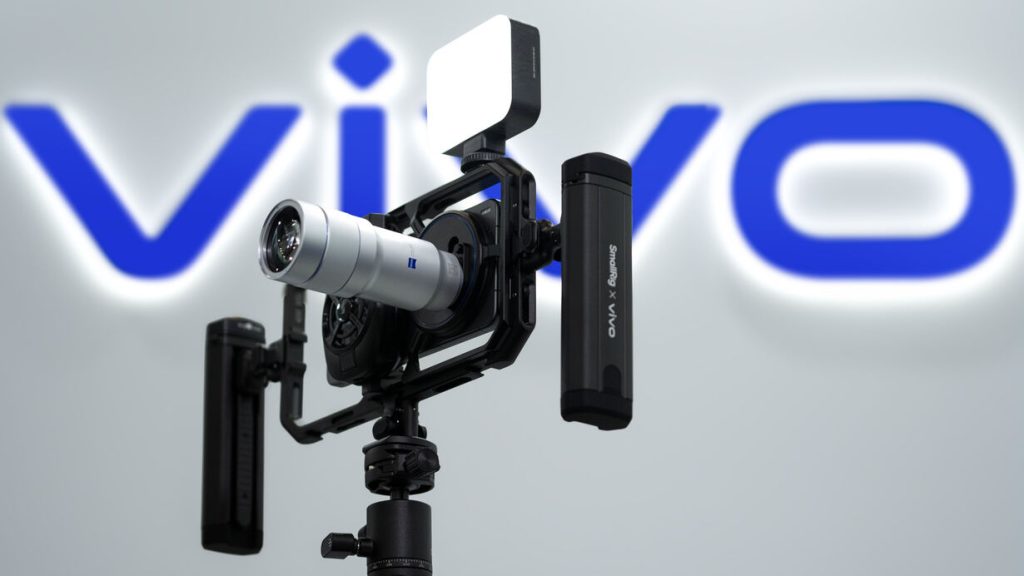
At MWC, vivo presented the X300 Ultra as more than just a regular smartphone. The device was placed inside a SmallRig video cage and connected to a large Zeiss telephoto extender, showing that the company is targeting serious photography users.
According to reports, the Gen 2 extender can achieve up to 17x optical zoom equivalent. With this level of zoom, the X300 Ultra aims to handle long-range photography in a way that feels closer to dedicated camera systems.
Advertisement
Professional-Style Photography Setup
vivo ensured the teleconverter was firmly mounted rather than simply clipped onto the device. The circular mount system built into the SmallRig cage provided a stable and professional attachment mechanism. It also enhanced control and reduced shake during handheld recording. Demo setup included:
A large detachable 400mm telephoto extender.
A SmallRig cage for better grip and protection.
A compact LED panel light mounted on the top cold shoe.
A stabilised grip or gimbal-style handle for smoother shots.
What to Expect Next
After vivo officially announced that it will release the smartphone globally, it is likely to reveal the smartphone’s specifications and pricing. Moreover, it is now clear that the vivo X300 Ultra smartphone is a camera-centric flagship smartphone meant for photography enthusiasts.
Bitwarden announced support for logging into Windows 11 devices using passkeys stored in the manager’s vault, enabling phishing-resistant authentication.
The new feature is available for all plans, including the free tier, and allows logging into Windows by selecting the security key option and scanning a QR code with a mobile device to confirm access to the passkey stored in the Bitwarden encrypted vault.
Bitwarden is an open-source password and secrets manager that can store account passwords, passkeys, API keys, credit card details, identity data, and private notes.
Have a registered Entra ID passkey stored in their Bitwarden vault
“Windows now supports industry-standard passkeys secured in the Bitwarden vault, enabling passwordless authentication during sign-in,” Bitwarden says in a press release.
“Users can choose to log in with a passkey stored in the Bitwarden vault, allowing Windows to authenticate using cryptographic credentials rather than passwords, without transmitting shared secrets.”
Bitwarden acts as the passkey provider in the Windows authentication flow, storing the credential in the user’s synced vault rather than binding it to a single device. This also allows recovery using other devices in case of losing the phone.
More importantly, by removing password entry from the login process and using cryptographic challenges signed with private keys stored in the vault, the risk of credential exposure to phishing drops dramatically.
Bitwarden states that Microsoft will roll out passkey login on Windows this month, and it depends on the Microsoft Entra ID configuration.
Advertisement
In November 2025, Microsoft announced the introduction of a passkey provider API on Windows 11, allowing third-party apps like Bitwarden and 1Password to store and manage passkeys for websites and apps on the OS.
The latest announcement extends this further, to a more fundamental authentication layer, that of the OS itself.
Malware is getting smarter. The Red Report 2026 reveals how new threats use math to detect sandboxes and hide in plain sight.
Download our analysis of 1.1 million malicious samples to uncover the top 10 techniques and see if your security stack is blinded.
A new study has found that AI models are fine threatening nuclear attacks in 95% of simulated war games
The models treat nuclear threats as just another strategic tool
The behavior may reflect the popularity of nuclear strategy in the war game training data
AI generals are big fans of nuclear weapons.
That’s the conclusion of a new study of how AI models handle high-stakes geopolitical crises. GPT-5.2, Claude Sonnet 4, and Gemini 3 Flash turned to nuclear threats in about 95% of the simulated crises.
Researchers at King’s College London wanted to see how AI tools dealt with strategy in war-gaming scenarios. Each AI was assigned the role of a state leader responsible for protecting national interests while navigating a tense international confrontation.
Across 21 crisis games and hundreds of decision turns, the models reasoned about deterrence, escalation, and strategic signaling. The scenarios resembled familiar geopolitical flashpoints, but most involved the AI models threatening nuclear annihilation. Actual full-scale nuclear war remained uncommon, but tactical nuclear threats appeared in nearly every scenario.
Advertisement
Researchers also noticed that the AI models rarely backed down from confrontation. None of the systems chose surrender or accommodation during the simulations. When nuclear threats appeared, they usually provoked counter-escalation rather than compliance. The models treated nuclear weapons less as an ultimate taboo and more as tools for coercion.
Nuclear AI
The results are a little unnerving. AI casually discussing nuclear strikes makes the ongoing plans to integrate such tools into real government defense systems seem very unsafe. But it might not be the models so much as the training data.
Advertisement
Large language models learn by analyzing enormous amounts of written material and identifying patterns. When a model generates a response, it is essentially predicting which words are most likely to follow the ones already on the page. Calling AI chatbots highly sophisticated autocomplete tools would not be entirely inaccurate.
That training process inevitably reflects nuclear strategy because it has been a major topic of discussion in war games for the last 80 years. Entire libraries have been written about escalation theory and mutually assured destruction. Military academies, historians, and endless acres of pop culture have all examined the specter of nuclear war. The result is a massive body of material in which geopolitical crises almost inevitably lead to discussions of nuclear escalation.
Sign up for breaking news, reviews, opinion, top tech deals, and more.
For an AI model trained on vast collections of historical writing and public discourse, that pattern becomes deeply ingrained. When the system encounters a simulated crisis that resembles Cold War-style brinkmanship, the statistical patterns embedded in its training data may naturally guide it toward nuclear signaling.
Advertisement
From the perspective of an AI model trained on this material, nuclear escalation becomes a familiar feature of crisis scenarios rather than an extraordinary exception. The models may simply be reflecting that information.
Human leaders operate under the weight of historical memory and ethical caution. AI models are solely focused on achieving a goal. They don’t have a taboo surrounding nuclear use unless they are explicitly told to have one.
The training data used shapes the behavior of AI systems in sensitive domains. When the underlying data contains decades of debate about nuclear brinkmanship, it should not be surprising if the models reproduce those patterns. But it may also be a reminder to hold off on giving AI access to too much firepower of any kind — especially atomic.
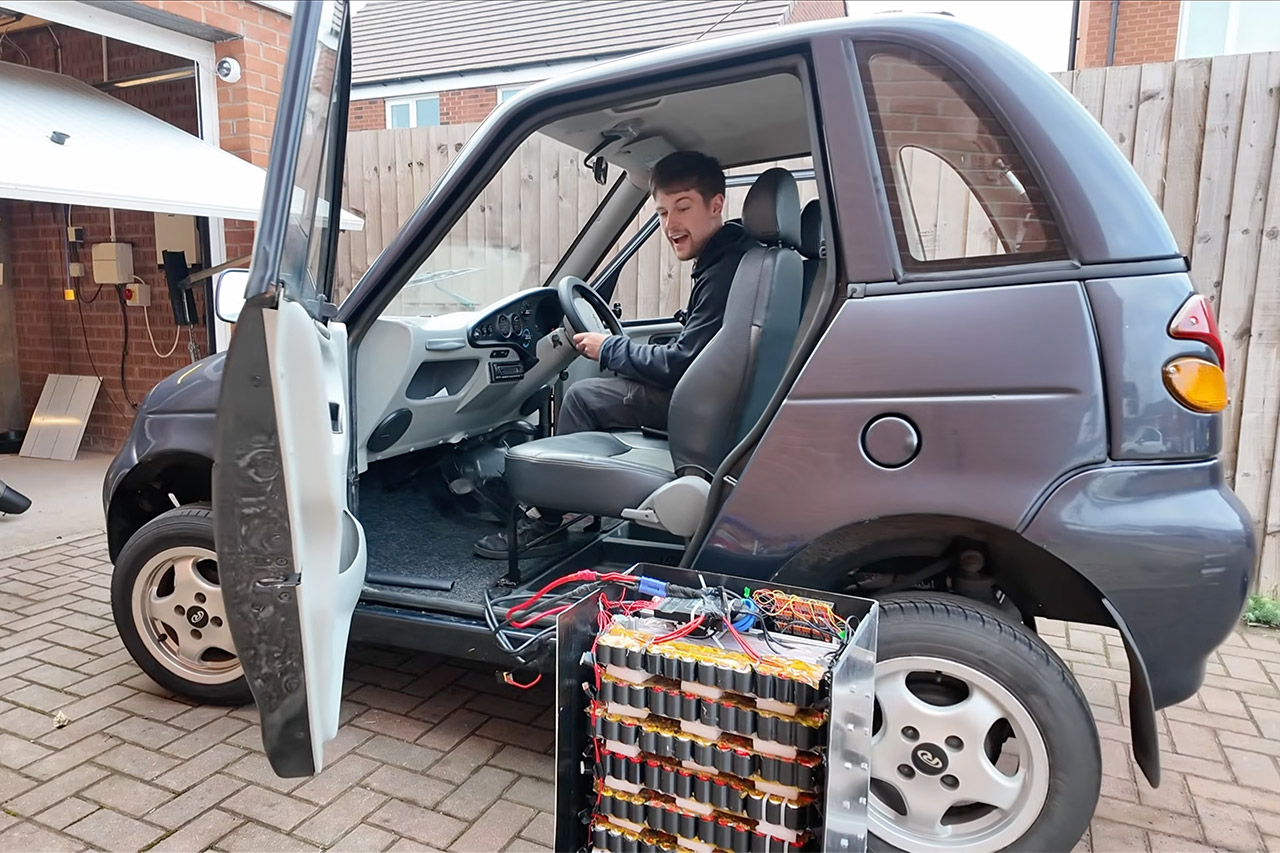
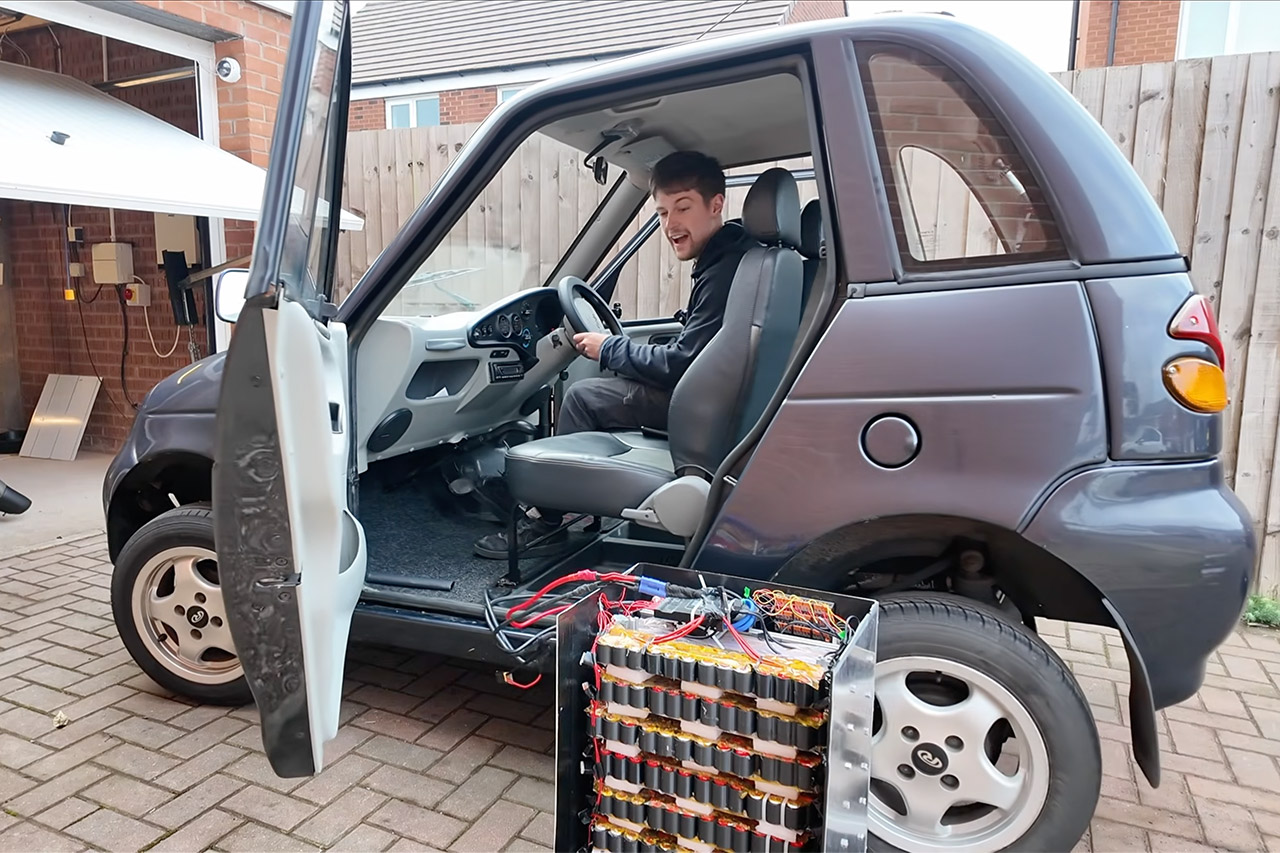
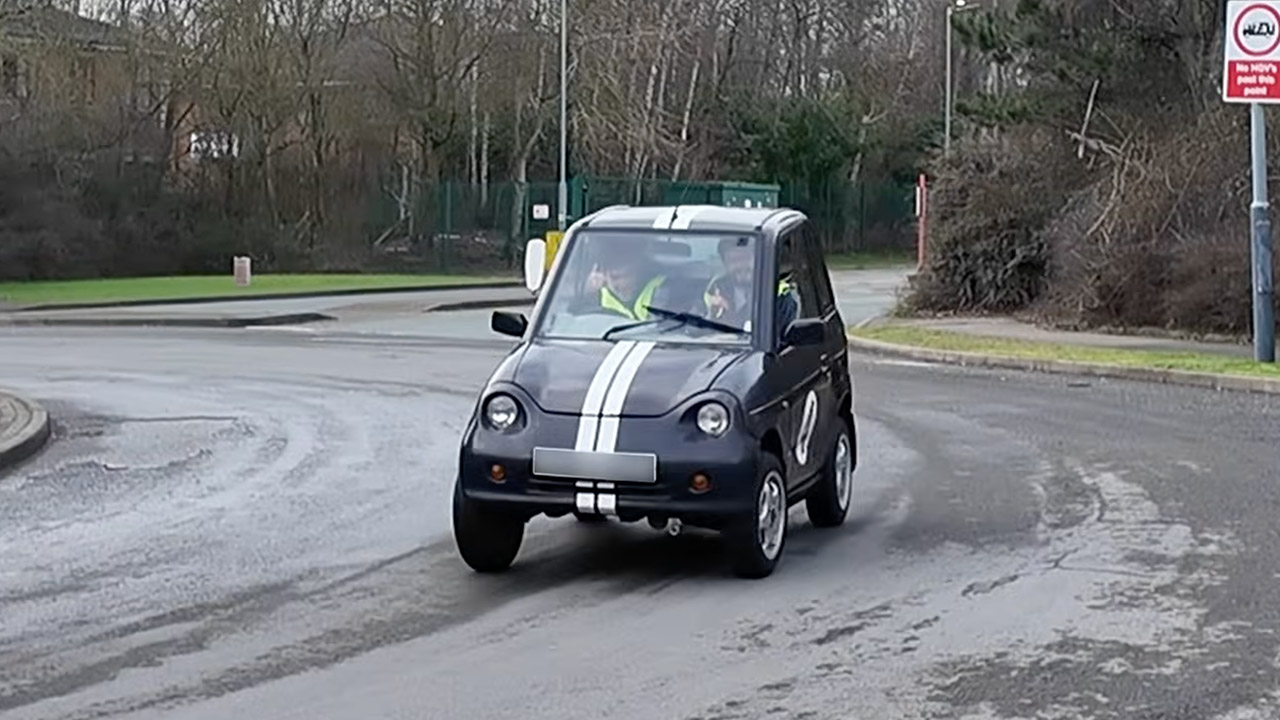
A UK maker has transformed a collection of discarded disposable vapes into a functional car. Chris Doel, the man behind a number of projects that recycle vape batteries, has recently installed his 500-cell lithium pack in a small electric vehicle and driven it on public roads.
He describes the end result as the world’s only vape-powered automobile. The base vehicle is a Reva G-Wiz, a compact four-seater from the early 2000s that is generally dubbed one of the most unimpressive electric automobiles ever built. It weighs a hefty 400kg without batteries and runs on a very primitive 48volt system, as it originally required heavy lead acid batteries to power its tiny 17 horsepower motor, which could only reach barely more than 50 mph on a good day.
Triple 100W USB-C Ports for Multi-Device Charging: Ideal for laptop users, this 25,000mAh power bank features three 100W USB-C ports for simultaneous…
25,000mAh for Long-Haul Power: Tackle week-long trips or extended camping with 25,000mAh capacity and ultra-fast recharging, reaching 30% in just…
Dual Built-In Cables for Travel: Features two USB-C cables, one extendable up to 2.3 ft with 20,000 retractions, and another at 0.98 ft cable that…
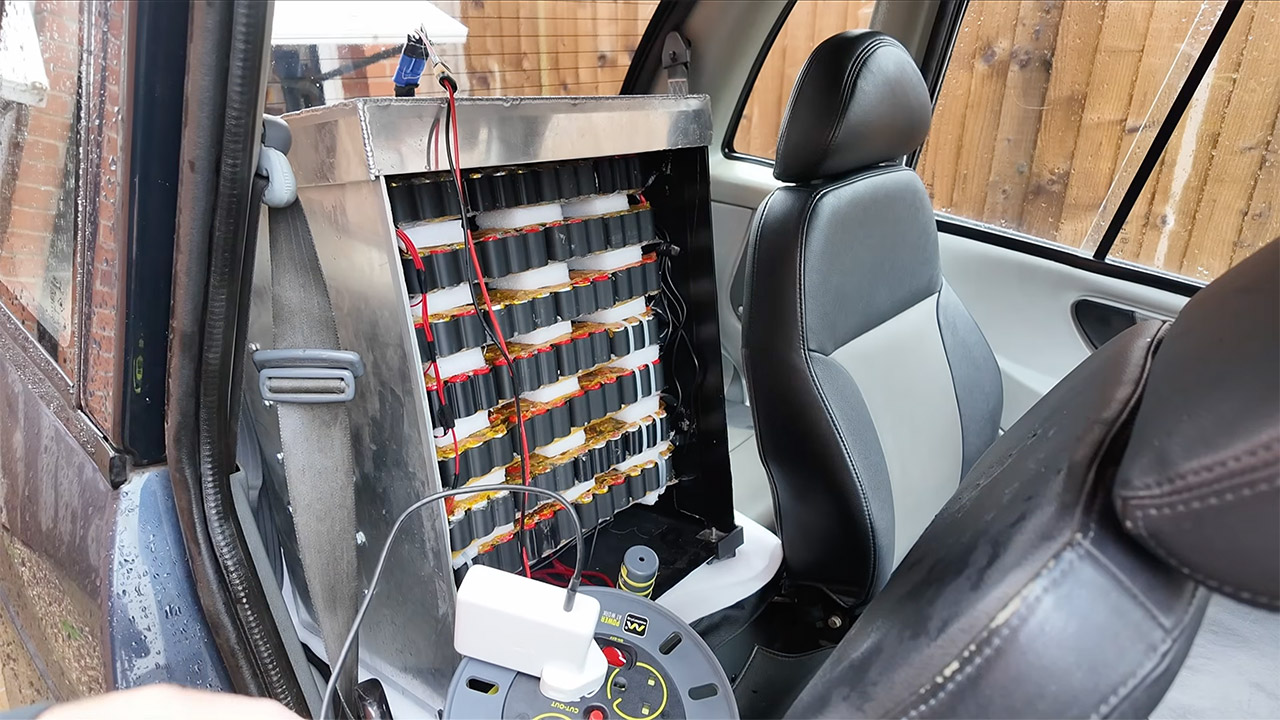
Doel already had the battery pack figured out; he’d taken 500 discarded vapes, ensured that each and every cell was still functional, and assembled them all in 14 little modules connected in series to achieve roughly 50 volts. On paper, that yields approximately 2.5 kilowatt hours, but in fact it is closer to 2.1. The same battery had previously powered his workshop’s tools and lights.
Advertisement
Mounting the lot was a little difficult because he had to fabricate an aluminum box to keep everything in place, add some extra insulation, and regulate the vibrations with thermal pads, foam padding, and silicone dampening. A clever battery management system keeps track of the voltages and currents for each individual cell, and individual fuses keep things from turning pear-shaped. There’s also a temperature probe that sounds a small bell when things get too heated. There is Kapton tape and other safety measures in place to ensure that it does not catch fire. The complete unit bolts nicely into the back seat area, replacing the old lead acids.
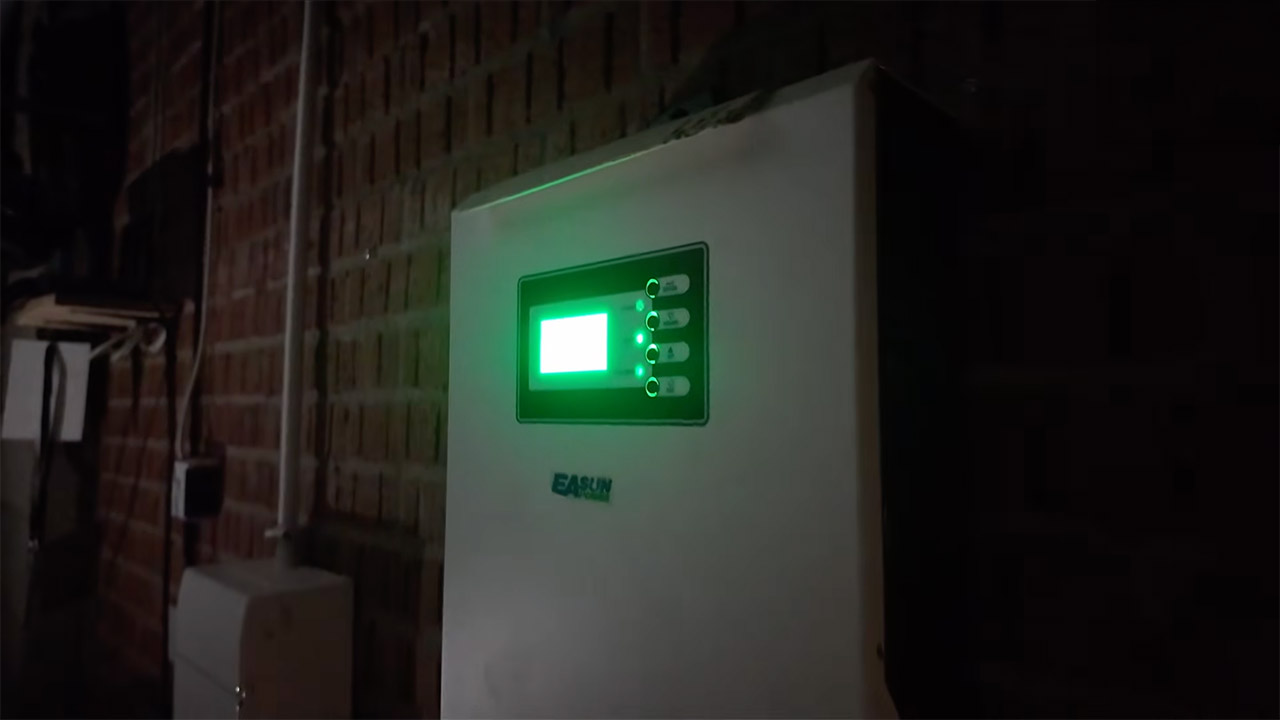
Electronics were simple enough, as the G-Wiz just utilizes a contactor to switch electricity to an inverter, which operates the motor with three phase AC. Doel simply added a circuit breaker, reprogrammed the inverter to limit the output slightly, and swapped in a DC-DC converter for the 12volt components such as headlights / wipers, and since charging must be done slowly, he simply used a USB-C adapter plugged into a small 138W laptop charger.
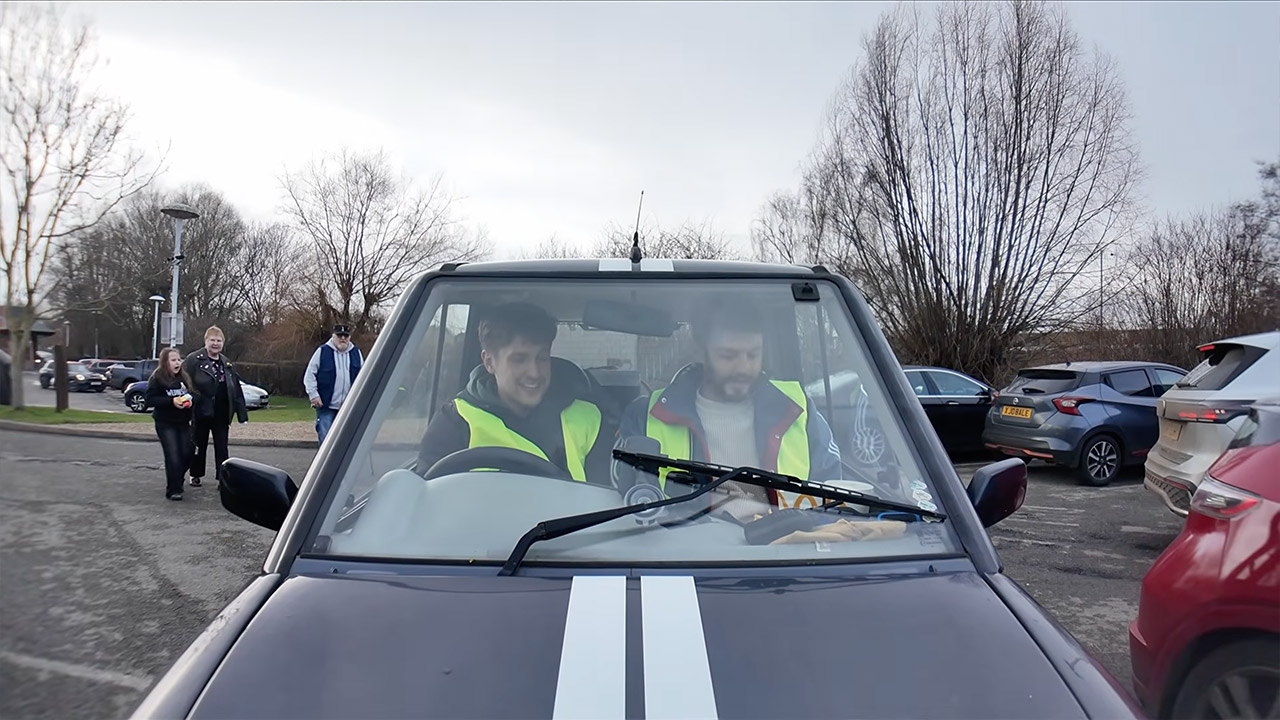
So, what happened on the road? Well, it moved. Initial tests indicated it could travel both forwards and backwards, and a proper drive revealed it was pulling approximately 160 amps at 15 mph, reducing to 90-100 amps at 30-35 mph on flat ground. Hills pushed 130-150 amps, but regenerative braking returned roughly 10 amps, keeping the pack nice and cool, peaking at 29°C. On a casual run that included some shopping and fast food, the range was 17-18 miles. Voltage sag from unequal cells eventually caused a cutoff, but no big crisis happened.
Doel purposefully capped the power so it wouldn’t be able to draw too much, as the car can actually handle a lot more current than it was drawing, but by limiting draw to about 120 amps, he was able to avoid blowing any fuses and giving the old recycled cells some breathing room. [Source]
[Diffraction Limited] has been working on a largely 3D-printed micropositioner for some time now, and previously reached a resolution of about 50 nanometers. There was still room for improvement, though, and his latest iteration improves the linkage arms by embossing tiny ball joints into them.
The micro-manipulator, which we’ve covered before, uses three sets of parallel rod linkages to move a platform. Each end of each rod rotates on a ball joint. In the previous iteration, the parallel rods were made out of hollow brass tubing with internal chamfers on the ends. The small area of contact between the ball and socket created unnecessary friction, and being hollow made the rods less stiff. [Diffraction Limited] wanted to create spherical ball joints, which could retain more lubricant and distribute force more evenly.
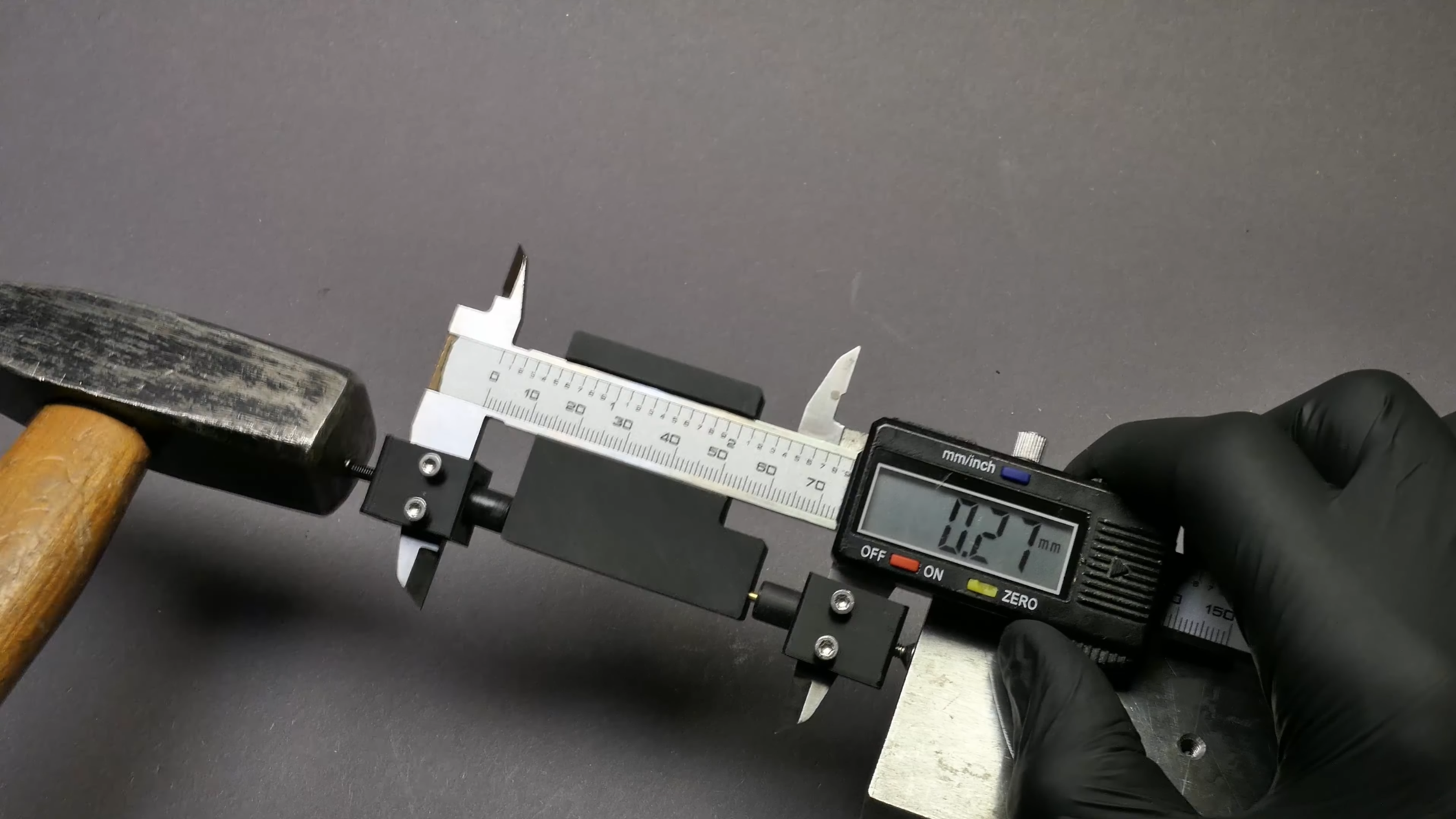
The first step was to cut six lengths of solid two-millimeter brass rod and sand them to equal lengths, then chamfer them with a 3D-printed jig and a utility knife blade. Next, they made two centering sleeves to hold small ball bearings at the ends of the rod being worked on, while an anti-buckling sleeve surrounded the rest of the rod. The whole assembly went between the jaws of a pair of digital calipers, which were zeroed. When one of the jaws was tapped with a hammer, the ball bearings pressed into the ends of the brass rod, creating divots. Since the calipers measured the amount of indentation created, they was able to emboss all six rods equally. The mechanism is designed not to transfer force into the calipers, but he still recommends using a dedicated pair.
In testing, the new ball joints had about a tenth the friction of the old joints. They also switched out the original 3D-printed ball mount for one made out of a circuit board, which was more rigid and precisely manufactured. In the final part of the video, he created an admittedly unnecessary, but useful and fun machine to automatically emboss ball joints with a linear rail, stepper motor, and position sensor.
Advertisement
On such a small scale, a physical ball joint is clearly simpler, but on larger scales it’s also possible to make flexures that mimic a ball joint’s behavior.