
Sports
Arshdeep Singh penalised by ICC following India’s T20 World Cup triumph | Cricket News

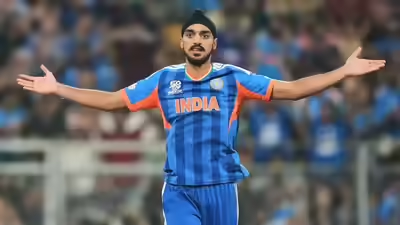

India fast bowler Arshdeep Singh has been fined 15 per cent of his match fee for breaching Level 1 of the International Cricket Council Code of Conduct during the ICC Men’s T20 World Cup 2026 final against New Zealand national cricket team in Ahmedabad on Sunday.Arshdeep was found guilty of breaching Article 2.9 of the ICC Code of Conduct for Players and Player Support Personnel, which relates to “throwing a ball (or any other item of cricket equipment) at or near a player in an inappropriate and/or dangerous manner during an International Match.”
In addition to the fine, one demerit point has been added to Arshdeep’s disciplinary record. It is his first offence within a 24-month period.The incident took place in the 11th over of New Zealand’s innings when Arshdeep fielded the ball on his follow-through and threw it back aggressively, striking batter Daryl Mitchell on the pads.Arshdeep accepted the sanction proposed by Andy Pycroft of the Emirates ICC Elite Panel of Match Referees, meaning there was no need for a formal hearing.The charge was levelled by on-field umpires Richard Illingworth and Alex Wharf, third umpire Allahuddien Paleker, and fourth umpire Adrian Holdstock.Level 1 breaches carry a minimum penalty of an official reprimand and a maximum penalty of 50 per cent of a player’s match fee, along with one or two demerit points.HOW DEMERIT POINTS WORKWhen a player accumulates four or more demerit points within a 24-month period, they are converted into suspension points, which can result in a ban.Two suspension points equate to a ban from one Test or two ODIs or two T20Is, whichever comes first for the player.Demerit points remain on a player or player support personnel’s disciplinary record for 24 months from the date they are imposed, after which they are expunged.

MEMPHIS, Tenn. — A pair of NBA head coaches defended Memphis and its culture Friday following criticism by Los Angeles Lakers star LeBron James that the Grizzlies should just relocate to Nashville.
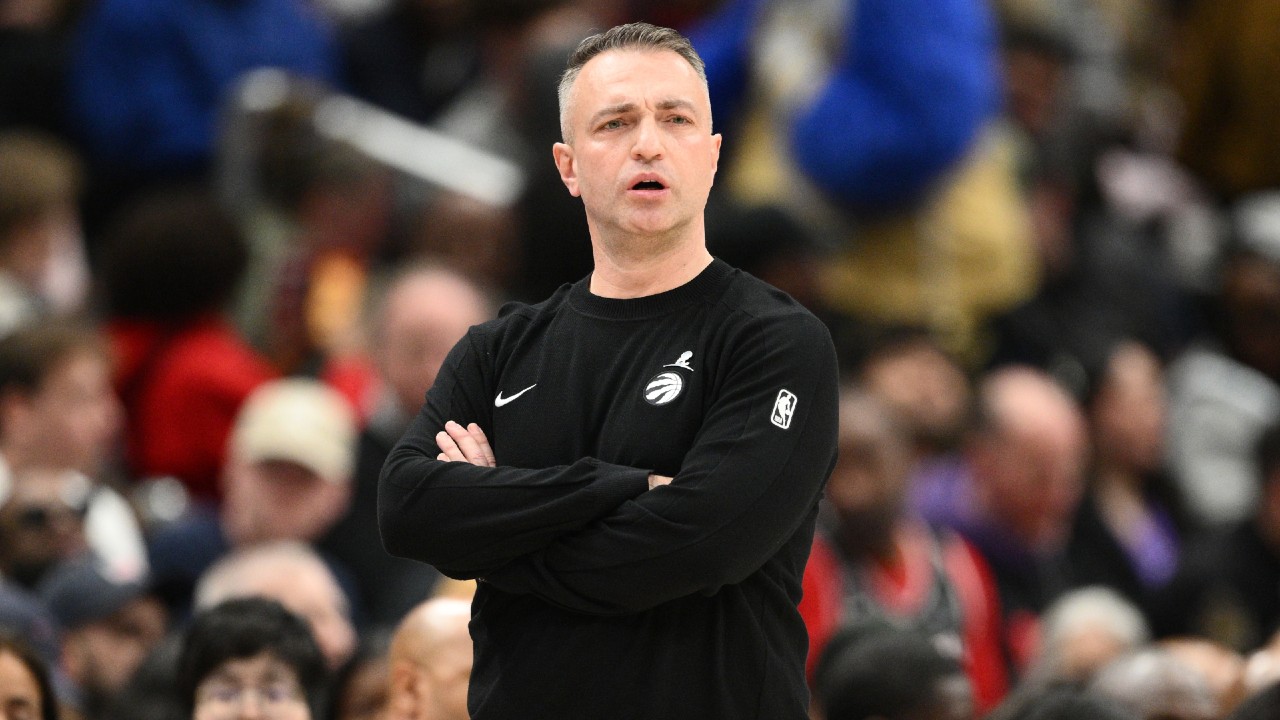
Current Grizzlies coach Tuomas Iisalo and Raptors coach Darko Rajakovic, an assistant in Memphis before taking over as head coach of Toronto, said their experiences did not match the comments by James in a “Bob Does Sports” YouTube video earlier this week.
James criticized Memphis and indicated the NBA would be better off if the Grizzlies moved 200 miles east to Nashville where Tennessee’s capital city has Vanderbilt University, NASCAR and even the NHL’s Predators. He even said he might have opted to say he wouldn’t play in Memphis if the Grizzlies had the first pick in the 2003 draft.
“I can say from my own perspective that I have the complete opposite — 180-degree perspective on that,” Iisalo said. “The Memphis where we arrived less than two years ago has been very warm. Very welcoming.”
Rajakovic added: “I don’t care what the rest of the world thinks. I love the people of Memphis. I love the food. I love every single time I come over here.”
James’ criticism included NBA players having nothing to do when teams arrive in Memphis for games.
“In Memphis on a (expletive) random (expletive) Thursday,” James said. “I’m not even the first guy to talk about it in the NBA, like, ‘You guys have to move. Go over to Nashville.’”
The Raptors arrived in Memphis a day before Friday night’s game and visited St. Jude Children’s Research Hospital, which treats childhood cancer patients at no charge to families. Rajakovic called the visit inspiring with his players thanking him for taking them to the hospital to meet patients.
The coaches of the Grizzlies and Raptors have short ties to Memphis with Iisalo in just his second season and first as head coach. Iisalo said Memphis features one of the NBA’s most passionate fan bases with the city rallying behind its team.
“All I can say is Memphis is the right place for the Grizzlies,” Iisalo said.
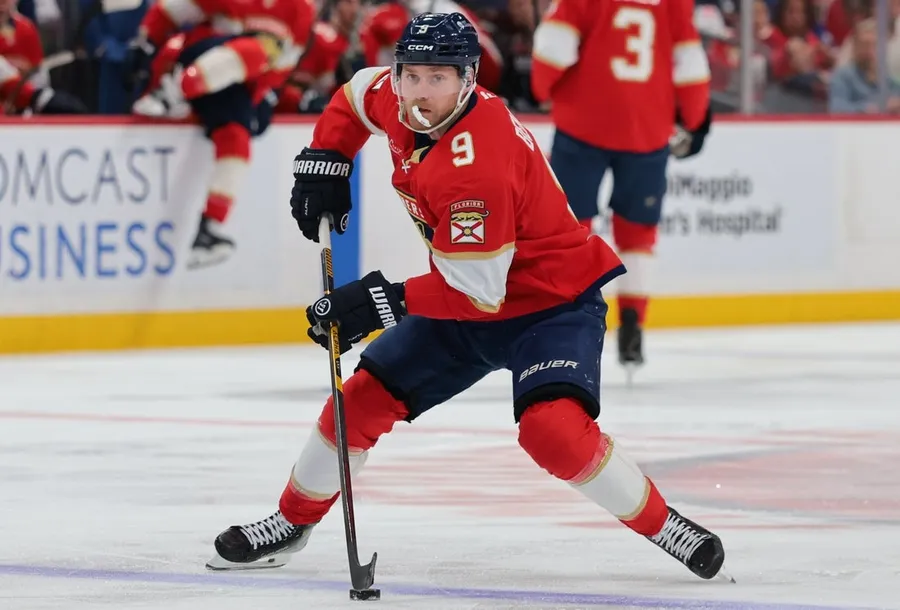
 Apr 2, 2026; Sunrise, Florida, USA; Florida Panthers center Sam Bennett (9) moves the puck against the Boston Bruins during the first period at Amerant Bank Arena. Mandatory Credit: Sam Navarro-Imagn Images
 The Florida Panthers start a five-game road trip Saturday in Pittsburgh on the verge of making history. Only this time, it’s for a dubious distinction.
The Panthers (37-35-3, 77 points) are on the cusp of playoff elimination. Should that happen, they would become the sixth Stanley Cup champion to miss the playoffs the following season.
Florida faces long odds to get into the playoffs — the Panthers are 11 points behind the Ottawa Senators for the final Eastern Conference wild-card spot with seven games remaining and five teams between them. But it hasn’t stopped the hobbled two-time defending champions from trying to play spoiler.
Even with players like Brad Marchand, Sam Reinhart and Niko Mikkola out, Florida’s modest two-game winning streak includes wins over the Senators and the Boston Bruins, who hold the other wild-card spot.
“We’re trying to make sure that they don’t get an easy one from us,” coach Paul Maurice said after Thursday’s 2-1 home win over Boston.
Sam Bennett has points in three straight, including a goal in the Boston game. With 57 points (26 goals, 31 assists), he could top Reinhart as the team’s leading scorer in the final couple of weeks. Reinhart has 61 points, leading the team in both goals (29) and assists (32).
The Panthers may also get one of their injured players back for Saturday as the team reported forward Cole Schwindt is expected to return to action. He has not played since Feb. 26 due to a lower-body injury.
Saturday’s game marks the first of back-to-back games between the two teams, both in Pittsburgh. The Penguins (38-22-16, 92 points) look to rebound after losing 6-3 on the road to the Tampa Bay Lightning on Thursday. The Penguins, who have missed the playoffs in each of the last three seasons, currently sit in second place in the Metropolitan Division and would get first-round home-ice advantage if they stay in that spot. However, the New York Islanders are three points behind in third place, and the Columbus Blue Jackets are in fourth place, but with 88 points, they do not currently hold a playoff spot.
After the two home games with Florida, Pittsburgh will play at New Jersey, have a home-and-home with Washington and end the regular season at St. Louis. None of those teams currently sit in a playoff spot, but coach Dan Muse does not want to see his team ease up down the stretch.
“We have to turn the page quick,” Muse said after the loss to the Lightning. “There’s not going to be any easy games. Every game, every day is going to have a new challenge, and none of them are going to be easy this time of year.”
Sidney Crosby leads the team with 67 points (28 goals, 39 assists), but he has not scored a goal in seven games. His last goal came on March 18, his first game back after suffering an injury playing for Team Canada in the Olympics. Anthony Mantha leads Pittsburgh with 30 goals and has six points (four goals, two assists) during a four-game points streak. –Field Level Media
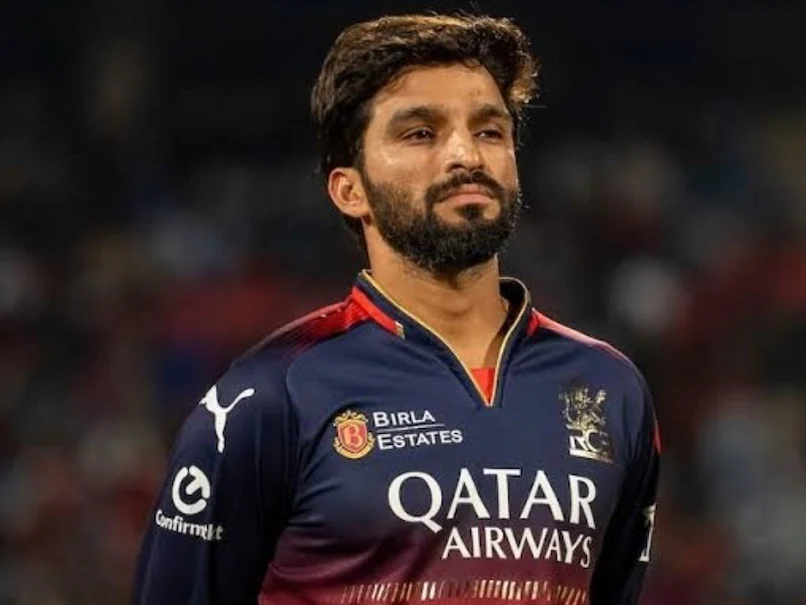
Royal Challengers Bengaluru (RCB) skipper Rajat Patidar has achieved what no other captain of the franchise had managed since the start of the Indian Premier League (IPL) in 2008 – leading the side to an IPL title. Under Patidar, RCB created history by winning the IPL in 2025. The start to their title defence has been impressive as well, with RCB beating Sunrisers Hyderabad (SRH) in the opener. After the match, Patidar took part in a fun rapid-fire question round. He was asked several questions, and the following were his responses.
Best batter: Virat Kohli
Best captain: Rohit Sharma
Best fielder: Faf du Plessis
Best away ground: Eden Gardens
Best cover drive player: Virat Kohli
Best fast bowler: Dale Steyn
Best spinner: Sunil Narine
Best finisher: AB de Villiers
Best death over bowler: Jasprit Bumrah
Best dressed teammate: Virat Kohli
Best music taste: Romario Shepherd
Rajat Patidar’s picks in the IPL:
Best Captain – Rohit Sharma.
Best batter – Virat Kohli.
— Mufaddal Vohra (@mufaddal_vohra) April 2, 2026
Earlier, Patidar praised Virat Kohli as the team’s top “chase master.” He said he has always admired Kohli’s batting and enjoys watching him from the dugout, highlighting his shot selection and ability to read match situations as particularly impressive.
Kohli played a match-winning, unbeaten knock of 69 off 38 deliveries, including five fours and as many sixes, against Sunrisers Hyderabad, helping the defending champions chase down the fastest 200-plus target in IPL history. Bengaluru chased down the 202-run target in just 15.4 overs in the IPL 2026 opener.
“Virat Kohli is our number one chase master, as we all know. I have always admired his batting, and watching him bat from the dugout-the way he played his shots and assessed the situation-was really good to see,” Patidar told reporters.
Patidar also lauded RCB speedster Jacob Duffy as a skilled T20 specialist, saying the team has full confidence in him and that his bowling performance and execution have been excellent.
“He’s a specialist T20 bowler, and we have a lot of confidence in him. That’s why we’ve given him a chance. The way he’s delivering and showcasing his skills has been tremendous,” he added.
Duffy took three wickets to help RCB beat Sunrisers Hyderabad by six wickets and get their IPL 2026 campaign off to a winning start. He was also named Player of the Match for his impressive spell with the ball
Topics mentioned in this article
Sports
South Sydney Rabbitohs vs Canterbury Bulldogs Tips, Odds, Teams & Predictions – NRL Round 5 2026


Accor Stadium will play host to Friday’s
Round 5 NRL game between South Sydney Rabbitohs and
Canterbury Bulldogs. The game kicks off at 4:05 pm with South Sydney Rabbitohs heading into the game as favourites with the bookmakers. Continue reading for our in-depth preview of the South Sydney Rabbitohs vs.
Canterbury Bulldogs
game and give you our free tips and bets.
When: Friday April 3, 2026 at 4:05 pm
Where: Accor Stadium
Bet 💰: Bet On This Match HERE
South Sydney Rabbitohs vs Canterbury Bulldogs Odds
South Sydney Rabbitohs vs Canterbury Bulldogs Preview
South Sydney face Canterbury in a clash that pits attacking flair against defensive grit. The Rabbitohs’ ability to create opportunities through their spine remains a key strength, while the Bulldogs will rely on structure and resilience. Field position and completion rates are likely to shape the outcome, with both sides aiming to control tempo. Expect a competitive contest, with momentum swings and pressure moments playing a decisive role. This encounter provides a valuable measure of both teams’ early-season form.
South Sydney Rabbitohs vs Canterbury Bulldogs Teams
Souths team: 1. Jye Gray 2. Alex Johnston 3. Latrell Mitchell 4. Jack Wighton 5. Campbell Graham 6. Cody Walker 7. Jamie Humphreys 8. Tevita Tatola 9. Bronson Garlick 10. Keaon Koloamatangi 11. David Fifita 12. Tallis Duncan 13. Cameron Murray 14. Peter Mamouzelos 15. Lachlan Hubner 16. Sean Keppie 17. Liam Le Blanc 18. Jayden Sullivan 19. Moala Graham-Taufa 20. Salesi Ataata 21. Thomas Fletcher 22. Latrell Siegwalt
Bulldogs team: 1. Connor Tracey 2. Jacob Kiraz 3. Enari Tuala 4. Stephen Crichton 5. Marcelo Montoya 6. Matt Burton 7. Lachlan Galvin 8. Max King 9. Bailey Hayward 10. Samuel Hughes 11. Viliame Kikau 12. Jacob Preston 13. Jaeman Salmon 14. Kurt Mann 15. Sitili Tupouniua 16. Harry Hayes 17. Sean O’Sullivan 19. Bronson Xerri 20. Lipoi Hopoi 21. Jake Turpin 22. Logan Spinks 23. Jonathan Sua
Sports
IPL: Shreyas Iyer-led PBKS hunt down 210 with ease, hand CSK second straight loss | Cricket News
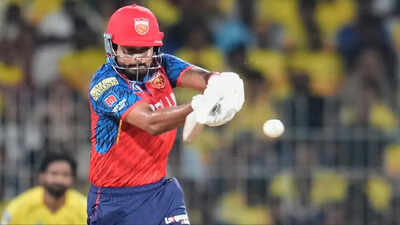
NEW DELHI: Punjab Kings registered an impressive five-wicket win over Chennai Super Kings in their IPL 2026 clash at Chepauk, chasing down a big target of 210 with confidence. Despite CSK putting up a strong total, PBKS handled the pressure better and sealed their second straight victory of the season.After being put in to bat, CSK built their innings around a solid partnership between Ayush Mhatre and Ruturaj Gaikwad. The duo added 96 runs for the second wicket, giving the team a strong platform.
Mhatre was the standout performer, scoring a fluent 73 off 43 balls with a mix of boundaries and sixes.In the later stages, Sarfaraz Khan played a quick cameo, smashing 32 off just 12 balls, while Shivam Dube remained unbeaten on 45, finishing the innings strongly. Their efforts pushed CSK to a competitive total of 209/5 in 20 overs, which looked challenging on the surface.In reply, PBKS came out attacking and maintained a steady run rate throughout the chase. Young opener Priyansh Arya provided a quick start, while others chipped in to keep the scoreboard moving. Captain Shreyas Iyer played a key role, scoring a composed 50 off 29 balls and guiding the innings.Even when wickets fell at intervals, PBKS didn’t panic and continued to play positive cricket. Contributions from the middle order ensured the chase stayed on track, and they eventually reached 210/5 in 18.4 overs.While CSK impressed with the bat, their bowlers struggled to contain runs. PBKS, on the other hand, executed their chase smartly and deservedly came out on top.
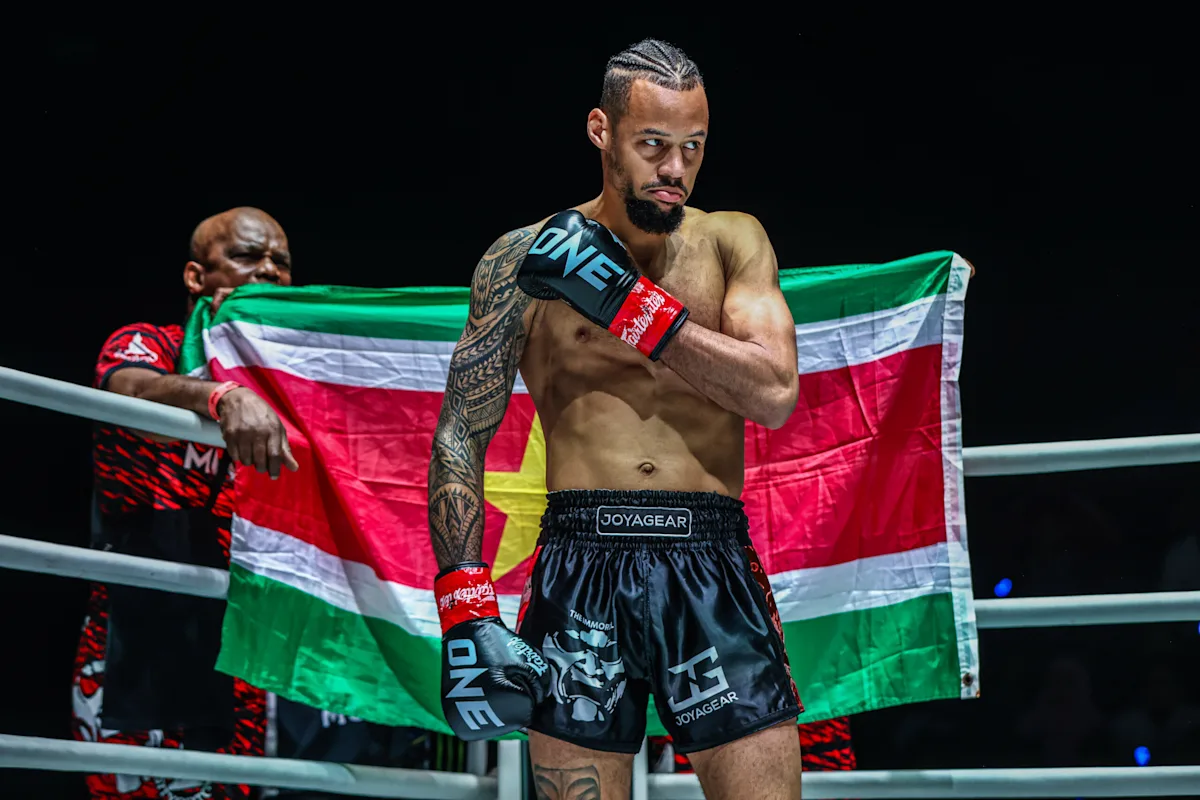
Rodtang “The Iron Man” Jitmuangnon and Takeru “Natural Born Krusher” Segawa will meet once again, and the rematch has captured the attention of the global striking community.
The two superstars will collide for the ONE Interim Flyweight Kickboxing World Championship in the main event of ONE SAMURAI 1, which emanates live from the Ariake Arena in Tokyo, Japan, on Wednesday, April 29.
Advertisement
It will mark Takeru’s final kickboxing clash and his last chance to win ONE World Title gold. Meanwhile, “The Iron Man” has an opportunity to achieve two-sport glory and become the only person to defeat the Japanese icon twice.
Their first encounter ended in just 80 seconds, when Rodtang delivered a stunning knockout that silenced the home crowd and cut short what many believed would be a defining battle between two of the sport’s most celebrated names.
Now scheduled for five rounds, the sequel offers a far more complete proving ground. The magnitude of the contest has drawn interest of world-class strikers from around the globe, including reigning ONE Lightweight Muay Thai World Champion Regian “The Immortal” Eersel.
Advertisement
Eersel offered a composed and tactical assessment of the main event showdown:
“I know Rodtang has a lot of power. Takeru has to fight smarter and keep his hands higher.
“If he’s smart and moves a lot, he just has to avoid the power shots of Rodtang. Move out, move in, move out, move in. Then, he can win – not easily, but he can win.”
When Rodtang and Takeru first collided at ONE 172 in March 2025, the fight never had the opportunity to evolve. A brief exchange quickly escalated before the Thai’s trademark power ended the tilt almost instantly.
That abrupt finish left little room for adjustments or strategy to take shape. It is precisely the kind of scenario Eersel believes must be avoided if the former three-division K-1 Champion hopes to even the score, win the belt, and retire on top.
The Dutch-Surinamese kingpin added:
“It takes a lot of conditioning and drilling to have that kind of game plan. It’s a little bit like I did with Alexis [Nicolas] the second time – move out, move in, move out, move in. If you fight like that, you get away from the danger.
“If not, if you’re going to stand and bang. That’s Rodtang’s game. Then, you’re not going to make it out.”
Eersel speaks from experience. In his own rivalry with the French kickboxer, the 33-year-old made the necessary adjustments in their ONE Lightweight Kickboxing World Title rematch in October 2024 to avenge an earlier defeat, relying on disciplined movement and controlled engagements rather than prolonged exchanges.
Advertisement
Ultimately, he emerged victorious once again in their trilogy bout at ONE Fight Night 30 six months later.
That same approach, he suggests, could be the key for the “Natural Born Krusher.” Against a pressure fighter like Rodtang, maintaining distance and avoiding extended firefights is not just a strategy. It is a requirement.
Eersel said:
“You have two scenarios because it’s for an interim title now. If Takeru moves around the whole five rounds, he can win. But if he stands toe-to-toe, he’s not going to make it. So, he has to avoid that kind of situation.”
Eersel Eyes Kickboxing Gold At The Inner Circle On April 10
While offering insight into one of the year’s biggest rematches, Regian Eersel is preparing for a pivotal contest of his own.
On Friday, April 10, he will face Rungrawee “Legatron” Sitsongpeenong for the vacant ONE Lightweight Kickboxing World Title in the main event of The Inner Circle, airing live in Asia primetime from Lumpinee Stadium in Bangkok, Thailand.
The bout places two elite strikers on a collision course with 26 pounds of gold on the line.
Advertisement
For Eersel, it represents a chance to reclaim the belt that first elevated him to global prominence and restore his status as a two-sport ONE World Champion. For Rungrawee, it is an opportunity to capture the biggest prize of his career in front of a home crowd and cement his position among the sport’s elite.
Eersel said:
“I’m very excited. I hope I get my baby back, my first baby, my first title in ONE Championship. I won it in 2019. So yeah, in 2026, I hope to reclaim it, win it again, and become a double champ again.”
With a 64-5 professional record that equates to a remarkable 93 percent winning rate, Eersel has built one of the most consistent careers in modern striking.
“The Immortal” has also amassed 13 victories in ONE Championship, establishing himself as the gold standard across both Muay Thai and kickboxing.
Advertisement
Inside the ring, the Sityodtong Amsterdam product is defined by rhythm and precision. His long frame allows him to control range, while his high-volume combinations and composure enable him to dictate tempo against top opposition.
But Rungrawee presents a different kind of challenge. The Thai striker, who holds a 158-48 career record, has earned his “Legatron” nickname through devastating low kicks that have dismantled opponents over time. He combines traditional Muay Thai fundamentals with fight-altering power.
Their meeting is a classic stylistic clash. It’s Eersel’s fluid, high-output kickboxing colliding with Rungrawee’s calculated destruction.
Advertisement
Eersel respects his forthcoming rival, and he is eager to test his mettle against him:
“He’s a good fighter. Southpaw fighter. Strong legs, big legs. He’s smart. Typical Muay Thai fighter. He fights a little bit on the counter also. So, I’m curious how he will do against me.”
Sports
Chase DeLauter rakes fifth home run in seventh career regular-season game as Guardians top Cubs in home opener
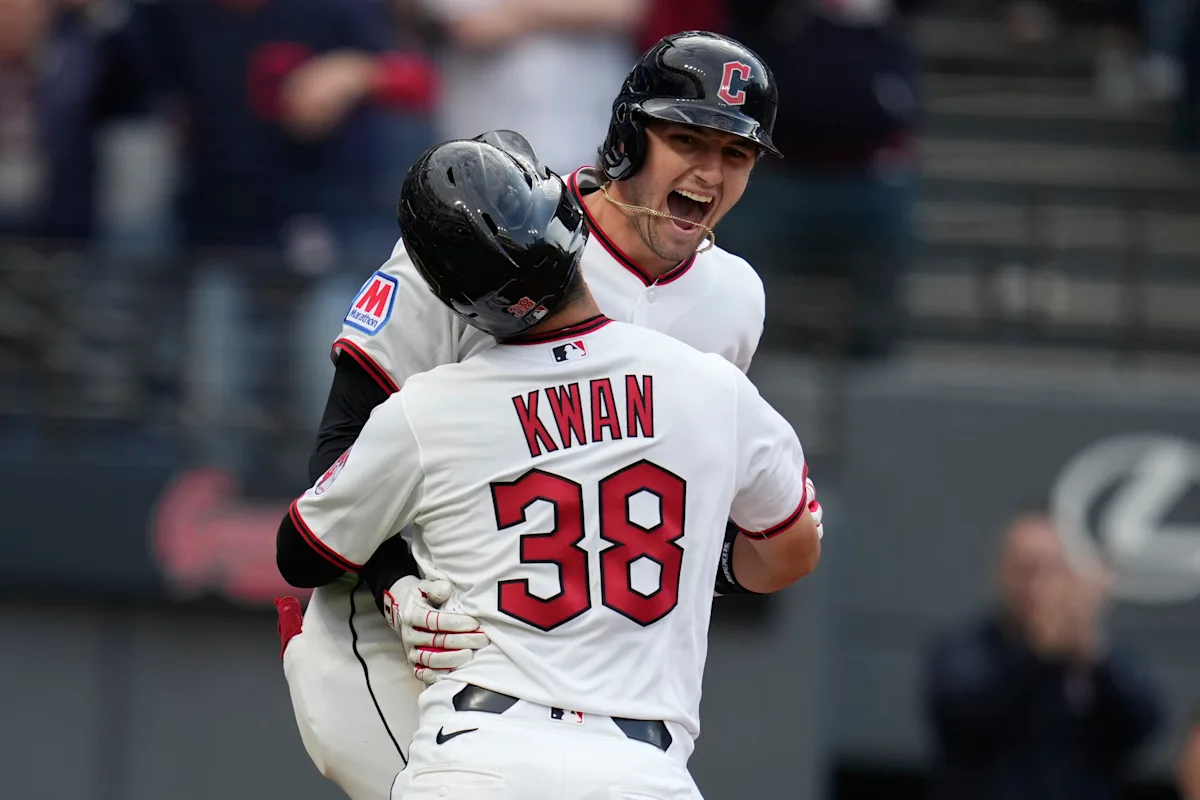
When Cleveland Guardians rookie right fielder Chase DeLauter fouled a Shohei Ohtani pitch off his back foot on Tuesday night, it looked like the 24-year-old himself might be the only one who could actually put a stop to his season-opening power surge.
After grounding out later in that at-bat, DeLauter left the game with a left foot contusion, and he didn’t play in the series finale against the Los Angeles Dodgers the following day, although manager Stephen Vogt said DeLauter was supposed to be off regardless.
Advertisement
With negative X-rays, DeLauter was confident he’d return to the lineup for the Guardians’ home opener on Friday. He was back, and the same could be said for his seismic swing, which delivered another home run in a 4-1 win over the Chicago Cubs.
DeLauter has now hit five home runs over his first seven career regular-season games, tied for the second most in such a span since at least 1900, according to MLB researcher and reporter Sarah Langs.
The only player with more in that data set is Trevor Story, who scattered seven homers across the first seven games of his rookie season with the Colorado Rockies.
Advertisement
This story is being updated.
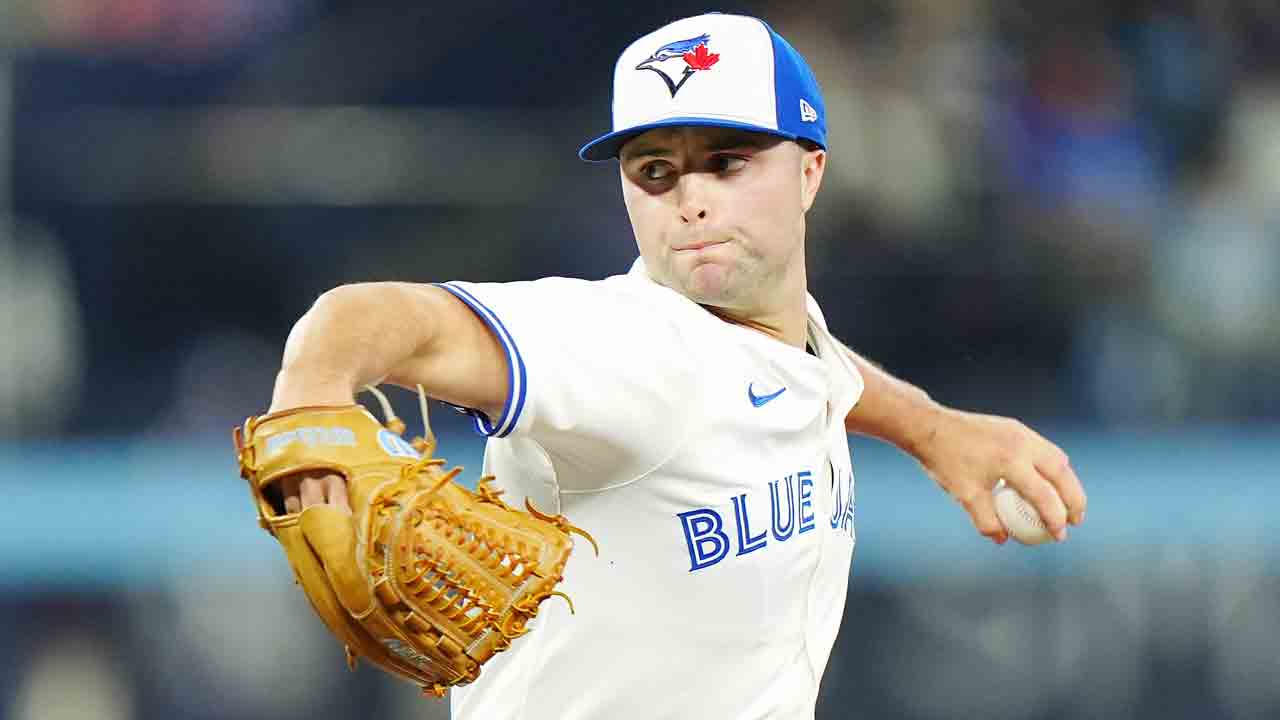
The left-handed reliever will start Saturday’s Game 2 against the Chicago White Sox, Sportsnet’s Ben Nicholson-Smith reported Friday.
Eric Lauer had been scheduled to start, but manager John Schneider told reporters pre-game on Friday that the team elected to give him an extra day’s rest.
Fluharty, 24, has pitched 1.2 innings across four games this year, owning a 10.80 ERA with four strikeouts and no walks.
In his rookie season in 2025, the Lewes, Del., native owned a 4.44 ERA with 56 strikeouts and 24 walks across 52.2 innings in relief.
Catch Saturday’s game on Sportsnet and Sportsnet+ with coverage beginning at 2 p.m. ET / 11 a.m. PT.
Adelaide Oval will play host to Friday’s
Round 4 AFL game between Adelaide Crows and
Fremantle Dockers. The game kicks off at 7:15 pm with Adelaide Crows heading into the game as favourites with the bookmakers. Continue reading for our in-depth preview of the Adelaide Crows vs.
Fremantle Dockers
game and give you our free tips and bets.
When: Friday April 3, 2026 at 7:15 pm
Where: Adelaide Oval
Bet 💰: Bet On This Match HERE
Adelaide Crows vs Fremantle Dockers Odds
Adelaide Crows vs Fremantle Dockers Preview
Two sides fully invested in their 2026 ambitions face off in what shapes as a revealing early-season encounter. Both teams have shown flashes of high-end performance, but consistency remains a work in progress. Midfield battles and turnover efficiency are expected to be pivotal, with each side looking to control tempo and territory. Defensive structures will also come under scrutiny against attacking units capable of quick scoring bursts. With pressure building to deliver results, this match offers a valuable insight into which team is better equipped to sustain performance and handle key moments.
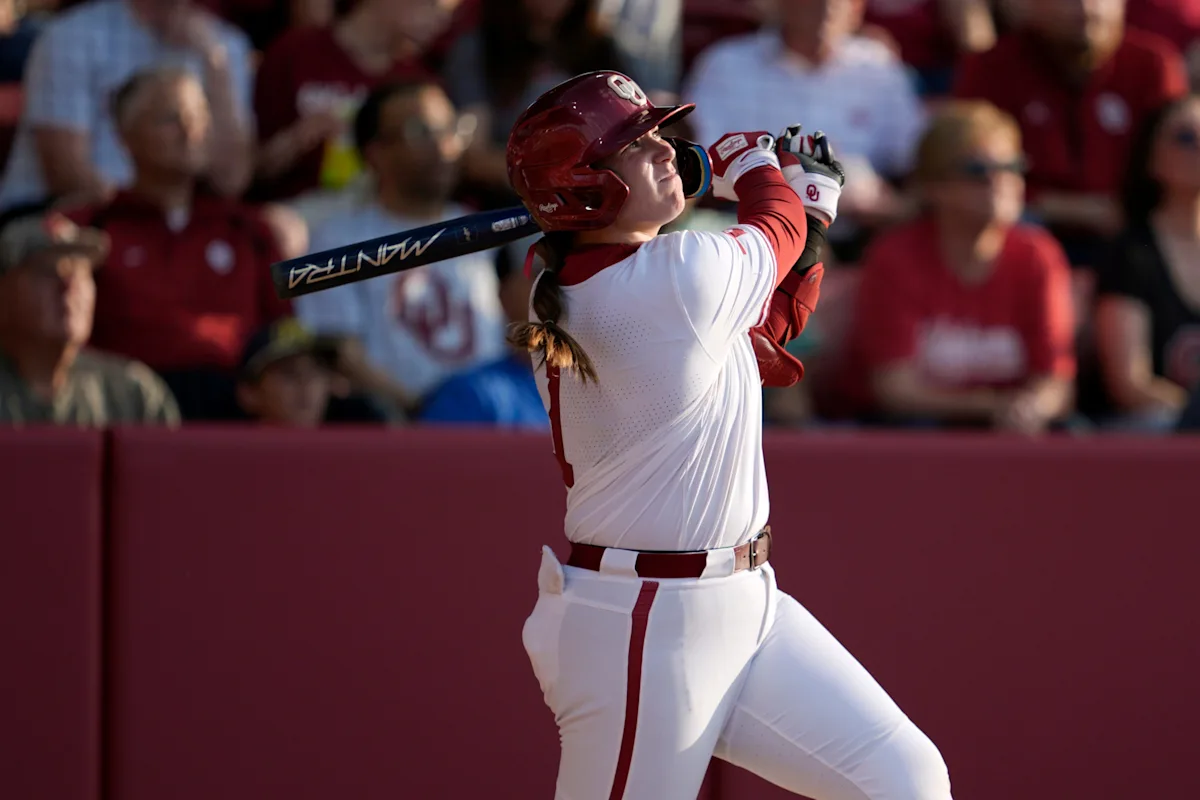
The Oklahoma Sooners moved to 37-3 and 10-1 in SEC play with a 9-1 run-rule win over the Kentucky Wildcats on Friday. It was the Sooners’ fourth straight win and their 11th game in a row in which the pitching staff allowed fewer than four runs.
The Sooners fell behind in the first inning once again when Kentucky took a 1-0 lead on Carly Sleeman’s lead-off home run. But starting pitcher Miali Guachino settled in to retire the next three hitters in order. That kicked off a run of nine straight Kentucky hitters retired by Guachino. The Wildcats’ next hit wouldn’t come until the fourth inning, a lead-off single from No. 2 hitter Allie Blum.
Advertisement
In the win, Guachino allowed just three hits over four innings, striking out three, to move to 11-0 on the season.
It didn’t take long for the Sooners to answer the first inning home run by Sleeman. In the bottom of the first, Lexi McDaniel and Ailana Agbayani earned two-out walks with the bases loaded to push across a pair of Oklahoma runs to retake the lead.
In the second inning, Oklahoma’s lineup went to work. Kendall Wells’ sacrifice fly moved Abby Dayton to third on a sacrifice fly, and Kasidi Pickering drove Dayton in on an infield single. Ella Parker doubled to drive in Gabbie Garcia to make it 4-1, and Lexi McDaniel’s two-RBI single made it 6-1 Sooners.
After a strong night hitting with two outs on Thursday, the Sooners picked up right where they left off with each of their first six runs coming with two outs on Friday.
Advertisement
In the third, Kendall Wells hit her 29th home run of the season, giving her eight home runs in 11 SEC contests in her true freshman season.
Fellow freshman McDaniel put Oklahoma in run-rule territory with a two-run home run, giving her five RBIs on the day. The home run was her ninth of the season. It was McDaniel’s first home run since March 11 against Tulsa.
With the win, the Sooners secured the series against the Wildcats. They’ll close the series with a Saturday morning contest vs. Kentucky, looking to complete the three-game sweep ahead of their series with the Texas Longhorns next weekend in Austin.
Contact/Follow us @SoonersWire on X (formerly known as Twitter), and like our page on Facebook to follow ongoing coverage of Oklahoma news, notes, and opinions. You can also follow John on X @john9williams.
This article originally appeared on Sooners Wire: Oklahoma beats Kentucky 9-1 in run-rule fashion

Trump warns of more strikes after Iran bridge attack, Bitcoin retreats
Will there be a season 4 of “XO, Kitty”? What's next for Kitty, Min Ho, and their friends at KISS

Two in hospital after ‘large disturbance’ at Liverpool DJ event in Newsham Park


-

 NewsBeat1 day ago
Steven Gerrard disagrees with Gary Neville over ‘shock’ Chelsea and Arsenal claim | Football
-

 Business1 day ago
No Jackpot Winner and $194 Million Prize Rolls Over
-
Entertainment4 days ago
Fans slam 'heartbreaking' Barbie Dream Fest convention debacle with 'cardboard cutout' experience
-

 Crypto World2 days ago
Gold Price Prediction: Worst Month in 17 Years fo Save Haven Rock
-

 Fashion6 hours ago
Weekend Open Thread: Spanx – Corporette.com
-

 Tech5 days ago
The Pixel 10a doesn’t have a camera bump, and it’s great
-
 Entertainment6 days ago
Lana Del Rey Celebrates Her Husband’s 51st Birthday In New Post
-
Crypto World4 days ago
Dems press CFTC, ethics board on prediction-market insider trades
-

 Tech5 days ago
Avatar Legends: The Fighting Game comes out in July and it looks pretty slick
-

 Sports3 days ago
Tallest college basketball player ever, standing at 7-foot-9, entering transfer portal
-

 Tech4 days ago
EE TV is using AI to help you find something to watch
-

 Fashion6 days ago
Amazon Sundays: Soft Spring Layers
-

 Business2 days ago
Login and Checkout Issues Spark Merchant Frustration
-

 Fashion7 days ago
When Evening Dressing Gets Colorful for Spring
-

 Tech6 days ago
Elon Musk’s last co-founder reportedly leaves xAI
-

 Tech4 days ago
How to back up your iPhone & iPad to your Mac before something goes wrong
-

 Tech4 days ago
Apple will hide your email address from apps and websites, but not cops
-

 Politics4 days ago
Should Trump Be Scared Strait?
-

 Crypto World4 days ago
U.S. rule change may open trillions in 401(k) funds to crypto
-

 Tech4 days ago
Flipsnack and the shift toward motion-first business content with living visuals
You must be logged in to post a comment Login