Tech & AI
Can A MacBook Handle Heavy Games? Here’s What You Should Know

The gap between Mac and PC is finally closing, but be careful before you pick a Mac as your primary gaming platform.

Macs have never exactly been gaming machines. For a long time, not only was the hardware lacking, but many developers never bothered to bring their titles to macOS. But the situation is different now with Apple silicon — the M-series chips are powerful, and there are new tools to easily port PC games to Mac.
But can a MacBook really handle demanding games? Technically, it can, but there are many other factors you should consider before choosing a Mac as your gaming machine. Yes, the gaming landscape on macOS is much better now than it was six years ago, but there’s still a huge gap between Macs and Windows PCs.
What a MacBook can and can’t handle
Thanks to Apple silicon, hardware is no longer a Mac’s weak point. If you have one of the latest Macs, such as an M5 MacBook Pro, it will likely run most games well — even some big names you might not have expected. Apple lists Assassin’s Creed Shadows, Dead Island 2 and Cyberpunk 2077 as some of the titles a Mac can run natively. The list of Mac-compatible games has been growing a lot, with more and more titles coming to macOS alongside their Windows versions.
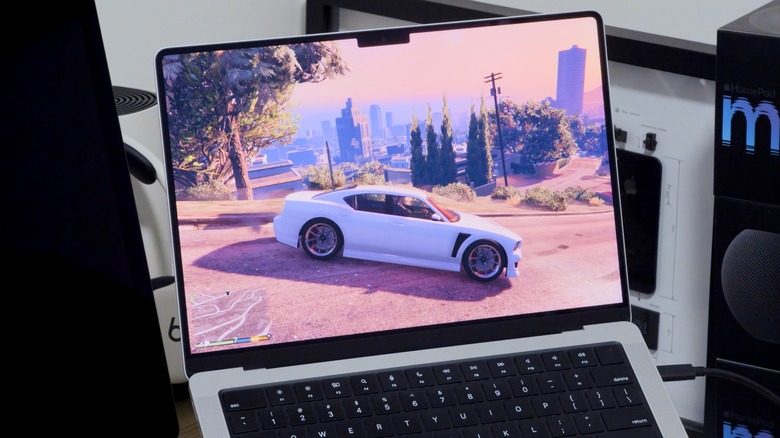
And even if your favorite game doesn’t have a macOS port, there may still be an alternative. Apple has created something called the Gaming Porting Toolkit, which helps developers port Windows games to macOS using native translations. While this tool is intended for developers, anyone can use it to run PC games on a Mac with just a few lines of code. I’ve been using it to run GTA V on my M4 Pro MacBook Pro, and the results are pretty solid; I can get a steady 60 frames per second with high graphics settings. It’s not perfect and there are a few glitches here and there, but it works well overall for a game being translated in real-time.
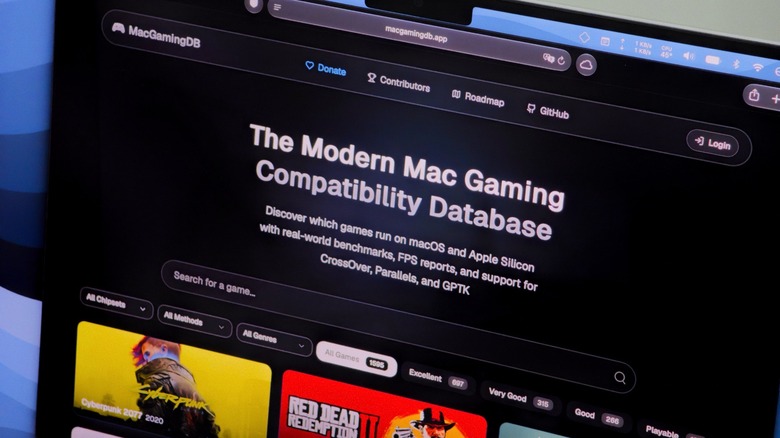
If you’re not sure which games your Mac can run, it’s worth checking out MacGamingDB. This is a community-run website that provides compatibility details for thousands of titles, making it easy to quickly find out how your favorite game performs on a specific Mac model. It saves you a lot of time, since you don’t have to download gigabytes of data just to find out the game doesn’t work.
Which MacBook to buy, and when to look elsewhere
If you really want to game on a MacBook, the MacBook Pro is your best option. Even the base model with the M5 Pro chip and 24GB of RAM gives you enough power to run most modern games smoothly. If you need more, you can upgrade it with an M5 Max chip, which adds more RAM and a better GPU.
Of course, don’t expect a MacBook Neo to perform the same as the latest MacBook Pro line. Both the MacBook Neo and the MacBook Air have less powerful processors and no internal fan, which makes them less suitable for running demanding games. They can still run some titles, but performance won’t be ideal and you’ll have to lower the resolution and graphics settings a bit.
But if you’re serious about gaming, you should probably buy a PC instead. A Windows PC will likely cost you less for the same graphical power, and it will run all games natively without you having to worry about compatibility issues. You might also want to check out cloud gaming services like GeForce NOW or Xbox Cloud Gaming to stream games on your MacBook, so hardware won’t be an issue. You just need a good internet connection.
You must be logged in to post a comment Login