Tech & AI
Questyle QCC Dongle Pro2 Review: Better Bluetooth Audio, But Is It Worth the Hassle?

Questyle’s QCC Dongle Pro2 is the company’s latest flagship Bluetooth transmitter, designed to bring higher-quality wireless audio to smartphones, tablets, computers, and other compatible devices. Best known for its portable DACs, headphone amplifiers, and other audiophile source components, Questyle recognizes that even serious listeners are increasingly embracing wireless headphones. The problem is that not every source device supports the advanced Bluetooth codecs those headphones are capable of using. Apple users, in particular, have been stuck with AAC and SBC for native Bluetooth audio transmission, regardless of how expensive their wireless headphones might be. Questyle thinks it’s time to change that.
Building on the original QCC Dongle Pro, the new QCC Dongle Pro2 introduces Bluetooth 6.1 connectivity, LDAC support, and an expanded selection of high-quality wireless audio codecs in a compact USB-C transmitter. It also carries official Apple MFi certification, providing additional assurance of compatibility with supported iPhones, iPads, and other Apple devices. The goal is straightforward: give listeners access to better wireless audio capabilities without forcing them to replace perfectly good source devices. Whether the Pro2 can deliver a meaningful improvement in everyday listening is another question, but Questyle is making a strong case that the weakest link in your wireless audio system might not be your headphones.
Related Reading:


Better Bluetooth Codecs and Lower Gaming Latency
The QCC Dongle Pro2 is designed to bridge the gap between premium wireless headphones and source devices that cannot take full advantage of their capabilities. Consider the Noble Audio FoKus Artem is, which supports LDAC, aptX Adaptive, and aptX Lossless, but requires a compatible transmitter to access those codecs. Rather than relying on a computer’s built-in Bluetooth hardware and codec support, Questyle handles wireless audio transmission through its USB-C adapter. It’s a similar approach to the FiiO BT11 and Sennheiser BTD 700, although Questyle adds support for LHDC, LE Audio, and Auracast to broaden its capabilities.
For gamers, the more interesting development involves wireless audio latency, particularly when using Bluetooth headphones with PCs, PlayStation 5, and Nintendo Switch consoles. Questyle claims the Pro2 can achieve latency as low as 48 milliseconds using aptX Adaptive and just 20 milliseconds using LE Audio’s low-latency mode. Those figures refer to the wireless transmission stage rather than total system latency, and achieving them requires compatible receiving hardware. The aptX Adaptive figure specifically depends on headphones using Qualcomm’s newer Gen 2 Sound Platforms, while LE Audio’s lowest-latency mode requires compatible receivers. Standard Bluetooth headphones won’t magically deliver those results simply because the transmitter supports them.
Questyle also faces competition from the Creative BT-W6, which we previously reviewed and found to be a capable solution for Windows users and gamers, with support for aptX Adaptive, LC3, and dedicated gaming modes. Our testing of the original Questyle QCC and QCC Pro revealed Windows compatibility issues, making the Pro2’s promised plug-and-play performance particularly important to verify. The codec support looks promising, but actual compatibility, connection stability, and latency will determine whether this is a meaningful upgrade or just another impressive collection of Bluetooth acronyms.
Setup, Connectivity, and Everyday Performance

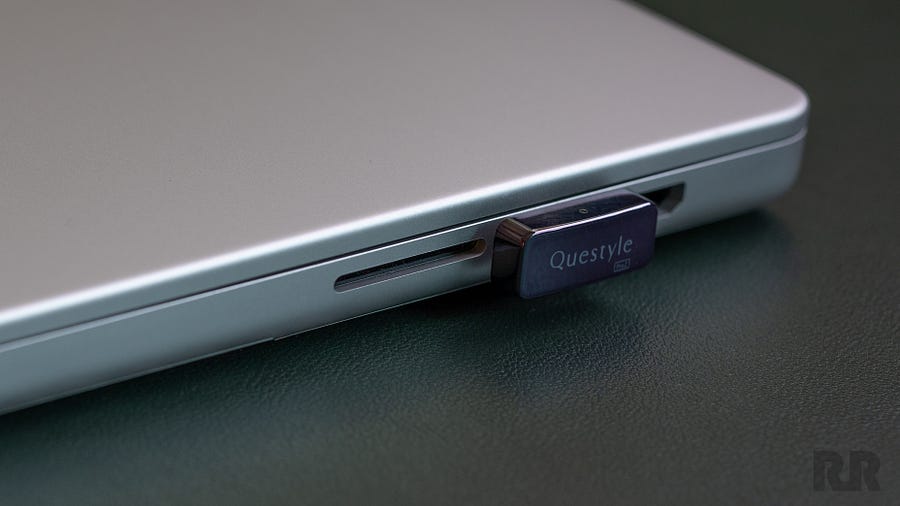
I had expected the Dongle Pro2 to function as a replacement for the built-in Bluetooth systems of the devices it connects to. On reflection, that was an unrealistic assumption. After all, that would be hugely complex to support and might not even be possible on Apple and Android devices. The QCC Dongle Pro2 actually functions like a wireless USB-C cable, but one you’ll need to configure using Questyle’s companion app. That’s a lot less “seamless” than I had imagined, but such is the reality of today’s complex software systems.
To begin using the Dongle Pro2, you must first download its companion app from the Google Play Store or Apple App Store. Thankfully, it doesn’t require an account, but the app is oddly large, coming in at 166MB on Android.


The app itself is minimalist, with an austere user interface. It worked well for me, and I was able to set up the Dongle Pro2 and update its firmware quickly. Pairing devices was equally straightforward, and I had LDAC playback running on my Noble Audio Artemis without any issues. Once paired with a device, the Dongle Pro2 remembers the connection, even after being unplugged. This is also how you use it with laptops and PCs: establish the connection using a smartphone or tablet, then move the transmitter to your computer. While this approach does allow you to switch Bluetooth headphones between source devices without re-pairing, it also means you cannot connect a different pair of Bluetooth headphones or adjust the connection settings without returning to the Questyle app.
Low-Latency and Gaming
To use the QCC Dongle Pro2 with a gaming console, you must first enable “Game Mode” in the app. This mode disables certain Bluetooth features in exchange for significantly lower latency. You sacrifice a bit of sound quality, but I was able to reduce latency from approximately 240ms to 45ms on Windows 10. Is that good enough for competitive gaming? Not really, but it’s more than adequate for single-player experiences or casual online gaming.
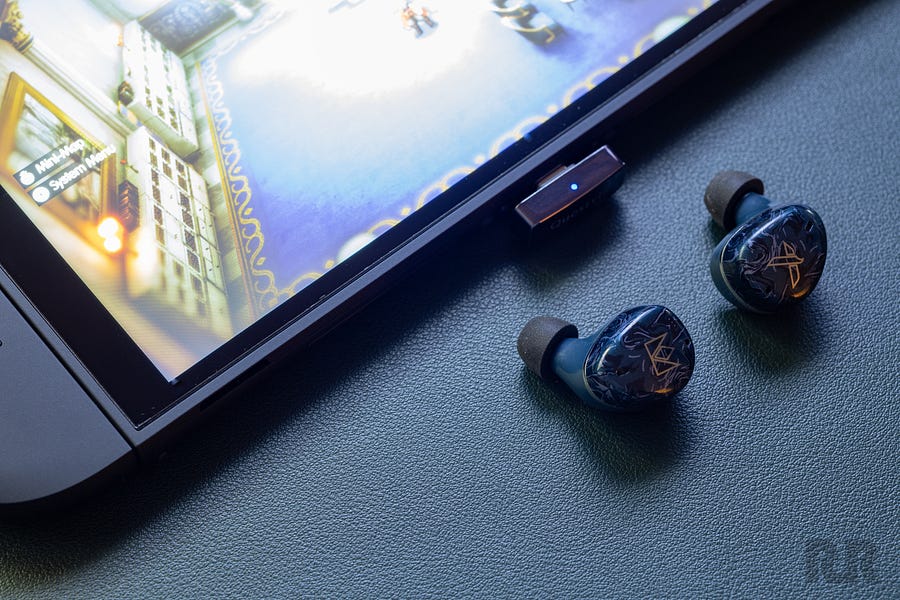

I tested the Dongle Pro 2 with both my Switch OLED and Switch 2, and it worked well on both consoles. Sound quality was slightly better using the consoles’ native Bluetooth connections, but that came at the expense of significantly higher latency. The trade-off is worthwhile for fast-paced titles like Splatoon 3 and Kirby Air Riders, although some players may be able to tolerate the additional delay when playing more cinematic games like Pokémon Pokopia.
The downside of using the Dongle Pro2 with the Switch family of consoles is that it occupies the USB-C port used for charging. Wireless headphones are convenient, but losing the ability to charge your handheld console while playing certainly isn’t. The Dongle Pro 2 lacks USB-C pass-through capability, and its absence is particularly frustrating in situations like this. Other wireless audio adapters, such as the Noble Audio Sceptre, offer USB-C pass-through, making Questyle’s omission a notable inconvenience.
The Bottom Line
The QCC Dongle Pro2 is a solid HiFi-capable Bluetooth dongle. It is platform independent, and offers seamless connection to (previously-paired) devices at very high transmission qualities. With Bluetooth 6.1, LDAC, and LE support baked in, the Dongle Pro2 is one of the most complete BT dongles on the market, representing both broad compatibility and future-proof advanced capabilities. While the Dongle Pro2 lacks USB-C pass-through and is on the pricier side, it is still a great choice for audiophiles that demand bleeding-edge wireless audio capabilities.
Pros:
- Extensive codec support, including LDAC, aptX Lossless, aptX Adaptive, LHDC, and LE Audio.
- Bluetooth 6.1 connectivity with Auracast support.
- Apple MFi certification and broad compatibility with USB-C source devices.
- Excellent LDAC playback with compatible wireless headphones.
- Significant reduction in gaming latency with Game Mode enabled.
- Remembers paired headphones when switching between source devices.
- Compact, portable design.
- Straightforward initial setup and firmware updates.
Cons:
- Relatively expensive compared with simpler Bluetooth transmitters.
- No USB-C charging pass-through, particularly inconvenient for handheld gaming consoles.
- Requires a smartphone app for initial pairing, configuration, and switching headphones.
- No dedicated desktop configuration app.
- Game Mode sacrifices some sound quality to reduce latency.
- Low-latency performance still falls short of competitive gaming requirements.
Our Ratings:
★★★★★★★★★★ Sound Quality
★★★★★★★★★★ Range/Stability
★★★★★★★★★★ Usability
★★★★★★★★★★ Value
You must be logged in to post a comment Login