Tech & AI
Windows 11 is finally getting a useful battery widget for all your peripherals

Microsoft had plenty to talk about today, including the announcement of the Surface Laptop Ultra and a major new Windows push around Hybrid Intelligence, expanded Copilot controls, and a redesigned Search experience. The quieter announcement may end up being more immediately useful for anyone juggling a laptop and several wireless accessories.
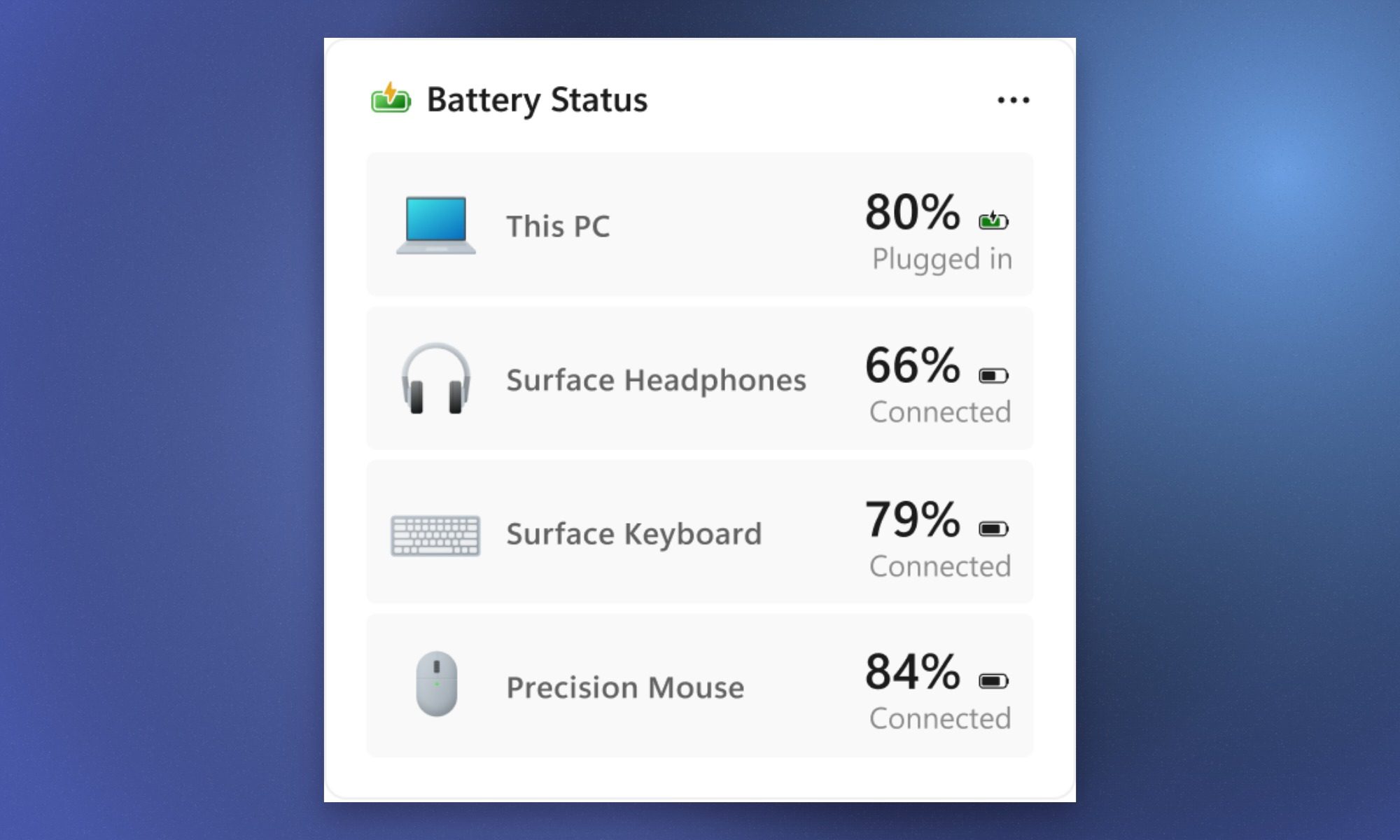
Windows 11 is getting a Battery Status widget that puts your PC and connected peripherals’ battery levels in one place. Instead of checking your laptop in the taskbar and then digging through settings or separate apps for a mouse, keyboard, or headphones, you can see everything from the Widgets Board.

One place to see what needs charging
The Battery Status widget can show your PC alongside connected devices such as Surface Headphones, a Surface Keyboard, and a Precision Mouse. Each device gets its own battery percentage and connection status. Insiders can add it through Widgets board > Add widgets > Battery Status.
References to the feature appeared in Windows 11 preview builds last month, but Microsoft is now testing a working version. Earlier findings also pointed to a possible lock-screen version, although Microsoft has only announced the Widgets Board implementation for the current test. The obvious appeal is convenience. One glance could tell you that your laptop has plenty of charge left but your headphones or mouse need attention before you leave home.
Will it work with everything?
The bigger question is how broad the support will be. Microsoft only says the widget can show battery levels for connected peripheral devices, but its current example sticks to Microsoft hardware. It has not explained whether accessories from companies like Logitech, Sony, Razer, or other third-party brands will show up in the same view. If Windows can pull battery information from a wide range of connected accessories, this widget will definitely become a mainstay on my laptop.
You must be logged in to post a comment Login