Connect with us
DAPA Banner
DAPA Coin
DAPA
COIN PAYMENT ASSET
PRIVACY · BLOCKDAG · HOMOMORPHIC ENCRYPTION · RUST
ElGamal Encrypted MINE DAPA
🚫 GENESIS SOLD OUT
DAPAPAY COMING

Tech

13 Weird Things That Can Go Wrong With Your 3D Printer

Published

on


A 3D printer might have been one of the most exciting purchases my household has ever made. First, our basic bed-slinger 3D printers were simple enough that a 12-year-old could put them together solo. Plus, the ability to print basically whatever we wanted, whenever we wanted, was super cool.

We did learn there are certain things you shouldn’t 3D print at home, of course. Still, you’ll find plenty of beginner 3D printing projects that will keep you busy for ages. But what happens when your printer starts printing wonky, or stops printing altogether?

A few years ago, as a newbie to 3D printing, I spent ages on Google researching possible fixes for all the weird problems that cropped up. Even now, as our printers are becoming old news as technology advances, the same issues continue to plague 3D printing forums. Things often go wrong with 3D printers, and often in weird ways, but especially with bed-slinger models. Here’s what to consider could go wrong, plus how to fix it — or at least a starting point for finding a fix.

Advertisement

Blown fuses

For anyone who’s worked on any kind of machine before, it’s probably not surprising to learn that 3D printers have fuses. Yet if your printer suddenly stops working, you might not suspect a blown fuse as the primary culprit. Since many different things can go wrong with a 3D printer, checking at least one of its fuses can be a good place to start troubleshooting.

A couple of signs that your printer has a blown fuse include failure to power up or a completely blank and unresponsive touch screen. With Elegoo printers, for example, the primary indicator that you’ve blown a fuse is the touch screen failing to work. Elegoo suggests checking the fuse in the power switch before moving on to other potential issues.

Advertisement

In most cases, fixing a blown fuse is straightforward. On Elegoo printers, the power switch fuse pops out of a tiny compartment next to or inside the power cable port. On other printers, like a Prusa 3D printer, you might need to change the fuses on your printer’s sandwich board, modular board, or XL Splitter board. Of course, you should proceed with caution if you’re opening up your 3D printer’s guts — especially if the manufacturer doesn’t endorse that kind of DIY fix.

Advertisement

Outdated drivers

There are plenty of important things to know about 3D printing, many of which you’ll learn through trial and error. After all, 3D printing is inherently an adventure in DIY, and we’re not just talking about the actual printing of your custom files. While we would argue that 3D printing can be accessible to just about everyone, you may need a little technical know-how.

Case in point? Like your PC or laptop, 3D printers require drivers. If something goes wrong with a driver, you might be facing a blue screen of death. Unlike a computer, though, a 3D printer can — in our experience — be brought back to life after the death screen.

Many newer printers are like your Wi-Fi-enabled home printer — they can stay connected to the internet and automatically download updates. If you’re working with an offline printer, however, you’ll need to manually download the firmware, then install it on your machine. The most important step to reviving a 3D printer with an outdated driver is to make sure you find the right firmware package for your make and model. Bambu Lab makes that easy with its Wiki, and other manufacturers have a similar offering.

Advertisement

Melted wires

Possibly one of the most frustrating yet weird things that can go wrong with your 3D printer is the heat of the bed or hot end melting your cables. Given that certain parts of a 3D printer can get very hot — the nozzle could hit 554 degrees Fahrenheit, depending on the printer and the filament you’re working with — you might expect some heatproofing on the components.

Though our Creality and Elegoo printers have the cables bundled together, we’ve still had melty experiences when leaving printers unattended. In fact, that was one of the earliest experiences my household had with 3D printers, which led us to a bunch of 3D printed accessories, including cable management pieces.

Advertisement

The good news is that even if your cables are exposed to high heat, the contact may be brief enough that you don’t have to replace the cables. We felt comfortable continuing to use our 3D printer post-melt because the inner wires were not exposed, but that’s not expert advice by any means. Our best advice is to secure your cables before you ever hit the power switch on a new printer, just in case.

Advertisement

Faulty thermistor

Sure, 3D printing can save you money, but it’s also wise to set aside a budget for not only 3D printer accessories, but also replacement parts. Plenty of things can go wrong, and you may not always be able to fix a specific part. One of the weird things that seems to go wrong more often than you may expect is a faulty thermistor.

One warning sign that your thermistor is bad, according to Creality, is temperature fluctuation. Whether your hot end doesn’t reach full heat, or your printer bed can’t maintain a steady temperature, the thermistor could be at fault. Some printers will also throw up error codes, specifically flagging thermal runaway, and a faulty thermistor could be the culprit. Fortunately, a replacement hot end with thermistor for our Creality Ender-3 V2 was only about $20 on Amazon, but it still involved some time, patience, and a bit of support from Creality.

Your printer likely has two thermistors, though some have three. For example, Prusa printers have these temperature sensors on both the hot end and the printer bed, but the Prusa i3 MK3S+ has a third for monitoring ambient temperature. You might need some basic tools (like multiple sizes of Allen keys, a screwdriver, and pliers) for thermistor replacement, and your best bet is to find a guide specific to your printer brand and model.

Advertisement

Incorrect voltage

One especially weird problem that I never expected with 3D printers was the possibility for the printer to be set to the wrong voltage. Although many newer budget-friendly 3D printers may have remedied the issue, a friend once struggled to power up their used Creality machine. Only when they realized their Ender had a voltage switch set to 230V (for Europe) instead of 115V (most common in North America) were they able to actually use the printer.

In our friend’s case, the printer wouldn’t turn on at all when plugged in and set to the wrong voltage. However, Elegoo, for one, notes that the wrong voltage can cause issues like unexpected restarts due to low power, motherboard damage, or a fire. If you have a new (or new to you) 3D printer that won’t power up or randomly powers down, checking the voltage settings could help resolve the problem.

Advertisement

That said, some newer 3D printers reportedly have auto-switching power supplies. For example, Bambu Lab has a power supply that auto-switches based on whether you’re using a filament dryer or only the printer itself. Be sure to read the manufacturer’s guide for your particular model, though. Despite a thorough search, we had a hard time finding specifics on voltage switching for big-name models like Creality, Bambu Lab, and Elegoo.

Advertisement

Filament clog

Since a 3D printer’s job is to print 3D objects, you might think that it would just… do that. Unfortunately, most 3D printers eventually stop printing, albeit temporarily, due to filament clogs. Clogs seem to be a common problem with a variety of printers (at least, in our experience with Creality and Elegoo, to name two).

Filament clogs are so common that Creality, for one, has a guide on how to clear clogs. That guide also involves steps on how to disassemble your hot end to remove filament from the extruder shell, gears, and even inside the buffer casing. It’s not exactly fun to scrape filament out of your printer, but that’s not the worst part.

The most challenging part of filament clogs is that it’s hard to figure out why they happen. Bambu Lab lists common extruder clog causes as excessive heat, extrusion gear inconsistencies, overly soft filament (or damp PVA), and inconsistent filament diameter. Nozzle clogs, however, can be caused by a lack of heat and partial pre-existing clogs. It may take some trial and error to resolve the problem that’s causing clogs. You might want some spare parts on hand, like a new hot end or, at the very least, spare nozzles.

Advertisement

Thermal runaway

In some cases, thermal runaway can be caused by a faulty thermistor. Replacing a thermistor is its own issue, but fortunately, not the most complicated fix we’ve encountered. Yet in other cases, thermal runaway is its own problem that requires some sleuthing and troubleshooting.

Though it’s frustrating, thermal runaway auto-shutoffs are a safety feature. As Prusa explains, the safety feature cuts off the heat to avoid fires. Yet thermal runaway can happen in many different situations where it’s unlikely a fire will happen. For example, Prusa gives a possible scenario where low ambient temperatures (like an unheated garage in the winter) can lead to thermal runaway because when the printer fan turns on, the printer lacks the power to maintain its necessary temperature. If you’ve determined that external temperatures aren’t a factor, and your equipment is otherwise functional, you may want to perform PID tuning.

PID stands for Proportional Integral Derivative, and tuning PID is basically calibrating your printer to get its heat calculations correct. Fortunately, most 3D printer brands offer guides on how to handle PID tuning, because the process is different between, for example, Creality and Prusa printers.

Advertisement

Layer shift

The first time you experience layer shift with a 3D printer, you might be a bit miffed. If 3D printers are meant to 3D print, why is it so difficult to get a quality print sometimes? It turns out that like any other machine, a 3D printer needs some TLC, especially if it’s a bed-slinger model (which our Creality and Elegoo machines are).

Advertisement

Bed-slinger 3D printers involve movement of the print head along the X- and Z-axes, while the bed moves along the Y-axis. With so much movement of the bed — unlike Core XY printers, where the bed is stationary — it’s inevitable that a bed-slinger 3D printer will occasionally need a mechanical tune-up.

Unfortunately, layer shift could be the first indication that your printer has loose parts, or that you’re trying to run it at a speed it can’t quite manage. Plus, the larger your printer, the higher the odds it will develop problems with speed and vibration, says Creality, because the problems essentially scale up with it. If you’re experiencing layer shift, troubleshooting can start with checking for physical barriers to the bed moving properly, making sure your filament is dry, and slowing down the print speed.

Advertisement

Cold nozzle

Failure to heat up sufficiently is a relatable problem with 3D printers of all types. How you address the problem depends on whether it’s a hot end or bed heating issue. If you’ve determined that the bed is plenty toasty, the hot end could have an unseen issue that’s making your prints fail, or fail to start at all.

A cold nozzle is another offbeat problem with 3D printers that can have a range of causes. If your nozzle (and thus the hot end itself) fails to heat up at all, the problem might be easier to troubleshoot than if you have temperature fluctuations after reaching your desired temp. If there’s no power going to the hot end, you may have a thermistor issue, a blown fuse, or an incorrect setting.

Conversely, if the hot end gets hot, but then fluctuates, you might be looking at the same issues and an array of other ones. While the problem could still be the thermistor, fuse, or firmware, partial filament clogs, dry filament, or loose wires could also be to blame. Some printers will throw an error code (an Elegoo may give code 103, for example), which gives you a place to start troubleshooting.

Advertisement

Brittle filament

Like other 3D printer mishaps, layer shift is a problem with a long list of potential causes. One of those potential causes is the filament itself. Moist filament can behave differently in a 3D printer than properly dry material, for starters. Yet temperature and humidity fluctuations can also make your filament too brittle to print properly, leading to layer shift, clogs, and other problems. Moisture basically degrades the quality of the filament over time, and that can happen even in relatively dry-feeling environments.

A brittle filament can snap between your fingers, or you might not notice a problem until you’re trying to print with it. A simple way to fix (and avoid) brittle filament is to keep it stored in a dry and temperature-controlled environment. Polymaker, a filament brand, suggests drying your filament before printing for the best results.

Advertisement

Though Polymaker mentions using an oven to dry your filament, we’d recommend a filament dryer. Not only do various filament types have ingredients that are definitely not meant to mingle with food, but filament dryers are basically set-and-forget. Most filament spools will arrive packaged in plastic, complete with desiccant packets, which are suitable for storage. Once you open your filament, check for flexibility before printing, and consider a spin in the dryer first.

Advertisement

Dirty build plate

You might expect a 3D printer to work perfectly out of the box because it’s brand-new. Unfortunately, that wasn’t our experience with our first, second, or third printer. We learned pretty quickly that a bare-bones printer required a lot more effort than we expected. On a positive note, most 3D printers are practically infinitely customizable. One of the best investments we made was flexible build plate surfaces for each of our printers.

Each time you print on a glass bed, cleaning the filament off might be a struggle. Especially if you let the printer cool down first, it may be nearly impossible to remove prints that cover a significant surface area. I admit to running some prints under hot water to get them to come off the build plate, but even that didn’t help get all the gunk off.

The problem is that even invisible debris can affect bed adhesion and, therefore, the quality of your prints, if not the success of the print job itself. A scraper is a useful 3D printed tool to help keep your print bed clean, but don’t stop there. Consider a flexible build plate add-on, and make sure to clean it regularly after you scrape any filament or printer glue off it. Isopropyl alcohol is a recommended cleaner for glass and most other bed types, according to Creality, but our advice is to follow the manufacturer’s recommendations for your printer or the build plate you add onto it.

Advertisement

Clicking

3D printers make a lot of noises, and not all of them are a bad thing. Yet a clicking noise coming from your 3D printer is probably not good. One common problem that results in a clicking sound is the extruder having problems. According to Creality, there are many reasons why your extruder may click, and all of them involve some close examination and trial and error to solve.

A filament clog could lead to clicking, as could temperature problems that trap filament inside the nozzle or cause it to get backed up into the hot end. Clicking can also be a result of the filament tension being too tight. If your filament roll has the loose end pulled taut, that’s not a good sign. Wet filament (even if it has dried) can become misshapen, which can lead to the same clogging type issues.

Temperature inconsistencies, including the extruder motor overheating because of clogs, can also cause clicking. Creality recommends checking for clogs, ensuring your filament is in good shape, and taking a close look at the mechanical inner workings of your printer to make sure gears aren’t slipping.

Advertisement

Random beeping

Have you ever turned on your 3D printer, set up a print, and it started working… only to have it freeze and start beeping almost immediately? It’s one of the weirdest problems we’ve had with 3D printers, and it seems like an inexplicable issue. What problem could possibly result in the printer stopping and screaming at us?

Advertisement

This weird problem, like many others, can have a few different causes. Newer printers may also throw up an error code while beeping, while others might act like they’re having a meltdown with no explanation. While most 3D printer brands don’t specifically address beeping (likely because they address the associated error codes), nearly any kind of issue can cause a printer to freeze and alert you.

In fact, just about every weird thing that can go wrong with your printer could create an error code. For example, some printers seem to freeze up when the file you’re using is corrupt, or if your SD card wasn’t formatted properly. Others will alert when there is a thermistor issue, while firmware incompatibility can also halt a print. In short, if your printer beeps and freezes without giving a descriptive error code, you may have to start from zero when it comes to troubleshooting.

Advertisement


Source link

Continue Reading
Click to comment

You must be logged in to post a comment Login

Leave a Reply

Tech

Prentis, new AI lab co-founded by Reid Hoffman, Mark Pincus in talks to raise $100M

Published

on

Prentis, a new AI research lab focused on computer use models, co-founded by serial entrepreneur Ritankar Das and tech heavyweights Reid Hoffman and Mark Pincus, is in talks to raise $100 million at a $1 billion valuation, according to two people familiar with the discussions.

Launched in April, Prentis is training models to learn how office workers navigate routine workflows across documents and systems, with the goal of building AI agents that can control computers to automate those tasks.

Prentis will ostensibly develop agents tailored to these customers’ needs, such as handling insurance claims and automating customs duty refund exceptions without needing a human to hunt down paperwork.

The startup has already signed contracts worth up to $50 million with several customers, including healthcare management service organization, a manufacturer, and goods and clothing manufacturers, the two people familiar with the discussions tell TechCrunch. This echoes investor materials obtained by TechCrunch that predict an estimated $75 million annualized run rate by the third quarter of this year. (Prentis’ pitch deck notes those figures reflect estimated annualized value based on a contracted fee equal to 20% of savings realized, not recognized revenue, and are “performance-dependent and subject to final execution.”)

Advertisement

By its own account, Prentis says its Hive-32B model outperforms rivals, including OpenAI’s GPT-5.4 and Anthropic’s Claude Opus 4.6, on two computer-use benchmarks: WindowsAgentArena, which measures end-to-end task completion on real Windows applications, and ScreenSpot-v2, which tests a model’s ability to locate the right on-screen control.

In its pitch deck, the company argues its edge comes from running a much smaller, cheaper model. In fact, it claims roughly 10 times lower cost per task than frontier APIs, saying it’s more economical to deploy across everyday workflows. TechCrunch hasn’t independently verified the company’s benchmark results.

The startup is betting that automating everyday office tasks will soon outpace coding as AI’s biggest use case, but it’s a crowded market. Anthropic, Open AI, and Mira Murati’s Thinking Machines Lab are also working on developing AI agents for computer use, one of the sources said. Anthropic has also been acquiring talent in the category directly — it bought the Seattle computer-use startup Vercept earlier this year, folding in its founders and shutting down its product.

Prentis didn’t respond to TechCrunch’s request for comment.

Advertisement

Ritankar Das, CEO of Prentis, is also the founder of Titan, a holding company that builds and operates AI companies. Das, now 31, was UC Berkeley’s youngest University Medalist in more than a century, graduating at 18 with a double major in bioengineering and chemical biology before earning a master’s in biomedical engineering at Oxford.

He founded Titan in 2014 after dropping out of an AI PhD program at Cambridge, where he’d been a Gates Cambridge Scholar. Das has described Titan as an intentional throwback to an old-fashioned holding-company model like Berkshire Hathaway, one that’s funded by its own exits rather than outside limited partners.

Other businesses launched and operated by Titan include AI-powered virtual care provider Tala Health, which raised a $100 million seed round last year, and Forta Health, an autism care startup that raised $55 million led by Insight Partners in 2024. Titan-founded disease prediction company Dascena was acquired by CirrusDx in 2022.

Prentis is a side project of sorts for its two other co-founders. Hoffman, the LinkedIn co-founder and Greylock partner, said last month that he was stepping down from Microsoft’s board after nearly a decade to go “founder mode” on Manas AI, an AI drug-discovery startup he’s also backing; he was an early OpenAI investor and co-founded Inflection AI with Mustafa Suleyman before Microsoft absorbed most of that team in 2024.

Advertisement

Pincus, the Zynga founder, now runs the investment firm Reinvent Capital with Hoffman as a senior adviser, and published a memoir, “Life at the Speed of Play,” last month.

Prentis has already hired more than 25 employees, including researchers who previously worked at OpenAI, Google DeepMind, Meta, Tencent, and Alibaba, according to its website.

When you purchase through links in our articles, we may earn a small commission. This doesn’t affect our editorial independence.

Source link

Advertisement
Continue Reading

Tech

A second arrest in the 2025 FedEx robbery

Published

on

A woman who stole from a Wendy’s returned for her AirPods, a shooting followed an argument about an Apple Watch, and another FedEx robbery in Memphis, all in this week’s Apple Crime Blotter.

The latest in an occasional AppleInsider feature, looking at the world of Apple-related crime.

Second man arrested in FedEx theft of iPhones

A second suspect has been arrested in the $30,000 theft of Apple products from a FedEx shipment in Miami-Dade County in November of 2025, CBS Miami reported.

The suspect was arrested on July 15 and faces cargo theft charges.

Advertisement

The other suspect was arrested in June, and both men were FedEx employees.

Woman who stole from Wendy’s returned for her lost AirPod

A Delaware woman who was accused of attacking a worker and stealing from the register at a Dover Wendy’s later returned when she realized she’d left behind an AirPod.

According to NBC Philadelphia, police say the 33-year-old woman had attacked a store employee after complaining about her order and asking for a refund. After the worker refused, the woman took $15 from the register and “attacked” a worker standing in the way.

She then turned her attention to a second employee, whom she punched “multiple times in the chest,” before throwing the stolen money out the window. Before leaving, she “threatened to shoot restaurant employees.”

Advertisement

Shortly afterward, she returned to look for lost AirPods, and officers who were there to investigate arrested her. She was charged with strong-arm burglary, conspiracy, terroristic threats, and related offenses.

Non-fatal Burger King shooting followed argument over a stolen Apple Watch

In another incident at a fast food restaurant, a man was shot outside a Memphis Burger King on July 14, in a dispute that followed an argument over a stolen Apple Watch.

According to Fox 13 Memphis, two men accused a third man of stealing an Apple Watch from them. This led to a fight, in which one of the men was shot, and his son was injured. The man who was shot was reportedly in critical condition.

The two men accused of the shooting fled but were later caught. One was charged with attempted second-degree murder and the other with being an accomplice.

Advertisement

Two arrested for taking over $130,000 in iPhones

Also in Memphis, two men were arrested on July 15 and charged with stealing 120 iPhone 17 Pros and 50 Tinymoose smart pens from a FedEx processing facility.

According to Action News 5, the two men were caught on camera taking the items, which had a total value of $133,377.

Sheriff’s Deputy accused of taking, sharing nude photos of suspects

A sheriff’s deputy in Bucks County, Pa., was charged on July 21 with taking photographs of naked suspects and prisoners and using his personal iPhone to share the photos with colleagues and other contacts. He’s also accused of lying to investigators.

In an announcement from the Bucks County district attorney, the deputy has been charged with official oppression, unsworn falsification to authorities, possessing an instrument of crime, and obstructing the administration of law or other government function.

Advertisement

He was also removed from his position in June.

A court-authorized forensic search of the deputy’s iPhone uncovered some of the images, the D.A.’s office said.

During one incident, when he and other deputies arrived for an arrest, the then-deputy covered his own body camera.

However, “the body camera of another deputy in the room captured footage of [the deputy] removing his right glove, pulling out his personal cellphone, opening the camera application, and pointing the camera lens directly at the male.”

Advertisement

AirPods, other items stolen from 17-year-old during cancer surgery

A 17-year-old in San Diego had several items stolen from her at the worst possible time: While she was undergoing surgery for Stage 4 pancreatic cancer.

According to Fox 5 San Diego, Sahara Morquecho was in surgery at UC San Diego Health when her purse was stolen, containing her “wallet, jewelry, ID, cash and sentimental photos of her late father,” in addition to AirPods.

While recovering, the teen followed the Find My iPhone signal and discovered the AirPods at a residence in Lemon Grove.

When a deputy went to that address, the resident wasn’t home. However, the landlord provided the person’s name, and she had prior arrests for theft.

Advertisement

She also worked at that hospital.

Man who stole iPad from porch in Bronx fled in a Mercedes

Police are searching for a man who they say stole an iPad delivery from a porch in the Bronx.

Bronx News 12 reports the box was taken on June 12 by a man in an orange hoodie, who fled in a surprisingly fancy car. It was a black Mercedes-Benz.

AirTag placed in stolen campaign sign leads to theft charges for county commissioner

It’s far from rare for politicians’ lawn signs to be stolen, sometimes by a rival campaign. Such expeditions rarely lead to criminal charges, but that happened on July 20 in Tennessee, thanks to an AirTag.

Advertisement

According to WKRN in Nashville, Rutherford County Commissioner Romel McMurry surrendered to authorities after he was named in a theft arrest warrant. He’s accused of taking a sign for his opponent, Pat Clements.

After a series of sign-stealing incidents, Clements told the station that he placed an AirTag in one of his signs. That very sign went missing, and the signal later pinged near McMurry’s home.

McMurry told the station that he did not steal the sign, but rather “relocated” it.

Man accused of crime disconnected iPad during virtual hearing

A New Hampshire man accused of dragging a police officer during a June traffic stop in Massachusetts appeared in court virtually from his jail cell, via iPad. But during the hearing, he “started yelling, grabbed the iPad, and disconnected from the call,” WHDH reported.

Advertisement

He is charged with several crimes, including assault with intent to murder, assault and battery on a police officer, aggravated assault and battery, failure to stop for police, reckless operation of a motor vehicle, and resisting arrest.

Stolen iPhones recovered in Uganda

Police tracing the stolen iPhones belonging to a police officer in Kampala, Uganda, discovered a large cache of stolen iPhones, as well as other Apple products.

According to Pulse, investigators “traced the phone to an alleged network dealing in suspected stolen iPhones and spare parts.” The man who stole the phone admitted that he had sold it to a mobile phone shop.

Between the searches of the shop and the owner’s vehicle, police discovered over a hundred stolen iPhones, as well as iPads, laptops, and iPhone spare parts.

Advertisement

Four suspects have been arrested for their part in the scheme.

Source link

Advertisement
Continue Reading

Tech

5 F1 Innovations That Shaped The Cars We All Drive Today

Published

on


The world knows that Formula One is the pinnacle. It is the crown jewel of motorsport, where every facet is taken to its most extreme form. At any given moment, only 20 people in the world can brag that they compete in it, and only 10 of the wealthiest and most influential corporate teams can land a spot on the grid. The drivers themselves are almost superhuman. They rely on reflexes to make split-second maneuvers that can spell greatness or disaster. They know a track’s route, surface materials, elevation changes, and weather patterns as if it were their childhood home, and they train like fighter pilots to withstand the immense G-forces their cars dole out.

But the other component behind what makes the sport so exciting is the engineering. With their gargantuan budgets, Formula One teams have the freedom to experiment with esoteric and experimental automotive technologies consumer brands wouldn’t dream of touching. This freedom and creativity birth new racing innovations, but it also makes the Formula One track a proving ground. Many of the technologies discovered start with racing applications but are found to be beneficial in consumer cars as well, leading to a trickle-down effect. Many of the features we take for granted, or don’t even notice, in our cars have roots in this motorsport proving ground, and their prevalence becomes more apparent the more you look. Here are five Formula One innovations that shaped the cars we drive today.

Advertisement

Paddle Shifters

The most important aspect of a combustion-powered car behind the engine is its gear system. Transmissions help distribute power effectively, and while many of our gearboxes today are obscenely complicated, they used to be quite simple. As it was with consumer cars for much of their history, Formula One cars relied on manual transmissions for quite a while. The simplicity and communicative nature of a manual was good for both consumers and racing drivers. However, in 1989 the status quo was shaken. John Barnard, who we will revisit quite soon, was with Ferrari at the time, and for the 1989 Ferrari 640 F1 car, he introduced a new gearing system.

The 640’s cockpit traded one pedal and one lever for a pair of paddles designed by ergonomic experts from the University of Delft. The function was stupidly simple: press one paddle to upshift and the other to downshift. This allowed Ferrari drivers to retain the control of a manual without its setbacks. They could keep both hands on the wheel at all times; the shifts were light-years quicker, and these benefits were apparent when the 640 won its first race. Ferrari quickly pulled this tech into their road cars, starting with the F355 in 1997, and other automakers would soon follow suit. The feature started with performance cars, but with the introduction of dual-clutch transmissions in the 2010s, they’ve made their way onto the wheels of cars of all levels.

Advertisement

Carbon Fiber

Nowadays, it seems you can’t talk to an engineer, read a spec sheet, or look at aftermarket parts without seeing the words “carbon fiber.” It’s hard to believe now, but in the not-so-distant past, carbon fiber was seen as a fascinating but impractical material whose potential usage did not stretch far beyond some niche aerospace parts and the pages of a science fiction novel. Remember John Barnard? Before he made Ferrari’s special gearbox, he was one of the few people pushing for the use of carbon fiber in Formula One. Working for McLaren at the time, Barnard had to hunt down a firm willing to manufacture a carbon fiber monocoque.

Barnard landed on American firm Hercules Aerospace, and the MP4/1 was born. Skeptics thought the material would be too brittle, but a crash at the 1981 Monza GP where the chassis saved driver John Watson quickly proved this angle wrong. Lightweight, twice as rigid, and five times stronger than steel, carbon fiber’s value was undeniable, and McLaren soon used it in the F1 road car. For a while, exotics were the only options for consumer cars that utilized the material to its full potential. You could find it on sports cars, but it was often used sparingly—due to cost—and as a cosmetic wrapping for components made of another material. As production methods improved, though, the material became cheaper, and today, just about any sport-related car has some somewhere.

Advertisement

Active Suspension

Sometimes in Formula One, a technology is so good it gets banned. When the Williams team was in its prime, it was the maker of one such technology. The FW14B, designed by the legendary Adrian Newey, had a host of amazing features. For one, it was one of the first times a Formula One team realized the potential of modern computing. The FW14B was fitted with a central control unit that featured a Controller Area Network bus system. We could write multiple articles explaining what this means, but the important part is that it meant any electronically connected component could communicate with any other component through a shared central nervous system rather than on delegated individual pathways.

Advertisement

The aero elements of an F1 car have very small fields of effectiveness, and as a car rises and falls and yaws, it can reduce the efficiency of these aero parts, as well as disperse grip force across the tires in an unpredictable manner. Engineers knew an active suspension system could fix this, but the level of communication and data processing to make it work was out of the realm of possibility, except for Williams and their CAN bus control unit. The technology was so effective that Williams cars were finishing almost half a minute before competitors, leading to its banning. That ban is only valid on the track, though, and today, many of us enjoy the smooth rides active suspension brings us.

Advertisement

KERS

Hybrid powertrain technology has become the baseline in modern-day Formula One, but back in 2009, the sport was just reaching the tip of the iceberg. The FIA wanted more exciting racing, and that usually translates to more overtaking. To achieve this, the 2009 regulations invited teams to build kinetic energy recovery systems to give drivers extra juice for temporary power boosts. These systems do exactly what the name suggests, but there are some variations in how it’s done. 

Some KERS systems work by harvesting the rotational force under braking with a motor-generator unit, or MGU, mounted to the crankshaft. The MGU converts that kinetic energy to electrical energy, which is then stored in a battery. Mechanical KERS systems use a flywheel that spins a carbon fiber rotor under braking and stores the flywheel’s tensile potential energy, which can be reconnected to the wheels for that power boost at the driver’s whim.

KERS technology is very performance-oriented, but its concepts were quickly recognized for their application in electric and hybrid cars. Most cars with any amount of electric power already have MGUs connected to the wheels to spin them via electric power. However, they can also be used to provide resistance and harvest the kinetic energy under braking. The main difference is that, rather than storing the harvested energy in a separate battery for on-tap power boosts, the energy joins the main supply to increase range in what we now call regenerative braking.

Advertisement

Hot V Engine Configuration

To be transparent, while the other entries on this list are technologies you can find in many modern, entry-level consumer cars, the hot V engine configuration is still relegated to high-end sports cars and supercars like the Ferrari 296. However, its genius still makes it worth mentioning, as it solves a problem that is often thought of as an unfortunate but unavoidable law of turbocharging a car. The issue in question is turbo lag. A turbocharger works by spooling up a turbine with exhaust gases to pressurize the air, then injecting that pressurized air into the engine for more power. The issue is that when you first start on the gas, the turbine takes a moment to spin up to the appropriate RPM, leading to an uncomfortable gap in power delivery.

The Ferrari 126CK Formula One car solved this, though, with what we now call the hot V, where the turbochargers are placed inside the valley of the engine. This does a few things. It allows for a more compact engine profile, but more importantly, it shortens the travel distance the exhaust gases have to go before they reach the turbos. It also keeps the turbos in a warmer part of the engine bay, and the intake manifolds in a cooler part, both of which increase each component’s efficiency. The result is boost on tap and the effective elimination of turbo lag.

Advertisement


Source link

Advertisement
Continue Reading

Tech

Apple TV teases ‘Matchbox,’ ‘Neuromancer,’ ‘Dark Matter’

Published

on

Apple TV paid a visit to San Diego Comic-Con, hosting a two-hour panel and revealing new trailers for “Dark Matter,” “Neuromancer,” and the loosely toy-based “Matchbox The Movie.”

Just like any major media company that streams movies and TV shows, Apple held a lengthy two-hour panel at San Diego Comic-Con. The panels are usually an opportunity for fans to see stars talk about past and upcoming projects, as well as the reveal of new trailers for inbound releases.

As part of Saturday’s panel, Apple introduced a trio of new trailers for two shows and a movie.

Matchbox The Movie

Hall H was given the first look at a new Apple Original Film based on a Mattel toy franchise. Coming from Skydance Media and Mattel Studios, “Matchbox The Movie” stars John Cena, Sam Richardson, and Jessica Biel, and takes an unusual direction.

Advertisement

While the usual expectation would be a very toy-focused approach, the film instead seems more like an homage to “The Fast and The Furious.” The toys do still appear in the film, though.

Cena stars as an undercover CIA agent who returns to a small town and teams up with a group of his childhood friends. Cue an international pursuit to save the world with lots of vehicular stunts.

“Matchbox The Movie” will air on Apple TV on October 9.

Neuromancer

AppleInsider first heard about “Neuromancer,” based on the William Gibson novels, in February 2024. More than two years later, there’s a trailer for the show.

Advertisement

A ten-episode series, it stars Callum Turner, who made a surprise virtual appearance for the panel. It also counts Briana Middleton, Mark Strong, Joseph Lee, Peter Sarsgaard and Clemence Poesy in its cast.

The show follows top-tier hacker Case, who lands in trouble involving high-stakes crime and espionage with assassin partner Molly, and a heist on a corporate dynasty.

Produced by Paramount Television and Anonymous Content, “Neuromancer” will premiere on Apple TV with two episodes on July 22, 2027, followed by one episode a week until March 19.

Dark Matter Season 2

Apple offered a sneak peek of the second season of “Dark Matter” in April, and continued the charge with a full trailer at Comic-Con.

Advertisement

Based on the novel by Black Crouch, the first season had physicist-professor Jason Dessen be abducted and taken to an alternate version of his life, and followed his attempts to return back home. The second season has Dessen getting used to a quiet life in a seemingly safe world, until they are forced to run once again.

Starring Joel Edgerton and Jennifer Connelly, the cast also includes Alice Braga, Jimmi Simpson, Oakes Fedley, Amanda Brugel, and Dayo Okeniyi.

This time, there will also be “Dark Matter: The Official Podcast” accompanying the show. Author Crouch and executive producer Jacquelyn Ben-Zekry will discuss the show’s biggest moments, the creative process, and the science behind the multiverse.

Produced by Sony Pictures Television, “Dark Matter” will premiere on Apple TV from August 28, 2026, with one episode a week released until October 30.

Advertisement

Source link

Continue Reading

Tech

The Best Backpacking Sleeping Pads, Tested on the Trail (2026)

Published

on

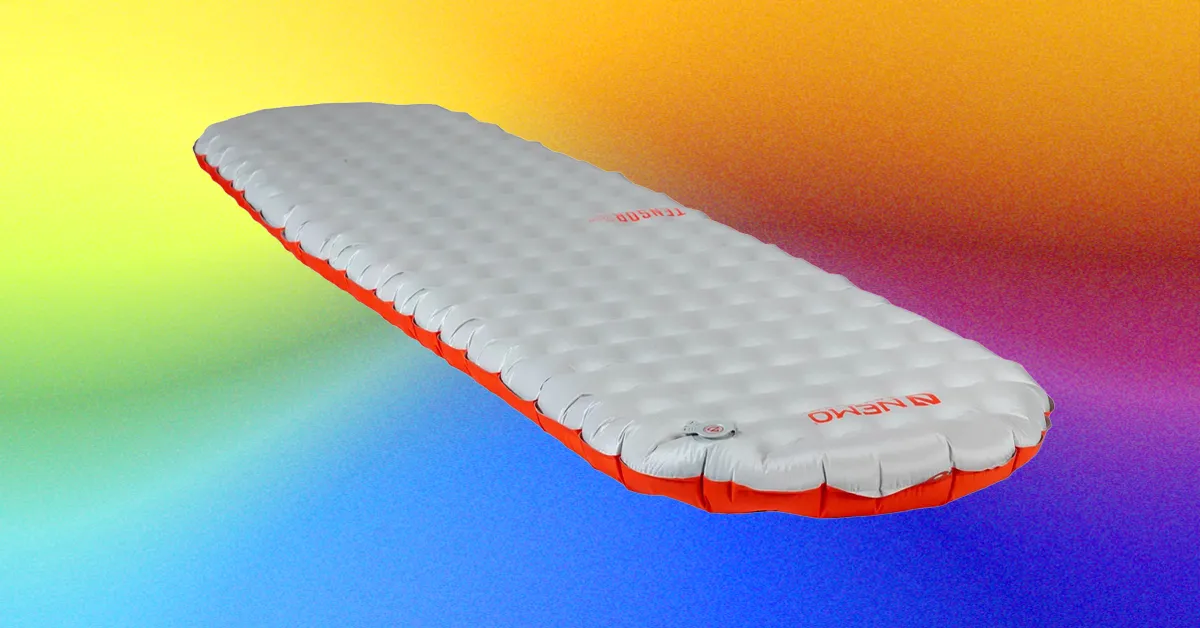
I’ve had very few problems with any inflatable sleeping pad I’ve tested. Some have lost air, but I’ve never had one deflate completely (knock on wood). That said, there are some tricks to getting the best night’s sleep and having a pleasant trip.

Don’t inflate your pad with your mouth: For one thing, some of these pads are huge, and it’s just a pain, but also your breath is warm and moist and you’re injecting into nylon, which is a recipe for mildew and mold. This worry may be somewhat overblown—a few people have cut open pads they’ve inflated by mouth for years and found no sign of mold—but considering what a pain it is to do anyway, it seems easier to just avoid it. Most manufacturers include some kind of pump sack these days, which makes quick work of inflating your pad. There are also motorized pumps that only weigh an ounce or two, like the Flextail pump.

Don’t over-inflate: Insulated sleeping pads work by putting air and material between you and the cold ground, but that doesn’t mean you need to inflate it until it’s taut. It varies by pad. I generally find that the best method is to inflate it taut, and then start to let out air, lying down to test it until you get to where it feels comfortable. The downside to this method is that your pad isn’t that thick and you’re more likely to bottom out if you let out too much air. I find this isn’t much of an issue for stomach or back sleepers, but if you’re a side sleeper it might take some time to find the sweet spot between comfort and warmth.

Carry a patch kit: Most sleeping pads these days include a patch kit. I rarely bring these kits and instead carry a small roll of Tenacious Tape ($6), which will solve rips and tears in everything from sleeping pads to tents. Make sure to test a small piece of tape on your pad beforehand to make sure the tape sticks, and bring an alcohol wipe to clean the affected area.

Advertisement

Women need higher R-value pads: Women generally have lower body mass than men, which means women should add roughly 1 R-value to get the same amount of insulation in the same situation. (I also recommend upping the R-value if you’re a cold sleeper in general.)

Sleeping bag ratings assume R5 pads: Most temp ratings you see on sleeping bags are true only if you’re using a sleeping pad with an R-value of 5 or higher (they also assume you’re wearing a base layer). If your pad is less, you will need to adjust your sleeping bag temp rating accordingly. For example, using your 30 degree quilt with a R4 pad will likely leave you cold if you encounter freezing temps. In that situation you’d want to either up the R-value of the pad, or bring a warmer sleeping bag.

Source link

Advertisement
Continue Reading

Tech

After Discovering 6,000 Exoplanets, Researchers May Have Found the First Exomoon

Published

on

Humans discovered the first exoplanet in 1992 and have since found approximately 6,000 other planets from outside our solar system. Not once have those researchers found a moon orbiting any of those planets, however. That may have changed with the recent discovery of the first moon-like object in another solar system. 

The findings were published in a recent study. Kevin Hoy, lead author of the study and PhD student at the Instituto de Estudios Astrofísicos, says that this potential moon, known as CD-35 2722 B, orbits a brown dwarf instead of a traditional planet. It’s also approximately 90% the size of Jupiter and bigger than Saturn. This moon-like object takes 170 days to fully orbit its host. 

Hoy and other researchers used a fairly old trick to discover this moon: radial velocity analysis, which is used to detect wobbles in stars and is an indication that an exoplanet is nearby. Planets get dimmer as they move away from their host star, and exoplanets are found by viewing the changes in spectral shift.

This is the same method scientists used to detect the first exoplanet, and it was used to detect this exosatellite, which is the name granted to objects that have not yet been defined as an exoplanet or an exomoon.

Advertisement

“This is the first time, to our knowledge, this technique has produced evidence of satellites around a companion brown dwarf,” Hoy said in the study.

A picture of the moon and the Earth

Most people understand that a moon is an object that orbits another object that isn’t a star, like Earth’s moon or the various other moons in the solar system.

NASA

Schrödinger’s Moon?

The study’s findings aren’t without their controversy. Arguably, the biggest question is whether this is actually a moon. Brown dwarves, often referred to as failed stars, are far larger than a standard planet but did not have the chemical reactions in their core necessary to become a star. The exosatellite orbiting this brown dwarf is also bigger than all but one planet in our solar system and larger than most of the exoplanets discovered by researchers so far. 

Complicating matters is the fact that no one actually knows what a moon is. There is no standard definition from the International Astronomical Union, the authority that usually comes up with such definitions. Most people understand a moon to be a naturally occurring object that orbits a larger object, like our moon orbits Earth. 

There are some rules to this. The host object can’t be a star because then the orbiting object would be a planet. It also can’t be made by humans, or it’s deemed a satellite. The definition has expanded as astronomers find additional, unique types of moons. One example is Zoozve, a quasi-moon that would look like a moon from the surface of Venus but is actually an asteroid that orbits the sun and is close enough to look like a moon. 

Advertisement

For CD-35 2722 B, Hoy told me that one problem is the special nature of brown dwarfs. Brown dwarfs are considered substellar objects because they’re too big and dense to be a planet but lack the hydrogen fusion needed to be a star. They exist in a middle ground between the two, so it’s unclear whether something orbiting a brown dwarf would be considered a planet or a moon. 

That isn’t the only roadblock. “The object itself is at least the mass of Jupiter, which is far larger than the rocky and icy moons in the solar system,” Hoy said. “It’s not clear that anything that big should be considered a moon.”

Hoy says that the currently accepted IAU definitions group brown dwarfs in with stars, in that an object orbiting a brown dwarf of sufficient size would be considered a planet. However, this brown dwarf orbits its host star like a planet and CD-35 2722 B orbits the brown dwarf like a moon; therefore, it fulfills both the behavior of a moon and the definition of a planet. 

“Maybe when a definition for exomoons is written, objects like this will meet both the definitions of planet and moon, but we’ll have to see,” Hoy said. “Those terms are mutually exclusive in the solar system, so I wouldn’t be surprised if they wrote the definition in such a way as to preserve that.”

Advertisement

Until that day comes, no one is quite sure what to make of CD-35 2722 B, and until the IAU opens up the metaphorical box and comes up with an official definition for what a moon is, CD-35 2722 B could realistically be considered both a moon and a planet.

Source link

Continue Reading

Tech

What Is The 4/6/8 Rule For Projectors?

Published

on


To get the best viewing experience when using a projector, you’ll want to follow the 4/6/8 rule. It’s a widely used guideline in the audio-visual industry for a reason: It’s a quick and easy way to find the optimal viewing distance for a screen based on its size and type of content being displayed.

Not all content one might view on a projector will benefit from the same viewing distance. The 4/6/8 rule knows this. It factors how much detail viewers need to see into account, then measures viewing distance as a multiple of the screen’s vertical display height. Ignore the rule, and you might end up putting your projector in a bad spot.

Each number in the 4/6/8 rule represents one of three viewing types: analytical, basic, and passive. Analytical viewing (like small text, numbers, charts, and detailed images) gets the shortest recommended distance. It should be limited to a maximum distance of four times the screen’s vertical height. Sitting any farther away than that could make those finer details too difficult to read. The less detailed the content, the greater the viewing distance can be.

Advertisement

How the 4/6/8 Rule changes with distance

Basic viewing, where viewers still need to see the information but don’t need to see details, allows for viewing distances of six times the screen’s vertical height. Passive viewing — movies, videos, games, photo slideshows, and anything else in that vein — increases to a maximum distance of eight times the screen’s vertical height.

But how does that factor into something like classroom design, where students might need to do analytical viewing one day but passive viewing the next? In this case, the 4/6/8 rule recommends designing spaces with a maximum viewing distance of six times the screen height whenever possible. That way, the room can comfortably do both analytical and basic viewing (and won’t be hurt by sitting closer than eight times the screen height for passive viewing, either). 

Advertisement

If you’re trying to set up a movie room, you can also use the rule in reverse: determine the viewing distance you want (or can afford), then go with a screen that fits the 4/6/8 rule. Either way, remember that no matter how bright and sharp the projected image is, it can’t overcome distance.


Advertisement

Source link

Continue Reading

Tech

Stripe reportedly in talks to buy LLM marketplace OpenRouter

Published

on

Sources told The Wall Street Journal that a sale could earn the three-year-old start-up roughly $10bn.

Stripe is reportedly in talks to acquire OpenRouter, a New York-based start-up that lets users access several AI models through a unified platform.

According to The Wall Street Journal (TWSJ), a transaction could earn OpenRouter roughly $10bn. It was last valued, reportedly, at around $1.3bn following a $113m raise in May led by Alphabet’s venture arm CapitalG.

Sources told the TWSJ that a deal could be announced soon. SiliconRepublic.com has reached out to Stripe to confirm the validity of the report.

Advertisement

Founded in 2023, OpenRouter is a new type of marketplace that offers users access to more than 400 large language models (LLMs) from around 70 providers. It routes requests to the best available provider, letting users shop around based on price and other factors.

It is claimed to be the first marketplace set up for LLMs, reflecting a growing appetite for AI models and a fast diversifying market. The company more than doubled its valuation in a year, after reaching the $500m milestone last June.

A number of other companies have also considered buying OpenRouter, sources further told TWSJ. The Information also reported on the buzz around the start-up.

OpenRouter co-founder and CEO Alex Atallah has described his company as an AI equivalent of Stripe, a payments processing platform with an array of different tools for businesses. Prior to his current venture, Atallah founded OpenSea, a similar type of marketplace for non-fungible tokens.

Advertisement

OpenRouter already uses Stripe’s services for billing, payment collection and tax, among other needs, under a partnership announced early this year.

Stripe, meanwhile, is also reportedly considering a joint acquisition of PayPal along with US private equity firm Advent International. Sources told TWSJ that PayPal is unhappy with the low-ball reported offer of $53bn. Stripe and Advent are considering their next move.

Don’t miss out on the knowledge you need to succeed. Sign up for the Daily Brief, Silicon Republic’s digest of need-to-know sci-tech news.

Advertisement

Source link

Continue Reading

Tech

A Promising Process For Nuclear Fuel Re-use and Disposal?

Published

on

A Canadian lab has run a chemical process on real spent nuclear fuel “and pulled out 90% of the long-lived danger in 24 hours, the part that forces a burial site to last 100,000 years,” notes the blog Autonocio, “with the leftovers meant to fuel a reactor.”


The standard plan for spent nuclear fuel is to wait it out. You pull the used bundles from a reactor, sit them in a pool of water for seven to ten years while the heat and radiation come down, seal them in concrete casks, and look for somewhere deep and geologically dull to leave them for the next hundred thousand years. Canada has been hunting for that burial site since the 1980s and still doesn’t have one in the ground.

A company in Saint John, New Brunswick thinks most of what makes that waste dangerous never needed to go in the ground at all. Moltex Energy Canada says a chemical process it calls WATSS can strip 90% of the long-lived material out of used Canada Deuterium Uranium [CANDU] fuel in 24 hours, and that the concentrated leftovers become fuel for a reactor it wants to build on the same site. The recovery step isn’t a slide in a pitch deck anymore. In 2025, World Nuclear News reported that Canadian Nuclear Laboratories ran the process on real used fuel from a commercial Canadian reactor and confirmed the 90% figure.

None of it is generating power yet. What exists is a validated chemical step and a reactor design waiting in line at a regulator. The rest is a 2030s problem.
“The chemistry has a lab result behind it. The reactor does not exist…” the article points out. “Moltex is aiming to have its first WATSS and SSR-W units running at Point Lepreau by the early-to-mid 2030s… Not everyone buys the pitch. Critics have argued the reprocessing creates its own stream of byproducts, that the economics are unproven, and that a single site’s stockpile is finite.”

Advertisement

But Moltex “isn’t alone in trying to burn nuclear waste instead of bury it,” the article notes, with Switzerland and Denmark “chasing the same goal a different way.”

Switzerland’s Transmutex drives a subcritical reactor with a particle accelerator, feeding it spent fuel alongside thorium… Denmark’s Copenhagen Atomics is building a thorium molten-salt reactor that fits inside a shipping container and runs on the leftovers from conventional plants.

Thanks to long-time Slashdot reader kwelch007 for sharing the article.

Source link

Advertisement
Continue Reading

Tech

Elon Musk’s Boring Company reportedly raising funding at a $20 billion valuation

Published

on

Elon Musk’s tunneling startup The Boring Company is in talks to raise a $4 billion funding round at a valuation of $20 billion, according to The Wall Street Journal.

The deal hasn’t closed and the terms could change, the WSJ says. At $20 billion, the valuation would be a significant increase from The Boring Company’s $5.7 billion valuation in 2022.

The startup has already built a network of tunnels under Las Vegas, through which Teslas shuttle customers to different stations. But tunnel workers have suffered serious injuries, and Nevada regulators said last year that The Boring Company violated environmental regulations nearly 800 times.

The Boring Company has announced plans to build tunnel networks under Nashville and Dubai. The WSJ says the startup has also pitched projects in Baltimore, Chicago, and Los Angeles.

Advertisement

The startup spun out of SpaceX in 2018. SpaceX recently had the largest IPO ever, but its stock price has taken a significant dip since then.

Source link

Continue Reading

Trending

Copyright © 2025