Summer ushers in sweltering temperatures, long nights full of backyard parties, cookouts, and campfires, and a desire to clean and organize your vehicle, lawn, and garage, which is arguably odd considering how hot the days can get. That said, to get your home looking ready for hangouts with friends and family, a little bit of cleaning and organizing is necessary, so we see the connection.
For gadgets to beat the heat (and bugs), foldable finds that stash easily in your garage, and great practical items to get your home party-ready, head to Lowe’s. The retailer has great summer savings on offer across multiple categories, from must-have DIY gadgets to adorable mini tools everyone can appreciate and top-tier power tools and equipment. We’ve gathered up some of the best items you can grab at Lowe’s for the summer. (Note that while prices are accurate at the time of writing, pricing as well as availability can vary by location.)
Advertisement
Kobalt 7-Inch Personal Fan
Even those who declare summer their favorite season can’t deny that some summer days are simply too hot. If you can’t ditch your DIY projects at home to head to the pool or the beach to cool off, this Kobalt 7-Inch Personal Fan will serve you well. It delivers air flow up to 600 cubic feet per minute (CFM) at max speed, though you can adjust the fan’s speed lower as needed with five different speeds in total. At its lowest speed setting, this little fan can last up to 60 hours on a single charge using a Kobalt 24-volt max battery (sold separately).
Advertisement
This small fan measures 18 inches high and 14 inches wide, has a 7-inch fan diameter, and weighs only 5.5 pounds, all of which make it ideal for carrying around between your garage, the backyard, and even out to soccer games or jobsites. Its ability to switch between standing on its own and being hung paired with its multi-position, 180-degree fan head rotation make it a great add anywhere. It retails for $119, but because it’s a hot summer item at Lowe’s, it’s often discounted or attached to some type of deal, like a free battery and charger with your purchase.
Advertisement
Weber Spirit E-325 Gas Grill
It just doesn’t feel like summer without at least a few nights spent cooking up good food in the backyard, and that’s why a new grill is always going to be one of the top summer items you can buy. Whether your old grill is hanging on by a thread and needs replacing, or you’re adding one to your backyard setup for the first time, the Weber Spirit E-325 Gas Grill is could be a great option. At full price, it’s a $549 investment, but if you’re able to wait for a sale, you can snag it for less.
This gas grill features porcelain-enameled cast iron grates that leave meat and veggies with appetizing sear marks, Snap-Jet Ignition that allows you to ignite individual burners by simply turning the appropriate knob with one hand, and scratch-resistant Hammertone metal side tables that can fold down when not needed. There are also a slew of optional snap-on accessories made for Weber grills, sold separately, that can attach to the side tables to make grilling easier, including tool hooks, a bottle holder, flexible lighting, and a condiment holder.
Advertisement
Harbor Breeze Indoor/Outdoor String Light
One of the easiest ways to jazz up your backyard and get it ready for summer parties is adding string lights, but you have to make sure they’re properly rated for outdoor use, like this $49.98 Harbor Breeze String Light at Lowe’s. With shatter-resistant plastic bulbs and an IP65 rating, these lights are dust-tight and protected against water jets from any direction, meaning they’ll withstand light rain, snow, heavy thunderstorms, and extremely windy and dusty conditions. Just in case there is any damage to the bulbs or the fuses, this set includes two replacement bulbs and one replacement fuse.
Depending on the size of your backyard and where exactly you want to hang outdoor string lights, you might be good with one 48-foot String Light from Harbor Breeze or you might need to budget for two or three. Across the 48-foot string, there are 18 Edison-style LED bulbs producing warm white light that adds a nice ambience to summer dinners and parties. Or if you’d rather invest in a permanent solution, check out these highly rated permanent outdoor lights.
Advertisement
Orbit 7-Pattern Rear Trigger Nozzle
With hotter summer temperatures, your garden generally needs more water to stay happy and healthy. If you don’t have a sprinkler system set up, or you simply prefer watering all your plants by hand, adding a nozzle to your water hose can make the chore easier and faster. And luckily, most nozzles aren’t that expensive. This Orbit Nozzle at Lowe’s retails for only $7.98 and it offers quite a few quality-of-life features for that single-digit price.
This hose nozzle allows for seven different spray patterns, which are described as shower, flat, center, cone, full, mist, and jet. You can use gentle watering, like shower or mist, for some plants, a powerful jet stream for dirty plant pots, and play around with other spray patterns to find their best use. The nozzle has a rear trigger that’s comfortable to engage, and there’s a simple trigger lock feature that lets you sustain whichever spray pattern you selected without having to constantly hold down the trigger. The handle is also insulated, so you don’t have to worry about it being too hot in the summer or too cold in the fall or winter when you want to use it.
Advertisement
Project Source five-tier Utility Shelving Unit
A lot of us don’t necessarily have extra time in the summer, but because we want to be outside more soaking up the sun, the urge to sort through and organize the garage can be quite strong. One of the best Lowe’s finds to help organize your garage is this five-tier Utility Shelving Unit by Project Source. It retails for $104.98, but if you’re lucky, you can lower your out-of-pocket costs with summer savings at Lowe’s.
Advertisement
The whole unit is made with hard plastic that’s easy to keep clean, resistant to mold, and sturdy. The shelves are ventilated to prevent moisture buildup, measure 20 inches deep by 48 inches wide, and can hold up to 200 pounds. With five shelves in total, this entire unit can hold up to 1,000 pounds of power tools, holiday decorations, childhood memorabilia, and more. Aside from the top shelf that has unlimited vertical space, there’s 14.5 inches between each shelf, giving plenty of space to store common tote bin sizes.
Advertisement
Thermacell Charcoal Mosquito Repeller
Summer nights can be magical, full of bonfires, cookouts, and pool parties, but one thing can always ruin the night: mosquitos. Rather than cover up with long sleeves and pants or cover yourself in sticky (and stinky) bug spray, Lowe’s has this Thermacell Charcoal Mosquito Repeller. Just place it on a surface central to your get together, press a button to activate it, and then enjoy protection against mosquitos within 20 feet of the device.
To start you off, there’s 12 hours of mosquito repellent included with your $39.98 purchase of the device. After that, a two-count refill pack currently costs $38.98 and gets you a total of 72 hours worth of mosquito repellent. The repellant uses Thermacell’s proprietary formula that’s been proven to repel mosquitos, even those carrying EEE and West Nile Virus, from within 20 feet of the device. To activate heat and start repelling mosquitos, all you have to do is make sure the device has enough charge to last through your event and push a button. On a full charge, the battery can last up to 5.5 hours.
Advertisement
Z-Shade Pop-Up Canopy
Whether you’re in an area that gets dry or humid heat, you’ll feel even hotter in direct sunlight with no shade. If you don’t have a huge tree, an covered patio, or anything else in your backyard that can provide you with shade in the summer heat, you might consider buying this Pop-Up Canopy from Z-Shade. It’s surprisingly affordable at $98 full price and it’s a convenient addition to your yard for summer, especially if you plan on hosting any daytime parties with friends and family.
The 10-foot by 10-foot slant leg steel frame is a single piece with adjustable and extendable legs, which makes it super easy to set up with zero tools, and it’s been white powder-coated for resistance to rust and overall durability. Attaching to the steel frame is the blue, 150-denier canopy that features a silver undercoating and provides 50+ UV protection. With the canopy set up on the frame, it delivers 64 square feet of shade coverage. When you’re ready to take it down and head inside, there’s a zippered carry bag with wheels that neatly fits all the components.
Advertisement
Origin Portable Fire Pit
Summer bonfires can be legendary, but not everyone has the space to safely set one up in their backyard, and many cities might have burn bans in place during high temperatures. A good alternative to the traditional bonfire is the Origin Portable Fire Pit, which retails for only $94 at Lowe’s right now. That said, some cities also restrict open burning altogether, which would include this fire pit, so be sure to check your local laws to see what’s allowed in your area.
This Origin Fire Pit features a 28-inch deep fire bowl with a powder-coated finish that’s made for high temperatures, a poker so you can safely stoke the fire from afar, and a mesh screen cover to help contain the fire and prevent items from accidentally falling inside the bowl. In addition to stoking the flames, the poker can hook around the ring on top of the mesh screen and lower it into place if the fire is already roaring when you’re ready to cover it.
Advertisement
Craftsman String Trimmer and Leaf Blower Combo
Lawn work isn’t the most exciting summer chore, but someone has to do it, and you might as well make the task as easy as possible for yourself. Enter: this handy combination of a Craftsman String Trimmer and Leaf Blower. Together, these two power tools retail for $169, but Lowe’s is usually running some kind of deal on them to bring that price down to a more manageable number.
Advertisement
Both lawn tools use a 4Ah battery, and there’s one included (along with a charger for the battery) with this bundle, so you can swap between them as needed. The string trimmer is equipped with a turn-to-edge feature, an integrated wheeled edge guide, a wide 10-inch cutting swath, and an automatic feed spool for convenience. Then, the blower provides up to 200 CFM (and up to 90 mph) of air flow, more than enough to clear your sidewalks, driveway, and garage of leaves, grass, dirt, and other small debris. This Craftsman blower model also comes with an integrated nozzle scraper to help remove stuck-on debris.
Advertisement
Greenworks 3,000 PSI Pressure Washer
To get your driveway, sidewalks, and home looking all spick and span for your next summer bash, you need a pressure washer. The Greenworks 3,000 PSI Pressure Washer retails for $449, and if that’s too steep a price even with potential summer discounts, you could look into Lowe’s Lease to Own program to bring down the upfront cost. Or, consider Greenworks’ 2,000 PSI Pressure Washer instead for a slightly less powerful, more affordable option in the long run.
With the help of a continuous-run brushless motor and pump that function like gas-powered pressure washers, the Greenworks 3,000 PSI pressure washer can push out a max water flow of 2 gallons per minute (GPM). Depending on which included nozzle you opt for, this max could dip to 1.1 GPM. This model comes with five different spray nozzles (Turbo, Soap, 15 degrees, 25 degrees, and 40 degrees), a metal spray gun, a 25-foot kink-resistant hose, and a 1-gallon, built-in soap tank. It’s easy to maneuver from place to place, thanks to 10-inch, never-flat wheels, and you can store it vertically in your garage so it doesn’t take up much space.
Advertisement
Armor All 2-in-1 Foam Cannon
When you feel like simultaneously cooling off in water and being productive, a solid option is cleaning your car. This 2-in-1 Foam Cannon from Armor All is one of the best car accessories you can pick up at Lowe’s, and all you need to set it up for the first time is a garden hose or a pressure washer. For the best clean, Armor All recommends a pressure washer, which can be gas or electric and offer a pressure range between 500 and 3,500 PSI. However, if a garden hose is all you have, it’ll get the job done.
The $41.58 kit comes with an adapter each for a garden hose and a pressure washer and a foam cannon featuring a wide non-tip bottle, a non-slip grip, and a 40-ounce reservoir for water and car wash soap with marked lines to make measuring easier. For particularly dirty spots, you can apply some extra car wash soap before foam spraying the entire car.
Advertisement
Blackstone Stainless Steel Tool Set
If you already have a grill you love, Lowe’s has plenty of great grilling accessories you can shop this summer. We’re fond of this $59.99 Blackstone Six-Piece Tool Set that could be perfect for cooking a variety of foods, including pancakes and eggs, burgers, steaks, vegetables, and more. The set includes two spatulas, an angled griddle scraper, one pair of scraper tongs, and two 16-ounce squeeze bottles. The squeeze bottles are made with plastic and the other tools are formed from stainless steel, and every piece in this set is dishwasher safe for easy cleanup.
These scraper tongs allow you to handle hot food without hurting yourself, and the angled scraper is designed to help you remove any grease buildup, stuck-on food, or other tough messes. There are two potential uses for the squeeze bottles; you can use one or both to hold sauces or cooking oil, or keep water in one and use it for cleaning the grill while it’s still hot. Then, the two spatulas can be used for flipping, of course, or breaking up foods while cooking.
Advertisement
Kobalt Four-Drawer Rolling Tool Cabinet
This Kobalt Four-Drawer Rolling Tool Cabinet could be a solid buy if you need a way to both organize your tool collection and conveniently cart it around the garage with you. It’s a pricey investment at $269, but its ample storage capacity, helpful built-in features, and well-built design make it compelling and potentially a great product to have on hand in the garage.
Advertisement
With four locking drawers and a top compartment, this rolling cart offers 12,600 cubic inches of storage space. The two small drawers on top can support up to 22 pounds each, the two large drawers can hold up to 77 pounds each, and the top compartment supports 88 pounds. And even if you have it loaded to max capacity, it’ll still move around smoothly, thanks to four 5-inch caster wheels. All four wheels can swivel, and two can be locked to hold the cabinet in place.
Advertisement
RTIC 32-Quart Hard Insulated Cooler
An insulated hard cooler is handy in the summer for camping, sports games, backyard parties, and even grilling sessions with just your immediate family. At $159, this RTIC 32-Quart Hard Insulated Cooler is steep, but RTIC is a cooler brand known for delivering high-quality products that last and keep food and drinks super cold. This 32-Quart cooler in particular is equipped with up to 2.5 inches of closed-cell foam insulation, which is designed to keep the cooler’s contents cold for up to five days — at least when following RTIC’s cooling recommendations.
As part of RTIC’s Ultra-Light lineup, the company estimates it to be about 30% lighter than other similarly sized, rotomolded coolers, weighing in at just under 15 pounds with no contents inside. The cooler can hold up to 48 cans at once and comes with comfortable rope handles, non-skid rubber feet, molded tie-down slots, dual drain holes, a silicone cargo net, and a built-in stainless steel bottle opener.
Advertisement
Mr. Bar-B-Q and Scrub Daddy Steam Clean BBQ Brush
This XL Steam Clean BBQ Brush could be a great accessory for anyone who already has a grill they love, and it’s affordable, retailing for just $19.98. Created in partnership by Mr. Bar-B-Q and Scrub Daddy, this brush is equipped with a heavy duty scraper for grease buildup and, attached to the back of the scraper, a bristle-free, stainless steel Armortec mesh sponge for every other kind of mess imaginable.
The brush doesn’t require any specific cleaning agents to help it clean. Instead, it uses only water, or more specifically, steam. After the grill has been preheated to 300 degrees Fahrenheit, you dunk the brush’s scrubbing head into ice cold water and then start cleaning away. According to its listing, the brush can tackle burnt-on food and stuck-on grease without shedding, but this could depend on just how dirty your grill grates are, as some customers report shedding or peeling after only a few uses.
Advertisement
Methodology
To create this collection of top Lowe’s finds, we followed a set of simple guidelines. Most importantly, each item needed to fit the summer theme we’re going for, whether it was an item for summer fun like a grill or a fire pit, or something practical like lawn tools or storage solutions for your garage. Then, to ensure an item has built up a solid reputation for being one of the best Lowe’s has to offer, it needed to have a minimum of 150 total reviews and at least a 4-star average rating.
Oppo’s next flagship phones may have made an early appearance ahead of their expected launch.
Newly surfaced live images appear to show the Find X10, Find X10 Pro and Find X10 Pro Max undergoing testing alongside Apple’s iPhone 17 Pro. This hints that Oppo is already benchmarking its next premium phones against one of its biggest rivals.
A tipster on X shared images showing several unreleased Oppo devices mounted in a testing rig beside what looks very much like Apple’s latest flagship. Although protective cases conceal the phones’ final design, the images still reveal a few notable details.
Most obviously, all of the devices appear to feature a large camera module stretching across the full width of the rear panel. Although the cases obscure much of the design, the visible layout resembles the two-tone rear styling seen on recent iPhone models. In particular, there is a prominent rectangular camera island occupying the top section of the phone.
Advertisement
Oppo Find X10, X10 Pro, and X10 Pro Max are reportedly being tested alongside the iPhone 17 Pro.
So, there’s no circular camera module on any of these models.
Also, all three models appear to adopt the iPhone 17 Pro-like two-part rear panel design, with the cameras positioned… pic.twitter.com/jRBfjsosJ7
It’s difficult to say with certainty whether the photos show three different Find X10 models or multiple versions of the same handset. The devices sit at slightly different heights within the testing rig. Therefore, this suggests Oppo could be evaluating the standard Find X10 alongside the Pro and Pro Max variants. However, that remains speculation at this stage.
If the leak is accurate, it also suggests Oppo is paying close attention to camera performance. Testing prototypes directly against the iPhone 17 Pro would be a logical step for a company looking to compete with Apple’s photography credentials. In particular, this matters as smartphone makers continue to prioritise computational imaging and video quality.
Beyond the design, however, the leaked images reveal very little. There are no clues about the camera specifications, chipset or display technology.
Oppo is widely expected to unveil the Find X10 series in China in September. This means more substantial leaks are likely to surface over the coming weeks as the launch draws closer.
Advertisement
While the final design remains under wraps, the company’s decision to test the phones alongside the iPhone 17 Pro suggests it’s once again aiming squarely at the premium end of the smartphone market.
Over the last few decades, several mysterious hackers have captured the public’s imagination, but none quite like Phineas Fisher. A decade after their most famous hack, Phineas remains, by most accounts, the most prolific and public hacker never to have been caught.
As part of our series on the biggest cybersecurity mysteries of all time, we’re delving into the enigma of Phineas, the hacktivist who hacked controversial spyware makers FinFisher and Hacking Team. The latter, an Italian startup, was among the first to turn government spyware into a viable global business, paving the way for spyware makers such as the Israeli NSO Group. Phineas’ hack against Hacking Team eventually led to the startup’s demise years later.
Apart from Anonymous, an amorphous amalgam of hacktivists with a mixed track record of mostly stunt hacks designed to gather publicity rather than have real impact, Phineas is perhaps the most well-known hacktivist in history. Their story is made of impressive hacks and endless unanswered questions.
Who is Phineas Fisher?
Variously called an anarchist, a cybercriminal, a hacktivist, and a vigilante, the hacker has said they “use a lot of different names” for different hacking escapades.
Advertisement
The hacks we know about were big enough to turn Phineas into a legend among hackers. “I would like to meet Phineas Fisher so that I could buy them a seven-course, three-Michelin-star dinner somewhere and listen to them explain how they turned Hacking Team inside out like a gym sock,” a well-known security researcher once wrote on Twitter. There’s even a song about them.
Phineas first emerged in August 2014, when they announced they had hacked Gamma Group, the makers of the FinFisher spyware — which is where the nickname comes from. They publicized the hack via a Twitter account cheekily called @GammaGroupPR, leaking stolen data including mobile spyware, product manuals, and a price list. The damage was limited, and FinFisher carried on. Phineas published a post-mortem that doubled as a leftist manifesto, then vanished.
A year later, they came back with a bang, hacking Hacking Team, another spyware maker. They took practically everything: more than 400 gigabytes including source code, tens of thousands of internal emails, confidential contracts, and customer lists. The leak allowed journalists to reveal scandals in Ecuador, Mexico, and Panama. Years later, Hacking Team’s CEO David Vincenzetti was forced to sell his company for one euro. For some former employees, Phineas’ hack was the beginning of the end.
Phineas went on to hack the union of the Mossos d’Esquadra, which is the police force of Catalonia, publishing a post-mortem and a 39-minute tutorial video — consistent with their stated anti-police ideals. Their next victim was the ruling party of Turkey’s authoritarian president Recep Tayyip Erdoğan, a hack motivated by solidarity with Rojava, a leftist autonomous region in northern and eastern Syria that Turkey was fighting against.
Advertisement
Phineas’ last known victim was Cayman National Bank’s branch in the Isle of Man, a self-governing island between England and Ireland. The hack hinted at a different side of Phineas. “I look for illegal ways to make money in order to free my time so I can do something useful with it. Once I had that figured out, I started scaling it up and making more money than I need and giving the extra away,” Phineas said in an interview with activist Freddy Martinez. (Phineas donated at least $10,000 in Bitcoin to Rojava.)
Phineas kept the hack — which happened in 2016 — quiet for three years later before announcing the “Hacktivist Bug Bounty Program,” an initiative to reward hacktivists who expose companies’ illegal and unethical activities. When Cayman National Bank confirmed the hack, it claimed it “was amongst a number of banks targeted.” Phineas confirmed they had been hacking several banks for years.
That was their last public appearance. Their Twitter and Reddit accounts have long since been deleted, leaving no online trail. FinFisher never contacted law enforcement, according to a former company employee. The Italian authorities’ investigation into the Hacking Team hack ended without finding any evidence pointing to Phineas’ real identity. What I can say, from my own reporting, is that Phineas is alive and well — they have been in contact with me within the last couple of years.
So who is Phineas Fisher? Taking their claims at face value, they’re a hacktivist with anarchist ideals, but also a cybercriminal. Could they instead be a fabricated persona controlled by a spy agency — Russia, say, which has a history of inventing hacktivists to muddy the waters after its own hacks? Phineas has denied being a Russian spy, and it’s unclear why Moscow would go after all of Phineas’ chosen targets.
Advertisement
Their origins are equally murky. Phineas has name-dropped Spanish-speaking anarchists, wrote the Hacking Team post-mortem in Spanish, and followed numerous Latin American leftist accounts on Twitter. They told me their first language is neither English nor Spanish, though they have acknowledged living in a Spanish-speaking country. It’s all worth taking with a grain of salt. “Everything I say that contains clues about my identity is half trolling,” Phineas once told me. “I’m in the habit of saying misinformation.”
It’s also possible that the Phineas persona was passed around between 2014 and 2019 and used by different individuals. But there is no evidence of that, and after 10 years of conversations, my gut says Phineas truly is the hacktivist they claim to be.
ASCII art from Phineas’ Hacking Team breach post-mortem. (Image: TechCrunch)Image Credits:TechCrunch /
When you purchase through links in our articles, we may earn a small commission. This doesn’t affect our editorial independence.
Whether you’re buying an iPad Pro or a budget Android tablet, there’s no denying that tablets can do more in 2026 than ever before. The flip side is that choosing the right one has become a little trickier – but that’s where we at Trusted Reviews come in with our hand-picked selection of the best tablets.
If you just want a safe recommendation, the latest iPads and Samsung tablets are easy go-to picks. They’re great for most people, but they won’t necessarily be the best choice for everyone. If you’re shopping for a kids’ tablet, a budget tablet or something a little more specific, brands like Amazon, Honor and Xiaomi are well worth considering too.
It’s also worth thinking about the ecosystem you already use, especially if you want a tablet for productivity or as a lightweight laptop alternative. If you have an iPhone, an iPad will make it easier to move photos, files and messages between devices. The same applies if you use a Samsung Galaxy phone and pair it with a Galaxy Tab.
Whatever the tablet is designed for, every model that comes through our offices goes through the same rigorous testing process. We run industry-standard benchmarks to measure performance, test battery drain during gaming and streaming, and spend enough time with each device to understand what it’s actually like to use day to day. All of that feeds into our full reviews, giving you a clear idea of what each tablet is like to own.
Advertisement
Only tablets that genuinely impress our tech experts make it onto this list, so whichever one you choose, you can be confident you’re getting a strong device. If you already know what you’re looking for, we also have dedicated guides to the best iPads and best Android tablets.
Best tablet at a glance
Advertisement
How we test
Find out more about how we test tablets
Every tablet in this list has been properly tested and used for an extended period of time by one of our product experts. We categorically do not recommend a product unless it has been put through our lab tests and used by the reviewer as their main tablet for at least five days.
Advertisement
Lab testing includes colourimeter checks to gauge screen accuracy and max brightness levels, synthetic benchmarks to evaluate graphics and general performance, and battery drains to assess average discharge rates for basic office tasks, streaming video and gaming.
Our reviewer will then move on to consider the tablet’s performance for everyday use. This will see them use it as their primary tablet and enact common tasks such as movie streaming, gaming, web browsing and video calling. If the device is targeted at a specific market such as digital artists, they’ll also consider areas such as digital stylus support and whether it can effectively run relevant applications.
When a device is sent in for review with optional extras, such as a stylus and keyboard cover, we’ll assess its performance both as a standalone product as well as with any accompanying peripherals.
SQUIRREL_ANCHOR_LIST
Advertisement
The performance of the mid-range iPad continues to improve
Improved connectivity
Two size options is always welcome
Great accessories
No ProMotion
Colour options are welcome, but a little drab
The iPad Air M4 is a refined mid-range tablet that earns its place as a genuine all-rounder, even if it arrives without any single headline feature to shout about. It covers the full mix of performance, screen quality, design and software that most buyers need, and does so with confidence.
Available in the familiar 11-inch and 13-inch sizes, the display uses an LED-backlit IPS panel with P3 colour support, True Tone and an anti-reflective coating. The measured brightness of 480 nits holds up in line with Apple’s claims, and while the Pro iPads pull ahead with OLED and a 120Hz refresh rate, the Air’s screen is more than capable for everyday tasks, streaming and general use.
Advertisement
The flat-edged, slim design remains unchanged, and four colour options, Space Grey, Blue, Purple and Starlight, offer some room to personalise, even if punchier choices would be welcome.
Performance is handled by the M4 chip, with an 8-core CPU and 9-core GPU that makes short work of demanding workloads. It is a clear step up from the M3 model and a huge leap for anyone upgrading from an older iPad. RAM has grown to 12GB, up from 8GB, which should keep multitasking snappy well into the future, and the addition of Wi-Fi 7 via Apple’s N1 networking chip is a practical upgrade for faster wireless speeds.
On the software side, the tablet ships with iPadOS 26, which introduces a more desktop-like windowed interface and a macOS-style menu bar. The Air’s access to pro-level creative apps, including Final Cut Pro and Logic Pro, also continues to grow.
Finally, battery life sits at a reliable 10 hours of web browsing or video streaming, comfortably enough for a full day.
Advertisement
SQUIRREL_PLAYLIST_10208286
Impressively thin and light
Gorgeous 12.3-inch OLED screen
PC Mode offers a Windows-style desktop
Solid everyday performance
Advertisement
Not the fastest chip for the money
You need a Honor-branded charger for fast charging
At 4.8mm thick and weighing just 450g, the MagicPad 4 is one of the slimmest and lightest tablets you can buy right now, making it genuinely easy to hold for extended sessions, carry around all day, and use as a proper work machine.
The centrepiece is a 12.3-inch 3K OLED running at 165Hz, which delivers vivid colours, deep blacks, and a 3:2 aspect ratio that works well for both media and productivity. Honor has also baked in 5280Hz PWM dimming alongside a handful of other eye-care options, a handy addition for anyone spending long hours in front of the screen.
Performance comes courtesy of a Snapdragon 8 Gen 5, a capable chip that handles daily tasks and gaming without issue. Honor blocked our benchmark apps during testing, so we can’t give you hard numbers, but in everyday use it felt as snappy and responsive as any other Gen 5 device we’ve spent time with.
Advertisement
MagicOS 10, built on Android 16, adds some genuinely compelling tablet-specific features. Attach the keyboard case and PC Mode unlocks a floating, resizable window layout that feels much closer to a desktop operating system than a typical Android skin. The Notes app has also been overhauled with real-time transcription and AI-generated summaries, and the tablet can double as a secondary display for a Mac.
Charging tops out at a rapid 66W, but you will need Honor’s own charger to reach that speed, and one isn’t included in the box.
If you’re after a large-screen Android tablet that’s genuinely portable, built around a stunning OLED, and capable of serious productivity work without stretching to Apple or Samsung flagship prices, the MagicPad 4 is a seriously compelling option.
Advertisement
Huge screen is great for work and play
Enough battery to see you through a day’s use
New DeX update provides new ways to use the tablet
Absolutely flies in day-to-day use
Not the best benchmark results for the price
Extremely expensive
Not the most portable tablet around
It should come as no surprise to anyone at this point that with regards to providing a truly flagship experience that can go head to head with the latest iPad Pro, no other tablet can compare with the Samsung Galaxy Tab S11 Ultra. The one major caveat from the outset is that with a starting price of £1199/$1199, the Tab S11 Ultra is far more of an investment than most tablets on this list, but it does mean that you’ll be getting unparalleled specs that’ll leave you wanting for nothing.
Advertisement
The most obvious benefit of going with the Tab S11 Ultra is its gorgeous 14.6-inch AMOLED display. It’s the type of screen that makes all other tablets seem inferior by comparison, as it paves the way not just for an easy multitasking experience where apps have plenty of room to spread out, but it’s also great for kicking back with a bit of gaming or streaming after the working day is done.
Speaking of work, if you are looking for a full-on productivity tablet that can ideally replace or even sit alongside your laptop then the Tab S11 Ultra is one of the best you can buy right now. The onboard MediaTek Dimensity 9400+ chipset can make short work of even more demanding tasks such as video and photo editing, so you needn’t worry about less intensive workloads such as editing in Google Docs or putting together a flyer in Canva.
Samsung’s One UI software already looks and runs great for productivity and entertainment, but if you want to have an interface that more closely mirrors that of a desktop PC/laptop then the upgraded DeX platform can plug the gap nicely – just connect the tablet to a monitor and you can get to work. It’s not a replacement for Windows by any stretch, but it makes the Tab S11 Ultra far more versatile than most tablets in this sector.
Of course, a tablet of this pedigree requires a substantial battery in order to keep everything ticking along and thankfully that’s exactly what you get here. The gigantic 11,600mAh cell can easily get you through an entire day of work so you won’t have to worry if you’re set up at a cafe and there isn’t a power outlet available. It does take a solid 90 minutes to charge the battery from 0% to 100%, but that’s a small setback for what is otherwise an excellent tablet overall.
Advertisement
Upgraded base RAM
Wi-Fi 7 support
The best screen on any tablet
iPadOS is getting better and better
Give us some fun colours
A fairly minor update
Advertisement
The Apple iPad Pro M5 is the best tablet for creatives on this list, and its premium price reflects that. If you’re serious about what you make, this is the one to buy.
From the outside, it looks almost identical to its predecessor, and that’s no complaint. The 11-inch model is just 5.3mm thin, yet the build feels completely solid. It slips into any bag without a fuss and holds up without feeling fragile in the slightest.
The screen is the best you’ll find on any iPad. Both the 11-inch and 13-inch versions use a tandem OLED Ultra Retina XDR panel, with colours that genuinely pop, perfect black levels, excellent HDR performance, and 120Hz ProMotion for silky smooth scrolling throughout.
All of that display quality is backed up by the new M5 chip, which pairs with either 12GB or 16GB of RAM depending on the storage tier you go for. No other tablet gets close to this level of performance, and our benchmark tests confirmed as much.
Advertisement
That power translates directly into real creative work. Whether you’re editing large image files in Pixelmator Pro or cutting 4K footage in Final Cut Pro, the iPad Pro M5 handles it without breaking a sweat. Apple has leaned into this with a subscription bundle called Creator Studio, which packages its Pro apps together and showcases what the M5 can do with AI-assisted and heavier workflows.
iPadOS has also had meaningful improvements recently, with better multitasking, a more capable file system, and tighter integration with those Creator Studio apps. It still won’t run macOS, but the distance between tablet and laptop replacement keeps narrowing with each update.
Battery life sits at around 12 hours, which is enough to cover a full day of work or a long-haul flight without reaching for a cable, and boosted 60W fast charging keeps top-ups reasonably quick.
If you’re a creative professional who will genuinely push the hardware, the iPad Pro M5 won’t disappoint. If you’re not already invested in the Apple ecosystem or don’t need that level of performance, the iPad Air M4 is a more sensible starting point.
Advertisement
SQUIRREL_PLAYLIST_10208594
Compact and portable
No more 64GB option
A good amount of power
Advertisement
No change to front camera placement
No support for certain older accessories
If you want a tablet that can easily fit into even the smallest of bags, then the iPad Mini 7 is the device for you.
Much like its predecessor, the iPad mini 7 looks like a shrunk-down version of Apple’s current-generation Pro and Air tablets. It’s been upgraded to feature Apple Pencil Pro support, too. The latter is particularly welcome, since it means the tablet can match the Pro-level iPad when it comes to drawing capabilities.
The A17 Pro chipset is a welcome upgrade over the ageing A15 Bionic that, while not as fast as the M3 that features in Apple’s more expensive iPad Air, is still more than powerful enough. In our time with the tablet, we never noticed any slowdown, with apps universally launching in milliseconds and running with zero performance issues.
Advertisement
The upgraded chipset also brings support for Apple’s GenAI smarts, Apple Intelligence, though we’d argue that this isn’t the reason to upgrade at the moment.
The only downside to the iPad mini is that, while the size is great for people who want a portable tablet, the Mini isn’t quite as good for video streaming or gaming in a home environment as its larger Air sibling.
We found the 8.2-inch screen isn’t anywhere near as immersive for video viewing as the iPad Air, let alone the Pro or Galaxy Tab S10 Ultra. Thankfully, its high max brightness meant it proved suitably dynamic for casual video in bed or while travelling.
The lack of Apple’s Promotion tech means it’s locked at a bog-standard 60Hz refresh rate. This coupled with its small size meant that although it’s fine for mobile gaming on the go, the device is ill-suited for more serious players looking for a tablet from which to stream triple-A games. We found the HUD and text on PC games running via GeForce Now were a little too small to comfortably read when the tablet was sitting on a desk.
Advertisement
For such users, the iPad Air or OnePlus Pad 3 with their larger screens are far better options.
Blisteringly fast gaming performance
Excellent sustained cooling
Bright, vivid OLED screen
Portable, comfortable design
Advertisement
Cameras are only fine
Poor split-screen productivity
The RedMagic Astra 2 is the best tablet for gaming you can buy right now, pairing the fastest performance found on any Android tablet with a bright, snappy OLED screen, serious cooling hardware, and a handful of genuinely useful gaming-focused features.
The 9-inch size hits a sweet spot: big enough to pull you into a game, small enough to slip into a bag. It’s slim and light, and the completely flat back means it sits flush on a desk without wobble. Externally it resembles last year’s Astra, but the internals have changed in meaningful ways.
Powering things is Qualcomm’s Snapdragon 8 Elite Gen 5, paired with either 12GB or 16GB of RAM. In benchmarks, the Astra 2 beat the pricier Tab S11 Ultra and landed close to the iPad Air M2. Liquid cooling and a chunky vapor chamber held 85.7% stability across a 20-minute stress test, meaning no thermal throttling when a demanding game drags on.
Advertisement
Feeding those frames is a crisp 2.4K OLED panel with a 185Hz refresh rate for glassy-smooth gameplay, a 16:10 aspect ratio for a wider field of view in plenty of titles, and up to 1600 nits in HDR, so gaming outside in bright sunlight is not a problem.
RedMagic has swapped its old gamer-themed skin for something closer to stock Android, which is cleaner and calmer. The gaming features are still present, though. Flick the red hardware switch on the side and Game Space opens up, offering performance profiles, an AI upscaler that pushes 1080p games toward 2K, custom crosshairs, and more besides. There is bypass charging too, routing power around the battery while you play to keep heat down and reduce wear over time.
Cameras are not really the point here, but the 13MP rear and 9MP front shooters handle quick photos and video calls without issue. The 8300mAh battery is the real headline, stretching across days of mixed use and delivering just under nine hours of Wuthering Waves with graphics maxed. When you need a top-up, 75W fast charging takes it from empty to full in under an hour.
For anyone who wants the best tablet for gaming, it is the one to buy.
Advertisement
Exceptional screen and speakers
Super-slim and light design
Great battery life and quick charging
High-quality low-latency accessories
GoPaint app is great for illustrators
No Google services
Some app issues even after workarounds
Slower processor than the competition
Advertisement
Huawei’s MatePad Pro Max is the best pure drawing tablet you can buy right now, assuming you’re in a region where it’s actually sold. US buyers are out of luck entirely, as sanctions block Huawei from working with Qualcomm or MediaTek on chipsets, and Google services are off the table too, which means no Play Store out of the box.
If you can get hold of one, the hardware is genuinely hard to argue with. The headline is a 13.3-inch OLED panel running at 3000×2000 resolution with a 144Hz refresh rate, which puts it at the top of the class for raw display specs. Huawei has also fitted its PaperMatte glass across the front, giving the screen a paper-like texture that kills off glare and reflections. For anyone spending long sessions drawing, that combination of feel and anti-glare performance is as good as this category gets.
The optional M-Pencil Pro is where the drawing experience really comes together. Latency is remarkably low, so lines land where you expect them to, and the pencil charges wirelessly by snapping magnetically to the tablet’s side. Huawei includes three swappable tips for different drawing styles, and the whole setup pairs naturally with Huawei’s own GoPaint drawing app, which is pre-installed and takes full advantage of the pen’s precision.
The optional keyboard and trackpad case brings the kind of typing experience you would expect from a proper laptop, which is a bonus for anyone who wants to switch between creative work and writing. The trackpad is less convincing, but the keyboard itself is a highlight.
Advertisement
Inside sits Huawei’s Kirin T93 Pro, which delivers decent everyday performance, though it performs more like a flagship chip from a couple of years back than a current-generation rival. Graphically demanding games are possible, but you will not be pushing the fidelity to its limits.
The bigger consideration for most buyers is that getting Play Store apps onto the tablet involves a fair amount of effort. Popular apps like Google Drive, YouTube, and Netflix are not simply available to download, so anyone who relies heavily on those services will find the experience frustrating. If that is a dealbreaker, an iPad is the more straightforward path.
For anyone who can work within Huawei’s app ecosystem and simply wants the best screen and pen combination available in a drawing tablet, nothing here comes close.
Advertisement
Bright and punchy high resolution display
7:5 aspect ratio is perfect for splitscreen apps and entertainment
Streamlined software with almost no bloat
Performance isn’t spectacular for the money
Main accessory is a pricey additional purchase
No 1-24Hz support means it misses the mark with movies and reading
Starting at £349, with a £379 option if you want 5G connectivity, the OnePlus Pad Go 2 is one of the strongest cases for a big-screen tablet that doesn’t ask you to spend big to get one.
Advertisement
The 12.1-inch display is a genuine highlight at this price. It runs at 120Hz, colours are accurate, contrast is genuinely impressive, and brightness levels are solid. Whether you’re watching films or catching up on YouTube, it holds its own against tablets that cost considerably more. The 7:5 aspect ratio also makes this one of the better options on this list for split-screen multitasking, giving two apps enough room to breathe side by side without either feeling cramped.
Under the hood, the MediaTek Dimensity 7300-Ultra won’t trouble flagship silicon, and a handful of rivals at this price point will push through demanding games a little more quickly. In day-to-day use, however, it feels fast and fluid. Apps open instantly, the homescreen scrolls without a stutter, and heavy websites load without complaint.
OxygenOS 16 is another strong point. It’s a clean, no-nonsense take on Android that makes juggling multiple apps genuinely easy, with no bloatware cluttering things up. The two 8MP cameras handle video calls and the odd scan without issue, and AI upscaling adds a bit of polish.
The 10,050mAh battery stretches to around 10 hours of heavy use, which is respectable, even if the 33W charging is on the slower side.
Advertisement
If you want a large, capable tablet without the large outlay, this is where to look.
Much more premium design than other Fire tablets
Great all-day battery life
Solid 11-inch 2K display
Advertisement
Limited app availability
Very slow to charge
Amazon has its niche at the market’s budget end with a swathe of its own Amazon Fire-branded tablets coming in all shapes and sizes. However, it’s the largest in the Fire tablet collection that truly stands out, even compared to fully-fledged Android tablets.
The Amazon Fire Max 11 stands at the top of the Fire tablet collection, not only in price at £249/$229, but also in size, sporting an 11-inch display. The display is one of the main reasons to opt for the tablet, boasting a 2K resolution that delivers pin-sharp visuals when watching movies, reading books on the Kindle app and browsing the web. It’s also fully laminated with no gap between the protective glass and LCD panel to create that horrid hollow tap sensation present on most cheaper tablets (and even Apple’s iPad 10).
It feels like a more premium device than others in the collection, with an aluminium body, rounded corners and relatively slim bezels. In fact, it looks a lot like the iPad 11, just much cheaper. It’s a shame that it’s only available in slate grey – more colourful options could help Amazon’s tablet stand out in a sea of grey tablets.
Advertisement
Performance is also surprisingly impressive considering it sports an unnamed octa-core processor and just 4GB of RAM, performing much better in CPU and GPU tests than most of the similarly priced competition, and everyday performance was refreshingly free of stutter and lag.
The Amazon Fire Max 11 is compatible with an optional keyboard case and stylus, with the stylus magnetically attaching to the side of the tablet when not in use. Amazon hopes this will frame the tablet as a work device, but it’s not entirely up to the same standard as most competitors – and that’s down to Fire OS.
Despite running on Android 11, the Fire Max 11 (like all other Fire tablets) is devoid of Google services and Google Play, instead offering its own alternative in the form of the Appstore. While plenty of apps are available, including Microsoft Office, it lacks key apps like Google Drive or Dropbox that’d make it handy for work purposes.
You will find most streaming apps, however, and plenty of free-to-play games, framing the tablet as more of a high-end (for Fire tablets, anyway) entertainment device than a work one.
Advertisement
Test Data
Apple iPad Air M4
Honor MagicPad 4
Samsung Galaxy Tab S11 Ultra
Apple iPad Pro M5
Apple iPad Mini 7
RedMagic Astra 2
Huawei MatePad Pro Max
ReMarkable Paper Pure
OnePlus Pad Go 2
Amazon Fire Max 11
Geekbench 6 single core
3726
–
2628
4081
2836
3673
1820
–
1003
932
Geekbench 6 multi core
13286
–
8976
16441
7021
11130
6394
–
3082
2245
Geekbench 6 GPU
52607
–
–
74536
–
25503
7919
–
2602
–
3DMark Solar Bay
12727
–
–
–
–
54.6
–
–
–
–
AI performance
–
–
–
–
–
6742
–
–
596
–
Max brightness
–
–
–
–
–
–
–
–
–
420 nits
1 hour video playback (Netflix, HDR)
–
–
–
3 %
6 %
–
–
–
7 %
9 %
30 minute gaming (intensive)
–
–
–
–
5 %
–
–
–
5 %
–
30 minute gaming (light)
–
–
–
–
4 %
–
–
–
–
10 %
Time from 0-100% charge
–
69 min
94 min
–
118 min
56 min
54 min
–
185 min
244 min
Time from 0-50% charge
–
28 Min
–
–
–
21 Min
21 Min
–
–
120 Min
30-min recharge (included charger)
–
53 %
34 %
–
–
–
71 %
–
–
14 %
15-min recharge (included charger)
–
28 %
15 %
–
–
–
37 %
–
–
7 %
30-min recharge (no charger included)
–
–
–
–
–
68 %
–
–
–
–
15-min recharge (no charger included)
–
–
–
–
–
34 %
–
–
–
–
3D Mark – Wild Life
–
–
6541
–
2924
7888
3063
–
874
319
3D Mark – Wild Life Stress Test
–
–
–
–
–
85.7 %
94.5 %
–
98.8 %
–
3D Mark – Sling Shot Extreme
–
–
–
–
–
–
–
–
5200
–
3D Mark – Sling Shot
–
–
–
–
–
–
–
–
6836
–
GFXBench – Aztec Ruins
60 fps
–
67 fps
60 fps
50 fps
–
–
–
–
9 fps
GFXBench – Car Chase
60 fps
–
79 fps
60 fps
58 fps
–
–
–
–
13 fps
Advertisement
Full Specs
Apple iPad Air M4 Review
Honor MagicPad 4 Review
Samsung Galaxy Tab S11 Ultra Review
Apple iPad Pro M5 Review
Apple iPad Mini 7 Review
RedMagic Astra 2 Review
Huawei MatePad Pro Max Review
ReMarkable Paper Pure Review
OnePlus Pad Go 2 Review
Amazon Fire Max 11 Review
Manufacturer
Apple
Honor
Samsung
Apple
Apple
Nubia
Huawei
Remarkable
OnePlus
Amazon
Screen Size
11 inches
12.3 inches
14.6 inches
11 inches
8.3 inches
9.09 inches
13.2 inches
10.3 inches
12.1 inches
11 inches
Storage Capacity
128GB, 256GB, 512GB, 1TB
256GB, 512GB
256GB, 512GB, 1TB
256GB, 512GB, 1TB, 2TB
128GB, 256GB, 512GB
256GB, 512GB
512GB
32GB
256GB
128GB, 64GB
Rear Camera
12MP
13MP
13MP + 8MP
12MP
12MP
13MP
50MP
–
8MP
8MP
Front Camera
12MP
9MP
12MP
12MP
12MP
9MP
12MP
–
8MP
8MP
Video Recording
Yes
Yes
Yes
Yes
Yes
Yes
Yes
–
Yes
Yes
IP rating
No
No
IP68
No
No
IP54
No
Not Disclosed
No
No
Battery
28.93 Whr
10100 mAh
11600 mAh
31.29 Whr
19.3 Whr
8300 mAh
9760 mAh
3820 mAh
10050 mAh
7498 mAh
Fast Charging
Yes
Yes
Yes
Yes
Yes
Yes
Yes
–
Yes
–
Size (Dimensions)
x x INCHES
178.8 x 4.8 x 273.4 MM
208.5 x 5.1 x 326.3 MM
x x INCHES
134.8 x 6.3 x 195.4 MM
207.1 x 6.9 x 134.2 MM
196.3 x 4.7 x 289.3 MM
187.1 x 6 x 228.1 MM
166.1 x 6.8 x 192.8 MM
163.7 x 7.5 x 259.1 MM
Weight
462 G
450 G
692 G
446 G
293 G
363 G
499 G
360 G
599 G
490 G
ASIN
–
–
–
–
–
–
–
–
–
B0B2SDTSJ8
Operating System
iPadOS 26
MagicOS 10 (Android 16)
One UI 8 (Android 16)
iPadOS
iPadOS 18
RedMagic OS 11.5
HarmonyOS
ReMarkable OS
Android 17 (OxygenOS 16)
Android 11 (Fire OS)
Release Date
2026
2026
2025
2025
2024
2026
2026
2026
2025
2023
First Reviewed Date
09/03/2026
13/03/2026
17/09/2025
16/06/2026
22/10/2024
17/07/2026
24/06/2026
06/05/2026
09/02/2026
31/07/2023
Resolution
2360 x 1640
1920 x 3000
2960 x 1848
2420 x 1668
2266 x 1488
2400 x 1504
2000 x 3000
x
1980 x 2800
1200 x 2000
HDR
–
Yes
Yes
Yes
Yes
Yes
Yes
–
Yes
–
Refresh Rate
60 Hz
165 Hz
120 Hz
120 Hz
60 Hz
185 Hz
144 Hz
–
120 Hz
60 Hz
Ports
USB-C
USB-C
USB-C
Thunderbolt / USB 4 port
USB-C
USB-C port x2
USB-C
USB-C
USB-C
USB-C, microSD card slot
Chipset
Apple M4
Snapdragon 8 Gen 5
MediaTek Dimensity 9400+
Apple M5
A17 Pro
Snapdragon 8 Elite Gen 5
Kirin T93 Pro
–
Mediatek Dimensity 7300 Ultra
Octa-core processor
RAM
12GB
12GB, 16GB
12GB, 16GB
12GB, 16GB
8GB
12GB, 16GB
12GB
2GB
8GB
4GB
Colours
Blue, Purple, Starlight, Space Grey
White, Grey
Grey, Silver
Grey, Silver
Blue, Purple, Stalight, Grey
Eclipse, Starfrost
Blue, Gray
–
Shadow Black, Lavender Drift
Grey
Stated Power
–
66 W
45 W
–
–
75 W
66 W
–
–
–
UK RRP
£599
£599
£1199
£999
£499
£599
£999.99
£359
£349
£249
USA RRP
$599
–
$1199
$999
$499
$749
Unavailable
$399
–
$229
EU RRP
–
–
–
–
€619
–
€1149
€399
–
–
CA RRP
–
–
–
–
CA$681
–
–
–
–
–
AUD RRP
–
–
–
–
AU$799
–
–
–
–
–
How much should you spend on a tablet?
Advertisement
This depends on what you want to do with the tablet. If it’s for young children, you don’t want to spend lots on a device that will ultimately get broken or damaged down the line. If you just want to watch Netflix or play basic games, there are also plenty of great affordable tablets available for less than $400/£400. Based on our experience, it’s only worth spending lots if you are a power user or creative who needs extra computational power and top-end screen quality.
Do you need 5G on a tablet?
5G is a useful technology that lets you download huge files and entire film series in minutes, if you’re in an area with good coverage. But unless you’re a professional looking to use a tablet for work on the go, we don’t recommend investing in the tech for a tablet. 99% of the time, it’s easier to just tether the tablet to your phone’s connection in the odd instance you need internet on your tablet while away from a WiFi connection.
Advertisement
Are iPads better than Android tablets?
From a hardware perspective, this depends on the exact tablets you’re comparing. But, based on our experience testing both types of tablets, iPad software is better optimised for larger screens and offers pro-level apps not available on Android.
Silicon-based CMOS camera sensors are cheap and plentiful, but they’re rarely used to their full potential: they can detect a greater range of wavelengths in the infrared spectrum than they can in the visible spectrum, but in most cameras this is blocked by an IR-cut filter. [Project 326]’s infrared camera system reverses this: it records infrared images in color while blocking out visible light.
The system uses three USB webcams, each with its IR cut filter removed and replaced with a different dichroic IR band-pass filter. One filter is centered at 750 nm, one at 850 nm, and one at 940 nm. There is no band overlap; in testing, each camera only detected an infrared flashlight tuned to its own filter wavelength. The original cameras didn’t hold the sensors in a consistent position, so [Project 326] designed new housings. Using three lenses, each with distinct aberrations, introduced some difficulties in alignment. [Project 326] originally intended to use a pair of beam-splitting prisms with only one lens, but this proved too difficult to align using 3D-printed frames.
A Raspberry Pi records a separate monochromatic stream from each camera, which can then be processed into a composite color video. The first frames need to be manually aligned, but afterwards a script can apply the alignment to the rest of the video. Finally, the channels are mapped to colors, with the precise mapping being freely changeable. There were some few unexpected issues: each camera has its own, not terribly precise, local oscillator, and they drifted apart by about one or two frames per minute. Parallax error, on the other hand, was less severe than might be expected: at close range it’s noticeable, but by a distance of 35 meters, it represents less than one pixel of distortion.
Advertisement
The resulting images look great, and it’s easy to forget that they’re being captured without the use of any visible light. We’ve seen a similar technique (though extending into the visible range) used to recreate the surreal effect of Aerochrome film.
A semester’s worth of notebooks, printouts, and loose assignment sheets can turn your backpack into hefty luggage. This is where the iPad steps in, not by making your reading list shorter, but by making your academics less cluttered. Add an Apple Pencil, and the same tablet can handle handwritten lecture notes.
It’s not all work and no play, as the iPad can double as a handheld gaming console or streaming device. But at the end of the day, the real question is, “Which one is right for you?” With the various models under its belt, Apple has an iPad for everyone. It currently sells four very different iPads and two relevant Pencil models, with compatibility changing depending on the tablet.
My advice is to buy the least expensive iPad that comfortably supports your coursework. Another thing to keep in mind is compatibility. While the USB-C Apple Pencil works with every iPad listed below, the Apple Pencil Pro supports the M4 iPad Air, M5 iPad Pro, and A17 Pro iPad mini. Meaning, it doesn’t work with the standard A16 iPad. So with that out of the way, here are the best iPads to consider.
Apple iPad 11-inch with A16
Apple
Best affordable iPad for most students
Pros
Advertisement
Clean design and premium build
Sharp display for the price
Plenty of A16 silicon firepower
128GB storage for the same price
Battery life doesn’t disappoint
Cons
Accessories are a little too pricey
No Apple Intelligence or Stage Manager
Stylus support is outdated
Non-laminated display, again
Slow charging
The standard iPad is the sensible pick for students who need a digital notebook, which can be used as a research and entertainment device without spending laptop money. Its A16 chip comfortably handles web browsing, video calls, photo editing, and even gaming. Apple also doubled the starting storage to 128GB, providing far more breathing room for downloaded lecture recordings and offline videos.
This model is our best overall pick for most people. The upgraded storage, solid battery endurance, and great performance in particular make it worth considering. It would’ve been an even more attractive package if Apple packed it with a display that goes past 60Hz and offered an anti-reflection coating. One big omission is Apple Intelligence, but for students whose workload centers around notes, documents, and media consumption, these limitations aren’t a deal breaker for under $450.
Apple iPad Air 11-inch with M4
Apple
Best iPad for most demanding students
Pros
Clean design and premium build
Sharp display for the price
Plenty of A16 silicon firepower
128GB storage for the same price
Battery life doesn’t disappoint
Cons
Accessories are a little too pricey
No Apple Intelligence or Stage Manager
Stylus support is outdated
Non-laminated display, again
Slow charging
The latest iPad Air is the sweet spot for students who expect their tablet to cover several years of increasingly demanding coursework. Its M4 chip and 12GB of unified memory provide enough headroom for illustration, CAD work, photo editing, music production, programming tools, and more intense workflows. The fully laminated Liquid Retina display supports P3 wide color and has an anti-reflective coating, making it considerably better for drawing and visual work than the standard iPad.
This is the entry-point to Apple’s premium tablet lineup, and I can easily recommend it. Apple Pencil Pro and Magic Keyboard support also let the Air shift between handwritten notes, creative input, and laptop-style typing. Apple continues to reserve 120Hz ProMotion and OLED technology for the Pro, which makes the Air’s 60Hz screen conspicuous at this price. The 128GB base configuration can also fill quickly with large creative projects. Even with those limitations, the Air offers a stronger combination of portability and processing power than any other iPad in the range.
Apple iPad Pro 11-inch with M5
Apple
Best iPad for art, Filmmaking, and design students
Pros
Advertisement
Clean design and premium build
Sharp display for the price
Plenty of A16 silicon firepower
128GB storage for the same price
Battery life doesn’t disappoint
Cons
Accessories are a little too pricey
No Apple Intelligence or Stage Manager
Stylus support is outdated
Non-laminated display, again
Slow charging
If you were to ask me who even needs the iPad Pro, the answer is pretty specific. It belongs in the hands of animators, filmmakers, architects, and other design students who can genuinely use its cutting-edge hardware. Its tandem OLED Ultra Retina XDR display combines perfect blacks, a 120Hz ProMotion refresh rate, P3 color, and up to 1,600 nits of peak HDR brightness. That panel alone makes it superior to most tablets in the market.
It is also well suited to color-sensitive artwork, HDR video, detailed photo editing, and most importantly, Pencil-heavy creative process. The M5 chip adds enormous processing and graphics capability, while Thunderbolt connectivity supports fast external storage and high-resolution displays. Pick the Wi-Fi configuration if you’re trying to get the best possible deal, but you’ll have to rely on the campus internet or your smartphone for internet connectivity.
Add the Magic Keyboard and Apple Pencil Pro to the list, and the complete setup can cost just as much as a premium laptop. Though the Pro has earned that expense with these specialized hardware that it offers. It’s not for light work, clearly.
Apple iPad mini with A17 Pro
Apple
Best iPad for carrying everywhere
Pros
Clean design and premium build
Sharp display for the price
Plenty of A16 silicon firepower
128GB storage for the same price
Battery life doesn’t disappoint
Cons
Accessories are a little too pricey
No Apple Intelligence or Stage Manager
Stylus support is outdated
Non-laminated display, again
Slow charging
Lecture halls do not always provide enough desk space for your laptop or large-sized tablet with a complete setup. The iPad mini solves this problem with a more compact 8.3-inch screen and a body that weighs just 0.65 pounds. So it easily slips into a small bag, sit beside a laptop, or be held in one hand while you annotate a document with the other.
Packing the A17 Pro, you get access to Apple Intelligence and demanding apps, while the laminated P3 display offers a more direct Pencil experience than the standard iPad. Apple Pencil Pro compatibility makes the mini especially appealing for quick diagrams, field notes, and sketching. In our review, we were particularly impressed by its portability and unexpectedly capable performance.
Advertisement
But the compact display does reduce the space available for windowed multitasking. Writing long essays on an attached keyboard is also less comfortable than using an Air or Pro. For students who already own a laptop and want a portable companion for notes and reading, the mini may be the most useful iPad in the entire lineup.
Apple Pencil with USB-C
Apple
Best Apple Pencil for everyday note-taking
Pros
Most affordable Apple Pencil model
Charges easily via USB-C cable
Handy sliding cap covers port
Attaches magnetically to iPad edge and supports Hover on iPad Pro
Cons
No built-in pressure sensitivity support
Lacks magnetic wireless charging ability
No Apple Find My support
Most students buying an Apple Pencil use it for taking notes or sketching, which makes the Apple Pencil with USB-C a great affordable pick. It provides the same basic precision, low latency, palm rejection, and tilt support that make writing on an iPad feel so intuitive.
The Pencil attaches magnetically to compatible iPads for storage, although pairing and charging require a USB-C cable hidden beneath its sliding cap. Apple removes pressure sensitivity and the advanced gestures found on the Pro, which limits its appeal for illustrators and other creative students who adjust strokes through pressure. But for its price, I can easily recommend this stylus for everyday uses. Its broad compatibility also eliminates much of the confusion surrounding Apple’s stylus lineup.
Apple Pencil Pro
Apple
Best Apple Pencil for creative students
Pros
Advertisement
Intuitive squeeze gesture opens palettes
Haptic feedback feels incredibly realistic
Find My tracking prevents loss
Charges and pairs magnetically wireless
Cons
Only works with newest iPads
Expensive investment for casual users
No backward compatibility for older iPads
Apple Pencil Pro earns its name through controls that can genuinely elevate your experience with iPads. You get the everyday convenience of the regular stylus along with the added functionality that makes illustration, designing, and other creative work better. Squeezing the barrel opens a contextual palette, while double-tapping can swap between a pen and eraser.
Barrel roll tracks the Pencil’s rotation for shaped brushes, and haptic feedback confirms gestures without forcing you to look away from the canvas. It also pairs and charges magnetically, eliminating the USB-C cable required by the cheaper Pencil. Find My support provides some reassurance when a $129 accessory disappears beneath a pile of textbooks. Students whose work revolves around Procreate, Photoshop, animation, and other such work will really see the benefit.
Pinkie promise gains 200-plus new participants and precisely zero enforcement
President Trump has expanded his Ratepayer Protection Pledge to include power companies, datacenter developers, cooperatives, and state governments, saying the move will shield consumers from rising energy costs driven by the datacenter boom.
In a speech at the Environmental Protection Agency (EPA) HQ in Washington, Trump said the pledge will now extend across the full chain of parties whose decisions determine household bills. This includes the utilities that supply power, the developers that build the facilities, and the state authorities that regulate energy rates and infrastructure.
Advertisement
“We’re here today to continue the incredible progress we’re making in communities nationwide to ensure that as new datacenters go up, and they’re going up all over, electricity bills for American families will actually come down,” he declared.
The original signatories of the pledge – the “Munificent 7” of Amazon, Google, Meta, Microsoft, OpenAI, Oracle, and xAI – agreed to cover the full cost of any extra resources required to satisfy their energy demands.
Advertisement
But as was pointed out at the time, these hyperscalers do not set the rates ultimately paid by consumers; utilities and state regulators play crucial roles there. The expanded pledge now brings those parties into the tent.
According to the White House, more than 200 additional utilities, datacenter developers, cooperatives, and states have now joined the pledge. The White House claims the pledge covers roughly 80 percent of the power delivered to American homes and businesses, supposedly protecting 263 million people when a datacenter is built nearby.
Trump went on to say that many datacenter developers will have to generate their own power on site, effectively turning themselves into utilities.
“It’s hard to believe, but you need double the electricity that we have right now, maybe even more than that, to really fulfill what you want to do,” Trump said.
Advertisement
“We’re leading China [in AI] by a lot, and using our old grid would not have worked. And I came up with the idea that you build your own plant. This way nobody can complain,” he added.
The Reg believes many datacenter operators were already generating their own on-site power before Trump claimed responsibility for the idea.
“We’re insisting that AI datacenters and big tech companies pay their own way. And that’s what they’re doing, and they’re happy to do it, because this way, they’re going to be able to function, and function brilliantly. They’re going to have a lot of electricity left over and they’ll put that into the grid, so we’ll actually end up with more electricity,” Trump claimed.
But as The Register pointed out previously, the text of the Ratepayer Protection Pledge makes no mention of enforcement. There are no apparent penalties should any of the signatories fail to prevent consumer bills rising because of demand from AI datacenters, so this appears to be very much a voluntary agreement.
Advertisement
We asked the White House and the EPA what actions might be taken if signatories to the pledge were found to be failing in their commitments, and will update if we get a response.
The measure seems likely to be put to the test, as the latest data from Synergy Research estimates the total capacity of US datacenters will double over the next three years, driven by an aggressive build-out by hyperscale operators.
The pipeline of future large facilities known to the research biz currently stands at almost 1,500 worldwide, with almost half of those in America. That represents around 45 gigawatts of extra IT capacity set to be added over the next few years.
Synergy chief analyst John Dinsdale says that availability of power and rising local concerns over server farms are crimping many new plans for facilities.
Advertisement
“But it is also clear that datacenter developers will continue to find ways around those issues and that booming demand will continue to drive aggressive capacity growth. Over the next five years, the US will continue to account for well over half of the world’s operational datacenter capacity.” ®
With heaps of praise from practically everyone about the redesigned form factor of the new Galaxy Z Fold 8, why has Samsung decided to keep on with the boxier design in the form of the Galaxy Z Fold 8 Ultra? The answer, in Samsung’s eyes at least, is productivity.
The firm claims that the boxy 1:1 aspect ratio of the Galaxy Z Fold 8 Ultra’s 8-inch foldable screen is designed to run two regular 6.5-inch smartphone apps side-by-side, while the 4:3 aspect ratio of the regular Z Fold 8’s 7.8-inch inner panel is better suited to social media, watching movies and playing games.
However, after using the regular Galaxy Z Fold 8 for the past few days, I’d argue that the opposite is true; it can be just as productive as its Ultra sibling, if not more so. It just depends on what you’re up to.
Split-screen works just as well on the Fold 8
Samsung’s Ultra productivity angle makes a lot of sense on paper. The ability to use what is essentially two smartphone-sized apps at once does make the Ultra a great option for productivity – but that doesn’t mean the Fold 8 isn’t.
Advertisement
Image Credit (Trusted Reviews)
Advertisement
Just like the Fold 8 Ultra, you can run two apps side-by-side in a split-screen view, with space to run a third resizable floating app on top on the Z Fold 8. Yes, with a squatter, wider screen than the Ultra’s boxy aspect ratio, you don’t see quite as much of both apps at once, but it’s still more than usable.
Image Credit (Trusted Reviews)
I’ve opened up Google Docs and Chrome side-by-side to tweak an article on-the-fly before posting, I’ve dragged-and-dropped large video files from the Google Files app to my NAS drive, and I’ve had recorder and notes running simultaneously for a recent briefing – and I’ve not really had any major complaints.
Yes, the Fold 8 Ultra remains the better option if you do a lot of split-screen multitasking, but for more occasional use, the Fold 8 remains a solid option.
Editing videos on a wider screen is way better
In fact, I’d argue that the opposite is true; the wider 4:3 aspect ratio of the regular Z Fold 8 actually lends itself better to specific tasks like video editing than the 1:1 Fold 8 Ultra.
Image Credit (Trusted Reviews)
Advertisement
I’ve been testing out the Insta360 Luna Ultra for the past few days (what a bit of kit – but that’s a story for another day) and decided to lean into social media content creation to see what it could do. Once I shot a few clips on the Luna Ultra, I imported them to the Z Fold 8 using the Insta360 app.
Advertisement
At this point, I’d usually transfer everything to my PC and edit on my big 34-inch ultrawide monitor – but I instead set myself the challenge of editing a TikTok video entirely on the Z Fold 8. And, honestly, it went way better than I expected.
I first booted up the regular CapCut mobile app, but the app informed me that the Fold 8’s screen was big enough to qualify for the more advanced CapCut Pad app – so I downloaded that instead. And it was a joy to use on the inner foldable screen.
Image Credit (Trusted Reviews)
There’s plenty more available at your fingertips than the CapCut mobile app designed for small screens, making it much easier to create quick cuts, adjust video and audio properties, throw in transitions, edit audio and generate captions. And the wider screen means you get to see more of your editing timeline than you would on the boxy 8 Ultra, meaning less time swiping across your timeline to find your edit.
From start to finish, I had a quick 30-second video fully edited and exported in just under 30 minutes, ready to post on TikTok. That’s a real edge for content creators right there.
Advertisement
Advertisement
What does this mean for the Ultra form factor?
So if the regular Z Fold 8 falls into the ‘pretty good’ category for split-screen multitasking and arguably the ‘better’ category for things like video editing, what does this mean for the ‘productivity-focused’ Fold 8 Ultra design?
Image Credit (Trusted Reviews)
It’s hard to say for now. Samsung isn’t going to just drop the foldable design it has insisted on for the past eight generations because that’d be an admission that it got it wrong.
Instead, I think it’ll depend more on sales figures for the Fold 8. If, as I’m suspecting, it outsells the pricier Fold 8 Ultra, we could indeed see a shift from Samsung with next year’s Fold 9 collection. We’ve already seen Samsung quickly cancel projects based on poor sales figures – I’m looking at you, Galaxy S25 Edge – and it could well be the case for the Fold 8 Ultra.
We’ll just have to wait and see for now, I suppose. But one thing is for sure; the Z Fold 8 isn’t just the content-focused foldable Samsung claims it is.
The sport of fencing requires keeping score, just like so many other similar pastimes. When their club’s existing scoring rig broke, [jc0025] stepped up to build a scoring box of their own, using the typical tools of the maker trade.
The brains of the operation is an Arduino Nano, running the venerable ATmega328P. It’s set up to drive a pair of 8×8 WS2812B addressable LED panels. It’s also hooked up to a pair of fencing socket blocks, which hook up to the lamé (jacket), weapon, and guard of each player for electronically scoring hits. The Arduino is thus programmed to respond to various conditions, lighting the LEDs in turn. For example, the tip of one player’s weapon hitting the other player’s lamé will fire a colored light, allowing the hit to be scored. Meanwhile, a tip hitting the floor will fire a white light, indicating off-target. There’s also a buzzer for sonic indication, as well. Everything is wrapped up in a tidy 3D-printed housing, while power is courtesy of a USB-C charger hooked up to the unit.
Most cameras ignore a wide stretch of near-infrared light that plants reflect and certain materials absorb in unexpected ways. One maker spent three months turning three ordinary USB webcams into a single system that records that invisible band as full color video. Project 326 started with the same $15 modules many people already own. Each sensor already responds to near-infrared once the factory IR-cut filter is gone.
That filter is placed between the lens and the sensor to prevent typical photographs from becoming foggy. Taking it out is a simple process: open the camera housing, remove the tiny red or green glass or plastic piece, and your sensor will become far more sensitive to anything above 700 nanometers. The catch is that even with a full-spectrum camera, while that infrared-pass filter is in place, you’ll still receive monochrome images since colour requires three different cameras, each locked to a narrow slice of the infrared spectrum.
Premium Image Quality: Upgrade to Link 2 4K webcam with a 1/2″ sensor. Captures true-to-life webcam 4K visuals with HDR and low-light performance for…
Professional Audio: Experience best-in-class audio with advanced AI noise-canceling algorithms. Filter out unwanted background noise for clear…
True Focus: Insta360 Link 2 streaming camera with Phase Detection Auto Focus (PDAF). No more blurry shots—this web cam ensures instant focusing and…
Dichroic bandpass filters effectively resolved the isolation issue. You only need to put a filter on each camera that is centered around 750 nanometers, another around 850 nanometers, and a third around 940 nanometers; they will pass only a little window of wavelengths while rejecting everything else, including normal visible light. After a few tests with handheld infrared flashlights, you can observe that each one only hits one camera: a 745-nanometer lamp would light up the first camera, an 850-nanometer lamp the second, and a 940-nanometer lamp the third, with no overlap.
Getting the mechanical alignment correct was far more difficult than the optical filters. He tried utilizing a beam-splitting prism and a single shared lens to ensure that all three sensors saw the same scene, but 3D-printed mounts couldn’t keep the optics stable enough, so the idea was abandoned. In the end, he decided on three different lenses side by side. He removed the sensors from their original boards and remounted them on new printed circuit boards, ensuring that each chip sits squarely and at the same distance from the lens. The new housings maintain everything nice and rigid, as we’re talking a baseline of roughly 17 millimeters between cameras, which is small enough that parallax only interferes with the image at close range.
He had to switch the footage to a Raspberry Pi because Windows wouldn’t let him utilize three identical USB cameras at the same time. Python programs are currently pulling simultaneous monochromatic streams and writing them out as independent MKV files; but, because these webcams use free-running RC oscillators, their frame rates are drifting by one or two frames per minute.
To address this, he set up a post-processing system that also handles the minor geometric offsets. He uses DaVinci Resolve to manually align the first frames of each stream, including translation, scale, and rotation, and then a script applies those fixes to the rest of the sequence. Once he had three grayscale videos layered on top of one another, he simply assigned each to a red, green, or blue channel. There are six different mappings, and selecting the appropriate one can significantly alter the final appearance of elements such as flora, sky, and skin.
Its first usable color footage resulted from testing conducted outside under the scorching tropical sun. Leaves that appear to be one solid green to our eyes begin to break apart into distinct tones as you use the near-infrared light that reflects off them to add depth to the footage. Atmospheric haze behaves differently when picked up in the three various color bands, giving distant objects a layered appearance that draws the observer in. Now, the system still needs some fine-tuning to get the focus right, and a steady hand is required, since one of the early recording sessions was ruined because the silly lens cap remained on throughout. The Python scripts used to capture the footage, as well as the 3D printed objects, are available on GitHub for anyone interested in following in his footsteps. [Source]
The build relies on a unique motion system, wherein two NEMA 17 stepper motors drive either side of the linkage to control the position of the end effector—in this case, a pen carriage. By controlling the position of each side of the mechanism, it’s possible to move the pen through XY space. Running the show is an Arduino Nano, fitted with a GRBL shield and appropriate stepper motor drivers.
The magnetic tool changer is particularly nifty, too. It allows the plotter to grab a different ink at will to add more color to the drawing. It’s well-designed, with the plotter able to change inks without losing accuracy or otherwise fumbling the switchover. The plotter uses Muji ball point pens, which are available in a range of colors and draw with slick, clean lines. It’s also quite a fast plotter, thanks in part to [András]’s efforts to keep the pen carriage light by using a smart mechanism to offload the pen lifting actuator to the main body.
Advertisement
[András] has plans available, but you’re going to have to pay for them. Still, it’s always nice to see a new machine in the wild. Video after the break.






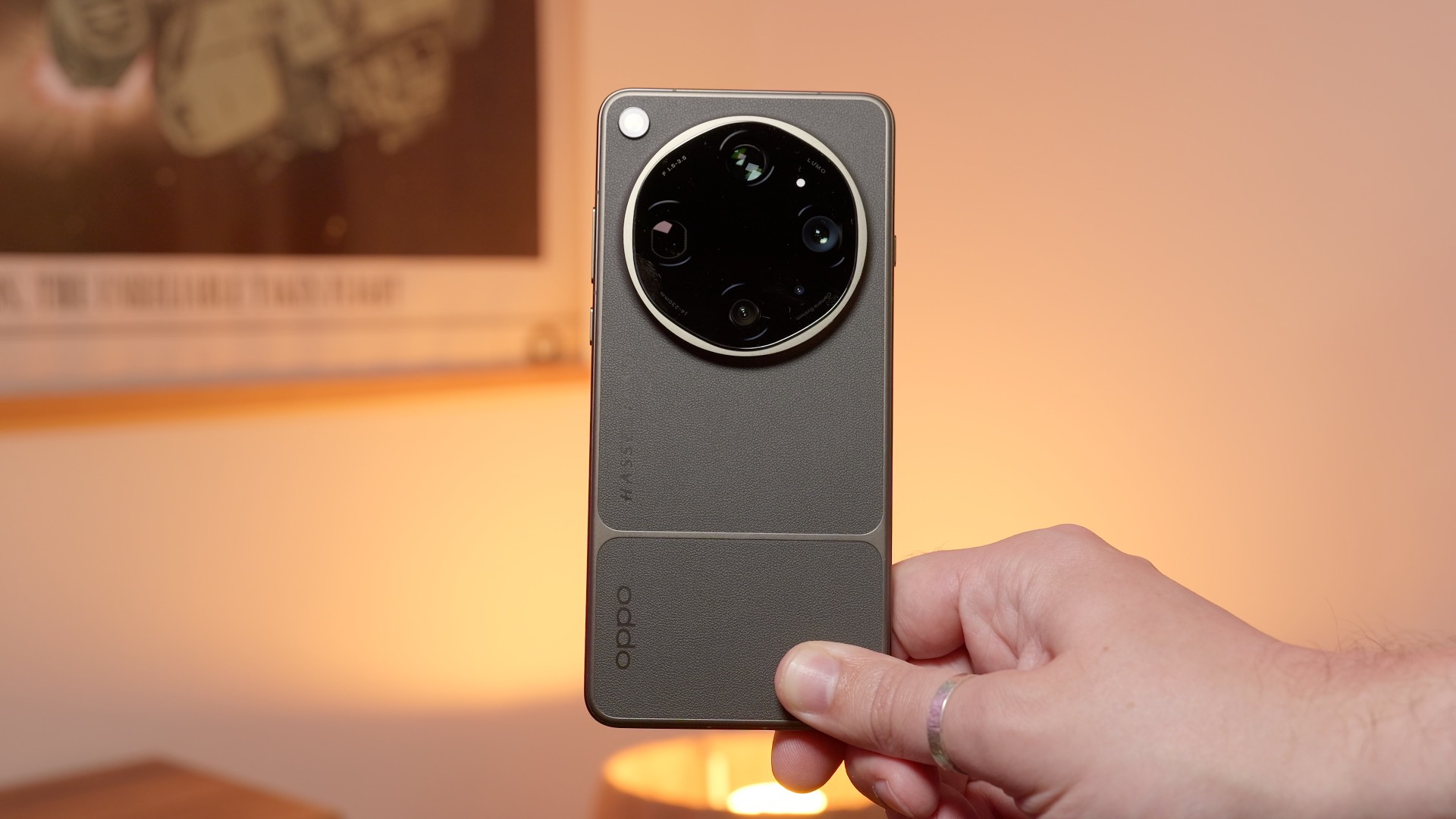


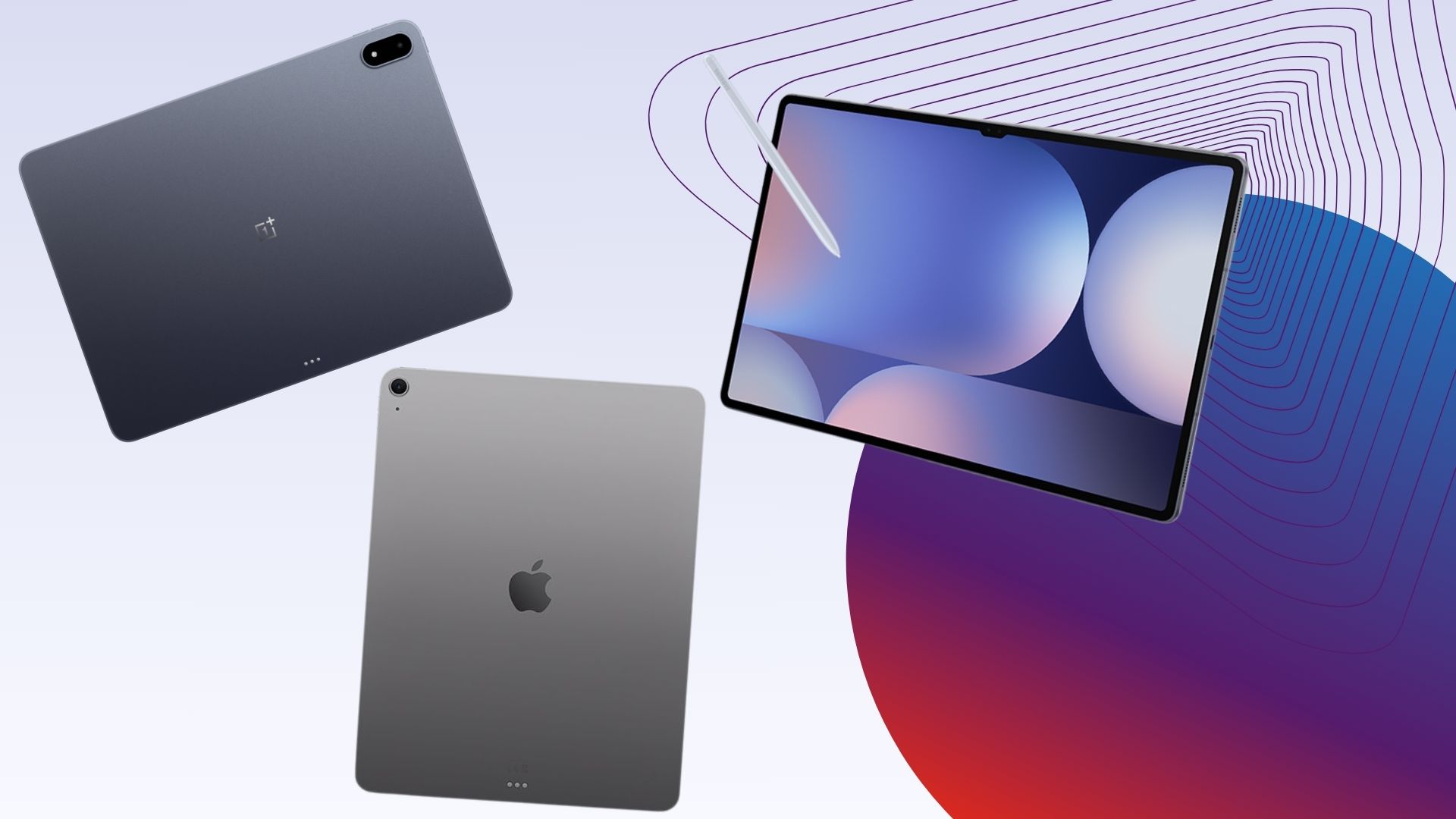

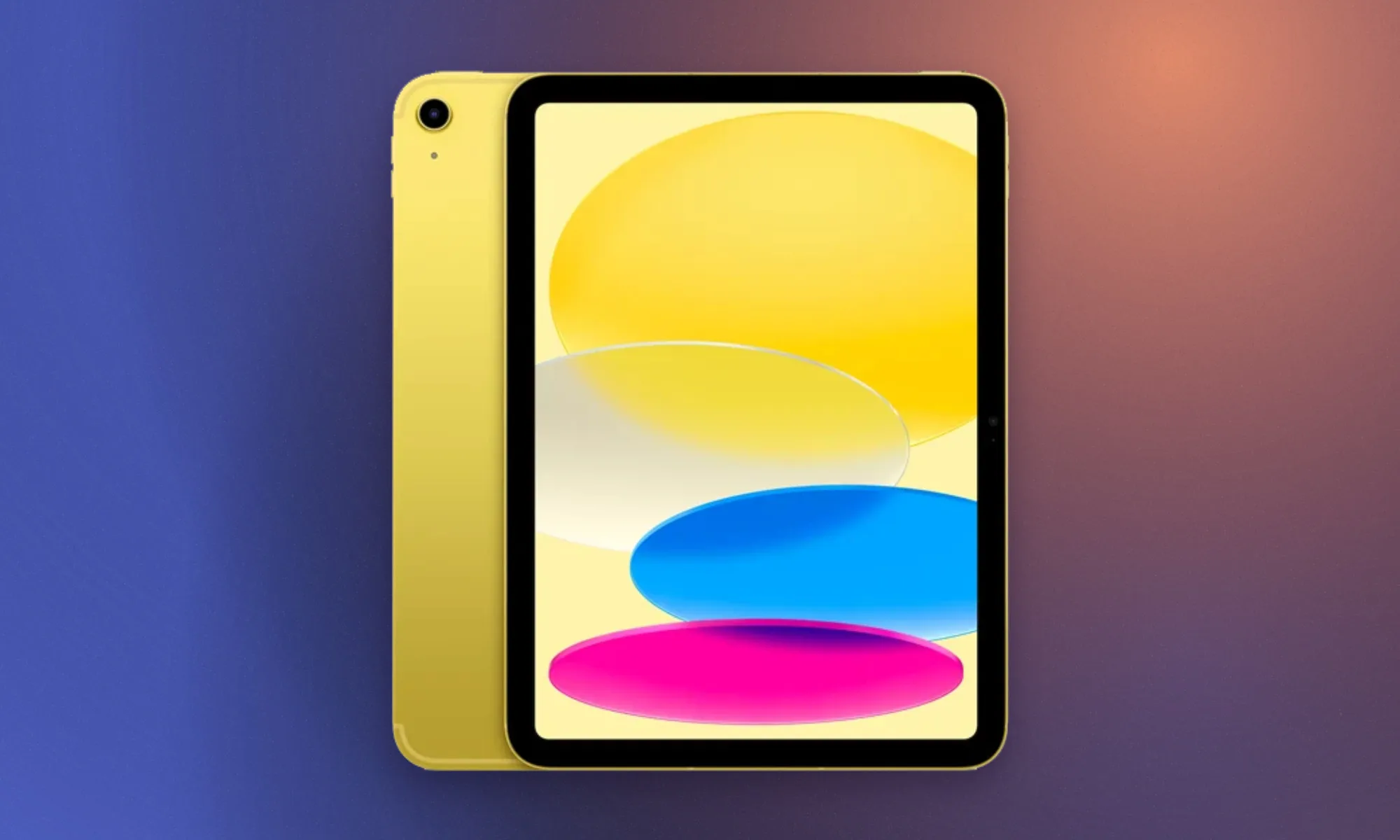

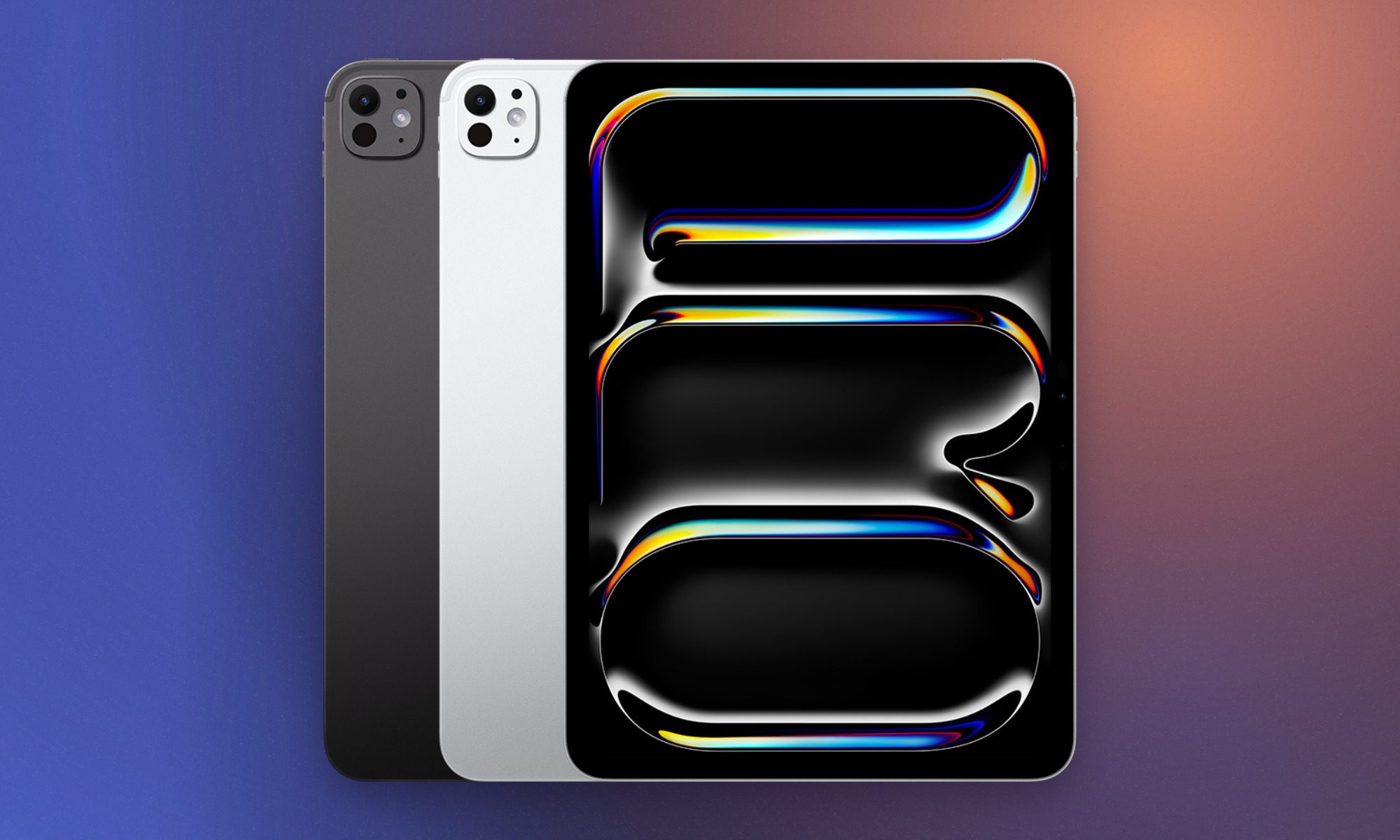
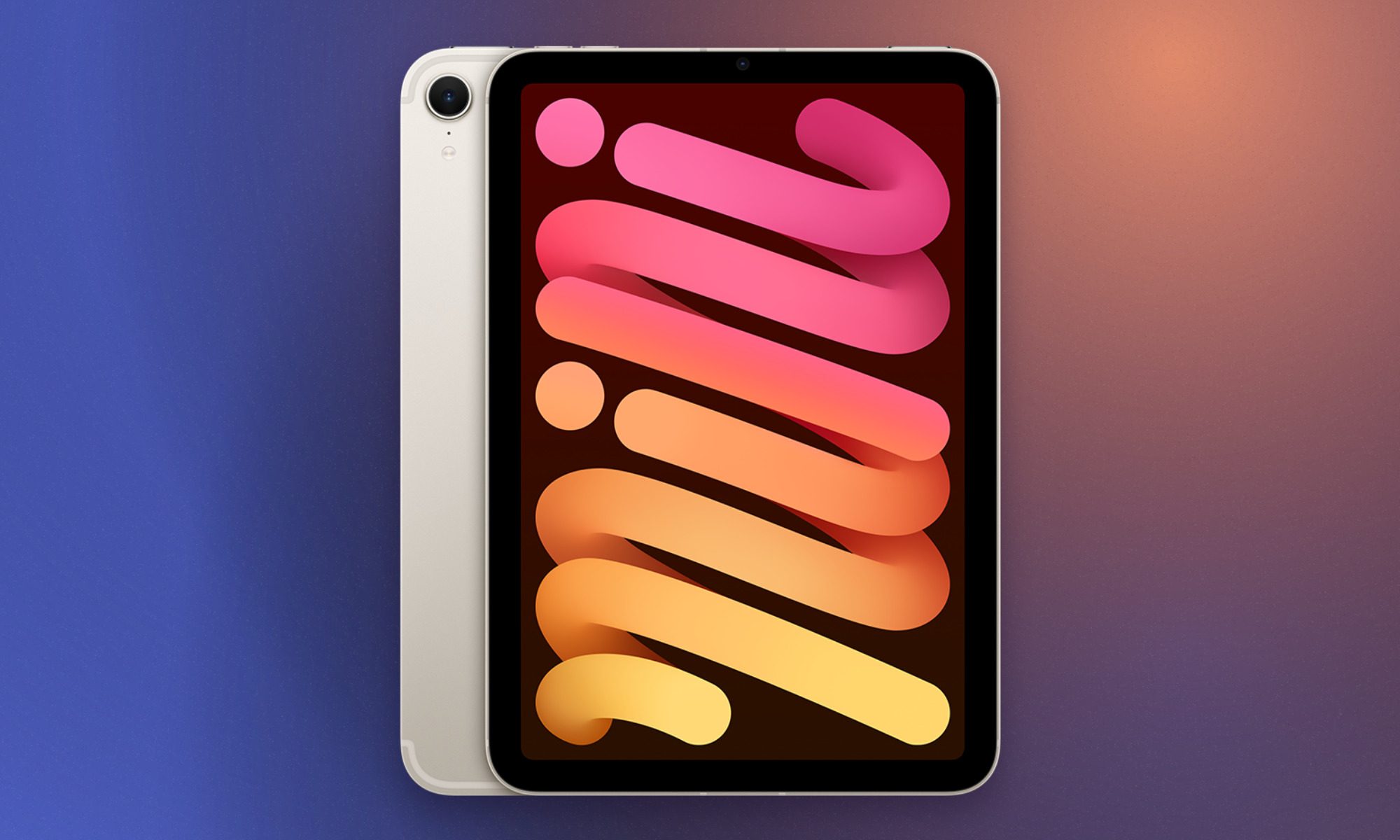


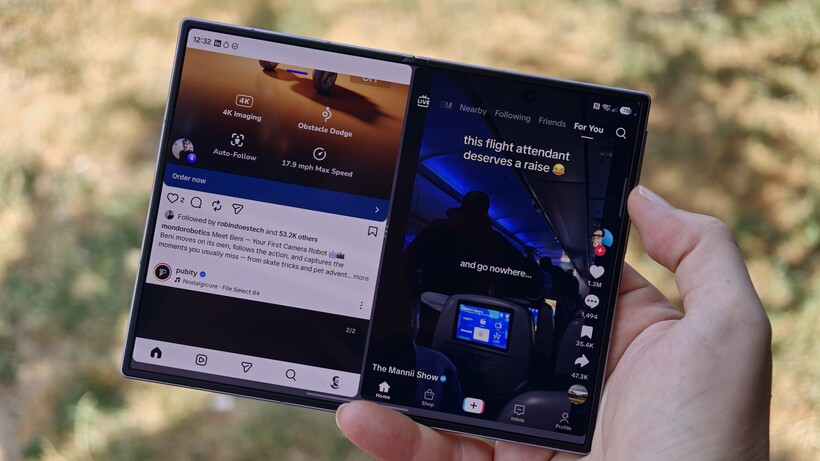


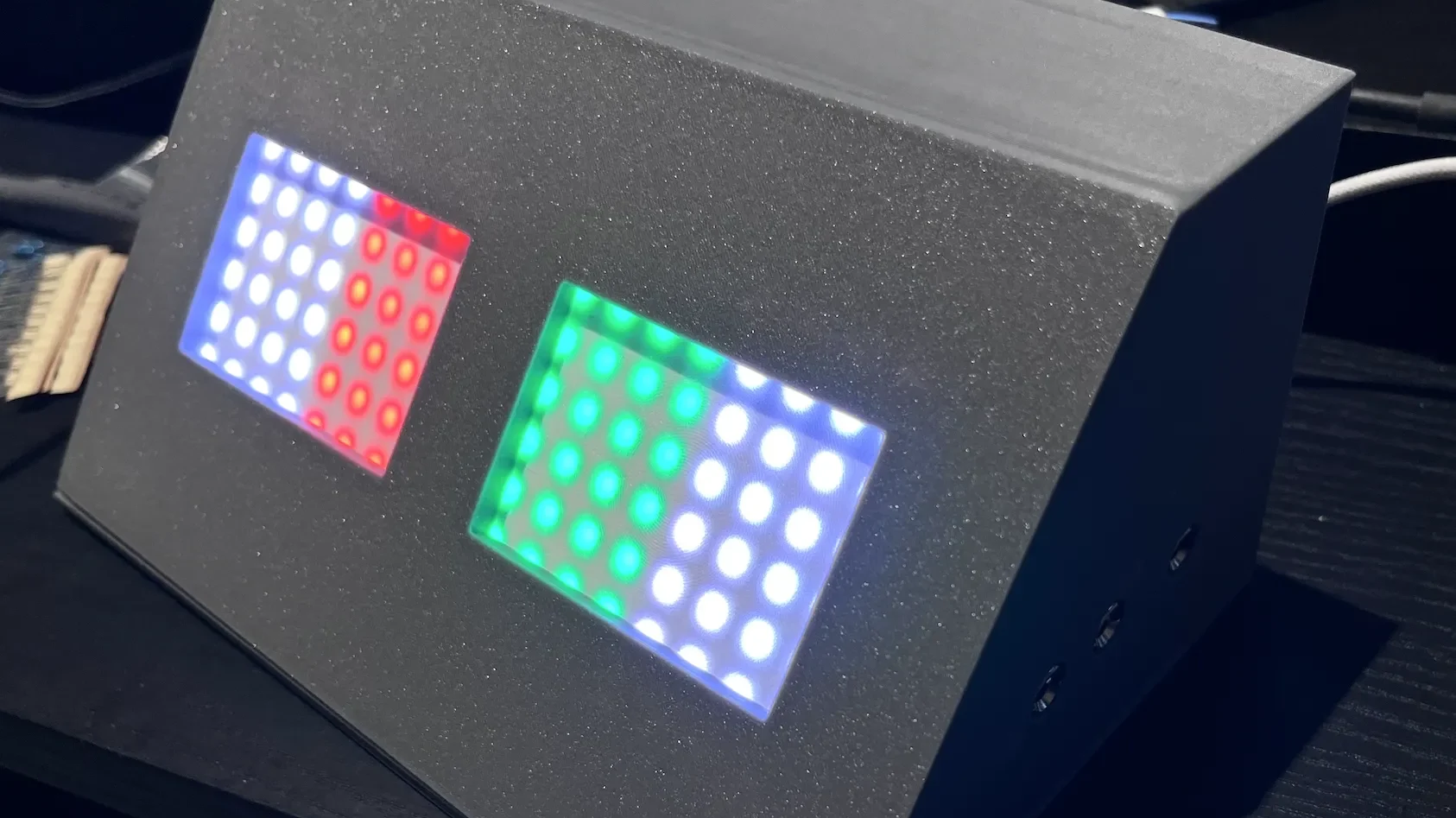



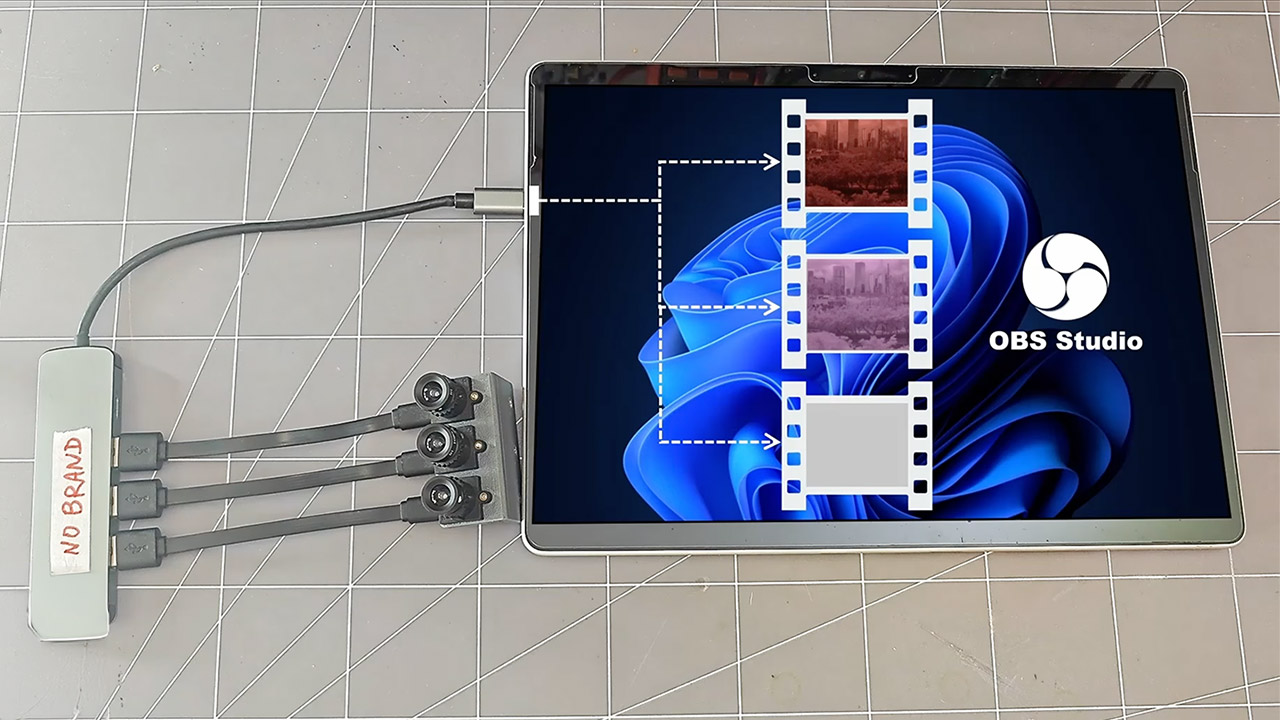
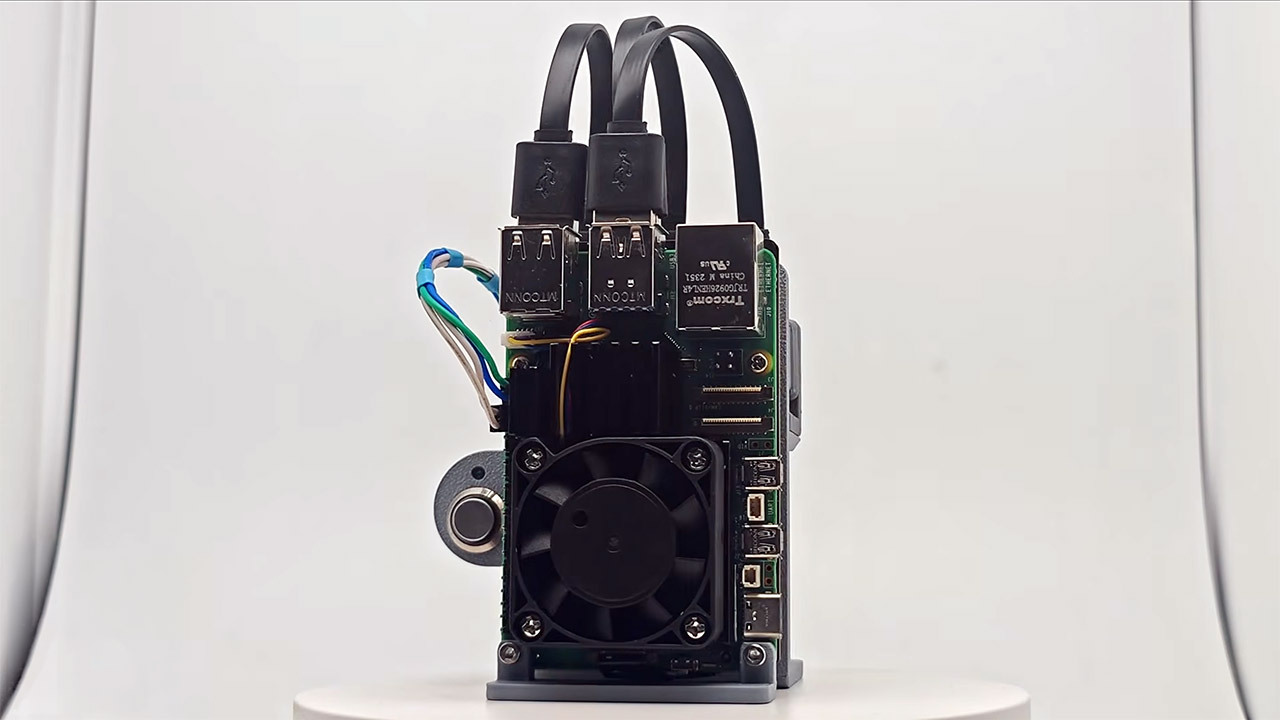


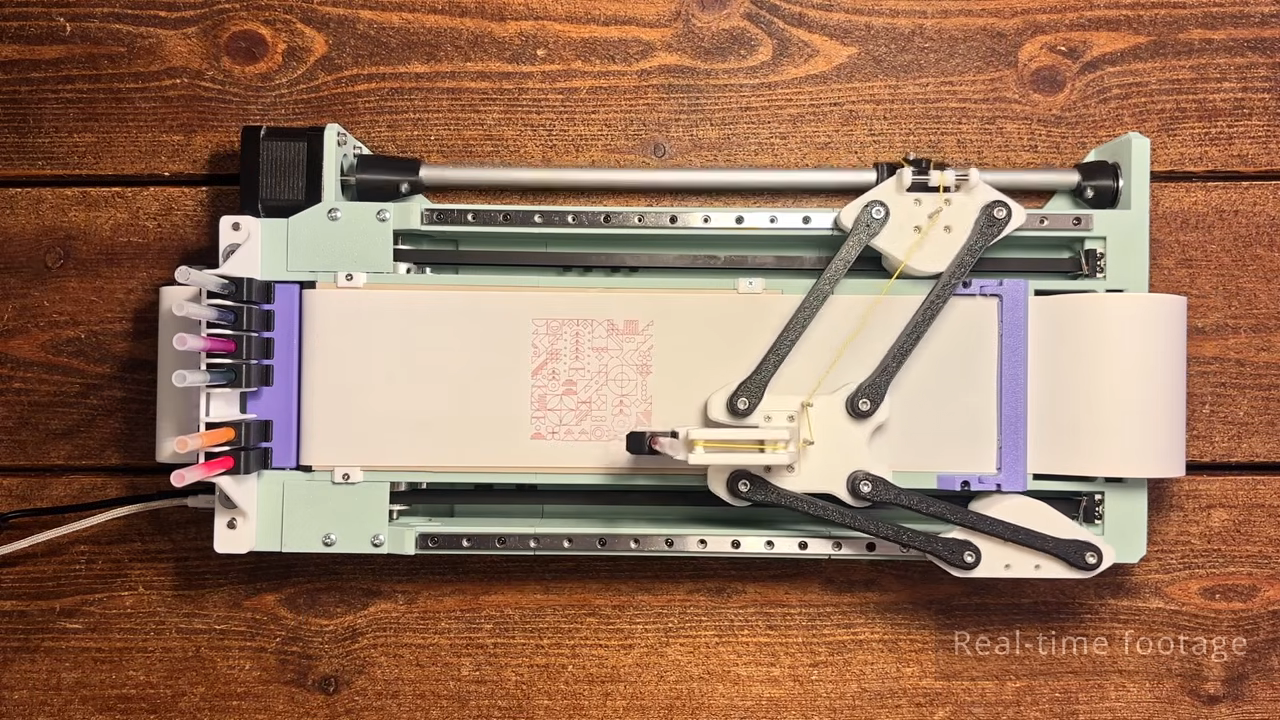








































You must be logged in to post a comment Login