Tech
A Costly High-End Headset For Die-Hard Gamers


We may receive a commission on purchases made from links.
If you’re familiar with SteelSeries, you’re aware of the company’s products and their overall quality. The company’s line of gaming headsets is particularly well-designed and favored by gamers worldwide, with the Arctis Nova 7 series being of a reliable sort of high quality over the past half-decade at least. Those headsets are fine for your average gamer, but if you’re the type of person who dives deep into a game and enjoys egging on the competition, the Arctis Nova Elite is something you should consider adding to your gaming setup.
SteelSeries has a wide range of gaming headsets, and they typically range from the low end of around $49.99 to as much as $349.99, which is in the mid-upper price range for these kinds of products. The Arctis Nova Elite doesn’t come close to those numbers, as it’s a high-end headset meant for serious gamers who aren’t only willing but able to spend $599.99 to significantly boost their audio experience
That price places the Nova Elite outside the price range of most gamers, but there’s definitely a market for this headset. I’ve used dozens of gaming headsets over the years, and the Nova Elite is most certainly outside my price range, so I was excited to experience using them. The Nova Elite is jam-packed with features; they look incredible, and they’re worth every penny for those looking to significantly upgrade their headset gaming experience.
SteelSeries provided SlashGear with a pair of SteelSeries Arctis Nova Elite headphones for the purpose of this review.
Exceptional connectivity right out of the box
When I received my review headset from SteelSeries, I was immediately impressed with the packaging, which looks almost as good as the headset inside. The packaging makes it clear that the Arctis Nova Elite is designed for use with Xbox consoles, but it’s not limited to them. One of the headset’s best features is its compatibility with other modern consoles, PC, Mac, and phone you could use a headset with. It supports the Xbox Series X|S, Xbox One, PC, PlayStation 4, PlayStation 5, Nintendo Switch, and Mac through the wireless GameHub.
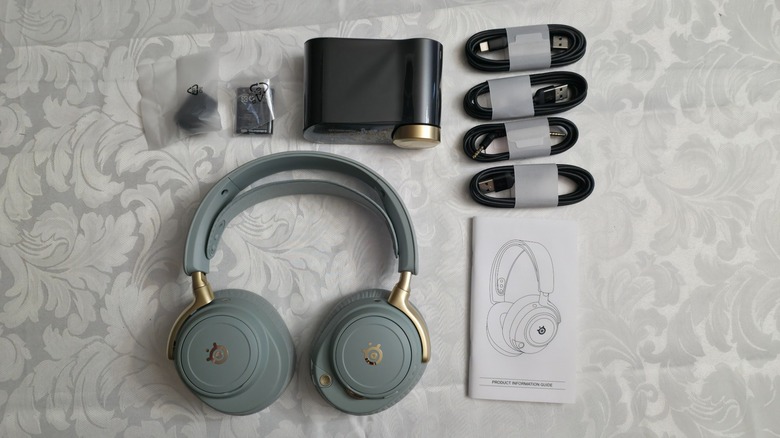
The headset might be geared towards the Xbox line of consoles, but it performs as well on every other major console on the market today. I tested it on the PS5, Xbox Series X, Switch, my gaming PC, and my Android phone, and at no time did I find that the headset’s audio had any problems or latency issues. The box comes with the headset, GameHub, an extra battery, a wind muff for the microphone, a carrying bag, and all the cables that you’ll need to get it set up.
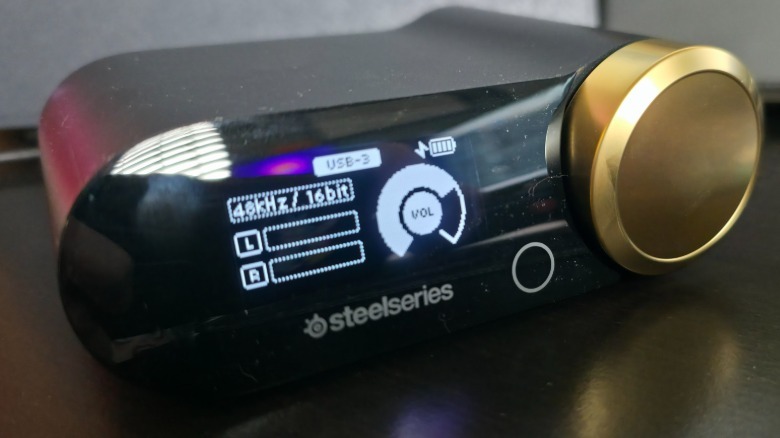
What makes the system’s compatibility exceptional is the GameHub, which enables connection to five connected devices, two of which can be live at the same time. The GameHub automatically switches to the correct one based on activity, providing full-fat digital connections to all of the major consoles, PC, Mac, and more simultaneously.
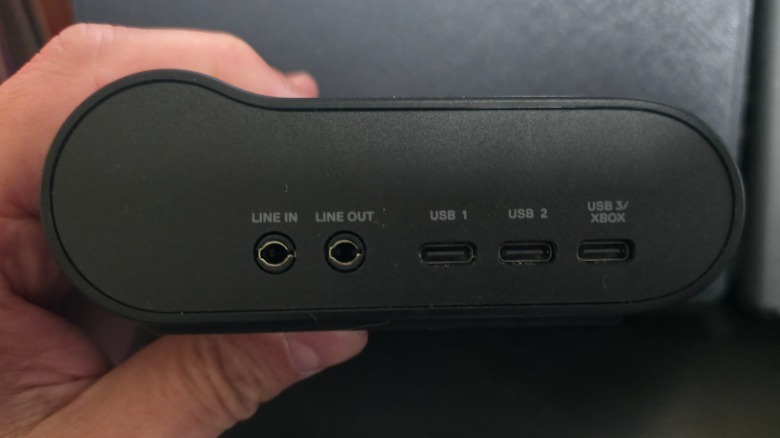
The GameHub is upgraded from the one included in the Arctis Nova Pro Wireless via its third USB-C input. Other upgrades over previous models include a 2.4GHz wireless or LC3+ Bluetooth codec with 96KHz/24-bit Hi-Res audio.
Calling this headset elite almost doesn’t do it justice
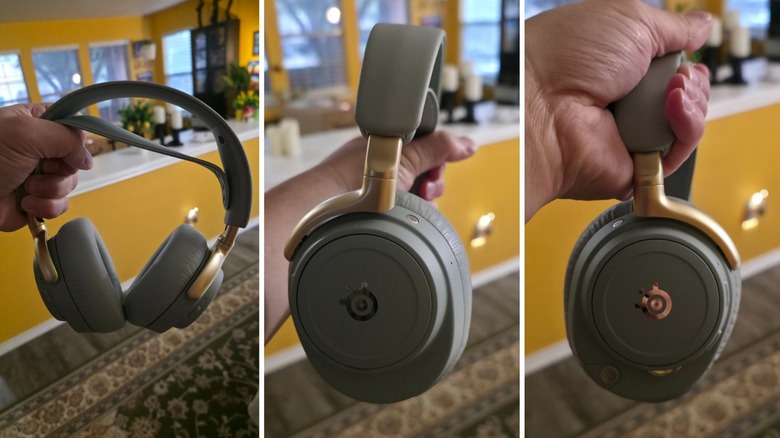
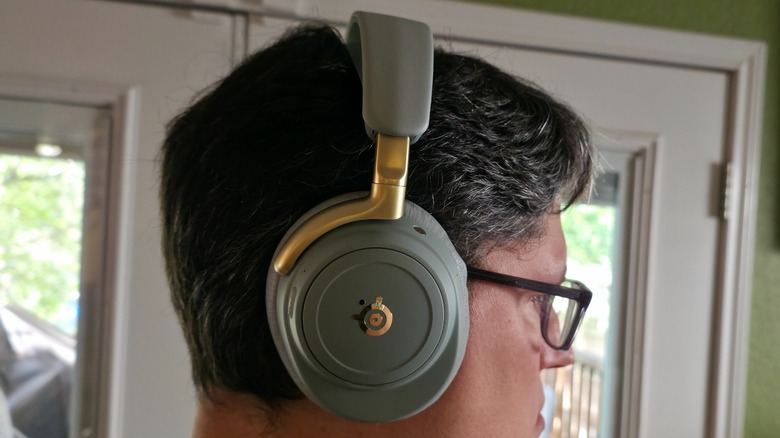
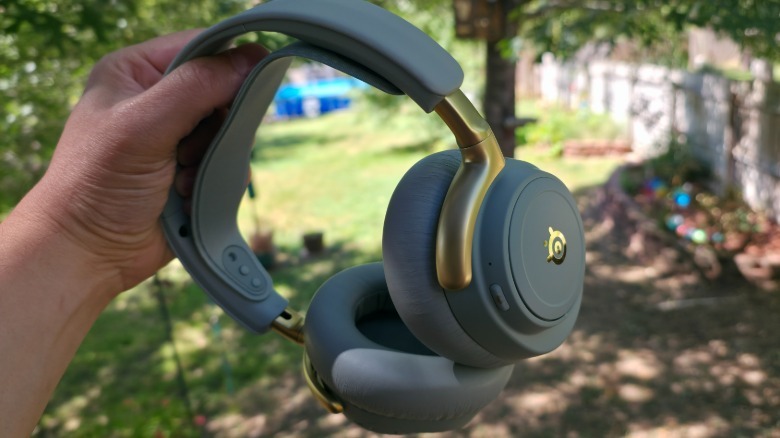
SteelSeries didn’t slap the word “Elite” on its packaging and call it a day — the Arctis Nova Elite is a complete overhaul of the line’s design. The redesign includes upping the components to carbon fiber drivers, an improved base station, hi-res wireless audio, and more. Most notable is the headset’s look, which features sage gold and obsidian colors with golden accents. It includes a fabric suspension headband that feels comfortable through several hours of use. The frame’s design includes steel and aluminum, hinting at the enhanced nature of the headset.
My primary concern outside of functionality with any headset is comfort because the last thing you want to do is adjust your gear mid-deathmatch in the latest “Call of Duty” game while you’re communicating with teammates or dissing opponents. The Nova Elite’s memory foam ear cushions are, in my experience, the most comfortable I’ve used. They also help to moderate the headset’s passive noise cancellation, though it also utilizes active noise canceling (ANC).
Most headsets I’ve used have a black finish, so the coloration of the Nova Elite offered a unique experience, and they look spectacular without standing out too much, thanks to their muted tones. One of the reasons that this headset stands out in terms of performance is that it’s a gaming headset that functions perfectly on pretty much any device.
Take it on a trip, and the ANC will keep you listening to low-volume dialogue aboard a plane without issue. The same is true for making phone calls, listening to music, or anything you’d use a high-end headset for.
Intuitive controls and easy to jump from one device to the next
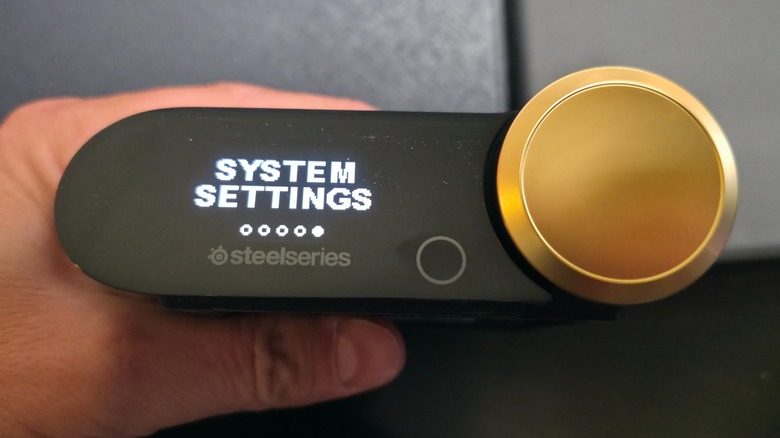
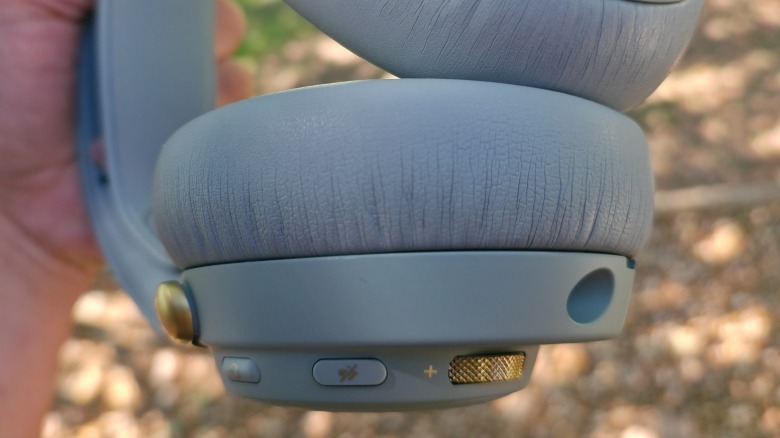
Perhaps the best aspect of the Arctis Nova Elite is how easy it is to use. The headset’s left side features several buttons, a volume dial, and the microphone. This sits inside the headset until you want to pull it out and place it in front of you. It easily slides back into place when not in use, and it’s up to you how you want to use it, as the microphone still picks up your speech whether it’s out or not. The gold volume control knob offers a nice contrast to the steel coloration, and it’s easy to use mid-game.
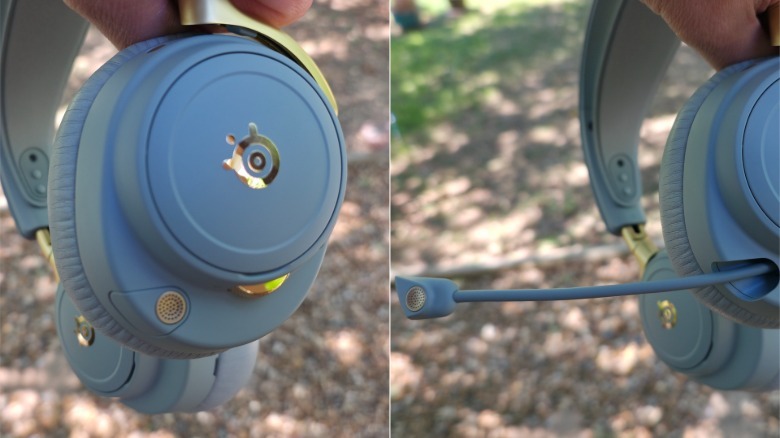
The headset’s buttons are just as easy to identify and use. On the left, there’s a power button and a microphone on/off button. The right features a single Bluetooth button, and that’s all you need. One of my favorite features is the inclusion of a second battery. It plugs directly into the GameHub to charge, and when you need to swap one for the other, it’s a simple process that keeps you in the game without having to run around and look for batteries. If you take the headset on a flight or aren’t near the GameHub, it can be charged directly by removing the magnetic cover on the right side and plugging in the USB-C cable. This is somewhat awkward, but it enables continuous usage.
Options galore via the headset’s settings on your phone or PC
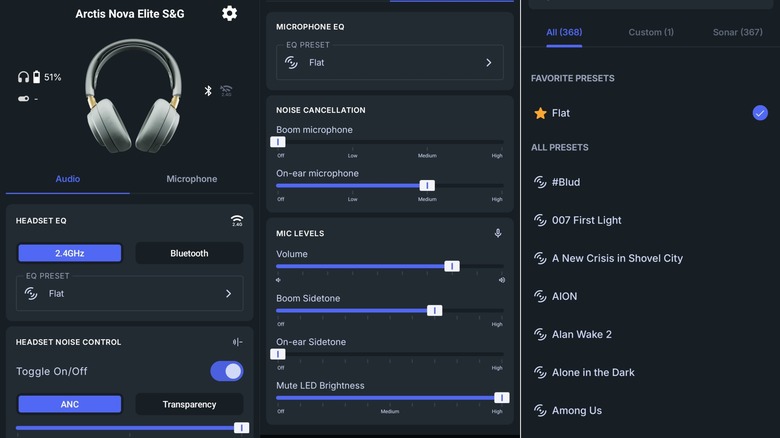
In addition to the GameHub, which is best situated near your consoles, you can modify settings via the Arctis app. Once you download it for your Android or iOS device, it’s easy to use and configure. If you want to adjust the settings, there’s a handy EQ Preset menu that includes game-specific audio choices for “007 First Light,” “Call of Duty: Black Ops 7,” “God of War Ragnarök,” and hundreds more, totaling 368 as of writing.
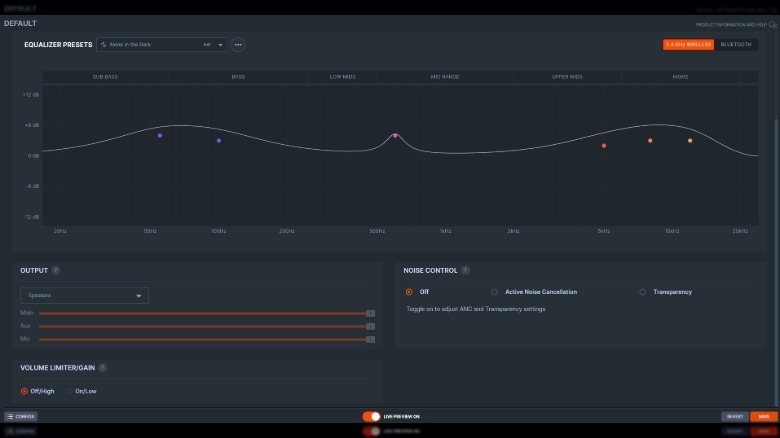
This makes using the headset incredibly simple, though you can also adjust settings via the GameHub’s menu. Each of these elements coalesce into an amazing audio experience, where the system’s ANC keeps you focused on whatever game you’re playing. If you prefer PC gaming, SteelSeries has an app that offers many of the same features, but with more options to adjust your settings manually. This is where the device’s customization comes into play for serious PC gaming. I messed with the settings and used the presets for a few games, and it all sounded spectacular.
The headset’s battery life and sound quality are superb
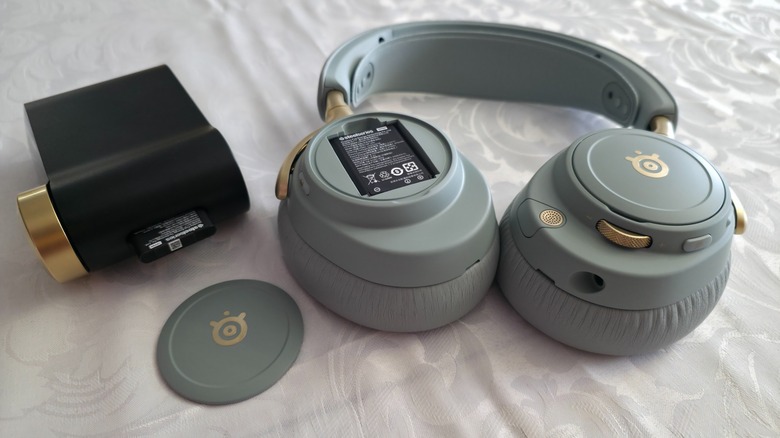
Swapping out the battery is easy to do, but what I didn’t tell you was how efficient the batteries are. They promise 30 hours of usage, so you can get away from the GameHub for an extended period without running it down quickly. Swapping the batteries is intuitive and takes only a few seconds, though you do have to physically remove the charging battery from the GameHub and place it inside the headset while removing the uncharged one to then add to the GameHub.
Without the battery and GameHub, charging it via the USB-C port on the right side offers up to four hours of use after only a 15-minute charge. Through testing, I can confirm that those claims are accurate. I tried running the battery down through several gaming sessions; I watched a movie while wearing them; and I put about 3-5 hours of gaming each day for a week, and I didn’t need to swap out the battery once.
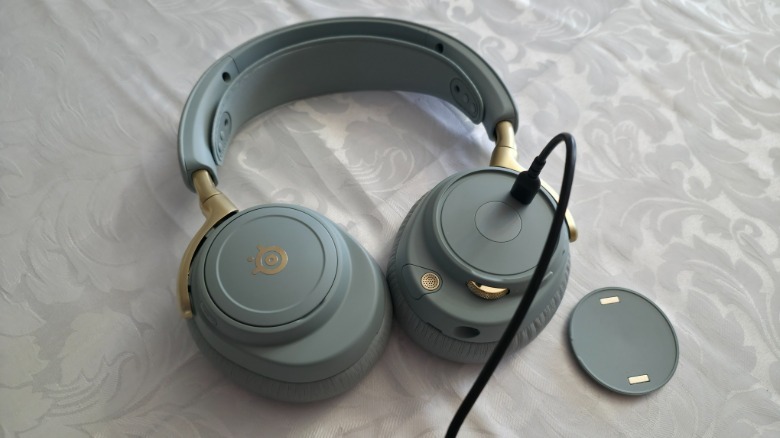
While the Nova Elite’s features and design are top-tier for this kind of headset, none of it matters if the sound quality isn’t excellent. Fortunately, SteelSeries didn’t skimp on audio components or compatibility with its 40 mm dynamic drivers that offer outstanding spatial cues. The headset supports several modes for whatever platform you connect it to, including Tempest 3D Audio for the PS5, Dolby Atmos and Windows Sonic for the PC and Xbox consoles, and straight stereo mode, all of which offer excellent sound on a comfortable headset.
Designed for gaming — fantastic at everything else
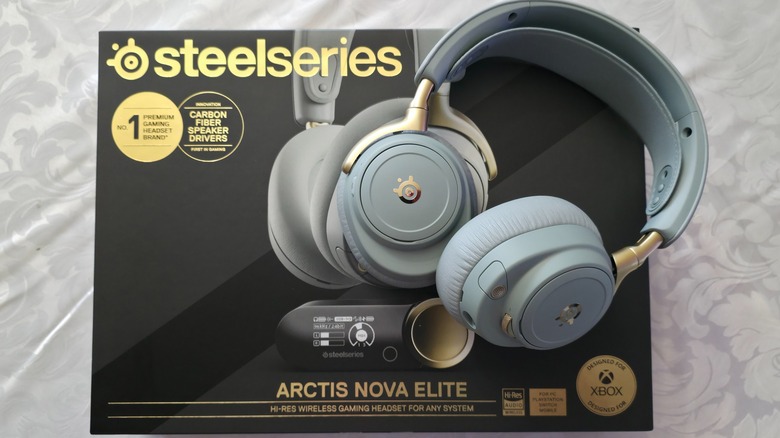
The Arctis Nova Elite was designed for gaming, but it’s hardly limited to that functionality alone. I put this headset through the paces: I listened to music, watched a movie, played several games, and doom-scrolled through YouTube for hours, and I had absolutely no issues whatsoever. SteelSeries seemingly took the Arctis Nova Pro Wireless, which retails for $299, and souped it up past 11, creating the best gaming headset I’ve ever used. My verdict is that the SteelSeries Arctis Nova Elite features notable upgrades over lower-tier SteelSeries headsets, taking an already excellent device and improving it in every way possible.
The microphone quality, ease of connectivity, overall design, software on phones and PC, and overall audio quality are all superb. I tried to come up with a negative aspect of the design, and the only one that I could think of involves the USB-C location on the headset itself. If you need to use it, it is awkward, sticking out at a right angle, but you can get away with charging it like that for 15 minutes, so it barely deserves mention.
When writing reviews, I must always be objective, but I found it difficult not to gush over the Arctis Nova Elite’s features and sound quality. I can objectively say that it’s worth the approximately-$600 cost, though that price limits the consumer audience to professional gamers and those who take gaming seriously. To be clear, this is not the headset for a casual gamer — it’s designed for elite gamers who know the difference superior audio quality makes during gameplay and who have the means to purchase a set.
You can buy your own SteelSeries Arctis Nova Elite headset on the company’s website for $599.99.
You must be logged in to post a comment Login