Connect with us
DAPA Banner

Tech

Asus Zenbook A14 (2026) Review

Published

on

Verdict

The Asus Zenbook A14 (2026) is a beefy and super light Windows laptop that impresses with its potent internals from a new chip, immense endurance and a stylish look. The needle has moved a lot in price against the old model, though, and a 1920×1200 screen for the price feels a little off.

  • Lightweight and super portable

  • Increased grunt from Snapdragon X2 Elite chip

  • Immense battery life

  • More expensive than its predecessor

  • 1920×1200 resolution feels off for the price

Key Features

  • Trusted Reviews IconTrusted Reviews Icon

    Advertisement

    Review Price:
    £1599

  • Snapdragon X2 Elite inside:

    Advertisement

    The new Zenbook A14 (2026) packs a lot of power into a small chassis with its use of Qualcomm’s new Snapdragon X2 Elite processor.

  • Sub-1kg chassis:

    Advertisement

    This grunt is packed into a slender and light chassis that keeps this as one of the lightest 14-inch laptops you’ll find today.

  • 70Whr battery:

    Advertisement

    Asus is also touting upwards of 32 hours of battery life from the capacious cell inside the Zenbook A14 (2026).

Introduction

The Asus Zenbook A14 (2026) beefs up this lightweight marvel with one of Qualcomm’s shiny new processors.

Similar to the Zenbook A16 (2026), Asus has packed in a beefy 18-core Snapdragon X2 Elite chip with this laptop alongside 32GB of RAM and a 1TB SSD. Other core specs remain similar to the original Asus Zenbook A14 that I really enjoyed using, including its sub-1kg chassis, solid 1920×1200 OLED screen and a capacious 70Whr battery.

Advertisement

The problem this laptop has against its predecessor, though, is price, clocking in at £1599, making it some £500 more expensive at retail than the last model. This changes its key rivals somewhat, pushing it more towards pro-grade choices such as the Apple MacBook Pro M4 and the Acer Swift Edge 14 AI.

Advertisement

I’ve been putting the Zenbook A14 (2026) through its paces for the last couple of weeks to see if it’s one of the best laptops we’ve tested.

Design and Keyboard

  • Incredibly lightweight and sturdy
  • Excellent port selection
  • Satisfying keyboard and large trackpad

The fit and finish of the Zenbook A14 (2026) hasn’t changed too much against its predecessor, with a similar sand dune-inspired colourway for my sample that’s different to other laptops you’ll find out there. It is also available in a grey colour if you’d prefer something a bit more conventional.

Asus has also kept the weight down with this new iteration, with it tipping the scales at 990g, a marginal increase over the previous model, for a large boost in performance from the new Snapdragon X2 Elite chip inside. It’s super light for a 14-inch laptop and makes it effortlessly portable – you barely notice it in your bag thanks to how light the chassis is and how thin it is. 

Advertisement
Profile - Asus Zenbook A14 (2026)Profile - Asus Zenbook A14 (2026)
Image Credit (Trusted Reviews)

Advertisement

The reason for this being so lightweight is because of Asus’ use of their own innovative ceraluminium material. This has been carried over from the previous generation, plus has been featured on Asus’ other recent laptops, including the Zenbook S 14 (2026).

As the odd name suggests, ceraluminium is an alloy that blends ceramic and aluminium for a rugged, yet lightweight finish. The former material is quite uncommon in laptops and tech generally, and is one I’ve seen more in the world of watches in bezels, cases and bracelets for fantastic durability and lightness.

Left Ports - Asus Zenbook A14 (2026)Left Ports - Asus Zenbook A14 (2026)
Image Credit (Trusted Reviews)

The Zenbook A14 is also just 13.3mm thick, and comes with a better port selection than modern MacBook Airs. Whereas a new MacBook Air will come with a pair of USB-C ports, headphone jack and Magsafe charging, this Asus laptop features a full-size HDMI, headphone jack and a pair of USB4-capable Type-C ports on the left side, and a USB-A on the right. That’s more Pro than Air.

Being a more compact laptop, the fact that there’s a smaller keyboard layout here isn’t a surprise. It’s a 65 percent option complete with arrow keys, function row and surprisingly deep travel. The 1.3mm of total travel means keypresses have a certain substance to them, and provides a satisfying typing feel. I also found the white backlighting is vibrant and crisp, with a strong white shine that is excellent for after-dark working.

Keyboard & Trackpad - Asus Zenbook A14 (2026)Keyboard & Trackpad - Asus Zenbook A14 (2026)
Image Credit (Trusted Reviews)

Advertisement

For its size and form factor, I’m also impressed with the size of the Zenbook A14 (2026)’s trackpad. It’s large for such a small and light laptop, with slick and smooth inputs and a good amount of real estate for gestures to boot.

Advertisement

The packaging here seems to be entirely plastic-free, with the laptop coming in a cardboard box and paper bag, along with the cable and power brick.

Display and Sound

  • Deep blacks and fantastic contrast
  • Resolution and refresh rate seem a little low
  • Middling speakers

The needle also hasn’t moved on the display front too much from the old model, as the Zenbook A14 (2026) features a 14-inch 1920×1200 resolution OLED panel, albeit with only a 60Hz refresh rate.

This is just okay in terms of overall detail and responsiveness against a range of rivals – while new MacBooks don’t come with an OLED screen, they do pack in a higher resolution for more detail. Likewise, the Zenbook S 14 (2026) has more detail and a zippier 120Hz refresh rate.

Nonetheless, this panel impresses on immediate use with its excellent colours, while this is also backed up when taking out my colorimeter. I saw perfect 100% coverage of both the sRGB and DCI-P3 spaces, plus an excellent 95% coverage of the trickier Adobe RGB (94%) gamut. This makes this screen suitable for productivity and more colour-sensitive workloads alike.

Advertisement

Advertisement
Screen - Asus Zenbook A14 (2026)Screen - Asus Zenbook A14 (2026)
Image Credit (Trusted Reviews)

In addition, it offers virtually perfect blacks and fantastic colour temperature with levels of 0.01 and 6600K, respectively, measured both out of the box and with brightness cranked all the way up. Peak SDR brightness here beats our 300-nit target, with a measured 379.4 nits. That isn’t the brightest we’ve tested, but it is suitable for indoor and outdoor use, although is weirdly lower than last year’s model.

In addition, a measured contrast ratio of 29500:1 is impressive and lends the Zenbook A14 to having some excellent dynamic range. There is support for HDR with HDR True Black 600, and here Asus quotes a peak brightness of 600 nits for even more punch.

Screen - Asus Zenbook A14 (2026)Screen - Asus Zenbook A14 (2026)
Image Credit (Trusted Reviews)

The speakers here are reasonable, if unremarkable. They’re downwards-firing, so you’ll want to ensure the Zenbook A14 (2026) is placed on a harder surface, such as a desk, to avoid sounding muffled. There’s a decent mid-range, although they lack top-end precision and extension in the low end. You can use them for basic tasks, although I’d suggest utilising the headphone jack for any serious content consumption.

Performance

  • Beefier Snapdragon X2 Elite processor
  • Improved integrated graphics
  • Capacious RAM and SSD arrangement

Advertisement

Where Asus has overhauled the Zenbook A14 (2026) is internally, rather than changing the outside too much. The original model from last year was supplied with Qualcomm’s base Snapdragon X chip, with eight cores and more pared-back performance against other x86-based ultrabooks in its more premium price range.

For 2026, this laptop is supplied with Qualcomm’s new Snapdragon X2 Elite processor, the second-in-command to the Snapdragon X2 Elite Extreme that ships with this laptop’s bigger brother. There are two variants of this processor available to manufacturers, with 12-core and 18-core options – the Zenbook A14 (2026) ships with the latter. 

Logo - Asus Zenbook A14 (2026)Logo - Asus Zenbook A14 (2026)
Image Credit (Trusted Reviews)

The difference between this chip and the Snapdragon X2 Elite Extreme appears to be clock speeds, with this chip rated for a max boost clock across single or dual cores of 4.7GHz (against the Elite Extreme’s 5GHz) and a max multi-core frequency of 3.4GHz (against the Elite Extreme’s 3.6GHz).

Qualcomm is touting major gains in both single and multi-core performance with this new 18-core chip, which I’d certainly wager is true in comparing it to laptops with the Snapdragon X Elite chip. 

Advertisement
Profile - Asus Zenbook A14 (2026)Profile - Asus Zenbook A14 (2026)
Image Credit (Trusted Reviews)

Advertisement

As you’d expect, the numbers here aren’t quite as strong as with the 16-inch variant, but the difference is only a few percentage points in the synthetic benchmarks. It is much the same story, though, with especially high single-core scores in Geekbench 6 that push this laptop into Apple Silicon territory for comparison, plus much-improved multi-core scores, too. 

The improvements in Cinebench R23 are slightly more modest and peg this laptop back a smidgen, but there are nonetheless some substantial improvements to be proud of in synthetic terms against the original Snapdragon X Elite chip.

Right Ports - Asus Zenbook A14 (2026)Right Ports - Asus Zenbook A14 (2026)
Image Credit (Trusted Reviews)

There is also a major improvement to the Adreno iGPU with the Snapdragon X2 Elite, which provided a doubling in the 3DMark Time Spy test and brings it more into line with more recent iGPUs fitted to x86-based laptop chips from Intel and AMD. 

Gaming is technically plausible on the Zenbook A14 (2026) as a result, although the 23.76fps and 23fps at 1080p in Cyberpunk 2077 and Returnal are an indication that there’s still some way to go before these Arm-based chips can go up against Panther Lake.

Lid - Asus Zenbook A14 (2026)Lid - Asus Zenbook A14 (2026)
Image Credit (Trusted Reviews)

Advertisement

We’ve got 32GB of DDR5 RAM with this laptop to provide lots of headroom, plus a capacious 1TB SSD. Speeds here are pretty good, too, with tested reads and writes of 7066.43MB/s and 6021.67MB/s, respectively.

Advertisement

Test Data

  Asus Zenbook A14 (2026) Asus Zenbook A16 (2026) Apple MacBook Pro M4 Acer Swift Edge 14 AI
PCMark 10 7208
Cinebench R23 multi core 12396 14569 13830 9375
Cinebench R23 single core 1593 1579 2187 1928
Geekbench 6 single core 3699 3711 3767 2740
Geekbench 6 multi core 19254 21940 14955 11294
3DMark Time Spy 3965 4317 4449
CrystalDiskMark Read speed 7066.43 MB/s 7101.27 MB/s 2911.8 MB/s 4803.75 MB/s
CrystalDiskMark Write Speed 6021.67 MB/s 5739.05 MB/s 3335.7 MB/s 3910.54 MB/s
Brightness (SDR) 379.4 nits 467.4 nits 900 nits 380.7 nits
Brightness (HDR) 600 nits 1000 nits 1500 nits
Black level 0.01 nits 0.01 nits 0.01 nits
Contrast ratio 29500:1 34100:1 27800:1
White Visual Colour Temperature 6600 K 6600 K 6700 K
sRGB 100 % 100 % 100 %
Adobe RGB 95 % 94 % 92 %
DCI-P3 100 % 100 % 99 % 100 %
PCMark Battery (office) 22.5 hrs 19.25 hrs 16 hrs
Battery discharge after 60 minutes of online Netflix playback -2 % 2 % 94 % 7 %
Battery recharge time 68 mins 95 mins 80 mins
Cyberpunk 2077 (Quad HD) 16.69 fps
Cyberpunk 2077 (Full HD) 23.67 fps 28.24 fps
Cyberpunk 2077 (Full HD + RT) 4.33 fps
Returnal (Quad HD) 24 fps
Returnal (Full HD) 23 fps 31 fps

Software

  • Copilot+ PC offers AI smarts
  • Reasonably clean Windows 11 install
  • Small compatibility issues, being Arm-based

The Zenbook A14 (2026) comes with Windows 11 and a reasonably clean install, too. There isn’t much in the way of bloatware with regard to an unwanted anti-virus or similar, although there are some pieces of software courtesy of Asus that come pre-installed.

There is MyAsus, which comes as part of the taskbar when you first open the Zenbook S 16. This is where you can check on everything from battery level and enabling battery care modes to choosing which type of workload this laptop’s network connection prioritises.

Copilot Key - Asus Zenbook A14 (2026)Copilot Key - Asus Zenbook A14 (2026)
Image Credit (Trusted Reviews)

Advertisement

In addition, there is GlideX, where you can manage tasks such as wirelessly casting or mirroring the Zenbook A14 (2026)’s screen to other devices, or transferring files over the same network. You can also enable remote access to a mobile device, too. The Storybook app is designed as another way to organise photos and videos, using AI to recognise faces and file them for you, which is handy.

There is also enough AI horsepower from the Snapdragon X2 Elite Extreme chip inside to mark this laptop as a Copilot+ PC, providing access to Microsoft’s AI functionality for generative powers and filters in the Photos and Paint app, as well as the clever Windows Studio webcam effects for background blurring, auto framing and maintaining eye contact. With the latest version of Windows 11, there is also the controversial Microsoft Recall feature.

Logo - Asus Zenbook A14 (2026)Logo - Asus Zenbook A14 (2026)
Image Credit (Trusted Reviews)

Being ARM-based, the Zenbook A14 (2026) also has minor compatibility issues. This is because Windows has traditionally run on x86-based systems, so to run on ARM, apps have had to be translated using Microsoft’s Prism translation software. For the most part, I had few compatibility issues when running a range of benchmark software, as well as Photoshop and similar apps.

As with other Arm-based Windows laptops I’ve looked at, the PCMark 10 benchmark app doesn’t run fully, but that’s an issue we’ve seen on other Arm-based Windows systems. I weirdly had an issue running Rainbow Six Extraction in our benchmark testing, which hasn’t happened on other Arm-based laptops in the past.

Advertisement

Battery Life

  • Lasted for 22 hours 25 minutes in the battery test
  • Capable of lasting for three working days

Advertisement

Asus has managed to fit a larger 70Whr cell inside the Zenbook A14 (2026), which, alongside the excellent efficiency that these Qualcomm chips have traditionally yielded, should result in great battery life for this laptop. To this end, Asus quotes this laptop up to 32 hours on a charge, which would easily make it one of the best choices for endurance.

In dialling the brightness down to the requisite 150 nits and running a video loop test in PCMark 10, this Asus laptop lasted for 22 hours and 25 minutes – that’s just about enough for three working days. That makes for a substantial improvement over the previous model by around three hours, and increases Asus’ lead over key rivals such as the Acer Swift Edge 14 AI. It’s still not enough to dethrone our battery life champion, the Dell Pro 14 Premium, which has around half an hour on this Asus choice.

Asus has also provided a small, yet beefy 100W power brick with the Zenbook A14 (2026) that does a decent job of putting juice back into this laptop briskly, taking 28 minutes to get it back to 50 percent, while a full charge took 70 minutes.

Should you buy it?

Advertisement

You want oodles of power in a lightweight chassis:

The Zenbook A14 (2026) packs a lot of performance with its Snapdragon X2 Elite processor into a slender and lightweight chassis.

Advertisement

You want something more affordable:

The much higher price tag of this year’s model leaves a sour taste against last year’s, and it is a fair jump up in price. You can still go for the older model and feel happier with a few extra hundreds in your pocket.

Advertisement

Final Thoughts

The Asus Zenbook A14 (2026) is a beefy and super light Windows laptop that impresses with its potent internals from a new chip, immense endurance and a stylish look. The needle has moved a lot in price against the old model, though, and a 1920×1200 screen for the price feels a little off.

Against the older Asus Zenbook A14, you’re getting a lot more grunt and a little more in the way of battery life, although for £500 more in terms of retail price. The Acer Swift 16 AI (2026) provides similar grunt with an Intel Panther Lake chip, plus a larger and higher-res OLED screen (although at the expense of 12 hours of runtime) for a similar outlay, while the Acer Swift Edge 14 AI has a higher-res OLED screen with a 120Hz refresh rate and similar computing power for a lower price tag.

Don’t get me wrong, the Asus Zenbook A14 (2026) is a lovely laptop, and a lot of it is in part due to the Snapdragon X2 Elite chip inside, but rising costs mean it suffers the same price-driven criticism as the Samsung Galaxy Book6 Pro. For more options, check out our list of the best laptops we’ve tested.

Advertisement

Advertisement

How We Test

This Asus laptop has been put through a series of uniform checks designed to gauge key factors, including build quality, performance, screen quality and battery life. These include formal synthetic benchmarks and scripted tests, plus a series of real-world checks, such as how well it runs popular apps and extensive gaming testing.

FAQs

What’s different between the Asus Zenbook A14 (2026) and the Asus Zenbook A14 (2025)?

The Asus Zenbook A14 (2026) comes with a newer and faster Snapdragon X2 Elite processor, plus increased battery life and 10g increase in its weight. It’s also a lot more expensive in terms of RRP.

Advertisement

Test Data

  Asus Zenbook A14 (2026)
Cinebench R23 multi core 12396
Cinebench R23 single core 1593
Geekbench 6 single core 3699
Geekbench 6 multi core 19254
3DMark Time Spy 3965
CrystalDiskMark Read speed 7066.43 MB/s
CrystalDiskMark Write Speed 6021.67 MB/s
Brightness (SDR) 379.4 nits
Brightness (HDR) 600 nits
Black level 0.01 nits
Contrast ratio 29500:1
White Visual Colour Temperature 6600 K
sRGB 100 %
Adobe RGB 95 %
DCI-P3 100 %
PCMark Battery (office) 22.5 hrs
Battery discharge after 60 minutes of online Netflix playback -2 %
Battery recharge time 68 mins
Cyberpunk 2077 (Full HD) 23.67 fps
Returnal (Full HD) 23 fps

Full Specs

  Asus Zenbook A14 (2026) Review
UK RRP £1599
CPU Qualcomm Snapdragon X2 Elite
Manufacturer Asus
Screen Size 14 inches
Storage Capacity 1TB
Front Camera 1080p webcam
Battery 70 Whr
Battery Hours 22 25
Size (Dimensions) 310.7 x 213.9 x 13.4 MM
Weight 990 G
Operating System Windows 11
Release Date 2026
First Reviewed Date 07/04/2026
Resolution 1920 x 1200
HDR Yes
Refresh Rate 60 Hz
Ports 2x USB 4.0 Gen 3 Type-C with support for display / power delivery (data speed up to 40Gbps) 1x USB 3.2 Gen 2 Type-A (data speed up to 10Gbps), 1x 3.5mm Combo Audio Jack 1x HDMI 2.1 TMDS
RAM 32GB
Connectivity Wifi 7, Bluetooth 5.4
Colours Beige
Display Technology OLED
Touch Screen Yes
Convertible? No

Source link

Advertisement
Continue Reading
Click to comment

You must be logged in to post a comment Login

Leave a Reply

Tech

Are Red Light Cameras The Same As Speed Cameras?

Published

on


We see them every day with alarmingly increasing frequency — cameras that pop up on the side of the road or at intersections. Whether they’re used to issue tickets in speed and construction zones or relay license plate information, let’s face it: These aren’t going anywhere. It’s best to keep informed as to what they do, what they look like, and where to find them so you can avoid a potentially hefty fine.

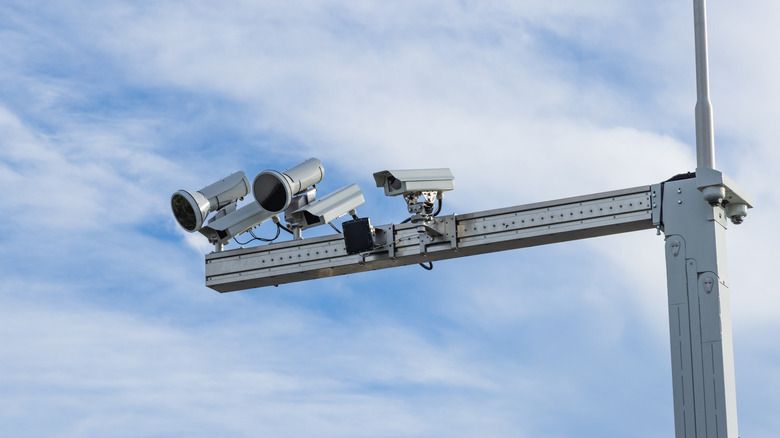
You’ll find no fewer than four types of traffic camera in the United States: Traffic-monitoring cameras, automated number-plate recognition (ANPR) cameras, speed cameras, and red light cameras. The first two cannot issue tickets, so we’ll be brief about them. A traffic-monitoring camera’s job is to detect where cars are to precisely time traffic lights and govern automated signage according to conditions. The ANPR camera identifies a car by its license plate, acting as a monitor to track movements.

Speed cameras and red light cameras, on the other hand, both function in similar ways in that they’re designed to prosecute drivers for disobeying traffic laws. The main difference between the two is simply where they’re placed and what laws they uphold. A red light camera, as the name suggests, sits at an intersection and monitors red light offenses. Speed cameras are typically situated at the sides of roads prone to speeding, like back roads and highways. These cameras issue automated tickets, which the registered vehicle owner receives in the mail. It’s a system not without its faults; for instance, a woman’s license plate matched a common novelty plate, and she was issued 15 traffic tickets. Let’s dive deeper and explore more about how these systems differ and what they can and can’t do.

Advertisement

How red light cameras work

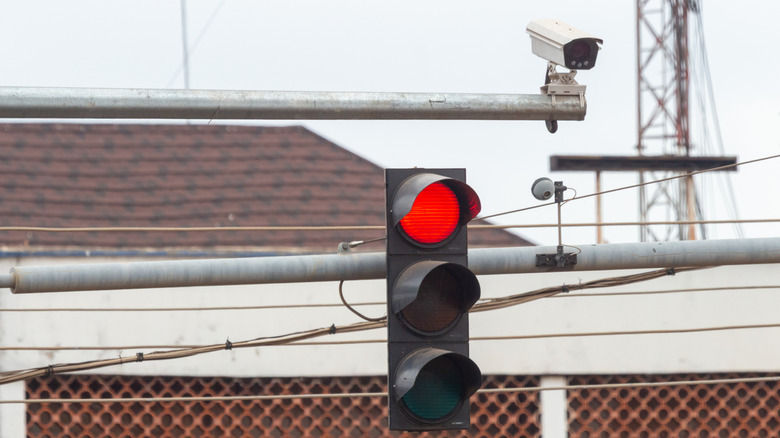
Traffic-issuing red light cameras operate through a hard link to the traffic signal itself. When you pull up to the red light, the camera takes a picture of your car as it moves into position, then detects if the vehicle moves past the point where it’s then in the intersection. If the light is red in both phases, i.e. the car blew the red light, then the camera photographs the car a second time as it goes through the light. It then issues a citation to the registered owner of the vehicle.

This system was first implemented in New York City in 1994, a metropolitan area we all know for its infamous gridlock. The New York Department of Transportation took a hard look at statistics, recording fatalities occurring at intersections and asking the question, “Would an automated red light camera help stop speeders?” New York champions the system today with plans to expand it to 600 intersections. If you blow a light in the City and your car is captured by this camera, expect a $50 ticket in the mail.

Advertisement

Typically you’ll find red light cameras situated at busy intersections, near school or work zones, or in major cities. They’re identified by the secondary camera unit that captures a picture of the car as it goes through the light, typically mounted on its own pole overlooking the intersection. The legality of red light cameras is often called into question, with specific rules varying on a per-state basis. Some states exclude them outside of metropolitan areas, and others don’t allow them at all.

Advertisement

How speed cameras are different

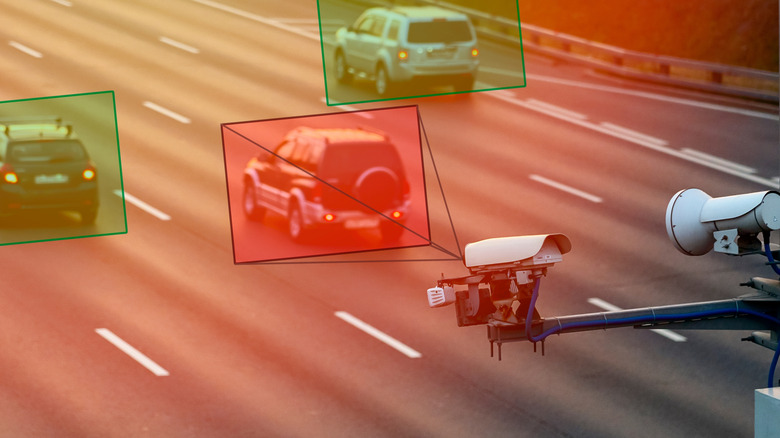
Speed cameras function the same in principle — if you’re speeding, it’ll take a picture of your car and mail you a ticket. But there are actually several types of speed cameras, each one operating using different methods. Most modern systems use a form of LIDAR and infrared photography to track and capture a car’s image, either by measuring its speed between two fixed points or by measuring its speed at a specific point — much like the ones used in Colorado. These are your fixed units, designed to run autonomously, as opposed to mobile units, which are set up by officials and, as the name suggests, are not static.

These types of cameras are generally what you’ll see in places like construction areas or school zones — any place with a consistent, reduced speed in comparison to the usual flow of traffic. Other areas include high-speed expressways and suburban areas with excessive rates of speeding violations. According to the U.S. Department of Transportation, their presence has reduced crash frequency by 54%, and accidents involving injuries and fatalities by 47% and 20%, respectively.

Different cameras operate using different methods, making detection an exceedingly difficult proposition. For instance, some speed cameras use lasers, whereas others use different bands of radar. Apps like Waze and Google Maps typically state fixed speed trap locations as a heads-up, but you’ll often find surprise mobile units in front of construction zones and the like. Just like red light cameras, the person who receives the ticket will be the one to which the vehicle is registered.

Advertisement


Source link

Continue Reading

Tech

Today’s NYT Connections Hints, Answers for May 2 #1056

Published

on

Looking for the most recent Connections answers? Click here for today’s Connections hints, as well as our daily answers and hints for The New York Times Mini Crossword, Wordle, Connections: Sports Edition and Strands puzzles.


Today’s NYT Connections puzzle is all over the place, My fellow journalists, pay special attention to words hidden in four words. They’ll end up in a journalism-related purple category. Read on for clues and today’s Connections answers.

The Times has a Connections Bot, like the one for Wordle. Go there after you play to receive a numeric score and to have the program analyze your answers. Players who are registered with the Times Games section can now nerd out by following their progress, including the number of puzzles completed, win rate, number of times they nabbed a perfect score and their win streak.

Advertisement

Read more: Hints, Tips and Strategies to Help You Win at NYT Connections Every Time

Hints for today’s Connections groups

Here are four hints for the groupings in today’s Connections puzzle, ranked from the easiest yellow group to the tough (and sometimes bizarre) purple group.

Yellow group hint: Sixth sense.

Advertisement

Green group hint: Bravo!

Blue group hint: Government groups.

Purple group hint: Extra, extra!

Answers for today’s Connections groups

Yellow group: Clairvoyant.

Advertisement

Green group: Staged performances.

Blue group: U.S. cabinet departments.

Purple group: Starting with newspaper names.

Read more: Wordle Cheat Sheet: Here Are the Most Popular Letters Used in English Words

Advertisement

What are today’s Connections answers?

completed NYT Connections puzzle for May 2, 2026

The completed NYT Connections puzzle for May 2, 2026.

NYT/Screenshot by CNET

The yellow words in today’s Connections

The theme is clairvoyant. The four answers are extrasensory, mental, psychic and telepathic.

The green words in today’s Connections

The theme is staged performances. The four answers are ballet, musical, opera and play.

Advertisement

The blue words in today’s Connections

The theme is U.S. cabinet departments. The four answers are Education, Interior, State and Treasury.

The purple words in today’s Connections

The theme is starting with newspaper names. The four answers are globetrotter, heraldry, Post-It and times tables.

Source link

Advertisement
Continue Reading

Tech

AI Performances And Screenplays Won’t Be Eligible For Oscars

Published

on


Sorry, Val Kilmer fans, but the late actor’s Oscar ship has officially sailed. On Friday, Reuters reported that AI-generated acting and writing won’t be eligible for Academy Awards. The new rules from the Academy ​of Motion Picture Arts and Sciences will take effect beginning with next year’s presentation, scheduled for March 2027.

The Academy’s updated rules state that while filmmakers can use AI tools, “synthetic” performers can’t win any awards. Ditto for AI-written screenplays, which must be “human-authored.” The Academy can request more information from submissions to confirm that they were created by humans.

A “performance” that won’t need further clarification is Kilmer’s fully AI-generated appearance in the upcoming indie film, As Deep as the Grave. The actor was initially cast in the movie but had to back out due to medical concerns. (He died in April 2025.) Although Kilmer never stepped foot on set, he will appear in “a significant part” of the movie, according to Variety.

Advertisement

“His family kept saying how important they thought the movie was and that Val really wanted to be a part of this,” said Coerte Voorhees, the film’s writer and director. “He really thought it was [an] important story that he wanted his name on. It was that support that gave me the confidence to say, okay let’s do this. Despite the fact some people might call it controversial, this is what Val wanted.”

Perhaps even more jarring than the AI-generated likeness of a dead actor is the work of a ByteDance tool that has also raised some alarm in the industry. A two-sentence prompt using Seedance 2.0 was all it took to generate a highly convincing 15-second clip of Tom Cruise and Brad Pitt duking it out on a rooftop. (C’mon, Pitt would totally kick his ass.)

The cinematic clip went viral, Hollywood experienced existential panic, and Washington even weighed in. The latest? ByteDance reportedly paused the tool’s rollout while the entertainment industry braces for a future where typing a few words could be all it takes to churn out a feature film.

Advertisement


Advertisement

Source link

Continue Reading

Tech

AirPods Max 2 review one month: Price, features, specs

Published

on

A month after Apple’s AirPods Max 2 went on sale, there’s a lot to like, but little of it is new, and there’s not much reason to upgrade from the original model.

That’s the uncomfortable truth that I came to after spending a few weeks with Apple’s premium headphones. But it also shouldn’t be a surprise for anyone who took even a cursory glance at the specs sheet.

Any second-generation product takes what the first-gen model did well and then builds upon it. But with AirPods Max 2, Apple took the easy way out. And it’s a real shame that it did.

AirPods Max 2 do improve upon the original model, bringing some AirPods Pro features along for the ride. Still, too many first-gen problems persist, setting users up for the same frustrations.

Advertisement

And that’s the problem here. Those buyers will spend $549 for a pair of AirPods Max 2 headphones. What they’ll get is great audio, but with issues that shouldn’t be there.

If you’re shopping for great audio with some striking design issues, I have good news for you. There are likely some great OG AirPods Max deals available. You should probably buy those instead.

AirPods Max 2 review: Familiar look, familiar mistakes

When I say that AirPods Max 2 look familiar, I’m not kidding. I’m not even exaggerating, because they’re identical.

That even extends to the colors on offer. There are still five for you to choose from. And they’re still Blue, Purple, Midnight, Starlight, and Orange.
Advertisement
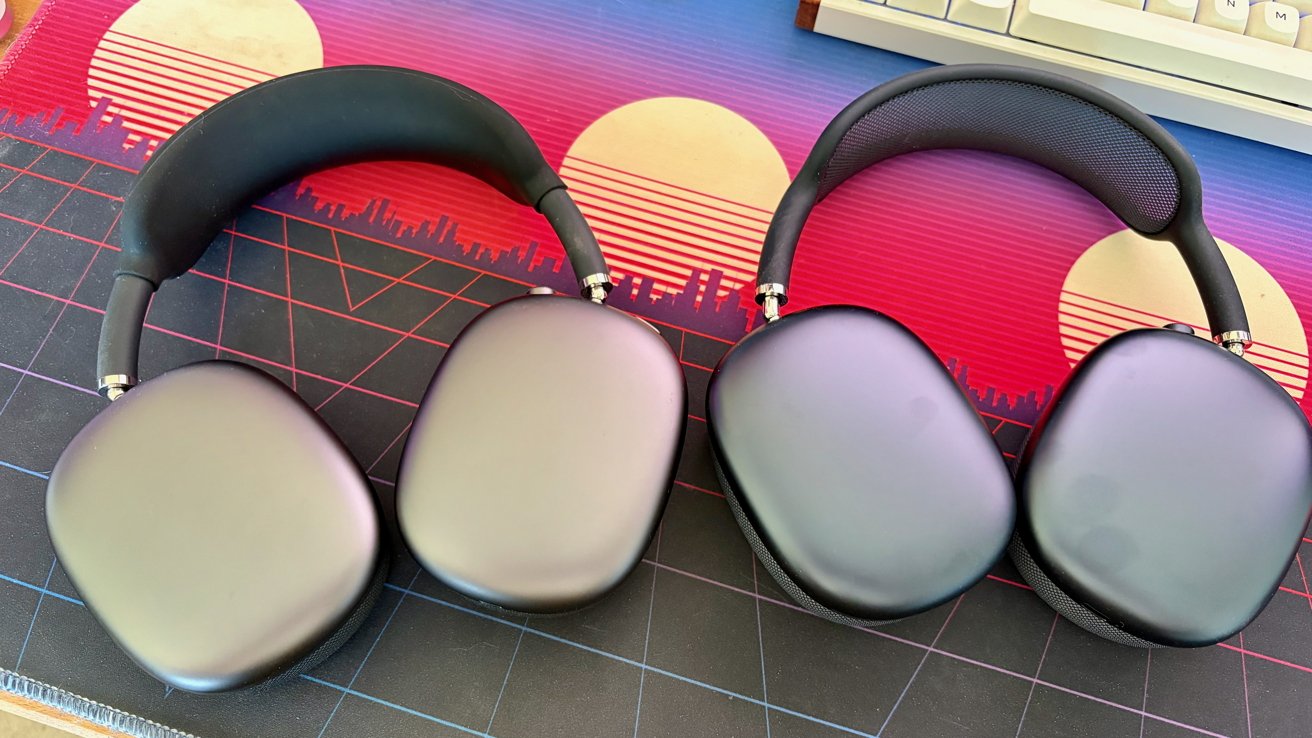
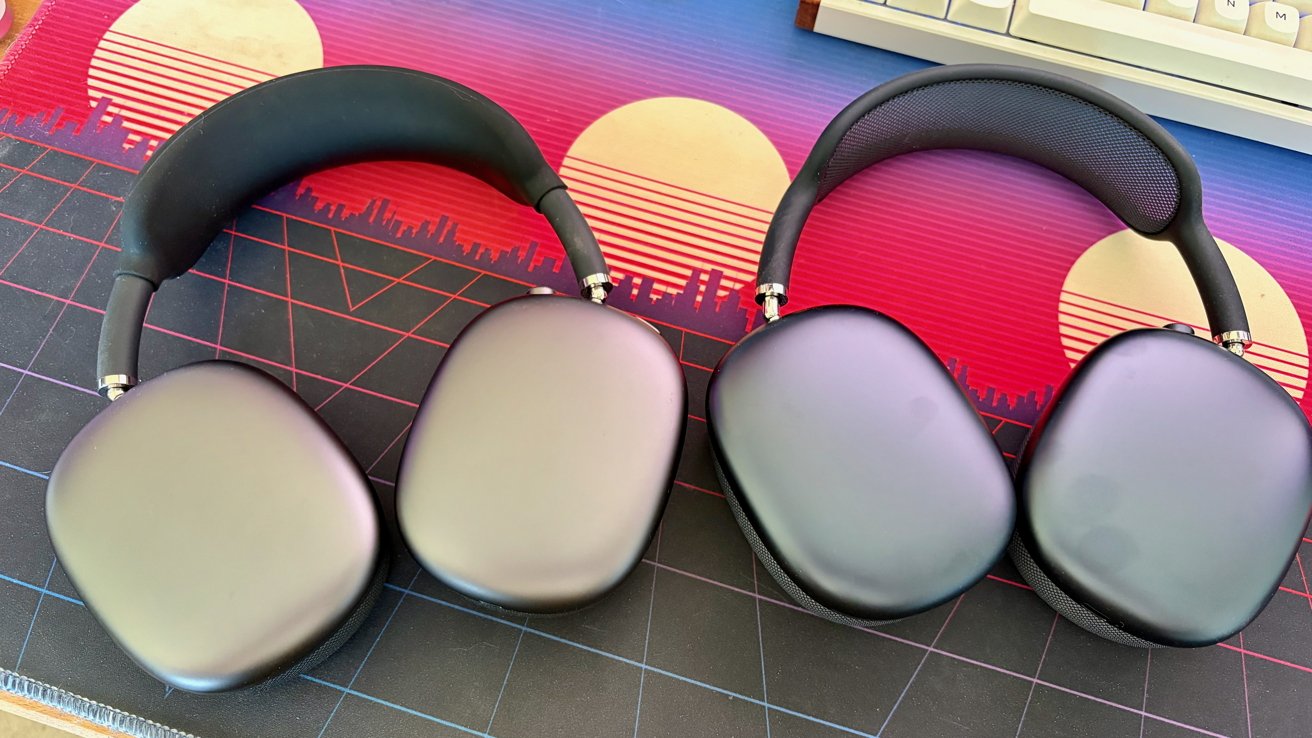
Two pairs of matte black over ear headphones lying side by side on a colorful retro style desk mat with sunset and city skyline graphics and a keyboard in the background

AirPods Max 2 review: Space Gray and Midnight side-by-side

I’ve been using the Midnight headphones, and they have a slightly different hue from my original Space Gray model. Those also have a Lightning connector, but apart from that, they’re almost impossible to tell apart.

AirPods Max 2, of course, have a USB-C port for charging this time around. You can also use a USB-C to USB-C cable if you want to enjoy lossless audio.

Like the original and mid-cycle USB-C refresh, AirPods Max 2 use metal as their material of choice. That means they’re still heavy, weighing in at 386.2 grams or 13.6 ounces.

Advertisement

As someone who isn’t a fan of plastic headphones, I’m happy with the metal construction Apple uses. I also don’t mind the weight because it adds an air of quality to the headset.

What I don’t like is Apple’s continued use of a mesh headband. It’s notorious for stretching and sagging, and there’s little to suggest that AirPods Max 2 buyers won’t have the same issue.

The good news is that there are aftermarket accessories that help here. They attach to the headband and use another material to distribute the weight. You’ll likely spot one on my AirPods Max in some of the photos here.

Controls-wise, nothing has changed here. You’ll find holes for the microphone and for air movement on the left ear cup. On the right, there’s a USB-C port on the bottom.

Advertisement

Up top, Apple’s familiar Digital Crown is used for volume and playback controls. The remaining button is used to cycle between the active noise cancellation (ANC) and Transparency modes.

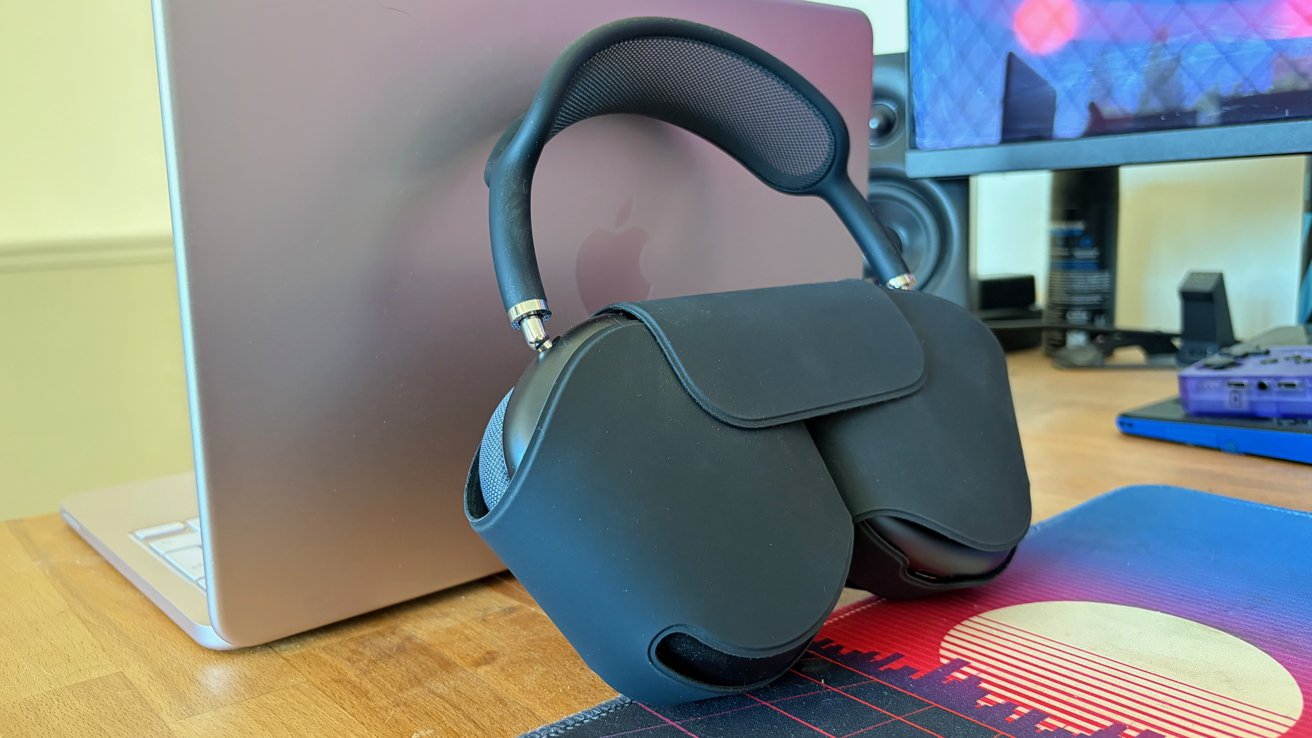
Finally, there’s the case. It’s the same as the original AirPods Max case and one of the main things I expected Apple to fix with this second generation.

Alas, it chose not to. And this case still does almost nothing to protect the headphones during transit. The top and bottom of the metal ear cups are left bare.

Unfortunately, the case is also the only way to put the AirPods Max 2 to sleep. Leave them out, and they’ll never slip into the deep sleep mode that preserves battery life.

Advertisement

That means you’ll need to fiddle with the case and its magnetic flap a lot. The lack of a way to sleep the headphones outside of the case is another issue I expected to be fixed this time around.

Again, alas.

AirPods Max 2 review: The H2 makes its presence felt

One of the few places where Apple has tweaked things is the use of a new H2 chip. The same chip first debuted in Apple’s AirPods Pro 2 from 2022, so it’s not new technology.
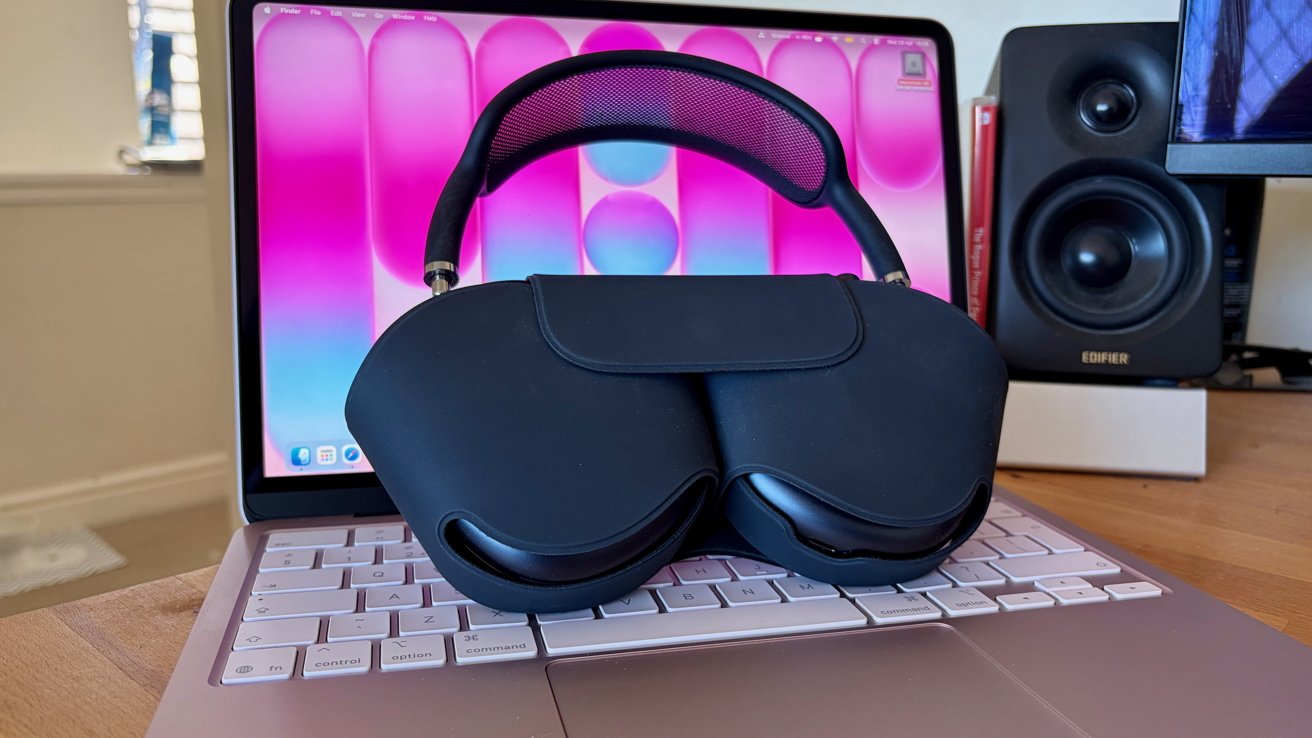
Black over-ear headphones in a protective case resting on a laptop keyboard, with a bright pink and blue abstract wallpaper on the screen and a black speaker in the background

AirPods Max 2 review: The familiar Smart Case makes a return

Advertisement

It’s new to Apple’s headphones, though, and brings with it some new features. Apple says the new chip is capable of improved audio processing. But as Andrew O’Hara said in his initial review, you’ll be hard-pressed to tell the difference.

Apple also says that AirPods Max 2 offer 1.5x more active noise cancellation than the previous generation. I can’t refute the claim, but AirPods Max were already class leaders here, and I’ve found AirPods Max 2 to be just as good.

Thankfully, you will notice a difference if you use any of these new features:

  • Adaptive EQ adjusts the sound based on the fit and seal between the ear cups and your head.
  • Live Translation that translates languages as someone speaks
  • Adaptive Audio that adjusts the ANC and Transparency modes based on the volume of your environment.
  • Conversational Awareness that lowers the volume when someone speaks to you and raises it when they’re done.
  • Personalized Volume automatically adjusts the volume after learning your preferences.
  • Head gestures so you can control Siri by shaking and nodding your head.
  • A Camera Remote feature means you can press the Digital Crown to take a photo using your iPhone.

Remember that these features are also available on AirPods Pro 2 and AirPods Pro 3. Some are even present on the entry-level AirPods 4 as well.

The H2 also handles all of the features AirPods owners have become accustomed to. Instant device pairing and switching are still present, and as welcome as ever.

Advertisement

Rounding out the features, Apple’s H2 helps AirPods Max 2 run for up to 20 hours between charges, even with ANC and Spatial Audio enabled. I’ve found that to be a reasonable expectation, and they charge quickly using a USB-C cable.

AirPods Max 2 review: Apple’s audio chops shine again

Apple knows how to make great audio. It’s proven it with all of its most recent AirPods wireless earbuds, and it proved it with the original AirPods Max.

With AirPods Max 2, it’s once again proven that few can compete with its wireless audio capabilities.

AirPods Max 2 sound excellent. They benefit from new high dynamic range amplifiers this time around, marking the one hardware change besides the H2 chip.
Advertisement
Black over ear headphones in a protective case resting against a closed Apple laptop on a wooden desk, with monitor, speakers, and colorful mouse pad in the background

AirPods Max 2 review: Apple’s best-ever headphones, just like its last

The result is the familiar, rich AirPods Max sound. Except, dare I say, turned up to 11 this time around.

Music sounds warm and full of body thanks to a strong bass performance when the audio calls for it. The highs may be a little on the brighter side than some might like, but that’s nitpicking.

With the excellent ANC enabled, AirPods Max 2 make it easy to fall into an album. It envelopes you. In a desert of lackluster wireless headphones, AirPods Max 2 are an oasis of crisp, clear sound.

Advertisement

But then, so are AirPods Max. Even over five years after their 2020 release, I’ve yet to find wireless headphones that have bettered them.

And yes, that applies to AirPods Max 2 as well. They’re every inch as good as AirPods Max, but better? I’ve yet to experience it, unfortunately.

Rounding things out on a more positive note, AirPods Max 2’s ANC and Transparency modes don’t disappoint. Again, Apple’s headphones surely sit at the top of the pile in both regards, although Sony continues to give it a run for its money.

AirPods Max 2 review: A missed opportunity

As I sit here, writing this review while listening to AirPods Max 2, I find myself disappointed. Not because they don’t live up to the original, but because Apple had such a solid foundation to build upon.

Advertisement

And yet, it chose not to.

As great as AirPods Max 2 sound, and as much as I enjoy listening to them, they’re almost impossible to recommend.

For existing AirPods Max owners, there’s little here to warrant spending so much money to upgrade. Not unless one of the new H2-powered features calls to you, and not when all of the same mistakes have been made.

They’re an easier sell to anyone considering AirPods Max 2 as their first Apple headphones. But you absolutely need to be aware of the problems before you put down your $549.

Advertisement

As I write this in 2026, AirPods Max 2 are likely the best-sounding wireless headphones I’ve ever worn. But whether they’re the best, overall, is a harder question to answer.
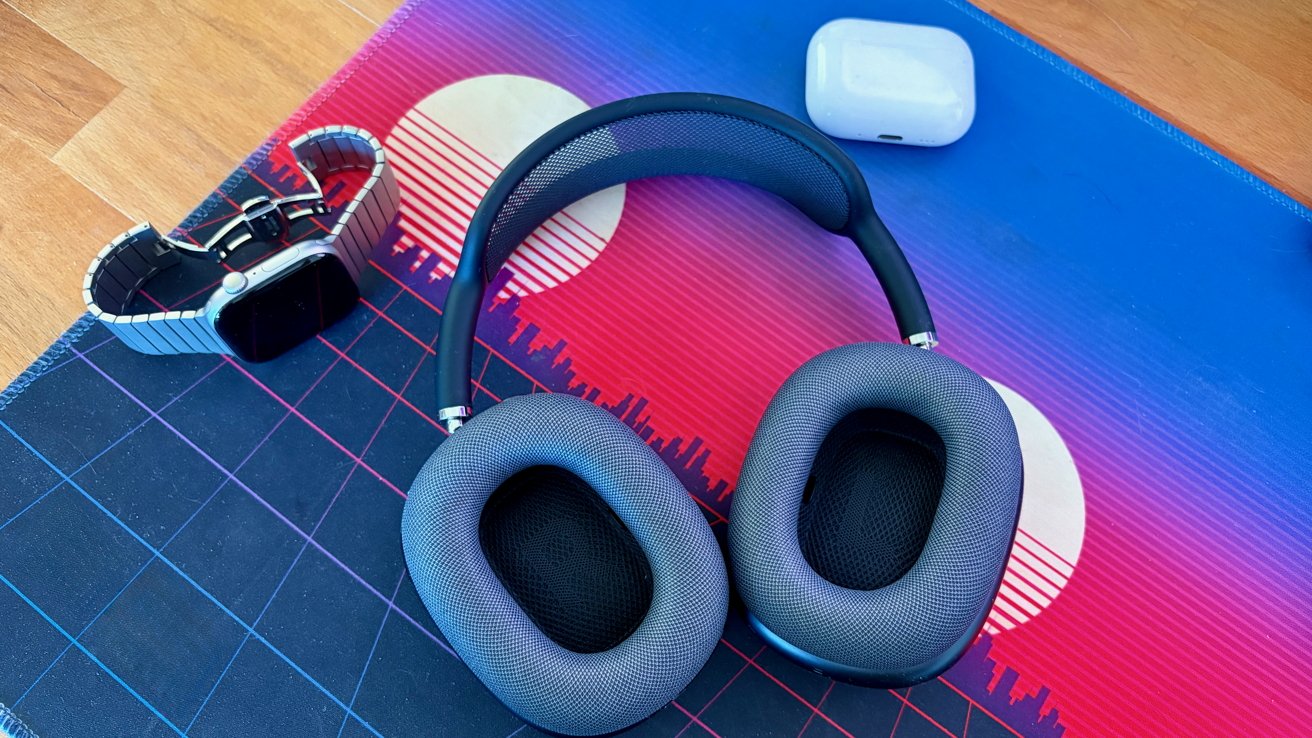
Over ear wireless headphones, a smartwatch with metal band, and a white earbud case resting on a colorful retro style mouse pad with a sunset and city skyline design

AirPods Max 2 review: Handy “L” and “R” markings help orientation

At $549, they’re a costly purchase. They don’t have a real case to keep them safe, and there’s no way to turn them off. They’re also heavier than most people will be used to, and the headband mesh will likely sag much sooner than it should.

If you’re still happy to throw down $549 for AirPods Max 2 with that in mind, more power to you. You’re going to get a pair of headphones that sound great with excellent ANC for your money.

Advertisement

Or you could save a hundred dollars or more and get the original. They’ll sound great.

AirPods Max 2 review: Pros

  • No wireless headphones sound better
  • Industry-leading ANC and Transprency mode
  • H2 chip adds some nice-to-have features
  • Instant pairing and device switching

AirPods Max 2 review: Cons

  • They still won’t sleep outside of the case
  • Smart case offers little protection
  • Same colors as last-gen model
  • Costly at $549

AirPods Max 2 rating: 4 out of 5

Scoring something like AirPods Max 2 out of five is difficult. Scoring anything out of five isn’t easy, but when you’re reviewing the successor to a previous release, things get more complicated. In the case of AirPods Max 2, Apple has a good pair of headphones on its hands. They sound great, and are about as premium-feeling as these things get.

On the other hand, AirPods Max 2 don’t improve upon AirPods Max in ways that I think they should have. The improvements that have been made are unlikely to change the game for most headphone buyers, too.

In choosing a score, I’ve gone with a 4 because, in isolation, AirPods Max 2 are a quality product. If AirPods Max didn’t exist, they’d easily get a 4 for their sound and build quality.

If you already own AirPods Max, consider the review score a 3 or 3.5, instead. AirPods Max 2’s score would be reduced by the lack of meaningful improvements to the original’s shortcomings.

Advertisement

For AirPods Max owners, there is little, if any, reason to upgrade to AirPods Max 2.

Where to buy AirPods Max 2

AirPods Max 2 are on sale now at Apple and other retailers, with Amazon and Walmart discounting the headphones slightly.

You can also pick up first-gen AirPods Max with USB-C for $449 at B&H Photo and Walmart while supplies last.

Our AirPods Max Price Guide offers easy price comparison across popular Apple resellers as well.

Advertisement

Source link

Continue Reading

Tech

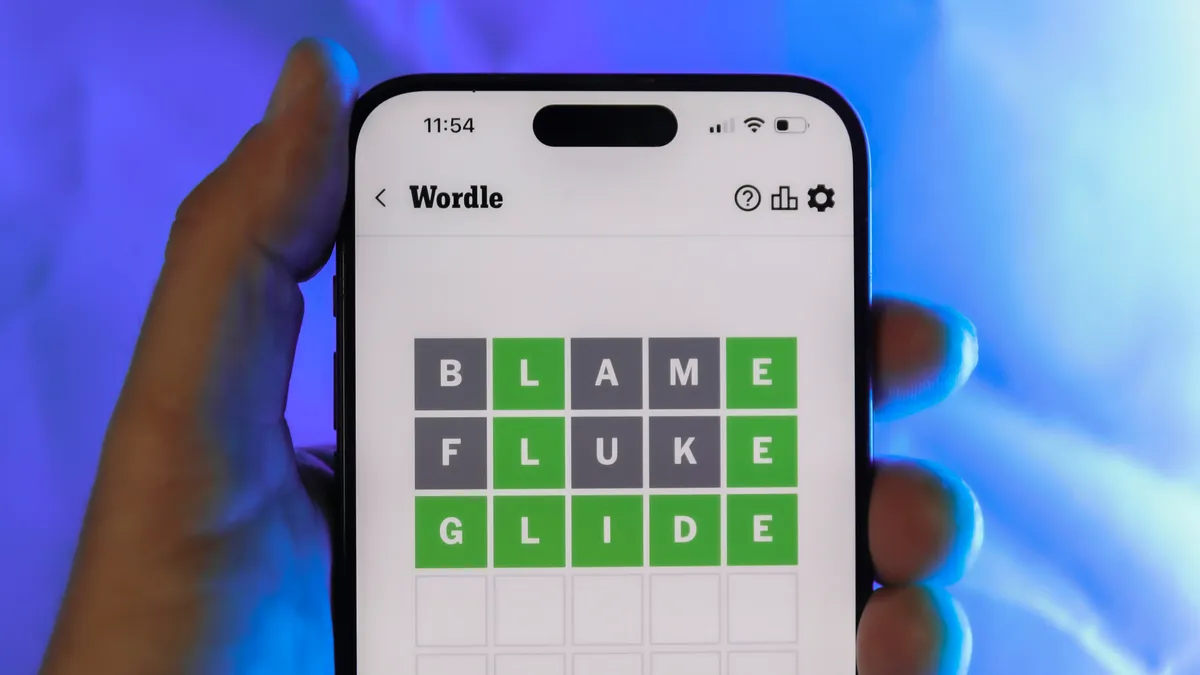
Today’s NYT Wordle Hints, Answer and Help for May 2 #1778

Published

on

Looking for the most recent Wordle answer? Click here for today’s Wordle hints, as well as our daily answers and hints for The New York Times Mini Crossword, Connections, Connections: Sports Edition and Strands puzzles.


Today’s Wordle puzzle is a medium-tough one, with a few letters I rarely guess. If you need a new starter word, check out our list of which letters show up the most in English words. If you need hints and the answer, read on.

Read more: New Study Reveals Wordle’s Top 10 Toughest Words of 2025

Advertisement

Today’s Wordle hints

Before we show you today’s Wordle answer, we’ll give you some hints. If you don’t want a spoiler, look away now.

Wordle hint No. 1: Repeats

Today’s Wordle answer has no repeated letters.

Wordle hint No. 2: Vowels

Today’s Wordle answer has one vowel.

Wordle hint No. 3: First letter

Today’s Wordle answer begins with B.

Advertisement

Wordle hint No. 4: Last letter

Today’s Wordle answer ends with G.

Wordle hint No. 5: Meaning

Today’s Wordle answer can mean to convey or carry something.

TODAY’S WORDLE ANSWER

Today’s Wordle answer is BRING.

Advertisement

Yesterday’s Wordle answer

Yesterday’s Wordle answer, May 1, No. 1777, was PLUME.

Recent Wordle answers

April 27, No. 1773: EERIE

April 28, No. 1774: QUACK

April 29, No. 1775: RURAL

Advertisement

April 30, No. 1776: CROCK

Source link

Advertisement
Continue Reading

Tech

Does the Intuit Enterprise Suite (IES) interface dramatically differ from QuickBooks Online?

Published

on

This post is brought to you in paid partnership with QuickBooks

The Intuit Enterprise Suite (IES) interface doesn’t dramatically differ from QuickBooks Online. Core navigation, workflows, and accounting functions remain familiar. The main difference is added functionality for managing multiple entities, user permissions, and consolidated reporting. This means most users can adapt quickly while gaining tools to handle more complex financial operations.

Key takeaways

  • IES keeps familiar workflows but adds multi-entity functionality.
  • Navigation remains similar, with additional controls for managing entities.
  • Users adapt quickly by learning reporting and entity-level differences.

What is the difference between IES and QuickBooks Online?

Intuit Enterprise Suite (IES) builds on the structure of QuickBooks Online but is designed for businesses managing multiple entities or more complex financial operations. While QuickBooks Online focuses on single-company accounting, IES introduces entity-level controls, consolidated reporting, and more advanced user permissions without changing core accounting workflows.

How to adapt from QuickBooks Online to Intuit Enterprise Suite (IES)

Moving from QuickBooks Online to Intuit Enterprise Suite (IES) involves learning how to work across entities rather than relearning accounting basics. The steps below help users adjust quickly and avoid common confusion.

Advertisement
  1. Start with familiar tasks: Begin with workflows like invoicing, expenses, and reporting to build confidence in the system.
  2. Understand how entities are structured: Learn how companies are organized and how to switch between them when working.
  3. Recognize where workflows change: Identify tasks that now involve selecting an entity or working across multiple entities.
  4. Learn consolidated reporting early: Understand how to generate reports that combine data without merging records.
  5. Adjust to permission-based access: Get used to seeing only the data relevant to your assigned entities.
  6. Test common workflows across entities: Practice recording transactions and reviewing reports in more than one entity.
  7. Train users based on their role: Focus training on what each user actually needs rather than the full system.

What changes when moving from QuickBooks Online to IES?

Area What changes in IES
Company structure Manage multiple entities instead of one company
Navigation Familiar layout with added entity controls
Reporting Includes consolidated reporting across entities
User access More granular permissions across companies
Workflows Similar tasks with added entity-level steps

Key differences users notice when moving from QuickBooks Online to a multi-entity system.

Example: Adapting to multi-entity workflows after moving from QuickBooks Online to Intuit Enterprise Suite (IES)

A regional property management company previously used QuickBooks Online to manage a single entity. As the business expanded, it created separate legal entities for each property group, which led to multiple QuickBooks accounts and manual consolidation in spreadsheets.

The finance team moved to Intuit Enterprise Suite (IES) to manage all entities in one system. During the transition, they found that daily tasks such as raising invoices and tracking expenses felt familiar. The main adjustment was selecting the correct entity when recording transactions and learning how to run consolidated reports.

Within one reporting cycle, the team reduced time spent on monthly consolidation and eliminated manual spreadsheet work. Managers could review performance across all property groups without switching systems, while entity-level reporting remained unchanged for local teams.

Checklist: Validating your transition to Intuit Enterprise Suite (IES)

Use this checklist to confirm that your team has adjusted to the key workflow and reporting changes in Intuit Enterprise Suite (IES).

Advertisement
  • Confirm all entities are set up correctly and accessible in one system.
  • Check that users only see the entities they are assigned.
  • Run sample reports to compare entity and consolidated outputs.
  • Verify transactions are consistently recorded in the correct entity.
  • Test a full workflow across entities, from invoice to reporting.
  • Review dashboards to ensure they reflect expected performance.
  • Identify and remove manual consolidation processes.

Best practices and pitfalls for adapting to Intuit Enterprise Suite (IES)

Follow these best practices to help users adjust faster and avoid common transition mistakes.

  • Expect workflows to expand slightly when working across entities.
  • Don’t treat IES like a single-company system with extra tabs.
  • Align reporting structure early to avoid rework later.
  • Make sure teams understand when to work at entity or group level.
  • Don’t carry over manual workarounds that the system replaces.

Intuit Enterprise Suite (IES) vs QuickBooks Online FAQs

Is Intuit Enterprise Suite (IES) difficult to learn if I use QuickBooks Online?

No. Most users familiar with QuickBooks Online can adapt quickly because core workflows remain similar. The main learning curve comes from understanding how to work across multiple entities and how reporting changes when combining data from different companies.

Does Intuit Enterprise Suite (IES) look the same as QuickBooks Online?

The interface is similar in structure, with familiar navigation and workflows. However, IES includes additional controls for managing multiple entities, user access, and reporting, so some screens and processes include extra steps or options.

What is the biggest difference between IES and QuickBooks Online?

Advertisement

The main difference is multi-entity capability. IES lets businesses manage several companies within one system, including consolidated reporting and more advanced permissions, while QuickBooks Online is typically designed for single-entity use.

Will my team need training to use Intuit Enterprise Suite (IES)?

Some targeted training is helpful, especially for teams working across multiple entities or using consolidated reporting. However, users familiar with QuickBooks Online can usually transition quickly by focusing on how entity structure and reporting differ.

This content is paid for by the brands indicated. Digital Trends works closely with advertisers to highlight their products and services to our readers. Although this article is informational and not opinionated, it reflects thorough fact-checking by our team to ensure accuracy. Our dedicated partnerships team, not external advertisers, crafts all branded content in-house. For more information on our approach to branded content, click here.

Advertisement

Source link

Continue Reading

Tech

Meta quietly locks in massive AWS infrastructure deal, shifting from chip ownership to renting entire AI backbone at unprecedented scale

Published

on


  • Meta commits to tens of millions of hosted Graviton cores
  • The deal includes infrastructure, networking, power, and management layers
  • Graviton5 is designed for sustained processing and multi-step task execution

Meta has signed an agreement to deploy tens of millions of AWS Graviton Arm cores, making it one of the largest Graviton customers in the world.

The deal marks a major expansion of the long-standing partnership between Meta and AWS, but with a critical difference: Meta is not just buying chips; it is buying the entire infrastructure around them. It is a wholesale agreement, not a hardware purchase.

Source link

Continue Reading

Tech

OpenAI Faces Lawsuits Over Deadly Mass Shooting in Canada

Published

on

The families of victims of a February school shooting in British Columbia opened seven lawsuits Wednesday against OpenAI, the creator of ChatGPT. The lawsuits, filed in federal court in San Francisco, claim that OpenAI’s actions regarding the shooter’s use of its AI allowed the shooting to happen. 

The cases could have major implications for future chatbot safeguards and whether companies can be held liable for how people use artificial intelligence. 

The shooting occurred on Feb. 10 when an 18-year-old former student entered a secondary school in Tumbler Ridge, British Columbia, and opened fire using a modified handgun, killing five children and an education assistant, according to news reports. Investigators allege that the shooter had also killed her mother and half-brother. The combined fatalities made this one of the deadliest shootings in Canadian history. The shooter died at the scene, apparently of a self-inflicted gunshot wound.

Advertisement

The shooter had engaged ChatGPT in conversations involving violence before the attack.

OpenAI says it has taken steps intended to address issues raised by the lawsuits.

“We have already strengthened our safeguards, including improving how ChatGPT responds to signs of distress, connecting people with local support and mental health resources, strengthening how we assess and escalate potential threats of violence, and improving detection of repeat policy violators,” an OpenAI spokesperson told CNET in an email.

OpenAI co-founder and chief executive Sam Altman wrote a letter to the families, which was published on the local news site Tumbler RidgeLines.

Advertisement

“The pain your community has endured is unimaginable,” Altman wrote. 

He referred to the shooter’s ChatGPT account, writing, “I am deeply sorry that we did not alert law enforcement to the account that was banned in June.”

CBS News reports that the shooter’s account was flagged in 2025 for misusing ChatGPT for “violent activities” and then banned. OpenAI told CBS that it considered flagging the account to law enforcement but determined it “did not pose an imminent and credible risk of serious physical harm to others.”

According to The Guardian, the shooter was able to create a second account that OpenAI was unaware of until after the shooting. 

Advertisement

More issues for OpenAI

These are not the only legal and regulatory challenges facing OpenAI over its AI chat products. Earlier in April, Florida officials announced they were investigating OpenAI about whether a shooter who killed two people at Florida State University in Tallahassee used ChatGPT in connection with the attack.

Separately, a March lawsuit filed by Merriam-Webster and Encyclopedia Britannica says OpenAI improperly used copyrighted material to train its AI systems.

(Disclosure: Ziff Davis, CNET’s parent company, filed a lawsuit against OpenAI in 2025, alleging it infringed Ziff Davis copyrights in training and operating its AI systems.)

The company is also navigating a series of product and business pressures, including shuttering its generative video model, Sora and halting work on an adult mode for ChatGPT.

Advertisement

It has also faced scrutiny from investors after missing certain internal revenue and user growth targets ahead of a potential public offering.

.

Source link

Advertisement
Continue Reading

Tech

"Copy Fail" is a rare Linux bug that can turn an unprivileged user into a root admin in seconds

Published

on


Tracked as CVE-2026-31431, Copy Fail could represent a significant security risk in the making. The vulnerability was discovered by researchers at Theori, who investigated the Linux kernel’s authencesn cryptographic template using an AI-assisted scanning process. The team also developed a 732-byte Python script capable of escalating privileges and granting an…
Read Entire Article
Source link

Continue Reading

Tech

China just launched a massive electric cargo ship, and its battery system alone rivals hundreds of electric cars in scale

Published

on


  • Ning Yuan Dian Kun, a 10,000‑ton container ship, is powered by the equivalent of 250 Tesla‑grade batteries
  • It can swap all ten batteries at the dock like a giant phone
  • Two 875‑kW motors push this electric giant to 11.5 knots

When most people think of electric vehicles, they imagine a sedan or an SUV, not a vessel that underwent sea trials off Shanghai in February 2026.

The Ning Yuan Dian Kun, an electric vessel, stretches nearly 128 meters from bow to stern — longer than a standard American football field, including both end zones.

Source link

Continue Reading

Trending

Copyright © 2025