Connect with us

Tech

Best Gaming Monitor 2026: Stay one step ahead of the competition

Published

on

When it comes to building a gaming set-up, the conversation is so often dominated by discussions of graphics cards and processors that having a similarly gaming-ready monitor can be overlooked. However, if you really are going all in on having a serious gaming rig then the only way to do it justice is by having a monitor that can show off all that it can do. With that in mind, here’s where you can find the best gaming monitors to buy.

Although you’ll no doubt find them sold via the same retailers, the best monitors in general are very different to what you need to be on the lookout for when it comes to gaming monitors. After all, monitors for a home office just need to be of a decent size so that windows and text have space to spread out, and for the screen itself to be easy on the eyes.

When it comes to gaming monitors, all of those aspects are still important, especially if you use your gaming space for work during the day, but there are other key things to consider. Refresh rates are crucial depending on the type of games you prefer to play, as a higher rate can keep you locked in with fast-paced titles like Marvel Rivals and Counter-Strike 2

The resolution is also worth bearing in mind as you don’t want to be overpaying for tech that’ll go unused. For example, if your gaming rig is designed to output games at 1080p then you don’t need to spend the extra money on a 4K monitor. Similarly, a 4K-ready rig will be done a disservice by a 1080p monitor, so make sure you know what your gaming PC/laptop is capable of before you buy.

Advertisement

There are plenty of other key features such as ports and OSD options, but as with everything mentioned, it all gets covered by our comprehensive reviews which leave no stone unturned. Our tech experts use industry-standard benchmarking tests to give you concrete data on how each one performs in real-world use. Keep on reading to see which models are currently ranked as the best to buy, or check out our round-up of the best gaming laptops if you want to upgrade more than just your monitor.

Best Gaming Monitor at a glance

Advertisement

SQUIRREL_ANCHOR_LIST

Learn more about how we test gaming monitors

We use every gaming monitor we test for at least a week. During that time, we’ll check its design, features and how easy it is to set up.

We check its colours and image quality with a colorimeter to test its coverage and the display’s quality. We will also play numerous games to determine its performance.

Advertisement
Samsung Odyssey S27FG810S

Best overall

Trusted Score

Advertisement


Pros


  • Fantastic contrast and colour

  • Class-leading anti-glare technology

  • Premium and flexible design


Cons


  • No 480Hz support

  • Fiddly control system and no remote

If you haven’t completely blown through your gaming rig budget and do have spare £1000/$1200 left over, then we can think of few better ways to complete the overall package than by adding the Samsung Odyssey SG27FG810S to your setup. This is a gaming monitor that looks great, plays beautifully and shows, more than anything, just how much clout Samsung has in the gaming space right now.

Advertisement

What you’ll no doubt notice before anything else is just how sleek the Odyssey SG27FG810S can be when it’s set up. The metallic panel at the bottom is sturdy, and that metallic design continues on the back of the monitor and at the stem. It’s a very confident look that won’t have you mistaking the monitor as something destined for an office.

As great as a bold design can be, it’s nowhere near as important as the visual quality on offer and thankfully, Samsung hasn’t skimped here either. Simply put, this is one of the most luscious screens around for gaming and it isn’t even close. The monitor uses a Quantum Dot OLED panel which allows for far more natural colour representation, perfect for games that aim for a sense of visual realism like Cyberpunk 2077.

Where the display result excels however is in contrast. It’s one of those things that pictures can’t quite do justice but the contrast here is so good to the point where you won’t be able to take your eyes off of it – blacks appear deep and inky, and for games like Control or Alan Wake II which really indulge in light and dark settings, it feels like the ideal way to play them.

If multiplayer games are more your bag however then you’ll appreciate the 240Hz refresh rate on board which couples perfectly with the near non-existent 0.03ms response time. Bear in mind that for all its prowess, there are no built in speakers on the Samsung Odyssey SG27FG810S, so you will need to pick up a solution separately, but it’s a small price to pay for the visual quality on offer.

Advertisement
Acer Predator X32X

Best 4K gaming monitor

Trusted Score

Advertisement


Pros


  • Gorgeous image quality

  • Deep blacks and brilliant colour accuracy

  • Good port selection


Cons


  • Quite expensive

  • You do have to want the curve!

This is a high-end monitor that provides all of the visual trappings that you’d want for a mesmerising experience, whilst the curvature of the display absorbs your attention (and peripheral vision) like nothing else.

Advertisement

In fact, the screen’s 32-inch 4K panel is ideal for anyone who has a small to medium-sized desk, one that simply wouldn’t have enough space for a massive wide-screen display. For context, it’s just slightly wider than a Sonos Beam 2 soundbar, but it’s wide enough that it can draw you in, and that 4K resolution goes a long way towards making sure that everything looks crisp and avoiding a pixelated look whilst gaming.

The use of QD-OLED technology also goes a long way to presenting vastly improved colour and contrast over older monitors, so if you’re upgrading from a display that’s starting to show its age, you’ll notice the difference immediately. The alleyways of Cyberpunk 2077’s Night City, with their food stalls and neon lights, pop like never before, going a long way towards making this digital world (and many like it) feel more alive than ever.

We also noticed during our testing that the colour accuracy for the Acer Predator X32X is off the charts, with a 100% coverage detected for sRGB, alongside 98% and 92% for DCI-P3 and Adobe RGB respectively. If you’re someone who edits videos or photos outside of your playtime, then you’ll appreciate the ability to more accurately see what the final product is going to look like.

There’s a solid amount of ports built into the display, including two HDMI 2.1 ports, so you have room to plug in a soundbar or a games console, while the downstream USB-C port lets you charge your phone with a 65W connection. You can also count on plenty of OSD options, letting you customise visual details such as brightness and contrast to suit your liking, not to mention tweaking the aspect ratio.

Advertisement
AOC Agon Pro AG276QZD

Best 27-inch gaming monitor

Trusted Score

Advertisement


Pros


  • Stunning OLED display

  • Excellent motion fidelity

  • Compact stand

  • Good value


Cons


  • Speakers distort at maximum volume

  • HDMI ports are v2.0 not 2.1

It’s certainly not cheap, costing over £800 at the time of writing, but it still represents outstanding value considering it’s flaunting a 27-inch OLED screen, HDR support and a speedy 240Hz refresh rate. It’s even got integrated speakers.

Advertisement

The OLED screen is an absolute delight for gaming, with the deep inky blacks resulting in eye-catching contrast and an incredible picture. The 2650×1440 resolution ensures video looks incredibly sharp too. Our benchmark results show the monitor to be capable of up to a 380-nit brightness in SDR, and 810-nit brightness in HDR. Colour coverage was superb too, ensuring you’re getting an accurate picture.

We were also really impressed by the monitor’s design, with the stand taking up very little space on your desk. There’s loads of flexibility in terms of adjustment options too: the monitor can pivot by 90 degrees, while there’s 130mm of height adjustment. Ports are well covered with inclusion of HDMI 2.0, DisplayPort 1.4 and and a 3.5mm headphone jack.

Considering the fantastic specs you’re getting for your money, it’s hard to find faults with this gaming monitor. It’s a shame that there’s no HDMI 2.1 support, so you’re best off checking out the LG UltraGear 27GR95QE-B if that’s important to you. Otherwise, we’re confident in saying that the AOC Agon Pro AG276QZD is the best gaming monitor you can buy at this price.

Advertisement
Lenovo Legion R45w-30

Best value ultrawide gaming monitor

Trusted Score

Advertisement


Pros


  • Excellent value

  • Compact for an ultrawide

  • Good speakers

  • One-button KVM switch


Cons


  • Big stand

Ultrawide gaming monitors are incredibly popular right now, with gamers craving the extra immersion provided by a stretched-out display. The Lenovo Legion R45w-30 may not be the absolute best ultrawide monitor we’ve reviewed in recent years, but it certainly offers the best bang for your buck with a price undercutting the £800 mark.

This monitor’s display looks stunning too, with a 49-inch screen with a supremely sharp 5120×1440 resolution. This isn’t an OLED monitor like the Samsung Odyssey G9 OLED (2023), but it’s still capable of an excellent 3020:1 contrast, as well as a high 415-nit brightness. This results in an excellent picture that gamers will adore.

Advertisement

The 1500R curvature ensures that the monitor wraps around your peripheral vision for a brilliantly immersive experience. It’s also not so bendy that it’s a nightmare to find a place for it on your desk – it should be perfectly fine in the average study or bedroom.

If you want the absolute best ultrawide gaming monitor, then you can spend even more cash on the likes of the Samsung Odyssey G9 range. But if you simply want a great all-round ultrawide monitor while keeping costs as low as possible, then the Lenovo Legion R45w-30 is the way to go.

Advertisement
AOC Agon AG405UXC

Best TV-sized gaming monitor

Trusted Score


Pros

Advertisement

  • Superb value for money

  • USB-B and USB-C connectivity for full KVM support

  • Impressive colour accuracy


Cons


  • Colour gamuts could be wider

  • Some smearing and ghosting apparent in testing

The AOC Agon AG405UXC has a huge 40-inch panel, making it more of a TV replacement than your typical gaming monitor. It has a 3440×1440 resolution, a 144Hz refresh rate and surprisingly good HDR performance, despite not having a Mini-LED backlight.

We measured maximum SDR brightness at 361 nits and 486 nits once in HDR mode. The Agon AG405UXC features four different HDR modes – HDR10, HDR Picture, HDR Movie and HDR Game – allowing you to fine-tune your screen to suit the content. For the price, we found the motion handling to be perfectly acceptable and the support for AMD FreeSync Premium Pro ensures that you won’t encounter any screen tearing or juddering while enjoying your favourite AAA games.

Being a 40-inch monitor, you will need to make sure you have the desk space to store the Agon AG405UXC, which weighs in at 11.88kg. It comes with a convenient remote control so you can change the volume or brightness without needing to use the bezel buttons, although we did note that it had a slightly slow response time.

Advertisement

There are also two 5W speakers buried inside the Agon AG405UXC. Our reviewer found that they did more than a decent job of pumping out volume and were pretty tuneful, with the soundscape underpinned by solid bass and plenty of detail in the upper ranges.

For the money, the AOC Agon AG405UXC is a highly competent big-screen gaming monitor. It comes with an excellent array of ports, reliable speakers and a massive display that excels in HDR content.

Advertisement
AOC Gaming 25G3ZM/BK

Best value gaming monitor

Trusted Score


Pros

Advertisement

  • 240Hz refresh rate

  • Exceptional value

  • Impressive colour accuracy

  • Strong colour gamut coverage


Cons


  • Some visible ghosting

  • No USB connectivity

  • Could be brighter

  • HDMI and DP connectors not latest spec

A lot of the gaming monitors on this list cost a fortune, so we’ve made sure to include the budget-friendly AOC Gaming 25G3ZM/BK, which offers top specs and performance despite being available for less than $200/£200.

This 23.8-inch monitor has a standard 1080p VA panel rather than the more luxurious Mini LED and OLED options, but our testing showed it to still offer an outstanding picture quality with a high 4,000:1 contrast and superb colour coverage. It has a great performance too, with a 165Hz refresh rate ensuring butter smooth motion, which is especially useful for multiplayer shooters.

The appearance is fairly basic, but offers great adjustability options as a 90-degree left pivot, 130mm of height adjustment and -5/23-degree of tilt. There’s no RGB lighting or USB connectivity, but it still packs all of the necessary ports for gaming.

Advertisement

The AOC Gaming 25G3ZM/BK is limited to a 1080p resolution and lacks fancy features such as HDR, but at this low price, this monitor is an absolute steal for gamers. This is the best gaming monitor option you’re going to find without spending considerably more.

Samsung Odyssey Neo G7 (2023)

Best Mini-LED gaming monitor

Trusted Score

Advertisement


Pros


  • Massive screen

  • Sublime picture quality

  • Bright enough for HDR

  • Useful smart features


Cons

Advertisement

  • Low refresh rate for the price

  • Limited adjustability options

  • Size will be difficult to accommodate for

Gaming monitors come in all shapes and sizes, but if you’re after something the size of a TV, then the Samsung Odyssey Neo G7 (2023) is your best bet. It comes in at a massive 43 inches, with our reviewer needing to dismantle the top section of their desk to accommodate it. If possible, we would recommend placing it at a reasonable distance from where you are going to sit, as the screen is too large to view in full when placed directly in front of you on a desk. It could even be used in your lounge or mounted in a bedroom, with the large display creating an absorbing picture that made games like Horizon Zero Dawn look even more picturesque.

The Neo G7 packs a 4K resolution and Mini LED technology. We found that it produced pin-sharp imagery in both video and gaming content and was massively more premium than the standard Full HD experience. Samsung opted to include ‘Quantum Mini LED’ technology which ensured better light control and stopped colours leaking into other parts of the imagery on screen; dark scenes in games looked deep and inky and there was plenty of detail in every frame.

Unlike a lot of other gaming monitors, the Neo G7 can connect to the internet and run streaming applications without needing to be connected to external devices. This opens the door to running apps like Netflix or Xbox Game Pass without needing to hook up a console or PC. Navigating the system is easy thanks to the bundled remote and furthers the Neo G7 as a replacement TV, rather than just a monitor.

The combined picture quality and streamlined design of the Samsung Odyssey Neo G7 make it a fantastic choice for anyone who’s looking to enjoy their games on the big screen. With a $799.99/£899 launch price, this is an absolute bargain for anyone who’s more bothered about size rather than speed.

Advertisement
Philips Evnia 34M2C8600

Best premium ultrawide gaming monitor

Trusted Score

Advertisement


Pros


  • Stylish white and silver chassis

  • Marvellous image quality

  • Comprehensive OSD


Cons


  • Expensive

  • Lack of HDMI 2.1 port at this price is a shame

If you’re looking for the best ultrawide monitor and don’t mind spending a bit more money, the Philips Evnia 34M2C860 is our top pick.

Advertisement

This 34-inch ultrawide monitor stands out from your standard black monitor with a stylish white and silver colourway available. You can choose between the stand or VESA mounting with a bracket for the latter included in the box. There’s also a headphone stand built into the back of the metal stand which is a handy addition.

The display features a 3440 x 1440 resolution and a smooth 175Hz refresh rate. We found the image quality to be excellent, delivering deep blacks, vibrant colours and virtually infinite contrast that lends itself to both games and films. The colour accuracy is near-perfect and the 237-nit peak brightness looks good but falls slightly short of Philips claims.

The panel is a QD-OLED one as opposed to an OLED panel, allowing users to reap the benefits of OLED’s deep blacks and QLED’s higher peak brightness. The monitor also supports AMD FreeSync and Nvidia Adaptive Sync to reduce screen tearing and stuttering.

The Philips Evnia 34M2C8600’s OSD is one of the most comprehensive of any monitor we’ve reviewed. There are ten presets to adjust the look of the display, as well as options to enable the KVM switch, change inputs and access OLED care settings to prevent burn-in. The OSD also includes the option to switch on Philips Ambiglow which reflects ambient lighting off the wall behind the monitor and is adaptable to fit the game you’re playing or movie you’re watching.

Advertisement

This isn’t the cheapest option available and we wish Philips had included a HDMI 2.1 port at this price. However, for all you do get, this is a monitor that comes highly recommended by us.

Philips Evnia 42M2N8900

Best 4K gaming monitor

Trusted Score

Advertisement


Pros


  • Sumptuous 42-inch 4K OLED panel

  • High quality 2 x 10W speaker system

  • Ambiglow backlight makes for an immersive experience

  • 4-port KVM USB hub


Cons

Advertisement

  • 138Hz on the low side for eSports fans

  • I/O Ports are hard to access

  • Mediocre whole-screen SDR brightness

The Philips Evnia 42M2N8900 features a glorious 42-inch panel featuring 4K resolution and an OLED panel.

The imagery was perfectly crisp and sharp with the OLED panel allowing for 100% coverage of the sRGB gamut. Blacks were inky and dark and the contrast was very high, allowing for immersive gameplay. It comes with a handy feature, Dynamic DarkBoost. This raises the brightness in dark areas in games, allowing you to see everything on screen without washing out other colours or bringing a grey tinge to everything.

The main elephant in the room here is the 138Hz refresh rate. It’s not terribly high for a gaming monitor and we wouldn’t recommend it for any eSports fans. Some PC gamers may find that this refresh rate isn’t high enough, but it won’t be an issue for those looking to hook up their PlayStation 5 or Xbox Series X.

There is a large selection of ports on the Philips Evnia, including two HDMI 2.1 inputs, a DisplayPort 1.4, four USB-A ports, a USB-B port as well as a 3.5mm audio jack. We found it to be a very well-connected monitor, although the port placement does make it awkward to remove and add more cables.

Advertisement

Inside the monitor, there are two 10W loudspeakers that produce more than enough volume to fill up a bedroom. They come with DTX Sound audio processing and we found that at 80% volume or less, there was enough bass, treble and composure to make for a very pleasant listening experience.

Overall, if you can get past the low refresh rate, this is a fantastic 4K gaming monitor. Our reviewer notes that when paired with a PS5 and placed at a comfortable viewing distance, the sumptuous OLED panel looks very impressive. This is well complemented by the integrated speakers, meaning that you don’t even need to splurge on more hardware to experience a truly premium gaming setup.

Advertisement
LG UltraGear Dual-Mode 4K OLED (32GS95UE-B)

Best for pro gamers

Trusted Score


Pros

Advertisement

  • Incredible Dual-Mode functionality

  • Fantastic OLED quality

  • Innovative, high-quality speakers


Cons


  • Expensive

  • No USB-C or KVM

  • Could be a bit brighter

Even though it’s a bit of a mouthful to say out loud, the LG UltraGear Dual-Mode 4K OLED (32GS95UE-B) is our go-to pick for any esports players who need a laptop that can keep up with the speed at which they play. Not only that, it also delivers outstanding colour alongside a speaker output that happens to be one of the most brilliantly engineered systems we’ve come across.

The big feature is the aforementioned ‘Dual-Mode’ which allows the monitor to switch between 240Hz gaming at full screen (ideal for most players), and a 480Hz mode that shrinks the screen size a tad but keeps you locked into the action to a degree that is essential for esports. 

On top of the Dual-Mode feature you’re getting a stunning 32-inch 4K panel which can bring out the level of clarity that allows more detailed worlds like Cyberpunk’s Night City or Spider-Man’s New York to shine and really draw in your attention. It also pairs with an OLED panel that offers next-level contrast and colour vibrancy, exactly what you need for more immersive horror titles like those found in the Resident Evil series.

Advertisement

One thing that surprised us is just how well-designed the speaker system is. With two 10W speakers hidden behind the display, the sound system doesn’t add to the monitor’s height or width, making the whole package appear very clean and compact. Even with this different design, the speakers still deliver a rich soundscape that’s perfect for when you don’t fancy reaching for a pair of headphones.

In terms of manoeuvrability you have plenty of options at your disposal. The monitor can he height-adjusted, tilted and swivelled to fit the exact specification best suited for your gaming set-up. Plus, with two HDMI 2.1 ports, there’s also room to hook up an extra console or two to sit alongside your gaming laptop or PC.

Advertisement
Asus ROG Strix XG27UCDMG

Best port selection

Trusted Score


Pros

Advertisement

  • Sublime image quality

  • Powerful port selection

  • Clever OSD


Cons


  • Expensive

  • Some may lament the more basic HDR standard support

As much as we love the Samsung Odyssey SG27FG810S, it’s far from being the only Quantum Dot OLED monitor on the market, and if you’re after a tantalising alternative then the Asus ROG Strix XG27UCDMG should be your first port of call. Also with a 27-inch frame, the ROG Strix XG27UCDMG does have a few features that you won’t find on Samsung’s offering.

One of the things we appreciate about the XG27UCDMG is that it doesn’t take up any more space than it absolutely needs to, which is a boon for anyone working with a fairly compact desk. The stand itself isn’t anywhere near as large as the one featured on Samsung’s device, and there’s also a very helpful phone holder readily available at the base. Not only does this help to remove clutter from your desk, but it ensures that you won’t miss any crucial notifications while you game.

As you might expect for a QD-OLED display, where the ROG Strix XG27UCDMG really shines is in its visual fidelity and contrast levels. This really comes into play with a meticulously designed title like Cyberpunk 2077 as the darker corners of Night City’s dingy bars and dangerous alleyways really do draw you in with their intensity. It’s felt even more in horror titles like Resident Evil Requiem.

Advertisement

If you’re someone who prefers to kick back with FPS games then the included 240Hz refresh rate is made with you in mind. It allows everything from Counter-Strike 2 to Apex Legends to feel even more immersive as you fight for the win. Colour accuracy is similarly brilliant here as we measured 100% coverage of the sRGB colour space in our testing, not to mention 99% DCI-P3 and 91% Adobe RGB.

The one reason why you might want to opt for the Samsung SG27FG810S over Asus’ monitor is its anti-glare coating, which makes it a much better option for gamers who enjoy getting in a session during the day, or if your gaming space has a lot of natural light seeping in. If this isn’t an issue then you’ll really appreciate what Asus has put together here.

Advertisement
Xiaomi G Pro 27i

Best for colour accuracy

Trusted Score


Pros

Advertisement

  • Punchy, responsive and colour-accurate images

  • Highly adjustable stand

  • OSD is easy to navigate


Cons


  • Lack of USB-C may turn off some

  • OSD is quite basic

If there’s one downside to gaming it’s that, if you’re not careful, it can end up being a rather pricey hobby pretty quickly. While there’s a lot to be said for investing in future-proof kit at the higher end of the equation, oftentimes that just isn’t possible and so if you only have a limited budget that you want to maximise as much as possible, the Xiaomi G Pro 27i is easily one of your best options right now.

Despite its affordable asking price of £299.99/$370, the 27i still packs in a ton of value. For starters, this is a Mini LED display – let that soak in for a second. Typically you’d expect to pay far more than the aforementioned cost for the privilege of enjoying Mini LED tech, but somehow Xiaomi has found a way to offer it at a budget rate and it’s still just as stunning as ever.

We managed to pick up 707.7 nits of peak brightness which, when paired with the 8880:1 contrast ratio allows for a brilliant mix of deep blacks and a vibrant colour palette. This combination not only works brilliantly for horror titles, making the darkness feel even more foreboding as you move around each corner, but also more colour-rich games like Marvel Rivals.

Advertisement

There isn’t really much of a sacrifice in terms of image detail either, as the 27i still offers up a crisp 1440p resolution on a 27-inch panel. There’s even a 180Hz refresh rate which is even more surprising – given the price, we wouldn’t have balked at a 120Hz rate, but to have those extra frames in there is certainly a nice bonus.

It’s also worth mentioning that this is quite a good monitor to have on hand if you work as a photo or video editor during the day. In our tests we picked up 100% coverage within the sRGB colour space, alongside 99% DCI-P3 and 95% Adobe RGB. We frequently come across far pricier monitors that can’t match that level of accuracy, so it’s impressive to see what Xiaomi has achieved here.

Advertisement
Alienware AW2725Q

Best for contrast

Trusted Score


Pros

Advertisement

  • Gorgeous image quality with fantastic detail and motion

  • Exemplary black level and contrast

  • Excellent port selection


Cons


  • Expensive

  • Lack of a KVM or more powerful USB-C against rivals

If you’re a professional who works in a creative industry, but who also loves to indulge in some high-end gaming after the day is done then the Alienware AW2725Q is the monitor to go for. With enough specs to round out a small pamphlet, this monitor works perfectly for both productivity and gaming, so if you want to have a home office that works for both, this is the way to go about it.

For starters, by having a 27-inch frame, the AW2725Q is just the right size to feel immersive without it being too big on a standard desk. Compared to some of the wider monitors on this list, the AW2725Q won’t feel like it’s taking up a ton of space unnecessarily. Even though it’s slightly smaller, you’re still getting a stunning 4K panel that’s boosted by QD-OLED technology.

With greater control over its lighting compared to LCD monitors, this Alienware pick can produce phenomenal colours and contrast, so the fantastical worlds of Split Fiction can jump out at you, just as the dark corridors of Resident Evil: Village might lure you in. It has to be seen to be believed, but it also paves the way for a great experience with passive entertainment too.

Advertisement

Thanks to Dolby Vision HDR and HDR10 support, streaming a bit of Netflix or Disney Plus can feel far more cinematic with this monitor in tow. What really impressed us though were the colour tests, which picked up 100% of the sRGB space and 91% of the Adobe RBG spectrum. This means that if you edit videos or photos for a living, you’ll be getting an accurate recreation onscreen of what the final product will look like, which is a huge win.

When it comes to ports you have plenty of options available. There are two HDMI 2.1 ports for hooking up other consoles, alongside a 15W USB-C downstream port that’s helpful for charging up your phone. What’s more, one of the HDMI slots has eARC so you can hook up a soundbar for an even richer audio experience, if you so please.

Advertisement

FAQs

What is Hz?

Hz (short for Hertz) references the number of cycles per second. For gaming monitors, this measures the refresh rate which is how many times the display will refresh itself per second. 60Hz is standard for a normal monitor, but gamers will benefit from smoother visuals with a substantially higher refresh rate.

What is Ms?
Advertisement

The term ‘ms’ is short for milliseconds. For gaming monitors, this is usually in reference to the response time, which is how long it takes for the monitor to shift between colours.

What are G-Synch and FreeSync?

These are both syncing technologies that allow the monitor to sync up with your system’s GPU and prevent the ‘screen tearing’ effect.

Advertisement
Advertisement

Test Data

  Samsung Odyssey S27FG810S Acer Predator X32X AOC Agon Pro AG276QZD Lenovo Legion R45w-30 AOC Agon AG405UXC AOC Gaming 25G3ZM/BK Samsung Odyssey Neo G7 (2023) Philips Evnia 34M2C8600 Philips Evnia 42M2N8900 LG UltraGear Dual-Mode 4K OLED (32GS95UE-B) Asus ROG Strix XG27UCDMG Xiaomi G Pro 27i Alienware AW2725Q
Brightness (SDR) 91.96 nits 222.6 nits 380 nits 415 nits 361 nits 318 nits 490 nits 237 nits 205 nits 277 nits 237.5 nits 707.7 nits 246.4 nits
Brightness (HDR) 800 nits 810 nits 484 nits 1000 nits 1146 nits 1000 nits
Black level 0 nits 0.03 nits 0 nits 0.13 nits 0.19 nits 0.08 nits .02 nits 0.03 nits 0 nits 0 nits 0.03 nits 0.08 nits 0.01 nits
Contrast ratio Infinite 8430:1 Infinity 3020:1 1362:1 3726:1 5830:1 8090:1 Infinite Infinite 12210:1 8880:1 18690:1
White Visual Colour Temperature 6300 K 6542 K 6171 K 6223 K 6386 K 6700 K 6100 K 6089 K 6411 K 6600 K 6600 K 6100 K
sRGB 132.3 % 100 % 99.2 % 96.1 % 99.2 % 99.7 % 100 % 100 % 100 % 100 % 100 % 100 % 100 %
Adobe RGB 96.8 % 92 % 88.2 % 72.9 % 75.5 % 80.8 % 91 % 93 % 89.8 % 96 % 91 % 95 % 91 %
DCI-P3 98.25 % 98 % 88.8 % 77.1 % 84.9 % 91.2 % 98 % 98 % 95.4 % 97.4 % 99 % 99 % 99 %
Energy consumption 34 Watts 45 Watts
Input lag (ms) 9.6 ms 1.9 ms
Delta Colour accuracy (Delta E) 1.07 1.8 0.83 1.5 2.04 1.3 2.9

Full Specs

  Samsung Odyssey S27FG810S Review Acer Predator X32X Review AOC Agon Pro AG276QZD Review Lenovo Legion R45w-30 Review AOC Agon AG405UXC Review AOC Gaming 25G3ZM/BK Review Samsung Odyssey Neo G7 (2023) Review Philips Evnia 34M2C8600 Review Philips Evnia 42M2N8900 Review LG UltraGear Dual-Mode 4K OLED (32GS95UE-B) Review Asus ROG Strix XG27UCDMG Review Xiaomi G Pro 27i Review Alienware AW2725Q Review
UK RRP £1099 £1099 £849 £799 £570 £179 £899 £1149.95 £1780 £1288 £938.99 £299.99
USA RRP $1299 $1199.99 $999.99 $1299.99 $1195 $974 $370 $899.99
Manufacturer Samsung Acer AOC Lenovo AOC AOC Samsung Philips Philips LG Asus Xiaomi Alienware
Quiet Mark Accredited No No No
Screen Size 27 inches 32 inches 26.5 inches 44.5 inches 40 inches 24.5 inches 43 inches 34 inches 42 inches 32 inches 27 inches 27 inches 27 inches
Front Camera No No n/a
Size (Dimensions) 611 x 49.2 x 354 MM 713.9 x 345.9 x 487.4 MM 604 x 233 x 527 MM 1090 x 341 x 363.5 MM 944.1 x 312.4 x 477.7 MM 503 x 259 x 557 MM 960.8 x 635 x 254 MM 813 x 295 x 553 MM 932 x 359 x 689 MM 714 x 266 x 627 MM 611 x 168.7 x 509.4 MM 169.45 x 613.35 x 526.5 MM 609.51 x 210 x 516.01 MM
Weight 3.8 KG 7 KG 6.4 KG 12.1 KG 11.88 KG 4.24 KG 8.7 KG 17.3 KG 9 KG 7.44 KG 4.8 KG 6.79 KG
ASIN B0DW9GSGSK B0C2C9693V B0C4P88C2S B0BGCG4NJM 11.7 B0BSNWW56B B0CV1Y7NLT
Release Date 2025 2025 2023 2023 2023 2021 2023 2023 2023 2024 2025 2024 2021
First Reviewed Date 31/07/2025 09/01/2024 14/12/2023 20/07/2023 28/04/2023 08/05/2024 29/10/2024 16/04/2025 02/03/2025
Model Number AG276QZD Lenovo Legion R45w-30 AG405UXC ‎25G3ZM/BK 42M2N8900 32GS95UE-B
Resolution 3840 x 2160 3840 x 2160 2560 x 1440 5120 x 1440 3440 x 1440 1920 x 1080 3840 x 2160 3440 x 1440 3840 x 2160 3840 x 2160 3840 x 2160 2560 x 1440 3840 x 2160
HDR Yes Yes Yes Yes Yes Yes Yes Yes Yes Yes Yes Yes
Types of HDR HDR10, HDR10+, VESA DisplayHDR True Black 400 certification DisplayHDR True Black 400 HDR10 DisplayHDR 400 Vesa DisplayHDR 400 VESA DisplayHDR 600 DisplayHDR True Black 400 HDR10 HDR10, DisplayHDR True Black 400 HDR10 DisplayHDR 1000 Dolby Vision, DisplayHDR True Black 400, HDR10
Refresh Rate 240 Hz 240 Hz 238 Hz 165 Hz 143 Hz 240 Hz 144 Hz 175 Hz 138 Hz 480 Hz 240 Hz 180 Hz 240 Hz
Ports DisplayPort 1.4, two HDMI ports switchable between 2.1 and 1.4 versions with HDCP 2.2 spec, headphone jack, USB Type-A downstream port x 2, USB-B Upstream port x1 USB-C, 2x HDMI 2.1, 2x DisplayPort 1.4, USB KVM DisplayPort 1.4 x 2, HDMI 2.0 x 2, 3.5mm audio x 1, USB-A x 2, USB-B x 1 USB-A x 3, USB-B x 1, USB-C x 1, HDMI 2.1 x 2, DisplayPort 1.4 x 1, 3.5mm audio x 1 HDMI 2.0 x 2, DisplayPort 1.4 x 1, USB-A 3.2 Gen 1 x 4, USB-C 3.2 Gen 2 x 1, USB-B 3.2 Gen 1 x 1, 3.5mm audio x 1 DisplayPort 1.2 x 1, HDMI 2.0 x 2 HDMI 2.1, DisplayPort 1.4 HDMI 2.0 x 2, DisplayPort 1.4 x 1, USB-C x 1 (DP Alt mode, Video, Data and Power Delivery), USB 3.2 Gen 1 / 5 Gbps, USB-B upstream x 1, USB-A downstream x 4 (with 1 for fast charge B.C 1.2) HDMI 2.1 x 2, DisplayPort 1.4 x 1, Type-C DP Alt Mode x 1 2 x USB 3.0, 1 x audio DisplayPort 1.4 DSC x 1 HDMI (v2.1) x 2 USB-C x 1 (DP Alt Mode) Earphone jack : Yes USB Hub : 3x USB 3.2 Gen 1 Type-A USB-C Power Delivery : 90W 2x DP 1.4, 2x HDMI 2.0, 3.5mm headphone jack 2x HDMI 2.1 FRL port (1 with eARC), 1x DisplayPort 1.4, 1x USB 5Gbps Type-B upstream, 3 x USB 5Gbps Type-A downstream, 1x USB-C 5Gbps downstream with Power Delivery up to 15W
Connectivity RJ45 gigabit ethernet N/A Wi-Fi 5 and Bluetooth 5.2 USB-A 3.2 Gen 1 x 4, USB-B x 1, 3.5mm audio x 1 2 x HDMI 2.1, 1 x DisplayPort 1.4
Colours Black Black 16.7 Million Black White Grey Black/White Black
Display Technology QLED, OLED OLED OLED VA IPS VA Mini LED OLED OLED OLED OLED Mini LED OLED
Screen Technology VA IPS
Syncing Technology AMD FreeSync / Nvidia G-Sync AMD FreeSync / Nvidia G-Sync Nvidia G-Sync AMD FreeSync AMD FreeSync / Nvidia G-Sync AMD FreeSync AMD FreeSync AMD FreeSync AMD FreeSync / Nvidia G-Sync AMD FreeSync / Nvidia G-Sync AMD FreeSync / Nvidia G-Sync AMD FreeSync AMD FreeSync / Nvidia G-Sync

The post Best Gaming Monitor 2026: Stay one step ahead of the competition appeared first on Trusted Reviews.

Source link

Advertisement
Continue Reading
Click to comment

Leave a Reply

Your email address will not be published. Required fields are marked *

Tech

Uber relaunches Motional robotaxis in Las Vegas

Published

on

Two years after a brutal restructuring gutted Motional’s workforce and halted its commercial operations, the Hyundai-backed AV company is back on the Strip, still with a safety operator for now, but promising to remove one by the end of 2026.


Uber and Motional have relaunched a commercial robotaxi service in Las Vegas, making all-electric Motional IONIQ 5 vehicles available to riders across key locations on and around the Strip from 13 March 2026.

The service marks a significant milestone for Motional, which two years ago paused its commercial operations entirely, cut roughly 40% of its workforce, and was left fighting for its survival after co-founder Aptiv pulled its funding.

The relaunch is not yet fully driverless. Initially, Motional’s IONIQ 5 robotaxis will carry a human vehicle operator monitoring the road from the driver’s seat.

Advertisement

The company says it expects to remove the safety operator and begin a fully driverless service by the end of 2026, delivering on the target it set during its 2024 restructuring.

How the service works

Riders who request an UberX, Uber Electric, Uber Comfort, or Uber Comfort Electric may be matched with a Motional IONIQ 5 at no additional cost. When matched, a notification appears in the app giving riders the option to accept the autonomous vehicle or switch to a conventional ride.

Users who want to maximise their chances of getting an AV can opt in via the Ride Preferences section in their Uber app settings.

Once a robotaxi arrives, the vehicle can be unlocked and the trip started entirely through the Uber app.

Inside, audio cues prompt riders to close doors and fasten seatbelts. If support is needed at any point, a human assistance team is reachable through the Uber app.

Advertisement

At launch, the service covers designated rideshare zones along Las Vegas Boulevard at Resorts World Las Vegas and Encore at the Wynn, plus Westgate Las Vegas Resort & Casino, curbside locations in Downtown Las Vegas, and the Town Square shopping district near the airport.

Both companies say they plan to expand the operating area but did not give specifics.

The vehicle: SAE Level 4, FMVSS-certified

The IONIQ 5 robotaxi was co-developed by Motional and Hyundai Motor Group and is custom-built for ride-hail operations. According to Uber, it is one of the first SAE Level 4-capable autonomous vehicles to be certified under US Federal Motor Vehicle Safety Standards (FMVSS), the federal regulatory framework for motor vehicle equipment.

SAE Level 4 means the vehicle can handle all driving functions within a defined operational design domain without human intervention, though it does not require the capability to operate in all conditions everywhere.

Advertisement

“This milestone reflects our shared commitment to introduce autonomous vehicles in a way that prioritizes safety, increases reliability, and expands access to more ride options for our customers,” said Sarfraz Maredia, President of Autonomous Mobility & Delivery, Uber

Motional’s road back: from near-collapse to relaunch

The relaunch is the culmination of a turbulent two-year recovery. Motional was founded in 2020 as a $4 billion equal joint venture between Hyundai Motor Group and automotive technology company Aptiv.

It ran pilot rides in Las Vegas via Uber and Lyft and deliveries in Los Angeles via Uber Eats, all with a human safety operator present, and accumulated more than 130,000 autonomous rides through those programmes.

The company’s troubles crystallised in early 2024, when Aptiv announced it would stop allocating capital to the venture, citing the high cost of commercialising robotaxi technology and an uncertain path to profitability. Aptiv had forecast a non-cash equity loss of around $340 million for 2024 alone.

Advertisement

With Aptiv’s withdrawal threatening to destabilise the entire company, Hyundai stepped in with a near-$1 billion commitment: $475 million invested directly into Motional and $448 million to buy out 11% of Aptiv’s common equity interest. The restructuring left Hyundai with approximately 85% of Motional’s common equity and Aptiv with 15%.

The funding came with painful conditions. Motional halted all commercial rides and deliveries, paused plans to launch its second-generation driverless service, and cut approximately 550 staff, around 40% of its total workforce, across teams in Las Vegas, Pittsburgh, California, and Massachusetts. T

he company pivoted to focus exclusively on improving its underlying autonomous technology, including a shift toward a more neural network-driven approach to autonomy, before attempting any new commercial deployment.

Motional returned to fundraising in August 2025 with a $550 million Series B round led by Aptiv and joined by Hyundai and Nuance Investments, which boosted its valuation to $6.5 billion. That capital, combined with the technology rebuild, underpins today’s relaunch.

Advertisement

A busy week for Uber’s autonomous ambitions

The Las Vegas launch is not a standalone announcement. In the same week, Uber confirmed a deal with Zoox, Amazon’s autonomous vehicle subsidiary, to deploy Zoox’s purpose-built robotaxis on the Uber platform, initially in Las Vegas from summer 2026, followed by Los Angeles in mid-2027.

Uber and Wayve also announced a collaboration with Nissan on a robotaxi pilot in Tokyo, targeted for late 2026, which would be Uber’s first autonomous vehicle partnership in Japan.

Uber says it is currently working with more than 25 autonomous vehicle partners across its Mobility, Delivery, and Freight divisions. The company announced earlier in 2026 that it plans to invest more than $100 million in charging infrastructure for autonomous vehicles.

Its autonomous solutions division, launched in February 2026 under Maredia’s oversight, is focused on helping AV technology companies commercialise their deployments faster by providing demand generation, rider experience, customer support, and fleet management services.

Advertisement

For Motional, the Las Vegas service is both a proof point and a pressure test. The company’s technology, rebuilt and retrained in the background since 2024, now faces its first sustained real-world commercial deployment with paying riders. 

Source link

Advertisement
Continue Reading

Tech

Onerep vs Incogni (2026): Which Data Removal Service Delivers Better Protection?

Published

on

Right now, deleting a couple of public listings of your personal information is hardly enough to reduce your digital presence in any significant way. What’s more, your data circulates not only across people-search sites but also in marketing networks, analytics firms, recruitment databases, or risk-profiling systems, and many of these sources you’re incapable of reaching on your own.

That’s why it’s worth investing in a reliable data removal service with its automation, recurring requests, and the breadth of broker coverage.

Incogni and Onerep are two established providers in the data removal service field. To help you decide, we compare them below, clarifying where each company stands today.

Quick Comparison (2026)

Feature Incogni Onerep
Pricing From $7.99/month (annual billing) From $8.33/month (annual billing)
Removal model Fully automated with recurring requests Mixed automation + manual handling
Broker coverage 420+ private and public brokers 300+ websites, mostly public people-search listings
Free tier 30-day money-back guarantee 5-day trial, 30-day money-back guarantee
Recurring removal cycles Every 60-90 days Monthly
Independent verification Deloitte Limited Assurance assessment None publicly reported
Customer support Email, live chat (subscribers), phone (Unlimited subscribers), Knowledge Base Email (plan-dependent), support tickets, dedicated privacy expert (higher tiers), phone, Help Desk

Onerep vs Incogni: Service Snapshot & Core Positioning

Incogni Onerep
Year founded 2021 2015
Company type Automated data broker removal platform People-search directory removal service
Primary scope Public and private broker ecosystem Public-facing, searchable directories
Automation structure Fully automated, recurring cycles Hybrid model: automation + privacy expert
Data reappearance prevention model Automated recurring legal re-requests every 60–90 days Monitoring and suppression of relisted directory entries
Editorial recognition Editors’ Choice Awards – PCMag and PCWorld No major 2026 editorial awards reported
Independent verification Limited Assurance Assessment by Deloitte Not publicly reported
Trustpilot 4.4/5 (2,000+ reviews) 4.7/5 (380+ reviews)
Global availability 34 countries Primarily US

Onerep vs Incogni: Pricing & Plans (March, 2026)

Incogni

Incogni starts at $7.99 per month when billed annually. If paid monthly, it’s from $15.98 per month. All its plans include automated removal across 420+ brokers and recurring processing by default. Higher tiers provide expanded support options or add prioritization.

Incogni is also bundled with other data protection ecosystems: with NordProtect or included in Surfshark One+ subscription. This allows users to expand their privacy toolkit and integrate data removal into a unified, broader suite.

Advertisement

Incogni doesn’t offer any free tiers or trials, but there’s a 30-day money-back guarantee. Family and enterprise options are available.

Onerep

Onerep’s cheapest plan is $8.33 per month if billed annually. Billed annually, the prices start at $14.95 per month. It offers a 5-day free trial and a 30-day money-back guarantee. Family and enterprise plans are available.

Onerep is a standalone subscription, not available combined with larger privacy suites.

Broker Coverage

Incogni Onerep
420+ brokers 300+ sites
Custom removals from an additional 2,000+ sites with Unlimited plans Public people-search directories focus
Public-search sites Opt-out requests sent to supported listing sites 
Marketing data brokers Monitoring and relisting suppression
risk and background profiling companies Not engaged with private marketing or profiling networks
Risk and background profiling companies
recurring requests every 60 days for public and 90 days for private listings
Recurring requests every 60 days for public and 90 days for private listings

As such, the difference between Incogni and Onerep when it comes to coverage lies less in whether removals occur at all and more in how broadly data sources are covered.

Transparency, Verification & Public Trust

Incogni

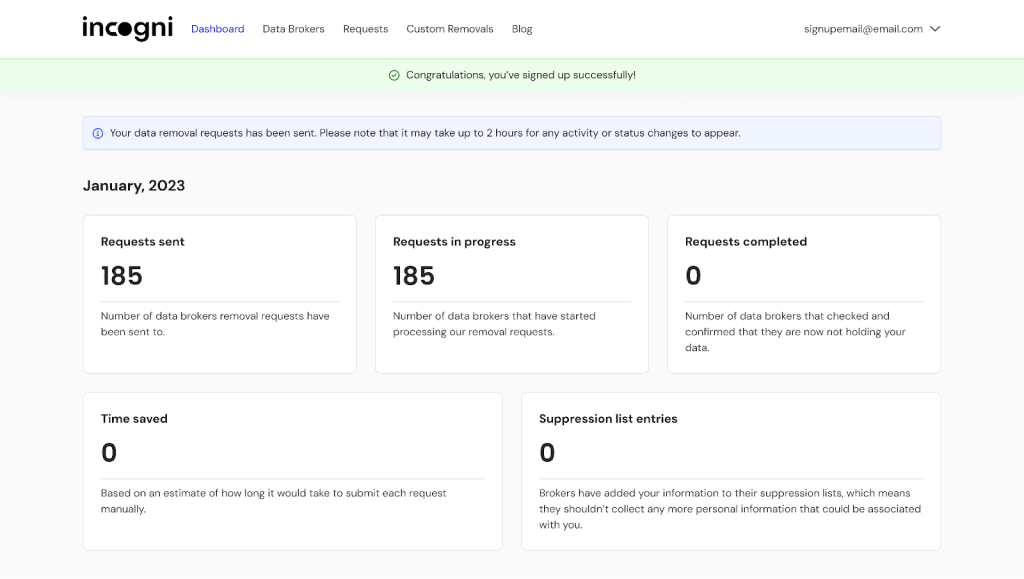
Incogni provides a clear dashboard with request logs and their statuses that you can track, but don’t have to for the system to work efficiently

Advertisement

The company has also undergone a Deloitte Limited Assurance Assessment that evaluated and confirmed different aspects of Incogni’s removal processes.

Incogni has received Editors’ Choice recognition from both PCMag and PCWorld and multiple positive reviews from industry experts.

Along with its excellent Trustpilot rating, reviews praise the provider’s ability to actually reduce spam with minimal user involvement.

Onerep

Onerep provides a clear, visible listing tracking within its supported directories. It allows its users to see exactly which sources were identified and what was removed. 

Advertisement

However, the company hasn’t published any independent third-party verification comparable to Incogni’s limited assurance assessment.

What’s more, the privacy and security industry has also been influenced by information from Krebs on Security about Onerep’s CEO, who was reported to be creating public people-search sites. It has certainly shaped public discourse on transparency.

While Onerep’s Trustpilot rating is high, it isn’t based on many reviews.

Final Words: Choosing the Right Level of Protection in 2026

Incogni and Onerep were both designed to solve similar digital privacy problems. 

Advertisement

Onerep is more about removing personal data from publicly visible directory listings, which helps users reduce exposure in search results.

Incogni, on the other hand, is built for broader suppression. It engages both public directories and private data brokers. It also repeats requests on recurring cycles, addressing not only what’s on the surface but also in the behind-the-scenes databases that actually fuel marketing, profiling, and data trading.

As data circulation becomes more complex and concerning in 2026, broker coverage matters more than ever. If your goal is long-term, vast privacy control, Incogni currently offers a more comprehensive solution.

FAQ

How does OneRep protect my real contact info during broker outreach?
Advertisement

OneRep utilizes dummy email addresses and disposable phone numbers when contacting brokers to ensure your actual information isn’t re-harvested during the opt-out process.

Are there any trust or reliability concerns I should consider?

As of 2026, some users remain cautious of OneRep due to reports regarding the founder’s ties to the data broker industry. Incogni maintains high trust through Deloitte’s independent limited assurance assessment.

Advertisement
Which platform is more effective for local US search results?

OneRep focuses exclusively on U.S.-based directories and people-search sites, making it highly efficient for domestic results. Incogni covers more brokers globally, but some of those may be less relevant to a US-only audience.

Advertisement

Source link

Continue Reading

Tech

Ramp buys Stockholm fintech Billhop

Published

on

The $32 billion US spend management platform acquires a licensed payments provider to launch corporate cards and finance tools in the UK and EU this summer.


The corporate spend management market just shifted its centre of gravity. On 13 March 2026, Ramp, the New York-based financial operations platform valued at $32 billion, announced the acquisition of Billhop, a Stockholm and London payments firm licensed to operate across the European Economic Area and the UK.

The deal gives Ramp the regulatory infrastructure it needs to onboard European and British businesses directly, something it plans to begin doing this summer.

The timing is not subtle. In January, Capital One announced a $5.15 billion deal to acquire Brex, Ramp’s long-time US rival and once the defining name in startup corporate cards.

Advertisement

The 💜 of EU tech

The latest rumblings from the EU tech scene, a story from our wise ol’ founder Boris, and some questionable AI art. It’s free, every week, in your inbox. Sign up now!

That deal is expected to close in the second quarter of 2026. Ramp’s move into Europe lands while Brex is navigating an acquisition by a traditional bank, and while the question of what happens to Brex’s product roadmap and founder-friendly positioning under Capital One remains unanswered.

The acquisition of Billhop is primarily a licensing and infrastructure play. Billhop, founded in 2012 and headquartered in Stockholm, is a payments infrastructure provider that enables businesses to pay invoices by credit card, even to suppliers that do not ordinarily accept card payments.

Advertisement

It holds a Swedish Payment Institution licence from Finansinspektionen, Sweden’s financial regulator, and is separately authorised and regulated by the UK’s Financial Conduct Authority.

Those licences give Ramp what it could not quickly build itself: the regulatory standing to process payments across EEA member states and the UK as two distinct jurisdictions.

As part of the acquisition, Ramp will open its first international offices in London and Stockholm. The company currently serves nearly half its customers with some form of international payment capability, it supports transactions in over 180 countries and offers local currency cards in Canada, Australia, Japan, Mexico, and Singapore, but all of those customers are US-headquartered businesses.

The Billhop acquisition makes it possible, for the first time, to sign up companies based in the UK and EU as primary customers.

Advertisement

“We’ve spent years building Ramp into something the most ambitious US companies rely on. This summer, for the first time, companies headquartered in the UK and EU will be able to use Ramp directly. In their first year, the median Ramp customer saves 5% and grows revenue 16%. Europe is home to extraordinary companies. We can’t wait to get to work.”

That was Eric Glyman, Ramp’s co-founder and CEO, in the company’s announcement.

Niklas Bothén, CEO of Billhop,  who was appointed to the role in a planned leadership transition in late 2024, having joined the company as COO in 2020, framed the deal as a scale-up of Billhop’s core mission.

“Our mission at Billhop has always been to remove friction from B2B payments and make it easier for businesses to manage their spend. Joining Ramp allows us to realise that vision at a much larger scale.”

Advertisement

Ramp’s broader platform, which combines corporate cards, expense management, vendor payments, procurement, travel booking, and automated bookkeeping, processes over $100 billion in purchases annually and is used by more than 50,000 customers.

The company says its customers have collectively saved over $10 billion and 27.5 million hours since its founding in 2019. It raised a $312 million Series E round in November 2025, which brought its valuation to $32 billion.

The context for all of this is a market in transition. Brex, which was valued at $12.3 billion in 2022, agreed to sell to Capital One for $5.15 billion, less than half its peak valuation, in January 2026.

The markdown reflects a period in which Brex’s core customer base of venture-backed startups sharply reduced spending as funding dried up, while Ramp, with a broader customer mix and a stronger focus on cost savings and efficiency tools, continued to grow.

Advertisement

Ramp surpassed $1 billion in annualised recurring revenue in October 2025. Brex’s exit leaves Ramp as effectively the dominant independent spend management platform in the US market.

The European market Ramp is entering is materially different from the one it has built its US business on. Corporate card penetration in Europe is lower, B2B payment infrastructure is more fragmented across national markets, and the regulatory requirements for operating as a payment institution vary significantly by jurisdiction.

Billhop’s model, specifically designed to bridge the gap between card-paying buyers and non-card-accepting suppliers across European markets, addresses exactly the structural friction that has historically made it difficult for US-centric spend management platforms to gain traction in the region.

Financial terms of the Billhop acquisition were not disclosed. No acquisition price has been published by either party.

Advertisement

Source link

Continue Reading

Tech

Running A PC Off AA Cells With Buck Converters Really Boosts Performance

Published

on

After the previous attempt of running a PC off AA cells got a lot of comments, [ScuffedBits] decided to do the scientifically responsible thing and re-ran the experiment with all the peer-reviewed commentary in mind. Although we noted with the previous experiment that only alkaline cells were used, [ScuffedBits] rectified this by stating that both carbon and alkaline AA cells were used the first time around.

For this second experiment a number of changes were made, though still both carbon and alkaline cells were put into the mix. To these a third string was added, consisting of NiMH cells, for a total of 64 cells with each of the three strings outputting around 25 VDC when fully charged. These fed a cheap buck regulator module to generate the 12 VDC for the DC-DC converter on the mainboard’s ATX connector.

Although it appears that the same thin Cat-5e-sourced wiring was used, with the higher voltage this meant a lower current, making it significantly less sketchy. Unlike with the first experiment, this time around the Core i3 530 based PC could run much longer and even boot off the DIY battery pack. After a quick game and pushing through a Cinebench run for 64 Watts maximum power usage, it turned out that there was still plenty of time for more fun activities, such as troubleshooting Minecraft and even playing it.

Advertisement

After a total runtime of 33 minutes and 19 seconds the voltage finally dropped too low to continue. A quick check of cells in each string, it turned out that the carbon cells were the most drained with significant terminal voltage drop. The alkaline cells had been pushed down to a level where they could still probably run a wall clock, but the NiMH cells showed a healthy 1.2 V, meaning that a fully NiMH battery pack could go a lot longer.

This probably isn’t too surprising when we look at the history of battery packs in laptops, where NiCd quickly got pushed out by NiMH-based packs for having significantly higher power density and none of the problems with recharging and disposal. Even today 1.5 V Li-ion-based AA cells do not have significantly more capacity than NiMH AA cells, making this chemistry still very relevant today. Even if you’re not trying to build your own battery pack for running a desktop PC off.

Advertisement

Source link

Continue Reading

Tech

Adobe CEO to step down after 18 years as investors question the company's next act

Published

on


Adobe shares fell about 7% in extended trading after the announcement, leaving the stock down roughly 23% so far this year and near a three-year low.
Read Entire Article
Source link

Continue Reading

Tech

Microsoft launches Copilot Health

Published

on

Microsoft has launched Copilot Health, a dedicated, secure space within its Copilot AI assistant that aggregates personal health data from wearables, electronic health records, and laboratory results, then applies AI to surface what the company calls a “coherent story” of a user’s health.

The product opened its waitlist on 12 March 2026 and is rolling out in phases, initially to English-speaking adults in the United States.

The launch marks Microsoft’s most direct entry into consumer health AI and places it alongside OpenAI, which introduced ChatGPT Health in January 2026, and Anthropic, which unveiled Claude for Healthcare the same month.

In the words of Dominic King, VP of Health at Microsoft AI: “2026 feels like an important year for consumer health.”

Advertisement

He told press briefing attendees that Microsoft’s consumer AI products, Copilot and Bing, already field more than 50 million health-related questions a day.

Copilot Health appears as a dedicated tab in the Copilot web interface and mobile app. Users create a health profile by entering basic details such as age and sex, then optionally connect data sources.

From there, the tool can analyse lab results, interpret wearable readings, surface connections across data streams, and help users prepare questions ahead of clinical appointments.

The data plumbing

Three connectors power the platform’s personal health layer. Wearable data, covering activity levels, sleep patterns, and vital signs, flows in from more than 50 devices, with Apple Health, Oura, and Fitbit cited as examples.

Electronic health records come through HealthEx, a US health data infrastructure provider whose network spans more than 52,000 healthcare organisations via direct FHIR-endpoint exchange, as well as TEFCA individual access services across more than 12,000 organisations. Lab results connect through Function, a venture-backed medical testing provider.

Advertisement

HealthEx confirmed the partnership in a separate press release issued on the same day. The company’s co-founder and CEO, Priyanka Agarwal, M.D., described the integration as giving users access to their health history “across labs, medications, conditions, clinical notes and more” with the ability to revoke access at any time.

Microsoft itself confirmed that users can disconnect any connector instantaneously and that health data in Copilot Health is not used for AI model training, a point the company has repeated prominently in all communications around the product.

For general health information, as opposed to personal data, Microsoft says it has elevated content from credible health organisations across 50 countries, with source selection verified by its clinical team using standards set by the National Academy of Medicine.

Responses include citations and source links. The platform also serves expert-written answer cards from Harvard Health and connects to real-time US provider directories, allowing users to search for clinicians by specialty, location, languages spoken, and insurance coverage.

Advertisement

The AI roadmap: towards ‘medical superintelligence’

Microsoft is framing Copilot Health as a step toward a longer-term goal it describes as “medical superintelligence”, a term the company has been using since at least late 2025. The vision is AI that can combine the breadth of a general physician with the depth of a specialist.

The vehicle most cited for this ambition is the Microsoft AI Diagnostic Orchestrator (MAI-DxO), a research-stage system the company says has produced strong results in clinical evaluation environments.

Microsoft says forthcoming publications will detail how MAI-DxO can be applied across a wider range of cases and conditions. The company states that any new AI features drawing on these research capabilities will only be released into Copilot Health after rigorous clinical evaluation and with clear labelling, a commitment that reads as a regulatory buffer as much as a product design principle.

“We truly believe we’re on the path to medical superintelligence that brings together both the wide-ranging knowledge of a family doctor or general physician as well as the deep domain expertise of a specialist,” said Dominic King, VP of Health, Microsoft AI.

Advertisement

Privacy, governance, and the HIPAA question

Microsoft has been careful on data governance. Copilot Health data and conversations are stored separately from general Copilot interactions, encrypted at rest and in transit, subject to stricter access controls, and not used for model training.

The product has achieved ISO/IEC 42001 certification, the international standard for AI management systems, which requires third-party verification of how an organisation builds, governs, and improves its AI services.

The platform has also been developed with an external advisory panel of more than 230 physicians from more than 24 countries, alongside consumer advocacy organisations including AARP, which serves 38 million older Americans, and the National Health Council, which represents over 180 patient advocacy groups.

However, a significant regulatory caveat emerged during press briefings. King confirmed that Copilot Health is not subject to HIPAA, the US federal law governing the privacy and security of patient health data,  because it operates as a direct-to-consumer service where users are sharing their own data, rather than as a covered healthcare entity.

Advertisement

King said: “HIPAA is not required for a direct-consumer experience like this when you’re using your own data,” while adding that Microsoft intends to announce updates on its HIPAA controls. He declined to specify what those updates would entail.

This distinction matters. HIPAA compliance obligates healthcare organisations to strict data handling, breach notification, and minimum necessary use standards.

Consumer health platforms that fall outside HIPAA, as Copilot Health does at launch, are not subject to the same enforcement regime. The FDA’s relaxation of rules around wearable clinical decision support at the start of 2026 adds further regulatory complexity: it means more AI-enabled health tools can reach consumers without pre-market FDA review.

The clinical reception

Initial expert reaction has been broadly cautious rather than hostile. Arjun Manrai, assistant professor of biomedical informatics at Harvard Medical School, told Healthcare Brew that the approach makes strategic sense, describing the use of personal context in AI health interactions as likely to become a defining trend in 2026. He called helping people prepare for doctor’s appointments a good target for large language models.

Advertisement

Physicians interviewed by the New York Times acknowledged that AI-assisted health tools could help people access health information at a time when care is becoming increasingly expensive and clinicians increasingly stretched.

But the same physicians flagged concerns about privacy risks from sharing records with large technology companies, and the potential for tools like Copilot Health to prompt unnecessary clinical visits by making users anxious about data patterns that may be clinically insignificant.

Microsoft’s standard disclaimer sits at the bottom of every Copilot Health communication: the product is not intended to diagnose, treat, or prevent diseases, and is not a substitute for professional medical advice.

Advertisement

Source link

Continue Reading

Tech

Higher Jet Fuel Prices Could Melt Your Summer Travel Plans

Published

on

The price of jet fuel has doubled since the Iran war began two weeks ago, as disruptions in vital shipping lanes limit the global trade of crude and refined oil. The airlines that run on it are racing to keep up. Jet fuel alone accounts for somewhere between 25 and 35 percent of airlines’ costs. The next stop is higher ticket prices.

It’s already happening, to some degree. Several airlines, including Air Asia and Hong Kong Airlines, have explicitly said they’re adding to their usual fuel surcharges. Domestic US ticket prices are up (though they were rising before the war too). “When [the oil price] goes up this rapidly, airfares go up,” United Airlines CEO Scott Kirby told The Wall Street Journal this week. “They also come down, by the way, when fuel goes back down.”

Because no one has a crystal ball, what this all means for travelers is up in the air. Travel and airline industry experts say it’ll take several more weeks of conflict and high fuel prices to really begin reshaping the economics of travel—or to know, even, whether it’s happening. Airlines set initial schedules, routes, and ticket prices months out, which means the money they’re losing today to high costs might only be recouped through ticket sales for flights well into the future.

Here’s what’s likely going on behind the scenes at airlines that will decide whether high fuel prices translate into scrambled travel plans.

Advertisement

Travel vs. Leisure

For now, airlines are likely tinkering around the edges of operations and ticketing plans, says Ahmed Abdelghany, who studies airline operations as a professor in Embry-Riddle Aeronautical University’s College of Business. Some of these changes likely won’t be perceptible to the average flier. To make flights more fuel-efficient, for example, and less expensive to operate, airlines have likely already gotten careful about how much fuel is being carried on each flight, he says—less weight, less fuel burned. Upping ticket prices is an easier lift logistically for airlines, but not an automatic move.

“We say the airlines have three devils: volatility in fuel price, volatility in demand, and volatility in weather,” Abdelghany says. “For airlines to raise the fare, it’s not an easy decision, because it’s going to affect demand.”

In fact, many airlines could shield regular vacationers from the brunt of price spikes, initially, because they believe some demand will stick around despite high fares. Since the disruptions that came with the Covid-19 pandemic, several major airlines have rejiggered their business models to focus on business fliers, who tend to be less price-sensitive as they travel on the company dime. “There’s more focus on premium travelers and increased upselling, as opposed to a model that was more domestically focused and had a larger share of business from the main cabin,” says Jarrett Bilous, the managing director for transportation, aerospace, and defense at S&P Global Ratings. Airlines could choose to pass on higher prices to spendier passengers first.

The tickets less affected by price hikes in the shorter term, then, might be the ones more likely to have leisure travelers aboard: trips that start and end on weekends, or last two weeks instead of a handful of days (which reads “business trip”).

Advertisement

But there’s no guarantee that airlines will stick to that strategy if the high fuel prices drag on, Bilous says. The newer theories about sustainable business traveler demand haven’t been tested during a real financial squeeze. “We really haven’t had either a sustained demand downturn or a price shock in quite some time,” he says.

A New World

If the jet-fuel price shock continues for weeks or even months, bigger changes—and inconveniences—might be headed to an airline near you. Airlines might cut their schedules, targeting less profitable routes to start. (They could also nix flights that pass through the unsettled airspace around the ever-widening conflict.)

During the last major and sustained fuel shock in 2008, airlines charged for checked and eventually carry-on bags. Though the aviation business has changed since then, it’s possible airlines could once again start experimenting with new ways to make extra money off fliers. “New ancillary revenues, fees, charges, maybe lowering the maximum weight of check-in bags—it’s possible,” Abdelghany says. But these sorts of new systems would take a while to implement.

Bilous, the analyst, stopped short of offering ticket-buying advice. “The risk of higher prices has certainly grown versus a few weeks ago,” he says. “Just how much higher, if at all, they go, it remains to be seen.”

Advertisement

Source link

Continue Reading

Tech

Dyson Airwrap i.d hits Black Friday big saving again

Published

on

Ever spent ages trying to curl or smooth your hair only to end up juggling multiple hot tools, wishing one device could dry, style, and shape everything in one go?

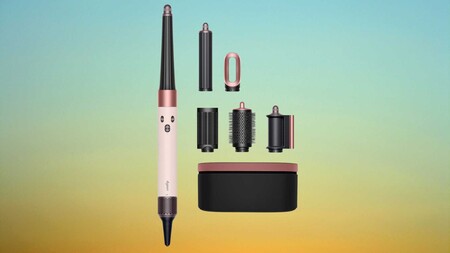
Then we can help you out, as the Dyson Airwrap i.d multi-styler and Dryer straight+wavy is now £399, down from its usual £479.99 retail price.

That brings one of Dyson’s most advanced hair styling tools back to a rare Black Friday-level saving during this Amazon Spring Deal Days sale.

Deal Dyson Airwrap idDeal Dyson Airwrap id

Dyson Airwrap i.d hits Black Friday big saving again

The Dyson Airwrap i.d has scored another hefty Black Friday discount, putting this sought‑after styler firmly back in the spotlight.

Advertisement

View Deal

The Dyson Airwrap i.d is designed to replace several separate styling tools, using Dyson’s signature Airwrap technology to style hair while it dries rather than relying on extreme heat.

Instead of clamping or pressing hair between heated plates, the device uses high-velocity airflow to attract and wrap strands around its barrels, which helps shape curls and waves while reducing the heat damage common with traditional styling tools.

Advertisement

Advertisement

Powered by a 1300W motor, the tool delivers strong airflow that helps dry hair quickly while still giving users control through three speed settings and three heat levels for adjusting the styling process.

That flexibility becomes especially useful for people with longer hair, as the device is specifically designed for chest-length or longer styles and can handle thicker sections without constant repositioning or repeated passes.

The Whatsapp LogoThe Whatsapp Logo

Get Updates Straight to Your WhatsApp

Join Now

Where the Dyson Airwrap i.d really earns its reputation is in the number of styling options it offers without needing separate appliances scattered across your bathroom counter.

Advertisement

Included attachments such as the concentrator, diffuser, and brush heads, allow the device to move from rough drying to smoothing or shaping depending on the look you want that day.

The Dyson Airwrap i.d multi-styler and Dryer straight+wavy also makes everyday styling less complicated because switching attachments takes seconds, meaning you can transition from drying to curling without stopping to reach for another tool.

Advertisement

At £399, the Dyson Airwrap i.d remains a premium styling device, but this discount brings the price closer to what many people would normally spend on several separate hair tools combined.

Advertisement

SQUIRREL_PLAYLIST_10148964

Source link

Continue Reading

Tech

Inside LightSpeed Studios’ Bold New Blueprint for Building the Next Generation of Original Games

Published

on

At this year’s GDC Festival of Gaming, conversations around the future of game development are back, and amid this conversation is LightSpeed Studios. Remember last year when they first teased their “Original IP Initiative“? The one where they promised to pour serious resources into building new worlds from scratch? Well, they’re back at GDC 2026 with the receipts. They’re pulling back the curtain on a strategic framework for creating original IPs that they’ve been quietly building and pulling together a team around for the past year.

It’s Not Just About Making Games, It’s About Building Worlds That Last

Here’s the thing about the gaming industry right now: everyone’s chasing the next big thing, but most are doing it with their eyes fixed on what’s already working. LightSpeed Studios is taking a different tack. They’ve spent the last twelve months assembling what amounts to a creative dream team and building what they’re calling a “proprietary framework” for developing original IPs.

Translation? There’s a rhyme and reason to how they design games. And it’s centered around a system designed to consistently produce games that don’t just look good but feel like it could be new, or a breath of fresh air.

The Heavy Hitters Have Entered the Chat

If you’re going to bet big on original IP, you bring in the best in the business. Enter Feng Zhu, recently appointed as Creative Director, whose resume reads like a master class in world-building. Known for his design work on shaping major Hollywood franchises, including Star Wars Episode 3, his job at LightSpeed Studios aims to channel all that cinematic storytelling expertise into original games.

In parallel, Kristin Gallagher, Studio Manager of the newly unveiled LightSpeed Mocap LA, a new state-of-the-art motion capture studio, is leading a purpose-built facility engineered for tackling complicated stunt sequences that Gallagher herself describes as among the most complex that she’s encountered in her 20-year career. When someone with that many years of experience is willing to admit this, it’s hard not to pay attention.

Advertisement

The “90:10” Rule That Changes Everything

Here’s where it gets interesting. During his GDC session “Creating IP Through Understanding,” Zhu dropped some details about the philosophy, which he calls the “90:10 Balance,” that’s driving all of this.

For any given title, 90% of it is rooted in reality. For example, this could include actual locations, historical context, and proportions that make sense in the real world.

The remaining ten percent? Whether it’s cranking up the tension in the narrative of a distinctive storyline, this is where game designers can ink their own personality and break from convention to create a memorable game. It’s like building a home. The foundation and framework are familiar and proven to work. But the interior design is where you make your home your own.

The Production Infrastructure Powering LightSpeed Studio’s Motion Capture

In the spirit of Hollywood and what makes action-packed blockbuster films stand out, this is where motion capture enters the picture. LightSpeed Mocap LA isn’t just any warehouse, as it’s stocked with state-of-the-art Vicon Valkyrie cameras, but what you can’t physically see are the custom APIs developed in-house to handle file management, and tools for streamlining the entire pipeline, which created an environment where complexity isn’t a barrier.

This enables the LightSpeed Mocap LA to dive into complex scenes like capturing a single hero performer, despite being surrounded by thirteen motion capture artists, while keeping every subject perfectly isolated. Or coordinating seven performance capture actors alongside four additional performers, all within a unified pipeline.

Advertisement

What This Means for LightSpeed Studios’ Future Gamers

So why should you care? Because this framework isn’t just theoretical. It’s already being deployed and set to be deployed on LightSpeed Studios’ future titles. Making pretty games is a baseline, but beyond this, a great game involves building worlds with depth, identity, and a storyline that’s immersive and compelling enough to keep you coming back. When the industry sometimes feels stuck between sequels and reboots of games, it’s refreshing when a studio has a framework set on consistently creating titles that are genuinely new.

Source link

Continue Reading

Tech

Meta's massive undersea cable project delayed in Persian Gulf as Iran conflict escalates

Published

on


Meta’s 2Africa undersea cable project has hit another geopolitical snag, this time in the Persian Gulf. According to Bloomberg, Alcatel Submarine Networks (ASN), the company responsible for laying parts of the system, has declared force majeure (a contractual clause that excuses a party from liability if an extraordinary, unforeseeable event…
Read Entire Article
Source link

Continue Reading

Trending

Copyright © 2025