Border Patrol commander Greg Bovino has been sent back to the border after making himself the Nazi scum face of the Trump administration’s brutal efforts to purge this country of as many non-white people as possible.
Bovino made it clear what team he really wanted to play for before Trump was even sworn in for the second time. After Trump’s election win (but before Trump actually took office), Bovino self-authorized an expansive anti-migrant operation without bothering to check in with DHS leadership to make sure he was cleared to do this.
Trump is always capable of recognizing opportunistic thugs whose dark hearts are as corroded as his own. Bovino was swiftly elevated to an unappointed position as the nominal head of Trump’s many inland invasions of cities run by the opposing political party. Bovino embraced the role of shitheel thug, leading directly to court orders that attempted to restrain his brutal actions. Bovino appeared willing to ignore most court orders he was hit with, increasing his brutality and his public contempt of not only court orders, but the judges themselves, who he insulted during public statements to journalists.
After two murders in three weeks, the Trump administration started to realize it has lost the “hearts and minds” battle with most US citizens and residents. While ICE operations continue to be indistinguishable from kidnapping and the DHS is still ambushing migrants attempting to follow the terms of their supervised release agreements, Bovino has become the now-unacceptable personification of the administration’s bigoted war on migrants.
Advertisement
Bovino has been sent back down to the minors, so to speak. He’s been removed from high-profile surges in Chicago and Minneapolis and remanded to his former patrol area, which is much, much closer to the US border where there’s nearly no immigration activity happening thanks to the ongoing war on migrants.
Insubordination is fine as long as it doesn’t create friction Trump may have to eventually deal with. Bovino, however, is just as incapable of picking his battles as the president himself. Too many cocks spoil the broth, as the saying (almost) goes.
Bovino wanted to conduct large-scale immigration sweeps during an operation in Chicago in September, but the acting director of Immigration and Customs Enforcement, Todd Lyons,told him the focus was to conduct “targeted operations,” arresting only of people known to federal agents ahead of time for their violations of immigration law or other laws, according to the correspondence.
“Mr. Lyons seemed intent that CBP conduct targeted operations for at least two weeks before transitioning to full scale immigration enforcement,” Bovino wrote in an email to Department of Homeland Security leaders in Washington, referring to Customs and Border Protection, which oversees Border Patrol agents. “I declined his suggestion. We ended the conversation shortly thereafter.”
Advertisement
Keep in mind that Bovino is a Border Patrol commander who was working nowhere near the border. Also, keep in mind that ICE is the lead agency in any immigration enforcement efforts because… well, it’s in the name: Immigration and Customs Enforcement. This is Bovino not only giving the finger to the chain of command, but also insisting his agency (along with the CBP) take the lead in Midwestern apprehensions, despite neither agency having much in the terms of training for inland operations.
The email also revealed a rather bizarre chain of command, with Bovino saying he reported to Noem’s aide, Corey Lewandowski, and appearing to defy Lyons’ authority. “Mr. Lyons said he was in charge, and I corrected him saying I report to Corey Lewandowski,” Bovino reportedly said of the unpaid special government employee.
This email makes one thing perfectly clear: Bovino appeared to believe he answered to no one. And he would only “report” to people he felt wouldn’t push back against his confrontational, rights-violating efforts. This probably would have never been a problem, but Bovino consistently crossed lines that even Trump’s high-level sycophantic bigots were hesitant to cross.
And now he’s the one who is experiencing the “find out” part that usually follows the “fucking around.” He’s been sidelined, perhaps permanently. Acting ICE director Todd Lyons is the new face of Trump’s inland invasions. Kristi Noem herself seems to be on the list of potential cuts, should the administration continue its on-again, off-again pivot to a less outwardly racist agenda when it comes to immigration enforcement.
Advertisement
But I’m not here to damn with faint praise or even damn with faint damnation. I hope Bovino’s last years as a Border Patrol commander are as terrible as his haircut. I hope Todd Lyons veers so far to the middle that Trump shitcans him. I hope Noem is on the path to private sector employment, tainted with the scarlet “T” that means any future version of MAGA won’t even bother to check in with her now that the only people she can make miserable are her own children. Adios, Bovino. Sleep badly.
EU reckons it could assert trust and authenticity by removing AI-generated content
The bloc is also drafting a code of practice to protect citizens
Blocking AI altogether might not be the best move, though
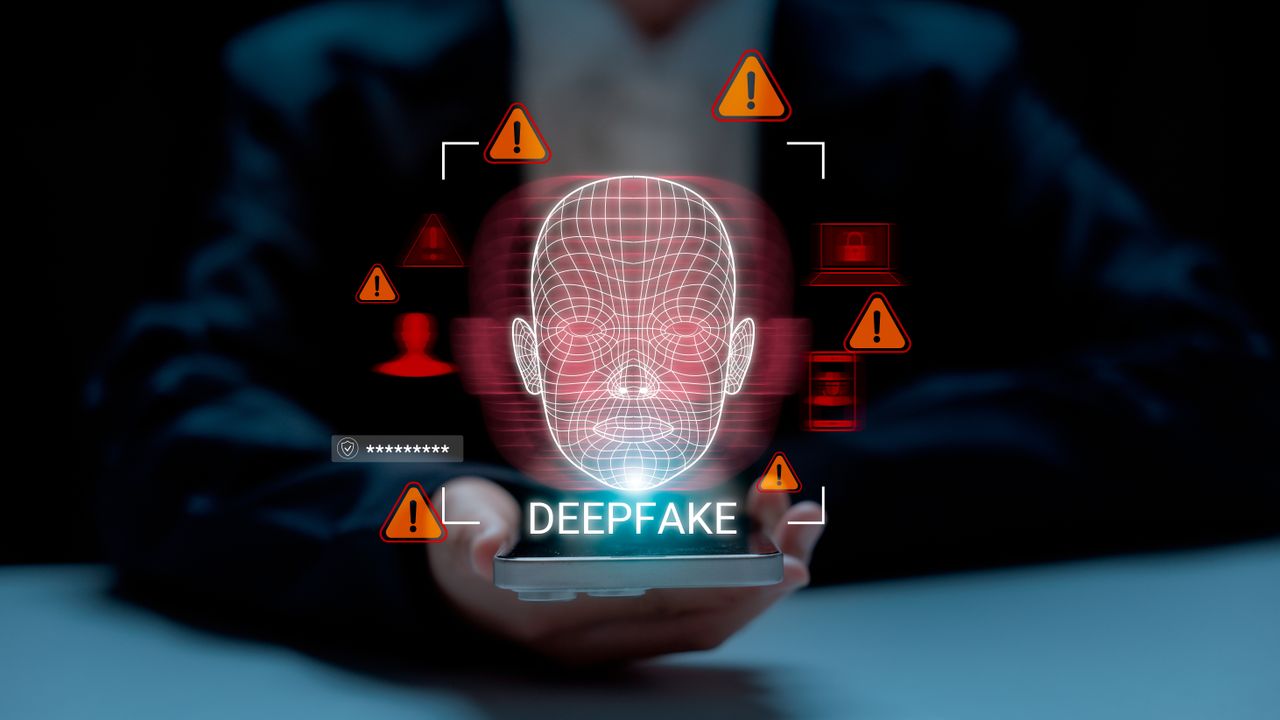
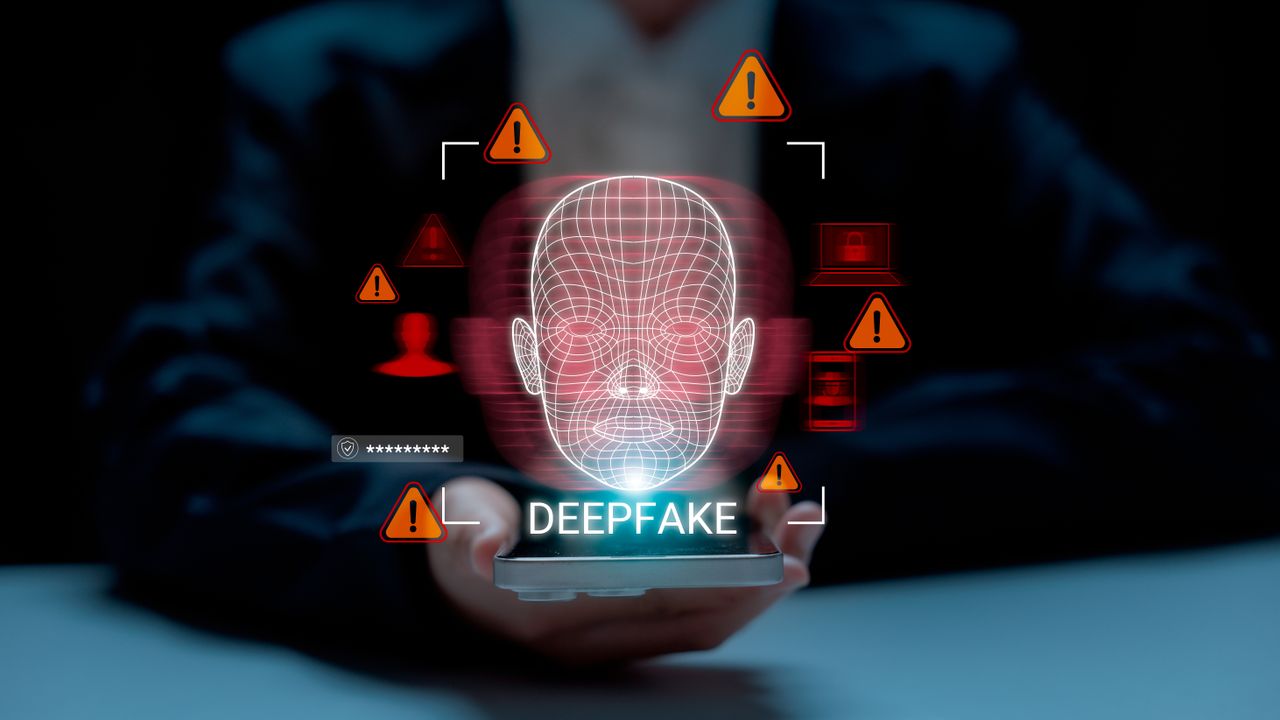
The European Union is reportedly considering a ban on AI-generated images and videos – otherwise known as deepfakes – in official communications.
According to new Politico reporting, with ongoing geopolitical tensions rising, elections running their courses and further public announcements, it’s believed the focus would be to protect trust in government messaging.
It’s unclear whether the rule would ban AI-generated content that mimics official people or places, or whether it would apply to all images and videos in political communications.
Article continues below
Advertisement
EU considers a ban on AI deepfakes
As it stands, politicians and policymakers are already voicing concerns over AI’s impact on democracy, with many worried fake content could undermine authentic news.
However, a blanket ban might not be truly effective. While fully banning deepfakes suggests all EU communications are legitimate, it doesn’t stamp out deepfakes appearing on third-party platforms (particularly social media). A further seal of approval to verify the authenticity of any EU communications could also help on this front – but that’s not included within current proposals.
Advertisement
There are also calls for AI-generated content to be labelled more clearly as policymakers see the technology as a growing disinformation threat, particularly in global politics.
Separately, Europe is also looking to control the harmful uses of generative AI. The bloc’s AI Office has already started to draft a code of practice, which independent experts will continue to build on.
Sign up to the TechRadar Pro newsletter to get all the top news, opinion, features and guidance your business needs to succeed!
As for the proposed ban, though, the rules are still being shaped and will need to be agreed before becoming law.
Advertisement
However, some experts have criticized Europe for being so harsh in the rules it set out that it could risk falling behind other nations. “Responsible use beats abstinence,” OECD advisor Walter Pasquarelli wrote (via Politico).
We spend hours testing every product or service we review, so you can be sure you’re buying the best. Find out more about how we test.
Samsung Galaxy Book6 Pro: Two-minute review
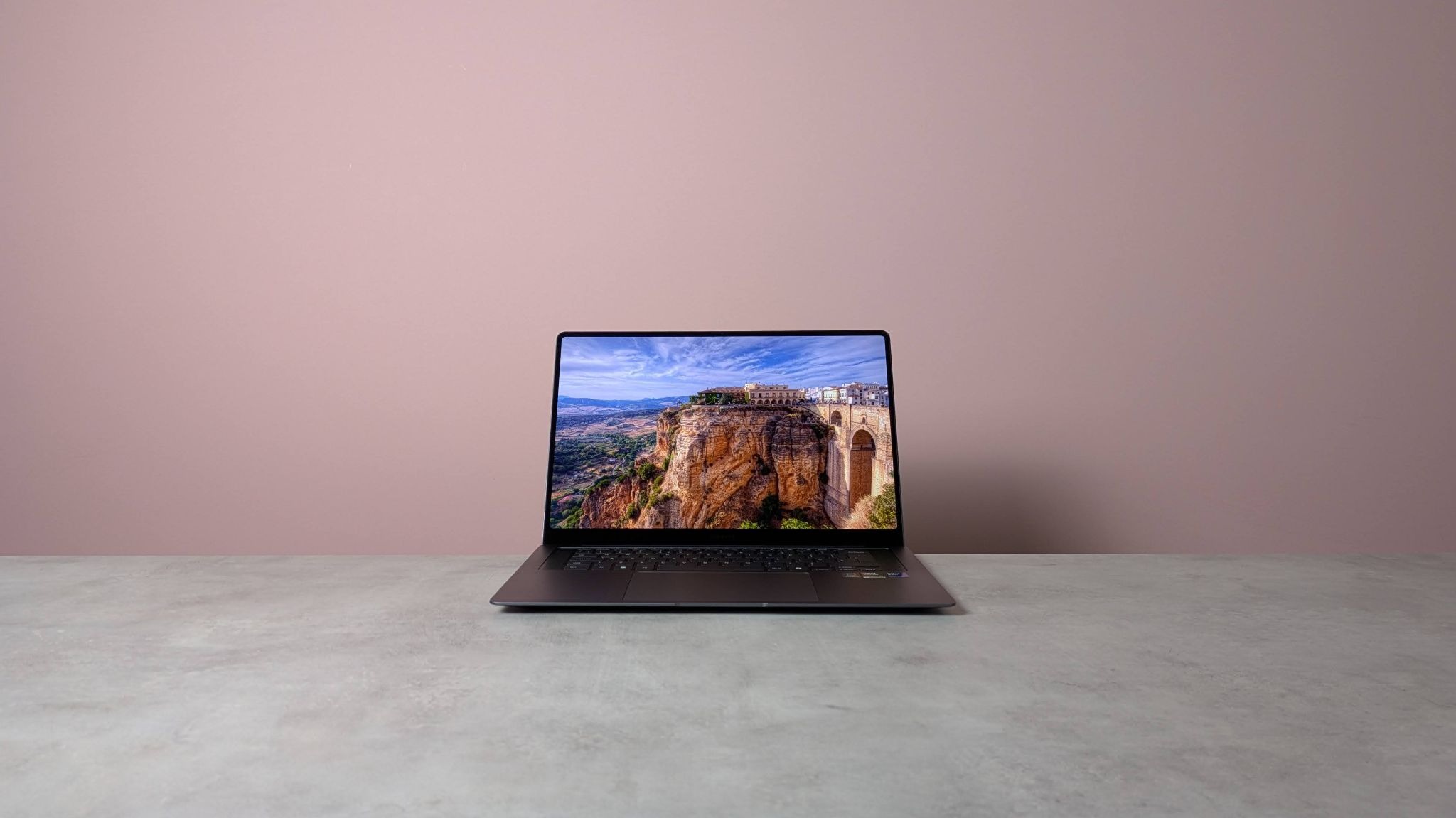
The Samsung Galaxy Book6 Pro is a laptop in the ultrabook class, featuring a sublime design that keeps bulk to a minimum.
I was immediately struck by the svelteness of the unit. The clean lines and rounded corners only add to its minimalist chic, as does the steely grey colorway.
Advertisement
It looks and feels every bit as premium as any of our current best laptops. All materials are smooth to the touch, while the metal base is solid. The metal lid isn’t quite as stable as those on some other laptops I’ve tested, but it’s perfectly sufficient for normal use, and the hinge operates very well.
The price you pay for such solidity, though, is that the Galaxy Book6 Pro isn’t exactly light. I tested the 16-inch model, so I wasn’t expecting a featherweight unit, but it’s worth mentioning all the same. At least its thin profile makes it more portable than it otherwise would be.
The Book6 Pro’s all-round performance is excellent. It can handle all kinds of tasks without missing a beat, and I was also amazed by its gaming performance, despite the lack of dedicated GPU. It was able to run AAA titles at respectable graphical settings in perfectly playable states.
Advertisement
(Image credit: Future)
Note that you can feel some heat on the keyboard, with fan noise apparent, even when the laptop is under moderate stress. Thankfully, the noise is relatively hushed, and not likely to cause much disruption.
However, it was the 16-inch 3K AMOLED display of my review unit that really caught the eye. It’s as bright, sharp, and rich as you could wish for, while touchscreen functionality is also great. Unlike the majority of laptops screens, the rounded corners of the frame here add to the display’s appeal, while the super-thin bezel ensures that none of the copious real estate goes to waste.
Sign up for breaking news, reviews, opinion, top tech deals, and more.
The keys on the Galaxy Book6 Pro are a little heavier than you might expect, which can lead to presses failing to register, at least in my experience. The layout is also a little cramped — and it’s a shame that on a laptop of this size, Samsung has chosen to omit a number pad and most navigation keys.
Advertisement
I have fewer complaints about the touchpad, though. Its large size and incredibly smooth surface make navigation a cinch. Also, it mostly avoids encroaching on wrist space when typing; only on a few brief occasions did I accidentally trigger cursor movement.
Battery life is adequate, if not spectacular. It lasted 14 hours in our movie playback test, which is under an hour of that achieved by the Asus Zenbook S 16 and the Apple MacBook Air 15-inch (M4), but an hour more than the Dell 16 Plus.
The Galaxy Book6 Pro is certainly a costly proposition, but when you consider all that it offers, its value becomes more apparent. It’s similarly priced to the aforementioned Zenbook, a close rival in many ways, and more expensive than the Dell 16 Plus. Nevertheless, it’s difficult for either of these alternatives to surpass the sheer quality and glorious display of Samsung’s super-slender machine.
16-inch 2,880 x 1,800 (WQXGA+), Dynamic AMOLED 2X, Anti-Reflective, touchscreen
16-inch 2,880 x 1,800 (WQXGA+), Dynamic AMOLED 2X, Anti-Reflective, touchscreen
Advertisement
Ports and Connectivity
2 x USB-C (Thunderbolt 4), 1 x USB-A 3.2, 1 x HDMI 2.1, 1 x 3.5mm combo audio; Wi-Fi 7, Bluetooth 5.4
2 x USB-C (Thunderbolt 4), 1x USB-A 3.2, 1 x HDMI 2.1, 1 x 3.5mm combo audio; Wi-Fi 7, Bluetooth 5.4
Battery
Advertisement
78Wh
78Wh
Dimensions
14.1 x 9.8 x 0.5 inches (357 x 248 x 12mm)
Advertisement
14.1 x 9.8 x 0.5 inches (357 x 248 x 12mm)
Weight
3.51lbs / 1.59kg
3.51lbs / 1.59kg
Advertisement
Samsung Galaxy Book6 Pro review: Price & availability
(Image credit: Future)
Starts from $1,899.99 / £1,699
Available now
Expensive, but in line with some others
Pricing for the Galaxy Book6 Pro starts from $1,899.99 / £1,699 (about AU$2,740; pricing and availability for Australia is TBC at the time of writing), with the models available now. It can be configured with 16GB or 32GB of RAM, and 256GB, 512GB, or 1TB of storage. There are two Intel Core Ultra CPUs to choose from, the 7 356H and the X7 358H — the latter of which is reserved for the top-tier model. A variant with the Ultra 5 325 is coming soon.
The Galaxy Book6 Pro is an expensive laptop, then — although this isn’t too surprising, given its design and spec. The base model is similarly in price to the Asus Zenbook S 16, which also features a 3K OLED display, but 24GB instead of 16GB of RAM.
However, if you’re in the market for a large laptop that still offers plenty of quality for less, there’s the Dell 16 Plus. The base model is significantly cheaper than the Galaxy Book6 Pro’s, but it still arrives with an Intel Core Ultra 7 chip, 16GB of RAM, and 1TB of storage. Its resolution is lower, but only slightly.
Advertisement
Samsung Galaxy Book6 Pro review: Design
(Image credit: Future)
Incredibly thin
Solid metal enclosure
Quite heavy
In line with many of Samsung’s mobile devices, the Galaxy Book6 Pro is a sleek, premium-looking machine. The dark grey colorway is also very fetching and somehow adds more interest than your typical monochromatic designs.
Every contour is completely flat, while the corners, which are more rounded than most, give the design a softer appearance. Even the underside of the laptop is free of the fuss , with just four discreet rubber feet in each corner.
What’s more, the Galaxy Book6 Pro’s build quality is exceptional. The all-metal chassis is supremely strong, and while the lid isn’t as stable as some other models when open, it stays put under normal usage. The hinge for it is satisfyingly smooth, too. The bezel around the display is incredibly thin, which is always great to see, but the lack of a physical privacy shutter for the webcam, not so much.
The keys are more solidly planted than those of other laptop keyboards, and they also feature backlighting — which, in my opinion, is pretty much an essential feature.
Best of all, though, is just how thin the Galaxy Book6 Pro is. It’s reminiscent of the MacBook Air M1, since it thins out towards the front end. Given my review unit was the 16-inch model, I wasn’t too surprised by its weighty feel, but this does somewhat negate the utility of that slender form when it comes to portability. Still, it certainly makes it easier to slide in and out of a bag.
Advertisement
Samsung Galaxy Book6 Pro review: Performance
(Image credit: Future)
Surprisingly capable graphical performance
Superb display
Keys are a little heavy
Samsung Galaxy Book6 Pro benchmarks
3DMark: Night Raid: 46,524; Fire Strike: 13,987; Steel Nomad: 1,413; Solar Bay: 28,816; Solar Bay Unlimited: 29,056; Solar Bay Extreme: 4,270; Solar Bay Extreme Unlimited: 4,300 Geekbench 6.5: Multicore: 16,837; Single-core: 2,880 Cinebench R23: Multi Core: 16,250; Cinebench R24: Single Core: 121; Multi Core: 995 Crossmark: Overall: 2,125; Productivity: 1,906; Creativity: 2,567; Responsiveness: 1,670 Passmark Overall: 9,831.3; CPU: 36,603.9; 2D Graphics: 889.8; 3D Graphics: 9,241.2; Memory: 4,155.5; Disk: 43,906.2 BlackMagicDisk: Read: 4,369MB/s; Write: 3,371MB/s HandBrake 4K to 1080p: 85fps Total War: Warhammer III: 1080p, Medium: 76fps Total War: Warhammer III: 1800p, Ultra: 22fps Battery Life (TechRadar movie test): 14 hours and 52 seconds
The general performance of the Galaxy Book6 Pro is very good. It handles basic browsing and productivity tasks, as well as 4K streaming, with ease.
What surprised was just how well it handled games. Despite lacking a dedicated GPU, it managed to run Cyberpunk 2077 with the Ray Tracing: Ultra preset selected, without succumbing to disruptive slowdowns or stuttering. Intel’s XeSS Super Resolution 2.0 (in Auto mode) and Frame Generation were both enabled during my sessions.
Advertisement
Of course, the Galaxy Book6 Pro isn’t going to dethrone the best gaming laptops, and the keyboard layout can feel a little cramped when in the typical WSAD position; but it’s impressive, nonetheless.
Some heat was noticeable all over the keyboard during such intensive tasks, no doubt a corollary of that ultra-thin design — but, thankfully, the temperatures remained well within comfortable bounds. Some fan noise did become apparent, even under moderate workloads, but I didn’t find this too disturbing.
(Image credit: Future)
The AMOLED display is every bit as sumptuous as you’d expect it to be. The 3K resolution is satisfyingly crisp, while colors are vibrant and the contrast expectedly deep. The touchscreen functions well, too, responding quickly and accurately to my finger inputs.
I was also fond of the bezel’s rounded corners, which soften the frame and make on-screen content appear neater somehow. It’s a small touch that I wish more laptop displays featured; the best MacBooks have it, but only in the top corners, not the bottom as well.
Advertisement
The keys are nicely damped, but still display relatively shallow travel. However, they’re heavier than others, which resulted in some of my presses failing to register, requiring more force than I’m accustomed to producing. This may be an adjustment you’ll need to make as well, if you’re someone with a light touch.
While the layout is comfortably spaced for typing, it’s a shame there’s no number pad and only a few navigation keys (Insert/ Prt Sc and Delete) on the Galaxy Book6 Pro, given the 16-inch real estate of my unit.
The touchpad on the 16-inch model of the Book6 Pro is large, which is great for navigation. Despite this, there’s also enough room on the sides for resting your wrists while you type. There were times when the cursor moved as a result of my palms coming into contact with the pad, but this wasn’t frequent or long-lasting enough to cause a problem.
Advertisement
Samsung Galaxy Book6 Pro review: Battery life
(Image credit: Future)
Middling longevity
Quick to charge
The Galaxy Book6 Pro offers an average battery life. When I ran a movie on a continuous loop, it lasted 14 hours. This is well below Samsung’s claimed figure of up to 30 hours. However, it’s only an hour less than what the Asus Zenbook S 16 and the Apple MacBook Air 15-inch (M4) managed.
However, it lasted over an hour more than the Dell 16 Plus. It’s also quick to charge, taking about two hours to go from empty to full.
Should I buy the Samsung Galaxy Book6 Pro?
Swipe to scroll horizontally
Row 0 – Cell 0
Notes
Rating
Advertisement
Value
Super expensive, although the base model isn’t too bad for an ultrabook.
3.5 / 5
Design
Advertisement
It’s hard to find fault with the build quality and materials here. It’s exceptionally thin, but quite heavy.
4.5 / 5
Performance
The Galaxy Book6 Pro performs well, even on graphical tasks, while that huge OLED touchscreen display is truly stunning. The keys are a little heavy, though, and the layout of them is compromised.
Advertisement
4.5 / 5
Battery life
Decent, but nothing to write home about. Longevity is somewhere in the middle compared to its rivals.
3.5 / 5
Advertisement
Total
If your pockets are deep enough, you’re unlikely to be disappointed with how this laptop looks and performs.
4.5 / 5
Advertisement
Buy the Samsung Galaxy Book6 Pro if…
Don’t buy it if…
Samsung Galaxy Book6 Pro review: Also consider
How I tested the Samsung Galaxy Book6 Pro
(Image credit: Future)
Tested for several days
Ran our series of benchmarks
Plentiful laptop reviewing experience
I tested the Galaxy Book6 Pro for several days. I used it for all kinds of tasks, from general browsing and light productivity to 4K streaming and AAA gaming. I also ran our series of benchmark tests, designed to assess every aspect of a laptop’s performance.
I have plenty of experience reviewing computing devices of all kinds. I’ve tested numerous laptops, from budget offerings to top-tier gaming machines. I’ve also reviewed desktops, Chromebooks, and tablets.
Google released emergency updates to fix another Chrome zero-day vulnerability exploited in attacks, marking the fourth such security flaw patched since the start of the year.
“Google is aware that an exploit for CVE-2026-5281 exists in the wild,” Google said in a security advisory issued on Tuesday.
As detailed in the Chromium commit history, this vulnerability stems from a use-after-free weakness in Dawn, the underlying cross-platform implementation of the WebGPU standard used by the Chromium project.
Attackers can exploit this Dawn security flaw to trigger web browser crashes, data corruption, rendering issues, or other abnormal behavior.
Advertisement
While Google has found evidence that threat actors were exploiting this zero-day flaw in the wild, it did not share details about these incidents.
“Access to bug details and links may be kept restricted until a majority of users are updated with a fix. We will also retain restrictions if the bug exists in a third party library that other projects similarly depend on, but haven’t yet fixed,” the company noted.
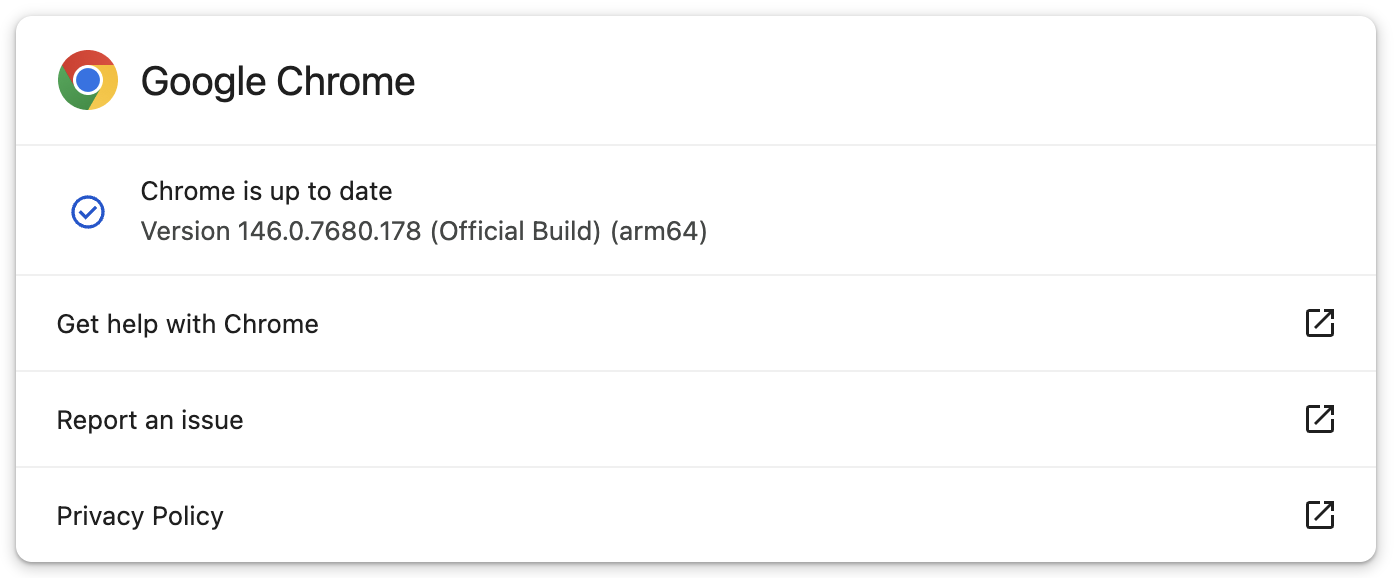
Google has now fixed the zero-day for users in the Stable Desktop channel, with new versions rolling out to Windows, macOS (146.0.7680.177/178), and Linux users (146.0.7680.177). While Google says that this out-of-band update could take days or weeks to reach all users, it was immediately available when BleepingComputer checked for updates today.
If you don’t want to update the browser manually, you can also have it check for updates at the next launch and install them automatically.
Advertisement
This is the fourth actively exploited Chrome zero-day patched since the start of the year. The first (CVE-2026-2441) was an iterator invalidation bug in CSSFontFeatureValuesMap (Chrome’s implementation of CSS font feature values), which Google addressed in mid-February.
Google patched two other Chrome zero-day bugs exploited in attacks earlier this month: the first is an out-of-bounds write weakness in the Skia 2D graphics library (CVE-2026-3909), and the second is an inappropriate implementation vulnerability in the V8 JavaScript and WebAssembly engine (CVE-2026-3910).
In 2025, Google fixed a total of eight zero-days exploited in the wild, many of which were discovered and reported by Google’s Threat Analysis Group (TAG), which is known for tracking and identifying zero-day exploits used in spyware attacks.
Automated pentesting proves the path exists. BAS proves whether your controls stop it. Most teams run one without the other.
This whitepaper maps six validation surfaces, shows where coverage ends, and provides practitioners with three diagnostic questions for any tool evaluation.
MIT Technology Review discovered that startup R3 Bio has pitched an ethically and scientifically explosive long-term vision beyond its public work on non-sentient monkey “organ sacks”: creating human “brainless clones” or replacement bodies for organs as part of an extreme life-extension agenda. From the report: Imagine it like this: a baby version of yourself with only enough of a brain structure to be alive in case you ever need a new kidney or liver. Or, alternatively, he has speculated, you might one day get your brain placed into a younger clone. That could be a way to gain a second lifespan through a still hypothetical procedure known as a body transplant.
The fuller context of R3’s proposals, as well as activities of another stealth startup with related goals, have not previously been reported. They’ve been kept secret by a circle of extreme life-extension proponents who fear that their plans for immortality could be derailed by clickbait headlines and public backlash. And that’s because the idea can sound like something straight from a creepy science fiction film. One person who heard R3’s clone presentation, and spoke on the condition of anonymity, was left reeling by its implications and shaken by [R3 founder John Schloendorn’s] enthusiastic delivery. The briefing, this person said, was like a “close encounter of the third kind” with “Dr. Strangelove.” […]
MIT Technology Review found no evidence that R3 has cloned anyone, or even any animal bigger than a rodent. What we did find were documents, additional meeting agendas, and other sources outlining a technical road map for what R3 called “body replacement cloning” in a 2023 letter to supporters. That road map involved improvements to the cloning process and genetic wiring diagrams for how to create animals without complete brains. A main purpose of the fundraising, investors say, was to support efforts to try these techniques in monkeys from a base in the Caribbean. That offered a path to a nearer-term business plan for more ethical medical experiments and toxicology testing — if the company could develop what it now calls monkey “organ sacks.” However, this work would clearly inform any possible human version.
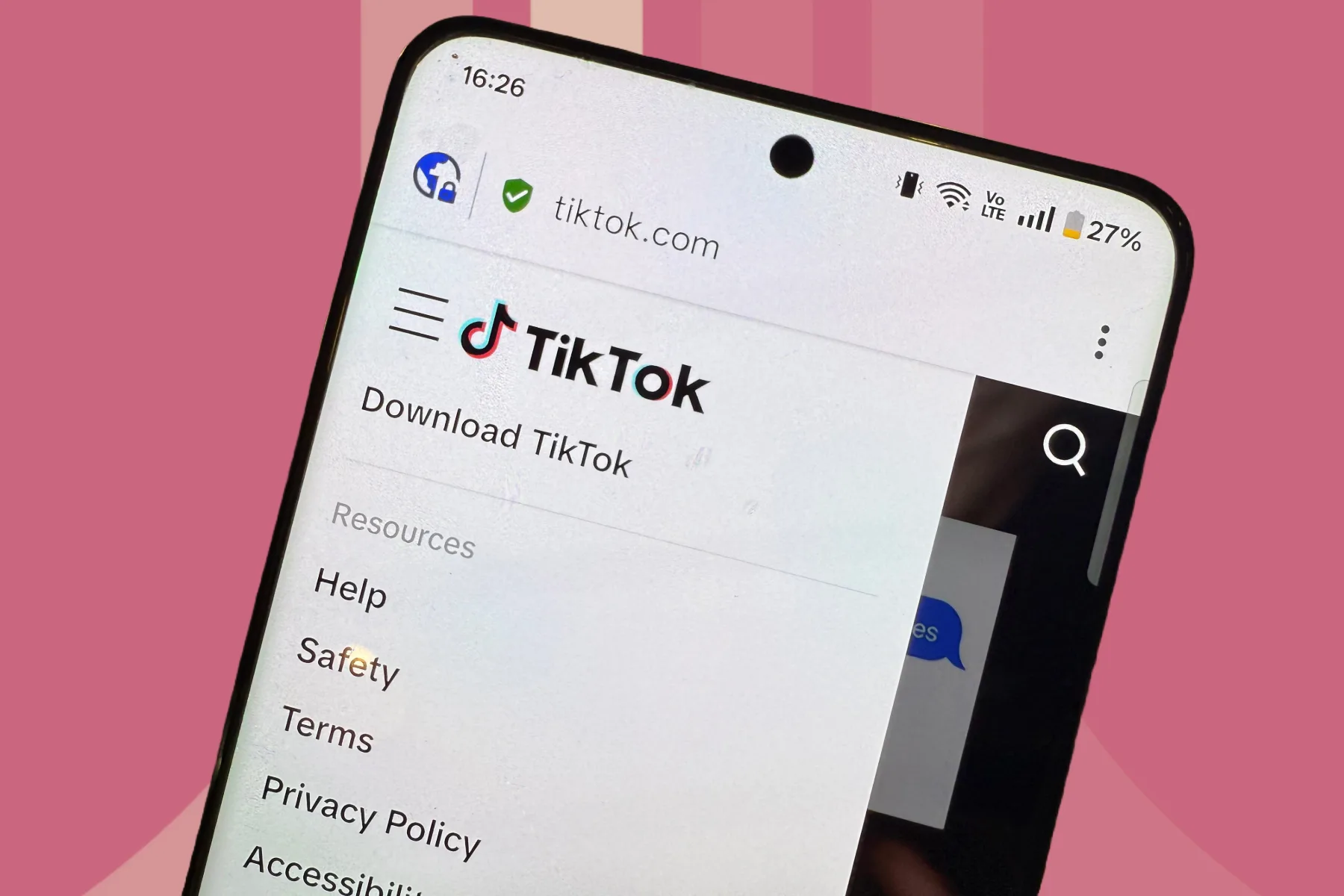
As if endless scrolling wasn’t bad enough already, TikTok has now quietly added a hidden emoji game inside DMs. The mini-game is live right now and works in both one-on-one messages and group chats. It means the app now has one more little trick to keep users hanging around even when they are technically done watching videos.
And honestly, it is exactly the kind of feature you would expect from a platform that has mastered years of mastering the art of making “just five more minutes” turn into an hour.
Nadeem Sarwar / Digital Trends
What’s the game, and why you should be wary
The game kicks off when you send a single emoji in a chat. If you tap on this emoji, your chosen emoji becomes part of the game itself, floating across the screen to give you a speed boost as you try to bounce upward across a stack of alligators.
The goal is to climb as high as possible while avoiding skeleton alligators, with some of these disappearing after one landing. So it’s all about quick reactions and enough chaos to make you give it another try. TikTok also shows both your score and your opponent’s high score in the top-right corner. So this basically turns it into a lightweight little competition instead of just a throwaway gimmick.
TikTokUnsplash
It is very on-brand
TikTok told TechCrunch that it launched the Easter egg to make messaging more fun and add a playful competitive element to DMs. This isn’t the first time we’re seeing something like this. Instagram added its own hidden emoji DM game two years ago, and Meta has also been experimenting with games inside Threads chats.
On paper, this is just a harmless little DM mini-game. But in practice, it is one more engagement hook dropped into a platform that was already very good at monopolizing attention.
Attackers stole a long-lived npm access token belonging to the lead maintainer of axios, the most popular HTTP client library in JavaScript, and used it to publish two poisoned versions that install a cross-platform remote access trojan. The malicious releases target macOS, Windows, and Linux. They were live on the npm registry for roughly three hours before removal.
Axios gets more than 100 million downloads per week. Wiz reports it sits in approximately 80% of cloud and code environments, touching everything from React front-ends to CI/CD pipelines to serverless functions. Huntress detected the first infections 89 seconds after the malicious package went live and confirmed at least 135 compromised systems among its customers during the exposure window.
This is the third major npm supply chain compromise in seven months. Every one exploited maintainer credentials. This time, the target had adopted every defense the security community recommended.
One credential, two branches, 39 minutes
The attacker took over the npm account of @jasonsaayman, a lead axios maintainer, changed the account email to an anonymous ProtonMail address, and published the poisoned packages through npm’s command-line interface. That bypassed the project’s GitHub Actions CI/CD pipeline entirely.
Advertisement
The attacker never touched the Axios source code. Instead, both release branches received a single new dependency: plain-crypto-js@4.2.1. No part of the codebase imports it. The package exists solely to run a postinstall script that drops a cross-platform RAT onto the developer’s machine.
The staging was precise. Eighteen hours before the axios releases, the attacker published a clean version of plain-crypto-js under a separate npm account to build publishing history and dodge new-package scanner alerts. Then came the weaponized 4.2.1. Both release branches hit within 39 minutes. Three platform-specific payloads were pre-built. The malware erases itself after execution and swaps in a clean package.json to frustrate forensic inspection.
StepSecurity, which identified the compromise alongside Socket, called it among the most operationally sophisticated supply chain attacks ever documented against a top-10 npm package.
The defense that existed on paper
Axios did the right things. Legitimate 1.x releases shipped through GitHub Actions using npm‘s OIDC Trusted Publisher mechanism, which cryptographically ties every publish to a verified CI/CD workflow. The project carried SLSA provenance attestations. By every modern measure, the security stack looked solid.
Advertisement
None of it mattered. Huntress dug into the publish workflow and found the gap. The project still passed NPM_TOKEN as an environment variable right alongside the OIDC credentials. When both are present, npm defaults to the token. The long-lived classic token was the real authentication method for every publish, regardless of how OIDC was configured. The attacker never had to defeat OIDC. They walked around it. A legacy token sat there as a parallel auth path, and npm‘s own hierarchy silently preferred it.
“From my experience at AWS, it’s very common for old auth mechanisms to linger,” said Merritt Baer, CSO at Enkrypt AI and former Deputy CISO at AWS, in an exclusive interview with VentureBeat. “Modern controls get deployed, but if legacy tokens or keys aren’t retired, the system quietly favors them. Just like we saw with SolarWinds, where legacy scripts bypassed newer monitoring.”
The maintainer posted on GitHub after discovering the compromise: “I’m trying to get support to understand how this even happened. I have 2FA / MFA on practically everything I interact with.”
Endor Labs documented the forensic difference. Legitimate axios@1.14.0 showed OIDC provenance, a trusted publisher record, and a gitHead linking to a specific commit. Malicious axios@1.14.1 had none. Any tool checking provenance would have flagged the gap instantly. But provenance verification is opt-in. No registry gate rejected the package.
Advertisement
Three attacks, seven months, same root cause
Three npm supply chain compromises in seven months. Every one started with a stolen maintainer credential.
Then in January 2026, Koi Security’s PackageGate research dropped six zero-day vulnerabilities across npm, pnpm, vlt, and Bun that punched through the very defenses the ecosystem adopted after Shai-Hulud. Lockfile integrity and script-blocking both failed under specific conditions. Three of the four package managers patched within weeks. npm closed the report.
Now axios. A stolen long-lived token published a RAT through both release branches despite OIDC, SLSA, and every post-Shai-Hulud hardening measure in place.
Advertisement
npm shipped real reforms after Shai-Hulud. Creation of new classic tokens got deprecated, though pre-existing ones survived until a hard revocation deadline. FIDO 2FA became mandatory, granular access tokens were capped at seven days for publishing, and trusted publishing via OIDC gave projects a cryptographic alternative to stored credentials. Taken together, those changes hardened everything downstream of the maintainer account. What they didn’t change was the account itself. The credential remained the single point of failure.
“Credential compromise is the recurring theme across npm breaches,” Baer said. “This isn’t just a weak password problem. It’s structural. Without ephemeral credentials, enforced MFA, or isolated build and signing environments, maintainer access remains the weak link.”
Not enforced. npm runs postinstall by default. pnpm blocks by default; npm does not
postinstall remains primary malware vector in every major npm attack since 2024
Lock dependency versions
Lockfile enforcement via npmci
Advertisement
Effective only if lockfile committed before compromise. Caret ranges auto-resolved
Caret ranges are npm default. Most projects auto-resolve to latest minor
What to do now at your enterprise
SOC leaders whose organizations run Node.js should treat this as an active incident until they confirm clean systems. The three-hour exposure window fell during peak development hours across Asia-Pacific time zones, and any CI/CD pipeline that ran npm install overnight could have pulled the compromised version automatically.
“The first priority is impact assessment: which builds and downstream consumers ingested the compromised package?” Baer said. “Then containment, patching, and finally, transparent reporting to leadership. What happened, what’s exposed, and what controls will prevent a repeat. Lessons from log4j and event-stream show speed and clarity matter as much as the fix itself.”
Advertisement
Check exposure. Search lockfiles and CI logs for axios@1.14.1, axios@0.30.4, or plain-crypto-js. Pin to axios@1.14.0 or axios@0.30.3.
Assume compromise if hit. Rebuild affected machines from a known-good state. Rotate every accessible credential: npm tokens, AWS keys, SSH keys, cloud credentials, CI/CD secrets, .env values.
Check for RAT artifacts. /Library/Caches/com.apple.act.mond on macOS. %PROGRAMDATA%\wt.exe on Windows. /tmp/ld.py on Linux. If found, preform a full rebuild.
Harden going forward. Enforce npm ci --ignore-scripts in CI/CD. Require lockfile-only installs. Reject packages missing provenance from projects that previously had it. Audit whether legacy tokens coexist with OIDC in your own publishing workflows.
The credential gap nobody closed
Three attacks in seven months. Each different in execution, identical in root cause. npm’s security model still treats individual maintainer accounts as the ultimate trust anchor. Those accounts remain vulnerable to credential hijacking, no matter how many layers get added downstream.
“AI spots risky packages, audits legacy auth, and speeds SOC response,” Baer said. “But humans still control maintainer credentials. We mitigate risk. We don’t eliminate it.”
Mandatory provenance attestation, where manual CLI publishing is disabled entirely, would have caught this attack before it reached the registry. So would mandatory multi-party signing, where no single maintainer can push a release alone. Neither is enforced today. npm has signaled that disabling tokens by default when trusted publishing is enabled is on the roadmap. Until it ships, every project running OIDC alongside a legacy token has the same blind spot axios had.
The axios maintainer did what the community asked. A legacy token nobody realized was still active and undermined all of it.
‘By supporting the emergence of Bull, we are choosing strategic independence,’ said France’s minister delegate for artificial intelligence and digital affairs.
France has completed its acquisition of 100pc of the capital of supercomputer maker Bull from Atos Group, in a deal that marks a “major step forward for French and European technological sovereignty”.
The acquisition, the completion of which was announced yesterday (31 March), is expected to boost France and Europe’s tech sovereignty particularly in the areas of high‑performance computing, AI and quantum technologies, according to the French state and Bull. The French state is now the sole shareholder of Bull.
“The revival of Bull as an independent company supported by the French state marks a decisive step in our history,” said Emmanuel Le Roux, CEO of Bull. “With a long‑term strategic shareholder, we are strengthening our position as a trusted industrial partner across the entire value chain of high‑performance computing, quantum computing and artificial intelligence.”
Advertisement
The deal to acquire Bull from Atos Group was first agreed in July of last year, when France agreed to pay an enterprise value of up to €404m for the company.
Bull, which is headquartered in Bezons, France, designs and manufactures supercomputers and high‑performance servers, as well as enterprise servers, software solutions, AI use cases and innovations in quantum computing.
“The supercomputers produced there meet the most demanding needs of national defence, industry and fundamental research, and are also essential for training and deploying artificial intelligence models,” read yesterday’s announcement. “They are recognised for their performance and energy efficiency – two decisive criteria for training large AI models.”
The computing company has been in operation for nearly a century, having been founded in 1931. The company was acquired by Atos Group in 2014, when it became the organisation’s advanced computing business.
Advertisement
Europe’s sovereignty push
The completion of France’s purchase of Bull comes amid a wider push for tech sovereignty in Europe in recent times – particularly in the wake of recent transatlantic tensions with the current US administration.
France, along with Germany, have been prominent figureheads in the push for European digital sovereignty, with both countries taking centre stage at last November’s Summit on European Digital Sovereignty to propose a number of initiatives – including the launch of a joint taskforce on European digital sovereignty led by the two nations.
Sovereignty efforts have seen milestones achieved in Europe’s supercomputing space in particular.
Jupiter joined existing supercomputers in the EuroHPC network – namely, MareNostrum in Spain, Leonardo in Italy, Lumi in Finland, Discoverer in Bulgaria, MeluXina in Luxembourg, Vega in Slovenia, Karolina in Czechia and Deucalion in Portugal – together conducting billions of calculations per second.
A month later, the European High Performance Computing Joint Undertaking (EuroHPC JU) signed a procurement contract with Eviden for the delivery of Alice Recoque, a new European exascale supercomputer (named after the late pioneering French computer scientist) to be located in France.
“The state’s entry into Bull’s share capital marks a decisive step for our digital sovereignty,” said Anne Le Hénanff, France’s minister delegate for artificial intelligence and digital affairs. “At a time when artificial intelligence and quantum technologies are profoundly reshaping technological balances, France is equipping itself with a leading industrial player in high‑performance computing.
“By supporting the emergence of Bull, we are choosing strategic independence. It is a strong signal: that of a country that invests, that protects its expertise, and that is determined to remain sovereign in the technologies that will shape the world of tomorrow.”
Advertisement
Don’t miss out on the knowledge you need to succeed. Sign up for the Daily Brief, Silicon Republic’s digest of need-to-know sci-tech news.
As a kid, I loved the 1980s aquatic adventure show Danger Bay. True to the TV show’s name, danger was always lurking at the Vancouver Aquarium, where the show was set. In one memorable episode, young Jonah and a friend get trapped in a sabotaged mini-submarine, and Jonah’s dad, a marine-mammal veterinarian, comes to the rescue in a bubble-shaped underwater vehicle. Good stuff! Only recently—as in when I started working on this column—did I learn that the rescue vehicle was not a stage prop but rather a real-world research submersible named Deep Rover.
What Was Deep Rover and What Did It Do?
Built in 1984 and launched the following year, Deep Rover was a departure from standard underwater vehicles, which typically required divers to lie in a prone position and look through tiny portholes while tethered to a support ship.
Deep Rover was designed to satisfy human curiosity about the underwater world. As the rover moved freely through the water down to depths of 1,000 meters, the operator sat up in relative comfort in the cab, inside a clear 13-centimeter-thick acrylic bubble with panoramic views—an inverted fishbowl, with the human immersed in breathable air while the sea creatures looked in. Used for scientific research and deepwater exploration, it set a number of dive records along the way.
Submarine designer Graham Hawkes [left] and marine biologist Sylvia Earle [right] came up with the idea for Deep Rover.Alain Le Garsmeur/Alamy
The team behind Deep Rover included U.S. marine biologist Sylvia Earle and British marine engineer and submarine designer Graham Hawkes. Earle and Hawkes’s collaboration had begun in May 1980, when Earle complained to Hawkes about the “stupid” arms on Jim, an atmospheric diving suit; she didn’t realize she was complaining to one of Jim’s designers. Hawkes explained the difficulty of designing flexible joints that could withstand dueling pressures of 101 kilopascals on the inside—that is, the normal atmospheric pressure at sea level—and up to about 4,100 kPa on the outside. But he listened carefully to Earle’s wish list for a useful manipulator. Several months later, he came back with a design for a superbly dexterous arm that could hold a pencil and write normal-size letters.
Advertisement
Earle and Hawkes next turned to designing a one-person bubble sub, which they considered so practical that it would be an easy sell. But after failing to attract funding, they decided to build it themselves. In the summer of 1981, they pooled their resources and cofounded Deep Ocean Technology, setting up shop in Earle’s garage in Oakland, Calif.
Phil Nuytten, a Canadian designer of submersibles and dive systems, engineered Deep Rover.Stuart Westmorland/RGB Ventures/Alamy
They still found that customers weren’t interested in their crewed submersible, though, so they turned to unmanned systems. Their first contract was for a remotely operated vehicle (ROV) for use in oil-rig inspection, maintenance, and repair. Other customers followed, and they ended up building 10 of these ROVs. In 1983, they returned to their original idea and contracted with the Canadian inventor and entrepreneur Phil Nuytten to engineer Deep Rover.
Nuytten didn’t have to be convinced of the value of the submersible. He had grown up on the water and shared their dream. As a teenager, he opened Vancouver’s first dive shop. He then worked as a commercial diver. He founded the ocean- and research-tech companies Can-Dive Services (in 1965) and Nuytco Research (in 1982), and he developed advanced submersibles as well as diving systems. These included the Newtsuit, an aluminum atmospheric diving suit for use on drilling rigs and salvage operations.
Deep Rover’s first assignment was to boost offshore oil exploration and drilling in eastern Canada. Funding came from the provincial government of Newfoundland and Labrador and the oil companies Petro-Canada and Husky Oil. But the collapse of oil prices in the mid-1980s made it uneconomical to operate the submersible. So the rover’s mission broadened to scientific research.
Deep Rover’s Technical Specs
The pilot could operate Deep Rover safely for 4 to 6 hours at a depth of 1,000 meters and speeds of up to 1.5 knots (46 meters per minute). The submersible could be tethered to a support ship or move freely on its own. Two deep-cycle, lead-acid battery pods weighing about 170 kilograms apiece provided power. It had a VHF radio and two frequencies of through-water communications, plus tracking beacons.
From 1987 to 1989, Deep Rover did a series of dives in Oregon’s Crater Lake, the deepest lake in the United States. During one dive, National Park Service biologist Mark Buktenica [top] collected rock samples.NPS
The rover’s four thrusters—two horizontal fixed aft thrusters and two rotating wing thrusters—could be activated in any combination through microswitches built into the armrest. The pilot navigated using a gyro compass, sonar, and depth gauges (both digital and analog).
Much to Earle’s delight, Deep Rover had two excellent manipulators, each with four degrees of freedom, thus solving the problem that had started her down this path of invention. The pilot controlled the manipulators with a joystick at the end of each armrest. Sensory feedback systems helped the pilot “feel” the force, motion, and touch. The two arms had wraparound jaws and could lift about 90 kg.
Advertisement
If something went wrong, Deep Rover carried five days’ worth of life support stores and had a variety of redundant safety features: oxygen and carbon dioxide monitoring equipment; a halon (breathable) fire extinguisher; a full-face BIBS (built-in breathing system) that tapped into the starboard air bank; and a ground fault-detection system.
If needed, the rover could surface quickly by jettisoning equipment, including the battery pods and a 90-kg drop weight in the forward bay. In dire circumstances, the pressure hull (the acrylic bubble, that is) could separate from the frame, taking with it only its oxygen tanks, strobe, through-water communications, and wing thrusters.
Deep Rover’s achievements
From 1984 to 1992, Deep Rover conducted about 280 dives. It inspected two of the tunnels near Niagara Falls that divert water to the Sir Adam Beck II hydroelectric plant. In California’s Monterey Bay, the rover let researchers film previously unknown deep-sea marine life, which helped establish the Monterey Bay Aquarium Research Institute. At Crater Lake National Park, in Oregon, Deep Rover proved the existence of geothermal vents and bacteria mats, leading to the protection of the site from extractive drilling.
Deep Rover was featured in a short film shown at Vancouver’s Expo ’86, the first of several TV and movie appearances. There was Danger Bay. Director James Cameron used an early prototype of the submersible in his 1989 film The Abyss. Deep Rover also made an appearance in Cameron’s 2005 documentary Aliens of the Deep.
Advertisement
In 1992, Deep Rover came to the end of its working life. It now resides at Ingenium, Canada’s Museums of Science and Innovation, in Ottawa. For a time, Deep Ocean Engineering continued to develop later generations of the submersible. Eventually, though, uncrewed remotely operated and autonomous underwater vehicles became the norm for deep-sea missions, replacing human pilots with sensors and equipment. New ROVs can dive significantly deeper than human-piloted ones, and new cameras are so good that it feels like you’re there…almost. And yet, humans still long to have the personal experience of exploring the depths of the oceans.
Part of a continuing serieslooking at historical artifacts that embrace the boundless potential of technology.
An abridged version of this article appears in the April 2026 print issue as “All Alone in the Abyss.”
Rising RAM prices have a way of making you wonder just how much a computer actually needs to function, and PortalRunner decided to find out by removing it entirely and seeing how far he could get. The experiment started with Linux, gradually reducing the available RAM through boot settings until the machine refused to start at all. Even with a tiny amount left in place, basic tasks became painful and slow.
The next attempt used a SATA SSD as swap space, letting the system pull data from the drive whenever it ran out of the limited RAM available. Basic web browsing became possible, but trying to load Portal 2 was a dead end. Games need to hold large amounts of data in memory simultaneously, and a hard drive simply cannot move that data fast enough to keep up.
【AMD Ryzen 4300U Processor】KAMRUI Pinova P2 Mini PC is equipped with AMD Ryzen 4300U (4-core/4-thread, up to 3.7GHz), Based on the advanced Zen…
【Large Storage Capacity, Easy Expansion】KAMRUI Pinova P2 mini computers is equipped with 16GB DDR4 for faster multitasking and smooth application…
【4K Triple Display】KAMRUI Pinova P2 4300U mini desktop computers is equipped with HDMI2.0 ×1 +DP1.4 ×1+USB3.2 Gen2 Type-C ×1 interfaces for…
Attention then shifted to the graphics card. PortalRunner built a custom file system using OpenCL to turn the four gigabytes of VRAM inside a GTX 1660 Super into a substitute for system memory. Simple applications ran, but every time data had to travel between the CPU and GPU it added so much delay that even a basic browser test took over an hour. Portal 2 remained out of reach.
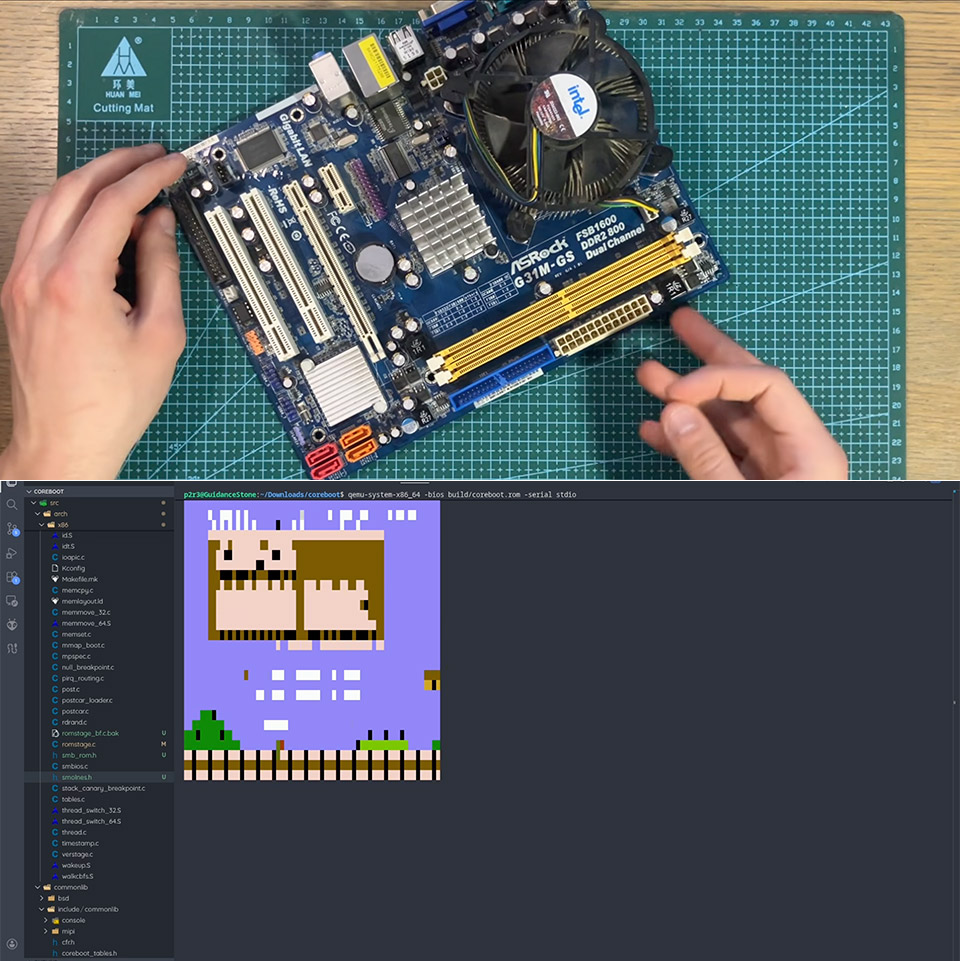
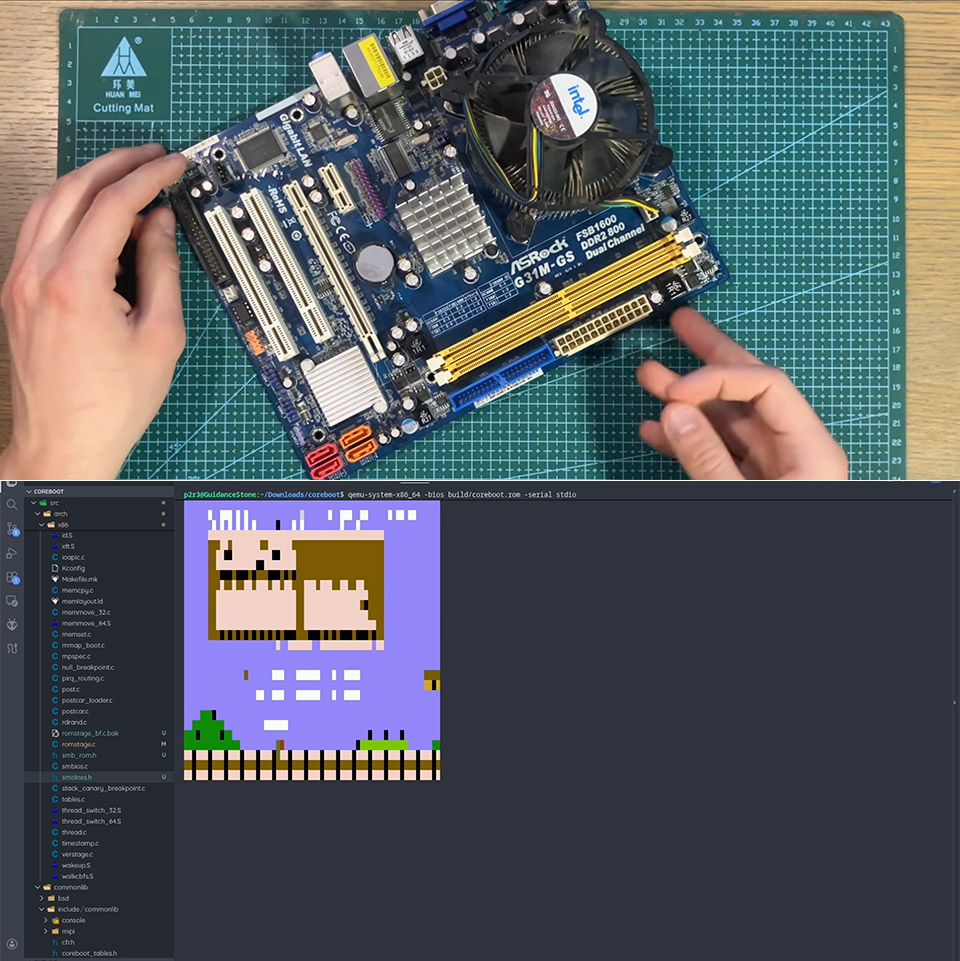
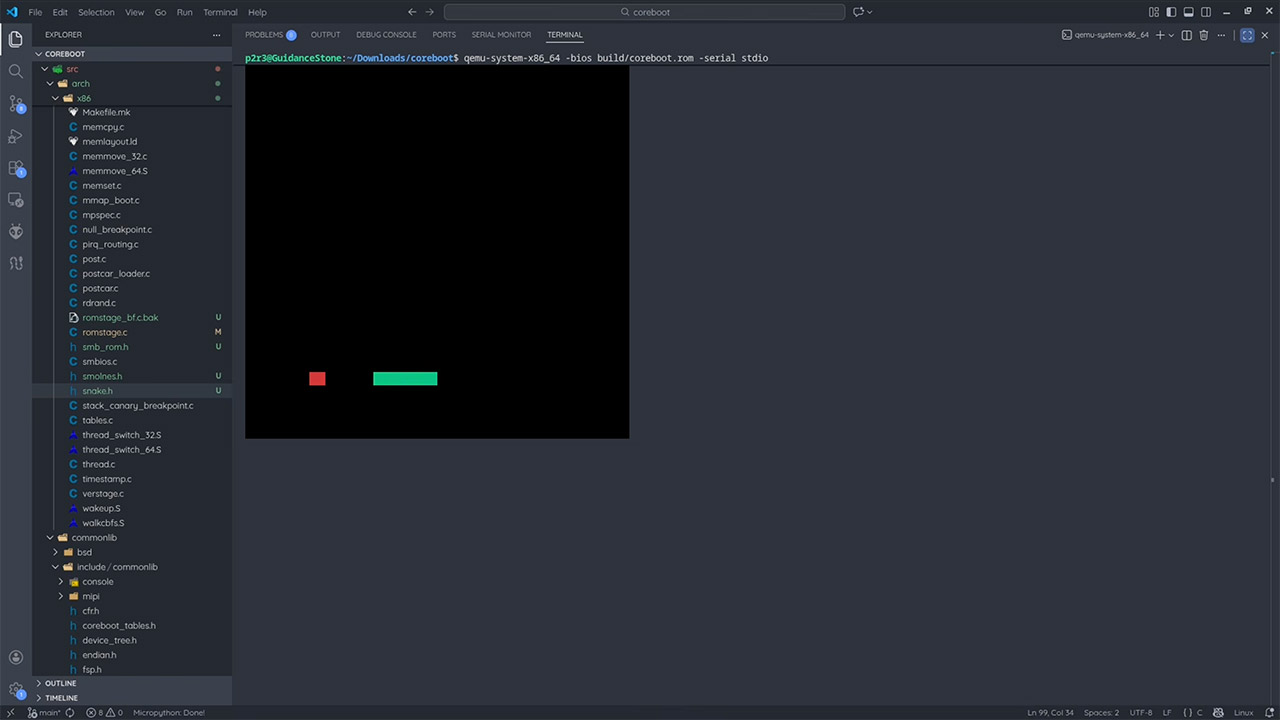
The breakthrough came from inside the processor itself. Every CPU contains a small amount of cache memory stored directly on the chip, and early in the startup process the CPU already uses that cache as a temporary workspace before any RAM has been initialized. Using an older ASRock motherboard with a Core 2 Duo processor and a modified version of the open source CoreBoot firmware, PortalRunner configured the system to skip RAM initialization entirely and load directly into that cache.
A Snake clone fit comfortably into the available space and launched without a hitch the moment the board powered on. He even squeezed a brainf**k interpreter onto it to prove the approach had more than one use. The limitations are obvious and nobody is running a modern operating system this way anytime soon, but it does make for a great conversation starter. [Source]
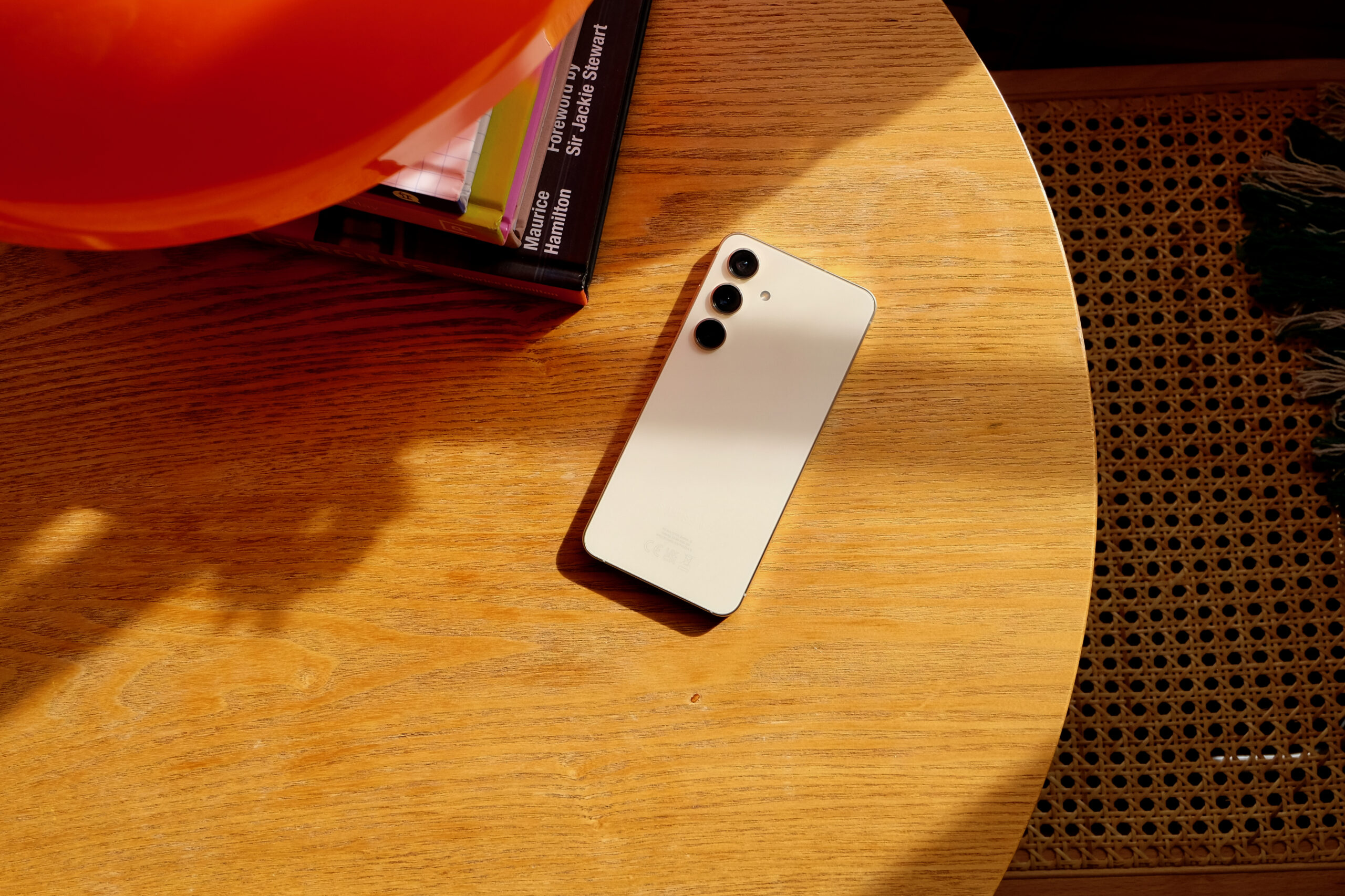
Samsung is expanding AirDrop compatibility to older Galaxy S devices through a Quick Share update, with owners of phones from the S22, S23, S24, and S25 generations reporting a new “Share with Apple devices” toggle appearing in their Quick Share settings.
The toggle is currently visible to some users but not yet functional across all devices, suggesting Samsung is running a staged test rollout ahead of a wider enablement that may coincide with the stable One UI 8.5 release.
AirDrop support via Quick Share currently sits as a confirmed feature on the Galaxy S26 series, which represents the only Samsung lineup running stable One UI 8.5 at present, making the older device reports the first indication that Samsung intends to push the feature down its hardware range.
Most of the older devices showing the toggle are running One UI 8.5 beta builds, though some users still on One UI 8.0 have also reported seeing the option, which points to the feature being tied to a Quick Share app update rather than strictly to a specific OS version.
Advertisement
Users wanting to check for availability can navigate to their Quick Share settings directly, with Samsung recommending updates are pulled through the Samsung Store app rather than waiting for an automatic push to surface the option.
Advertisement
The broader push toward cross-platform AirDrop compatibility across Android manufacturers follows regulatory pressure the EU applied to Apple to open up iOS features including AirDrop, which accelerated adoption across the Android ecosystem over the past year.
Google moved first among major Android manufacturers, launching AirDrop support on the Pixel 10 series before extending it to the Pixel 9 series in February, while Oppo has since announced incoming support beginning with the Find X9 series.
Advertisement
Samsung has not confirmed a timeline for the stable rollout to older Galaxy S devices, with full availability expected to become clearer once One UI 8.5 exits beta across the affected hardware generations.












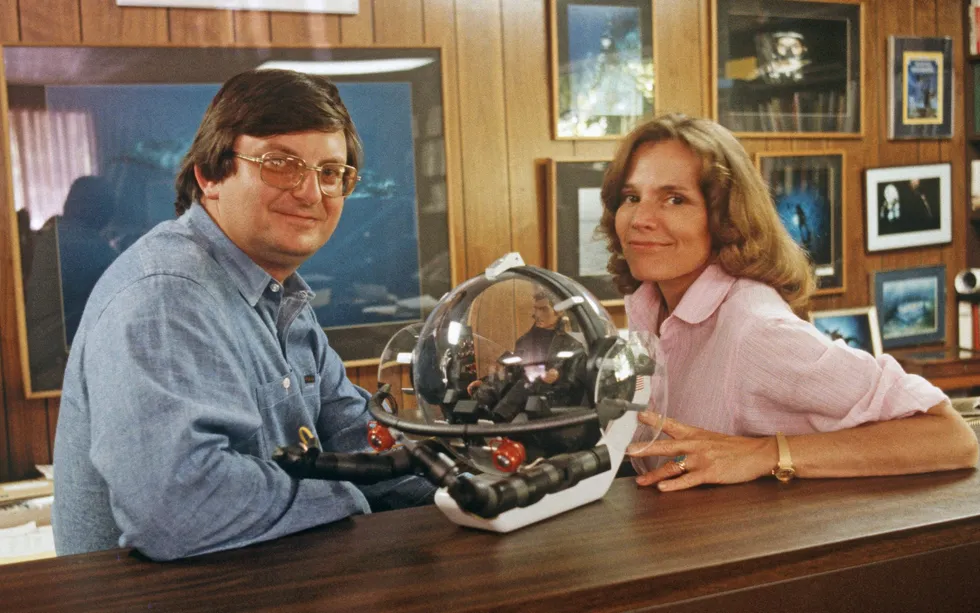
 Submarine designer Graham Hawkes [left] and marine biologist Sylvia Earle [right] came up with the idea for Deep Rover.Alain Le Garsmeur/Alamy
 Phil Nuytten, a Canadian designer of submersibles and dive systems, engineered Deep Rover.Stuart Westmorland/RGB Ventures/Alamy

 From 1987 to 1989, Deep Rover did a series of dives in Oregon’s Crater Lake, the deepest lake in the United States. During one dive, National Park Service biologist Mark Buktenica [top] collected rock samples.NPS










































You must be logged in to post a comment Login