

Connect with us
DAPA Banner

Tech

Building belonging: How GeekWire’s STEM Educator of the Year uses Legos to bridge the tech gap

Published

on

Project LEDO founder Fidel Ferrer, second from left, working with Lego robotics students in his program. (Project LEDO Photo)

Through Lego robotics and a STEM curriculum, Project LEDO serves as both an inspiration and a safety net for low-income kids and students of color in Portland, Ore., and surrounding areas.

“In a climate where school funds no longer cover vital STEM enrichment, Project LEDO serves as a consistent and reliable pillar,” said Cynthia Kieffer, principal of Portland’s Lent Elementary, adds that the program develops teamwork, perseverance and leadership in kids.

Others who work with the program echo that sentiment.

“We have seen our students become more engaged when they are able to explore STEM in a supportive, welcoming and encouraging environment,” said Eman Abbas of the Iraqi Arabic School in Lake Oswego.

Project LEDO founder Fidel Ferrer “sparks curiosity, fuels innovation and reminds our KairosPDX leaders that they belong in the world of science, technology, engineering and math,” said Tiffany Dempsey, a director at KairosPDX, which provides teacher training and elementary education.

Since Ferrer launched Project LEDO’s first robotics camp with 25 students in 2021, the nonprofit has served 1,500 kids and expanded to provide school supplies, laptops and food for families in need.

Advertisement

For his STEM and community leadership, Ferrer is being honored at the GeekWire Awards as STEM Educator of the Year, alongside Tracy Drinkwater, founder of Seattle Universal Math Museum (SUMM). First Tech is sponsoring the award. Both will be recognized at the GeekWire Awards event May 7 at Seattle’s Showbox SoDo.

Project LEDO founder Fidel Ferrer. (Project LEDO Photo)

Ferrer was inspired to create Project LEDO by his own experience feeling like an outsider in science and tech. He immigrated to the U.S. from Cuba with a dentistry degree, then enrolled at Portland State University in 2012, earning a bachelor’s in biochemistry and molecular biology. After working in a lab, he shifted to technology and joined Apple.

Particularly in college, he said, “I didn’t feel a lot of folks that look like me in that field. It was really isolated.”

That changed when Ferrer began volunteering at a Portland school with a large Black and Hispanic student population. Energized by the experience, he wanted to expand his reach and registered as a nonprofit while still working at Apple in Global Operations & Strategy.

Project LEDO takes its name from “La Edad de Oro,” a book that Ferrer’s mother read to him as a child, which translates to “the golden age.” The organization serves kids from kindergarten through eighth grade, with a focus on sixth and seventh graders competing in Lego robotics competitions.

Advertisement

Programming includes summer camps and in-school and after-school sessions during the academic year. The organization is also exploring international education partnerships in Cuba, Bolivia and Nigeria.

Project LEDO has seven employees and contract instructors across multiple sites, along with volunteers who handle the essential — if unglamorous — task of sorting Lego pieces after each robotics season. Most funding comes from individual donors, foundations and corporate support.

In recent years, Ferrer has also been tapped as a STEM education voice for state and global leaders, including as an advisor for Oregon’s STEM Investment Council.

But what excites him most is watching students transform. At a December Lego robotics contest, Ferrer saw kids who had once shown little interest in STEM show up confident, polished and even cheering on their competitors.

Advertisement

“It was such an inspiration to me,” Ferrer said. “They were so, so incredibly good.”

Astound Business Solutions is the presenting sponsor of the 2026 GeekWire Awards. Thanks also to gold sponsors Amazon Sustainability, BairdBECU, JLLFirst Tech and Wilson Sonsini, and silver sponsors Prime Team Partners.

Source link

Advertisement
Continue Reading
Click to comment

You must be logged in to post a comment Login

Leave a Reply

Tech

Boox Go 10.3 Gen II review: specs, performance, price

Published

on

Boox has refreshed another model in its lineup, the Boox Go 10.3, adding one new optional feature while, somewhat disappointingly, removing something users really liked.

Boox is back at it again with the lineup refresh. This time, we’re taking a look at the second-gen iteration of the Boox Go 10.3, Boox’s iPad Air-sized e-ink tablet.

Boox Go 10.3 Gen II review: Design

The Boox Go 10.3 is, as the name suggests, a tablet that is 10.3″ on the diagonal. That gives it just a little bit less screen real estate than the 11-inch iPad Air.

Boox has really nailed down the design of many of its e-readers, and the Go is no exception. It’s thin, but doesn’t feel fragile, so you’ll be more likely to toss it in your bag.

Advertisement

Like many of Boox’s offerings, it also features a dedicated thumb-rest area on one side. I appreciate this, specifically because one of my main gripes with reading on the iPad is that it doesn’t really give you a good place to grip.

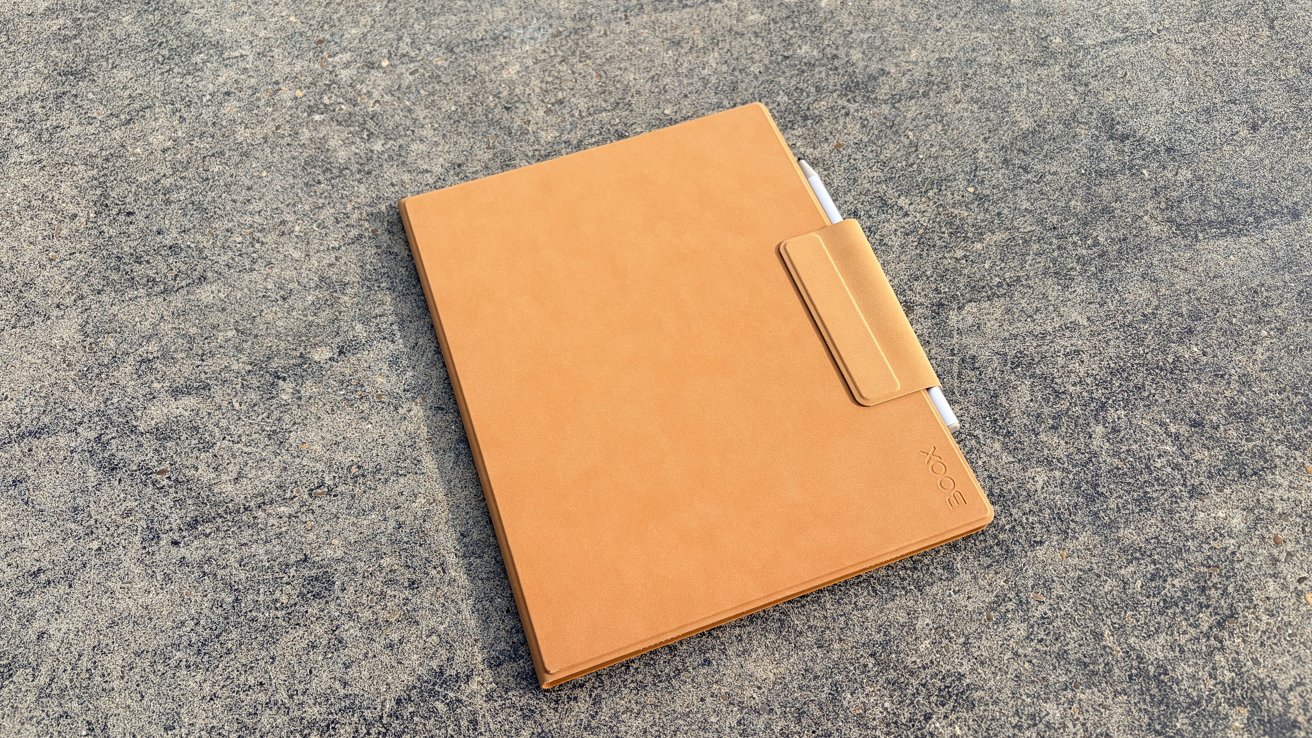
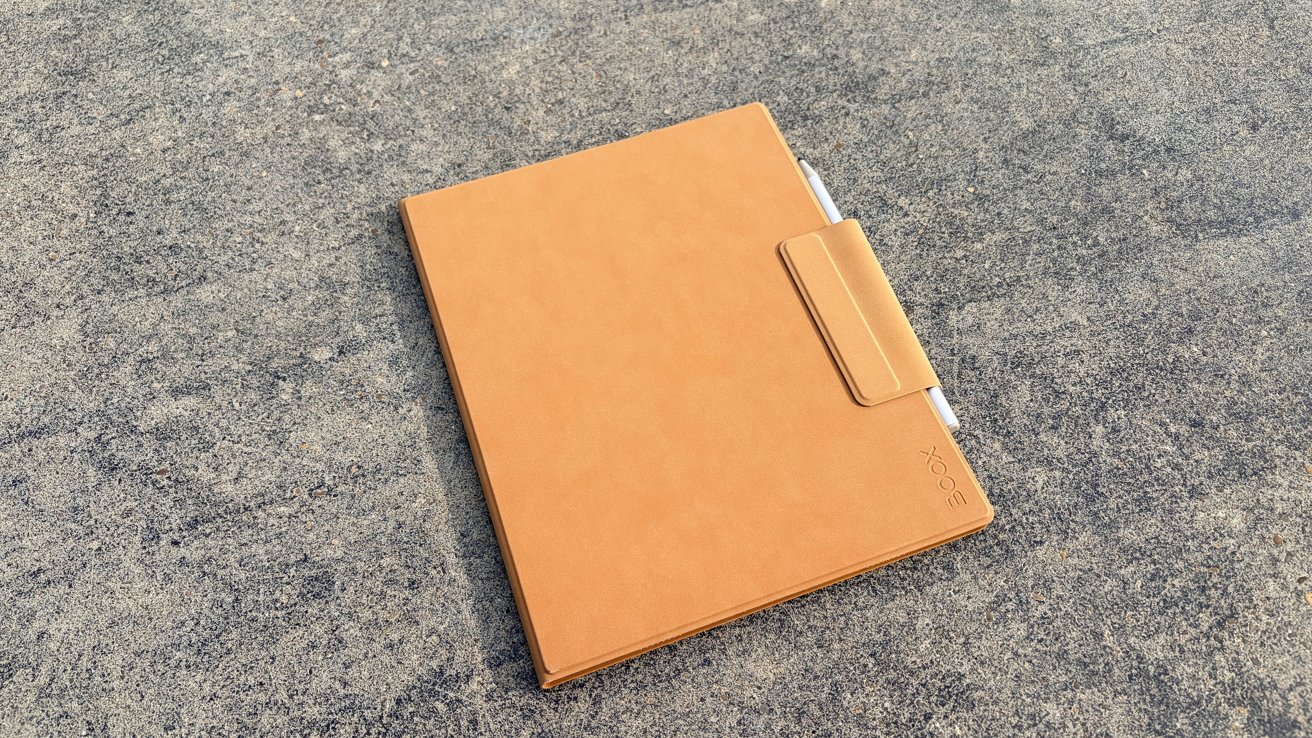
In addition to the tablet itself, you also receive a folio-style case. The quality is fine, though if you’re used to Apple’s folio cases, this actually is a bit of a disappointment.

Tan tablet or e-reader cover with a pen partially tucked into a side flap, lying closed on a rough gray concrete surface outdoors

Boox Go 10.3 Gen II review: The folio, which is included with your purchase, is somewhat of a miss

It’s a faux suede material, which historically I haven’t loved for devices that get handled a lot. However, I do understand that this is a personal preference; I just worry that it would be much too difficult to clean.

Advertisement

Again, it’s not bad, but the magnets are notably weaker, so it doesn’t feel as secure. Additionally, I don’t love that the bit that keeps it closed is detachable — I’ve had it get knocked off in my bag before.

But, as far as the tablet goes, I really like the design. I think Boox understands that people prize portability and comfort in these e-reader-style tablets.

Boox Go 10.3 Gen II review: Under the hood

As is the case with most of Boox’s offerings, this update was a very minor spec jump over the last generation. I suppose the argument is that if it’s not broke, don’t fix it.

This model features a black-and-white only display. I assume, at some point down the line, Boox will make a color model, just like it did with the Go 7.

Advertisement

That being said, the jump to Android 15 over the previous Android 13 is appreciated. Android 15 isn’t exactly new, but it is two years newer.

It still features the 300ppi (2480×1860) resolution, the HD ePaper screen, and the octacore processor. Like earlier generations, it also includes 4GB of RAM and 64GB of memory.

Abstract black ink architectural sketch with sweeping curved lines, crosshatching, and geometric shapes suggesting a futuristic building structure on white paper background

Boox Go 10.3 Gen II review: the display is stunning and easy on the eyes

I don’t love that the Go only has 64GB of memory with no microSD slot. If this is going to primarily be for reading and note-taking, it should be fine.

Advertisement

However, if you start loading productivity apps onto it, or you want to use it for audiobooks, that space can feel a bit limiting. You can plug a USB-C hub into it, though it feels weird to do so if you’re holding the tablet at the same time.

The 3700 mAh battery is decent, especially if you aren’t using (or don’t have access to) a front light. Even with using the front light for nightly reading, I still made it days before needing to recharge it.

And, if I’m being honest, I’m more likely to start charging it out of habit well before it needs it. If you’re the type of person who charges your iPhone or iPad daily, you know what I mean.

There are built-in microphones and speakers. You can listen and record on it, but whether or not you’ll want to is a separate matter. More on that in a little bit.

Advertisement

And lastly, it includes an Inksense stylus. I’ll delve into that a bit more, but the short of it is that it’s a stylus with 4,096 levels of pressure.

If you’re familiar with Boox’s other products that use it, you’ll know what you’re getting.

Boox Go 10.3 Gen II review: What it does and what it doesn’t do

Like with every Boox offering, I like to remind people that this is not an iPad. It is somewhere between a Kindle and an iPad.

So let’s start with what it does well. I love the reading experience on a Boox tablet, and the Go is no different.

Advertisement

Flipping through a book or a long document is quick and easy. You don’t feel particularly limited by the 4GB of RAM for this use.

And, as an eReader, it offers support for plenty of document formats. This includes PDF, CAJ, DJVU, CBR, CBZ, EPUB, EPUB3, AZW3, MOBI, TXT, DOC, DOCX, FB2, CHM, RTF, HTML, ZIP, PRC, PPT, and PPTX.

As an Android device, it also has access to the Google Play Store. While you’re certainly not going to be putting games on it, it handles Evernote and the Google suite of apps, like Docs and Sheets, just fine.

It’s a pretty zippy little tablet, even with an older operating system. This is one of the things that Boox has consistently done well.

Advertisement

I will say it is crucial to keep Boox tablets updated to the current firmware. I once erroneously assumed I had received a bad unit, only for me to find out that a bug had been patched in an update I decided to ignore.

The Boox Go also supports WAV and MP3 files. I should point out that at no point are you going to want to listen to anything via the speakers — they’re not great.

But it does support Bluetooth, which means you can pair your favorite wireless earbuds to it. Honestly, it’s a pretty good way to listen to audiobooks, as you’re unlikely to get interrupted by the myriad interruptions that come with an iPad or iPhone.

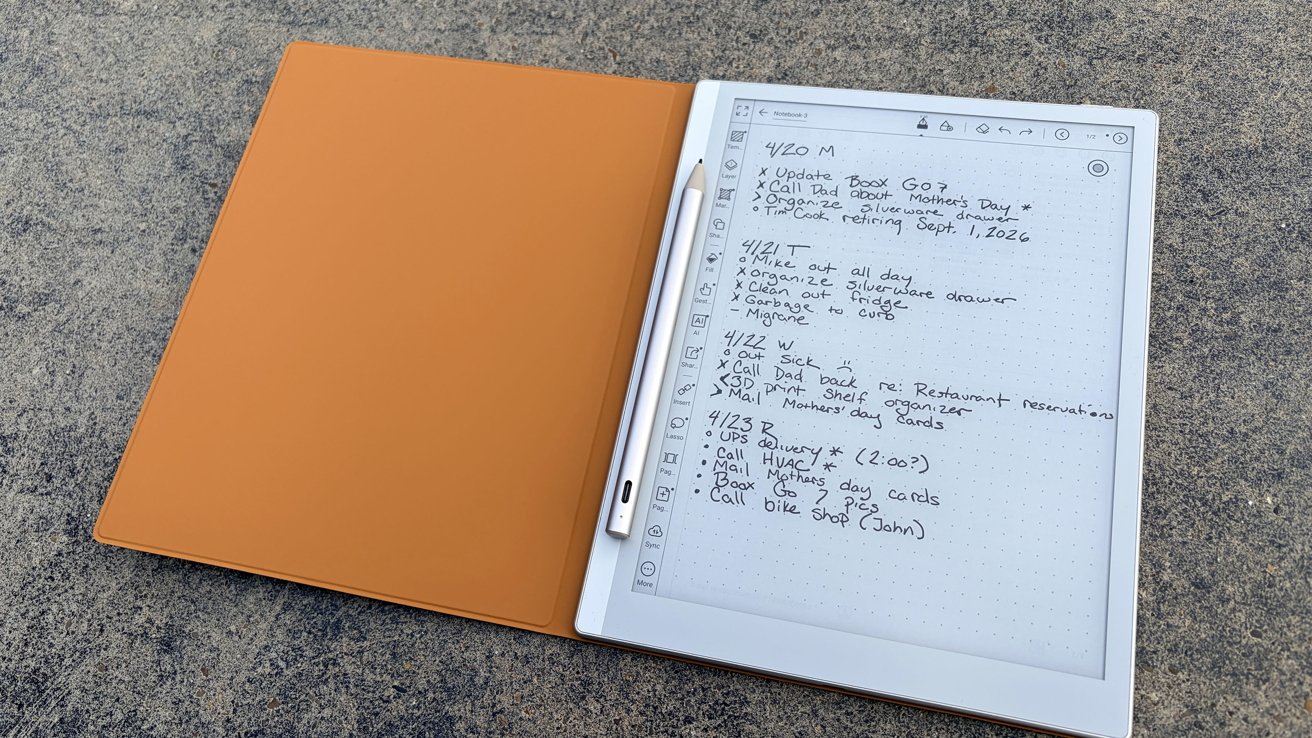
Digital e-ink notebook with stylus resting in a tan folio cover, displaying handwritten dated to-do lists and notes on a dotted page, lying on a rough gray surface

Boox Go 10.3 Gen II review: Even without the EMR stylus, it’s still pretty good

Advertisement

And the 10.3-inch design is pretty close to a standard sheet of paper, making it a perfect desk top companion. Plus, it’s a great way to mark up documents.

Now let’s talk about where it falls short.

If you’re used to the blazing fast speeds of even a decidedly old iPad, you’re going to want to temper your expectations here. While the processor seems good for basic tasks, the display is a limiting factor if you’re navigating a lot of menus.

I found that this was most apparent when using third-party apps.

Advertisement

Again, this isn’t a device that is designed to replace your iPad. This is a device designed to replace your Kindle.

Or, at any rate, you should think of it as supplementary to your current tech setup.

The one place where I was most disappointed was in the stylus.

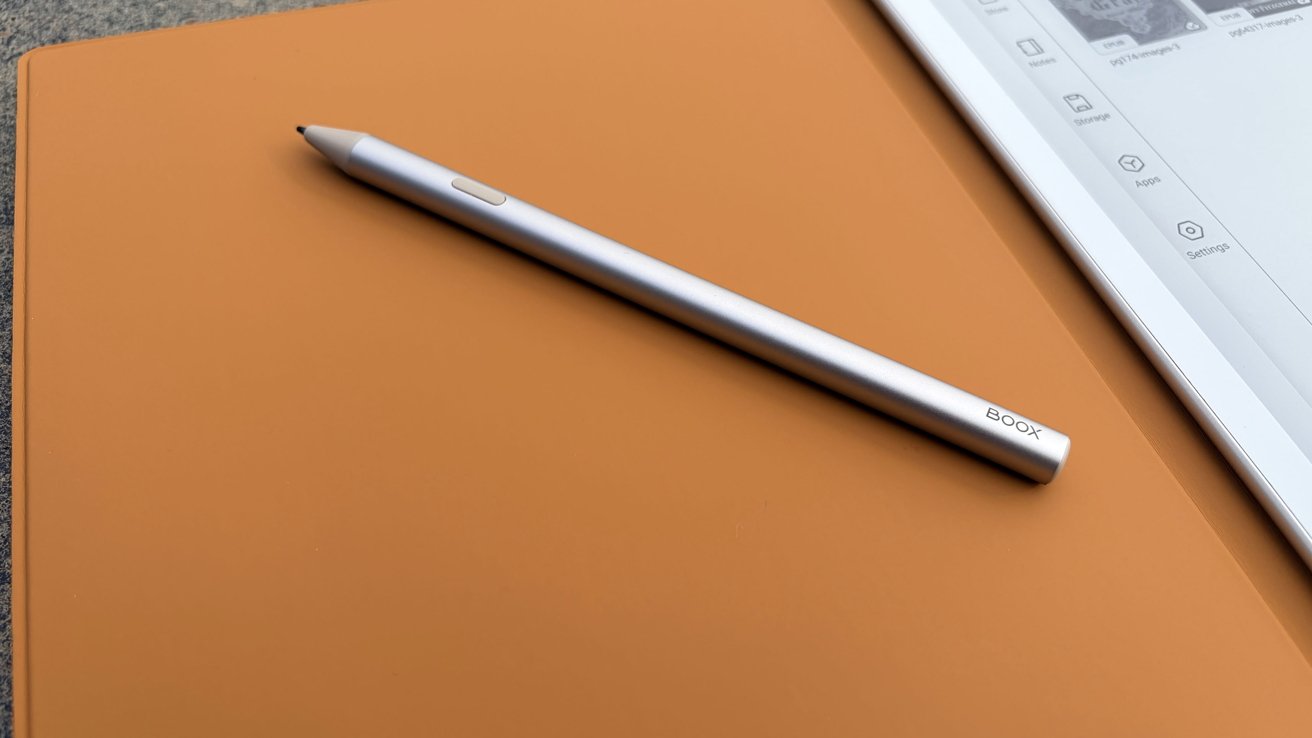
Silver BOOX stylus resting diagonally on a flat orange surface, with the edge of a white tablet screen showing icons visible on the right side

Boox Go 10.3 Gen II review: the EMR stylus has been swapped out for a capacitive model

Advertisement

To be clear, the stylus isn’t bad. But it is a downgrade from the one that was provided with the first-generation Boox Go lineup.

The first generation got a Wacom EMR stylus, which uses electromagnetic resonance to communicate pressure and position. The result is a quick, buttery-smooth writing experience.

This generation gets the Inksense stylus. It’s a capacitive touch stylus, meaning that it effectively works the same as your fingers.

Yes, it still has 4,096 levels of pressure. The response time is decent, and it’s comfortable in the hand.

Advertisement

But if you’ve used an EMR stylus, especially one with a Boox device, it does feel like a step backwards.

Boox Go 10.3 Gen II review: Lumi vs Standard

Technically, there are two versions of the Go 10.3: the Lumi edition or the standard.

The Lumi version comes with a pretty standard front light, which I’ve always loved. It’s got a wide range of color temperatures, and I tend to keep mine shifted firmly to the warmer end of the spectrum.

If you’re a person who works indoors or likes to read at night, this quickly becomes indispensable. And, until now, the front light has been universally available on all Boox models.

Advertisement

As is the case with previous Go generations, Boox didn’t include a front light on the standard model. I think the company decided on a very specific audience.

Boox says that this option is great for people who will use the Boox outdoors or in bright environments. I agree, the device works fantastically in bright environments and in midday sun.

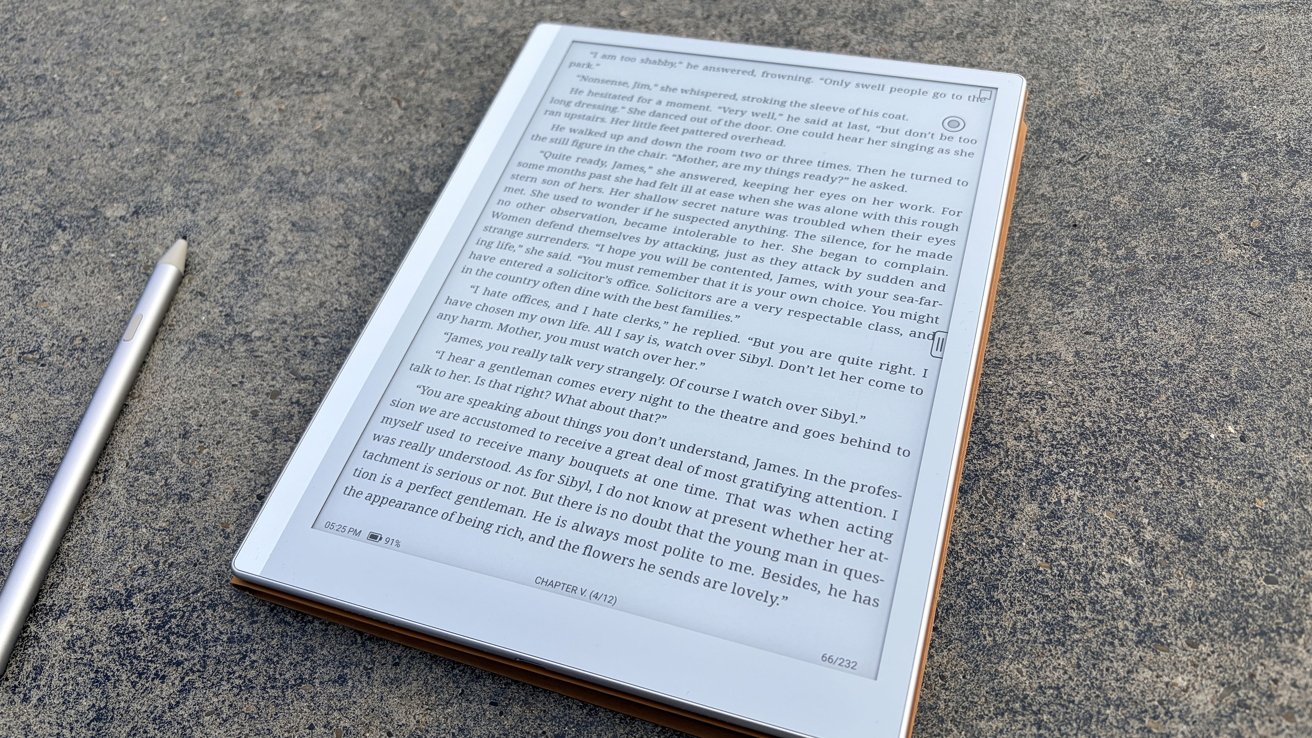
E-reader displaying a page of text lies on rough gray pavement beside a silver stylus, suggesting outdoor digital reading or note-taking in natural light

Boox Go 10.3 Gen II review: reading in bright daylight is great on both models

You know, in the same way that a book does.

Advertisement

But I can’t imagine buying an e-ink tablet that doesn’t have a front light. But again, I interface my eink devices primarily from the comfort of my bed, where I read until I pass out.

I will say, the standard edition does cost less, so there’s still probably a market for it. However, if I were personally in the market for an e-reader, I’d pay the additional $50 to get the front light.

Boox Go 10.3 Gen II review: Overall

As I said before, Boox makes good devices. I try out a lot of e-readers as a side effect of my job, and Boox has been the reigning king.

Boox has a very large, very loyal following, and I count myself among the ranks. While this specific Boox device isn’t my favorite, I think it’s an excellent choice if you want something that is a good balance of book and notepad.

Advertisement

My personal favorite Boox devices tend to be the much smaller ones aimed at trading writing experiences for ultimate portability. I talk about it a lot, but I think the Boox Palma is such a neat little e-reader.

However, that does sort of relegate those devices to the realm of a one-trick pony. You’re not taking notes on the Palma, and even the Boox Mini is too small to comfortably write for more than a few minutes at a time.

That is not the problem with the Boox Go 10.3. This device trades a little comfort for a lot of utility as a note-taking device.

And for most people, I feel like that would make it one of, if not the best choice for an e-reader.

Advertisement

Pros of Boox Go 10.3 Gen II:

  • 10.3-inch size splits the difference between book and notepad
  • Android 15 will get updates for at least three years
  • Thin, lightweight, but not fragile
  • Excellent battery life
  • Optional front light

Cons of Boox Go 10.3 Gen II

  • 64GB could be limiting if you’re storing audiobooks or third-party apps
  • Speakers, microphone are lacking
  • Capacitive touch stylus instead of EMR stylus

Rating: 3.5 out of 5

Where to buy

The version I tested, the Boox Go 10.3 Gen 2 Lumi, can be bought from Boox’s website for $449 and includes the tablet, the stylus, and a folio-style case. If you don’t think you’ll need the front light, you can pick one up for for $399.

The Boox Go 10.3 Gen II is also available from Amazon. The Lumi version is $449.99, while the light-free version is $419.99.

Source link

Advertisement
Continue Reading

Tech

The chip industry is booming again, but only for companies building AI infrastructure

Published

on


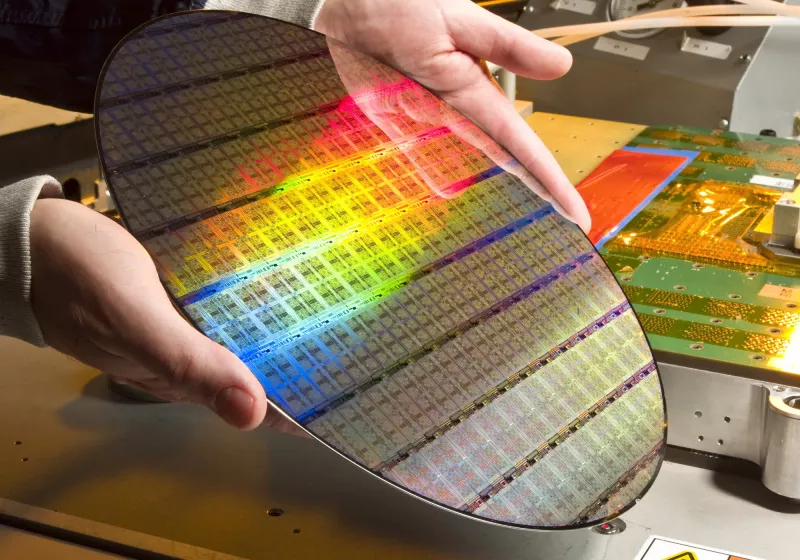
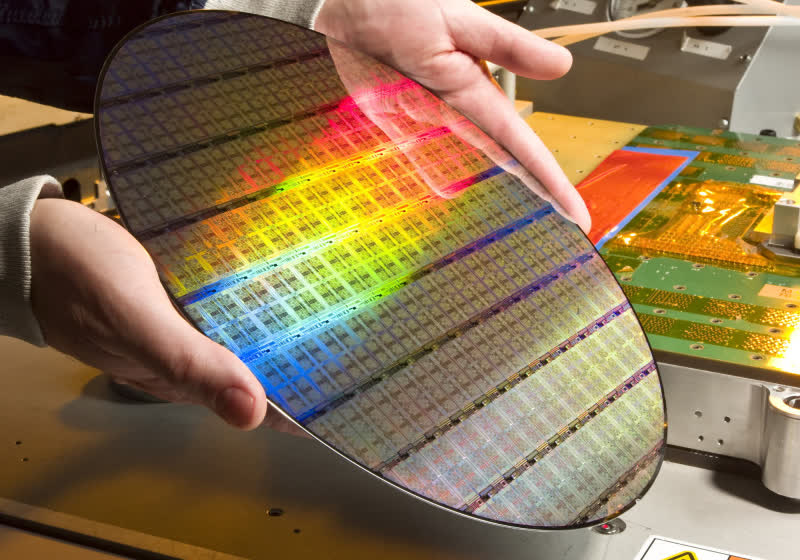
A recent report by Semi’s Silicon Manufacturers Group found that the silicon wafer industry is growing once again. The quarterly analysis confirmed that global shipments for silicon wafers increased 13.1% compared to the same quarter a year earlier, rising from 2,896 million square inches (MSI) to 3,275 MSI. Shipments declined…
Read Entire Article
Source link

Continue Reading

Tech

OpenAI President Discloses His Stake In the Company Is Worth $30 Billion

Published

on

OpenAI president Greg Brockman’s testimony dominated the fifth day of the trial for Elon Musk’s lawsuit against the AI company. Brockman took the witness stand on Monday, disclosing that his stake in OpenAI is worth nearly $30 billion, despite not personally investing money in OpenAI. The judge also declined to admit a pretrial text in which Musk allegedly warned Brockman that he and Altman would become “the most hated men in America.” From a report: Brockman’s disclosure would put him on the Forbes list of the world’s richest people, with wealth comparable to Melinda French Gates. […] Late Sunday, OpenAI lawyers tried to admit as evidence a text message Musk sent to Brockman two days before the trial began. According to a court filing — which did not include the actual text exchange — Musk sent a message to Brockman to gauge interest in settlement.

When Brockman replied that both sides should drop their respective claims, Musk shot back, according to the filing, “By the end of this week, you and Sam will be the most hated men in America. If you insist, so it will be.” Judge Yvonne Gonzalez Rogers, who is overseeing the trial, did not admit the text exchange as evidence. Brockman acknowledged that he had promised to personally donate $100,000 to OpenAI’s charity but never did. In explaining the delay, Brockman put the onus on Altman: “I asked Sam when I should donate this, and he said he would let me know,” reports Business Insider.

The first witness to testify on Monday was Stuart Russell, an artificial intelligence expert who teaches computer science at the University of California, Berkeley. “The most memorable part of Russell’s testimony was when he talked about how much Musk’s legal team paid him,” notes Business Insider. “He received an eye-popping $5,000 per hour for 40 hours of preparatory work. Expert witnesses in high-profile cases typically make between $500 to $1,000 per hour.”

Recap:

Musk Concludes Testimony At OpenAI Trial (Day Four)
Elon Musk Says OpenAI Betrayed Him, Clashes With Company’s Attorney (Day Three)
Musk Testifies OpenAI Was Created As Nonprofit To Counter Google (Day Two)
Elon Musk and OpenAI CEO Sam Altman Head To Court (Day One)

Advertisement

Source link

Continue Reading

Tech

This Tip Can Help Keep Your Car’s Air Vents From Retaining Too Much Moisture

Published

on


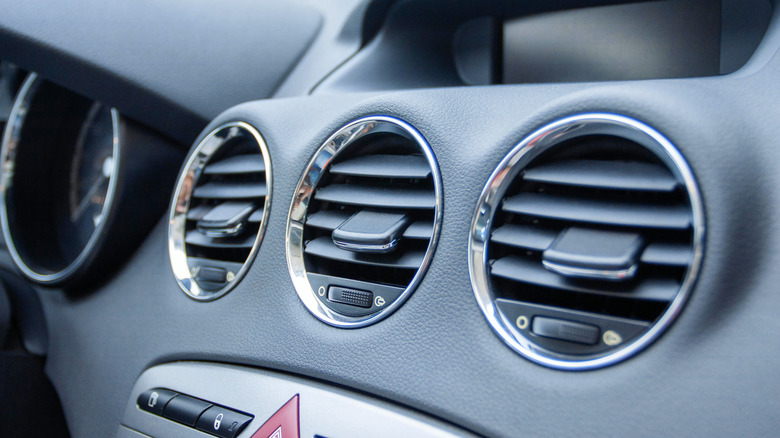
Modern cars often feature more efficient seals and better insulation than older vehicles, both of which can potentially result in increased moisture buildup. A better-insulated car will stay warmer for longer when it’s turned off, which increases the amount of moisture that condenses on the insides of the windows. Then, efficient seals trap that moisture in. To add to the problem, an inefficient or clogged A/C system can leave water stuck in the evaporator, which then gets into the cabin when you turn the system on. As well as bringing even more moisture into the cabin, a clogged A/C also leaves you with a musty smell when you’re driving.

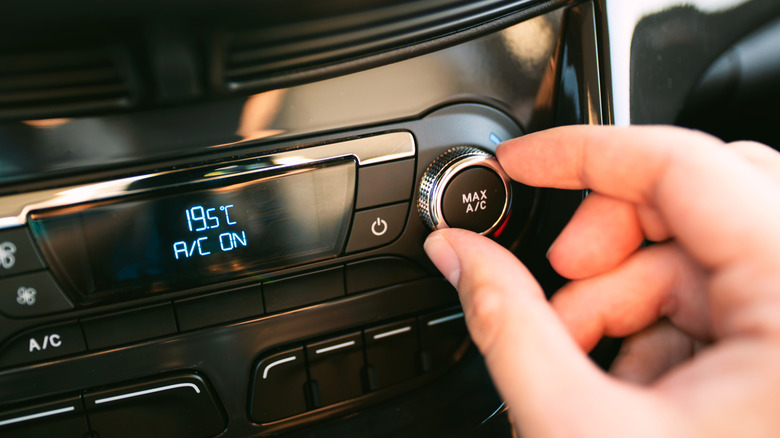
If your car’s A/C smells bad, there are ways to fix it, but there is also one thing you can do to reduce the amount of moisture that builds up in the A/C system in the first place. In the warmer months, it’s worth periodically turning the A/C off but keeping the fans running for a couple of minutes after you finish a journey. This simple tip isn’t enough to guarantee that the musty smell won’t eventually return, but it should help keep your A/C system smelling fresher for longer by allowing any residual moisture in the vents to be channeled out.

Advertisement

Keeping up with maintenance is also important

In addition to letting the car’s fans clear out moisture from the vents every so often, it’s a good idea to periodically clean your car’s A/C to keep it running efficiently. Many manufacturers offer specialist cleaning sprays that need to be carefully sprayed into the car’s A/C system, then circulated to kill any bacteria or mold. It should help neutralize any bad smells and will stop you from breathing in potentially problematic mold spores.

It’s also worth making sure you regularly replace your car’s cabin air filter, since it plays a key role in helping to circulate clean air through the cabin. Exactly how often you should change the cabin air filter can vary between makes and models, with Ford suggesting that it should be changed every 15-20,000 miles and Hyundai recommending that it’s changed every year or every 12,000 miles, whichever comes first. If you’re unsure when the cabin air filter was last changed, it’s worth buying a fresh filter as a precaution, since it’s inexpensive and usually easy to install.

Advertisement


Source link

Advertisement
Continue Reading

Tech

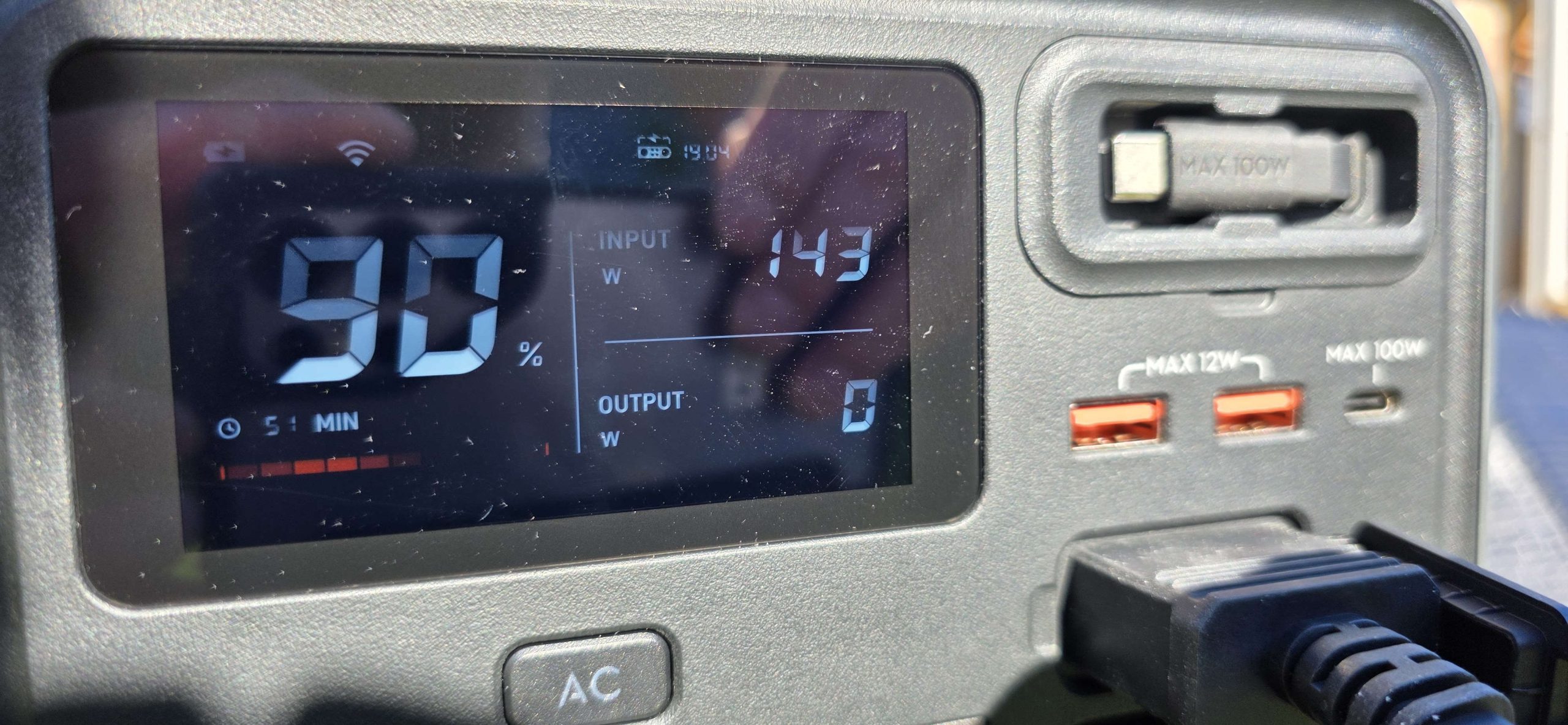
DJI Power 1000 Mini review

Published

on

Why you can trust TechRadar


We spend hours testing every product or service we review, so you can be sure you’re buying the best. Find out more about how we test.

DJI’s push into portable power has been surprisingly assured, and the DJI Power 1000 Mini Portable Power Station feels like the most deliberate product in the range so far. It takes the core idea behind the larger units and trims it down into something you might actually want to carry.

This is a 1kWh-class power station that doesn’t feel like luggage. For creators, vanlifers and anyone working on the move, that shift in usability matters more than raw output figures, and might make it the best portable power station choice for them.

DJI Power 1000 Mini 1

(Image credit: Future)

Source link

Continue Reading

Tech

Astronomers May Have Detected an Atmosphere Around a Tiny, Icy World Past Pluto

Published

on

“The Associated Press is reporting on a new study in Nature Astronomy suggesting that a tiny, icy world beyond Pluto harbors a thin, delicate atmosphere that may have been created by volcanic eruptions or a comet strike,” writes longtime Slashdot reader fahrbot-bot. From the report: Just 300 miles (500 kilometers) or so across, this mini Pluto is thought to be the solar system’s smallest object yet with a clearly detected global atmosphere bound by gravity, said lead researcher Ko Arimatsu of the National Astronomical Observatory of Japan. This so-called minor planet — formally known as (612533) 2002 XV93 — is considered a plutino, circling the sun twice in the time it takes Neptune to complete three solar orbits. At the time of the study, it was more than 3.4 billion miles (5.5 billion kilometers) away, farther than even Pluto, the only other object in the Kuiper Belt with an observed atmosphere. This cosmic iceball’s atmosphere is believed to be 5 million to 10 million times thinner than Earth’s protective atmosphere, according to the the study […].

It’s 50 to 100 times thinner than even Pluto’s tenuous atmosphere. The likeliest atmospheric chemicals are methane, nitrogen or carbon monoxide, any of which could reproduce the observed dimming as the object passed before the star, according to Arimatsu. Further observations, especially by NASA’s Webb Space Telescope, could verify the makeup of the atmosphere, according to Arimatsu.

Source link

Continue Reading

Tech

MacBook Pro M4 vs Mac Studio M2: which Mac is best for you?

Published

on

Source link

Continue Reading

Tech

One Of iRobot’s Co-Founders Is Now Making Weird Little Robot Companions

Published

on


Colin Angle, the guy who co-founded iRobot and helped put robot vacuums in millions of homes, just unveiled his new company and forthcoming product. The new venture is called Familiar Machines & Magic and it’s making robots for companionship, and not for sweeping floors.

They are called Familiars and are being described as “physically embodied AI systems to perceive, adapt and interact with people in ways that feel natural and consistent.” That sounds like a pet, but with loyalty and love replaced by algorithms.

Advertisement

“The next era of robotics is not just about dexterity or humanoid form — it’s about machines that can build and sustain human connection,” he said at The Wall Street Journal’s Future of Everything conference. “My goal has always been to create systems that understand context, remember interactions and behave with consistency over time.”

The company says that its first Familiar has been “purpose-built for social interaction” with a general design architecture “optimized for expressive, whole-body movement that communicates attention, awareness and intent.” It’s also fairly cute.

The animal-esque robot is covered by a touch-sensitive coat and includes a series of cameras, along with a microphone array. This should allow it to interact with humans in a fairly normal way, which is helped along by an onboard AI stack that’s “powered by a custom small multimodal model optimized for social reasoning.”

There isn’t an actual product yet. The first Familiar is a working prototype and acts as a proof of concept. With that in mind, we don’t know when or if the company will put something on store shelves or how much one of these fake pets will cost. As an aside, animal shelters will let you take home a cute critter for $50 to $125 bucks.

Advertisement


Source link

Advertisement
Continue Reading

Tech

Surfshark Adds Vega OS Support, Expanding VPN Access on Amazon Fire TV

Published

on

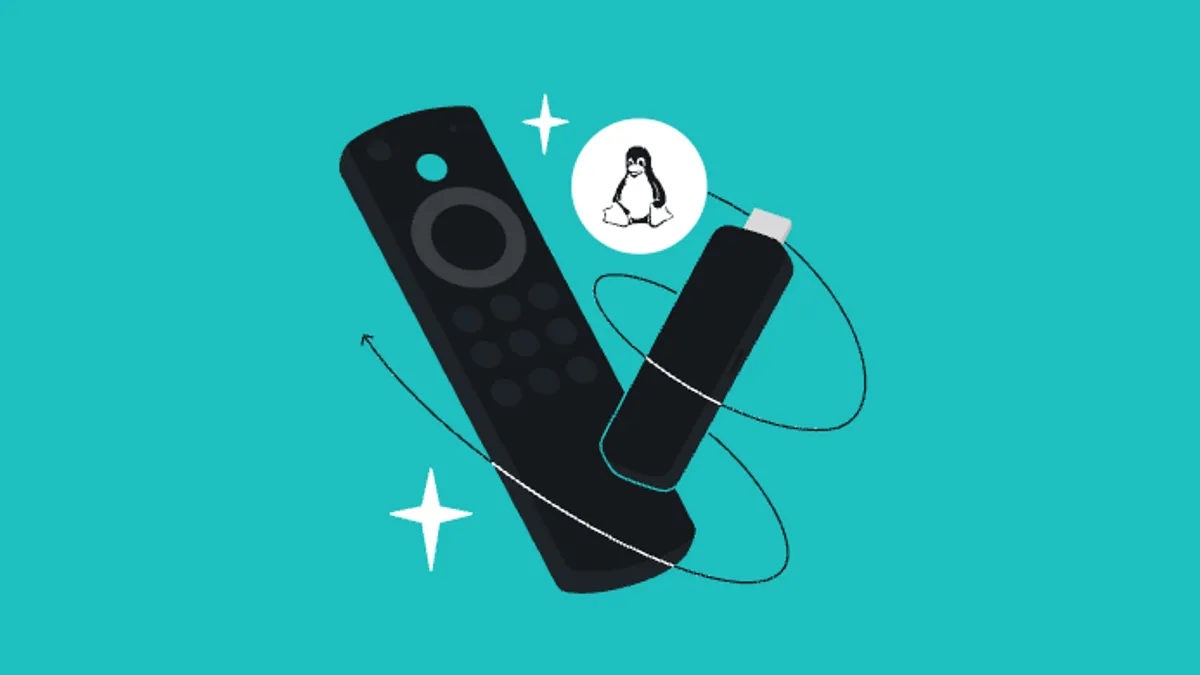
Surfshark has released a native app for Vega OS, bringing its virtual private network service to the latest generation of Amazon Fire TV devices powered by the company’s new Linux-based platform. The update restores functionality lost when Amazon moved away from its Android-based Fire OS in late 2025.

When Vega OS replaced Fire OS as Amazon’s underlying software for Fire TV streaming hardware in October, it broke support for Android apps, meaning existing apps didn’t carry over. This created a gap for those who relied on VPNs for streaming and required developers to rebuild apps for the new environment. Surfshark’s new app closes that gap, offering what the company describes as “core VPN capabilities” on Vega OS devices.

The practical benefits remain the same: A VPN encrypts internet and streaming activity, masks IP addresses and can help avoid ISP throttling during high-bandwidth use. The tech is also commonly used to access region-specific libraries on services like Netflix and HBO Max — a use case that had effectively been sidelined on newer Fire TV devices until this new wave of native apps began arriving. Surfshark notes its Vega OS app currently focuses on core features and supports the WireGuard protocol. Broader support is expected to come later, as the app and platform mature.

Advertisement

For now, this is less about new features and more about restoring parity for people upgrading to newer Fire TV hardware. Surfshark joins other providers, including NordVPN and IPVanish, in building dedicated apps for Amazon’s Vega OS ecosystem. As more developers follow suit, Vega OS moves closer to matching the app ecosystem it replaces. 

For more context, check out CNET’s coverage of Surfshark VPN, our roundup of the best VPN services and our guide to the best VPNs for Fire TV Stick.

Source link

Advertisement
Continue Reading

Tech

WatchOS 27 Set to Get Slimmed-Down Watch Ultra Face, Report Says

Published

on

The next version of WatchOS is set to get a stripped-down version of the Watch Ultra’s signature watch face, alongside multiple others, according to a report by Bloomberg’s Mark Gurman. Whether this means the latest version of the OS will primarily be an aesthetics upgrade, or Apple has just stayed tight-lipped about WatchOS 27, remains to be seen. 

With WWDC 2026 just around the corner, most eyes are on iOS 27, which is set to include the Google Gemini-powered Siri to strengthen Apple’s AI efforts, but rumors on the latest from WatchOS have been minimal.

According to Gurman’s newsletter Power On, Apple has several new watch faces in the works for the next version of WatchOS, but the most familiar of them is also the most notable. A new, modular watch face is set to make an appearance, which borrows heavily from the Modular Ultra watch face. 

Advertisement
Apple watch ultra 3

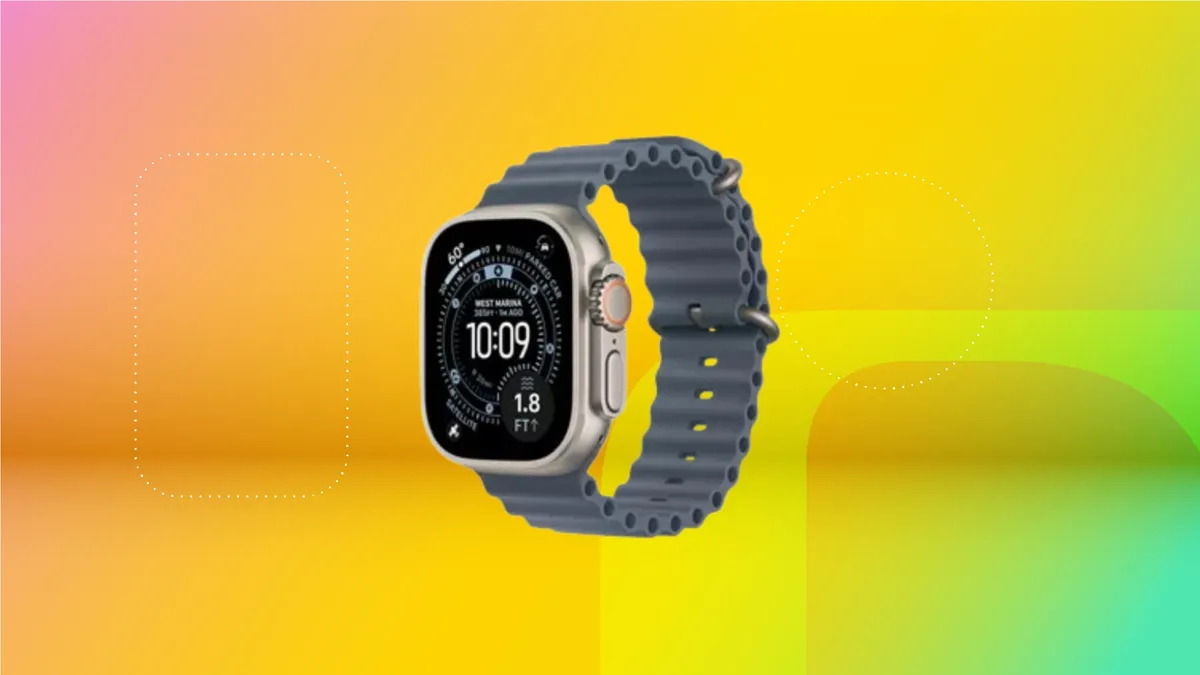
Apple Watch Ultra’s modular watch face. 

Apple/Screenshot by CNET

The new watch face is said to have removed the large complication in the center, the three smaller complications above the clock and the surrounding information around the bezel. What’s left is a stripped-down version of the original: A massive clock that takes up the top two-thirds of the display, with three small complication options below it. 

Simplifying this specific watch face could be an attempt to make it more approachable for the standard Apple Watch lineup, while providing glanceable information with the three complication options. 

Advertisement

Apple Watch users are set to get another watch face before WatchOS 27. With the release of WatchOS 26.5, a new Pride Luminance watch face will be introduced, alongside an accompanying watch band in time for Pride month in June. 

A smartwatch getting new watch faces is about as exciting as telling time itself. It’s not particularly exciting — even if it’s something that’s trickled down from a higher-end model. 

An Apple representative didn’t immediately respond to a request for comment. 

Advertisement

Source link

Continue Reading

Trending

Copyright © 2025