OpenAI is now rolling out ChatGPT Astra, its most powerful model to date, to those with a $20 Plus subscription, but there’s no word on when free users will get access.
The rollout appears to be happening gradually, and Astra may show up inside ChatGPT Work before it becomes available in regular Chat.
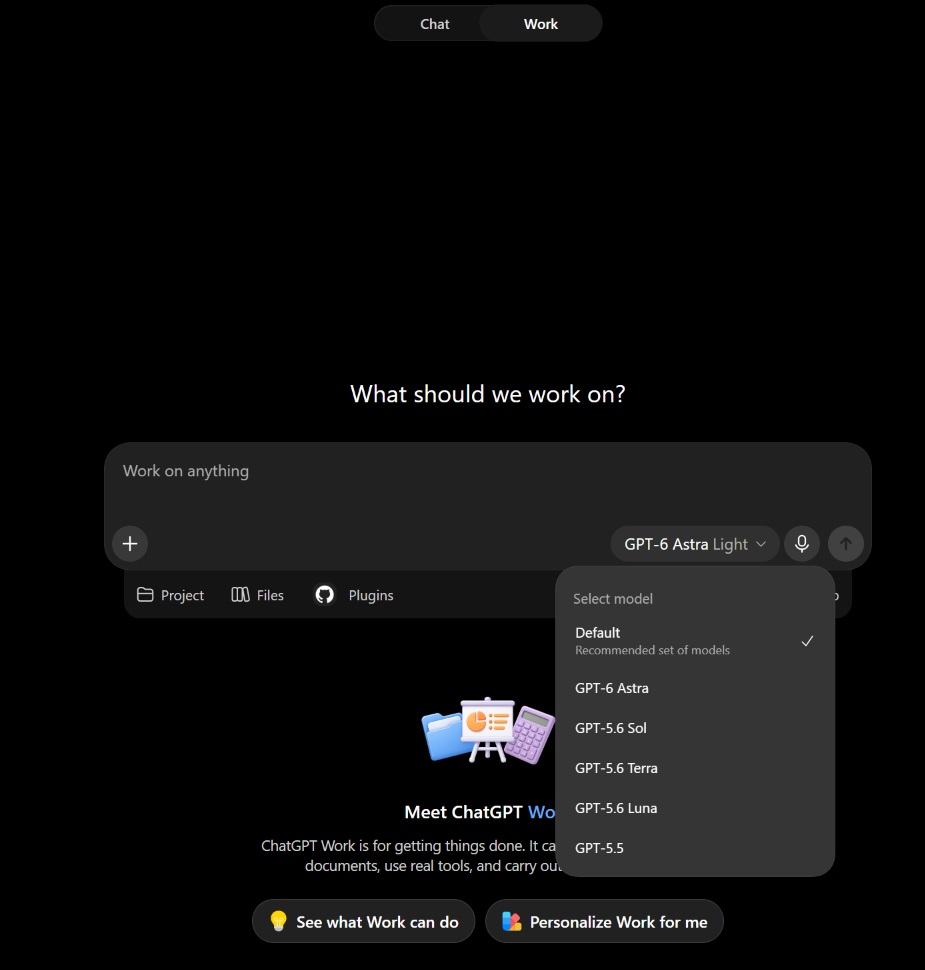
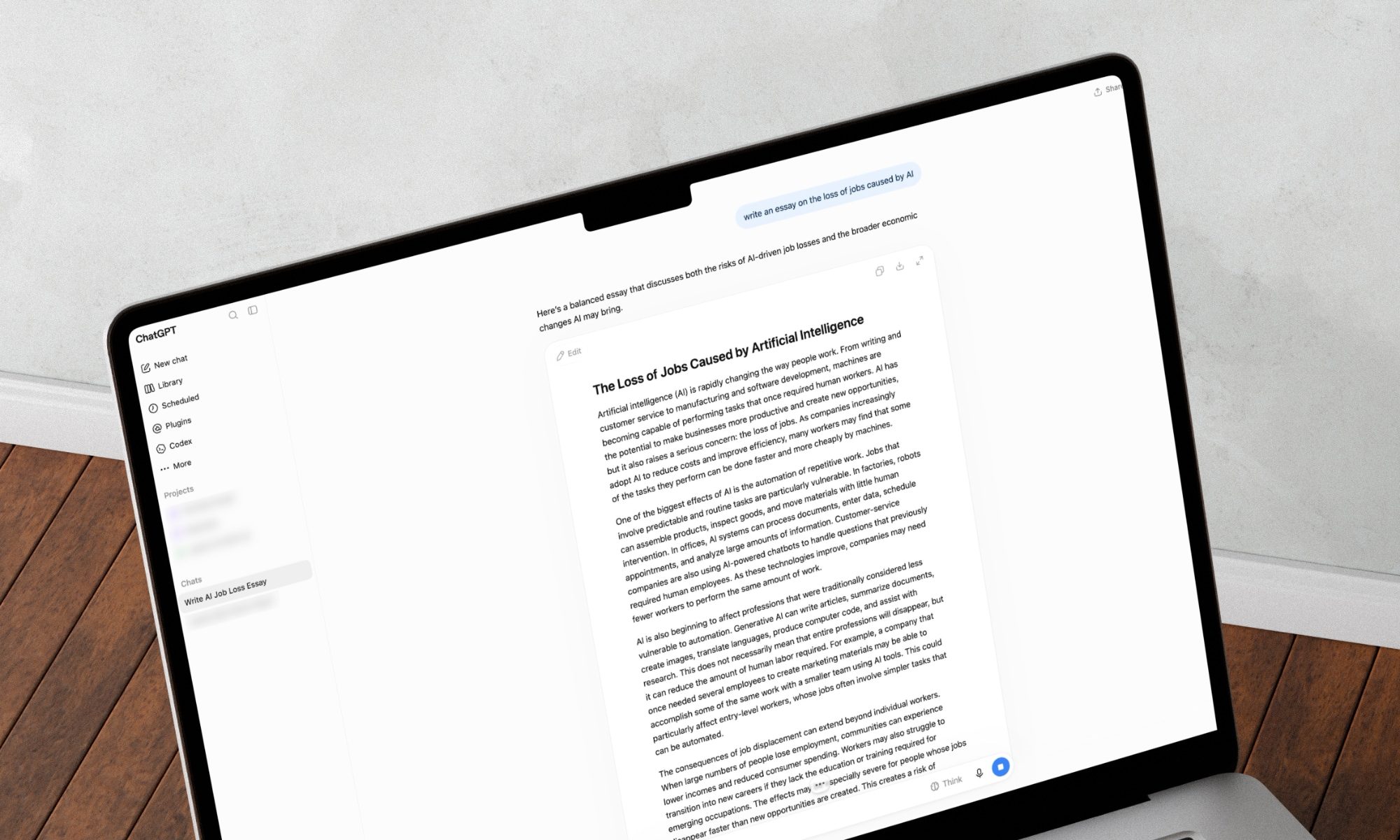
In my $20 Plus account, Astra is already available in the Work section of ChatGPT, while the normal Chat model picker still doesn’t offer it.
Here’s what it looks like when I go to ChatGPT Work and click on the model picker:
Advertisement
ChatGPT Astra
Source: BleepingComputer
So, if you have ChatGPT Plus and don’t see Astra in regular Chat yet, it’s worth checking Work.
OpenAI previously confirmed that it’s rolling out Astra to Plus users, but it’ll be a while before it shows up for everyone.
“GPT-6 Astra is now available to all Pro, Enterprise, and Business Premium users in ChatGPT Work and Codex. It’s also live in the API,” OpenAI wrote in a post on X.
“It might take a few days to roll out to our Plus and Business users.”
Astra is included with the existing ChatGPT Plus subscription
OpenAI says Astra usage is included within existing subscription limits, so Plus users do not need to purchase a separate plan to access the model.
Advertisement
If you need additional usage, you will also be able to buy credits.
Astra is OpenAI’s new flagship model and is designed for computer use, browsing, coding, science, cybersecurity, and longer professional tasks.
OpenAI says it is also significantly better than GPT-5.6 Sol at maintaining context during complex work.
While ChatGPT Astra is rolling out to paid users, OpenAI hasn’t said whether the model will roll out to free users, or in what capacity if it does. For now, free users have access to GPT-5.6 Sol and GPT-5.
Advertisement
Overall prevention scores can hide what happens after initial access. Once attackers are using valid credentials, prevention drops sharply.
The Blue Report 2026 measures defenses technique by technique across 338 million simulations run in customer production environments.
Some authors hoping to receive their share of Anthropic’s $1.5 billion copyright settlement said they received surprising emails this week — emails informing them that someone else was making a claim on their payments.
Anthropic settled a copyright class action suit last year, after a judge ruled that training AI models on copyrighted material is legal under fair use doctrine, but pirating that material was not. The deal received final approval in July, allowing the payments to move forward.
Under the terms of the settlement, the authors of nearly 500,000 titles will be paid $3,000 for each pirated work. If the book is still in-print with a traditional publisher, the money will be split 50-50 between author and publisher. If the book was self-published, or if the publisher reverted the rights by allowing the book to go out-of-print, then the author should get the entire payment.
But writers have been posting on social media that publishers seem to be claiming more than their fair share of some payments. For example, mystery and thriller author April Henry asked, “WTF is HarperCollins playing at? They claimed one of my books on the Anthropic Settlement that reverted back at least 17 years ago AND on the same day I got a credit alert saying they had been added as my employer! (which they never were).”
Advertisement
At the popular blog Writers Beware, Victoria Strauss wrote that she’s been receiving author complaints that fall into two broad categories: one where publishers are seeking payment for works that they no longer have a legitimate claim on (because the rights have reverted), and another where publishers are seeking a full 100% payment when they’re only entitled to 50%.
In both cases, Strauss said she’s “reluctant to attribute to malice what can be plausibly explained by poor recordkeeping” — and she noted that some publishers have already said this is a mistake that they’ve asked Anthropic to fix.
Similarly, Authors Guild CEO Mary Rasenberger told The New York Times that she doesn’t see this as “a grab by the publishers” and that she doesn’t believe publishers are “specifically trying to screw any author over.” Instead, she argued that this is the predictable result of bad record-keeping and a confusing settlement process.
Strauss also acknowledged that any complaints she’s seen are just “a peek through a small crack in a massive wall.”
Advertisement
“But the unusually large number of reports I’ve received over the last two days, as well as the fact that authors are reporting the exact same errors over and over, suggest to me that these aren’t the kind of routine glitches you might expect from such a large operation, but something much more wide[s]pread and systemic,” she wrote.
And publishers aren’t the only ones seeking a cut of the payments. Strauss said she’s gotten complaints that a number of literary agencies are also making claims, which she said is surprising since “agents are not rightsholders in the books that they sell.”
Author Courtney Milan (the pen name of former law clerk and law professor Heidi Bond) was more blunt in a post on Bluesky, writing, “Apparently some agents are trying to claim percentages on the Anthropic settlement, and I do not REMOTELY think they should do this, what the fuck, stop that shit!”
Milan and the Authors Guild also shared more details about how authors can dispute their payment allocations. (One tricky issue: When the rights to a specific book reverted. In order for an author to make a 100% claim on a book, the rights reversion needs to have happened before August 10, 2022, which is the “download date” in the settlement.)
Advertisement
When you purchase through links in our articles, we may earn a small commission. This doesn’t affect our editorial independence.
Google has begun rolling out beta voice features using Gemini 3.5 AI that allow you to have interactive conversations with its Gmail, Docs and Keep services. That means users can issue voice commands to find information in Gmail emails, incorporate AI search results into their Keep notes or start and organize a file in Docs without ever typing any text.
The features are in beta and are known collectively as just “Live,” as in Gmail Live or Docs Live. The Live features for Gmail and Keep are only currently available to Google’s AI Plus, Pro and Ultra paid-tier subscribers. Docs only works for Pro and Ultra subscribers right now.
Google said in a post that the new features will be coming soon for business customers who use Google Workspace.
Advertisement
In a video, Google staffers said that the Live voice features can make using the three Google apps more conversational and may be faster than typing searches or entering information manually.
Google previewed these features at its I/O event in May as part of a blitz of AI features powered by Gemini that it would be introducing over the next year. In the case of Gmail, Google has already been adding AI features to make inboxes easier to wrangle.
How to use the Live features
If you have access to them, using the voice features in Gmail, Docs and Keep should be as easy as tapping the Live icon at the top of each app.
You can ask Gmail to do things like find a specific email, compose a reply or answer questions from the context of emails, such as finding details about an upcoming flight you’ve booked or checking when you last received an email response from someone.
Advertisement
In Google’s examples of how to use Live for Keep, the company said making the note-taking app a kind of intake for brain dumps is a good use, but it can also help organize notes or find information within them with voice commands.
Docs, according to Google, can also pull in information from services like Google Chat, Gmail and Drive with permission as well as websites, allowing it to create documents that pull together different elements with just voice commands.
Omar Gallaga has covered technology, digital culture and other topics for outlets including CNET, NPR, WIRED, Texas Monthly, MSNBC, Consumer Reports, The Washington Post, the Los Angeles Times, The Atlantic and the Austin American-Statesman, where he was a longtime tech reporter, editor and podcaster. He lives in the Texas Hill Country.
See full bio
When I first tested the developer beta of Apple’s Siri AI by taking it as my tour guide around San Francisco, I was convinced the overhauled smartphone assistant would be an “everything tool” on the iPhone. The answers felt reliable enough and more helpful than previous versions of Siri. Also, the chatbot-style app for Siri felt very sleek, very Apple-y.
Over the next month, I kept experimenting with the Siri AI in the iOS 27 beta. The tool was quite powerful, especially with the personal context brought in by indexing the contents of my phone. Finding an ancient text message or photo has never been easier. Even so, my usage of the smartphone assistant slowly started tapering off.
It’s not that Siri AI isn’t better now. It is! This new version is quite the step change, which makes my reaction even more devastating. Siri AI isn’t revolutionizing how I interact with my phone the way I’d initially hoped, especially as an AI assistant built directly into the device and factoring in that Apple gives more thought to preserving my privacy than many other AI companies.
Even though I wasn’t going out of my way to interact with Siri AI, I didn’t mind how it was now, essentially, the search bar for the smartphone. As the summer months faded, I wasn’t souring on Siri AI. Instead, I just grew more neutral.
Advertisement
Old habits die hard. Soon I was back to my regularly scheduled doomscrolling on Instagram and aimless Yelp expeditions. I was manually typing and swiping for myself rather than relying on a smartphone assistant for help. And I was already low-key locked in with another chatbot, Anthropic’s Claude, and already used that app fairly often on my phone.
Even though some AI power users may not go all in on this new Siri, analysts say this won’t matter, since everyday users are often fine with Apple’s default software. “Will Siri bear the weight of criticism for not being as good as some of its peers? Sure,” says Dipanjan Chatterjee, vice president and principal analyst at Forrester, a research and consultancy company. “Will it make a difference to the vast installed base of iPhone users and cause them to look elsewhere? Not a chance.” Some iPhone users trust Apple with their data in ways they don’t with any other company. Siri AI may reap those same benefits.
Tech analysts see Apple’s long-cultivated consumer trust in data privacy as potentially a compelling distinction. Ramon Llamas, a research director analyzing the mobile device market at the International Data Corporation, believes users deep in the Apple ecosystem, who previously had qualms about the safety of other AI tools, may be open to trying the new Siri.
My experience with Siri AI—loving it and then leaving it for dust—may be an outlier. Many other beta testers are still rocking with the smartphone assistant.
Advertisement
“In the past, I was unwilling to trust that Siri could do anything useful,” says Avi Greengart, founder and lead analyst at Techsponential. “But with the latest beta software, I’m finding myself not only using it more, but for more things: Siri is now able to find information buried on my phone faster and more efficiently than any other method, its world knowledge is vastly better than before, and even dictation works better.”
That said, the cultural backlash to generative AI has been brewing. Another solid segment of iPhone owners may choose to avoid the new Siri altogether because of the AI attached to its name. Whether it’s a moral objection or broader distrust of AI tools, these holdouts are unlikely to be won over by Siri’s feature improvements.
Ultimately, my own summer fling with Siri AI was short-lived. But I promise, it’s not you. It’s me.
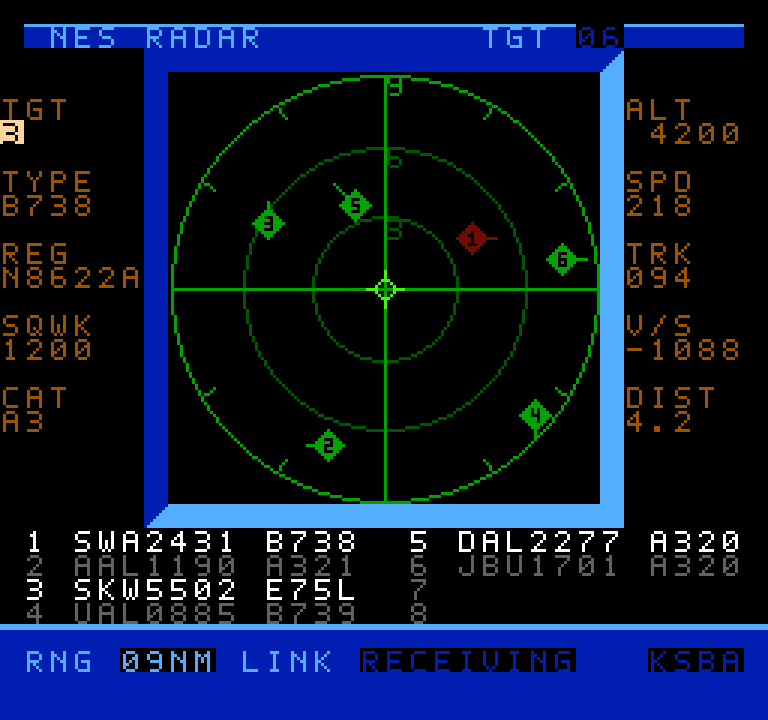
Air traffic visualizers seem to be having a bit of a moment right now, and now that moment has come to the venerable NES thanks to [k6lcm]’s NES Radar project, which is open-source under the GPL on GitHub. In spite of the name, there’s no Radio Direction or Range-Finding involved in this project– no radio at all, in fact, which makes this a bit interesting. It’s just an NES cartridge and a carefully constructed cable.
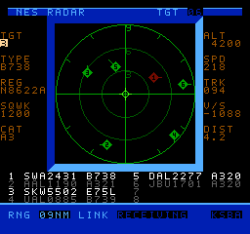
It looks like a period game, but it’s current-day air traffic.
The cartridge is a standard ROM cart that holds the software — no hidden ESP32 or PicoW here, which is what we initially suspected the project would be. So how is it that when you start up the NES with the cartridge inside, you can input an International Civil Aviation Organization (ICAO) code, like, say, KATL, and get a visualization of the traffic? Well, okay, if you put in KATL, you won’t get all the traffic, since the software is limited to 8 sprites, and that’s the world’s busiest airport. Still, how does it know where those airplanes are?
The secret is in the carefully constructed cable mentioned above: this project is using the second controller port on the NES as a serial port, and getting the data that way. A handy Python script on a nearby computer is what actually fetches aircraft positions. It’s based on c64u-radar, also by [k6lcm], which does the same Python server trick but relies on the Commodore 64 Ultimate’s LAN port to get data rather than using serial. The NES has no such ports available, though, so the controller port it was. We saw a similar trick used for satellite tracking on the NES some years ago.
If you like the idea of tracking flights, perhaps you’d like to see it done on a real radar CRT, or projected directly onto the ceiling. Thanks to ADS-B and free APIs, it seems airplane trackers are everywhere; if an interesting one has come onto your radar, please send us a tip.
Speaking of tips, thanks to [Levi] for putting this one on our scopes!
Microsoft is expanding Xbox Cloud Gaming beyond consoles and PCs, partnering with TCL to bring the Xbox app to select TCL Smart TVs in the coming months. The move gives gamers another way to access Xbox titles directly from a television without needing an Xbox console.
The partnership, announced on September 4, is part of Xbox’s broader push to make its gaming ecosystem available across more devices. Microsoft says the app will reach millions of TCL TV users across more than 25 countries, allowing them to stream supported Xbox games on TVs they already own.
Xbox gaming moves closer to becoming a TV app
Once the Xbox app arrives on supported TCL Smart TVs, players will be able to access Xbox Cloud Gaming through an Xbox Game Pass subscription and stream supported games directly to their television. Eligible Game Pass subscribers will also get access to an instant library of cloud-playable games.
There is a catch, however: users will need a supported TCL Smart TV, a compatible controller, and cloud playtime included with Xbox Game Pass or purchased separately. So while the console can stay out of the equation, the controller and subscription still matter.
Advertisement
For players, the appeal is fairly straightforward. A supported TV could effectively become another entry point into the Xbox ecosystem, making it possible to play without buying dedicated Xbox hardware. That could be particularly useful for casual players or households that already have a compatible TCL television.
The partnership also highlights Microsoft’s strategy of making Xbox less dependent on a single piece of hardware. Rather than restricting the experience to consoles, the company says it wants players to have more choice in how and where they play.
Your games can follow you across Xbox devices
The TV experience will also retain key parts of the wider Xbox ecosystem. Microsoft says games, friends, achievements and saves can travel between supported TCL Smart TVs, consoles and PCs, allowing players to pick up where they left off.
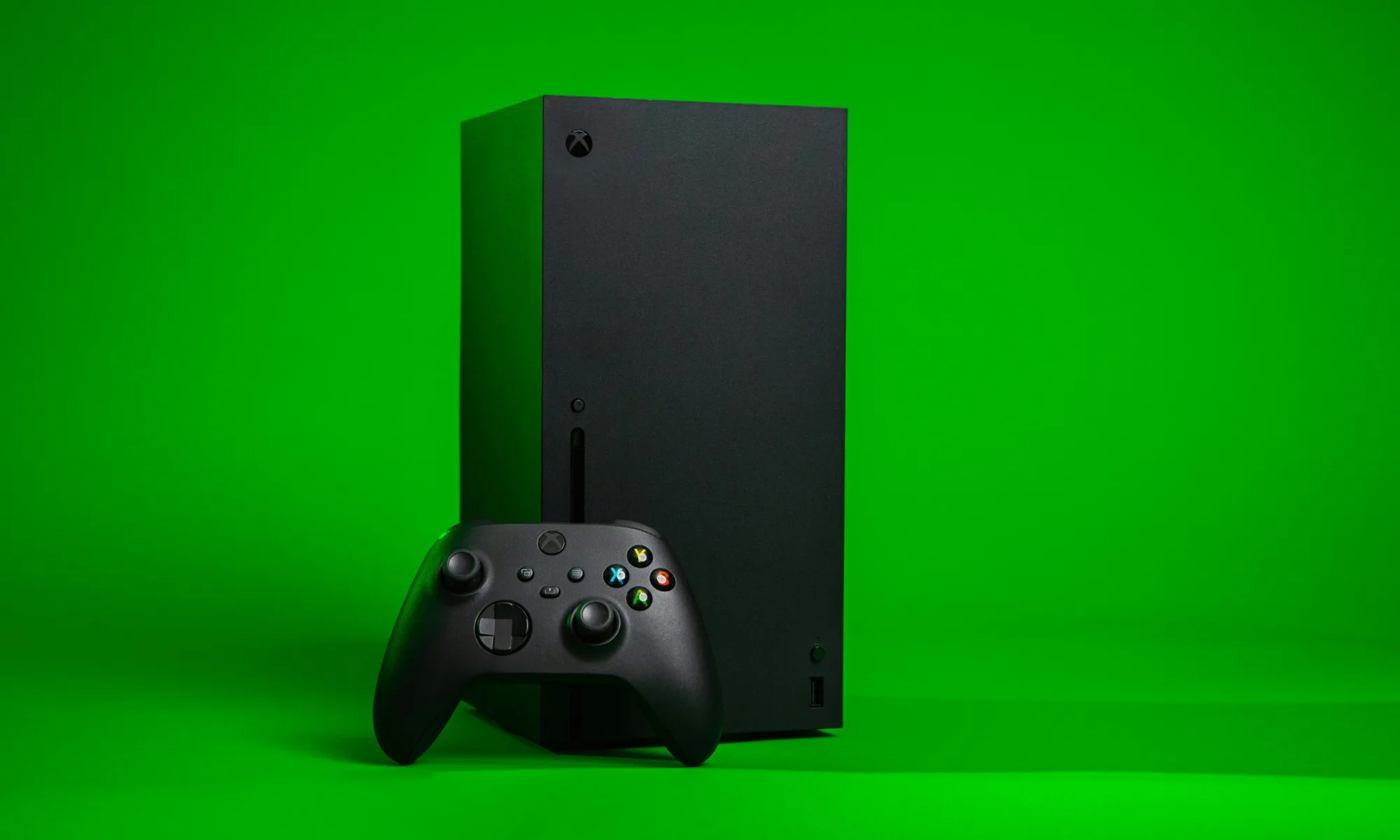
Xbox
That means the television isn’t being treated as an isolated gaming platform. Instead, it becomes another screen through which players can access their existing Xbox experience.
For now, Microsoft has only said the Xbox app will arrive on select TCL Smart TVs in the coming months. It has not provided a specific launch date in the announcement. The rollout will therefore depend on supported TV models and regional availability.
Advertisement
The next step is for Xbox and TCL to reveal which Smart TV models and countries will receive the app, followed by the actual rollout. Until then, gamers will have to wait before turning their TCL television into another Xbox Cloud Gaming machine.
For over a decade, Teresios Bundi made a living writing essays for overseas college students looking for a shortcut. His first assignment, a two-page paper on a fruit he had never even heard of, earned him $7. Over the years that followed, Bundi says he churned out more than 2,500 essays covering subjects from engineering to medicine.
How did Kenya become an essay-writing hotspot?
Once cheap high-speed internet reached Kenya around 2009, thousands of well-educated but underemployed graduates found work in the cracks of the global digital economy. Essay writing became one of the most lucrative gigs, with writers charging $40 to $70 per paper.
Rachit Agarwal / Digital Trends
Researchers say Kenya’s essay-mill industry employed roughly 40,000 people in Nairobi at its peak. Bundi even built a business out of it, setting up a workspace stocked with computers and fast Wi-Fi to keep pace with the demand.
Kenya’s government leaned into the trend too, training graduates to use freelance platforms and later adopting a national plan built around online outsourcing work.
What happened when ChatGPT showed up?
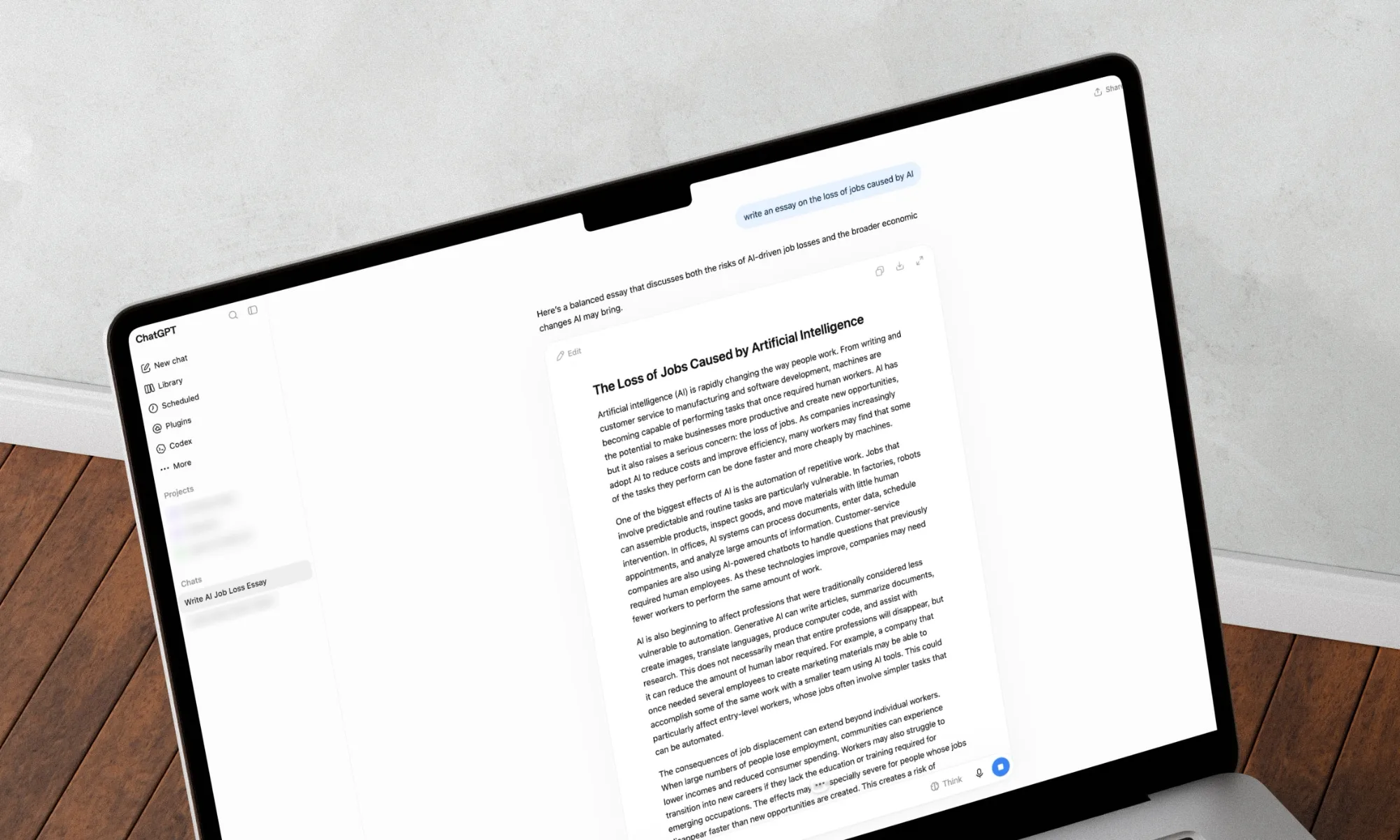
Then OpenAI released ChatGPT in 2022, and the math changed overnight for students. Suddenly, students didn’t need a human ghostwriter in Nairobi when a free chatbot could spit out an essay in seconds. Demand for essay writers collapsed almost as fast as it had grown, and pay rates followed.
Advertisement
“I never would have expected AI could do this,” Bundi told The New York Times.
The damage wasn’t limited to essay writing. Transcription work and content moderation gigs, once reliable income for Kenyans, have also faded as AI tools took over. Labor activist Frida Mwangi, who used to transcribe interviews for a living, said companies eventually told her to just use AI herself. “My job went completely,” she said.
Tim Witzdam / Pexels
Oxford researcher Mark Graham, who has studied the global gig economy, put it bluntly: “It’s not just going to be Kenya — it’s going to be everywhere we see a big transformation. AI has come in and taken big chunks of these labor markets.”
Bundi now helps other young Kenyans navigate the digital economy, but he sees his own story as a warning of what’s coming for everyone else. “AI is coming for bankers, for accountants… it’s coming for everybody,” he said.
AI has already changed the job landscape as we know it, and this feels like just the beginning. Kenyans just found that out the hard way, and the rest of us might not be far behind.
MapQuest, who knew? A week ago, the app seemed like just another long-forgotten relic from the dotcom glory days. Now, it’s surged to the top of app download charts after the company ignored an executive order from President Donald Trump by refusing to relabel Lake Ontario as Lake America. And the company apparently is going to keep riding the wave.
The 30-year-old app announced that it was bringing its navigation service to Android Auto in an experimental phase. Thus, drivers can use MapQuest on their dashboard infotainment screens rather than Google Maps if they have Android Auto enabled.
Android Auto is a software system that allows Android phone apps to display on a dashboard screen, which basically performs like a computer monitor. By connecting your phone to the vehicle’s Android Auto system, you can use map apps such as Google, Waze and now MapQuest, as well as stream music and listen to podcasts or use AI programs like Google Assistant or Gemini to send texts and make calls.
Advertisement
What about Apple users? A message on MapQuest’s help center noted that “CarPlay is coming to the MapQuest iOS app soon!”
In addition to basic navigation, the MapQuest app is trying out a crowdsourcing feature on Android Auto. Drivers and passengers can report accidents, road closures and activity by police and other first-responders on the app so that other drivers might know what’s coming up for them on the roads.
As a comparison, MapQuest and Google Maps both have the basics — planning a route from Point A to Point B with an estimated travel time, a computer voice telling when and where to turn and search functionality to find businesses and other locations. But Google Maps also has public transit directions, indoor maps for malls and airports and user reviews of businesses through its integration with Google Search.
MapQuest did not say if all Android Auto users would be able to use it or how long the beta testing would last. A representative for MapQuest did not immediately respond to a request for comment.
MapQuest back in the spotlight
It’s been a while since “MapQuest” rolled off the tongue of many Americans. The company launched on Feb. 5, 1996, and within a few years, it controlled nearly all of the market share for online mapping, with 2 million page views per day in 1999. But the company began to decline after Google launched its maps app in 2005.
That changed earlier this week. MapQuest refused to change Lake Ontario to Lake America on its maps, as Trump called for with an executive order on Aug. 27. Google and Apple complied, but MapQuest and Microsoft haven’t.
Advertisement
Within days, MapQuest became the No. 1 most-downloaded app in the US, with more than 1.5 million downloads since Trump’s order. The company also created a widget that lets you name the lake whatever you want.
MapQuest General Manager Doug Berger told CNN’s Erin Burnett, “We were absolutely blown away by the response,” he said. “It’s completely shocking.”
Ever since being admittedly fascinated by the Cambridge coffee webcam from the 1990s, I’ve written about VPNs, the NFL, smartphones, living wages, over/unders and everything in between.
See full bio
OpenAI’s newest flagship AI model is starting to reach ChatGPT Plus subscribers, giving people on the $20 plan access to GPT-6 Astra just days after its debut.
Plus users can access Astra through ChatGPT Work and Codex as the rollout reaches more accounts. OpenAI says availability is gradual, so the model may not appear for everyone immediately. Astra is not currently included in regular Chat for Plus users.
Usage is covered by the existing Plus allowance rather than requiring another subscription. Plus users get limited Astra access, while additional usage can be purchased with credits once the included allowance runs out.
What are Plus users getting?
We previously covered Astra when OpenAI introduced it on September 3. The model is built for jobs such as writing code, researching subjects, operating software, and working through longer professional tasks.
Advertisement
Rachit Agarwal / Digital Trends
Astra can also create documents, spreadsheets, and presentations while following existing templates and adjusting when instructions change. OpenAI says it is better at keeping track of earlier requirements during long tasks instead of losing sight of the original request.
Why is Astra better than GPT-5.6 Sol?
OpenAI’s own tests show some sizeable gains over GPT-5.6 Sol. On Terminal-Bench 4.0, which measures performance on complex terminal-based work, Astra scored 57.9% compared with 37.3% for Sol. On OSWorld 2.0, Astra scored 72.6% and completed tasks in roughly 40 minutes on average, while Sol scored 65.7% and took around 75 minutes.
Long tasks also appear to be one of Astra’s stronger areas. On OpenAI’s 512K-to-1M long-context test, Astra scored 96.3% compared with 73.8% for Sol. It is worth keeping in mind that these numbers come from OpenAI’s own tests, so real-world results will depend on what people actually ask Astra to do.
OpenAI
OpenAI has not said if or when Astra will become available to free ChatGPT users. There is some precedent for what could happen, though. Free users never received GPT-5.6 Sol, which remained limited to paid plans. OpenAI instead gave them GPT-5.6 Luna, a lighter and faster model from the same family, about a month after Sol launched.
The company could eventually take a similar approach with GPT-6, giving free users a less capable model rather than Astra itself. That is purely speculation for now, based only on how OpenAI handled the previous generation. The company has not announced a lighter GPT-6 model or said whether any version of the GPT-6 family will come to free users.
The Alliance for Automotive Innovation, a lobby group for the auto industry, wants an outright ban on Chinese-made cars, parts and software.
John Bozzella, the AAI’s CEO and president, sent a letter to congressional leaders this week that asks Congress to ban selling, importing and manufacturing Chinese-made cars, hardware and software. There is currently bipartisan support in Washington to do just that, including the “Connected Vehicle Security Act of 2026,” which “prohibits the importation, manufacture, sale, resale, or introduction into US interstate commerce of connected vehicles and related software and hardware components associated with China, Russia, Iran, or North Korea.”
In the letter, Bozzella said the Chinese government’s policies are “rooted in a well-documented pattern of unfair trade, subsidies, intellectual property theft and surveillance.” The AAI expressed urgency and asked Congress to enact a ban before ending its session for this year. The AAI didn’t immediately respond to a request for comment.
Existing automakers selling to US consumers have had their own brushes with regulators over drivers’ privacy. In 2025, the Federal Trade Commission ordered General Motors not to sell driver data for five years, and a Consumer Reports investigation that year found nearly every automaker collects and shares data on driver behavior.
Advertisement
Chinese cars, particularly electric vehicles, have seen their popularity rise across the world due to their affordability. One reason those prices are so low is that the automakers get significant government subsidies. Chinese automakers are essentially blocked from selling to US consumers by high tariffs.
The AAI said a permanent ban will “send a clear and bipartisan message that China’s strategy to dominate global automotive manufacturing will be met with a national security policy response from the American government.”
Dashia Milden
Senior Consumer Insights Editor
Dashia is the consumer insights editor for CNET. She specializes in data-driven analysis and news at the intersection of tech, personal finance and consumer sentiment. Dashia investigates economic shifts and everyday challenges to help readers make well-informed decisions, and she covers a range of topics, including technology, security, energy and money. Dashia graduated from the University of South Carolina with a bachelor’s degree in journalism. She loves baking, teaching spinning and spending time with her family.
See full bio
While there are plenty of ways to limit notifications on our digital devices and avoid distraction overload, there’s nothing inherently wrong with these alerts. They just need to be well managed and kept in their place.
Keeping notifications useful and timely can help you get more done in the day, not less, and Windows 11 comes with built-in tools for setting up custom notifications that run on a schedule you specify.
You can use these scheduled notifications however you want. Maybe you need reminders to take breaks, or you want to make sure you devote specific blocks of time to certain projects, or you need alerts for when it’s time to go and pick the kids up.
However you want to use these custom notifications, here’s how to set them up—plus some extra apps that can help too.
Advertisement
Custom Notifications in Windows 11
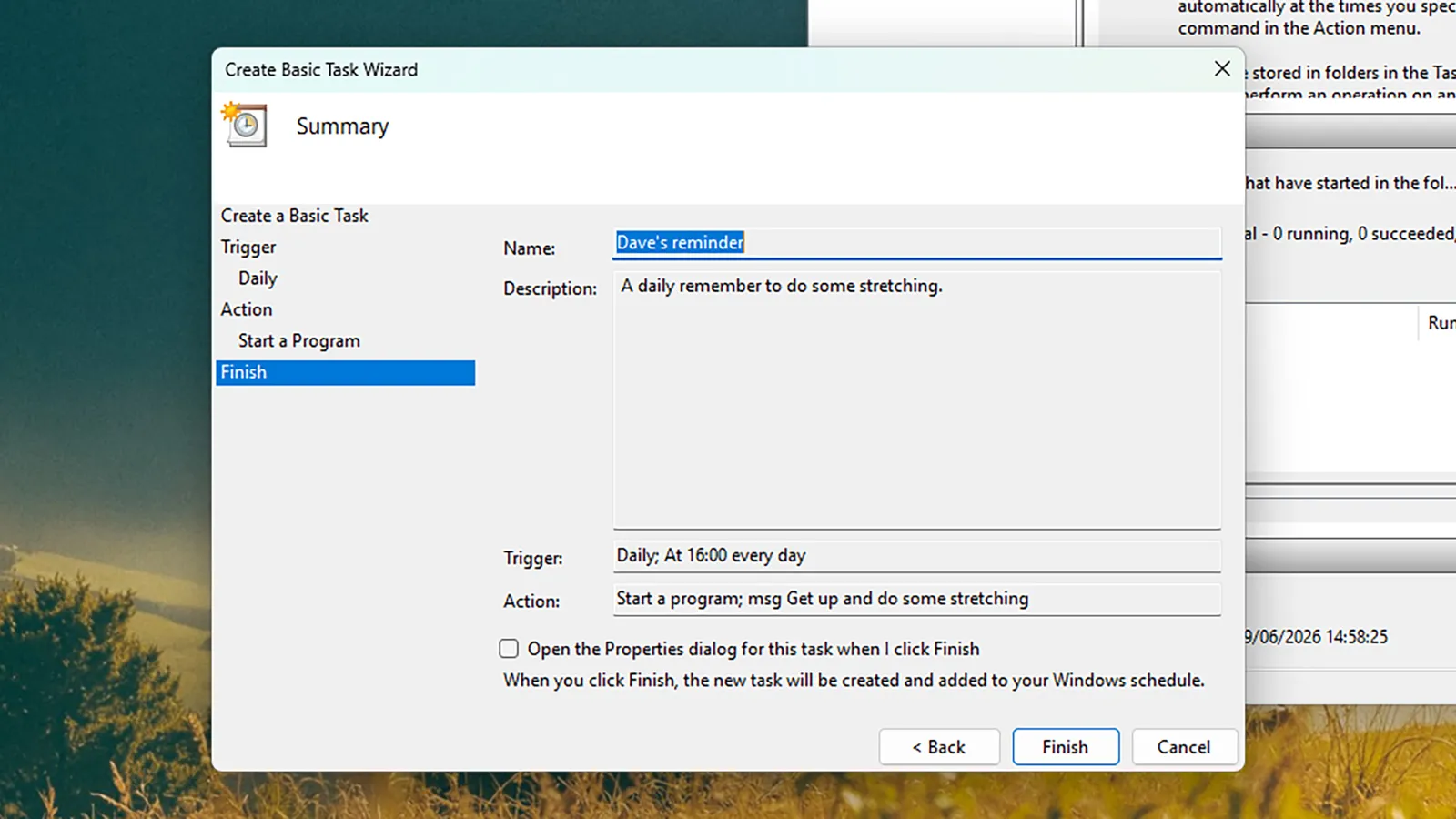
Task Scheduler gives you a clean, simple way of creating alerts.Screenshot: David Nield
If you want to set up custom notifications in Windows 11 without turning to an app, the Task Scheduler is the utility you want. Type “task scheduler” into the search box on the taskbar or the Start menu, then select it when it appears.
Open the Action menu, choose Create Basic Task, and then give it a suitable name and description so you can identify it later. Click Next, and you can set the frequency of the notification: Your options are Daily, Weekly, Monthly, One time, When the computer starts, When I log on, and When a specific event is logged, so there’s a lot of flexibility.
Click Next again, and if you’ve chosen a recurring task then you can set exactly when it recurs—4 pm every afternoon, for example. Click Next, then choose Start a program, and select Next again. This opens up the dialog box screen for composing your notification.
In the Program/script field, you need to enter “msg,” and in the Add arguments (optional) field, you put your actual notification text: “Reminder: get up and do some stretching” or whatever it happens to be. With another click on Next you can review your notification, and then choose Finish to confirm.
Advertisement
Your notification is created, and will pop up at the specified time, whether or not Task Scheduler is open. If you ever need to edit or delete the task, you can head back to Task Scheduler to find it—it’ll be listed under the Task Scheduler Library heading, and you can right-click on the task to make changes.
Setting Notifications Through Apps
You’re also able to set reminders through the built-in Clock app.Screenshot: David Nield
The appeal of the Task Scheduler is that it’s built right into the Windows operating system, so you don’t need any other apps running to get your notifications, but there are ways to do this with apps as well. The Microsoft Clock app comes preinstalled with Windows, for example, and lets you set custom alarms.























































You must be logged in to post a comment Login