
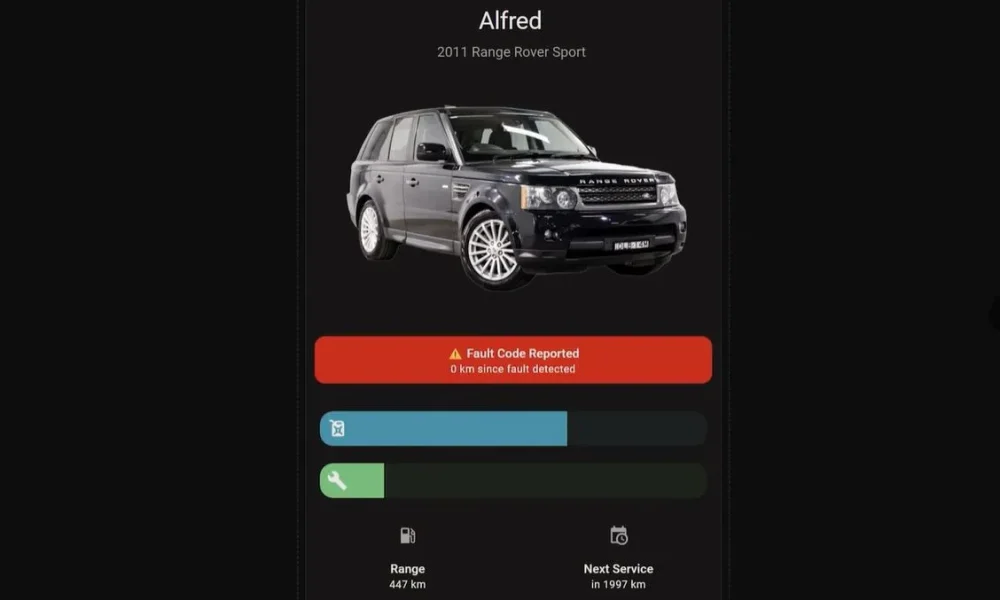
With how much time many of us spend in our cars, it makes perfect sense to consider them a second home. Yet even if that’s not the case, there are still good reasons to connect a car to one’s smart home solution like Home Assistant, such as to keep track of certain parameters for easy monitoring and reminders. This is what [The Stock Pot] channel recently demonstrated using a widget that connects to the OBD-II port inside the car, as not every car comes with its own app yet.
The used dongle is the ESP32-S3-based WiCAN from Australian company MeatPi. This device runs the open source WiCAN firmware. After plugging the dongle into the OBD-II port of the car, the device powers on and can be configured via Wi-Fi like any other smart device these days. After that it’s just another Wi-Fi device on the network.
Since each car’s ECU will represent data differently, you need a car-specific configuration, which can take some tweaking. The idea of integrating with Home Assistant is directly supported by MeatPi, with a handy documentation page. Of course [The Stock Pot] shared their configuration if you want to feel inspired. Among the parameters monitored you get things like fuel level, days to service and coolant temperature.
Although you could make the argument that it mostly saves you from having to waddle over to the car to check the data there, being able to remotely access the OBD-II port of a car does seem rather practical even outside of home automation concepts, such as gathering performance statistics and early failure warnings, especially for aspects like tire pressure and unhappy engine or BEV battery conditions that can quickly go from an inconvenience to very expensive.

You must be logged in to post a comment Login