For years, we’ve been subjected to an endless parade of hyperventilating claims about the Biden administration’s supposed “censorship industrial complex.” We were told, over and over again, that the government was weaponizing its power to silence conservative speech. The evidence for this? Some angry emails from White House staffers that Facebook ignored. That was basically it. The Supreme Court looked at it and said there was no standing because there was no evidence of coercion (and even suggested that the plaintiffs had fabricated some of the facts, unsupported by reality).
But now we have actual, documented cases of the federal government using its surveillance apparatus to track down and intimidate Americans for nothing more than criticizing government policy. And wouldn’t you know it, the same people who spent years screaming about censorship are suddenly very quiet.
If any of the following stories had happened under the Biden administration, you’d hear screams from the likes of Matt Taibbi, Bari Weiss, and Michael Shellenberger, about the crushing boot of the government trying to silence speech.
But somehow… nothing. Weiss is otherwise occupied—busy stripping CBS News for parts to please King Trump. And the dude bros who invented the “censorship industrial complex” out of their imaginations? Pretty damn quiet about stories like the following.
Advertisement
Taibbi is spending his time trying to play down the Epstein files and claiming Meta blocking ICE apps on direct request from DHS isn’t censorship because he hasn’t seen any evidence that it’s because of the federal government. Dude. Pam Bondi publicly stated she called Meta to have them removed. Shellenberger, who is now somehow a “free speech professor” at Bari Weiss’ collapsing fake university, seems to just be posting non-stop conspiracy theory nonsense from cranks.
Let’s start with the case that should make your blood boil. The Washington Post reports that a 67-year-old retired Philadelphia man — a naturalized U.S. citizen originally from the UK — found himself in the crosshairs of the Department of Homeland Security after he committed the apparently unforgivable sin of… sending a polite email to a government lawyer asking for mercy in a deportation case.
Here’s what he wrote to a prosecutor who was trying to deport an Afghani man who feared the Taliban would take his life if sent there. The Philadelphia resident found the prosecutors email and sent the following:
“Mr. Dernbach, don’t play Russian roulette with H’s life. Err on the side of caution. There’s a reason the US government along with many other governments don’t recognise the Taliban. Apply principles of common sense and decency.”
That’s it. That’s the email that triggered a federal response. Within hours — hours — of sending this email, Google notified him that DHS had issued an administrative subpoena demanding his personal information. Days later, federal agents showed up at his door.
Advertisement
Showed. Up. At. His. Door.
A retired guy sends a respectful email asking the government to be careful with someone’s life, and within the same day, the surveillance apparatus is mobilized against him.
The tool being weaponized here is the administrative subpoena (something we’ve been calling out for well over a decade, under administrations of both parties) which is a particularly insidious instrument because it doesn’t require a judge’s approval. Unlike a judicial subpoena, where investigators have to show a judge enough evidence to justify the search, administrative subpoenas are essentially self-signed permission slips. As TechCrunch explains:
Unlike judicial subpoenas, which are authorized by a judge after seeing enough evidence of a crime to authorize a search or seizure of someone’s things, administrative subpoenas are issued by federal agencies, allowing investigators to seek a wealth of information about individuals from tech and phone companies without a judge’s oversight.
While administrative subpoenas cannot be used to obtain the contents of aperson’s emails, online searches, or location data, they can demand information specifically about the user, such as what time a user logs in, from where, using which devices, and revealing the email addresses and other identifiable information about who opened an online account. But because administrative subpoenas are not backed by a judge’s authority or a court’s order, it’s largely up to a company whether to give over any data to the requesting government agency.
Advertisement
The Philadelphia retiree’s case would be alarming enough if it were a one-off. It’s not. Bloomberg has reported on at least five cases where DHS used administrative subpoenas to try to unmask anonymous Instagram accounts that were simply documenting ICE raids in their communities. One account, @montcowatch, was targeted simply for sharing resources about immigrant rights in Montgomery County, Pennsylvania. The justification? A claim that ICE agents were being “stalked” — for which there was no actual evidence.
The ACLU, which is now representing several of these targeted individuals, isn’t mincing words:
“It doesn’t take that much to make people look over their shoulder, to think twice before they speak again. That’s why these kinds of subpoenas and other actions—the visits—are so pernicious. You don’t have to lock somebody up to make them reticent to make their voice heard. It really doesn’t take much, because the power of the federal government is so overwhelming.”
This is textbook chilling effects on speech.
Remember, it was just a year and a half ago in Murthy v. Missouri, the Supreme Court found no First Amendment violation when the Biden administration sent emails to social media platforms—in part because the platforms felt entirely free to say no. The platforms weren’t coerced; they could ignore the requests and did.
Advertisement
Now consider the Philadelphia retiree. He sends one polite email. Within hours, DHS has mobilized to unmask him. Days later, federal agents are at his door. Does that sound like someone who’s free to speak his mind without consequence?
Even if you felt that what the Biden admin did was inappropriate, it didn’t involve federal agents showing up at people’s homes.
That is what actual government suppression of speech looks like. Not mean tweets from press secretaries that platforms ignored, but federal agents showing up at your door because you sent an (perfectly nice) email the government didn’t like.
So we have DHS mobilizing within hours to identify a 67-year-old retiree who sent a polite email. We have agents showing up at citizens’ homes to interrogate them about their protected speech. We have the government trying to unmask anonymous accounts that are documenting law enforcement activities — something that is unambiguously protected under the First Amendment.
Advertisement
Recording police, sharing that recording, and doing so anonymously is legal. It’s protected speech. And the government is using administrative subpoenas to try to identify and intimidate the people doing it.
For years, we heard that government officials sending emails to social media companies — emails the companies ignored — constituted an existential threat to the First Amendment. But when the government actually uses its coercive power to track down, identify, and intimidate citizens for their speech?
Crickets.
This is what a real threat to free speech looks like. Not “jawboning” that platforms can easily refuse, but the full weight of federal surveillance being deployed against anyone who dares to criticize the administration. The chilling effect here is the entire point.
Advertisement
As the ACLU noted, this appears to be “part of a broader strategy to intimidate people who document immigration activity or criticize government actions.”
If you spent the last few years warning about government censorship, this is your moment. This is the actual thing you claimed to be worried about. But, of course, all those who pretended to care about free speech really only meant they cared about their own team’s speech. Watching the government actually suppress critics? No big deal. They probably deserved it.
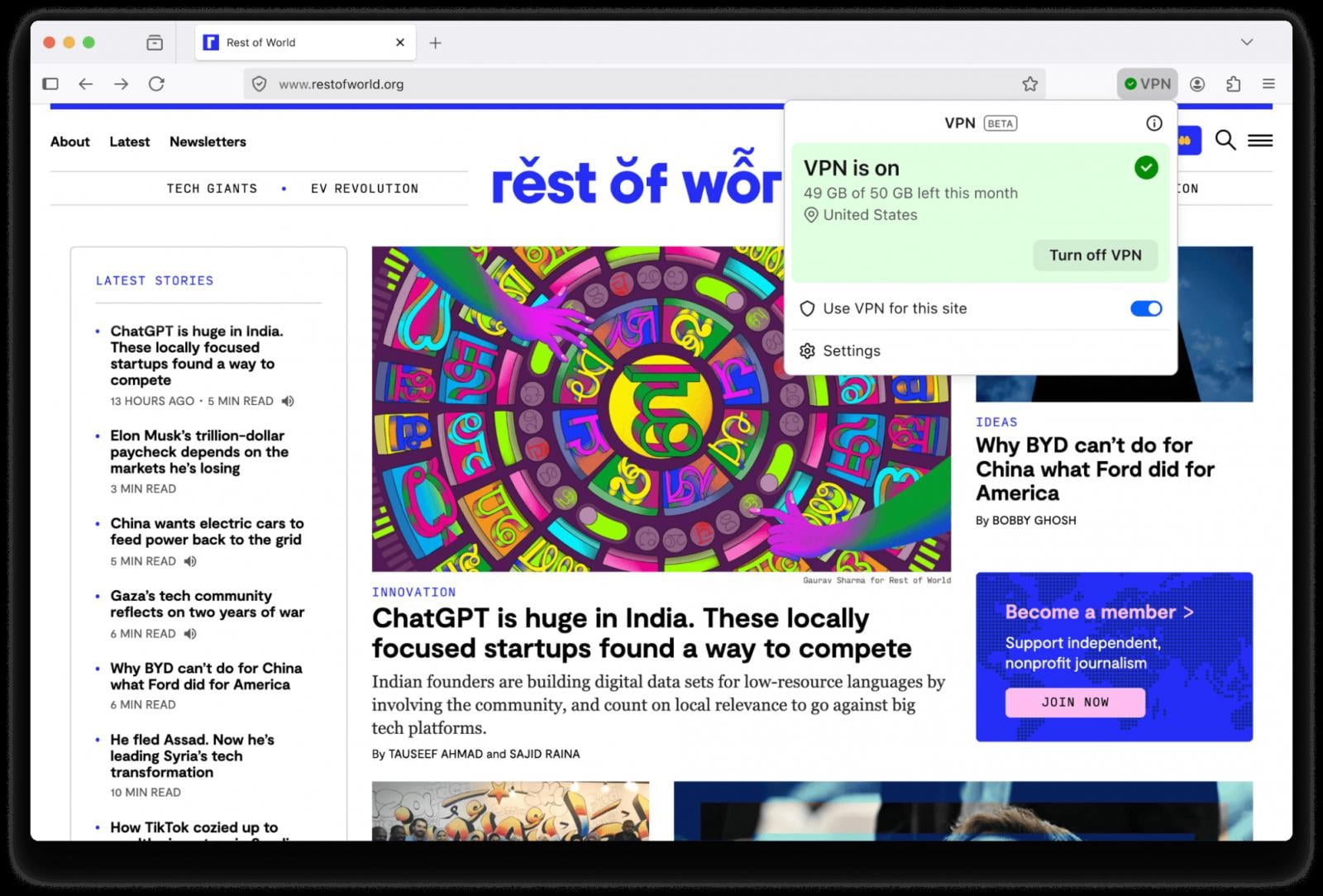
Mozilla released Firefox 149 with added privacy protection through a built-in VPN tool offering up to 50GB of monthly traffic.
The feature uses a secure proxy server to route only traffic from the browser, unlike the company’s commercial Mozilla VPN, which covers system-wide traffic.
“Whether you’re using public Wi-Fi while traveling, searching for sensitive health information, or shopping for something personal, this feature gives you a simple way to stay protected,” Mozilla says.
“Once you sign in and turn it on, you can hide your location and IP address by routing it through a secure proxy while you browse in Firefox.”
Advertisement
Firefox’s new built-in VPN tool Source: Mozilla
Users with a Mozilla account will get 50 GB of traffic per month. In-browser notifications will alert them when they approach the limit.
You can turn on the VPN feature through a toggle switch in the top right of the browser interface. There is also the option to activate the VPN only on specific websites, up to five, to save traffic.
Some websites and essential services are excluded from VPN routing to avoid account sign-in problems and make sure VPN reconnection works properly.
Mozilla says that it will only collect technical data relevant for maintaining the performance and stability of the new service, and interaction data to understand usage.
“For example, we may log whether a connection succeeded or failed, or record that 2 GB of data was used on a certain day,” the company explains.
Advertisement
The routing server is based in the U.S., and it is selected considering location and performance for the best user experience.
Starting today, the built-in VPN feature will roll out progressively to users in the U.S., UK, Germany, and France. Currently, there is no timeline for expanding the service to more regions.
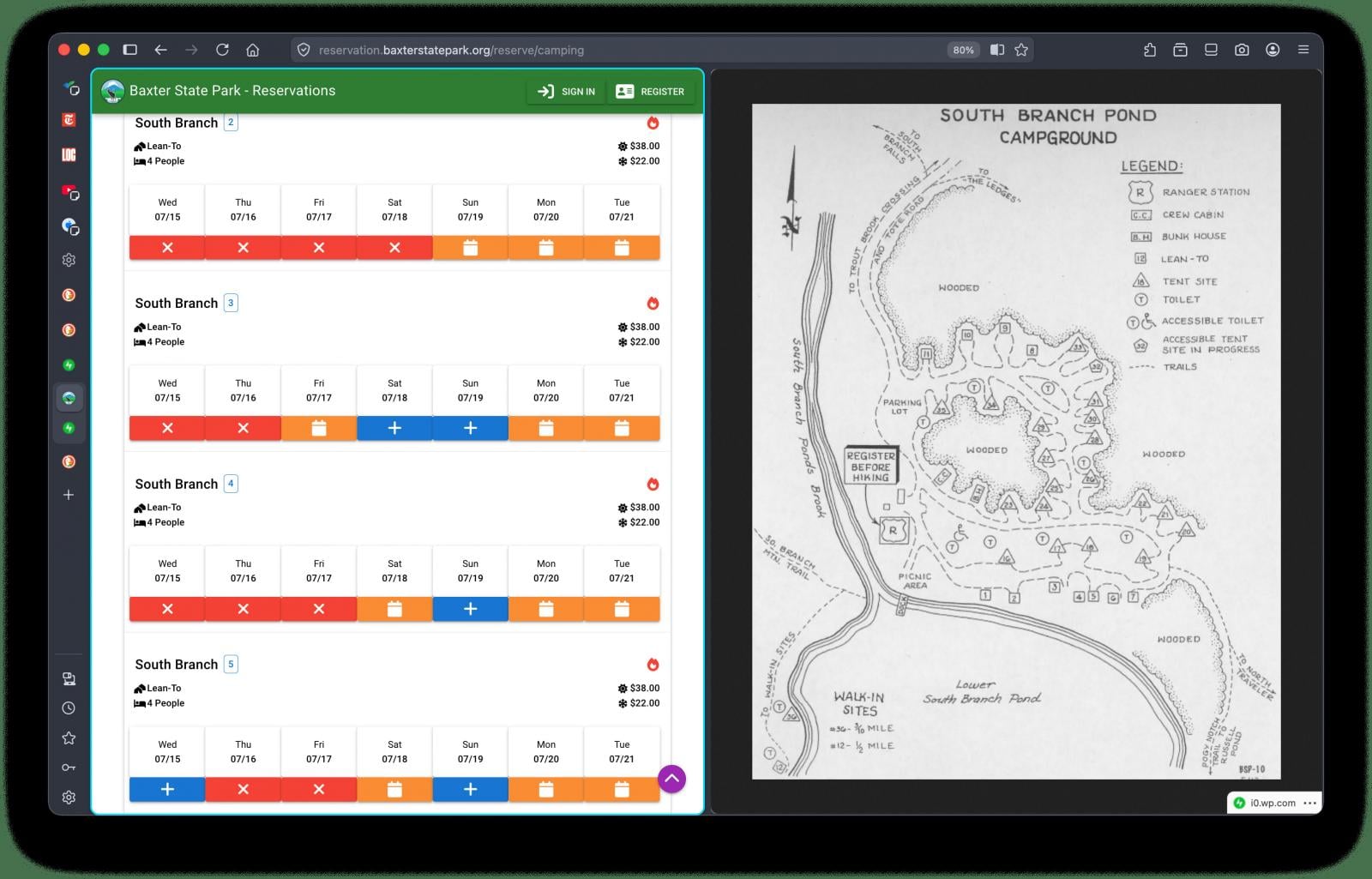
Firefox 149 also comes with Split View, a function that has been present in Google Chrome for a while, which allows placing tabs side by side in the same browser window. Mozilla highlights use cases such as planning, comparing, note-taking, and small administrative tasks, such as tax filing.
New SplitView on Firefox Source: Mozilla
Firefox also now automatically blocks notifications and revokes permissions from websites that the ‘SafeBrowsing’ security system has flagged as malicious.
Firefox 149 also fixes multiple security vulnerabilities. The list includes 46 issues, more than half receiving a high severity score. Several of them are user-after-free flaws, out-of-bounds errors, JIT engine flaws, and sandbox escape vulnerabilities.
Advertisement
Malware is getting smarter. The Red Report 2026 reveals how new threats use math to detect sandboxes and hide in plain sight.
Download our analysis of 1.1 million malicious samples to uncover the top 10 techniques and see if your security stack is blinded.
We may receive a commission on purchases made from links.
It used to be that if you wanted to go window shopping, you had to actually leave the house and go look through some windows. These days, for better or for worse, the power of the internet means we can browse digital storefronts and shop until we drop without ever leaving the comfort of home. Of course, online shopping brings its own problems.
Advertisement
There are a seemingly infinite number of gadgets on the market, and without the ability to test them in person, it can be difficult to know what’s worthwhile and what isn’t. As you can imagine, narrowing down the countless gadgets on Amazon to a list of 12 was something of a challenge. The price cutoff of $30 did some of the heavy lifting. For the rest, we relied on a combination of Amazon’s own rankings and the ratings and reviews of Amazon users.
Whether you’re scratching an itch for a little online shopping or trying to find a surefire gift for the tech enthusiast in your life, these 12 gadgets are all good places to start, according to the wisdom of the masses, and all for under $30.
Advertisement
Surge protector
With so many gadgets pervading our lives, and more being created all the time, it’s not uncommon to run out of electrical outlets. A surge protector adds additional capacity by turning one electrical outlet into multiple outlets.
One of the common failings among surge protectors and power strips is a tendency to put outlets too close to one another. If your devices use bulky power sources, they can overlap neighboring outlets, making them effectively useless. This power strip from Yishu spaces the outlets out on several different faces, giving them more clearance to accommodate wider plugs. There are four outlets on the top face and two on either side. The back is reserved for the power cable, and the front houses three USB-A and one USB-C ports.
The power cable is made of heavy-duty, flame-retardant material and runs for six feet, though you can also choose cord lengths of 10, 15, or 20 feet, in black, white, or gray. Even the 20-foot cable comes in under our $30 threshold at $29.99. It also features an attached cable tie for storage, surge protection up to 600 joules, and automatic power cutoff if a surge is detected.
Advertisement
Roku Streaming Stick
Roku makes some of the most popular streaming devices on the market. While the company offers more advanced devices like the Roku Ultra or the Roku Streambar SE, its entry-level Streaming Sticks are a popular choice for streaming content at home on a budget. It comes with everything you need, including a power cable, remote control, and two batteries. It doesn’t come with an HDMI cable because you don’t need one.
Advertisement
Roku’s Streaming Stick has a compact design that tucks entirely behind your television. Assuming you’re working with a relatively modern set, you can plug the Streaming Stick directly into your TV’s HDMI port and run its power cable to your TV’s USB port. It’s narrow enough that it won’t block your neighboring ports; you might almost forget it’s there after a while.
The Streaming Stick is portable, so you can take it with you when you’re traveling and access all of your streaming accounts, provided the HDMI ports in your hotel room are accessible. You’ll also get access to a library of free ad-supported streaming services and more than 500 channels of free live television. You can find your favorite shows using voice controls and watch privately using the Roku app’s Bluetooth headphone mode. The Roku Streaming Stick usually retails for $29.99 but is on sale for $17.99 at the time of writing.
The charging case comes in various colors and carries a 300mAh battery. The earbuds get between six and eight hours of playtime on a charge, and they recharge in about 90 minutes in the charging case. You can recharge your earbuds up to six times for up to 36 hours of playtime before your case needs recharging. An LED display on the front of the case tells you how much charge is left in both the case and the headphones.
You can also play, pause, answer calls, end a call, change the volume, skip tracks, and more using taps, swipes, and other touch gestures. They’ve got a connection range of up to 15 meters (49.2 feet), and they come with small, medium, and large rubber earpieces.
Advertisement
Universal remote
Remote controls are famous for going missing. Throughout our lives, the average TV viewer spends more than two weeks searching for lost remote controls, according to one study. About half the time, the remote control is stuck between the couch cushions. If it’s not there, it’s probably in the bathroom, a drawer, or even in the refrigerator. If you can’t find your lost remote in any of those places, it might be time for a replacement.
Advertisement
This replacement remote control from Orqrqo has voice controls and is powered by two AAA batteries (not included). It’s compatible with a wide range of streaming devices, including second- and third-generation Amazon Fire Sticks, first- and second-generation Fire Stick 4K, first- and second-generation Fire Stick 4K Max, first- and second-generation Stick Lite, first- through third-generation Fire TV Cube devices, and third-generation Amazon Fire TV pendants. It’s also compatible with 2-Series and 4-Series smart TVs, as well as smart TVs from Insignia, Toshiba, and Amazon Omni.
Advertisement
USB-C hub
Laptops sometimes lack the ports you need to connect external devices, or you may not have enough ports for everything. A hub can extend your laptop’s functionality by turning a single USB-C port into a variety of inputs. It’s one of the simplest ways to add more USB ports to your computer.
This five-in-one laptop hub from Anker allows you to pass through electrical charge and transfer files using a 4K HDMI port, two USB-A ports, one PD-IN (power delivery) port, and one USB-C port. The PD-IN port is only used for pass-through charging and doesn’t support file transfers. The USB-C port can transfer data at high speeds up to 5Gbps but doesn’t support video output.
The hub comes in several different colors and, using a 100W PD charging cable, it passes up to 85W through to other devices, reserving the other 15W for itself. In addition to connecting flash drives and other data devices, you can use the hub to connect an additional monitor using the HDMI port. Instead of upgrading your laptop, you can level it up with the right hub.
Advertisement
Waterproof Bluetooth speaker
This Bluetooth speaker from BolaButty is praised for its sound quality and ease of use. It has up to 33 feet of Bluetooth range and a built-in microphone for taking phone calls. It’s designed to stand up to environmental conditions with an IPX5 waterproof rating, an IP6X dust-resistance rating, and more than three feet of drop protection.
When laid horizontally on a desk or table, the speakers are oriented at 30 degrees, which points sound waves up and out toward the listener. When stood vertically, gaps in the sides reduce contact with surfaces and reduce vibrations. There are also dynamic multicolored lights on the ends, which sync to the beat of your music.
Advertisement
You can control your music with buttons for play, pause, volume control, light control, and turning the speaker on and off. On the back, you’ll also find a USB-C port for plugging in the included charging cable and an AUX port for connecting peripheral audio sources. You can connect multiple speakers together to create a more immersive soundscape, and it can play for up to 20 hours with the lights turned off and the volume at about half. Turning on the lights or turning up the volume will impact battery life.
Advertisement
Retractable car charger
A car charger turns your car’s cigarette lighter or accessory port into a mobile charging solution. This car charger from Lisen is more than just a phone charger, as it aims to be a compact power station for charging all of your mobile devices on the go. It’s available in black, gray, white, and pink.
It has a USB-A and USB-C port, in addition to built-in USB-C and Lightning charging cables. The cables pull out of the charger’s housing when you need them and retract back into the housing for storage when you’re done. The cables extend up to 31.5 inches, which is probably enough to reach wherever they’re needed in most vehicles. If you need a little more range, there are other versions that extend up to 47.24 inches, giving you more than a foot of additional reach.
When you pull out the cables, they lock into place. To retract them, pull the cable out a little more and then release it. The ports and cables are compatible with most mobile phones and small personal electronics. The housing also pivots and turns, so you can orient and angle the charger however you prefer.
Advertisement
Bluetooth mini label maker
This portable mini label maker and sticker printer from Nelko is only three inches wide and five inches tall, small enough to slip into a pocket or bag between uses. It connects to your smartphone and uses an app to craft and print labels on sticker paper in real time.
In addition to text, it can also print icons, images, barcodes, QR codes, and more. The app offers more than 160 label templates, more than 850 borders, and more than 90 fonts in 14 languages. A built-in cutter separates the label stickers after printing.
Advertisement
The portable pocket printer uses thermal printing technology, so you never need to worry about running out of ink or replacing cartridges. However, there are some limitations. Printed images are all monochrome, and because they’re printed on thermal paper, exposure to too much heat can ruin your images. It prints at a rate of more than an inch per second and a resolution of 203 dots per inch. You can choose from five different colors, and it comes with a charging cable and one roll of label tape already loaded.
Advertisement
Solar power bank
If you use your devices a lot throughout the day and you aren’t always close to an outlet, you might need a good portable power solution. This power bank from Blavor has 10,000mAh of capacity and it can both accept and deliver power in multiple ways. You can charge the power bank using either a charging cable or with the solar panel on one surface. Then you can charge up to three devices at a time using the battery’s USB-A port, USB-C port, and the wireless charging pad on the battery’s opposite surface.
The body exterior is mostly black, with colored accents in various colors of your choosing. The manufacturer claims up to 65% charge in 30 minutes with 20W PD fast charging. It’s compatible with most mobile phones and other small electronic devices.
It has an IPX5 waterproof, dustproof, and shockproof rating, so you can keep it clipped to the outside of a bag on all of your outdoor adventures. It even has a built-in flashlight, which can run for up to 100 hours on a full charge.
Advertisement
Pocket microscope
This science-minded gadget from Carson puts the micro in microscope. At only an inch wide, 1.5 inches long, and 1.6 inches tall, it’s small enough to put in a pocket, bag, or on a keychain. It even comes with a key ring already attached. It magnifies images or objects up to 20 times, and it can be used to look at prepared samples like any other microscope or for getting a closer look at things out in nature. You could, for instance, take a closer peek at lichen, mushrooms, and bugs you encounter on a hike or inspect coins and other objects at a moment’s notice.
The microscope also has three built-in lights powered by three LR43 batteries. There’s a microscope LED for illuminating your samples in poor lighting conditions, a small flashlight, and a UV light. The UV light is triggered by a button on the side of the microscope and can be used to look for fluorescence in your samples. Fluorescence can be an important and fun quality when looking at natural samples and for hobbies like inspecting collectible currencies for legitimacy.
The speakers are slim enough that they cause less discomfort than conventional headphones if you happen to roll over on them in the middle of the night. The built-in 200mAh battery takes roughly two hours to charge and can run for more than 14 hours on a charge, which is plenty to get you through the average night of sleep and a morning workout.
It comes in various colors and patterns and even has a built-in microphone so you can take late-night phone calls without missing a beat. You control the headband’s functions with a three-button interface on the forehead. The plus button skips to the next track or raises the volume, the minus button does the opposite, and the center button with the power symbol can be used to turn the headphones on and off, to play or pause content, or to answer a phone call.
Advertisement
Amazon smart plug
Amazon’s smart plugs can be an intuitive way to dip your toes into the smart home arena. You can plug one into an existing outlet to control the outlet, and by extension, anything plugged into it, using a smartphone app. It’s also compatible with Amazon’s Alexa, so you can control your smart plug with voice commands.
The compact horizontal design plugs into one outlet without obstructing the second, so you can use the free outlet in the conventional way or insert a second smart plug. They can be purchased singly or in a multipack with two or four smart plugs.
Smart plugs can be used to control any device with a physical power switch. If you’ve got an old coffee maker, for instance, you could fill it with water and coffee grounds, turn the smart plug off, and flip the coffee maker’s power switch to the on position. Then schedule your smart plug to turn on a few minutes before your alarm goes off and wake up to freshly brewed coffee. You can even make the smart plug part of a routine so your lights turn on, your heater turns up, your favorite news program comes on, and the coffee brews, all without you lifting a finger. That said, there are some things you should never plug into a smart plug; high-power devices or anything that relies on manual settings should be avoided for safety reasons.
Advertisement
How we made our choices
Yuriy T/Getty Images
Amazon is the world’s most used online marketplace, with hundreds of millions of products available on its digital shelves. A person could spend a lifetime looking through electronics and other gadgets without seeing them all. Of course, there’s probably no reason to look through every offering on Amazon. In an ecosystem with millions of products, it’s likely that the best stuff, or at least good stuff, rises to the top.
We combed through hundreds of gadgets and electronics available on Amazon, giving preference to best-selling and top-rated devices. From there, items were selected based on their utility and cool factor. The value of each of these gadgets is also supported by thousands, and in some cases tens of thousands, of reviews with an average rating of at least 4 stars.
Advertisement
These are the gadgets under $30 that Amazon users are buying right now. If you’re window shopping online, the wisdom of the masses can be a good place to start, but you should only purchase gadgets that make sense for your needs and budget. Shop wisely.
— There’s more shake-up within Microsoft’s gaming unit as Lori Wright announced she is leaving “in the coming weeks.” Wright spent nine years at Microsoft, most recently leading global partnerships and business development and marketing for Xbox.
“I leave with overwhelming gratitude for the adventure of a lifetime. As for what comes next, I’m hoping for a lot of beautiful sunrises and sunsets, and discovering what lies in the space in between,” Wright said on LinkedIn.
Wright’s departure follows news last week that Haiyan Zhang is leaving Microsoft for Netflix. Zhang spent more than 13 years at Microsoft, holding positions across Microsoft Gaming, Microsoft Research and Xbox Studios, most recently as general manager and partner for Gaming AI.
Xbox is now led by Asha Sharma, the new CEO of Microsoft Gaming who recently took over from longtime leader Phil Spencer.
Luke Tavis (left) and Tai-Hong Fung. (LinkedIn Photos)
— Luke Tavis, chief accounting officer of Seattle-based remittance company Remitly, is retiring later this month.
He’ll continue to serve as a vice president until June to support an orderly transition, according to a regulatory filing.
Advertisement
Tai-Hong Fung, currently VP, Controller, will replace Tavis on April 1. Fung joined Remitly in February after a long career at Starbucks and Microsoft.
Remitly co-founder and longtime CEO Matt Oppenheimer stepped down last month. The company is now led by veteran tech and finance executive Sebastian Gunningham. Oppenheimer remains as chairman.
Rajeev Rajan. (LinkedIn Photo)
— Rajeev Rajan, CTO at Atlassian, posted about his departure from the enterprise software giant. GeekWire previously reported about Rajan stepping down earlier this month, citing a regulatory filing from Atlassian, which also announced it was laying off 10% of its staff.
“I’m incredibly proud of what the team has accomplished — scaling our engineering organization globally, strengthening our platform foundations, and delivering products that power teamwork for millions of teams around the world,” Rajan wrote.
Rajan spent nearly four years at the collaboration software company. He was previously a VP of engineering at Meta and led the the company’s Pacific Northwest engineering hub. He also spent more than two decades at Microsoft in various leadership roles.
Advertisement
“As for my next chapter, I’m excited by the current technology landscape – especially with the rapid acceleration of AI – and the opportunities it presents. Stay tuned for more on my next move!” he wrote on LinkedIn.
Brian Goldfarb. (LinkedIn Photo)
— Brian Goldfarb joined cybersecurity company SentinelOne as executive vice president and chief marketing officer. Goldfarb, who is based in Seattle, was most recently CMO at SolarWinds, the Texas-based IT infrastructure company.
Goldfarb was also CMO at cybersecurity company Tenable, and previously led marketing efforts at Amperity, Chef Software and Splunk.
“Returning to cybersecurity feels energizing,” he wrote on LinkedIn. “It’s a category I care deeply about. It’s mission-driven, fast-moving, and increasingly important. And what makes this moment especially compelling is where the market is headed: toward AI-native, AI-ready platforms that can help security teams move faster, operate smarter, and stay ahead of an increasingly complex threat landscape.”
— Thomas Pfenning, a corporate vice president at Microsoft who joined the company in 1995, announced his retirement in a LinkedIn post that cited his early work on MSN and the Windows 2000 networking stack. More recently he helped develop the Azure Edge suite. “Even the long hours — including those late-night CRI sessions — are memories I’ll keep, primarily because of the camaraderie and the spirit of the people I was working with,” he wrote.
Advertisement
Cynara Lilly. (LinkedIn Photo)
— Cynara Lilly, a former executive director of advocacy and communications at The Ballmer Group, took a new role at Silicon Valley startup Hippocratic AI as chief communications officer. “This is the kind of role you dream about — sitting at the intersection of breakthrough technology, public policy, and a mission that could genuinely improve and extend lives around the world,” Lilly wrote on LinkedIn.
— Seattle recruiting tech startup Provn named Taylor Brazelton as its new CTO and co-founder. Brazelton previously was a senior software engineer at Microsoft, where he worked with Provn CEO Nikesh Parekh. Provn launched in November. “Taylor was and is always out in front and now I get to learn from him everyday!” Parekh wrote on LinkedIn.
— Vishnu Nath, vice president and GM at Microsoft, announced his departure after nearly 15 years at the Redmond tech giant leading groups working on Microsoft OneNote and Copilot Notebooks. “Microsoft has been more than a workplace for me — it’s been a place where I’ve grown as a leader, taken risks, learned from failures, and celebrated some of the most meaningful wins of my career,” he said on LinkedIn. Nath said “more to come” on his next step.
— Alexandra Holien is interim CEO at Ada Developers Academy, a Seattle-based nonprofit that trains under-represented people in tech. Holien, a 10-year veteran of Ada who has been interim CEO previously, replaces Tina-Marie Gulley, who is departing this week after two years as CEO. “Ada Developers Academy is stepping boldly into its next chapter, laser-focused on building the best technologists the industry has ever seen,” Laura Ruderman, CEO at Technology Alliance and an Ada board member, wrote on LinkedIn.
— Scott Ruffin, former CEO of e-commerce startup Pandion, announced he’s leading a new company called Kupu that describes itself as a patient financial protection platform in the healthcare sector.
Advertisement
— Diana (Lustenader) Cappello joined Seattle AI role-play startup Yoodli as director of solutions engineering. Cappello will work remotely and was previously a director at Eightfold.
— Jesse Rebello is now managing director at Seattle-based energy efficiency company Edo. Rebello was a longtime exec at ENGIE Impact.
The order effectively halts the entry of nearly all future Wi-Fi and wired routers, as the vast majority are produced abroad. Products that have already received FCC authorization can continue to be sold and imported, and existing consumer equipment remains unaffected. However, for router makers planning to release new products… Read Entire Article Source link
Tony Siu, founder of Coffee & Code Philadelphia and an AI engineer and community builder, aims to advance a model of ecosystem development that blends human connection with the thoughtful use of AI. His approach reflects a community-first, servitude-leadership philosophy where participation, shared learning, and developer advocacy evolve alongside scalable systems, offering insight into how modern tech ecosystems can grow with intention.
Coffee & Code Philadelphia reflects how these dynamics take shape locally. From informal coding sessions, it has grown into a collaborative network where developers, designers, and founders gather to build, learn, and exchange ideas. Weekly meetups, technical workshops, and community-driven events create an environment where knowledge flows organically. Siu says, “I’ve noticed that spending time building alongside others often leads to conversations that happen naturally, and those moments can open the door to ideas that don’t always come up when working alone.”
This growth aligns with a bottom-up approach to leadership. Instead of directing outcomes, Siu focuses on enabling others to contribute based on their strengths. Participation becomes self-directed, and collaboration develops through shared interest. Such an approach reframes developer relations as a form of leadership.
Advertisement
“I see developer advocates as connectors who help bridge technical teams and the broader community,” Siu remarks. “By being present and engaged, we help create space for mentorship, experimentation, and shared learning, which can support both individual growth and the adoption of new technologies.”
The 💜 of EU tech
The latest rumblings from the EU tech scene, a story from our wise ol’ founder Boris, and some questionable AI art. It’s free, every week, in your inbox. Sign up now!
AI plays a supporting role in enabling this scale. Within the community, AI systems assist with operational processes such as event coordination, sponsorship management, and reporting. These tools allow a small organizing group to sustain a growing ecosystem while maintaining consistency. Siu says, “AI can extend how much a team is able to manage, especially in coordination. The interactions between people, though, are where most of the value continues to develop.”
Advertisement
As communities expand, maintaining authenticity becomes an ongoing consideration. Growth introduces new dynamics, from varied communication styles to broader participation. In-person interaction continues to play a key role in sustaining connection, as collaborative problem-solving and shared experiences deepen engagement. Siu says, “Scaling introduces complexity, and part of the process involves finding ways to keep interactions meaningful as more people become involved.”
Coffee & Code’s recent initiative showed how this balance can extend to larger settings. According to Siu, the Philly Startup Expo at Pennovation Works brought together a wide mix of founders, builders, and community members, with participants from other major tech hubs, as well as traveling in from abroad. “What struck me most innovative is definitely not the pitches, the startups, or even the heavyweight panel. It’s the creativity and resourcefulness of the tech startups resembling the grit, innovation and entrepreneurship of the founding fathers”, he says. Partnering with OneSixOne Ventures, Coffee & Code hosted and held a panel featuring UE Ventures, alongside others, the event featured hands-on demos across AI, spatial computing, and emerging software, and the involvement of startup teams added depth to the conversations. Throughout the expo, Siu notes that there was a clear sense of Philadelphia’s growing momentum as a technology hub.
For Siu, Philadelphia represents both opportunity and personal connection. His experiences across different learning environments shaped his appreciation for accessible, community-driven spaces. This philosophy also informs his guidance for emerging developers. He encourages building in public: sharing work and ideas early as they evolve. “When you share your work, even in its early stages, you create more opportunities to learn through interaction,” Siu explains. Participation in this way can open pathways for feedback, collaboration, and connection within the broader ecosystem.
Epic Games is cutting more than 1,000 jobs as usage of its flagship title, Fortnite, falls. “The layoffs aren’t related to AI,” CEO Tim Sweeney noted. Reuters reports: The cuts, along with more than $500 million in savings from lower contracting and marketing spending and unfilled roles would put the company in “a more stable place,” Sweeney said in a note to employees. […]
“We’ve had challenges delivering consistent Fortnite magic,” Sweeney said, adding “market conditions today are the most extreme” since the early days of the company founded in 1991.
The move marks Epic’s second major round of layoffs in three years. In September 2023, the company cut about 830 jobs, or roughly 16% of its workforce. It was not immediately clear what percentage of staff would be impacted by Tuesday’s announcement.
The live music discovery platform Bandsintown’s partnership with Apple goes , but iOS 26.4 brings the deepest integration between the two companies to date. Concert listings from Bandsintown will now appear in , allowing you to find out when either a band you already love, or one you’re discovering for the first time, is next playing live.
Artists who use Bandsintown to advertise their tour dates can promote upcoming shows in a number of ways through Apple’s app. A new Concerts tab will live within Search, allowing subscribers to search for shows by their genre, location and date, while participating artists can also connect their Bandsintown dashboard to their Apple Music artist page. By doing this, their tour dates will automatically appear in an “Upcoming Concerts” section within 48 hours of connecting the two services.
Apple Music users can tap listed events to see more details about a show and will be able to buy tickets through direct links to sellers. If you follow artists, you can also set up push notifications for their announced shows.
Bandsintown’s platform is already built into a number of other Apple apps and services, with the likes of Shazam, Apple Maps, Photos and Spotlight Search all able to pull through live event data. The new Apple Music features will be available on devices running iOS 26.4 when it leaves beta.
iOS and iPadOS 26.4 are here, with a surprising number of new features for a point release. Chief among them is a new AI playlist generator, similar to one Spotify launched in 2024.
Playlist Playground is Apple’s branding for the song list generator. It works as you’d expect: Type a prompt, and it spits out tracks that match it. As MacRumorsnoted, your prompts can relate to mood, feelings, activities and more.
Also new in iOS 26.4, an ambient music widget puts background sounds on your home screen. Like the corresponding Control Center tool, it brings up (Apple-curated) sounds for sleep, chill, productivity or well-being. Yet another music feature is Bandsintown integration: upcoming concert dates in your area will appear in the Apple Music app.
Unicode’s latest emoji characters arrive in the update, too. This includes “Hairy Creature,” also known as Bigfoot. Another fun one is fight cloud. (Think old-timey cartoons beating each other up inside a puff of vapor.) Also onboard are a trombone, a treasure chest, a distorted face, an apple core, an orca, ballet dancers and a landslide.
Advertisement
The update also has fixes for some of iOS 26’s nagging bugs. In Apple’s latest attempt to stem the tide of complaints about Liquid Glass, there’s a new “Reduce Bright Effects” setting. There’s also a fix for a keyboard bug that caused errors when typing rapidly.
Engineers building browser agents today face a choice between closed APIs they cannot inspect and open-weight frameworks with no trained model underneath them. Ai2 is now offering a third option.
The Seattle-based nonprofit behind the open-source OLMo language models and Molmo vision-language family today is releasing MolmoWeb, an open-weight visual web agent available in 4 billion and 8 billion parameter sizes.
Until now, no open-weight visual web agent shipped with the training data and pipeline needed to audit or reproduce it. MolmoWeb does.
MolmoWebMix, the accompanying dataset, includes 30,000 human task trajectories across more than 1,100 websites, 590,000 individual subtask demonstrations and 2.2 million screenshot question-answer pairs — which Ai2 describes as the largest publicly released collection of human web-task execution ever assembled.
Advertisement
“Can you go from just passively understanding images, describing them and captioning them, to actually making them take action in some environment?” Tanmay Gupta, senior research scientist at Ai2, told VentureBeat. “That is exactly what MolmoWeb is.”
How it works: It sees what you see
MolmoWeb operates entirely from browser screenshots. It does not parse HTML or rely on accessibility tree representations of a page. At each step it receives a task instruction, the current screenshot, a text log of previous actions and the current URL and page title. It produces a natural-language thought describing its reasoning, then executes the next browser action — clicking at screen coordinates, typing text, scrolling, navigating to a URL or switching tabs.
The model is browser-agnostic. It requires only a screenshot, which means it runs against local Chrome, Safari or a hosted browser service. The hosted demo uses Browserbase, a cloud browser infrastructure startup.
The dataset that makes it work
The model weights are only part of what Ai2 is releasing. MolmoWebMix, the accompanying training dataset, is the core differentiator from every other open-weight agent available today.
Advertisement
“The data basically looks like a sequence of screenshots and actions paired with instructions for what the intent behind that sequence of screenshots was,” Gupta said.
MolmoWebMix combines three components.
Human demonstrations. Human annotators completed browsing tasks using a custom Chrome extension that recorded actions and screenshots across more than 1,100 websites. The result is 30,000 task trajectories spanning more than 590,000 individual subtask demonstrations.
Synthetic trajectories. To scale beyond what human annotation alone can provide, Ai2 generated additional trajectories using text-based accessibility-tree agents — single-agent runs filtered for task success, multi-agent pipelines that decompose tasks into subgoals and deterministic navigation paths across hundreds of websites. Critically, no proprietary vision agents were used. The synthetic data came from text-only systems, not from OpenAI Operator or Anthropic’s computer use API.
Advertisement
GUI perception data. A third component trains the model to read and reason about page content directly from images. It includes more than 2.2 million screenshot question-answer pairs drawn from nearly 400 websites, covering element grounding and screenshot-based reasoning tasks.
“If you are able to perform a task and you’re able to record a trajectory from that, you should be able to train the web agent on that trajectory to do the exact same task,” Gupta said.
How MolmoWeb stacks up against the competition
In Gupta’s view, there are two categories of technologies in the browser agent market.
The first is API-only systems, capable but closed, with no visibility into training or architecture. OpenAI Operator, Anthropic’s computer use API and Google’s Gemini computer use fall into this group.
Advertisement
The second is open-weight models, a significantly smaller category. Browser-use, the most widely adopted open alternative, is a framework rather than a trained model. It requires developers to supply their own LLM and build the agent layer on top.
MolmoWeb sits in the second category as a fully trained open-weight vision model. Ai2 reports it leads that group across four live-website benchmarks: WebVoyager, Online-Mind2Web, DeepShop and WebTailBench. According to Ai2, it also outperforms older API-based agents built on GPT-4o with accessibility tree plus screenshot input.
Ai2 documents several current limitations in the release. The model makes occasional errors reading text from screenshots, drag-and-drop interactions remain unreliable and performance degrades on ambiguous or heavily constrained instructions. The model was also not trained on tasks requiring logins or financial transactions.
Enterprise teams evaluating browser agents are not just choosing a model. They are deciding whether they can audit what they are running, fine-tune it on internal workflows, and avoid a per-call API dependency.
Residents in the San Francisco Bay Area can soon expect groceries and other home items delivered to their door by a large drone. Alphabet stated that Wing will expand its delivery service beginning March 24th, 2026, which has been a long time coming. Previously, this type of delivery was being tested on the Google campus in Mountain View. Office supplies were being zapped into employees’ offices, and they were frequently asking when this sort of stuff will reach their own houses. Wing is now making good on that promise by offering a residential delivery service to customers around the Bay Area.
You can place orders via the Wing app. On the app, you can order from Walmart or get meals from any of DoorDash’s restaurants. Walmart items arrive in around 10 minutes, and food from Wendy’s or Panera will follow shortly thanks to the DoorDash connection. Packages remain lightweight, weighing less than five pounds, which helps keep the drone stable in flight.
Due to platform compatibility issue, the DJI Fly app has been removed from Google Play. DJI Neo must be activated in the DJI Fly App, to ensure a…
Lightweight and Regulation Friendly – At just 135g, this drone with camera for adults 4K may be even lighter than your phone and does not require FAA…
Palm Takeoff & Landing, Go Controller-Free [1] – Neo takes off from your hand with just a push of a button. The safe and easy operation of this drone…
Deliveries launch from small hubs set up near retail locations, sometimes nothing more than a section of a Walmart parking lot serving as a charging and loading area. Each drone takes off vertically before cruising to the customer’s address, covering up to six miles in a straight line and bypassing the traffic congestion that slows conventional delivery vehicles to a crawl. On arrival a small motorized tether lowers the package to a safe spot in the yard or wherever the customer has specified, with no need for anyone to be home to receive it.
Advertisement
Wing is no stranger to residential delivery, having already logged 750,000 parcel drops across Dallas, Atlanta, Houston, and Charlotte as part of a network that currently serves close to two million customers. The Bay Area expansion is the next step in what is clearly a rapidly growing operation. Wing has also been testing a promising handoff system in partnership with Serve Robotics, where ground based robots collect food orders from restaurants and ferry them to a waiting drone for the final leg of the journey, a setup that could prove particularly valuable in dense urban areas where parking and foot traffic eat into delivery times. [Source]





























































You must be logged in to post a comment Login