This post is brought to you in paid partnership with QuickBooks
The Intuit Enterprise Suite (IES) interface doesn’t dramatically differ from QuickBooks Online. Core navigation, workflows, and accounting functions remain familiar. The main difference is added functionality for managing multiple entities, user permissions, and consolidated reporting. This means most users can adapt quickly while gaining tools to handle more complex financial operations.
Key takeaways
IES keeps familiar workflows but adds multi-entity functionality.
Navigation remains similar, with additional controls for managing entities.
Users adapt quickly by learning reporting and entity-level differences.
What is the difference between IES and QuickBooks Online?
Intuit Enterprise Suite (IES) builds on the structure of QuickBooks Online but is designed for businesses managing multiple entities or more complex financial operations. While QuickBooks Online focuses on single-company accounting, IES introduces entity-level controls, consolidated reporting, and more advanced user permissions without changing core accounting workflows.
How to adapt from QuickBooks Online to Intuit Enterprise Suite (IES)
Moving from QuickBooks Online to Intuit Enterprise Suite (IES) involves learning how to work across entities rather than relearning accounting basics. The steps below help users adjust quickly and avoid common confusion.
Advertisement
Start with familiar tasks: Begin with workflows like invoicing, expenses, and reporting to build confidence in the system.
Understand how entities are structured: Learn how companies are organized and how to switch between them when working.
Recognize where workflows change: Identify tasks that now involve selecting an entity or working across multiple entities.
Learn consolidated reporting early: Understand how to generate reports that combine data without merging records.
Adjust to permission-based access: Get used to seeing only the data relevant to your assigned entities.
Test common workflows across entities: Practice recording transactions and reviewing reports in more than one entity.
Train users based on their role: Focus training on what each user actually needs rather than the full system.
What changes when moving from QuickBooks Online to IES?
Area
What changes in IES
Company structure
Manage multiple entities instead of one company
Navigation
Familiar layout with added entity controls
Reporting
Includes consolidated reporting across entities
User access
More granular permissions across companies
Workflows
Similar tasks with added entity-level steps
Key differences users notice when moving from QuickBooks Online to a multi-entity system.
Example: Adapting to multi-entity workflows after moving from QuickBooks Online to Intuit Enterprise Suite (IES)
A regional property management company previously used QuickBooks Online to manage a single entity. As the business expanded, it created separate legal entities for each property group, which led to multiple QuickBooks accounts and manual consolidation in spreadsheets.
The finance team moved to Intuit Enterprise Suite (IES) to manage all entities in one system. During the transition, they found that daily tasks such as raising invoices and tracking expenses felt familiar. The main adjustment was selecting the correct entity when recording transactions and learning how to run consolidated reports.
Within one reporting cycle, the team reduced time spent on monthly consolidation and eliminated manual spreadsheet work. Managers could review performance across all property groups without switching systems, while entity-level reporting remained unchanged for local teams.
Checklist: Validating your transition to Intuit Enterprise Suite (IES)
Use this checklist to confirm that your team has adjusted to the key workflow and reporting changes in Intuit Enterprise Suite (IES).
Advertisement
Confirm all entities are set up correctly and accessible in one system.
Check that users only see the entities they are assigned.
Run sample reports to compare entity and consolidated outputs.
Verify transactions are consistently recorded in the correct entity.
Test a full workflow across entities, from invoice to reporting.
Review dashboards to ensure they reflect expected performance.
Identify and remove manual consolidation processes.
Best practices and pitfalls for adapting to Intuit Enterprise Suite (IES)
Follow these best practices to help users adjust faster and avoid common transition mistakes.
Expect workflows to expand slightly when working across entities.
Don’t treat IES like a single-company system with extra tabs.
Align reporting structure early to avoid rework later.
Make sure teams understand when to work at entity or group level.
Don’t carry over manual workarounds that the system replaces.
Intuit Enterprise Suite (IES) vs QuickBooks Online FAQs
Is Intuit Enterprise Suite (IES) difficult to learn if I use QuickBooks Online?
No. Most users familiar with QuickBooks Online can adapt quickly because core workflows remain similar. The main learning curve comes from understanding how to work across multiple entities and how reporting changes when combining data from different companies.
Does Intuit Enterprise Suite (IES) look the same as QuickBooks Online?
The interface is similar in structure, with familiar navigation and workflows. However, IES includes additional controls for managing multiple entities, user access, and reporting, so some screens and processes include extra steps or options.
What is the biggest difference between IES and QuickBooks Online?
Advertisement
The main difference is multi-entity capability. IES lets businesses manage several companies within one system, including consolidated reporting and more advanced permissions, while QuickBooks Online is typically designed for single-entity use.
Will my team need training to use Intuit Enterprise Suite (IES)?
Some targeted training is helpful, especially for teams working across multiple entities or using consolidated reporting. However, users familiar with QuickBooks Online can usually transition quickly by focusing on how entity structure and reporting differ.
This content is paid for by the brands indicated. Digital Trends works closely with advertisers to highlight their products and services to our readers. Although this article is informational and not opinionated, it reflects thorough fact-checking by our team to ensure accuracy. Our dedicated partnerships team, not external advertisers, crafts all branded content in-house. For more information on our approach to branded content, click here.
The launch of the Epic Games Store follows the full implementation of the Mobile Software Competition Act, which was passed by lawmakers in Japan in December 2025. The new law is similar to the Digital Markets Act, requiring support for alternative app distribution and payment systems across digital platforms. Read Entire Article Source link
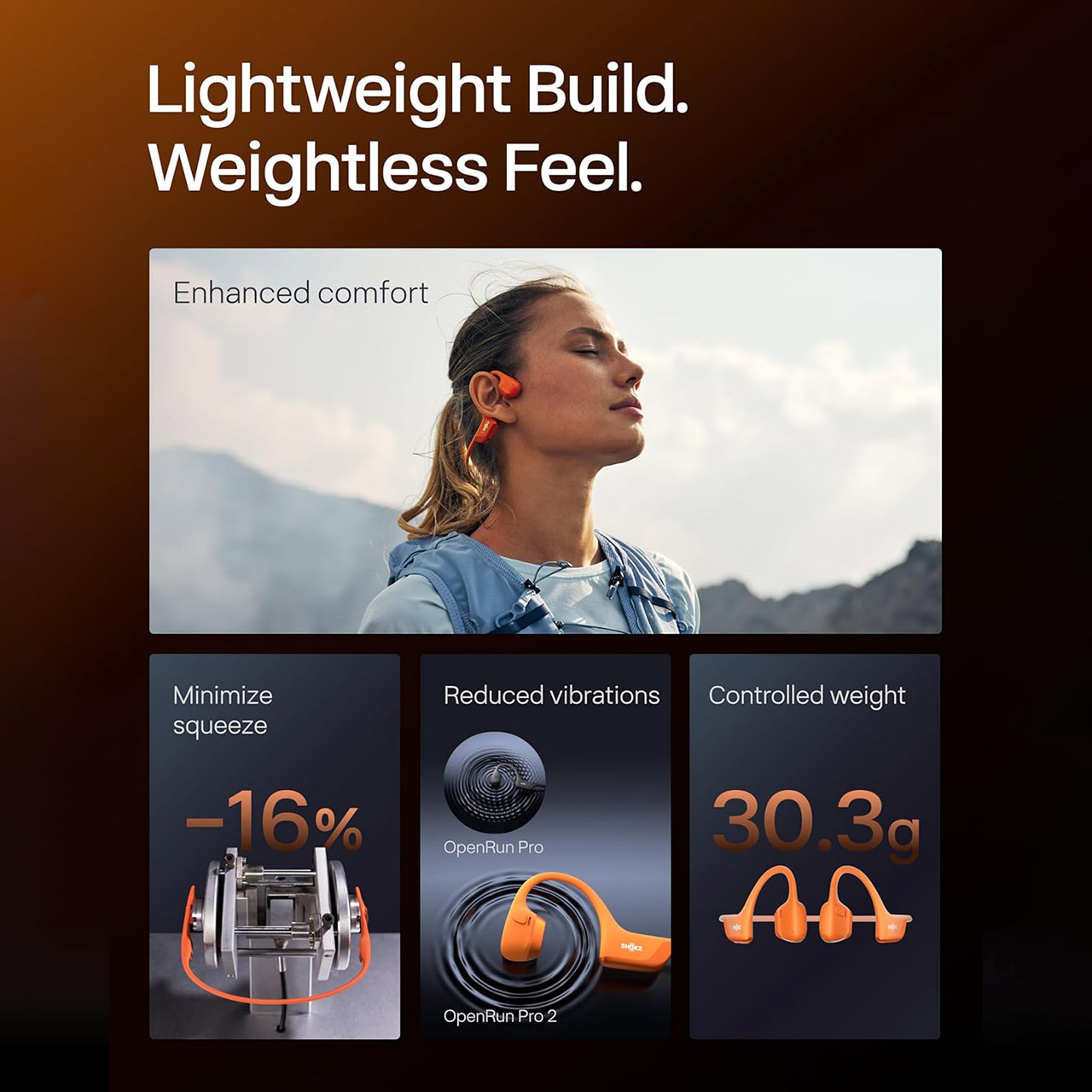
Runners frequently struggle to strike the perfect balance when it comes to listening to music or podcasts on long runs: they want to be able to zone out from the world while also remaining aware for approaching cars or chatter from fellow trail-goers without having to rip out their headphones at every little sound. The Shokz OpenRun Pro 2 bone conduction headphones, priced at $139.95 (was $180), solve that exact problem with a design that sits snugly against your cheekbones while leaving both ears open for full awareness.
A lightweight frame weighing only 30g clips on and stays put across uneven terrain or gym circuits thanks to a clever combination of a nickel-titanium wire and soft ear hooks that follow the natural contours of your head for comfort. Reviewers swear they can wear these for hours without experiencing the normal pressure areas and shifting that requires frequent fussing with the fit.
Unparalleled Audio and Premium sound – Dual drivers combine the clear highs of Bone Conduction Tech with the deep bass of Air Conduction Tech for…
Open-Ear Awareness – SHOKZ’s signature open-ear design helps you power through your workouts while keeping you safely aware of your surroundings…
Secure Stable, Lightweight Fit – The weight-optimized design of this unibody frame integrates a Ni-Ti alloy memory wire and ergonomic ear hooks. The…
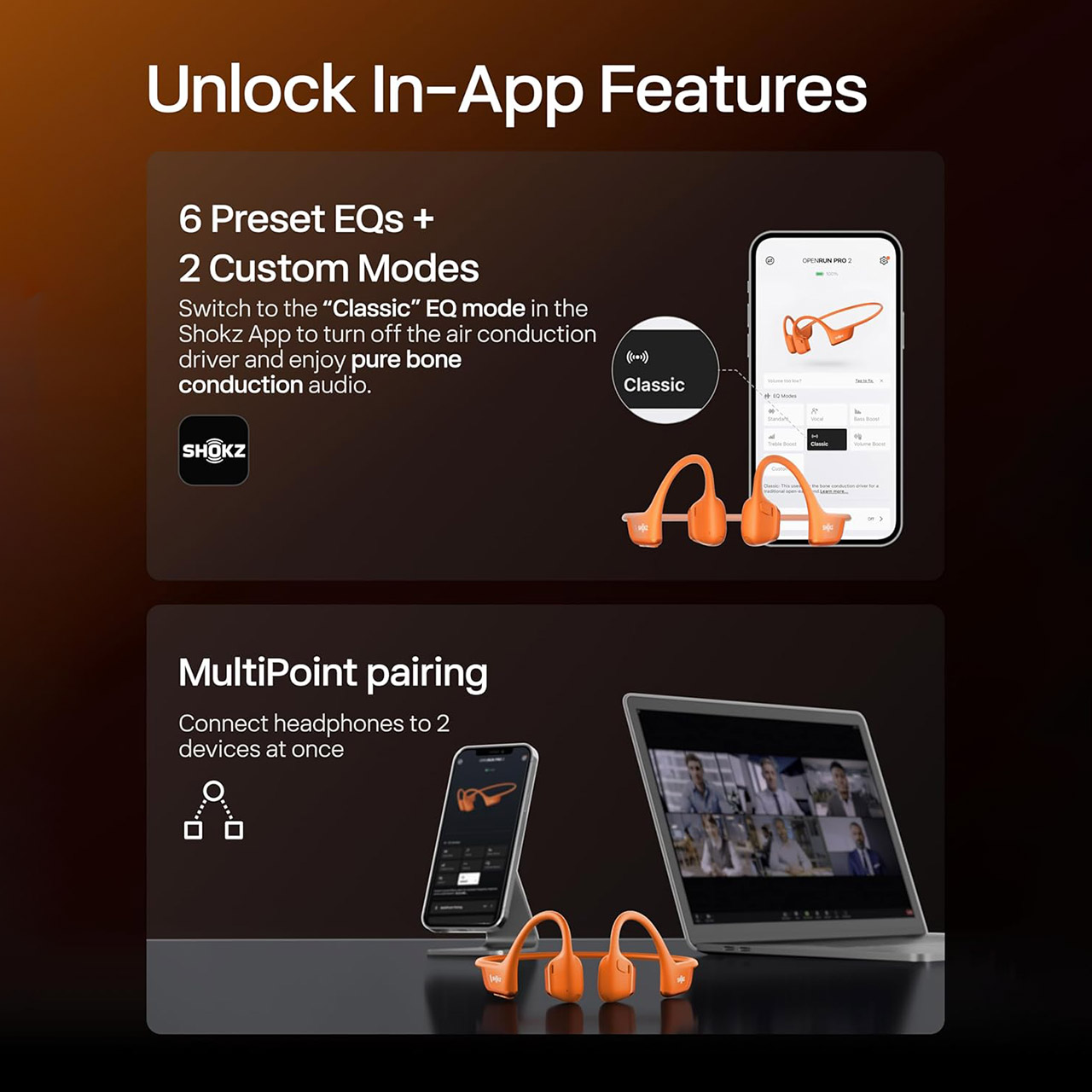
The sound quality is quite impressive, with bone conduction handling the clear mids and highs and a small air conduction speaker providing a nice boost of low-end weight that previous models could only dream of. As a result, music and audiobooks sound full and balanced even at moderate volumes. It’s also incredibly simple to change up your sound with a simple app that provides rapid access to preset modes for noisy streets or a pure open-ear listening experience.
You get a good 12 hours of fun on a single charge, which is equivalent to a full day of action without having to stop halfway through to recharge. If you do need to recharge, plugging them in for five minutes via USB-C will give you an extra 2.5 hours of music, and phone calls sound crystal clear even on windy days or on crowded sidewalks. The dual microphones are angled such that they cut through all of the background wind noise, allowing the person on the other end to hear what you’re saying clearly rather than simply the sound of traffic or your breathing.
In terms of durability, these headphones have an IP55 rating, which means they can survive light rain and even perspiration without missing a beat. There’s also a reflective strip along the frame to keep you visible in low light, but you won’t have to bother with other equipment. If you already own an earlier Shokz model, you’ll feel the difference right away, as the switch to standard USB-C charging is a modest but welcome change, and the added low-end weight and reduced vibration make them more comfortable for extended listening.
By law, autonomous vehicles aren’t allowed to carry unaccompanied minors in California. Waymo, Alphabet’s self-driving-car company, doesn’t allow kids under 18 to ride alone anywhere outside of metro Phoenix, Arizona. But that hasn’t stopped some time-strapped parents from using their own accounts to transport their kids to school, extracurricular activities, and even social outings. Some have reported that the lack of drivers makes them feel safer.
Waymo is working to crack down on the practice, the company confirmed Friday, after reports of new mid-ride age-verification checks began to float around on social media. The company has “policies in place” to help it identify violations of its terms of service, Waymo spokesperson Chris Bonelli wrote in a statement to WIRED. “We are continuing to refine our system and processes for accuracy over time.” Violating its terms of service can lead to temporary or permanent suspension of an account, Waymo says.
The company uses cameras inside its cars to check that riders aren’t violating its rules. Its privacy policy notes that the company records video inside the vehicle during trips. Waymo says its support workers “may review video under certain circumstances” and, “in more urgent circumstances,” access live video during a trip. The company says it does not use facial recognition or “other biometric identification technologies” to identify individuals.
The news comes a month after several California labor groups, including the California Gig Workers Union, filed a formal complaint with a state regulatory agency, accusing Waymo of violating the terms of its permit to operate in the state by knowingly transporting unaccompanied minors. The matter was assigned to a judge this week. The state is evaluating new rules that could allow solo riders under 18 in driverless cars, perhaps patterned after a program that permits ride-hail companies with human drivers to transport minors in California.
Advertisement
So far, several fresh-faced adults have been caught in the crossfire. On Tuesday, San Francisco machine learning engineer Nicholas Fleischhauer was about five minutes into his Waymo ride when the car connected him to support. A voice came over the line asking Fleischhauer to verify his age. He told the worker the truth: He’s 35. “I had messy and wet hair and a backpack on me,” he says, by way of explaining why he might have been flagged by Waymo’s system. Plus, “people have told me that I look young for my age.” Fleischhauer says he takes Waymo weekly, but this marked the first time he had been asked about his age.
Since last summer, Waymo has allowed parents in the Phoenix area to set up teen accounts for riders ages 14 to 17. The accounts allow the teen riders’ adults to track their real-time locations during their trips. Waymo says a specially trained team of support agents deals with any issues its teen riders might have. Waymo says that “hundreds” of Phoenix families use the service each week.
In Waymo’s other markets across the US, adults are allowed to ride with guests under 18, though children under 8 must be in a secured car or booster seat.
Ethan S. Klein is 23, but his 26th LA Waymo ride on Thursday—plus the music he was listening to—was interrupted by an in-car call from a support agent who asked him, for the first time, to verify his birth date. Klein is an adult, but his first impulse was almost teen-like. “I was a little startled,” he says. “I thought I was in trouble!”
Mechanism, the company behind a “gaming pillow” for the Steam Deck and a growing list of grips for handheld consoles and PCs, already has its first Steam Controller accessory ready. Valve’s new controller will be available to purchase on May 4, and that same day Mechanism will start selling the Basegrip for Steam Controller, an accessory that will let you attach the controller to a smartphone and plenty of other mounts the company already sells.
The Basegrip for Steam Controller is contoured to fit snuggly over the back of the controller while leaving room for its magnetic charging puck to still attach. And because most of Mechanism’s accessories are designed to work together, with the Basegrip attached, you could connect the Steam Controller to a large number of the company’s existing mounts, including a phone mount that lets you magnetically attach a smartphone to the top of the controller. With a phone and controller together, you theoretically have a little handheld console for playing games.
Advertisement
Or, well, you could, some day. Valve has been fairly clear that the Steam Controller is only designed to work with Steam and the Steam Link app, which is why Mechanism notes that “the controller doesn’t work across all of iOS or Android yet.” You could use your smartphone, Steam Controller and the Steam Link app to stream your PC games, but you might struggle to play more than that. Future software updates could improve support, but it does make using the Steam Controller with a smartphone right now a bit less useful. That shouldn’t detract from the other accessories Mechanism offers, though, particularly its planned Steam Controller Dock, which proudly displays the controller when you’re not using it, and incorporates its charging puck to keep it powered, too.
Mechanism says the Basegrip for Steam Controller will be available on May 4 for $9 or at a discounted priced when bundled with other accessories. The Steam Controller Dock doesn’t have a final price yet, but Mechanism says it will ship in June and you can join a waitlist to buy it now.
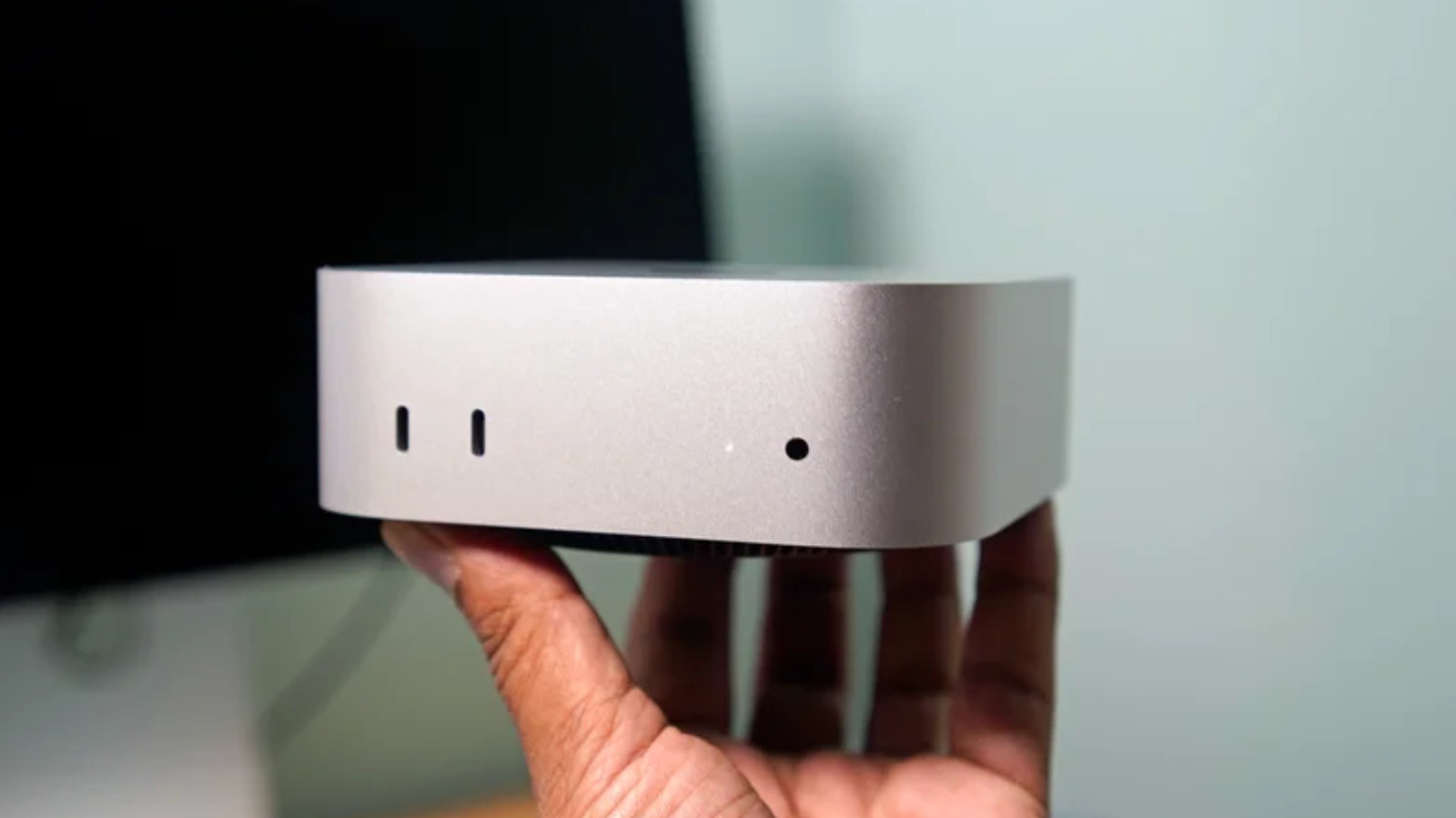
The AI industry’s demand for memory, storage and powerful chips has finally come for the Mac mini. Apple has stopped selling its cheapest $599 model of the Mac mini, based on changes to the company’s store page spotted by MacRumors. Only configurations that come with at least 512GB of storage and up are available, which means the Mac mini now effectively starts at $799. The tiny desktop’s popular use as a home for local AI agents likely played a part in the change.
Engadget has contacted Apple for confirmation that it’s discontinuing the entry-level Mac mini. We’ll update this article if we hear back.
Advertisement
When Apple started selling the redesigned Mac mini for $599 in 2024, it was one of the best deals the company had offered in years. With options for multiple tiers of Apple’s M4 chip, at least 16GB of RAM, at least 256GB of storage and enough ports to get things done, the Mac mini was remarkably capable. That also made it popular among the AI crowd, first for its ability to run local large language models, and later as a dedicated computer for AI agents like OpenClaw. A combination of demand from AI tinkerers and growing constraints around sourcing things like memory and storage may have motivated Apple to remove its cheapest model, at least for now.
CEO Tim Cook suggested as much during Apple’s most recent earnings call. “We think, looking forward, that the Mac mini and Mac Studio may take several months to reach supply demand balance,” Cook said. “Both of these are amazing platforms for AI and agentic tools and the customer recognition of that is happening faster than what we had predicted, and so we saw higher than expected demand.”
Apple has been better than most at weathering “RAMaggedon,” or at least hiding its effects across its product lines. When the company updated the MacBook Air with its M5 chip, it also bumped the storage to 512GB and the starting price to $1099, possibly in light of the changing cost of RAM and storage. In that case, the blow was softened by the availability of the MacBook Neo, which offered a lot of the power of Apple’s Macs for a much more affordable $600. There’s currently no equivalent for the Mac mini, though, and it’s not clear when, if ever, Apple will start selling something similar for that same cheap starting price.
You can get all kinds of fancy lenses for modern cameras, with all sorts of mechanical and electronic wizardly to make them shoot better images. But what if you paired a vintage lens with a modern camera? It would take some work, as [Mathieu] found out, but you’d also get some interesting results.
The optic in question is a 100-year old lens—a Foth 50 mm f2.5 to be precise, originally used with a folding film camera. It was sourced from a market for just 3 euros. Notably, the lens was not designed for modern cameras, and so lacks an aperture and focusing mechanism. [Mathieu] thus had to fabricate something to fit the lens to a Sony FX3. A first attempt used an aperture adapter from Amazon and an elcoid adapter, but there were vignetting problems due to the lens placement in this case. Ultimately, [Mathieu] went with a special macro adapter that allowed him to control focus and tuck in an ND filter behind the lens, which made up for the lack of an aperture.
The vintage glass isn’t the sharpest lens out there, but that’s kind of what’s fantastic about it. The center of the frame is certainly focused, but it fades out softly towards the edges of the image, giving a cinematic, dreamlike effect. The bokeh in the background are particularly charming, too. As far as 3 euro lenses go, this one was a hit.
“On the Mac Mini and Mac Studio, both of these are amazing platforms for AI and agentic tools,” Cook said. “And customer adoption of that is happening faster than we expected.” Read Entire Article Source link
The quarter showed how dependent Apple has become on its silicon strategy. The iPhone 17 lineup, built on advanced processors made by TSMC using a variant of the manufacturing technology behind leading AI chips, continues to drive the bulk of revenue. iPhone sales reached $56.99 billion, slightly missing estimates, but… Read Entire Article Source link
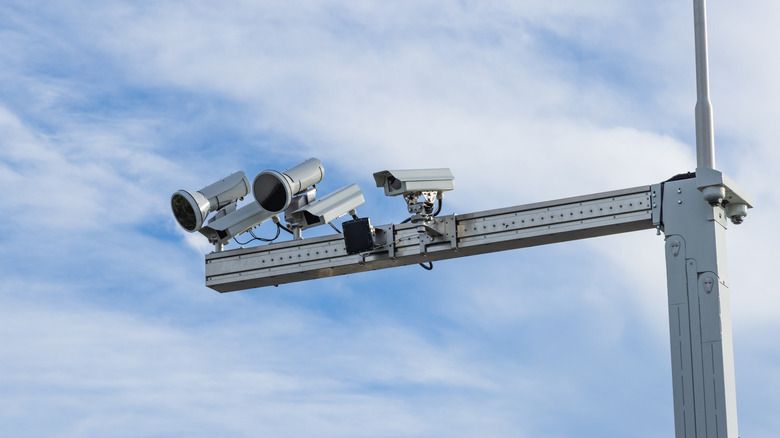
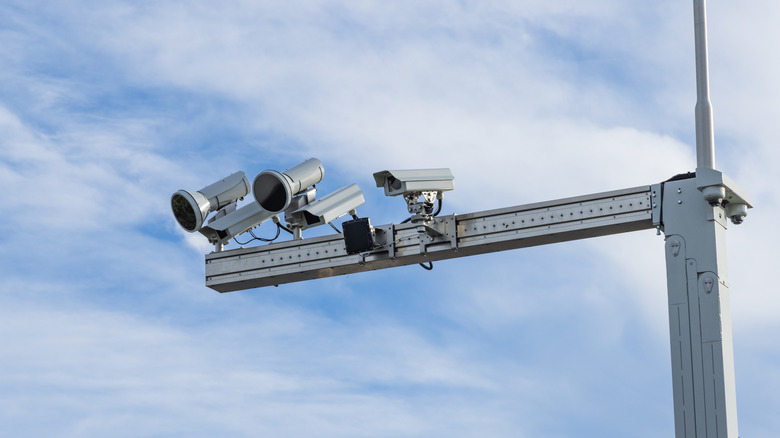
We see them every day with alarmingly increasing frequency — cameras that pop up on the side of the road or at intersections. Whether they’re used to issue tickets in speed and construction zones or relay license plate information, let’s face it: These aren’t going anywhere. It’s best to keep informed as to what they do, what they look like, and where to find them so you can avoid a potentially hefty fine.
You’ll find no fewer than four types of traffic camera in the United States: Traffic-monitoring cameras, automated number-plate recognition (ANPR) cameras, speed cameras, and red light cameras. The first two cannot issue tickets, so we’ll be brief about them. A traffic-monitoring camera’s job is to detect where cars are to precisely time traffic lights and govern automated signage according to conditions. The ANPR camera identifies a car by its license plate, acting as a monitor to track movements.
Speed cameras and red light cameras, on the other hand, both function in similar ways in that they’re designed to prosecute drivers for disobeying traffic laws. The main difference between the two is simply where they’re placed and what laws they uphold. A red light camera, as the name suggests, sits at an intersection and monitors red light offenses. Speed cameras are typically situated at the sides of roads prone to speeding, like back roads and highways. These cameras issue automated tickets, which the registered vehicle owner receives in the mail. It’s a system not without its faults; for instance, a woman’s license plate matched a common novelty plate, and she was issued 15 traffic tickets. Let’s dive deeper and explore more about how these systems differ and what they can and can’t do.
Advertisement
How red light cameras work
Bill Uko/Getty Images
Traffic-issuing red light cameras operate through a hard link to the traffic signal itself. When you pull up to the red light, the camera takes a picture of your car as it moves into position, then detects if the vehicle moves past the point where it’s then in the intersection. If the light is red in both phases, i.e. the car blew the red light, then the camera photographs the car a second time as it goes through the light. It then issues a citation to the registered owner of the vehicle.
This system was first implemented in New York City in 1994, a metropolitan area we all know for its infamous gridlock. The New York Department of Transportation took a hard look at statistics, recording fatalities occurring at intersections and asking the question, “Would an automated red light camera help stop speeders?” New York champions the system today with plans to expand it to 600 intersections. If you blow a light in the City and your car is captured by this camera, expect a $50 ticket in the mail.
Advertisement
Typically you’ll find red light cameras situated at busy intersections, near school or work zones, or in major cities. They’re identified by the secondary camera unit that captures a picture of the car as it goes through the light, typically mounted on its own pole overlooking the intersection. The legality of red light cameras is often called into question, with specific rules varying on a per-state basis. Some states exclude them outside of metropolitan areas, and others don’t allow them at all.
Advertisement
How speed cameras are different
AntonSAN/Shutterstock
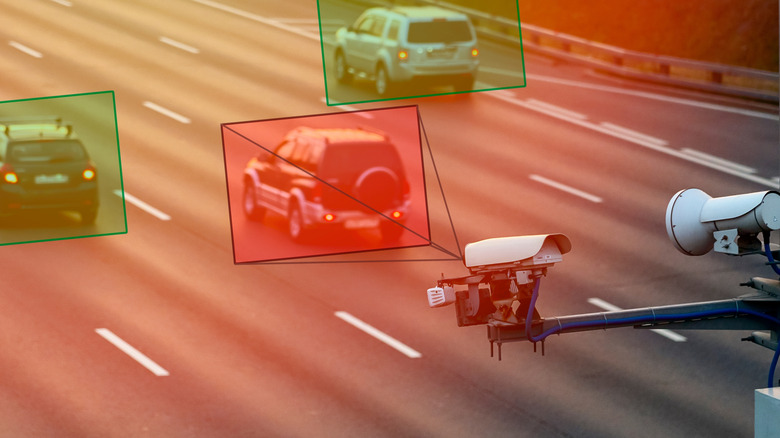
Speed cameras function the same in principle — if you’re speeding, it’ll take a picture of your car and mail you a ticket. But there are actually several types of speed cameras, each one operating using different methods. Most modern systems use a form of LIDAR and infrared photography to track and capture a car’s image, either by measuring its speed between two fixed points or by measuring its speed at a specific point — much like the ones used in Colorado. These are your fixed units, designed to run autonomously, as opposed to mobile units, which are set up by officials and, as the name suggests, are not static.
These types of cameras are generally what you’ll see in places like construction areas or school zones — any place with a consistent, reduced speed in comparison to the usual flow of traffic. Other areas include high-speed expressways and suburban areas with excessive rates of speeding violations. According to the U.S. Department of Transportation, their presence has reduced crash frequency by 54%, and accidents involving injuries and fatalities by 47% and 20%, respectively.
Different cameras operate using different methods, making detection an exceedingly difficult proposition. For instance, some speed cameras use lasers, whereas others use different bands of radar. Apps like Waze and Google Maps typically state fixed speed trap locations as a heads-up, but you’ll often find surprise mobile units in front of construction zones and the like. Just like red light cameras, the person who receives the ticket will be the one to which the vehicle is registered.
Looking for the most recent Connections answers? Click here for today’s Connections hints, as well as our daily answers and hints for The New York Times Mini Crossword, Wordle, Connections: Sports Edition and Strands puzzles.
Today’s NYT Connections puzzle is all over the place, My fellow journalists, pay special attention to words hidden in four words. They’ll end up in a journalism-related purple category. Read on for clues and today’s Connections answers.
The Times has a Connections Bot, like the one for Wordle. Go there after you play to receive a numeric score and to have the program analyze your answers. Players who are registered with the Times Games section can now nerd out by following their progress, including the number of puzzles completed, win rate, number of times they nabbed a perfect score and their win streak.
Here are four hints for the groupings in today’s Connections puzzle, ranked from the easiest yellow group to the tough (and sometimes bizarre) purple group.




























































You must be logged in to post a comment Login