
Easemate.ai launched in 2025 with a simple pitch: one platform for everything AI.
It doesn’t make you choose between a chat assistant, an image generator, or a video tool. You get all three, alongside study utilities, document readers, and image editing features. The range of supported models is equally wide, covering GPT, Gemini, Claude, DeepSeek, Grok, Kimi K2, and Qwen 3 on the chat side alone.
The creative side is where things get particularly ambitious. Easemate integrates image models including Nano Banana, Midjourney, Flux Kontext, GPT-4o, and Seedream, with a video catalogue stretching to Sora 2, Google Veo 3, Kling, Seedance, and Runway. Few platforms at this price point give you that many models in one place.


We’ve been reviewing B2B software and AI platforms at TechRadar Pro since 2012. Easemate sits in a crowded but useful category of multi-model AI aggregators that we’ve tracked closely. You can also check out our AI tool roundup for 2026 and deep dives into platforms like OpenClaw or Moltbook.
What is Easemate.ai?
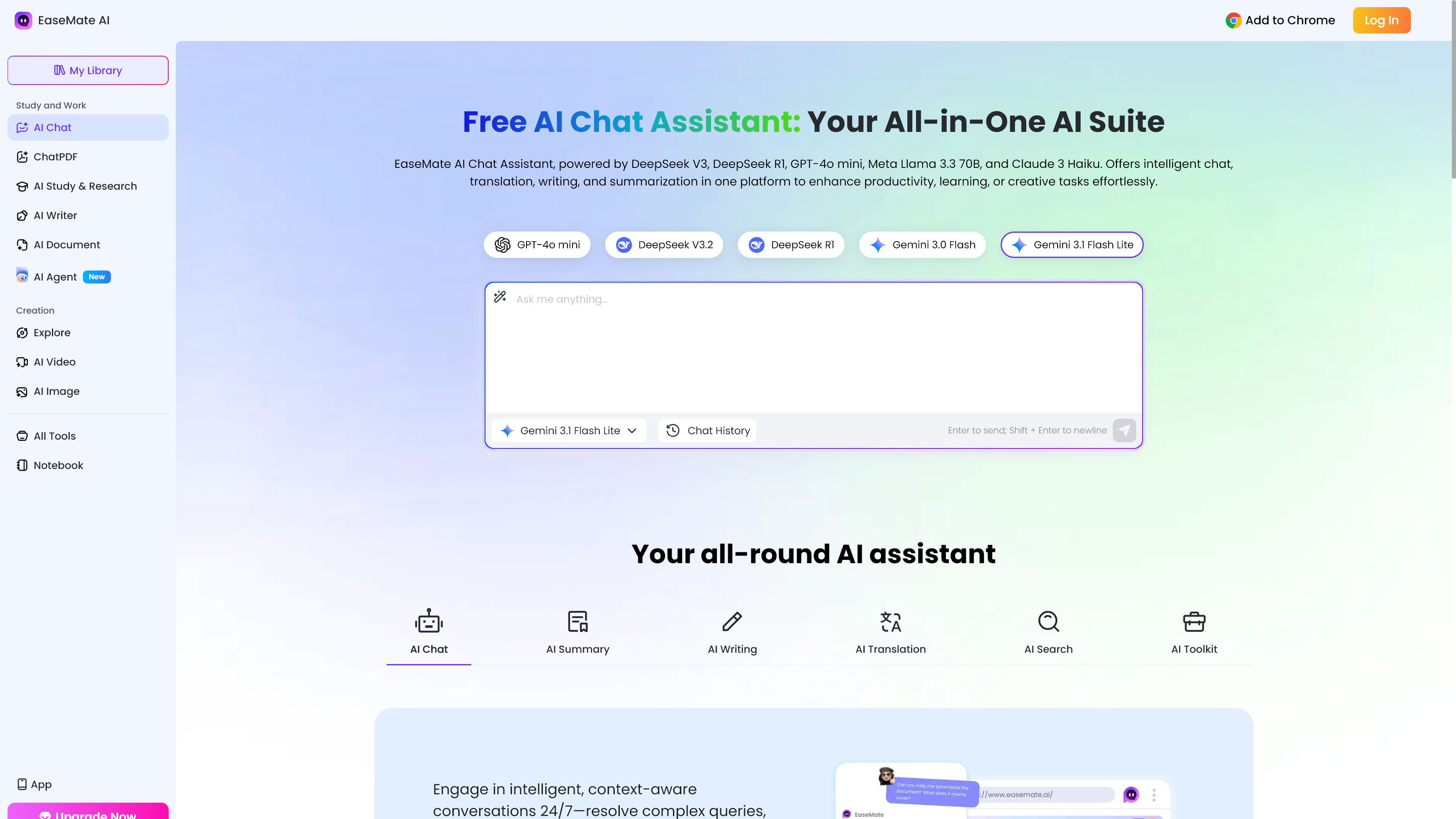
Easemate.ai is a web-based AI platform that consolidates multiple AI models and task-specific tools into a single subscription.
Rather than routing you to one underlying model, it lets you switch between GPT, Gemini, Claude, DeepSeek, and others depending on what you need, without juggling separate accounts.
The platform divides its offering into four main areas: AI Chat, AI Study & Research, AI Photo, and AI Video. Within those, you’ll find tools for ChatPDF, document summarization, math and science solvers, flashcard generation, image-to-video conversion, and YouTube transcript extraction.
It targets a broad user base (students, solo creators, freelancers, and small businesses) rather than positioning itself as a developer tool or enterprise solution. If you want a single dashboard that covers daily AI tasks without managing multiple subscriptions, Easemate’s pitch is worth considering.
Easemate.ai: At a glance
|
Attribute |
Notes |
|
Underlying model(s) |
Multi-model: GPT (various), Gemini, Claude 3 Haiku, DeepSeek, Grok 4, Kimi K2, Qwen 3 for chat; Nano Banana, Midjourney, Flux Kontext, Wan, Kling, Seedream and more for image/video |
|
Best for |
Students, solo creators, and small businesses needing all-in-one AI access |
|
Distinguishing functions |
Multi-model chat, ChatPDF, image generation, video generation, math/science solvers, AI writing tools, face swap, YouTube summarization |
|
UI features |
Browser-based interface, desktop and mobile (iOS and Android); no-login trial available for select tools |
|
Subscription costs |
Basic (free), Lite ($8.90/month intro, then $9.90/month), Pro ($19.90/month intro, then $24.90/month) |
|
API pricing |
No public API; consumer-facing platform only |
Buy it if…
- You want multi-model AI chat without juggling accounts. Easemate puts GPT, Gemini, Claude, DeepSeek, and Grok 4 in one place, which saves real time if you regularly compare outputs across models.
- You need creative tools alongside a chat assistant. The combination of image generators and video models in one subscription is hard to match at Easemate’s price point.
- You’re a student or researcher on a budget. The free tier includes 30 sign-up credits, daily check-in bonuses, and up to 200K AI chat tokens per day.
Don’t buy it if…
- You need consistent professional image or video output. Users report a “prompt drift” issue where the platform ignores specific instructions, alters faces, or changes scenes unexpectedly.
- Reliable customer support matters to you. Support is online-only and has drawn criticism for being slow to resolve credit-related problems.
- You want granular model control. Access to Veo 3 and Sora 2 comes through Easemate’s own interface rather than direct API access, which limits parameter customization.
My time with Easemate.ai
Getting started on Easemate.ai is frictionless. The platform lets you try select tools without an account, and signing up takes under a minute. Once logged in, the 30 free credits appeared immediately, and the interface guided me clearly toward the main tool categories. For a platform with this many features, the navigation stayed surprisingly tidy.
Where I hit friction was in creative generation. I ran several image prompts through Nano Banana and Flux Kontext and found outputs solid roughly two-thirds of the time. There were noticeable cases where the platform deviated from my descriptions, and rerunning the same prompt sometimes produced very different results. Video tools showed similar inconsistency.
The value case is real at the Lite tier, though. For $8.90 in the first month, rising to $9.90 after that, you get 1,200 credits, access to up to 120 images and 60 videos per month, and multi-model AI chat. That’s a fair deal for casual creative work or students managing multiple AI tasks, as long as you aren’t expecting the precision of a dedicated tool.
Easemate.ai: Features
The AI Chat section covers GPT (multiple versions), Gemini, Claude 3 Haiku, DeepSeek, Grok 4, Kimi K2, and Qwen 3. For most conversational tasks (drafting, translating, summarizing), having that range in one tab is useful. The daily free token limit of 200K is also more generous than most comparable platforms.
The study and research tools are well-executed and clearly the original backbone of the platform. Math, physics, and chemistry solvers work step-by-step, making them practical for students rather than just returning a final answer. Flashcard and quiz generators, mind maps, and AI Scholar round out a toolkit that serves academic workflows more carefully than most multi-purpose AI platforms do.
On the image side, the model selection is broad: Nano Banana, Midjourney, Flux Kontext, GPT-4o, and Wan 2.5 are all accessible on paid plans. Nano Banana produces good commercial-style images; Flux Kontext handles text-in-image prompts reasonably well. The consistency problem persists, particularly with prompts involving specific faces or complex scenes.
Document tools perform well. ChatPDF, Chat Doc, and Chat PPT let you upload files and query them conversationally, with OCR support for scanned content. The YouTube summarization tool is a genuine highlight: paste a link and get structured notes with timestamps, which worked better than expected in testing.
Easemate.ai: User experience
The interface is clean and well-organized. Tool categories sit in a top navigation bar, each expanding into a dropdown with clearly labeled options. First-time users shouldn’t need a tutorial to find their way around, and the browser-based experience works consistently across devices.
The credit system is where the UX gets murky. Different tools consume different credit amounts, and it’s not always clear how many you’re spending before you generate. A failed generation still costs credits, which user reviews flag repeatedly. Easemate’s team has acknowledged this in public responses, but the system itself hasn’t changed.
Easemate.ai: Customer support
Easemate offers support via email at support@easemate.ai and through a help portal on the website. There’s no live chat, phone line, or priority tier for paid subscribers. Documentation covers pricing and credits at a surface level but doesn’t go deep enough for troubleshooting edge cases.
User perception is mixed. As of early 2026, Easemate held an overall rating of 2.0 to 3.0 out of 5 stars with most review aggregators, with positive feedback on ease of use offset by complaints about reliability and support responsiveness. More recent reviewers show a wider range of experiences — solo creators praise the video output quality, while others report credits consumed by failed generations with no satisfying resolution.

Easemate.ai: Pricing
- Basic (free): 30 sign-up credits, daily check-in bonuses, up to 200K AI chat tokens per day, limited image and video access
- Lite ($8.90/month intro, then $9.90/month): 1,200 credits, up to 120 images and 60 videos per month, full model access; annual billing drops this to $7.49/month intro, then $8.49/month
- Pro ($19.90/month intro, then $24.90/month): 3,000 credits, up to 300 images and 150 videos; annual billing drops to $16.90/month intro, then $20.9/month
The free tier is actually usable for light AI chat and occasional image generation — it’s not a locked demo. Lite is the sweet spot for individuals. Easemate also sells one-time credit packs that never expire, ranging from 500 credits at $4.90 up to 15,000 credits at $104.90, with discounts of 10–30% depending on bundle size. There’s no API access or developer-tier pricing.
Easemate.ai alternatives you should consider
- ChatGPT Plus: At $20/month, you get GPT-4o, o4-mini, and DALL-E 3 in a more mature, reliable environment. A better choice if text generation and image creation are your primary needs.
- Perplexity Pro: Covers multi-model chat with web search grounding and document uploads. Weaker on creative generation but more dependable for research-heavy workflows.
- Adobe Firefly: Produces commercially safe, high-consistency image output with better prompt fidelity than Easemate’s image tools, though it lacks the platform’s broad AI chat and video coverage.
How I tested Easemate.ai
- Tested AI chat tools across GPT, Gemini, Claude, and DeepSeek for writing, summarizing, and translating tasks, comparing output quality and response speed across models.
- Generated images and video clips using Nano Banana, Flux Kontext, Kling, and Veo 3 with a range of prompt types to assess consistency and prompt adherence.
- Used document and study tools, uploading multi-page PDFs and PowerPoint files to test ChatPDF accuracy, and running math and science problems through the step-by-step solvers.
My testing involved hands-on use of Easemate.ai across its four main tool categories over several sessions, combined with a review of third-party user feedback on Trustpilot and review platforms to benchmark real-world reliability against my own observations. Pricing details were verified directly against the official Easemate.ai pricing page.
You must be logged in to post a comment Login